

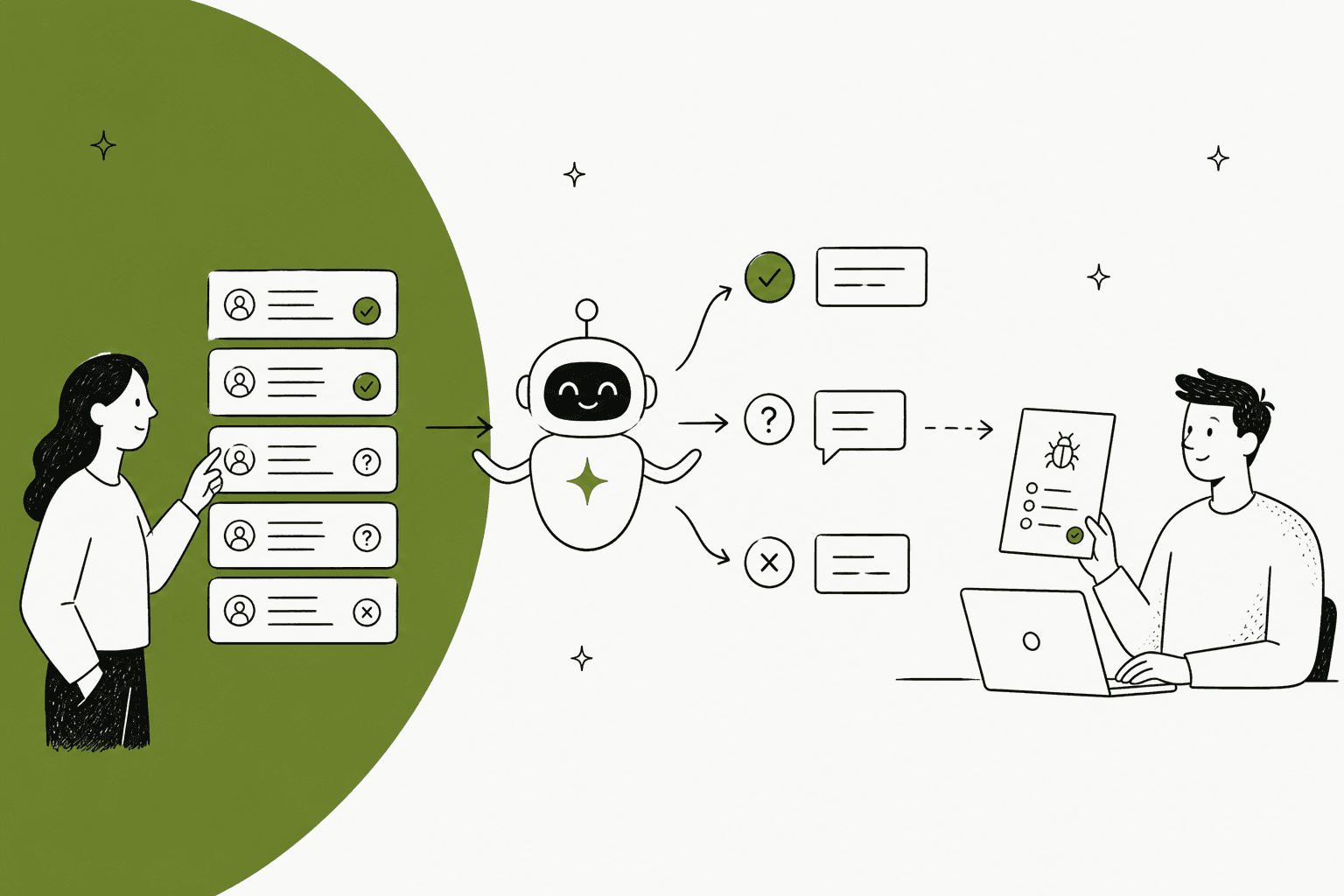
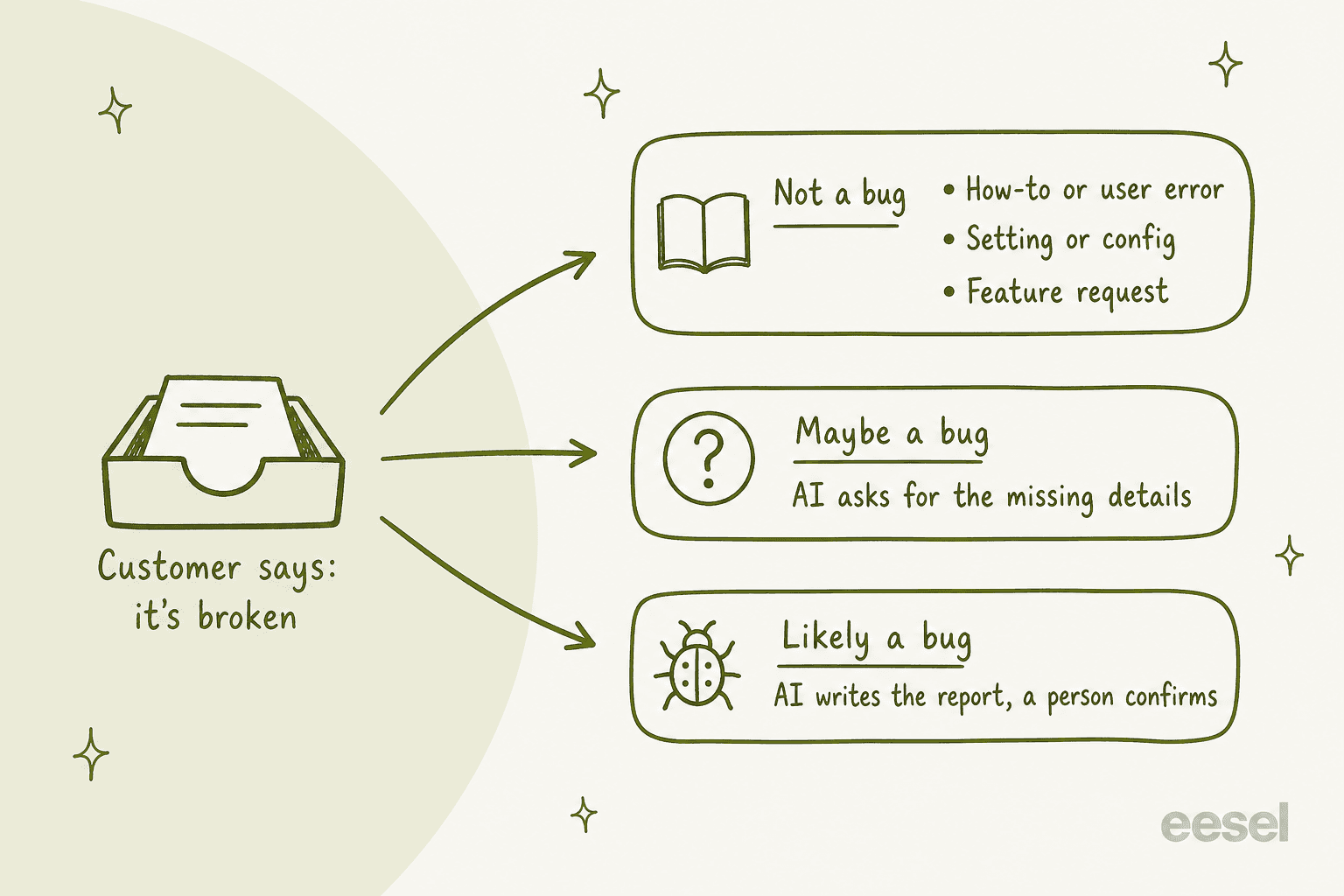
AI for bug triage works best in the support queue, not the engineering backlog. Sort every "it's broken" ticket into three lanes: not a bug (how-to, setting, feature request), maybe a bug (the AI asks for the missing details), and likely a bug (the AI writes the report and a person confirms it). Most of the time it saves comes from the first two lanes, because most "bugs" customers report never reach engineering at all.
The rule that keeps engineers trusting it: the AI never tells a customer something is a confirmed bug, and it never files a report without steps to reproduce, the account, and a check for duplicates. When the fix ships, it tells every customer who reported it.
eesel does this inside the helpdesk you already run. SE Ranking uses it to turn wrong-data and API questions into Tier 2 tickets with the domain, audit link or screenshot collected first, out of about 4,650 conversations a month.
Why do bug reports clog a support queue?
I work the support queue at eesel, and a fair share of what lands there opens with some version of "I think something's broken". Some of those are bugs. Most aren't. They're a setting someone changed, a button that moved, a browser extension getting in the way, or a feature that never existed. The trouble is that all of them look the same in the inbox, and the real ones are mixed in with the rest.
That mix creates two kinds of waste, support spends time on tickets that needs engineering and engineering spends time on the tickets that were never bugs. One person on Hacker News, describing network vendors, put the second problem at an extreme:
"Especially with network vendors where 99%+ of their support workload is dealing with client or reseller misconfiguration."

Your ratio won't be that lopsided, but the shape is familiar. And when a real bug does go to engineering, in terms of detail it often goes with too little in it. An engineer who works with support staff on Hacker News described the gap:
"they're not developers and every now and then they cut the corner and need to be reminded that "I cannot press this button" is not good enough"
That's the job AI is good at in this spot. Not deciding what's a bug, it is doing the sorting and the follow-up questions that a busy support team skips. If you want the engineering-side view (Sentry, Linear and GitHub sorting issues once they exist), I wrote that up in AI for bug report triage. This post is about the step before: getting from a customer's ticket to an issue worth filing.
How should AI sort a customer bug report?
When I asked ChatGPT how a support team should triage bug reports, it described the same pipeline most teams arrive on: classify, then investigate, then hand off. I'd make the classify step more concrete, the thing to note here is three lanes, with a different job for the AI in each.
| Lane | Typical report | What the AI does | Who decides |
|---|---|---|---|
| Not a bug: how-to or user error | "I can't find the export button anymore" | Answers from the help center and changelog, links the article | AI, once tested |
| Not a bug: setting or config | "The report totals are wrong" | Checks the usual settings (date range, filters, time zone) before anything else | AI, with a person on drafts at first |
| Not a bug: feature request | "Can you add dark mode?" | Thanks them, logs the request, never promises it | AI |
| Maybe a bug | "Nothing works since this morning" | Asks for steps, account, browser or app version, a screenshot | AI asks, then re-sorts |
| Likely a bug | "Export freezes at 99% since Tuesday's update, worked last week" | Checks known issues and status, writes the report, tells the customer it's with the team | A person confirms |
| Outage | "Login shows a 500 for everyone in our org" | Checks the status page, pages a person right away | A person, now |
The "worked last week" detail matter more than it looks. ChatGPT's answer called it a regression indicator and I agree, a report that names something that used to work, plus a recent change, is the strongest signal a customer can give you. The AI should treat those like a likely bugs even when the customer's description is vague.
Try sorting a few reports yourself:
Which lane is this bug report in?
Pick a customer report to see where it goes and what the AI should do next.
Nothing picked yet. Start with any report above.
The AI checks the changelog first. If the button moved in a recent release, it answers with where it lives now and links the release note. If nothing changed, it asks for a screenshot before calling it anything else.
Needs: help center, changelog, past tickets.
Most "the numbers are wrong" tickets are a date range, a filter, a time zone or a draft document. The AI walks through those checks in one reply. If all of them look right, the ticket moves to maybe a bug and the AI asks for an example record.
Needs: a written rule for wrong-number reports, past tickets.
The AI thanks them, says plainly it isn't available today, tags the ticket as a feature request so product can count it, and never hints at a release date.
Needs: a feature-request tag, a rule against promising roadmap items.
Too vague to sort. The AI checks the status page, then asks for what it can't look up: what they were trying to do, what they saw, browser or app version, and a screenshot. Then it sorts again with the answer.
Needs: status page, a short list of questions per product area.
"Worked last week" plus a recent update is a regression signal. The AI searches for an existing ticket or issue with the same symptom, links it if found, and otherwise writes the report for engineering. It tells the customer the team is looking at it, and never calls it confirmed.
Needs: known issues, ticket search, a way to file into your tracker.
Many users, one symptom, all at once. The AI checks the status page, links the ticket to the incident if one is open, and pages the on-call person if not. No troubleshooting steps for an outage.
Needs: status page, an urgent route to a person.
A note on how the AI should sort: let it read your past tickets, not a list of keywords. "It's broken" means very different things in different products, which is why the words your customers use for a real bug is already in your solved tickets. If you're setting up the wider routing around this, AI ticket routing for SaaS and how to automate ticket triage cover the rest of the queue.
What should AI ask the customer before calling it a bug?
The maybe lane is where AI earns its keep, because it's the step that support teams are skipping under pressure. A person with forty open tickets forward "nothing works" to engineering and moves on. An AI can ask the follow-up questions every single time, while the customer is still in the conversation, also still remembers what they clicked.
What I'd have it ask, in roughly this order:
- What were you trying to do? The goal, not the error. Half the time this reveals a how-to.
- What happened instead, and what did you expect? Exact error text if there is one.
- When did it start, and did it work before? This is the regression question.
- Which account, workspace or project? So nobody has to ask again later.
- Which browser, app or version? Skip it if your systems already log it.
- Can you send a screenshot or a short recording? One image saves three replies.
There is two rules that make this feel helpful instead of like a form. First, the AI should search before it asks. SE Ranking's agent is set to never ask a clarifying question before it has checked the help centers, macros and past tickets. Second, ask for one or two things at a time, and don't ask for anything the AI can look up itself.
SE Ranking's setup shows what this looks like when it's done. Wrong data in their research tools, white label setup, audit questions, the API and Looker Studio all becomes a ticket for their Tier 2 group, with the domain, audit link or connector screenshot collected first. If a customer says their screen doesn't match with what the AI described, it stops troubleshooting and hands over with a note on what it already told them. In one month that was about 400 tickets created for Tier 2 and weekend cases, out of about 4,650 conversations across three products.
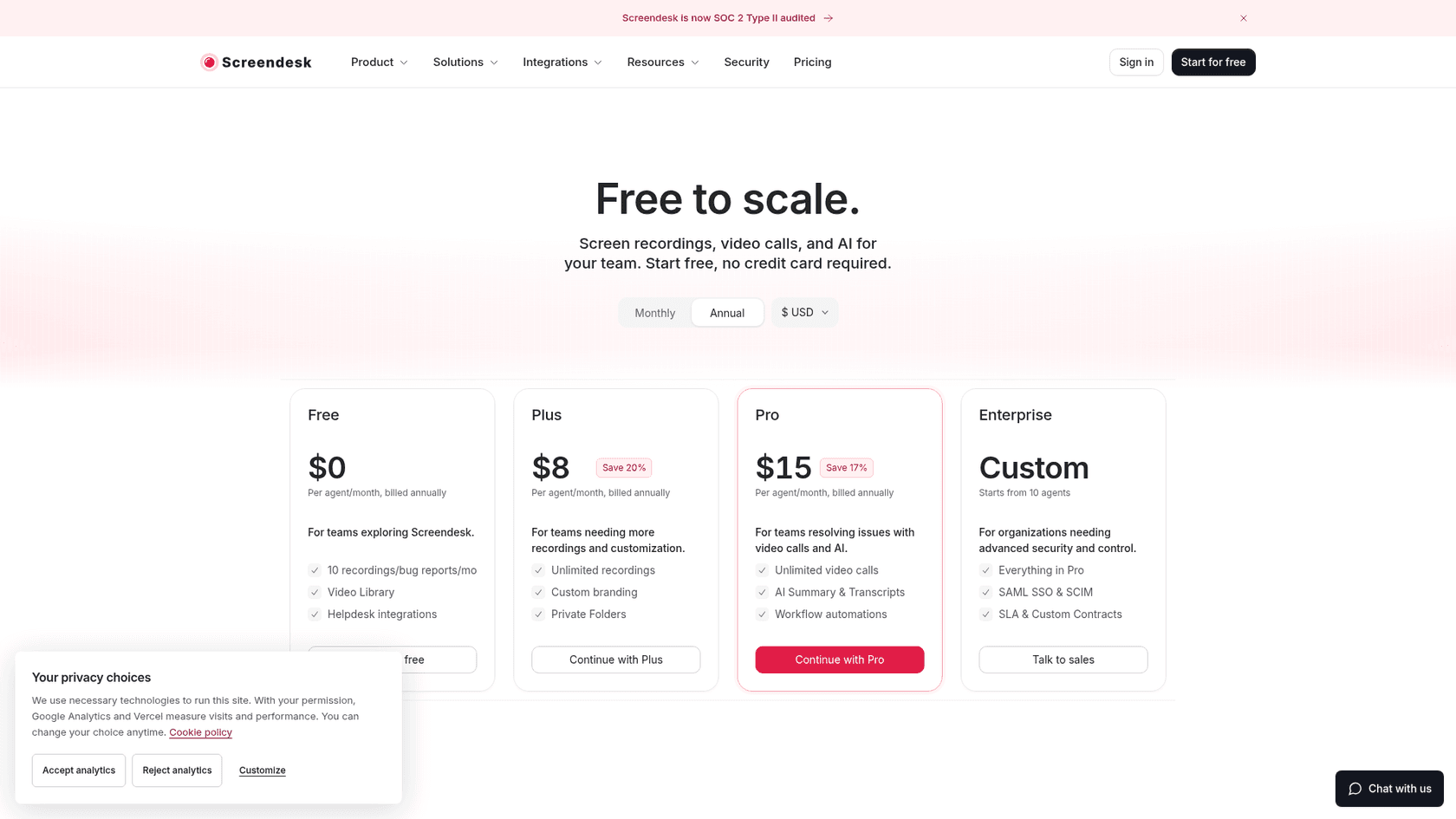
Screen recordings help here too. Screendesk adds recording and bug report links to helpdesks like Zendesk, Freshdesk, Help Scout and Jira Service Management, and its Pro plan autofills the title and repro steps with AI. That pairs well to an AI agent, the agent asks for the recording then the recording fills in the steps.
How does AI check whether engineering already knows?
Before anything go to engineering, the AI should answer one question, which is whether this is already known. Three places for looking:
- Open tickets in your helpdesk. If six customers reported the same export freeze this morning, the seventh is a link, not a new report.
- Known issues and the status page. So the AI says "we're aware of this and working on it" instead of walking a customer through a fix for an outage.
- The issue tracker itself. An open issue with the same symptom means the ticket gets linked to it, and the customer gets told when it closes.
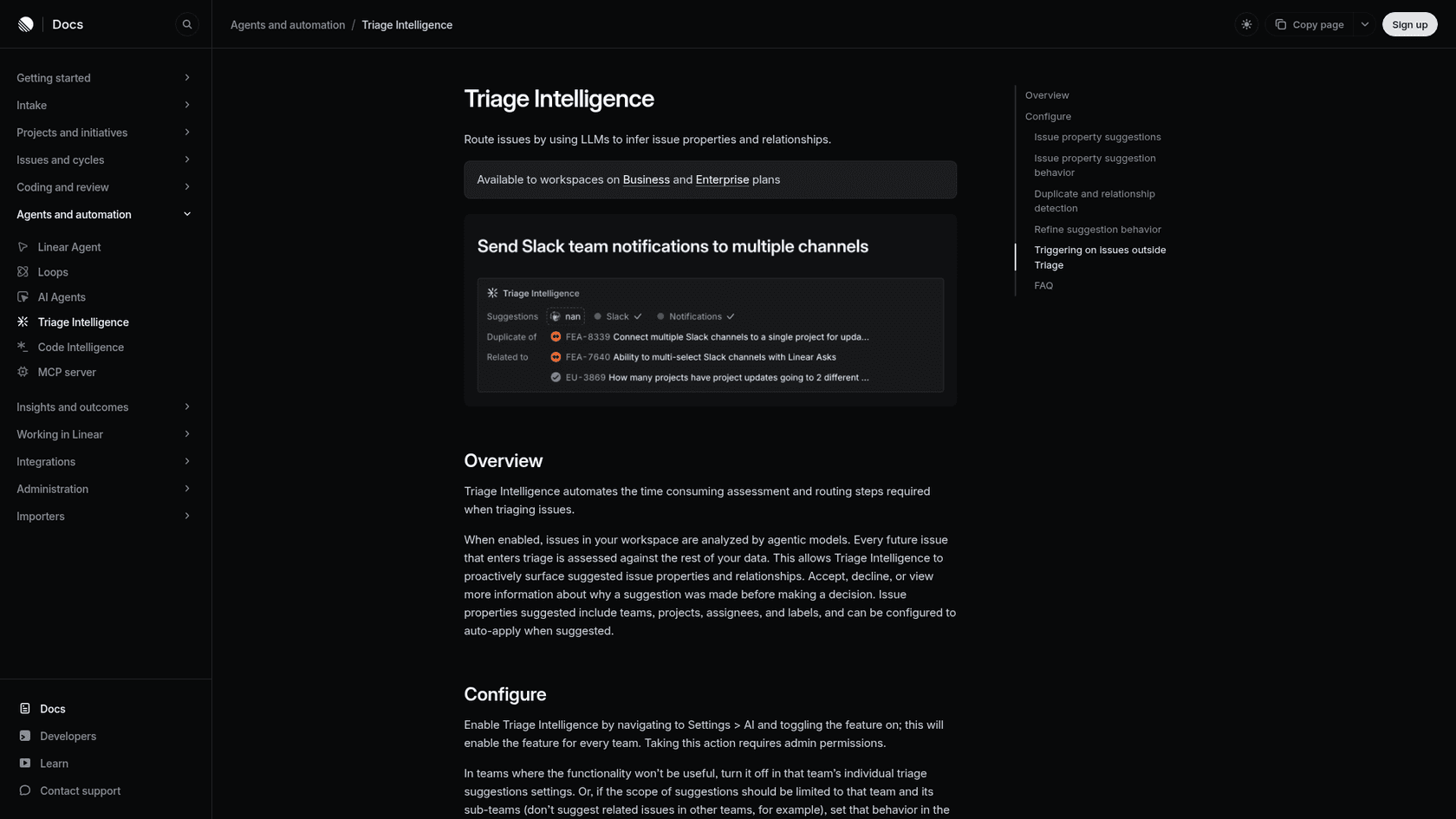
Both the helpdesks and the trackers has added AI for this. Zendesk lists merge suggestions and similar tickets among its Copilot features. On the engineering side, Linear's Triage Intelligence flags a likely duplicate when an issue in triage has "a strong semantic similarity" to an existing one, and shows its reasoning before you accept it.
Doing the check on the support side is still worth to do, because it changes on what you tell the customer. A linked ticket means the customer hears "we know, it's being worked on" today instead of in three days, it also gives engineering a real count. "Fourteen customers on the Pro plan, since Tuesday" is a priority argument; "a customer says export is broken" is not. My post on ticket deduplication covers when to merge and when to link.
What does an engineering-ready bug report look like?
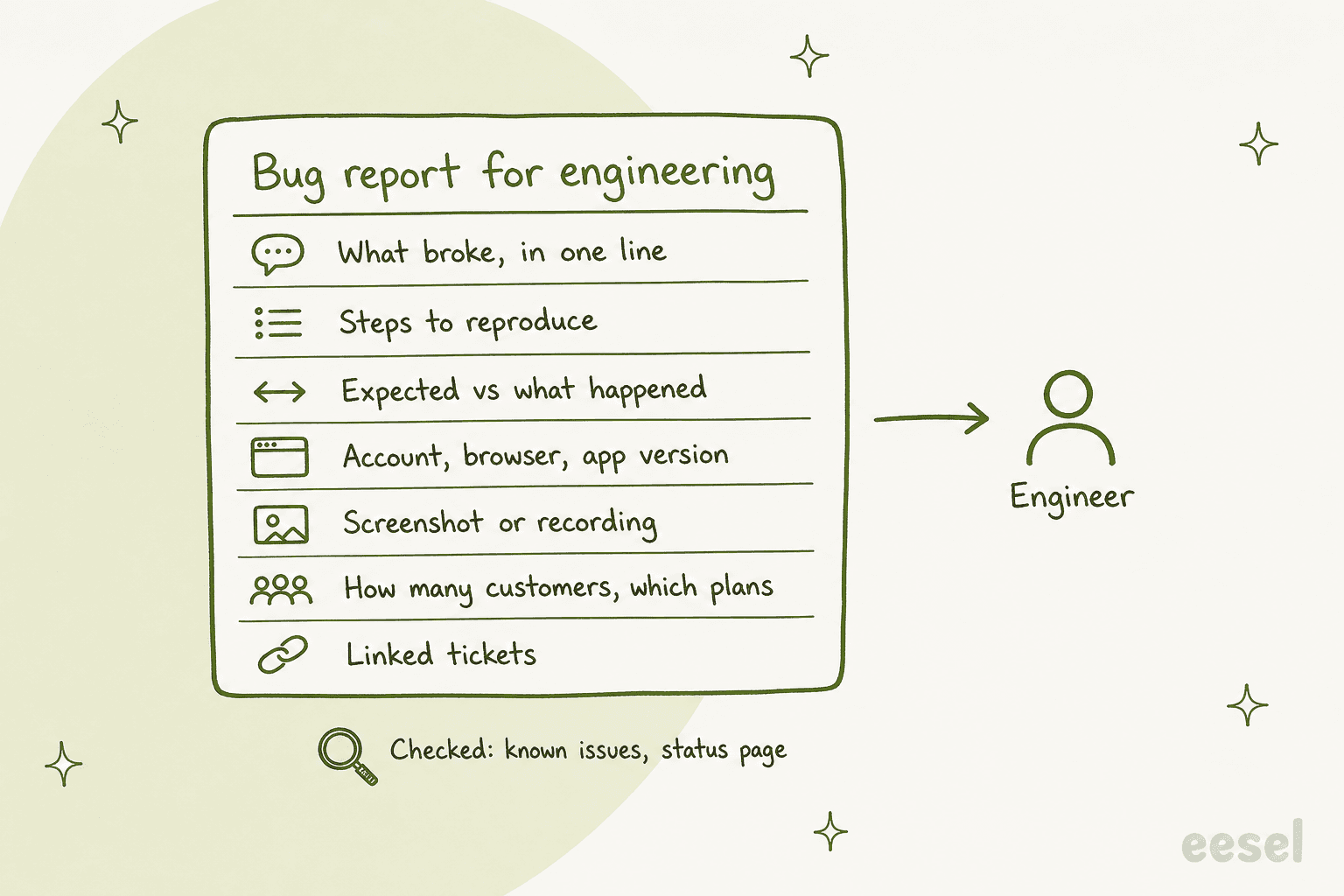
The worst handoff an engineer can get is a forwarded ticket with "customer says export is broken" on top. The best is a report they can act on in the five minutes. This is where an AI that have already asked the questions and searched for duplicates pays off, it can write the second kind every time.
A good report carries:
- What broke, in one line. "Monthly CSV export stops at 99% for large workspaces."
- Steps to reproduce, as far as the customer could give them.
- Expected versus what happened, with the exact error text.
- Account, browser and app version, and when it started.
- A screenshot or recording.
- Impact: how many customers, which plans, any linked tickets.
- What was already checked: known issues, status page, the usual settings.
- A link back to every ticket, so engineering can see who's waiting.
And one rule above all the others: the AI can say "this looks like a bug and I've passed it to the team", but it should never tell a customer something is a confirmed bug or promise a fix date. Confirming a defect is a call for someone who can reproduce it or read the code. ChatGPT's own answer said the same thing in other words, don't let the AI's confidence alone to decide whether something is a real bug.
Here's a cautionary tale from the sales call. A digital-media company handling about 4,000 Zendesk tickets a month described the workflow it wanted as "User contacts → AI troubleshooting → escalate to Jira if unresolved." During its pilot, one escalation went out as an email, which is then closed automatically so nobody on the team ever saw it. A handoff nobody reads is worse than no handoff, because the customer was told someone is looking. Whatever route you pick, check that the report arrive on the place where a named person or team actually works from.
How does the report reach Jira, Linear or GitHub?
This depend on where your engineers works, and it's where the tools differ the most. The honest map is below:
| Route | How it works | What to watch |
|---|---|---|
| Jira Service Management, with eesel | eesel's JSM integration replies, leaves internal notes, and moves, assigns, labels and files issues | Token expiry: Atlassian sets one, and you reconnect when it lapses |
| Plain with Linear, GitHub, Jira or Shortcut | Create or link an issue from the support thread; Linear status syncs back | Plain is a helpdesk, so this means moving off yours |
| Linear Asks | Each incoming email or Slack message becomes an issue in the team's Triage | Business or Enterprise plan; built for internal requests |
| Screendesk automations | A new recording or bug report can create a Jira or GitHub issue and post to Slack | Pro plan; the trigger is the recording, not the ticket text |
| eesel to Linear or GitHub | No built-in integration; eesel calls their API through Network Access | You set up the domain, auth header and instructions yourself |
Plain's own guide makes a point I agree with, a one-way push into the tracker isn't enough. In Plain, when a linked Linear issue is completed or cancelled, the thread moves to a "Close the Loop" state as a prompt to tell the customer, per its Linear and GitHub guide. It also flags a setup gotcha: if the Linear integration are limited to some teams, status updates won't sync.
Linear Asks is the lightest option if you're already on Linear's Business plan. Its docs list "engineering teams receiving bug reports from non-technical teammates" as a core use, and an email Ask uses the subject as the issue title and the body as the description. That means a clean report from your support side is becoming a clean Linear issue, with no any extra plumbing.
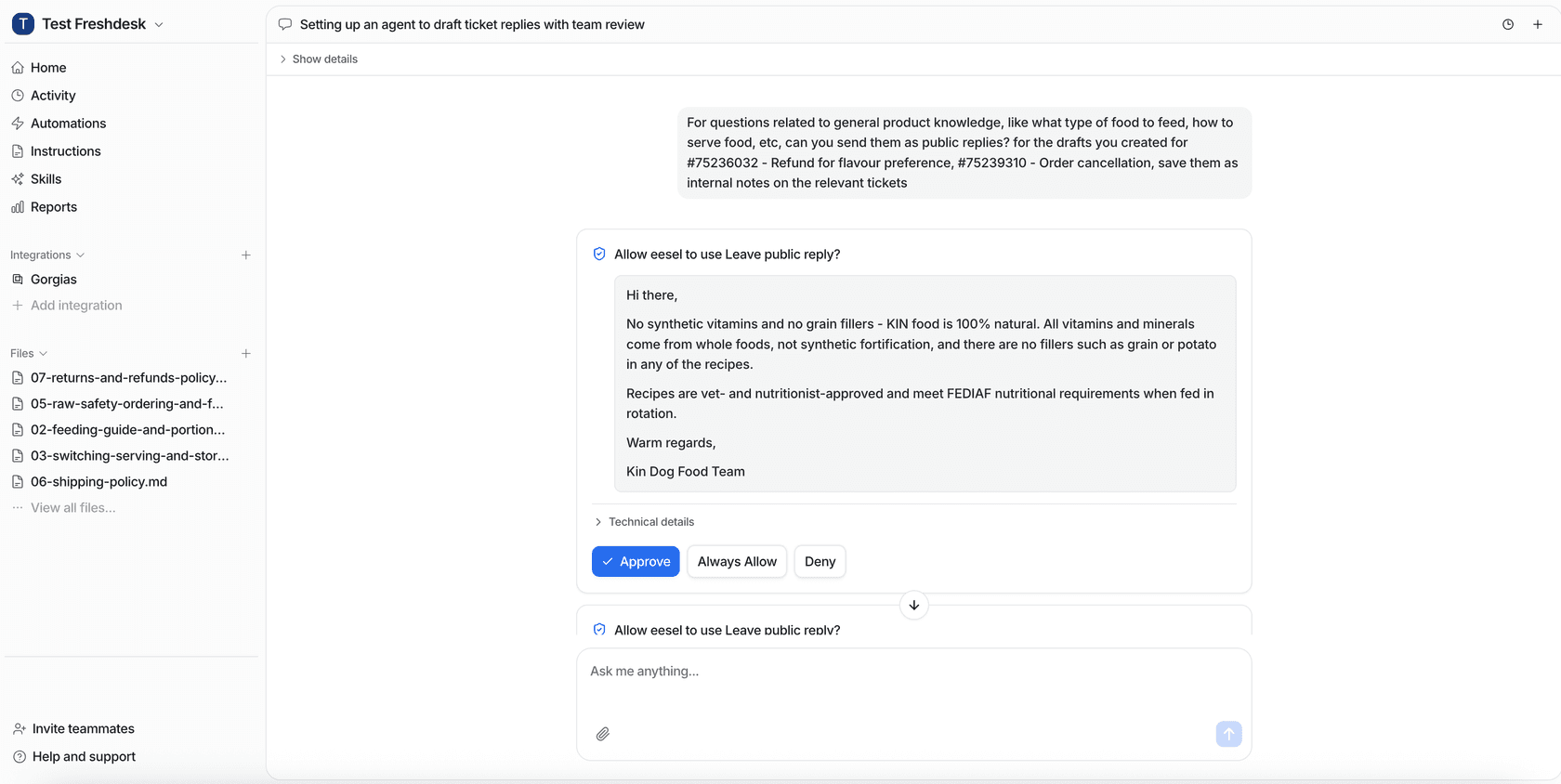
For eesel on a tracker it doesn't integrate with, the route is Network Access. You allow the tracker's domain then add the auth header, and tell the agent in a plain words what the connection is for. The credentials stay in your settings and eesel attaches them to each request, so the AI never sees the key. It supports GET, POST, PATCH and DELETE, which is covering creating an issue and adding a comment. I'd put that action behind an approval to start with, so a person sign off on every new issue until you trust the reports. eesel's actions and approvals let you set each action to Auto, Needs approval or Disabled.
If your engineers already live in Jira, my guides to Zendesk to Jira escalation and the Zendesk Jira integration go deeper.
For Linear, see Linear AI and Linear vs Jira.
How do customers hear when a bug is fixed?
This is the step what almost everyone forgets. The fix ships, the engineering issue closes, then the customer who reported it is never told. Modem's homepage describes exactly this: "The fix ships. Whoever heard the complaint never finds out." A Hacker News commenter laid out the full support-to-engineering loop and ended it the same way, with support contacting the customer to re-test:
"as soon as you have multiple people involved in a communication chain, details get lost, and feedback loops become really extensive because of all the latency involved"
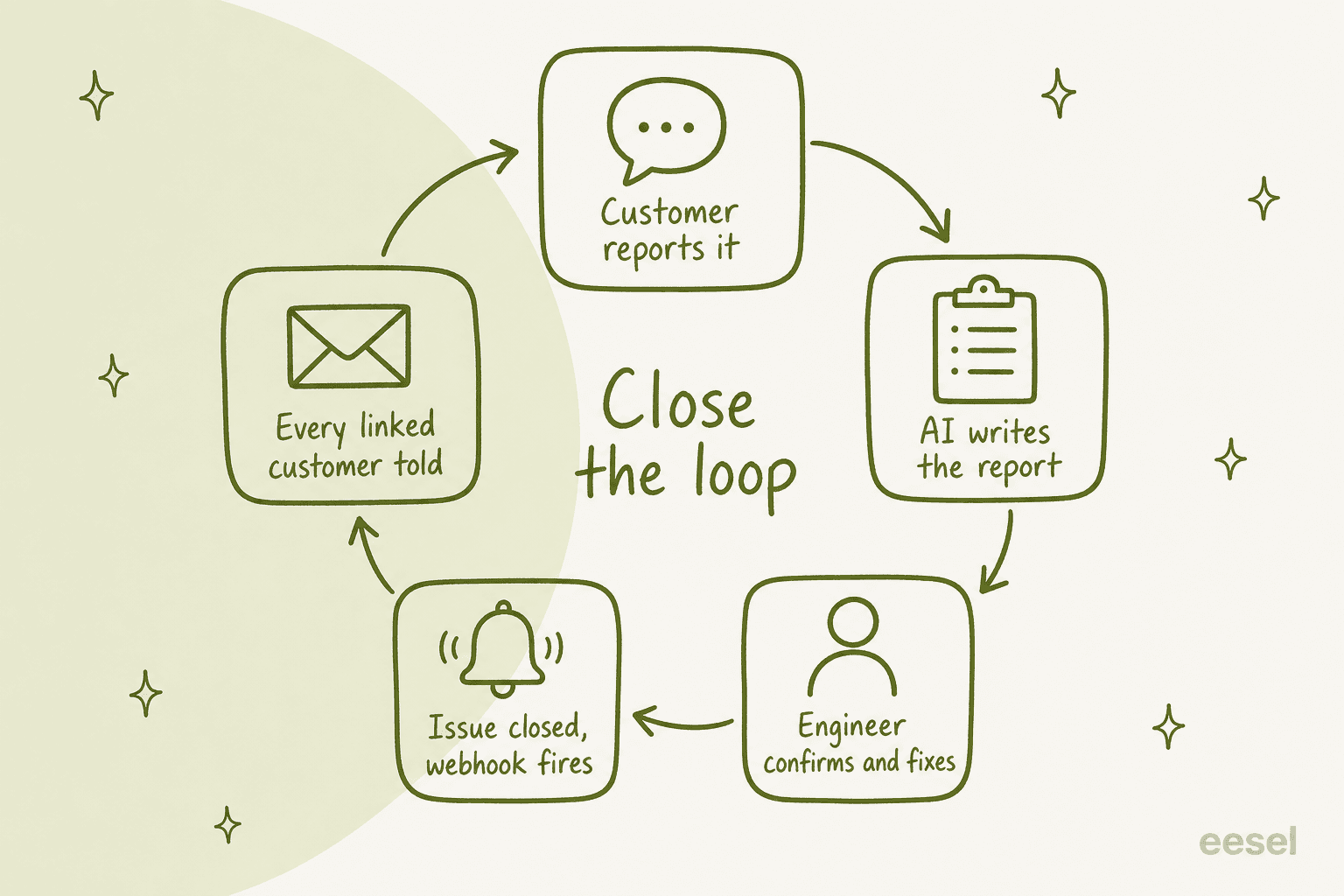
AI makes the last step cheap, as long as there is two things true: every customer ticket is linked to the issue, and something tells the AI when the issue closes. In the Plain the status sync does it. With eesel, a webhook automation does it: eesel gives you a URL, and any service that can send a web request (Zapier, Make, your own backend, an issue tracker's webhook) can wake the agent with the closed issue and instructions. The agent then searches for the tickets tagged with that issue, writes each customer a short note that the fix is out, and asks them to check it on their side.
Telling fourteen customers "that bug you reported is fixed" is one of the cheapest goodwill wins in support, and it almost never happens by hand. It also catches the cases where the fix didn't fix it, which is worth to know before the next sprint.
Which tools do AI bug triage, and what do they cost?
ChatGPT's shortlist for this question was Modem, Plain, and an existing helpdesk plus AI and Zapier. Here's how the options I looked at compare, with prices from each vendor's own pricing page, checked on 30 October 2026. They don't all does the same job, so in terms of choosing the "where it sits" column matters as much as the price.
| Tool | Where it sits | What it does for bug triage | Price |
|---|---|---|---|
| Zendesk intelligent triage | Inside Zendesk | Classifies tickets by topic, sentiment and language, each with a confidence field | Suite Professional $115/agent/month plus Copilot $50/agent/month, billed yearly |
| Linear Triage Intelligence | Engineering tracker | Suggests team, assignee, labels and duplicates for issues in triage | Business $16/user/month billed yearly, includes Asks |
| Jira Service Management | Service desk | Request intake with Rovo agents and AI on paid plans | Free for 3 agents, Standard $21.50/agent/month |
| Plain | Helpdesk for technical B2B teams | Native Linear, GitHub, Jira links with status sync | Foundation $45/user/month billed yearly, 100 credits per AI resolution |
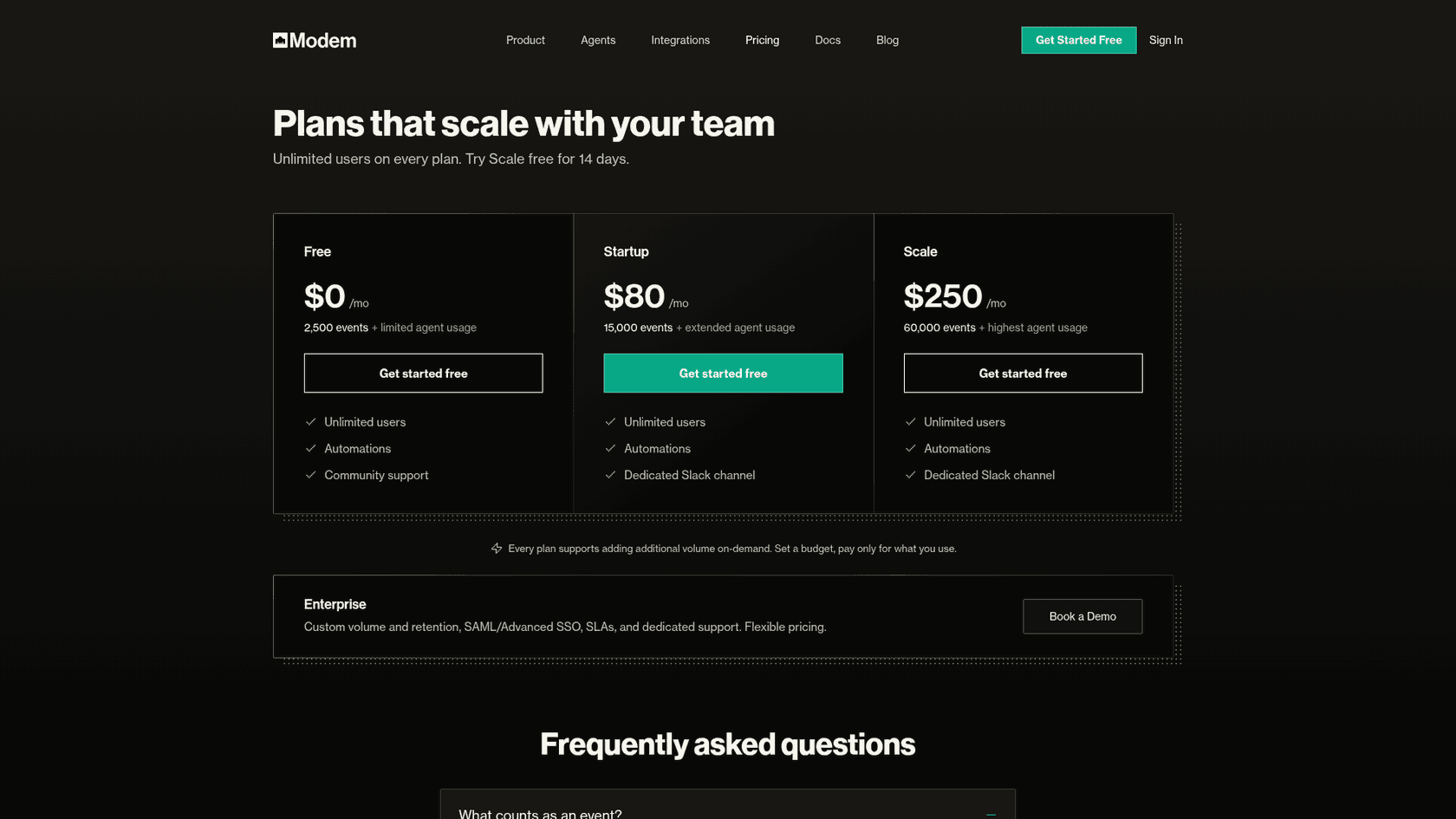
| Modem | Across Slack, Discord, GitHub and support | Finds repeated customer concerns and follows them to a fix | Free, Startup $80/month (15,000 events), Scale $250/month |
| Screendesk | Add-on to your helpdesk | Screen recordings, AI repro steps, Jira and GitHub automations | Free, Plus $8, Pro $15 per agent/month billed yearly |
| eesel | AI teammate inside your helpdesk | Sorts, asks for details, writes and files the report, tells customers when fixed | $299/month for 500 tickets, unlimited seats |
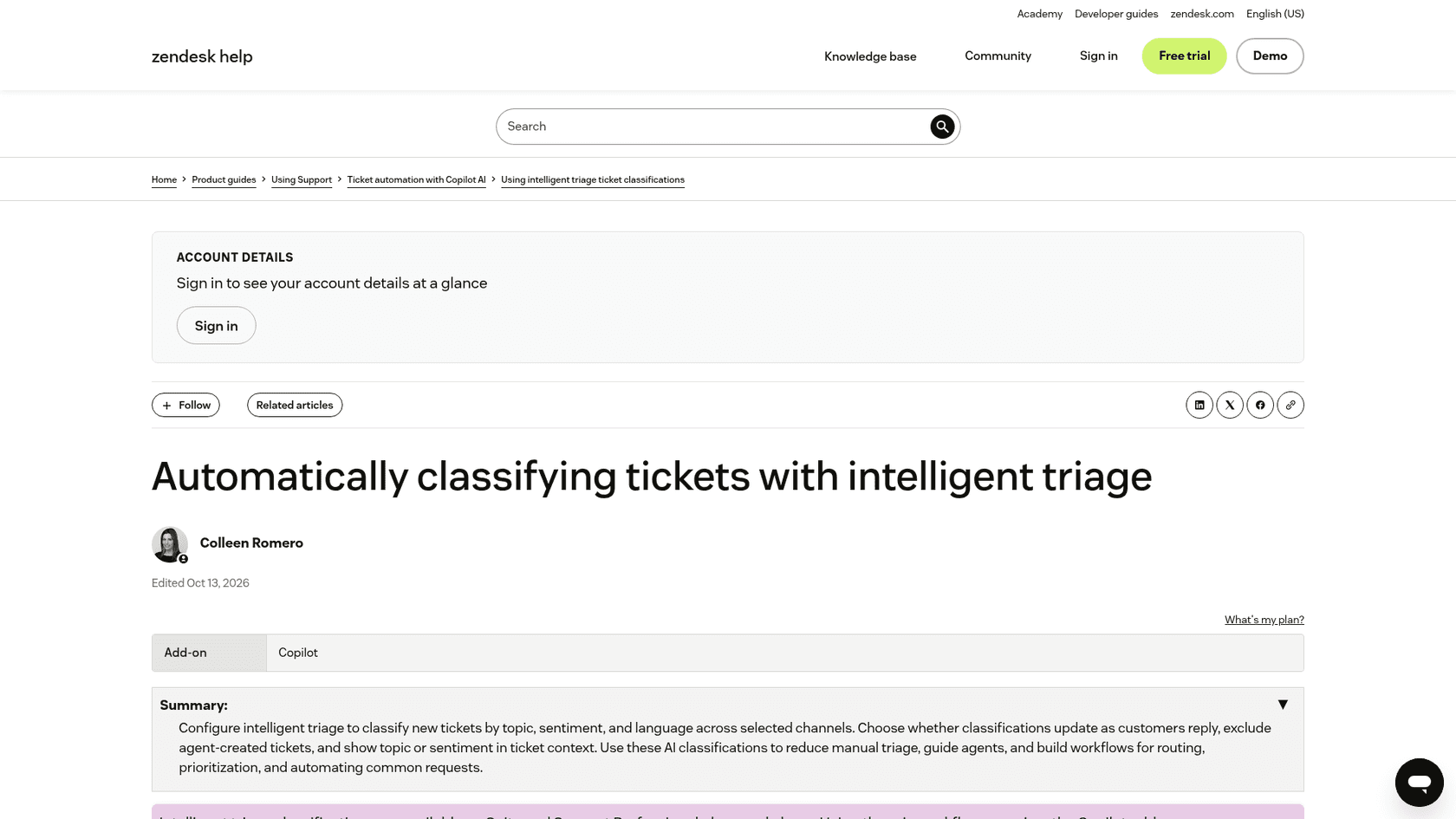
A few notes on that table. Zendesk's intelligent triage classifies on the subject and first public comment, and you can see the classifications on Suite Professional, but using them in triggers and routing needs Copilot. Linear says Triage Intelligence takes 1 to 4 minutes per issue, which is fine since it run on issues, after a ticket have already become one. Modem counts an "event" as any input it runs AI on, like a Slack message or a GitHub issue.
What does it cost for one support team?
Prices per agent, per user, per event and per ticket can't be compared until they're priced for one team. So take the SaaS company with six support agents, 3,000 tickets a month, and ten engineers, already on a helpdesk.
| Setup | The maths | Monthly cost |
|---|---|---|
| Zendesk with Copilot (Suite Professional, yearly) | 6 x ($115 + $50) | $990, helpdesk included |
| eesel reading every new ticket | 3,000 credits, unlimited seats | $1,149, and the same credits draft replies on the non-bug tickets |
| eesel on bug-like tickets only | Woken by a "problem" form or tag, about 500 a month | $299 |
| Screendesk Pro added to your helpdesk | 6 x $15 | $90 |
| Linear Business for engineering | 10 x $16 | $160 |
| Plain Foundation (switching helpdesks) | 6 x $45, plus 100 credits per AI resolution after 1,000 included | $270 plus credits |
| Modem Startup | Flat, up to 15,000 events | $80 |
My take: these stack more than they compete. If your engineers are on Linear Business, turn on Triage Intelligence, it's already paid for. If your support lives in Zendesk and you mostly want tickets classified and routed, Copilot does that inside Zendesk. If you want the follow-up questions, the written report and the customer told when it ships, that's the support-side work an AI teammate does, and it's where I'd spend first. For the wider field, I also wrote roundups on the best AI ticket triage tools and on best AI for SaaS support.
How do you roll out AI bug triage without annoying engineering?
Engineers forgive "this might be a bug, here's what I collected". They don't forgive a stream of confident reports that turns out to be settings, so roll it out on this order:
- Drafts and notes only. The AI sorts each ticket and leaves its lane, its questions and any draft report like an internal note, then a person sends. This is how Timengo runs technical support for its secure-mail product on Freshdesk: every new ticket gets a Danish draft and an internal note for the engineer, and eesel never sends on its own.
- Write the not-a-bug rules down. The common false alarms in your product, in plain words, as a short list. Qontro, a cloud ERP on Freshdesk, wrote a rule for how to handle a report that the numbers look wrong, and sends system errors and data loss straight to a person.
- Compare its lanes with what your team decided. Where the AI called something a bug and it wasn't, tighten the rule or fix the help article. Qontro use its drafts in this way: a wrong draft usually points to a missing article or a rule that need tightening.
- Let the not-a-bug lane go automatic. How-to and settings answers on narrow topics, once they hold up on past tickets.
- Turn on filing, behind approval. The AI files the report into Jira, Linear or GitHub, and a person approves each one until the reports are consistently good.
- Close the loop. Wire the tracker's "issue closed" event back to the AI so linked customers hear about the fix.
Before step four, test it. AI support simulation testing covers running the agent over last month's tickets and my implementation timeline has the realistic numbers for each stage.
A few more that helps along the way. Human handoff best practices covers what the customer should hear when the AI passes a ticket on, then AI for tier 2 support covers the investigation work once a report is in. And if wrong answers keep tracing back to thin docs, support knowledge gap analysis turns them into a backlog.
Can engineers set it up from the terminal?
For a software team this one is handy. The eesel CLI run the same agent you see in the dashboard from a terminal, and every command prints JSON, so a coding agent like Claude Code, Cursor or Codex can drive it too. An engineer can add the known-issues doc with eesel files upload, test how the agent sorts a sample report with eesel chat "export freezes at 99% since the update", and clear a held issue-filing action with eesel approvals approve <id>, all without to open the dashboard. eesel automations lists the webhook automation that closes the loop. Background on the idea is in my post on AI agent MCP servers.
Try eesel for bug triage
If your bug reports arrive in Zendesk, Freshdesk or Jira Service Management, eesel joins that queue like a support teammate who has read your help center, your changelog and every ticket you've solved. It answers the how-to and settings tickets, also asks customers for the steps and screenshots what engineering will need, tags duplicates to the report already open, then writes the report a person confirms before its filed. When the fix ships, it tells everyone who reported it.
SE Ranking runs it this way across three products in Zendesk, sending wrong-data and API questions to Tier 2 with the evidence already attached.
Plans start at $299 a month for 500 tickets or chats, with unlimited seats, and there's a free trial with 100 credits. Try eesel on last month's bug reports and see which ones it would have sorted the way your team did.