


AI for status page updates works best pointed the other way round: let the status page feed the AI, not the AI feed the status page. The status page is the one place where engineering has agreed what is true. An AI agent that reads it can match every "is it down?" ticket to the declared incident, reply with the posted text word for word, and follow up on each ticket when the page says Resolved.
Writing the status update itself stays a human call. AI can draft it from the incident channel, but an engineer approves it before it goes out, because that one message reaches every customer at once.
The plumbing already exists: Statuspage sends a webhook on every incident update from its $99 Startup plan, and Zendesk and Freshdesk both group outage tickets, but neither writes the replies while the outage is on. That gap is the job for an AI teammate like eesel, which SE Ranking runs across 4,650 conversations a month with agents set up never to promise what the team can't deliver.
Why does the status page lag behind the support inbox?
I build integrations at eesel, which means I spend a lot of time reading what APIs and webhooks actually send, as opposed to what the marketing page says. Status pages are a good example. Every major status page tool already announces each incident update to anything that subscribes. Most helpdesks never subscribe.
So during an outage two clocks run at once. Engineering is fixing the thing and, when someone has a minute, posting an update. Support is watching tickets arrive with the same question in fifty different wordings, and each agent is checking Slack, the status page and their teammates to find out what they're allowed to say. One Hacker News commenter put the customer side of it plainly:
"If I'm having issues but you show all green, I'm submitting a case."

And the delay is real. Another commenter, describing a hosting provider outage:
"they only updated the status page to indicate that there's an issue ~20 minutes into the outage."
Twenty minutes is a long time in a support queue, and your first response time takes the hit. The fix most teams reach for is "get AI to write the status updates faster." I think that solves the smaller problem. The bigger one is that the status page and the helpdesk don't talk to each other, so every agent becomes a human relay between them. If you've read my outage support guide, this post is the wiring underneath it: how the status page becomes the AI's source of truth.
How should AI and the status page work together?
The pattern I'd build has five steps, and only one of them involves AI writing anything new.
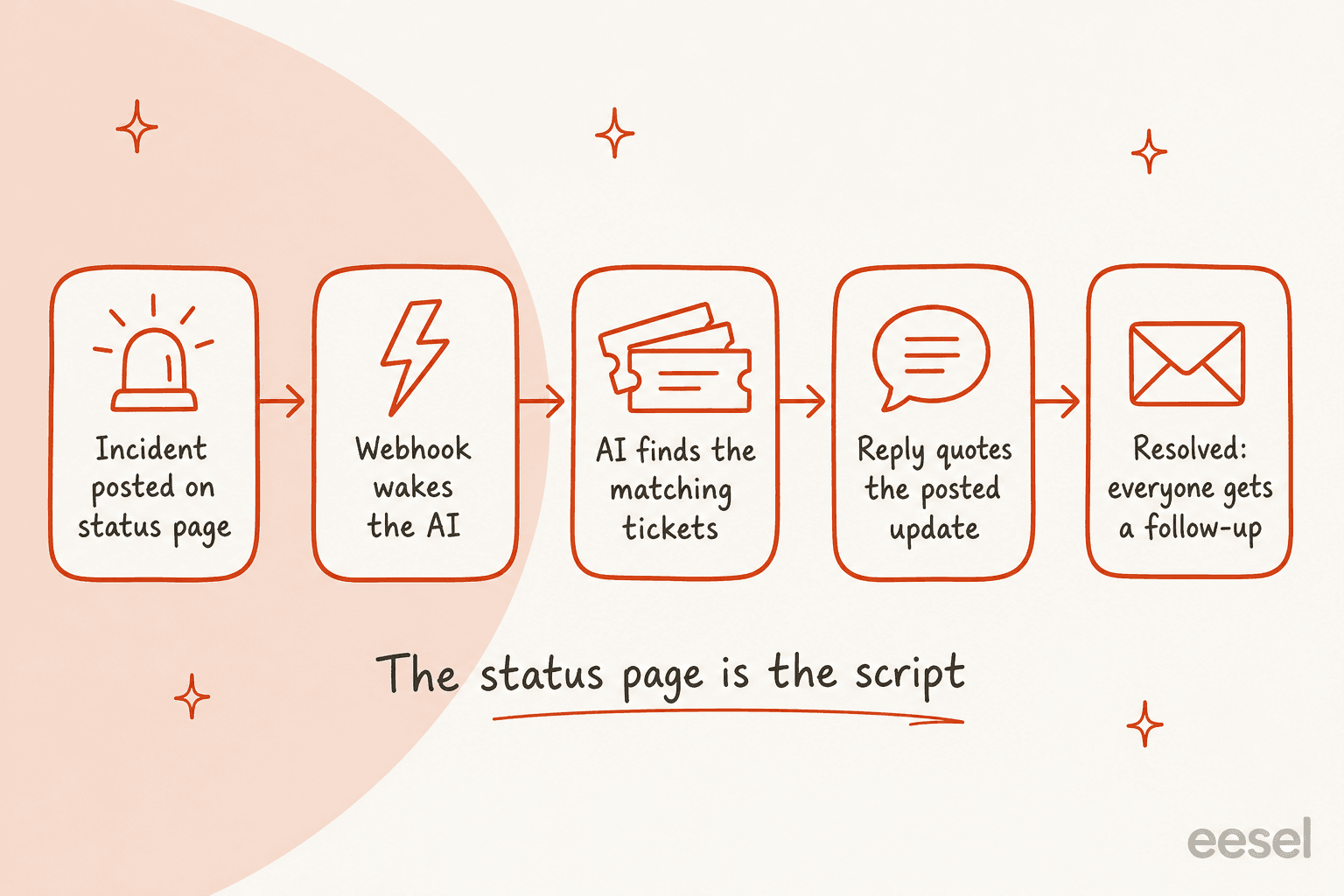
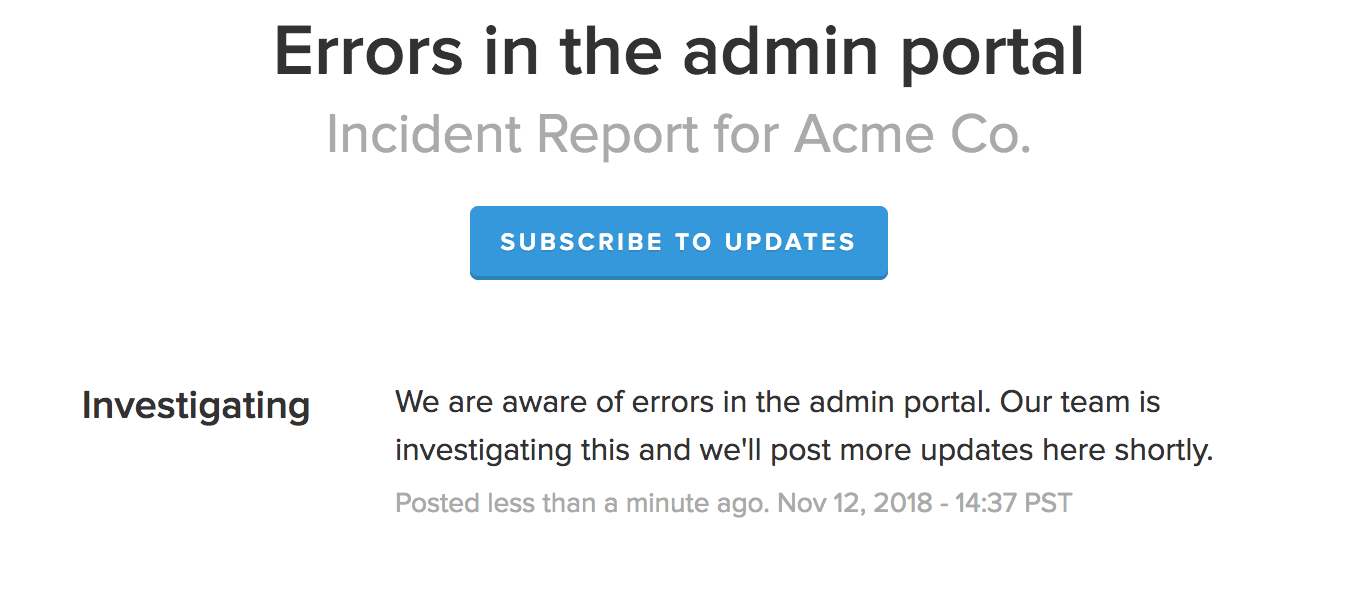
- An engineer posts the incident. On Atlassian Statuspage that's a name, one of four statuses (Investigating, Identified, Monitoring, Resolved), a message, and the affected components.
- The status page tells the AI. A webhook fires on every create or update, and the AI reads the incident name, status, message and components.
- The AI finds the matching tickets. New and open tickets that describe the affected component get tagged to the incident, much like ticket deduplication groups repeat questions.
- The reply quotes the status page. The customer gets the posted message and a link, nothing the engineers didn't write.
- Resolved closes the loop. When the status flips to Resolved, every tagged ticket gets a follow-up, including the ones that went quiet.
The reason this order matters: the AI never decides what is true about the outage. It decides which tickets are about the outage, which is a sorting job AI is good at. The facts come from the page.
What do status page webhooks and APIs actually send?
This is the part I care about most, because it decides what you can build without custom code.
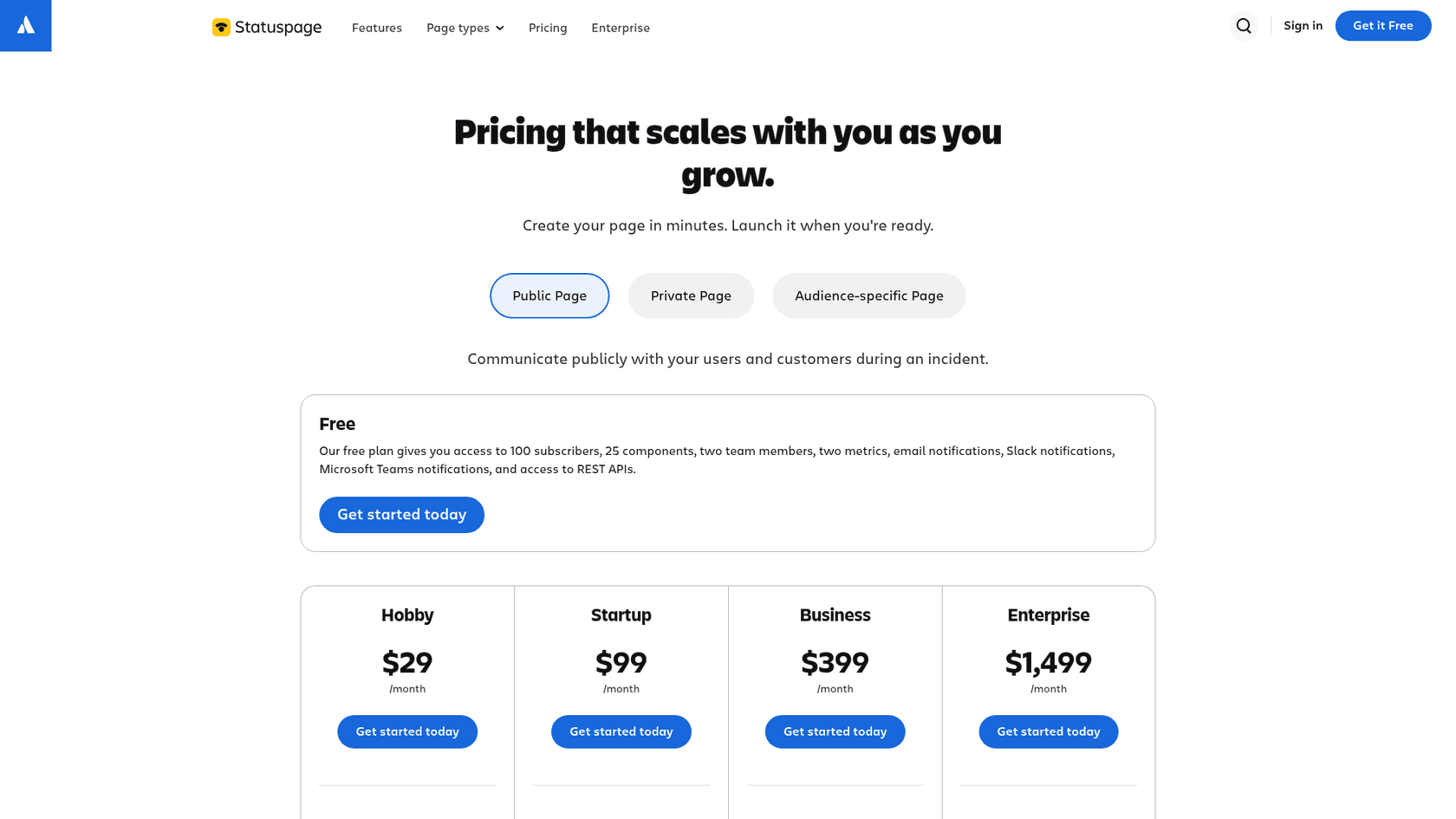
Atlassian Statuspage can push a webhook "when you create or update an incident, or update a component status," per its webhook notifications guide. The payload carries the page's overall status, the component that changed with its old and new status, or the incident and its latest update. Your endpoint has to answer with a 2xx code within 30 seconds. Webhook notifications start on the Startup plan at $99 a month; Free and Hobby list email, Slack and Teams only.
There is also a read side. Every public Statuspage page exposes a summary endpoint with the status indicator, component statuses and unresolved incidents, no key needed. The authenticated Statuspage REST API lets you create and update incidents, limited to 1 request per second per token. That limit is fine for posting updates and a bad fit for polling from a busy helpdesk.
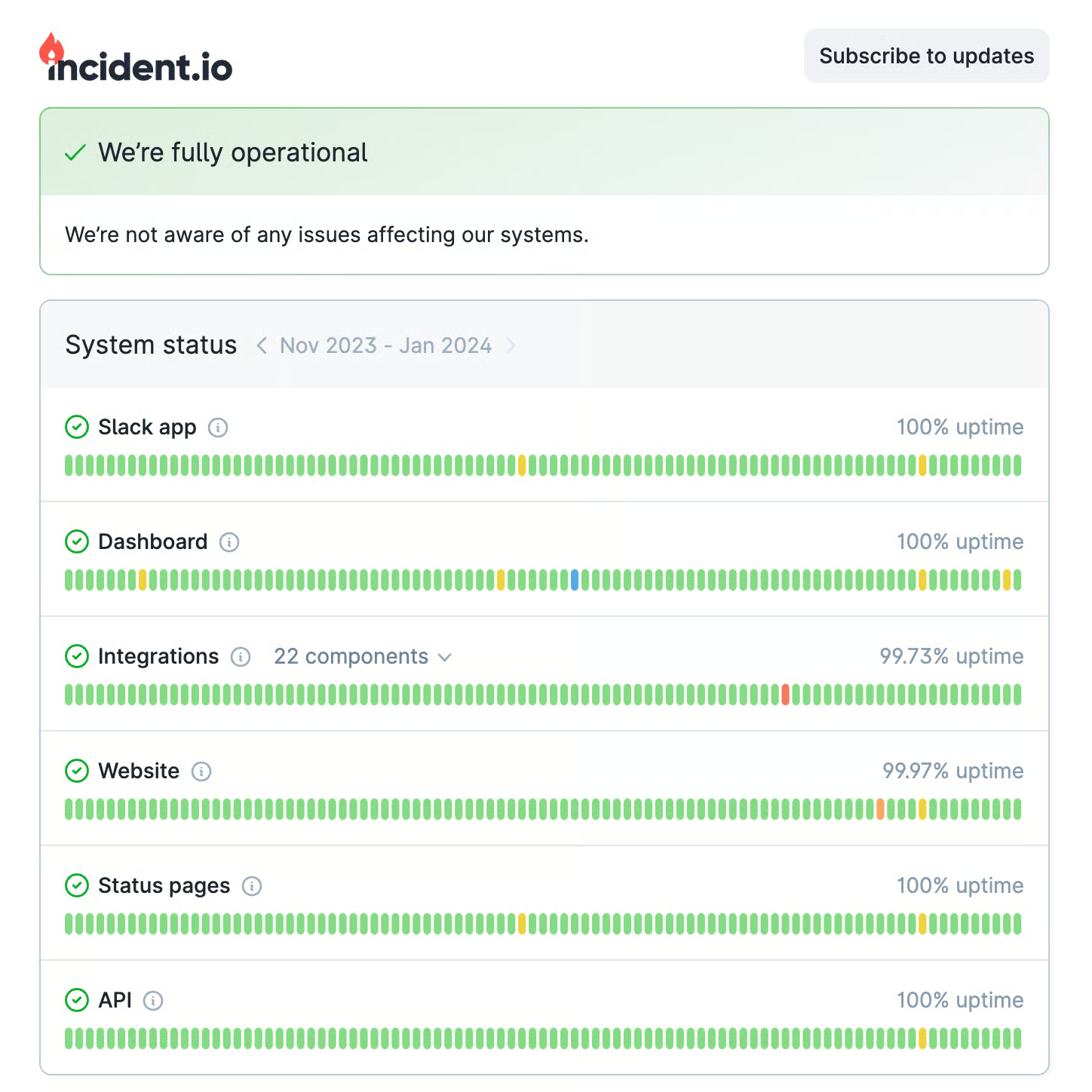
incident.io builds the status page into its incident workflow, so "you're prompted to post when it matters most," and you can "automate updates entirely or use templates with pre-approved messaging," per its status pages page. Customers subscribe by email, Slack and RSS.
PagerDuty says its external status pages let visitors subscribe "via email, Slack or webhook," which gives you the same push trigger as Statuspage.
For an eesel setup, a push becomes a webhook automation: you ask the agent for a URL, paste it into the status page as a webhook subscriber, and every incident update wakes the agent with the full payload. A delivery header like X-Eesel-Reference set to the incident ID groups every update for one incident on the Activity page. For a page that can't push, Network Access lets the agent call the status page's API directly, with the key stored in settings and never shown to the AI.
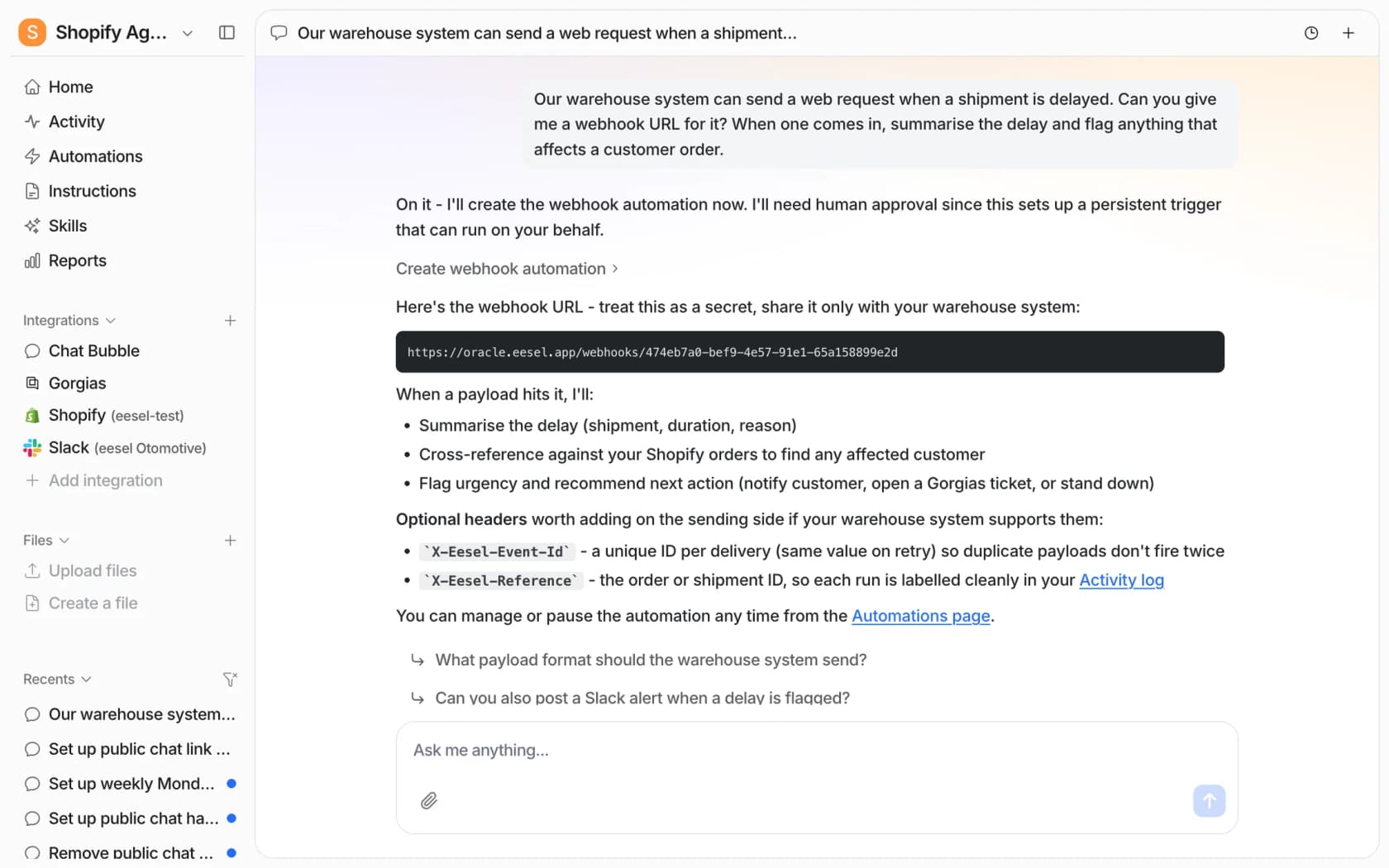
Two limits worth knowing before an incident, not during one. eesel's webhook URL accepts 60 deliveries a minute per workspace and processes eight at a time. A status page sends a handful of updates per incident, so that's plenty, but it's the reason I'd never point a monitoring tool's raw alert stream at it. Feed it the human-confirmed incident, not every blip.
How should AI sort outage tickets?
Once the AI knows what incident is live, every incoming ticket goes into one of four lanes. This is where most of the value is, and where most setups are too blunt.
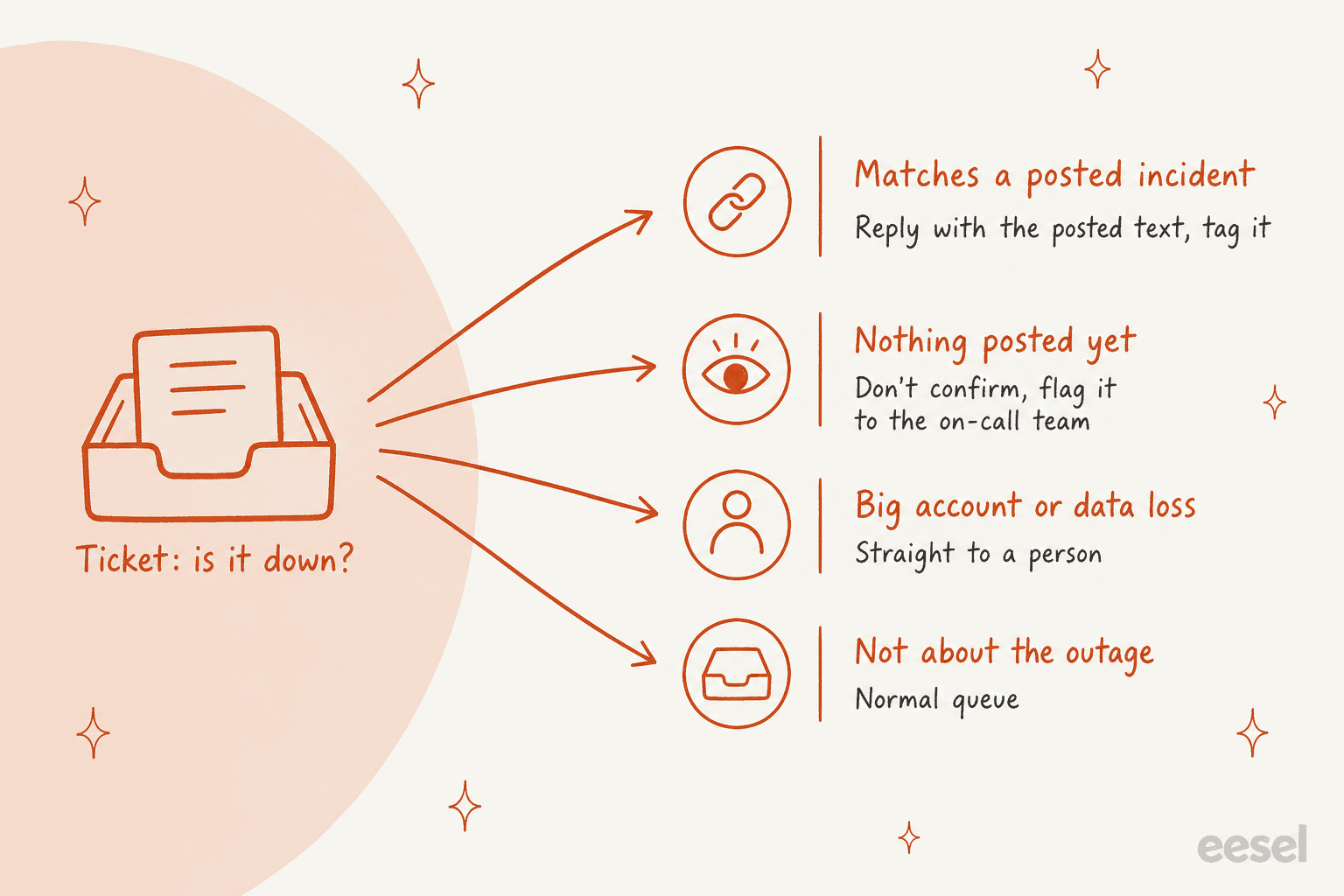
Matches a posted incident. The ticket mentions the affected component, or the symptom the incident describes. The AI replies with the latest posted message, links the status page, says the ticket will be updated when it's resolved, and adds an incident tag. This is the high-volume lane and the one to automate first, the same logic as any first response automation.
Nothing posted yet. Customers often notice before the page does. Here the AI must not confirm an outage, because it has nothing to confirm it with. It can say the team is checking, tag the ticket, and post an alert to the on-call channel. Five tickets about checkout in ten minutes with no incident posted is an early warning, and support usually sees it first. When the incident goes up, the AI goes back to these tickets and answers them too.
Big account or data loss. Some tickets shouldn't get a template reply, however accurate. Named enterprise accounts, anyone reporting lost data, anyone citing an SLA, anyone asking for credits. These go to a person through your normal AI escalation rules. Qontro, an ERP software company running eesel on Freshdesk, sends outages, data loss and billing questions straight to a person rather than letting the AI troubleshoot them.
Not about the outage. A billing question that arrives mid-incident is still a billing question. It goes to the normal queue, and the AI shouldn't paste the incident text onto it just because the timing lines up. Watch for this one in testing, since it's the most common false match, the same failure I cover in reducing false positives.
What should the AI say, and never say, mid-outage?
The rules here are short, and they're the difference between AI that calms customers down and AI that creates a second incident.
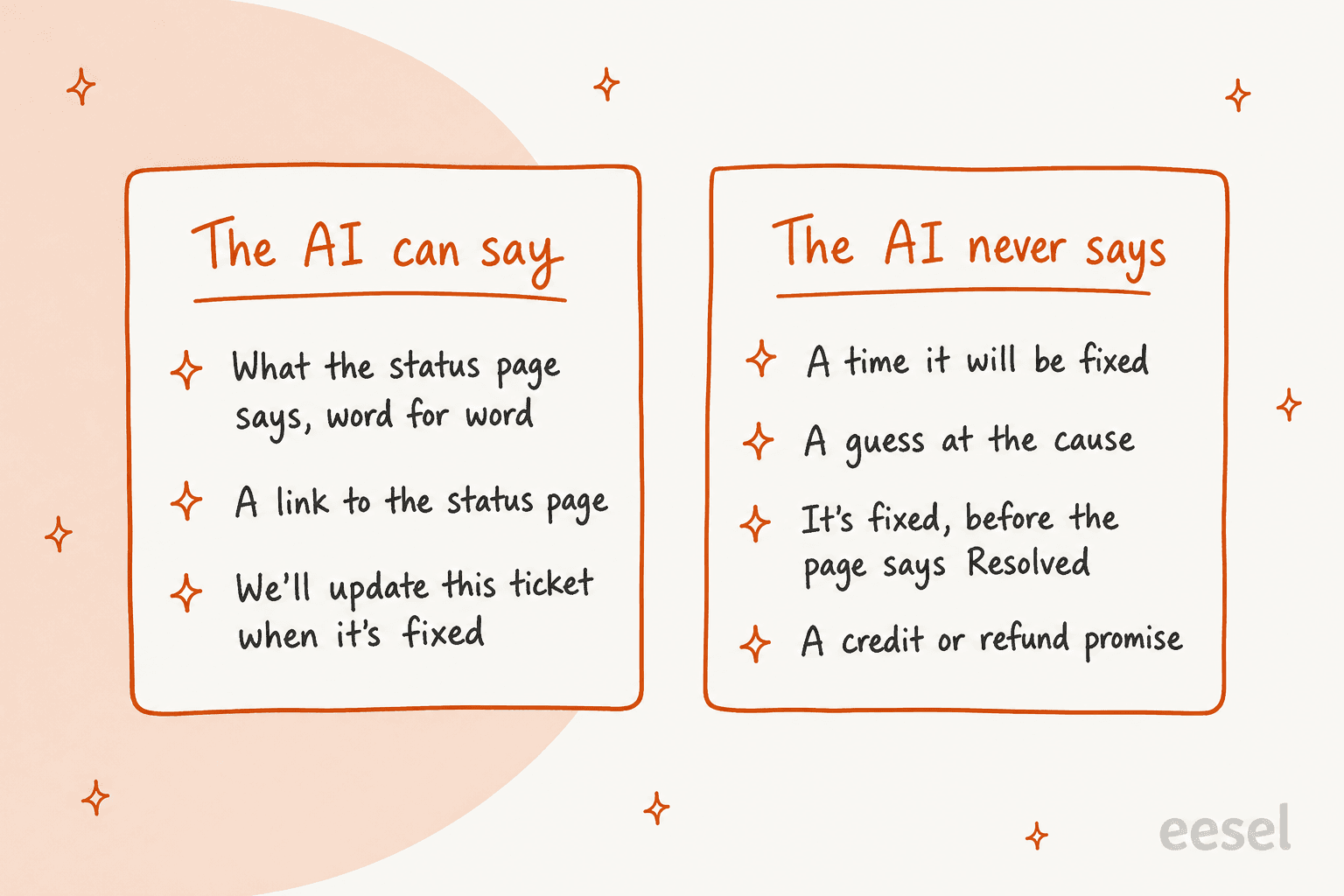
The "never" list is about one thing: the AI can only repeat commitments engineering has made. A model asked "when will it be back?" will happily produce a reasonable-sounding time, and that's an AI hallucination with a timestamp on it. Same with root cause. Even "Identified" on Statuspage means the team has found the cause, not that they've shared it.
This is where I'd borrow from how SE Ranking set up its agents. The team wanted live chat answered at once "without the bot promising things the team could not deliver." So its eesel agents tell customers to expect a reply in one or two business days, never that someone is joining now. That's the right instinct for outages too: a slower, true answer beats a fast, invented one.
It also helps to write the reply as a fixed template the AI fills in, rather than letting it compose freely:
| Status on the page | What the AI's reply contains |
|---|---|
| Investigating | The posted message, the status page link, "we'll update this ticket when it's resolved" |
| Identified | The new posted message, the link, the same follow-up promise |
| Monitoring | The posted message, a note that a fix is in place and being watched, no "fixed" yet |
| Resolved | The resolution message, a request to reply if the problem continues, then the ticket is solved |
How do Zendesk and Freshdesk handle outage tickets today?
The helpdesks have had outage features for years. They group the tickets well. What they don't do is write the customer reply, and the details are where AI fits in.
Zendesk has problem and incident tickets: you link every report to one problem ticket, and solving the problem solves the incidents and copies the closing comment onto each unsolved one. It's on Suite Team and above. Two limits from Zendesk's own article matter here. "AI agent tickets can't be linked to problem and incident tickets," and when the problem is solved, "Customers are not notified using the messaging channel." So the tickets Zendesk's own AI agent handled, and the customers who wrote in by messaging, can miss the closing update. My Zendesk ticket types guide covers the setup, and you can set the type automatically with an automation.
Freshdesk has linked tickets, which group reports under a "tracker" ticket. Freshdesk's own example is "your product is facing some unexpected downtime." A comment on the tracker is broadcast to every linked ticket, but "the internal broadcast message will be visible only to agents," so an agent still writes each customer reply. And resolving the tracker "would not resolve the linked tickets by default," per a Freshdesk FAQ.
Put together, the helpdesks give you the grouping. The AI's job is the bit in between: deciding which ticket belongs to which incident, and writing the customer-facing reply from the status page text. On Zendesk, an AI that writes into the incident tickets themselves also sidesteps the "AI agent tickets can't be linked" limit, because the tickets stay ordinary tickets.
What do the status page tools cost?
Here's what each tool charges, from its own pricing page on 2026-10-30. The status page is usually the cheap part; the cost that surprises teams is on the helpdesk side, which I cover next.
| Tool and plan | Price | Subscribers | Webhook out | AI features |
|---|---|---|---|---|
| Statuspage Free | $0 | 100 | No (email, Slack, Teams) | None listed |
| Statuspage Hobby | $29/month | 250 | No | None listed |
| Statuspage Startup | $99/month | 1,000 | Yes | None listed |
| Statuspage Business | $399/month | 5,000 | Yes, plus component subscriptions | None listed |
| Statuspage Enterprise | $1,499/month | 25,000 | Yes | None listed |
| incident.io Basic | Free | Unlimited, 1 public page | Email, Slack, RSS | Basic post-mortem editor |
| incident.io Team | $15/user/month yearly, $19 monthly | Unlimited | Email, Slack, RSS | Basic post-mortem editor, workflows |
| incident.io Pro | $25/user/month | Unlimited, plus 1 internal page | Email, Slack, RSS | AI native post-mortems |
| PagerDuty Free | $0 | No status page | n/a | n/a |
| PagerDuty Professional | $21/user/month yearly, $25 monthly | 250 on the external page, more with the Status Pages add-on | Yes (email, Slack, webhook) | AI post-incident reviews with PagerDuty Advance |
| PagerDuty Reliability Platform Starter | $2,800/year | Included | Yes | Included |
My read: if you already run incident.io or PagerDuty for on-call, use the status page you've got. If you only need a public page and want the webhook, Statuspage Startup at $99 is the line to cross. None of these tools answers your tickets, though; that's still the support side's job.
What does one outage cost on the support side?
This is where pricing models start to matter. An outage is a support spike made of near-identical questions, and some AI pricing turns that spike into a bill.
Zendesk charges for its AI agent by automated resolution: $1.50 each on a committed volume or $2.00 pay-as-you-go, after the included 5 to 10 per agent a month. Freshdesk sells Freddy AI Agent sessions at $49 per 100 after a one-time 500 free. eesel's pricing is a fixed monthly batch of credits, where a ticket or chat is one credit: $299 for 500, down to $1,749 for 5,000. Plug in your own outage below.
The point isn't that one model is always cheaper. It's that per-resolution pricing makes an outage, the day your team is already under the most strain, also a variable-cost event. A fixed monthly batch is easier to budget around if your product has the occasional bad day.
Should AI write the status page update itself?
It can draft it. I wouldn't let it publish. The status page message is the one piece of outage communication that reaches every customer at once, and every support reply downstream quotes it. If it's wrong, everything built on it is wrong.
A Hacker News commenter answering whether status pages are updated automatically put the trade-off well:
"Typically no because there's an art to crafting the actual message around impact… but sometimes yes it is automated"
The good middle ground is a draft with an approval step. The Statuspage REST API accepts a new incident or update as a plain POST, so an AI agent with Network Access to api.statuspage.io can prepare the update from the incident channel, and an engineer approves it before it posts. In eesel that's an action set to Needs approval: the agent stops, shows the exact text, and waits for Approve or Deny. On the incident side, incident.io's Pro plan lists an AI native post-mortem editor and PagerDuty offers AI-generated post-incident reviews through its Advance add-on, so the write-up after the fact is covered there.
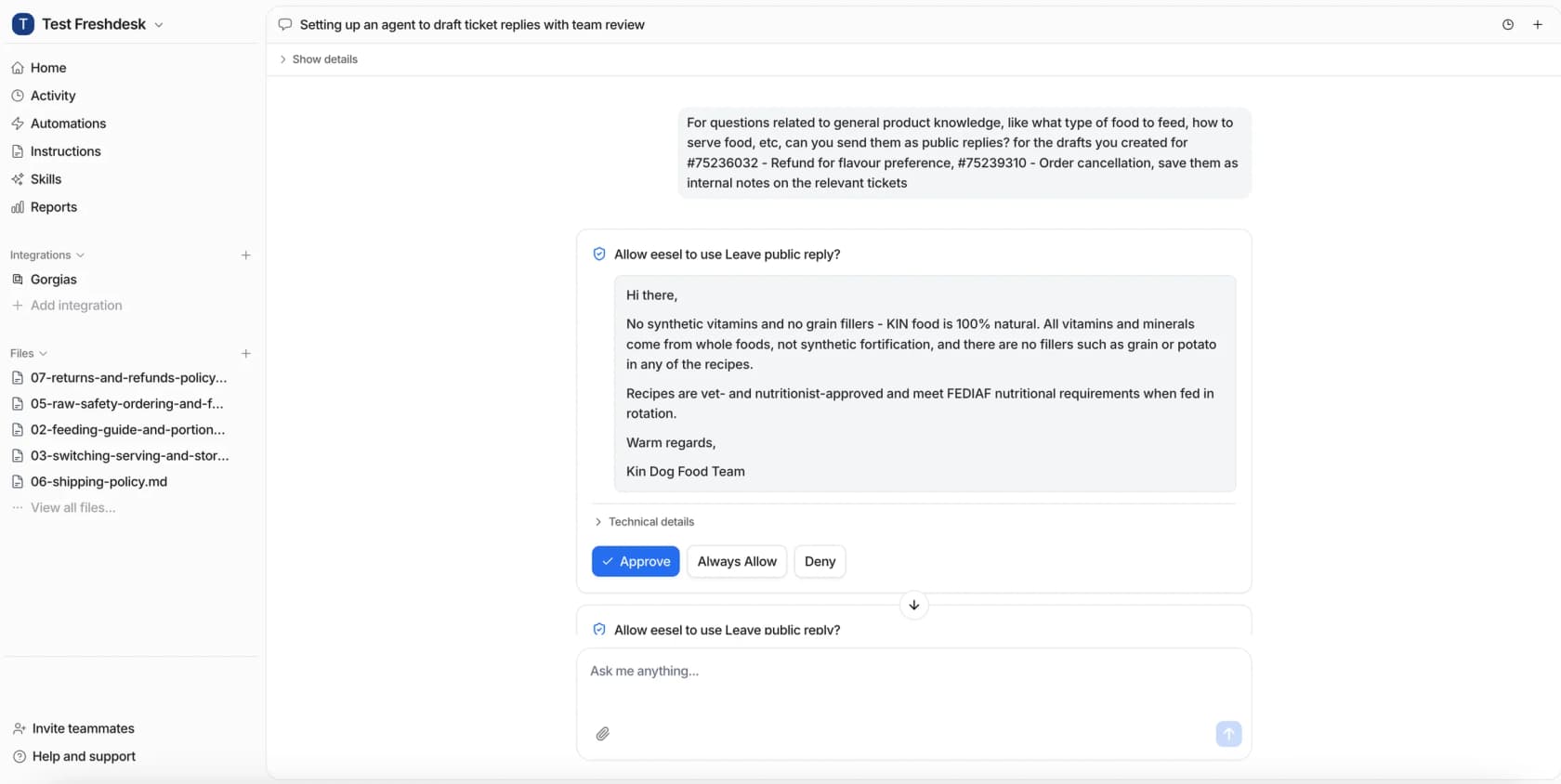
This is also how I'd start the support-side replies. Lesson Pro runs eesel on two Zendesk accounts, where it left 1,700 internal notes and drafted 560 replies in a month, with the team approving before anything reached a customer. Starting supervised on outage replies costs you a few minutes on the first incident and tells you exactly what the AI would have sent.
How do you set this up before the next outage?
The setup takes an afternoon. Doing it mid-incident takes much longer, so here's the order I'd follow.
- Pick the source of truth. One status page, one set of component names. If engineering and support call the checkout service different things, fix that first, since the AI matches tickets by component.
- Subscribe the AI to the page. On Statuspage Startup or above, or PagerDuty, add the agent's webhook URL as a subscriber. Otherwise use the public summary endpoint or the vendor API through Network Access.
- Write the lanes into the instructions. The four lanes above, the reply template per status, and the "never say" list. Name the enterprise accounts and keywords that skip the auto-reply.
- Pick your tag and follow-up rule. One incident tag per outage, and a rule that Resolved triggers a follow-up on every tagged ticket. On Zendesk you can also link the tickets to a problem ticket, and bulk-update the status if you'd rather close them by hand.
- Test on a past outage. Replay the tickets from your last real incident and check every lane, the approach in my simulation testing guide. Watch the "not about the outage" lane closely.
- Start on drafts, then go live. Put public replies on Needs approval for the first incident, then switch the matching lane to Auto once the drafts are right. Keep credits and refunds behind approval permanently.
- Count it. Tag every AI-handled outage ticket so you can report on it, the way SE Ranking asked for an
ai_handledtag on every ticket eesel touches, "so containment is counted in Zendesk, not guessed." My support reporting guide covers the rest.
If you'd rather set this up from a terminal, or have a coding agent do it, the eesel CLI runs the same agent as the dashboard. eesel automations lists the webhook automation and switches it on or off, eesel activity shows what the agent did with each incident update, and eesel approvals lists replies waiting for a person. Every command prints JSON with a --dry-run option for writes, which is why Claude Code, Cursor or Codex can drive the whole setup and read back their own results.
Try eesel for outage tickets
eesel is an AI teammate for your helpdesk, and outage tickets are a clean first job for it. It reads each update from your status page, matches the "is it down?" tickets in Zendesk, Freshdesk or Gorgias to the incident, replies with the posted text, and follows up on every one when the page says Resolved. Big accounts and data loss go straight to your team, the way Qontro routes its outage tickets.
Start on drafts with approvals on, replay your last outage, and switch the matching lane to Auto when you trust it. Plans start at $299 a month for 500 tickets, with 100 free credits to try it first. Try eesel.