

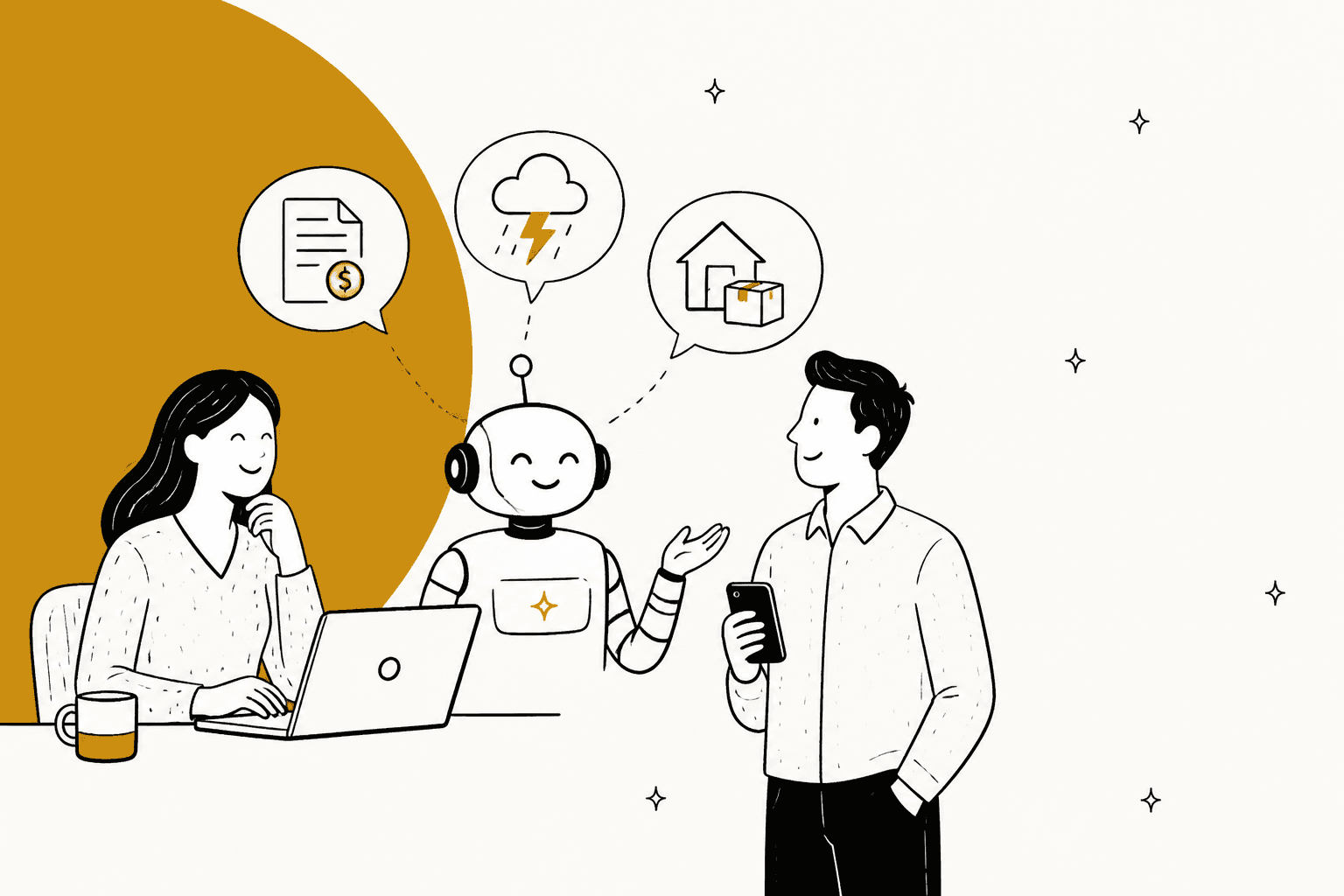
AI for utilities customer service works when you sort the queue into lanes first and only automate the lanes that are safe. Outage questions ("is my power out?") can be answered by AI from your outage map or status page. Move-in, move-out and "how do I read my bill" questions can be answered from your help center and start/stop form. High-bill and estimated-read questions need the account record, so AI drafts and an agent approves.
Two lanes stay with people. Payment plans and shut-off notices carry regulator rules (Texas, for example, requires at least 10 days' notice before a disconnection and protects medical cases for 63 days). And a gas smell or a downed line never gets an AI answer: the reply is the emergency number, right now, plus an alert to your team.
I work eesel's support queue every day, and that sorting step is exactly how the AI helpdesk teammate I work alongside runs in Zendesk and Freshdesk. smava uses it to categorize and draft replies across 27,000 regulated finance tickets a month. Plans start at $299 a month for 500 credits.
Why do utility support queues break in the same way every time?
Because a utility queue is really three or four different queues sharing one inbox, and one of them can explode overnight. On a calm Tuesday you get move requests and bill questions. Then a storm rolls through and the same inbox fills with hundreds of people asking the same question about the same street.
People who have worked the phones at a power company describe the mix in almost the same words:
"I worked for an electric company call center for two years. No one, and I do mean no one, ever calls the electric company because they're happy. Odds are their power got cut for no payment, or there's an outage, or they're angry because their bill is way higher than they think it should be or can afford."

That one comment names three of the lanes. Another utility agent on Reddit described the routine layer as signing people up, transferring service to a new address, bill questions, new construction hookups and outage reports. Add the safety calls and you have the whole map.
The ChatGPT-style answer to "how do I add AI to utility customer service" is a 26-week enterprise plan: connect your customer information system, your outage management system, your meter data, add voice AI, and roll it out in phases. That plan fits a utility with millions of customers. It doesn't fit the 830 distribution co-ops NRECA counts or the roughly 2,000 communities on public power, most of whom run a small team on an email queue or a helpdesk. Per APPA's stats, public power is 59% of US electric utilities but only 15% of customers. Most utilities are small.
So this guide takes the helpdesk view. You don't need a 26-week program to stop drowning in "is my power out?" emails. You need a sorting rule and a short list of things the AI is never allowed to do.
What are the five lanes in a utility support queue?
Every utility ticket I've seen discussed fits one of five lanes, and each lane needs different data and a different owner:
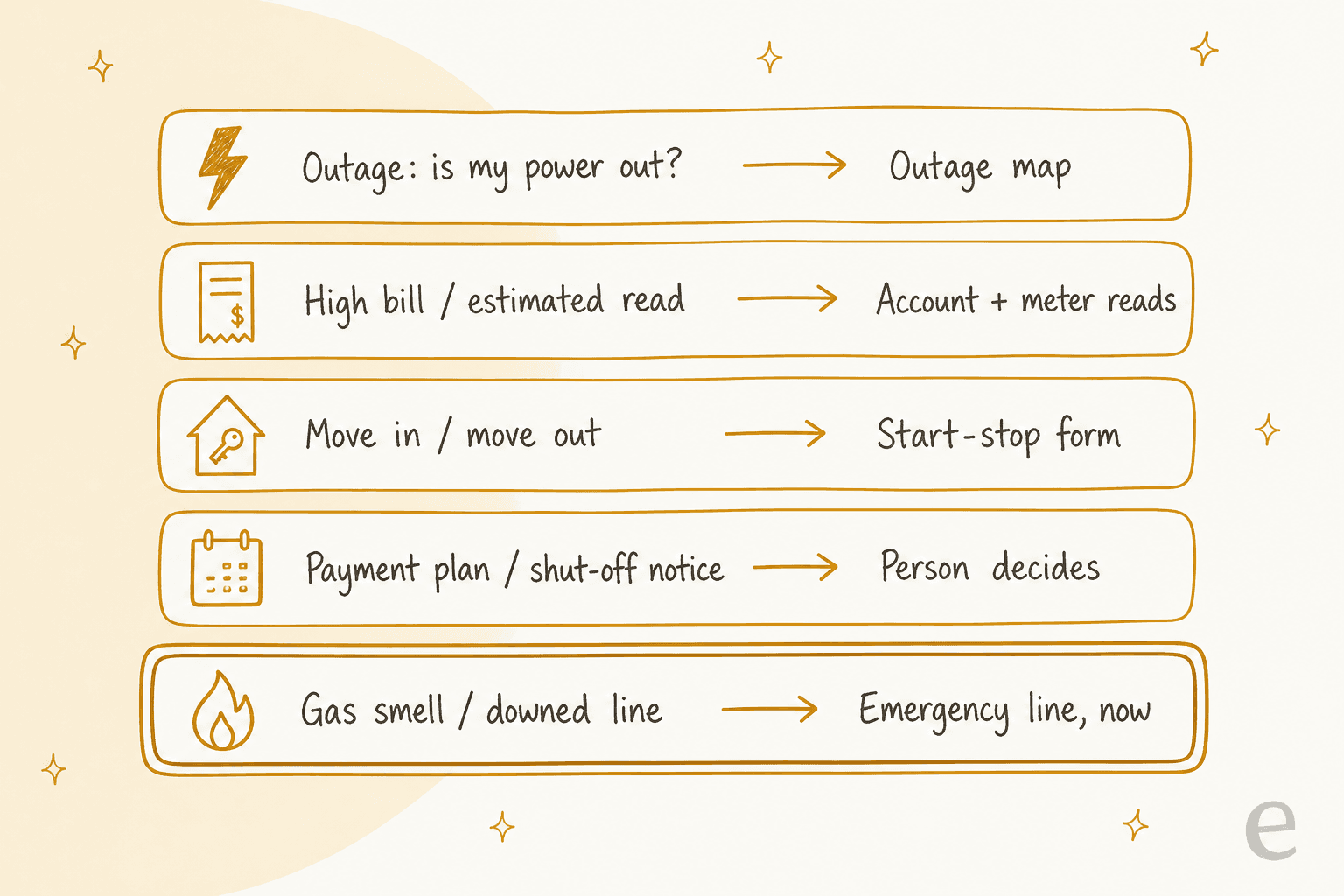
- Outage. "Is my power out?", "When will it be back?", "Did you know about this?" Answerable from the outage map or your status page.
- High bill and estimated reads. "Why is my bill double?", "Why does it say estimated?" Needs the account: billing history, meter reads, rate.
- Move in, move out, transfer. Start, stop or transfer service, final bills, deposits. Answerable from your start/stop process, with the actual order placed in your billing system.
- Payment plans and shut-off notices. "I got a disconnection notice", "Can I pay on the 30th?" Regulator rules apply. A person decides.
- Safety. Gas smell, downed lines, sparking equipment. Never an AI conversation. The emergency number, instantly.
The sorting matters more than the AI. A general "answer everything" bot will happily try to help someone who writes "I smell gas, what should I check?", and that is the one ticket where helpfulness is the wrong answer.
Here's how the sorting works on real messages. Pick one to see the lane, what the AI reads, and who owns the outcome:
Pick a message from a utility inbox
Lane: Outage
AI reads: the current outage record for that area (map or status page).
AI does: answers on its own: known outage, cause if posted, when the next update comes, how to get text alerts. If no outage is listed, it tells them how to report one.
Person: only if the message mentions a downed line or medical equipment.
Lane: High bill
AI reads: billing history, last read type (actual or estimated), rate, days in the billing period.
AI does: drafts a reply with the actual numbers for an agent to approve.
Person: approves the draft. A formal dispute goes to billing.
Lane: Billing explainer
AI reads: your help article on estimated reads.
AI does: explains why the bill was estimated and how to send their own meter reading.
Person: only if they think the estimate is wrong and want it reviewed.
Lane: Move in / move out
AI reads: your start/stop help article and form.
AI does: collects the new address, date and account holder details, links the form, explains the final bill.
Person or system: places the actual start or stop order.
Lane: Payment plan / shut-off, with a medical flag
AI reads: nothing it should act on.
AI does: tags it urgent and vulnerable, routes it to a person at once, promises nothing.
Person: owns all of it, including any medical protection rules.
Lane: Safety
AI reads: nothing. No troubleshooting.
AI does: replies instantly with "leave now and call 911 and our emergency line" and alerts the on-call team.
Person: the emergency line handles it by phone.
Notice that only two of the six get a full AI answer on their own. That's normal for a utility. The win isn't automating everything. It's getting the AI to clear the high-volume lanes so your people have time for the hard ones.
Which lane should never get an AI answer?
The safety lane. Gas smells, downed power lines, anything that could hurt someone in the next ten minutes. The AI's only job here is to put the emergency instruction at the top of the reply and alert a person.
Every utility I checked sends these to a phone line, not a form or an inbox:
- PG&E's gas safety page says to leave the area, call 911, then call PG&E at 1-800-743-5000, and says it responds within 20 minutes to suspected leak calls.
- Con Edison's gas leak page asks people to call even when a leak already shows on its online map, because that map updates every 24 hours.
- In Great Britain, the National Gas emergency line is 0800 111 999, free and open 24 hours.
- For downed lines, PG&E's electric safety page says to stay away, stay in your car or home, and call 911.
So the rule for the AI is simple and blunt. If a message mentions gas, a smell like rotten eggs, a line on the ground, sparks, or burning, it does not answer the question. It sends your emergency instructions word for word, tags the ticket, and pings whoever is on call. No "let me check that for you", no follow-up questions, no help article about pilot lights.
A good test before go-live: write ten messages that mention gas in passing ("my gas bill is high", "I'm moving and need the gas switched") and ten that are real emergencies. The AI should send the emergency reply to all ten emergencies and still answer the billing and move questions normally. If it misses even one emergency, it isn't ready. I'd rather it over-trigger on "gas" than under-trigger, and I'd test this the way I'd test any rollout, against past tickets before a single customer sees it.
Voice vendors handle this lane the same way. PolyAI's PG&E story describes potential gas leaks as a sensitive topic its agent has to route accurately.
How do you handle the outage surge?
Answer every "is my power out?" ticket from one outage record that a person keeps current, and never let the AI invent a restoration time.
Outage tickets are the most repetitive tickets a utility gets. They're also the most emotional, because the person writing has no lights, no fridge and no idea how long this will last. A utility call center worker on Reddit put it plainly during Hurricane Florence:
"Power company call center employee here. Been taking calls all morning for outages and emergencies across the east side of the Carolinas. Not a single person I've spoken to is taking this seriously and are upset when I tell them we have no eta on restoration."
The answer is the same for everyone in the affected area, which is exactly what AI is good at, as long as it reads from the right place:
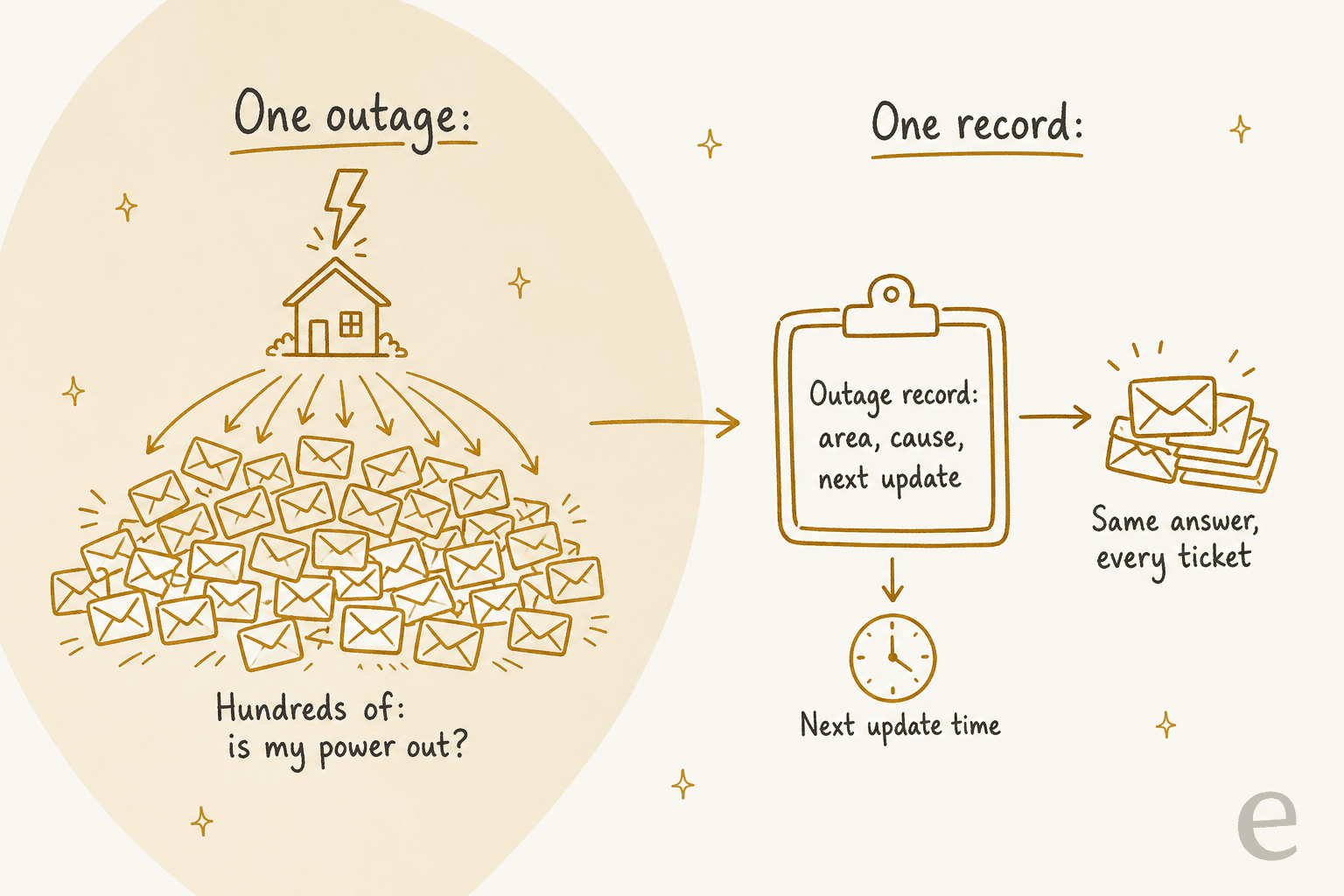
What goes into that record is what your outage map already shows: affected area, number of customers out, cause if known, estimated restoration if your outage system has given one, and when the next update is due. Large utilities publish their cadence. PG&E's outage alerts go out 5 to 10 minutes after a potential outage and 20 to 30 minutes after a confirmed one, with an estimated restoration time, and its outage map updates every 5 minutes, or up to 30 during widespread outages.
A small co-op won't have that tooling, and doesn't need it. A status page, a pinned post, or one internal note that your outage lead updates is enough for the AI to answer from. The guides on status page updates and incident communication cover how to keep that single record honest, and the same playbook I wrote for SaaS outages applies almost line for line.
A few rules I'd set for the outage lane:
- Copy, don't compose. The AI quotes the current restoration estimate from the record. If the record says "no estimate yet", the reply says that. No guessing.
- Say when the next update comes. That one line is what stops the same person writing again in 15 minutes.
- Point to the alerts. Duke Energy's outage page states plainly that talking to a representative won't speed up restoration. Say the same, kindly, and link the text alert signup.
- Link the tickets. In Zendesk, a problem ticket lets you close every linked outage ticket with one final message when power is back. Ticket deduplication handles the person who wrote three times.
- Watch for safety words. An outage ticket that mentions a downed line or oxygen equipment jumps lanes immediately.
The volume shape matters for pricing too. Norden-Frisia, a German ferry line, isn't a utility, but its queue swings the same way with the weather and the season. Its eesel plan was set to 10,000 interactions a month for high season and scales back down from October to March, answering from 346 Zendesk FAQs, macros and past tickets. A utility with storm seasons should price the same way, which I cover in seasonal support spikes.
Can AI explain a high bill or an estimated read?
Yes, but only if it can read the account. Without the billing history, the AI can explain how bills work in general, which is not what an angry customer with a bill twice last month's wants.
AWS's own energy assistant reference build describes what an agent normally checks for a high-bill call: billing history, meter readings, rate schedules and sometimes weather data. That's the list your AI needs too. The difference between "your usage was higher" and "your bill covered 34 days instead of 29, and your last read was estimated" is the difference between a second ticket and a closed one.
The estimated-read question is its own small lane, and a lot of it is answerable from your help center:
- Con Edison lets customers send their own meter reading to avoid an estimated bill, by photo with the account number.
- In Great Britain, Ofgem's back-billing rule means households don't have to pay for energy used more than 12 months ago if they weren't billed correctly for it.
- In Texas, the PUC's disconnection rule bars cutting off service for non-payment of an estimated bill outside an approved meter-reading plan.
Meter readings are often the single biggest automatable intent. German energy supplier enercity reports in its Zendesk story that meter reading submissions are its top use case, automated at 59.6%, with a 54% AI resolution rate overall across more than 60 request types.
How I'd run this lane:
- Start with drafts. The AI pulls the account data and writes the reply with real numbers. An agent checks it and sends. This is how smava runs its regulated loan queue: the drafting agent ran on about 12,200 tickets in a month, and every one of those drafts waited for a person to approve.
- Read-only lookups. The AI can read the bill. It can't adjust it, credit it or change a payment date. Swiftreg is a good model: order details go only to the verified account holder, a lookup result always beats the knowledge base, and a step that belongs to staff gets an internal note instead of a reply.
- Disputes go to billing. "This bill is wrong and I won't pay it" is a dispute, not a question. My guide to billing disputes covers the handoff.
If your billing system has no API, the AI can still help: it tags the ticket "high bill", asks for the account number and the bill date up front, and leaves an internal note listing what the agent should check. That alone cuts a round trip. More on this in billing questions and billing support automation.
What about move-in, move-out and transfers?
This lane is mostly answerable today, because the questions are the same every time: when can I start, what do you need from me, what happens to my final bill.
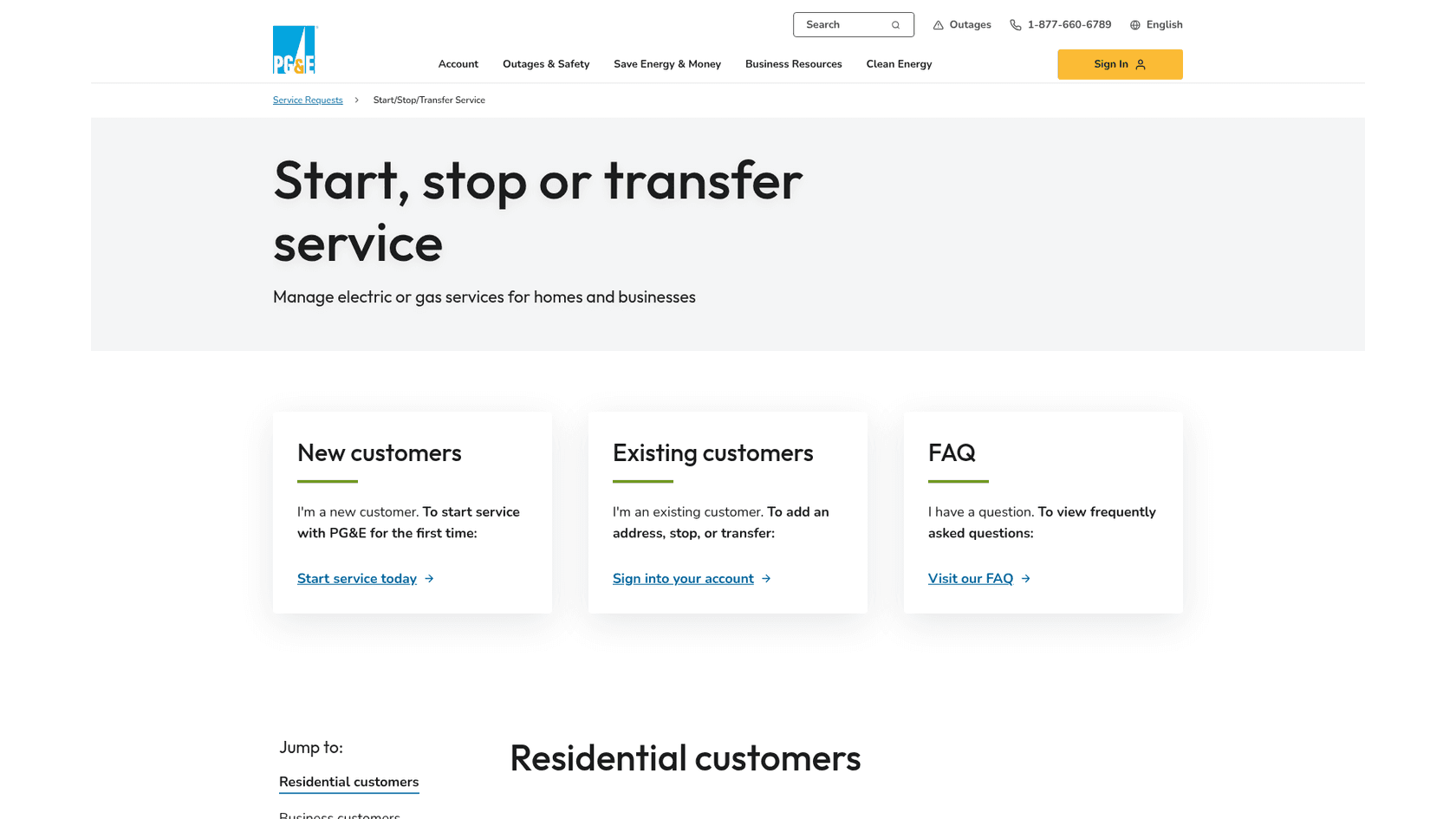
PG&E's start, stop or transfer page shows the standard shape. Most requests can start or stop the same day, can be scheduled up to 60 days ahead, and need identity verification. Business accounts pay a deposit. PG&E also advises scheduling the stop and start for the same day to avoid a gap.
The AI's job in this lane is to collect, explain and link:
- Collect the service address, move date and account holder name.
- Explain what ID is needed and whether a deposit applies, straight from your policy article.
- Link your start/stop form, or create the ticket with all the details filled in so an agent doesn't have to ask again.
- Explain the final bill. Without a smart meter, Con Edison's final bill is estimated from past use unless the customer sends a reading. That's a question the AI can answer before it becomes a complaint a month later.
What the AI shouldn't do is confirm the order is placed when it isn't. Placing the order is your billing system's job, or a person's. A reply that says "you're all set for the 15th" when nobody has keyed it in is worse than no reply.
Why do payment plans and shut-off notices stay with people?
Because the rules are specific, they vary by state or country, and getting them wrong hurts someone. A disconnection is the most serious thing a utility does to a customer, and regulators treat it that way.
Texas is a good example of how detailed this gets. Under the PUC's §25.29 rule:
| Texas rule | What it says |
|---|---|
| Notice | Disconnection no sooner than 10 days after notice, in English and Spanish |
| Medical | No disconnection if it would make a resident seriously ill, with a physician's statement and a payment plan. Protection lasts 63 days |
| Cold weather | No disconnection if the previous day's high stayed at or below 32°F and the forecast holds for 24 hours |
| Heat | No disconnection on heat advisory days or the two days after |
| Estimated bills | No disconnection for an unpaid estimated bill outside an approved read plan |
In Great Britain, Ofgem's prepayment meter rules require suppliers to make at least 10 contact attempts and a welfare visit before installing one involuntarily, and ban it for some households, such as everyone over 75 with no other support or homes with children under 2. Ofgem's Priority Services Register adds extra help for people with medical equipment, disabilities and other needs.
Front-line agents know this lane is the heaviest part of the job:
"Half of my calls were dealing with power outages, and the anger and fury that comes with that. The other half were dealing with people getting shut off or having already lost power and getting them to make payments and setup plans so they could have electricity again."
None of that means the AI does nothing here. What it does well in this lane is spotting:
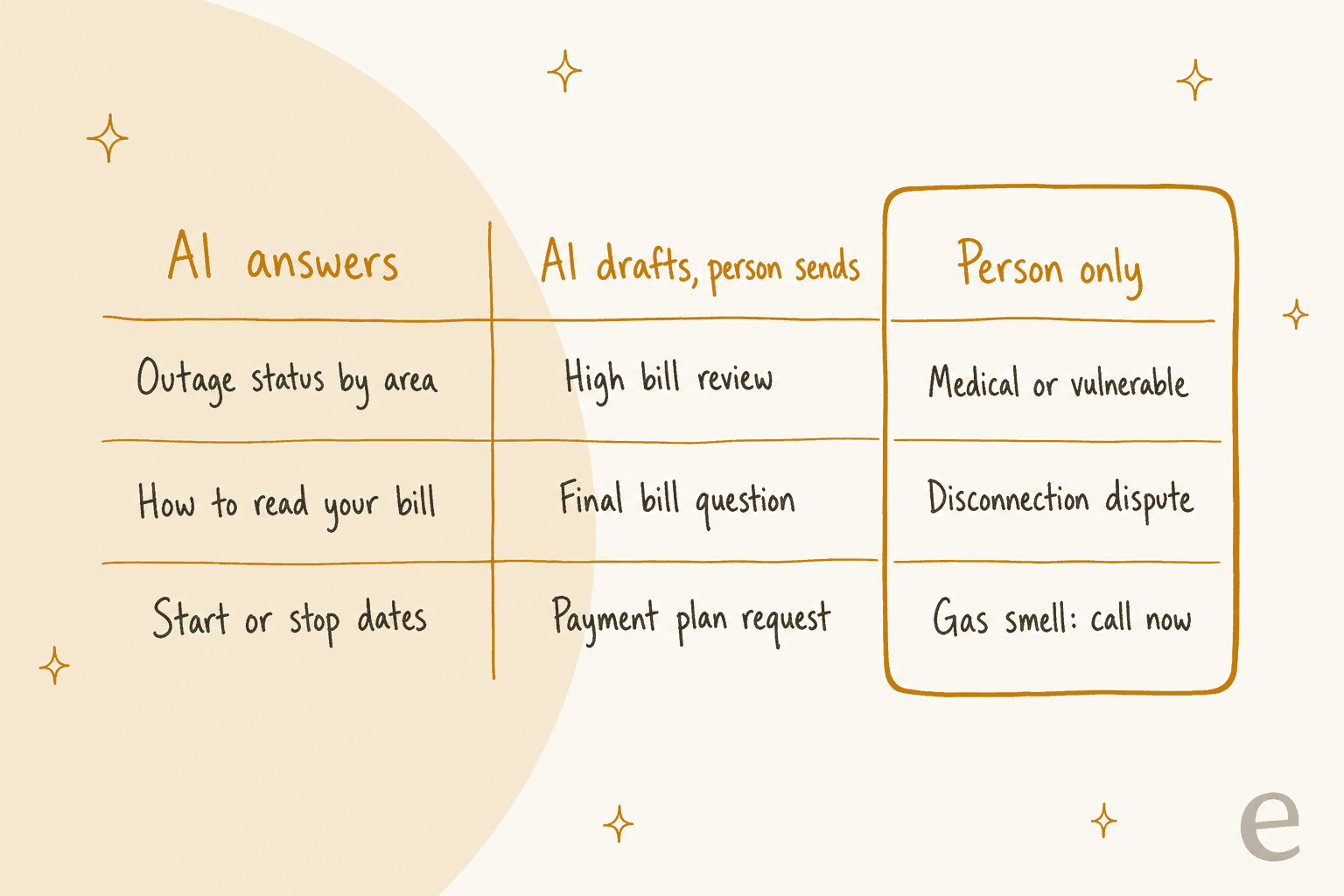
- Tag it fast. Any mention of a disconnection notice, shut-off, payment plan, or "can't pay" gets tagged and moved to the right team. Speed matters because notice periods are counting down.
- Flag vulnerability. Words like oxygen, dialysis, medical, elderly, baby, or disabled get a vulnerable flag and jump the queue.
- Draft, don't decide. For a simple payment plan request, the AI can draft a reply asking for the details your team needs. A person decides the plan.
- Never threaten, never promise. The AI doesn't restate disconnection dates as warnings, and doesn't promise service will stay on.
This is the same "spot, tag, route" pattern from my guides on regulated industries and GDPR requests. The AI is fast at sorting. The judgment stays with people. A good escalation setup makes sure the handoff lands with someone who can act.
What data does the AI need for each lane?
Most of what you need for the first two lanes already exists, and the data question is what decides how fast you can go live:
| Lane | What the AI reads | What it does on its own | What a person owns |
|---|---|---|---|
| Outage | Outage map, status page or one internal outage note | Answers with area status, next update time, alert signup | Updating the record, downed lines, medical equipment |
| How-to and estimated reads | Help center articles, rate pages | Explains bills, estimated reads, how to send a reading | Reviewing a disputed estimate |
| High bill | Billing history, read type, rate (read-only) | Drafts a reply with real numbers | Approving and sending, adjustments, credits |
| Move in / out | Start/stop article and form, deposit policy | Collects details, explains final bill, links the form | Placing the order in the billing system |
| Payment plan / shut-off | Ticket text only | Tags, flags vulnerability, routes | Every decision and every reply |
| Safety | Ticket text only | Sends emergency instructions, alerts on-call | The emergency response |
Notice how far you can get with no system integration at all. The outage lane, the how-to lane and most of the move lane run on content you've already published. The account lookups come later, and they're read-only when they do. The security review guide is worth reading before you connect anything that holds customer account data.
What results have utilities published so far?
The published numbers so far come mostly from phone lines and big utilities. They're vendor-reported, but they show the routine lanes are real:
| Utility | Vendor | Channel | Published result |
|---|---|---|---|
| SECO Energy, Florida co-op, 220,000+ homes and businesses | Capacity | Phone | 66% lower cost per call, 32% of calls handled by AI, 4.5/5 satisfaction (same as live agents) |
| PG&E, 5.2M households | PolyAI | Phone | 35,000 labor hours saved, 67% of calls contained, satisfaction up 22% |
| TNB, Malaysia, 10.5M+ accounts | AWS | Digital channels | 15,000 queries a month resolved by AI, 91% positive sentiment, within 10 months |
| enercity, Germany, about 1M customers | Zendesk | Customer portal | 54% AI resolution rate, meter readings 59.6% automated |
Look at what these assistants do: outage reporting and status, account changes, start and stop service, FAQs, meter readings. That's lanes 1, 3 and the how-to part of lane 2. TNB's case study notes that billing system integration is still a planned step, which matches the order I'd go in. Even a national utility started with the lanes that don't need the bill.
What none of them cover is the written queue at a small utility: the co-op or city utility with a handful of agents answering email and web forms in Zendesk or Freshdesk. That's where a helpdesk AI teammate fits, because it works inside the tool you already use. Danish electricity supplier Altid Energi is one I've written about, running eesel's drafted replies in Zendesk.
If your utility also takes a lot of calls, the voice agent guide and AI phone support cover that side.
How much does it cost on a helpdesk?
On a helpdesk, AI is priced per resolution, per session or per ticket, so price it on your outage month, not your quiet month:
| Option | Base price | AI pricing |
|---|---|---|
| Zendesk | Suite Team $55, Suite Professional $115 per agent a month (annual) | AI agents included; 5 or 10 automated resolutions per agent a month, then $1.50 each committed or $2.00 pay-as-you-go |
| Freshdesk | Growth $19, Pro $55, Enterprise $89 per agent a month (annual) | AI agent: 500 sessions free once, then $49 per 100 sessions. Copilot $29 per agent a month |
| eesel | No per-seat fee, works inside your helpdesk | $299 a month for 500 credits, up to $1,749 for 5,000. One ticket is one credit |
Two things to watch. Zendesk only charges for a resolution when the AI resolves without a person, which suits the outage lane well. Freshdesk counts an email AI session as a 72-hour window from the customer's first email. And for eesel, a ticket the AI only tags and routes still uses a credit, so count the shut-off and safety lanes in your volume too. My full breakdowns are in Zendesk pricing and Freshdesk pricing, and AI vs human agent cost has the comparison against hiring.
How do you set it up in your helpdesk?
Here's the order I'd follow. It puts the safety rule first and the account lookups last:
- Pull 3 months of tickets and sort them. Count how many fall into each of the five lanes. Include a storm month if you can. This tells you where the volume is and gives you a test set.
- Write the safety rule first. Your emergency wording, your list of trigger words, and who gets alerted. Test it on 20 messages before anything else goes live.
- Write the shut-off rule second. Tag, flag vulnerability, route, never promise. Write down your local notice and medical rules so agents (and the AI's instructions) state them correctly.
- Set up the outage record. One place your outage lead updates, which the AI reads. Decide your update cadence and stick to it.
- Clean up the help center. Estimated reads, how to send a reading, start/stop steps, deposits, final bills, payment options. The AI is only as good as these articles. Help center search is worth a look here.
- Run it on past tickets. Before customers see anything, run the AI over your sorted tickets and read what it would have said. eesel does this as a simulation against your own history.
- Go live lane by lane. Outage and how-to first, answering on their own. High bill and move as drafts for agents to approve. Use approval workflows for the drafts.
- Add account lookups last. Read-only, verified account holder only.
- Review weekly. Check what the AI tagged as safety and shut-off, and what it missed. Support reporting by lane shows you which lane to widen next.
Then use the after-hours coverage. Outages don't keep office hours, and an AI answering the outage lane at 2am is the easiest win on this list. The guides on after-hours support and weekend coverage cover the staffing side, and support staffing covers what happens to your team when the AI takes the repeat questions.
Try eesel for your utility queue
If your utility runs on Zendesk or Freshdesk, eesel's AI helpdesk teammate joins the queue you already have. It sorts every ticket into your lanes, answers outage and how-to questions from your outage record and help center, drafts high-bill and move replies for your agents, and sends shut-off notices and anything mentioning gas or a downed line straight to a person. You can run it over your past tickets first and see exactly what it would have said before it touches a customer.
smava runs the same pattern on a regulated queue of 27,000 tickets a month: categorize everything, draft from approved wording, and let people send. Norden-Frisia scales its plan up and down with the season. Connect your Zendesk or Freshdesk and try eesel free, with 100 credits and no card.