

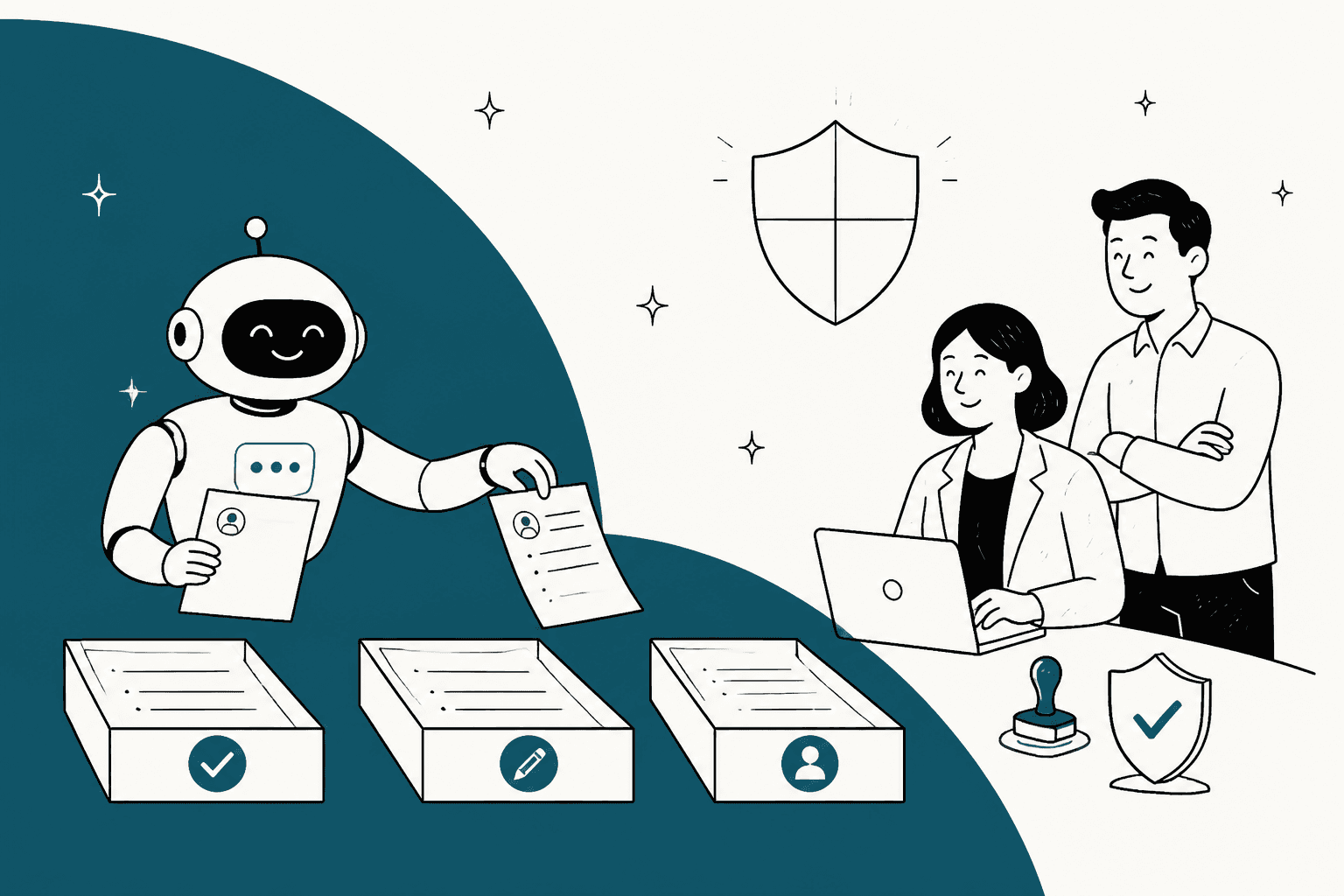
AI for regulated industries support works when you sort tickets by what the answer needs, not by channel. Procedural questions (statements, logins, which form to send) can be answered by AI from approved help content. Account-specific questions get an AI draft that a person checks and sends. Disputes, complaints, clinical questions and credit decisions go straight to a person, and the AI's only job there is to recognise them fast.
The trap most teams miss: a helpdesk BAA doesn't automatically cover its AI. Zendesk names its AI features in scope, Salesforce limits patient data to a named list of AI services, and Freshworks scopes its BAA to named products on Enterprise without mentioning Freddy AI. Check the AI feature by name, not the helpdesk.
The proof that this passes a compliance review is in production. smava, a German loan comparison platform, runs eesel across about 27,000 Zendesk tickets a month: eesel sorts every ticket and drafts from approved macros, and a person does the sending. If you're in health, finance or insurance, eesel starts in draft mode on your helpdesk and signs a BAA on Enterprise.
Can you use AI for support in a regulated industry?
Yes. The question compliance is really asking is narrower: which tickets, at which step, with which data, and who signs off before a customer reads it.
I build eesel's AI agents, and I've sat on the other side of this conversation more than once. In March 2026, a US healthcare support team on Zendesk stopped an eesel demo on one question: would eesel sign a Business Associate Agreement? It wasn't a soft concern. It was a hard stop, and they were right to treat it that way. A medical financing team I spoke with the same month needed something different: a guarantee that the AI would only reply on its own to tickets it could actually handle. Two regulated buyers, two different blockers, and neither was "AI is too risky."
That's the pattern. Compliance teams rarely block AI outright. They block generated wording that nobody approved, data going to a vendor without a contract, and answers that look like a decision about a person. Design around those three and most of the pushback goes away.
The rest of this guide is the version I'd hand a support lead walking into that meeting. If you want the industry-specific playbooks, I've also written about AI for healthcare support. Fintech teams can start with fintech support, and insurers with the insurance support guide.
Which tickets can AI handle in regulated support?
Start by sorting your queue by what a correct answer needs, because that decides the risk far more than the channel does.
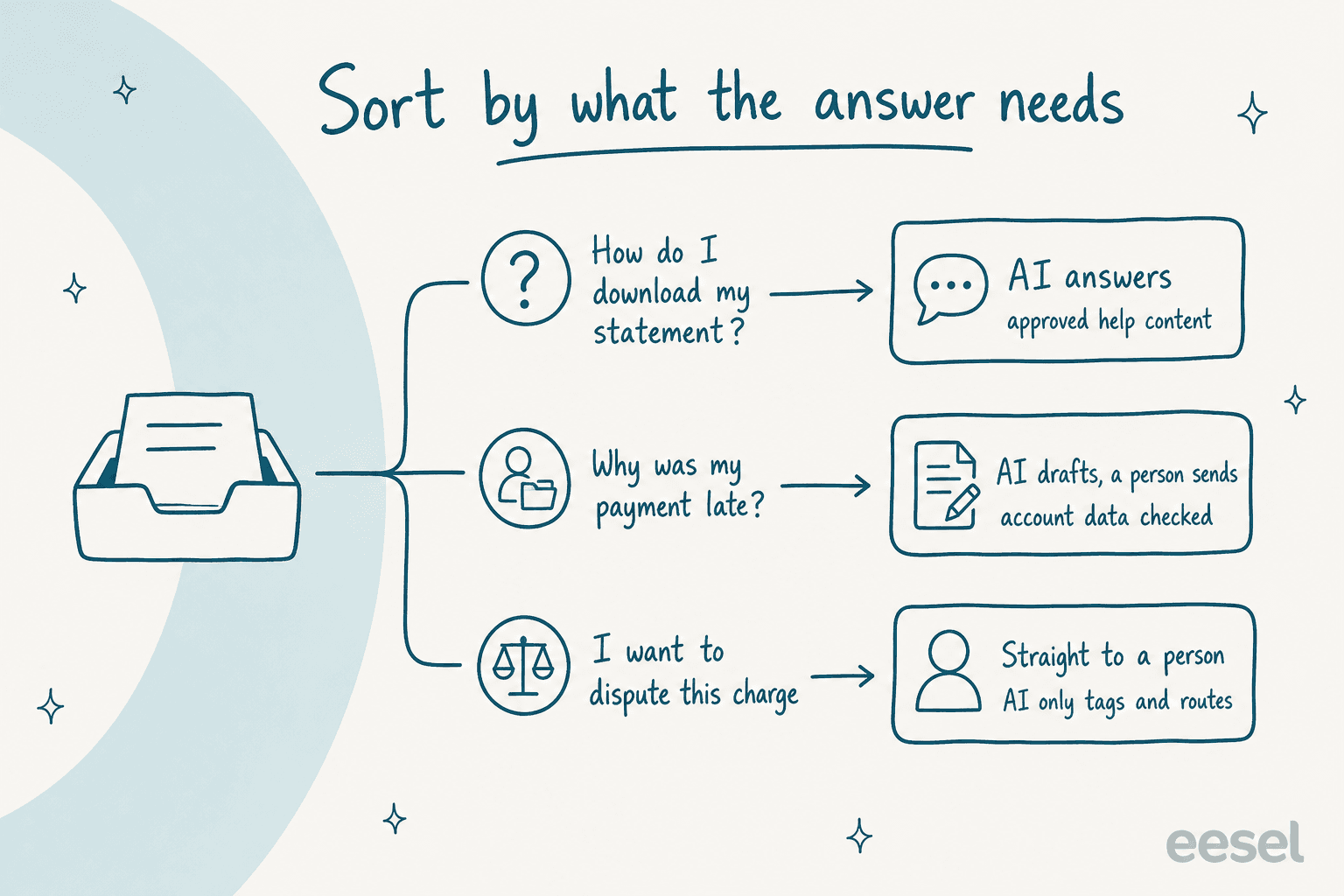
There are three kinds of ticket in every regulated queue I've seen:
- Procedural. The answer is the same for every customer and lives in your help center. "How do I download my statement?" "Which form do I send for a claim?" AI can answer these, because nothing about the person is needed to reply.
- Account-specific. The answer depends on one customer's record: a payment, an application, a claim status, a bill. AI can read the record and draft, but a person should check identity and the account before the reply goes. This is where human-in-the-loop earns its keep.
- Judgment or regulated decision. Symptoms and medication, a credit decline, a claim denial, a dispute, a complaint. These belong to a person from the first second. The AI's job is tagging and routing, not answering.
The third lane is where the real risk sits, and it's not the risk people expect. The CFPB's 2023 chatbots in consumer finance report worried less about bots saying something rude and more about bots failing to notice a dispute, warning that "only specific words or syntax may trigger the recognition of a dispute." A customer who writes "I never bought this" instead of "I want to dispute this charge" still has a dispute.
"And even then the risk of AI misclassifying it as a routine question and not an urgent payments related question."

So the thing to test first isn't how well the AI writes. It's how reliably it recognises the tickets it must stay away from. If you're building the routing side, my notes on AI ticket triage go deeper, and so does my guide to AI for payment disputes.
Here's how I'd start the common ticket types in each industry. Pick yours:
Which tickets can AI touch in your industry?
Pick your industry to see the common ticket types, the mode I'd start each one in, and why.
None of these modes are permanent. A ticket type moves from "drafts" to "answers" once a test on your own past tickets shows the AI gets it right, and that test is what you show compliance.
What do the rules actually say about AI in customer support?
Less than you'd fear, and more specifically than most vendor pages admit. None of the regulators below ban AI from support. All of them say your existing obligations still apply when a machine does the work.
| Rule | Who it applies to | What it means for AI on tickets |
|---|---|---|
| HIPAA business associates | US healthcare providers, plans and their vendors | Any AI vendor that reads patient data needs a signed BAA first |
| HIPAA minimum necessary | Same | The AI should read only what the reply needs, not the whole record |
| CFPB chatbot report | US consumer finance | Chatbots "must comply with all applicable federal consumer financial laws", including dispute handling |
| FTC Safeguards Rule | US non-bank financial companies | Your contract with the AI vendor must set security expectations and allow monitoring |
| PCI DSS messaging FAQ | Anyone taking card payments | A card number in chat or email puts that channel in PCI scope |
| EU AI Act Article 50 | AI that talks to people in the EU | Customers must be told they're talking to AI, applied since 2 August 2026 |
| GDPR Article 22 | Anyone serving people in the EU | No fully automated decisions with legal effect, like refusing credit |
| FCA AI good practice | UK financial firms | Firms "remain responsible for consumer outcomes", support included |
Three of these change how you set the AI up, not just what you sign.
Encryption doesn't get a vendor out of a BAA. HHS is direct about this in its cloud computing guidance: "Lacking an encryption key does not exempt a CSP from business associate status." If the AI touches patient data at all, encrypted or not, you need the agreement. I cover the healthcare side in more depth in HIPAA-compliant AI.
The FCA wrote down the pattern that works. Its 2026 review of AI in financial services lists, as good practice, firms that "limited chatbots and generative AI assistants to approved source material, with checks and escalation routes." That's the lane model above, in a regulator's words.
Disclosure is now law in the EU. Since 2 August 2026, a customer talking to an AI in the EU must be told so, unless it's obvious. The EU AI Act guide I wrote covers what that means for chat widgets and email replies.
One honest caveat: this table is a starting point for your compliance team, not legal advice. Your sector may add its own rules (state insurance regulators, banking agencies, national health data laws), and your legal team will know which apply.
Does your helpdesk's BAA cover its AI features?
Not automatically. This is the single most useful thing to check before you sign anything, and it's where most teams get caught. Vendors write their BAAs around named products, and AI features get added to that list one at a time, often months after launch.
| Helpdesk | How you get a BAA | Is the AI named in scope? | What to check |
|---|---|---|---|
| Zendesk | Advanced Compliance, Suite Professional and up | Yes: Copilot, AI Agents, Answer Bot resolution listed | Early access features "should not be used with PHI" |
| Salesforce | BAA with service-specific restrictions | Yes: Agentforce and 13 other named Einstein services | Trust Layer masking is off for agents |
| Freshdesk | Enterprise plan only | BAA lists Freshdesk, Freshchat, Freshcaller, Omnichannel; Freddy AI not mentioned | Ask for Freddy AI in writing |
| HubSpot | Enterprise plus the Sensitive Data setting | Breeze works with restrictions; no page names it in the BAA | Chatbots don't support Sensitive Data |
| Zoho Desk | Request the BAA template by email | PHI fields are kept from Zia | PHI typed into ticket text "will NOT be masked" |
| Gorgias | Not stated on its pages | AI Agent docs say "HIPAA compliant" | Ask which plan includes a signed BAA |
A few of these deserve a closer look.
Zendesk is the clearest. Its products in scope page lists AI Agents and Copilot under HIPAA, and the BAA comes with Advanced Compliance on Suite Professional and above. But the HIPAA configuration rules add conditions most teams never read: the AI shouldn't be used in a way "which could be construed as (i) providing medical or healthcare advice," and AI agent conversations that never become tickets "are still stored in the system and it is the responsibility of Subscriber to delete those." If you're comparing options, my Zendesk security breakdown has the rest.
Salesforce names its "PHI-Permitted" AI services in its Einstein platform security document, Agentforce included. Two details matter. Healthcare providers and health plans can only submit patient data "where ... Salesforce has expressly permitted such submission contractually". And for agents, "Data masking through the Einstein Trust Layer is disabled to improve the performance and accuracy of agents," per Trust and Agentforce. For banks, the same security document says bank account and card numbers may not be submitted to Einstein services. More on how that layer works in my Einstein Trust Layer write-up.
Freshdesk and HubSpot both offer a BAA on Enterprise, and both leave the AI question open on their own pages. Freshworks' guide scopes the BAA to named products and doesn't mention Freddy AI. HubSpot lets Breeze run on Sensitive Data accounts but also tells customers to "avoid sharing any sensitive information in your configured data inputs for Breeze features, including your prompts." Neither is a reason to rule them out. It's a reason to get the AI feature named in writing before patient data goes near it.
"If a vendor handles PHI in any capacity you need to have a BAA and a Confidentiality agreement with them. ... A BAA is just a pinky-promise."

That commenter's second point is the right one. A BAA is necessary, not sufficient. The settings you choose decide what the AI actually sees, which leads to the part you control.
Why should regulated teams draft from approved wording?
Because the most common compliance objection isn't about data. It's about words. A support reply in finance or healthcare can make a promise, give advice, or describe a decision, and once an AI writes it fresh, nobody approved those exact sentences.
"User asked "should I dispute this charge." Normal enough question. The bot answered like it had passed the bar. Walked through their rights, grounds for dispute, how to approach it. Clean language, no red flags, passed every content check without a hiccup."
The fix that's held up best in the setups I've worked on is simple: the AI chooses the approved text instead of writing its own. Your team already has that text, in macros and help center articles that compliance signed off years ago.
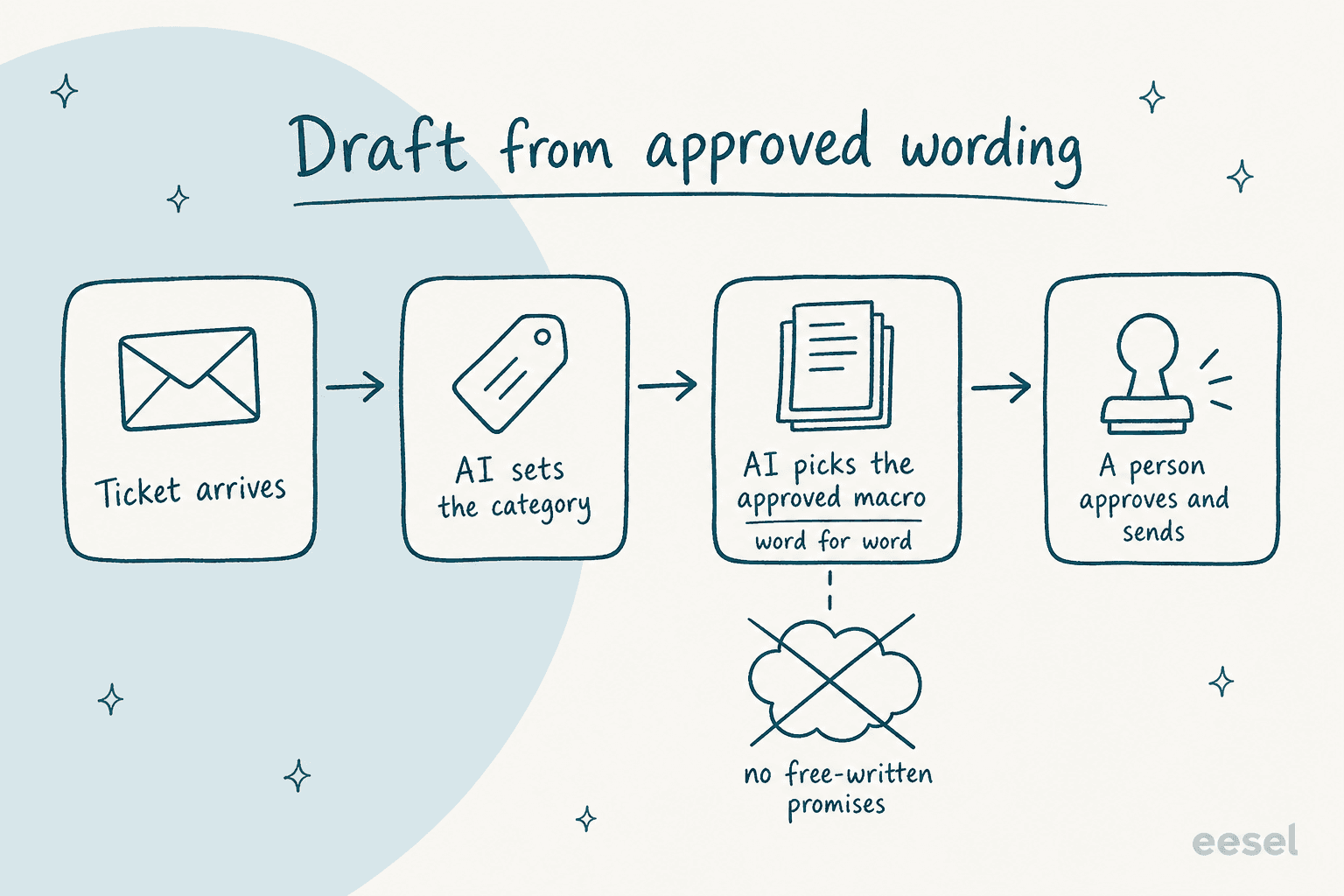
smava is the clearest example I can point to. It's a Berlin comparison platform for consumer credit, and since acquiring Finanzcheck it runs both brands' support out of one Zendesk. Its customer story puts the stakes plainly: "This is regulated finance, so wording matters: a reply that promises something the team will do, names a competitor, or guesses at a loan the company can no longer see does harm."
Here's how its eesel setup handles that:
- A categorisation agent tags every new ticket, reads the advisor field, and marks a ticket eligible for an automatic reply only when no advisor is assigned. It writes the category into Zendesk fields and touches nothing else.
- A drafting agent searches about
820synced macros and help center articles, reads each candidate in full, and drafts the matching macro word for word with placeholders filled. Its only output is a draft with Approve and Reject buttons. - Two reply agents, one per brand, prepare customer-ready replies for eligible tickets under fixed rules: no promises that the team will check or arrange anything, no links to competitor comparison sites, one of four fixed closing sentences. eesel never sends them itself.
Between 8 August and 8 September 2026 that meant about 27,000 tickets handled, 14,600 categorised and 15,300 drafts prepared. The drafting agent, whose output waits for a person, ran on about 12,200 tickets; the reply agents ran on about 1,100. Most of the month was eesel sorting and drafting, and a person sending. A customer who already has a credit advisor never gets an automatic reply at all.
The same shape works outside finance. Timengo, a Danish company whose secure email product is used by municipalities, schools and pension funds, runs eesel on Freshdesk to draft every ticket in Danish from its documentation and about 5,300 past tickets and articles. A support engineer reviews and sends; eesel never replies to a customer ticket on its own. Dokument 24, which sells online legal documents in Denmark, has eesel leave about 670 Danish draft replies a month as internal notes, and tag tickets by product (wills, prenuptial agreements, company formation).
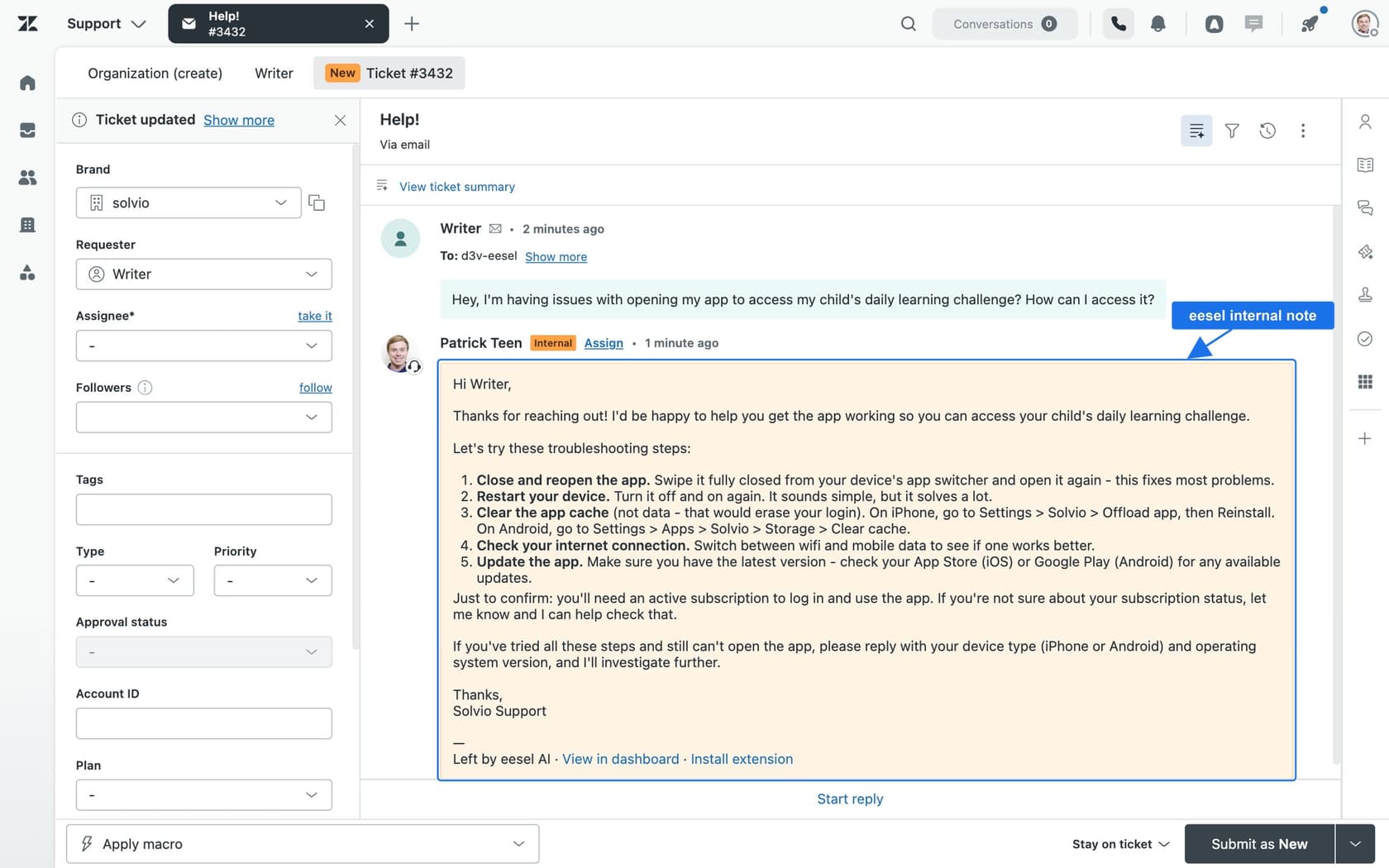
If your team doesn't have a clean macro library yet, that's the first project, not the AI. Grounding answers in approved content is also the most reliable defence against AI hallucinations in support.
How do you get compliance to say yes?
Bring evidence, not a savings forecast. The teams that stall are usually the ones who walk in with a projected deflection rate and no answer to "what exactly will it see, and how will we know what it did?"
"real blocker, not imagined. the prototype-to-prod gap is almost never engineering, it's the 6 to 10 week back and forth with risk and second line. teams either ship a neutered version (read-only, internal-only) or it dies in committee."
The same commenter listed what second line actually wants: prompt and tool call logs, PII redaction proof, a replay of any decision, a list of allowed actions, and an opt-out path for the customer. That's a short list, and you can assemble most of it before the first meeting.
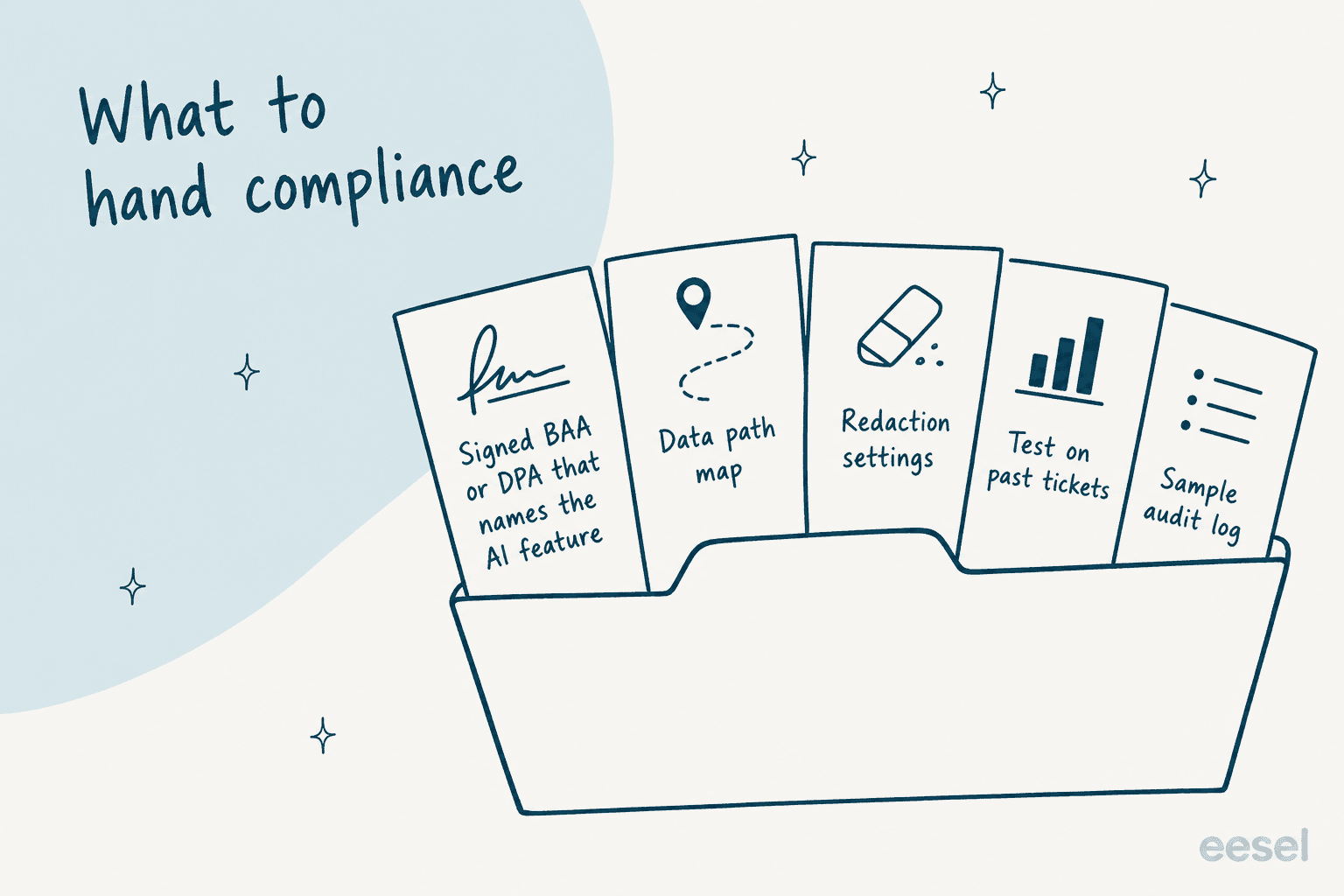
Here's the pack I'd put together:
- The signed agreement, with the AI named. A BAA for health data, a DPA for GDPR, and under the FTC Safeguards Rule a contract that will "spell out your security expectations" for the vendor. Check the AI feature by name, per the table above.
- A data path map. One page: which helpdesk fields the AI reads, which model provider processes them, where it's hosted, and how long anything is kept. If you need a template, my vendor security checklist has the questions.
- Your redaction settings, and their limits. What gets masked before the AI indexes it, and what doesn't. Be specific about the gaps; compliance trusts a known gap far more than a vague promise.
- A test on your own past tickets. Run the AI against tickets your team already resolved and compare. I've written up how to run a simulation test that holds up, including how many tickets you need per topic.
- A sample audit log. Show one ticket end to end: what came in, what the AI read, what it drafted, who approved it.
"Usually the narrative. Raw logs exist, approvals happen, but nobody documented WHY the decision was made in language compliance can actually audit."
That last quote is worth taking seriously. A log of what the AI did is useful; a log that records its reasoning is what makes an audit quick. Ask any vendor to show you one before you buy. For the full review process, my AI support security review guide walks through who owns each step.
What does a rollout that survives compliance look like?
Gates, not a launch date. Each gate opens only when the one before it has evidence behind it, and each has a condition that sends you back a step.
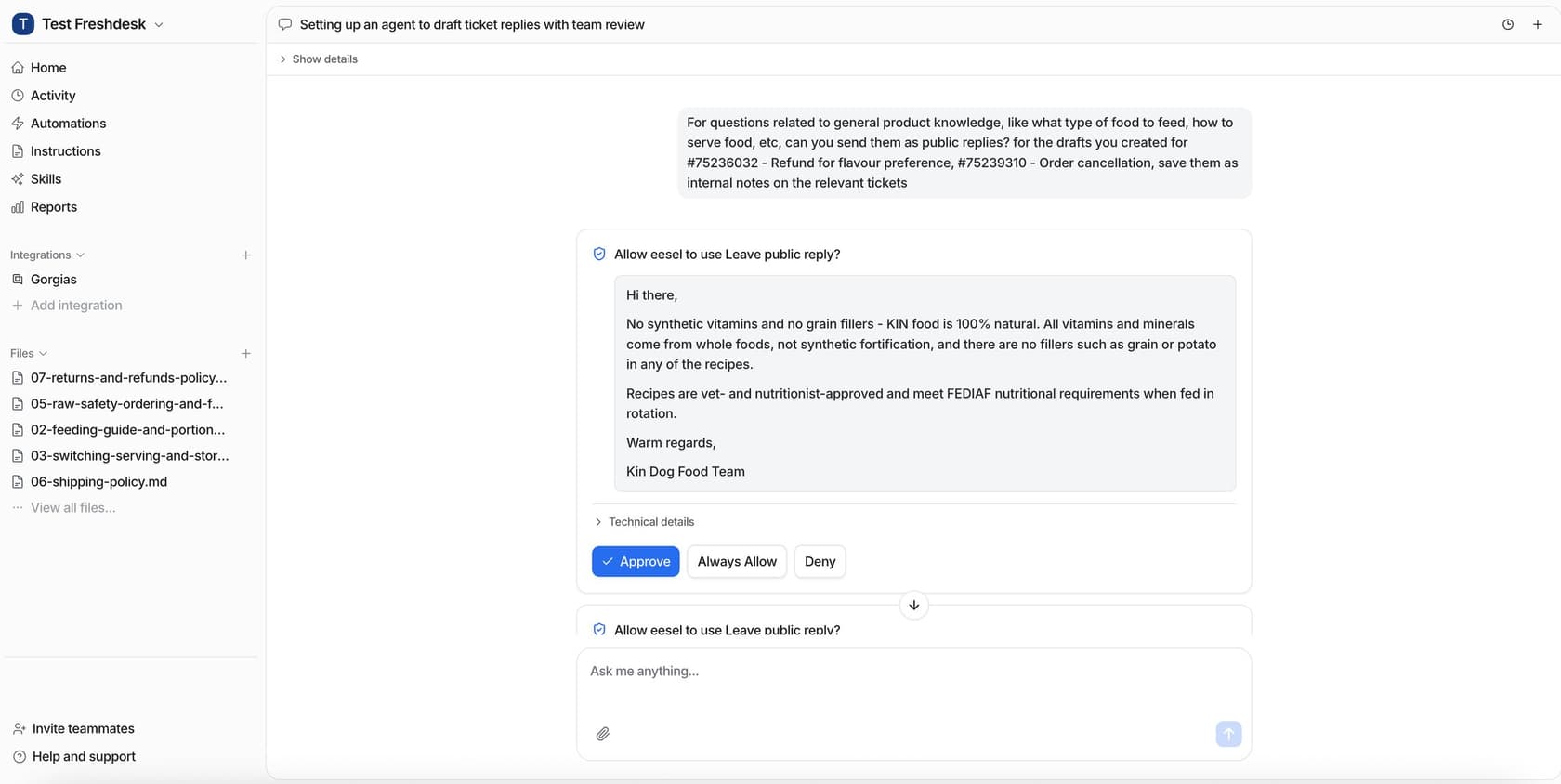
- Draft mode on everything. The AI writes drafts as internal notes; nobody outside your team sees AI text. This is where you learn what it gets wrong, safely.
- A test on resolved tickets. Before any customer sees AI output, compare its drafts to what your team actually sent, by ticket type.
- One procedural ticket type goes live. Pick the most boring, highest-volume question you have (login help, statement downloads) and let the AI answer only that, with a clear AI disclosure.
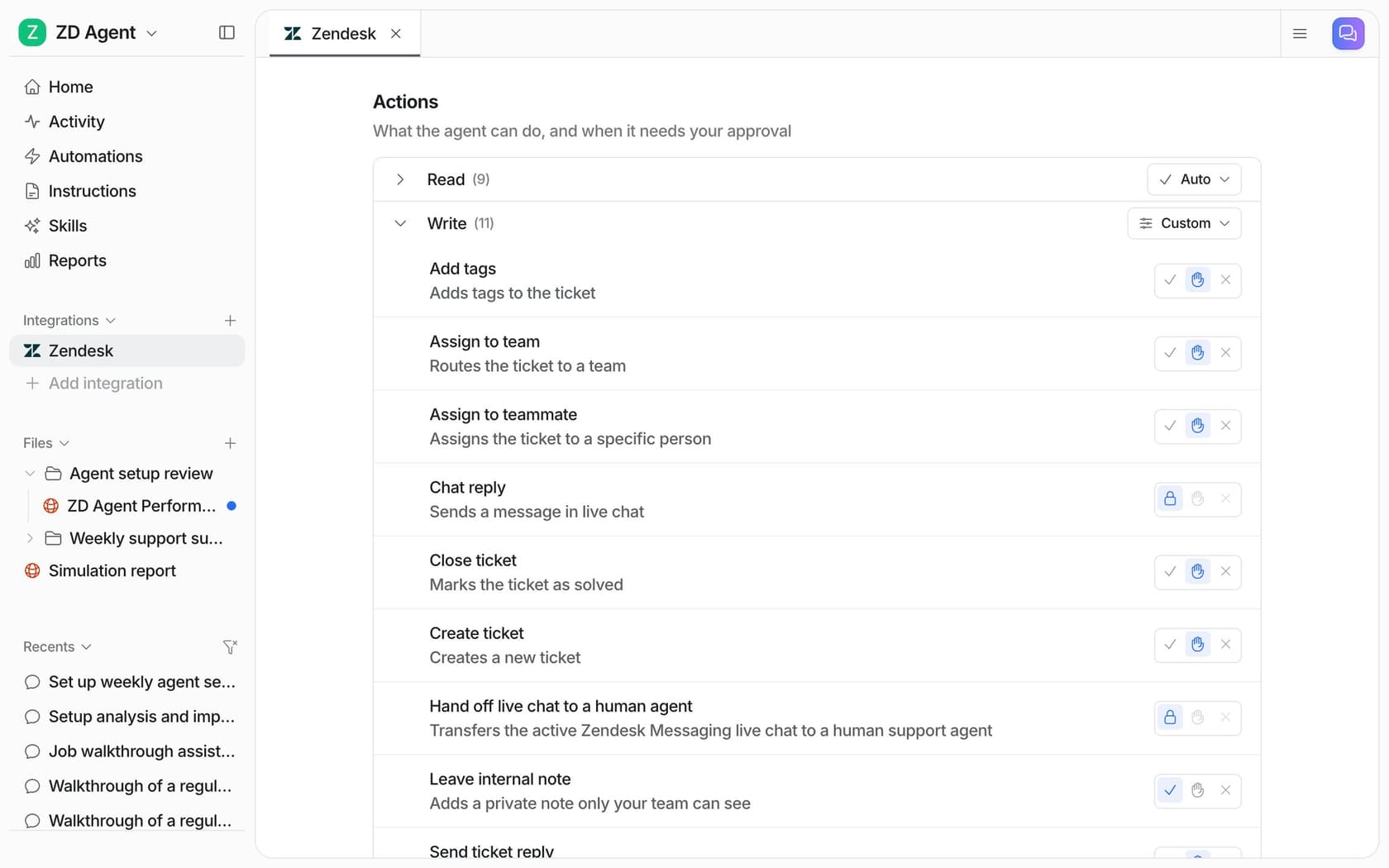
- Actions stay behind approval. Anything that changes a record, issues money or closes a ticket waits for a person to confirm.
In eesel, every action an agent can take is set to Auto, Needs approval or Disabled, per actions and approvals. The docs' own advice is the right default for regulated teams: "Start supervised," and "Keep refunds, cancellations and anything that costs money behind an approval."
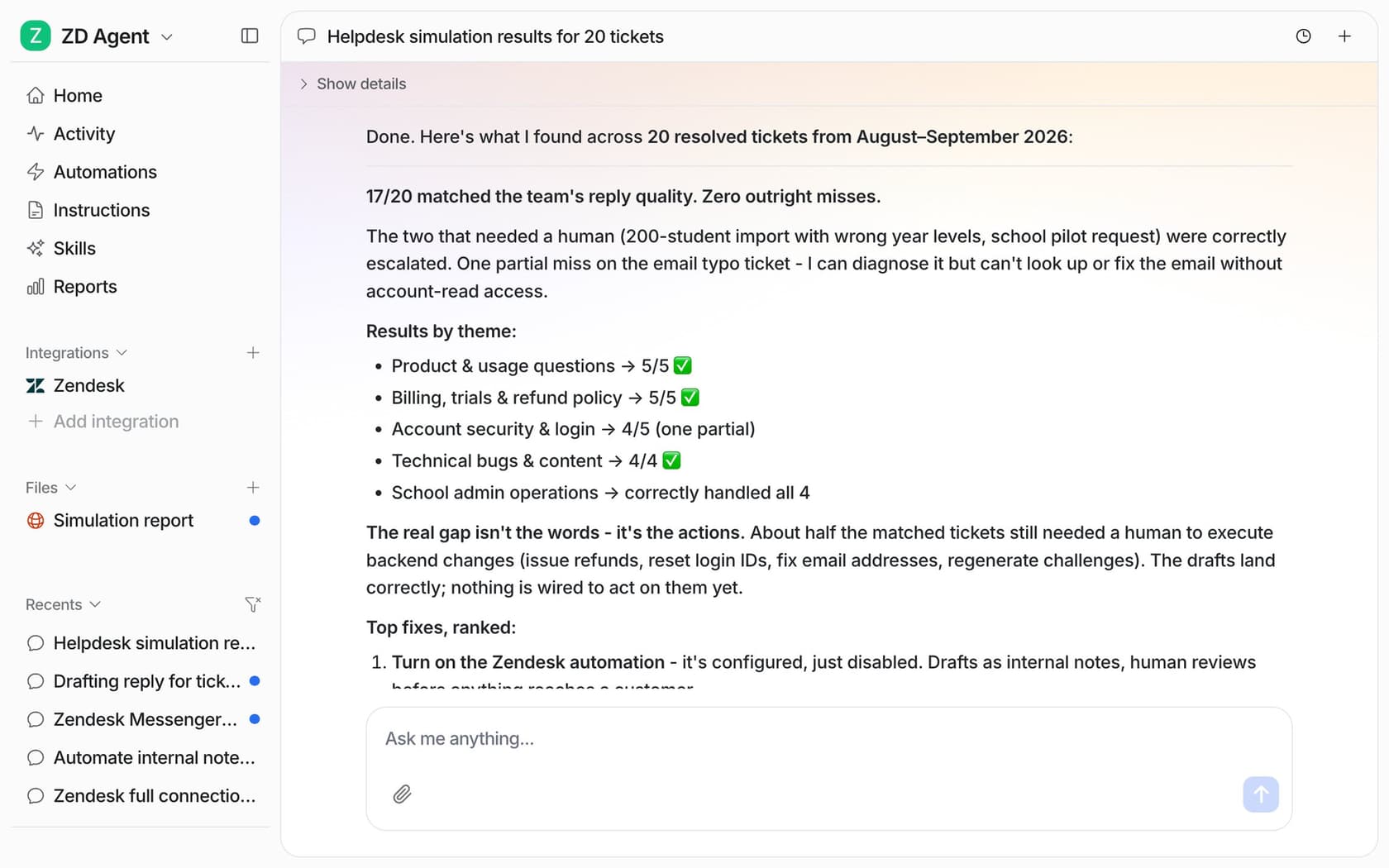
For step 2, eesel's helpdesk simulation runs on 20 tickets your team recently resolved, drafts its own reply to each, compares it with what your team sent and groups the results by theme. Per the Skills docs, "It sends nothing to customers." That report is the kind of evidence compliance can actually read.
How long does this take? My implementation timeline post puts it at 2 to 8 weeks, and in regulated teams the variable is the review process rather than the software. If you're writing a formal vendor request, the AI support RFP template turns the gates and the ticket test into questions a vendor has to answer.
Where should you keep AI out of regulated support?
A few places, and saying so clearly is part of what makes the rest of the plan credible.
- Clinical advice. Zendesk's own HIPAA rules tell customers not to use its AI for diagnosis, treatment or "making decisions scoping them into or out of any healthcare plan." That's a sensible line for any vendor.
- Decisions about a person. Credit declines, claim denials and eligibility. GDPR Article 22 gives people the right "not to be subject to a decision based solely on automated processing," and Salesforce's terms require that "the final decision is made by a human being" for decisions with legal effect.
- Card numbers in conversation. Point customers to your payment flow and mask card numbers before anything is indexed, because a card number in chat pulls that channel into PCI scope.
- Vulnerable customers with no other route. The FCA flagged firms that "automatically excluded consumers with vulnerability indicators from AI journeys" without offering another way to get help. Keep a fast path to a person for anyone who needs one.
None of this is a reason to wait. It's the boundary that lets you say yes to everything else, and it's the same boundary I'd recommend for AI escalation in any queue.
Try eesel for regulated support
eesel is an AI teammate for your helpdesk. It joins your existing Zendesk, Freshdesk or Salesforce queue, learns from your past tickets, macros and help center, and starts in draft mode, so nothing reaches a customer until your team approves it. You choose per action whether it runs on its own, waits for approval, or is switched off, and every conversation and action is logged with its reasoning.
Here's where it stands on the things your compliance team will ask, from the eesel Trust Center:
- HIPAA: eesel signs BAAs with Enterprise customers after a review of how you'll use it with health information. A BAA workspace runs every AI model call on AWS Bedrock in eesel's own AWS account, with tools like web search turned off.
- Training: eesel doesn't train or fine-tune models on your data.
- Redaction: PII redaction masks
15categories, including card numbers, bank accounts and national IDs, from past tickets before they're indexed. It's off by default on newer workspaces, and live ticket lookups reach the model unredacted, so check the setting and pair it with access controls. - SOC 2: the Type II audit is in progress, with the observation period running 1 October to 31 December 2026 and the report expected in 2027 under NDA.
That's the honest version: if you need a finished SOC 2 report before any vendor touches your data, eesel isn't there until 2027. If you need an AI that drafts from your approved wording, waits for a person, and shows its work, the smava setup is running on 27,000 tickets a month today. Try eesel in draft mode on your own queue, or book a demo with your compliance lead in the room.