

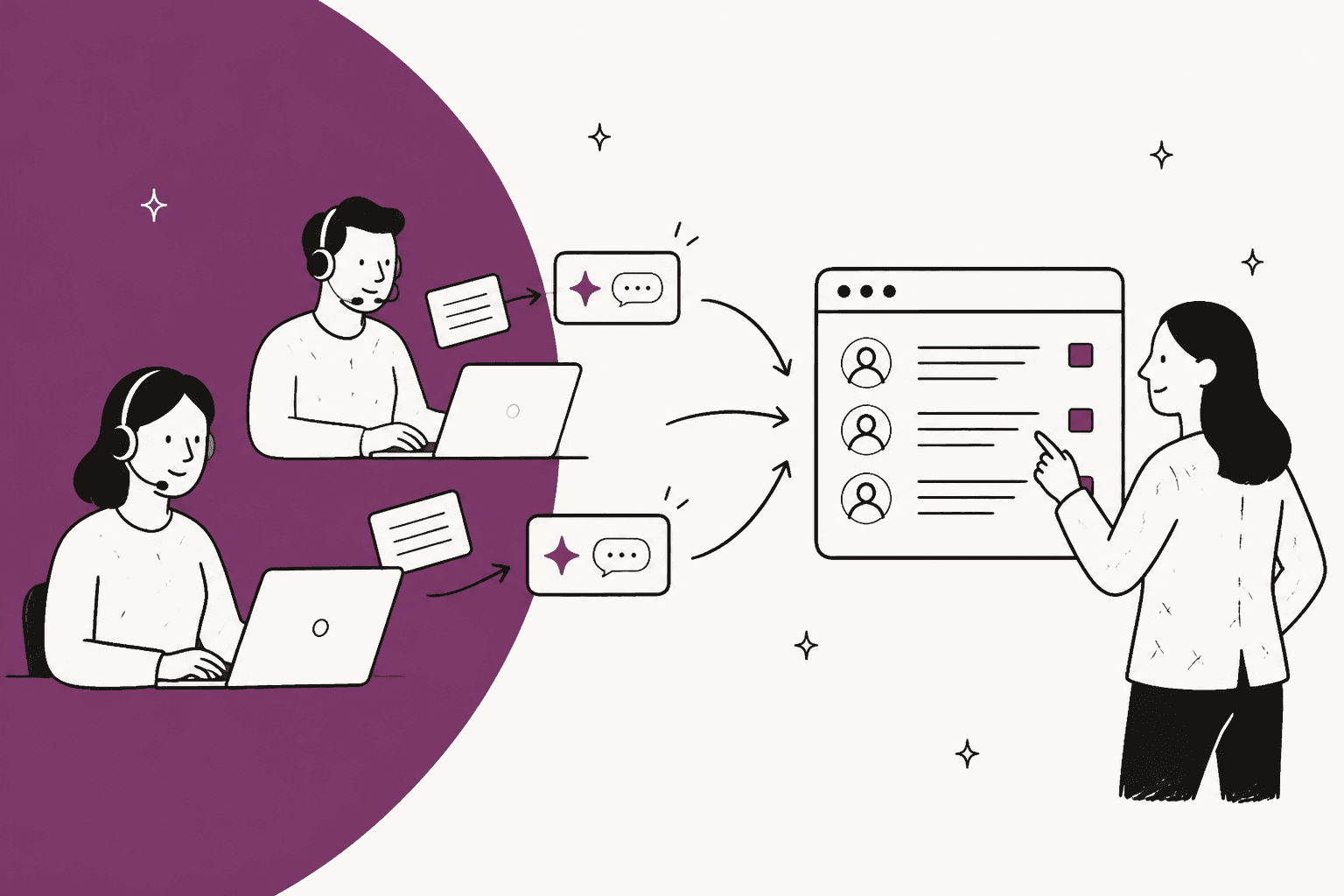
What is shadow AI in customer support?
Shadow AI is any AI tool used for work without the company's approval or oversight. In support, it almost always means an agent's own ChatGPT, Claude or Gemini account, used to write, fix or translate replies to real customers.
It is not a fringe habit. Zendesk's own CX research found shadow AI use "has jumped up to 250% year-on-year in some industries," per its 2025 CX Trends release. The detail that should worry a support lead more is in Zendesk's shadow AI write-up: 87% of agents using shadow AI are analyzing customer data with it. Microsoft and LinkedIn's 2024 Work Trend Index put the wider number at 78% of AI users bringing their own tools to work, and 52% reluctant to admit using it for their most important tasks.
That last figure explains why you found out late. People hide it, because they assume they'd get in trouble. A security lead on Reddit described the support version of this exactly:
"Support has also been using AI tools to draft replies with real customer data. I have no visibility into what's already been shared with these third-party models, and no practical way to monitor or control it right now."

Why your agents are doing it
Before you write the policy, take the motive seriously, because it shapes what you replace the habit with. Agents using shadow AI estimate they save "over two and a half hours every single day," according to Zendesk's research. Nobody gives that up because of a memo.
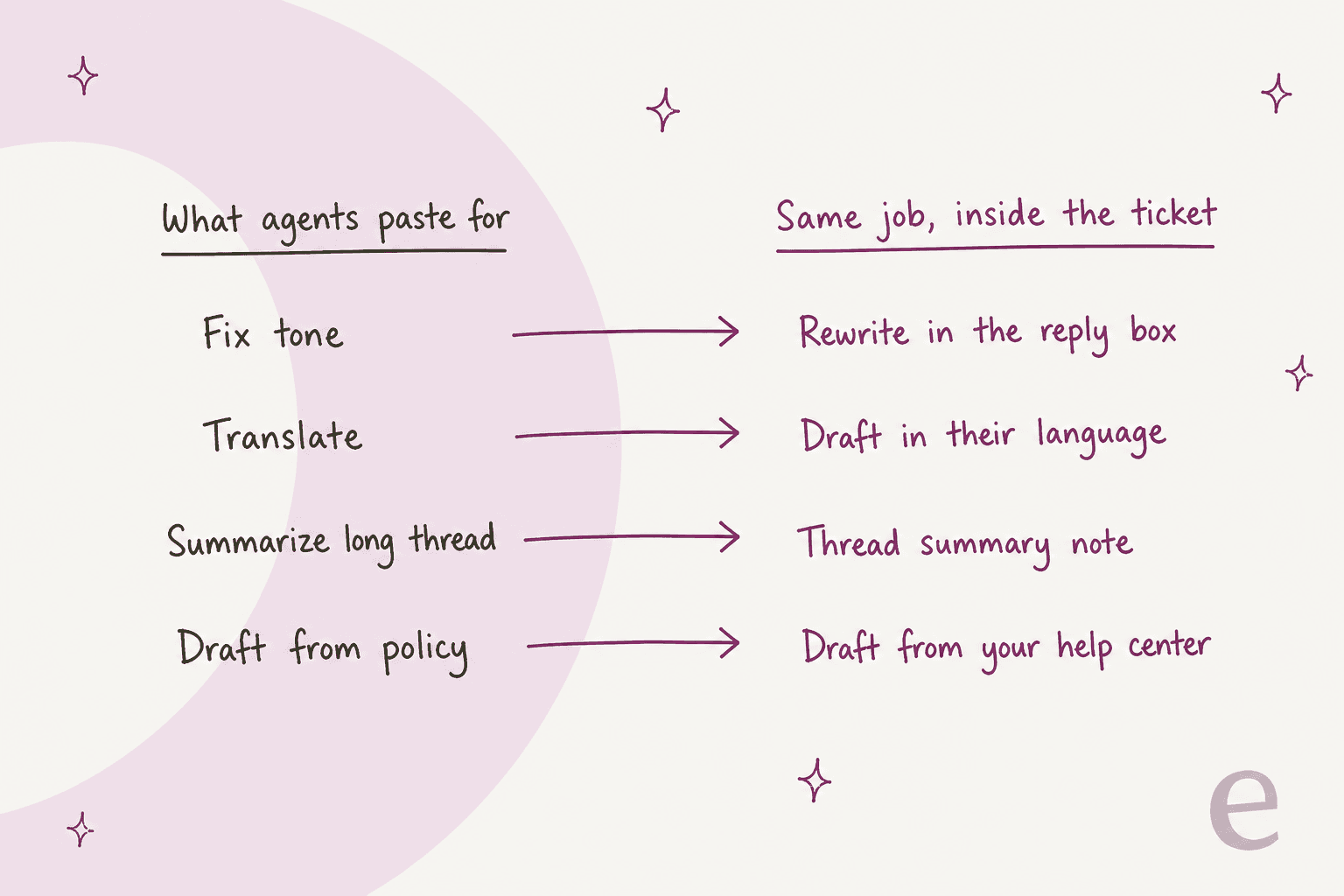
From the queue side, the jobs are boringly specific. Softening a reply to an angry customer. Translating a ticket from a language nobody on shift reads. Boiling a 40-message thread down before a handover. Turning a dense refund policy into two friendly sentences. Every one of these has an in-helpdesk equivalent now, which is the whole point of the fix later in this post.
The other driver is that most agents don't think of a paste as sharing data at all. This Reddit post captures the gap better than any policy doc I've read:
"A coworker pasted a client report into ChatGPT to make it look cleaner and more structured as a PDF. Not just generic stuff. It had client names, pricing info, contact details, internal notes, all of it. I said that feels like sharing client data with a third party tool. She genuinely did not understand why I was concerned. Her point was basically: "I'm not uploading it publicly. I'm just using AI to format it.""
So your first message to the team should explain, not accuse. Your agents were trying to answer customers faster with the tools they had. If your tone guide or translation glossary is thin, that is part of why they reached for ChatGPT in the first place.
What actually happens to a pasted ticket?
The answer depends entirely on which kind of account the agent used. Here is what each vendor's own documentation says.
| Where the ticket went | Used for training? | Who can see or delete it | Source |
|---|---|---|---|
| ChatGPT Free, Go, Plus, Pro | Yes by default, "Opt-out available" | Only the agent | OpenAI pricing |
| Same, with "Improve the model for everyone" off | New chats no, but a thumbs up or down can send the whole chat | Only the agent | OpenAI data controls |
| ChatGPT Temporary Chat | No, but OpenAI may keep a copy up to 30 days | Only the agent | Temporary Chat FAQ |
| ChatGPT Business | No by default | Workspace admins set retention | OpenAI business data |
| ChatGPT Enterprise | No by default | Admins can view, export and delete member chats | Enterprise privacy |
| Claude Free, Pro, Max | The user's choice; if allowed, kept up to 5 years | Only the agent | Anthropic consumer terms |
| Claude Team, Enterprise | "None by default" | Admins (audit logs on Enterprise) | Claude pricing |
| Gemini (consumer) | Some chats human-reviewed, kept up to 3 years | Only the agent | Gemini privacy hub |
Three details in that table change how serious your situation is.
Training off doesn't mean the ticket stayed home. An opted-out chat still went to OpenAI's servers and stays in the agent's history "until you delete them," per OpenAI's retention article. Deleting it schedules permanent deletion within 30 days. Training settings are about future models. Exposure is about where the data sits now.
Your company email doesn't give you control. OpenAI is explicit that verifying your domain "does not delete an existing personal ChatGPT workspace or merge its chats," per its domain verification guide. On ChatGPT Business, admins "cannot require a merge or deletion" of an employee's personal workspace, per the onboarding guide. And if the agent signed up with Gmail, no admin setting anywhere reaches it.
Claude Enterprise is the one exception, and it's narrow. Anthropic lets Enterprise admins discover and claim personal Claude accounts on a verified company domain, with a 30-day migration window, per its domain claiming guide. Team plans can only block new personal accounts. Neither stops an agent pasting into an account on a personal email.
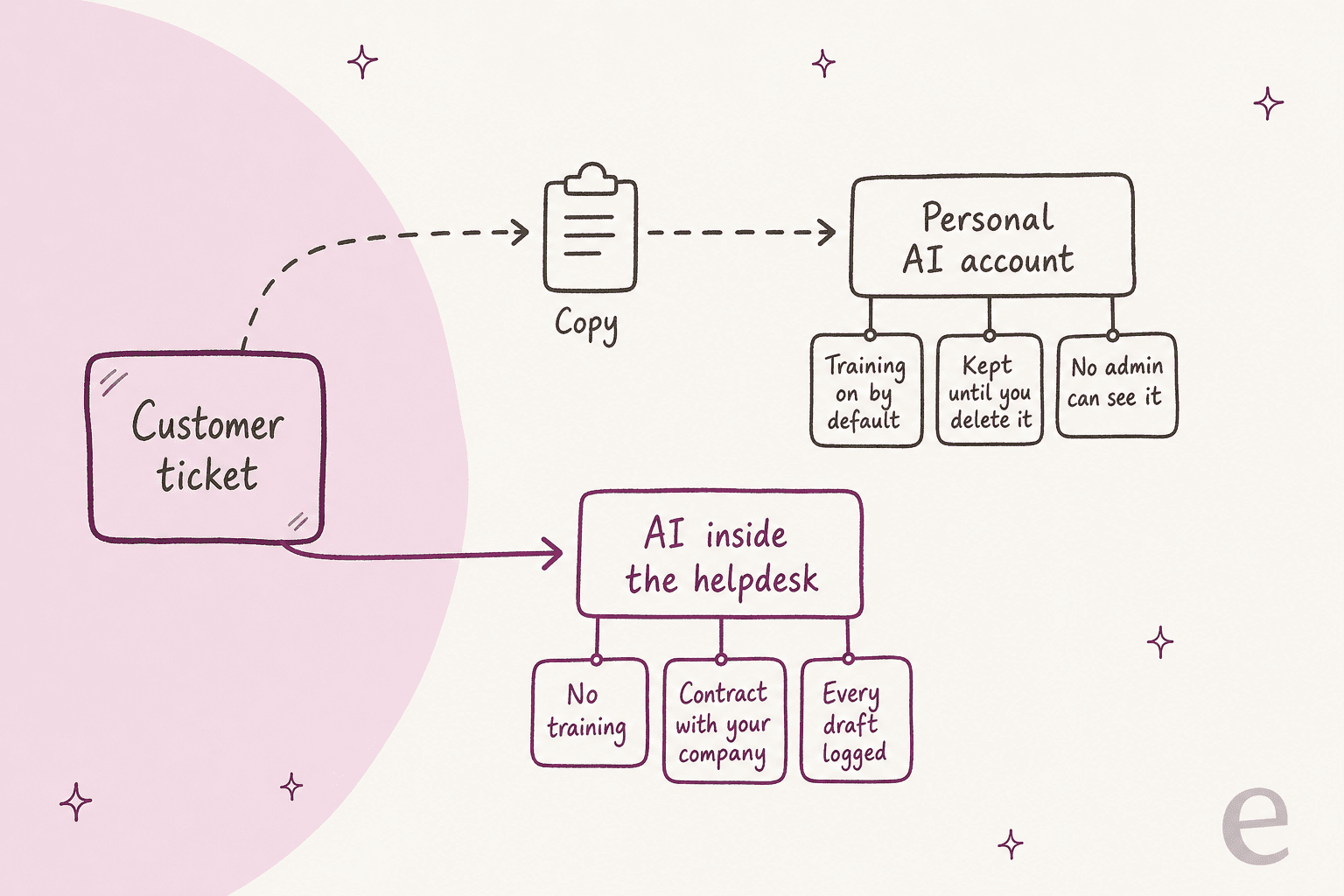
That's why the copy step is the real problem. Every option where a person carries a ticket out of the helpdesk depends on that person's account settings. Every option where the AI reads the ticket in place depends on a contract your company signed.
Is it a data breach?
Not automatically, and it is worth getting this right so you neither panic nor shrug. Under GDPR, a personal data breach includes "unauthorised disclosure of, or access to, personal data," per Article 4(12). A customer's name and email pasted into an account your company has no contract with can fit that definition. Whether you must report it depends on the risk to the people involved, and a reportable breach goes to the regulator "not later than 72 hours" after you become aware of it, per Article 33.
The practical rule: log it as an incident now, let your privacy or legal owner decide on reporting, and size it by what was actually pasted. Pick the worst thing that went out:
If you support patients or financial customers, assume you're at the top two levels until proven otherwise. The healthcare and fintech guides cover the extra rules in those industries, and my colleagues wrote up HIPAA-compliant AI separately.
Why banning it rarely works
The instinct is to block chatgpt.com on the office network and move on. The people who've tried it report the same result, and this one from a security forum is the clearest:
"Blocking the domains outright just pushed people to use their phones, which is worse since you lose all network visibility. What actually helped was getting an enterprise license with the API and data processing agreement locked down, then making that the only approved path. People stopped sneaking around when the official tool was easier than the workaround."
A block on one tool also tends to leave the next one open. A customer success manager reported ChatGPT "recently disabled without explanation" while "Claude remains unblocked," in this r/CustomerSuccess thread. And on Hacker News, a former bank employee described beating the block in one move:
"When I worked at a large bank they blocked ChatGPT on the network. Unfortunately I was a new grad who didn't know Java working in a Java team. I just turned off the vpn and copy pasted the code back and forth until it worked. Boss didn't seem to mind."

A ban moves the habit somewhere you can see even less of it. Here is how the options actually compare on the two things a support lead cares about: how much copying it takes, and how much your team can see.
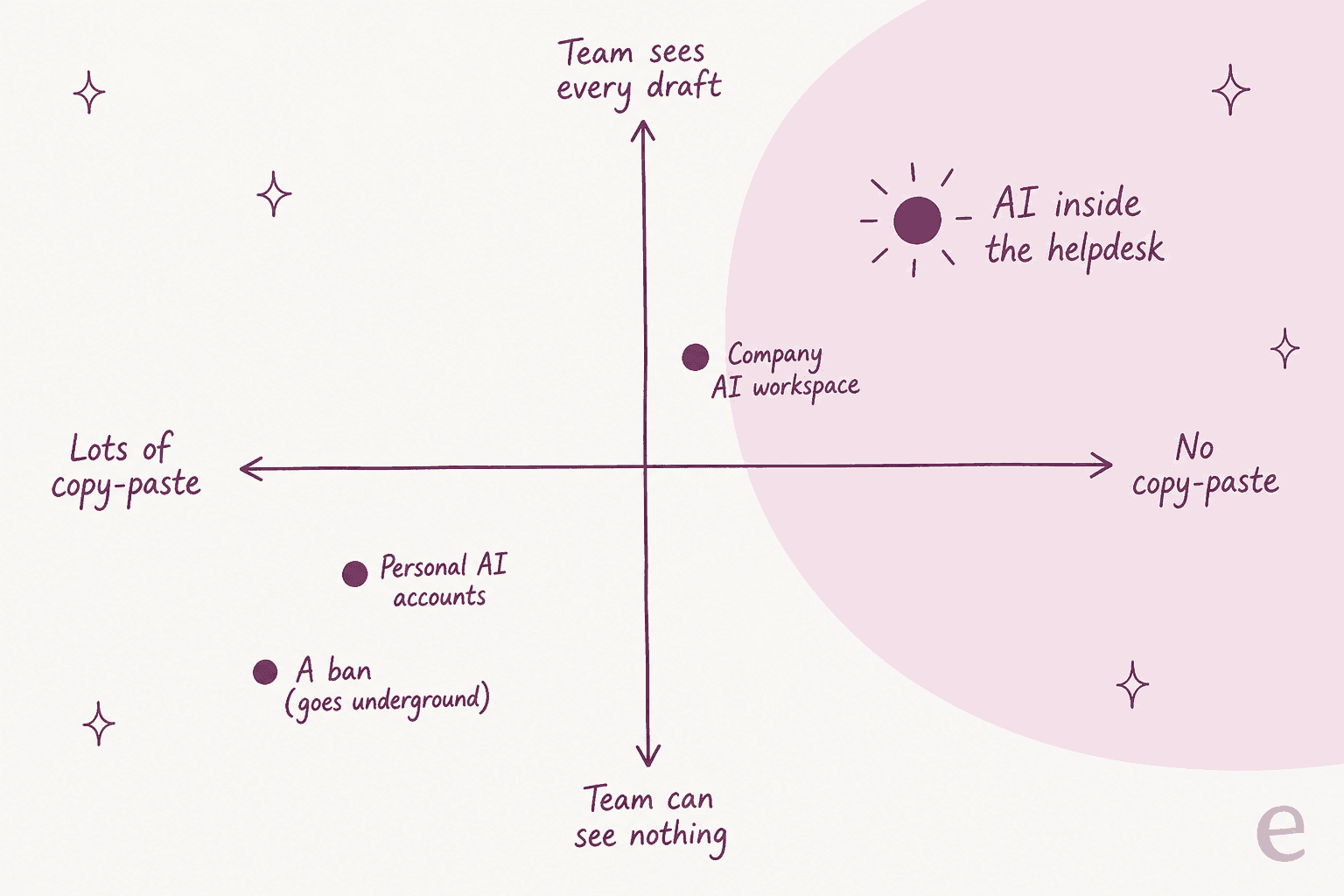
A company ChatGPT or Claude workspace is a real improvement. ChatGPT Business costs $20 per user a month billed annually ($25 monthly) and doesn't train on your data by default, per OpenAI's business pricing. Claude Team is the same $20/$25 per standard seat, per Claude's pricing page. But both still ask an agent to copy the ticket out and paste the answer back, so you still get no record tied to the ticket and no grounding in your help center. For support, I'd treat a company workspace as the stopgap, not the destination.
A 7-day plan once you've found out
You don't need a 40-page AI policy to fix this. You need a calm week. Here is the order I'd do it in.
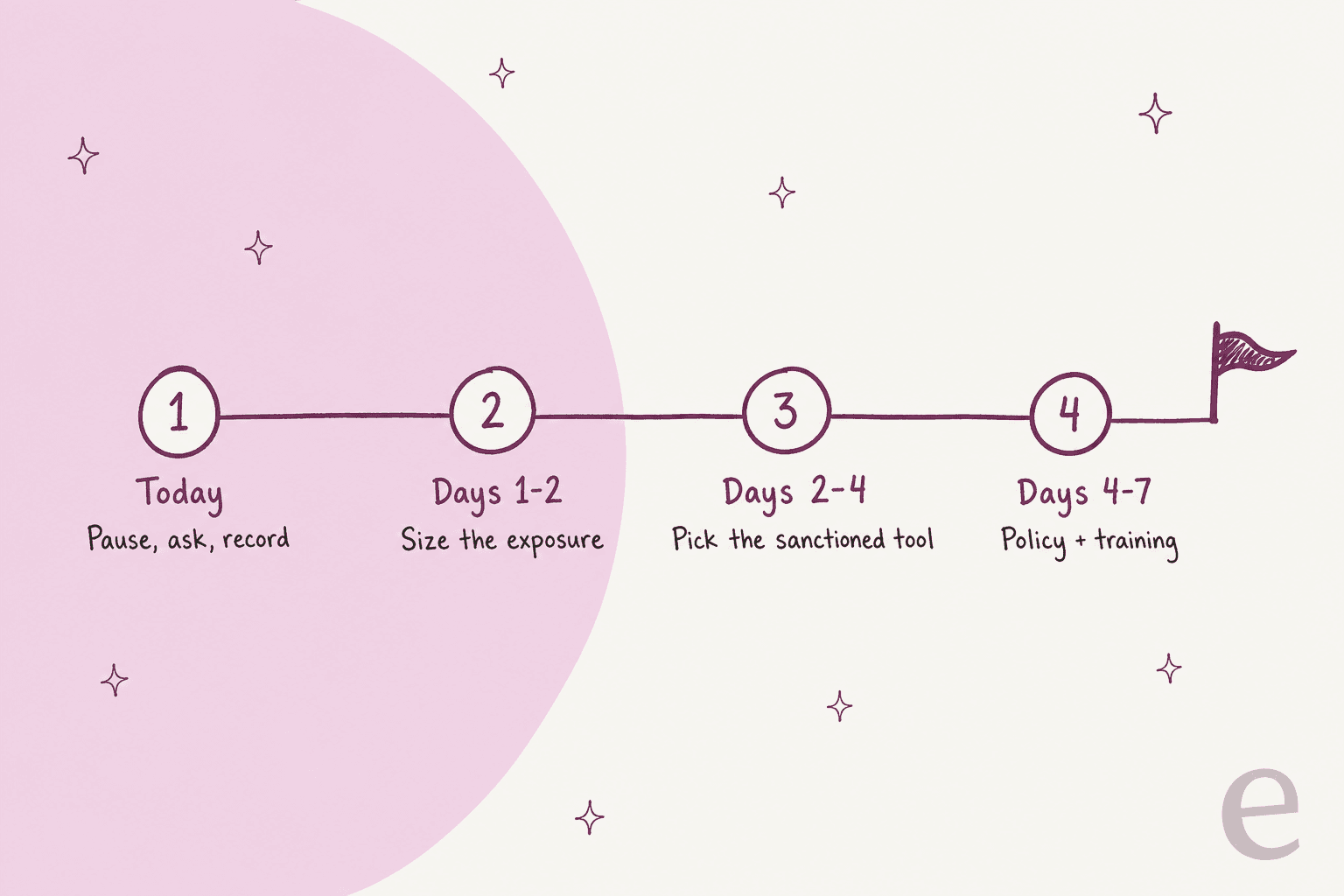
Today: pause, ask, record
Send the team a short message that stops new pastes without starting a witch hunt. Something like this works:
We've learned that some tickets have been pasted into personal AI accounts to help draft replies. I get why: it's faster. Starting now, please don't put customer tickets or customer details into personal ChatGPT, Claude, Gemini or similar tools. We're setting up an approved way to use AI on tickets this week. If you've done this before, tell me privately so we can check what was shared. Please don't delete those chats yet. Nobody is in trouble for telling me.
The "nobody is in trouble" line matters. One security lead on Reddit suggested treating it like an amnesty: hand over the old habit, get a managed tool, and "we ask what they use it for, find out more about their pain points," per this r/ciso reply. You learn what to replace, and people keep telling you things.
Days 1-2: size the exposure
For each agent: which tool, which account type (personal email or work email), whether training was switched off, roughly how many tickets, and the worst data category involved. Use the triage tool above. Once your privacy owner has what they need, have agents delete the chats and record that they did. If your helpdesk supports it, check whether those tickets carried data you should have been redacting anyway.
Days 2-4: pick the sanctioned tool
Choose something agents will prefer over the workaround. If it's slower than ChatGPT, the habit comes back by Friday. The section below covers what to check, including a few things about your helpdesk's own AI that surprised me.
Days 4-7: write the rule and train on it
Add a one-page AI section to your support SOP: which tool is approved, what never goes into any AI tool (card numbers, passwords, health details), and who to ask. Fold it into agent onboarding, and when the policy changes, roll it out the way you'd roll out any policy change.
Is your helpdesk's built-in AI automatically safe?
This is where I'd slow down. The obvious fix is "turn on the AI that came with our helpdesk," and it is usually a far better place for ticket data than a personal account. Every vendor below contractually stops its outside model providers from training on your tickets. But the fine print is about the vendor's own training and admin controls, and it differs a lot.
| Helpdesk | Outside model providers | The vendor's own training | Admin control | Agent writing tools |
|---|---|---|---|---|
| Zendesk | Can't train on your data (Zendesk) | Cross-account classification models, personal-data fields excluded | Writing tools on by default for all groups | Copilot $50/agent/mo paid yearly |
| Freshdesk | Azure OpenAI; no data stored at rest (Freshworks) | Opt out by emailing support | Per-agent via a Copilot role | Freddy Copilot $29/agent/mo annual |
| Gorgias | No third-party training (Gorgias) | AI Agent "does learn from interactions from other brands" | Account-level settings | Summaries and translation on all plans |
| HubSpot | Providers barred from training (HubSpot) | On by default; Super Admin opt-out, forward-only | Account-wide toggles | Inbox rewrite and tone on all plans |
| Help Scout | OpenAI keeps data "up to 30 days" (Help Scout) | Limited samples for tone tuning | AI Assist off only by asking Help Scout | AI Assist, Drafts, Summarize |
Prices are from Zendesk's pricing page and Freshdesk's pricing page. Two things stand out from my read of these docs.
First, your helpdesk's AI may already be on. Zendesk's enhance writing feature ships with "By default, this feature is turned on" and "By default, all groups have access," per its setup article. HubSpot says "The conversation inbox AI assistant is on by default," per its inbox guide. That's good news for this problem: agents might already have a sanctioned rewrite button they don't know about. Tell them.
Second, the vendor's own training settings are worth a five-minute check. HubSpot's own model training is on by default, only Super Admins can opt out, and "It is not possible to delete previously used data from trained models," per its training article. Freshworks excludes your account from AI training if you email support@freshworks.com. None of this makes these tools unsafe. It means "built-in" isn't a substitute for reading the settings page.
For deeper reviews, start with the Zendesk Copilot guide and the HubSpot Breeze review.
The privacy side has its own write-ups: Freshdesk GDPR, Gorgias GDPR and SOC 2 for chatbots.
What a sanctioned AI tool for support needs
Whatever you pick, a helpdesk add-on, a company workspace or a dedicated agent assist tool, check it against this list. These are the questions security reviewers raise on eesel's sales calls, and they're the right ones.
- A contract, not a toggle. No training on your data in the vendor's terms, plus a DPA you can hand to your privacy owner.
- Redaction before the model sees it. Card numbers, emails and phone numbers stripped before tickets are stored or indexed.
- No copy step. The draft appears on the ticket, as an internal note or a draft reply. This is the one that ends the habit.
- Drafts, not sends, at first. A person approves before anything reaches a customer. Set up approval workflows for refunds and billing.
- Grounded in your own answers. Help center, macros and past tickets, so the draft says what your team would say. A knowledge base audit first pays off here.
- Per-role access and a log. You decide who can use it, and every draft is recorded. See agent access control.
The security bar is real. In eesel's own sales calls, a Danish B2B telematics team gated every trial on an internal security review and wanted assurance that tickets containing card numbers and passwords stay in their environment. A technical evaluator at a hardware company asked, in effect, whether the AI falls back to ChatGPT when it doesn't know an answer, and whether that can be turned off. Those are exactly the questions to ask any tool you sanction. For a longer buyer's checklist, see this guide on choosing an AI support agent and the rollout mistakes I see most.
How eesel keeps drafting inside the ticket
eesel is an AI teammate for your helpdesk. It plugs into Zendesk, Freshdesk, Gorgias, HubSpot and Help Scout, reads your help center, macros and past tickets, and leaves the draft on the ticket. The agent never copies anything out.
Here's what that looks like on real teams:
- smava (consumer loans, Germany) runs one Zendesk for two brands. In one month eesel prepared about 15,300 draft replies, each landing on the ticket with Approve and Reject buttons. Agents change a draft by writing @eesel in an internal note. In regulated finance, a reply that promises the wrong thing does harm, so people stay in control of sending.
- Timengo sells secure email software in Denmark. Every new Freshdesk ticket gets a Danish draft and an internal note for the engineer, and eesel never replies to a customer ticket on its own. Engineers also use eesel's browser extension inside Freshdesk on tickets they're already working.
- Qontro gets a draft on every Freshdesk ticket. The team compares drafts with what they actually sent, and about one in ten now goes out with little or no editing. Wrong drafts point to thin help articles, which they fix.
- OroSoft has agents mention eesel on a ticket to get a draft grounded in 6,100 past tickets. It names the ticket or article it used, and it never copies customer names or details across from old tickets.
Every run is on the record. The Activity view shows each conversation and action with its approved, rejected or pending state, so you can see exactly what the AI drafted and what a person did with it.

On data, eesel's security page says it does not train or fine-tune models on your data, and model providers process it only under commercial API terms that don't permit training. Each workspace is isolated, PII redaction strips emails, phone numbers and card numbers from synced tickets before they're stored, any action can wait for a person's approval, and eesel commits to telling you about a breach affecting your data within 48 hours. SOC 2 Type II is in progress: the observation period started 1 October 2026, with the audit in early 2027. HIPAA with a signed BAA is on Enterprise.
Before going live, eesel can replay hundreds of your past tickets and score its answers against what your team actually sent, so you see the gaps before a customer does.
Try eesel
If your agents are pasting tickets into ChatGPT, the fastest fix is giving them a better button inside the ticket. eesel drafts replies on your Zendesk or Freshdesk tickets from your own help center and past answers, with nothing copied out and every draft logged. Pricing is a fixed monthly plan: free with 100 credits to start, then from $299 a month for 500 tickets or chats, with unlimited agents and seats.

Try eesel on your own tickets, or book a demo if you need a security review first.