

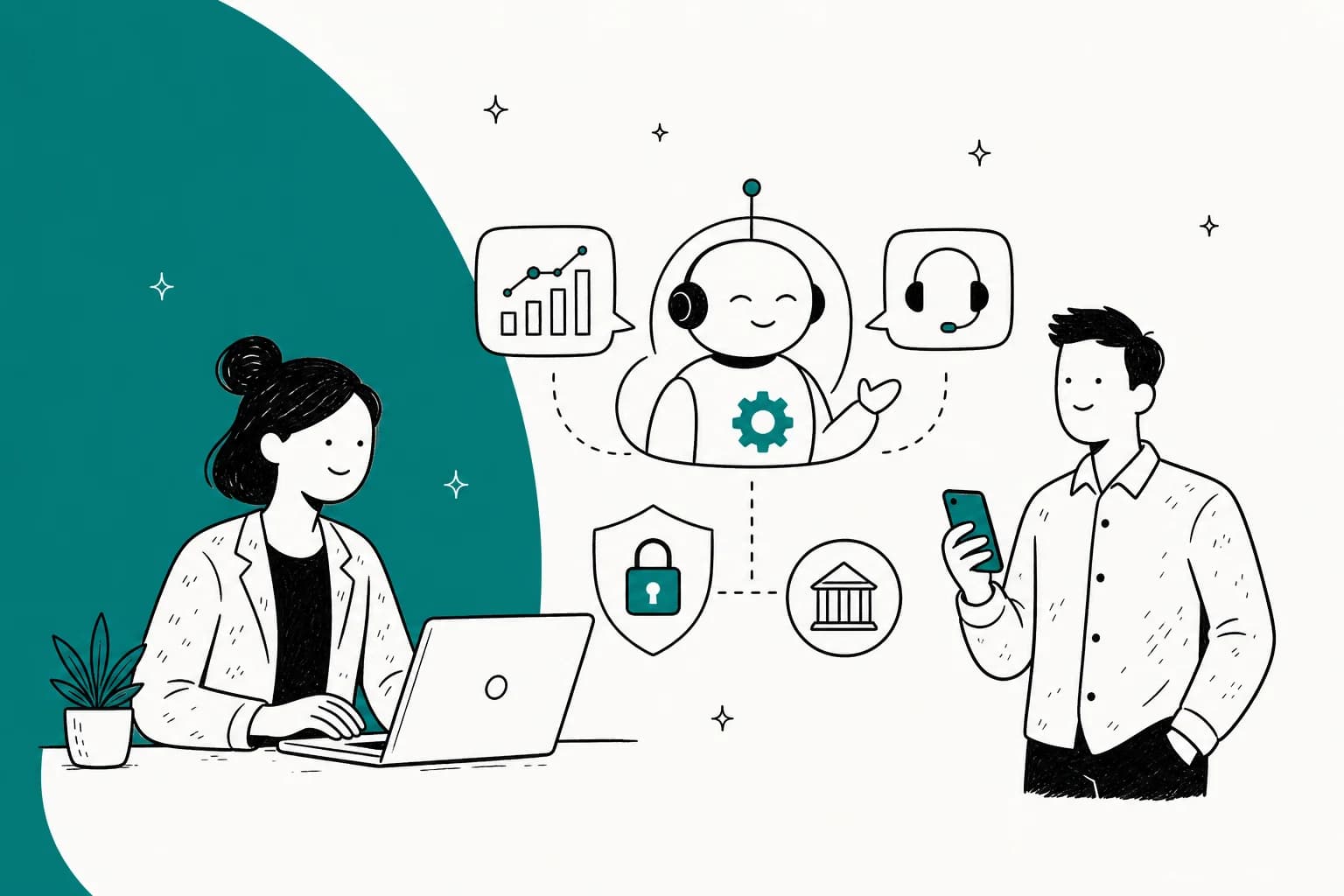
Why fintech support is a different game
I work eesel's support queue, and I've spent the last few years watching AI go live on real support queues across a lot of verticals. Fintech is the one where I slow people down.
Here's the difference. In most industries, a wrong AI answer annoys someone. In fintech, a wrong answer about a fee, a transfer limit, or an account status is a customer making a money decision on bad information, and sometimes that's a regulatory problem too. So the goal isn't "answer everything." The goal is answer the safe things perfectly and route the rest to a human fast. Fintech sits right next to banking and insurance support, where the same rules apply.
The good news: the safe things are most of your volume. A huge share of a fintech queue is the same handful of questions, asked thousands of times, and those are exactly the ones an AI agent built on your own knowledge handles well. If you want the shape of what that looks like in practice, our AI agent examples walk through real ones. That's the slice worth automating for support, and it's why the benefits of conversational AI show up faster here than almost anywhere. Get that part right and your human team gets to spend its day on the disputes and edge cases that actually need a person.
One real moment that shaped how I think about this: on a demo with a payments-adjacent buyer, their whole security review hinged on one question, does ticket data with card numbers and passwords stay inside our environment. The answer that unblocked them wasn't a feature demo. It was showing that the AI looks at question type and response style, not the raw PII, with custom redaction and retention for finance clients. That's the order things happen in fintech: trust first, automation second.
Step 1: Pick the tier-1 slice, not the whole queue
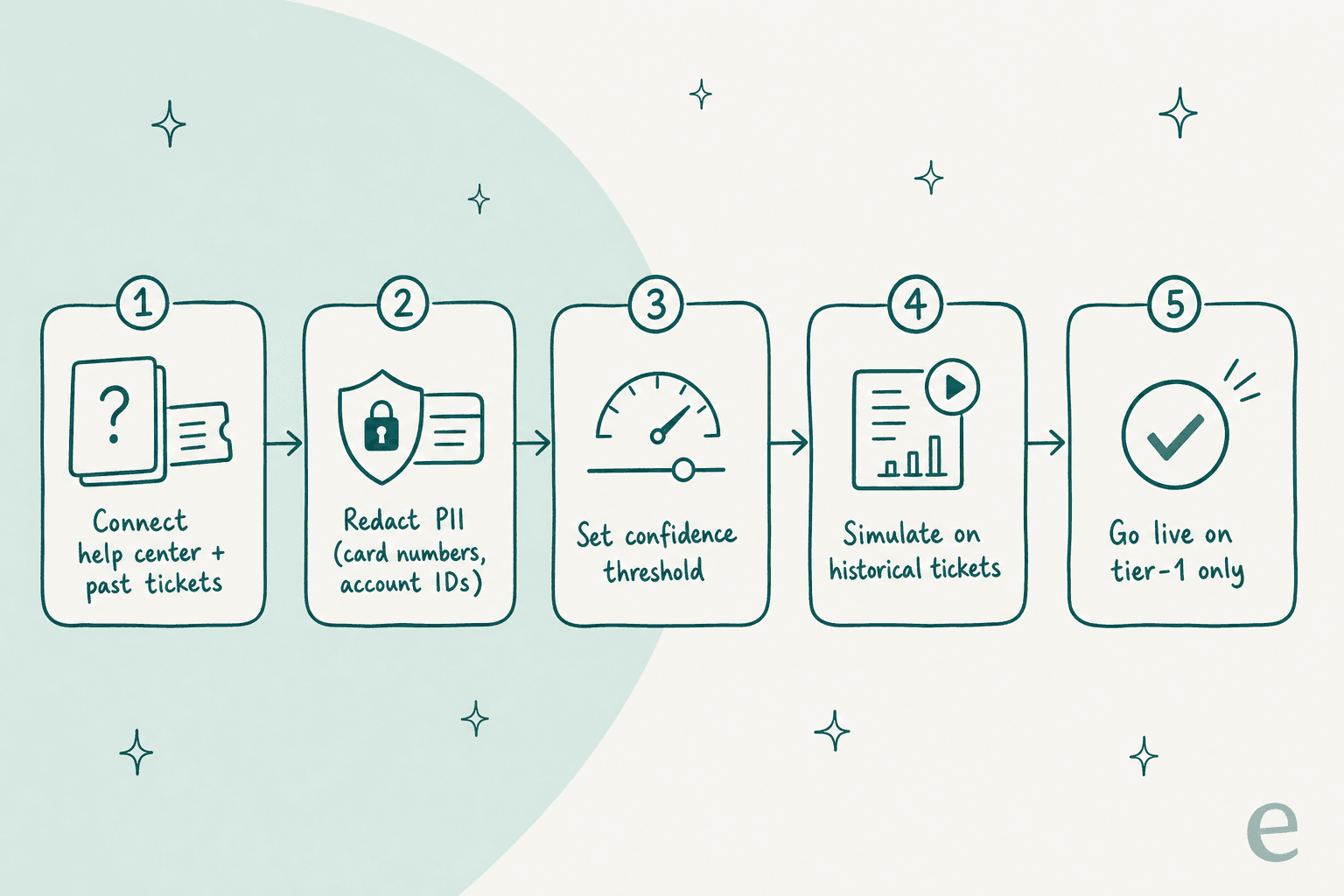
Before you connect anything, look at your last few thousand tickets and sort them into three buckets: safe to automate, maybe with review, and always human.
Safe to automate is the repetitive, factual, read-only stuff: "what's my balance," "why was I charged this fee," "how do I reset my PIN," "where's my statement," "how do I add a payee." These have a single correct answer that already lives in your help center, which makes them ideal for FAQ deflection. That's your starting scope, and it's usually the majority of your ticket count even though it's the minority of your effort.
The "always human" bucket is where fintech teams get burned, so name it explicitly: disputes, chargebacks, suspected fraud, account closures, anything touching a limit change or a transfer that's already gone wrong. The AI's only job on these is to recognise them and escalate, not to resolve them.
Getting this split right up front is the single most important decision you'll make. It's the difference between a helpful assistant and a liability.
Step 2: Connect your knowledge, and clean it first
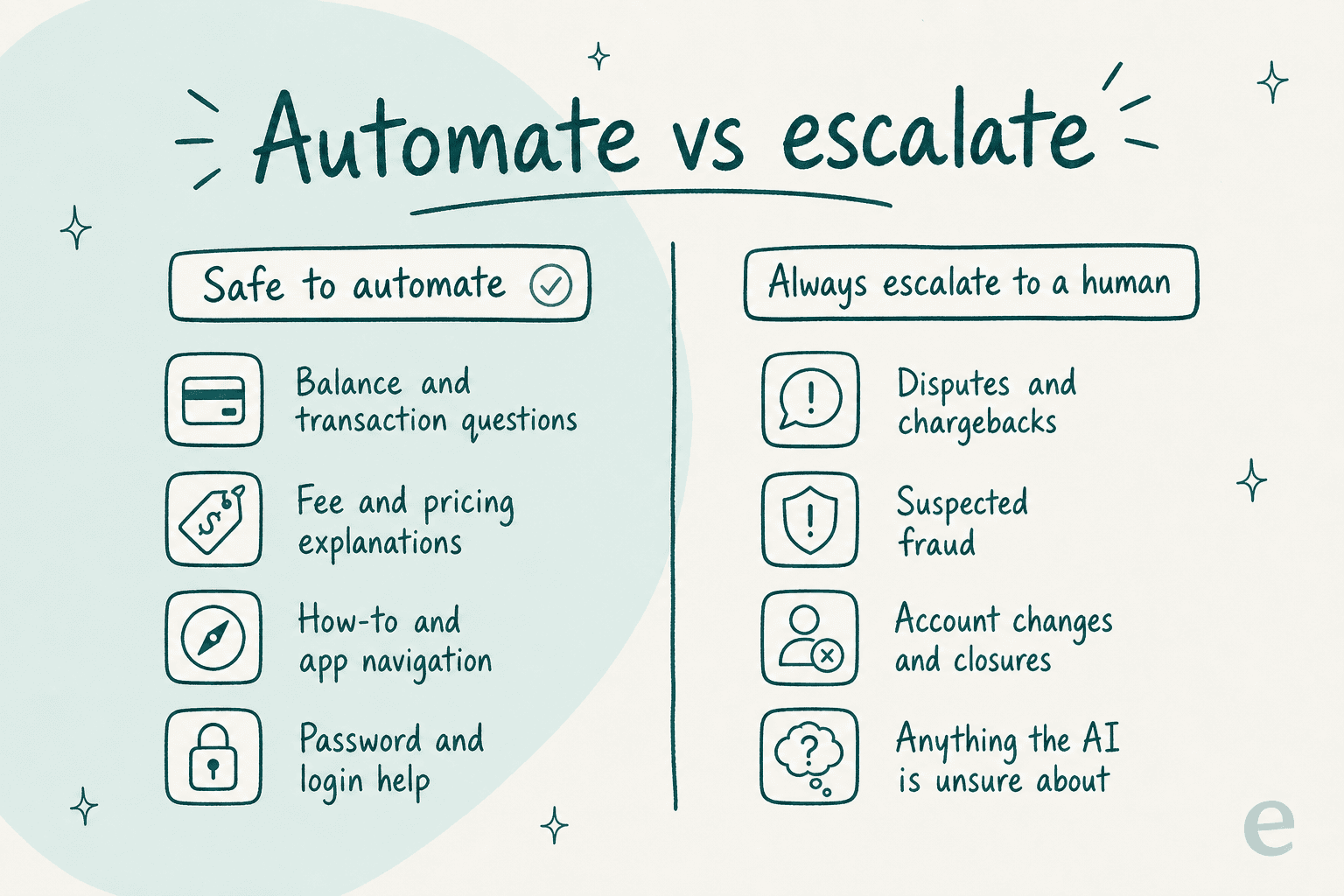
An AI support agent is only as good as what it's allowed to read. For fintech that means three sources: your public help center, your internal policy docs, and your own past tickets showing how your team actually answered.
That last one matters more than people expect. Your historical tickets are where the real phrasing lives, the exact way your team explains a fee reversal or a KYC hold. Training on past resolutions is the most requested capability I hear about, because it's what makes the AI sound like your brand instead of a generic bot.
But connect with a warning: the AI will happily repeat a wrong or outdated policy if that's what's in the docs. So before go-live, clean the source. Kill the 2023 fee schedule. Delete the help article that contradicts your current terms. If your docs are disorganised, the AI's answers will be too, and in fintech "the bot quoted an old fee" is not a small bug.

Step 3: Lock down PII and compliance before anything goes live
This is the step you cannot skip, and the one that will actually gate your rollout. In my experience the deal doesn't stall on features, it stalls on the security review. Real blockers I've seen kill deployments: no SOC 2, no HIPAA or BAA where it's needed, no EU data residency, no way to redact a card number in the trial.
So build the compliance layer first:
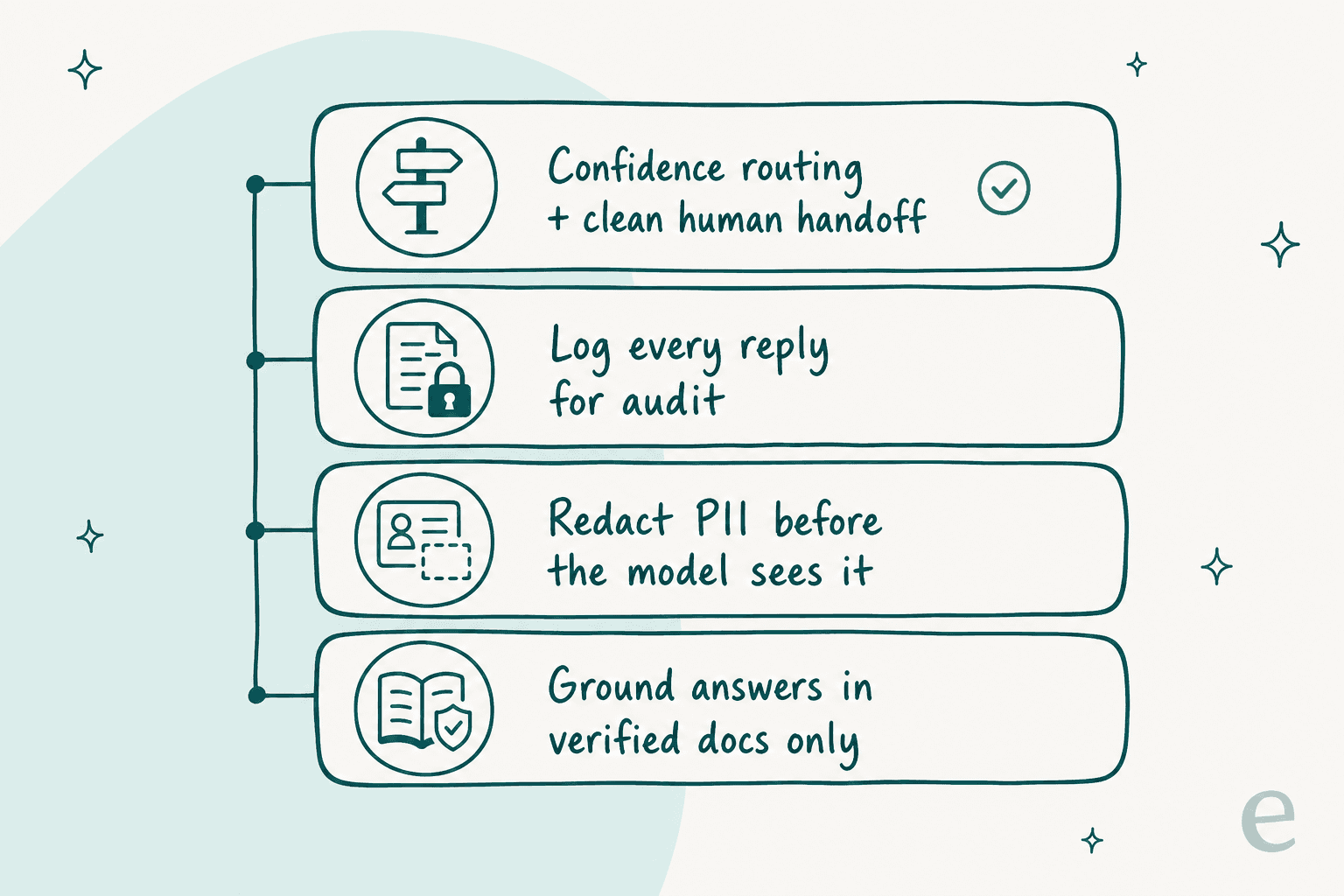
- Redact PII before the model sees it. Card numbers, account IDs, and passwords should be stripped or masked on the way in. If a tool can't redact sensitive info during a trial, that's a red flag, because it means the raw data is flowing somewhere you can't see.
- Confirm the data boundary. Ask directly: does our ticket data train a shared model? The answer you want is no, your data stays siloed to your account and isn't used for training.
- Check your certifications. SOC 2, ISO 27001, GDPR, and EU residency aren't nice-to-haves for a fintech buyer, they're pass or fail.
- Log everything. Every automated reply needs to be auditable after the fact. If a regulator or an angry customer asks "what did the bot tell me," you need the record.
Step 4: Set confidence-based routing and escalation
Here's the mechanism that makes fintech automation actually safe, and it's the thing buyers care about most. Don't make the AI answer every ticket. Make it answer only the ones it's confident about, and quietly leave the rest for a human.
A CX lead I spoke to put the whole philosophy better than I can:
"The AI will never be able to answer 100% of the questions, but if it tries and just answers 'sorry I don't know this,' I cannot go and check all my 7,000 tickets to see if the AI actually made a good answer, then the point is a little bit gone. I need an AI who is only handling the tickets that it's confident to handle and all the other ones, leave them alone."
a CX lead at a DTC brand handling ~7,000 tickets a month
That's the deal-breaker feature. You set a confidence threshold, and below it the ticket goes straight to a person with the full context attached, a clean handoff instead of a dead end. You also hard-exclude whole categories, so a ticket tagged "dispute" or "fraud" never touches the AI at all, no matter how confident it feels. This is the ticket escalation process doing its job, just faster.
If a vendor can't show you confidence-based routing and category exclusion, that's your signal to keep looking.
Step 5: Simulate on your real past tickets before go-live
This is the step that separates a safe rollout from a public mistake, and it's the one I feel strongest about after watching confident-sounding bots quietly give wrong answers.
Before a single customer sees an automated reply, run the AI against a big batch of your historical, already-resolved tickets and compare what it would have said to what your team actually said. You get three things out of that dry run: a real resolution-rate number, a list of the exact questions it gets wrong, and the confidence to set your threshold with data instead of a guess.
Do not go live on vibes. In a regulated space, "we think it's about right" is not a launch criterion. The simulation is your evidence, and it's what lets you tell your risk team a real number.

Step 6: Go live narrow, then expand
Launch on the smallest safe slice, one channel, tier-1 questions only, maybe even copilot mode first where the AI drafts replies for a human to approve before anything sends. Watch it for a week or two. Then widen the scope one category at a time as the numbers hold, adding channels like email response automation as you go.
The teams that expand smoothly are the ones that expand slowly. The ones that get burned are the ones that flip everything to full auto on day one and then spend a month untangling it. There's no prize for going live fast in fintech.
Common mistakes I see
- Automating disputes and fraud. The most expensive mistake. These are always human, full stop.
- Skipping the security review prep. Buyers show up mid-deal without SOC 2 answers or a redaction story and the whole thing dies in legal. Prep it first.
- Feeding the AI messy docs. An outdated knowledge base means outdated answers, and in fintech that's a compliance issue, not a typo.
- No confidence threshold. A bot that guesses on everything to hit a deflection target is worse than no bot. You'll pay for it in trust.
- Going live without a simulation. You're testing on your customers instead of your history. Don't.
- Chasing a vanity deflection rate. The metric that matters is resolved-correctly, not touched-by-AI. Think about the real ROI, not the dashboard number.
Try eesel for fintech support
If you want to automate fintech customer support without betting your compliance posture on it, this is the exact workflow eesel AI is built for. It plugs into your existing helpdesk, trains on your help center and past tickets, and runs a simulation on your historical tickets so you see the resolution rate before go-live, not after.
The parts fintech teams care about are the defaults, not add-ons: confidence-based routing so the AI only answers what it's sure about, category exclusion so disputes and fraud never touch it, PII handling, and full logging. Pricing is one fixed monthly price from $299/month for 500 credits (1 credit per ticket or chat) with no platform fee, sized to your volume, which usually beats the AI vs human agent cost math. If you're still comparing tools, our roundup of the best AI chatbots puts it in context. It's free to try with 100 free credits and no card, and you can run the whole simulation before you decide anything.
