


The Asana Claude connector is Asana's own app in Claude's connector directory: you connect it from Claude's + menu, sign in to Asana, pick one workspace, and Claude can then search your tasks, check project and portfolio status, and create, assign, update and comment on work. It runs on Asana's V2 MCP server, Asana lists it on every plan from the free Personal tier up, and connectors are on every Claude plan, including Free.
It acts as you. Asana's docs say a connected tool "cannot access projects, tasks, or data that the authenticated user does not already have permission to view", and the session is scoped to one workspace. For one person planning their week, that's exactly right, and I'd set it up today.
The gap shows up when the Asana work is the team's. "Where is the launch checklist at?" gets asked in Slack by twelve people, and none of them has Claude open on the right workspace. That's where eesel fits: an AI teammate that answers anyone in Slack or Teams from Asana and creates tasks from the thread, where what it does alone, what it asks first and what it never does depends on who is asking. Claude Code can even set it up for you with the eesel CLI: it connects Asana, runs the first task sync and asks test questions, though approving access inside Asana stays a person's click.
I've spent the last few years building AI that takes actions inside other teams' tools, and the hard part is never "can it call the API". It's deciding what the AI may do on its own, what waits for a yes, and who it should refuse. That's the lens for this post.
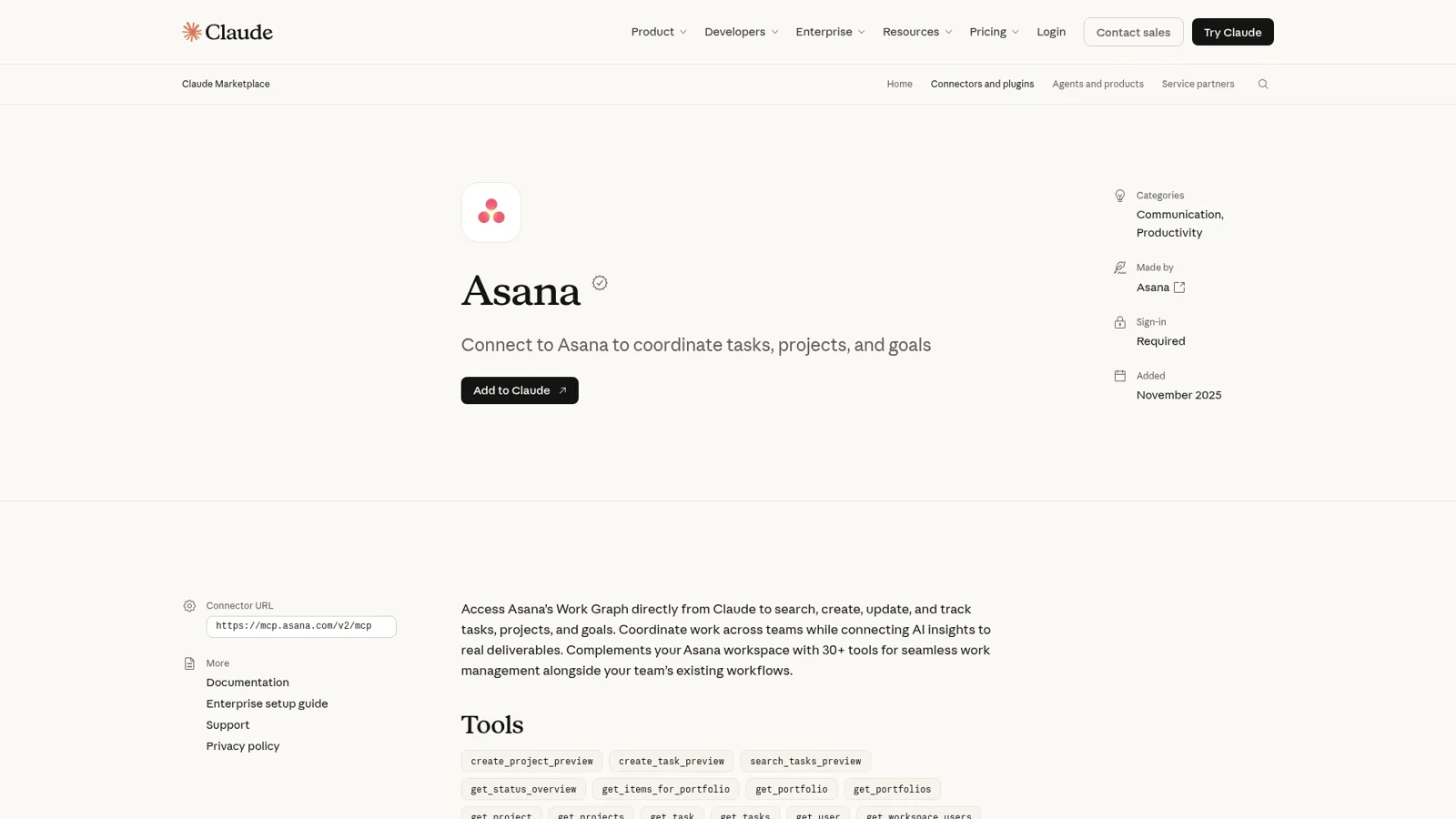
What is the Asana Claude connector?
The Asana Claude connector is an app that Asana builds and maintains, listed in Claude's directory under "Made by Asana". Anthropic's listing describes it as access to "Asana's Work Graph directly from Claude to search, create, update, and track tasks, projects, and goals". Under the hood it's Asana's V2 MCP server, which went generally available on 4 February and replaced a beta server that Asana scheduled to shut down on 5 August 2026.
Asana announced the Claude app on 26 January as part of what it calls AI connectors, which also covers ChatGPT, Copilot and Gemini (launch post). My sibling post on the Asana ChatGPT integration covers the OpenAI side, and ChatGPT vs Claude compares the assistants.
What it's for, per Asana's help article, is turning "AI-powered discussions into actionable work without leaving Claude", with sample prompts like "Claude, assign the 'Executive Approval' task in the Onboarding Revamp project to Sarah".
How do you connect Asana to Claude?
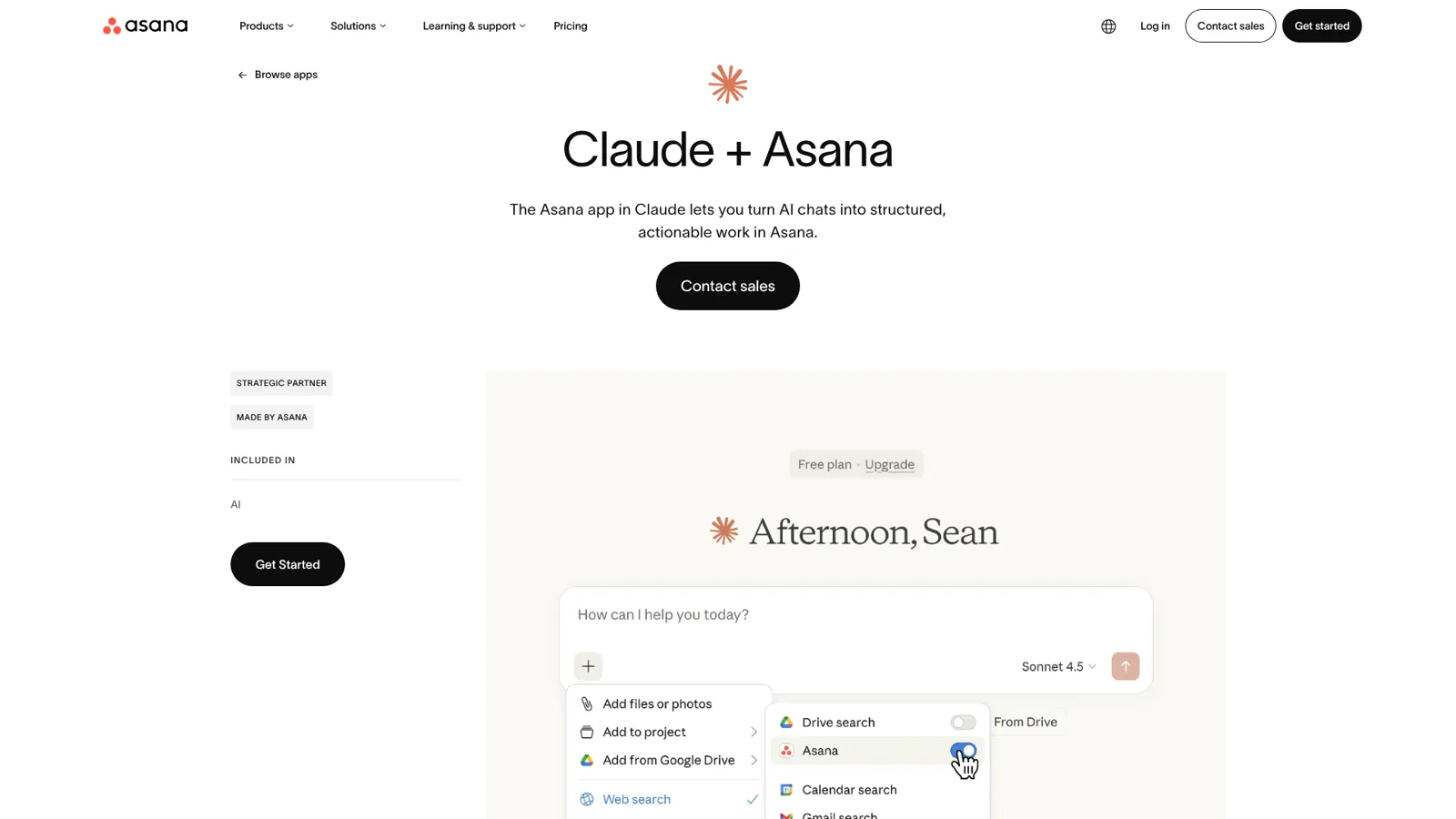
You connect it from inside Claude, and it takes about a minute. Asana's setup steps are:
- Open Claude and click the + icon.
- Scroll to connectors and click Add connectors.
- Search for Asana and click Connect.
- Sign in to Asana and grant the permissions.
- Go back to connectors and switch the Asana toggle on.
During sign-in you pick one Asana workspace. That choice sticks for the session: Asana's tools reference says "All tool calls in that session are scoped to that workspace", so if you work across two workspaces you need two sessions.
Three details change the setup for teams:
- Claude Team and Enterprise. An Owner adds the connector for the organization first, then "members then connect with their own account" (Claude docs). Owners can also set each tool to Always allow, Needs approval or Blocked, org-wide, so you could let Claude read Asana freely and make every write ask (Claude Help Center).
- Asana's side. Asana's note says a Claude team account "requires organization-wide app approval in Asana", which needs App Management, and "App Management is not included in Starter". So a Starter workspace on a Claude Team plan can hit a wall that a solo user never sees.
- Claude Code. V2 dropped dynamic client registration, so for Claude Code or Cursor you register your own MCP app in Asana's developer console and paste in its client ID and secret (coding clients guide). My Claude Code MCP tools post covers the client side.
What can Claude do in Asana?
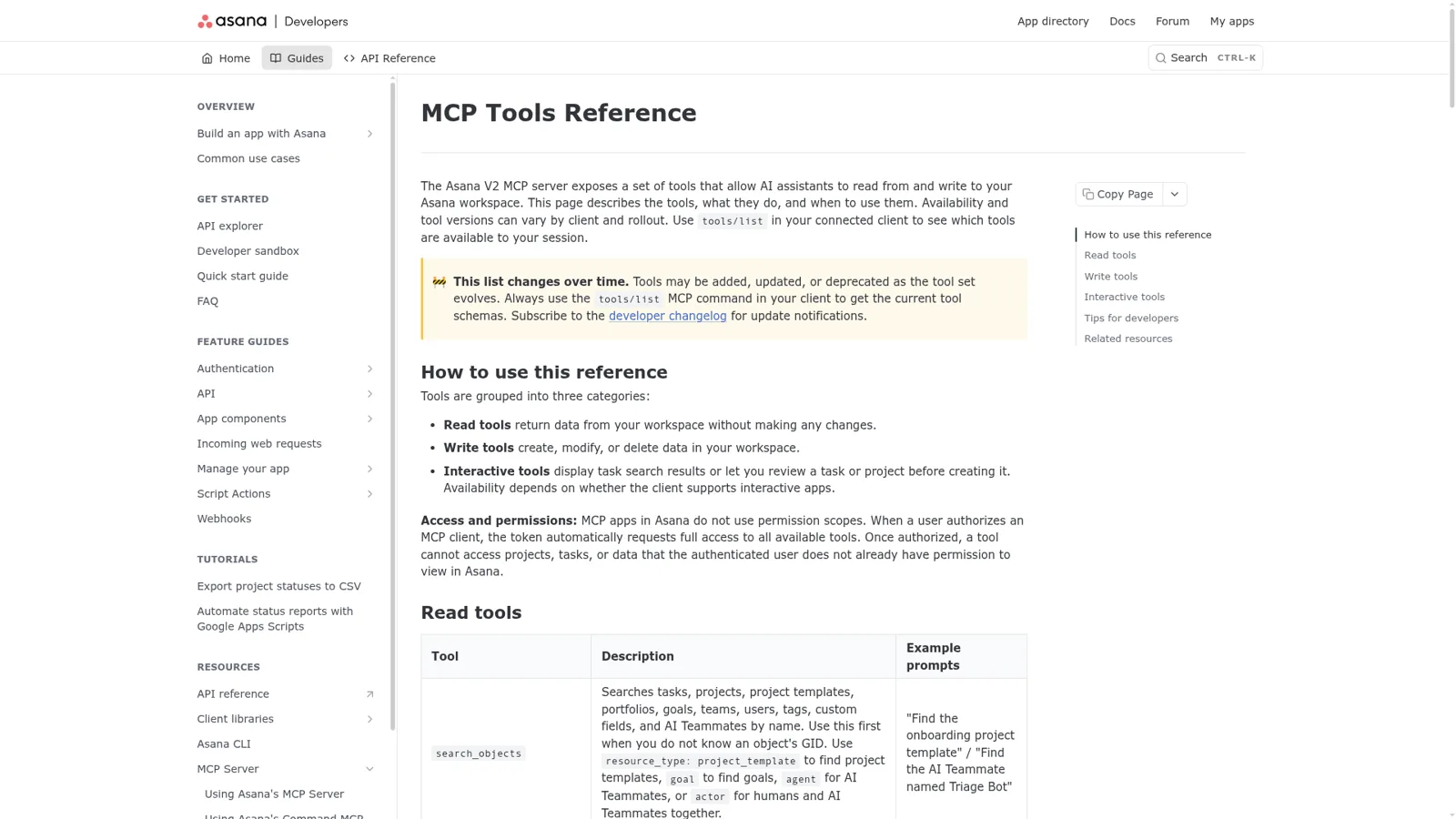
Claude can read nearly everything you'd look at in a normal day and write most of what you'd click. Asana groups the tools into read, write and interactive sets in its MCP tools reference, which was last updated on 4 November.
| Group | Tools (selection) | What that means in practice |
|---|---|---|
| Read | search_objects, search_tasks, get_task, get_task_stories, get_my_tasks, get_status_overview, get_portfolios, get_notifications | Find work, read comments and history, check project and portfolio health, read your Inbox |
| Write | create_tasks and update_tasks (up to 50 per call), add_comment, create_project, create_project_status_update, delete_task | Bulk-create and edit tasks, post status updates, comment with mentions |
| Interactive | create_task_preview, create_project_preview, search_tasks_preview | A card inside Claude where you check a task or project plan before it's created |
The users who like it most use it for search and bulk edits. One long-time Asana customer on the forum put it plainly:
"Claude is infinitely better at finding things in Asana than the built-in search tools."
The same post praises "bulk task management", like a templated subtask for every member of a team: lots of clicking by hand, one sentence to Claude.
Whose access does the Asana connector use?
It uses yours, all of it. Asana's reference is direct about this: "MCP apps in Asana do not use permission scopes. When a user authorizes an MCP client, the token automatically requests full access to all available tools." The guardrail is your own Asana permissions, since a tool can't see anything you can't (tools reference).
That's sensible for personal work, with two consequences for teams. If you can delete a task, so can your Claude, so I'd put delete_task behind Needs approval in the Team or Enterprise tool settings. And people without a full seat get very little, as one Hacker News commenter found:
"won't pay for Asana seats, so every user in your 100-person startup is a guest, and can't use the connector in any AI app to TRULY do useful task management with AI."

Claude's controls follow the person holding the account: owners decide which tools run, and each member's Claude does what that member can do. They don't change with who the request is for, because in a Claude chat only one person is ever asking.
What problems do people hit with the Asana Claude connector?
Most of what I found on Asana's forum comes from the V2 move, and most of it is fixed or has a workaround.
The preview card versus "just do it". V2 launched with task creation going through an interactive preview, which some users loved and others found got in the way of hands-off work. An Asana Ambassador summed up the split:
"But in other cases, I had workflows set up where I could give Claude information, walk away, and have tasks completed in Asana unsupervised: Mark a prior subtask complete, create a task with draft content, etc…"
Asana's product manager confirmed on 13 April that "both UI and non-UI based tools for creating tasks should be available for Claude", that create_tasks handles subtasks and bulk work, and that you can switch the preview tool off in Claude (forum update). The same thread logged a server_error on create_tasks in late May, which Asana fixed on 29 May.
Gaps in the tool set. A few requests are still open:
- Tags.
create_tasksandupdate_taskshave no tag field, so Claude can read tags but not set them (feature request). - Long comment threads. One team that keeps a year of weekly meeting notes in task comments found the connector returns only the oldest 50:
"Namely, the connector can return only 50 oldest-first comments."
- Dashboards. A partner on the forum confirmed Claude can't build a native Asana dashboard through the connector, because "The Asana API, and the MCP server that sits on top of it, has no endpoint for dashboards, charts or widgets" (thread). Claude can draw the report as an artifact instead.
None of these is a reason to skip it. Just test the jobs you care about in your own workspace before you build a routine on them.
How much does the Asana Claude connector cost?
There's no separate charge for the connector itself. You need a Claude plan with connectors (every plan has them) and an Asana plan that lists the app, which Asana says is Personal, Starter, Advanced, Enterprise and Enterprise+.
| Plan | Price | What matters for this connector |
|---|---|---|
| Asana Personal | $0, up to 2 users | App available; no App Management |
| Asana Starter | $10.99/user/month billed annually, $13.49 monthly | App available; no App Management for org-wide approval |
| Asana Advanced | $24.99/user/month billed annually, $30.49 monthly | App available |
| Asana Enterprise and Enterprise+ | Contact sales | Asana's MCP docs list allowing or blocking MCP clients for Enterprise+ and Legacy Enterprise |
| Claude Free | $0 | Connectors: yes |
| Claude Pro | $17/month billed annually, $20 monthly | Connectors, plus scheduled tasks |
| Claude Team | $20/seat/month billed annually, $25 monthly (standard seat) | Admin controls for connectors, Claude Tag |
For the full picture on each side, see my Asana pricing and Claude pricing breakdowns.
Asana also sells its own AI. Starter includes AI Studio at 50K credits per billing account a month and AI Teammates at 5 requests per user a month, up to 50 per account. AI Teammates live inside Asana; Claude lives in your chat and reaches your other tools. My AI project management tools roundup compares the wider field.
Does Claude Tag work with Asana?
Yes, and it's Anthropic's own answer to "Claude for the team". In Claude Tag, Asana connects "with its own credential, not a person's", from a dedicated Asana seat that should only reach "the projects and teams Claude needs" (Claude Tag docs). Anyone in a Slack channel where the connector is on can then ask it to file tasks or pull project status.
That's a real step towards shared work. The limits are on Anthropic's own pages: Claude Tag is in public beta, it lives in Slack, with Microsoft Teams listed as "Coming soon" (Claude Tag), and routines run "at most once an hour" (routines).
If you're weighing it, my Claude Tag review goes deeper, and what Claude Tag is covers the basics.
What does a team need on top of the Asana Claude connector?
A team needs Asana answers for everyone, in the place they already ask, with rules that depend on who is asking. Think about the three Asana jobs that eat a team lead's week:
- "Where is X at?" Someone in #marketing asks if the launch email is approved; someone in Teams asks who owns the vendor renewal. They ask in chat, not in Claude.
- Tasks from a conversation. A decision lands in a Slack thread, and somebody has to turn it into a task with an owner and a date.
- The Monday digest. Someone collects what slipped, what's due and what's blocked, and posts it.
Claude handles all three for the person typing, and the forum shows what people build around that. One Asana Ambassador has a Claude routine that creates a daily briefing task in Asana, and another user built a Python script that "pushes a computed digest to Slack" on a schedule (forum thread). Both work. Both are one person's setup that the rest of the team depends on.
How eesel works in Asana for the whole team
eesel is an AI teammate that works in the apps your team already uses, and Asana is one of them. Its Asana integration reads your projects and tasks so it can say where a task stands, who owns it and when it's due, with a link to the task, and it can create and update tasks too (Asana docs). The eesel team switches Asana on for your workspace with you, and from there you connect it and set what it may do.
It answers whoever asks, where they ask
Connect Slack and anyone can mention eesel with an Asana question; it answers in the thread with a link to the task. The same agent works in Microsoft Teams, Google Chat and email. On the Asana side it has 16 read actions and 8 write actions, from Create subtask to Delete task.
It works Asana into whatever it's already doing: a Slack mention, a ticket or the Monday schedule.
What it may do depends on who is asking
This is where it differs from a personal connector. Every Asana action is set to On, Ask first or Off, per agent, and you can set it just by saying it in chat (actions and approvals). On top of that, eesel tells apart your team, the specific people you name, verified customers and anonymous visitors, and gives each their own rules. So a sensible Asana setup reads like this:
- On its own for the team: look up any task, and create a task from a Slack thread when a teammate asks.
- Ask first: closing a task or reassigning it. You say "ask me before you close or reassign anything" and that case waits for an approval card in the same Slack thread, with Approve and Deny.
- Never for an outside guest: someone in a shared Slack channel who isn't a full member of your workspace is outside your team, and you can keep Asana actions off for them entirely.
Only editors approve, you pick who gets the requests, and eesel's safety check can still hold a risky call on an action set to On.
It runs on a schedule, so the digest writes itself
An automation can run on a clock, such as every Monday at 9am, and post a digest of overdue and blocked tasks to #ops. You set it up by asking in the dashboard chat, and the agent confirms the time and timezone.

The pattern is already running at real teams. At Cape Coffee Beans, eesel ran 160 scheduled checks across Zendesk and Google Drive in a month, on weekday and Saturday mornings, emailing the founder a short list of what had slipped. Swap the sources for Asana projects and you have the team digest. And when someone corrects the format once, the fix sticks for every answer after.
Asana Claude connector vs eesel in Asana
They do different jobs, so this compares their shape.
| Claude + Asana connector | Claude Tag + Asana | eesel in Asana | |
|---|---|---|---|
| Works for | You | A Slack channel | The whole team |
| Whose Asana access | Yours, all tools, one workspace | A dedicated Asana seat's token | The connected account, per action |
| Who can ask it | The person in the chat | Anyone in the channel | Anyone in Slack, Teams, Google Chat or email |
| What decides what it may do | Your Asana permissions; owner tool settings | Channel-level connections | On, Ask first or Off per action, plus rules by who is asking |
| Works without anyone at a keyboard | Scheduled tasks you set up | Routines, at most hourly | Schedules, events in other apps, webhooks |
| Cost | Your Claude and Asana plans | Team or Enterprise, usage-based | From $299 a month, unlimited seats |
Sources: Asana MCP tools reference, Claude Tag Asana guide, eesel Asana docs.
Can you use Claude and eesel together?
Yes, and I'd keep both. Claude stays your personal assistant for planning and research, and eesel does the shared Asana work. Your eesel workspace is itself an MCP server, so you can add it to Claude as a custom connector and ask "what did eesel post in #ops this morning?" or "have eesel create the follow-up tasks from this thread" from any Claude chat (use eesel from Claude). Editors can change things, viewers get the read side, and anything on Ask first still asks.
New to the idea? My posts on AI teammates and the best AI teammates explain the category, and Claude for work covers Anthropic's team plans.
Still choosing a work tool? Start with my Asana overview, Asana vs Notion or Asana alternatives.
Try eesel as your team's Asana teammate
If the Asana Claude connector already saves you time, eesel is the same idea for everyone else on the team. It answers "where is this at?" in Slack and Teams, turns a thread into a task, posts the Monday digest, and asks before it closes or reassigns anything. The free trial runs 7 days with 100 credits and no card, and plans start at $299 a month with unlimited seats.
