
Choosing between a structured project manager and a flexible do-it-all workspace is a classic tug-of-war for modern teams. You've got Asana, the undisputed champ of organized, process-driven work, in one corner. And in the other, you have Notion, the endlessly customizable tool that wants to be your team's second brain. It feels a bit like deciding between a vacation with a detailed itinerary or one where you just show up at the airport and see what happens.
While both tools are here to help you get things done, they tackle the problem from completely different angles. Asana brings the structure, guiding your team through projects with clear, defined steps. Notion, on the other hand, gives you a blank canvas, offering the freedom to build the exact system your team needs from scratch.
So, how do you choose? This guide will break down the whole Asana vs Notion debate. We'll dig into how they handle project management, where they store knowledge, what they cost, and how easy they are to pick up. By the end, you should have a much clearer picture of which one is the right fit for your team's workflow in 2025.
What is Asana?
Think of Asana as a dedicated command center for your team's projects. It’s a pure project and work management platform, built from the ground up to help you organize, track, and manage everything. That could be a simple to-do list for the week or a massive, multi-stage product launch.
Its entire philosophy is built on structured workflows. Everything has a specific place and purpose: projects hold tasks, tasks can have subtasks, and every single item can be assigned to someone with a clear due date. It’s packed with features like timelines, calendars, and goal tracking that are designed to give everyone, from managers to individual contributors, total clarity on who is doing what and by when. It's an "opinionated" tool, and that's a good thing. It knows what it is, and it excels at its core job of keeping projects on track and moving forward.
What is Notion?
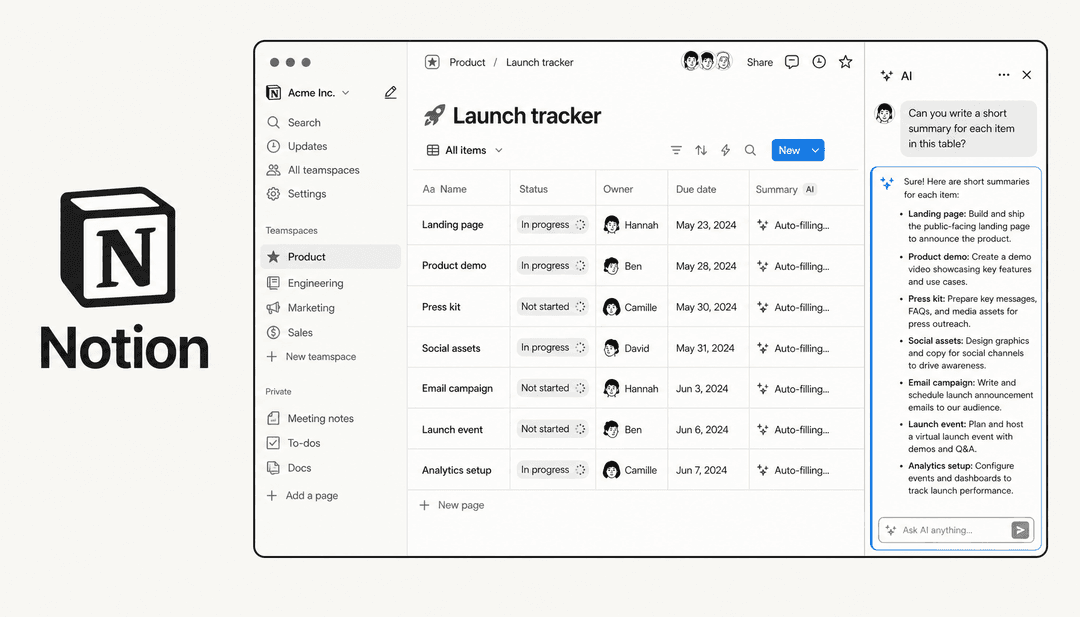
If Asana is a purpose-built command center, Notion is a giant box of digital Lego bricks. It’s an "all-in-one workspace" that mashes together notes, documents, project management, and wikis into one, incredibly flexible platform. Instead of handing you a pre-built system, it provides the fundamental building blocks, things like text, databases, images, and embeds.
You can use these blocks to build pretty much anything you can imagine. One minute you're writing a simple meeting notes doc, the next you're designing a complex, multi-layered content calendar. While it does offer familiar views like Kanban boards and calendars, they're all just visual layers on top of its powerful and flexible database system. Notion is completely "unopinionated," which means it never forces you into a specific way of working. This makes it a fantastic choice for teams and individuals who want to craft their own bespoke systems for managing knowledge, organizing personal tasks, or even tracking some lighter projects.
Asana vs Notion: Project and task management
This is the main arena where most teams get stuck comparing the two. They can both technically manage projects and tasks, but their approaches and the depth of their features are worlds apart. Let's get into the details.
Work views and visualization
Asana comes out of the box with a whole suite of views designed specifically for project management. With a single click, you can switch between a simple List, a Kanban-style Board, a Gantt-like Timeline, and a Calendar view. These aren't just slapped on; they are purpose-built and require almost no setup. This gives you instant visibility into where your project stands and what the timeline looks like without having to fiddle with settings for hours.
Notion is all about that customizable life. It offers similar views, Board, Timeline, Calendar, List, and a pretty unique Gallery view, but there's a key difference. All of these are just different ways of looking at a single database that you create. This is incredibly powerful because you can tweak it to your heart's content, adding any property or filter you can dream up. The flip side is that you have to build your project management system from the ground up. To make it truly effective for serious project tracking, you'll need a solid understanding of how Notion's database properties and filters work together.
Task management and dependencies
When you get down to the nitty-gritty of managing individual tasks, Asana’s dedicated features really start to pull ahead. It has clear, native functions for setting task dependencies, so you can easily mark one task as "blocking" another. Need to create a recurring task for a weekly report or a monthly team check-in? It's straightforward. You can also build out complex hierarchies with multiple layers of subtasks, which is a lifesaver for breaking down big initiatives into manageable chunks.
In Notion, a lot of these core project management features require some clever workarounds. You can mimic task dependencies using relation properties and formulas, but it's not a simple checkbox. Recurring tasks often rely on third-party integrations or somewhat complicated template setups that you have to trigger manually. It's all possible, but it lacks the simple, built-in functionality you get with Asana. It feels more like you're hacking a system together rather than using a tool designed for the job.
You definitely can build task dependencies in Notion, but it's not native. You have to create two related databases and use rollups and formulas to get it working. It's a fun puzzle, but in Asana, it's just a button click.

Automation and workflows
Asana includes a powerful built-in automation engine it calls "Rules." This lets you set up simple "if-then" workflows to automate routine actions without any code. For instance, you can create a rule to automatically assign a new task to a specific person when its status changes to "Ready for Review," or move a task to a different project once it's marked as complete. These small automations can save a surprising amount of time.
Notion's automation is more centered around its database templates and its API. This usually means you'll lean on third-party tools like Zapier or Make to build true workflow automation. While you can create a "template button" that generates a pre-filled set of tasks, it doesn't have the same kind of native, rule-based automation for project management that Asana offers right inside the tool.
Asana vs Notion: Knowledge management and collaboration
Beyond just who's doing what, the way a tool handles information and encourages teamwork is a huge deal. This is where the gap between Asana and Notion widens into a canyon.
Building a centralized knowledge base
This is Notion's home turf. It absolutely excels as a company wiki or a centralized knowledge base for all of your team’s collective knowledge. You can create beautifully organized, interconnected pages for everything from meeting notes and project briefs to employee handbooks and standard operating procedures (SOPs). Because everything can be linked and related, it organically grows into a powerful, searchable "second brain" for your whole organization. Plus, with the ability to build an integration for Notion, you can connect its knowledge to other parts of your tech stack.
Asana, to put it plainly, just isn't built for this. It's a work management tool, not a knowledge repository. It’s designed to track the doing, not the knowing. Teams that run on Asana almost always store their important documents somewhere else, usually in tools like Google Docs or a dedicated wiki platform like Confluence. From there, they just link out to those documents from within their Asana tasks.
The challenge of scattered information
Asana's approach of linking to external documents leads to a really common problem: information silos. Your project plan and tasks live in Asana, but the critical context and knowledge needed to actually complete a task might be buried three folders deep in a Google Drive, on a forgotten Confluence page, or in an old Slack thread.
This fragmentation is a massive headache, especially for support teams. When an agent is trying to resolve a customer issue, they're forced to constantly switch between apps, wasting precious time hunting for the right answer. Is the latest update in a Google Doc or a Notion page? This context-switching kills productivity.
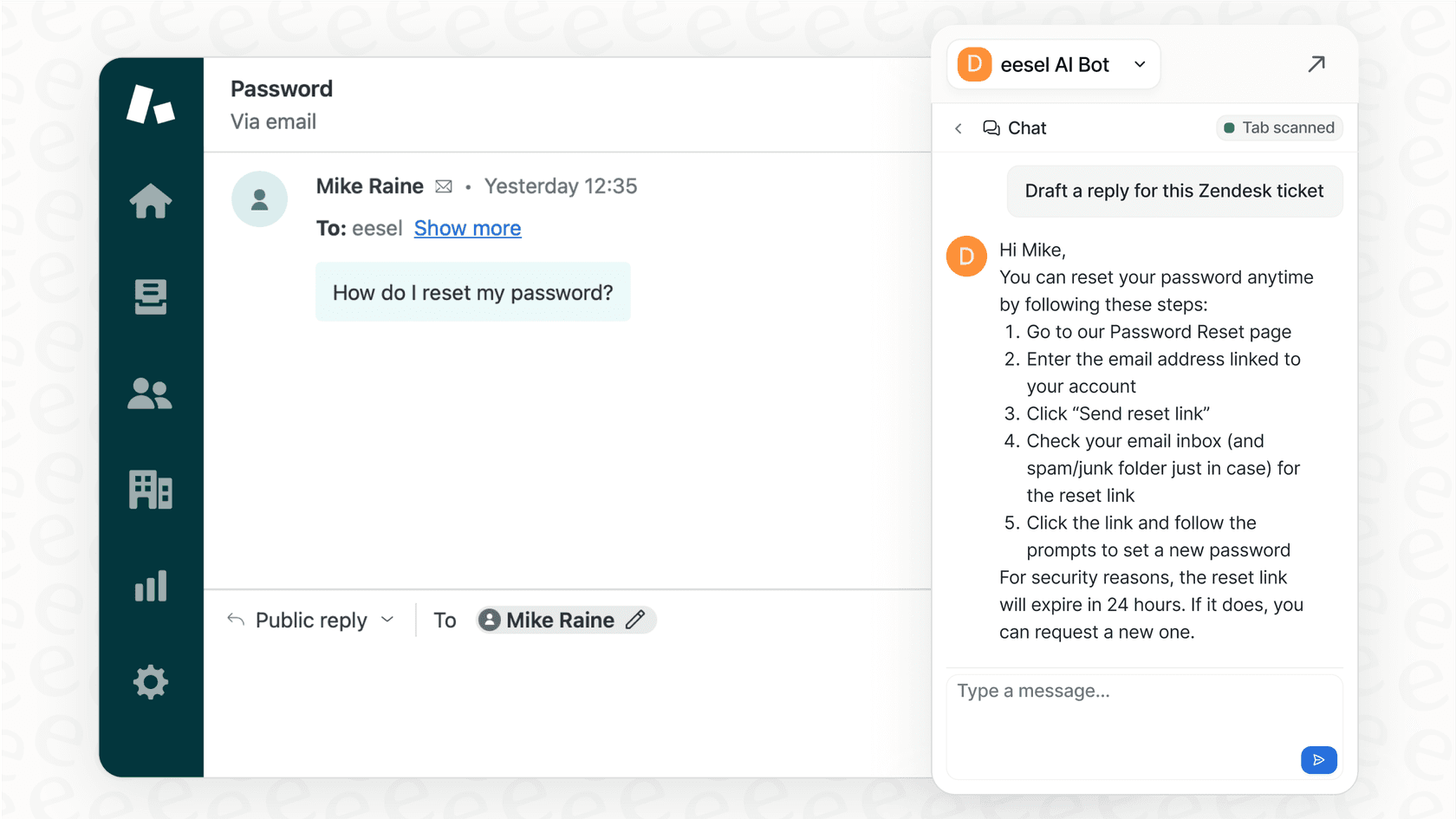
It’s also where modern AI platforms like eesel AI come into the picture. Instead of making you go through the painful process of migrating all your knowledge into one place, eesel AI connects to all your existing sources, whether that's Confluence, Google Docs, Notion, or past helpdesk tickets. It creates a single, unified intelligence layer over everything, giving your team instant, accurate answers right where they already work.
Asana vs Notion: Pricing compared
Let's talk money. Pricing can often be the final deciding factor, and both tools offer different kinds of value at each of their tiers.
Asana pricing
Asana's plans are structured to scale with your team’s project management maturity.
-
Personal (Free): This is great for individuals or very small teams of up to 2 people. You get unlimited tasks, projects, and messages, but you're limited on project views (no Timeline or Gantt charts).
-
Starter ($10.99/user/month): This plan unlocks the Timeline view, unlimited dashboards for reporting, and the workflow builder for creating those handy automations.
-
Advanced ($24.99/user/month): This tier adds powerful features for managers, like portfolios for tracking groups of projects, goal tracking, workload management to prevent burnout, and more advanced reporting tools.
One important thing to keep an eye on is the billing period: those prices are billed annually, and month-to-month Starter is $13.49 per user.
Notion pricing
Notion’s pricing is built more around collaboration and advanced administrative features.
-
Free: This is designed for individuals. It gives you unlimited pages and blocks but limits your page history, file upload size, and only allows up to 10 guests for collaboration.
-
Plus ($10/user/month, billed yearly): This is the sweet spot for small teams. It removes the block limit for teams, allows unlimited file uploads, and gives you a 30-day page history to recover old versions.
-
Business ($20/user/month, billed yearly): This plan is for companies that need more security and control. It adds features like SAML SSO, private teamspaces, advanced page analytics, and Notion AI.
It's also worth pointing out that the separate Notion AI add-on is no longer listed: Free and Plus include only a trial of Notion AI, per Notion's pricing, and the full AI features come with the Business plan. So if you want AI across the team, you'll need to factor Business into your budget.
| Feature | Asana | Notion |
|---|---|---|
| Free Plan | Yes, for up to 2 users | Yes, for individuals (with 10 guests) |
| Starting Price | $10.99 / user / month | $10 / user / month |
| Core Function | Structured Project Management | All-in-one Knowledge & Docs |
| Best For | Larger teams, complex projects | Individuals, small teams, wikis |
| Pricing Quirk | Free plan capped at 2 users | Full AI only on Business |
The verdict: When to choose Asana vs Notion
At the end of the day, the right choice really boils down to your team's main priority. There's no single "best" tool, only the best tool for your specific needs.
Choose Asana if: your number one goal is serious, structured project management. You're juggling complex projects with tight deadlines, critical dependencies, and you need to manage your team's resources effectively. If you want a tool that works perfectly for its intended purpose right out of the box with minimal setup, Asana is the clear winner.
Choose Notion if: your main goal is to build a flexible, centralized hub for all your knowledge, documentation, and notes. If you value customization above all else and want a single tool that can be shaped to serve multiple purposes (including some lightweight project management for a small team), then Notion is definitely the way to go.
Beyond Asana vs Notion: Unify your knowledge with AI
The whole Asana vs Notion debate often shines a light on a much bigger challenge in the modern workplace: our task management tools are completely disconnected from our knowledge management systems. Asana doesn't store your company’s brain, and Notion isn't a dedicated support automation platform.
Instead of getting caught in the "all-in-one" trap and hunting for a single tool that does everything just okay, a much better approach is to use the best tools for each job and then unify them with an intelligent AI layer. That's exactly what eesel AI does for customer support.
It creates the best of both worlds:
-
For Asana users: Keep managing your projects in the tool you love. Then, connect eesel AI to your separate knowledge bases like Confluence or Google Docs, plus your helpdesk. Your project team stays happy in Asana, while your support agents get instant, AI-powered answers without ever having to leave their workflow.
-
For Notion users: Use Notion for what it's truly great at, being your beautifully organized knowledge base. Then, plug eesel AI into your helpdesk (like Zendesk or Intercom) and train it on your Notion documentation. You can automate frontline support and draft perfect agent replies based on the knowledge you've already created.
Stop worrying about finding one tool to rule them all. Start unifying your existing stack with AI that works with the tools you already have. You can get it up and running in minutes, not months. Try eesel AI for free.
Frequently asked questions
When comparing Asana vs Notion, which one generally has a steeper learning curve for a new team?
Asana is typically easier to get started with due to its structured, opinionated design, offering ready-to-use project views. Notion, while powerful, requires more upfront setup and understanding of its database system to build effective workflows.
What's the fundamental difference in core strength between Asana vs Notion for daily operations?
Asana's core strength lies in structured project and task management, providing clear workflows and accountability. Notion excels as an all-in-one flexible workspace for knowledge management, documentation, and highly customizable personal or team systems.
For serious project management with dependencies and complex workflows, which tool, Asana vs Notion, is more robust?
Asana is significantly more robust for serious project management. It offers native features for task dependencies, recurring tasks, and multi-layered subtasks that are purpose-built for tracking complex projects efficiently.
If our primary need is a comprehensive company wiki or knowledge base, how does Asana vs Notion compare in that regard?
Notion is far superior for building a centralized knowledge base or company wiki. Its flexible page and database system allows for interconnected, searchable information, while Asana is not designed for knowledge storage and typically relies on links to external documents.
For a small team of 3-5 users, what are the key pricing considerations when deciding between Asana vs Notion?
Asana's free Personal plan covers up to 2 users, so a team of 3-5 will be on Starter at $10.99/user/month billed annually. Notion's Plus plan is $10/user/month billed yearly, but full Notion AI is only included on the $20 Business plan.
Can you explain the difference in native automation capabilities between Asana vs Notion?
Asana has a powerful native "Rules" engine for setting up "if-then" automations directly within projects without code. Notion's automation relies more on database templates, template buttons, and often requires third-party integrations like Zapier for complex workflows.
How does the Asana vs Notion choice impact the potential for information silos within our organization?
Choosing Asana can lead to information silos as it frequently links out to external documents, separating project tasks from their critical context. Notion, by design, encourages centralizing information, making it easier to maintain a unified knowledge base and reduce fragmentation.