Claude works with Power BI through Microsoft's own MCP servers, which you add to Claude as a custom connector: Fabric IQ MCP to ask questions of your reports and semantic models, and the Power BI Authoring MCP server to build and change models. There's no Power BI listing in Claude's directory today, though Microsoft announced a Fabric IQ plugin for Claude, "in preview coming soon", at Ignite on 17 November 2026. Setup needs an admin to register a Microsoft Entra app first, the servers cost nothing beyond your Claude and Power BI licences, and Claude only ever sees what the signed-in person can see, row-level security included.
That makes Claude a sharp tool for the analyst. It does less for the people who keep messaging the analyst. "What did we book last week?" from the CEO. "Is my region on target?" from a sales manager. "Can you send the margin by product line?" from a contractor in a shared channel. Each needs their own Power BI licence, Claude seat and connector.
That's the job for eesel: an AI teammate that answers the report questions everyone asks, in Teams, Slack and email, where finance numbers go only to the people you name and anyone outside the company gets nothing from your BI stack. If Claude Code is already open, the eesel CLI lets it connect your apps, write the definitions ("bookings means signed contracts, not pipeline") and ask eesel test questions before anyone else does.
I've spent years putting an AI to work inside other teams' tools. With reports, the risk is rarely a wrong chart. It's the right revenue number reaching the wrong person.
Is there a Claude connector for Power BI?
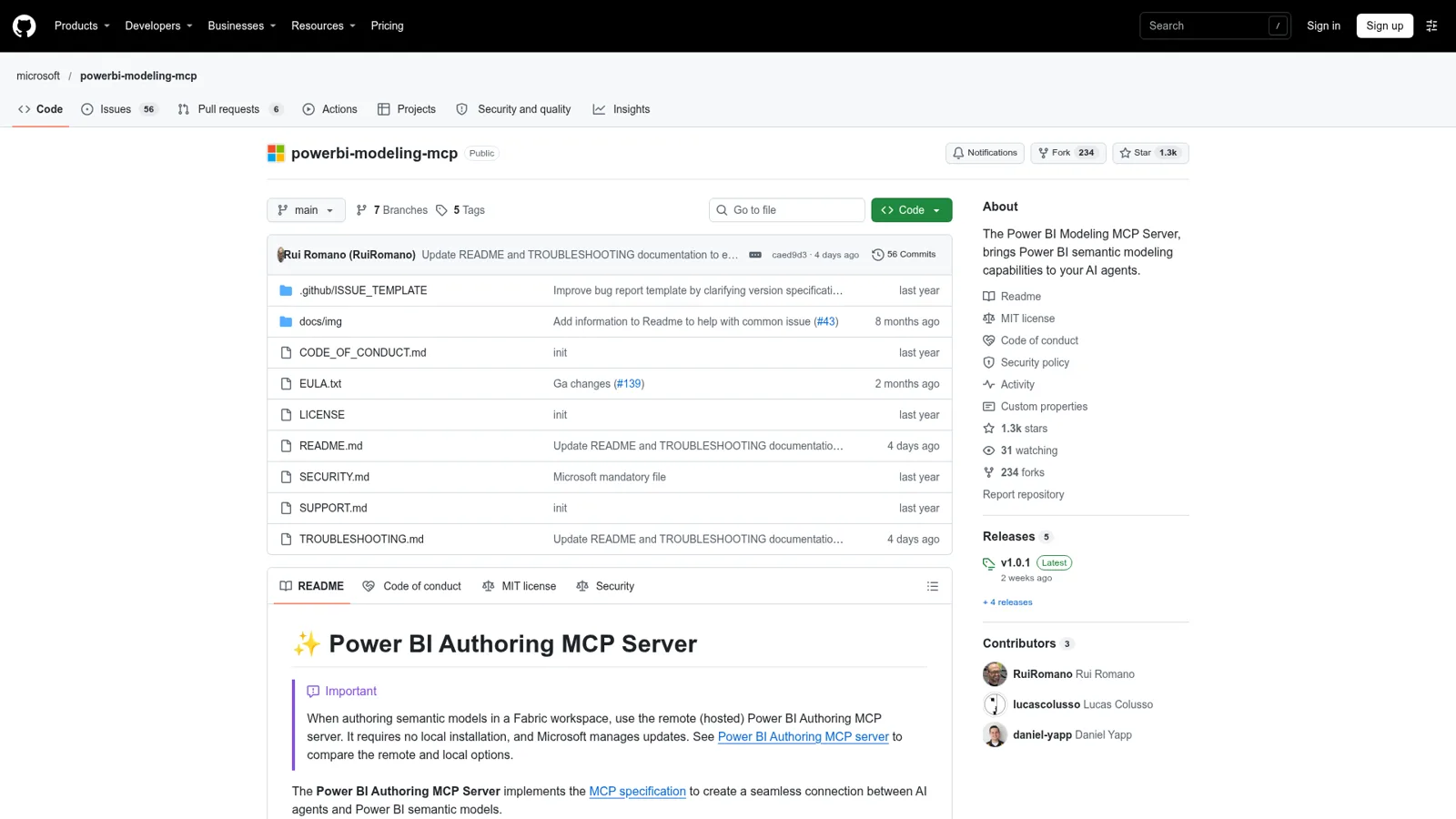
Not as a one-click listing. Claude's connectors directory has no Power BI or Fabric entry, and Claude's Microsoft 365 connector covers SharePoint, OneDrive, Outlook and Teams only. What you connect instead are the MCP servers Microsoft publishes. MCP (Model Context Protocol) is the standard Claude uses to call tools in other apps; I explain it in Claude Code MCP tools.
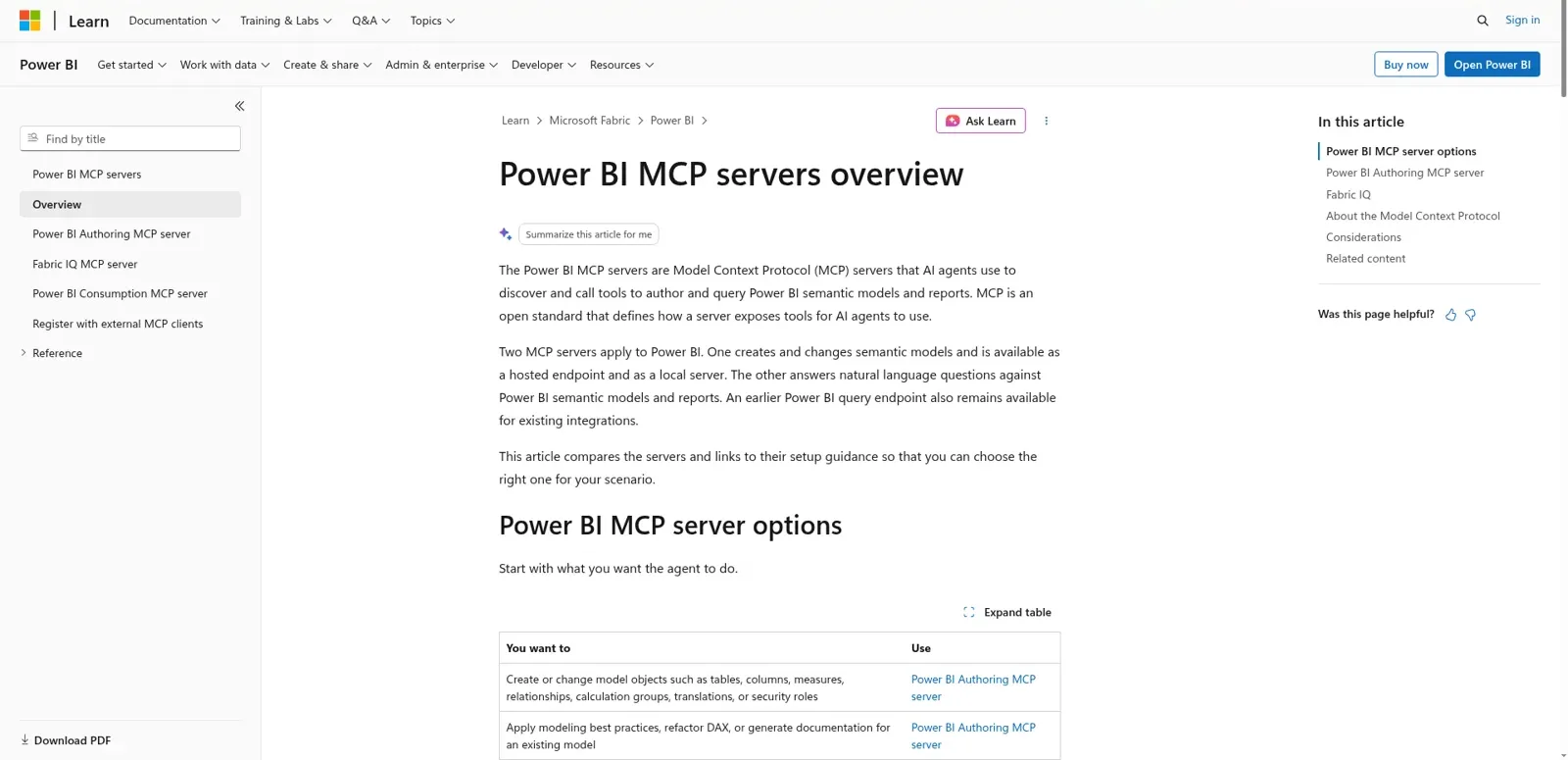
Microsoft's overview puts it plainly: "Two MCP servers apply to Power BI. One creates and changes semantic models and is available as a hosted endpoint and as a local server. The other answers natural language questions against Power BI semantic models and reports." There's also an older query endpoint kept for existing integrations.
| Server | What it does | Where it runs | Status | Best for |
|---|---|---|---|---|
| Fabric IQ MCP | Read-only: find reports and models, read schemas, search values, run DAX | Microsoft-hosted | Generally available | Asking questions of your data |
| Power BI Authoring MCP, hosted | Create and change tables, measures, relationships, roles; run DAX to check | Microsoft-hosted | Preview | Model work in a Fabric workspace |
| Power BI Authoring MCP, local | Same, plus models open in Power BI Desktop and TMDL/PBIP files | Your Windows machine | Generally available | Desktop and source-controlled models |
| Power BI Consumption MCP | Query models; one tool needs Copilot | Microsoft-hosted | Preview, older | Existing integrations only |
Microsoft is firm about the split: "Don't use the Power BI Authoring MCP server for consumption scenarios. ... For consumption, use Fabric IQ." Good advice: you don't want write tools in a chat where someone only asked for last month's revenue.
Which Power BI route fits you? Open the one that sounds like your week.
"I want answers from our reports"
Add Fabric IQ MCP to Claude. It's read-only, generally available and doesn't need Build permission or Premium capacity.
"I build and maintain the semantic model"
Use the Power BI Authoring MCP server: hosted for Fabric workspaces, local on Windows for Power BI Desktop and PBIP files. Back up the model first.
"I'm on a Mac"
The local server doesn't support macOS, so use the hosted servers from Claude on the web or Claude Desktop.
"The whole company keeps asking me for numbers"
That's a shared job, not a personal connector. Give it to a teammate that answers in Teams or Slack and knows who's asking, like eesel.
How do I connect Power BI to Claude?
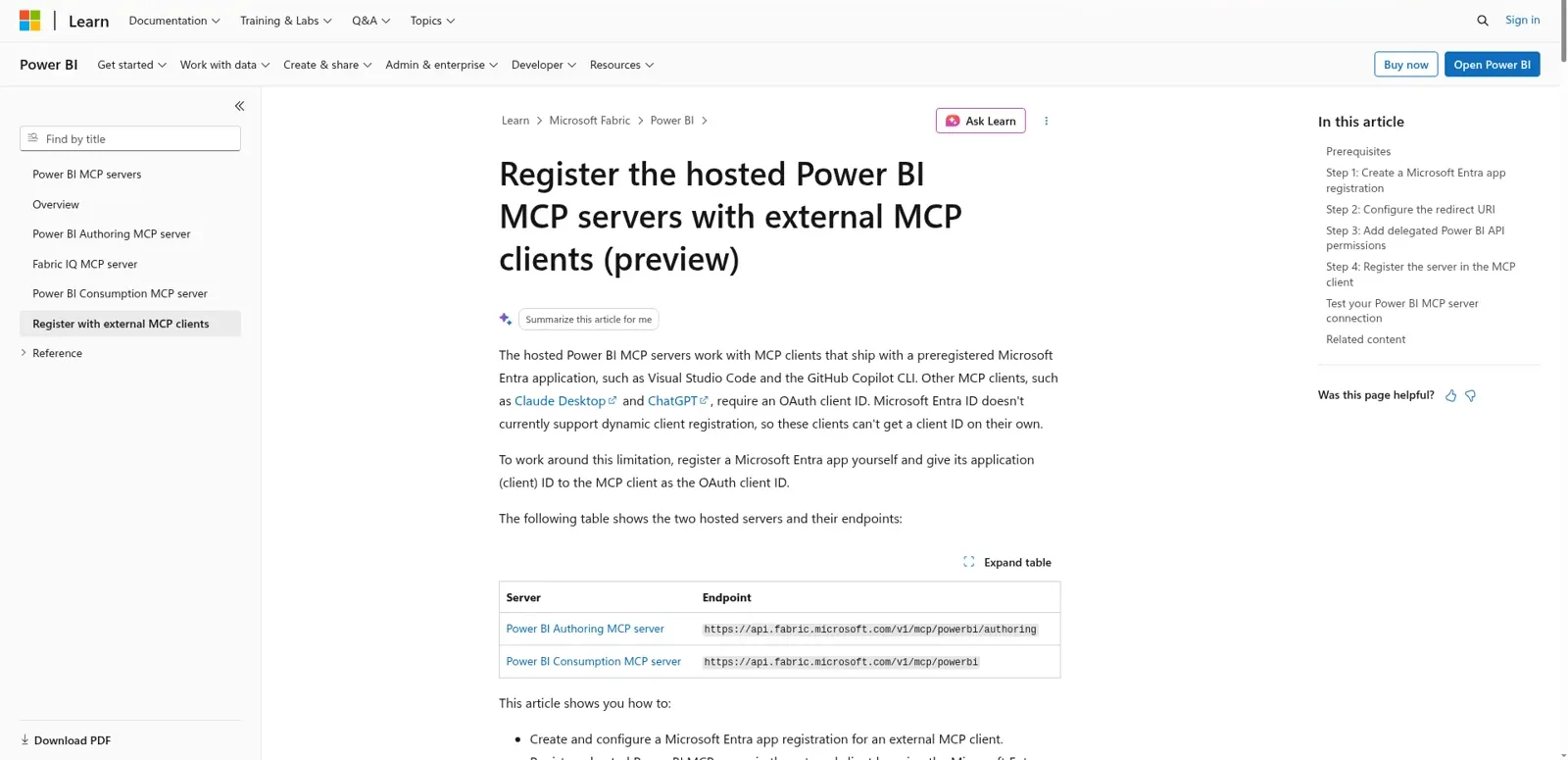
You connect Power BI to Claude by registering a Microsoft Entra app, then adding Microsoft's server URL as a custom connector with that app's ID. The extra step exists because, as Microsoft's external clients guide explains, "Microsoft Entra ID doesn't currently support dynamic client registration," so Claude can't register itself the way it does with most connectors.
- Register an app in Entra. A single-tenant app, for example "Power BI MCP - Claude Desktop", with a "Mobile and desktop applications" redirect URI of
https://claude.ai/api/mcp/auth_callback. - Add delegated permissions.
Workspace.Read.AllandSemanticModel.ReadWrite.Allfor the authoring server; Fabric IQ usesItem.Read.AllandItem.Execute.All. Grant admin consent if your tenant requires it. - Add the connector in Claude. Under Settings, Connectors, add a custom connector named Power BI, paste the server URL (
https://fabriciq.svc.cloud.microsoft/v1/mcp/fabriciqfor Fabric IQ,https://api.fabric.microsoft.com/v1/mcp/powerbi/authoringfor authoring) and enter the app's client ID as the OAuth client ID. - Sign in and test on a model you know well.
Custom connectors work on every Claude plan (Free gets one). On Team and Enterprise an Owner adds them, and "Each person still needs to authenticate individually before they can use it" (Claude Help Center). In Claude Code, pass the same client ID with --client-id to claude mcp add --transport http, per the MCP docs.
On the Power BI side, the hosted authoring server needs a Fabric admin to switch on its tenant setting, and changing a model needs Write permission. Fabric IQ needs neither a workspace role nor Build permission, and models "don't need to be hosted on Fabric or Premium capacity."
What can Claude do in Power BI?
On the read side, Fabric IQ's six tools let Claude find reports and models, read schemas, search for values and run DAX against one semantic model at a time. There's no answer-writing tool: "The calling AI agent selects and combines the tools, composes DAX queries, and explains the results." That's where Claude earns its keep.
On the write side, the authoring server lets Claude "Create, update, and delete tables, columns, measures, relationships, hierarchies, calculation groups, perspectives, partitions, security roles, and more," do bulk renames and translations, and work in TMDL and PBIP files under source control. People who've tried it are impressed:
"Yesterday, I was using Microsoft's Power BI Authoring MCP to make a semantic model from some SQL or CSV files. It was magical. Microsoft has defined how to do that in the MCP. It's trivial to add the MCP to the machine and reliable in execution."

Know the limits. Fabric IQ returns 250 rows by default, skips dashboards, paginated reports and Power BI apps, and is only as fresh as the last refresh. The authoring server can't touch report pages and caps DAX results at 100,000 rows. And there's no add-in: a Microsoft community answer notes "Power BI Desktop doesn't have an add-in model like Excel or Word, so there's no way to install Claude into the UI" (Fabric Community), which is the big difference from Claude for Excel.
What does Claude for Power BI cost?
The MCP servers carry no separate price, so you pay for Claude and for Power BI. Microsoft's Power BI pricing page and Claude's pricing, both checked on 17 November 2026:
| Piece | List price | Note |
|---|---|---|
| Claude Pro | $17/month billed annually, $20 monthly | One person; custom connectors included |
| Claude Team, standard seat | $20/seat/month billed annually, $25 monthly | 2 to 150 people; Owners add connectors and set tool permissions |
| Claude Enterprise | $20/seat/month billed annually, plus usage at API rates | 20-seat minimum |
| Power BI Free | Free | Can't share reports |
| Power BI Pro | $14.00/user/month, paid yearly | Publish and share; included in Microsoft 365 E5 |
| Power BI Premium Per User | $24.00/user/month, paid yearly | Larger models, XMLA endpoint read/write |
| Fabric capacity | Variable | Needed for Copilot in Power BI (F2 or higher) |
The catch is the last row: for Copilot, "A Power BI Pro or Premium Per User (PPU) license alone isn't sufficient" (Copilot in Power BI). Fabric IQ with Claude has no such floor. More in Claude pricing and Claude Pro pricing.
Whose Power BI data can Claude see?
Claude sees exactly what the signed-in person can see. Microsoft's overview says MCP clients "invoke operations with the signed-in user's Fabric role-based access control (RBAC) permissions," and the Fabric IQ docs add that "Power BI row-level security (RLS) and object-level security (OLS) continue to restrict returned data," with "no administrator-impersonation path."
Microsoft is also candid about the risks:
- "An autonomous or misconfigured client might perform destructive actions. Review and apply least-privilege roles."
- "An MCP server doesn't expand data access, but it does move data," since results go to the client and on to the model provider.
- For authoring: "Back up the model before you start," and "Work in PBIP files under Git" so you get a diff to review.
Claude has real controls too. On Claude Team and Enterprise, Owners set each connector permission to Always allow, Needs approval or Blocked, and members can't override it (Claude Help Center). Put the authoring write tools on Needs approval.
All of this follows the person at the keyboard, which is right for an analyst. It doesn't change with who a request is for, and it isn't built to answer people outside your company in your own channels.
Where do people get stuck?
Mostly on authentication and config. The most useful bug report on Microsoft's repo explains one failure: without the SemanticModel.ReadWrite.All scope, reads work and every write "fails only at commit time" with a read-only error. The reporter fixed it with a self-registered Entra app used "as the OAuth Client ID of a claude.ai custom connector" (issue #142).
Config is the other trap: Microsoft's JSON examples use the VS Code servers key, while Claude expects mcpServers (issue #118). And an early Fabric IQ tester hit empty results from Claude Desktop:
"Connection and discovery work correctly, but query execution consistently fails with no error message ..."
That came down to a version header that Microsoft's docs now say is optional. The bigger worry is who's driving:
"recently at work we've had QA (as in pharmacy QA) wanting to use Claude to help automate some pipelines between PowerBI and Sharepoint. Was cool to see people who are not very technical pick up Claude Code. Of course agent safety is the big problem really.."
What about Copilot in Power BI?
Copilot is Microsoft's built-in assistant, and it's changing fast. It needs F2 or P1 capacity and up, and Microsoft's November 2026 update plans "to end support for standalone Power BI Copilot on the web ... by the end of January 2027," with Microsoft Copilot replacing it. If you've standardised on Microsoft, that's the easy path; my Claude vs Copilot and Microsoft Copilot posts compare them. If your analysts live in Claude, the MCP route reaches the same governed models.
The report everyone asks about
Every company has one. Picture a 120-person B2B company on Power BI Pro:
- The CEO wants bookings, churn and pipeline in one message every Monday at 8am.
- The CFO asks for gross margin by product line before the board pack.
- A sales manager in Teams asks whether her region is on target this quarter.
- A contractor in a shared Slack channel asks what Q3 revenue was "for the deck".
With Claude and Fabric IQ, the CFO and the sales manager each need a Claude seat, a Power BI licence and the connector. The CEO can set a Claude scheduled task for himself. The contractor shouldn't get Q3 revenue at all, and the only thing stopping it is a person reading the question first.
How eesel handles Power BI questions for the whole team
eesel is a general AI teammate that works in the apps your team already uses, takes requests from anyone who talks to it there, and does the work inside those tools. It connects to 3,000+ apps: connect Power BI and it looks things up and takes actions there, with each action set to On, Ask first or Off. One connection serves the whole team, and what happens depends on who is asking:
| Who is asking | Where | What eesel does |
|---|---|---|
| CFO and finance lead (named people) | Microsoft Teams or the dashboard | Margin and revenue figures from Power BI |
| Sales manager | Teams or Slack | Pipeline and bookings for the team; finance-only numbers stay with named people |
| Contractor in a shared channel | Slack Connect | Nothing marked Team only, so no revenue |
| Anyone outside the company | Email or website chat | Nothing from Power BI |
Every action is On, Ask first or Off, per agent, and you can say it in a sentence: "look numbers up on your own, but ask me before changing anything in Power BI." Ask first shows the exact action with Approve and Deny, as a card in the Teams or Slack thread it came from, in the dashboard or by email, and only editors approve. Team only actions and files only ever run when someone on your team asks, where "your team" is your Team page plus full members of your connected Slack, Teams or Google Workspace. The settings for specific named people, verified customers and anonymous visitors are live too, which is how the CFO gets the margin and the sales manager doesn't.
The Monday message is a schedule. Automations start work on a clock, an event in a connected app or a webhook, so "every Monday at 8am, post bookings, churn and pipeline to #leadership" is one instruction.

It learns from your docs, past work and Slack history, and a correction said once ("bookings means signed contracts") sticks through instructions and memory. It's what people mean by an AI teammate rather than a chat window.
Cape Coffee Beans runs this kind of proactive check today: 160 scheduled Zendesk and Google Drive checks in a month, on weekday and Saturday mornings, each emailing the founder a short list before anyone asks, with two agents doing two different jobs.
Claude with Power BI vs eesel, side by side
| Claude + Power BI MCP | eesel with Power BI | |
|---|---|---|
| Works for | The person who connected it | The whole team, from one connection |
| Who can ask | Claude users with their own Power BI sign-in | Anyone in Teams, Slack, email or website chat you allow |
| What decides what it may do | That person's Power BI permissions and RLS, plus Owner settings per tool | On, Ask first or Off per action, plus who is asking: team, named people, verified customer, visitor |
| Starts without anyone typing | Your own scheduled task | Schedules, app events and webhooks |
| Where answers appear | Claude chat, Claude Desktop, Claude Code | Teams, Slack, Google Chat, email, website chat |
| Cost | Included with Claude and Power BI licences | From $299/month for 500 credits, unlimited seats (pricing) |
eesel has a free 7-day trial with 100 credits and no card; data handling is on the security page.
Can you use Claude and eesel together?
Yes. The analyst keeps Claude (or Claude Cowork) for model work and DAX, and eesel takes the "can you send me the number" messages. Your eesel workspace is also an MCP server, so you can add it to Claude as a custom connector and ask "what did eesel answer in #sales today?" Editors can change things, viewers get the read side, and Ask first still asks. Claude Code can set eesel up for you, too.
On Tableau instead? See the Tableau Claude connector and ChatGPT for Tableau.
Elsewhere in Microsoft: ChatGPT for SharePoint, Claude for Microsoft Teams and Claude for work.
Try eesel as your team's Power BI teammate
If Claude already makes your model work faster, eesel gives everyone else the answers they used to DM you for: the CEO's Monday digest, the sales manager's quota check in Teams, the CFO's margin question before the board meeting. Connect Power BI once, name who sees the finance numbers, put anything that changes Power BI on Ask first, and let it answer "are we on target?" for whoever is allowed to know.