

Claude for Google Docs is Anthropic's own extension, Claude for Google Workspace, which adds a Claude sidebar to Docs (and Sheets and Slides), reads the doc you have open and edits it in place, as you. It's in beta for Pro, Max, Ultra, Team and Enterprise plans, installed from the Google Workspace Marketplace, and it's very good at the "rewrite this, cut that, fix the numbering" work one person does in one doc.
There are two other Claude routes into Docs. The Google Drive connector in claude.ai searches and reads Docs across your Drive (my Claude Google Drive guide covers it), and Claude Docs lets you write in Claude and export to Google Docs.
What none of them do is answer the whole team from the docs everyone keeps asking about. That's the job for eesel: it reads the Docs you pick, answers teammates in Slack or Teams with the doc linked, and a doc set to Team only is never handed to anyone outside your team. If you'd rather not click through setup, a coding agent can do it with the eesel CLI: connect Google Drive, add the knowledge, then ask a test question from a selected doc before anyone relies on it.
I build eesel's agents, and most of that work is the unglamorous part of letting an AI loose in a team's own tools: which account it acts as, what it may change alone, what waits for a person, and which documents must never reach a customer. eesel has done that in teams' helpdesks, Slack and Drive for years. Claude in Google Docs is excellent; the question is who it's working for.
What is Claude for Google Docs?
Claude for Google Docs is a sidebar inside the Google Docs editor where you chat with Claude about the open document and have it make the edits. Anthropic's help article puts it plainly: "Claude reads the file you have open and edits it directly, so you can draft, analyze, restructure, and restyle without copying content back and forth."
It's one of three ways Claude meets Google Docs today, and they're easy to mix up. (Anthropic also has its own Claude Sheets and Claude Slides, which are separate products.)
| Route | Where you use it | What it does with Docs | Plans |
|---|---|---|---|
| Claude for Google Workspace (sidebar) | Inside Docs, Sheets and Slides | Reads the open file, edits it in place | Pro, Max, Ultra, Team, Enterprise (beta) |
| Google Drive connector | claude.ai chats and projects | Searches Drive, reads Docs, creates new files | Every plan |
| Claude Docs | Claude's own doc editor | Drafts a doc in Claude, exports to Google Docs | Every plan |
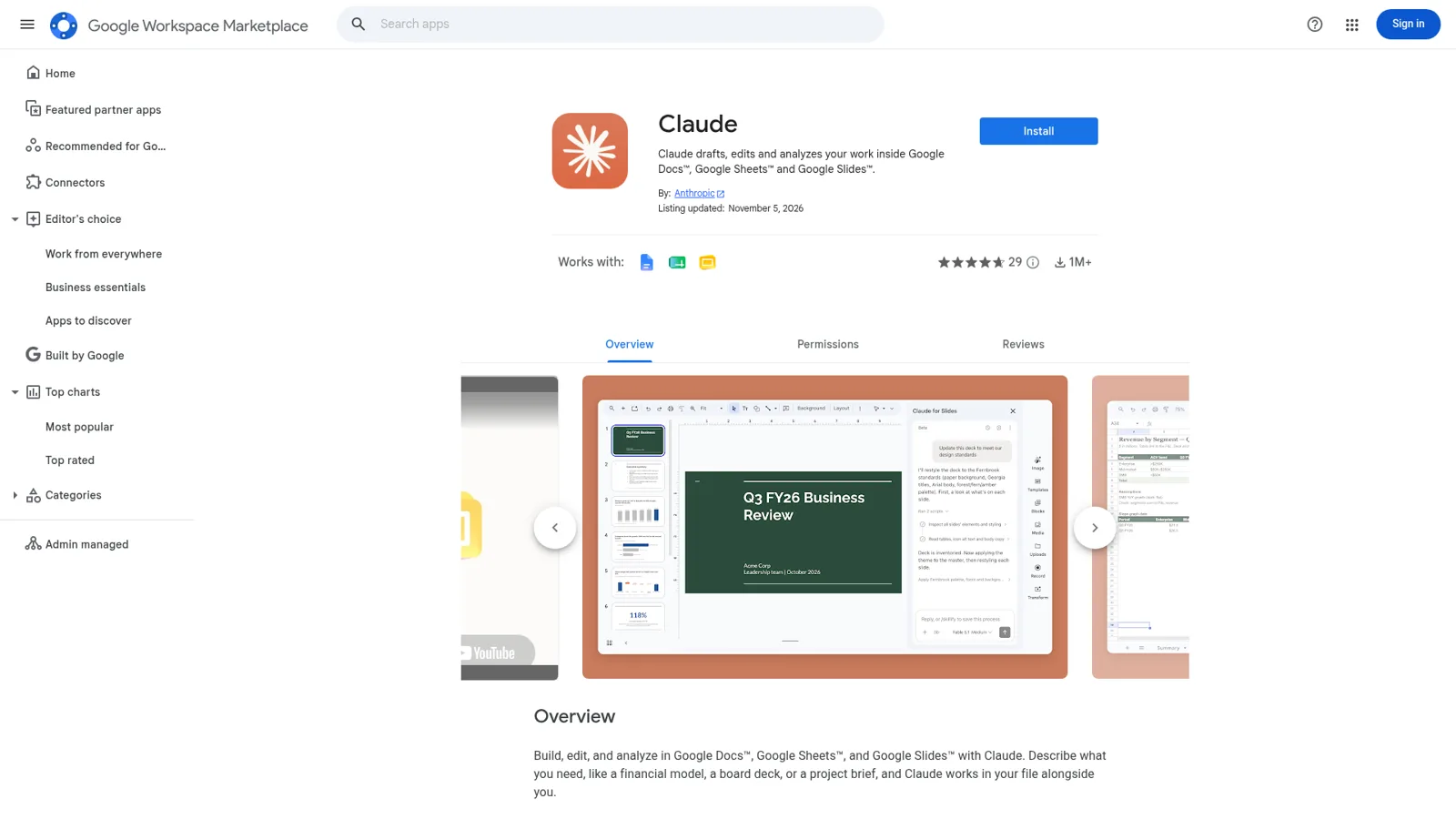
The Marketplace listing says it's by Anthropic, updated 5 November 2026, with over a million installs and a 4.7-star average from 29 reviews (Marketplace). If you came here from a "Claude for Google Docs" search expecting a third-party add-on, you can skip those: the vendor ships its own now.
Google's own Gemini in Docs sits in the same editor and drafts from your Drive, Gmail and Chat; my Gemini in Google Docs guide and Google Docs AI cover it.
How do you set up Claude in Google Docs?
You install it once from the Marketplace and it appears under Extensions in Docs, Sheets and Slides. Anthropic says it takes about two minutes if your organization already allows Marketplace apps.
- Open the Claude listing and click Install, using the Google account you work in.
- Open a Google Doc and go to Extensions > Claude > Open Claude.
- Allow the two Google permissions it asks for the first time.
- Sign in with your Claude account in the sidebar, and turn on any connectors you want.
- Ask something like "Summarize this document in five bullets".
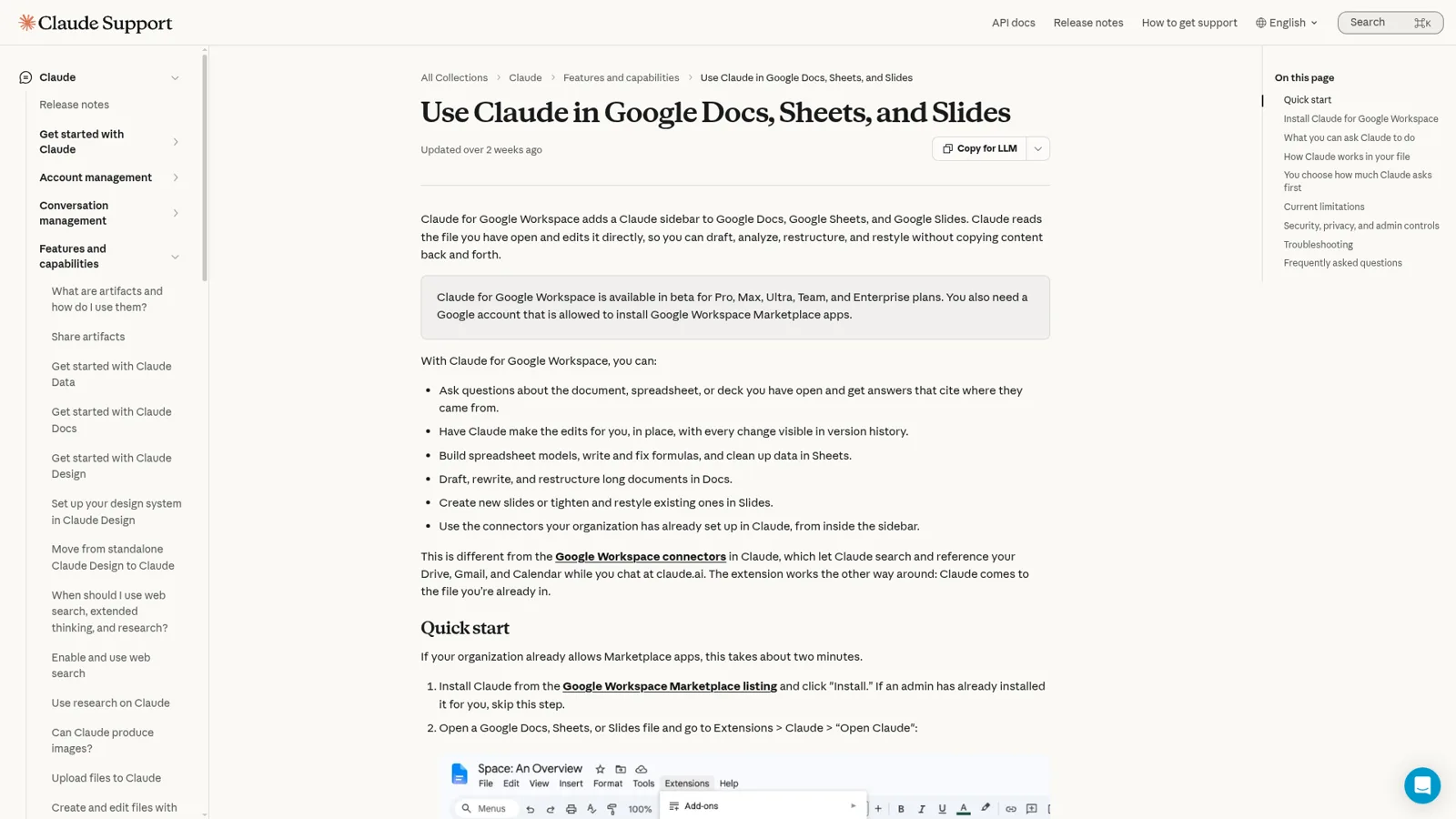
The snag most teams hit is Google, not Claude. Which install you can do "depends on your Google Workspace admin's Marketplace settings, not on your Claude plan". If you see "This application is not allowed by your administrator", a Workspace admin has to allowlist Claude or admin-install it for everyone, a group or an organizational unit (Claude Help Center).
What can Claude do inside a Google Doc?
Claude can rewrite, cut, restructure and check the doc you have open, and answer questions about it with citations to where the answer came from. Anthropic's own example prompts give a good feel for it:
- "This brief is 14 pages. Cut it to 6 without losing any of the numbered requirements."
- "Check this contract for defined terms that are used but never defined."
You can select a passage to point Claude at it, attach up to 20 reference files per message, and use your organization's connectors from the sidebar. The Marketplace listing adds contract redlining, "with each proposed change shown for you to accept or reject".
How much does Claude ask before it edits?
That's your choice, with two modes at the bottom of the sidebar.
| Mode | What happens |
|---|---|
| Ask before edits (default) | Claude says what it's about to do and waits for you to click Allow |
| Accept all edits | Ordinary content edits go straight in; anything touching links, external images, web addresses or file access still pauses |
Some lines are fixed whatever the mode. Inserting an image from a web address, adding a link or removing someone's access always gets a "Security review" label with no "always allow" option. And "Claude cannot share the file, give anyone access, or change who owns it", even if you ask. I like that design: risky actions shouldn't be one setting away from running unattended.
Where does the Claude Docs sidebar stop?
The sidebar works on one open file at a time, as you, while you keep the sidebar open. Anthropic is upfront that several limits are deliberate, "because the permissions that would lift them would also widen what the extension can access" (Claude Help Center). The ones that matter for Docs:
- One file only. Claude "can't open, create, or copy other files in Drive", and it can't export the doc as a PDF.
- No comments. It can't read, reply to or resolve comments, so paste a comment into the chat if you want it handled.
- Direct edits, not suggestions. It can't accept or reject existing suggestions, and its own edits land as direct edits. You can ask for proposed changes as cards you accept one at a time.
- Keep it open. Closing the sidebar stops the task, and a single long operation can run for up to six minutes before Google stops it.
- Chrome, Edge or Safari. Firefox isn't supported in the beta, and Word files need converting with File > Save as Google Docs first.
- Chat history stays in your browser, per file, and doesn't sync across devices.
For regulated teams, the extension has no zero data retention option and isn't covered for HIPAA yet, though Enterprise gets Compliance API capture and customer-managed keys.
The early reviews match that picture. Most are warm, and the complaints are about reach, like carrying context over from Claude Cowork:
"not the best - you can't control it from other windows (like chrome for claude) so your context from cowork can't come with you. also it can't suggest edits, which would be very nice"
And one Hacker News reader tried every assistant on the same messy doc in an afternoon:
"Ok, onto Claude... Nope, can't do it (even with a connector setup) but suggests I use this. Ok, sounds good, I'll install the plugin to Google Docs, login to Claude in the new sidebar, and.... 'I can't read the document'. I give up."

His first line is the useful bit: "it doesn't work if you are signed into multiple Google accounts". If the sidebar says it can't read your doc, check which Google account you're in before anything else.
How is the Google Drive connector different?
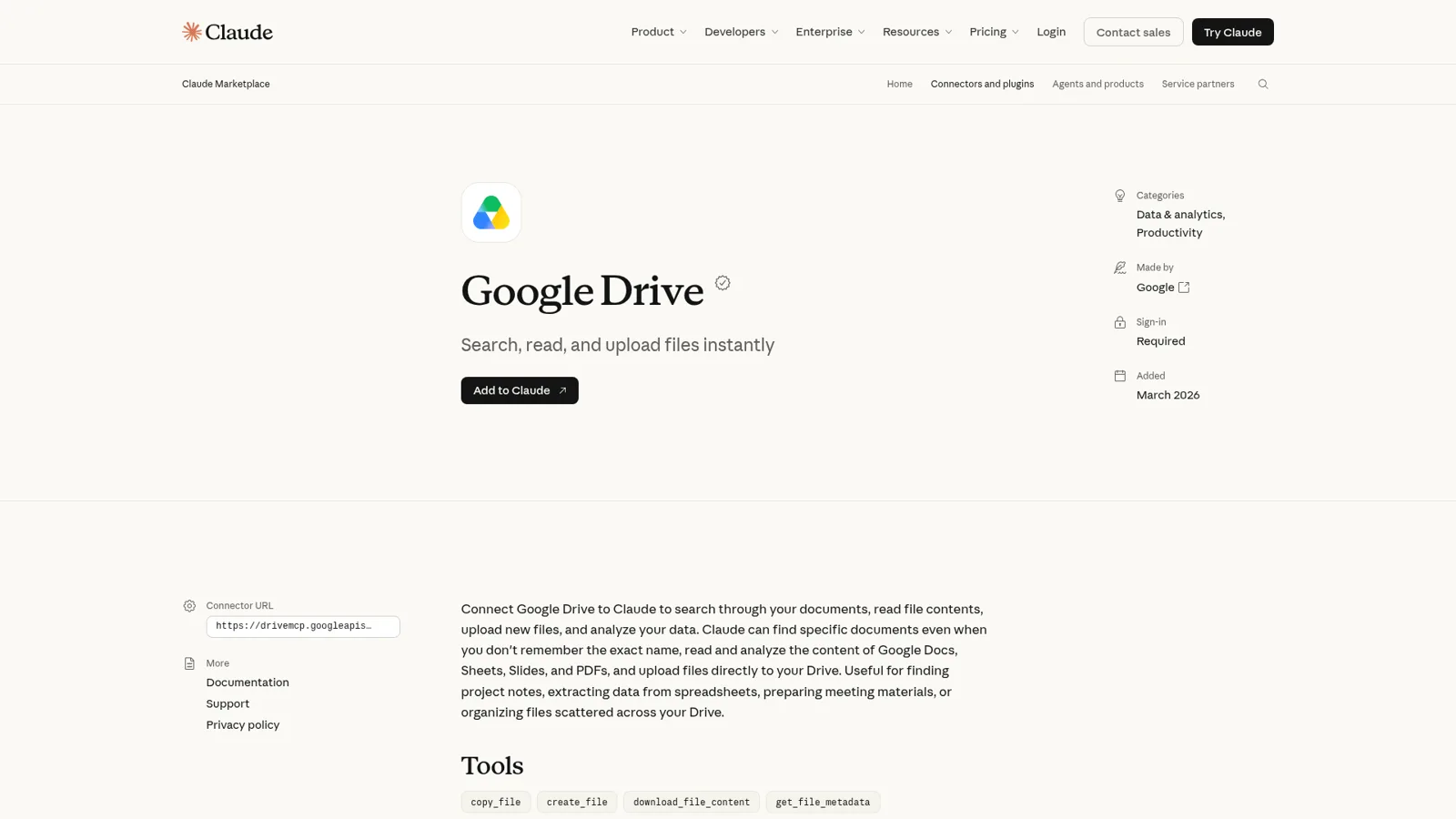
The Google Drive connector works the other way round: you stay in claude.ai and Claude finds your Docs. It searches and reads Drive, and its tools include create_file, update_file and share_file (connector page). Google builds and runs it.
Per Anthropic's docs, a doc arrives "converted to Markdown, without the images", comments and suggested edits aren't read, and Drive files only go into private projects (a shared one shows "Only accessible from private projects"). On Team and Enterprise, an Owner adds the connector and each member connects their own Google account.
The Claude Google Drive guide goes deeper. The short rule: sidebar for one doc, connector for finding things across Drive, and Claude Docs to draft in Claude and export to Google Docs.
How much does Claude for Google Docs cost?
The Docs sidebar needs a paid Claude plan; the Drive connector and Claude Docs are on Free too. Prices from Claude's pricing page:
| Plan | Price | Docs sidebar | Drive connector |
|---|---|---|---|
| Free | $0 | No | Yes |
| Pro | $17/month billed annually, $20 monthly | Yes (beta) | Yes |
| Max | $100/month | Yes (beta) | Yes |
| Ultra | $200/month | Yes (beta) | Yes |
| Team, standard seat | $20/seat/month annually, $25 monthly | Yes (beta) | Yes, after an Owner adds it |
| Enterprise | $20/seat/month annually, 20-seat minimum, usage billed separately | Yes (beta) | Yes, after an Owner adds it |
For a 10-person team on Team standard seats, that's $200 a month billed annually. My Claude pricing guide and Claude Pro pricing go deeper, and Claude for teams covers the admin side.
Who is Claude working for in your doc?
Claude works for the person at the keyboard: "Edits happen in place, as you", and "Google records them under your name". Claude Docs follows the same rule (Claude Docs). That's right for writing. My edits should be mine, and Claude shouldn't reach docs I can't open.
It also means every person brings their own Claude to the team's docs. Here's what that looks like at a company that went all in:
"So for every project there's always one super Google Doc with 50 tabs and everyone just points their claude code at it to answer questions. It's not to be read by a human, it's just context for the agent."
That works for engineers with Claude open all day. It works less well for the docs a whole company leans on, like the onboarding guide, the pricing exceptions doc or the launch FAQ. The people asking are in Slack or Teams, and plenty of them don't have a Claude seat. There's also a document-by-document question a personal assistant doesn't ask: should this doc ever reach someone outside the team? The contractor in a shared channel and the customer on the website chat ask questions too.
Anthropic's team-shaped answer is Claude Tag, a Claude in Slack channels that can read docs and sheets through an admin-set connection. My Claude for work post covers where it fits.
How eesel works with your team's Google Docs
eesel is an AI teammate for the whole team. For Google Docs that means it reads the Docs, Sheets, Slides and other Google Drive files you pick, and answers questions from them wherever the team asks, with the doc linked (Google Drive docs). It doesn't edit your Drive: it reads "without changing anything in your Drive", which is the part of the job the sidebar does well.
It answers where the team already asks
A teammate @mentions eesel in Slack and gets the answer in the thread, with the source file linked and your saved rules applied. The same works in Microsoft Teams and Google Chat, and every agent has its own email address.
The internal operations setup is built for exactly this, and one answer can draw on a Google Doc, a Confluence page and your Notion at once.
One honest detail: new files in a picked folder arrive on the next re-sync, which you trigger from settings or by asking the agent.
What it does depends on who is asking
This is the part I spend most of my time on. Claude works for whoever is typing. eesel works for the company, in front of anyone, and you decide what it does for each kind of person: someone on your team, specific people you name, a verified customer, or an anonymous visitor.
For Docs, that starts with a setting on every file: On, Team only or Off (actions and approvals). On means eesel can use the doc to answer anyone, though it never sends the file itself, or a link to it, to people outside your team. Team only means it only uses the doc when someone on your team asks. Off means never. Your team is your Team page plus full members of your connected Slack, users in your Microsoft Teams or Google Workspace, and anyone writing an internal note in your helpdesk.
So the returns policy doc can be On: a customer in the chat bubble gets an answer grounded in it, and never the doc. The internal pricing exceptions doc is Team only: your account managers ask about it in Slack all day, and a visitor asking the same question gets nothing from it. The salary bands doc stays Off.
Actions work the same way. Every action in every connected app is On, Ask first or Off, and you can set it just by saying it in chat ("look things up on your own, but ask me before you post anything in #announcements"). Ask first shows the exact action with Approve and Deny, as a card in the Slack thread the request came from, in the dashboard or by email, and only Editors approve.

It doesn't wait to be asked
Automations start work from a schedule, an event in a connected app or a webhook, and corrections stick through instructions and memory.
At Cape Coffee Beans, eesel ran 160 scheduled Zendesk and Google Drive checks in a month and made 120 knowledge searches across tickets, products and Drive files. At Cactus Club Cafe, the internal IT agent made 1,650 runbook and policy lookups in a month, about two documents read per ticket. That's the shape I'd want for a team's shared docs: read the right one every time, for whoever's asking.
Claude in Google Docs vs eesel, side by side
They do different jobs, so compare the shape, not a score.
| Claude for Google Workspace | eesel with Google Docs | |
|---|---|---|
| Works for | You, in the doc you have open | The team, from the docs you pick |
| Who can ask it | Whoever installed it and signed in | Anyone who talks to it in Slack, Teams, Google Chat, email or chat |
| What decides what it may do | Your Google access, the sidebar mode, fixed security reviews | Who is asking, plus On, Ask first or Off per action and per file |
| Edits the doc | Yes, in place, as you | No, it reads and links the doc |
| Works with nobody at a keyboard | No, the sidebar must stay open | Yes, on schedules, events and webhooks |
| Faces customers | Not built for it | Yes, and Team only docs never reach them |
| Cost | From $17/month billed annually (Pro) | From $299/month for 500 credits, unlimited seats |
Sources: Claude Help Center, Claude pricing, eesel pricing.
eesel's free trial is 7 days with 100 credits and no card, and every plan has unlimited agents and seats. My ChatGPT for Google Docs post covers the OpenAI side if you're weighing both.
Can you use Claude and eesel together?
Yes, and it's the setup I'd recommend: Claude for the writing you do in a doc, eesel for the questions the team asks about it. Your eesel workspace is an MCP server, so you can add it to Claude as a custom connector (use eesel from Claude):
- In Claude, open Settings > Connectors and choose Add custom connector.
- Name it eesel and enter
https://oracle.eesel.app/mcp. - Sign in to eesel and approve, once.
Then "ask eesel what it did today" works from any Claude chat, editors can change things, and Ask first still asks. More on the AI agent MCP server pattern and building an internal knowledge base.
Try eesel as your team's Google Docs teammate
Keep Claude in the sidebar for your own drafts. Give the team a teammate that already knows the onboarding guide, the policy docs and the launch FAQ, answers in Slack and Teams with the doc linked, and keeps Team only docs inside the team. Pick five docs, connect Slack, and watch a week of answers before you add more.
