ChatGPT for Google Docs works through ChatGPT's Google Drive app: connect your Google account once, and ChatGPT can find, read, summarise and, where your workspace allows it, update your Docs from a chat. There's no OpenAI sidebar inside the Docs editor. OpenAI's own Google Workspace add-on, also called ChatGPT, works with Google Sheets only.
That makes ChatGPT a strong Docs companion for one person: "find the launch notes and draft a customer update", "add the action items from this meeting to the plan". The rough edges are on the write side, where OpenAI's forum has fresh reports of blocked edits, unanchored comments and no suggestion mode yet.
The team version of the job is different. Your Docs hold the answers everyone keeps asking for in Slack, and some of those docs should never reach a contractor or a customer. eesel is the teammate for that: it answers anyone from the docs you pick, with the doc linked, and what it shares depends on who is asking. Codex can even set it up for you with the eesel CLI, connecting Drive and asking a test question from a selected doc so you can check the answer first.
Is there a ChatGPT add-on for Google Docs?
No, not from OpenAI. OpenAI publishes one Google Workspace Marketplace app, and it's for Sheets: "Build, analyze, and update Google Sheets with ChatGPT using natural language", with Google Sheets as the only app listed under "Works with" (Marketplace). It has over 3 million installs and a 4.7 average from 58 reviews.
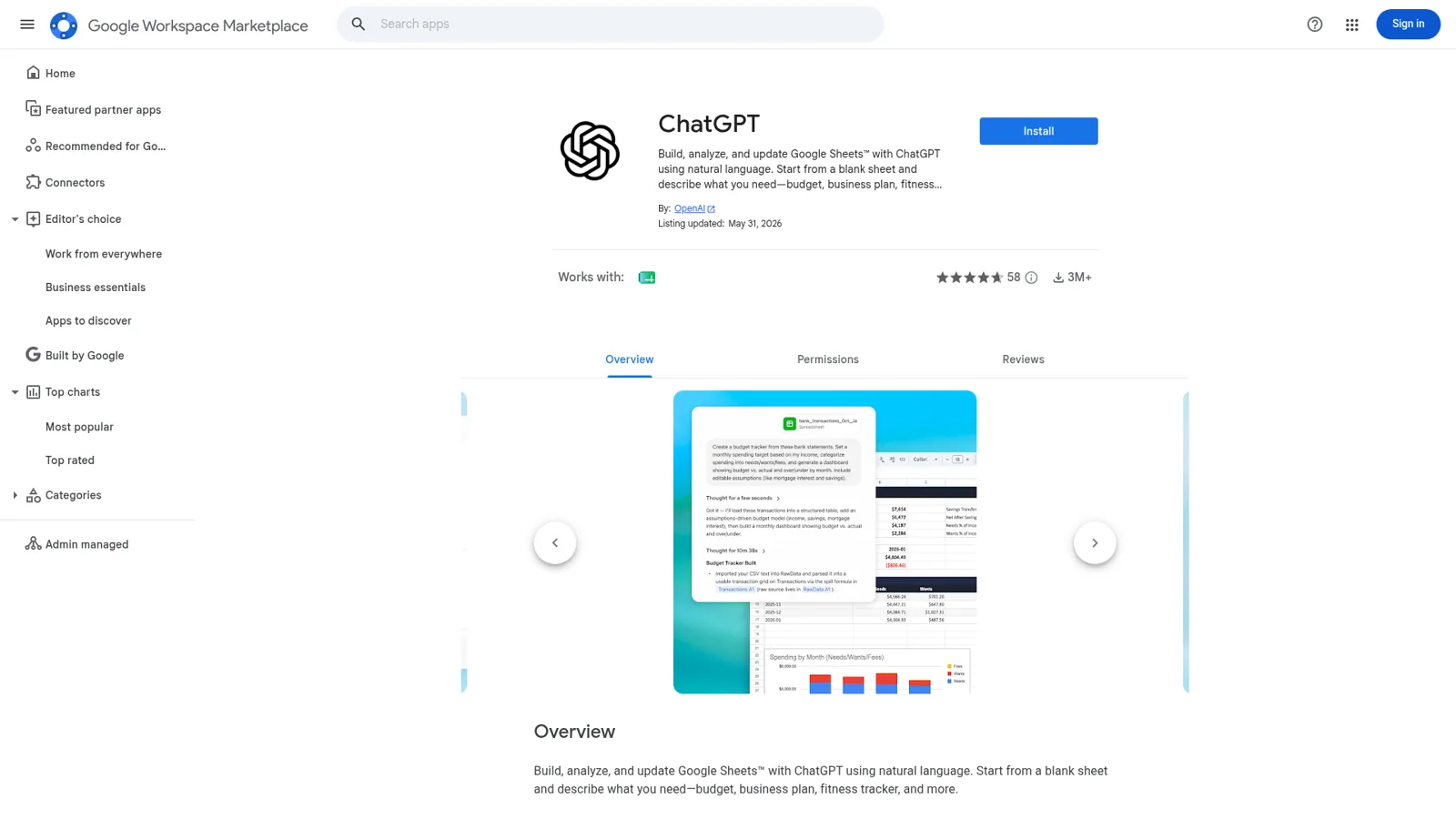
Search the Marketplace for "ChatGPT" and you'll see plenty of Docs add-ons with ChatGPT in the name. Those come from third-party developers, not OpenAI, so treat them like any other vendor that wants to read your documents. If you specifically want an AI sidebar in the Docs editor, Anthropic ships one for Claude, which my sibling post on Claude for Google Docs covers, and Google has Gemini built in (Gemini in Google Docs).
OpenAI's route is the other direction. You work in ChatGPT, and ChatGPT reaches into Docs.
How do you connect ChatGPT to Google Docs?
You connect the Google Drive app, and Docs come with it. OpenAI's Google Drive help article is explicit that "Google Docs, Sheets, and Slides actions are available through the Google Drive app rather than separate apps."
- In ChatGPT, open Plugins or Apps (the name depends on your version).
- Find Google Drive and choose to connect.
- Sign in to the Google account that can open the docs you need.
- Review the Google permissions for the actions on offer and finish Google's authorisation.
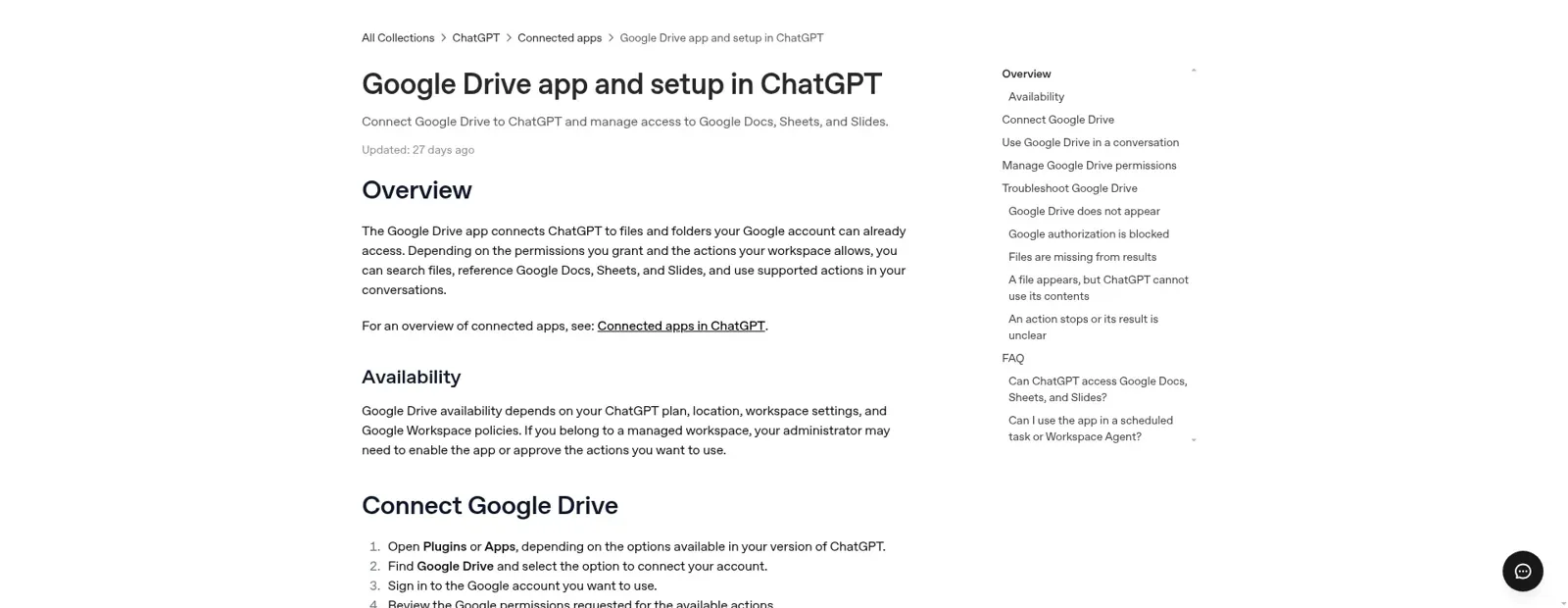
If you have two Google accounts, connect the one that owns the work files. ChatGPT "cannot use files that the connected Google account cannot open", and a managed workspace can limit which email domains members connect (OpenAI Help Center). If a doc shows up by name but ChatGPT can't use it, OpenAI's own fix is to start a new conversation, paste the doc's link, and ask it to read that specific file.
What can ChatGPT do with a Google Doc?
ChatGPT can search for a doc, read and summarise it, compare it with others, draft something new from it, and update it when the action is enabled. OpenAI's example prompts:
- "Find the latest project plan in my Google Drive and summarize the next steps."
- "Use the launch notes in my Google Drive to draft a short customer update."
- "Update this document with the action items from our meeting."
Since 13 August, Drive also lives in ChatGPT's Library: you can browse Drive, @mention a file into any chat, and "keep Google Docs, Sheets, and Slides open beside the conversation". OpenAI adds that "Where supported and authorized, ChatGPT can update the source file directly", with the first release covering My Drive and files shared with you but not Shared Drives (release notes). For accounts that have it, ChatGPT Space replaces Library and adds Pages, OpenAI's own collaborative doc where "each person using their own ChatGPT" can edit and comment. My ChatGPT Pages post covers what those can and can't do.
The ChatGPT browser extension is a third path: mention an open tab, such as the doc you're looking at, and use it as context from the desktop app (release notes).
Who controls what ChatGPT can do in your Docs?
Three layers decide it: your plan, your ChatGPT admin and your Google Workspace admin. OpenAI notes that the ChatGPT admin and the Google admin "may be held by different people", which explains a lot of "it works for me but not for her" tickets (OpenAI Help Center).
On the ChatGPT side, the unified Docs, Sheets and Slides actions are off by default on Enterprise and Edu, and on by default on Business (admin controls). Admins turn individual read and write actions on or off, choose what happens to new actions, and pick when ChatGPT asks first:
| Permission setting | What ChatGPT does |
|---|---|
| Always ask | Asks before reading app information or making changes |
| Allow read actions | Reads without asking, asks before changes |
| Allow low-risk actions | Approves low-risk actions automatically; higher-risk ones may need confirmation or be denied |
| Allow all actions | Acts without extra prompts, per app only, flagged by OpenAI as "elevated risk" |
Enterprise owners can also restrict shared drives and My Drive access for the Drive app. On the Google side, a Workspace admin approves the OAuth scopes the enabled actions need. If an action is on in ChatGPT but its Google scope is blocked, users get an authorisation error until one of the two admins gives way.
These are real controls, and they're well designed for a staff tool. Notice what they hang off, though: the person connected, their role and their Google access. They don't change with who a piece of work is for.
What breaks when ChatGPT edits Google Docs?
Reading is solid; writing is newer and still getting hardened. OpenAI's community forum has a run of reports from the last few months, and they're specific enough to plan around.
The most common ask is a review mode. ChatGPT edits Docs directly, so you can't accept or reject its changes one by one:
"Currently, ChatGPT can edit Google Docs directly, but it cannot propose changes as suggestions that users can individually accept or reject."
Comments have a similar gap. One tester found ChatGPT could find the right sentence and leave a comment about it, but "the resulting comment object had anchor: null, so Google Docs displayed it as an unanchored comment" (forum thread). OpenAI Support replied that it would share the request and had "no timeline to share".
And a few people hit safety blocks on ordinary writes. One user appended a project-planning sentence to an existing doc and got "This tool call was blocked by OpenAI safety checks", while the identical text went into a new doc fine:
"An attempt to append text to a specific existing Google Doc was blocked by an OpenAI safety check. However, the same text, using the same API operation pattern, was successfully written to a newly created Google Doc."
Another thread, viewed 286 times, describes Drive showing as connected while searches came back empty and Docs writes failed before reaching Google, then working again on retry (forum thread). My advice: for anything important, have ChatGPT write into a fresh doc or a copy, then merge it yourself. To be fair to OpenAI, the competition isn't flawless either. One Hacker News reader found it "incredibly ironic that Gemini has worse integration with Google docs than ChatGPT and Claude" (falcor84, Hacker News).
How much does ChatGPT for Google Docs cost?
There's no separate charge for the Drive app: ChatGPT's pricing page lists plugins on every plan, Free included, and OpenAI says Drive availability depends on your plan, location and workspace settings. Prices from ChatGPT pricing and ChatGPT Business:
| Plan | Price | Notes for Docs work |
|---|---|---|
| Free | $0 | Plugins included; limited ChatGPT Work |
| Go | $8/month | More uploads and messages; may include ads |
| Plus | $20/month | Projects, scheduled tasks, expanded Work |
| Pro | From $100/month | Adds ChatGPT Space, so Pages |
| Business, Standard seat | $25/user/month, or $20 billed annually | Drive actions on by default; workspace agents |
| Business, Premium seat | $125/user/month, or $100 billed annually | Higher Work and Codex limits |
| Enterprise | Contact sales | Drive actions off until an admin enables them |
A 10-person team on Business Standard pays $200 a month billed annually. My ChatGPT pricing breakdown has the rest, and ChatGPT Team review covers the Business rollout.
Can a ChatGPT workspace agent share Google Docs with the team?
Yes, with care. Workspace agents on Business and Enterprise can use Google Drive, run on a schedule, take API triggers and work in a Slack channel, and their write actions default to "Always ask". It's the closest OpenAI gets to a doc-answering teammate, and my ChatGPT in Slack guide covers the Slack side.
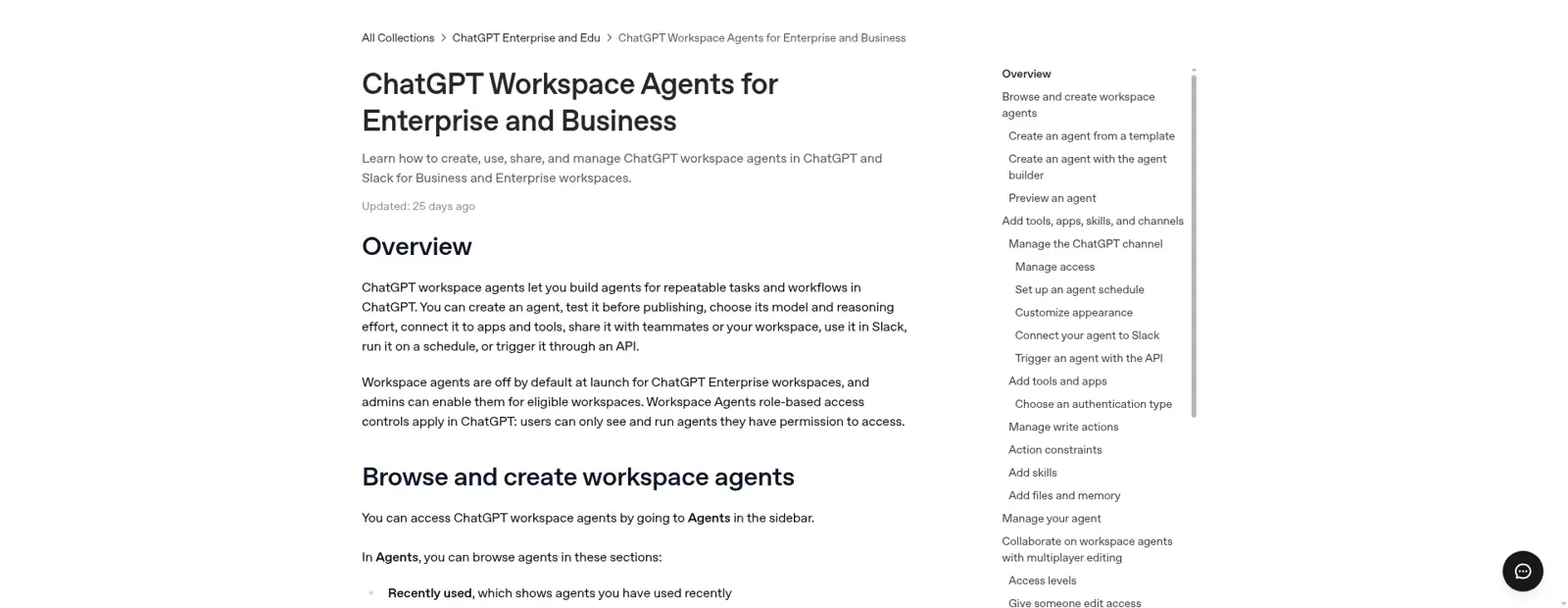
The catch is identity. To work in Slack, "all app connections for that agent must use shared authentication", so the agent reads Drive through one account for everyone who asks. OpenAI's own warning is worth reading twice: "Using your personal account to set up this connection & making the agent available to others can inadvertently allow access to your app's data to users who invoke the agent." Its advice is a service account scoped to what the agent needs. Builders can add action constraints, but those "do not filter or restrict the data an app returns". So whatever that account can open, anyone in the channel can effectively ask about. My ChatGPT Business agents post goes deeper.
That's the question I'd want answered per document, not per account.
A teammate for the docs everyone asks about
I build eesel's agents, and the hard part has never been reading a doc. It's deciding, for each doc and each person asking, whether the answer should come from it at all. eesel has spent years acting inside teams' own tools, so this is where most of my design time goes.
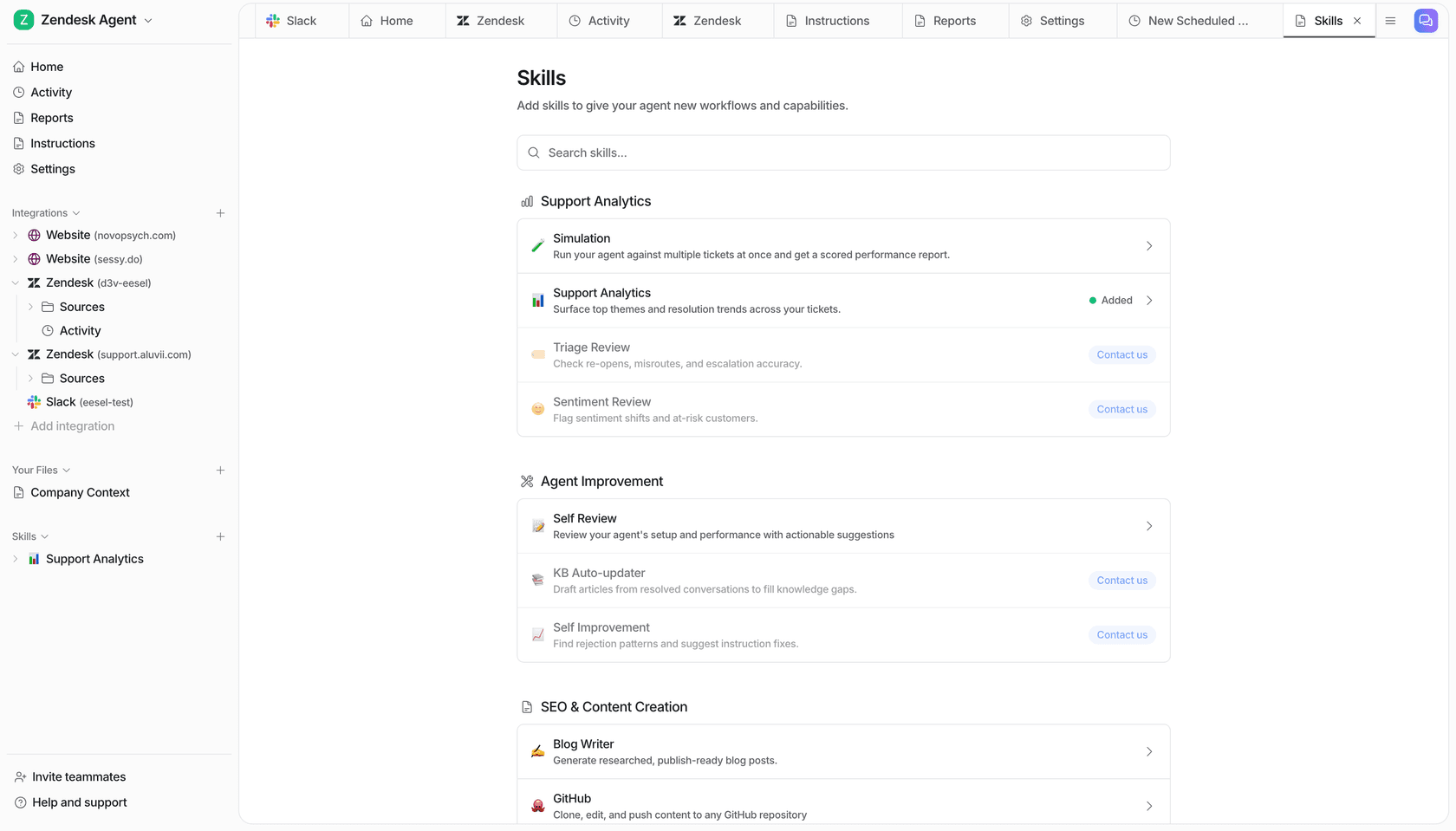
eesel is an AI teammate for the whole team. Connect Google Docs and pick the files and folders it should read, including Shared Drives; it reads Docs, Sheets, Slides, Office files and PDFs "without changing anything in your Drive" (eesel docs).
Then anyone can ask it where they already work, in Slack, Microsoft Teams, Google Chat or email, and it answers with the doc linked. The same Google Drive connection feeds every channel.
Permissions that follow the person asking
ChatGPT works for whoever is typing. eesel works for the company, in front of anyone, and you set what it does for each kind of person: someone on your team, specific people you name, a verified customer, or an anonymous visitor.
For docs, every file and folder is On, Team only or Off (actions and approvals). On lets eesel use the doc to answer anyone, but it never sends the file or a link to it outside your team. Team only means it only uses the doc for your team's questions. Off means never. "Your team" is your Team page plus full members of your connected Slack, users in your Microsoft Teams or Google Workspace, and anyone writing an internal note in your helpdesk.
Try it on a real week of questions:
Who's asking about which doc? Open one to see what eesel does.
A sales rep in #deals: "What discount can I offer a 3-year renewal?"
The pricing playbook doc is Team only. The rep is a full member of your Slack, so eesel answers in the thread and links the doc.
A freelance designer in a shared Slack Connect channel asks the same thing
Not a full member of your Slack, so not your team. The Team only playbook stays out of the answer.
A new hire asks "How do I book travel?" on day one
The travel policy doc is On. eesel answers from it and links it, because the new hire is on the team.
A visitor in your website chat asks about your returns window
The returns policy doc is On, so the answer is grounded in it, but eesel never sends the doc or its link to someone outside your team.
Your ops lead says "post a summary of this doc in #general"
Posting to Slack is set to Ask first, so an approval card lands in the thread with Approve and Deny. Only Editors can approve.
Actions follow the same On, Ask first or Off rule, per agent and per action, and you can set them just by saying so in chat ("answer from the HR docs on your own, but ask me before you message anyone"). On eesel's side, the safety check can still hold a risky call even when an action is On.
It runs without anyone at a keyboard
Work starts from automations: a schedule, an event in a connected app, or a webhook. At Cape Coffee Beans, a second agent called Oversight watches a daily team form that syncs in from Google Sheets, alongside the main agent's 160 scheduled checks in a month. Corrections stick: tell it once and it saves the rule to its instructions. One honest limit: new files in a picked Drive folder arrive on the next re-sync, which you or the agent trigger.

ChatGPT with Google Docs vs eesel
| ChatGPT + Google Drive app | ChatGPT workspace agent | eesel | |
|---|---|---|---|
| Acts as | You, through your Google account | One shared connection for everyone | Itself, one teammate the team shares |
| Edits Docs | Yes, where enabled | Yes, where enabled | No, it reads and links docs |
| Who can ask | You | People with access to the agent or channel | Anyone in Slack, Teams, Google Chat, email or chat |
| What it may use | Everything your account opens | Everything the shared account opens | Per doc: On, Team only or Off, by who is asking |
| Starts work on its own | Scheduled tasks (Plus and up) | Schedules, API triggers | Schedules, app events, webhooks |
| Price | Free to $20/month for one person | Business or Enterprise seats | From $299/month for 500 credits, unlimited seats |
Sources: OpenAI Help Center, workspace agents, eesel pricing.
Can you use eesel from ChatGPT?
Yes, in two ways (use eesel from ChatGPT). eesel's apps are being listed in ChatGPT's app directory; once yours is there, you connect it under Settings > Apps & connectors and ask things like "ask eesel what's waiting on me", with approvals still applied. And Codex, OpenAI's coding agent, can set eesel up from a repo with the CLI. My take: keep ChatGPT for your own drafting and let eesel answer the team. For more on how that connection pattern works, see the AI agent MCP server explainer, and ChatGPT at work for the wider picture.
Try eesel as your team's Google Docs teammate
If your Docs are where the answers live and Slack is where the questions arrive, eesel joins the two, like an internal knowledge base that answers back. Pick the playbooks, policies and guides it should read, mark the internal ones Team only, and let anyone ask. It's free for 7 days with 100 credits and no card, then from $299 a month on the pricing page, and the security page covers how your data is handled.