

The Google Drive ChatGPT integration is OpenAI's Google Drive app: connect your Google account once, and ChatGPT can search Drive, open and compare files, work across a folder, and, where your workspace allows it, create, update, move or share files, all with the access your Google account already has. Docs, Sheets and Slides come through the same app. Since August, Drive also shows up in ChatGPT's Library, so you can browse it and @mention a file into any chat.
It's a very good way to get at your own files. The question I'd ask before rolling it out to a team is narrower: who decides which folders it can reach, and does that answer change with who is asking? For one person, the answer is "everything my account can open." For a team, where the same Drive holds the pricing sheet, the HR folder and the public returns policy, you want it to depend on the person.
eesel is an AI teammate for that second job. It answers "where's the latest X?" for anyone in Slack, Teams or Google Chat from the Drive files you pick, links the file, and what it shares depends on who is asking. You can even have Claude Code or Codex set it up with the eesel CLI: connect Drive, then ask a test question from one of your documents before anyone else sees an answer.
At eesel we've spent years letting AI work inside teams' own tools, and Drive is where the permission questions get real fastest, because one shared folder can hold both the thing everyone needs and the thing nobody outside finance should see.
Where Google Drive shows up in ChatGPT
Google Drive is one connected app in ChatGPT, but you'll meet it in four places. If the plugin and app vocabulary is new, my ChatGPT apps and ChatGPT connector guides explain how they fit together.
| Where | What you do there | Who gets it |
|---|---|---|
A chat, with @Google Drive | Ask it to find, summarize, compare or update files | Plans and workspaces where the app is available |
| Library | Browse Drive, add a file to any chat, keep it open beside the conversation | Rolled out to Plus, Pro, Business, Enterprise, Edu and Healthcare on the web |
| Company Knowledge | Ask organization-wide questions across Drive and other connected apps | Business, Enterprise and Edu |
| Workspace agents | A shared agent that can read and write Drive, on a schedule or in Slack | Business and Enterprise |
Sources: release notes, Company Knowledge, workspace agents.
Docs, Sheets and Slides no longer have their own apps; OpenAI's admin guide says to "connect Google Drive" for them. For editing a specific file type, see my guides to ChatGPT for Google Docs and ChatGPT for Google Sheets. This post is about Drive as the file store: finding things, folders, shared drives and who can see what.
How do you connect Google Drive to ChatGPT?
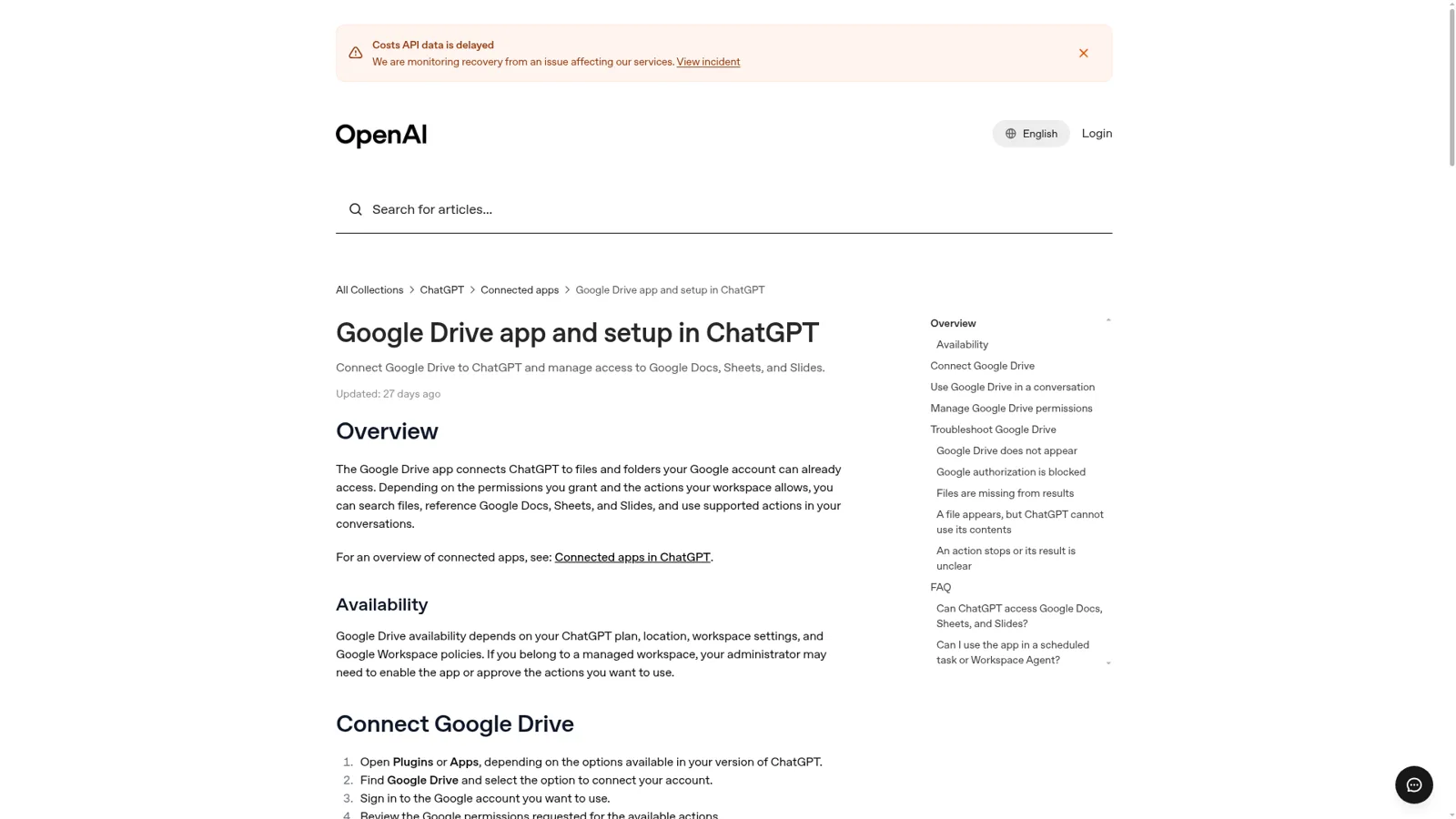
You connect it once, from Plugins or Apps. OpenAI's setup article gives five steps:
- Open Plugins or Apps, depending on your version of ChatGPT.
- Find Google Drive and choose to connect your account.
- Sign in to the Google account you want to use.
- Review the Google permissions requested for the available actions.
- Finish Google's authorization flow and return to ChatGPT.
Connect the Google account that owns the work files. ChatGPT "cannot use files that the connected Google account cannot open", and opening a file through ChatGPT "does not change its sharing settings or permissions in Google Drive" (Google app data controls). In a managed workspace, the ChatGPT admin turns Drive actions on, and the Google Workspace admin approves the Google scopes they need; when the two disagree, people see an authorization error.
Does ChatGPT search your Drive or sync it?
It searches live. ChatGPT used to offer synced connectors that indexed a copy of your Drive ahead of time, and that's gone. OpenAI's admin guide is plain about it: "Administrator-managed and individually authorized app sync are no longer available." Members connect Drive "for live access to supported files and actions."
Live access means no stale copy. It also means ChatGPT finds files by searching, so the answer depends on the right file coming back. OpenAI's troubleshooting notes are worth knowing:
- "Finding a filename or file details does not confirm that ChatGPT retrieved the file's contents."
- If a file shows up but ChatGPT can't use it, start a new conversation, paste the file's link, and ask it to read that specific file.
- If a file is missing entirely, check that the connected account can open it directly in Drive, and ask your admin whether a shared drive restriction excludes it.
Drive in Library
On August 13, 2026, OpenAI put Drive into Library. You can now browse Drive files and folders, "including items shared directly with you", pull a file into any chat from the composer, and keep Docs, Sheets and Slides open beside the conversation. You can also "select a folder and ask ChatGPT to work across the files it contains" (release notes).
The launch note had two caveats. "Shared Drives aren't included yet" in the Library view, and "some Google Drive editing and collaboration features aren't yet available in ChatGPT." Library is also changing shape: for accounts that have it, ChatGPT Space replaces Library and brings Pages and shared files together.
Some heavy users now keep their ChatGPT work in Drive on purpose. One asks ChatGPT "to only use Google Drive for Markdown and other files, not ChatGPT's own Space file system" (satvikpendem, Hacker News).
Can you limit ChatGPT to certain Drive folders?
Not by folder. It's the first thing I'd ask before connecting a work Drive, and the answer has two parts.
For an individual connection, ChatGPT can reach whatever the connected Google account can open. A 2025 feature request, viewed over 1,300 times, put it well:
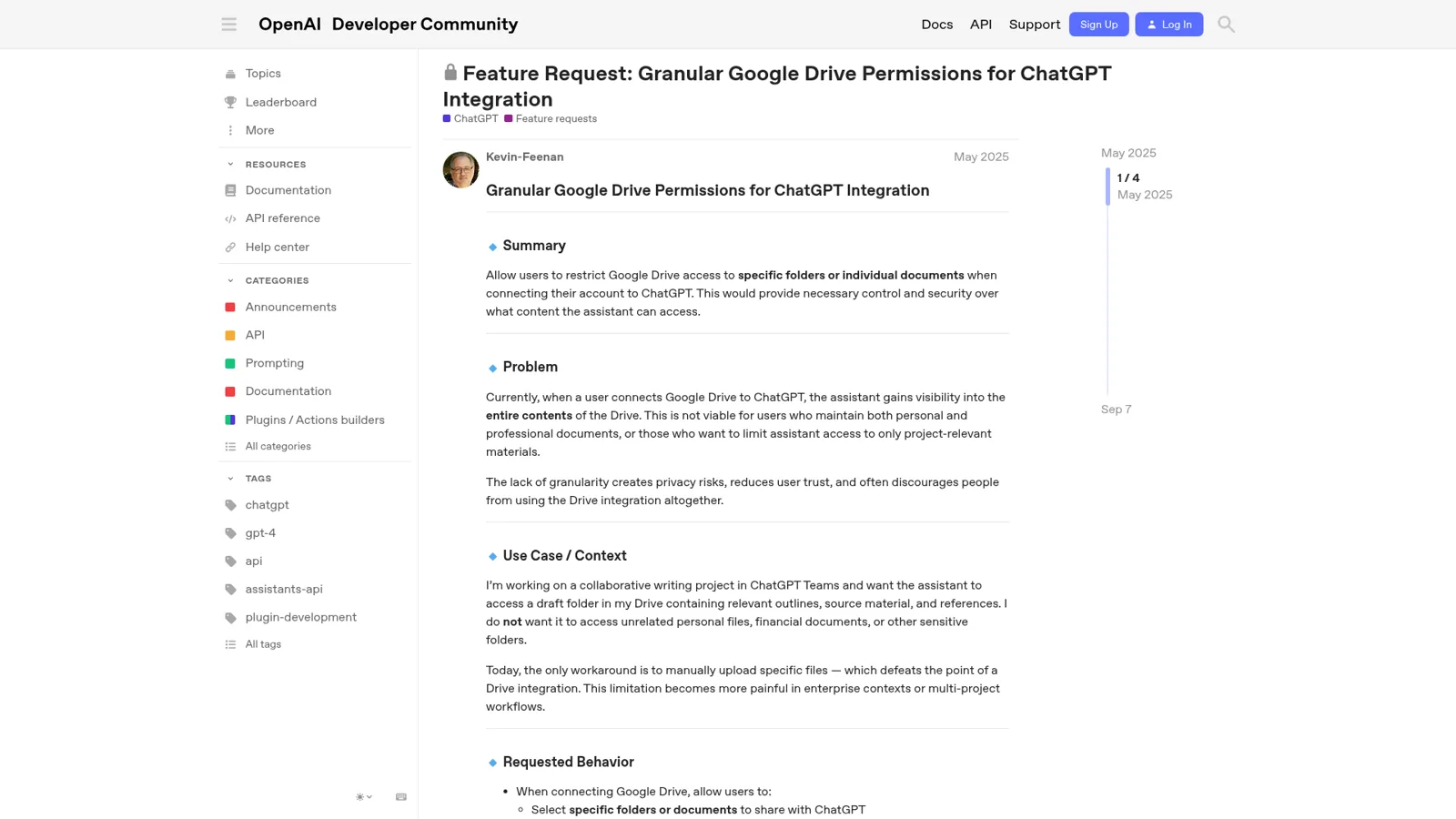
"Currently, when a user connects Google Drive to ChatGPT, the assistant gains visibility into the entire contents of the Drive. This is not viable for users who maintain both personal and professional documents, or those who want to limit assistant access to only project-relevant materials."
OpenAI Support replied in September that eligible workspace admins can scope shared drives, "different from a personal folder-only connection", and that it would pass along the request with "No timeline to share."
What Enterprise admins can set
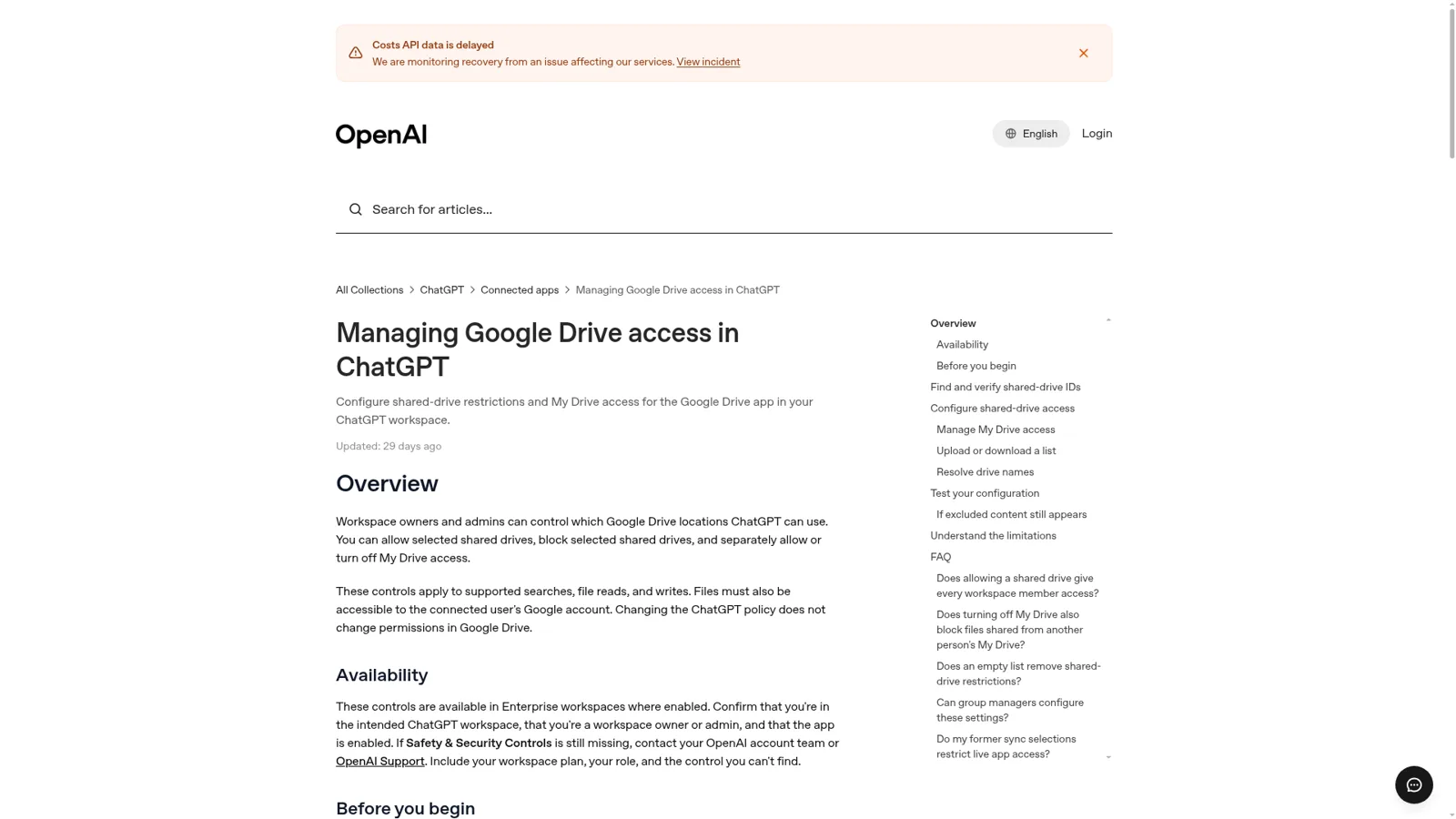
On Enterprise, the controls are real and worth knowing. OpenAI's Drive access guide lets owners and admins, under Safety & Security Controls:
| Setting | What it does |
|---|---|
| Allowed drives | ChatGPT can use only the listed shared drives. An empty list blocks every shared drive |
| Blocked drives | ChatGPT excludes the listed shared drives. An empty list excludes none |
| Allow My Drive | On by default. Covers files outside shared drives, including files shared from another person's My Drive |
Source: Drive access guide.
You enter shared drives by ID, one mode at a time, and the rules cover searches, reads and writes. They apply to whole shared drives and "do not provide folder, individual-file, user, group, or Google Drive label exclusions."
Drive actions are on by default for Business and off by default for Enterprise and Edu until an admin enables them, and each person can set how often ChatGPT asks before reading or changing things (admin guide). My ChatGPT Enterprise post covers the wider admin console.
What do people run into with Drive in ChatGPT?
Beyond scoping, two reports from OpenAI's forum this autumn are worth knowing before you build a routine on it.
Saves that stop before they start. One user tracked their Drive saves and found single files usually worked while multi-file saves rarely did. Their key finding:
"After isolating the failure modes, I found many cases where ChatGPT stopped before actually trying the save and said it could not use the Drive tool."
Their workaround was to save one file at a time. OpenAI Support followed up on November 13 to ask whether it was still happening.
Proactive reading. A user whose ChatGPT dot read a newer private document without being asked wanted to know where the boundary was. OpenAI's answer was clear and useful: dots "can proactively review information from connected apps within your granted permissions", you can choose Always ask in app settings, and "Eligible Enterprise admins can also restrict access to entire shared drives rather than individual files or folders" (OpenAI Developer Community).
What does the Google Drive ChatGPT integration cost?
The Drive app has no price of its own. ChatGPT's pricing page lists plugins on every plan, and OpenAI says availability depends on your plan, location and workspace settings.
| Plan | Price | Drive notes |
|---|---|---|
| Free | $0 | Plugins included; apps in deep research limited |
| Go | $8/month | Plugins included; apps in deep research limited |
| Plus | $20/month | Drive in Library; apps in deep research |
| Pro | From $100/month | Drive in Library; share plugins with your workspace |
| Business, Standard seat | $25/user/month, or $20 billed annually | Drive actions on by default; Company Knowledge; workspace agents |
| Business, Premium seat | $125/user/month, or $100 billed annually | Higher Work and Codex limits |
| Enterprise | Contact sales | Drive actions off until enabled; shared drive allow and block lists |
Sources: ChatGPT pricing, ChatGPT Business, admin guide.
For Google apps, OpenAI says it doesn't train its generalized models on data directly from connected Google apps, with exceptions such as feedback you submit (Google app data controls). My ChatGPT pricing breakdown has the rest.
What about Gemini in Drive?
Google's own answer is Gemini, built into Drive. Ask Gemini can work across "multiple folders, shared drives, Google Docs, Sheets, Slides, PDFs" plus Gmail, Chat and Calendar, cites its sources, and lets you save a set of files as a Drive project you can share (Google Drive Help). Sharing a project shares the source list, not the conversation, and collaborators "must already possess Drive permissions" to the files inside (Drive projects). Gemini in Drive comes with Google Workspace Business Standard and above, not Starter (Workspace pricing).
My Gemini for Google Workspace and Google Drive AI posts go deeper, and the Claude Google Drive guide covers Anthropic's side.
Can a ChatGPT workspace agent answer the team from Drive?
Yes. Workspace agents on Business and Enterprise can use Google Drive, run on a schedule and sit in a Slack channel, with write actions defaulting to "Always ask." Each app connection is either an end-user account (each person signs in) or an agent-owned account (one shared connection). Slack needs the shared kind, and OpenAI advises a service account limited "to only what the agent needs." So the folder boundary is that account's boundary, the same for everyone who asks. My ChatGPT Business agents post goes deeper.
"Where's the latest deck?" is a team question
Most Drive questions at work aren't "summarize this file for me." They're "where's the latest pricing sheet?" or "which onboarding checklist do we use now?", asked in Slack by different people all day, and the right answer depends on who asked. A sales rep should get the pricing sheet. A freelancer in a shared channel shouldn't. A customer in your website chat should get the returns policy, never the internal folder it lives in.
A Hacker News commenter put the business side of this well:
"As an employee at Acme, I shouldn't decide to link my Acme Google Drive data to Claude or ChatGPT, that should be the decision of my IT Department."

ChatGPT's controls are real, and they're built around the person using it: their Google access, their app permissions, their workspace's settings, or an agent's settings chosen once. They don't change with who a request is for, and ChatGPT isn't built to answer your customers in your own channels. That's the job of an AI coworker.
How eesel works with your Google Drive
eesel is an AI teammate that works in the apps your team already uses and takes requests from anyone who talks to it there. Connect Google Drive, pick the files and folders it should read, and it answers from them wherever it works, with the file it used linked in every answer (eesel docs).
The picker covers My Drive, Shared with me and Shared Drives, and a picked folder brings in its subfolders up to 20 levels deep. It reads Docs, every tab of a Sheet, Slides, modern Office files, PDFs and text files, without changing anything in your Drive.
Then the team asks where they already work: Slack, Microsoft Teams, Google Chat or email, where every agent has its own address.
What it shares depends on who is asking
You decide what eesel does for each kind of person: someone on your team, specific people you name, a verified customer, or an anonymous visitor. For files, each file and folder is On, Team only or Off (actions and approvals). On means eesel can use it to answer anyone, but it never sends the file, or a link to it, to people outside your team. Team only means it's used for your team's questions alone. Off means never. "Your team" is your Team page plus full members of your connected Slack, your Microsoft Teams or Google Workspace users, and anyone writing an internal note in your helpdesk.
Here's how that plays out with one shared drive.
One shared drive, four people asking. Open one to see what eesel does.
An account manager in Google Chat: "Where's the latest pricing sheet?"
The pricing folder is Team only, and the account manager is a Google Workspace user, so eesel answers and links the current sheet.
A contractor in a shared Slack channel asks the same thing
Not a full member of your Slack, so not your team. The Team only folder stays out of the answer entirely.
A visitor in your website chat asks how returns work
The returns policy PDF is On, so eesel answers from it, but never sends the file or its Drive link to someone outside your team.
Your ops lead says "post the new onboarding checklist in #general"
Posting to Slack is set to Ask first, so an approval card lands in the thread with Approve and Deny. Only editors can approve.
Actions in your other connected apps are On, Ask first or Off, per agent and per action, and you can set them by saying it in chat ("answer from Drive on your own, but ask me before you post anywhere"). Ask first shows the exact action with Approve and Deny, in the Slack thread, by email, on the dashboard or with eesel approvals in a terminal. Only editors approve (roles), and even on On, eesel's safety check can still hold a risky call.
It works on a schedule, and corrections stick
eesel's automations start work from a schedule, an event in a connected app, or a webhook, so a weekday-morning check runs whether or not anyone opened a chat. Tell it once that the 2025 price list is retired, and it saves that to its instructions for every future answer.
Cape Coffee Beans runs eesel on Zendesk, Shopify and Google Drive. In a month it ran 160 scheduled Zendesk and Google Drive checks, every weekday and Saturday morning, emailing the founder a short list of what slipped, and made 120 knowledge searches across tickets, products and the team's Drive. Weekly syncs re-read the Drive folders, and files marked retired are ignored.

ChatGPT's Google Drive app vs eesel
| ChatGPT + Google Drive app | ChatGPT workspace agent | eesel with Google Drive | |
|---|---|---|---|
| Works for | The person who connected Drive | Everyone who can run the agent | The company, in front of anyone |
| Which files | Everything that Google account opens | The agent's shared account, or each runner's own | Only the files and folders you pick |
| Finer scoping | Enterprise: whole shared drives and My Drive | Same, plus action constraints | Each file or folder On, Team only or Off |
| Changes with who asks | No | No | Yes: teammate, named people, verified customer, visitor |
| Where people ask | ChatGPT | ChatGPT, Slack | Slack, Teams, Google Chat, email, website chat |
| Starts work on its own | Scheduled tasks | Schedules, API triggers | Schedules, app events, webhooks |
| Cost | Free to $20/month for one person | Business or Enterprise seats | From $299/month for 500 credits, unlimited seats |
Sources: workspace agents, eesel actions, eesel pricing.
Can you keep ChatGPT and add eesel?
Yes, and I'd keep both. ChatGPT with Drive is great for your own drafting and digging, and its deep research can use Drive as a source. eesel's apps for ChatGPT are being listed in ChatGPT's app directory, and Codex can already set eesel up with the CLI. The AI agent MCP server explainer shows how that connection works.
For more on OpenAI's side, see ChatGPT Work, ChatGPT at work and the Dropbox ChatGPT integration.
For the wider case, see AI teammates and my internal knowledge base guide.
Try eesel as your team's Google Drive teammate
If ChatGPT already helps you find your own files, give the whole team the same help in the channels they use. Pick the folders eesel should read, mark the internal ones Team only, and let anyone ask "where's the latest X?" in Slack, Teams or Google Chat. It's a free 7-day trial with 100 credits and no card, and the security page covers how your data is handled.
