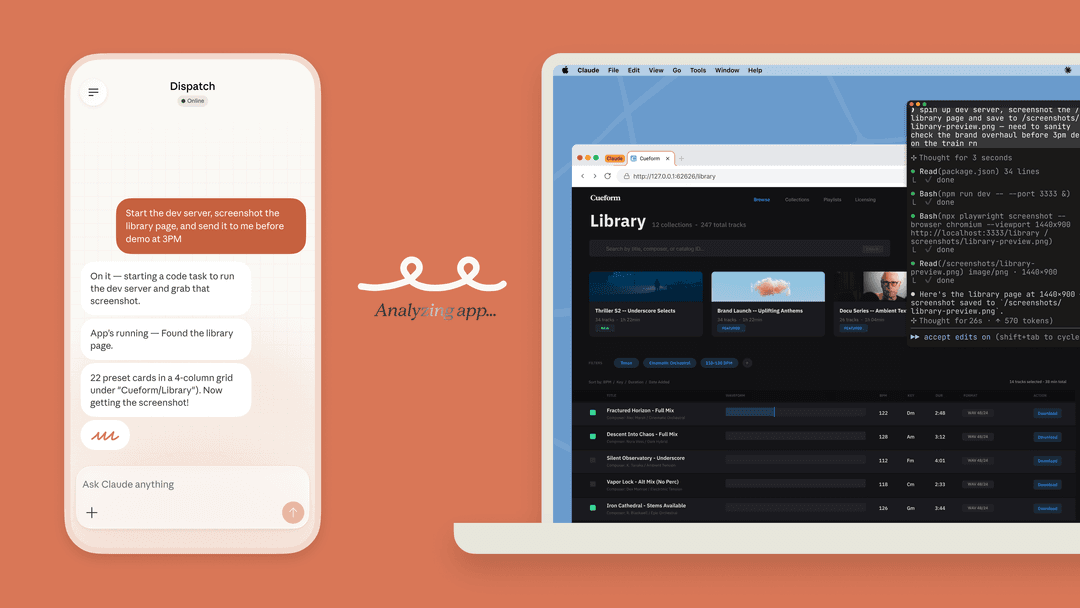
So, Anthropic just rolled out a new feature for its AI assistant, Claude, that lets you create files right inside a chat. On the surface, it feels like a big step for "agentic" AI, the whole idea that an AI can handle multi-step tasks for you. The promise is pretty exciting: ask for a spreadsheet, a presentation, or a document, and poof, Claude makes it.
But what can it actually do? What are the limitations and very real security risks hiding just below the surface? And maybe the biggest question: is a feature like this really the right tool for automating serious business tasks? Let's dig in and see what's actually going on.
What is the Claude create files feature?
The best way to think about the Claude create files feature is as Anthropic’s spin on a "Code Interpreter," a tool you might have seen in ChatGPT. It gives Claude its own private, sandboxed space where it can write and run Python and Node.js code. This is what lets it crunch data and generate new files for you.
You can ask it to whip up a few different file types:
- Excel spreadsheets (.xlsx)
- Word documents (.docx)
- PowerPoint presentations (.pptx)
- PDF files (.pdf)
- Image files for charts and graphs (.png)
This new ability is currently a feature preview, available only to users on paid plans like Max, Team, and Enterprise. And to even get it working, you have to hunt for it in your settings and enable it under "Experimental" features. That alone tells you a lot about where it’s at right now. It’s not quite a standard, fully-baked part of the platform yet.
Exploring the key use cases of Claude create files
To give you a real feel for what this feature can handle, let’s walk through a few practical examples, starting with simple file conversions and moving on to more complex data work.
Instantly convert between file formats
Probably the simplest, handiest thing you can do is convert documents from one format to another. This can save a ton of time when you need to repurpose content. For example, you could feed it a lengthy Word document and ask Claude to pull out the highlights for a presentation, or grab data from a PDF and neatly organize it into a spreadsheet.
Imagine you have a 10-page market research PDF. You could upload it and prompt: "Summarize the key findings from this report and create a 5-slide PowerPoint presentation covering the main trends." Claude will get to work, read the document, figure out what's important, and generate a downloadable .pptx file for you.
Perform advanced data analysis and visualization
This is where the feature starts to flex its muscles. You can upload raw data, like a CSV file of sales figures or website traffic, and ask Claude to analyze it. It can spot trends, calculate metrics, and even create charts to help you see the results. It can also put together financial models with working formulas, saving you the headache of building them from scratch in Excel.
A marketing manager, for example, could upload a CSV of campaign data and ask: "Analyze this data to find the top-performing channels and create a bar chart visualizing the conversion rate for each." Claude would then run the numbers and spit out a .png image of the chart, along with a quick summary of what it found.
Extract and structure information from documents
So many businesses are sitting on piles of unstructured information locked away in documents like invoices, reports, or contracts. The Claude create files feature can comb through these files, pull out specific details, and organize everything into a structured format like a spreadsheet.
You could, for instance, upload a bunch of PDF invoices and ask: "Extract all customer names, email addresses, and order numbers from these attached PDF invoices and put them into an Excel spreadsheet." A tedious manual data entry job just became a simple, automated task.
The hidden risks of Claude create files: Security, privacy, and reliability concerns
While these use cases sound pretty great, looking a little closer reveals some serious issues that should give any business a reason to pause. The convenience comes with some big trade-offs in security, reliability, and data privacy.
Prompt injection is a major security blind spot
Prompt injection is a massive, unsolved problem in the AI world. It’s when malicious instructions, hidden inside files or on websites, trick an AI into doing something it shouldn't. Anthropic knows this is a risk. Their own support documentation warns that a "bad actor" could use this to read sensitive data from your conversation and send it to an external server.
So, what's their solution? They advise users to "monitor Claude while using the feature and stop it if you see it using or accessing data unexpectedly." For any business, this is a huge red flag. They are basically making security your job, putting the burden on you to constantly babysit the AI. For companies that handle sensitive customer or internal data, this "trust but keep checking on it" approach just isn't a workable security strategy.
Questionable reliability and performance
New features are exciting, but they don't mean much if the main platform is wobbly. If you poke around technical communities like Hacker News, you'll find a lot of frustration with Claude's performance. Many long-time users have pointed out that while new bells and whistles are being added, the core reliability of the model has become a real problem, making it unusable for important work. People report frequent downtime, inconsistent quality, and a general decline in the AI's reasoning abilities.
When you're trying to automate business tasks, you need things to be predictable and reliable. A powerful file creation tool is worthless if you can't depend on the platform to be up and running or to give you consistent, high-quality results. You just can't build an important workflow on a foundation that feels like it could crack at any time.
How is your data being used with Claude create files?
Whenever you use a consumer-facing tool, you have to ask yourself where your data is actually going. While the file-creation part is sandboxed, the content of your conversations could be used to train Anthropic's future models, depending on your account settings.
For a business, this lack of clear, enterprise-grade data policies, like zero-retention options or guaranteed data isolation without a complicated, expensive contract, can be a major compliance headache. You need to be 100% certain that your private company data isn't being used as training fuel for someone else's model.
Why businesses need purpose-built AI automation
General-purpose tools like the Claude create files feature are interesting for one-off personal tasks. But for the core parts of your business, like customer support, you need something that’s secure, reliable, and plugs right into your existing workflows.
This is exactly where a purpose-built platform like eesel AI shines.
-
Control and safety first: Instead of Anthropic's "watch it yourself" method, eesel AI gives you a powerful simulation mode. You can test your AI agent on thousands of your actual historical tickets in a completely safe environment. This lets you see exactly how it will respond, predict its performance, and tweak its behavior before it ever touches a single live customer conversation. No guessing, no risk.
-
Seamless integration, not just file downloads: Claude’s feature just hands you a file and leaves you to figure out what to do with it. eesel AI, on the other hand, connects directly into your helpdesk, whether that’s Zendesk, Freshdesk, or Intercom. It doesn't just create a report; it gets things done. It can tag tickets, send issues to the right team, draft replies in your brand's voice, and even close tickets automatically, all within the tools your team already knows and uses.
-
Unified knowledge, total relevance: Claude can analyze a file you upload for a single chat, but that knowledge disappears once the conversation is over. eesel AI connects to all of your knowledge sources at once and builds a permanent knowledge base. It learns from your help center, past tickets, internal wikis on Confluence or Google Docs, and more. This gives it the full context it needs to solve customer issues accurately, without making things up or going off-topic.
| Feature | Claude Create Files | eesel AI |
|---|---|---|
| Primary Use Case | General document creation | Customer support & internal knowledge automation |
| Integration | Outputs downloadable files | Deeply integrated with helpdesks & workflows |
| Safety & Testing | Requires manual user monitoring | Risk-free simulation on historical data |
| Actions | Creates files | Takes actions (tag, triage, close tickets, API calls) |
| Knowledge Source | Uploaded files per-chat | Unified, persistent knowledge base |
| Reliability | User reports of instability | Enterprise-grade, stable platform |
Is Claude create files the right tool for the job?
The Claude create files feature is an impressive bit of tech and a fun toy for personal productivity. It definitely offers a peek into a future where AI can manage more complex, multi-step tasks.
However, its security holes, reliance on user babysitting, and questionable platform reliability make it a risky and impractical choice for any kind of business-critical automation. When your company's data and your customers' experience are on the line, you can't afford to roll the dice. For jobs like customer service and internal support, you need a specialized, secure, and fully integrated platform like eesel AI that gives you the control, confidence, and power that a business really needs.
Ready to automate your support with an AI you can actually trust? Start your free trial with eesel AI and see how our risk-free simulation can transform your workflows in minutes, not months.
Frequently asked questions
What kind of documents can I actually make when I use Claude create files?
You can create several common business file types, including Excel spreadsheets (.xlsx), Word documents (.docx), and PowerPoint presentations (.pptx). It can also generate PDFs and image files (.png) for things like charts and graphs based on your data.
Is it safe to use Claude create files with our confidential company data?
There are significant security risks, particularly from prompt injection, where malicious code in a file could trick the AI. Anthropic's current solution requires you to manually monitor Claude's actions, which is not a reliable security strategy for sensitive business information.
This sounds useful, but is the Claude create files feature available on the free plan?
No, this feature is currently in a preview phase and is only available to users on paid plans like Claude Max, Team, and Enterprise. You also need to find and enable it under the "Experimental" features in your account settings.
My team has a lot of raw data, can Claude create files help us visualize it?
Yes, this is one of the feature's core use cases. You can upload a data file, such as a CSV, and ask Claude to perform analysis, calculate metrics, and generate charts or graphs to help you visualize the key insights.
How is the way Claude create files handles information different from a purpose-built tool?
The feature works on a per-chat basis, meaning it only uses the files you upload for that one conversation. Purpose-built platforms connect to all your company's knowledge sources at once to build a permanent, unified knowledge base for more accurate and context-aware automation.
I've heard Claude can be unstable, does that affect how well Claude create files works?
Yes, overall platform reliability is a valid concern. If you're building a business workflow, you need consistent performance, and reports of downtime or degraded quality could make it risky to depend on the feature for important, time-sensitive tasks.