If you use Google Workspace, you’ve probably noticed some big changes lately. Google is weaving its Gemini AI right into Gmail, Docs, Meet, and the rest of the suite. It's a clear sign of where things are headed, but it also comes with a mandatory price bump and a whole lot of questions. What are you actually paying for? Are the new features worth the extra cash? And is this the right AI tool for every single person on your team?
I've spent the last few years building and shipping AI for the helpdesk at eesel, and I'll be honest about my lens here: a generic AI baked into your email is a different animal from an AI that actually resolves support tickets. One of our customers, Gridwise, saw eesel resolve 73% of their tier-1 requests in the first month — that's the kind of outcome a bundled productivity assistant was never designed to deliver. Keep that gap in mind as we go.
Let's cut through the marketing fluff. In this guide, I'll break down the new Gemini Workspace pricing, show you exactly what features you get, and, most importantly, talk about the limitations you need to know about. By the end, you'll have a much clearer idea of whether this bundled AI is a good deal for you, or if a more specialized tool would serve your business better.
Understanding Gemini Workspace pricing
First things first, let's clear up what we're talking about. "Gemini for Google Workspace" isn't the same as the free Gemini chatbot you might mess around with online. This is a suite of AI tools built directly into the Google apps your team already uses every day, powered by Google's latest Gemini 3 models.
Think of it as an AI sidekick that's always there in your workflow. It can help you:
- Draft emails or get the gist of a long thread in Gmail.
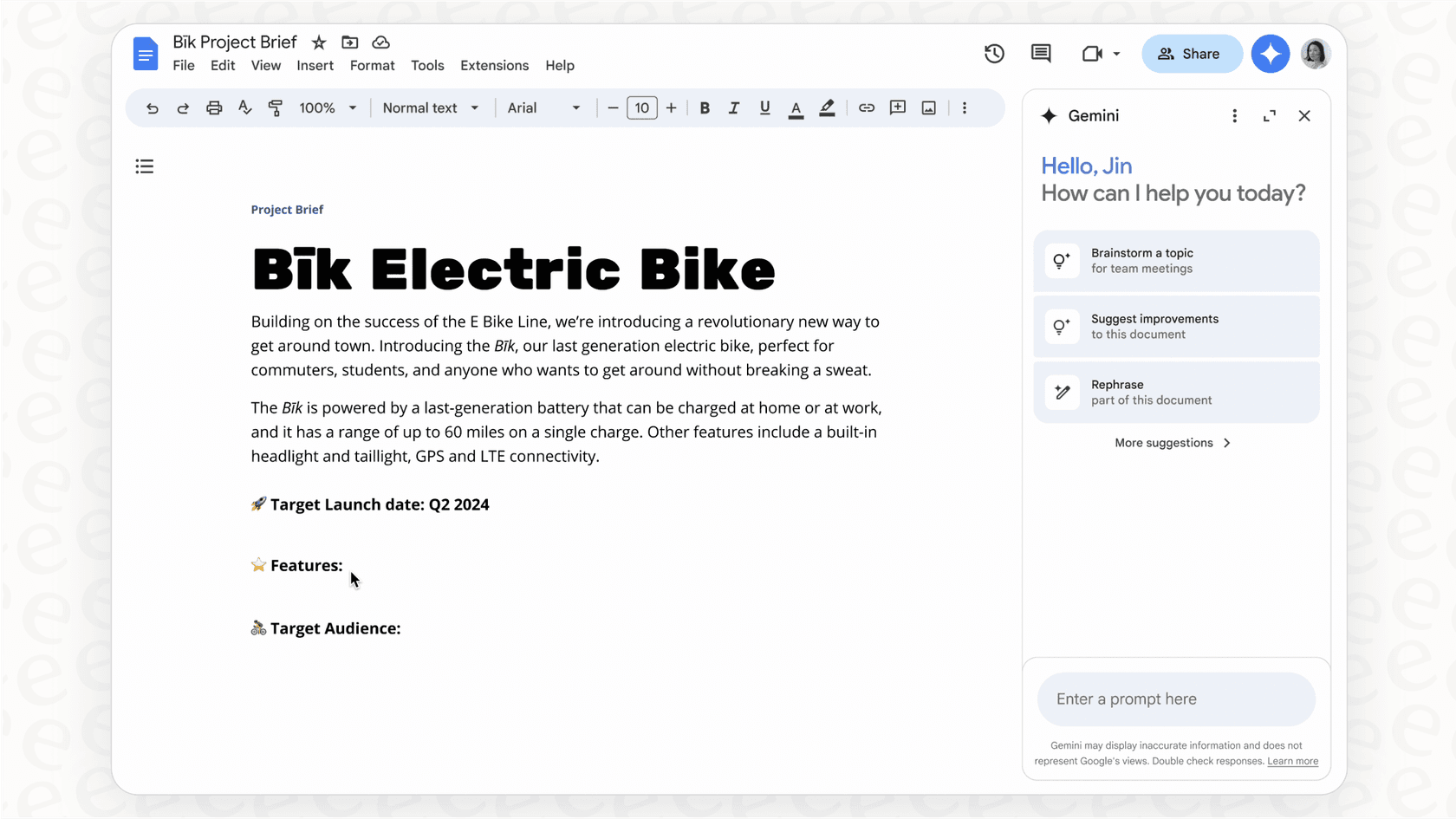
- Brainstorm and write content in Google Docs.
- Create custom images for your presentations in Google Slides.
- Organize data and build templates in Google Sheets.
- Take notes and summarize your meetings in Google Meet automatically.
What used to be a pretty expensive add-on is now being baked into most Workspace plans, making Gemini a central part of the whole package.
The new Gemini Workspace pricing model explained
Google's biggest switch was ditching the separate AI add-on in favor of a fully integrated model. This makes things simpler, sure, but it also means a price increase for most businesses. Here’s a quick look at what’s different and what you should budget for.
From add-on to built-in
A little while ago, you had to buy a "Gemini Business" or "Gemini Enterprise" add-on if you wanted these AI features. That meant paying an extra $20 to $30 per user, per month, on top of your regular Workspace subscription. It let you give AI access only to the people who really needed it.
Well, that pick-and-choose option is off the table now. The Gemini features are included by default in most of the main Workspace plans, and the subscription price has gone up to match. If you're an existing customer, you saw these new prices hit starting March 17, 2025, or whenever your plan came up for renewal. By 2026, the bundled model is simply how Workspace is priced.
A breakdown of the new Gemini Workspace pricing tiers
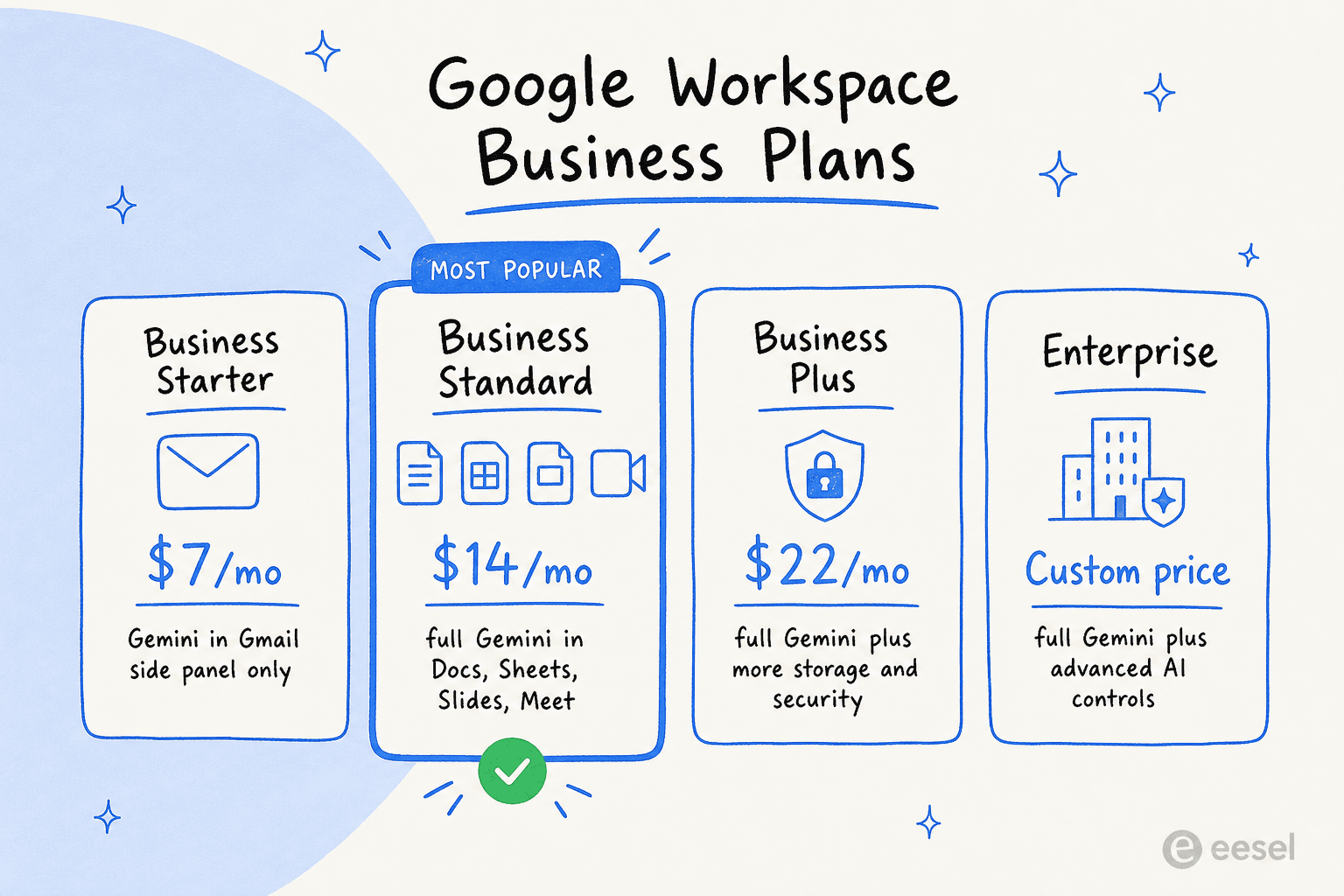
The price you'll end up paying really depends on which plan you're on. Enterprise pricing is always custom, but the new structure for the Business plans gives a pretty clear picture of the investment.
| Plan | Annual Price (per user/month) | Key Gemini Features Included |
|---|---|---|
| Business Starter | ~$7 | Limited access: Gemini in Gmail (side panel), basic Gemini app, NotebookLM. |
| Business Standard | ~$14 | Full access: All Starter features + Gemini in Docs, Sheets, Slides, Meet; Gemini Advanced access. |
| Business Plus | ~$22 | Full access: Everything in Standard, with higher storage and security features. |
| Enterprise | Custom | Full access: Everything in Business Plus, plus advanced AI security, controls, and other enterprise-grade features. |
If you want the consumer-side numbers for comparison, our Gemini 3 pricing guide covers the standalone plans, and our Gemini alternatives roundup covers what else is out there.
Key AI features included in Gemini
With the new pricing, you're getting a bunch of AI tools that are meant to make your team more productive. The key here is that they aren't separate apps; they live inside the tools you already use constantly.
In your Gmail inbox
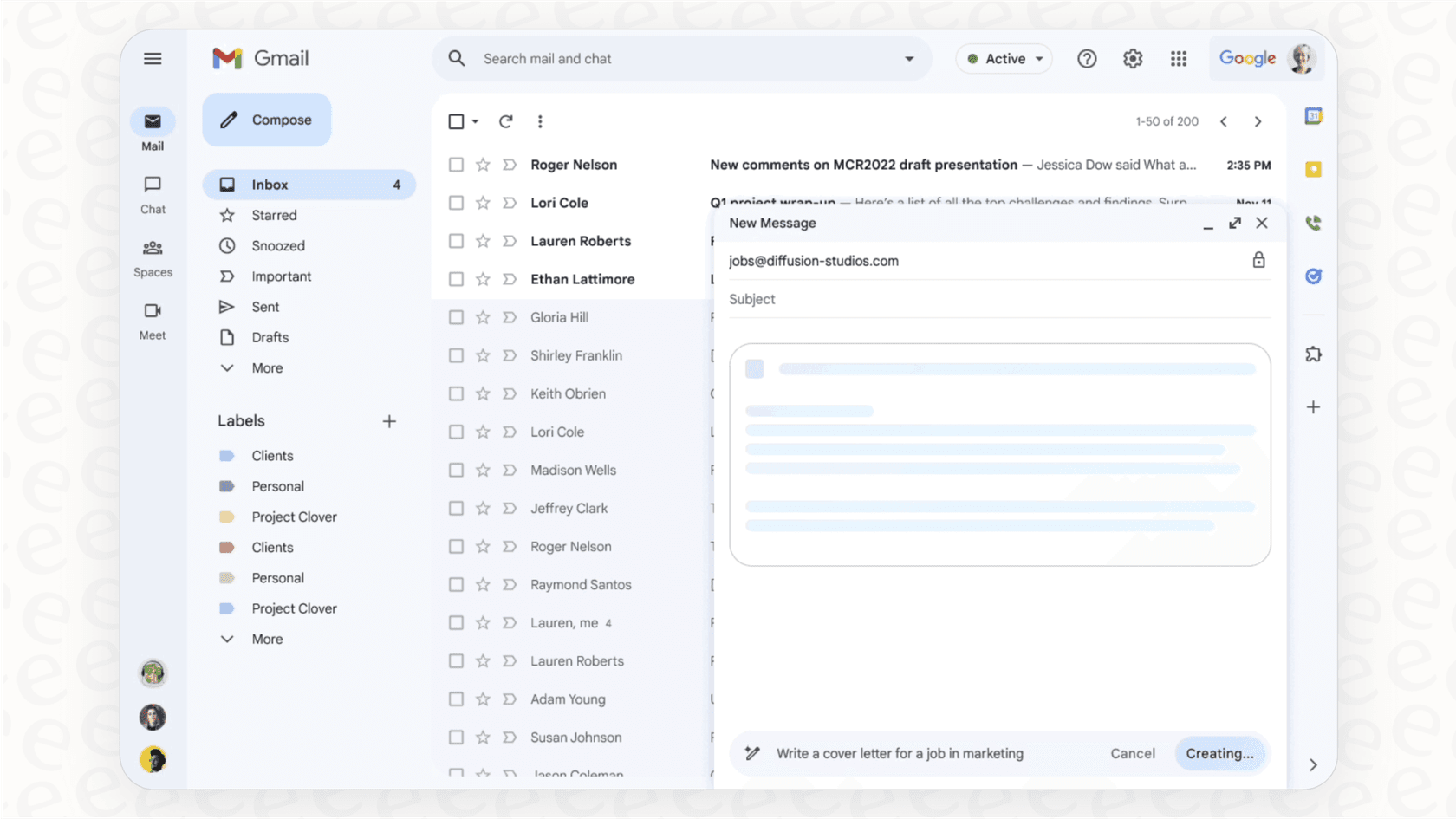
Gemini in Gmail is like having a smart assistant to help you get through your email faster. You can ask it to summarize a painfully long email chain so you can catch up in seconds. Or, you can use the Help me write feature to knock out a professional-sounding email from just a few bullet points. It’s all about saving you a bit of time and effort every day — and Gmail's summary cards surface the gist before you even open a thread.
In your Google Docs, Sheets, and Slides
This is where the content-creation side of Gemini really comes to life.
- In Docs, it can help you get past that blinking cursor by drafting anything from a blog post to a job description.
- In Sheets, it can help you get your data organized, create project plans, and track info using simple text commands instead of complicated formulas.
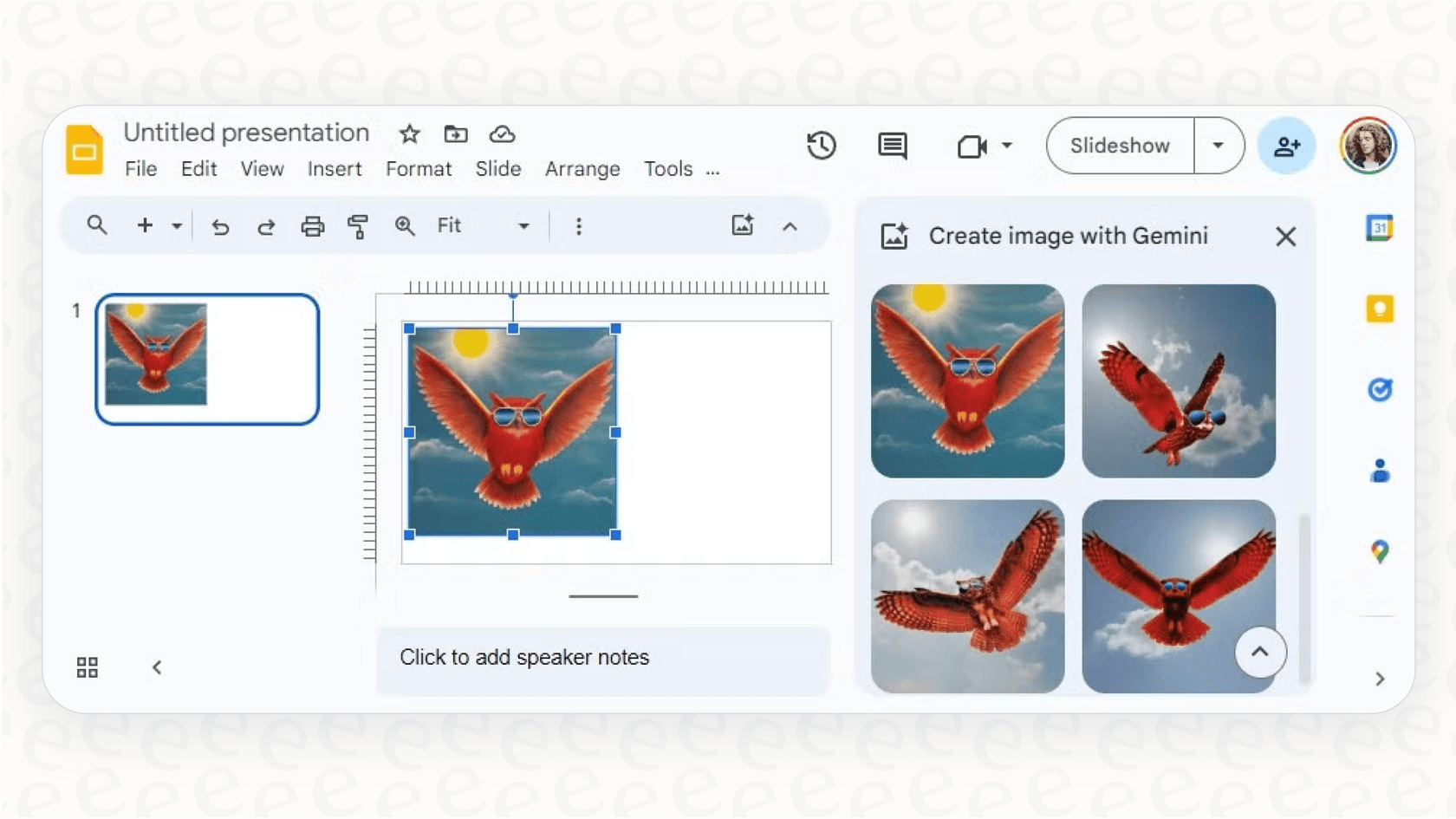
- In Slides, you can generate completely unique images just by describing what you want. No more hunting for stock photos or bugging a designer for a simple graphic.
In your meetings through Google Meet
If your team lives in virtual meetings, the Gemini features in Meet could be a big help. It can take notes for you during a call, pull out the main action items, and send out a summary afterward. This lets everyone actually focus on the conversation instead of worrying about who's writing everything down.
Is the new Gemini Workspace pricing a good deal for your business?
While having a general-purpose AI assistant sounds great on paper, this one-size-fits-all pricing model has some serious drawbacks, especially for teams with specific jobs, like customer support or IT. Before you just accept the price hike, you should ask if you're really getting your money's worth.
A one-size-fits-all approach to AI
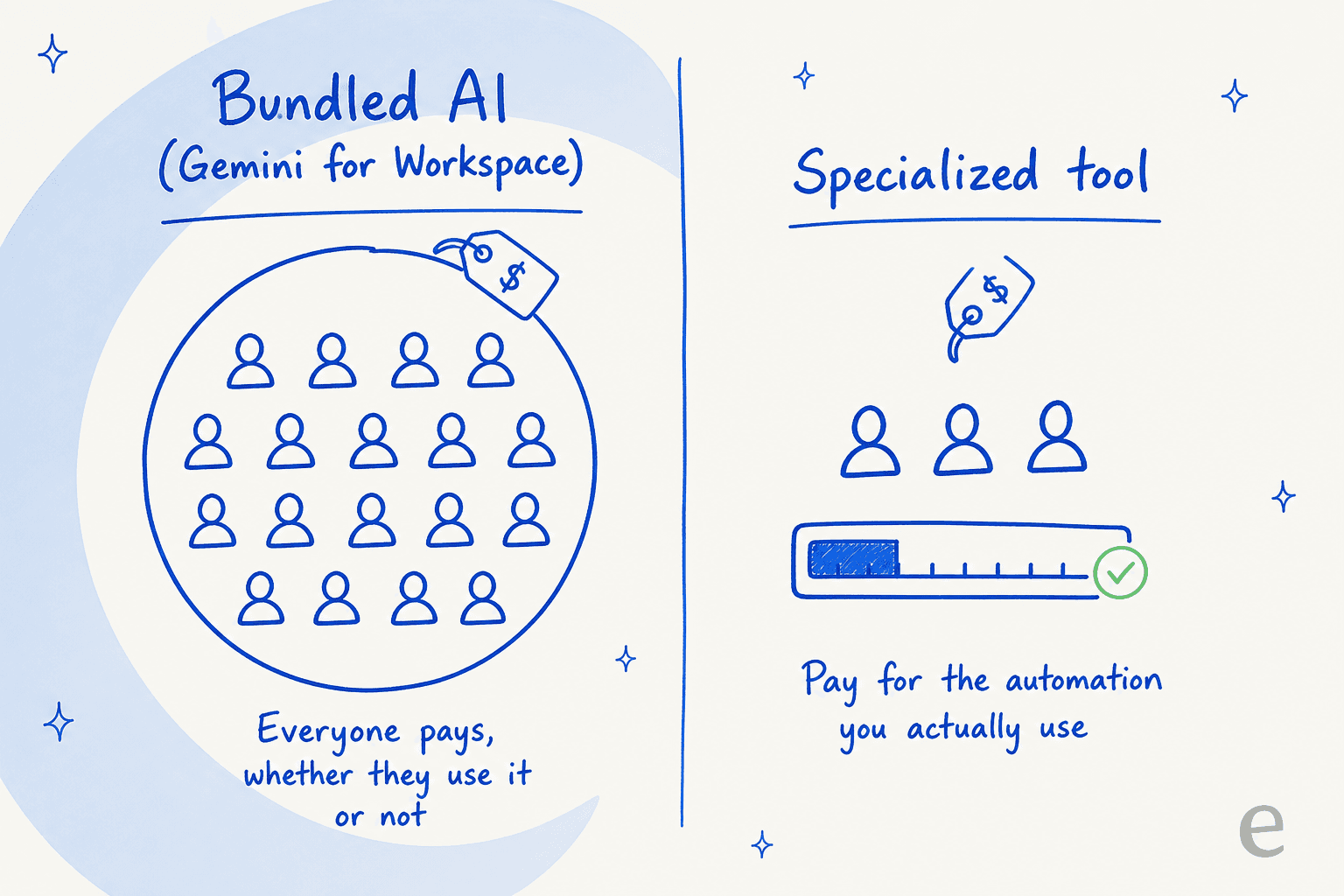
The new model forces you to pay for AI features for everyone on a given plan, whether they need them or not. A support agent's daily tasks are completely different from a marketing manager's. Gemini gives both of them the exact same generic toolset. That means you could be paying for features your support team will never touch, while they still don't have the specialized AI tools they actually need to do their jobs well.
It helps you work, but does it do the work for you?
At its core, Gemini is an assistant. It helps you write a little faster or summarize information. What it doesn't do is automate entire business processes. For instance, it can't look at an incoming support ticket, figure out what it's about, pull the customer's order info from Shopify, and then route it to the right person. Real automation like that needs a dedicated workflow engine, and that's just not what Gemini is built for.
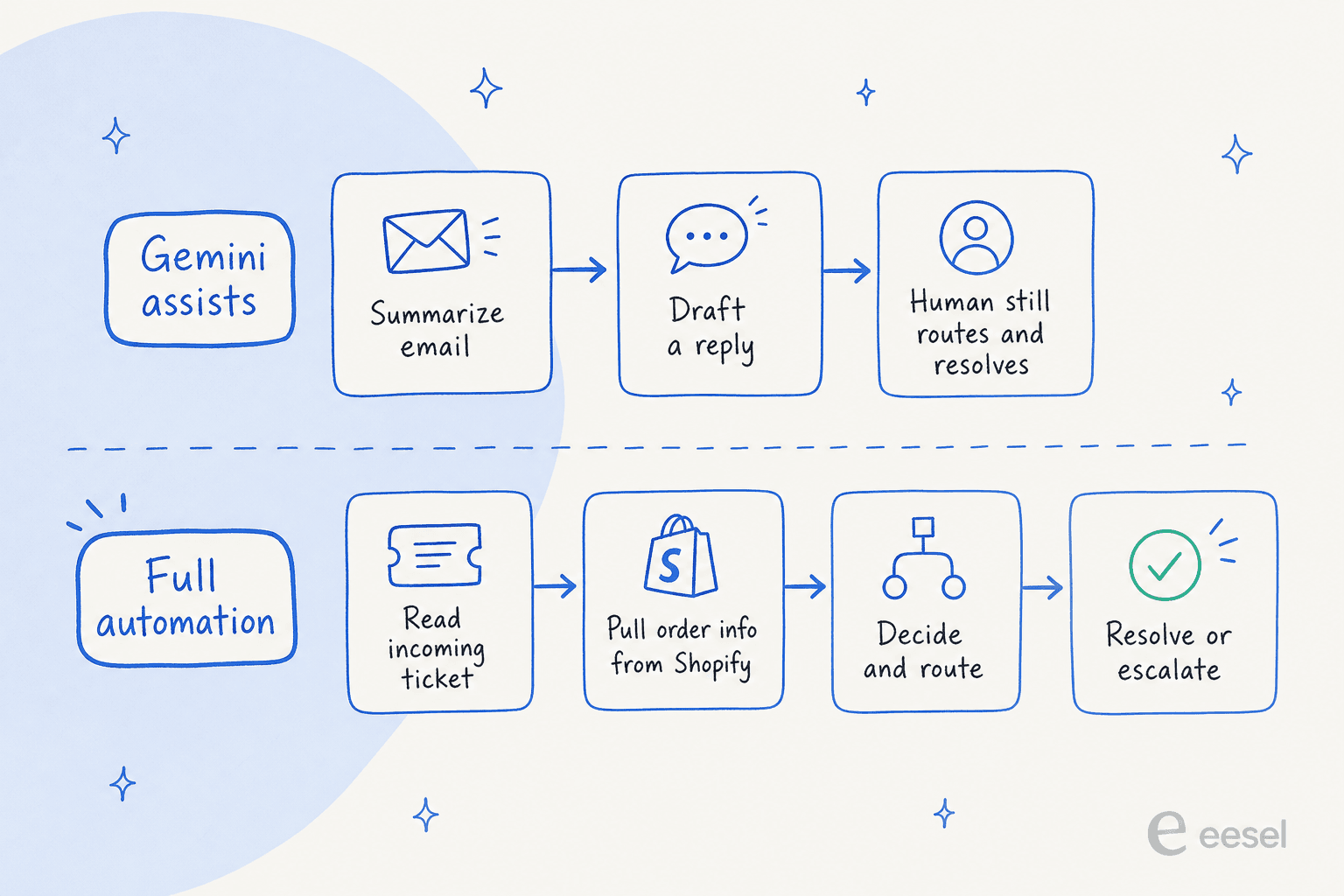
The value is fuzzy for specialized teams
For a customer support team, is a generic writing assistant worth $14 or more per agent every month? It's a tough sell. The biggest challenge in support isn't just typing out replies faster; it's about solving problems correctly, cutting down on escalations, and getting repetitive tasks off people's plates. The metric that actually matters is your AI resolution rate, and Gemini for Workspace wasn't designed to move it, which leaves a pretty big gap. The same goes for self-service deflection — a writing assistant doesn't deflect anything on its own.
A better alternative to the Gemini Workspace pricing for support and IT teams: eesel AI
If the idea of paying for a generalist AI tool that doesn't solve your team's specific problems sounds frustrating, it might be time to look at something built for the job. For teams in customer service, ITSM, or internal support, eesel AI offers a focused solution that picks up right where Gemini for Workspace leaves off. It's the difference between a tool that helps you write and an AI customer service chatbot that closes tickets.
Get up and running in minutes, not months
Unlike the slow, company-wide rollout of a tool like Gemini, eesel AI is designed to be incredibly self-serve. You can connect your help desk (like Zendesk or Jira Service Management) and knowledge sources with just a few clicks. You can have a functional AI agent ready to go in minutes, without having to sit through a mandatory demo or talk to a salesperson.
You have total control over automation
With eesel AI, you get a full-blown workflow builder. You get to decide exactly which tickets the AI handles, what it's allowed to do (like adding tags or escalating to a human), and what its tone of voice should be. It’s a genuine automation platform, not just a tool that helps you write — and that control is exactly what a generalist like Microsoft Copilot doesn't give a support lead.
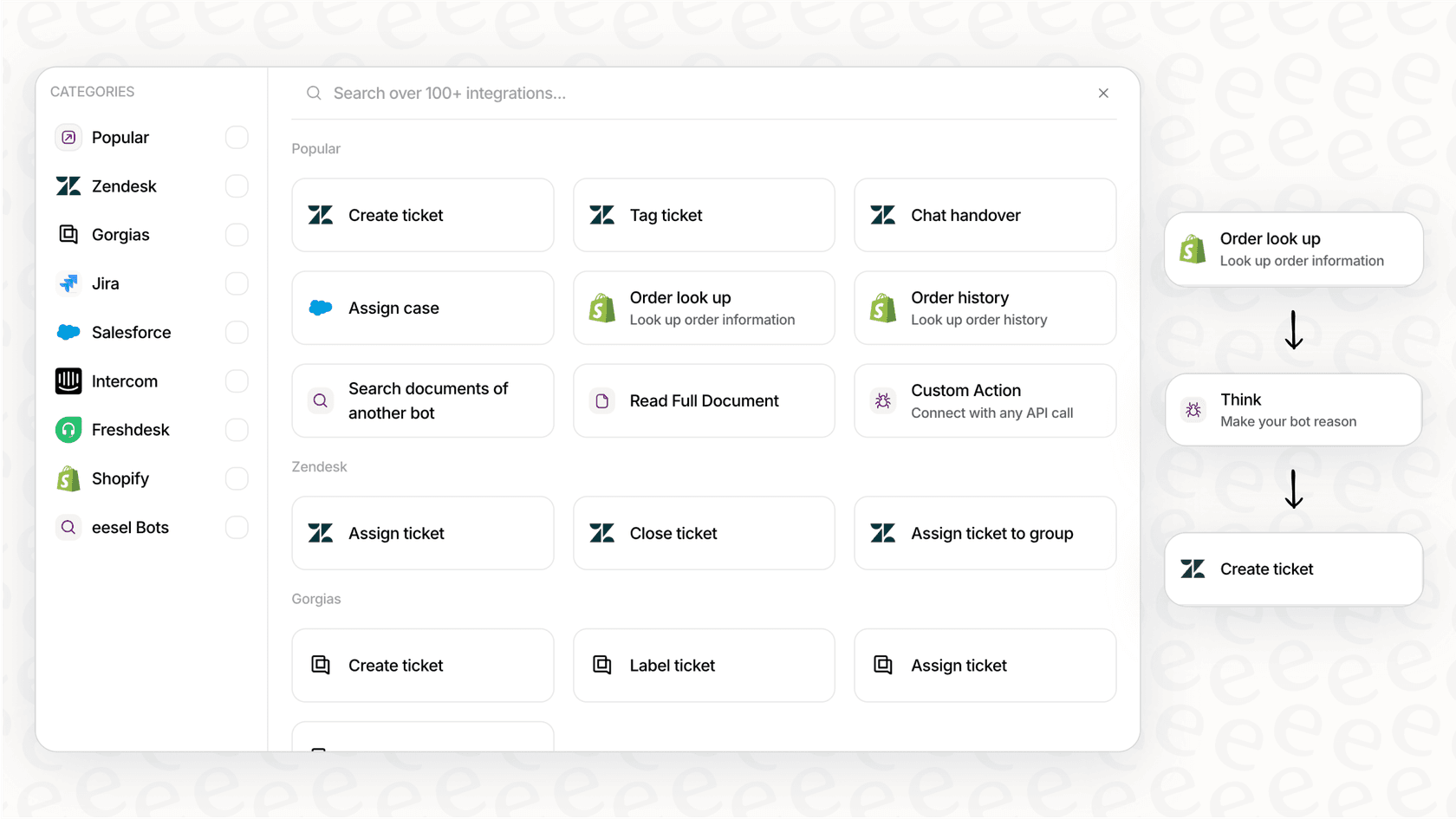
Knowledge that’s actually from your business
The secret to a great support AI is giving it the right context. eesel AI learns from your team's past support tickets, your help center articles, and your internal documentation from sources like Confluence or Google Docs. You can train it on knowledge that's specific to you, which means its answers are always based on your business and sound like they're coming from your team, something a general model just can't replicate.
Test with confidence and clear pricing
You should never have to guess if an AI tool is going to work. eesel AI has a simulation mode that lets you test your AI agent on thousands of your past tickets. You can see its exact resolution rate and performance before you ever turn it on for your customers. Plus, the pricing is straightforward and predictable, charging for the work the AI does, not a flat per-seat fee that taxes your whole team.
What's the right choice for your AI investment?
Google's move to bake Gemini into Workspace definitely makes AI more accessible for day-to-day productivity. For a lot of people, having help drafting an email or making a slide is a nice little bonus.
But for specialized departments like customer support or IT, this one-size-fits-all tool often means you're paying for something that doesn't solve your most important problems. Real value doesn't come from a slightly faster first draft; it comes from targeted automation that cuts down on manual work, boosts accuracy, and has a real impact on your bottom line. For that kind of work, a purpose-built platform will always be the smarter investment.
Ready to see what an AI built specifically for support teams can actually do? Try eesel free and watch it resolve real tickets on your own data today.
Frequently asked questions
So, is there any way to get the old add-on model back, or is the new Gemini Workspace pricing mandatory for everyone on higher-tier plans?
Yes, for teams on the Business Standard, Plus, and Enterprise plans, the Gemini features and associated costs are now built-in. The old model of buying it as a separate add-on for specific users is no longer available.
How does the Gemini Workspace pricing really compare to paying for a separate, specialized AI tool?
The Gemini pricing bundles a general AI assistant for every user, which can be costly if only some need it. A specialized tool like an AI customer service chatbot is often priced around the work it does, so you only pay for the automation and value your team actually uses.
My team is on Business Starter. Does the Gemini Workspace pricing for that tier offer enough value, or will we be forced to upgrade?
The Business Starter plan at around $7/user/month provides very limited access, mainly to Gemini in the Gmail side panel like the Help me write feature. To get the more powerful AI features integrated into Docs, Sheets, and Meet, you have to upgrade to at least the Business Standard plan.
How much does Gemini for Workspace cost per user in 2026?
As of 2026, Google Workspace Business plans (annual, per user/month) are roughly $7 for Starter, $14 for Standard, and $22 for Plus, with Gemini included; Enterprise is custom-quoted. For a separate consumer breakdown, see our guide to Gemini 3 pricing.
With the new integrated Gemini Workspace pricing, can we control which users access the AI features to save costs?
No, that's one of the key limitations. If your team is on a plan like Business Standard, everyone on that plan gets the AI features and is included in the cost, regardless of whether they actually need them. You can still enable or disable Gemini at the org level, but it doesn't change the bundled price.
My main worry about the new Gemini Workspace pricing is paying for AI for team members who won't use it. Is that a valid concern?
Absolutely. This is a primary drawback of the one-size-fits-all model, especially for companies with diverse roles. You could end up paying for AI seats for your entire team when only a fraction of them get real value from the general productivity tools. A purpose-built AI customer service chatbot ties cost to resolved work instead.
Is Gemini for Workspace a good fit for a customer support team?
It's a generalist writing and summarizing assistant, not a support automation platform. It won't triage tickets, pull order data, or auto-resolve. Teams chasing a real AI resolution rate usually pair Workspace with a dedicated tool like eesel AI for the helpdesk.