What Google announced on October 8
Google Cloud CEO Thomas Kurian introduced the Gemini agent in his Gemini at Work 2026 keynote, calling it "your new single, universal agent for work." The pitch is that you give Gemini objectives instead of instructions, delegate an outcome, and come back to finished work in the apps you already use.
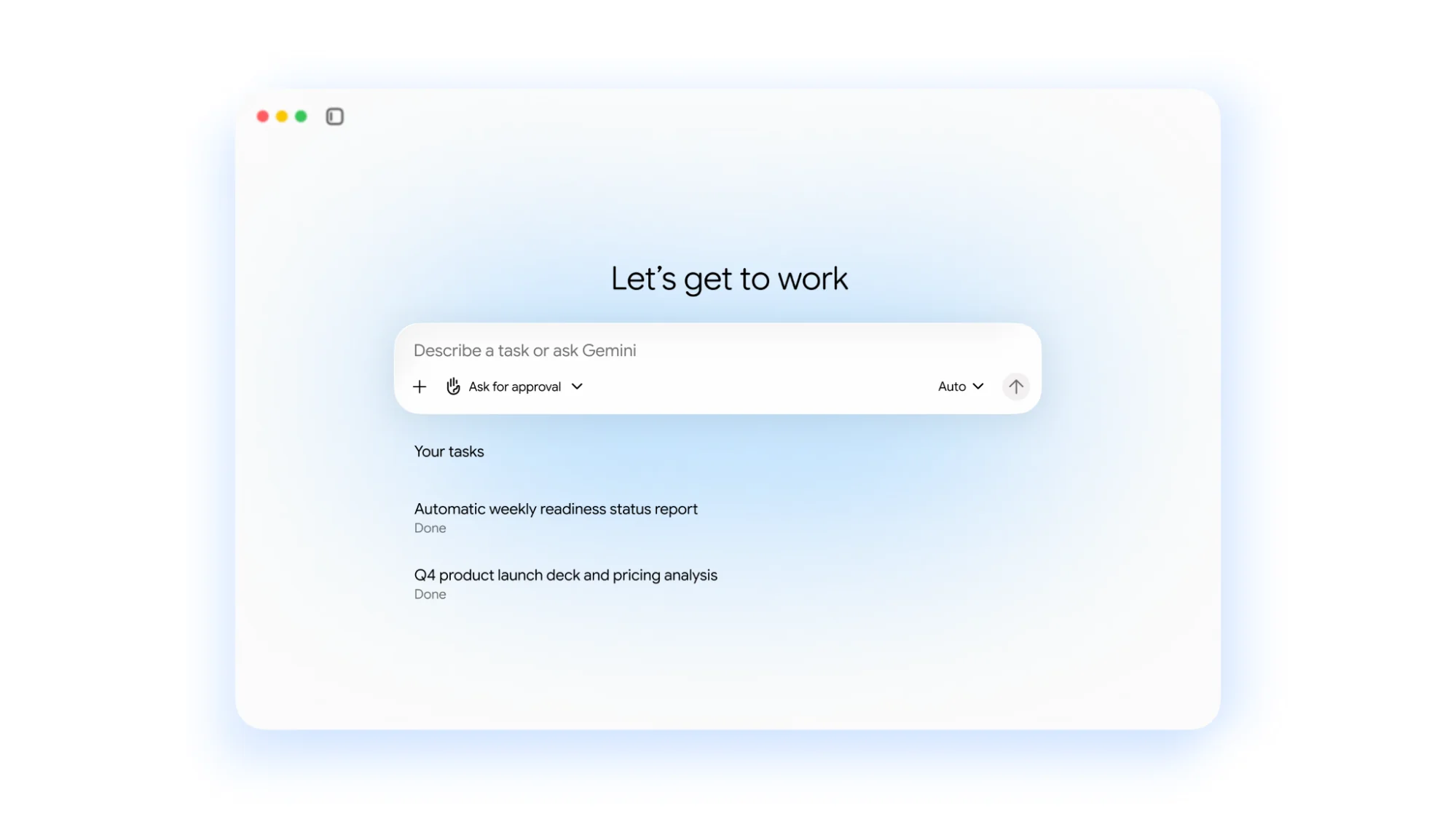
Two small details in that screenshot tell you a lot. The "Ask for approval" control means the agent can be set to check in before acting. The "Auto" model picker is the visible end of Google's multi-model routing, which I'll get to below.
The launch also folds a lot of existing Google products under one name. The Gemini Enterprise product page now leads with "Meet Gemini. One universal agent for the way you work," and its only call to action is "Contact sales." If you've followed the Gemini AI story through Agentspace, Gemini for Google Workspace and Gemini Enterprise, this is the point where Google stops selling a platform and starts selling a worker.
Google is not short on proof points either. Kurian says nearly 90% of the Fortune 100 use Gemini Enterprise, and nearly 500 Google Cloud customers each processed more than one trillion tokens in the last year, per the same keynote.
How the Gemini agent works
Google describes the agent through six principles. Stripped of the launch language, four of them change how you'd actually use it.
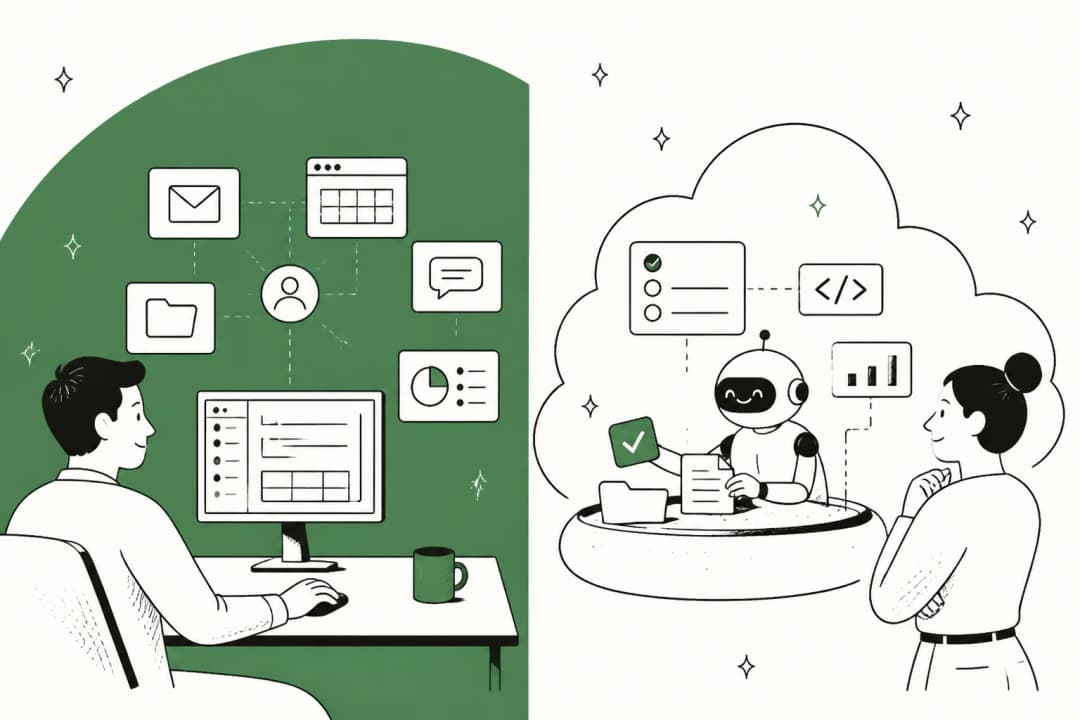
One agent, three modes. You can chat with it, assign it an objective to work on alone, or have it write and run code, all from one interface. You can also schedule tasks or have it respond to events.
It runs in the cloud, not on your machine. Gemini keeps "a single set of memories, context, and one personalization graph" across web, mobile, desktop, the command line, Workspace, Microsoft 365 and Slack, per Google's keynote. Work that takes hours or days keeps running after you log off. It can also run headless inside other apps through an API.
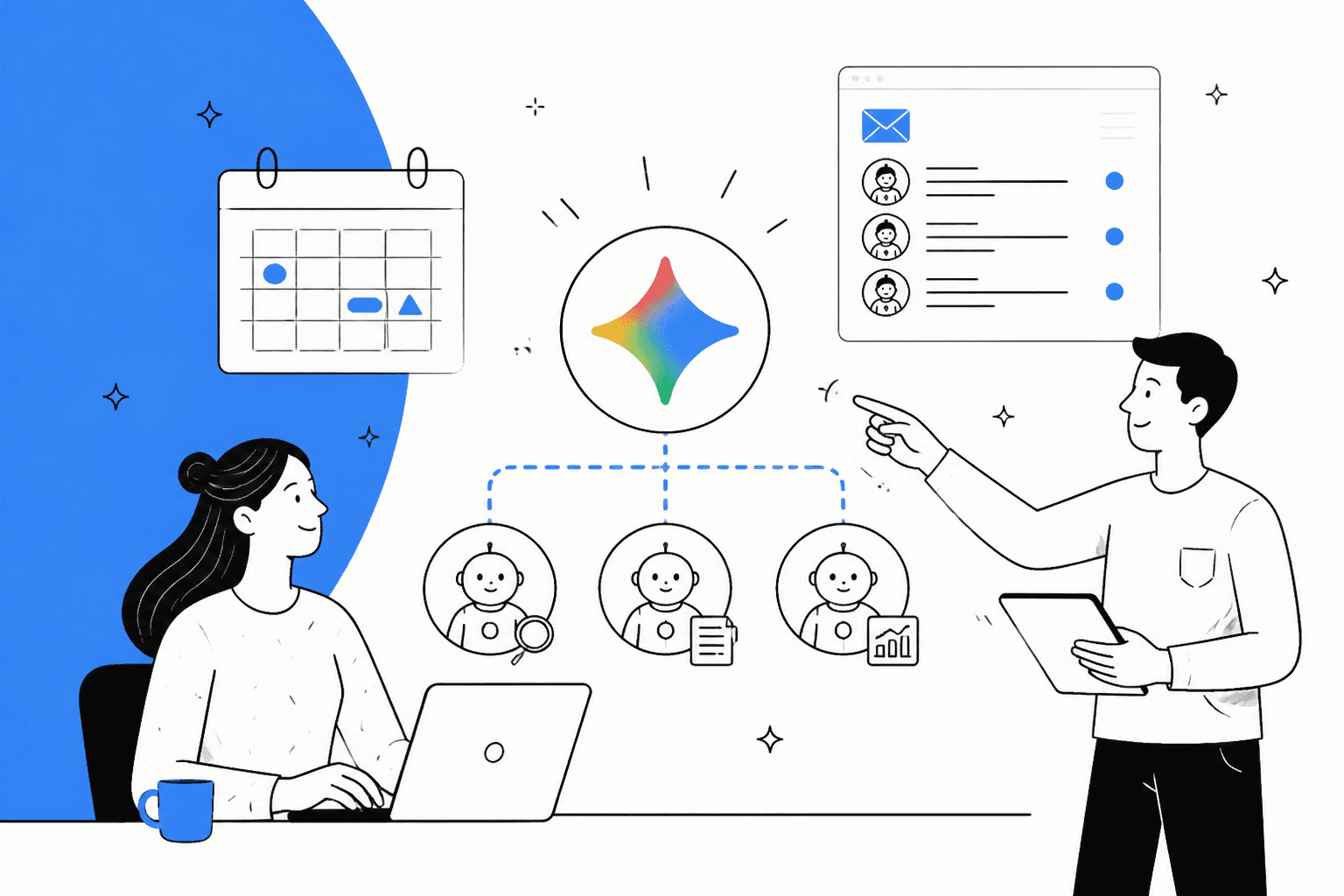
It hires its own help. For multi-step jobs, Gemini creates temporary sub-agents, "each with their own identity," and coordinates them across parallel and sequential steps.
The model is a separate choice. Gemini orchestrates across Google's own models and Anthropic's Claude models today (see my Claude pricing guide for what those cost directly), with other private and open models planned. Google's argument is that the best model for a task is often not the largest one, so routine work goes to smaller models and frontier rates only apply where they earn it. On the Google side that means Gemini 4 Argon for frontier reasoning and Flash models like Gemini 3.8 Flash for speed and volume.
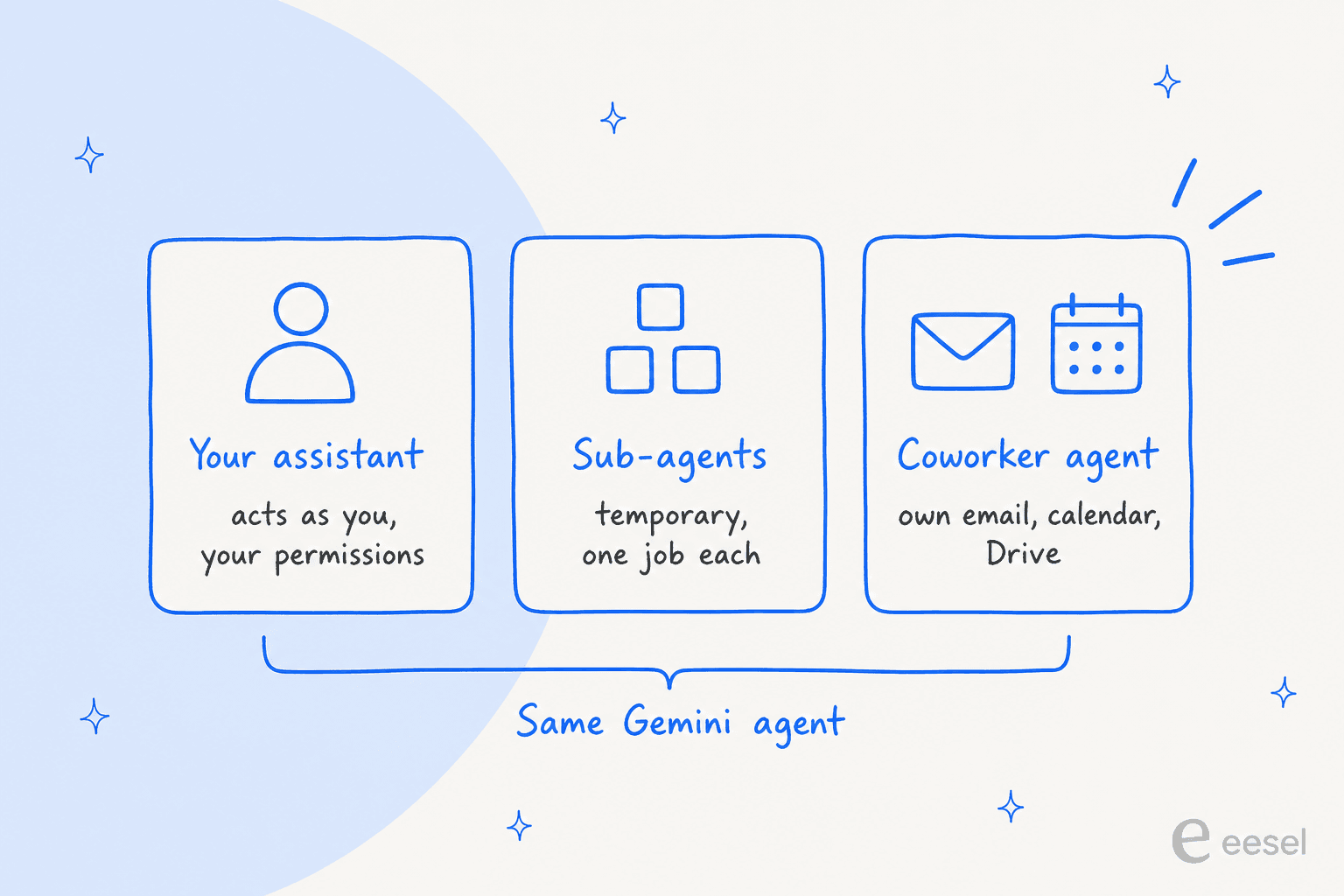
That last card is the part I'd pay attention to. The same agent shows up under three different identities, and the identity decides what it can see. As your assistant, it works under your permissions. As a coworker agent, it only sees what people share with it.
Coworker agents: an AI with its own email address
This is the headline feature for anyone who has spent the last year reading about AI employees. You describe the role you need, and Gemini creates it. Per Google's keynote, the coworker agent gets:
- Its own Workspace account, with an
@agents.company.comemail address - A calendar, Drive storage, and a listing in your company directory
- Persistent storage and a defined role that carries across days and sessions
- Access only to the context you or your teammates provide
Colleagues work with it the way they'd work with anyone else: add it to a Chat space or @mention it. Google's example is a marketing manager asking an events coordinator agent to draft a launch readiness doc, which it posts back to the group. Tag it in a Doc comment and it suggests an edit and replies in the thread, "appearing under its own name in version history."
I like this design a lot, mostly because of what it does for accountability. A coworker agent "acts under its own identity rather than yours," so when it edits a doc, the history shows the agent, not the person who asked. Anyone who has tried to audit a shared AI login knows why that matters.
This is the same bet behind every AI teammate product, eesel's included: an agent is easier to trust when it has a job title, a name, and a trail you can read. Where Google and eesel differ is scope. Gemini's coworker is a blank role you define. eesel's teammates arrive already trained for one job, with the integrations and skills that job needs.
Gemini inside Google Workspace
Inside Gmail, Drive, Docs, Slides, Sheets, Chat and Calendar, Google says Gemini works three ways.
Personal assistance. Gemini already knows your calendar, your team and how your documents relate. Google's example: ask it to set up a meeting with "the usual team of regional event leads," and it works out who those people are from your chat space and last event thread, checks calendars, and starts an email thread to find a time, including with external participants.
Proactive delegation. If your manager emails asking for a project update as a slide deck, Workspace recognizes that as a delegatable task and offers a one-click handoff to Gemini. It also surfaces the email that matters most rather than the newest one, and explains why.
A member of your team. The coworker agent from the section above, living in Chat spaces and Doc comments.
If you're already paying for Workspace, check my Gemini Workspace pricing guide for which tiers include Gemini today. The agent itself is a separate rollout.
Skills, tools and four kinds of memory
Three building blocks sit behind every job Gemini does. Here is how Google describes each, per the keynote:
| Building block | What it is | Worth knowing |
|---|---|---|
| Tools | Connections to your software | Confluence, Microsoft Office, Teams, Slack, Git, Jira, Salesforce, ServiceNow, BigQuery, Databricks, Postgres, Snowflake, local desktop files, plus any MCP server |
| Skills | Reusable instructions and workflows stored as modular prompts | Google ships a global library; teams publish to a company registry; you can build personal ones |
| Memory | What Gemini keeps between jobs | Four types: session, semantic, procedural and episodic |
| Tools registry | A company-wide catalog | Teams build and publish tools for everyone else |
The memory split is the most concrete part of the announcement. Session memory covers the task in front of it, even one that runs for days. Semantic memory is a knowledge base it builds as it reads documents and talks to people. Procedural memory is how a job gets done, "including skills it writes for itself." Episodic memory is a log of everything it has done before. Google says Gemini "onboards itself the way a new hire would."
On connectors, the Gemini Enterprise connectors page lists more than 100 integrations, from HubSpot and Notion to Zendesk. If you've built skills for Gemini before, the registry is where those go company-wide. And if your stack runs on the Model Context Protocol, any MCP server inside or outside your network can plug in.
One honest caveat from a G2 reviewer on the current Gemini Enterprise product, which the agent builds on:
"While the Google Workspace integrations are flawless, connecting it to non-Google enterprise software requires more manual work."

That matches what I'd expect. Google's own apps get the deepest hooks; everything else goes through connectors with their own action lists.
Security and governance
Google frames enterprise agent governance as four questions, and answers each with a specific control.
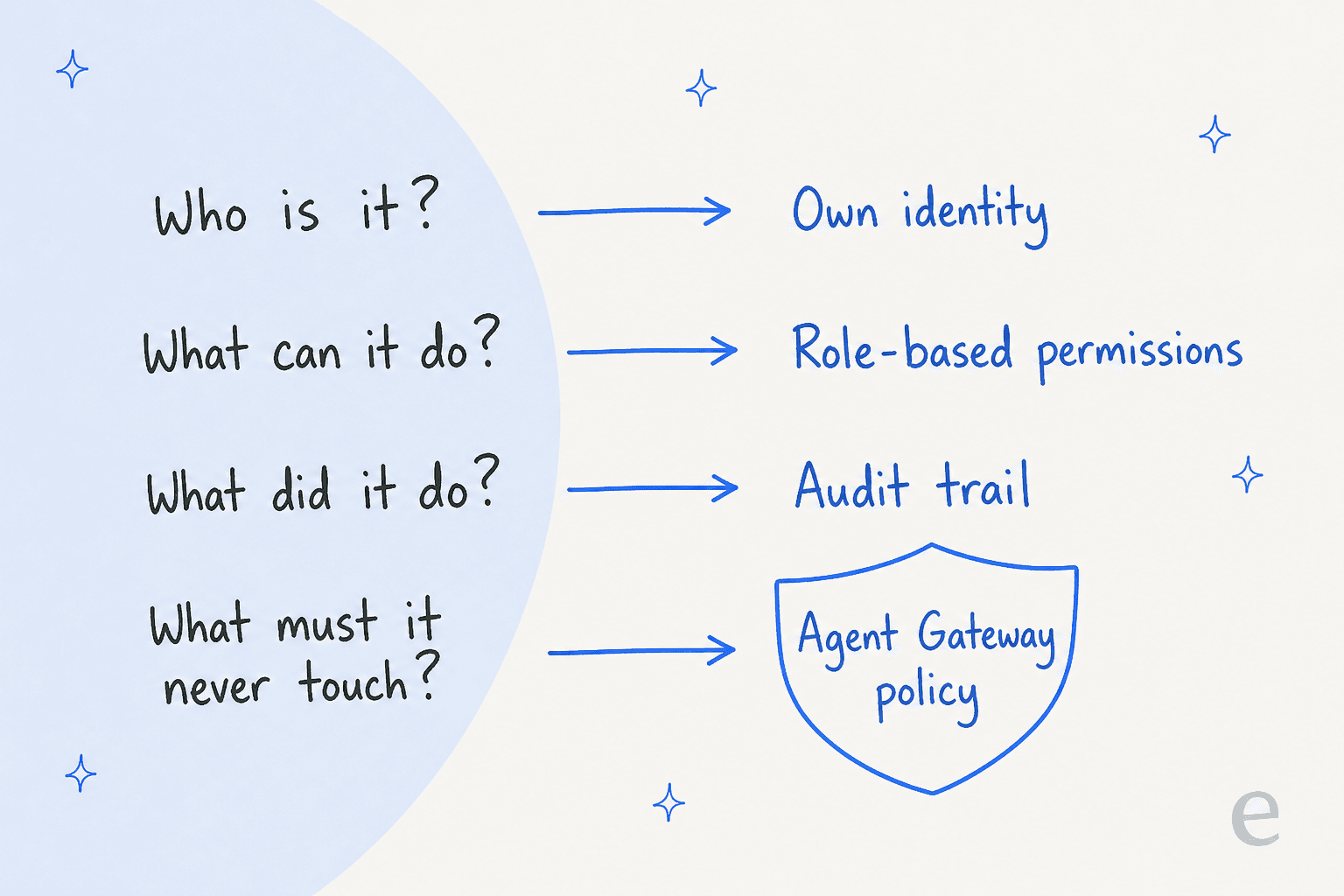
Per the keynote's governance section:
- Identity. Every agent gets "its own identity, cryptographically attested and governed like an employee," stamped into its logs and into any virtual machine it spins up.
- Permissions. Security admins approve role-based access per agent. When Gemini connects to an outside system, its identity passes through standards like OAuth.
- Audit. Every action goes to an audit trail "attributed to the agent rather than to a person."
- Policy. Agents run inside an Agent Sandbox, and all traffic passes through Agent Gateway, which Google calls an AI network firewall. You write a rule once, like "agents may not open documents classified Need to Know," and it applies to every agent in the company.
The write-once policy is the part security teams will like most. Checking permissions agent by agent stops scaling around the time a company has dozens of them, and Google's own customer list includes Orange Spain running more than 1,000 custom agents and SOMPO with more than 10,000.
What the Gemini agent costs (and what Google hasn't said)
Short answer: nobody outside the preview knows yet. The Gemini Enterprise page has a contact-sales button and no price, and Google's announcement lists no rate for the agent, its sub-agents, or coworker accounts.
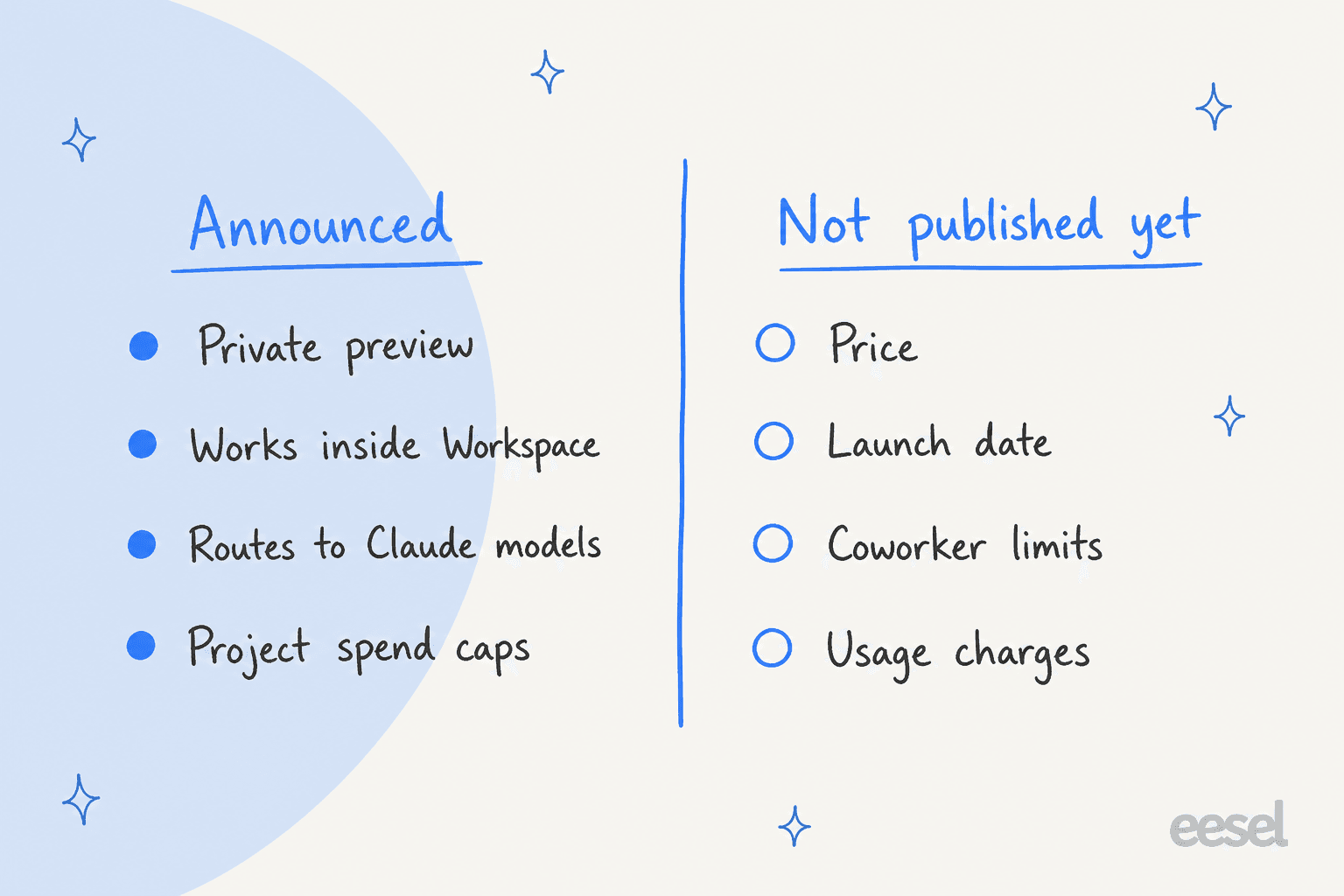
What Google has published is how Gemini Enterprise bills in general, from its August FinOps announcement. That is the best guide to how the agent will likely be charged:
| Option | How it works | Status |
|---|---|---|
| Per-user seat subscription | Fixed monthly fee per user, with daily quota pools shared across the project | Available |
| Pay-as-you-go edition | No base fee; you pay for compute and tokens at standard model API rates | Select customers, rolling out |
| Pooled quotas | Unused allowances absorb heavy users; admins choose whether overages are allowed | Available for Antigravity in Gemini Enterprise |
| Deferred execution | Mark work that can wait; it runs off-peak at up to half the inference cost | Coming soon |
| Flexible Savings Plans | 10% off for a 1-year or 20% off for a 3-year monthly spend commitment, no minimum | Available |
The editions themselves are Business (1 to 500 users), Standard, Plus, Pay-as-you-go and Frontline (150+ users), per the editions comparison. That page lists features, not prices.
Spend caps that pause the agent
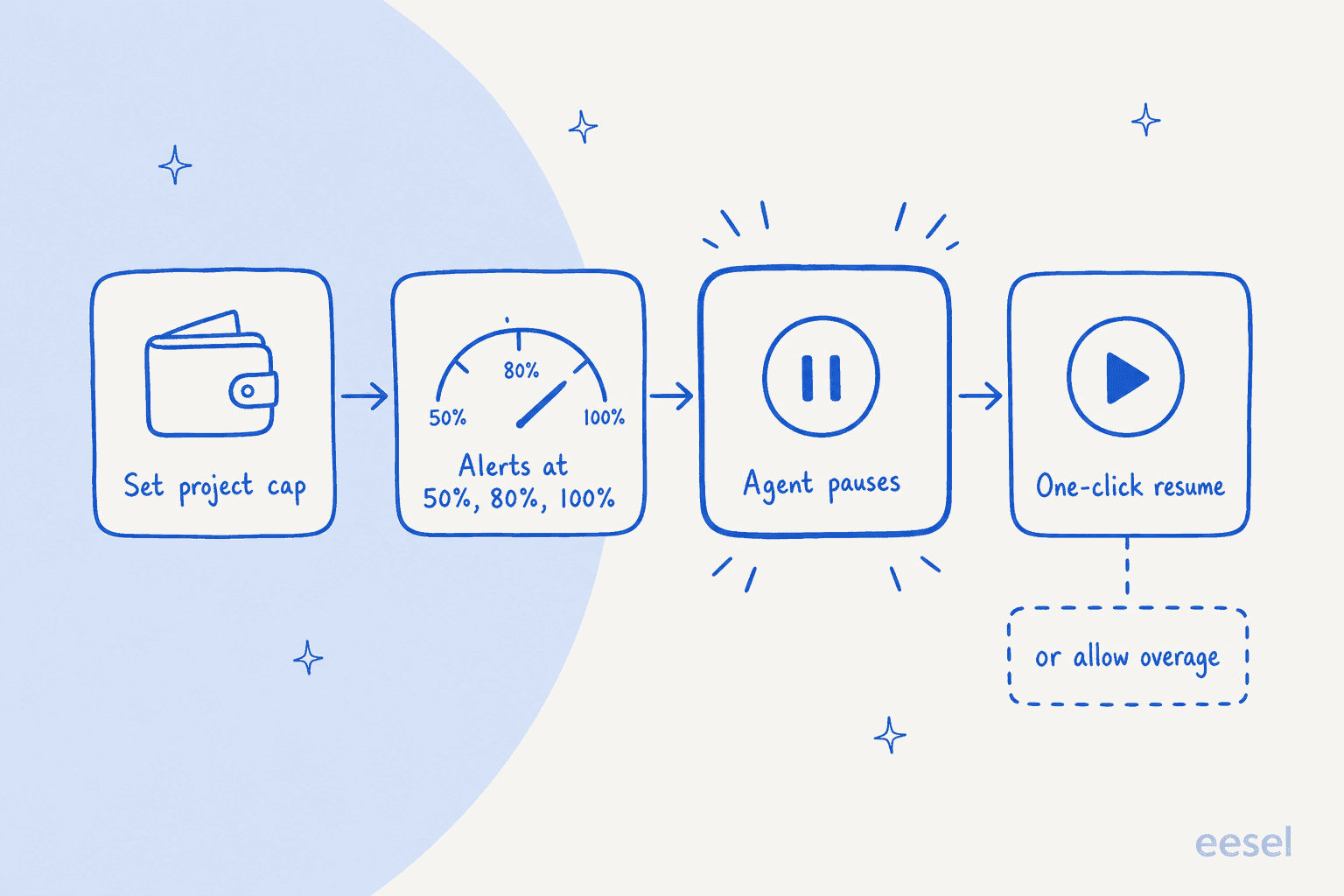
The cost control I'd actually use on day one is the hard project cap. You set a monthly limit in the Cloud Billing Console, Google emails alerts at 50%, 80% and 100%, and when the cap hits, the agent pauses instead of overspending. You resume with one click, or switch on overages so work continues at consumption rates.
Because tracking is per project, finance can charge AI costs back to the department that ran them. Here is the overage switch in the console:
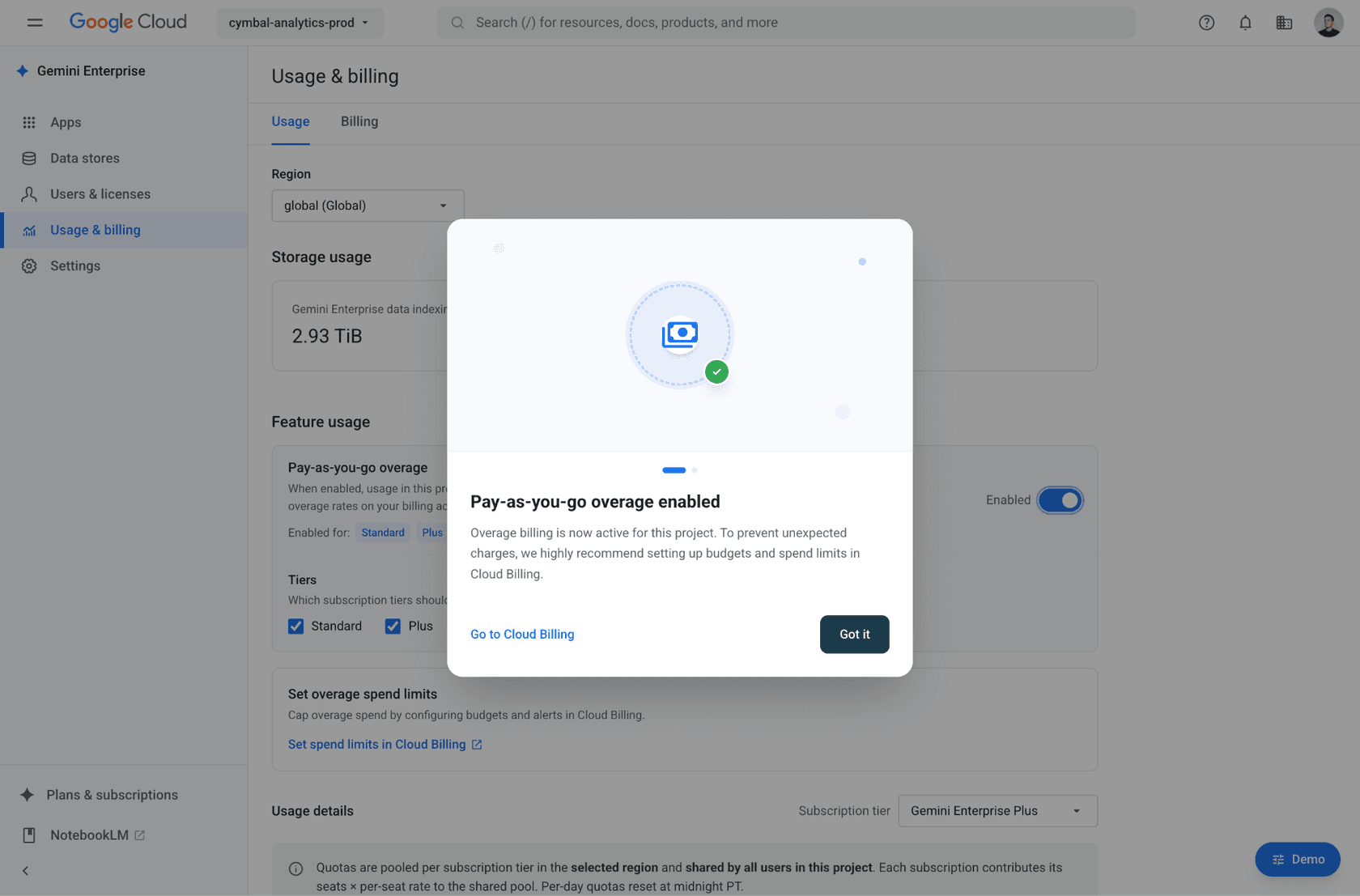
A pause is a sensible failure mode for a background job. It is a less comfortable one for anything a customer is waiting on, which is worth remembering before you point a long-running agent at live work.
Gemini agent vs Gemini Spark
The naming is confusing, so here is the split. Google's older consumer "Gemini Agent" help article now redirects to Gemini Spark, a personal agent in the Gemini app. The new Gemini agent is a different product for businesses.
| Gemini agent | Gemini Spark | |
|---|---|---|
| Who it's for | Companies on Gemini Enterprise and Workspace | Individuals |
| Account type | Work accounts | Personal Google Account only; "isn't available if you sign in with a work or school Google Account" |
| Plan | Select Business and Enterprise plans (when generally available) | Google AI Pro or Ultra |
| Status | Private preview | Available |
| Signature feature | Coworker agents, sub-agents, admin governance | Scheduled tasks, Chrome auto browse |
Spark's own help page describes it as "your personal AI agent that can automate complex workflows and manage schedules for ongoing tasks." If you're on Google AI Ultra personally, Spark is what you get, and my guide to Chrome auto browse covers its browsing side.
Where it fits among other work agents
Gemini agent lands in a crowded field of work agents from OpenAI, Anthropic, Microsoft and Salesforce. If you're comparing, I've written up Claude Cowork, OpenAI Frontier and Microsoft Copilot separately.
Google's real advantage is distribution. If your company already lives in Gmail, Docs and Drive, an agent that is "briefed before you start" because it can already read your calendar and threads is hard for an outside tool to match. If you run on Microsoft 365, Gemini does connect to Outlook, Teams and OneDrive, but you'd be bringing Google's agent into someone else's house.
Can the Gemini agent run your support queue?
This is where the generalist pitch meets a specialist job, and where the line between AI agents and chatbots starts to matter, and it's the question I get asked most at eesel.
Gemini Enterprise has a Zendesk connector that lets an employee search Zendesk and act on it in plain language. The listed actions are:
| Action | What it does |
|---|---|
| Create ticket | Creates a new ticket |
| Update ticket | Updates an existing ticket |
| Merge tickets | Merges multiple tickets |
| Create category | Creates a help center category |
| Update post / article | Edits help center content |
Compared with Zendesk AI itself, that is a thin action list, but it is useful for a support manager who wants to say "merge these duplicates and update the macro article" from one prompt box. It is a different job from an agent that sits in the queue and answers customers on its own, decides which tickets it is confident about, and hands the rest to a human. The connector docs describe an employee driving Gemini, not Gemini working incoming tickets.
That distinction matters more than it sounds. One support lead at a DTC supplements brand put it to my team like this on a sales call:
"The AI will never be able to answer 100% of the questions... I need an AI who is only handling the tickets that it's confident to handle and all the other ones, leave them alone."
That is the job eesel's AI helpdesk teammate is built for. I've spent my time at eesel building these agents, and the lesson that stuck is that a confident wrong answer to a customer costs more than no answer. So eesel trains on your past tickets and help center, and you can run it against historical tickets to see exactly what it would have said before it replies to anyone, which also makes the AI vs human agent cost math concrete. Teams like Gridwise saw it resolve 73% of tier 1 requests in the first month.
A G2 reviewer of Gemini Enterprise landed on the same instinct from the other side:
"Occasionally, it can be overly confident in phrasing, so we treat it as an accelerator rather than an autopilot, especially for high stakes or customer facing content."
My honest take: use Gemini agent for the internal work around support, like reports, docs, and help center cleanup. Use a support-specific AI agent for the queue itself; my guide to connecting AI to your helpdesk covers the setup. The two don't compete; one works for your team, the other works for your customers.
What people are saying
The reaction so far is mostly from Google and early watchers, since almost nobody can use it yet. Sundar Pichai's announcement drew more than 2,000 likes:
"Today, we introduced the new Gemini agent, a single, universal agent for work that has all of your business context and answers your questions, handles your knowledge work, creates your images and media, and writes and runs code - all from a single prompt box."
The replies were more practical. One of the top ones asked simply, "Can it do everything?" (Ashish Sharma, X), and another pointed out that the consumer Spark product's last update was July 17 (Cofy, X). Fair questions for a preview.
The existing Gemini Enterprise product holds a 4.6 out of 5 rating from 27 reviews on G2. The recurring complaints are about consistency on complex tasks and setup through a Google Cloud project, which one reviewer said "can be difficult for users who aren't very technical."
Should you care about the Gemini agent yet?
If your company runs on Google Workspace, yes. Get on the preview list through your Google rep, and start with one coworker agent for an internal role with clear inputs, like a weekly status report or an events coordinator. The coworker model, with its own identity and audit trail, is the cleanest version of "AI on the team" any of the big platforms has shipped so far.
If you're on Microsoft 365, or you need a price before you can plan, wait, or look at my Gemini alternatives list. There is no published rate, no general availability date, and no word yet on how many coworker agents a company can run. I'd revisit once Google publishes the pricing it has promised.
And if the job you have in mind is customer-facing, like answering support tickets, a general work agent is the wrong tool even when it's this good. Hire for the job.
Try eesel for the support queue Gemini doesn't work
Gemini agent will handle the decks, docs and data around your support team. eesel's AI helpdesk teammate handles the tickets: it plugs into Zendesk, Freshdesk or Gorgias in minutes, learns from your past tickets and help center, and lets you test it against real historical conversations before it answers a single customer. It replies only where it's confident and passes the rest to your team with a summary.

Try eesel free and run it against last month's tickets first. If you'd rather see where it fits next to the big platforms, my best AI teammates roundup compares them.
Frequently Asked Questions
What is the Gemini agent?
The Gemini agent is a single work agent Google Cloud announced on October 8, 2026. It answers questions, does knowledge work, creates media and writes code from one prompt box, and it can plan multi-step jobs, create sub-agents and act as a coworker with its own identity. It builds on Gemini for Google Workspace and the wider Gemini AI family.
How much does the Gemini agent cost?
Google has not published a Gemini agent price. The product page only offers a contact-sales button. What is published is how Gemini Enterprise bills in general: per-user seats, a pay-as-you-go edition charged at standard model API rates, and hard project spend caps. My Gemini Workspace pricing guide covers the plans you can buy today.
Can I use the Gemini agent today?
Only if your company is in the private preview. Google says wider availability is coming for Workspace customers on select Business and Enterprise plans, with no date given. Individuals on Google AI Ultra or AI Pro get a different product, Gemini Spark, which works on personal Google Accounts only.
What is a Gemini coworker agent?
A coworker agent is a version of the Gemini agent with a fixed role on a team. It gets its own Workspace account, including an @agents.company.com email address, a calendar, Drive storage and a directory listing, and it sees only what people share with it. It is Google's take on the AI teammate idea.
Is the Gemini agent the same as Gemini Spark?
No. Gemini Spark is a personal agent in the Gemini app for people with a personal Google Account and an AI Pro or Ultra subscription, and Google says it is not available on work or school accounts. The Gemini agent is the business product, sold through Gemini Enterprise and Workspace. See my Gemini pricing breakdown for the consumer plans.
Does the Gemini agent use Claude?
Yes. Google says the agent picks a model per job and orchestrates across Gemini models and Anthropic's Claude models today, with other private and open models planned. If you are weighing the two directly, my Gemini vs Claude comparison covers the model side.
Can the Gemini agent answer customer support tickets?
It can work with tickets through the Gemini Enterprise Zendesk connector, which lists actions like create, update and merge tickets plus help center edits, run by an employee from the prompt box. It is not built as a customer-facing agent that works the queue on its own. For that job, an AI helpdesk agent like eesel plugs into the helpdesk directly.



Article by
Kira
Kira is a writer at eesel AI with a Computer Science background and over a year of hands-on experience evaluating AI-powered customer service tools. She focuses on breaking down how helpdesk platforms and AI agents actually work so that support teams can make better buying decisions.