
What does Meta Muse do for a project manager?
I build integrations at eesel, so the first thing I check on any agent is what its connectors can actually call. With Meta Muse, that question explains almost everything about where it fits in project work.
Muse is Meta's personal AI agent, launched on September 8, 2026. It runs on its own cloud computer with a full browser, keeps working after you close the app, and you talk to it in the Muse app, on the web, on Mac or inside WhatsApp. On September 29, the Muse for Small Business launch added work connectors, Asana among them.
Meta's pitch is aimed straight at the PM job, even if it never says "project management." The Muse product page says: "Give Muse a goal or a task and it builds an action plan, tracks your progress and proactively takes tasks off your plate along the way."
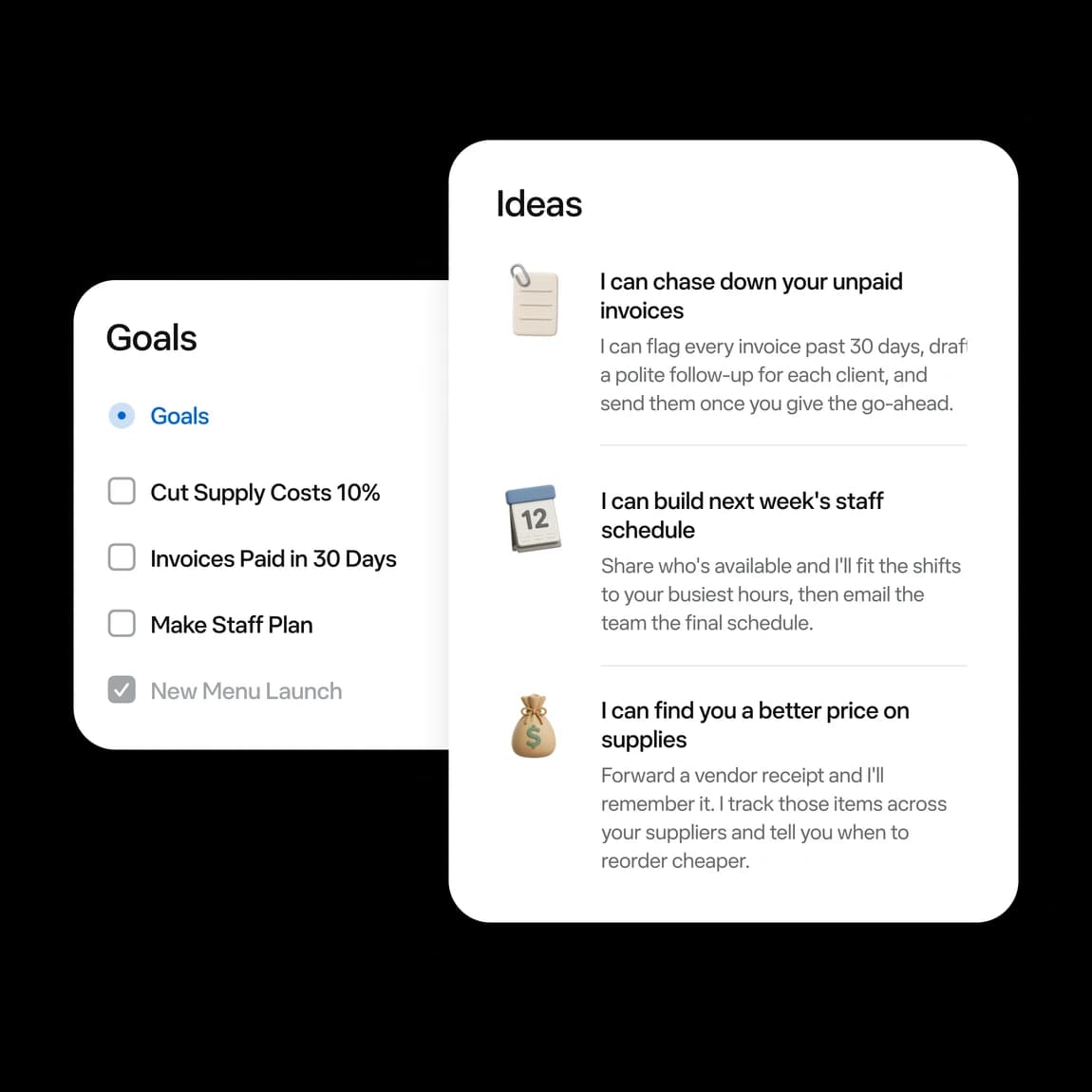
That goals view is the closest thing Muse has to a project plan. You set a goal, Muse turns it into steps, and you check its progress when you like, per Meta's business help page. It isn't a Gantt chart or a board. It's one person's plan, in one person's account.
Users already treat it as a work tracker:
"Instead of relying on me to create scheduled action, it is constantly monitoring my task and proactively asking me for next steps. I'm using it as a tracker for work as well."

So the useful frame is Muse as a chief of staff for one PM, not as a project tool. The rest of this post is about which side of that line each job falls on. If you're weighing Muse against other personal agents, I've also covered Instinct AI for project management and ChatGPT dots for project management.
Which project tools does Meta Muse connect to?
Connectors decide what Muse can see and do. Meta's business page names 15: "Asana, Box, Canva, Dropbox, Figma, Granola, HighLevel, Intuit QuickBooks, Klaviyo, Lovable, Notion, Shopify, Slack, Stripe, Zoom and more." Meta's Connect recap adds GitHub, and Google Workspace covers Gmail, Calendar, Drive and Docs.
Here's how that maps to a typical PM stack:
| PM tool | Muse status | How Muse gets in |
|---|---|---|
| Asana | Named by Meta | Official connector |
| Notion | Named by Meta | Official connector |
| Slack | Named by Meta | Official connector |
| Granola, Zoom | Named by Meta | Official connector (meeting context) |
| Google Workspace (Gmail, Calendar, Drive, Docs) | Named by Meta | Official connector |
| GitHub | Named at Connect 2026 | Official connector |
| Jira, Confluence | Not named on any Meta page | Custom connector only |
| Linear | Not named on any Meta page | Custom connector only |
| monday.com, ClickUp, Trello, Smartsheet | Not named on any Meta page | Custom connector only |
| Microsoft Teams, Planner, Outlook | Not named on any Meta page | Mac app can read local Mail and Calendar |
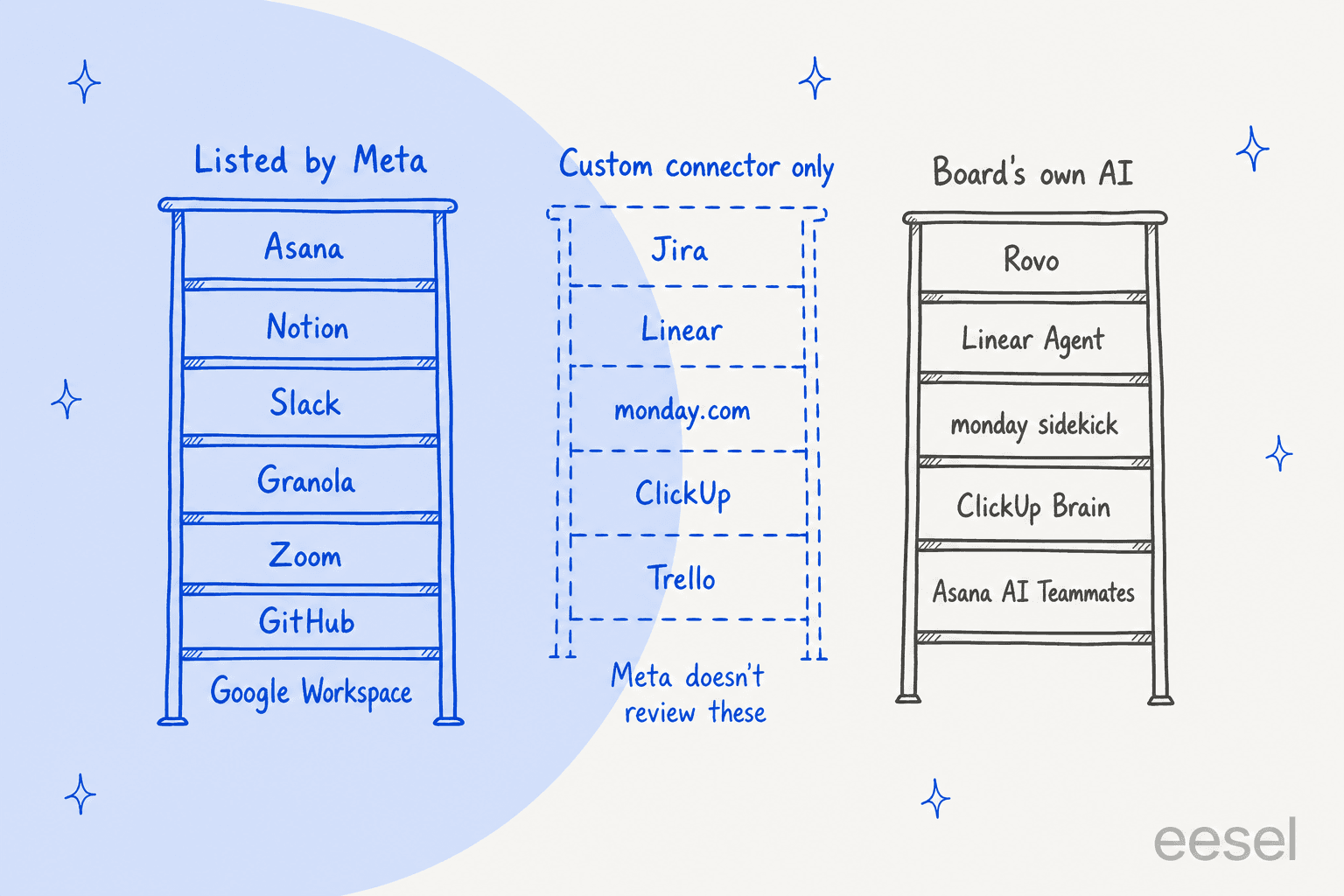
The custom connector gap
If a tool isn't listed, Muse can build a connector to anything with an API. Meta's connectors help page is honest about the trade: "Meta doesn't review custom connectors or how they use your information, so grant access with caution and review the provider's privacy policies."
That matters more for a project board than for a personal inbox. Official connectors go through a three-stage review covering "functional, security, and legal requirements," per the Muse Connector Platform docs. A custom connector to your company's Jira skips all of that, and it would usually run on your own API token with your full permissions.
What the Asana connector actually does
Asana is the PM tool Meta leans on hardest, but no Meta or Asana page lists its actions. The only description is Asana's CPO on the launch post:
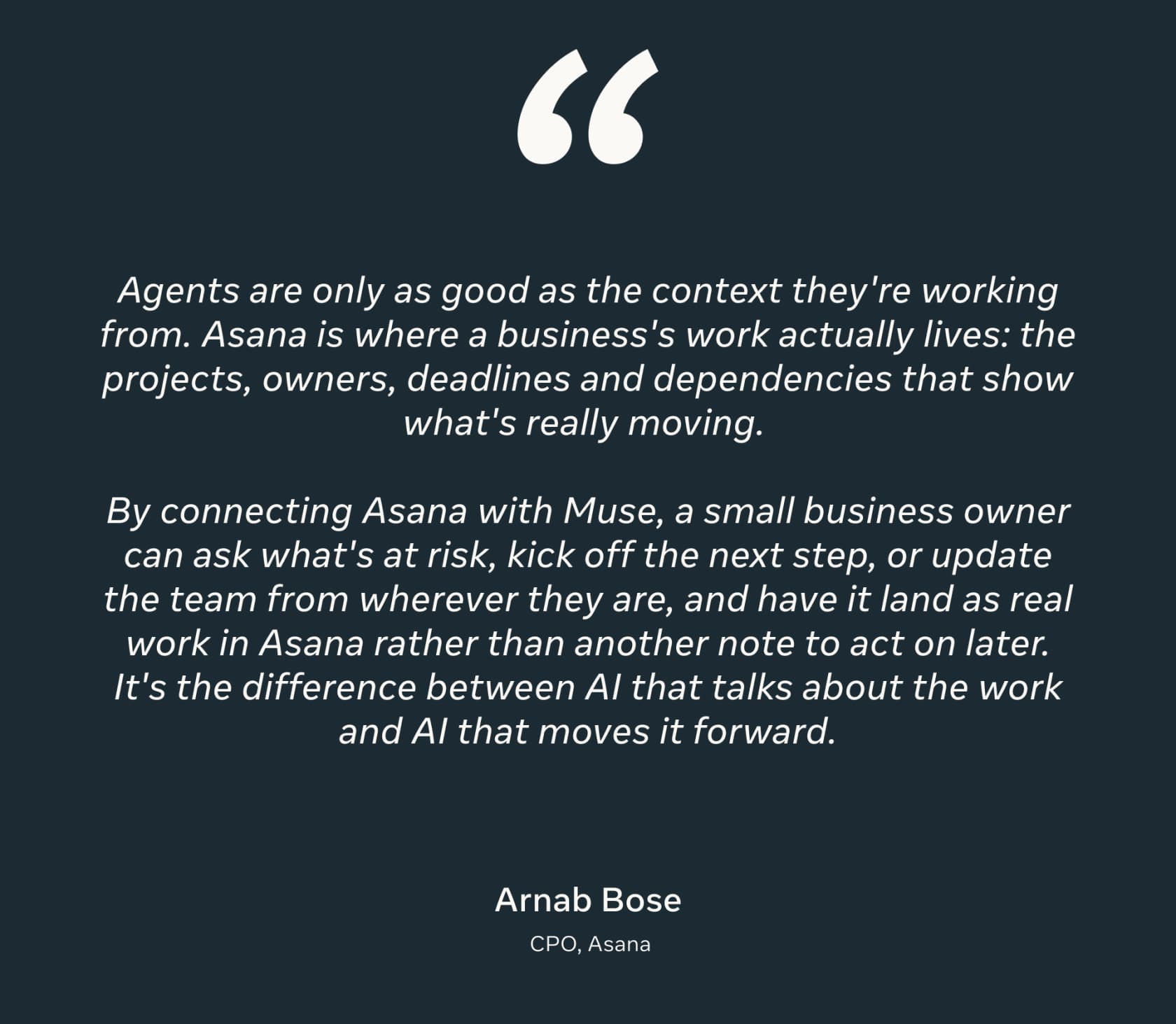
So the documented scope is "ask what's at risk, kick off the next step, or update the team," landing "as real work in Asana." Whether that means creating tasks, changing status or posting comments isn't spelled out anywhere. Muse shows each connector's details in Settings, then Connectors, before you tap Connect, so read that screen first.
One trap from my research: an Asana app listing called "MuseAI + Asana" belongs to a different product made by a third-party developer, not Meta. Its task-creation list doesn't describe Meta Muse.
Muse or the AI already inside your project tool?
Here's the shift most coverage misses. Muse isn't competing with a blank board. Every major PM tool now ships its own agent that already sits inside the board, sees what the team sees and answers to an admin.
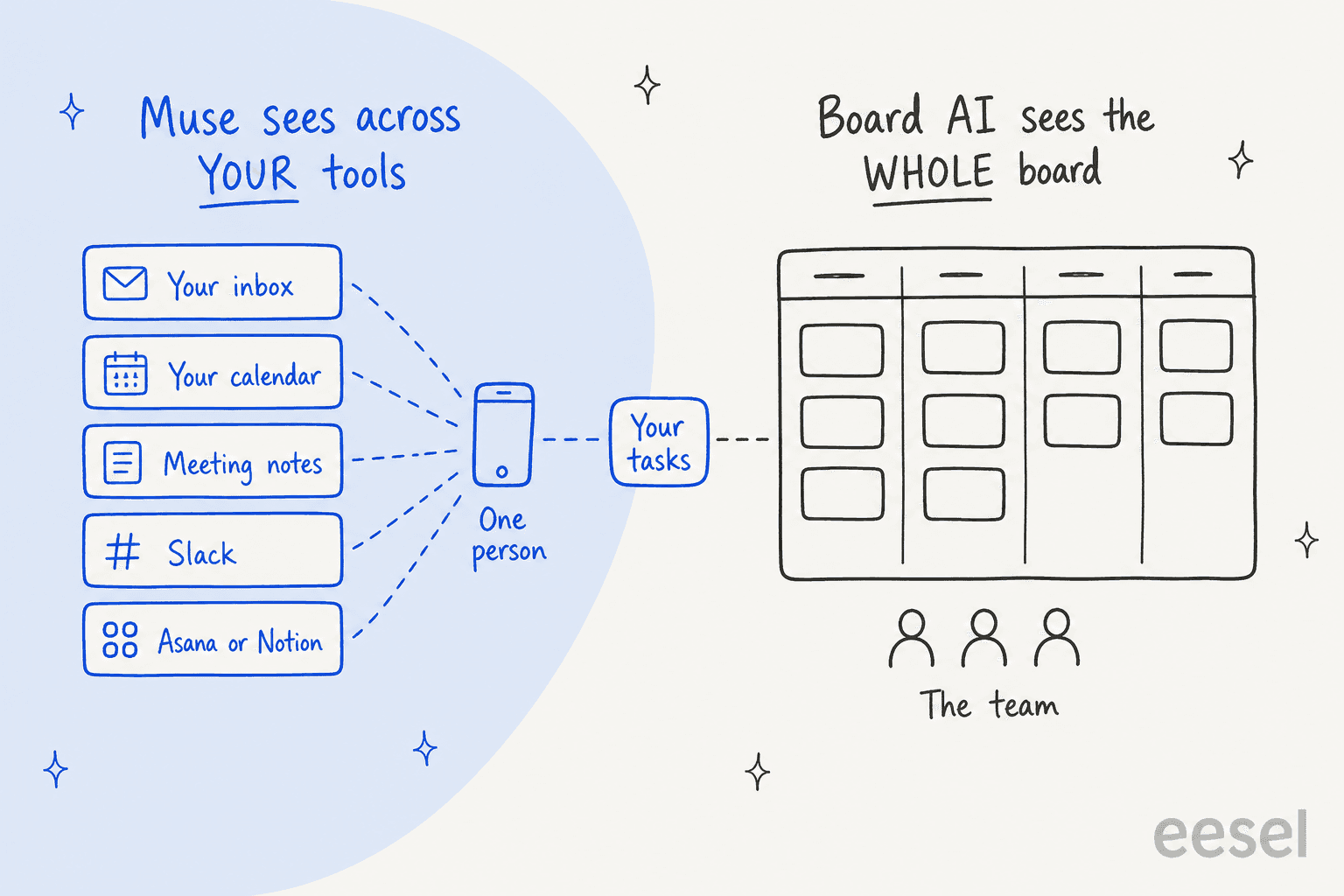
The two only overlap on your own tasks. Board AI can't read your Gmail or last night's call notes. Muse can't see the whole team's board under the team's permissions. Here's what the board side looks like today:
| Tool | Built-in AI | Plan that unlocks it | AI meter | MCP for outside agents |
|---|---|---|---|---|
| Asana | AI Teammates, Asana Dash, AI Studio | Starter, $10.99/user/mo annual | 5 AI requests per user a month (account cap 50), then $0.50 to $0.60 each | Yes |
| Notion | Notion Agent, Custom Agents | Business, $20/member/mo | Custom Agents $10 per 1,000 credits | Yes |
| Jira and Confluence | Rovo agents, chat, search | Standard and up | 25 to 150 Rovo credits per user a month, $0.01 per extra credit | Yes, uses Rovo credits |
| Linear | Linear Agent, Loops | Every plan, including Free | Only coding sessions and Loops (about $0.07 to $0.20 a run) | Yes, plus read-only |
| monday.com | sidekick, agents, AI blocks | Basic, $9/seat/mo annual | $10 per 1,000 AI credits | Yes, all plans |
| ClickUp | Brain, Super Agents | Brain AI add-on, $9/user/mo | 1,500 to 5,000 credits per user a month | Yes, daily call caps |
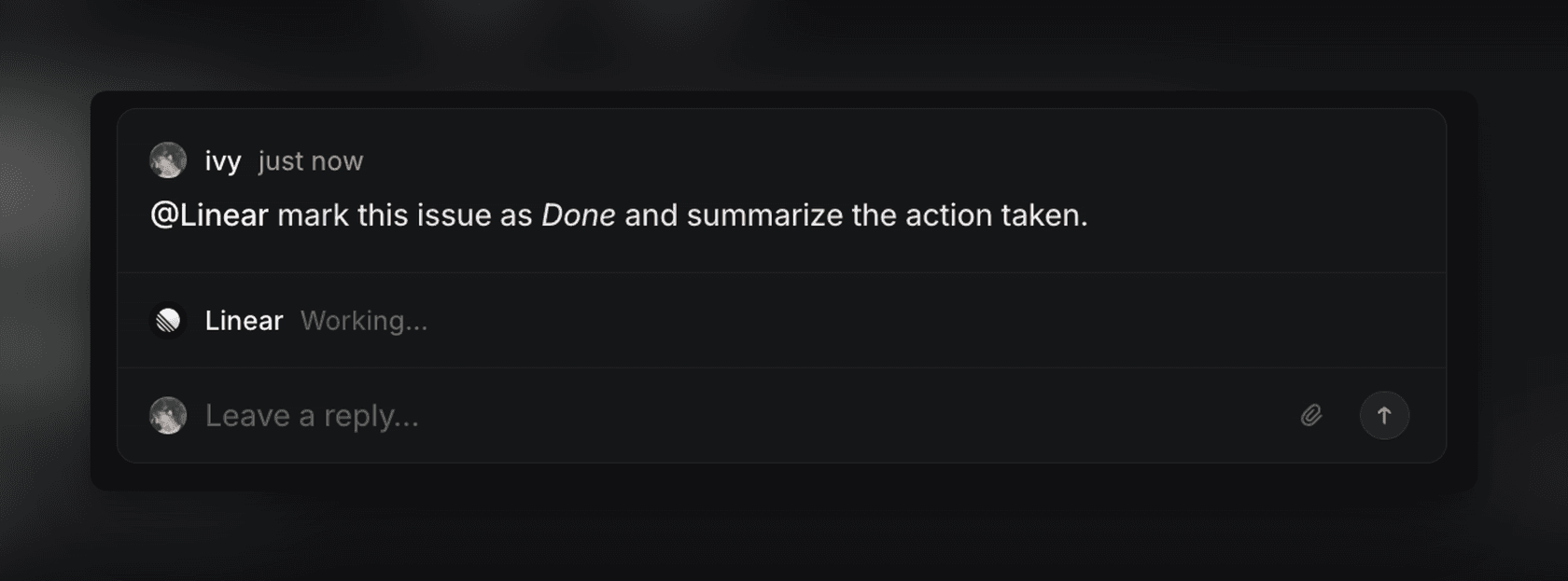
Two details from that table change the Muse math. First, Atlassian's Rovo MCP server charges Rovo credits when an outside agent calls it, so a Muse custom connector working Jira through MCP still spends the team's shared pool. Second, Linear Agent is on the free plan and already drafts and publishes project updates inside Linear.
The board AI also has the admin story Muse lacks. Admin controls over AI, like audit logs and MCP allow-lists, are mostly Enterprise-tier across these tools, but they exist. Muse has no admin console at any price. If you're comparing the board options themselves, my roundup of AI project management tools goes deeper, and Jira AI pricing breaks down the Rovo credit model.
Pick your tool: where Muse fits
Which tool runs your projects?
Asana
- Muse connector
- Official, named by Meta. Actions aren't listed publicly, so check Settings, then Connectors.
- Board's own AI
- AI Teammates and Asana Dash from Starter ($10.99/user/mo annual), 5 AI requests per user a month.
- Outside agents
- Asana MCP server. Blocking specific MCP clients is Enterprise+ only.
Notion
- Muse connector
- Official, named by Meta.
- Board's own AI
- Notion Agent on Business ($20/member/mo). Custom Agents can write recurring status reports, $10 per 1,000 credits.
- Outside agents
- Notion MCP, which acts "with your full Notion permissions."
Jira and Confluence
- Muse connector
- None named. Custom connector only, which Meta doesn't review.
- Board's own AI
- Rovo on Standard and up, 25 to 150 credits per user a month.
- Outside agents
- Rovo MCP server. Calls spend the team's Rovo credits.
Linear
- Muse connector
- None named. Custom connector only.
- Board's own AI
- Linear Agent on every plan, including Free. Drafts and publishes project updates.
- Outside agents
- Linear MCP with a read-only endpoint.
monday.com
- Muse connector
- None named. Custom connector only.
- Board's own AI
- sidekick and agents from Basic ($9/seat/mo annual), $10 per 1,000 AI credits.
- Outside agents
- monday MCP on all plans, at no extra cost.
ClickUp
- Muse connector
- None named. Custom connector only.
- Board's own AI
- Brain AI add-on at $9/user/mo, Super Agents on Everything AI ($28).
- Outside agents
- ClickUp MCP on all plans, no delete tools, daily call caps.
Which project management jobs should you hand to Muse?
The jobs that suit Muse share one trait: they pull from several of your tools and end in a draft you read before anyone else does. Five that work well:
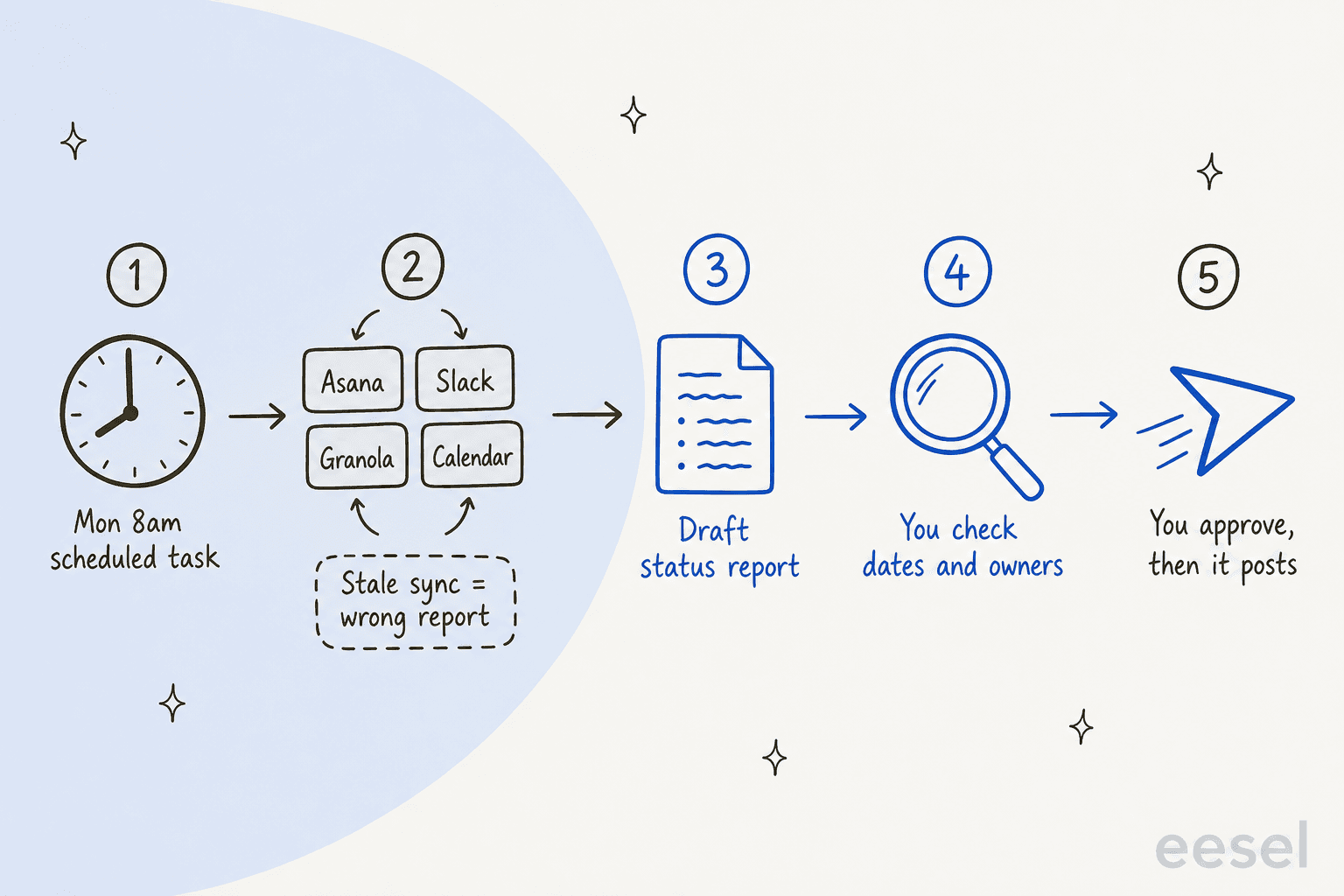
1. The Monday status report. Muse "can also run recurring tasks on a schedule, like daily check-ins or weekly summaries," per its scheduled tasks page, and repeats "daily, weekly, or on a custom interval" until you cancel. Ask for the output as a DOCX or PDF, which Muse can produce per its artifacts page. One PM described the same setup with a different agent:
"I have a weekly report task scheduled through Cowork which looks at all emails between me and the project members, the channel, meetings (all recorded), Planner and our WBS and then creates a weekly status report using a format we gave it. [...] This is a task that would easily take an hour to an hour and a half per project"
2. Catching the promises you made. "I'll send that by Friday" in a Slack thread is a task nobody logged. Point Muse at Slack and ask for a weekly list of things you said you'd do. A manager on Reddit runs exactly this with Claude: "search Slack for places where I told people I'd do something, then it adds those to my actual to-do list" (/u/CouchGremlin14). Slack AI recaps channels for the whole workspace; this sweep is about your own messages.
3. Meeting notes to follow-ups. Granola's CEO says connecting it lets Muse "act on what you've discussed and help you get work done," per Meta's launch post. Ask Muse for action items with an owner and a date, then draft the follow-up email for you to send. If you're picking a notetaker first, see my meeting notes app roundup.
4. A risk and issues log you own. Muse makes XLSX and CSV files and edits them in place ("Add a row for March"). A personal risks, actions, issues and decisions log in a spreadsheet suits it well. Keep it as your working copy, not the team's record.
5. Drafting the chasers. Chasing updates is the job most PMs want gone, and drafts are the safe half of it. One Reddit reply put the rule well: "it can draft and it cannot send, especially for anything going to a client or anything that commits you to a date" (/u/EveningTomatillo671).
A nightly calendar rundown is a quieter sixth. Muse users like it most of all:
"every night at 6pm it gives me a run down of the next day's meetings, then it looks at my schedule at 6am and sets an alarm for me to wake up accordingly and it'll remind me if it's an in person meeting."
That's closer to an AI scheduling assistant than a PM tool, and that's fine. Most of a PM's week is calendar and inbox anyway.
What should stay off Muse's plate?
Three jobs I'd keep away from a personal agent, however good the demo looks.
Editing the board of record. The board is the team's shared truth. An agency PM on Reddit shared what happens when agents get loose on it:
"We've had overly-cautious agents logging 2 dozen raidd entries every meeting. [...] We've had agents go and re-write hundreds of in progress tickets."
Muse's approval settings can catch this. "Ask for some actions" makes it ask "before every write action and important read actions," and the Activity log keeps "a chronological record of actions your Muse has taken." For a shared board, I'd never pick "Always allow."
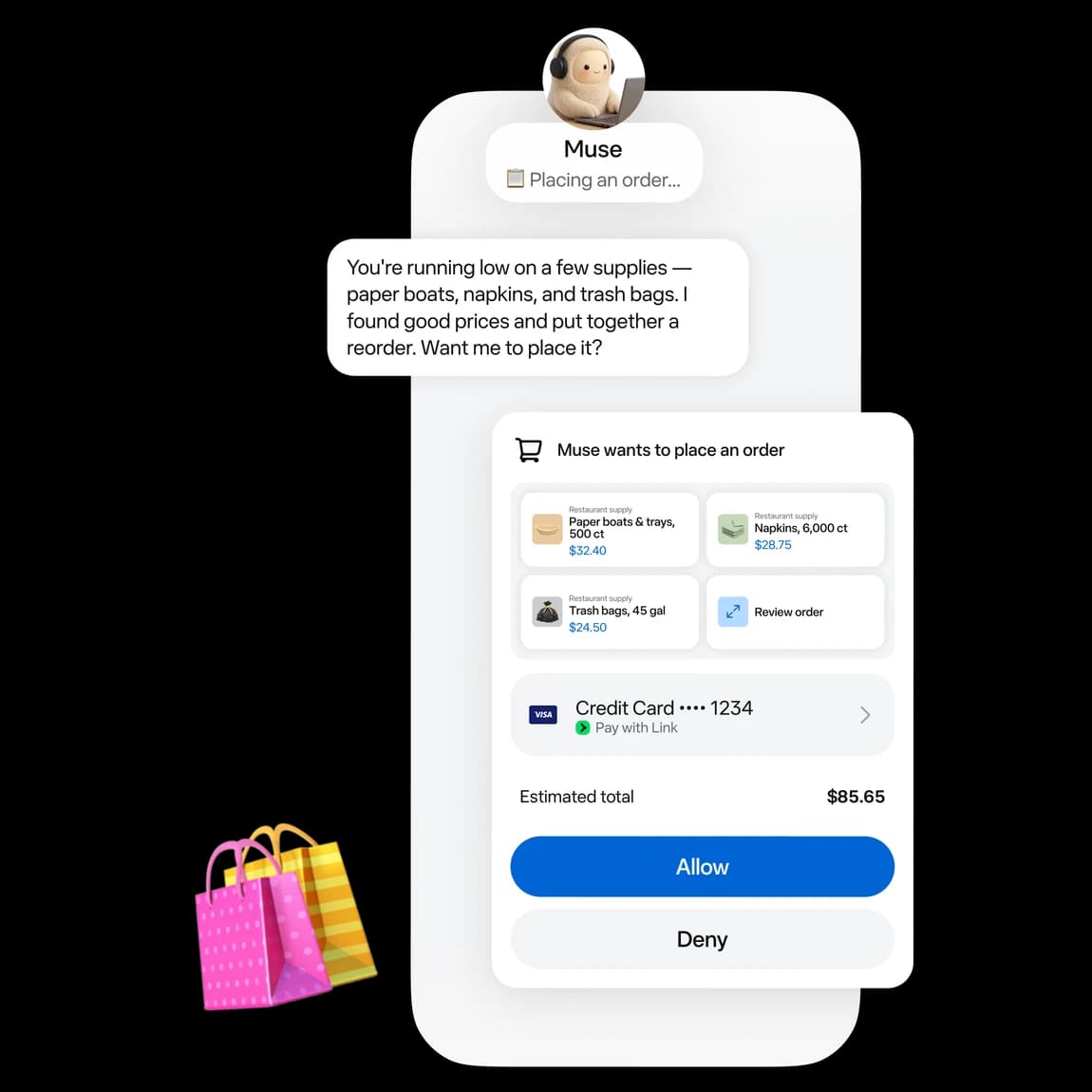
Sending updates straight to stakeholders. Meta classes "send an email" as a sensitive write, and the platform docs say "Sensitive writes cannot be set to Always allow." Good. Here's why I'd also read every draft. In one real-traffic trial I've seen at eesel on an e-commerce support inbox, the AI hit 93% triage accuracy, but only 12% of its drafts went out as written. Agents get the gist right far more often than they get every detail right, and a status update is all details.
Being the only copy of your plan. Muse's goals, files and memory live in your personal account. Disconnecting a connector doesn't wipe what it learned: data "might still remain in Muse's memories and your conversation history," per the connectors page. And when you leave the project, your Muse leaves with you. One Reddit answer sums up the fix: "Keep the source of truth somewhere you can still open without it" (/u/OkStatistician9190).
The stale data problem
A scheduled report reads whatever the connector returns that Monday. If a sync quietly broke, the report looks fine and is wrong. I've watched this at eesel: one mid-market customer's core data source was a daily-updated Google Sheet, and its sync failed silently three times before anyone caught it. The same PM who automated his reports names the board-side version:
"If the Planner is not updated properly or tasks aren't assigned, don't have due dates or are just too big so they are marked as "in progress" for weeks, then the system breaks."
So I ask Muse to list the last-updated date of every source at the top of each report. If a date looks old, the report waits.
Is Muse a team tool?
No, and it isn't trying to be. Every Muse user gets their own isolated cloud computer, and Meta's privacy page says "no one else's agent can access it." There's no shared workspace, team plan or admin console. Meta named Muse in its Enterprise Platform on September 28, without admin controls, pricing or dates.
Product leader Peter Yang named the gap on X:
"I can't easily add my spouse to a Muse chat to plan a vacation. I also can't loop coworkers into ChatGPT or Grok Bot threads. Multiplayer AI today mostly means tagging bots in Slack."
For a PM, that means Muse helps you prepare for the team, not work alongside it. It's the same limit I walked through in Meta Muse for work, where IT's only levers sit in Google Workspace and Slack, not in Muse.
Approvals also cut both ways. One Hacker News user found Muse "still asks for too many approvals to do tasks" (websiteapi). On a project, I'd take the friction. The cost of one wrong "we're on track" email to a sponsor is higher than ten extra taps.
How I'd set up Muse for project work in 30 minutes
- Switch off training first. In Settings, then Data controls, turn off "Help improve our AI models." It's on by default, and Meta says the change also applies to past interactions, per its data page.
- Connect read-first. Add Google Calendar, Gmail, Granola or Zoom, then Slack and Asana or Notion. Where a connector offers a read-only option, take it. One Muse user's setup: "I made everything read-only and I perform the final action myself" (/u/FlashingBongos).
- Set permissions to "Ask for some actions." Never "Always allow" on a connector that touches shared work.
- Schedule one report. "Every Monday at 8am, draft a status report for Project X from Asana, the #project-x Slack channel and last week's meeting notes, as a DOCX. List each source's last-updated date at the top."
- Add a promise sweep. "Every Friday at 4pm, list everything I told someone I'd do in Slack or email this week, with a link to each message."
Skip custom connectors to Jira, Linear or monday.com unless your IT team signs off. For those boards, the native agent, like Rovo for Jira, is the safer route.
How much does Meta Muse cost?
Muse has no team plan, so each PM pays on their own Meta account. Plans, per Meta's subscriptions page:
| Plan | Price | Weekly usage |
|---|---|---|
| Free | $0 | Usage limit (no number on Meta's help page) |
| Power | $20/month | 500M Muse tokens per week |
| Maximum | $100/month | 3B Muse tokens per week |
Muse is available to people 18 and over in the US and Canada. For a PM running one weekly report and a daily brief, I'd start on Free and upgrade only when the limit bites. My Meta Muse pricing post covers how the token limits work, and Muse Small Business pricing covers the business skills.
Compare that with the board side: a 10-person team on Asana Starter pays about $110 a month annual and gets board AI for everyone, while ten Muse Power plans would be $200 with no shared view. For the team, the board AI is the better buy. For your own week, Muse at $0 or $20 is hard to beat.
Try eesel for the work your team shares
Muse is one PM's agent. A lot of project pain comes from a queue the whole team shares: the support tickets that turn into bugs, the escalations that land in Jira without context, the customer questions that stall a launch.
eesel is an AI teammate platform, and you hire teammates for specific jobs. The AI helpdesk teammate joins your existing queue in Zendesk, Freshdesk or Gorgias, learns from the tickets your team already answered and from docs in Confluence or Notion, and runs against your past tickets in a simulation before it replies to anyone. Every reply lands in an activity log your whole team can review.

Plans start at $299 a month for 500 credits, and the free plan gives you 100 credits to test on real tickets. Try eesel free, or see how it stacks up in the best AI teammates roundup.
Frequently Asked Questions
Can Meta Muse be used for project management?
Does Meta Muse integrate with Asana, Jira or Linear?
Can Meta Muse write my weekly project status report?
Is Meta Muse better than Asana AI or Notion AI for project management?
How much does Meta Muse cost for project management?
Can Meta Muse update tasks without asking me?


Article by
Rama Adi
Rama is a software engineer at eesel AI with two years of experience writing about B2B SaaS, AI tools, and customer support technology. Based in Bali, Indonesia, he brings a developer's perspective to product comparisons — cutting through marketing copy to what the integrations and APIs actually do.