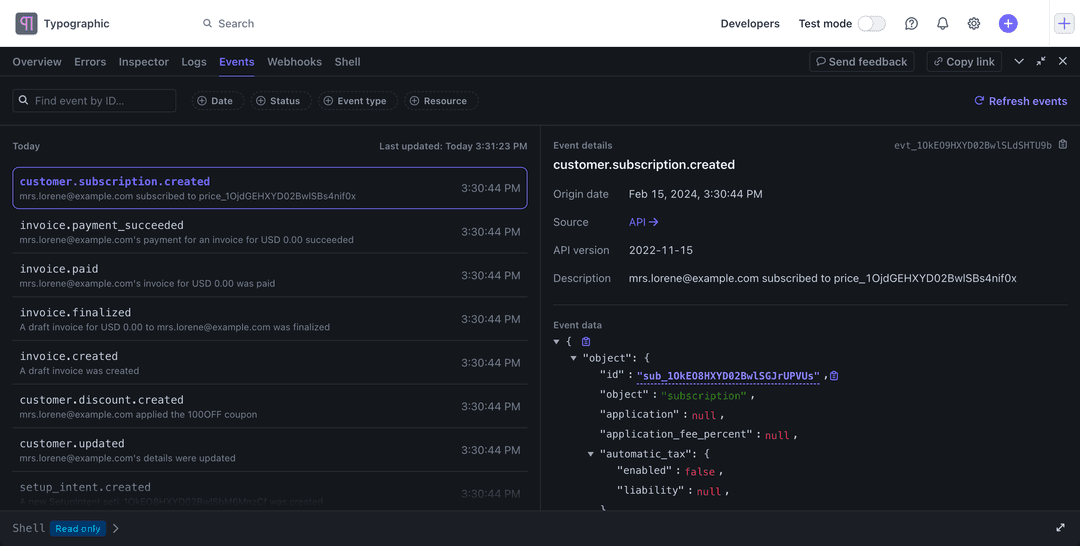
Stripe and OpenAI introduced the Agentic Commerce Protocol in September 2025 to help businesses transact with AI agents. For a merchant, the useful question is not whether an agent can click “buy.” It is whether the complete workflow can quote the right product, accept an authorized payment, fulfill the order, and support the customer afterward.
This guide explains ACP’s place in Stripe’s current commerce offering, then covers a separate operational task: using eesel CLI to prepare the support teammate that helps after a purchase.
What is the Agentic Commerce Protocol from Stripe and OpenAI?
The Agentic Commerce Protocol is an open standard for programmatic commerce between businesses, buyers, and agents. Its Apache 2.0 specification gives implementers a common foundation rather than requiring every merchant-agent pair to design a checkout language from scratch.
Merchants remain responsible for their orders and customer relationships. Implementing the specification does not automatically put a store’s products in every shopping app. Each platform controls its participation process, and payment-provider compatibility still matters.
ACP is also not the name of every Stripe agentic-commerce product. Keep the standard, the implementation, and the shopping channel separate when choosing what to build.
Stripe’s current offering extends beyond ACP
As of September 2026, Stripe’s agentic-commerce overview lists both UCP and ACP for selling through agents. Stripe’s current protocol documentation covers Universal Commerce Protocol, or UCP.
That is a reason to read current integration guidance, not to conclude that ACP and UCP are interchangeable or that one has universally replaced the other.
Stripe’s seller guide describes Agentic Commerce Suite: account setup, a product feed, connections to supported agents, and order handling. A custom implementation is a different choice from using that managed path. Neither has a universal setup time; the work depends on your existing systems and requirements.
What the merchant needs to keep working
| Part of the purchase | What to check |
|---|---|
| Catalog | Correct product and variant identifiers, prices, and availability |
| Checkout | Delivery options, totals, required permissions, and supported payment flow |
| Order handling | A reliable way to receive and process completed-order information |
| Support | Order references, approved policies, and a path for exceptions |
Stripe’s seller guide recommends keeping catalog information current and testing the integration in a sandbox. Catalog availability and order status need current operational data; support policies need an approved, maintained source.
How an agent-led transaction works conceptually
The exact request names and fields depend on the specification version and integration path. At a high level, an agent starts a checkout, receives the merchant’s current cart and totals, updates the checkout if needed, and completes it through the permitted payment flow. The merchant then handles the resulting order.
Use the current API reference when implementing this. A prose walkthrough is not an endpoint contract, and the customer’s shopping request should not be treated as unlimited payment authority.
Stripe’s shared-payment-token documentation describes scoped payment credentials. Tokens should not be copied into support prompts or knowledge files. Support usually needs the order reference and relevant payment status, not reusable payment credentials.
This division continues after checkout. A message saying “payment went through” is not evidence that the warehouse shipped the item. Your team needs records from the system responsible for each event.
Where eesel CLI fits after checkout
eesel CLI operates your eesel teammate from a terminal. It is the same agent and workspace available in the dashboard, with JSON output that scripts and coding agents such as Claude Code, Cursor, and Codex can use.
For this workflow, the teammate helps explain policies and handle support requests using its connected knowledge and permitted actions. It does not configure Stripe checkout, ingest all Stripe events automatically, or become the authority for payment disputes.
A practical first task is to prepare an answer to: “I paid through a shopping agent, but I have not received an order confirmation.” The teammate should identify what information is needed and when to hand off, not invent a successful payment or shipment.
Inspect the teammate’s existing access
With Node.js 18.17 or newer:
npx @eesel/cli login
npx @eesel/cli whoami
npx @eesel/cli agents
Replace AGENT_ID with the intended teammate’s ID:
npx @eesel/cli integrations --agent AGENT_ID
npx @eesel/cli instructions --agent AGENT_ID
npx @eesel/cli automations --agent AGENT_ID
Check which sources are actually connected. A helpdesk ticket might contain an order reference without containing the payment event needed to settle the question. If that evidence is missing, the workflow needs an authorized lookup or a human handoff.
Review existing enabled automations and action permissions before adding access. Do not assume the teammate is inactive because this is your first CLI session.
Provide an approved handoff policy
Prepare a short internal document explaining what support may say when an order confirmation is missing, which identifiers to request, and which team checks payment exceptions. Upload only information appropriate for the teammate’s users:
npx @eesel/cli files upload ./order-confirmation-policy.pdf --agent AGENT_ID
npx @eesel/cli status --agent AGENT_ID
Replace the example path with your document. This adds knowledge; it does not edit standing instructions or enable a Stripe integration. Review the instructions separately if the escalation rule changes.
Status confirms operational details such as connections and downloaded content. It does not prove the policy is current or the teammate’s answer is correct.
Try a fictional case with restricted actions
Before chatting, review action permissions. CLI chat can invoke actions, so keep writes off or subject to approval while testing:
npx @eesel/cli new --name "missing-confirmation-review" --agent AGENT_ID
npx @eesel/cli chat "Using our order-confirmation policy, draft guidance for a fictional shopper who says payment succeeded but has no order confirmation. Explain what evidence is missing. Do not send messages or change records." --agent AGENT_ID
The prompt states the intended task, not an enforced permission boundary. Check that the response avoids claiming payment success without evidence and does not request raw card details or credentials.
If the teammate has order access through an integration such as Shopify, distinguish live lookups from synced policy knowledge. A public storefront crawl does not grant access to private orders, and Shopify order data is not automatically a complete Stripe dispute record.
Inspect the result and any held actions
npx @eesel/cli activity --agent AGENT_ID
npx @eesel/cli approvals --agent AGENT_ID
Review the actual response and activity before expanding the workflow. The approvals list concerns held eesel teammate actions; it does not represent the buyer’s payment authorization.
For scripts, scope commands with the intended agent. Keep EESEL_API_TOKEN secret and verify that EESEL_API_URL points to the intended server. Use --help for the current command options. For writes, --dry-run prints the server request without sending it. It does not test the payment integration or simulate the support conversation.
Let a coding agent help inspect the setup
You could ask:
Inspect this eesel teammate’s sources and instructions for missing-order-confirmation requests. Identify any claims it cannot verify from connected data. Report gaps and ask before making changes.
The coding agent can read the JSON output while your support lead reviews the same teammate in the dashboard. Keep that instruction to ask first separate from configured action approvals.
Build the checkout and support workflows deliberately
Choose the Stripe integration path using the current seller documentation and test the commerce flow in its sandbox. In parallel, prepare support to distinguish payment evidence, order state, delivery status, and policy decisions.
Try eesel and use eesel CLI to inspect one support workflow before enabling broader actions. Start with the information your team can verify, give exceptions a clear owner, and keep payment credentials and decisions in the systems authorized to handle them.
Frequently asked questions
What is Stripe’s role in the Agentic Commerce Protocol?
Stripe co-developed ACP with OpenAI as an open standard for commerce between businesses and AI agents. Stripe also supplies products for agentic payments and selling through agents. The protocol and Stripe’s implementation products are not the same thing.
Is ACP the only protocol Stripe supports?
No. Stripe’s current agentic-commerce documentation lists UCP and ACP for selling through agents. Choose the integration that fits your business and intended shopping channel rather than relying on a launch-era guide.
Does ACP automatically make a store available in every AI shopping app?
No. A compatible checkout and a platform’s merchant participation process are separate. Stripe’s seller guide includes requesting connections to supported agents; product-feed and account requirements also apply.
Does eesel CLI process Stripe payments?
The workflow in this guide uses eesel CLI to operate a support teammate, not to process payments or build ACP checkout. Stripe payment events, refunds, and disputes stay in the authorized payment workflow. A support teammate can only use the information and actions actually connected and permitted.
What can a coding agent do with eesel CLI?
It can inspect the same teammate’s connections, instructions, automations, and activity available in the eesel dashboard. Commands return JSON. Give the coding agent a bounded task, protect credentials, and review changes; chat requests can invoke actions.
How can we test support before allowing broader actions?
Start with an approved policy and a fictional case, keep write actions off or subject to approval, and review the response against the actual rules. CLI status is not an accuracy test, and dry-run only prints a server request without sending it.