What an AI video script generator actually is
I write for a living and I've spent the last couple of years watching how "AI [content type] generator" keywords map to what people actually want. With video scripts, the search hides a trap: most people type it expecting the AI to be the writer, and the ones who get good results treat it as a structuring engine they feed.
So let me start with the reframe, because it's the whole game. A video script isn't generic prose. Its shape is dictated by the format. A 30-second TikTok and a 10-minute explainer aren't the same writing job with a different word count; they're different structures. And the single biggest lever on AI output quality is telling the model which structure to follow, not just the topic.
The purpose-built tools give this away in how they describe themselves. Restream's generator walks you through entering a topic, picking an audience, and selecting a tone before it writes. vidIQ frames its output as a script "with hooks, transitions & CTAs", the tell that the structure is the product, not the prose. Here's roughly how the structures break down:
- Short-form (TikTok, Reels, Shorts): hook → value → CTA, in 15 to 60 seconds. One message, one call to action, delivered fast. The hook in the first three seconds carries the whole thing.
- YouTube explainer: a longer arc, hook → context → payoff → recap. Teleprompter.com notes that many viewers decide in the first minute or two whether to keep watching, so the script has to earn attention early.
- Product demo: problem → walkthrough → payoff. You start slower setting up the problem, then speed up through the exciting part.
- Ad or VSL (video sales letter): the most rigid, built on direct-response formulas. Marketer Jim Edwards' 10-part formula runs shocking open → problem → agitate → solution → proof → close, and he claims a tight 3-to-6-minute VSL can outsell an old long-form sales letter several times over.
- Training or tutorial: slower and clarity-first, chunked into segments so attention holds.
If you want to go deeper on writing for ranking and search intent, our guide to AI for content creation covers the wider category. But for scripts, the format-first rule is the one to internalise.
How AI video script generation works
Strip the branding off any of these tools and the workflow is the same five steps.
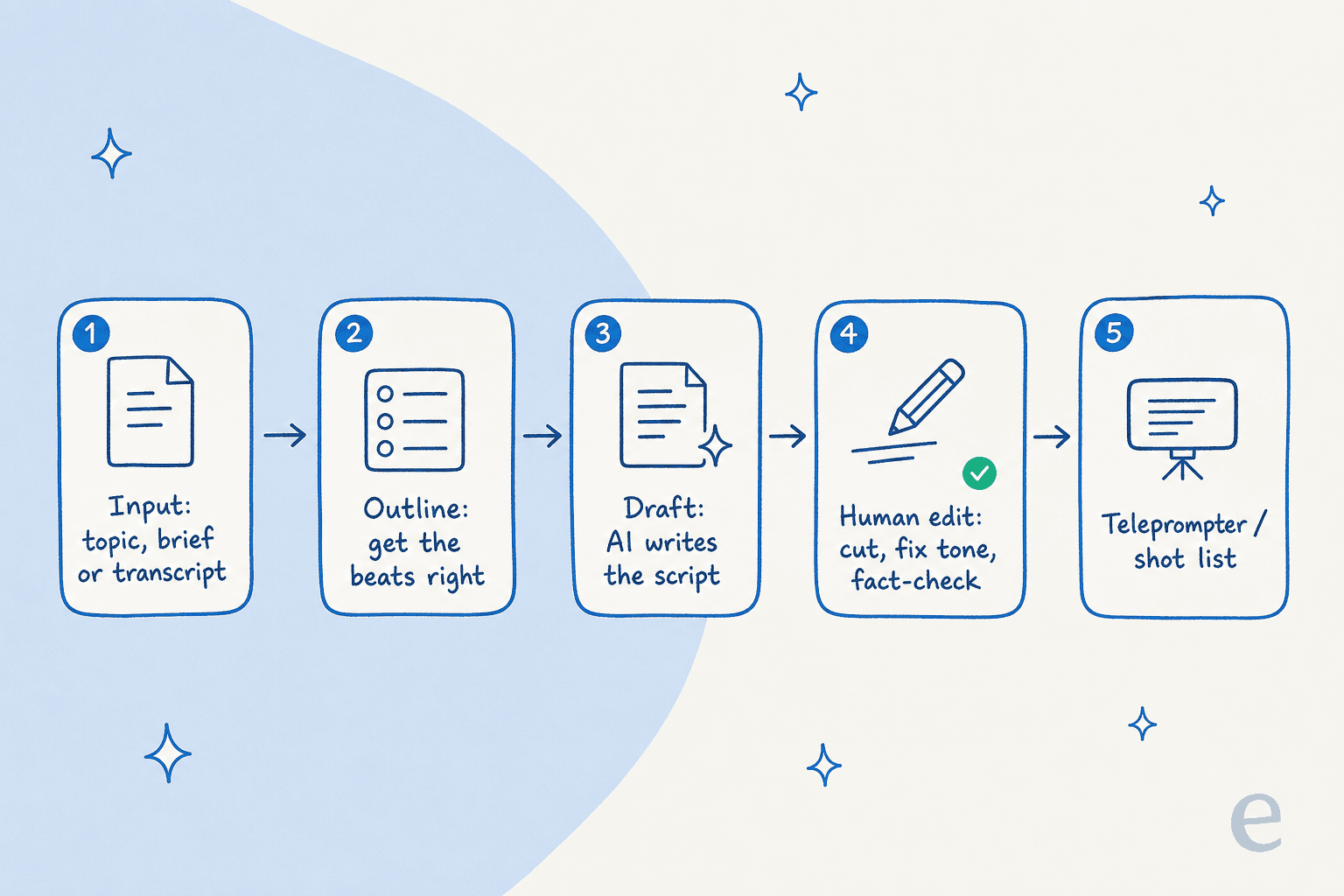
- Input. You give it source material: a topic, a brief, a blog post, or a recording transcript.
- Outline. Get the beats right first, matching the structure for your format.
- Draft. The model expands the beats into spoken prose.
- Edit. A human cuts, fixes the tone, and fact-checks. This step is not optional.
- Handoff. The script becomes something you can perform, a teleprompter file or a marked-up shot list with visual cues.
The interesting design choice is step 1, and the creators who get this right almost never start from a bare topic. One marketer laid out the loop plainly on Reddit:
"AI is incredible at processing large amounts of disorganized information and turning it into organized, well-written content. I've fed hour-long transcripts into AI and had it turn the content into a blog post... Read the content the AI produced, and put your criticisms into a follow-up request. Keep doing this... until it's near perfect."
torsojones, r/marketing

That transcript-as-input pattern is exactly how a good video script gets made: you're not asking the AI to invent, you're asking it to restructure something real you already have. It's the same principle behind a well-run AI content pipeline, structure in, draft out.
The tools that generate video scripts
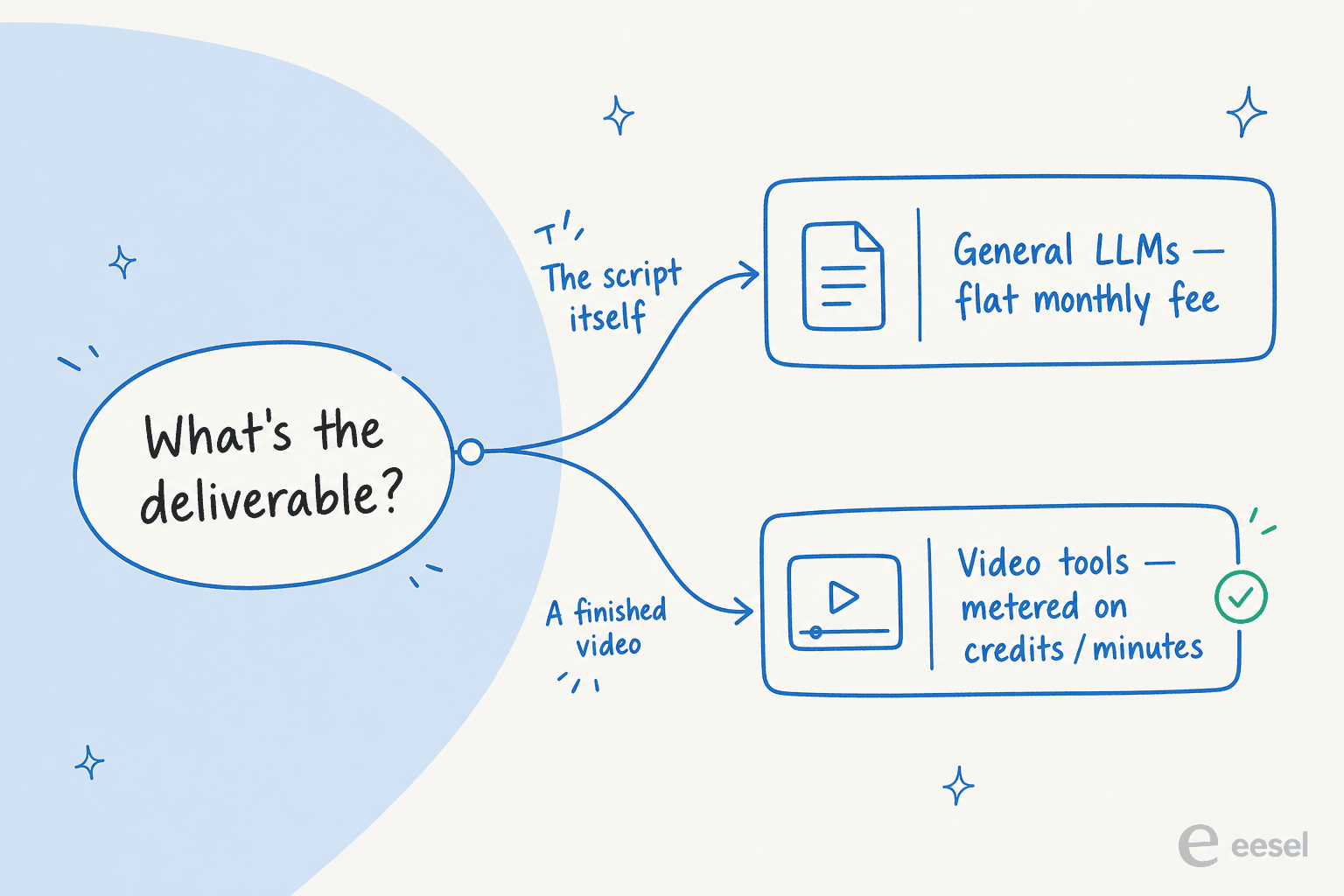
You probably don't need to buy a dedicated tool, you need to know which kind you're reaching for. There's a clean split.
| Tool | Script role | How the script is made | Entry paid price | Billable unit |
|---|---|---|---|---|
| ChatGPT | Draft from scratch | Open chat prompt, iterate | $20/mo (Plus) | Flat seat, usage-limited |
| Claude | Draft from scratch, long-form | Open chat prompt, iterate | $20/mo (Pro) | Flat seat, session-limited |
| Synthesia | Auto-script plus avatar video | Prompt, doc or URL → script + scenes | $19/mo (Starter) | Credits → video minutes |
| Descript | Write and critique in editor | Underlord agent in the transcript | $16/mo (Hobbyist, annual) | Media minutes + AI credits |
| VEED | Standalone free generator | Tone, audience, platform form | $12/mo (Creator) | Free script; editor on credits |
| InVideo AI | Script as step 1 of full video | Single prompt → script → video | $17/mo (Plus, annual) | Credits per generation |
| HeyGen | Script-in, avatar-out + localization | Type or paste; agent rough draft | $29/mo (Creator) | Credits → video minutes |
A few things worth pulling out.
The general LLMs are where most scripts actually get written. There's no dedicated "video script" product inside ChatGPT or Claude; you prompt the chat with the format, length, tone, and audience, then iterate. For a flat $20/mo neither charges you per draft, and Claude in particular handles a long explainer or a full brief in one prompt without losing the thread. The limitation is obvious: they stop at text. You copy the script into something else to shoot it.
VEED is the lowest-friction purpose-built option. Its AI Script Generator is free and needs no signup, just pick a tone, an audience, and a platform.
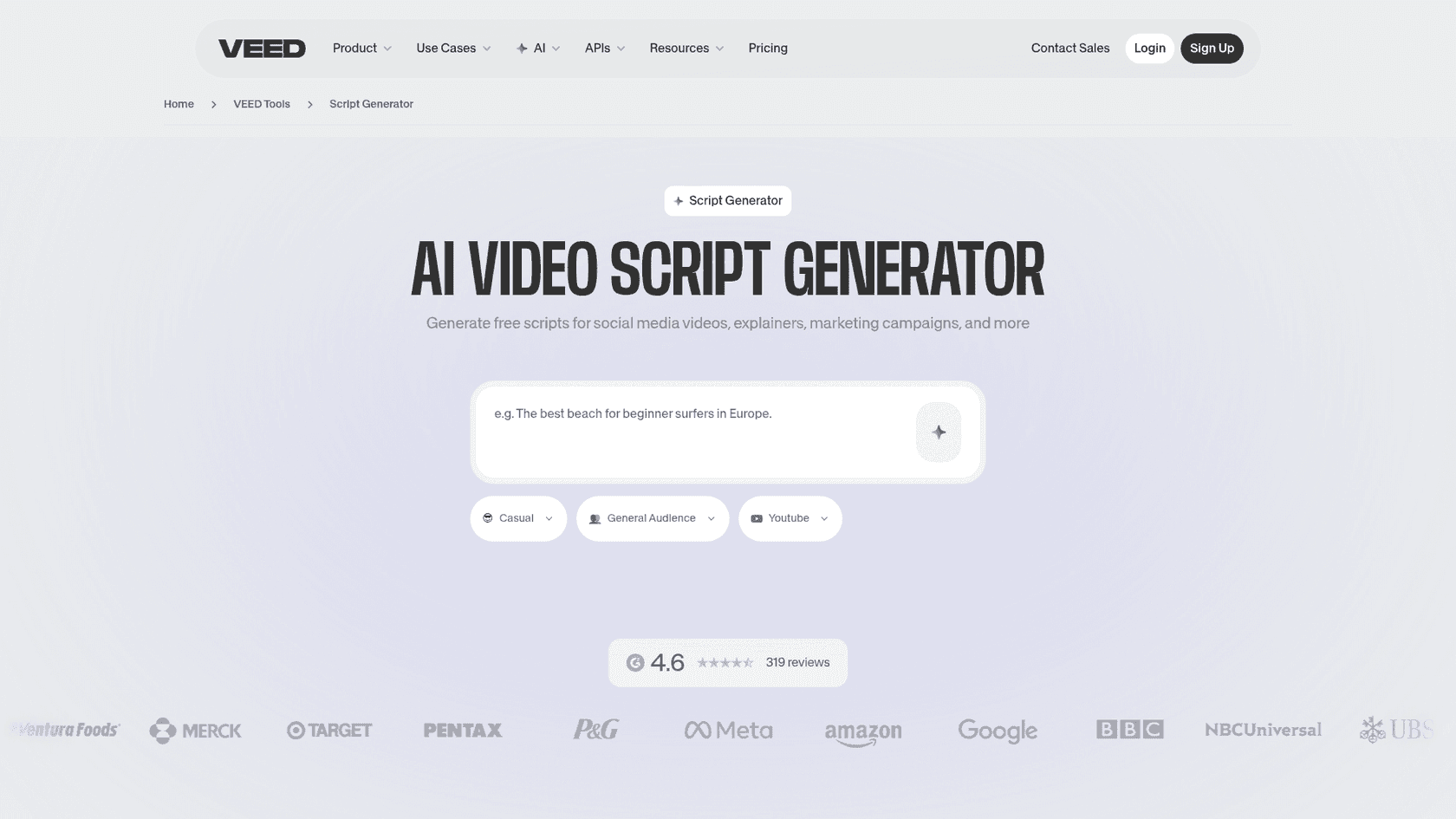
The form is faster than a blank chat for non-writers, but the output is more generic than a well-prompted LLM, and to actually render video you're back on VEED's credit-metered editor plans.
Descript takes the opposite approach: the script lives inside the editor. Its AI layer, Underlord, is pitched as a writing partner that can draft a script from a prompt or read your script and give feedback, in the same doc as your editable transcript.

That script-is-transcript-is-timeline model is genuinely unique for anyone editing talking-head or podcast video. The catch is the meter: Descript bills on two currencies, media minutes and AI credits, and they burn faster than people expect.
Synthesia and HeyGen are avatar-first; the script is the text an AI presenter reads, so editing the words re-renders the speech. They're strong for localized training and explainer video at scale, less so for punchy social hooks. And InVideo AI is the most "one prompt, finished video" of the lot, writing the script as the first step of generating the whole thing.
The recurring pain across every credit-metered tool here is the same, and it's worth saying out loud: the credits burn whether or not the output is usable. One creator's InVideo review put it bluntly:
"I provided an extremely detailed video production script... Support's response? 'AI is evolving' and 'each generation consumes credits regardless of outcome.' No refund. No credits back."
So the real cost question for the video tools is never the sticker price, it's "how many minutes or generations do I actually need," and how many of those I'll waste on takes I throw away. If the script is the deliverable, the flat-fee LLMs sidestep that math entirely.
Do the runtime math (about 150 words per minute)
This is the cheapest guardrail there is, and it's the one AI skips by default. Average conversational speaking pace is roughly 150 words per minute, so your script length is a function of your runtime, not a vibe.
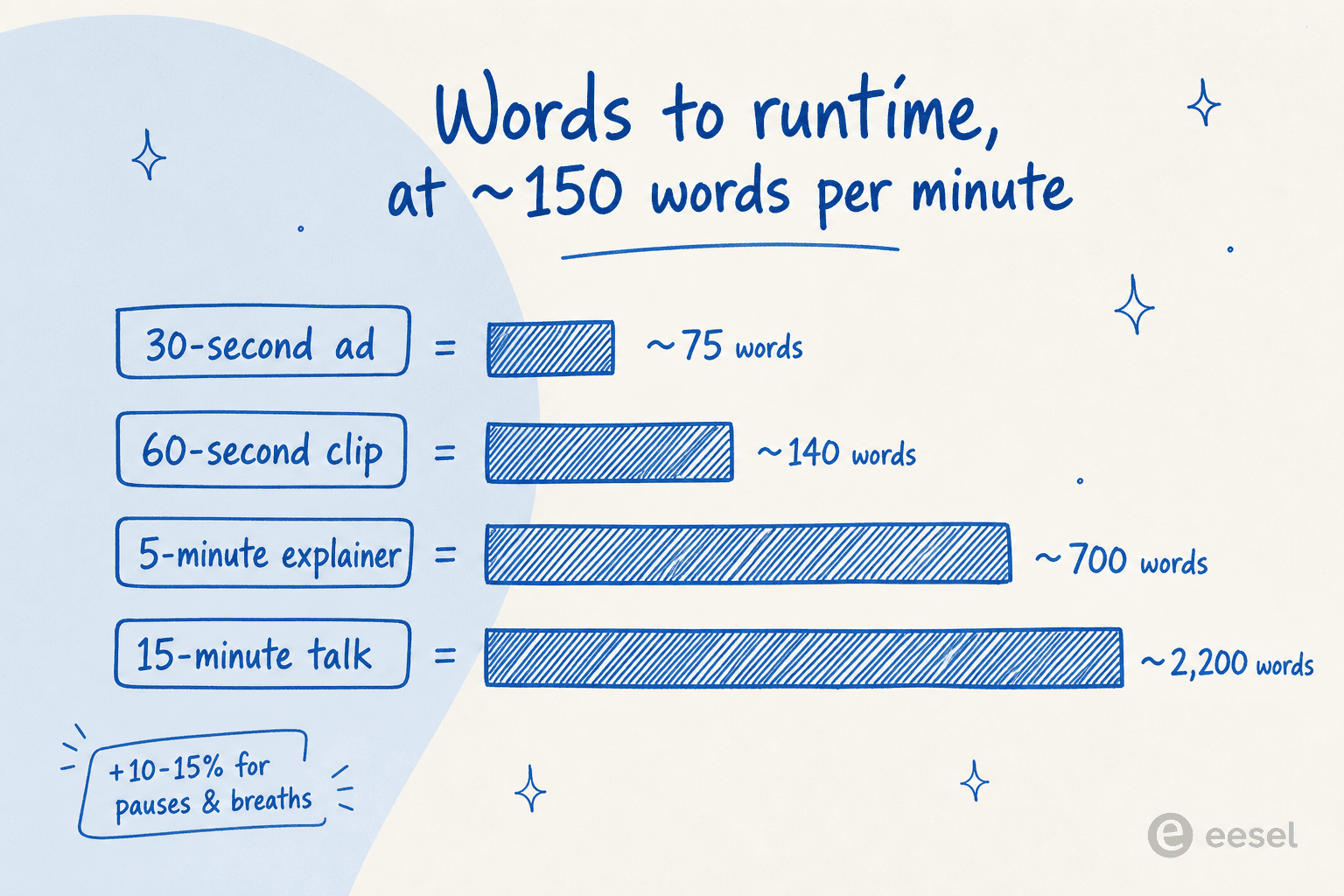
Teleprompter.com's timing guide lines this up: a 60-second video lands around 130 to 150 words, a 5-minute video around 600 to 750, a 15-minute presentation around 2,000 to 2,300. Then add 10 to 15 percent for pauses and breaths, so a script that reads as four minutes by word count delivers closer to four and a half.
The practical move: tell the model the target runtime in words. "Write a 60-second script, about 140 words" produces something you can shoot. "Write a short video about X" produces 400 words and a clip that runs three minutes or a delivery so rushed it's unwatchable. The same length discipline shows up everywhere good content does, it's why an AI content scaling tool bakes word targets in rather than leaving them to chance.
How to get scripts that don't sound like AI
The format and the runtime get you a usable skeleton. These are the moves that make it not read like every other AI script.
Write for the ear, not the eye. Read the draft out loud. If you stumble or run out of breath, the sentence is too long for speech. Contractions, short sentences, varied rhythm, that's what makes spoken words sound spoken instead of like a read-aloud essay.
Nail the first three seconds. Short-form is won or lost on the hook. A good one does at least one of three things: a pattern interrupt (show something unexpected), address a pain directly ("if you're struggling with X, keep watching"), or make a bold, specific claim. What it never does is open with throat-clearing like "in today's fast-paced world."
Feed the model your real voice. This is the single strongest lever, and the reason most AI scripts fall flat. A creator on r/NewTubers nailed why:
"I think it knows plenty, it just doesn't know anything about you specifically. And that's kind of the whole problem. Most people prompt it with a topic and expect it to figure out the rest. But your channel isn't just a topic, it's a specific take on a topic, and that part doesn't exist anywhere the AI can find it unless you specifically put it in every prompt."
Rude-Anywhere-5142, r/NewTubers
So put it in. Paste a past transcript, a style sample, or your messaging guidelines. This is exactly what an AI writer with brand-voice training does under the hood, and you can do a lighter version by hand in any chat. We've written a whole guide on maintaining brand voice with AI if you want the long version.
Structure the beats, then write. Generate an outline, get the beats right, then expand each one. Two passes beat one. It's the same discipline that separates a real technical blog writer from a spec sheet, knowing what the viewer needs before you fill in words.
Build the visual column. A script isn't only spoken words. Mark where you'll cut to B-roll, where the narration pauses for a visual, where a graphic appears. A two-column script (audio on one side, visual on the other) is what a shot list gets built from, and it's the bit AI leaves out unless you ask.
Where AI gets video scripts wrong
The failure modes are predictable, which is good news, because predictable means preventable.
- The AI house style. Fed a bare topic, the model defaults to its tells: the "it's not just X, it's Y" construction, the em dashes, the shiny adjectives. Creators spot it instantly. The fix is richer input and an edit pass, not a fancier prompt. (Our own list of AI tells covers the same family of giveaways.)
- Reads like an essay, not speech. Balanced clauses and no contractions are a written register, not a spoken one. "Read it aloud" is the standard fix for a reason.
- Hallucinated facts. For informational video the model will confidently invent detail. Ground it in real source material and verify every claim, the same way you'd keep an AI support agent from making things up in front of a customer. A confident wrong line in a video is worse than no line.
- Ignoring the runtime math. Covered above, and worth repeating because it's the most common and the easiest to fix.
- Treating AI as the author. The recurring community verdict is that AI is an assistant, a way to get to a strong first draft, never the final word. The human edit is where the script becomes yours.
Notice the through-line: every one of these is solved by controlling what the model sees and reviewing what it writes. There's no magic prompt that substitutes for either, which is the same lesson teams learn building any AI content pipeline.
Try eesel for scripts that become answers
Here's the part most "AI video script" guides miss, and it only matters if you're making video to explain your own product (a tutorial, a feature walkthrough, an onboarding clip).
Writing the script is half the job. The other half is that the moment your video says "here's how exports work," a customer is going to ask your support team the exact same question, and the answer needs to match. That's the seam eesel sits in.
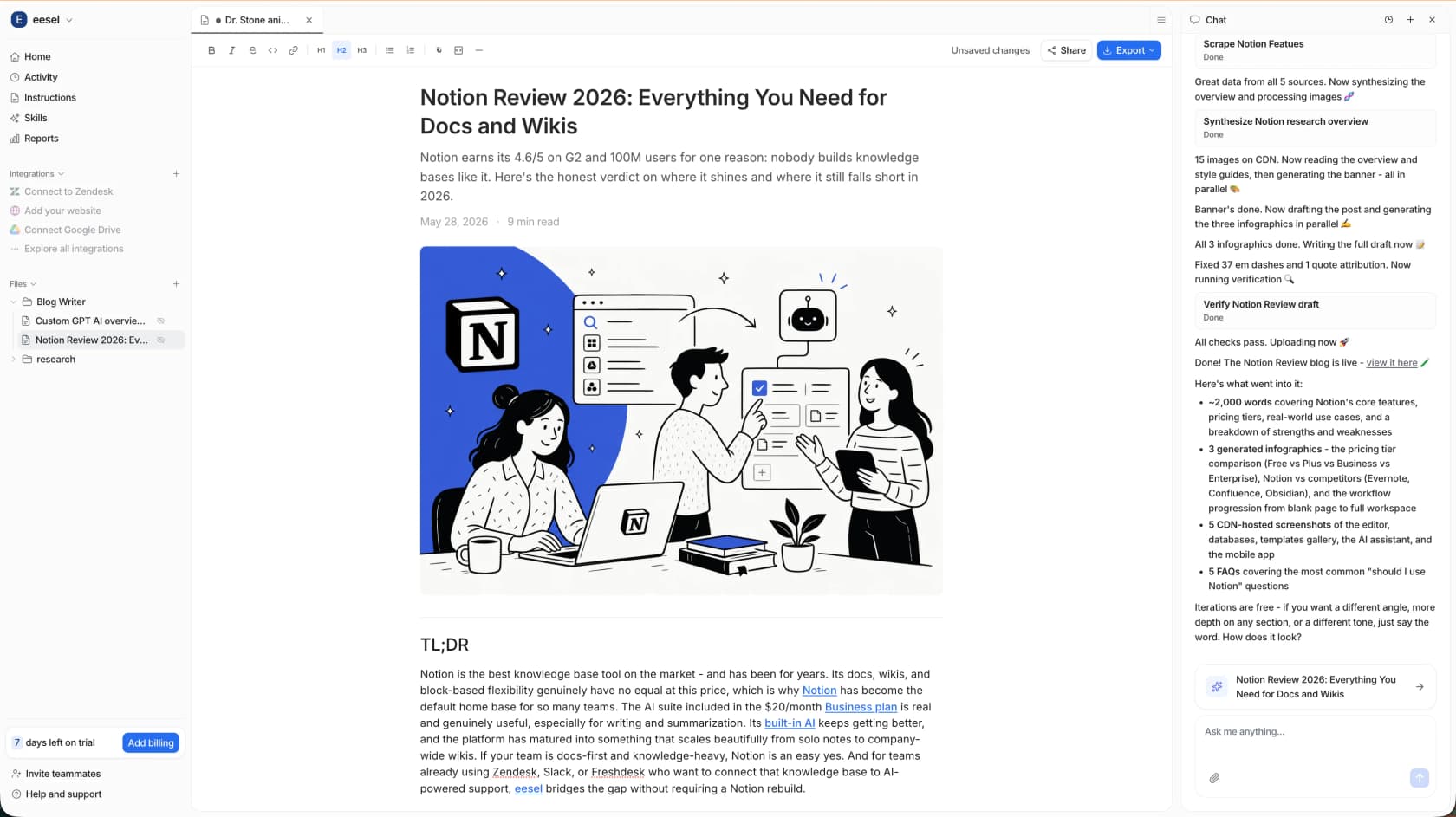
The same AI writer that produces our own content at scale (one customer publishes 360 posts a month through it, and a long-form piece lands in 12 to 20 minutes) can draft a script from your real docs, in your brand voice, with the human review pass built in. Because eesel also connects to your help center, Slack, and the rest of your knowledge base, that script isn't a one-off file, the underlying knowledge becomes something your knowledge base chatbot answers from instantly.
So instead of a script that's accurate today and stale next quarter, you get content and support answers drawn from one source of truth. You can try eesel free and point it at your own docs to see what it drafts.
Frequently Asked Questions
What is an AI video script generator?
What is the best AI to write video scripts?
How long should an AI video script be?
How do I stop AI video scripts from sounding generic?
Can an AI video script generator hallucinate facts?


Article by
Kurnia Kharisma Agung Samiadjie
Kurnia is a software engineer and writer at eesel AI with two years of SEO experience, writing about AI tools, helpdesk software, and customer support. He pairs a developer's understanding of how these products are built with search-driven research into what actually ranks and resonates with the people searching for them.