


What Skywork AI actually is
Skywork describes itself as a "cloud-native AI workspace designed to help people turn ideas into structured research, business-ready presentations, websites, and long-running workflows." Stripped of the marketing, that means one thing: it's a single agent that does office work for you.
You don't pick a "slides tool" and then a "docs tool." You open a project, type what you want ("build me a 12-slide pitch deck on our Q3 numbers"), and the agent figures out which capability to run and produces the finished artifact. Skywork's stated mission is to "reduce the friction between thinking and execution", and in practice the whole product is organized around getting you from a sentence to a deliverable with as few steps as possible.
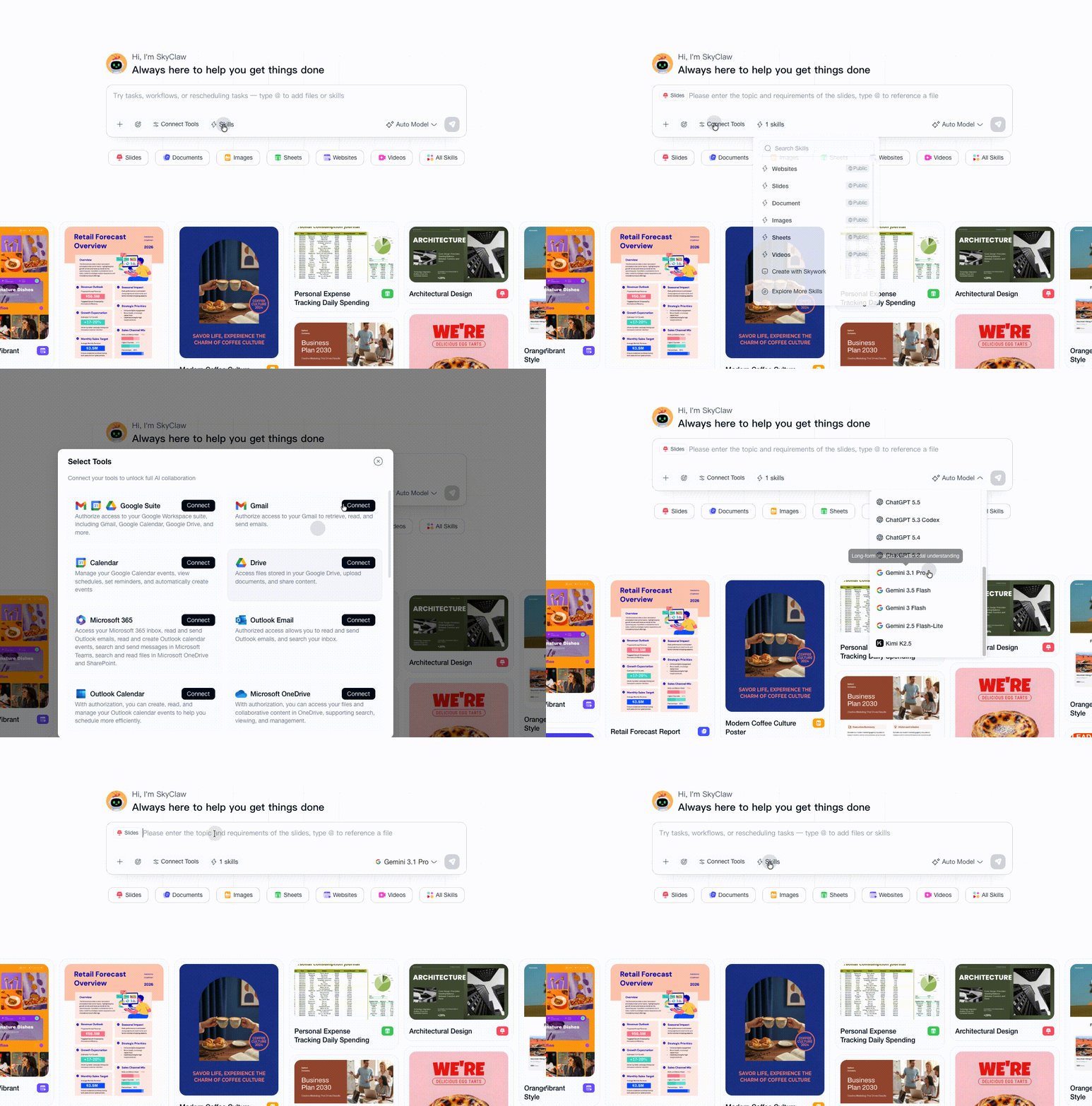
The category to hold in your head is super-agent (sometimes "AI office worker"). Its closest neighbors are tools like Genspark and Manus, not customer-service AI. If you've seen those, Skywork will feel familiar: one chat box, a lot of things it can build, and an agent that plans and executes in the background.
How Skywork AI works
Under the hood, Skywork runs on an agent called SkyClaw. SkyClaw is the piece that actually executes everything: you send a request in the general chat, it auto-identifies the task type, picks the capabilities it needs, and runs them for you. The homepage avatar even greets you with "Hi, I'm SkyClaw, always here to help you get things done."
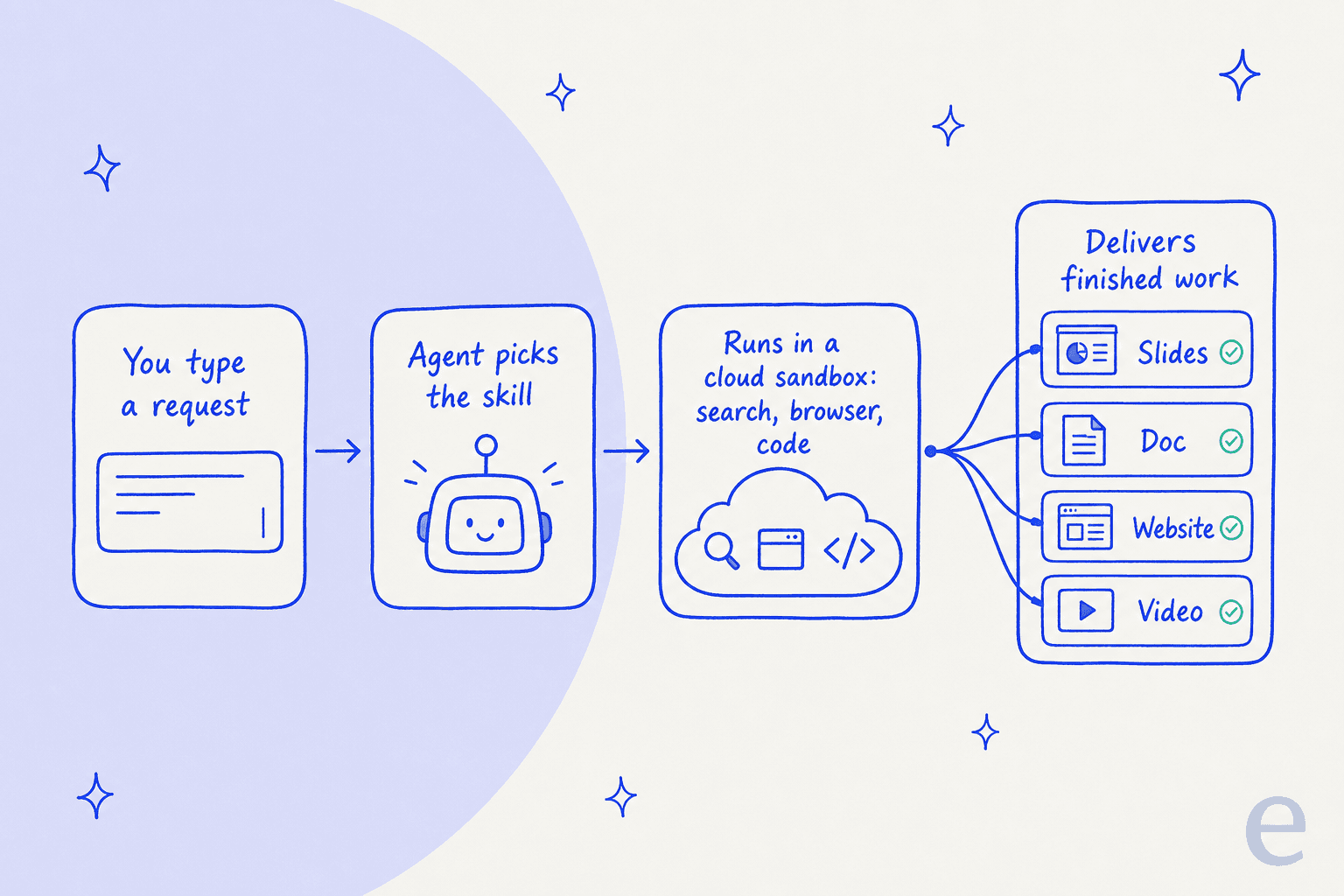
Three things make the engine more than a wrapper around a chat model, and they're all described in Skywork's own general workspace tutorial:
- A cloud sandbox. Tasks run in a sandboxed cloud environment with real tools: Search, a web browser, file read/write/edit, and code execution. On free and basic tiers you get a temporary sandbox (resources are released the moment a task ends); Plus and Ultra get a dedicated cloud host that stays online 24/7 and keeps your environment and files persistent.
- Long-term memory. The agent records your profile, preferences and project details and carries them across sessions. Recent changelog entries even added memory management and importing memories from other AIs. Memory is excluded on the free tier, though.
- MCP and integrations. SkyClaw can connect to external systems for cross-system tasks, and there's a public Super Agents MCP server if you want to wire it into your own agent stack.
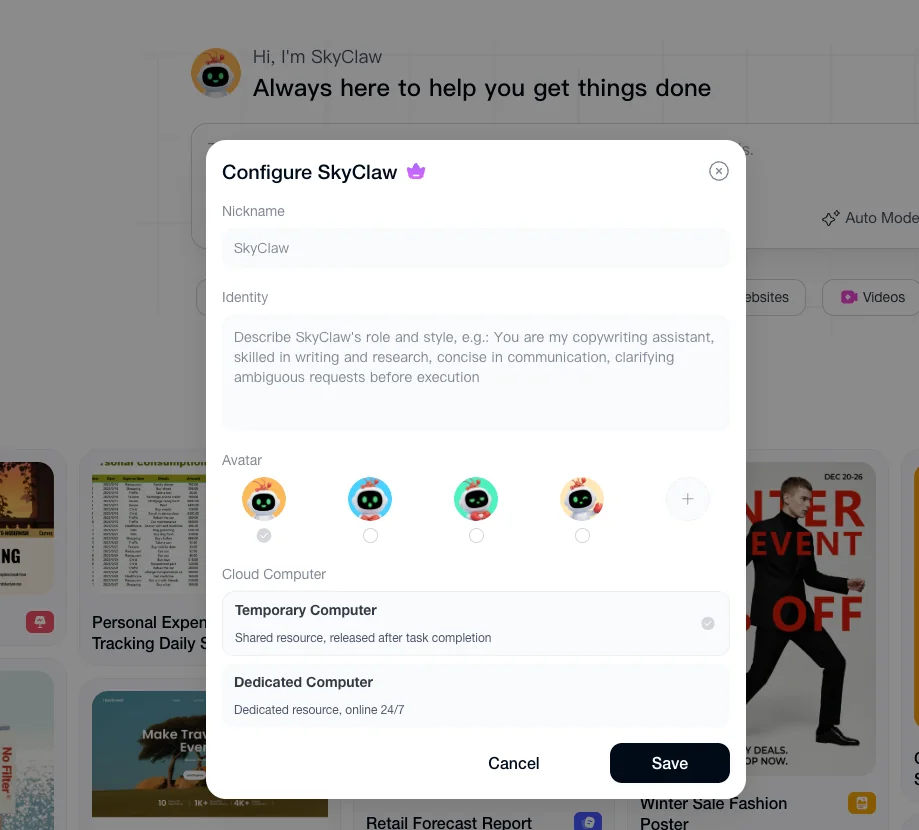
The tier gating here matters more than it looks. The features that make an agent actually feel autonomous, persistent memory and a dedicated always-on host, are exactly the ones locked behind the paid plans. And there's a real downgrade sting: if you drop down a tier, your dedicated host is released immediately, and while your memory data is retained, it's no longer injected as active context during the agent's work. So the agent effectively forgets you until you pay again.
The Experts and Skills marketplace
This is Skywork's most distinctive idea, and the thing that separates it from a plain chatbot.
Rather than one monolithic model doing everything, Skywork ships a catalog of Skills (packaged workflows that tell the agent which tools to use and what a good output looks like) and Experts (role-shaped bundles of those skills). You "summon" an Expert to load its whole skill group at once.
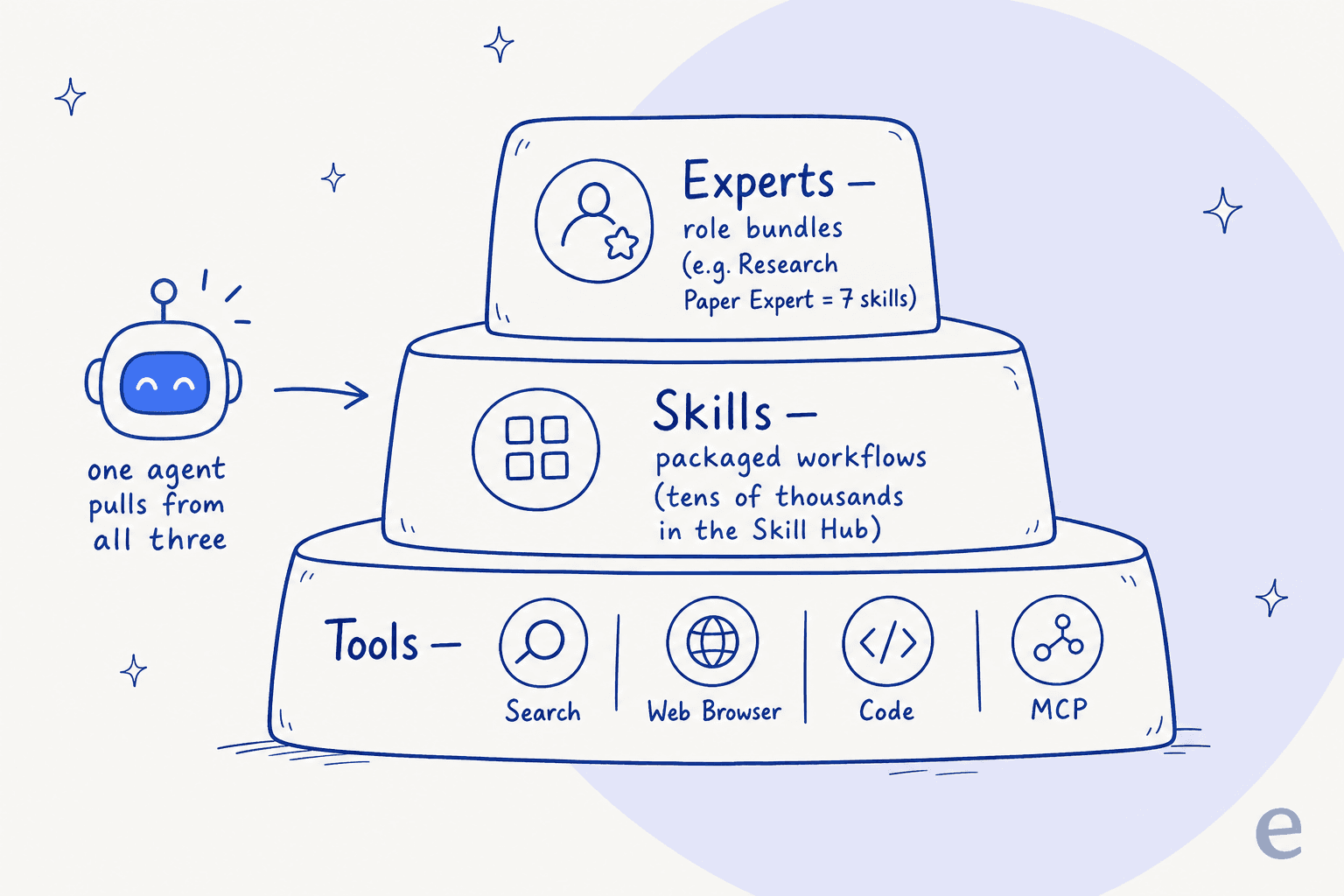
The scale being claimed is large. The homepage lists Experts with real usage counts, like a Design Execution Expert (8 skills, 135.5K uses), a Deep Research Expert (128.6K uses), and a Teacher Lesson Planning Expert (128.5K uses). The Skill Hub goes further, advertising category counts like 23,099 Productivity skills, 8,815 Research & Analysis skills and 6,505 Design skills.
I'd treat those numbers as breadth-marketing rather than a promise of depth, tens of thousands of "skills" almost certainly means a lot of thin prompt templates alongside a handful of good ones. But the underlying model is sound, and it's the same mental model I lean on at eesel: an agent is only as good as the specific, well-scoped skills you give it. Skywork's version is a public marketplace of them.
What Skywork AI can actually make
The homepage input bar exposes the output modes directly, one click each (per the homepage):
| Output mode | What it does |
|---|---|
| Slides | Full presentation generation. A June 2026 upgrade added interactive presentations (auto-invoking echarts, three.js and mapbox from plain text) and a Creative Mode that toggles image models between GPT Image 2 and Nano Banana 2. |
| Documents | Long-form document writer with premium exports (DOCX, PDF, PPTX). |
| Sheets | Spreadsheet generation, tagged "New," with a stated "strict no-fabrication policy." |
| Websites | Site builder. A June upgrade added domain management, analytics, one-click SEO diagnostics (TDK, alt-tag, page-speed and mobile audits) and API keys. |
| Posters | Image/poster generation, now with a social publishing flow to schedule posts to Instagram, Facebook, X and TikTok. |
| Videos | Video generation from a prompt or document. |
| Scheduled Tasks | Automations that run at a set time or on a trigger, even while you're offline. |

The pace is fast. Skywork shipped a standalone Design product, a major Website upgrade, interactive Slides and the Poster social-publishing flow all within about a month of each other in mid-2026. If you value a tool that's clearly shipping, that's a point in its favor. If you value stability, a product changing this fast is something to factor in.
Skywork AI pricing
Here's the honest state of Skywork AI pricing: the real plan grid is login-gated. The checkout page (/sku) sits behind a Google/Apple/email login wall guarded by a Cloudflare challenge, so the exact live tiers, credit caps and any top-ups can't be seen without signing in. That alone is a small yellow flag, transparent pricing pages are the norm for a reason.
What is confirmed on the public pricing page: a $1 for 7 days trial that unlocks 800 daily credits, unlimited downloads and AI image editing, plus a free entry for new users. The billable unit is credits, not seats and not messages, a deep-research run or a generation consumes credits, and there is no published per-credit dollar rate.
Beyond that, the table below comes from Skywork's own on-domain pricing guide (which is AI-generated and dated, so treat it as directional and verify against a signed-in view):
| Plan | Price | Credits | Notes |
|---|---|---|---|
| Free | $0 | 500 daily credits in month 1, then 500/week (7-day validity) | Basic generation, standard priority, personal-use license only. Credits don't roll over. Live page now cites 800 daily during the $1 trial. |
| Monthly Pro | $19.99/mo | 7,000 credits/month | Full DeepResearch access, full commercial rights, high processing priority, premium exports. |
| Annual Pro | $149.99/yr (≈$12.50/mo) | Pro-level allotment | Everything in Monthly Pro plus priority support and team collaboration; billed as "best value." |
A few things the public pages don't tell you: whether Pro credits roll over month to month, the per-credit cost of any top-up, and whether there's a dedicated Team or Enterprise SKU (the guide folds "team collaboration" into Annual Pro, but lists no separate enterprise tier).
The thing to watch with any credit-based AI tool is the burn rate. A single interactive-slides run or a video generation can eat credits fast, and because the daily free credits reset without rolling over, the free tier is more of a daily sampler than a real working allowance. If you plan to use Skywork seriously, budget for Pro and keep an eye on how quickly 7,000 credits actually go.
Is Skywork AI any good? What users say
Independent sentiment on Skywork is thin and sharply split, which is itself worth knowing. G2 lists the product with zero reviews, and most X and LinkedIn chatter is influencer launch promotion rather than real users. That leaves two honest signals: a small set of positive Reddit voices, and a large, angry pile on Trustpilot.
On the positive side, the people who like Skywork tend to like it for research and structured decks, not polish:
"This one is good at organizing your thoughts. What attracts me most is its professional search that helps me gather data to support my ideas... The downside is it looks too structured, sometimes less aesthetic."

Then there's Trustpilot, where Skywork sits at roughly 1.5 out of 5 across 41 reviews, and the complaints cluster hard around one theme: billing. The dominant grievance is a free-trial-to-charge surprise, often paired with disappointment in the core slide output:
"ai is terrible at making slides, once the free subscription ends you are not notified by email or given a heads up that your free trial period is ending, they straight up charge you, and then ignore your email."

The move to a credit system drew its own backlash from people who'd liked the earlier "unlimited" Skywork, a backhanded compliment, since they wanted to keep using it:
"They had an unlimited system which worked great with their Skywork 2.0. They released Skywork 3.0 and the rug was pulled out from under customers. It went from Unlimited to credit based and the credits are consumed so fast it would cost an incredible amount to do even the most simple tasks."
I'd read this fairly: a chunk of the anger is from users who liked the product and felt the pricing changed under them, and Trustpilot skews toward people with a complaint. But the volume and consistency here is a real signal. My practical advice if you try Skywork: treat the $1 trial as a real subscription, set a calendar reminder before it auto-converts, and watch your credit burn on the first few tasks.
Security and trust
For a tool you might feed company documents into, Skywork's Trust Center is reasonably strong. It lists SOC 2 Type I, ISO/IEC 27001:2022 and ISO/IEC 27701:2019 certifications, AES-256 encryption at rest, TLS in transit, role-based access with admin-enforced MFA, and per-user sandboxed sessions. Data is stored in the United States, and Skywork states it does not sell personal data.
One nuance worth flagging: SOC 2 Type I attests that controls are designed correctly at a point in time, not that they've operated effectively over a period (that's Type II). It's a fine starting posture, but if you're in a regulated industry, it's the kind of detail to raise with their team before rollout.
Where Skywork fits, and where it doesn't
Here's the reframe I want you to leave with. Skywork is a horizontal super-agent: it does a little of everything, for anyone. That breadth is the whole pitch, and for a solo founder, a marketer or a student who needs a deck, a doc and a quick site, it's a real time-saver.
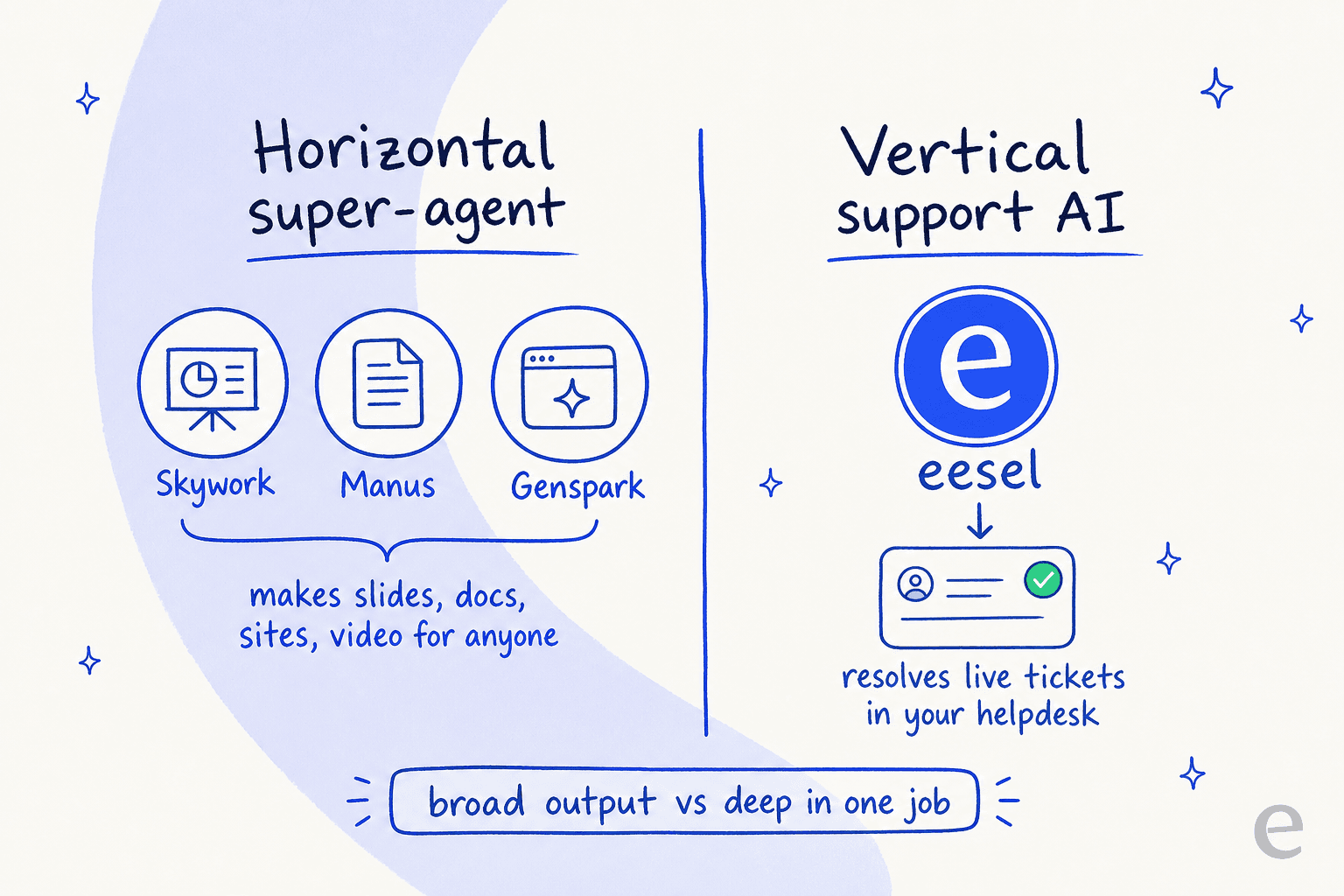
But breadth is also the trade-off. A super-agent that makes slides, sites and videos is, by definition, not specialized in any one of them, and it's especially not built for the one job I spend my days on: resolving customer support tickets. It has no ticket queue, no live-chat handoff, no way to sit inside your helpdesk and answer real customers, and no grounding in your historical tickets to know how your team actually replies.
That's not a knock on Skywork, it's just a different tool for a different job. The mistake I see teams make is reaching for a shiny generalist agent to solve a problem that needs a specialist one. I've watched confident-sounding general bots quietly give customers wrong answers, which is exactly why, on the support side, you want an agent that's simulated against your own past tickets before it ever goes live.
Try eesel for customer support
If you landed here because you're evaluating AI agents for your support team, this is the honest handoff: a general super-agent like Skywork isn't the right shape, and eesel AI is.

eesel plugs straight into your existing helpdesk (Zendesk, Freshdesk, Gorgias and more), learns from your past tickets and help center, and works like a new support hire that already knows your product. Crucially, you can simulate it against thousands of your historical tickets before it answers a single live customer, so you see the resolution rate and cost up front instead of hoping. It runs on the same skills-based idea Skywork uses, but pointed at one job it does deeply: your support queue. It's free to try.