The 8 best Relevance AI alternatives in 2026

Rama Adi

Katelin Teen
Last edited August 27, 2026

Why teams look for a Relevance AI alternative
Let me be fair to Relevance AI first, because it earns a lot of the praise it gets. It is a capable no-code agent builder. The "Invent" feature (describe an agent in plain language and it drafts the prompt and suggests tools) is the thing reviewers rave about, it is model-agnostic with a bring-your-own-key option, and it connects to a huge directory of tools. Named customers like Canva, KPMG, and Databricks are on the homepage for a reason.
So why do people still shop around? A few concrete things.
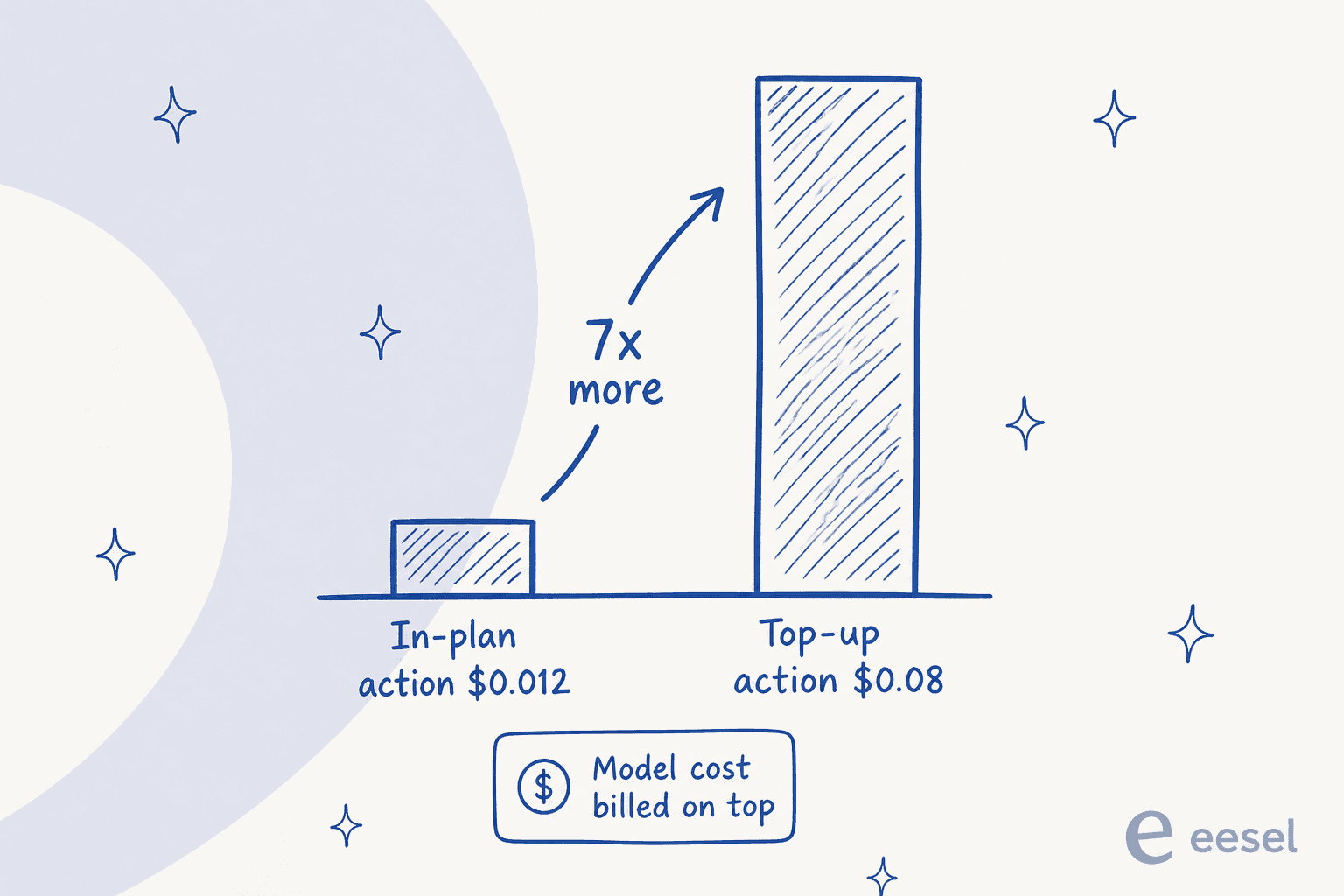
The billing model has two meters, and one of them bites. Since September 2025, Relevance AI splits usage into Actions (each tool run) and Vendor Credits (the underlying model cost). The plan price only covers a fixed number of Actions. Go over, and a top-up Action costs $0.08 versus roughly $0.012 in-plan on Pro, about seven times the in-plan rate, with an $80 minimum purchase (docs pricing). A failed run still counts as an Action, too.
The safety net is Enterprise-only. Agent Evaluations, the feature that lets you gate an agent's launch on a pass rate, is marked available only on the Enterprise tier and is still rolling out progressively. Every self-serve plan ships without it. And the test scenarios you write are synthetic; there is no dry run over your own historical data before the agent has ever run.
It is a horizontal GTM tool, not a support desk. Relevance AI's named agents are all sales and ops roles (Research & Enricher, Outbound Prospector, Forecast Roll-up). Zendesk and Freshdesk exist as integrations, but on Zendesk the triggers specifically are Enterprise-only. If your actual job is resolving support tickets, you are adapting a GTM platform to do it.
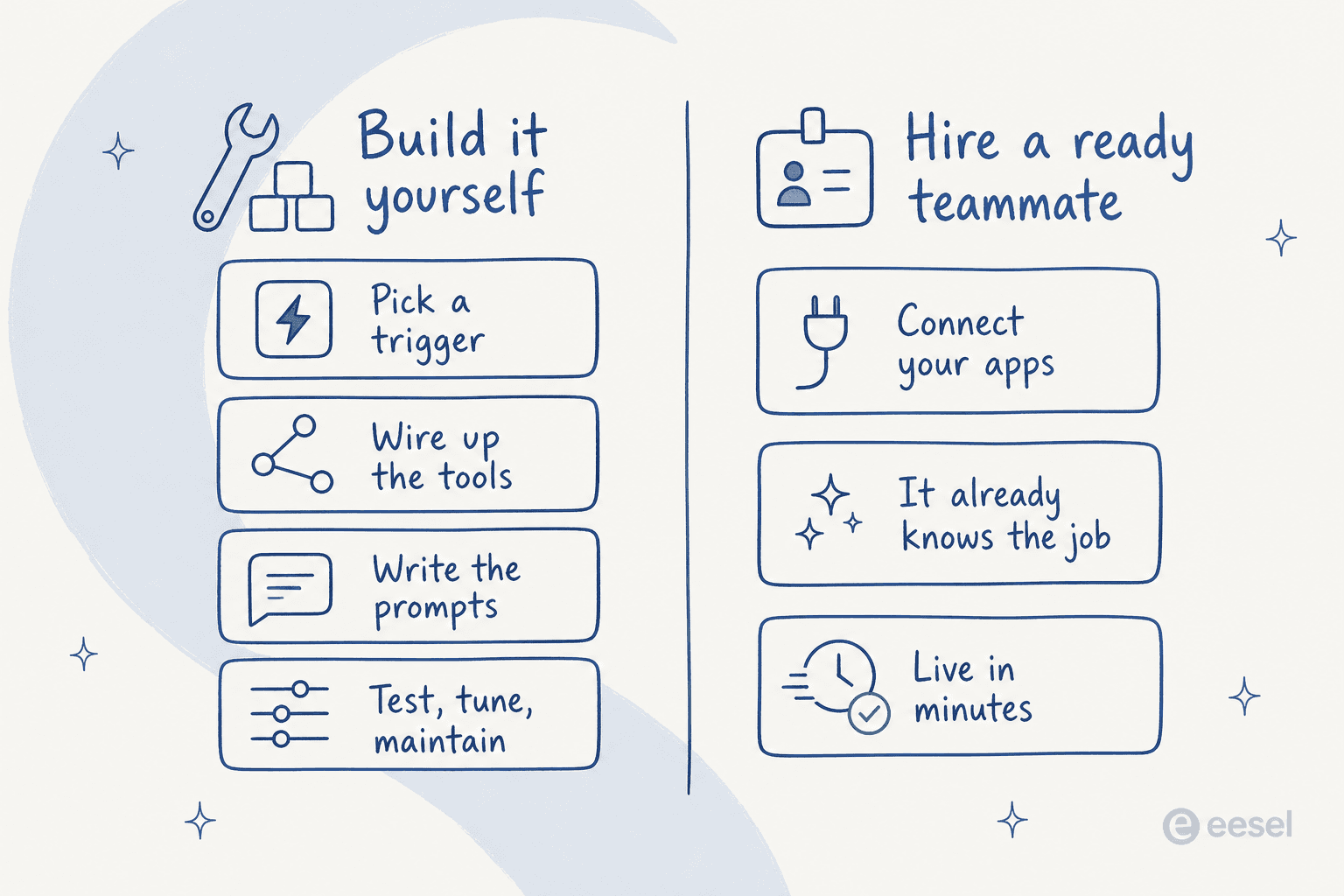
And underneath all of it: you are still building. This is the pattern across almost every tool on this list. You pick a trigger, wire up the tools, write the prompts, then test and maintain the thing. One team told me on a sales call, half apologetic about it:
"We switched to a system that is working well at half the cost. But long term we will just build our own, which is so possible now with AI."
That instinct is real, and for some teams building is the right call. But "so possible now with AI" hides a lot of ongoing work. The alternative worth weighing is hiring an agent that already knows the job.
I build integrations and agent tooling at eesel, so I have spent a lot of time on both sides of that line. We have run AI on live support queues for years, across customers like Smava handling 100,000+ tickets a month, and the thing that consistently trips up a build-your-own project isn't the building, it's the trust. A support lead running 7,000 tickets a month put the real bar to me like this:
"The AI will never be able to answer 100% of the questions. I need an AI who is only handling the tickets that it's confident to handle, and all the other ones, leave them alone."
That is the difference between a demo and a deployment, and it is worth keeping in mind as you read the list below.
How I picked these alternatives
I weighted a few things: whether the tool is really no-code or leans developer, how the billing actually works (not just the sticker price), whether there is a free way in, governance for teams that need it, and honestly, whether the thing arrives ready to do a job or expects you to assemble it.
Here is the shortlist at a glance.
| Tool | Best for | Entry price | Billing unit | Free way in | SSO/RBAC | G2 |
|---|---|---|---|---|---|---|
| eesel AI | Ready-to-work support & content teammates | From $299/mo (500 credits) | Credits (1 per ticket or chat) | 100 free credits | Add-on | n/a |
| Relevance AI | No-code GTM/ops agent building | $29/mo (Pro) | Actions + Vendor Credits | 200 Actions/mo | Enterprise | 4.3 |
| Lindy | Slack-native general AI teammate | $29.99/user/mo | Credits (shared pool) | 7-day trial | Enterprise | 4.9 |
| n8n | Technical teams, code + no-code | $20/mo (Starter) | Workflow executions | Community edition (self-host) | Business+ | 4.7 |
| Gumloop | No-code GTM automation | $37/mo (Pro) | Credits (+8% fee) | 14-day trial | Enterprise | 4.8 |
| Cassidy | Knowledge-grounded enterprise agents | Free tier; Business custom | Credits | Free Starter (3 seats) | Enterprise | 5.0 |
| Stack AI | Regulated / on-prem enterprises | Free tier; Enterprise custom | Runs | Free (500 runs/mo) | Enterprise | 4.5 |
| CrewAI | Developers building multi-agent systems | Free OSS; Enterprise custom | Executions | Free (50 executions/mo) | Enterprise | n/a |
| Sintra | Solo operators, pre-built helpers | ~$15.60–$48.50/mo | Credits (250/mo) | 50 credits / 3 days | No | n/a |
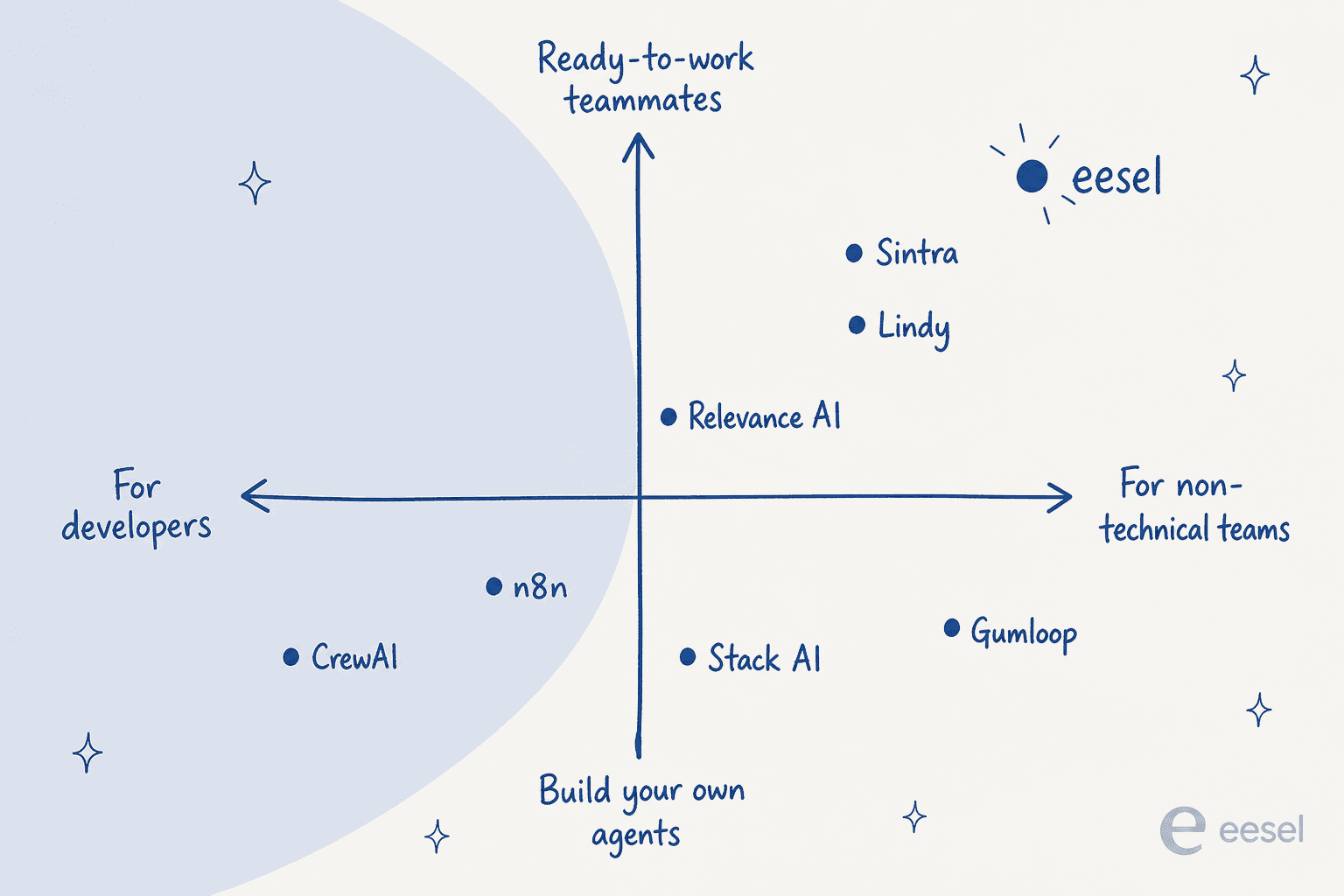
And here is roughly how they sort by who they are for and how much building they expect.
The 8 best Relevance AI alternatives in 2026
1. eesel AI
Best for: teams who want a ready-to-work AI teammate for customer support or content, not a platform to build one on.
Where Relevance AI hands you a canvas, eesel hands you a hire. It is an AI agent built around defined jobs rather than an open-ended platform. The framing is employment, not software: you pick a teammate for a defined job and it arrives already knowing how to do it. The current roster is the AI helpdesk agent (drafts and resolves support tickets), the AI blog writer (researches and publishes posts in your voice), and an AI e-commerce agent for order and product questions. They live inside the tools you already use rather than in a separate dashboard.
That difference shows up most in setup. Instead of wiring a workflow graph, you connect your helpdesk and eesel learns from your existing history: past tickets, help center articles, macros, and connected wikis, all searched together. eesel says most teams have their first support agent live within 30 minutes, and customers like Design.com reached 50,000+ tickets a month on it.
Standout features:
- Simulation over your real history. Before it touches a live conversation, eesel replays the agent against your own past tickets so you can see the resolution rate and exact answers it would have given. That is the confidence-first bar our support lead above was asking for, and it is a different thing from writing synthetic test scenarios.
- Predictable pricing. One fixed monthly price sized to volume, with 1 credit per ticket or chat however long, not per agent run.
- Deep helpdesk integrations. Native connections to Zendesk, Freshdesk, Front, Gorgias, Help Scout, Slack, and more, so it joins the existing queue instead of sitting beside it.
Pros:
- Ready to do a real job on day one; no agent-building project.
- Pricing tied to work done, with no per-seat fee or monthly minimum.
- Simulation on your own tickets means you launch with evidence, not hope.
Cons:
- The teammate roster is focused (support, content, e-commerce), so it is not a general horizontal builder for arbitrary GTM workflows the way Relevance AI is.
- If you specifically want to hand-build many bespoke multi-agent GTM systems, a canvas tool fits that itch better.
Pricing: one fixed monthly price sized to volume. You start with 100 free credits, no card required. After that, 1 credit covers a ticket or chat however many replies it takes, and blog drafts stay $4.00 each. There is no platform fee and no per-seat fee, and paying a year upfront gets you two months free. SSO and MFA are an add-on from $199/month, and HIPAA is available on request.
| Monthly credits | Price |
|---|---|
| 500 | $299/month |
| 1,000 | $499/month |
| 2,500 | $999/month |
| 5,000 | $1,899/month |
Verdict: if the job you actually have is "resolve support tickets" or "publish content," eesel is the alternative that removes the build step entirely. Pick it when you want an outcome; pick a builder like Relevance AI when the point is to construct the automation yourself.
2. Lindy
Best for: teams who want a Slack-native, general-purpose AI teammate they configure in plain English.
Lindy is the closest match to Relevance AI's "AI teammate" positioning, and it is a strong one. The 2026 homepage sells it as an AI teammate that lives in your tools, holds persistent company context, and does multi-step work. You @mention it in Slack threads, DM it over iMessage, or build custom agents ("Lindies") by picking a trigger and describing the job. Anything with outside impact (send an email, update a ticket) waits for an approval step, which is a sensible default.
Standout features: Slack-native operation, 40+ built-in skills, meeting recording and follow-up, inbox management across up to 5 inboxes, computer use, MCP support, and model choice per task.
Pros:
- Genuinely easy to set up; "ease of use" is the runaway strength in its G2 tag counts (125 mentions).
- Works where your team already talks, instead of another tab.
- Approval gating on outward actions is built in.
Cons:
- Cost is the consistent complaint. On the same G2 profile, "Expensive" (42) and "High Subscription Cost" (35) are the top two cons, and reviewers describe "credit anxiety," avoiding casual use because each interaction burns credits.
- Like Relevance AI, it is a general builder, not a purpose-built support tool.
Pricing: billed per user with a shared credit pool. Plus is $29.99/user/month (3,000 credits), Pro $99.99 (15,000), Max $199.99 (35,000), and Enterprise custom. A single "deep work" task can run 250 to 1,000 credits, so heavy users climb tiers quickly. There is a 7-day trial.
Verdict: the natural pick if you liked Relevance AI's teammate framing but want something more Slack-native and easier to stand up. Watch the credit burn if your use is high-volume; the pricing rewards judgment-heavy tasks, not chatty ones.
3. n8n
Best for: technical teams who want a visual builder and real code, with the option to self-host.
If your objection to Relevance AI is that no-code eventually hits a wall, n8n is the answer. It calls itself the workflow automation platform for technical teams, and its whole pitch is "code when you need it, UI when you don't," meaning you drop JavaScript or Python anywhere in a flow. It is open-source and self-hostable, has AI agent nodes and native AI evaluation, and is used by Microsoft, NVIDIA, and Mercedes-Benz. The GitHub project sits around 196.6k stars and it holds 4.7/5 on G2.
Standout features: node-based editor with 500+ integrations, inline code steps, AI agent workflows, self-hosting via Docker, and enterprise controls (SSO, RBAC, audit logs, environments).
Pros:
- The code-plus-no-code flexibility is the recurring praise; technical users do not feel boxed in.
- Real ROI stories, like Vodafone reporting £2.2M saved on SOAR workflows.
- Self-hosting is a genuine option for strict data-control needs.
Cons:
- It is developer-leaning. Non-technical operators will find it heavier than Relevance AI's "Invent."
- Billing is per workflow execution, which is a different mental model than per-agent-task and can surprise you on chatty flows.
Pricing: Starter $20/month (2,500 executions), Pro $50 (10,000), Business $800 (adds SSO, Git versioning, environments), and Enterprise custom. The Community Edition is free and self-hosted. Under-20-employee startups may qualify for 50% off Business.
Verdict: the best Relevance AI alternative for engineering-minded teams. If your builders are comfortable in code and you value self-hosting, n8n gives you more control than any pure no-code tool here. If your builders are the marketing team, look elsewhere.
4. Gumloop
Best for: non-technical GTM and revenue teams who want no-code agents with real model choice.
Gumloop is the most direct no-code peer to Relevance AI on the GTM side. You describe the job, connect your apps (Salesforce, HubSpot, Gong, Gmail, Slack), and its agents research, draft, and act across the funnel, with subagents that parallelize work. It lets you pick from 35+ models per agent and raised a $50M Series B led by Benchmark, so it is well-resourced.
Standout features: AI agents with a chat interface, 35+ selectable models, scheduled and event triggers, a "Company Brain" knowledge layer, MCP support, and a legacy visual workflow builder.
Pros:
- Strong for non-developers who still want model flexibility.
- Genuinely liked by early users. Here is a fair, unglamorous take from Reddit:
"Gumloop won't magically automate your business, but it gives non-developers a solid way to build real AI workflows."

Cons:
- The 8% orchestration fee on top of the Pro plan is easy to miss and adds up.
- No free plan on the current pricing page, only a trial.
- For deep branching logic, users cite n8n as more capable.
Pricing: Pro starts at $37/month (20,000 credits, unlimited seats, plus that 8% orchestration fee) with a 14-day trial, and Enterprise is custom (VPC, SCIM/SAML, RBAC, orchestration-fee discounts). You can bring your own API keys on both.
Verdict: if you want Relevance AI's GTM angle but a cleaner no-code experience, Gumloop is a close fight. Just price in the orchestration fee before you compare it to a flat-rate tool.
5. Cassidy AI
Best for: document-heavy enterprises that need agents grounded in their own knowledge, with governance.
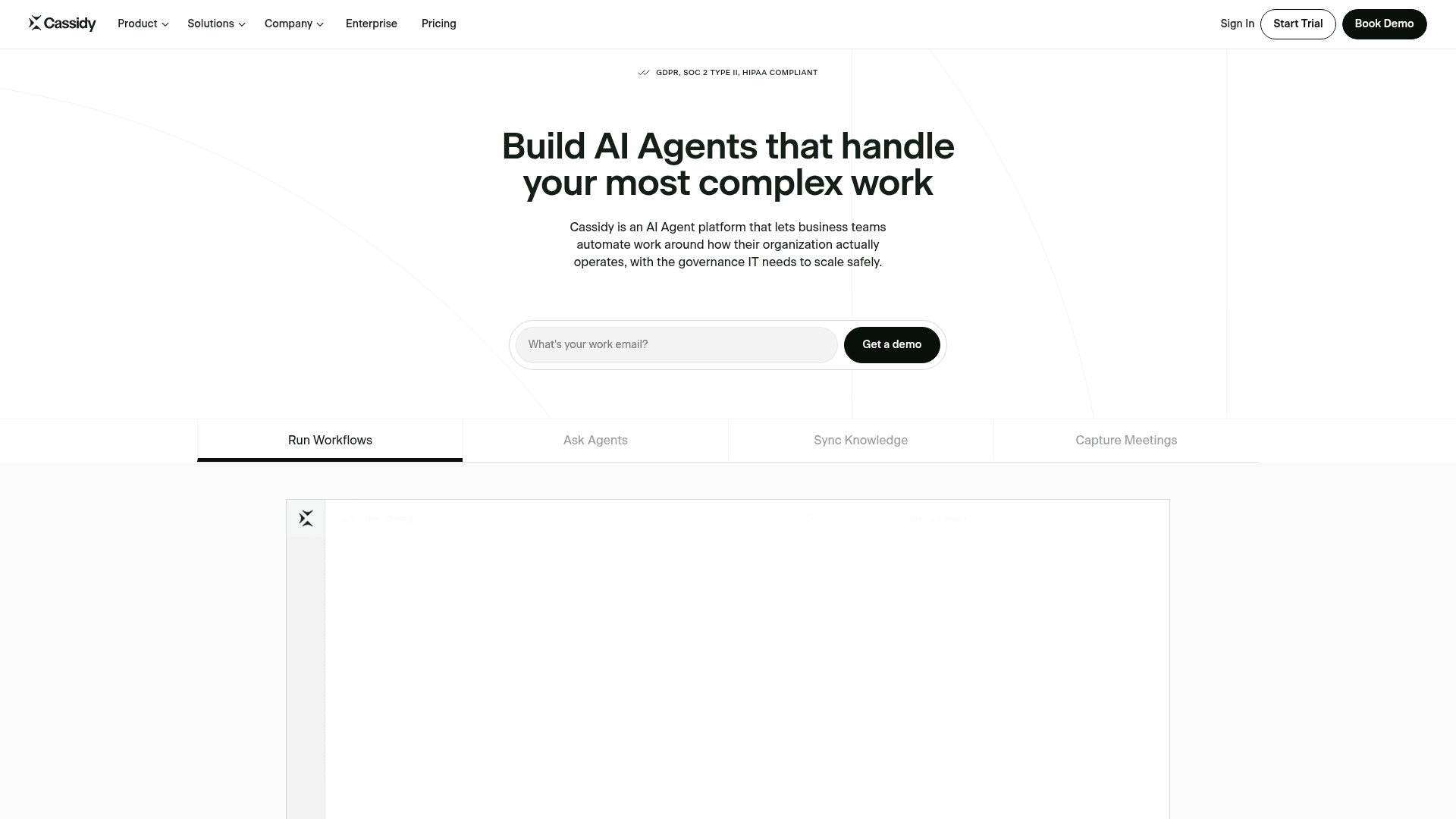
Cassidy leans hard into the knowledge-grounding angle that a lot of agent platforms treat as an afterthought. It is a no-code platform for building agents and workflows on top of a unified knowledge base, with permission-aware, cited answers deep-linked back to the source. It targets operationally complex verticals (insurance, industrials, professional services) and deploys into Slack, Teams, and even inside Word, Excel, and Outlook.
Standout features: unified knowledge base with citations, no-code agent builder with 80+ templates, event-triggered workflows, meeting recorder, model choice across OpenAI/Anthropic/Google, and enterprise governance (SSO, advanced RBAC, row-level security).
Pros:
- The knowledge grounding is what users single out. One review captures it well:
"It focuses on making sure that your tools work together to provide you with answers about your business that you would normally spend time scouring your systems for."

- Perfect 5.0/5 on G2 (from a small 5-review base), with praise for a low learning curve and hands-on support.
Cons:
- The review base is tiny, so treat the score as early-adopter enthusiasm.
- Even happy users ask for more integrations and more developer control, and some find the feature set overwhelming.
- No public pricing beyond the free tier.
Pricing: a free Starter tier (3 seats, 5 agents, 5 workflows, 24-hour source sync) and a Business/Enterprise plan that is quote-only ("Book demo"). Billing is credit-based, with a 14-day free trial. G2 confirms no public pricing.
Verdict: a strong Relevance AI alternative when your agents live or die on internal documents and you need real permissions. The unknown price and thin review count mean you should run the free tier hard before committing.
6. Stack AI
Best for: regulated or IT-led enterprises that need on-prem deployment and heavy compliance.
Stack AI is aimed squarely at "where IT teams bring secure AI to work." It is an enterprise-grade no-code builder for chaining LLM calls, RAG, and 100+ integrations into agents you deploy as a chatbot, form, batch job, or API, all under enterprise compliance. Named customers span finance, healthcare, and government (Live Oak Bank, Mayo Clinic, MIT), and it holds 4.5/5 from 38 reviews on G2.
Standout features: drag-and-drop workflow builder, RAG over internal knowledge, 100+ integrations, SOC 2 Type II / HIPAA / GDPR / ISO 27001, and on-prem / VPC deployment.
Pros:
- Fast idea-to-workflow, per G2:
"StackAI makes it genuinely easy to go from 'idea' to a working AI workflow in hours, not weeks. The visual builder is intuitive, RAG setup is straightforward."
- Compliance and deployment flexibility that most no-code tools here can't match.
Cons:
- Debugging gets opaque as workflows grow, and there is a learning curve on advanced features.
- The same reviewer notes "pricing can be a stretch for very small teams," and 100% of paid pricing is quote-gated.
Pricing: a free tier (500 runs/month, 2 projects, 1 seat, Discord support) and a custom Enterprise plan that unlocks unlimited projects, custom seats and runs, on-prem, SSO, and full compliance. There is no self-serve paid middle tier and no published per-run price.
Verdict: the pick when compliance and on-prem are non-negotiable. If you are a five-person team, the quote-gated pricing and enterprise focus probably make it heavier than you need.
7. CrewAI
Best for: developers who want to build and orchestrate multi-agent systems in code.
CrewAI is the developer-first end of the spectrum. It is an open-source Python framework for orchestrating role-playing agents that collaborate as a "crew," plus a hosted enterprise platform (Studio builder and Control Plane runtime) on top. The repo sits around 57.6k stars, the company raised $18M, and the homepage claims use by 65% of the Fortune 500. If Relevance AI feels too abstracted and you want to define agents in code, this is the trade in the other direction.
Standout features: open-source multi-agent framework (MIT-licensed), a visual Studio that exports to Python, a Control Plane for tracing every LLM and tool call, native evaluation integrations, and flexible deployment (cloud, VPC, or your own infra).
Pros:
- The fastest way to stand up a multi-agent prototype, and developers say so:
"CrewAI felt like a fast way to get something up and running especially for a demo."
- Free and self-hostable, with a real enterprise governance layer if you grow into it.
Cons:
- Production users hit observability walls. The most common complaint is not being able to see what is sent to the model:
"Debugging is painful because engineers don't know what's being sent to the LLM... It feels framework-locked."
- Reviewers also flag token burn and speed, and some teams migrate to LangGraph for serious workloads.
Pricing: the open-source framework is free (pip install crewai). The hosted Basic tier is free (50 workflow executions/month, 2 automations), and Enterprise is quote-only, adding SSO, RBAC, PII redaction, VPC, and 45-day onboarding.
Verdict: the right Relevance AI alternative only if your builders are engineers who want code-level control. For everyone else, the no-code tools above will get you further, faster.
8. Sintra AI
Best for: solopreneurs and micro-agencies who want cheap, pre-built AI "helpers."
Sintra is the odd one out here, and interesting for it: rather than a build-your-own canvas, it sells a fixed roster of 12+ pre-built, named "helpers" (Cassie for support, Soshie for social, Penn for copy) that you personalize through a "Brain AI" context layer. It is the cheapest entry on this list and the most consumer-flavored, aimed at solo operators juggling too many AI tabs.
Standout features: 12+ role-based helpers, Brain AI personalization, one-click "Use Cases," 15+ integrations, 100+ languages, and a custom helper builder.
Pros:
- The all-in-one "team" feeling lands for its audience:
"Bottom line: If ChatGPT is a tool, Sintra feels like a team."
- Cheap, with no per-teammate billing.
Cons:
- Sentiment is sharply polarized. Reliability is the recurring worry, including helpers claiming work they didn't do:
"Vizzy told me she had completed the task... to find that absolutely nothing had been done. Tech support told me this is 'the hallucination effect.'"
- Multiple users report refund and cancellation friction, and flaky social integrations.
Pricing: credit-based, with 250 credits/month on every plan. Sintra X (all helpers) was showing promotional rates of roughly $15.60 to $48.50/month depending on term (list prices $52 to $97), and individual helpers are $39/month each. A 50-credit, 3-day trial is the free way in.
Verdict: fine for a solo operator who wants cheap, delegated help and can tolerate variable reliability. Not a serious Relevance AI replacement for a team that needs governance or predictable output.
Which one should you actually pick?
If you take one thing from this list, make it the question the map poses: do you want to build an agent, or hire one?
Use the quick guide below to narrow it down.
The builders on this list are all good at what they do. But most of them ask the same thing of you: become the person who assembles, tests, and maintains the agent. That is a real job, and it is the one Relevance AI is best at supporting. If you would rather skip straight to the outcome, that is where a ready-to-work teammate wins.
Try eesel for support and content
Relevance AI, Lindy, and the rest are platforms you build on. eesel is a teammate you hire. For customer support specifically, that means the AI helpdesk agent plugs into Zendesk, Freshdesk, or Front, learns from your past tickets and help center on day one, and can be simulated on your own history before it ever answers a customer, so you launch with a real resolution number, not a hope. And because pricing is one fixed monthly price with no per-seat fee, you can budget up front instead of tracking agent runs.

You can start with 100 free credits, no card required, and have your first agent live in minutes. If the job you have is support or content, that is the shortest path from "shopping for a Relevance AI alternative" to "it's handling tickets."