The 8 best Sintra AI alternatives in 2026

Kurnia Kharisma

Katelin Teen
Last edited July 20, 2026

Why people leave Sintra in the first place
Let me be fair to Sintra first, because the pitch is good. For a solopreneur who can't justify hiring, the idea of twelve named "AI employees" (Cassie for support, Penn for copy, Seomi for SEO, Soshie for social, and so on) sitting in one dashboard for the price of a couple of coffees a week is legitimately attractive. It runs on Claude 4.5 Sonnet, speaks 100+ languages, and the onboarding is quick.
The friction is almost always the same, and it's not the sticker price. It's the credits. Every Sintra plan (from the $97/mo monthly down to the sale-priced annual) ships with the exact same 250 credits per month, they don't roll over, and when a workspace runs out, in Sintra's own words, "Helpers will stop working" until you buy a top-up. Chatting costs credits, images cost credits, running a scheduled task can cost anywhere from 1 to 20+ credits, and a correction you make because the AI got something wrong still burns credits.
That math is what shows up in the reviews. Alongside a large base of happy five-star users, there's a loud, recent cluster of one-star complaints on Trustpilot about the move to a metered model:
"a bait-and-switch"

"an awful money grabbing system"
The theme underneath all of it: a bundle that does twelve jobs at 70% quality, metered by a single credit bar you can drain in a weekend. That's the itch every tool below scratches in a different way.
How I picked these alternatives
I've spent the last few years at eesel building and running AI on live support queues, so I read these tools less like a feature list and more like "would I actually hand it a job?". Three questions did the sorting:
- What's the one job it does deeply? A bundle spreads thin by design. The alternatives that win pick a lane and go deep.
- How is it billed? Per credit, per seat, or per outcome. This is the single biggest predictor of whether you'll feel the same "ran out mid-month" pain you left Sintra to escape.
- Does it plug into the tools you already run? Sintra connects to consumer apps (Gmail, Notion, Calendar). If your work lives in Zendesk, Freshdesk, or Slack, that matters a lot.
Quick note on one name you won't see below: I've left generic "top 10" filler out and stuck to tools I can actually vouch for the shape of. Here's the shortlist at a glance, then the detail.
The 8 best Sintra AI alternatives, compared
| # | Tool | Best for | What it is | Starting price | Billing unit | Free option |
|---|---|---|---|---|---|---|
| 1 | eesel | Customer support at volume | AI helpdesk + content agent that trains on your tickets | From $299/mo (500 credits) | 1 credit per ticket or chat | 100 free credits |
| 2 | Lindy | No-code ops automation | Trigger-based AI agent builder | $49.99/mo | Credits | 7-day trial |
| 3 | Viktor | An "AI employee" in Slack/Teams | Chat-native agent that runs code + tools | $50/mo | Credits | $100 free credits |
| 4 | Genspark | All-in-one creative + agent work | AI workspace (slides, docs, media, agent) | Credit-based | Credits | Free tier |
| 5 | Manus | Autonomous one-off projects | General autonomous agent that ships artifacts | Credit-based | Credits | Limited free |
| 6 | Taskade | Team workspace + agents | AI app builder + agents + automations | $6/mo | Credits | Free plan |
| 7 | Jasper | Marketing content at scale | AI marketing platform (brand voice, Grid) | $59/mo per seat | Per seat | 7-day trial |
| 8 | Copy.ai | GTM / sales-marketing content | AI-native GTM workflow platform | $24/mo | Workflow credits | (verify in-app) |
A quick read of the table: notice how many of these still meter in credits. If credit anxiety is why you're leaving Sintra, the names that break the pattern are eesel (1 credit is 1 ticket, on a fixed monthly price) and the flat monthly tiers of Jasper and Taskade. Now the detail.
1. eesel - best Sintra alternative for customer support

Best for: teams whose single most important job is resolving support tickets, not juggling twelve marketing tasks.
Sintra's Cassie handles a basic reply, but support is one role in a bundle, and it has none of the depth a real queue needs. eesel is the opposite bet: instead of twelve shallow helpers, it's one AI helpdesk agent that goes deep on support and content. It learns from your past tickets, your help docs, and your macros on day one, then drafts replies, triages, and escalates inside the helpdesk you already run.
That's the real difference. Sintra connects to Gmail and Notion; eesel plugs straight into Zendesk, Freshdesk, Gorgias, HubSpot, and Front, with 100+ integrations and 80+ languages out of the box. Before it goes live, you can run it in simulation mode against your historical tickets to see exactly what it would have answered and where it would have stayed quiet. That last part matters more than any demo, because the failure mode of a confident bot is giving a wrong answer with total certainty. One CX lead we work with put the whole philosophy in a sentence:
"The AI will never be able to answer 100% of the questions. I need an AI who is only handling the tickets that it's confident to handle, and all the other ones, leave them alone."
a DTC supplements CX lead (eesel customer)
Features: trains on solved tickets (not just help-center articles), confidence-based routing so low-confidence questions become drafts rather than live replies, simulation mode, auto-drafted knowledge-base articles, theme analysis, and a separate AI blog writer if you need the content side Sintra's Penn was doing.
Pros: deep on support; no credit lottery; results show up fast. Gridwise had eesel resolving 73% of tier-1 requests in the first month, and Smava runs a fully automated agent on 100,000+ German-language tickets a month.
Cons: it's not a twelve-in-one bundle. If you really want one tool to also run your Instagram and write your workout plan, eesel isn't that, on purpose.
Pricing: one fixed monthly price from $299/month for 500 credits (1 credit per ticket or chat, however long), no per-seat fees, and a free plan with 100 credits. The point buyers feel: a credit is a ticket actually handled, not a slice of a 250-credit bar spent on chats and images. The blog writer stays $4 per post.
Verdict: if the reason you're leaving Sintra is that its support helper is too shallow (or that the credit cap keeps stopping it), this is the switch. Pick eesel when support is the job that actually matters.
2. Lindy - best for no-code ops automation
Best for: operators who want to build their own agents in plain English instead of accepting twelve pre-baked ones.
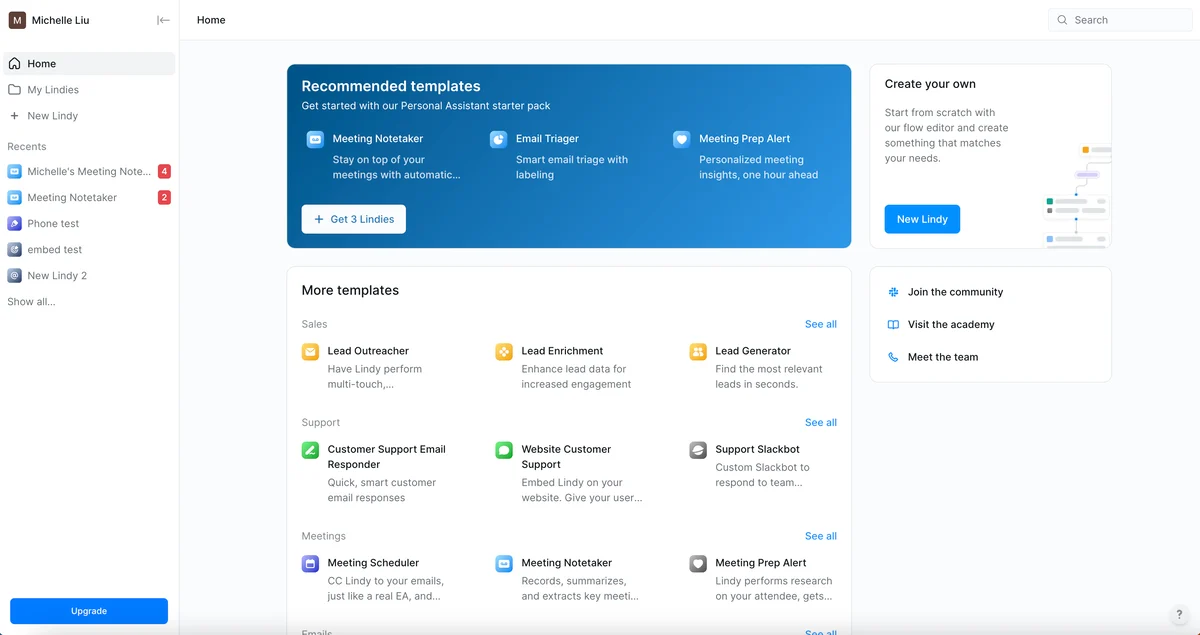
Lindy is a no-code AI agent builder: you pick a trigger ("a new email lands in Gmail"), describe what should happen next, and Lindy wires up the agent. Where Sintra hands you twelve fixed helpers, Lindy hands you the toolkit to build the exact worker you need. It's also, notably, the one Sintra explicitly names in its own comparison table.
Features: natural-language agent builder, event-driven triggers, hundreds of integrations, email triage and drafting in your voice, and full meeting scheduling, notes, and follow-up. It's well-liked, sitting at 4.9/5 from 171 reviews on G2.
Pros: ease of use is its defining strength (125 G2 reviewers call it out), and building an agent takes about a minute.
Cons: the recurring complaint should sound familiar. Lindy meters usage in credits, and G2's top con tags are "Expensive" (42) and "High Subscription Cost" (35), with reviewers describing "credit anxiety" and an unpredictable per-task cost. If you're fleeing Sintra's credits, know that Lindy has its own version of the meter.
Pricing: Plus at $49.99/mo, Pro at $99.99/mo, Max at $199.99/mo, all usage-based with a 7-day trial.
Verdict: the best pick if you want to design your automations rather than accept a bundle, and you can stomach credit-based billing. Skip it if unpredictable per-task costs are exactly what drove you off Sintra.
3. Viktor - best "AI employee" that lives in Slack and Teams
Best for: lean teams who liked Sintra's "AI employee" framing but want one that actually operates inside their chat and tools.
If Sintra's pitch of hiring a digital worker resonated but the execution felt shallow, Viktor is the sharper version of that same idea. It positions itself as "not a tool, a hire": an AI employee you @mention in Slack or Microsoft Teams that has its own cloud computer, writes and runs code, and completes multi-step work across your connected tools rather than just chatting back.
Features: Slack- and Teams-native, 3,200+ integrations (27 native plus managed connectors), scheduled tasks and crons, and human-in-the-loop approvals for sensitive actions. On the support side, its homepage shows Viktor triaging a queue: merging 23 duplicate export-bug tickets into one thread, drafting replies to all 23, and filing a Linear bug.
Pros: actually does work end-to-end inside chat; strong security posture (SOC 2 Type 1, CASA Tier 3, GDPR); no per-seat fee.
Cons: it's a generalist, so support is one job among revenue ops, finance, and engineering, not a dedicated helpdesk product. And, again, it's credit-based ($50/mo for 20,000 shared credits), with no published credit-to-dollar rate, so real cost takes some testing to pin down.
Pricing: Team at $50/month for 20,000 shared workspace credits, Enterprise custom, and a generous $100 in free credits to start with no credit card.
Verdict: the closest spiritual successor to Sintra's "AI employees" idea, done deeper and chat-native. Best for Slack-first teams who want one capable generalist; not the pick if support specifically is your priority.
4. Genspark - best all-in-one creative and agent workspace
Best for: people who liked Sintra's breadth but want stronger creative output (slides, media, dashboards) from a single prompt.
Genspark brands itself as an "all-in-one AI workspace": slides, docs, sheets, images, video, music, code, and a flagship Super Agent that plans a task end-to-end and picks the right underlying model. It even has its own "AI Employee" mode called Claw, which lands it squarely in Sintra's territory, but the center of gravity is content and artifact generation rather than running your business roles.
Features: Super Agent, an office suite (AI Slides/Sheets/Docs), a build suite (Code, Design, live Dashboards), and a broad media stack, with multi-model routing under the hood.
Pros: enormous surface area; strong at turning a prompt into a finished deck, dashboard, or video.
Cons: breadth is the double-edged sword here, same as Sintra, and it's not a support or helpdesk tool. Pricing follows the familiar credit-based Free/Plus/Pro pattern, so verify the live numbers before you commit.
Pricing: credit-based tiers with a free entry point; check genspark.ai for current rates, as the hero and plans rotate.
Verdict: the alternative for creative and knowledge-work breadth, not for a specific business function. If Sintra's variety was the appeal and support wasn't the point, Genspark is the more capable generalist.
5. Manus - best for autonomous one-off projects
Best for: giving one big, self-contained goal to an agent and getting a finished artifact back with minimal supervision.
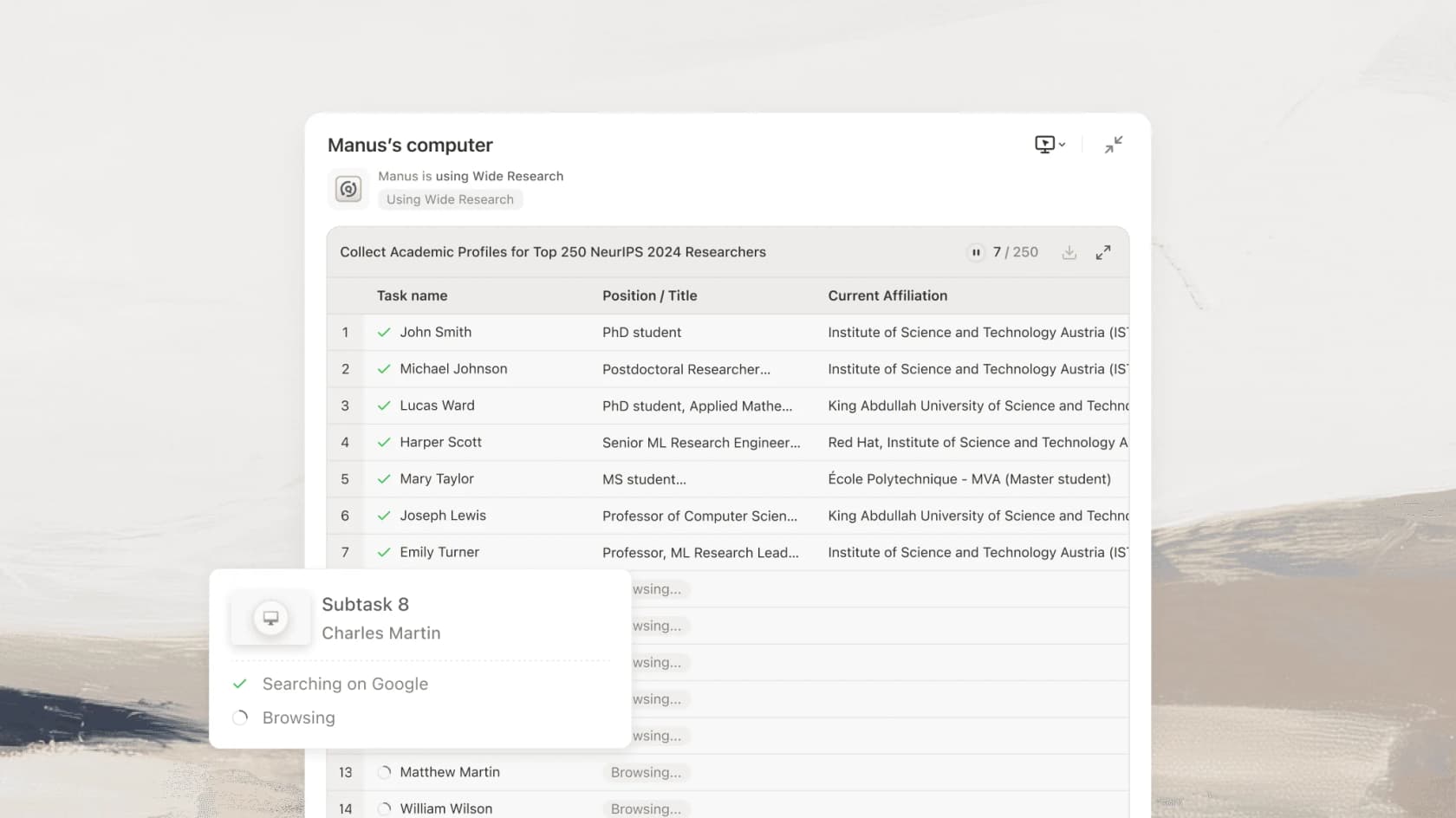
Manus (now part of Meta) is a general-purpose autonomous agent: you hand it a multi-step goal and it plans, executes, and delivers, rather than chatting. Its tagline is "less structure, more intelligence", and it will build a full-stack app, run parallel research across hundreds of data points, or operate your live browser session to complete tasks.
Features: full-stack app and website building with real backend, database, auth, and Stripe wired in; Wide Research for large parallel jobs; a Browser Operator Chrome extension that acts inside your own browser; and cloud "Computer" execution.
Pros: properly autonomous and technically deep; the app-building and research features go well beyond anything Sintra attempts.
Cons: it's built for one-off projects, not for continuously owning a business role the way Sintra's helpers are framed. It runs on daily-refresh plus monthly credits, so heavy use is metered.
Pricing: credit-based (300 daily refresh credits plus a monthly pool of 4,000 / 8,000 / 40,000 by tier); see manus.im/pricing.
Verdict: reach for Manus when you have a discrete, ambitious task to fully delegate. It's a different shape from Sintra, less "digital employee", more "hand it a project and walk away".
6. Taskade - best team workspace with built-in agents
Best for: small teams that want AI agents and a real project workspace in one place, with an actual free tier.
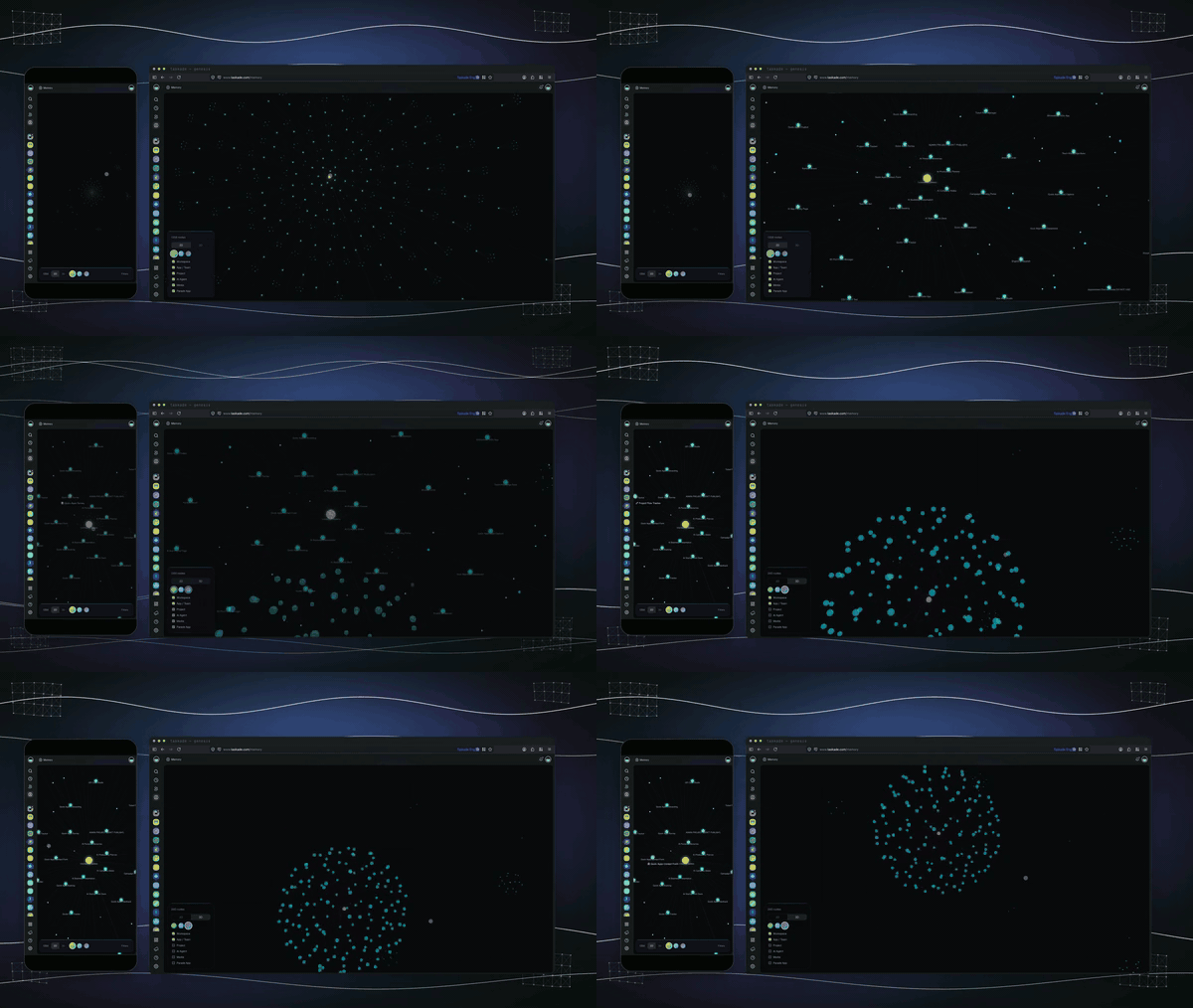
Taskade is a Y Combinator-backed AI productivity platform whose flagship, Taskade Genesis, turns one prompt into a live full-stack app (a CRM, dashboard, or client portal) with custom agents and automations wired together. Where Sintra gives you twelve fixed personas, Taskade gives you a workspace to build agents against your own projects and data.
Features: the Genesis app builder, custom agents trained on your files and URLs with 34 built-in tools, per-agent model choice across 15+ models, agents that run 24/7 and embed on any site, and durable automations with 100+ integrations.
Pros: excellent value, a real free plan, and it bundles the workspace (docs, tasks, agents) rather than just chat helpers. Independent Capterra rating sits at 4.7/5.
Cons: there's a learning curve on the advanced AI features, and it too runs on credits (10,000/mo on Starter up to 150,000 on Business), so the usage-cap dynamic exists here as well, just at a more generous ceiling on paid tiers.
Pricing: Free at $0, Starter $6/mo, Pro $16/mo, Business $40/mo, Max $200/mo, Enterprise $400/mo.
Verdict: the best all-rounder if you want breadth like Sintra's but anchored to real projects and a team workspace, and you appreciate a free tier to test on.
7. Jasper - best for marketing content at scale
Best for: replacing Sintra's Penn (copy) and Seomi (SEO) helpers with a proper marketing platform.
If the Sintra helpers you actually leaned on were the content ones, Jasper is the specialist upgrade. It's an AI marketing platform built around a Canvas workspace, marketing agents, Brand IQ for on-brand output, and Jasper Grid for running content production across many assets at once.
Features: brand voice governance (upload reference docs so output stays on-brand), a Translation agent for multi-market copy, and bulk pipelines for product descriptions and campaign assets.
Pros: far deeper on brand-consistent content than any generalist helper; strong for teams producing at volume. It holds 4.7/5 across 1,270 G2 reviews.
Cons: the at-scale features (unlimited brand voices, Grid) live behind the custom-priced Business tier; a solo user on Pro is capped at 2 brand voices. And some reviewers find the output generic without careful setup.
Pricing: Pro at $59/mo per seat (annual billing), Business is custom, with a 7-day trial and no permanent free tier.
Verdict: the content specialist. Choose Jasper when marketing copy was the real value you got from Sintra and you want to do it properly.
8. Copy.ai - best for GTM and sales-marketing content
Best for: teams that want content plus go-to-market workflows (prospecting, outreach) codified in one platform.
Copy.ai has pivoted from an AI writing assistant into "the first AI-native GTM platform", built around Workflows, Tables, Agents, and Brand Voice. It claims 17 million users, and where Sintra spreads across life-and-business roles, Copy.ai concentrates on sales and marketing execution at scale.
Features: codified GTM workflows, a unified data layer via Tables, brand voice control, and 2,000+ integrations including Salesforce, HubSpot, and Outreach.
Pros: strong for "codify a process once, run it across a catalog or a lead list"; a real case study reports 80% lower operational cost and 300% better content coverage across a large product catalog.
Cons: the meaningful bulk and API capabilities live behind steep Workflow tiers (the Chat plan jumps from $29 to $1,000/mo for Growth), which is the point where buyers most often stall.
Pricing: Chat at $24/mo (annual) for self-serve, then Growth at $1,000/mo and up. Verify any "free words" offer in-app, as the legacy free copy is stale.
Verdict: the pick when your job is GTM content and workflow automation, not general business admin. Overkill (and overpriced) if you just wanted a better copywriter.
So which Sintra alternative should you pick?
The honest answer is that the "twelve employees in one box" model is what created the itch in the first place, and no other twelve-in-one bundle fixes it. The move that actually helps is to name the one job that matters most and hire the tool that goes deep on it.
- Support is the job → eesel. A helpdesk agent that trains on your tickets beats a shallow support helper, and 1 credit equals 1 ticket instead of a credit bar that drains on vague actions.
- Content is the job → Jasper or Copy.ai. Proper brand-voice and at-scale production, not a general copy helper.
- Ops automation in chat → Lindy or Viktor. Build-your-own agents, or an AI employee that lives in Slack.
- A big one-off project → Manus or Genspark. Autonomous artifact generation from a single goal.
- A team workspace with agents → Taskade. Breadth like Sintra's, but anchored to real projects, with a free tier.
There's a reason the teams I talk to keep landing on "buy the deep tool, not the bundle". As one told us when they were weighing building their own versus buying:
"We could try to write our own LLM application but we didn't want to invest our time into that. We wanted something that we would not have to maintain."
Karel, GENERAL BYTES (eesel customer)
The same logic applies to bundles: twelve shallow tools you have to babysit are worse than one tool that quietly does the job that actually moves your numbers.
Try eesel

If the reason you looked past Sintra was that its support helper was too shallow, or that the credits kept stopping it mid-task, eesel is the direct fix. It's an AI helpdesk agent that plugs into Zendesk, Freshdesk, Gorgias, HubSpot, or Front in a few minutes, learns from your past tickets and help docs on day one, and lets you simulate it against your real ticket history before it ever replies to a customer.
Best of all, there's no 250-credit lottery. eesel has one fixed monthly price from $299/month for 500 credits (1 credit per ticket or chat) with no seat fees, plus a free plan with 100 credits, so you can see it resolve real tickets before you spend anything. Try eesel and start with the one job that actually matters.