Sintra AI pricing in 2026: what it really costs

Kurnia Kharisma

Katelin Teen
Last edited July 17, 2026

What you're actually paying for
Before the numbers, it helps to know what Sintra is, because the pricing only makes sense once you do.
Sintra AI sells "AI employees": pre-built chatbots, each with a name, an avatar, and a fixed job. There are 12 of them. Cassie does customer support, Penn writes copy, Seomi handles SEO, Soshie runs social, Milli does sales, Dexter crunches data, and so on. The pitch is a "24/7 digital team that never sleeps," aimed squarely at solopreneurs and small teams who can't hire twelve specialists. Sintra says 40,000+ business owners use it, across 50+ countries.

All 12 helpers run under a layer called Sintra X, which Sintra bills as its autonomous mode, tasks done "even while you sleep," powered by Claude 4.5 Sonnet and speaking 100+ languages. Here's the first thing worth flagging: some older write-ups (and even the way people search for it) treat Sintra X as a premium add-on. It isn't anymore. Sintra X is now the core plan, and the old option to buy a single helper for $39/month has been quietly discontinued, per Sintra's own help center. So when you pay Sintra, you get all 12 helpers or nothing. If you only ever wanted the content ones, that bundling is worth weighing against a standalone AI content generator or ChatGPT blog writer before you commit.
Sintra AI pricing plans
Sintra keeps its pricing simple in one way: there's only one product, and the only thing that changes between plans is how long you commit. Longer term, lower monthly rate, but you pay the whole term upfront.
Here are the standard (non-sale) prices, taken from Sintra's plans-and-pricing help article:
| Plan term | Charged upfront | Equivalent per month | Helpers | Monthly credits |
|---|---|---|---|---|
| 1-month (billed monthly) | $97.00 | $97.00/mo | All 12 | 250 |
| 3-month (billed quarterly) | $177.00 | $59.00/mo | All 12 | 250 |
| 12-month (billed yearly) | $624.00 | $54.00/mo | All 12 | 250 |
And the pricing page is currently running a sale that knocks those down hard:
| Plan term | Standard /mo | Sale /mo | Discount |
|---|---|---|---|
| 1-month | $97 | $48.50/mo | Save 50% |
| 3-month | $59 | $23.60/mo | Save 60% |
| 12-month | $52 | $15.60/mo | Save 70% (most popular) |
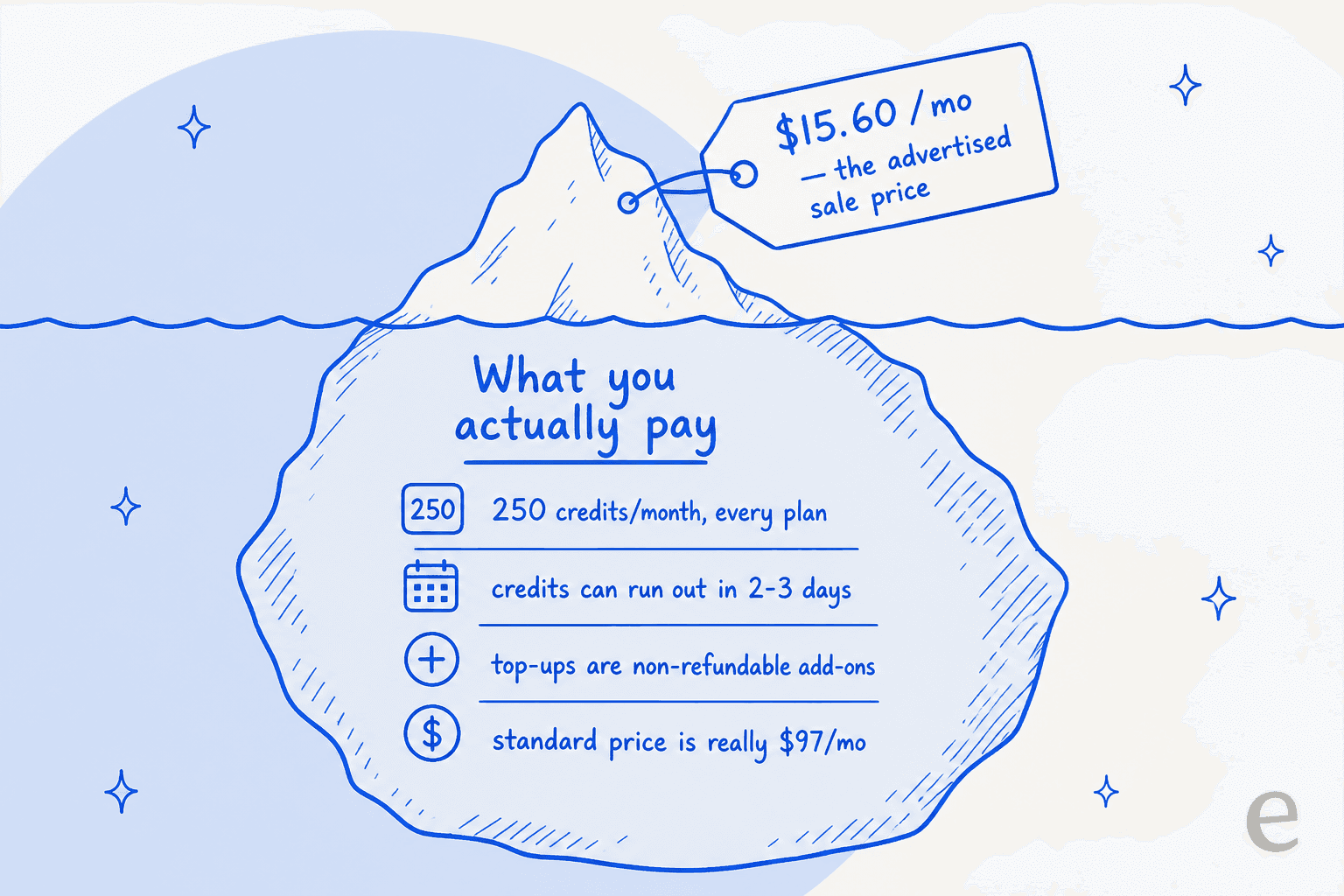
Every plan, at every price, includes the identical set: all 12 helpers, unlimited workspaces, 15+ integrations, 24/7 support, the AI Brain knowledge layer, and 250 credits per month. There is no "pro tier" that gives you more capacity. Pay $15.60 or pay $97, you get the same 250 credits.
That last point is the whole story, so let's pull it apart.
The 250-credit cap is the real price
Sintra calls credits "energy bars that power Helpers." They're the actual usage meter, and understanding them is the difference between a tool that costs $15.60 a month and one that costs a lot more.
The rules, straight from Sintra's workspace credits doc:
- Every plan gets 250 credits a month. Same cap whether you're on the cheapest or priciest term.
- They don't roll over. Unused credits vanish at your monthly reset.
- When they hit zero, the helpers stop. You get a low-credit warning, then the work stops until you top up or the month resets.
- Top-ups ("Helper energy") are a recurring, non-refundable add-on. They raise your monthly bill, and Sintra doesn't publish the top-up prices anywhere public, you only see them in-app under Settings.
So the advertised price is the tip of the iceberg. What you actually pay depends on how fast you drain 250 credits, and for anyone using Sintra seriously, that happens fast.
What each action costs
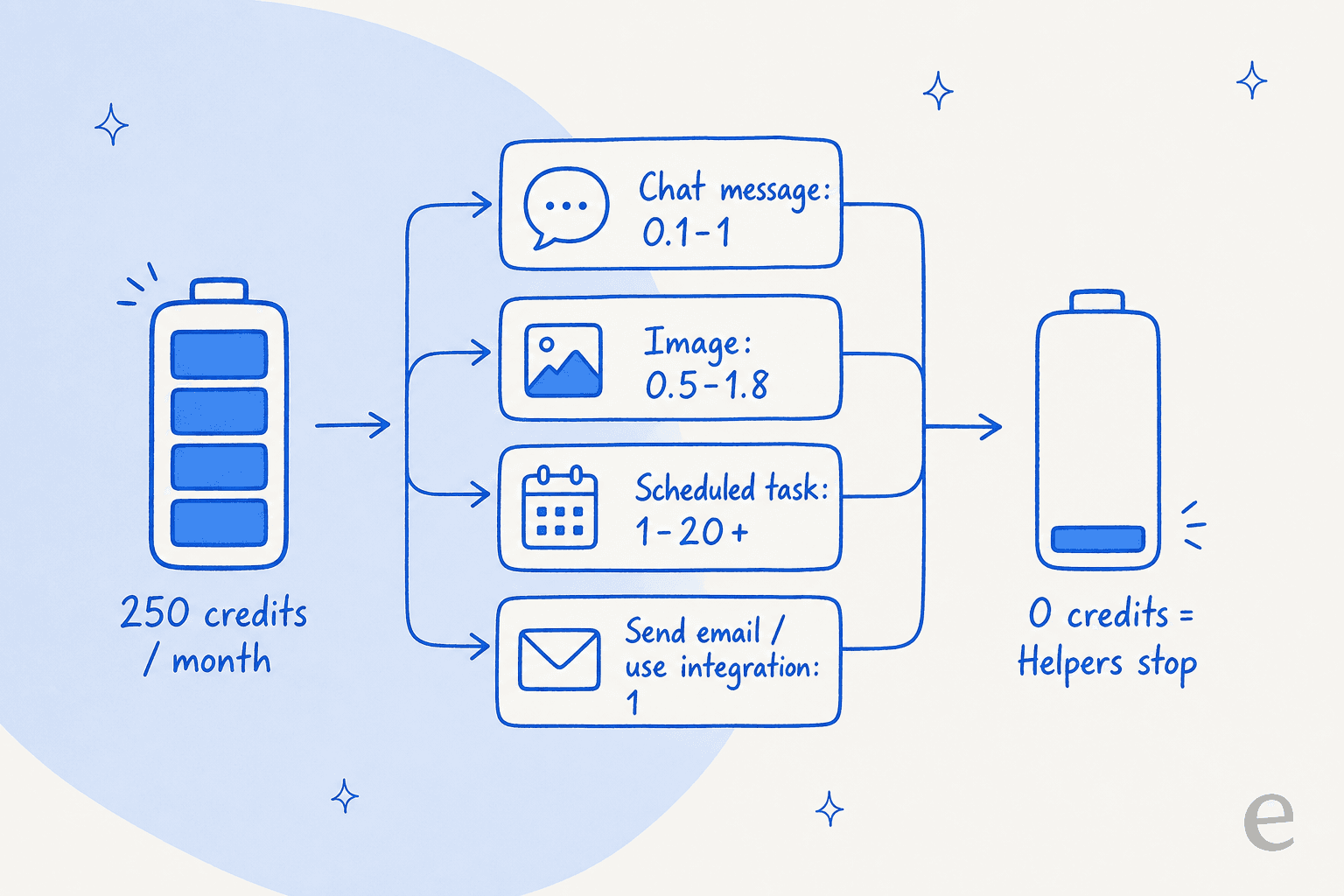
Credits are only spent on things you trigger; background tasks are free. Here's roughly what Sintra says each action costs:
| Action | Approx. credit cost |
|---|---|
| Message you send in chat | 0.1–1 (longer threads cost more) |
| Helper's reply | 0.1 |
| Image generated in chat | 0.5–1.8 |
| Social post created in chat | 1 |
| Scrape a website in chat | 0.5 |
| Retrieve last week's emails | 1 |
| Running a scheduled task | 1–5 basic, 3–10 with web research, 5–20+ for complex multi-tool jobs |
Look at that bottom row. A single complex scheduled task, exactly the kind of "do it while I sleep" automation Sintra sells the hardest, can eat 20+ credits in one run. Do that daily and you've burned your whole month in under two weeks.
Estimate your own credit burn
Rather than guess, plug your own usage in. This is a rough model built from Sintra's own credit ranges, so treat it as a ballpark, not a bill:
Slide the scheduled-task count up and watch how quickly you blow past 250. That's the exact complaint running through Sintra's reviews.
What real users say about the price
Sintra carries thousands of reviews and a high star average on Trustpilot. But the recent, credible signal is a loud cluster of one-star complaints, and almost all of them are about money.
The recurring themes: customers who bought "unlimited" annual plans say they were moved to the metered 250-credit system without much warning, heavy users burn through credits in two to three days, there's no cheap top-up path (you're pushed to upgrade the whole plan), and credits get spent even when the AI makes a mistake you have to correct. One reviewer summed the mood up bluntly:
"an awful money grabbing system"

Two caveats, in fairness. First, plenty of reviewers genuinely love it, one calls the helpers "truly a gem," others report saving thousands in freelancer fees. Second, search results flag that Trustpilot suspended Sintra's TrustScore over incentivized reviews; I couldn't confirm that on the live page, so treat it as unverified. But it's worth knowing, because if the positive reviews were nudged, the negative cluster is the more honest read of what long-term users feel about the pricing.
Worked examples: what you'd really pay
Let's turn the credit math into actual monthly cost. Take the sale-priced 12-month plan at $15.60/month as the base.
The light user (occasional dabbler). You ask a few helpers for ideas, write the odd social post, run one small automation a week. You're using maybe 100–150 credits a month. You stay inside the allowance, and Sintra is genuinely cheap: ~$15.60/month, all in. This is the sweet spot Sintra is priced for.
The daily operator. You run Cassie on support replies, Penn on copy, and a couple of research automations every day. You're looking at 600–900 credits a month, so you exhaust your 250 in the first week or so and buy top-ups for the other three. Your real cost is no longer $15.60, it's the base plus recurring, non-refundable top-up charges you can't see until you're in the app. This is where "cheap AI team" quietly becomes an open-ended bill.
The gap between those two users is the entire point. Sintra's headline price is honest for the first user and misleading for the second, and the pricing page gives you no way to know which one you'll be until you've paid.
Where Sintra fits, and where it doesn't
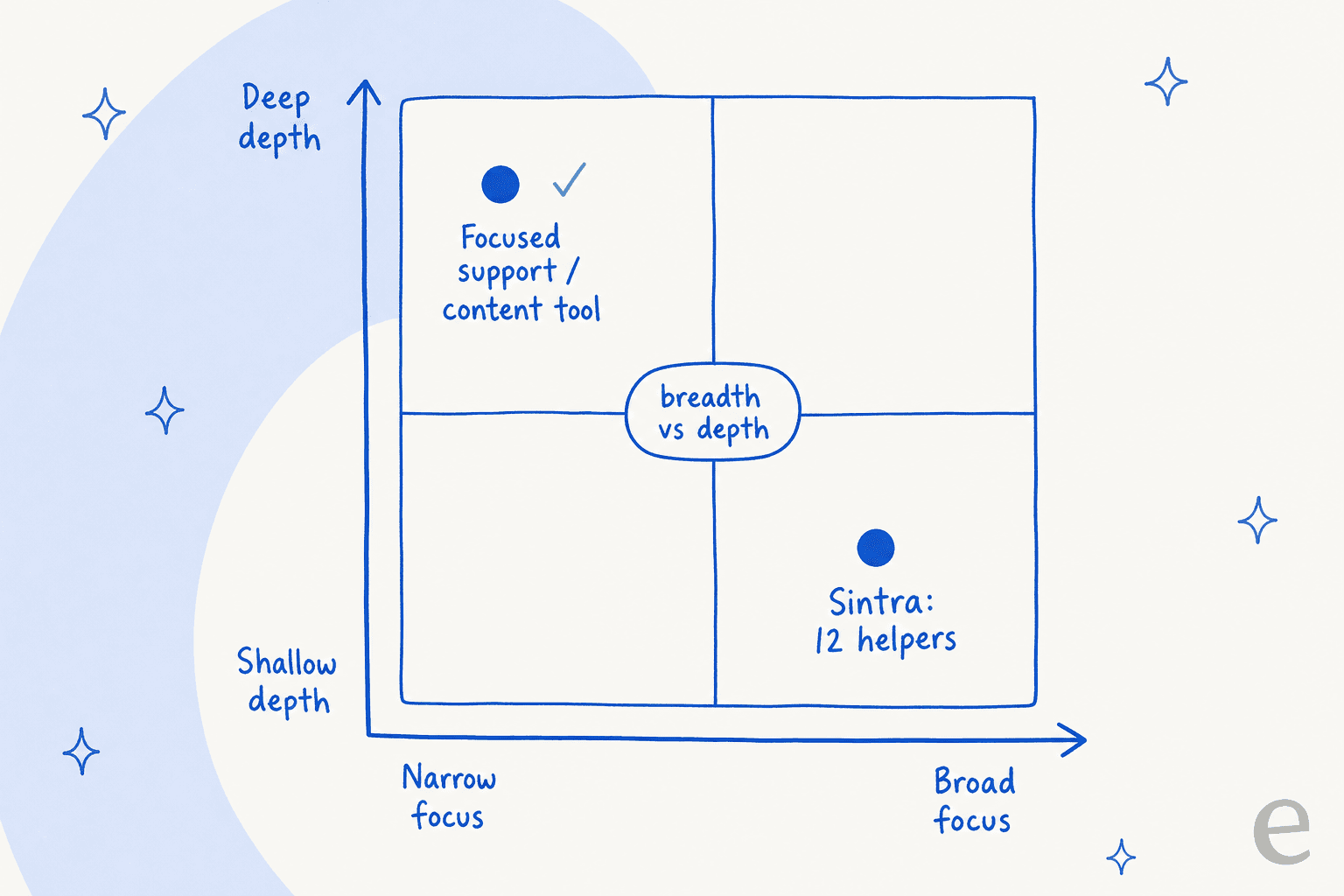
I want to be fair here, because Sintra does something real: it gives a solo founder a broad, friendly set of assistants for less than the cost of one freelancer. If you value breadth over depth, twelve okay helpers beat one great one, and next to stacking up separate AI marketing tools and SEO tools, Sintra is a reasonable buy.
The trade-off is depth. Cassie is one support bot among twelve, not a dedicated helpdesk agent. It doesn't train on your historical tickets, doesn't plug into Zendesk, Freshdesk, or Gorgias, and doesn't simulate a rollout before it goes live. Penn writes copy, but it isn't a research-grade AI blog writer that cites primary sources the way a dedicated content writer does. Sintra is a horizontal generalist. The moment one function becomes your main job, you feel the shallow end.
There's also the pricing model itself. A credit cap that's identical on every plan, doesn't roll over, and stops your workers dead at zero is a design that quietly nudges you toward top-ups. Compare that to pricing where each credit maps to one countable unit of work, so you can see what you are spending. The credit model is fine when your usage is light and predictable. It's a trap when your usage grows, which is the direction every successful business goes.
Try eesel
If the reason you're looking at Sintra is one specific job, running support or producing real content, that's exactly where a focused tool beats a twelve-in-one bundle, and where the pricing stops fighting you.
eesel sells AI teammates the same "hire it, don't prompt it" way Sintra does, but pays off on depth and a pricing model with no credit lottery. The AI blog writer does real research, reads Reddit threads and primary sources, cites every claim, and matches your voice from day one, and it's billed at a flat $4 per finished post, not metered credits that vanish. The helpdesk agent trains on your past tickets, plugs into Zendesk, Freshdesk, Gorgias, and Front, and lets you simulate a rollout against real history before it ever answers a customer. Gridwise saw it resolve 73% of tier-1 tickets in the first month.

The pricing is the sharpest contrast: eesel has one fixed monthly price from $299/month for 500 credits, where 1 credit is one ticket or chat however long it runs, plus $4.00 per blog draft. There are no per-seat fees, no platform fee, and every integration and channel is included. You start free with 100 credits, no card needed, and if you run out you can turn on overage with a cap you set, so the bill never surprises you. That's a different thing from a 250-credit wall spent on vague actions. Try eesel free and see what a focused teammate does that a bundle can't.