

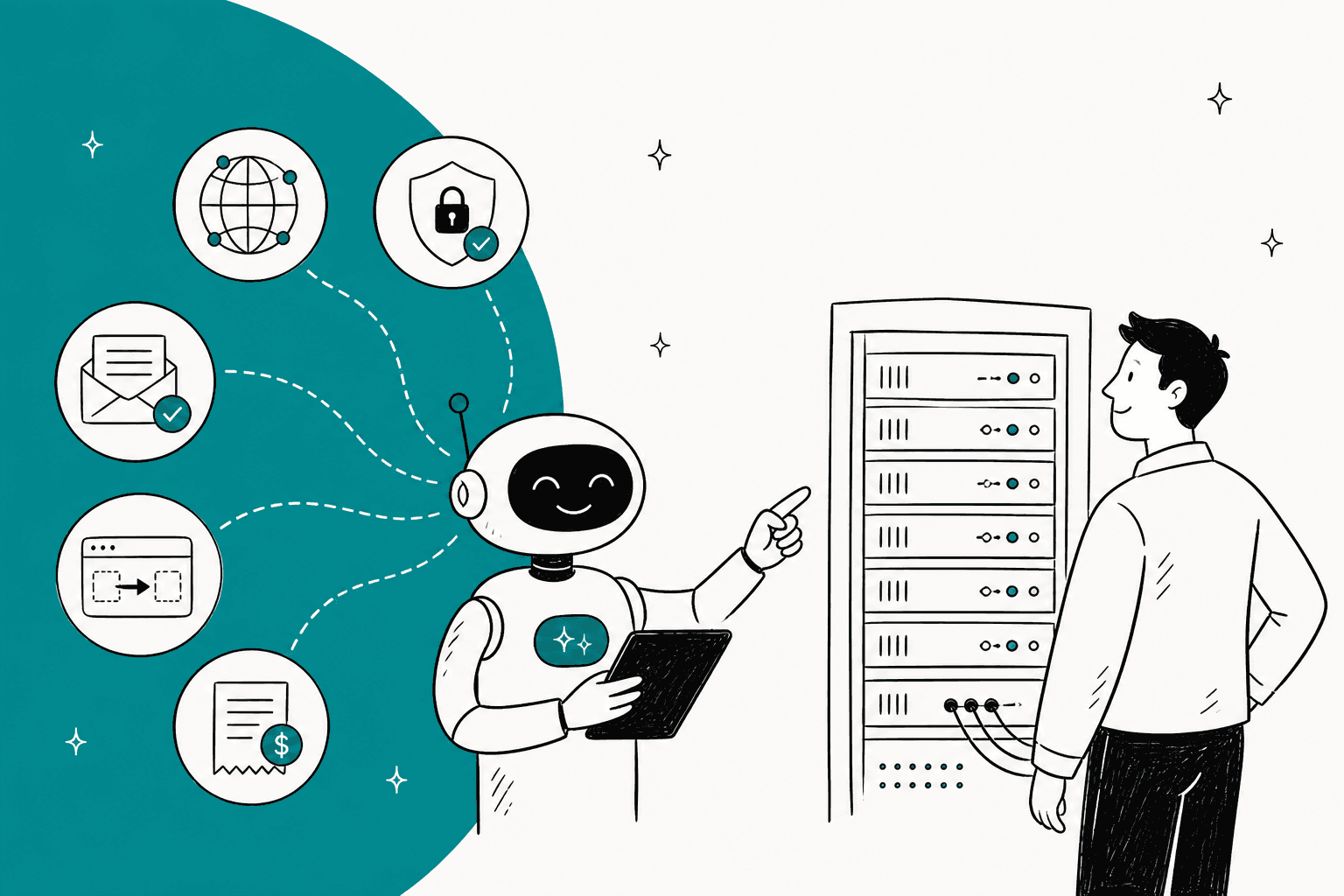
The real choice in AI for web hosting support is where the AI sits and what it may touch, not which chatbot sounds smartest. Put it in the control panel, the billing system or the helpdesk, then give it a ladder: answer from docs, diagnose read-only, change things only with the customer's yes, and leave suspensions, refunds and takeovers to people. If your team already runs Zendesk, Freshdesk or Help Scout, I would start at the helpdesk layer, where eesel joins that queue, drafts first, and looks up accounts through an API you control.
I build integrations, so my first question about any hosting AI is always which endpoints it can call and which of them can write. With the eesel CLI, an AI coding agent can upload your exported DNS, email and SSL help articles, install the chat bubble on your site, then run test questions before anything goes live. Connecting the helpdesk itself still needs an admin to approve it.
What makes hosting tickets different from ordinary support?
Because the answer usually lives in a system the customer cannot see. A shop asks "where is my order?" and the answer is in one database. A hosting customer writes "my email stopped working" and the cause might be an MX record, an SPF record, a full mailbox, a blocked IP or an expired certificate, spread across a DNS zone, a mail server and a control panel.
The split that matters is simple: an AI chatbot that answers hosting questions is not the same as an AI support agent that can actually resolve hosting tickets. The first one reads your docs. The second one reads the account. Most of what goes wrong with hosting AI is a docs bot being sold as an account agent.
A Reddit user in the r/HostingReport thread on big hosts switching to AI support put the same idea as three kinds of bot:
"I've seen three kinds of chatbots across industries:
the useless. Whatever input you give the answer is worse than googling with site:domain.com
the ones that point you to the correct documentation after describing your problem. They work pretty well.
and the ones that execute standard operation procedures, like account cancelation.
In hosting specifically I found most of them belonging to the first category."

That is one customer's read, but it matches what I see on the integration side. Type two is easy: point a model at your knowledge base. Type three is where the work is, and it is where hosting tickets pile up: DNS, email setup, SSL, migrations and billing. Those five categories are the ones I will use for the rest of this guide.
Two things make them awkward. First, a wrong answer is not just annoying, it can take a site offline. Second, the volume is bursty: one failed renewal run or one bad DNS change at a registrar can send hundreds of near-identical tickets in an hour. That is the pattern in seasonal support spikes and it is the reason you want an AI that handles the repeatable part while people work the incident, which I cover in my post on major incident communication.
What are the big hosts already doing with AI?
They have moved, and they published numbers. These are each host's own statements, so treat them as marketing figures from the vendor, not audited results.
- Hostinger. Its product page says the Hostinger Agent "handles 85% of support interactions", with a customer satisfaction score of 77%, answers in 9 seconds on average, and can perform over 500 admin-level actions including website migrations, backups and server health checks. Its support doc says the agent can add, update and delete DNS records, restart a VPS and start a migration, and that irreversible or significant actions pause behind a confirmation card.
- GoDaddy. Its Airo Care write-up says customers engaged with it 1.9 million times in 2026 to date and that it resolved nearly one million contacts without a human guide stepping in, with almost 100 production agentic actions. Its own worked example is a voice caller who broke their DNS and took a site offline; the assistant found the missing A and WWW records and restored them while keeping the customer's Google email records.
- SiteGround. Its 2025 blog says its AI helpdesk assistant gets the correct answer in 96% of responses, with 85% meeting its customer service standards. The agentic layer is limited to "carefully curated low-risk operations", including purging cache, checking SSL validity and resetting DNS SPF records, and 15% of chats in the first month involved an operation done on the customer's behalf. It still staffs human support around the clock and says it grew that team while building the AI.
- Namecheap. I found no support chatbot on its pages, but it publishes an MCP connector that lets an AI assistant read and edit DNS records. Its tools mark writes like
dns_records_deleteanddomain_set_nameserversas sensitive, and the assistant never charges your account. - Hetzner. A Hetzner staff member wrote on Hacker News that the company has an AI chatbot for basic sales questions, with real humans answering the contact form for custom solutions.
"We do have an AI chatbot on our website because that tends to work well for most basic sales questions. Depending on the questions it gets, it will also steer users to other ways of reaching out to us. We have a contact form for Custom Solutions, and real humans answer those."

Look at what the ones that act have in common: every action sits behind a confirmation, and the list of actions is closed. SiteGround's list is short on purpose. Hostinger pauses on deletes. That is the permission ladder I describe below, already running in production at companies with far more tickets than yours.
The customer side is mixed, and it is worth reading both sides. Some Hostinger customers on Reddit are unhappy about the bot. One wrote that they will not renew when a bot refuses to hand over:
"...that whenever I encounter an AI chatbot that is stubborn and doesn't connect me to someone that can help me right away, I make sure I don't renovate my contract/subscription with them"
Another user in the same HostingReport thread has had the opposite experience, and says where the value is:
"AI be wonderful in assessing what's going on with a server and pushing out a fix. So far, I haven't run into any AI where it's just useless talking to it, when I really need to talk to a person."
Read together, they give you the two design rules. The bot must be able to diagnose and act on the account, and the human must be one step away. A bot that does neither is the thing customers resent. If you want the handoff half in depth, my AI agent handoff best practices guide covers it.
Where can the AI sit in your hosting stack?
In one of three layers, and each one sees something different. This is the most important decision in the project, and it is usually made by accident when someone installs the first plugin they find.
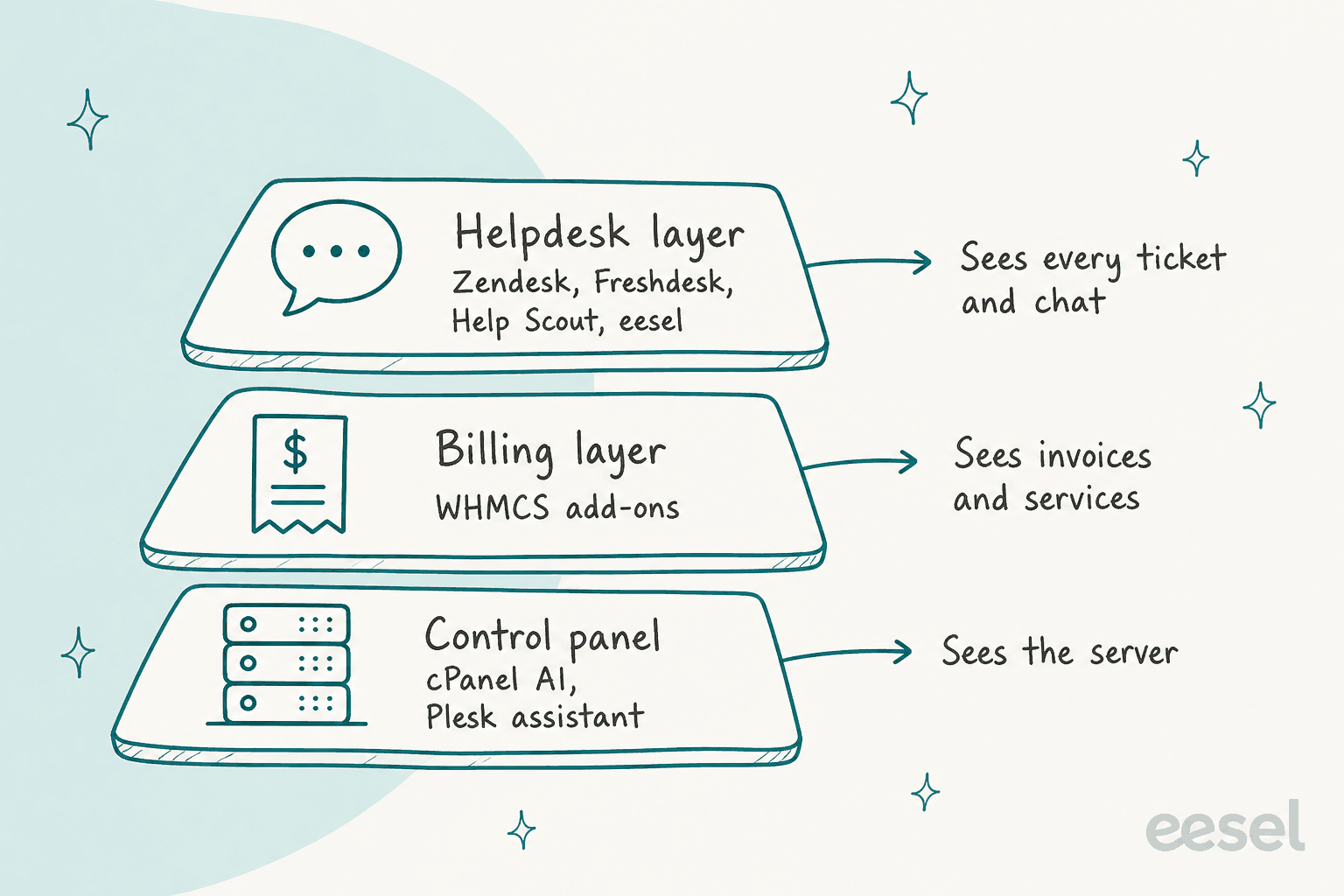
Layer 1: the control panel. The assistant lives where the customer manages the account. It sees the server best and the ticket history not at all. It also reaches the customer before a ticket exists, which makes it a deflection tool more than a support agent.
cPanel AI is generally available in cPanel & WHM 138. Its docs describe four request types: Explain, Guide, Diagnose and Act. Diagnose reads domains, disk quota, email accounts, FTP accounts, databases, SSL status and the AutoSSL error log. Act changes things only if the hosting provider allows it, always shows an "Approval required" card, and will not perform irreversible actions or fix complex multi-step problems such as an outage. It is limited to 100 requests a day per cPanel account, and the data handling doc says the cPanel license fee currently includes the cost of using it.
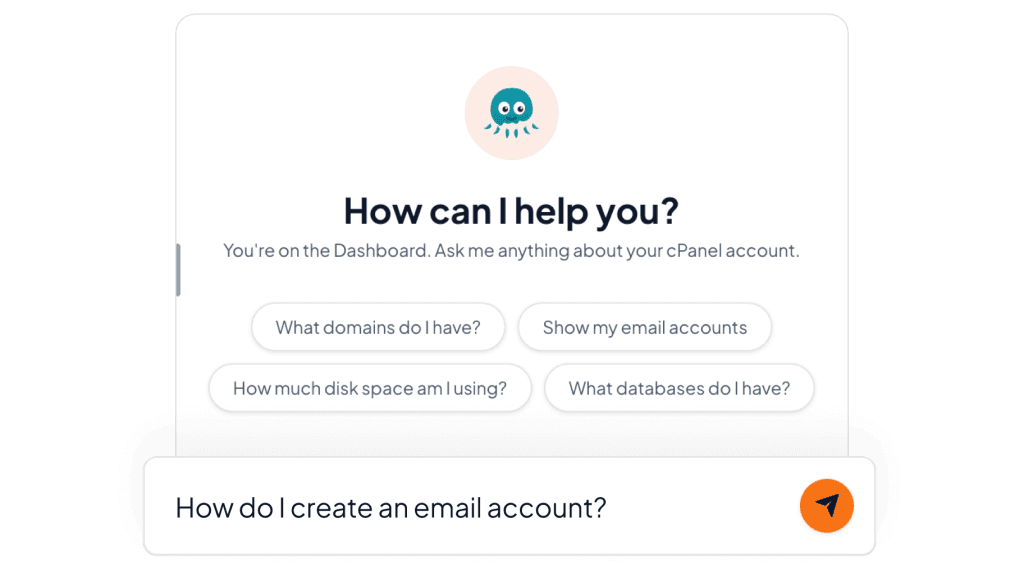
Plesk has an AI Support Assistant too. Its docs describe it as answering from the Plesk knowledge base and docs without changing settings, and they say it is auto-enabled on new retail-licence servers deployed after 2026-08-04. The Plesk Obsidian 18.0.82 release blog goes further: on servers connected to the WebPros Dashboard MCP server the assistant can carry out work, and you approve each call or a batch of calls. The docs page I read still describes the admin-only, answer-only version, so check which one your version runs.
Layer 2: the billing system. In WHMCS or Blesta, the AI sees who the customer is, what they bought and what they owe. WHMCS's own API makes that straightforward: GetClientsDetails, GetClientsProducts, GetInvoices and GetTickets cover identity, services, billing and ticket history, and AddTicketReply and AddTicketNote let an add-on respond. That is a read-heavy surface with a few writes, which is the right shape for a support agent.
What WHMCS itself ships is narrow. Version 9.0 added AI Namespinning, an AI domain-name suggestion tool in the cart, which is a sales feature rather than support.
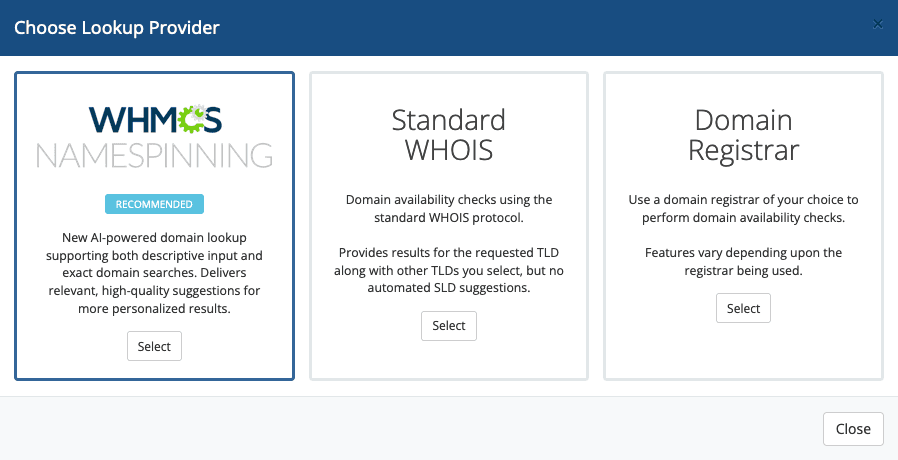
The 9.0 release highlights also announce an AI Support Copilot add-on that would suggest replies and strip personal information from responses, with a full release "coming in 2026". I could not find a docs page or release note confirming it has shipped, so I treat it as announced. In the meantime the WHMCS Marketplace carries third-party add-ons.
Layer 3: the helpdesk. The AI sits next to your agents, in the same inbox, and sees every channel: email, chat, and in some setups WhatsApp. It does not see the server unless you give it a way in. The upside is a single place for approvals, tags, reporting and human handoff, which matters once more than one system is involved. The downside is that account data needs a connector or an API call.
The right answer is often a mix. Let the control-panel assistant deflect "how do I create a mailbox" before a ticket exists, and let the helpdesk agent handle what arrives anyway. What you want to avoid is three bots with three sets of permissions and three places to read what happened. If your reseller or white-label customers open tickets on behalf of their own clients, the account-ownership checks get harder, which I cover in AI for reseller support.
How do the hosting-specific tools compare?
Here is what the vendors' own pages say, checked on 2026-11-16. I left out any price that came from a review or forum post.
| Tool | Sits in | Connects to | Read-only or acts | Channels | Price (vendor page) |
|---|---|---|---|---|---|
| cPanel AI | Control panel | cPanel account (user session) | Both; changes need approval card | In-panel chat | Included in cPanel license fee; 100 requests/day per account |
| Plesk AI Support Assistant | Control panel | Plesk | Answers by default; 18.0.82 adds approved actions via MCP | In-panel chat | Not stated on pages checked |
| HOSTINGSUPPORT.AI | Billing + server | WHMCS 8.10+ or Blesta 5.10+; cPanel, Plesk, DirectAdmin | Both; per-action permission | Tickets, chat, mailboxes, WhatsApp | Prepaid: $0.15 reply or diagnosis, $0.50 server fix, $2 speed optimisation |
| PanelBot | Billing client area | WHMCS or Blesta; cPanel, DirectAdmin | Read-only first; changes need customer yes | In-portal chat, ticket fallback | Free (30 chats), Lite $29/mo (100 chats), Starter $99/mo (600), Growth $249/mo (2,000), Scale $799/mo (6,000) |
| WHMCS Marketplace add-ons | Billing | WHMCS | Mostly reply drafting; one lists WHMCS actions | Tickets, website chat | $14.95 to $499 listed |
HOSTINGSUPPORT.AI is the most hands-on on the list. Its vendor page says it logs into cPanel, Plesk or DirectAdmin to fix 500 errors, DNS, SSL and email bounces. Irreversible actions need the customer to type the exact name, and one emergency switch stops the AI on every channel. It also lets you set a mode per department (internal note, draft for approval, automatic reply). The cost per action is plain: $0.15 for a reply or a diagnosis and $0.50 for a fix on the server. The vendor refunds replies marked wrong within 48 hours, up to a cap.
PanelBot takes a stricter default. The model has no shell, file, database or panel-API access of its own; it can only request an action, and a separate code layer checks that the customer owns the target before anything runs. Terminations, suspensions and whole-account restores always go to your team. The trade-off I would flag is channel scope: the pages I read describe an in-portal widget and a ticket fallback, with no WhatsApp listed.
The Marketplace add-ons are priced like plugins. ArkHost's AI Support Assistant is listed at $78, drafts replies from the ticket, the client's services and invoices and your knowledge base, and offers an optional Autopilot that sends replies without staff approval. Its listing advises trying it on non-sensitive tickets with Autopilot off first, which is sound advice for any add-on. GRUPO INAN's AI Chat & Ticket Assistant is listed at $499 and its bot can take WHMCS actions such as rebooting a VPS or paying an invoice. None of the listings I read describe server-side fixes on cPanel, Plesk or DirectAdmin.
And at the helpdesk layer?
If your tickets already land in a general helpdesk, these are the vendor-page numbers:
| Option | Plan price | AI pricing | Account lookups and actions |
|---|---|---|---|
| Zendesk | Suite Team $55, Suite Professional $115 per agent/month (annual) | $1.50 per committed automated resolution, $2.00 pay-as-you-go | Connectors and Action Builder to third-party systems; advanced action flows from Suite Professional |
| Freshdesk with Freddy | Growth $19, Pro $55, Enterprise $89 per agent/month (annual) | First 500 sessions included; then $49 per 100 sessions | Connector tasks $80 per 5,000; MCP actions $15 per 1,000 |
| Help Scout | Standard $25, Plus $45, Pro $75 per user/month | Envoy $0.75 per resolution | Page lists no order-lookup or external-API actions for Envoy |
| eesel | No seat fees | $299/mo for 500 credits, 1 credit per ticket or chat | Calls to your own REST API (GET, POST, PATCH, DELETE), each action On, Ask first or Off |
Zendesk's pricing page ties AI cost to outcomes, counting a resolution only when the AI agent resolved the conversation without escalation to a human. Freddy bills by session, and an email thread counts as one session within a 72-hour window. Help Scout's Envoy charges per resolution and stops itself if you set a monthly cap and hit it. All three are fair models. They suit different ticket mixes, which I compare in eesel vs Zendesk AI and eesel vs Freddy.
One caution on these pages: neither Zendesk's nor Freshworks' pricing page says in plain words that the AI agent calls an external API at runtime during a conversation. They list connectors, actions and MCP add-ons as the integration route. Before you plan a WHMCS lookup on any helpdesk AI, confirm it in the vendor's docs. My Zendesk, Freshdesk and Help Scout guides go through each setup.
Which hosting tickets can AI handle?
Sort them by what the AI must read and what it must change. Here is the split I would start with:
| Ticket type | What the AI does | Access it needs | Approval level |
|---|---|---|---|
| DNS: record questions, "my site is down" after a change | Explains records, spots a missing A or WWW record, checks propagation | Public lookups, or read access to the zone (cPanel ZoneEdit, Plesk XML API DNS) | Read: none. Add or edit a record: customer yes. Delete or nameservers: person |
| Email: SPF, DKIM, DMARC, MX, delivery | Checks authentication records, lists mailboxes, reads delivery errors | Read access to DNS and mail accounts (cPanel Email::list_pops) | Read: none. Publish a record: customer yes. Delete a mailbox: exact-name confirmation |
| SSL: expired, mismatched hostname, AutoSSL failures | Reads certificate status and the AutoSSL log, explains the cause | Read access to certificates (cPanel SSL module) | Read: none. Reinstall or reissue: customer yes. Purchases stay in checkout |
| Migrations | Collects source host, domains and platform, opens a complete case, sends status updates | Ticket and account read; migration tool only if you expose one | Start: customer yes. Cutover timing: person |
| Billing questions | Explains an invoice, shows status and next renewal | Read on invoices and services (WHMCS GetInvoices, GetClientsProducts) | Read: none. Refunds, disputes, plan changes: person |
| Suspensions, terminations, takeovers | Collects facts, tags urgent, routes with a handoff note | Ticket read only | Person only |
The pattern across the rows is consistent: the left half of every ticket is reading and explaining, and the right half is a write with a different risk. Most of the volume is in the reading half. If you want a view of how this plays on the billing side specifically, my guides on billing disputes and refund requests cover the money half.
Here is the widget I would hand to a new teammate. Pick a ticket type and it shows the lane.
A good example of the "lookup before answering" shape comes from Swiftreg, a UK private number plate seller whose orders pass through several separate states. Its eesel support agent answers from lookups the team wrote (order, product, listing and tracking lookups) instead of from memory, and a rule says live facts beat the knowledge base, past tickets and anything the customer says. It handled about 2,100 Zendesk tickets in a month. A hosting account has the same shape, with a domain, a service and an invoice standing in for the order and the plates.
For the account-ownership part of these tickets, my posts on account recovery and password resets lay out the "does this only help the real owner?" test I use. It applies directly to "I lost access to my hosting account" tickets.
What should the AI never do alone?
Anything where a wrong guess is hard to undo or hands someone else the account. In hosting, I would keep these with a person, however good the model gets:
- Suspensions and terminations. A wrong suspension takes a customer's business offline, and a termination can delete data. PanelBot's vendor page sends terminations, suspensions and whole-account restores to the host's team always, and I would copy that rule.
- Refunds and disputes. Money decisions need a person with authority, and the AI's job is to gather the invoice, the plan and the customer's history into a note. That is the model in AI for payment disputes.
- Account takeovers and ownership changes. Contact email changes, transfers, and "I am the owner, please give me access" all fall here. Attackers ask support desks for exactly these.
- Irreversible deletes. HOSTINGSUPPORT.AI makes the customer type the exact name before it deletes a mailbox or restores a backup. Hostinger pauses on deleting a DNS record. Both are the right instinct.
- Claims the knowledge base does not support. I have heard a version of this in a sales call: a technical support team worried the AI would confirm they support a product that was not in their database, because the help page said "we support all models." For a host, the equivalent is an AI confirming a plan, region, PHP version or software your servers do not run.
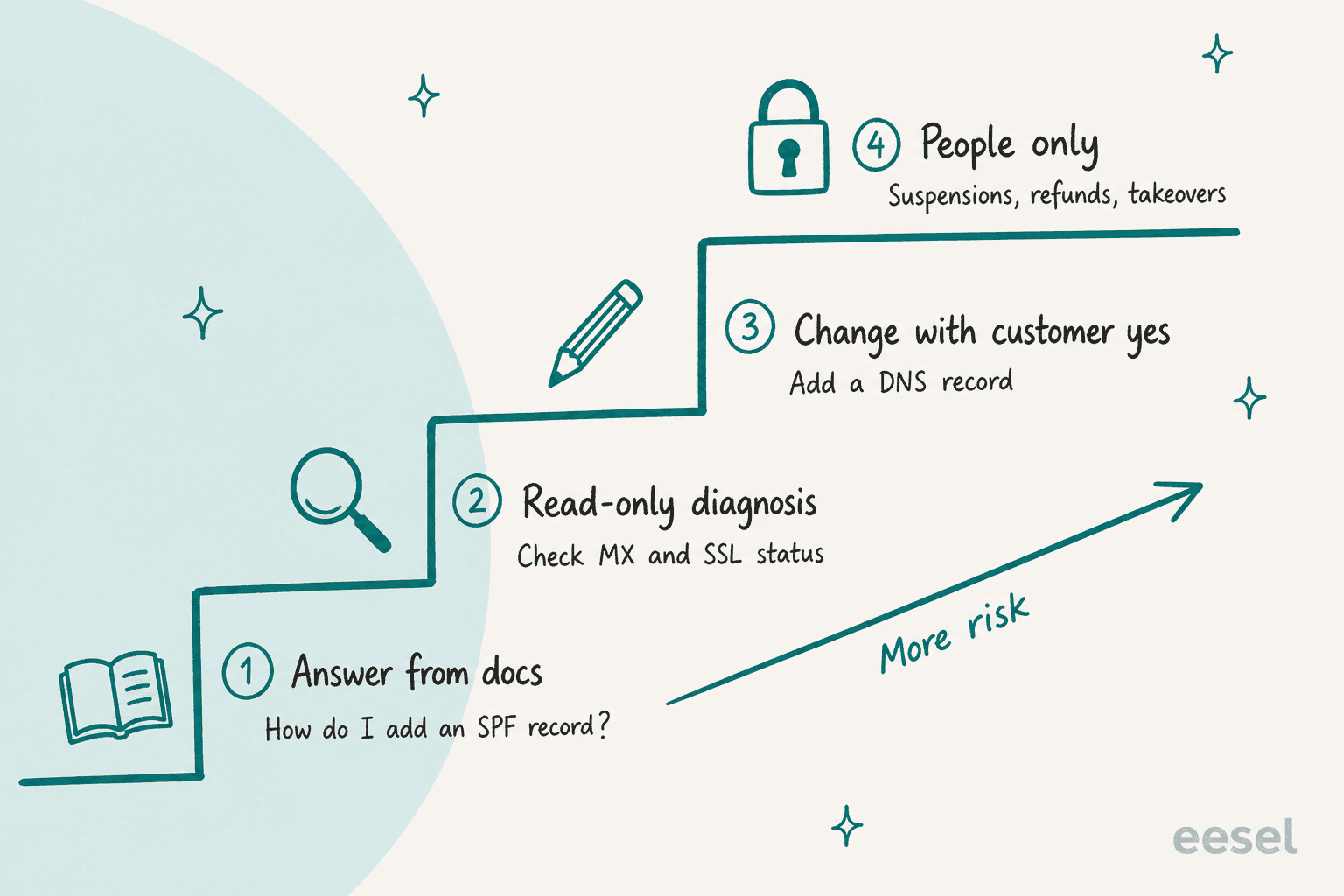
That staircase is the permission ladder. Rung one is answering from documents, rung two is read-only diagnosis, rung three is a change with the customer's yes, and rung four is people only. The agent starts on rung one for every ticket type and moves up only when you have tested it on that type.
The ladder is also an interface question, and this is where my day job helps. Instructions can be argued with, but a missing permission cannot. If the only database call your AI can make is read-only and the only write call is "add a DNS record on the ticket owner's domain," it cannot be talked into a suspension, however clever the customer's message. In eesel each action is set to On, Ask first or Off per agent, and Ask first holds the action until a person approves it in the dashboard, Slack or terminal. My guide to customer support approval workflows and the AI support security review explain how to set that up and what to ask a vendor.
On vendors, ask the same questions every time. Does the AI run as its own user, or with a root password? Is there a closed list of actions, or a shell? Does it work only on the ticket owner's domains? Is there an audit log, and for how long? HOSTINGSUPPORT.AI answers these on its security page (no root password, a closed list of actions, works as the affected account's user, audit log kept six years), and PanelBot's page describes its verification layer. That level of detail is the bar.
How do you roll AI out for hosting support?
In phases, with a test between each one. The order most teams land on is drafts first, then automatic answers, then controlled technical actions, then autonomous first line. I agree with the order and I would add the test gates.
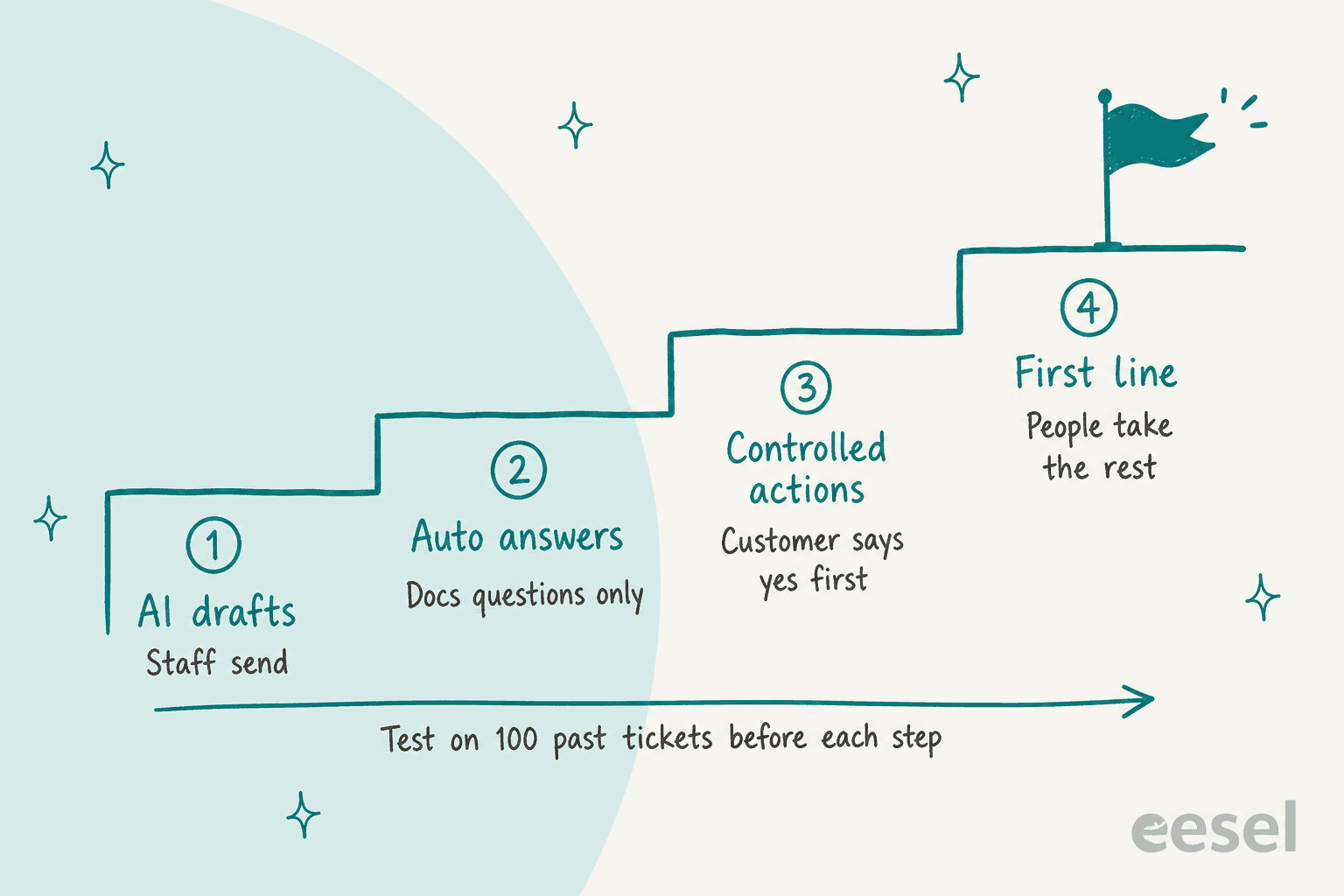
- Pick the layer and the first ticket types. Choose one layer from the section above and two ticket types, such as SPF and DKIM questions and invoice explanations. Fewer is better. About an afternoon.
- Write down the runbooks. For each ticket type, write the steps a good tier 1 agent follows and where they stop. Put them where the AI reads them: your help center, a Drive folder, or the knowledge base in your helpdesk.
- Connect read-only access first. Give the AI the read calls only: WHMCS client, product and invoice reads, or scoped panel tokens. No write calls yet. A day or two, mostly waiting on credentials.
- Test on 100 to 200 resolved tickets. Replay old tickets and compare the AI's answer with what your team sent. Score correct diagnosis, escalation quality, resolution and cost per resolution. eesel's simulation skill does this against your own history, and the docs example samples 20 resolved tickets and reports how many matched, with ranked fixes. My post on AI support simulation testing covers the method, and testing an AI support agent the checklist.
- Start in draft mode. The AI writes the reply as an internal note or a draft, and an agent sends it. Keep this for two weeks or one full billing cycle, whichever is longer, so you see renewal-time tickets too.
- Turn on automatic answers for docs questions. Only the ticket types that scored well. Tag every AI-handled ticket so you can count containment later, which is how SE Ranking does it in Zendesk.
- Add controlled actions, one at a time. Add the write calls behind Ask first: add a DNS record, publish a DKIM record. Look at the approvals after a week. If your team approves almost all of them without edits, consider letting the customer's own confirmation stand in for staff approval.
- Move to first line. The AI takes the first reply on every channel, with humans taking the handoffs. Keep the emergency switch within reach. An incident is when you are most tempted to leave the AI on and most likely to regret it.
A realistic end-to-end timeline for steps 1 to 6 is a few weeks, depending on how fast you get API credentials and how clean your docs are. My AI support implementation timeline goes through the weeks in detail, and the pilot scorecard gives you the pass or fail line for each phase.
How do you measure whether it works?
Count four things, and count them separately for each ticket type, because DNS and billing will behave very differently.
- Correct diagnosis rate. On the replayed tickets, how often the AI named the actual cause. This is the number to watch first, before any customer sees it.
- Resolution without a human. The share of tickets where the AI's reply closed the ticket and the customer did not come back. Zendesk's pricing page uses almost this exact definition for its automated resolutions. Tools that count a "resolution" differently, such as Freddy's session or Help Scout's resolved conversation, are not directly comparable, so use your own tag across all of them.
- Escalation quality. When the AI hands over, does the note have the domain, the account, what was checked and what the customer said? A bad handoff is worse than no AI, and it is the failure mode customers on Reddit describe most.
- Cost per resolution. Include the AI's usage fee and the staff time on handoffs. My guides on AI customer service metrics, measuring AI support ROI and cost per resolution with and without AI have the formulas.
I would also add one hosting-specific number: tickets reopened within 48 hours. A DNS or email fix that "worked" in the ticket but failed once the change propagated is the classic false resolution in this industry, and it only shows up in reopen data. Tag AI-handled tickets so AI ticket tagging can slice by cause, not just by channel.
What mistakes do teams make with AI for web hosting support?
These are the ones I see most often, and one I have seen from the inside.
Buying a docs bot and expecting an account agent. If it cannot read the account, it cannot resolve account tickets. Ask for the list of read calls before the demo, not after.
Giving it a root credential to save a day. Scoped tokens and a closed list of actions are slower to set up and far easier to defend in a security review.
Skipping the handoff test. One of eesel's own customers, a European hosting provider on Zendesk, ended up moving to an in-house AI build, and I will not pretend our product was blameless. In the older version of eesel they used, the bot sometimes said it was handing over without transferring the chat, the name and email were not always passed to Zendesk on handover, and a usage limit set to 3,000 instead of the agreed 5,000 stopped the service until it was changed. Our team's own summary was that much of the friction came from setup complexity and a lack of clear guidance on configuring handovers, the Zendesk connection and business-hours logic. The lessons apply to any tool: test the handoff on a real chat before launch, check that identity fields arrive in the ticket, and set usage caps on purpose. Current eesel docs describe approvals and ticket creation on handover, but the checklist is the same.
Letting "AI-first" mean "no human". The scala_hosting co-founder, whose billing runs on WHMCS, posted on r/HostingReport that their support is fully in-house and 24/7 with no AI in the support desk right now, and that AI features inside SPanel are a separate product matter. That is a legitimate position and a marketing one. The counter is not to hide humans behind a bot but to keep a person one step away at all times.
"Support is fully in-house, 24/7. No outsourcing. We don't use AI in support at all right now, tickets and chats go to a human. We're working on AI features inside SPanel separately, but that's a product thing, not a support-desk thing."
Pricing credits against the plan. One Hostinger customer complained on Reddit that the bot asked for credits to do a task already included in the plan. Whatever you build, do not meter the things your plan already promises. My implementation mistakes post lists more of these across industries, and chatbot escalation covers designing the exit.
Where does eesel fit for hosting tickets?
eesel is an AI teammate platform, and for a hosting support team the relevant teammate is the AI helpdesk teammate. It joins the queue you already have in Zendesk, Freshdesk, Help Scout, Front, HubSpot and other helpdesks, learns from your help center, macros and past tickets (you choose what is imported), and drafts or sends replies, tags and routes. It does not replace your billing system or panel, and it has no WHMCS, cPanel or Plesk connector. I checked the docs. If a vendor tells you otherwise, ask for the page.
What it does have is a way to reach your own systems. Under Your APIs you allow a domain and add the auth header, the credentials stay in settings and the model never sees them, and the agent can then call GET, POST, PATCH and DELETE endpoints. For a host, the clean pattern is a small API proxy you control in front of WHMCS with just the calls you want exposed: look up a client's services, read an invoice, add a DNS record on a domain the ticket owner holds. Each action is set to On, Ask first or Off. I covered the general pattern in AI agent API integration, and AI for your existing helpdesk shows how this fits alongside a tool you already pay for.
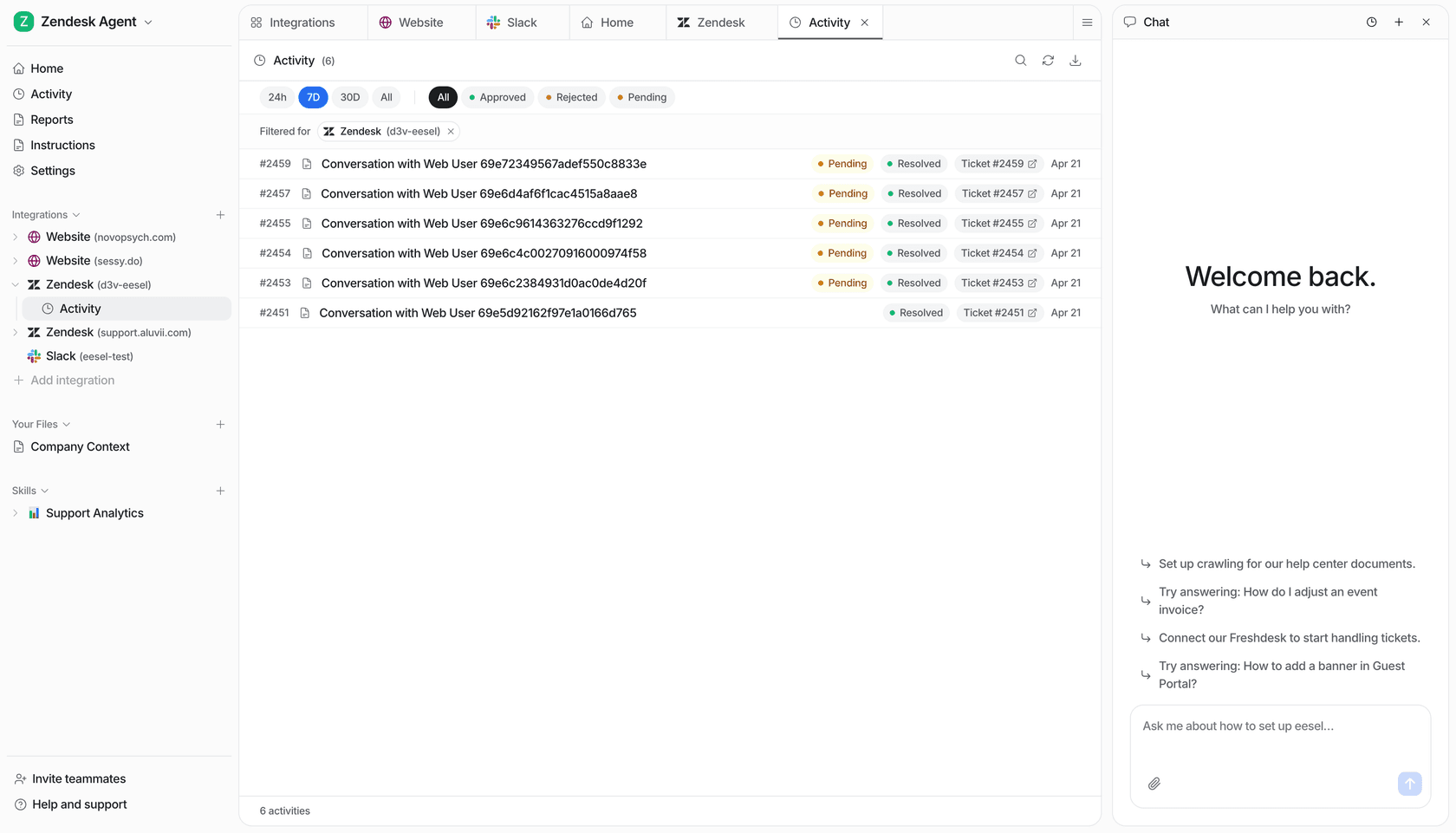
I do not have a hosting customer story to share, and I will not invent one. The published customers closest to the hosting shape are:
- Cactus Club Cafe, a restaurant group, whose agent does tier 1 technical support in Zendesk. It reads the whole ticket, opens the emergency policy and routing matrix first, then drafts the fix from the matching runbook step for step. In one month it handled
750tickets, wrote790drafts for the tech team, and made1,650runbook and policy lookups. Known problems with known fixes is the hosting tier 1 shape too, and the drafts-not-auto-sends choice is the one I would copy in weeks one and two. - SE Ranking, a software company running three products with one agent each on Zendesk. It answers live chat first and hands money questions and Tier 2 routes straight to a person with a short note. It handled
4,650conversations in a month, which is a close picture of multi-brand hosting with several product lines. - Swiftreg, described above, for the lookup-first pattern.
On cost, eesel's pricing is credit plans. A ticket or chat that wakes the agent is 1 credit however many replies it sends. The 7-day trial gives 100 credits with every feature and no card, and paid plans start at $299 a month for 500 credits and go up to $1,749 for 5,000, with no per-seat fees. The pricing page has the live figures. A run that decides not to act still costs a credit, so filter what wakes the agent.
Simulation is the feature I would use first. You can ask for it from the chat or the CLI, something like eesel chat "run a simulation on our last 100 tickets and tell me what you would have got wrong", and it replays resolved tickets and scores the answers against what your team sent. If you want to try a hosting setup, that is where I would start: connect read-only, replay your last 100 tickets, and see which ticket types are ready for rung two.
If you want the AI to cover nights and weekends first, see weekend support coverage. If WhatsApp is a channel your customers already use, my guide to automating WhatsApp support covers it, and multilingual customer support helps if your tickets arrive in several languages.