
The trial that goes well and the billing page that kills it
I write eesel's pricing breakdowns, which means I spend most of my week inside other vendors' rate cards working out what a real invoice looks like versus what the marketing page implies. The pattern I see over and over is not that a product underperforms. It is that the product performs and the pricing page still loses the deal.
One of my own trial records is the cleanest version of that. A prospect ran twelve test chats against a competitor's agent, every one of them worked, and then they opened the billing page and immediately filed cancellation requests.
Ran 12 successful test chats, agent performed well, then visited the billing page and immediately opened cancellation requests.
Internal trial record, a support team whose AI agent passed every test before the billing page
That is why a pricing post on a five-meter product is worth writing carefully. Pluno's rate card is more honest than most in this category, and it is also the hardest one to hold in your head. So let me lay all of it out, then model it.
What Pluno AI costs, in one screen
There are no named plans here. No Starter, Pro or Business ladder. Pluno's own framing on the page is "a flat base fee tied to your ticket volume, plus modular AI add ons you can switch on as you need them."
The base fee renders as a slider, so a visitor only ever sees one tier at a time, and the page's default state is the 3,000-ticket step on annual billing. Here is the whole grid, all eight steps, in euros.
| Monthly ticket volume | Base fee, monthly | Base fee, annual (-15%) | Base fee per ticket at the band's top |
|---|---|---|---|
| Under 500 | 249€ | 210€ | 0.50€ |
| 500 to 1,000 | 499€ | 425€ | 0.50€ |
| 1,000 to 3,000 | 999€ | 850€ | 0.33€ |
| 3,000 to 5,000 | 1,499€ | 1,275€ | 0.30€ |
| 5,000 to 10,000 | 2,499€ | 2,125€ | 0.25€ |
| 10,000 to 20,000 | 3,799€ | 3,230€ | 0.19€ |
| 20,000 to 30,000 | 4,649€ | 3,950€ | 0.16€ |
| 30,000+ | Custom | Custom | Not published |
Then the four meters that ride on top.
| Meter | Rate | Billing unit | What triggers a charge |
|---|---|---|---|
| AI Copilot | 49€ | per seat / month | Each human agent who gets drafts, summaries and the built-in assistant |
| Deflection AI | 0.90€ | per resolution | A ticket closed with no human involvement |
| Quality Assurance | 35€ | per agent / month | Scoring every resolved ticket, chat and call transcript |
| Troubleshooting Agent | from 99€ | per credit bucket | 4,000 credits, about 50 investigations |
The base fee buys access to all of it, plus knowledge-base management, AI tagging and field filling, Escalation Copilot, ticket trends, call summaries and sentiment detection. Access is not the same as usage, though. The page literally prints the word "Plus" between the base fee and the two always-on meters, and that word is doing a lot of work.
There is one cost gate that does not appear on the pricing page at all. Pluno's AI Copilot requires Zendesk Suite Professional or above, because of a conversations API dependency. Suite Professional is $115 per agent per month on annual billing, so the 49€ Copilot seat sits on top of a $115 helpdesk seat, and the two rate cards stack. If you are still on a lower Zendesk tier, budget the upgrade before you budget Pluno. My Zendesk pricing breakdown has that grid.
What actually counts as a resolution
This is the single most important definition on the page, and Pluno spells it out plainly in its FAQ, which is more than most vendors do.
The billable event is: the AI replies, then 72 hours of customer silence pass, then a resolution is counted. A customer reply inside that window resets the clock. A human touching the ticket removes it from the bill entirely, so you never pay for partial work.
That last part is fair, and worth saying clearly. What deserves a pause is the first part. A wrong answer the customer gave up on and a right answer they were happy with produce the same invoice line. This is not a Pluno quirk, incidentally: Zendesk verifies its own automated resolutions on the same 72-hour window. It just means your deflection rate and your invoice are both partly measuring people not replying, which is a reason to watch reopen rates and CSAT alongside the meter rather than treating resolution rate as self-evidently good news.
On auditability Pluno does better than the category norm. Every AI-resolved ticket is tagged in the helpdesk and filterable there or in the dashboard, and you can request an export of all AI-resolved ticket IDs for any billing period. That last one is a request to their team rather than a self-serve export, so if invoice reconciliation is a monthly ritual for your finance team, ask about it in the trial.
The band edges are where the money hides
Here is the part almost nobody models, and it is the reason I pulled the full tier array rather than screenshotting one slider position.
The base fee is flat inside each band. So the cost per ticket swings enormously depending on where you sit inside your own band.
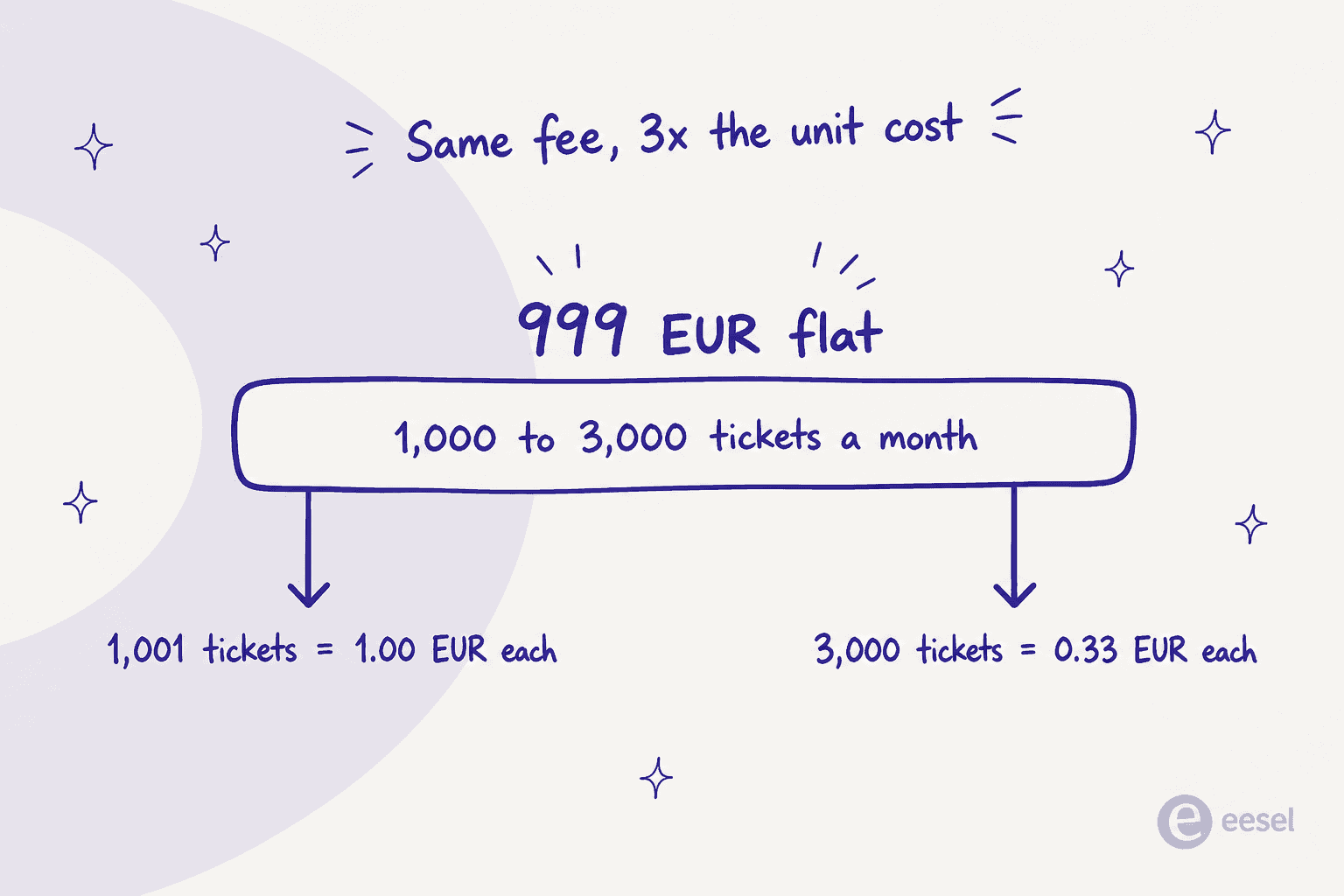
At 1,001 tickets a month you pay 999€ for a queue of a thousand, which is a euro per ticket. At 3,000 tickets you pay the same 999€ across three times the volume, which is 33 cents. Same invoice, three times the unit economics. The band cliffs are steep too.
| Crossing this volume | Base fee goes from | To | Jump |
|---|---|---|---|
| 1,000 tickets | 499€ | 999€ | +500€ (+100%) |
| 3,000 tickets | 999€ | 1,499€ | +500€ (+50%) |
| 5,000 tickets | 1,499€ | 2,499€ | +1,000€ (+67%) |
| 10,000 tickets | 2,499€ | 3,799€ | +1,300€ (+52%) |
| 20,000 tickets | 3,799€ | 4,649€ | +850€ (+22%) |
Pluno does soften this, and the softening is worth quoting because it is the mitigation: "We bill the platform fee based on your general ticket volume trend, not one-off spikes. Unless your monthly volume shifts consistently into a new tier, your base fee stays the same." So a Black Friday spike will not reprice you, and tier moves are trend-based rather than an automatic monthly recalculation. There is also no published per-ticket surcharge for running over a band, which is unusual and in your favour.
The practical read: if you sit just above a band edge, the highest-leverage thing you can do is not tune the AI. It is reduce ticket volume at the source, with better self-service and proactive comms, so you drop a band. That is a real lever and it is worth more than a few points of deflection.
Add-ons: QA and the Troubleshooting Agent
Two modules are priced separately, and only one of them shows its full ladder on the page.
Quality Assurance is 35€ per agent per month. Custom rubric and calibration are included, and so are unlimited evaluations with no sampling caps, unlimited custom criteria, per-agent scorecards inside each ticket, and team dashboards. It works on tickets, chats and call transcripts, and the scorecard surfaces in the Zendesk sidebar when a ticket closes. Pluno's pitch line is "review 100% of conversations, not just 5%," which is the right pitch for the category. No annual discount is published on this rate. If you are comparing scoring tools rather than buying the bundle, my best AI QA assistant roundup is the place to start.
The Troubleshooting Agent sells monthly credit buckets, and the page only surfaces the 99€ entry tier. The full ladder is in the page bundle.
| Monthly credits | Stated investigations | Price / month | Effective cost per investigation |
|---|---|---|---|
| 4,000 | ~50 | 99€ | ~1.98€ |
| 8,000 | ~100 | 199€ | ~1.99€ |
| 12,000 | ~150 | 299€ | ~1.99€ |
| 20,000 | ~250 | 499€ | ~2.00€ |
| 40,000 | ~500 | 950€ | ~1.90€ |
| 80,000 | ~1,000 | 1,900€ | ~1.90€ |
The unit worth understanding is the gap between the two words. You buy credits; the work is measured in investigations. One investigation is a single end-to-end root-cause analysis, and Pluno says a typical one costs about 80 credits, varying with how many systems it checks. Buckets reset monthly and you can switch tiers at any time.
Notice the volume curve is almost flat. From the smallest bucket to the largest, the effective per-credit rate improves by roughly 4%, so there is no real reason to over-buy for a discount. And the overage rate is not published anywhere. The page names no per-credit price past the bucket and no hard stop, and the only stated remedy is moving up a tier. That is the one gap in an otherwise unusually transparent page, and it is a fair question to put to sales in writing.
The reviews surface a cost that is not on the rate card at all. The most detailed reviewer on both G2 and Capterra names the same gap twice, with the workaround spelled out:
"Unable to give feedback to deflection agent on specific responses it has given to customers. Entire workflows have to be built as a workaround for this."

Engineering time spent building workflows to work around a missing feedback loop is a real line item, it just lands in your team's calendar rather than on the invoice. Worth budgeting for in the first quarter.
Work out your own Pluno bill
The page gives you a slider for one meter. This gives you all five at once, with your own numbers.
Drag the deflection slider and watch the total. That behaviour is the whole point of the next section.
What your bill does as the AI gets better
Most support leaders buy AI to bring their cost per ticket down. So it is worth being precise about which of Pluno's five meters actually responds to the AI working well.
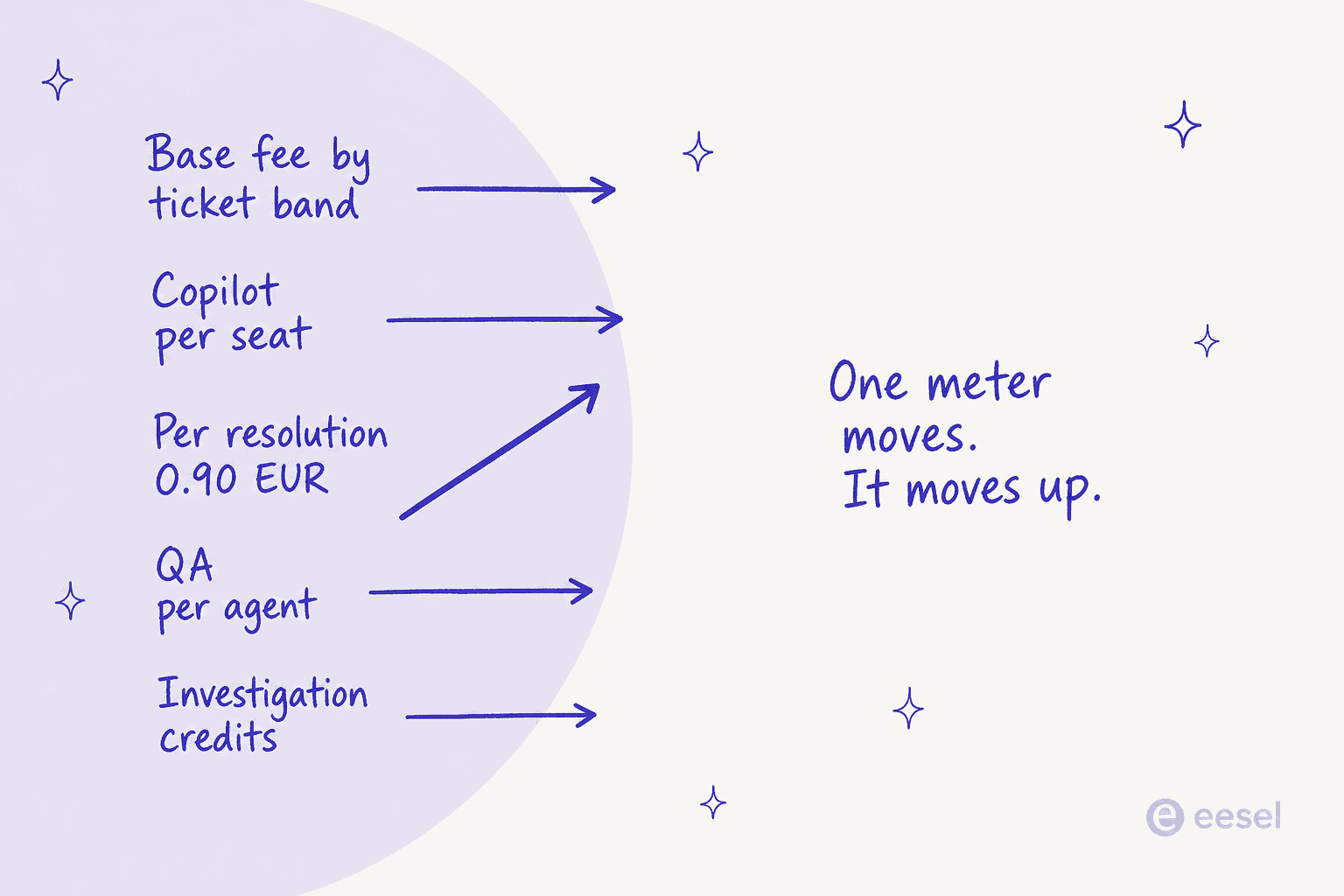
The base fee is set by tickets received, not tickets resolved, so it does not move. Copilot seats are per human agent, so they only fall if you cut people. QA is per agent, same. Credits are per investigation. The one meter that responds to better AI is the resolution meter, and it responds by going up.
Here is a 20-agent team on 5,000 tickets a month, annual billing, with everything held fixed except the resolution rate.
| Deflection rate | Resolutions | Resolution cost | Total bill | Cost per ticket |
|---|---|---|---|---|
| 20% | 1,000 | 900€ | 3,155€ | 0.63€ |
| 40% | 2,000 | 1,800€ | 4,055€ | 0.81€ |
| 60% | 3,000 | 2,700€ | 4,955€ | 0.99€ |
| 80% | 4,000 | 3,600€ | 5,855€ | 1.17€ |
| 90% | 4,500 | 4,050€ | 6,305€ | 1.26€ |
Going from 20% to 90% doubles the software cost per ticket. At this shape, each single point of deflection costs 45€ a month, which is roughly one Copilot seat. So the rough rule for a 5,000-ticket queue is: every point of deflection you gain has to buy back about one agent seat's worth of value, and the only line on the invoice you can actually shrink is seats.
To be fair to Pluno, this is not a trick and it is not unique. Per-outcome pricing is the category's dominant model right now, from Zendesk's committed resolutions to Crescendo's per-solve rate, and it has a real virtue: you pay for work delivered rather than seats sitting idle. It also means the vendor's incentive is aligned with resolving tickets. Just know the shape you are signing. Seat-priced tools get cheaper per ticket as the AI improves; resolution-priced tools get more expensive, and the savings show up somewhere else entirely.
What Pluno's savings calculator does not count
Which brings me to the most interesting page Pluno publishes, and I mean that as a compliment before I take it apart.
Pluno's ROI calculator publishes something almost no competitor will: its own expected deflection rate as a function of how hard your tickets are.
| Ticket complexity | Very simple | Simple | Below average | Moderate | Fairly complex | Complex | Extremely complex |
|---|---|---|---|---|---|---|---|
| Assumed resolution rate | 90% | 85% | 70% | 60% | 44% | 36% | 20% |
A vendor that sells against FAQ bots publishing 20% at the hard end of its own curve is telling you something true, and it is a better planning number for a technical B2B queue than the 65% on the homepage or the 70% on the deflection page. Take the honesty and use it: model your bill at the complexity you actually have.
The calculator itself has three gaps worth knowing before you take its output into a budget meeting.
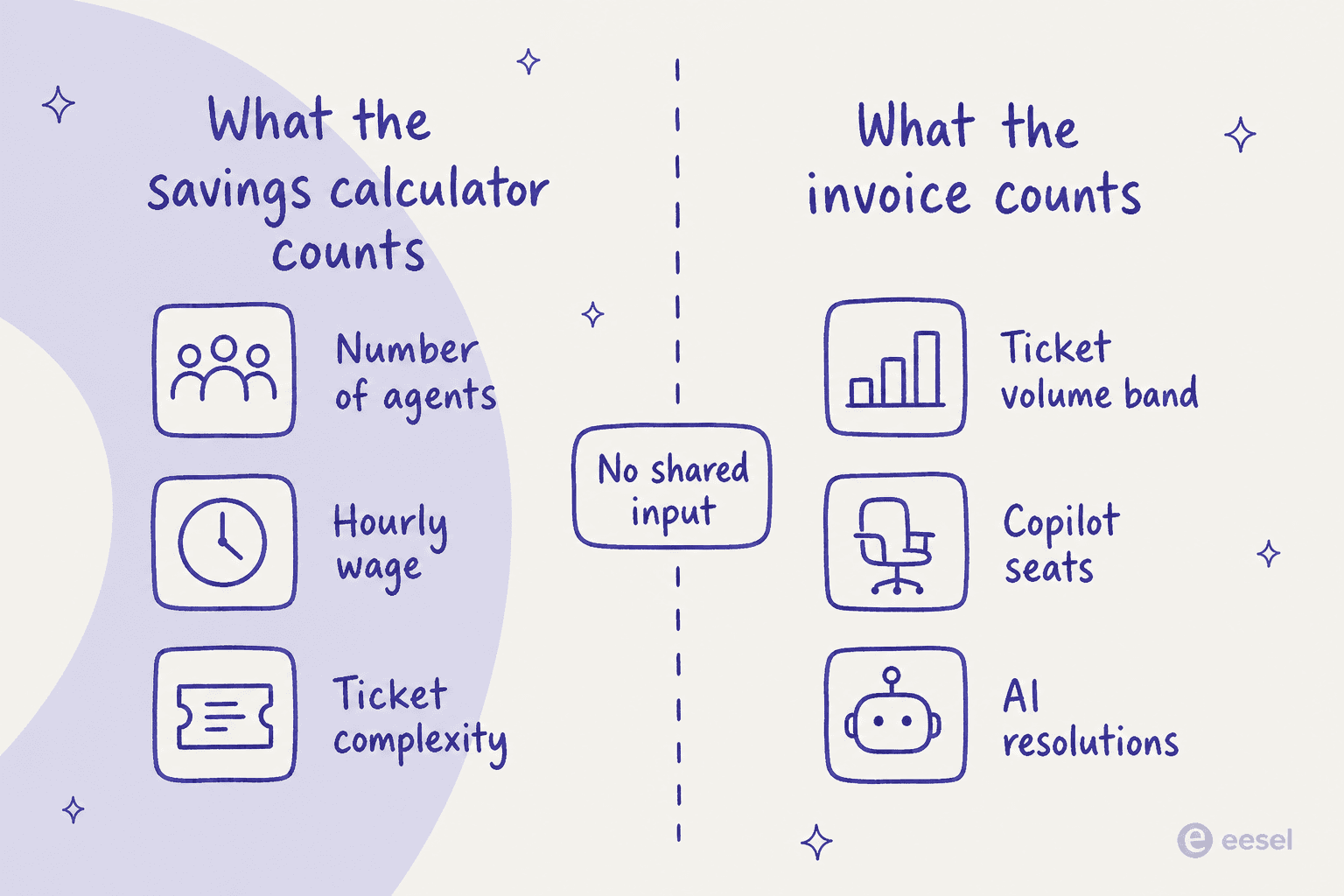
It shares no inputs with the rate card. The calculator takes agent count, hourly wage and ticket complexity. Your invoice is driven by ticket volume, Copilot seats and resolutions. There is no ticket-volume field and no cost-per-ticket field anywhere in it, so the savings model and the pricing model do not touch.
It never subtracts Pluno's own price. The default scenario, ten agents at $20 an hour on moderate tickets, outputs $149,760 a year and $12,480 a month. Nothing in that arithmetic is Pluno's base fee, seats or resolutions. The heading does say "Estimated Savings" rather than net ROI, so it is not a false claim, but a page called an ROI calculator that shows gross labour savings is worth reading as the former.
There is an undisclosed 40% haircut inside it. The formula multiplies by a hard-coded 0.6, which is the assumed share of an agent's paid time actually spent on tickets. That constant appears nowhere in the interface. It happens to make the number more conservative, which is to Pluno's credit, but you should know it is in there. The calculator also runs in dollars while the rate card is in euros, so you cannot net one against the other without picking an exchange rate yourself.
Put those together and the honest summary is this: the savings are real, they are just on your payroll line, not your software line. The 20-agent team above that pushes deflection from 20% to 90% adds about 3,150€ a month of Pluno cost. If they keep all twenty agents, they have bought capacity and speed, not savings. If they redeploy or shrink the team, the arithmetic works easily. That is a headcount conversation, and it is much better to have it before signing than in month four. My AI versus human agent cost breakdown and the AI versus offshore support team comparison both walk the same maths from the payroll side.
Three teams, three real invoices
Every figure below is arithmetic on Pluno's published rates, on annual billing, with no add-ons.
| Small | Mid-market | Scaling | |
|---|---|---|---|
| Agents | 5 | 20 | 40 |
| Tickets / month | 400 | 5,000 | 18,000 |
| Deflection rate | 50% | 50% | 60% |
| Base fee | 210€ | 1,275€ | 3,230€ |
| Copilot seats | 245€ | 980€ | 1,960€ |
| Resolutions | 180€ | 2,250€ | 9,720€ |
| Total / month | 635€ | 4,505€ | 14,910€ |
| Cost per ticket | 1.59€ | 0.90€ | 0.83€ |
| Resolution meter's share | 28% | 50% | 65% |
| Same team, monthly billing | 674€ | 4,729€ | 15,479€ |
Two things jump out. The smallest team pays the most per ticket by a wide margin, because a 400-ticket queue is sitting near the bottom of the 500-ticket band and the base fee has nowhere to amortise. And at the top end the resolution meter is 65% of the invoice, which is where the annual discount stings: 15% off the base fee saves the scaling team 569€ a month on a 15,479€ bill, or under 4%.
Add the optional modules to that scaling team and it moves again: QA for 40 agents is 1,400€, and 250 investigations a month is a 499€ credit bucket, taking them to 16,809€.
For teams at the small end, the honest comparison is not against enterprise AI platforms at all. It is against the cheapest AI helpdesk apps and, if you have engineering time, the build versus buy question.
What Pluno does not publish
Stating these plainly, because guessing at them is how buyers get surprised in month two.
- Credit overage rate for the Troubleshooting Agent. No per-credit price, no stated hard stop.
- Any price above 30,000 tickets a month. The slider's top step is Custom.
- Annual discounts on any meter other than the base fee. The 49€ seat, 0.90€ resolution, 35€ QA rate and credit buckets are single figures.
- Minimum seat count or minimum resolution commitment. Nothing published for self-serve tiers.
- The Enterprise floor. Quote only.
- Volume discounts on the 0.90€ resolution rate. Presented flat at every tier.
And four things are Enterprise-gated rather than priced: SSO and SAML, a DPA, custom invoicing terms, and bank transfer as a payment method. If your security review requires a signed DPA, that is a sales conversation, not a self-serve signup. Pluno holds SOC 2 Type II and GDPR, with no ISO 27001, no HIPAA and no published uptime SLA.
Trial, annual billing, and the small print
The trial is 14 days with full access to every module and no credit card. There is no perpetual free tier, and the lowest published entry point is 249€ a month. The self-serve trial link is a Zendesk-specific signup path, so if you are on Freshdesk, Help Scout or Kustomer, expect to go through sales rather than a self-serve door.
Cancellation is clean and clearly worded: cancel any time, it takes effect at the end of the current billing cycle, full access until then, no further charges. Payment is card via Stripe on all plans, with bank transfer reserved for Enterprise. USD invoicing is annual-only, locked at the contract-start exchange rate for the full term, which is a nice feature if you budget in dollars and a currency risk you are accepting if you do not.
One buyer instinct worth honouring here. From my own sales notes, a budget-conscious buyer who had watched a previous vendor's price more than double asked for a contractual price lock and offered to pay yearly to get it.
Got burned before, prices more than doubled with their previous vendor. Wanted contractual price locks, and suggested paying yearly to lock in price.
Internal sales note, a budget-conscious B2B hardware team on roughly 250 tickets a month
On a five-meter rate card that is exactly the right question to ask, because a price change on the resolution meter is the one that compounds. Get the rate written into the order form, not just the band.
How the rate card compares
Pluno bills in euros and most rivals bill in dollars, so I have left both in their native currency rather than inventing a conversion. Modelled at the mid-market shape above: 20 agents, 5,000 tickets a month, 2,500 handled by AI.
| Tool | Billing unit | Modelled monthly | Notes |
|---|---|---|---|
| eesel | Per ticket handled | $2,000 | 5,000 × $0.40, no platform fee, no seats. $1,500 with the 25% annual commit |
| Pluno | Band + seat + resolution | 4,505€ | 1,275€ base + 980€ seats + 2,250€ resolutions |
| Crescendo | Per solve | $6,025 | $2,900 service fee + 2,500 × $1.25 |
| Zendesk AI | Seat + resolution | $6,750 | $2,300 Suite Pro + $1,000 Copilot + 2,300 billable × $1.50 |
| Gorgias | Per automated interaction | Model it yourself | $1.50 is the overage rate; allowances vary by tier, so use their calculator |
| IrisAgent | Not published | $500+ | A floor with no stated unit behind it |
| Ada | Per resolution | Quote | Rate set per contract |
| Decagon | Per conversation | Quote | No published rate of any kind |
| Sierra | Per outcome | Quote | Outcome criteria defined per deal |
| Twig AI | Per ticket | $5 / ticket | "Ticket" is not defined on the page |
Pluno lands mid-pack and, importantly, it publishes more than most of this list. Four of the ten tools here will not give you a number at all. If you want the fuller feature-side comparison rather than the rate cards, that is what my Pluno alternatives post is for, and best AI helpdesk software covers the wider field.
Try eesel for a bill you can predict
If the thing bothering you about Pluno's rate card is not the price level but the number of moving parts, that is the gap eesel was built into. I have spent years running AI on live support queues, and the pricing complaint I heard most was never "too expensive," it was "I cannot forecast it."

So there is one meter: 40 cents per ticket or chat handled, whatever the outcome, with no platform fee, no per-seat charge and no monthly minimum. Dashboard lookups are free, you set a hard monthly spend cap yourself, and alerts fire at 50, 75 and 100% of it. The Zendesk integration installs in minutes and the AI trains on your past tickets and help centre, not just your articles. Before it touches a real customer you can run a simulation over hundreds of your own historical tickets and see how its answers score against what your team actually sent, which is the part that turns a resolution-rate forecast into something you can defend to finance. Start with $50 of free usage, no card, and try eesel on your own queue.
Whichever way you go, do the same two things first: model the bill at the deflection rate your ticket complexity actually implies rather than the vendor default, and get every per-unit rate written into the order form. On a five-meter rate card, those two habits are worth more than any discount you will negotiate.
Frequently Asked Questions
How much does Pluno AI cost?
What is Pluno's pricing for small teams?
What counts as a billable resolution in Pluno AI pricing?
Does Pluno AI have a free plan or free trial?
Why does my Pluno bill go up when the AI gets better?
How does Pluno AI pricing compare to Zendesk's AI?
What is not published in Pluno's pricing?
Is Pluno AI worth it for a technical support queue?



Article by
Kurnia Kharisma
Kurnia is a software engineer and writer at eesel AI with two years of SEO experience, writing about AI tools, helpdesk software, and customer support. He pairs a developer's understanding of how these products are built with search-driven research into what actually ranks and resonates with the people searching for them.