The bill I keep getting asked to model
I build integrations at eesel, which means I spend a lot of time reading other vendors' billing docs to work out what a customer's invoice will actually do six months in. The pattern I have learned to look for is not the headline rate. It is the meter's definition, because that is where the surprises live.
Here is a real one from our side. Last March our team put together a cost analysis for a DTC brand running around 1,000 tickets a month, who was in a bake-off between eesel and two vendors that charge per resolution. At 1,000 tickets and an 80% resolution rate, the per-resolution model came out at $792 a month. Then we modelled their Black Friday: 4,000 tickets at the same 80% resolution, and the same model landed at $3,168. Nothing about their product changed. The month changed.
That is the exact shape of ClearFeed's rate card, and it is why I want to walk the meters rather than just the numbers. ClearFeed measures Slack channels at their monthly maximum, not their average, and it measures agents the same way. One busy onboarding week sets the slab for the whole month.
None of that makes ClearFeed expensive. Compared with most of this category it is priced reasonably and, importantly, it publishes far more than its rivals do. But it publishes it across five ladders on three pages, and if you pick the wrong one you can end up paying two or three times what the other model would have cost you for the same work.
What ClearFeed actually sells
Before any number makes sense you need the product map, because the pricing pages are organised by product and it is easy to price the wrong one.
ClearFeed splits into three editions, all documented on its pricing overview:
- External Helpdesk. Supporting customers over Slack Connect, MS Teams, email, web chat, Discord or a portal. Tickets live in ClearFeed or sync out to Zendesk, Freshdesk, Intercom, JSM, HubSpot, ServiceCloud, ClickUp or Linear.
- Internal Helpdesk. Supporting employees on internal Slack and email, for IT, HR, finance, legal, engineering and sales ops. This is the internal helpdesk shape. Tickets are native to ClearFeed and link out to Jira, ClickUp, Asana, Linear and GitHub as tasks, which is the pattern I cover in AI for service desks.
- Integrations Edition. A bridge only. Slack threads become tickets in your existing ticketing system, with two-way sync. ClearFeed provides no SLAs and no service metrics here, because the ticket is not its record. And it is not available in Slack Connect channels at all.
Both Helpdesk editions share one price page. Integrations has its own. AI Agents has a third. That is why the same product can look like it costs $24 or $1,499 depending on which tab you landed on.
The agent-based plan, and the cap inside it
This is the one that looks like normal SaaS, so let me deal with it first.
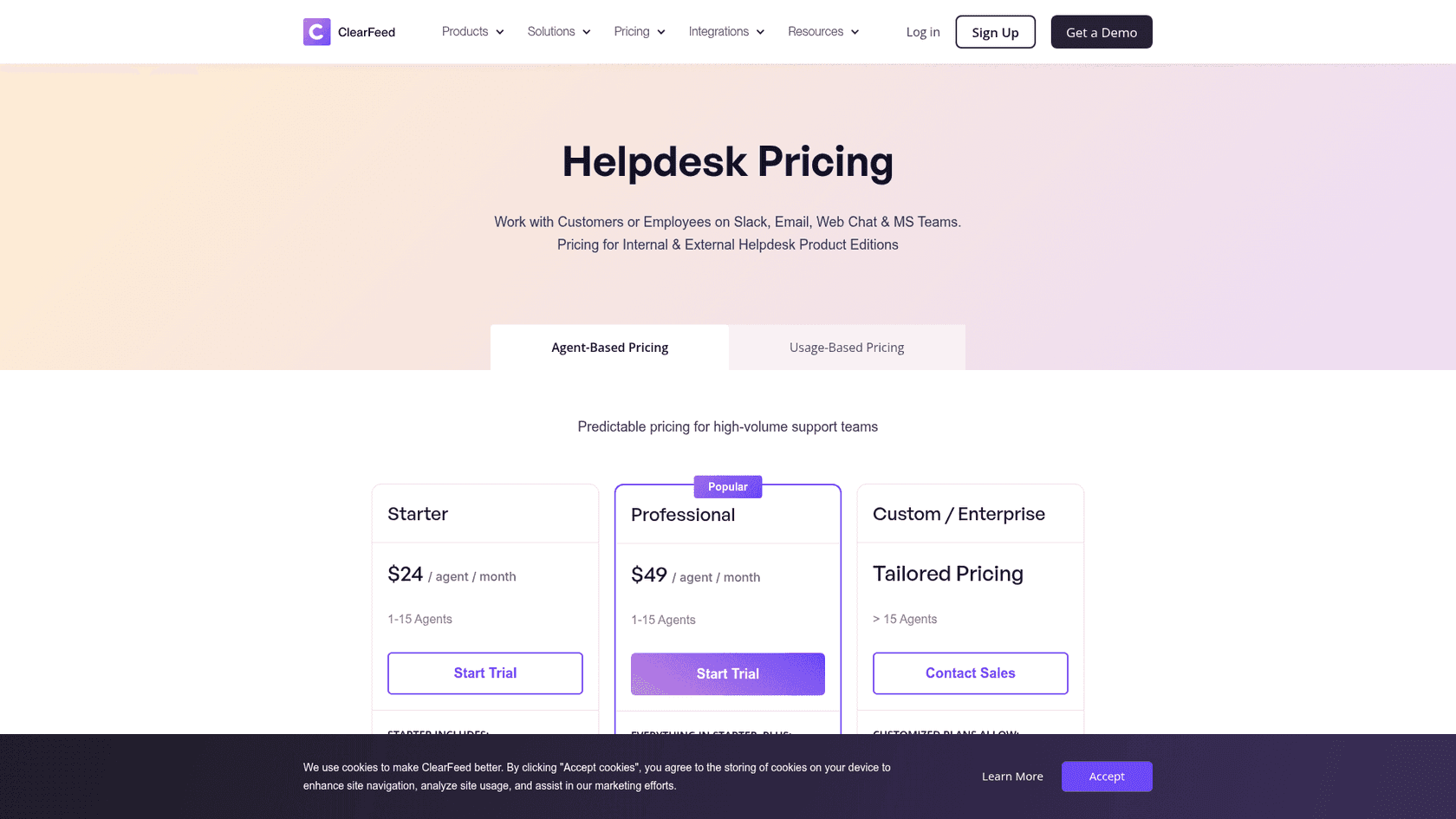
| Plan | Rate | Agent range | AI included |
|---|---|---|---|
| Starter | $24 / agent / month | 1 to 15 | AI Pack optional, $20/month for 100 credits |
| Professional | $49 / agent / month | 1 to 15 | AI Pack included, 50 credits per agent |
| Enterprise | Quote | 15+ | Included, volume terms |
Straightforward on the surface. Five agents on Professional is $245 a month, and the pricing page says agent licensing gives you "unlimited channels with a very high limit on tickets per agent".
Now here is the sentence in the docs that changes the plan's character. Buried in the pricing FAQ, ClearFeed states that each agent licence covers a maximum of 200 tickets a month, that the allowance pools across licences, and that "if you exceed the allotted quota of tickets, based on the number of agents configured, you will get billed for additional agents."
So a three-agent Professional account is not a $147 plan. It is a $147 plan with a 600-ticket ceiling, above which the invoice grows in $49 steps that you did not action. That is not hidden in the sense of being unpublished, and I want to be fair about that. It is published, in ClearFeed's own words, on its own documentation. It is just not on the page where you make the decision.
The practical effect is worth stating plainly: at 200 tickets per agent, the seat price is a volume price wearing a seat costume. A six-person team handling 1,400 tickets a month is billed as a seven-agent team. The unit changed without anybody clicking anything.
Three more mechanics from the billing docs that shape the agent number:
- You are charged on the maximum number of agents at any point in the month, not an average or an end-of-month count.
- A user counts as an agent if they held the role for at least two days. A one-day experiment does not bill.
- Removing an agent mid-cycle does not reduce the current cycle. It shows up next month.
There is a good detail here too, and it is worth naming. Triage-channel members, approvers, observers, web-app viewers and anyone filing a ticket are all free. Only publishing a public reply or being assigned a ticket requires the licence. For an internal desk with a small owning team and a big audience, that is exactly the right way round, and it is a fairer model than most small-team ticketing tools use.
The usage-based ladders, in full
This is the model ClearFeed steers collaborative teams toward, and it is the one with the higher-of-two-meters rule.
The mechanic first, because it decides everything: channels round up to the nearest 10, tickets round up to the nearest 100, and whichever lands on the higher rung sets the price. ClearFeed publishes the worked example itself. 950 tickets across 11 channels rounds to 1,000 tickets and 20 channels, and since the ticket rung is higher, that is the rate you pay.
Here is the full Helpdesk usage ladder, both tiers, every published rung.
| Channels / Tickets | Starter | Professional |
|---|---|---|
| 10 / 100 | $40 | $80 |
| 20 / 200 | $80 | $160 |
| 30 / 300 | $120 | $240 |
| 40 / 400 | $160 | $320 |
| 50 / 500 | $200 | $400 |
| 60 / 600 | $230 | $460 |
| 70 / 700 | $260 | $520 |
| 80 / 800 | $290 | $580 |
| 90 / 900 | $320 | $640 |
| 100 / 1,000 | $350 | $700 |
| 120 / 1,200 | $390 | $780 |
| 150 / 1,500 | $450 | $900 |
| 180 / 1,800 | $510 | $1,020 |
| 200 / 2,000 | $550 | $1,100 |
| 250 / 2,500 | $600 | $1,200 |
Professional is exactly double Starter at every rung, which is unusually clean and makes the tier choice a feature question rather than a maths question. The per-unit rate also flattens hard at the top: the first 10 channels cost $40 on Starter, the last 10 cost $10.
One inconsistency to know about. The Enterprise card on that same page says custom pricing applies above "50 Channels / 500 Tickets", while the self-serve ladder runs all the way to 250 channels and 2,500 tickets. Both statements are on the page. In practice the ladder is what you can buy without talking to anyone, and the Enterprise line is where a rep would rather you called. Worth clarifying in writing before you plan around a 150-channel self-serve deployment.
Requests, not tickets
The definition that catches External Helpdesk buyers: the billable unit there is a Request, not a Ticket.
ClearFeed defines a Request as every tracked customer conversation, roughly one Slack thread, visible to your team but not surfaced to the customer as a ticket. A Ticket is what a Request becomes when someone converts it and the customer gets an ID. On External Helpdesk usage plans, the meter counts threads, not escalations.
That matters because in a shared Slack Connect channel, a customer saying "morning, quick one" and then answering their own question three minutes later is a tracked Request. Internal Helpdesk bills on Tickets only, which is the tighter unit. If you are pricing a customer-facing deployment against your ticket count, you will be low. The same definition trap shows up whenever teams connect Zendesk to Slack and start counting notifications as work.
Work out your own ClearFeed bill
The higher-of-two-meters rule plus the 200-ticket agent cap makes this hard to do in your head, so here is the arithmetic, live. Put in your real numbers and see which meter wins and what the other model would have cost.
The number that usually surprises people is the gap between the two ClearFeed columns. They are not close, and which one wins flips depending on whether your channel count or your thread count is the fatter number.
Three teams, three real invoices
Numbers in the abstract do not help much, so here are three shapes I see constantly, priced on the published ladders.
A four-person IT desk. 25 internal Slack channels, 600 tickets a month.
Agent-based Professional: four licences at $49 is $196. Their four licences pool to an 800-ticket allowance, so 600 sits comfortably inside it. Usage-based Professional would put 600 tickets on the 600-ticket rung at $460, more than double. Agent-based is clearly right here, because the desk has designated owners and the volume is modest. This is the case ClearFeed itself recommends the seat model for, and the recommendation is correct. If you are weighing this against a full ITSM tool, my Jira Service Management alternatives roundup has the other side.
A B2B SaaS support team. 60 customer channels on Slack Connect, 1,200 requests a month, six people who reply.
Usage-based Professional: 60 channels lands on the 60-channel rung at $460, but 1,200 requests lands on the 1,200 rung at $780. Higher slab wins, so $780.
Agent-based Professional at six licences is $294, which looks like an easy win until you check the cap. Six licences cover exactly 1,200 tickets. They are sitting on the line. One extra request next month makes it a seven-licence bill. And in Slack Connect the seat model has a second cost that is not financial: only licensed agents can post public replies, which is precisely the collaboration a shared customer channel is for. ClearFeed says as much in its own guidance.
There is one more asymmetry here in the usage plan's favour. Professional usage plans include 100 AI credits per 10 channels, so the 120-rung account gets 1,200 credits a month. The six-agent seat plan gets 50 per agent, so 300. The plan that costs $486 more includes four times the AI.
An engineering escalation desk. 200 internal channels, 2,000 tickets, no designated agents.
Both meters land on the same rung, so usage Professional is $1,100 a month, or $935 with the annual commit. Agent-based is not on the table because the ticket volume alone would imply ten licences and the model breaks with no owning team. At 2,000 tickets, eesel's per-ticket meter puts the same month at $800 with no channel count involved at all.
The AI Agents ladder and its flat allowance
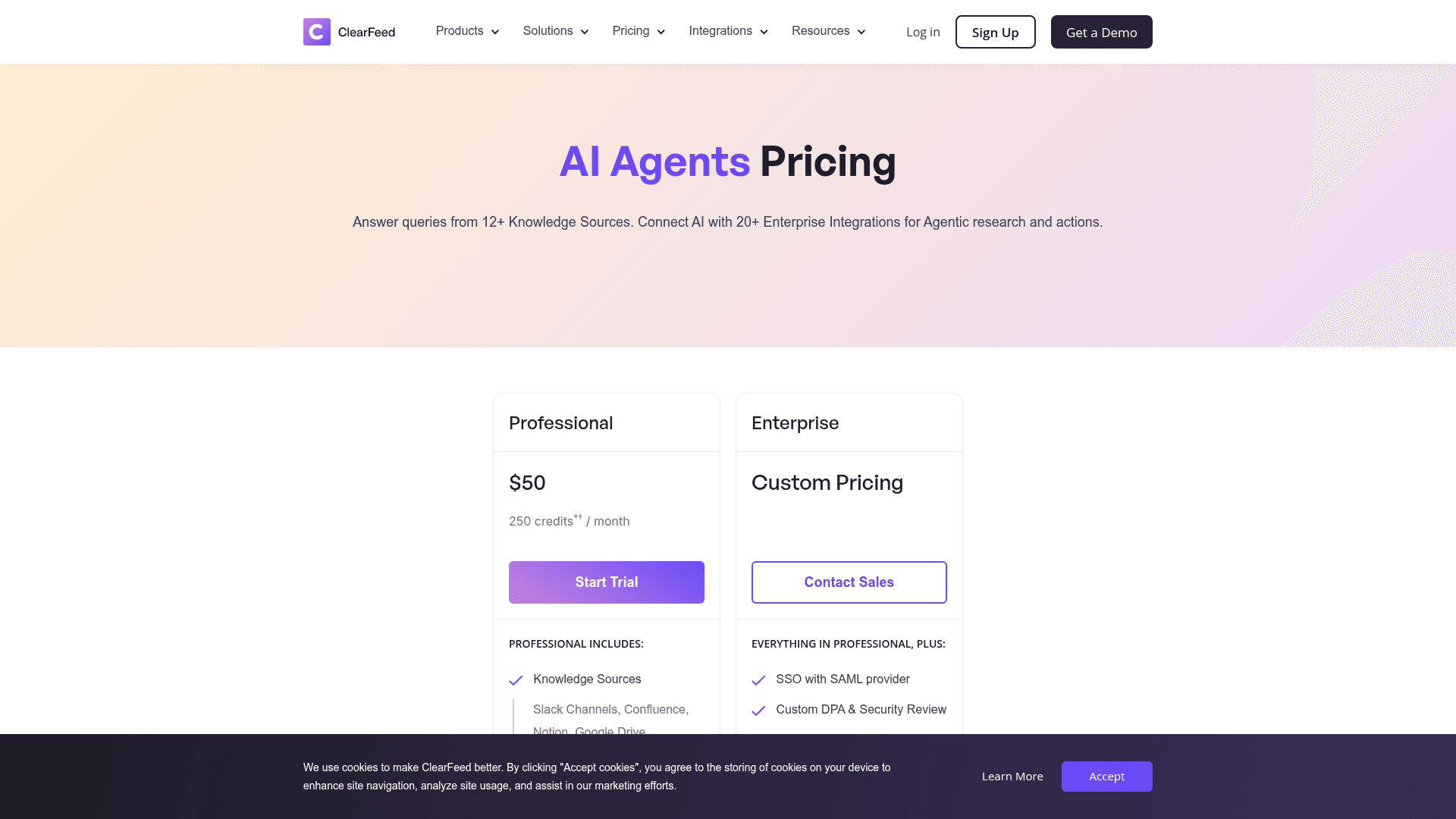
ClearFeed sells AI Agents as a standalone product with its own page, billed purely on Slack channel count.
| Slack channels | Monthly | Credits included |
|---|---|---|
| 20 | $50 | 250 |
| 30 | $120 | 250 |
| 50 | $200 | 250 |
| 100 | $350 | 250 |
| 150 | $450 | 250 |
| 200 | $550 | 250 |
That column on the right is not a typo, and it is the single most important thing on this page. Every rung from 20 channels to 200 channels includes exactly 250 credits. Not 250 per 20 channels. Just 250, flat, while the price rises 11 times over.
Run the per-channel maths and the shape is stark. At 20 channels you get 12.5 credits per channel. At 200 channels you get 1.25. Meanwhile the Helpdesk Professional usage plan includes 10 credits per channel at every single rung. So a 200-channel deployment on Helpdesk Professional includes 2,000 credits for $1,100, while the standalone AI product includes 250 credits for $550.
Once you actually use the AI, that gap closes fast. Overage runs $2 per 10 credits, or 20 cents each, and unused credits do not roll over. If your 200 channels fire 2,000 agent invocations a month, that is 1,750 credits over at $350, taking the AI-only product to $900 against Helpdesk Professional's $1,100 with the credits already in the box. The cheaper-looking product is only cheaper while the AI is idle.
Also note the first rung is a loss leader. Going from 20 to 30 channels costs $70, while every subsequent 10 channels cost $40 or less. The $50 entry price is not on the same curve as the rest of the ladder.
What burns a credit
ClearFeed is more precise about this than most vendors, and it deserves credit for that, so here is the full definition from its documentation.
One credit is roughly one AI Agent invocation that calls an advanced model. Complex agents that consume a lot of tokens can cost more than one credit, and some invocations that only need a small model are free.
Two things explicitly do not burn a credit: messages that contain no question, request or error report, and queries where the search over your knowledge sources returns nothing. In both cases ClearFeed skips the model entirely. That is a real and fairly unusual protection, and it removes the most common source of phantom AI billing.
One thing explicitly does burn a credit: an invocation that runs, retrieves results, and then cannot compute an answer from them. ClearFeed's docs capitalise the word: such invocations "DO count towards billing." So the meter is on the attempt, but only on attempts that had something to work with.
Practically, that means your credit burn tracks your knowledge coverage. A well-indexed help centre produces answers per credit, and good ticket classification keeps the wrong queries out of the meter entirely. A thin one produces retrieved-but-unanswerable results, which cost the same. That relationship between content quality and AI cost is the same one I wrote about in AI knowledge management, and a well-built knowledge base chatbot is the cheapest fix available. Worth doing before you scale the credit line.
The AI Pack trial cliff
One operational detail that is easy to miss. Starter accounts can request a one-time 14-day AI Pack trial. When it expires without an upgrade, ClearFeed's AI Agents docs say the agents stop working with knowledge sources and indexed knowledge sources are removed.
Not paused. Removed. Reconnecting is straightforward, and sources like Confluence reconnect cleanly, but a re-index is not instant, so if your evaluation runs past the trial you will be rebuilding the index rather than resuming from where you were. Plan the trial window around a decision date.
The Integrations Edition ladder
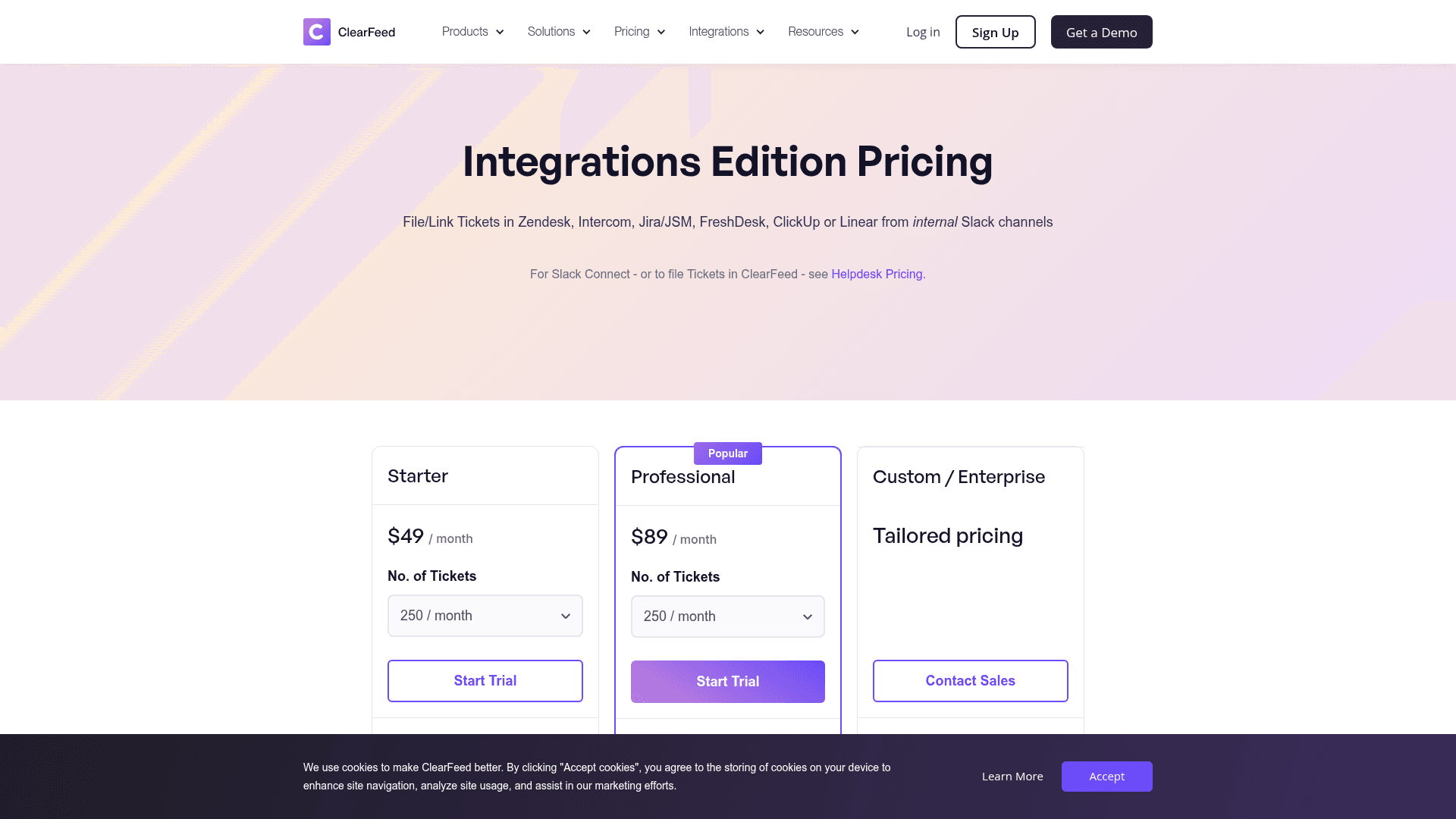
The third product is the cheapest and the narrowest. Slack threads become tickets in a system you already run, with two-way sync. No SLAs, no metrics, no Slack Connect.
| Tickets / month | Starter | Professional |
|---|---|---|
| 250 | $49 | $89 |
| 500 | $79 | $129 |
| 1,000 | $109 | $189 |
| 2,500 | $169 | $289 |
| 5,000 | $299 | $489 |
| 10,000 | $459 | $769 |
| 15,000 | $639 | $1,069 |
| 20,000 | $759 | $1,269 |
| 25,000 | $899 | $1,499 |
This is real value for what it is. Five thousand tickets a month flowing from internal Slack into Jira Service Management or Zendesk for $299 is cheap for the amount of routing it removes from people's days, and it beats paying seats on a free ticketing tool you have outgrown. The AI here is an add-on rather than included: $20 a month for 100 GPT requests, then $2 per 10.
Two caveats. Professional is where MS Teams, multiple forms, private ticket creation, triage channels and CSAT live, so the Starter column is thinner than the price gap suggests. And there is a documentation contradiction on the slab size: the Integrations pricing page says tickets are counted in slabs of 50, while the billing docs say blocks of 10 for this edition. The difference is small in money but it changes where the rounding lands, so ask.
That page also carries a copy-paste artefact worth smiling at rather than reading into: its overage example ends "the bill is calculated based on the rate applicable to 40 channels" in a product that has no channel meter at all. It is a stale sentence lifted from the Helpdesk page, not a hidden charge.
Annual billing, overages, and the small print
The commercial terms are where a good rate card either holds up or quietly leaks, so here is what ClearFeed's billing documentation commits to.
The annual discount is 15%, and it applies to a fixed number of committed units, invoiced upfront for the full year. Standard, and honestly stated.
Overages on an annual plan are not discounted. ClearFeed's own example: commit to 30 channels, use 35 in April, and 10 channels of overage appear on the May invoice at the undiscounted rate. So an annual commit set at your average rather than your peak gives back part of the saving on every busy month. Commit at the peak, not the mean.
Monthly billing is charged in advance on last month's usage, then trued up. If usage rose, the difference bills next month. If it fell, you get a credit next month. You are always paying an estimate, which is fine, but it means your first month's invoice describes a month that has not happened yet.
There is a $25 minimum charge when a trial converts to a monthly plan, credited against your first invoice. Annual upgrades skip it.
Only monthly plans can be cancelled mid-cycle. ClearFeed says it will adjust to actual usage and refund the applicable credit at the end of that billing month. Annual is annual.
One person gets the Stripe portal. Only the Primary Billing Contact can log in to download invoices or change the card, though additional people can be CC'd on invoice emails. Minor, but if that person leaves you file a support ticket to regain access.
On the trust side, ClearFeed has been SOC 2 Type 2 compliant since August 2022 and carries GDPR and HIPAA badges in its footer. SSO with SAML, a custom DPA, a custom MSA, sensitive data redaction, a HIPAA plan with BAA, and bring-your-own-model are all Enterprise-gated across every edition. If any of those are procurement requirements, none of the published ladders apply to you and you are in a quote regardless.
What ClearFeed does not publish
To be fair to a vendor that publishes more than most of this category, the gap list is short. But it is worth having before a call.
- Any rate above 250 channels, 2,500 tickets, 15 agents, or 25,000 Integrations tickets. All quote-only.
- The Enterprise floor. No starting number anywhere.
- Volume discounts on credits. Referenced as available on Enterprise, never quantified.
- Whether the two Enterprise thresholds on the Helpdesk page (15+ agents on one card, 50+ channels on the other) are hard gates or guidance, given the self-serve ladder runs well past both.
- How a mid-year unit increase is prorated on annual. The docs say contact the team for a prorated quote, which is normal, but the mechanism is not published.
That is a healthier list than most. Four of the vendors I priced in the comparison below will not give you a number at all.
What buyers actually say
ClearFeed sits at 4.6 out of 5 across 160 G2 reviews, with 96% at four stars or better, which is a strong distribution for a product this young. The pricing sentiment in those reviews is broadly positive rather than grudging.
"We're always looking to save money rather than use high priced systems so as it stands the pricing is satisfactory."

The functional feedback is more specific than the pricing feedback, which is usually the sign of a rate card that is not the friction point:
"It's made my People Ops team more effective and helped us cut down on administrative time across various Slack threads. We now have everything in one place, with better visibility into what each of us is working on."
One discrepancy worth flagging, because it is the first thing many buyers see. The vendor-supplied pricing card on ClearFeed's G2 page still lists a $0 Free Tier with 10 Slack channels and 80 requests a month, plus a Professional plan at $80 for 20 channels. That card was last updated in October 2024. On the live pricing pages today there is no free tier at all, and Professional at 20 channels is $160. The price card ranking first for "ClearFeed pricing" is about two years stale. Price from clearfeed.ai, not from the aggregator.
Try eesel if you want one meter instead of five
If what is bothering you about ClearFeed is not the price level but the number of things being counted, that is the specific problem eesel was built around.

I have spent the last few years shipping the integrations that put AI onto live support queues, and the pricing complaint I hear most is never "too expensive." It is "I cannot tell my finance lead what this becomes in November."
So eesel has one meter: 40 cents per ticket or chat handled, whatever the outcome. No per-seat charge, no channel count, no peak-usage slab, no credit pack that expires unused. Your Slack channel count can double without touching the bill, because channels are not what we count, and the same holds if you add Microsoft Teams alongside it. You set a hard monthly spend cap yourself and alerts fire at 50, 75 and 100% of it.
The Slack integration connects in minutes, and the AI trains on your past tickets and existing help centre rather than only the articles you remember to write. Before it replies to a single real person, you can simulate it over hundreds of your own historical conversations and see how its answers score against what your team actually sent. That is the step that turns a deflection forecast into something you can defend in a budget meeting. Start with $50 of free usage, no card needed, and try eesel on your own queue.
How the ladders compare
Different vendors count different things, so this table compares the modelled monthly cost for one consistent shape: a team on 40 Slack channels handling 1,000 support conversations a month, with 500 of them handled by AI.
| Tool | Billing unit | Modelled monthly | Notes |
|---|---|---|---|
| eesel | Per ticket or chat handled | $400 | 1,000 x $0.40. No seats, no channel meter, no platform fee |
| ClearFeed | Higher of channels or tickets | $700 | Helpdesk usage Professional, 1,000-ticket rung. $595 on annual |
| ClearFeed | Per agent, 200 tickets each | $245 | Five licences at $49, if five people can carry 1,000 tickets |
| Zendesk AI | Seat plus resolution | $1,900+ | Suite seats plus $1.50 per committed AI resolution |
| Freshdesk | Seat plus AI session | Model it yourself | Sessions consume differently by action type |
| Jira Service Management | Per agent, AI on Premium | $500+ | AI features gated above the entry tier |
| Freshservice | Per agent plus AI add-on | $400+ | AI agent priced separately from the desk |
| Ada | Per resolution | Quote | Rate set per contract, nothing published |
| Thena | Tiered, no meter | Quote | Answering AI sits above the entry tier |
| Pluno | Band plus seat plus resolution | 1,400 euro+ | Five meters, priced in euros |
ClearFeed lands mid-pack and publishes considerably more than most of this list. The thing that separates it is not the level, it is that you have to pick which meter you want to be measured on before you can even read the price. If you want the feature-side comparison rather than the rate cards, that is what my ClearFeed alternatives post covers, and best AI helpdesk software goes wider still.
Whichever way you go, do three things before you sign. Model the bill at your busiest month's channel count rather than your average, because ClearFeed measures the peak. Check your ticket volume against the 200-per-agent pooled allowance if the seat plan looks cheaper, because that is where the seat plan stops being a seat plan. And get the answer to "what happens above 250 channels" in writing, since the ladder and the Enterprise card disagree about where self-serve ends.
Frequently Asked Questions
How much does ClearFeed cost in 2026?
Is ClearFeed pricing per agent or per usage?
Does ClearFeed have a free plan?
How does ClearFeed count Slack channels for billing?
What is a ClearFeed AI credit and when is it charged?
Is ClearFeed's annual discount worth taking?
What is the cheapest way to run ClearFeed AI?
Which ClearFeed edition should a Slack Connect team buy?



Article by
Rama Adi
Rama is a software engineer at eesel AI with two years of experience writing about B2B SaaS, AI tools, and customer support technology. Based in Bali, Indonesia, he brings a developer's perspective to product comparisons — cutting through marketing copy to what the integrations and APIs actually do.