7 IntegrateCloud AI chatbot alternatives for Zendesk in 2026

Rama Adi

Katelin Teen
Last edited October 22, 2026

The IntegrateCloud AI chatbot is a free Zendesk sidebar app that answers agent questions from URLs you crawl, but you host the AI backend yourself and it never touches the ticket. Most teams looking for an alternative want to keep Zendesk and get AI that does more of the work. Six of the seven picks below do exactly that; only Freddy AI asks you to move helpdesks.
My shortlist: eesel if you want an AI teammate that reads each ticket and drafts or sends the reply, with nothing to host. Zendesk Copilot if you want native suggestions at $50 per agent a month. Forethought (now owned by Zendesk) for larger teams buying through sales. Macha AI, Typewise and Yuma AI if you want to pay per ticket or per resolution instead of per seat.
The step most teams skip: before you pick, run your finalists on 100 tickets you've already solved and compare their replies with what your team sent. At Swiftreg, eesel now handles about 2,100 Zendesk tickets a month and sent 1,494 public replies in one month, under rules the team wrote and tested itself.
Why teams look past the IntegrateCloud AI chatbot
I build integrations at eesel, so I read the IntegrateCloud listing the way I'd read a spec. The design has real strengths. It's free, answers come with source links an agent can check, and your data stays on infrastructure you control.
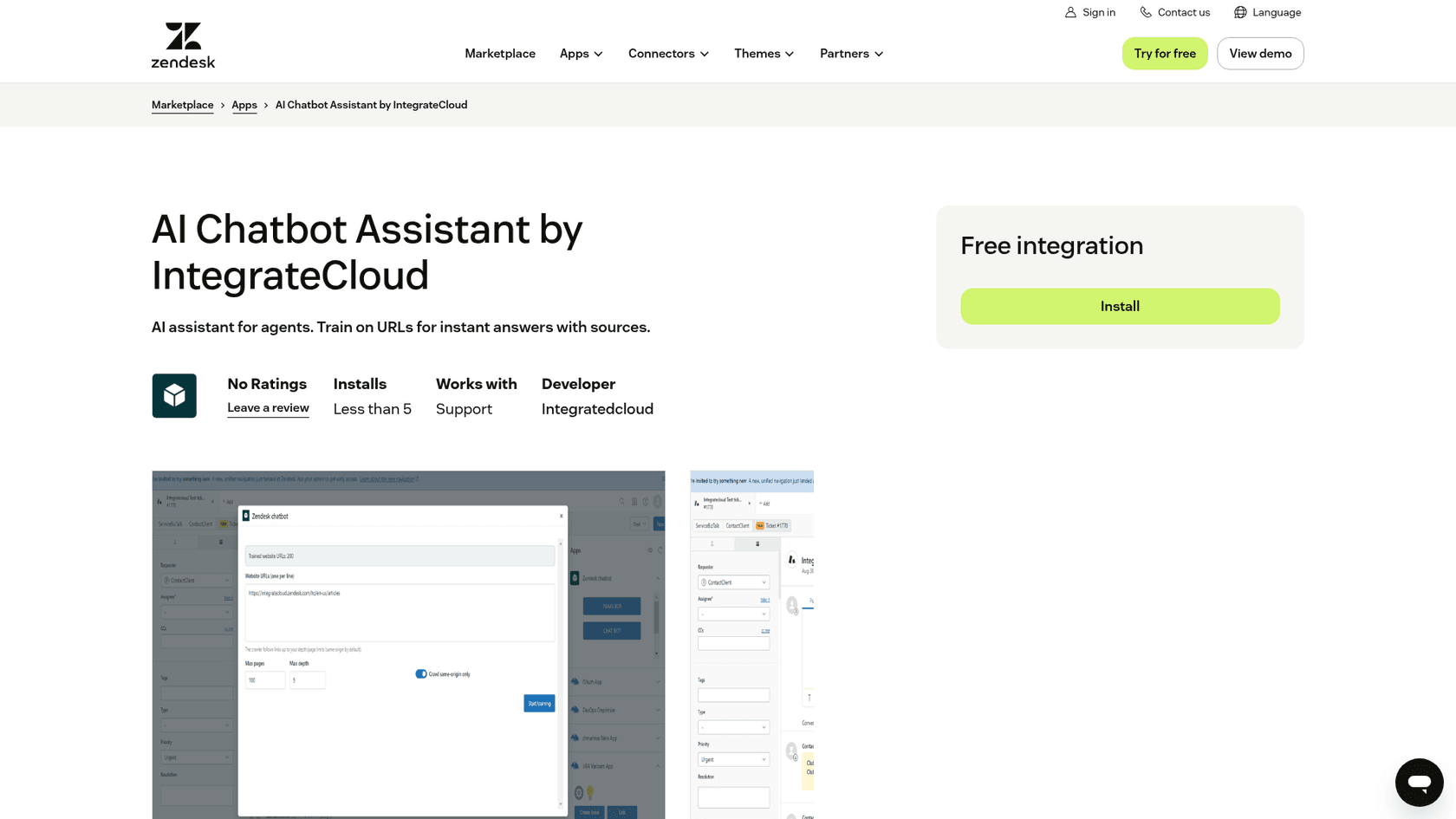
The reasons people move on come straight from the listing, and I covered them in depth in my IntegrateCloud AI chatbot review:
- No AI is included. The install notes ask you to "enter your Chatbot backend URL" running on an HTTPS server you maintain. I found no public spec for what that backend has to do.
- It's agent-only and question-only. An agent opens the sidebar, types a question and copies the answer out. It doesn't read the ticket, draft into the reply box or set fields.
- Knowledge is crawled URLs only. Past tickets and macros, where most support answers actually live, aren't a documented source.
- It's early. Version 1.0 (April 22, 2026), fewer than 5 installs and no ratings.
The price is $0 for the app, but the real bill is the server, the model usage and the engineer who keeps both running. My IntegrateCloud AI chatbot pricing post walks through that math.
How I picked these alternatives
I asked ChatGPT what a support lead should switch to from this app, then checked every tool it named against the vendor's own pages. I kept tools that meet four tests:
- Runs inside Zendesk, or is honest that it needs a move (Freddy AI is the one exception, included because buyers actually weigh it).
- Does more than answer questions: drafts replies, summarizes, triages or resolves.
- Has public pricing or a clear buying path on the vendor's site.
- Learns from more than URLs, ideally your past Zendesk tickets.
I read each vendor's pricing page, docs and Zendesk Marketplace listing, and captured their product pages fresh. I didn't run all seven on live tickets, so where I describe behavior, it's what the vendor documents. I've left out one tool ChatGPT mentioned, for reasons unrelated to quality.
IntegrateCloud alternatives compared
Here's the whole field at a glance. The "Keep Zendesk?" column is the first question most readers have, so it comes first.
| Tool | Keep Zendesk? | Main job | Learns from past tickets | Pricing model | Starting price | Free start | Setup | Security notes |
|---|---|---|---|---|---|---|---|---|
| eesel | Yes | AI teammate: drafts or sends replies, notes, tags, hands off | Yes | Per ticket or chat (credits) | $299/mo for 500 credits | 100 credits | Self-serve, minutes | EU or US data residency, HIPAA on Enterprise |
| Zendesk Copilot | Yes (native) | Suggested replies, summaries, auto assist, triage | Similar tickets, macros | Per agent, whole account | $50/agent/mo, paid yearly | 5 uses per agent/mo on eligible plans | Toggle on | Zendesk's own stack |
| Forethought | Yes (now Zendesk-owned) | Assist copilot plus Solve, Triage, QA | Yes | Quote via sales | Not published | Demo | Sales-led | Sold by Zendesk |
| Macha AI | Yes | Sidebar copilot plus AI agents per ticket category | Yes | Per ticket | $299/mo for 750 tickets | $50 of usage | Done-for-you | Not stated on pricing page |
| Typewise | Yes, or replace | AI that resolves, partials billed at half | Not stated | Plan plus per resolution | $99/mo + $2/resolution | 14 days, 100 credits | Self-serve | EU hosting, zero data retention |
| Yuma AI | Yes | Autonomous ecommerce resolutions | Yes (Deep Search on Growth) | Per full resolution, 12-month | $14,400/yr | Demo | Live within a week | SOC 2 Type II |
| Freddy AI | No, needs Freshdesk | Copilot plus AI agent sessions | Similar tickets | Per agent plus sessions | $29/agent/mo on top of Freshdesk Pro | Freshdesk trial | Helpdesk migration | Freshworks stack |
| IntegrateCloud (baseline) | Yes | Sidebar Q&A from crawled URLs | No | Free app, your backend | $0 + hosting | Free | You build the backend | Data stays on your server |
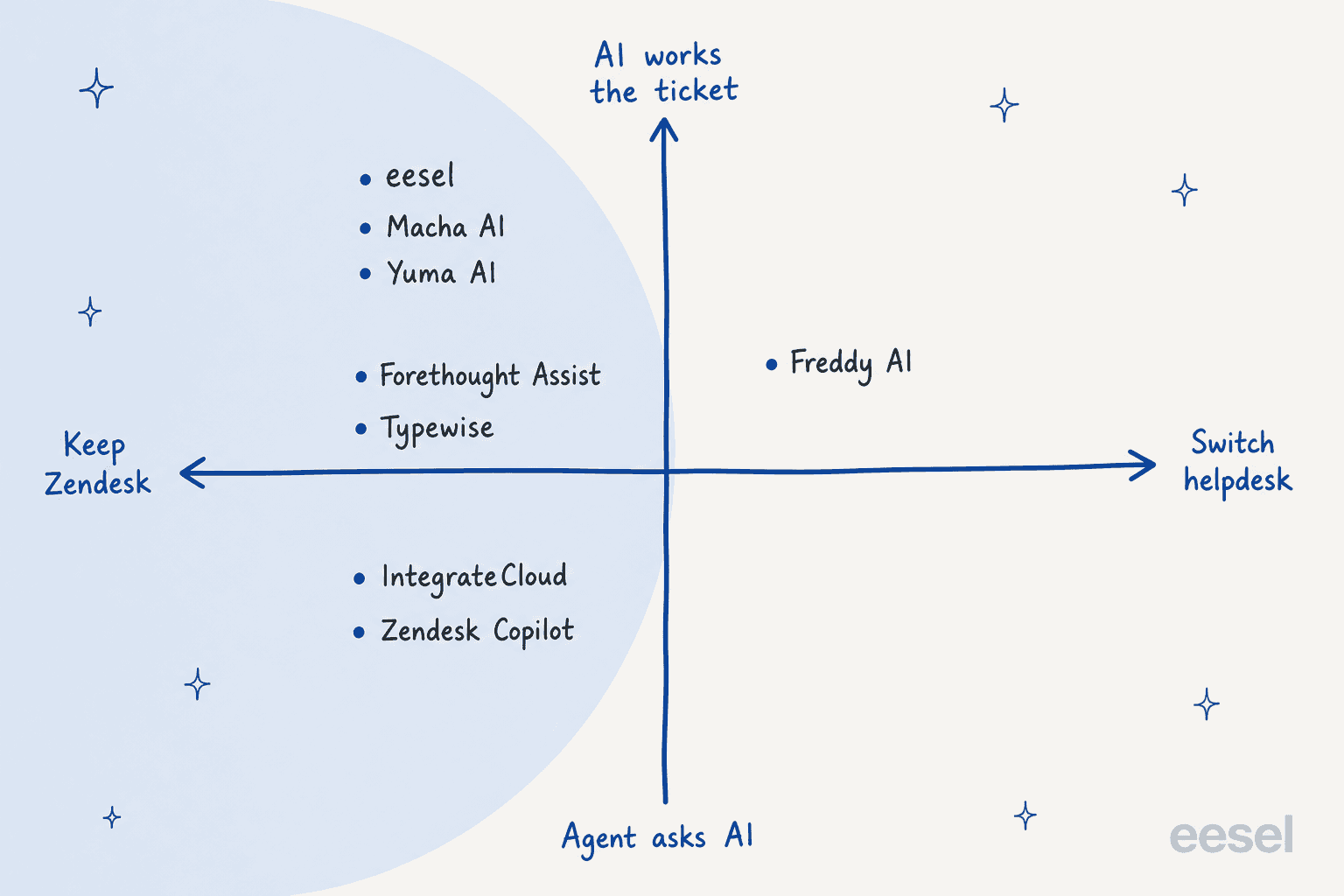
Plotting them on two questions makes the pattern obvious: almost everyone stays inside Zendesk, and the real choice is how much of the ticket you want the AI to handle.
1. eesel
Best for: teams that want AI to work the Zendesk ticket, not just answer questions about it.

eesel is an AI helpdesk teammate that joins your Zendesk queue the way a new hire would. I work on the integrations side, so I'll be concrete. It connects through the Zendesk integration, reads your help center, macros, past tickets and connected docs, and then works each ticket: drafts or sends the reply, leaves an internal note, sets tags and hands off to a person where your rules say so. There is no backend to build.
Features
- Agent-side help, like IntegrateCloud, but on the ticket. At Cape Coffee Beans, a team member writes @eesel in an internal note and gets an answer back as a note, with the product page, past ticket or Shopify order it used linked. That's the source-link idea from IntegrateCloud, without the copy-paste.
- Drafting inside Zendesk. Nordbutiker runs a separate bot per brand and language across four Nordic countries, and its agents use eesel's browser extension next to the ticket to draft replies and summarize tickets.
- Full replies when you trust it. Swiftreg lets eesel send public replies from live order lookups: about 2,100 Zendesk tickets handled, 1,494 public replies and 1,055 internal notes between 8 August and 8 September 2026.
- Simulation before go-live. You can run it on past tickets and read its answers next to your team's before it touches a live one.
Pros
- Nothing to host, and it learns from past tickets, not just web pages.
- One setup covers the sidebar-style help, drafting and full replies, so you can start cautious and widen it.
- Billed per ticket, so adding agents doesn't raise the bill.
Cons
- It isn't free past the trial.
- Default support is eesel first, then a human within a few days; a named person with same-day replies is a paid add-on from $299 a month.
- If all you need is a search box over a docs site and you already run that service, IntegrateCloud costs less.
Pricing
| Plan | Price | What you get |
|---|---|---|
| Free | $0 | 100 credits, every feature and integration |
| Teammate | $299/mo for 500 credits, up to $1,749/mo for 5,000 | A ticket or chat is 1 credit however long; unlimited agents and seats |
| Enterprise | Custom | SSO, HIPAA with a BAA, security review, dedicated contact |
Full details are on the eesel pricing page. Overage is optional, at $0.80 per extra credit with a cap you set.
My take: pick eesel if the reason you installed IntegrateCloud was "help agents answer faster" and you'd rather the AI write the answer into the ticket. Skip it if your only need is a free docs search and you have the engineers to run the backend.
2. Zendesk Copilot
Best for: teams that want AI suggestions built into the agent workspace with zero new vendors.
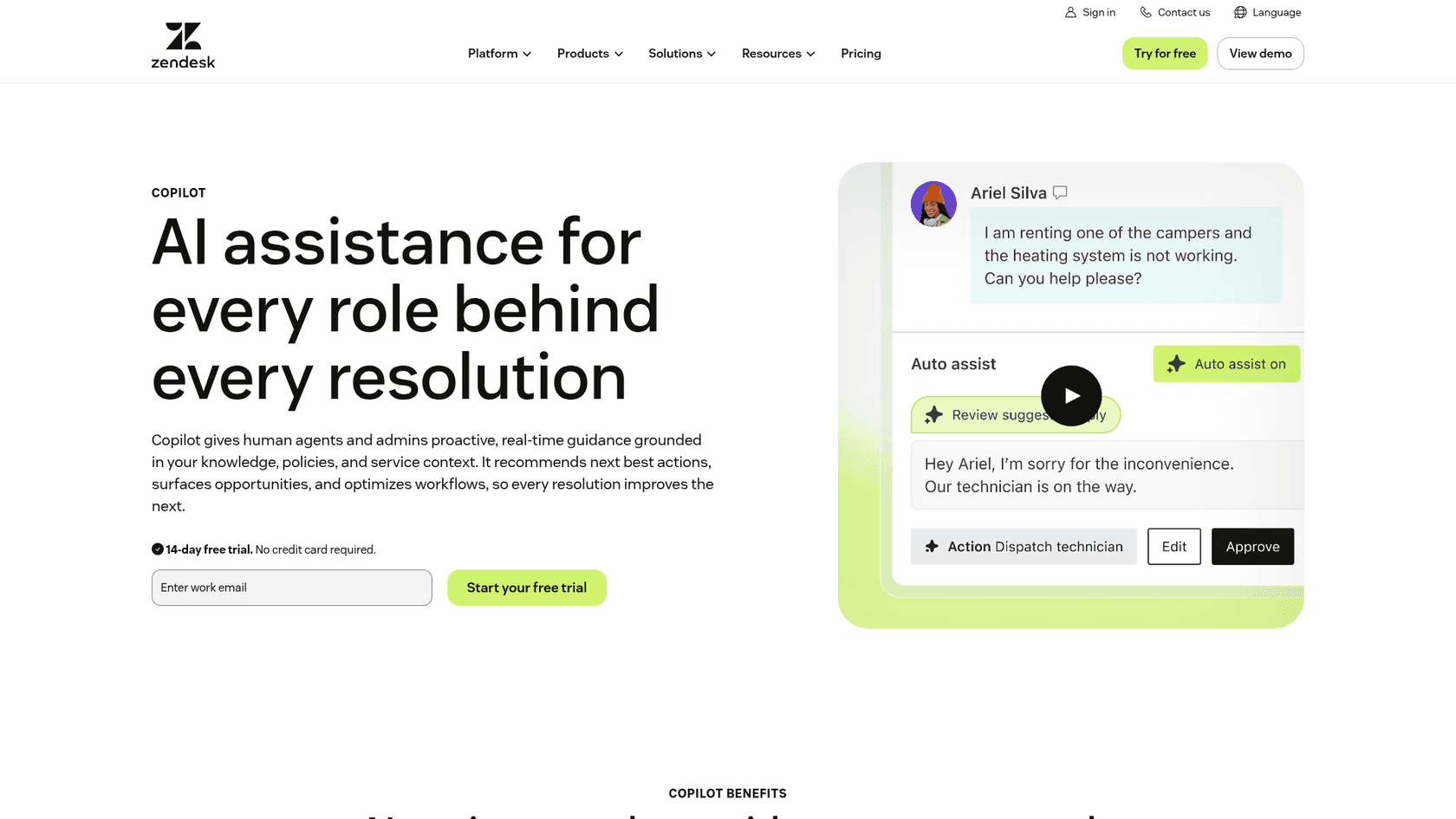
Copilot is Zendesk's own agent-side AI. According to About agent copilot, it bundles auto assist, suggested first replies, suggested macros, writing tools, ticket summaries, similar tickets, merge and assignee suggestions, and intelligent triage. Auto assist goes past suggestions and proposes agent-approved actions.
Features
- Suggestions sit right in the reply area, so there's no sidebar to open.
- Intelligent triage classifies tickets by topic, sentiment, language and entities.
- Eligible plans get some generative features at no extra cost, with a shared allowance of 5 uses per agent a month, per the Copilot allowance article.
Pros
- Native, so nothing to install or connect.
- Covers the full agent workflow, from summary to suggested action.
- Zendesk support stands behind it.
Cons
- It's a per-agent add-on, and per Zendesk's licensing FAQ you buy it for the whole account, so a 20-seat team pays for 20 seats even if 5 agents use it.
- It's available on all Suite plans and Support Professional or Enterprise, per Buying the Copilot add-on, so Support Team accounts are out.
- It assists agents; resolving customers on its own is a separate product, Zendesk AI agents.
Pricing
| Item | Price on Zendesk pricing |
|---|---|
| Copilot add-on | $50 per agent per month, paid yearly |
| Suite Team | $55 per agent per month, paid yearly |
| Suite Professional | $115 per agent per month, paid yearly |
| AI agent automated resolutions (separate) | $1.50 committed, $2.00 pay-as-you-go |
My take: the right pick if your team is small, already on Suite Professional and wants suggestions, not automation. The per-seat model gets expensive quickly as headcount grows; my AI agent vs Copilot post covers where each fits.
3. Forethought AI agents by Zendesk
Best for: larger support orgs that want a full AI suite and are happy to buy through sales.
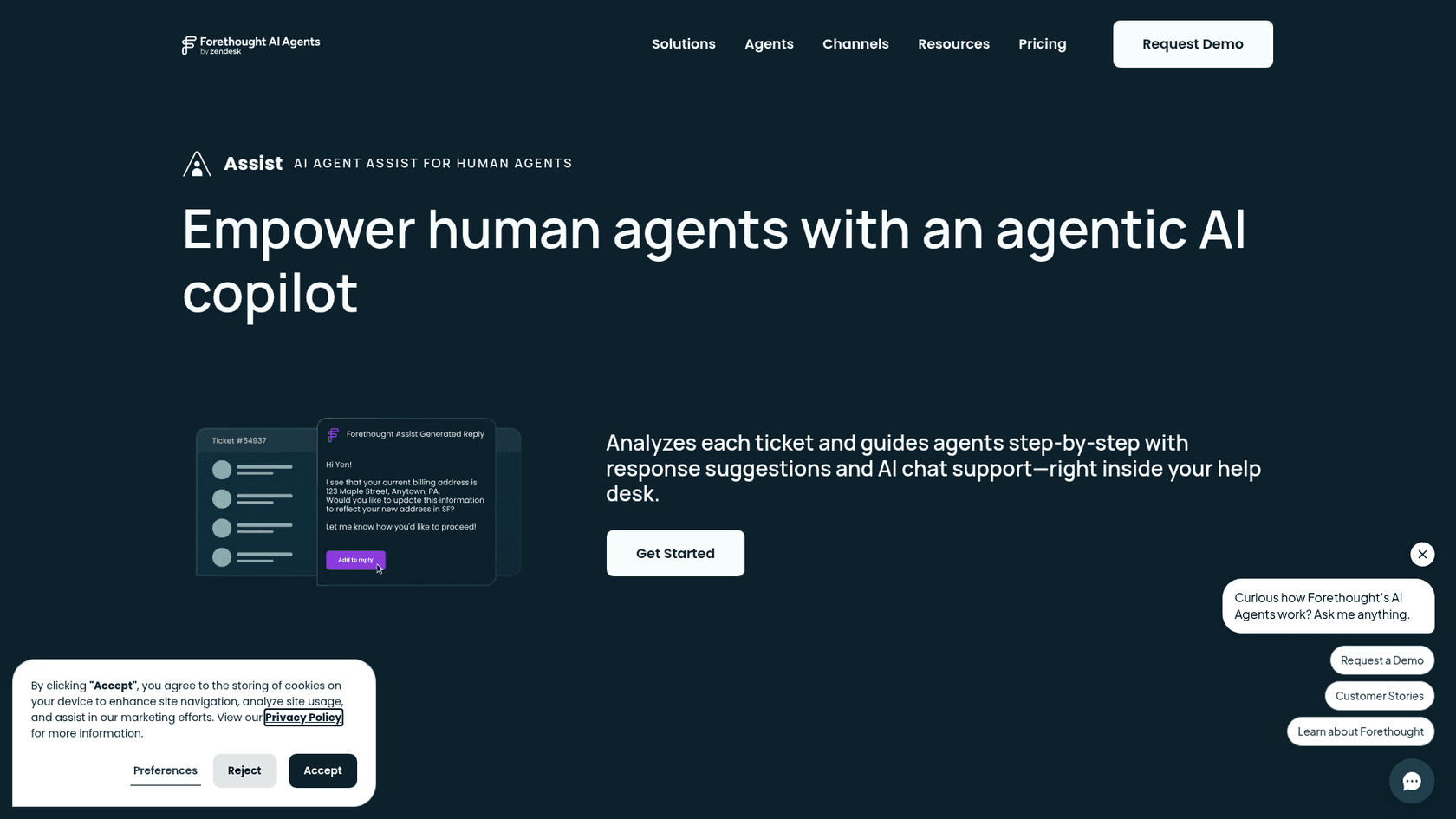
Forethought changed hands this year. Per Zendesk's own announcement, "Zendesk acquired Forethought in early 2026" and started selling it to Zendesk customers as an add-on on June 4, 2026. It still works without Zendesk too. The agent-side piece is Assist.
Features
- Assist is an add-on "delivered as a browser extension" that analyzes tickets in real time, recommends workflows and articles and drafts responses, per Zendesk's Forethought overview.
- Solve resolves customer questions with autoflows; Triage routes and prioritizes.
- Agent QA, AI QA, Discover and Multibrand (up to 20 brands) are further add-ons.
Pros
- Broad suite from one vendor, now under the Zendesk roof.
- Strong reviews: 4.3 out of 5 from 166 reviews on G2.
- Assist users call out faster answers on complex tickets.
"The addition of Agentic Assist has also improved our agents' ability to quickly find helpful information and how-to's for solving more complex tickets, removing roadblocks and boosting efficiency."

Cons
- No public pricing; you contact Zendesk sales.
- Assist, Triage and QA are each add-ons, so the bill builds up by module.
- Some reviewers mention a learning curve:
"Forethought typically has a higher than expected learning curve, making it a bit challenging to get ramped up and know exactly how to implement it best for specific use cases."
Pricing
Quote only. Zendesk says to "reach out to your sales representative" to buy it. My Forethought pricing post collects what's known.
My take: a serious option for an enterprise team already deep in Zendesk that wants Assist plus automation and QA from one vendor. It's a big step up in process from a free sidebar app; if that's not you, see Forethought alternatives.
4. Macha AI
Best for: Zendesk teams that want a sidebar copilot plus done-for-you AI agents, billed per ticket.
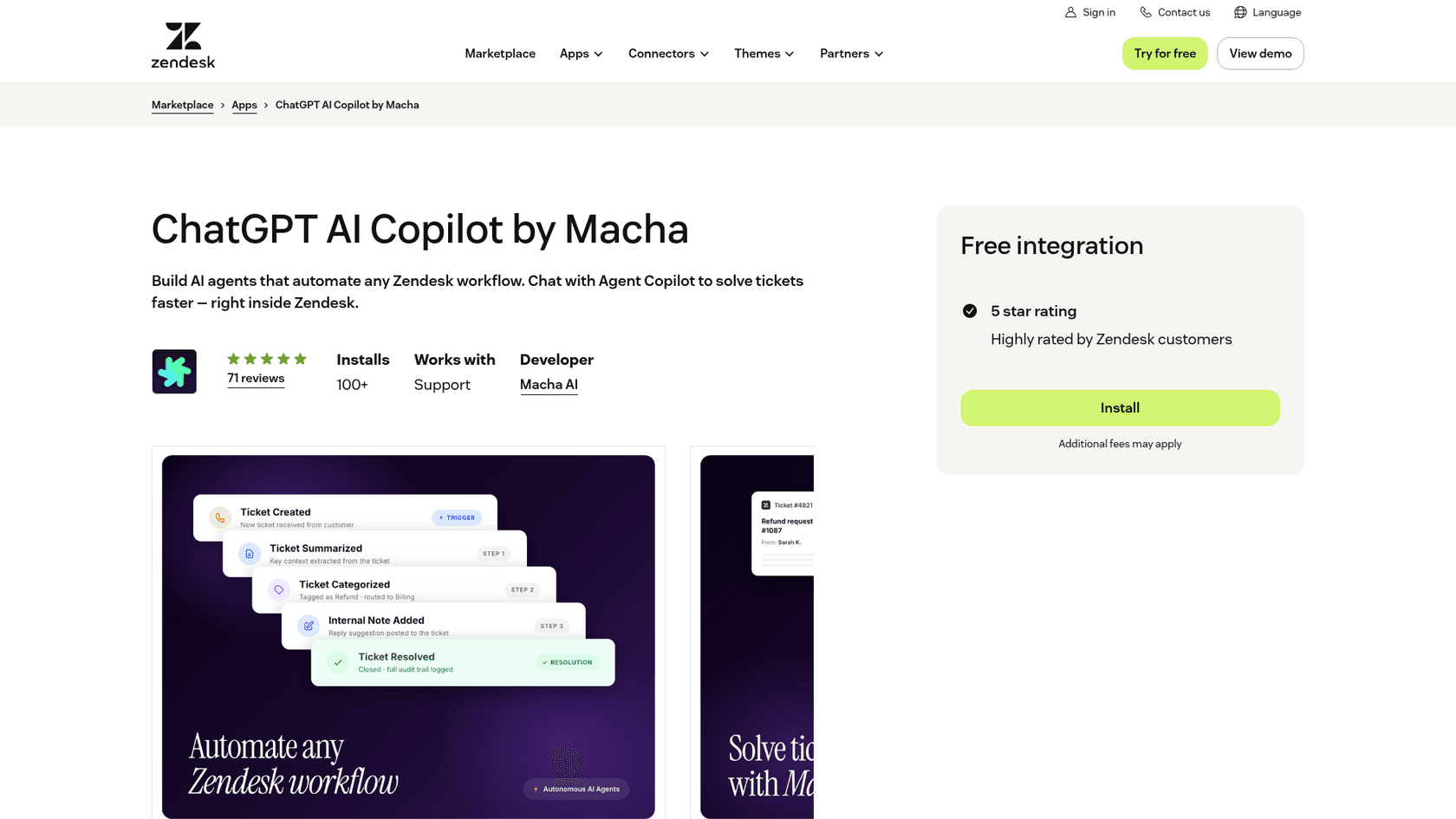
Macha is the closest like-for-like swap for IntegrateCloud's sidebar, because it started there. Its ChatGPT AI Copilot by Macha listing shows version 4.0.0 (updated July 10, 2026), 100+ installs and 71 reviews with a 5-star rating. The widget "opens as a side pane in your Zendesk ticket view," and agents can @-mention AI agents from it.
Features
- Sidebar copilot that drafts replies, searches knowledge and summarizes threads.
- AI agents you assign to ticket categories that can assign tickets, change status, add suggested replies or reply to customers.
- Separate Zendesk apps for past-ticket search and ticket translation.
- Its team runs the agent on tickets you've already closed before go-live, per its pricing page.
Pros
- Same sidebar shape your agents already know from IntegrateCloud.
- Learns from past tickets, the help center and internal docs.
- Setup is done for you on every plan.
Cons
- The listing says "Additional fees may apply," so the free install isn't the full cost.
- Built around ticket categories you hand over, which suits automation more than ad hoc questions.
- One Marketplace reviewer reported auto-translate stopped working; Macha replied it moved to a button for speed.
Pricing
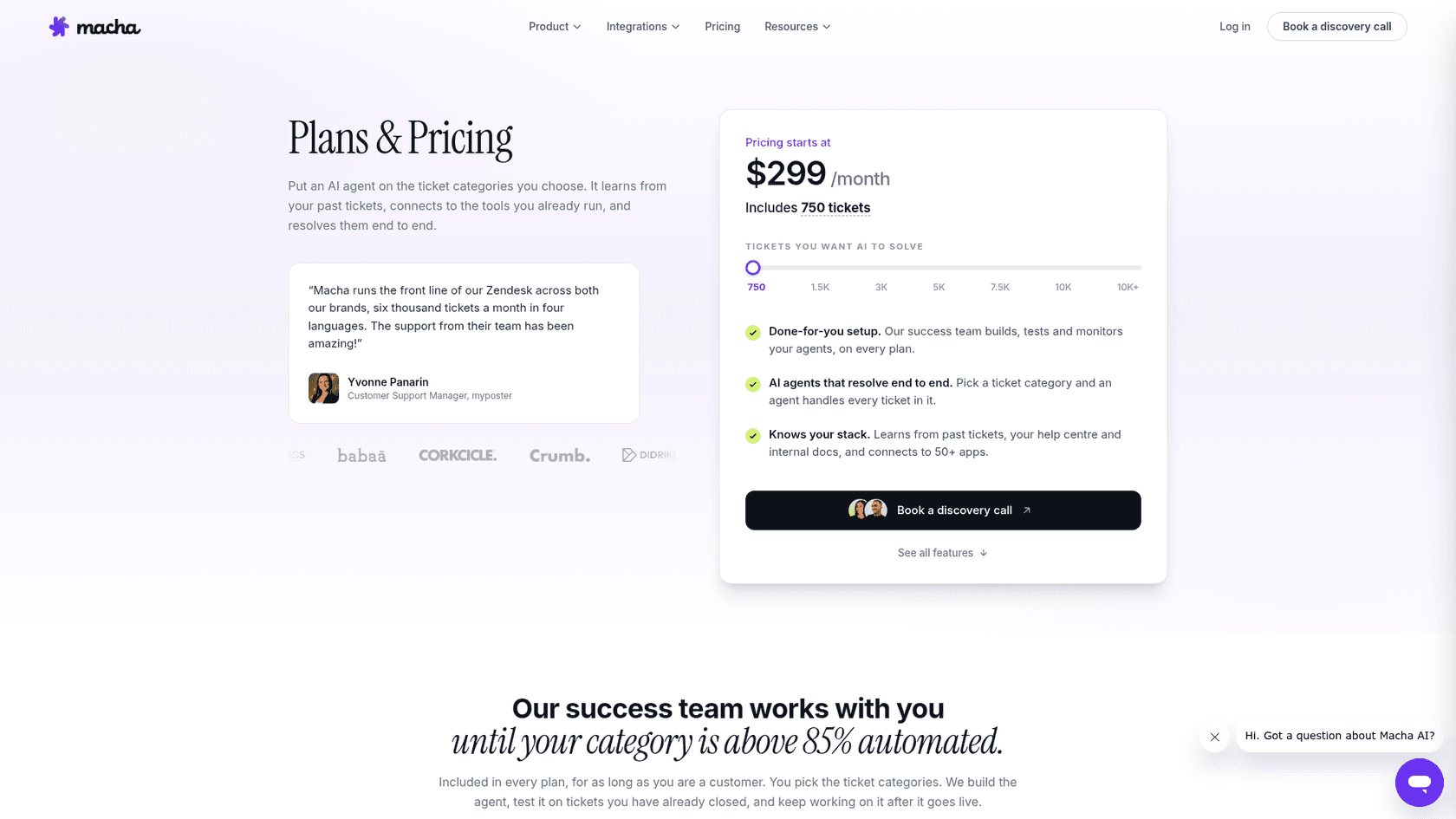
| Plan | Price | Tickets |
|---|---|---|
| Free trial | $50 of usage, no card, no time limit | About 125 tickets |
| Starting plan | $299/mo | 750 |
| Next tier | $599/mo | 1,500 |
| Higher volumes | Slider up to 10K+ | About $0.40 per ticket, per Macha |
My take: a good fit if you liked the sidebar idea and want someone else to build the agents. More in my Macha AI alternatives list.
5. Typewise
Best for: small teams (Typewise says 2 to 20 people) that want EU hosting and resolution-based pricing.
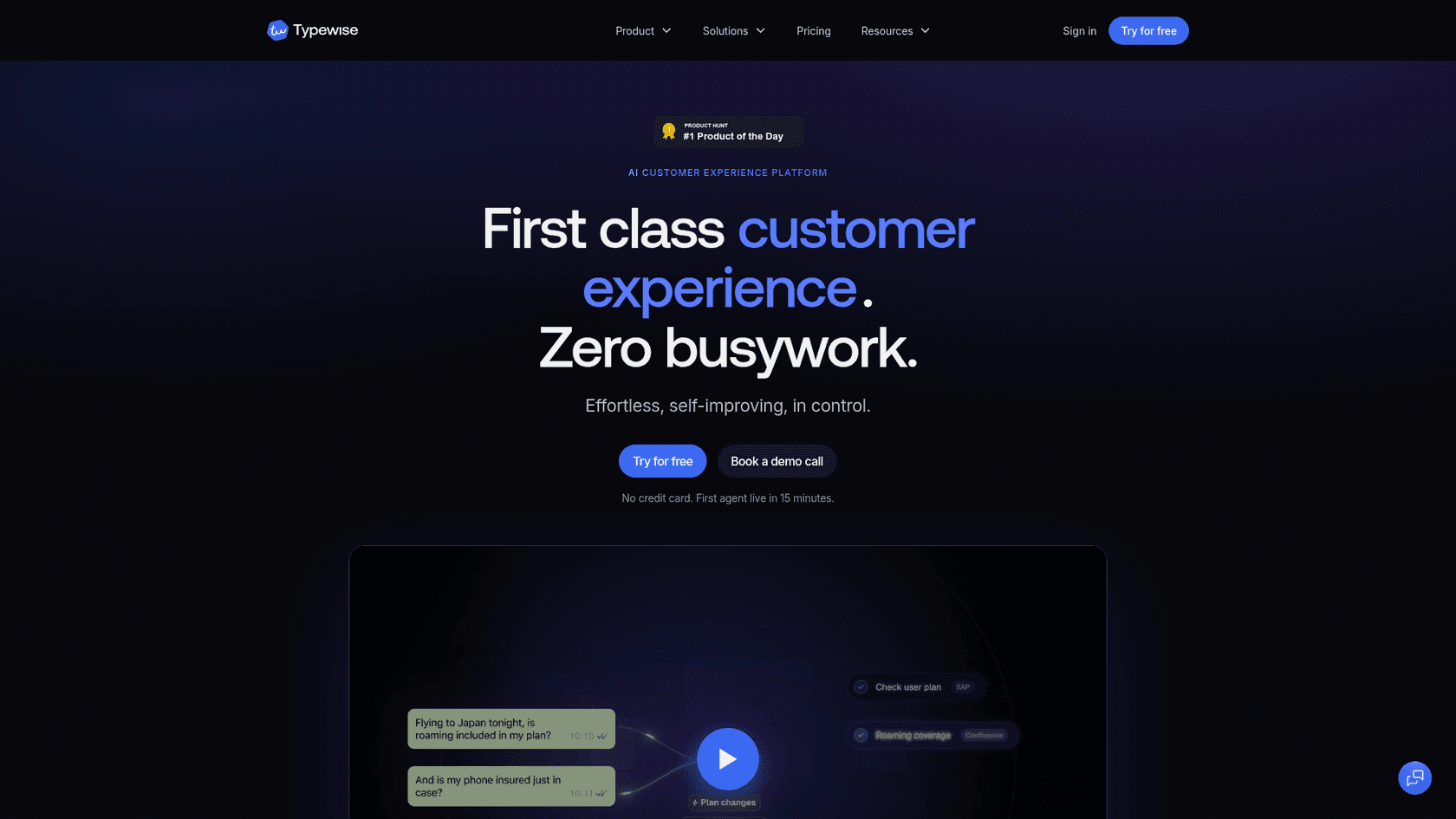
Typewise is a Zurich-born AI customer service platform. Its own Typewise vs Zendesk AI page recommends "keep Zendesk, add Typewise" as the path most teams should try first. It resolves what it can across email, chat and WhatsApp and hands the rest to your team in Zendesk.
Features
- Resolution-based billing: a full resolution is 1 unit, a partial (the AI drafts, a person approves) is 0.5, and unresolved tickets are free.
- An AI operator it calls Nova that monitors and tunes the setup.
- EU hosting and zero data retention for AI processing.
Pros
- Works on top of Zendesk or replaces it.
- Drafts that an agent approves cost half, which suits agent-assist use.
- Published prices you can plan around.
Cons
- Starter includes 1 user; each extra user is $89 a month, which adds up for a team used to a free sidebar app.
- Business is $2,000 a month billed annually, a big jump from Growth.
- Past-ticket training isn't spelled out on the pages I read.
Pricing
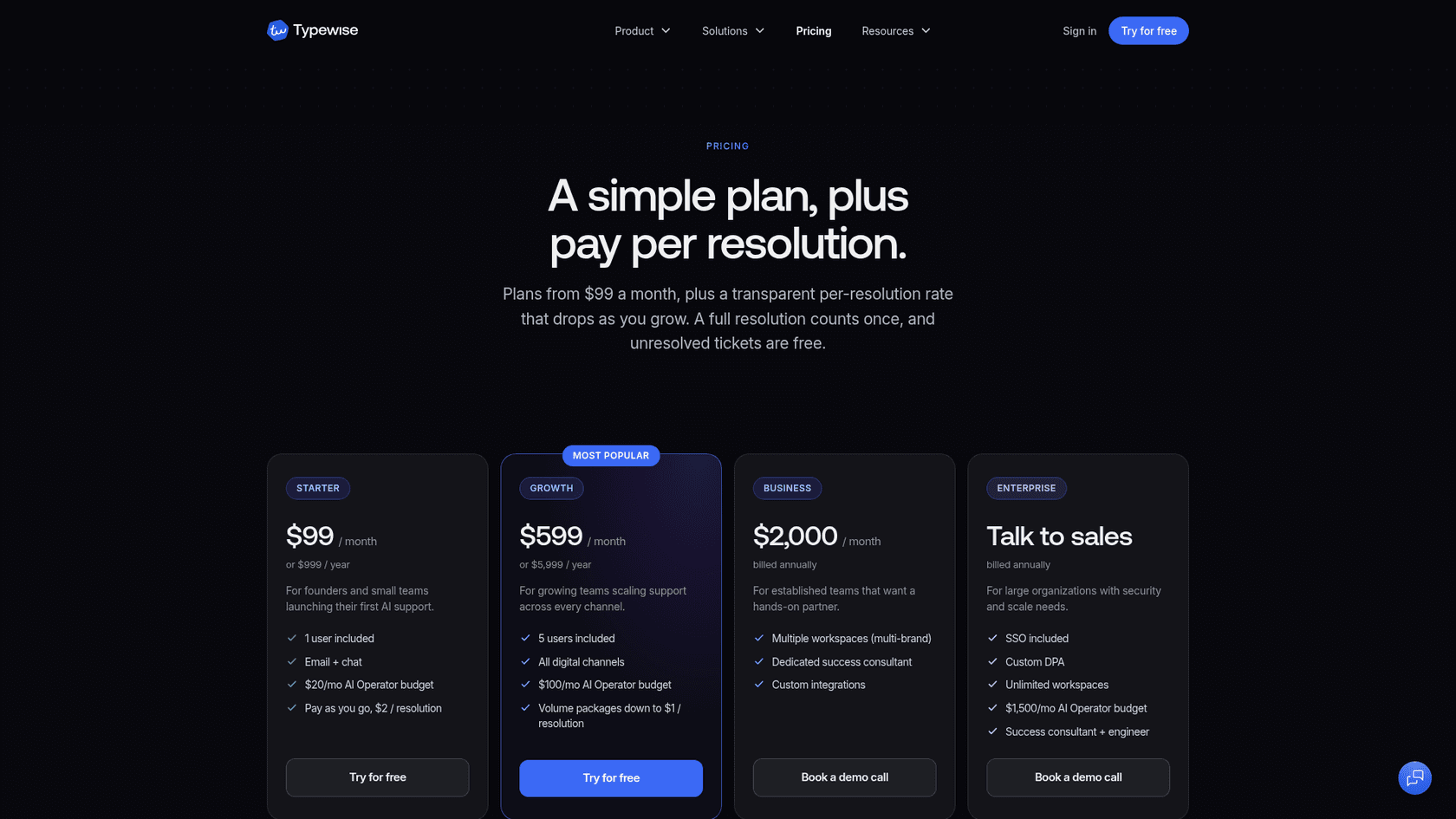
| Plan | Price | Includes |
|---|---|---|
| Starter | $99/mo or $999/yr | 1 user, email and chat, $2 per resolution pay-as-you-go |
| Growth | $599/mo or $5,999/yr | 5 users, all digital channels, volume packages down to $1 per resolution |
| Business | $2,000/mo, billed annually | Multi-brand workspaces, success consultant |
| Enterprise | Talk to sales | SSO, custom DPA |
Every plan starts with a 14-day trial with 100 resolution credits, per Typewise pricing.
My take: worth a look for a small European team that cares about data location and wants to pay for outcomes. Do the user math first if more than one agent needs access.
6. Yuma AI
Best for: ecommerce brands on Zendesk that want refunds, returns and order changes resolved without an agent.
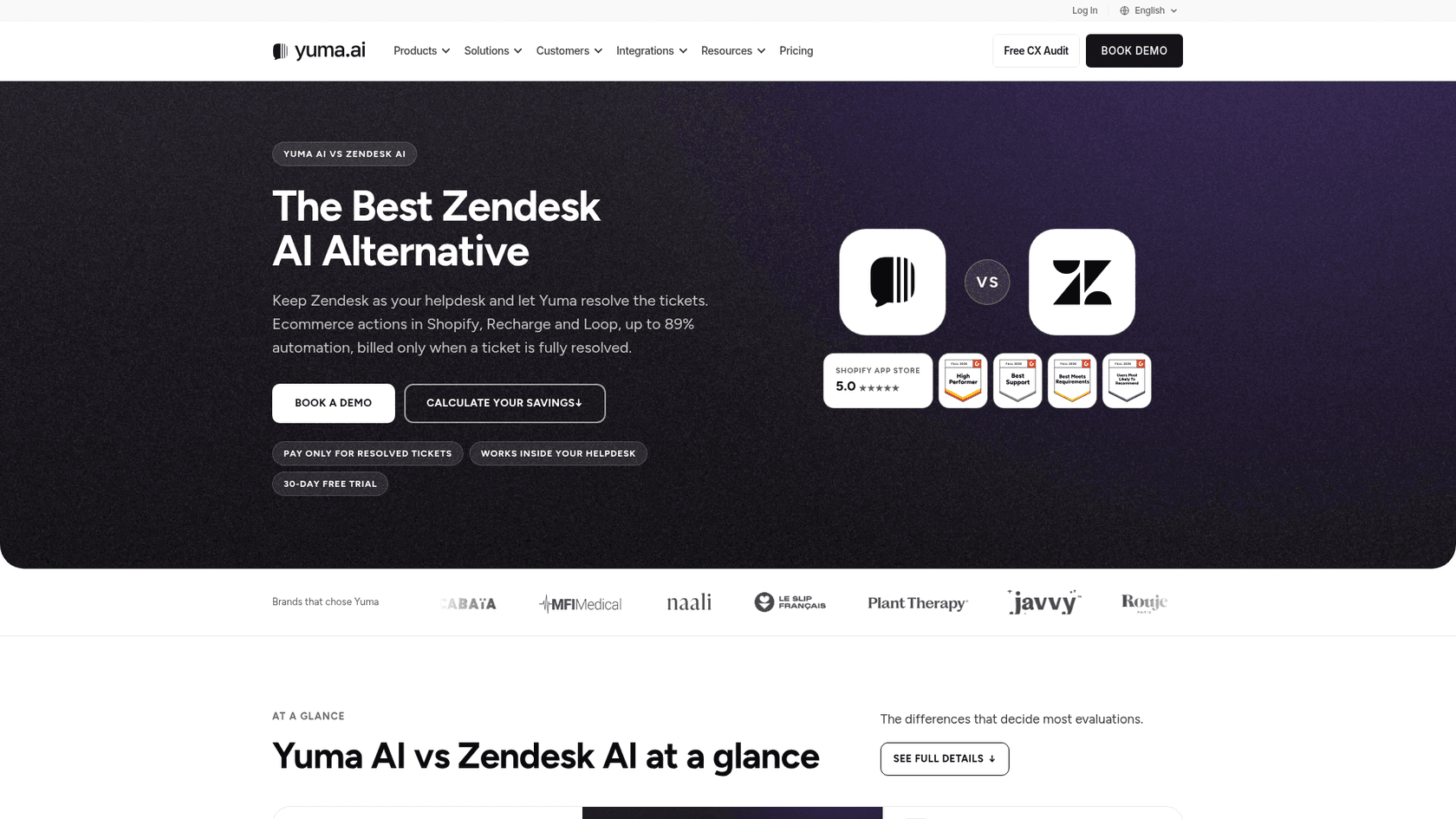
Yuma sits at the opposite end from IntegrateCloud: it isn't an agent helper at all. It installs as an app inside Zendesk and resolves ecommerce tickets end to end, with actions in Shopify, Recharge and Loop, per its Zendesk comparison page. It also runs on Gorgias, Kustomer and Re:amaze.
Features
- Specialist AI agents for order status, returns, exchanges, refunds and subscriptions.
- Works only through your Zendesk API, with no separate data replication.
- SOC 2 Type II certified.
Pros
- You pay only when a ticket is fully resolved with no human involved.
- Named results in Yuma's own case studies: 89% automation at EvryJewels, 79% at Petlibro.
- Macros, views and routing stay as they are.
Cons
- Ecommerce only; a SaaS or B2B queue isn't the target.
- Every plan carries a 12-month commitment.
- It doesn't help agents on the tickets it doesn't resolve, which is the job IntegrateCloud was doing.
Pricing
| Plan | Annual price on Yuma pricing | Resolutions per year | Rate |
|---|---|---|---|
| Starter | $14,400 | 12,000 | About $1.20 each |
| Growth | $40,000 | About 48,000 | About $0.83 each |
| Scale | $90,000 | About 120,000 | About $0.75 each |
| Higher volume | Custom | 120,000+ | Toward a $0.55 floor |
My take: the strongest option here for a Shopify brand that wants fewer tickets reaching agents at all. Overkill for a team that just wants a smarter sidebar. See Yuma AI pricing for the detail.
7. Freshdesk Freddy AI
Best for: teams already unhappy with Zendesk overall, not just the AI app.
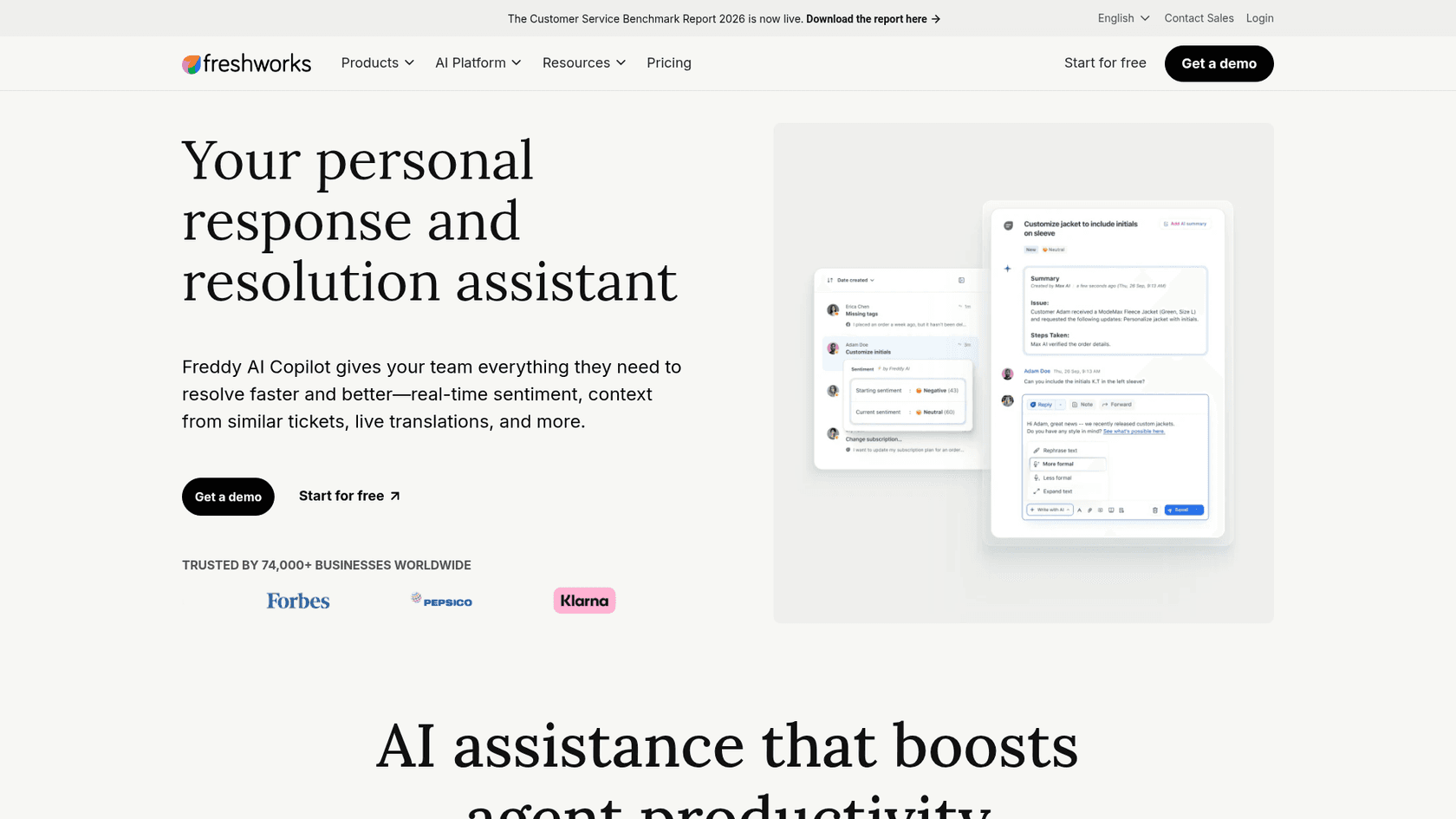
Freddy is the only pick here that means leaving Zendesk. Freshworks sells it inside Freshdesk: Freddy AI Copilot suggests replies, summarizes and translates in the agent workspace, and the Freddy AI Agent resolves queries on chat, messaging and email, per the Freddy AI page.
Features
- Copilot with real-time sentiment, similar-ticket context and live translation.
- AI Agent with pre-built workflows for Shopify, Stripe and PayPal.
- AI Insights on the Enterprise plan.
Pros
- Copilot is cheaper per seat than Zendesk's: $29 versus $50.
- The first 500 AI Agent sessions are included on every plan.
- Agent-side and customer-side AI from one vendor.
Cons
- You migrate the whole helpdesk, with all the work that brings (see Freshdesk migration from Zendesk).
- Copilot is listed on Pro and Enterprise, not Growth.
- Seat plus Copilot plus sessions makes three meters to track.
Pricing
| Freshdesk plan | Price on Freshdesk pricing | Freddy AI |
|---|---|---|
| Growth | $19/agent/mo, billed annually | AI Agent, first 500 sessions included |
| Pro | $55/agent/mo, billed annually | Copilot $29/agent/mo, 500 sessions included |
| Enterprise | $89/agent/mo, billed annually | Copilot $29/agent/mo, AI Insights, 500 sessions included |
| Extra AI Agent sessions | $49 per 100 | All plans |
My take: only worth it if you were going to leave Zendesk anyway. My Zendesk vs Freshdesk and Freddy AI pricing posts help with that call.
What will each alternative cost you?
The sticker prices aren't comparable because each tool bills for something different. That matters more than the headline number: a per-seat tool gets more expensive as you hire, a per-ticket tool as volume grows.
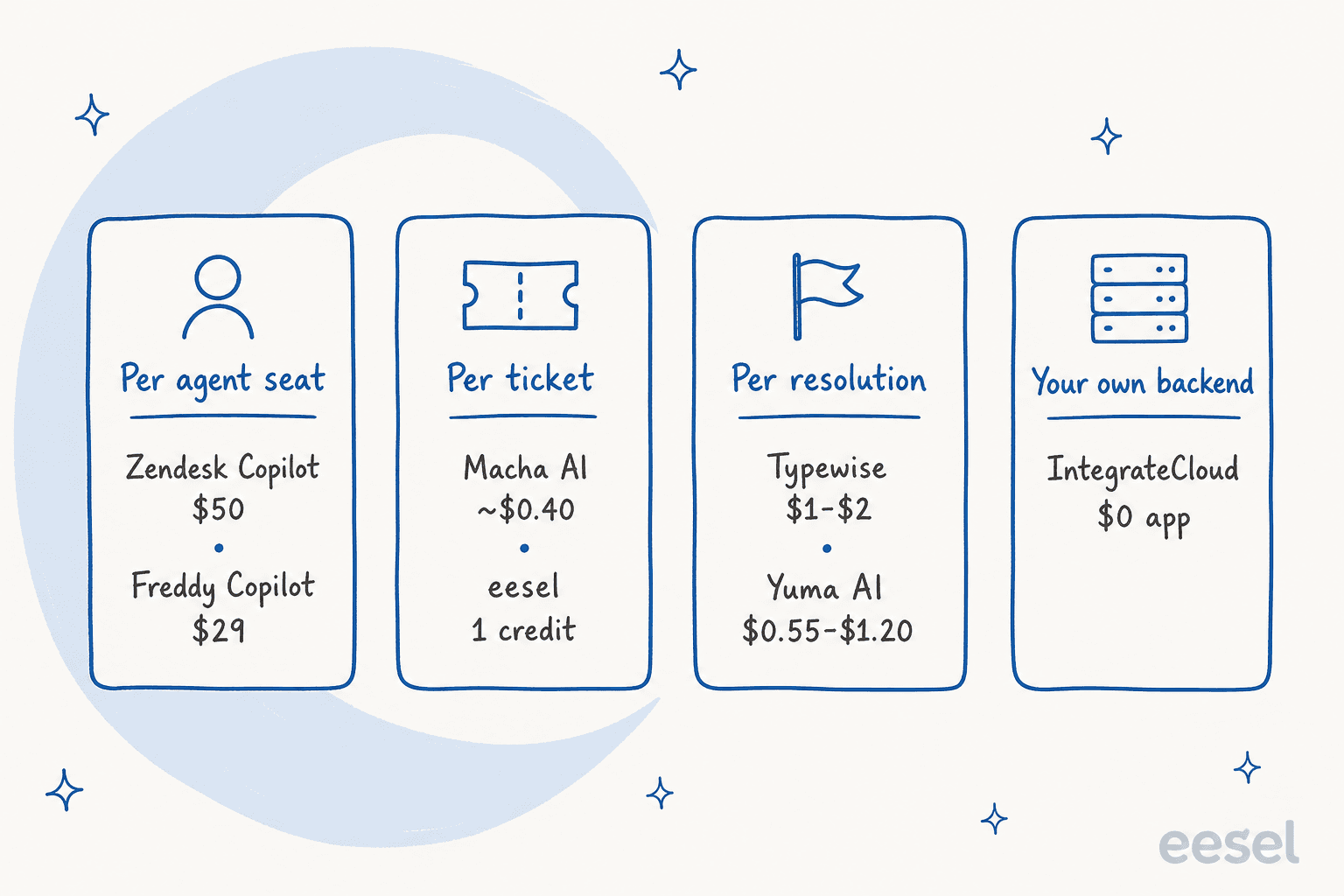
Plug in your own team to see where the lines cross:
Type in your team size and monthly ticket volume to compare list prices across billing models. Copilot and Freddy scale with seats, eesel and Macha with tickets, Typewise with resolutions.
Two patterns stand out when you play with it. Small teams with high volume lean toward per-seat tools, while larger teams with moderate volume save with per-ticket billing. And Freddy only looks cheap until you add the Freshdesk seats it needs. For the native side in full, see my Zendesk AI pricing and Zendesk pricing guides.
How to test your finalists on historical tickets
Every vendor demo looks good, because the vendor picked the tickets. The fix is cheap: run your top two or three on tickets you've already solved, where you know what a good answer looked like.
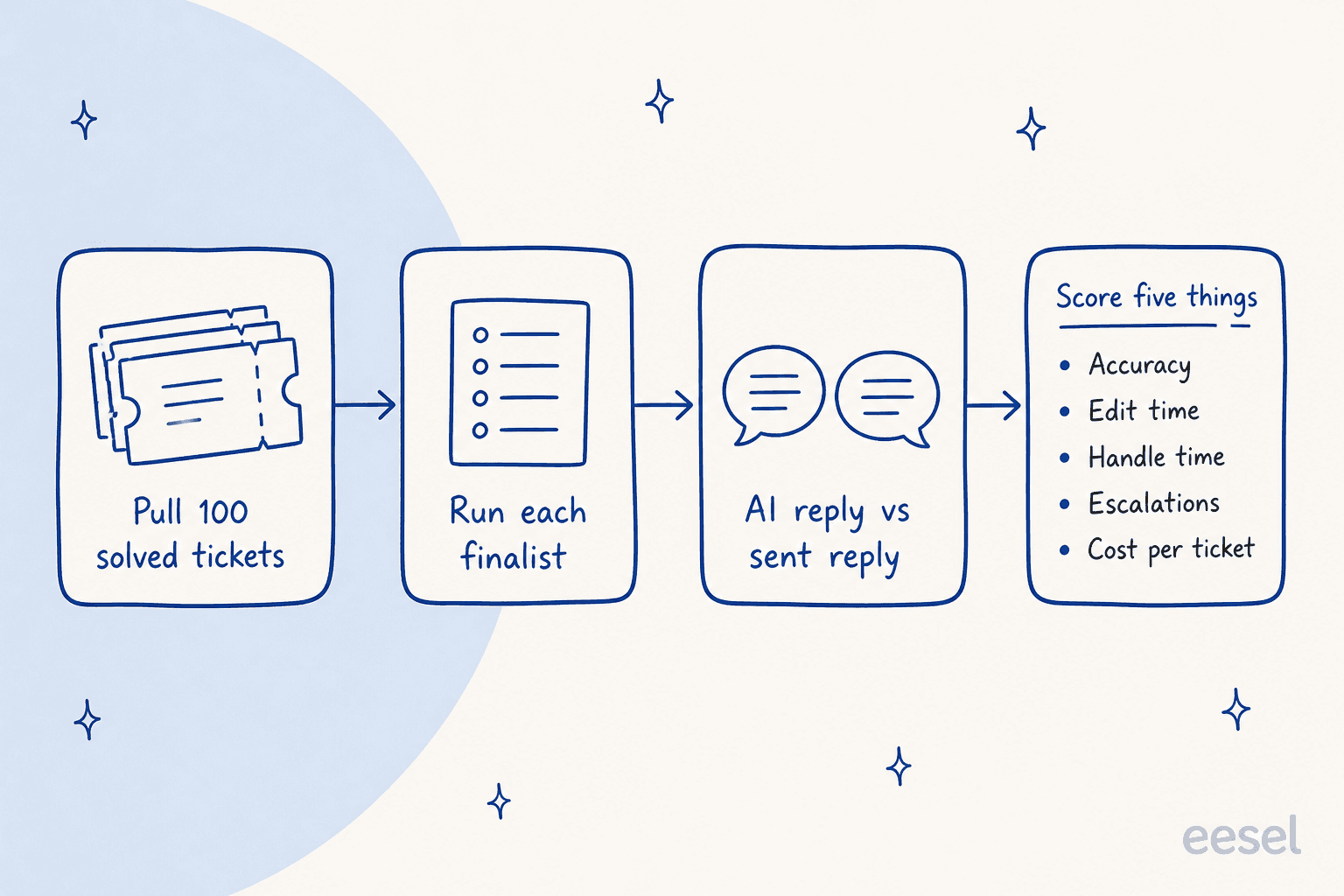
- Pull about 100 solved tickets from the last month, mixed across your top topics, not just the easy ones.
- Run each finalist on them. eesel and Macha both simulate on closed tickets before go-live; for others, use a sandbox or trial.
- Put each AI reply next to the one your team sent. A teammate who didn't write the original should judge.
- Score five things: accuracy, how long an agent would spend editing, handle time, whether escalations went to the right place, and cost per resolved ticket.
I've watched confident-sounding bots give wrong answers on live queues, which is why eesel runs every rollout against historical tickets first. Agents notice a wrong answer much faster than a slow one, and a bad first week can kill adoption for months. If you also handle personal data in those tickets, check each vendor's terms first; my Zendesk AI data privacy post lists what to ask.
Which IntegrateCloud alternative should you pick?
Here's how I'd choose, situation by situation:
| If you... | Pick |
|---|---|
| Want AI that drafts or sends the reply in Zendesk, nothing to host | eesel |
| Want native suggestions and have a small team on Suite Professional | Zendesk Copilot |
| Are an enterprise that wants Assist, automation and QA from one vendor | Forethought |
| Liked the sidebar and want someone to build the agents for you | Macha AI |
| Are a small EU team that wants to pay per resolution | Typewise |
| Run a Shopify store and want order tickets resolved outright | Yuma AI |
| Are leaving Zendesk anyway | Freddy AI |
| Already run a retrieval service and only need a Zendesk front end | Stay on IntegrateCloud |
That last row is a fair answer. If your engineers built a docs search service and agents just need it in the Zendesk sidebar, IntegrateCloud does that for free. For everyone else, the gap between asking an assistant and having the AI work the ticket is where the time savings are. My best AI for Zendesk roundup, the wider Zendesk AI alternatives list and my take on the best AI customer support chatbot go further. If you're specifically weighing one replacement for Zendesk's own AI, see Zendesk AI alternative.
Try eesel in your Zendesk
If you installed the IntegrateCloud chatbot to help agents answer faster, eesel does that job without a backend to build. It connects to Zendesk in a few minutes, learns from your help center and the tickets your team already solved, and works each ticket the way you set it: an @eesel answer in a note like at Cape Coffee Beans, drafts in the extension like at Nordbutiker, or sent replies like at Swiftreg.
You can simulate it on your past tickets before it touches a live one, and the first 100 credits are free. Try eesel.
Frequently Asked Questions
What is the best IntegrateCloud AI chatbot alternative for Zendesk?
If you want to keep Zendesk and have the AI do the ticket work, eesel is my first pick: it connects through the Zendesk integration, learns from past tickets and drafts or sends replies, with nothing to host. If you only want native suggestions, Zendesk Copilot is the low-effort route.
Is there a free IntegrateCloud AI chatbot alternative?
Zendesk includes some Copilot features on Suite and Support Professional plans with a shared allowance of 5 uses per agent a month. eesel gives 100 free credits, Macha AI gives $50 of free usage and Typewise a 14-day trial. My free Zendesk AI chatbot guide covers more.
Why switch from the IntegrateCloud AI chatbot?
The app is free, but it ships without an AI: you host the backend, it answers agent questions from crawled URLs only, and it doesn't draft into the reply box or touch the ticket. My IntegrateCloud AI chatbot review has the full breakdown.
How much do IntegrateCloud AI chatbot alternatives cost?
Zendesk Copilot is $50 per agent a month paid yearly, eesel starts at $299 a month for 500 credits, Macha AI at $299 for 750 tickets, Typewise at $99 plus $2 per resolution, and Yuma AI at $14,400 a year. See my Zendesk AI pricing guide for the native costs.
Do I need to leave Zendesk to replace the IntegrateCloud chatbot?
No. Six of the seven alternatives in this list run inside Zendesk. Only Freddy AI needs a move to Freshdesk, which my Zendesk vs Freshdesk comparison covers.
What is the difference between an agent assist app and an AI agent in Zendesk?
An agent assist app helps a person answer, like the IntegrateCloud sidebar or Copilot suggestions. An AI agent works the ticket itself, drafting or sending replies and setting fields. Several tools in this list, eesel included, can do both depending on how you set them up.
How should I test IntegrateCloud AI chatbot alternatives before buying?
Run each finalist on about 100 tickets you've already solved, then compare its reply with what your team sent. Score accuracy, agent edit time, handle time, escalations and cost per ticket. eesel can simulate on past tickets before going live.
Is Forethought part of Zendesk now?
Yes. Zendesk acquired Forethought in early 2026 and started selling it as Forethought AI agents by Zendesk on June 4, 2026, through sales. My Forethought vs Zendesk post covers how the two fit together.