7 best Ordemio alternatives for Zendesk teams in 2026

Rama Adi

Katelin Teen
Last edited October 22, 2026

Ordemio is a pair of Zendesk Marketplace apps: a copilot that drafts replies at $0.10 per reply, and an AI agent with plans from $49 a month for 500 answers. It's cheap and it works, but both apps are small (the copilot listing shows fewer than 5 installs and one review), and the copilot and the agent are separate products with separate setups.
If you want one AI on your Zendesk queue that drafts for some tickets and answers others, eesel AI is my pick: it learns from your past Zendesk tickets, macros and help center, gets tested on 20 solved tickets before it touches a live one, and costs $299 a month for 500 tickets handled. smava runs it on 27,000 German loan tickets a month.
Want native and already paying for Suite Professional? Zendesk Copilot is $50 per agent per month. Want hands-off setup on a Zendesk app? Macha. Ecommerce refunds and reships? Yuma AI. Enterprise, many channels? Ada or Forethought (now owned by Zendesk).
Why Zendesk teams look past Ordemio
I build integrations at eesel, so I tend to read a Zendesk app the way its developers would: what it can touch, what it learns from, and what it bills for. For this post I read every vendor's own pricing page, Zendesk Marketplace listing and setup docs, and I'll be upfront where a claim is the vendor's and not mine.
Credit where it's due first. Ordemio is a reasonable product with a fair pricing idea. The Ordemio AI Agent Copilot sits in the Zendesk composer with Generate, Improve and Language tabs, drafts from your docs and similar past tickets, and translates across 95+ languages. Ordemio says it's "the only copilot that doesn't charge per seat", which is a real advantage over the usual per-agent add-on.
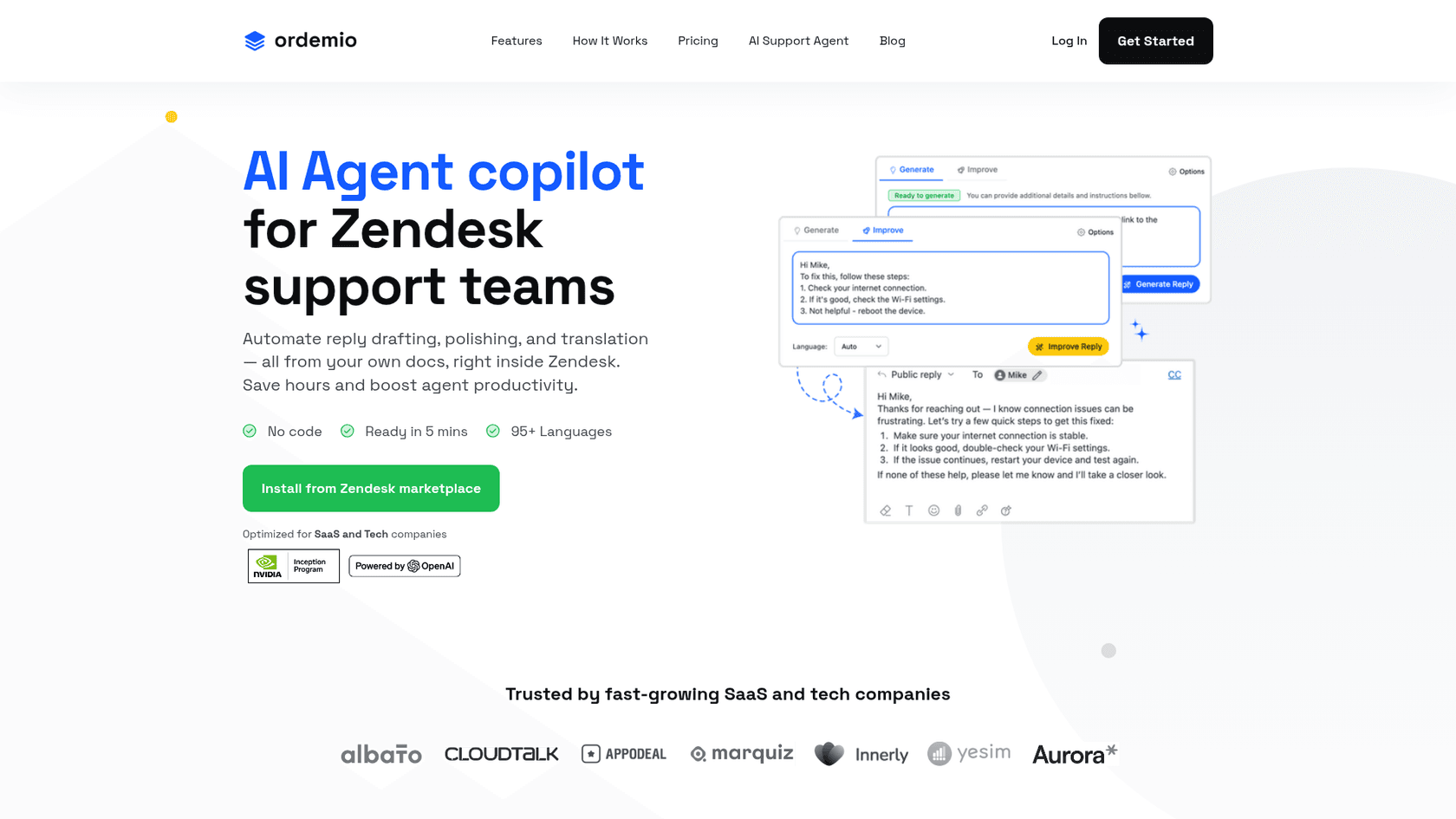
Here's what Ordemio charges, straight from Ordemio's pricing:
| Ordemio plan | Price | What's included |
|---|---|---|
| Startup | $49/month | 1 AI agent, 500 answers/month, 15M data characters, limited auto-sync |
| Growth | From $299/month | 3 AI agents, 3,000 answers/month, 50M data characters, auto-sync, custom actions |
| Elite | Custom | Unlimited agents and answers, premium support, advanced AI analytics |
| Extra answers | $0.10 each | On any plan, after the monthly limit |
| Copilot app | $0.10 per reply | After a 14-day free trial, no per-seat fee |
So why look elsewhere? Four reasons come up when I map Ordemio against what Zendesk teams usually need:
- It's two apps, not one. The copilot and the AI Agent for Support are separate Marketplace listings. If you want drafts on tricky tickets and autonomous replies on easy ones, that's two installs and two meters.
- Small footprint. The copilot listing shows fewer than 5 installs, version 1.0.0, and a single review. The agent listing has two reviews, and Ordemio's G2 page has none. That one review is positive (setup "wasn't completely trivial" but support fixed it quickly), but it's one review.
- The meter counts answers. A long back-and-forth ticket can use several answers. Cheap per unit, but harder to forecast per ticket.
- SaaS focus. Ordemio pitches itself at SaaS and tech teams. Ecommerce teams that need order lookups and refunds will want something built for that.
None of these are dealbreakers on their own. They're the reasons the alternatives below exist.
How I picked these Ordemio alternatives
I kept the list to tools that work with Zendesk today, publish enough on their own pages to judge them, and are not excluded for other reasons. Every price in this post comes from the vendor's own pricing page, checked in October 2026.
The criteria I weighted most:
- Does it work inside Zendesk, on tickets and in the agent workspace, not just as a chat widget that creates tickets?
- Can it both draft and reply, so you can start safe and turn on automation ticket type by ticket type?
- What does it learn from: help center only, or also your past tickets and macros?
- Can you test it on your own solved tickets before a customer ever sees an answer?
- What's the billing unit: answer, ticket, message credit, or resolution?
Ordemio alternatives at a glance
| Tool | Best for | Works in Zendesk as | Drafts for agents | Replies on its own | Billing unit | Entry price | Free trial | Rating | How you buy | Security notes |
|---|---|---|---|---|---|---|---|---|---|---|
| Ordemio (baseline) | Budget SaaS copilot | Two Marketplace apps | Yes (Copilot app) | Yes (Agent app) | Per AI answer | $49/mo for 500 answers | 14 days | 1-2 Marketplace reviews, no G2 reviews | Self-serve | AES-256 at rest, TLS 1.3, on-prem option |
| eesel AI | One AI teammate for drafts and replies | Marketplace app, acts as a Zendesk agent | Yes (internal notes or held drafts) | Yes | Per ticket or chat handled | $299/mo for 500 tickets | 100 free credits, no card | G2 4.6/5 (20) | Self-serve | EU or US data residency, HIPAA with BAA on Enterprise |
| Zendesk AI + Copilot | Native, already on Suite Professional | Built in | Yes (Copilot add-on) | Yes (AI agents) | Per automated resolution + per seat | $55/agent/mo (Suite Team, annual) + $1.50-$2.00 per extra resolution | 14 days | G2 4.3/5 (7,107, whole help desk) | Self-serve or sales | Runs inside your existing Zendesk account |
| Macha | Done-for-you setup on Zendesk | Marketplace app (copilot pane + agents) | Yes | Yes | Per ticket | $299/mo for 750 tickets | $50 of usage (~125 tickets) | 5-star badge, 71 Marketplace reviews | Discovery call | GDPR, EU hosting |
| Forethought | Enterprise, multi-agent suite | Integration + Chrome extension | Yes (Assist) | Yes (Solve) | Platform fee + outcome-based | Quote only | No (proof of value) | G2 4.3/5 (166) | Sales-led | Enterprise governance controls |
| Ada | Enterprise, many channels | Customer-facing agent with Zendesk handoffs | Not documented | Yes | Not published | Quote only | No | G2 4.6/5 (174) | Sales-led | SOC 2, HIPAA, GDPR, PCI DSS |
| Yuma AI | Ecommerce actions | Installs into Zendesk with a co-pilot widget | Yes (draft mode) | Yes | Per full resolution | $14,400/yr (Starter, illustrative) | First 30 days | G2 4.8/5 (19) | Sales-led | SOC 2 Type II |
| Chatbase | Cheap docs-trained bot | Assigned as a Zendesk agent | Yes (draft button) | Yes | Message credits | $150/mo Standard (Zendesk not on Hobby) | 7 days | No current G2 listing | Self-serve | GDPR, SOC 2 Type II, HIPAA (vendor claims) |
Why the billing unit matters more than the sticker price
Before the deep dives, one thing that trips up almost every comparison: these tools don't charge for the same thing. Ordemio counts AI answers. eesel and Macha count tickets, however many replies go back and forth. Yuma and Zendesk count resolutions, so you only pay when the AI closes something without a human.
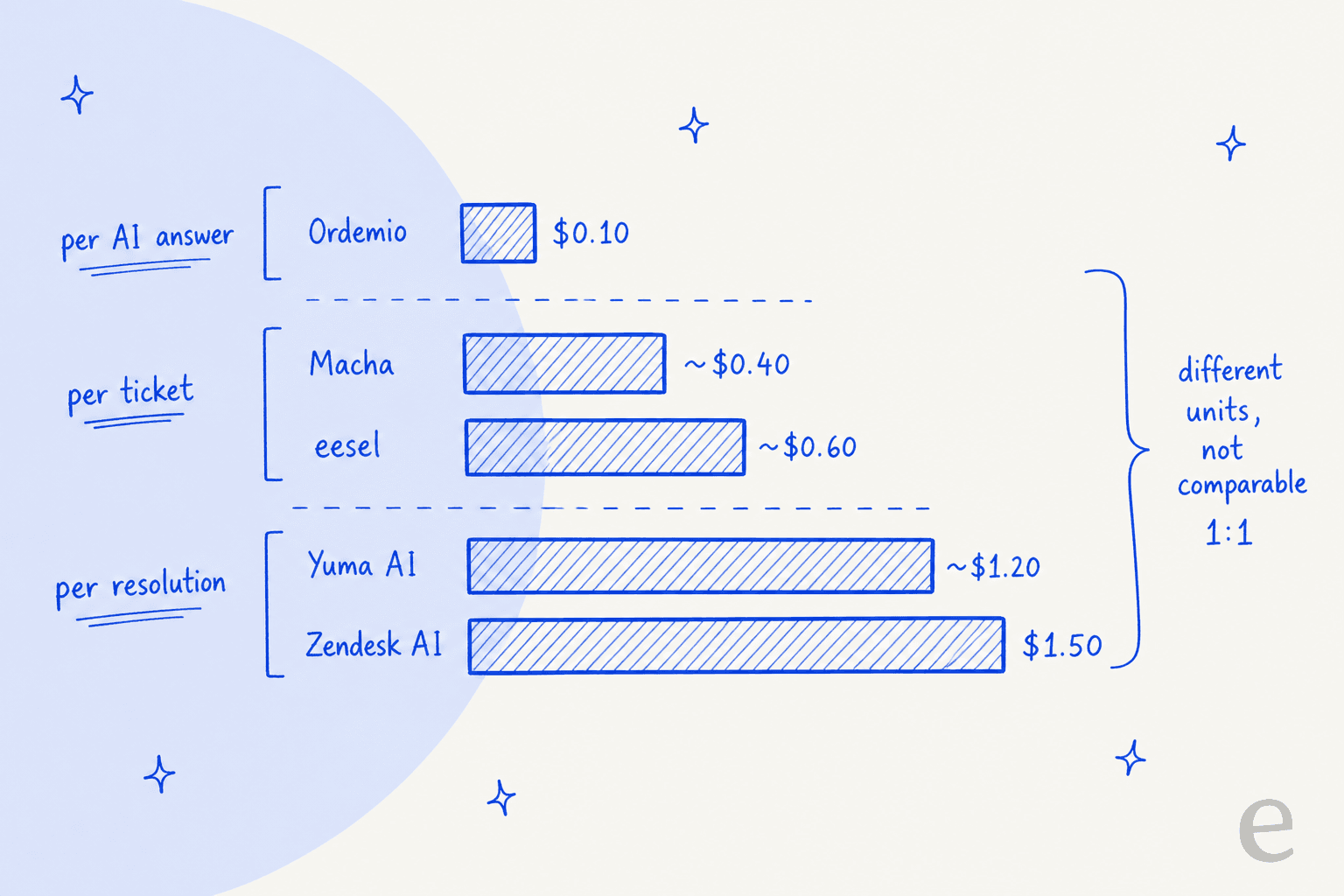
A $0.10 answer looks ten times cheaper than a $1.00 ticket, until a refund thread runs to six replies. A per-resolution price looks expensive, until you notice that escalated tickets cost nothing. My advice: estimate how many of your tickets the AI will touch and how many replies each one needs, then compare the monthly bill, not the unit. eesel has a deeper look at cost per resolution if you want the math.
1. eesel AI
Best for: Zendesk teams that want one AI teammate to draft on some tickets and answer others, trained on their own past tickets.

eesel is an AI teammate platform, and on Zendesk the teammate you hire is the AI helpdesk teammate. It joins your Zendesk as an agent rather than a separate chatbot or inbox. That's the main structural difference from Ordemio: the same agent drafts for your team on the tickets you want reviewed and answers customers on the tickets you trust it with, so there's one setup and one bill.
What it does in Zendesk
Per the Zendesk setup docs, eesel can send ticket replies, hold a draft for approval, leave internal notes signed "Left by eesel AI", add tags, assign tickets to a teammate or group, update status and priority, and close tickets. It learns from your help center, macros and past tickets, with the first import pulling up to 1,000 recent solved or closed tickets.
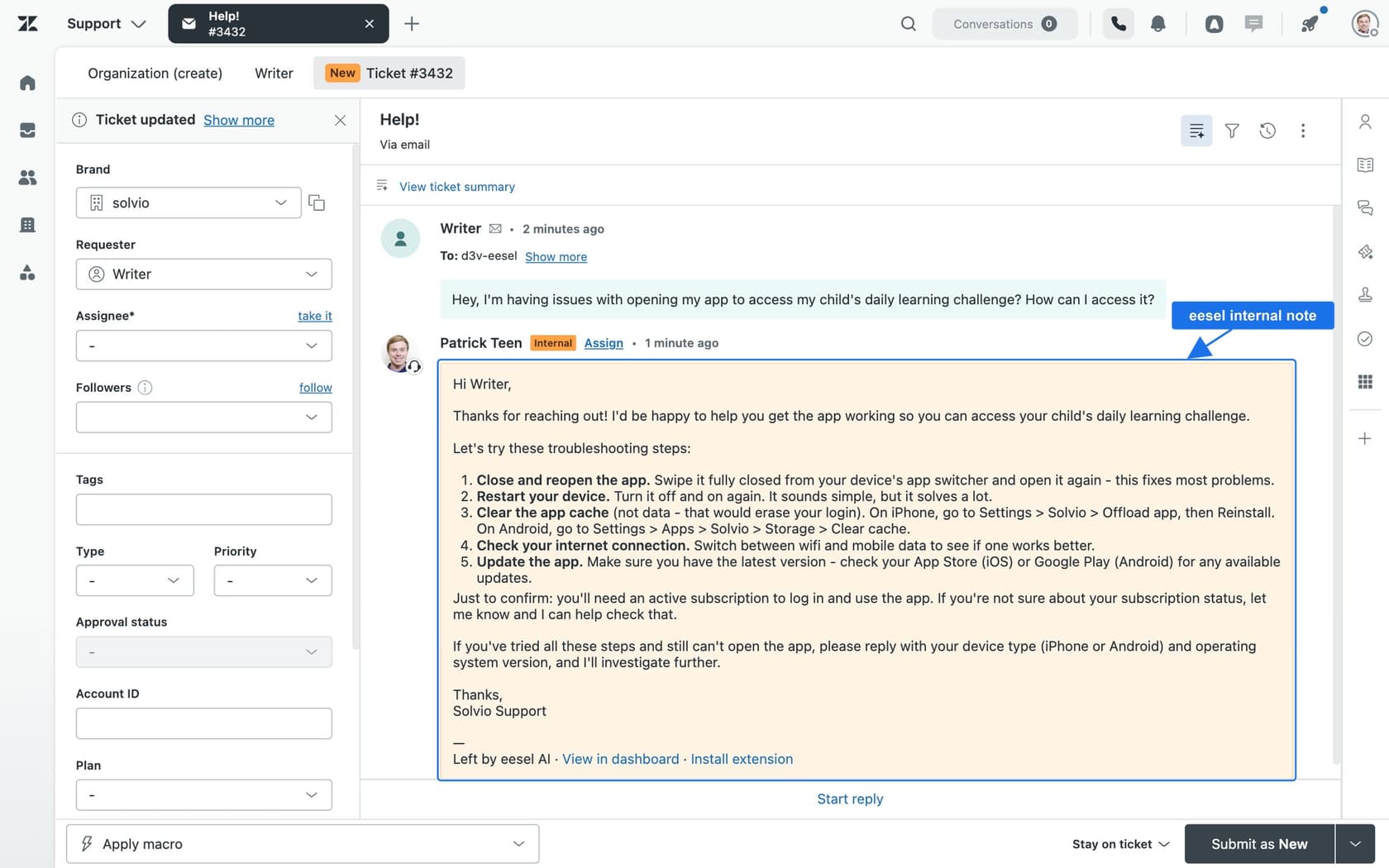
You choose when it runs: on every customer message, only on the first message (useful for triage), when a ticket is resolved, or when someone @mentions eesel in an internal note. Connecting alone does nothing until you set up an automation, which I like, because nothing goes live by accident.
The step I'd point any Ordemio evaluator at is the simulation. eesel's helpdesk simulation takes 20 tickets your team recently resolved, drafts its own reply to each, compares them with what your team actually sent, and tells you what to fix before going live. It sends nothing to customers.
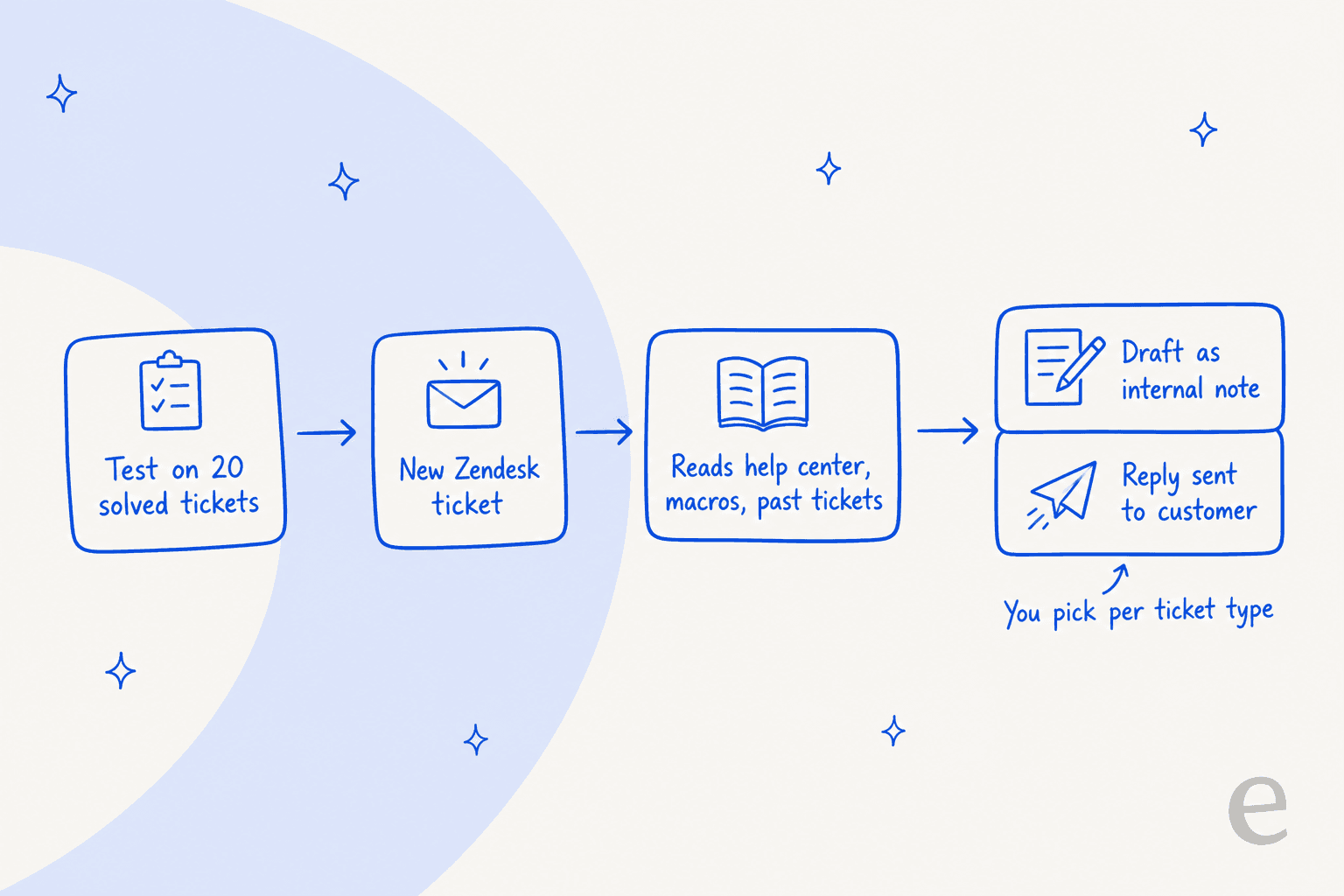
Here's why that matters more than it sounds. In one eesel trial on an ecommerce team's real Zendesk traffic, the drafts were directionally right 88% of the time, yet only 12% went out unedited. Agents glanced at long drafts and rewrote them into one to three sentences. Most of those rewrites were about length and tone, not facts. That's the real test of any copilot, Ordemio's included: not "is the draft correct", but "would my agent send it as is". Training on your agents' own sent replies is what closes that gap, which is why past tickets as a source matter so much.
In production, smava runs three eesel agents on one Zendesk shared by two loan brands: one categorises every ticket, two draft replies from about 820 approved macros and help center articles. In a month that was about 27,000 tickets and 15,300 draft replies, almost all in German. SE Ranking runs a separate agent per product on Zendesk live chat and tickets, about 4,650 conversations a month. And Dokument 24 uses the copilot pattern only: about 670 Danish draft replies a month left as internal notes for its team to send.
If you'd rather work from a terminal, the eesel CLI drives the same agent: eesel integrations connect zendesk connects the account, and every command prints JSON, so a coding agent like Claude Code or Cursor can run the setup for you.
Pricing
From eesel's pricing page: a ticket or a chat is 1 credit, however many replies it takes. You pay for tickets the agent works on, not resolutions, and spam or tickets it's told to skip don't count.
| eesel plan | Monthly price | Credits |
|---|---|---|
| Free | $0 | 100 credits, no card |
| Teammate | $299 | 500 |
| Teammate | $499 | 1,000 |
| Teammate | $699 | 1,500 |
| Teammate | $999 | 2,500 |
| Teammate | $1,149 | 3,000 |
| Teammate | $1,749 | 5,000 |
| Enterprise | Custom | SSO, HIPAA with a signed BAA, dedicated setup |
Every size includes unlimited agents and seats, every integration and EU or US data residency. Overage is optional at $0.80 per credit with a cap you set, otherwise the agent pauses. Paying yearly gets two months free.
Pros and cons
Pros:
- One agent covers both copilot drafts and autonomous replies, switchable per ticket type.
- Learns from past Zendesk tickets and macros, not just the help center.
- Simulation on 20 solved tickets before launch, with nothing sent to customers.
- Named Zendesk customers with published numbers.
Cons:
- At small volumes it costs more per ticket than Ordemio: $299 for 500 tickets versus Ordemio's $49 for 500 answers.
- Replies post as the Zendesk user who approved the connection, so plan which user that is.
- Credits don't roll over month to month.
Verdict
Pick eesel if you want one AI on your Zendesk queue that starts by drafting and earns its way into answering customers, and you care about being able to prove it on old tickets first. Skip it if your only need is a cheap rewrite button for agents at low volume, where Ordemio's per-reply price is hard to beat.
2. Zendesk AI agents + Copilot
Best for: teams already on Suite Professional who'd rather not add another vendor.
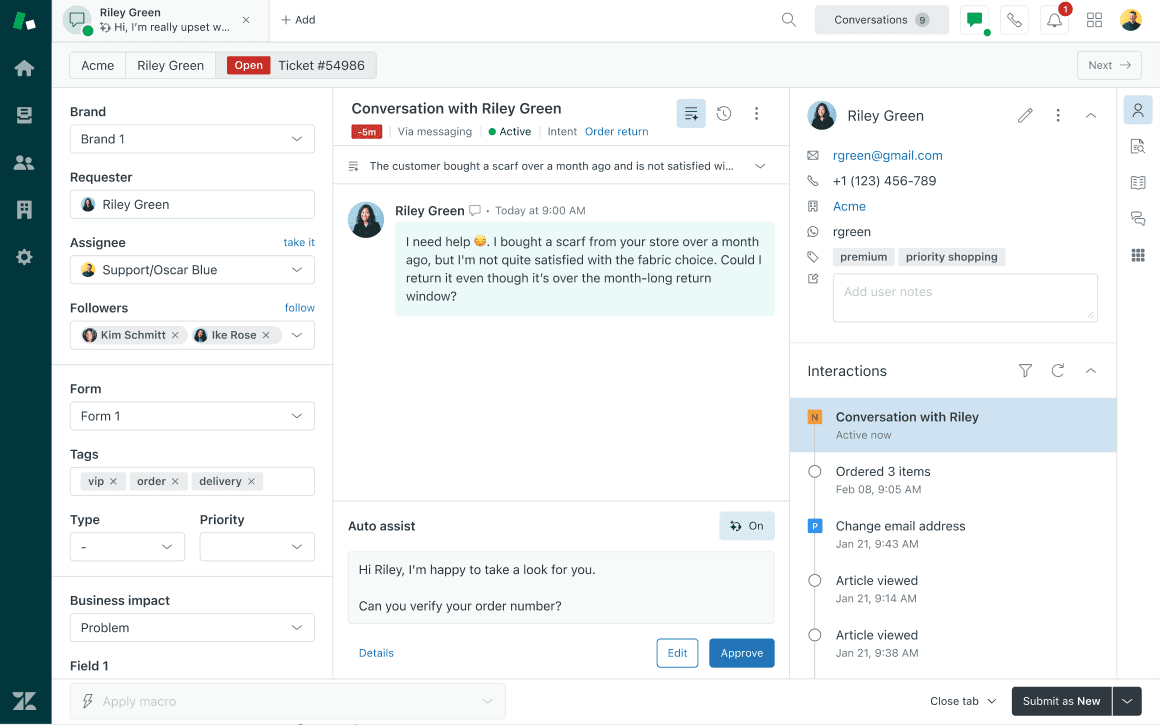
The native option is really two products. AI agents answer customers on messaging, email and voice and are included in every Suite and Support plan. Zendesk Copilot is the agent-side add-on, the closest like-for-like match to Ordemio's copilot.
What it does in Zendesk
Copilot gives agents auto assist (it suggests how to solve a ticket and can run actions once an agent approves), suggested first replies built from your macros and help center articles, ticket summaries, tone and length rewrites, merge suggestions and intelligent triage by topic, sentiment and language. eesel has deeper write-ups on auto assist and Copilot and intelligent triage.
Two things worth knowing in 2026. Zendesk moved to resolution tiers on May 18, 2026, where escalated and merely contained conversations don't count against your allowance, only verified ones do. And AI agents Essential went into maintenance mode on August 31, 2026, with remaining Essential agents migrated in January 2027 per the removal notice. If you're on Essential today, factor that into the timing.
Pricing
From Zendesk's pricing page, per agent per month:
| Plan | Annual | Monthly | Automated resolutions included |
|---|---|---|---|
| Support Team | $19 | $25 | 5 per agent/month |
| Suite Team | $55 | $69 | 5 per agent/month |
| Suite Professional | $115 | $149 | 10 per agent/month |
| Suite Enterprise | Talk to sales | Talk to sales | Not listed |
| Extra automated resolutions | $1.50 committed, $2.00 pay-as-you-go | Included resolutions capped at 10k per year | |
| Copilot add-on | $50 per agent, billed yearly | Professional plans and up |
Without the add-on, Suite Professional gets a taste of Copilot: 5 uses per agent per month, pooled, capped at 500 per account. For the full math, see Zendesk AI pricing and the Copilot add-on breakdown.
Pros and cons
Pros:
- No extra vendor, no extra security review, everything in one admin center.
- Copilot's auto assist can take actions after approval, not just write text.
- Escalated conversations don't count as billable resolutions under the new tiers.
Cons:
- Copilot is per seat. At 10 agents that's $500 a month before any AI agent resolutions, which is the exact pricing Ordemio was built to avoid.
- Copilot needs Professional or higher.
- Two products with two pricing models to track.
Verdict
Pick native Zendesk if you're already on Suite Professional, your agent count is small, and you value one vendor over everything else. Skip it if seat-based pricing is why you looked at Ordemio in the first place. The AI agent vs Copilot comparison goes deeper on which half you need.
3. Macha
Best for: Zendesk teams that want an AI agent and copilot built and tuned for them.
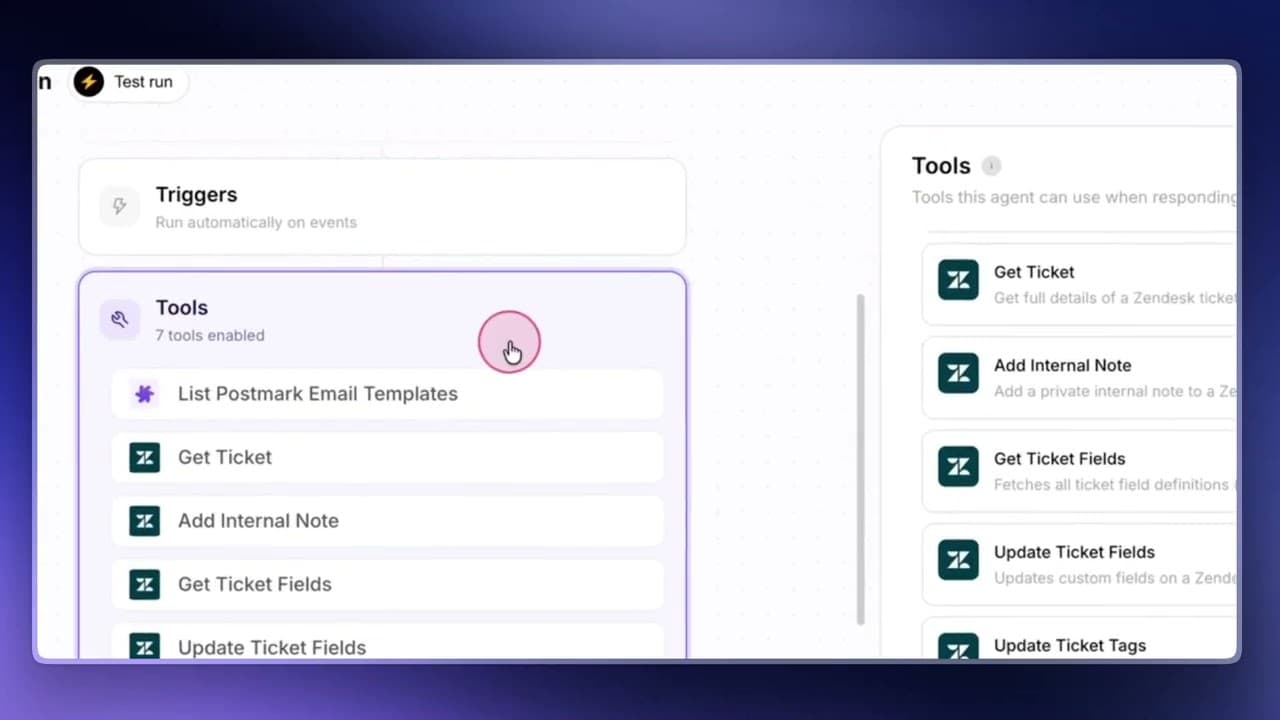
Macha is the closest match to Ordemio's shape on this list: a Zendesk Marketplace app, ChatGPT AI Copilot by Macha, that does both copilot work and autonomous agents. The difference is depth and support: 71 Marketplace reviews and 100+ installs, plus a success team that builds your agents with you.
What it does in Zendesk
The copilot opens as a side pane in the ticket view, where agents @mention an agent to draft, search knowledge or summarise. Autonomous agents run on Zendesk triggers or webhooks and can assign tickets, change status, add a suggested reply for review or reply to the customer. They can also act outside Zendesk, like charging or refunding in Stripe, posting to Slack or updating Google Sheets.
Per Macha's pricing page, a safe mode writes replies as internal notes, and before go-live Macha runs the agent on tickets you already closed and shows its answers next to your team's. Setup is done for you on every plan, through a shared Slack channel. eesel's Macha review has more.
Pricing
Macha bills per ticket, not per reply or per seat, and not per resolution:
| Tickets/month | Macha price |
|---|---|
| 750 | $299/month |
| 1,500 | $599/month |
| 3,000 | $1,199/month |
| 5,000 | $1,999/month |
| Above 10,000 | Quote |
That works out to about $0.40 a ticket. There's no overage: agents pause when the month's tickets run out. The free trial is $50 of usage, roughly 125 tickets, with no card.
Pros and cons
Pros:
- Copilot pane and autonomous agents in one Zendesk app.
- Done-for-you setup on every plan.
- Simulation on closed tickets before launch.
- Per-ticket price is lower than eesel's at most volumes.
Cons:
- Setup starts with a discovery call rather than a self-serve signup.
- Agents pause at the ticket limit, so a busy month needs a plan change.
- A fair-use cap of 50 messages per ticket.
Verdict
Pick Macha if you want Ordemio's two jobs in one app and you'd rather have someone else build the agents. Skip it if you want to self-serve and try it on your own tonight. If Macha's on your shortlist, eesel's Macha alternatives roundup is worth a skim too.
4. Forethought (now Forethought AI Agents by Zendesk)
Best for: large support orgs that want a multi-agent suite with triage and QA.
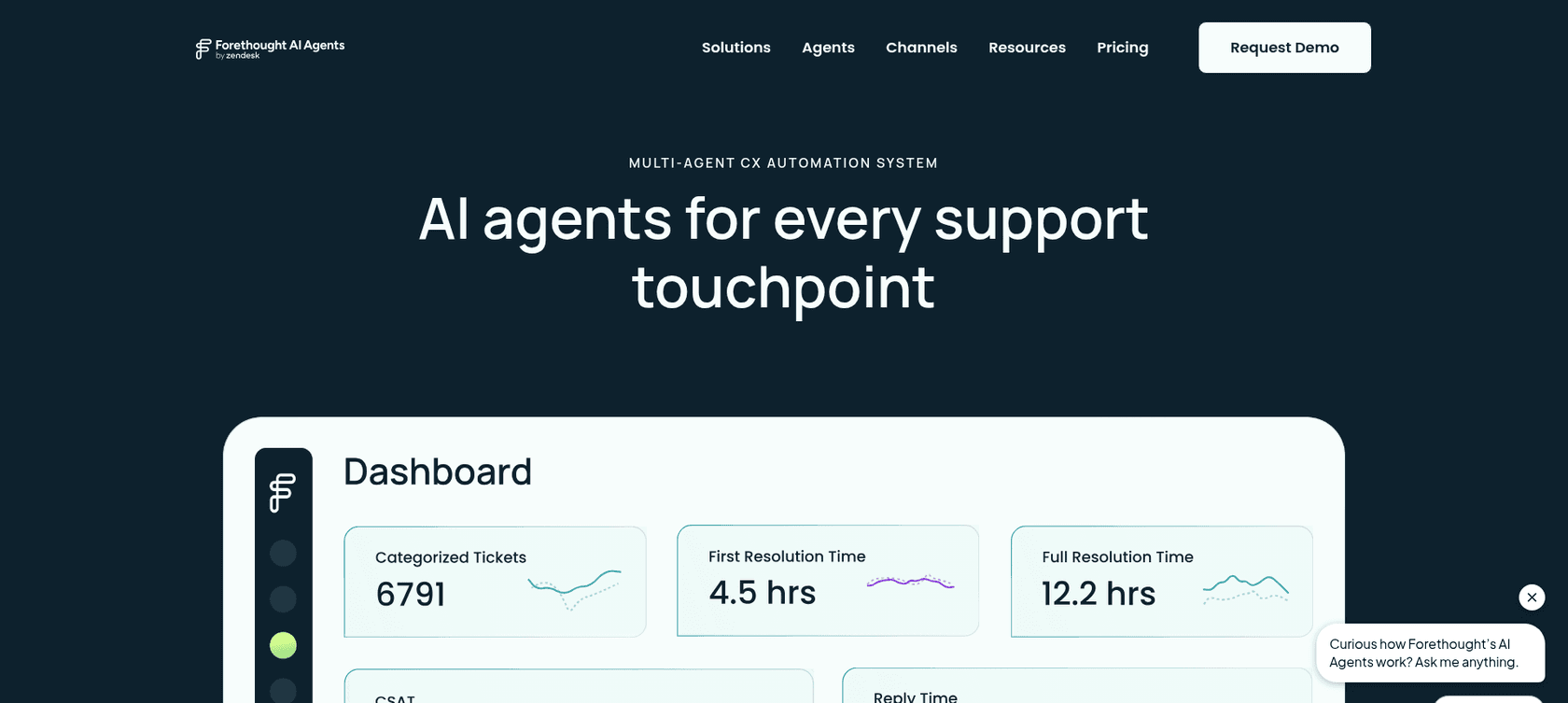
Forethought comes up in almost every Zendesk AI shortlist, with one big update this year: Zendesk completed its acquisition of Forethought on March 26, 2026. It's now sold as Forethought AI Agents by Zendesk, and Zendesk's pricing page has a "Zendesk + Forethought" section that leads to a demo.
What it does in Zendesk
Forethought is a set of agents on the platform page: Solve answers customers across chat, email and voice and hands off to agents, Triage tags urgency, sentiment, language and intent for routing, Assist is a Chrome extension that overlays your helpdesk with suggested responses, and Discover finds knowledge gaps and drafts articles. Agents are trained on past tickets and help center content.
The Assist part matters for an Ordemio comparison: it's a browser extension, not a native Zendesk app, so every agent needs it installed. See Forethought vs Zendesk for how the two now fit together.
Pricing
Forethought's pricing lists Team, Professional and Enterprise plans, all "Get a Quote". The FAQ describes "a blend of platform access fees and an outcome-based pricing cost", with overage charges possible above your purchased volume. There's no free trial; they offer a proof of value on your own data. More in Forethought pricing.
Pros and cons
Pros:
- Broad suite: answering, triage, agent assist, knowledge gaps and QA.
- Trained on past tickets.
- Now owned by Zendesk, which may simplify procurement for Zendesk customers.
Cons:
- No public pricing and a platform fee on top of outcomes.
- Agent assist runs as a Chrome extension.
- Built for enterprise buying cycles, far from Ordemio's $49 starting point.
Verdict
Pick Forethought if you're a large Zendesk shop that wants triage, deflection and QA under the Zendesk umbrella and you're fine with a sales process. Skip it if you came to Ordemio for a quick self-serve install. eesel's Forethought alternatives covers the rest of that market.
5. Ada
Best for: enterprises that want one customer-facing AI agent across chat, email, social and voice.

Ada has been building AI customer service agents since 2016 and is a polished enterprise product, rated 4.6/5 from 174 reviews on G2. It works differently from Ordemio, though: Ada is the agent your customers talk to, and Zendesk is where its conversations land when a person needs to step in.
What it does in Zendesk
Ada's Zendesk handoff docs describe four handoff methods: Zendesk Chat for live handoff, Zendesk Messaging for asynchronous handoff, Zendesk Support for ticket routing with group, fields and tags, and Zendesk Ticketing for email tickets. The Support method has some limits worth reading first: agents reply in Markdown, images in macros arrive as attachments, and there are no typing indicators.
What I didn't find documented is an agent-side copilot inside Zendesk. If the drafting half of Ordemio is what you're replacing, Ada doesn't cover it from what its docs show.
Pricing
Ada's pricing page is a demo form that asks for your annual ticket volume, from under 50K up to 10M+. No plans or rates are published. See Ada pricing for what's known.
Pros and cons
Pros:
- Strong omnichannel coverage, including voice and social.
- Mature tooling: playbooks, actions, coaching, CSAT.
- Compliance badges for SOC 2, HIPAA, GDPR and PCI DSS on its pricing page.
Cons:
- Quote-only, sized for large ticket volumes.
- Customer-facing only, with no documented Zendesk copilot.
- Handoff into Zendesk Support has formatting limits.
Verdict
Pick Ada if you're replacing a customer-facing bot across many channels at enterprise scale. Skip it if you want AI that helps your Zendesk agents write replies. Ada alternatives lists more options in that tier.
6. Yuma AI
Best for: ecommerce brands on Zendesk that need refunds, reships and order changes handled automatically.
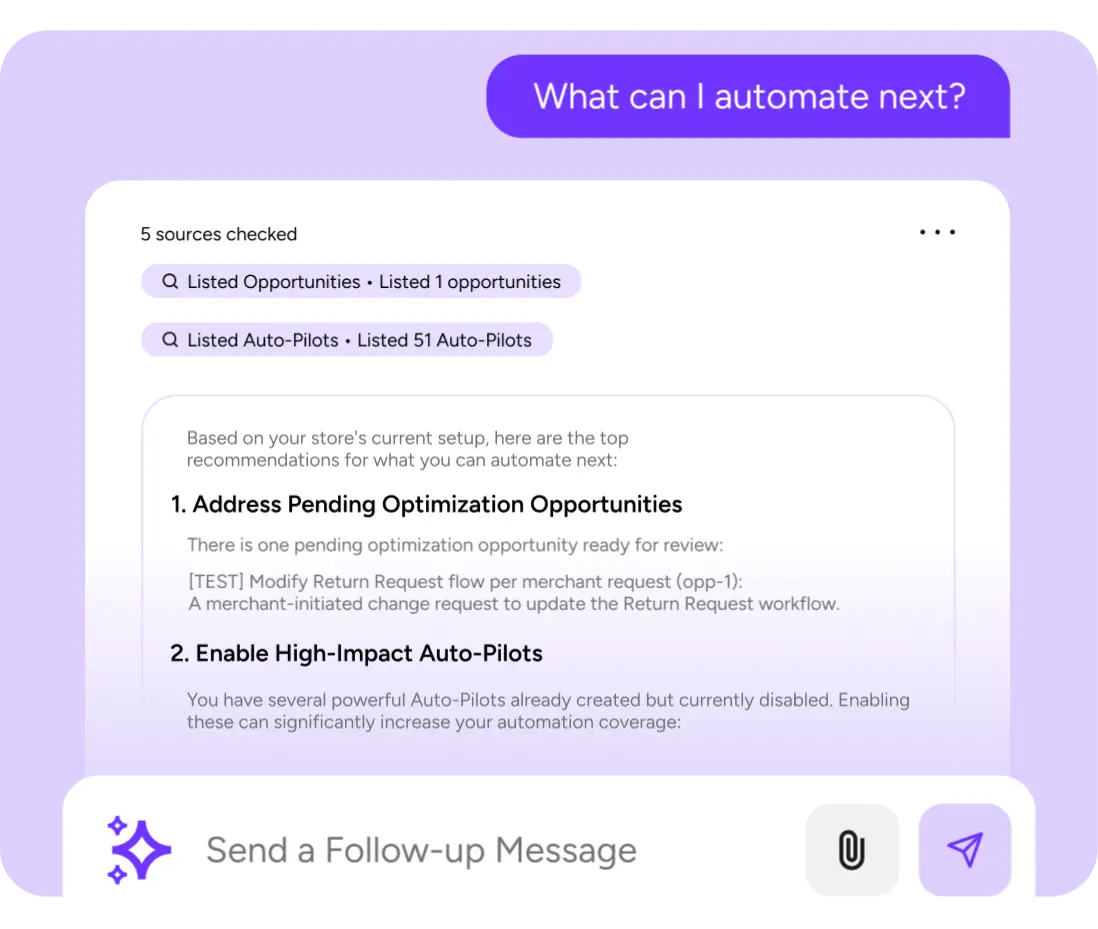
Ordemio is built for SaaS support. Yuma is the opposite: built for Shopify-style stores, where most tickets are "where's my order" and "can I return this". Its Zendesk page says it "installs in minutes" and uses live order, inventory and customer data to refund, reship, cancel or tag tickets.
What it does in Zendesk
Yuma acts across Zendesk, Shopify, Recharge, Yotpo, ShipStation and ShipBob: order lookups and edits, subscription pauses and swaps, refunds and reships, escalating when the documented steps run out. A widget embeds in Zendesk so agents can co-pilot with it, and there's a draft mode, daily caps on refunds and cancellations, and a refund-amount threshold for escalation. If you're on Zendesk plus Shopify, eesel's Zendesk Shopify integration guide is useful background.
Pricing
Yuma bills per full resolution, meaning a ticket handled start to finish with no human touch. From Yuma's pricing, which calls the figures illustrative annual prices on a 12-month commitment:
| Yuma plan | Annual price | Resolutions/year | About per resolution |
|---|---|---|---|
| Starter | $14,400 | 12,000 | $1.20 |
| Growth | $40,000 | ~48,000 | $0.83 |
| Scale | $90,000 | ~120,000 | $0.75 |
Monthly plans charge $1.50 per extra resolution. The first 30 days are free and there's no setup fee. eesel's Yuma AI pricing post has more detail.
Pros and cons
Pros:
- Deep ecommerce actions with safety caps.
- You only pay when it fully resolves a ticket.
- Rated 4.8/5 from 19 reviews on G2.
Cons:
- Ecommerce only. A SaaS team gets little from order and subscription actions.
- Annual commitment paid upfront, sales-led signup.
- Starter alone is $14,400 a year, far above Ordemio's entry point.
Verdict
Pick Yuma if you're an ecommerce brand where most Zendesk tickets are order changes. Skip it if you're a SaaS team, the audience Ordemio targets. More options in Yuma AI alternatives.
7. Chatbase
Best for: small teams that want a cheap docs-trained bot that can also reply on Zendesk tickets.
Chatbase is a general AI agent builder, best known for website chatbots trained on your docs. It's on this list because it's the closest to Ordemio on price and it does more with Zendesk than people expect.
What it does in Zendesk
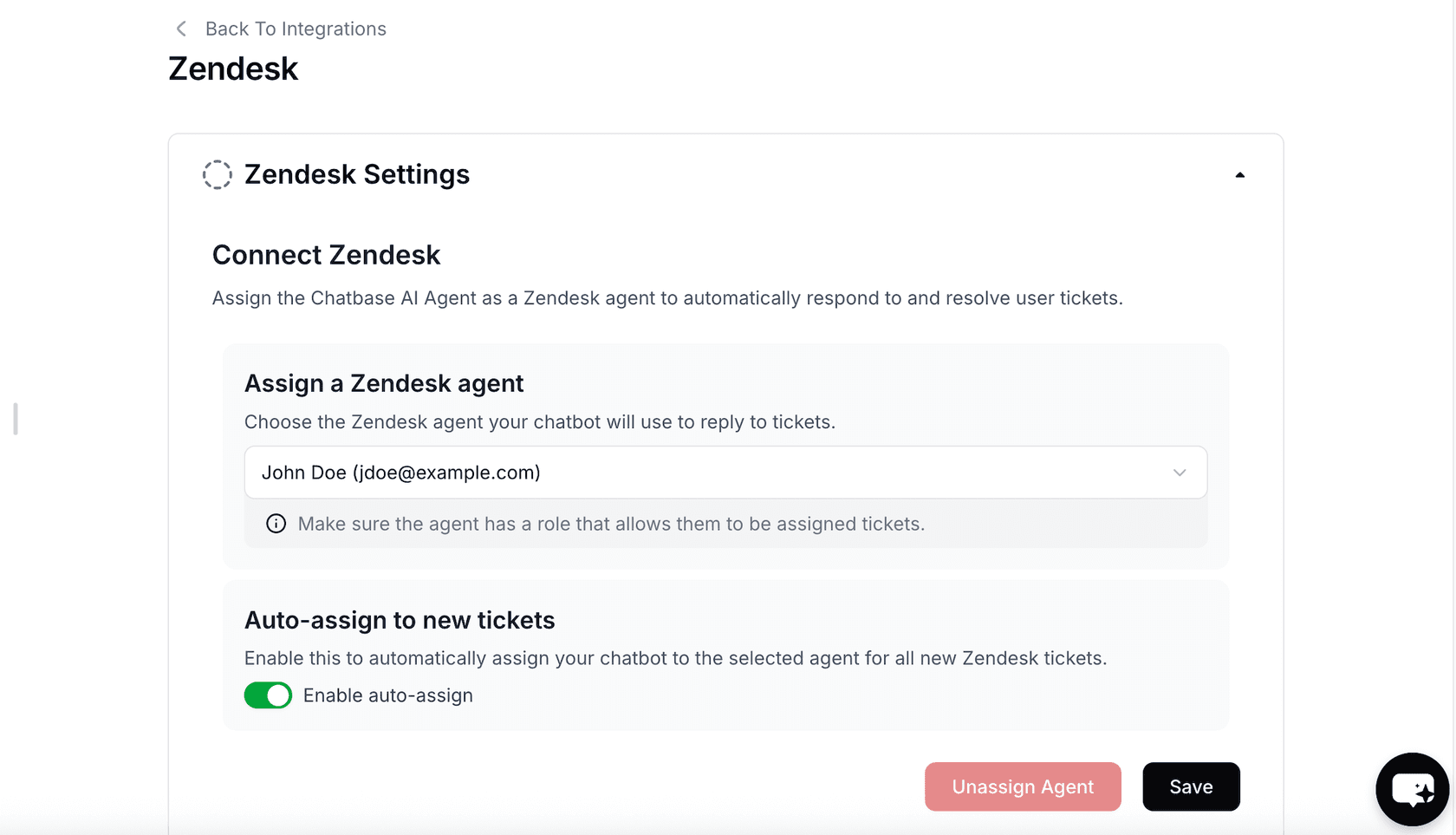
Per the Chatbase Zendesk docs, you assign the Chatbase agent as a Zendesk agent, and it either replies to incoming tickets or drafts a reply for review. A "Generate Draft Response" button sits in the Zendesk composer, so it covers the copilot job too. It tags tickets as it goes, and chat conversations that need a person become Zendesk tickets with the full transcript attached.
The Zendesk setup docs don't describe learning from past Zendesk tickets or macros, or testing on old tickets. "Tickets as a source" appears as a Pro-only line on the pricing page without more detail. eesel's Chatbase review goes further.
Pricing
From Chatbase's pricing:
| Chatbase plan | Monthly | Billed yearly | Message credits/month | Zendesk |
|---|---|---|---|---|
| Hobby | $40 | $32/month | 700 | Not included |
| Standard | $150 | $120/month | 4,000 | Included |
| Pro | $500 | $400/month | 15,000 | Included |
| Enterprise | Custom | Custom | Custom | Included |
Extra credits are $40 per 1,000, and each self-serve plan includes one agent (extra agents are $300 a year). See Chatbase pricing for the full breakdown.
Pros and cons
Pros:
- Self-serve, with a 7-day trial on paid plans.
- Both ticket replies and a draft button inside Zendesk.
- Full transcript handoff into Zendesk tickets.
Cons:
- Zendesk needs Standard ($150 a month) or higher.
- Billing in message credits makes per-ticket cost hard to predict.
- Past-ticket learning and pre-launch testing aren't described in the Zendesk docs.
Verdict
Pick Chatbase if you want a low-cost, self-serve bot that answers from your docs on chat and Zendesk. Skip it if you need an AI that learns your team's past answers. Chatbase alternatives covers similar tools.
How to choose the right Ordemio alternative
Most of the decision comes down to which half of Ordemio you actually need, and what kind of tickets you get.
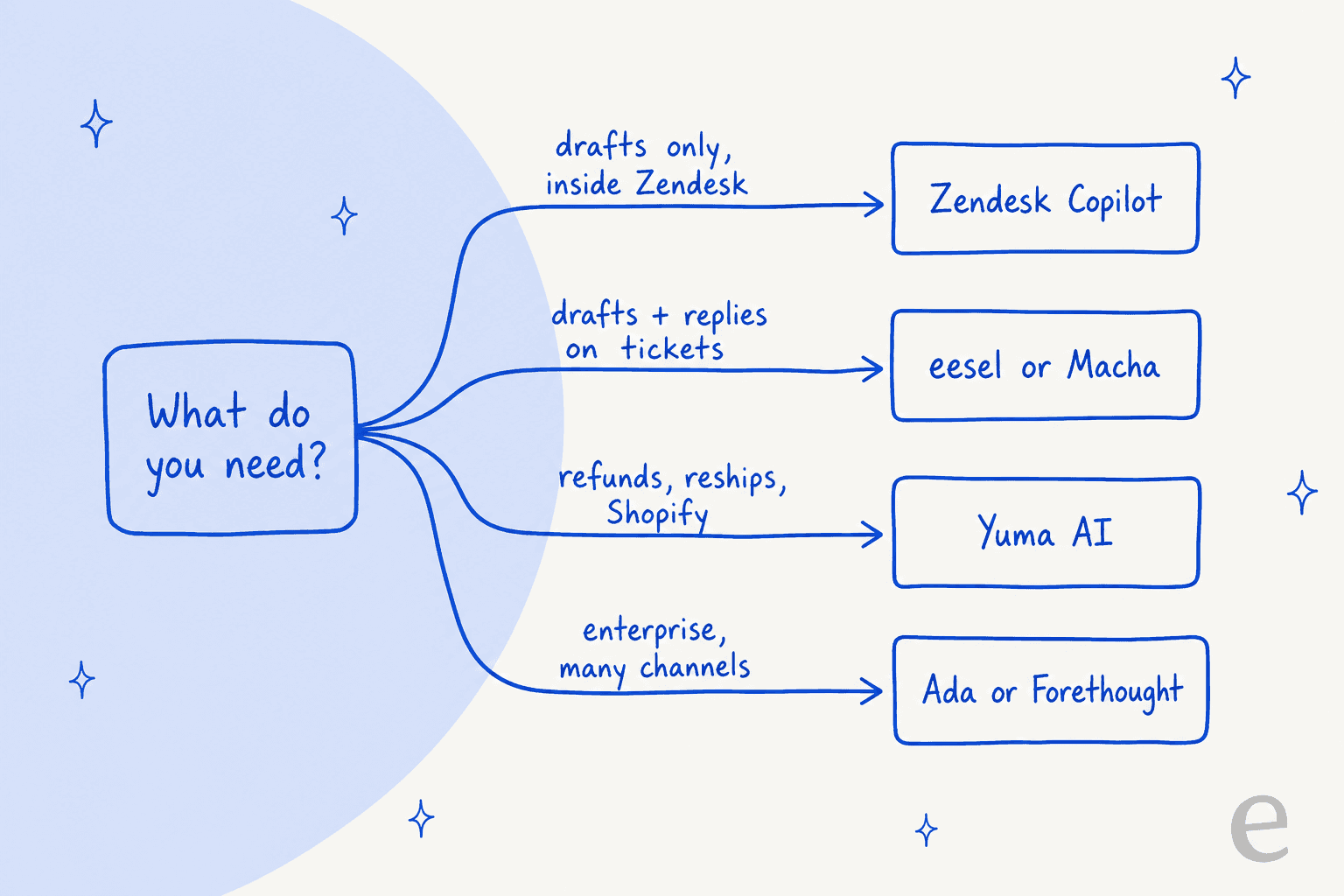
Whichever way you lean, run the same checks in every trial or demo:
- Check what you already pay for. Suite plans include 5 to 10 automated resolutions per agent each month, and Professional gets limited Copilot uses. You might be closer to native AI than you think.
- Test on your own solved tickets, not the vendor's demo data. Count how many drafts your agents would send unedited.
- Price a real month. Take last month's ticket count, estimate replies per ticket, and run it through each billing unit.
- Watch the handoff. Ask exactly what happens when the AI isn't sure: an internal note, a tag, a reassignment? eesel's Zendesk AI handoff guide shows what good looks like.
- Start in draft mode. Turn on autonomous replies one ticket type at a time, once the drafts are going out unchanged.
For a wider view beyond Ordemio, eesel's Zendesk AI alternatives and AI for Zendesk roundups cover more tools.
Try eesel on your Zendesk queue
If you were looking at Ordemio, you probably want two things: help for your agents on tricky tickets, and something that clears the repetitive ones. eesel does both from one Zendesk install. It reads your help center, macros and past tickets, drafts as internal notes where you want a human check, replies on its own where you've seen it get things right, and proves itself on 20 of your solved tickets before any customer sees an answer.

That's how Dokument 24 started, with drafts only, and how smava scaled to 27,000 tickets a month. It's free to try with 100 credits and no card. Try eesel.