Asyntai alternatives 2026: 6 website AI chatbots compared

Kira

Katelin Teen
Last edited October 27, 2026

The best Asyntai alternatives in 2026 are Chatbase for a straight AI-only swap, Tidio for AI plus live chat in one widget, and eesel when your website chats turn into support tickets, with DocsBot for documentation-heavy sites, Botpress for custom builds that never switch off, and Crisp for a flat-priced shared inbox.
Asyntai is still the cheapest tool here at volume: 2,000 AI chats a month fits its $139 Standard plan, and nothing else I could price came in lower with a human handoff included. People leave for other reasons: the bot stops replying when the monthly allowance runs out, human takeover and tickets start at $139, and there are no public user reviews to check it against.
If your chats already end in a helpdesk, look at eesel's AI helpdesk teammate. ClutchLoop, a phone accessory brand, runs it as its website chat and on Gorgias, where it sent about 180 replies in a month with no person needed and looked up products in Shopify 76 times.
Pick what you need next to see which Asyntai alternative to try first, with the price that matters for that choice.
Why do people look for Asyntai alternatives?
People look for Asyntai alternatives when the bot needs to do more than answer: keep going through a busy month, pass a chat to a person, or open a ticket. That's not a knock on Asyntai. For the price it's a capable product, and I covered it in depth in my Asyntai review.
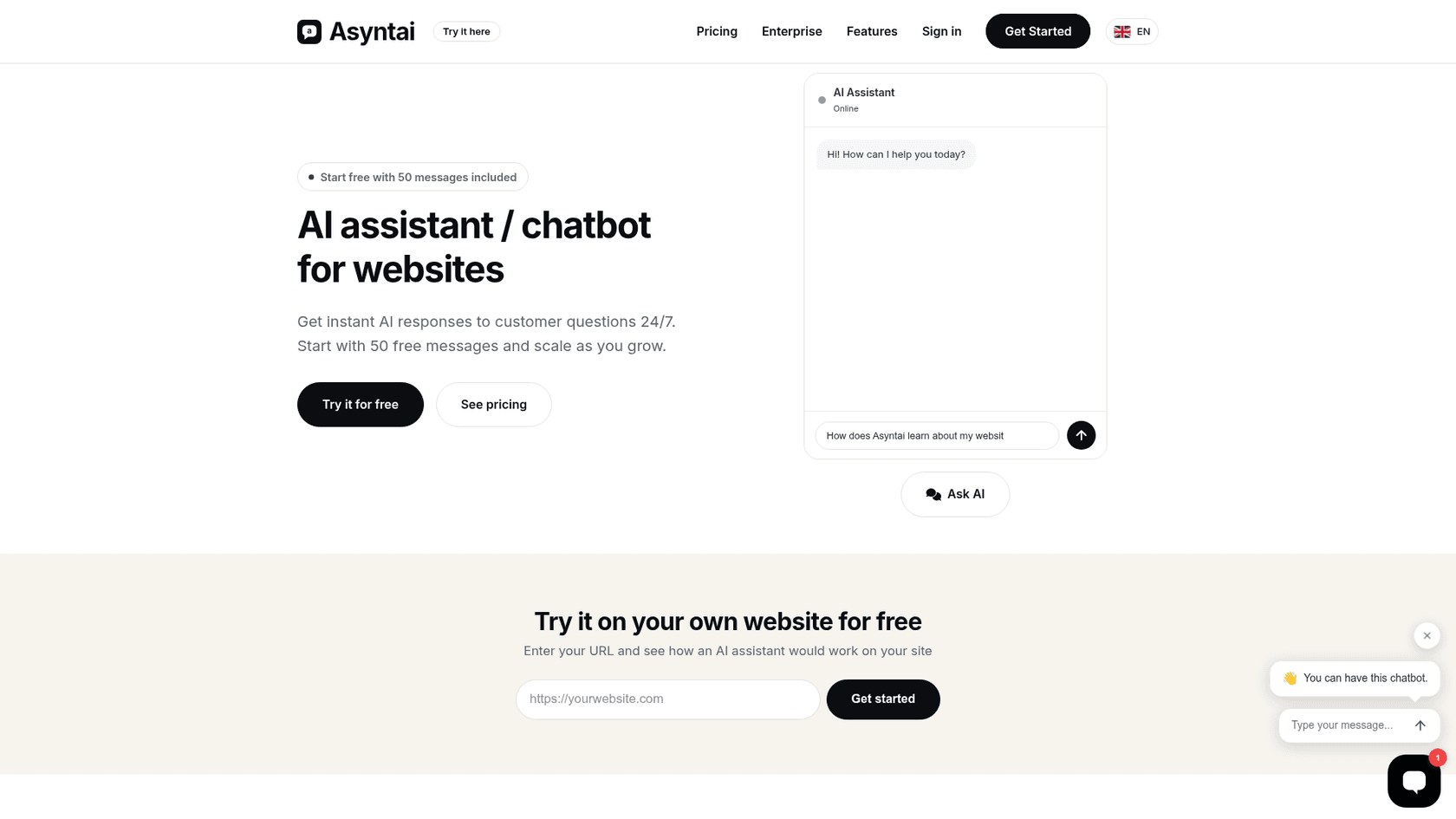
What it does well is real. Asyntai, made by Prague-based Advanced AI s.r.o., crawls your site and answers visitors around the clock, and its installation docs list 68 install guides, from Shopify and WordPress to Moodle and Nextcloud. Its pricing page bills by AI replies: Free gives 50 a month, Starter is $39 for 800, Standard is $139 for 15,000, and Pro is $449 for 50,000. At Standard and Pro, that works out to under a cent per reply. It's also built in the EU, which matters to European buyers.
The reasons people move on are just as specific:
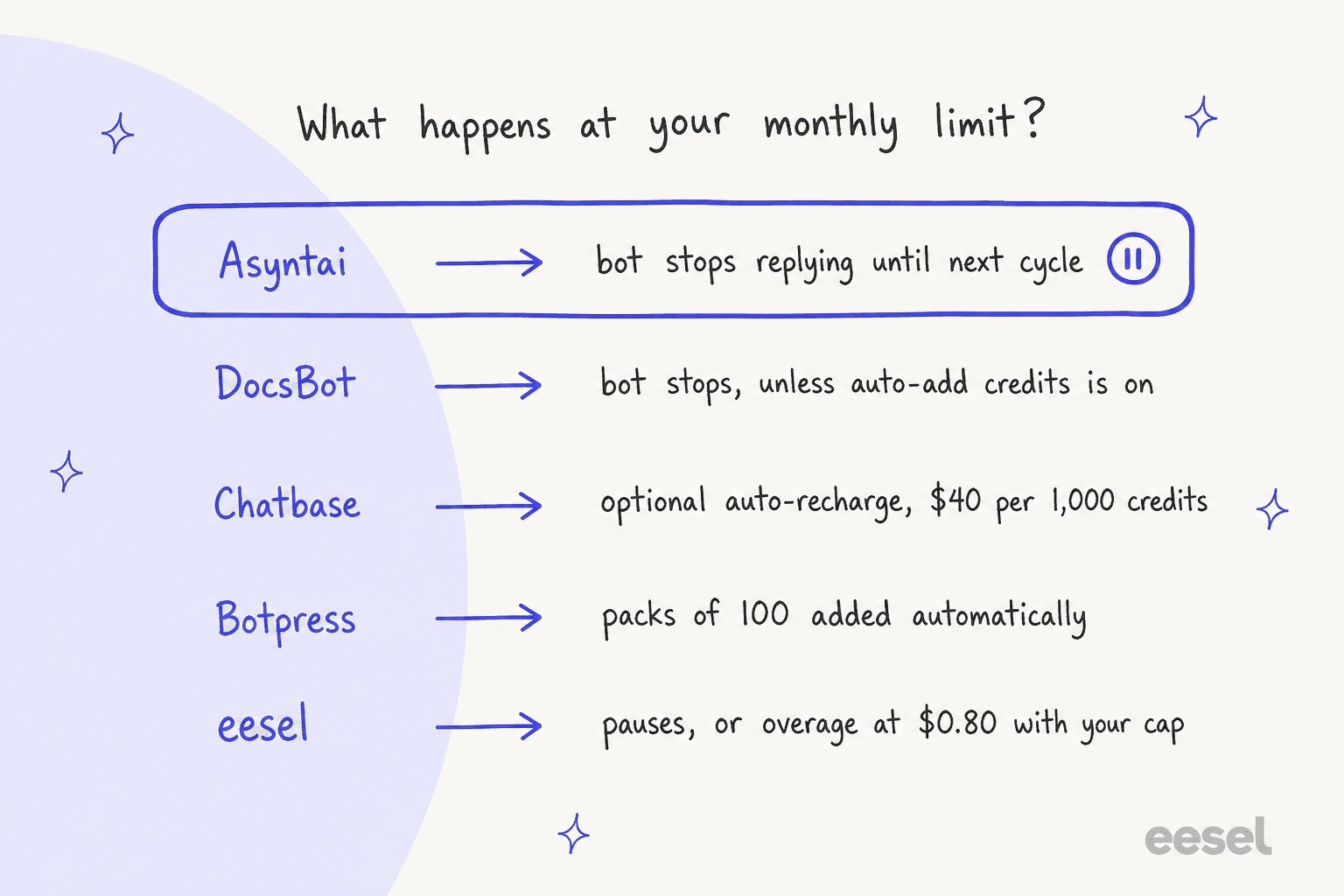
- The bot goes quiet at the cap. There's no overage. Asyntai's own Zendesk integration doc says that once you exceed the limit, the bot stops replying until the next cycle or until you upgrade.
- Handoff and tickets start at $139. Human takeover, escalation emails and support tickets are all Standard features. On Starter, a visitor who needs a person has nowhere to go inside the chat.
- Starter's 800 replies run out fast. Every AI message counts. At 3 replies per chat, 800 replies is about 266 conversations a month.
- No public reviews yet. The Shopify app and the WordPress plugin both showed 0 reviews when I checked, and I found no G2, Capterra or Trustpilot listing.
- Vendor pages disagree. The homepage lists Starter at 800 AI replies, while Asyntai's Starter vs Standard page and the Shopify listing say 2,500. Free is 50 on the pricing page and 100 on the Shopify listing.
The first two matter most for a support team, because they decide what a visitor sees when the bot can't help.
How I compared these Asyntai alternatives
I'm Alicia, a software engineer at eesel, and I build the parts of our AI agent that decide when to answer and when to hand a chat to a person. So I read every tool here from the mechanism up: what the meter counts, what happens when it runs out, and where a human enters the conversation. I checked every price on each vendor's own pricing page on October 27, 2026. Where I describe behavior, it's what the vendor documents, not a month of live testing on my own site.
The cap question isn't hypothetical to me. One of eesel's self-serve customers had a bot quietly handling more than 1,500 messages a month before it hit the plan's usage limit, and he upgraded the moment it did, because the other option was a bot that stopped answering his customers. That's the moment every Asyntai user on a hard cap will meet at some point, so I weighted "what happens at the limit" heavily.
My bar for an alternative: it has to do at least one of the jobs above better than Asyntai, and say clearly what it costs at real volume. When I asked ChatGPT for Asyntai alternatives, its advice for testing any of them was a good one: ask each bot 10 to 15 real questions, including ones your site doesn't answer, and see which one admits it doesn't know.
Asyntai alternatives at a glance
Here's how the six alternatives compare, with Asyntai as the baseline. Prices are from each vendor's own pricing page, checked October 27, 2026.
| Tool | Best for | Billed by | Cheapest paid plan | Free option | At the monthly limit | Human handoff from | Helpdesk connections | Shopify | Remove branding | Security (vendor-stated) |
|---|---|---|---|---|---|---|---|---|---|---|
| Asyntai (baseline) | Cheap AI answers at volume | AI replies | Starter $39/mo, 800 replies | Free: 50 replies a month | Bot stops replying until next cycle | Standard, $139/mo | Zendesk Messaging, Gorgias chat, Front, Freshchat, HubSpot, LiveChat | Shopify app | Pro, $449/mo | Built in the EU, GDPR; PII redaction and audit log on Enterprise |
| Chatbase | A straight AI-only swap | Message credits | Hobby $32/mo billed yearly | 7-day trial on paid plans | Optional auto-recharge, $40 per 1,000 | Helpdesk inbox on Basic, $120/mo | Zendesk, Freshdesk, Gorgias, HubSpot, Zoho Desk and more from Basic | All paid plans | $1,188/yr add-on | SOC 2 Type II, GDPR, HIPAA-eligible on Enterprise |
| Tidio | AI and live chat in one widget | Lyro conversations + human conversations | Starter $24.17/mo billed yearly; Lyro from $32.50/mo | Free: 50 conversations, 50 Lyro chats once | Lyro limit refreshes every 30 days | Live chat on Free | Lyro sold alone for Zendesk, Salesforce | Native actions from Growth | Add-on on Growth, included on Plus | Not listed on the pricing page |
| eesel | Chats that turn into support work | 1 credit per chat or ticket | $299/mo for 500 credits | 100 credits to try, no card | Pauses, or overage at $0.80 with your cap | Every plan, into your helpdesk | Zendesk, Freshdesk, Gorgias and more | Live order lookups | Not listed | HIPAA with BAA on Enterprise; SOC 2 Type II underway |
| DocsBot | Answers from long documentation | AI credits (1x per message and up) | Personal $49/mo | Free: 100 AI credits a month | Bot stops unless auto-add is on | Escalation tickets on Standard, $149/mo | Imports Zendesk, Freshdesk, Help Scout tickets | Not listed | Business, $499/mo | SOC 2 Type II and GDPR on Business; HIPAA on Enterprise |
| Botpress | Custom agents that never switch off | Conversations | Plus $150/mo billed yearly | Free: 100 conversations | Packs of 100 added automatically | Botpress Desk, built in | Connects to Zendesk | Via integrations | Plus, whitelabel webchat | SOC 2 Type 2, GDPR, HIPAA on its trust center |
| Crisp | Flat-priced shared inbox | Flat per workspace + AI credits | Mini $45/mo | Free: 2 seats, no AI credits | Fixed AI allowance per plan | Shared inbox on Free | Own ticketing on Plus, 100+ integrations | Syncs on every plan | Plus, $295/mo | Not listed on the pricing page |
The column to read twice is "Billed by". Seven tools, seven different meters, so the sticker prices above don't compare until you price one site.
What would 2,000 AI chats a month cost on each?
To make the meters comparable, I priced one buyer: a store or SaaS site with 2,000 AI-answered chats a month, about 3 AI replies per chat (6,000 AI replies), and a small team that takes over now and then. Where a vendor lists a yearly price, I used it.
| Tool | Plan that fits | Monthly cost | The math |
|---|---|---|---|
| Asyntai | Standard | $139 ($125 billed yearly) | 6,000 replies fits Standard's 15,000; Starter's 800 would cover about 266 chats |
| DocsBot | Standard | $149 | 6,000 credits at 1x fits Standard's 15,000; Personal plus one $49 add-on is $98 but has no escalation tickets |
| Chatbase | Basic + auto-recharge | $200 | $120 for 4,000 credits, plus 2,000 more at $40 per 1,000, assuming 1 credit per AI reply |
| Crisp | Plus + extra AI credits | $295 + extra | Plus covers about 1,350 automated conversations; the price of more AI credits isn't on the pricing page |
| eesel | 2,000-credit plan | $849 | 2,000 chats is 2,000 credits, however many replies each chat takes |
| Botpress | Team + 5 packs | $1,000 | $750 for 1,500 conversations, plus 5 packs of 100 at $50; Plus would be $150 + 18 packs at $65 = $1,320 |
| Tidio | Starter + Lyro | Not published | The Lyro calculator stops at 1,000 conversations, then "More" |
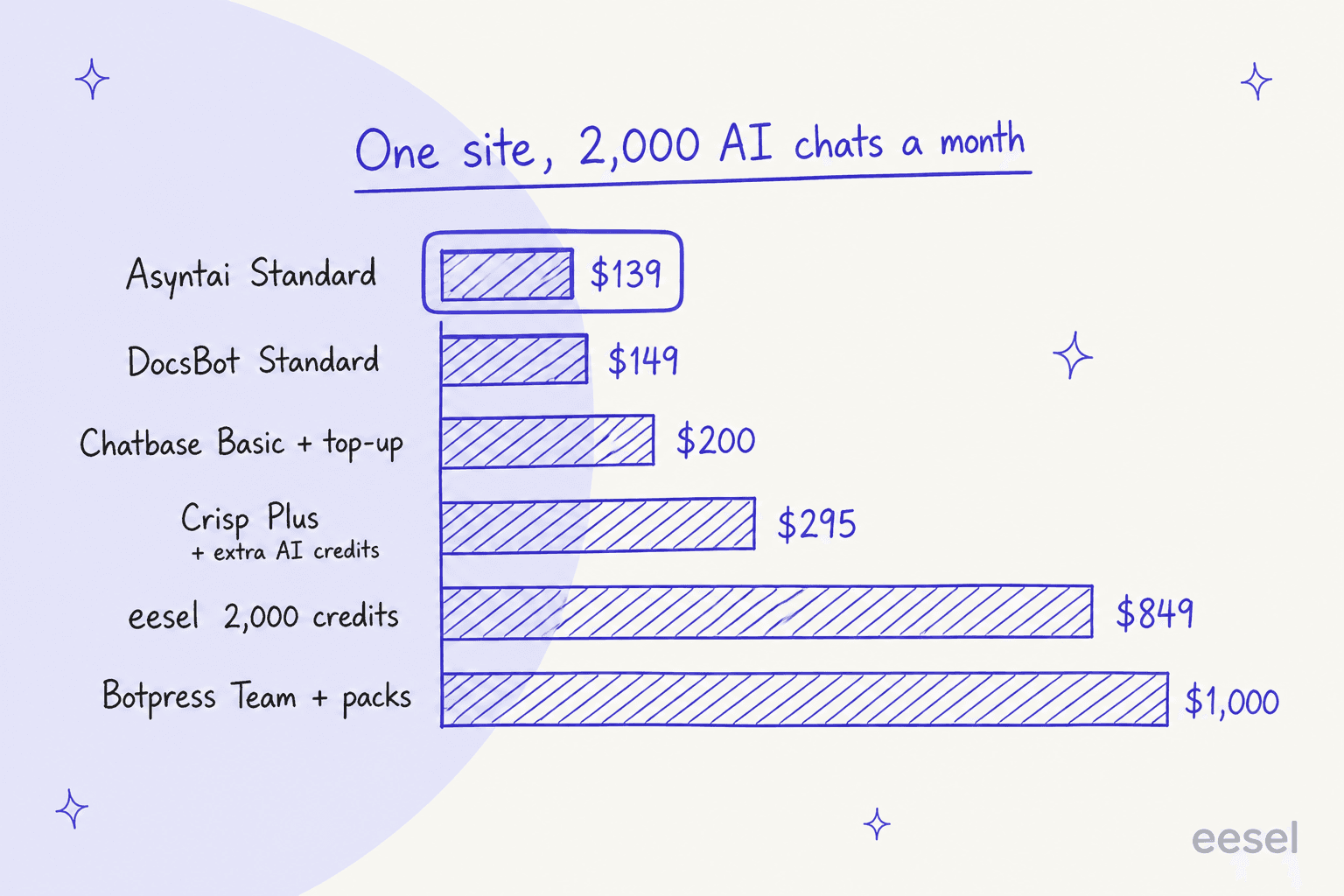
Two things stand out. Asyntai wins on price at this volume, so a cost complaint alone isn't a reason to switch; check whether Standard fixes it first. And the tools above $800 are selling a different job: an agent that works your helpdesk queue or a custom-built bot, not a cheaper answer per message. My chatbot cost guide and the piece on AI customer service cost go deeper on that trade.
1. Chatbase
Best for: an AI-only website chatbot that's a straight swap for Asyntai, with more room to grow.
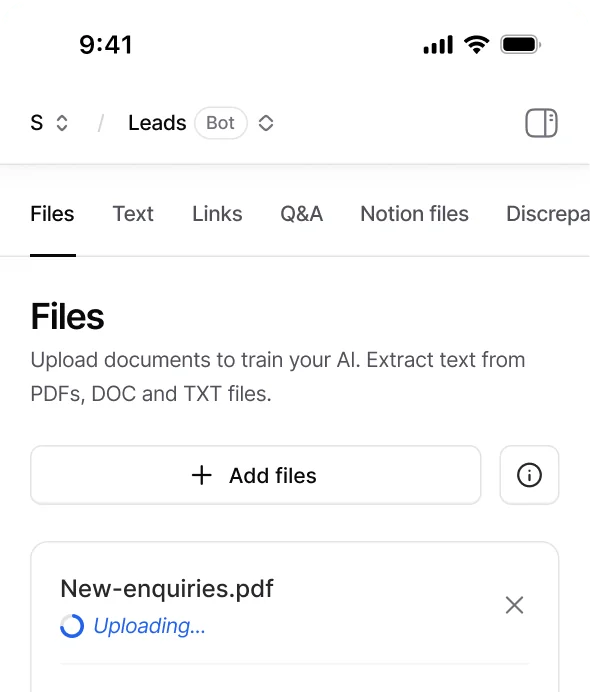
Chatbase is the tool ChatGPT called the best direct Asyntai alternative, and I agree. You train an agent on your site, files, text and Q&A, embed it, and pay by message credits. What it adds is a way to keep going past the allowance, plus connections to the helpdesk you might already run.
What it does vs Asyntai
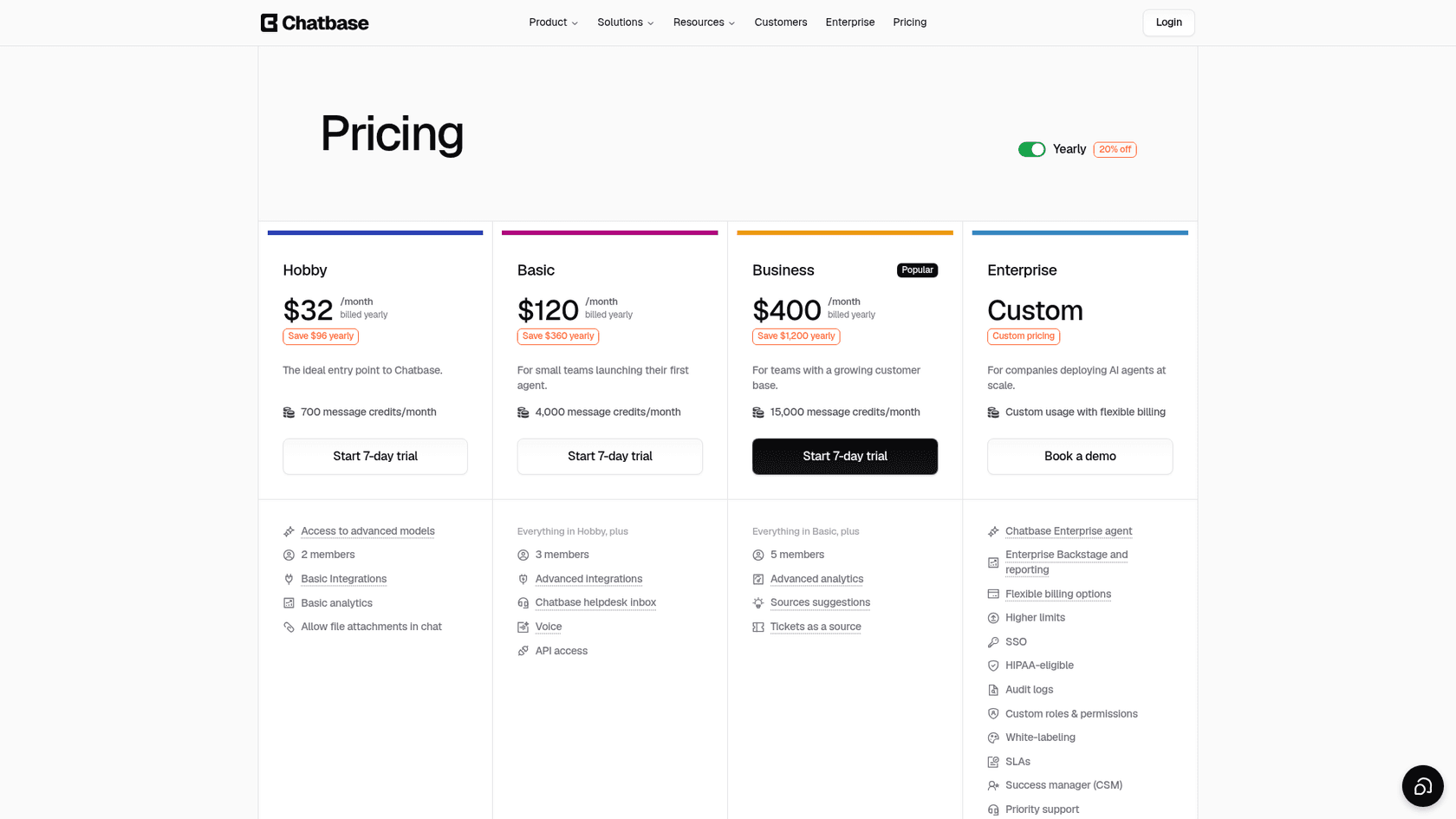
The training screen above covers the same ground as Asyntai's knowledge base: files, text, links and Q&A. The difference is at the edges. On the Chatbase pricing page, auto-recharge adds credits at $40 per 1,000 when you fall below a threshold, so the agent doesn't go quiet. Basic adds the Chatbase helpdesk inbox, voice and API access, and the Zendesk, Freshdesk, Gorgias and HubSpot integrations. Business adds tickets as a source, which is the closest Chatbase gets to learning from past support replies.
Chatbase renamed its middle plans since my last check: Standard is now Basic, and Pro is now Business, at the same prices.
Pros and cons
- Pro: optional auto-recharge keeps the bot answering through a busy month.
- Pro: Shopify, WhatsApp, Messenger and Instagram are included from Hobby.
- Pro: SOC 2 Type II and GDPR, with HIPAA-eligible plans on Enterprise.
- Con: removing "Powered By Chatbase" is a $1,188-a-year add-on, about 3x the Hobby plan's yearly price.
- Con: helpdesk integrations and the human inbox start on Basic at $120 a month billed yearly, close to Asyntai's Standard.
Pricing
From Chatbase's pricing page, billed yearly (20% off):
| Plan | Price | Message credits | Notable |
|---|---|---|---|
| Hobby | $32/mo ($40 monthly) | 700/mo | 1 agent, 2 members, basic integrations incl. Shopify |
| Basic | $120/mo ($150 monthly) | 4,000/mo | helpdesk inbox, voice, API, Zendesk/Freshdesk/Gorgias |
| Business | $400/mo ($500 monthly) | 15,000/mo | tickets as a source, advanced analytics |
| Enterprise | custom | custom | SSO, white-labeling, HIPAA-eligible |
The page shows a 7-day trial on paid plans and no Free plan card. My Chatbase pricing guide has the full breakdown.
Verdict
Pick Chatbase if you like Asyntai's model and want the bot to keep going when it hits the allowance. Skip it if branding matters on a small budget. For other directions, see my Chatbase alternatives list.
2. Tidio (Lyro)
Best for: small businesses that want AI answers and a live chat inbox in one widget.
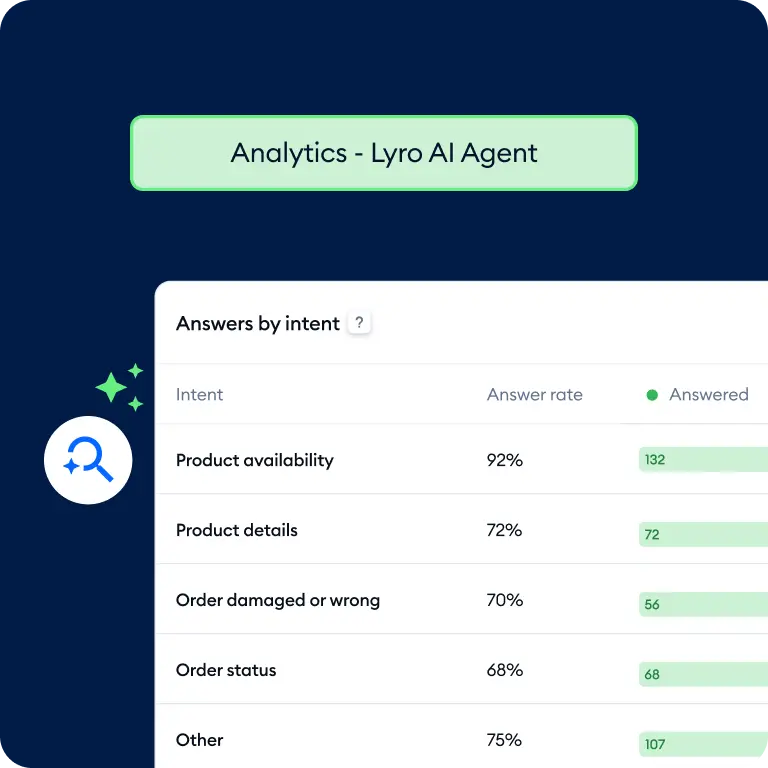
Tidio is the alternative I'd try first if the reason you're leaving Asyntai is "a person needs to jump in", and you don't want to pay $139 a month for that. Its AI agent, Lyro, answers from your support content, and the same widget feeds a live chat and ticketing inbox.
What it does vs Asyntai
On Asyntai, human takeover is a Standard feature. On Tidio, live chat is in every plan, including Free, and Lyro hands off to your team on rules you set. The billing works differently too: Tidio counts a Lyro conversation once, however many replies Lyro sends, while Asyntai counts every AI reply. Tidio's pricing FAQ says that even if Lyro replies "a dozen times or more", it's still one conversation. If you run Zendesk or Salesforce, Tidio sells Lyro on its own as an add-on to that helpdesk.
Pros and cons
- Pro: AI and human chat live in one inbox, and live chat is free to start.
- Pro: billed per AI conversation, not per reply, so long chats don't burn the allowance.
- Pro: native Shopify actions from the Growth plan.
- Con: two separate meters. Human conversations and Lyro conversations are billed apart, and the Lyro calculator only shows prices up to 1,000 conversations.
- Con: removing Tidio branding is an add-on on Growth ($16.67 a month) and included only from Plus at $300.
Pricing is the most common complaint I found:
"Just had a conversation with tidio, their pricing is so off and hidden, "free tier" is just a trap includes most services that are billed separatedly once you want to scale."

Pricing
From Tidio's pricing page, billed yearly (2 months free):
| Plan | Price | What you get |
|---|---|---|
| Free | $0 | 50 billable conversations, 50 Lyro conversations once, 100 Flows visitors |
| Starter | $24.17/mo | 100 billable conversations, live chat and ticketing |
| Growth | from $49.17/mo | from 250 billable conversations, macros, native Shopify actions |
| Plus | from $300/mo + usage | custom branding, departments, discounted usage |
| Lyro AI Agent | from $32.50/mo | from 50 Lyro conversations a month |
A "billable conversation" is one where a human replies; Lyro conversations count on their own meter. See my Tidio pricing guide for worked examples.
Verdict
Pick Tidio if you want AI first and a person in the same window, without paying for Asyntai Standard to get there. Skip it if you need a published price for high AI volume. My Tidio alternatives roundup covers the next ring of options.
3. eesel
Best for: sites whose chats have turned into support work, and teams that already run a helpdesk.

eesel didn't come up when I asked ChatGPT for Asyntai alternatives, and I understand why: eesel doesn't sell a widget. It's an AI teammate for your helpdesk that also runs your website chat bubble. The difference shows up the moment a chat needs more than a published answer.
What it does vs Asyntai
Asyntai's handoff ends in its own Tickets dashboard, where the visitor gets no automatic email. eesel's ends in the helpdesk your team already works in. You connect your site, help center and helpdesk, and eesel learns from all three, including the replies your team has already sent. It answers chats on your site, checks live data such as Shopify orders, and when a chat needs a person it creates a ticket in Zendesk, Freshdesk or Gorgias. Then it keeps working those tickets by email, which is the part a widget never touches. You change its behavior by writing instructions in plain English, as in the screenshot above.
Testing works differently too. Asyntai's docs describe a manual test chat; eesel lets you simulate the agent on your past tickets and read what it would have said before it talks to anyone. That's the part I'd point an Asyntai user at, because it turns "does the bot know when to stop?" into something you can check on 500 real conversations instead of 15 typed ones.
ClutchLoop runs eesel as "Loopy" on its website chat and on Gorgias. Between August 8 and September 8, 2026, it handled about 230 Gorgias tickets and 27 website chats, sent about 180 replies directly, and ran 76 live product lookups in Shopify, so prices and stock never came from a stale page. Anything outside returns and product questions goes to the team.
Pros and cons
- Pro: learns from past tickets and your team's real replies, not only published pages.
- Pro: handoff lands in your helpdesk on every plan, with no feature gate.
- Pro: one unit: a chat or a ticket is 1 credit however long it runs, with unlimited agents and seats.
- Con: it's not the cheap option. 2,000 chats a month is $849, about 6x Asyntai Standard for the same volume.
- Con: when credits run out, agents pause until reset unless you turn on overage, so set the monthly cap before a busy season.
Pricing
From eesel's pricing page:
| Plan | Price | What you get |
|---|---|---|
| Free | $0 | 100 credits to try every feature and integration, no card |
| Teammate | from $299/mo | 500 credits; 1,000 for $499, 2,000 for $849, up to 5,000 for $1,749 |
| Enterprise | custom | SSO and MFA, custom data residency, HIPAA with a signed BAA |
Optional overage is $0.80 a credit with a monthly cap you set, and paying a year upfront gets two months free. EU or US data residency is included on every plan.
Verdict
Pick eesel if your chat has become a support channel: order questions, tickets, follow-ups, a team behind it. Skip it if you mostly want FAQ answers and leads on a small site, because Asyntai or Chatbase will do that for far less. My roundup of AI helpdesks for small business puts it in context.
4. DocsBot
Best for: sites where the answers live in long documentation, help centers and PDFs.
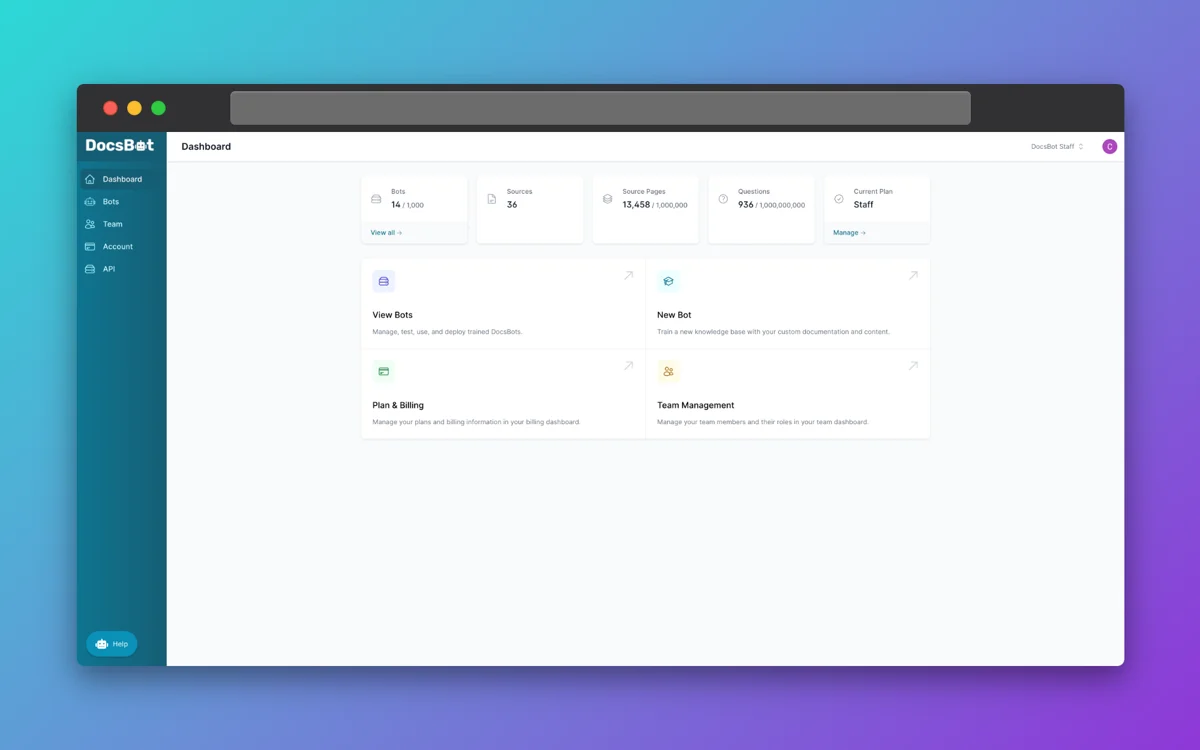
DocsBot is the closest to Asyntai in pricing shape, a monthly AI credit limit with a hard stop by default, but it's built around documentation. ChatGPT picked it as the best option for docs and FAQs, and the source limits back that up.
What it does vs Asyntai
DocsBot measures knowledge in source pages of about 5,000 characters, and Personal includes 5,000 of them, against Asyntai Starter's 250 crawled pages. It takes 28+ source types, refreshes them on a schedule, and from Standard can learn from tickets imported from Zendesk, Freshdesk or Help Scout. At the limit, its pricing FAQ says the bot "stops responding and shows visitors a friendly error message", the same as Asyntai, except you can turn on auto-add AI credits at $49 per 5,000.
Pros and cons
- Pro: large source limits for the price, with scheduled refreshes.
- Pro: learns from past tickets on Standard, which Asyntai doesn't offer as a source.
- Pro: SOC 2 Type II audited controls, with GDPR and a standard DPA on Business.
- Con: credits scale with the model: a message starts at 1 credit, and larger models and AI actions cost more.
- Con: escalation tickets start on Standard at $149, and unbranded widgets on Business at $499.
Reviewers like the accuracy on big document sets, with one caveat that applies to every tool here:
"There is nothing to dislike but sometimes it get confused due to which it generate wrong answers."

Pricing
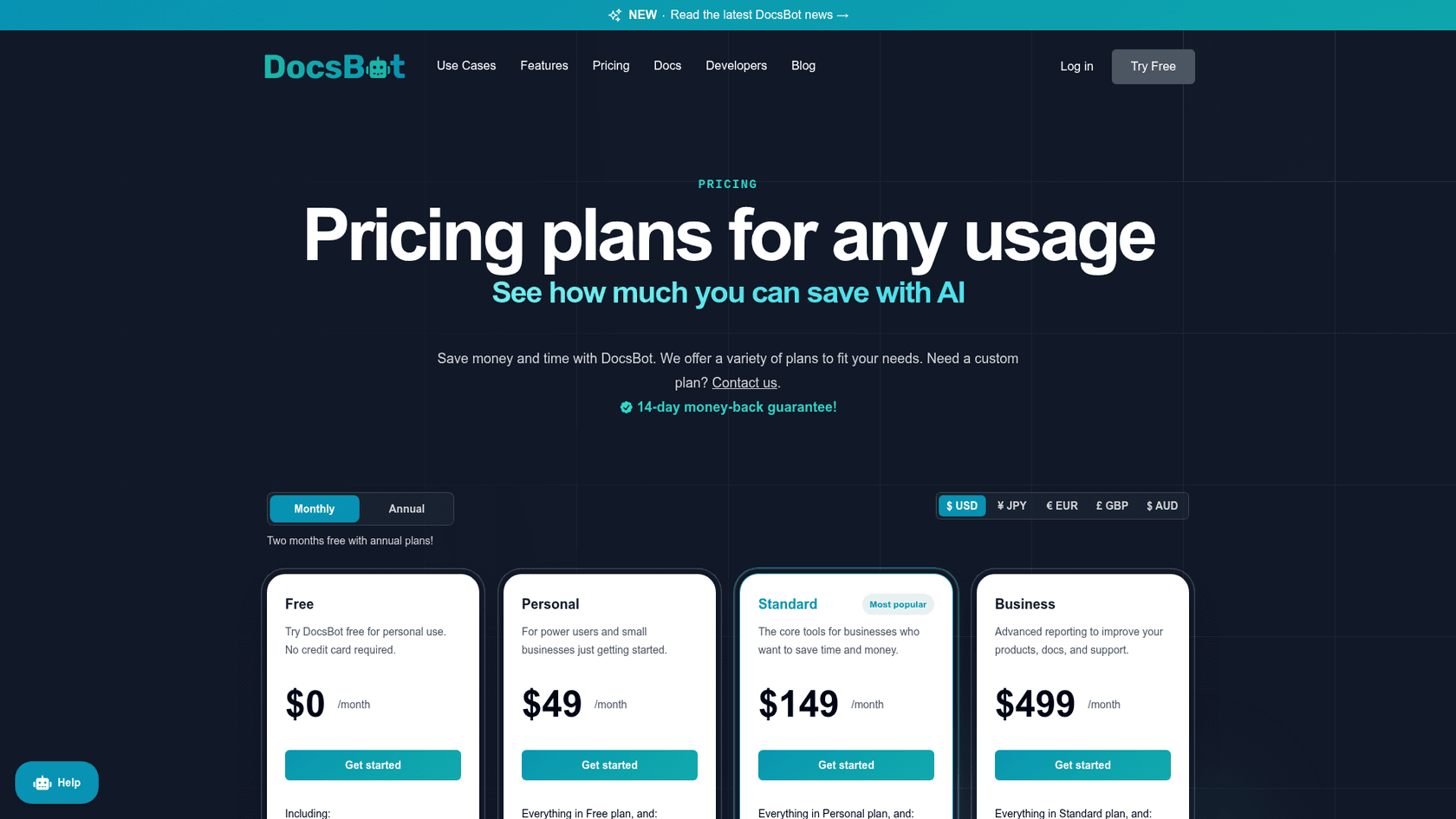
From DocsBot's pricing page, billed monthly (two months free on annual plans):
| Plan | Price | AI credits | Notable |
|---|---|---|---|
| Free | $0 | 100/mo | 1 bot, 50 source pages |
| Personal | $49/mo | 5,000/mo | 5,000 source pages, WhatsApp and Messenger, lead forms |
| Standard | $149/mo | 15,000/mo | ticket sources, escalation tickets, 5 team users |
| Business | $499/mo | 60,000/mo | unbranded widgets, PII redaction, SOC 2 Type II |
Extra AI credits are $49 a month per 5,000. My DocsBot pricing breakdown works through the model multipliers.
Verdict
Pick DocsBot if your best answers sit in long docs and you want a bigger knowledge base for the money. Skip it if you need a live chat inbox, because DocsBot hands off by ticket, not by a person joining the chat. My DocsBot alternatives list has the neighbours.
5. Botpress
Best for: teams that want to build a custom agent that never switches off.
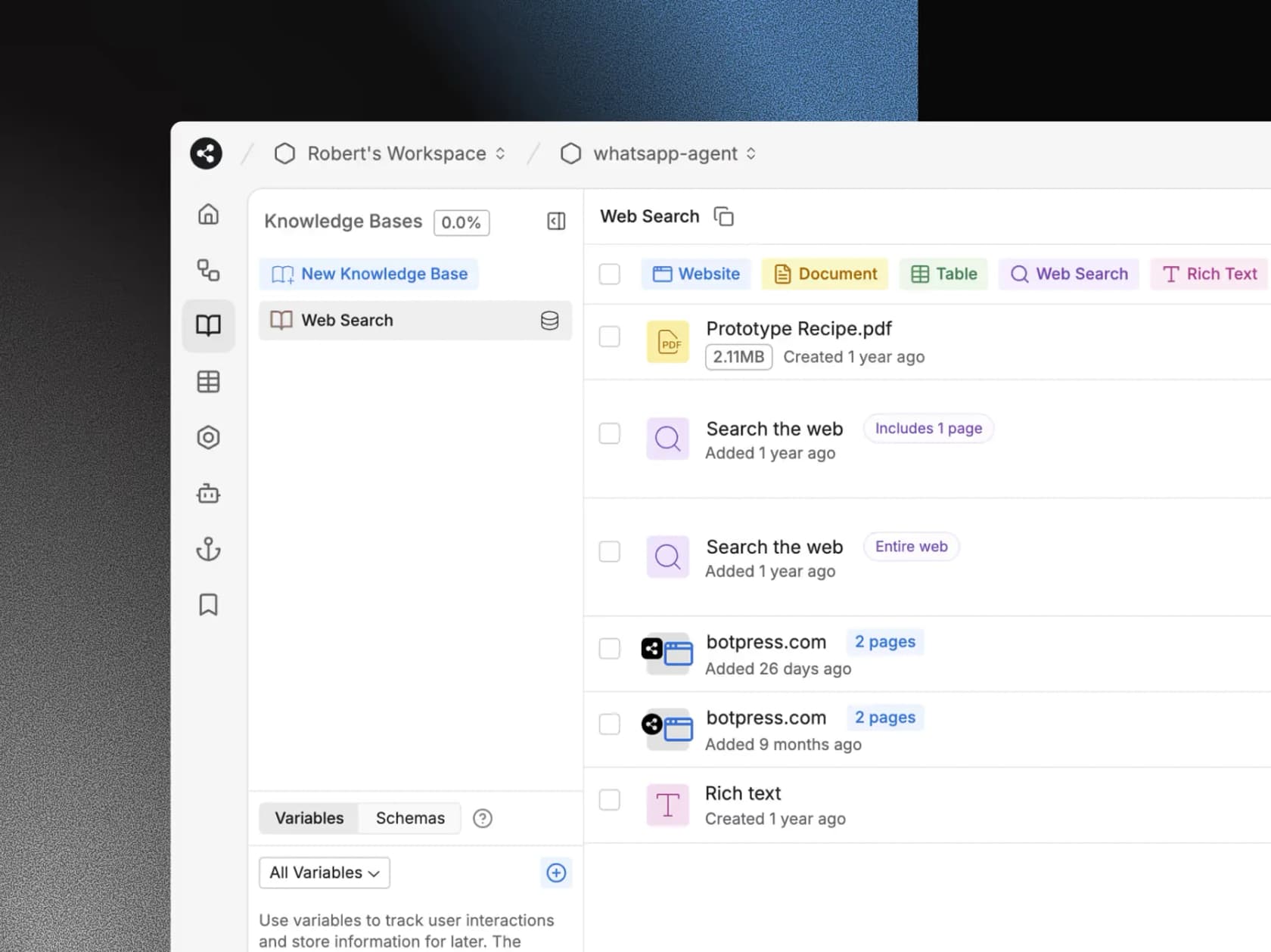
Botpress is an agent builder: a visual studio where you design workflows, connect a knowledge base and add code where you need it. It now ships its own helpdesk, Botpress Desk. It's more setup than anything else on this list, and more control.
What it does vs Asyntai
Botpress takes the opposite position on caps. Its pricing FAQ says "You never get cut off": at 95% of your quota it adds a pack of 100 conversations, and you can't turn that off, because pausing conversations would pause the product. A conversation is any exchange with at least two messages from the visitor, and AI and human conversations count the same. Every conversation includes $0.10 of AI usage, so model costs are covered at normal use.
Pros and cons
- Pro: the bot never goes quiet; overage packs keep it running.
- Pro: whitelabel webchat and unlimited AI agents on Plus.
- Pro: SOC 2 Type 2, GDPR and HIPAA listed on its trust center.
- Con: the flip side of never cutting off: a spike costs money instead of going quiet, and auto-recharge can't be disabled.
- Con: it's a builder, and the learning curve is real.
"I'm using Botpress right now, and I find the studio really laggy. There's no timezone settings, and there seem to be too much going on."
Pricing
From Botpress's pricing page, billed yearly (20% off):
| Plan | Price | Conversations | Extra |
|---|---|---|---|
| Free | $0 | 100, no top-ups | 3 seats, 3 AI agents |
| Plus | $150/mo | 250/mo | $65 per 100 extra, $25 AI usage, whitelabel webchat |
| Team | $750/mo | 1,500/mo | $50 per 100 extra, unlimited seats, routing |
| Enterprise | custom | custom | uptime SLA, voice, security review |
My Botpress pricing guide works through more examples.
Verdict
Pick Botpress if you have someone who enjoys building, and the thing you like least about Asyntai is the bot going quiet. Skip it if you want a bot live this afternoon with no flows to design. My Botpress alternatives list has simpler options.
6. Crisp
Best for: a shared inbox at a flat price, with AI included on paid plans.
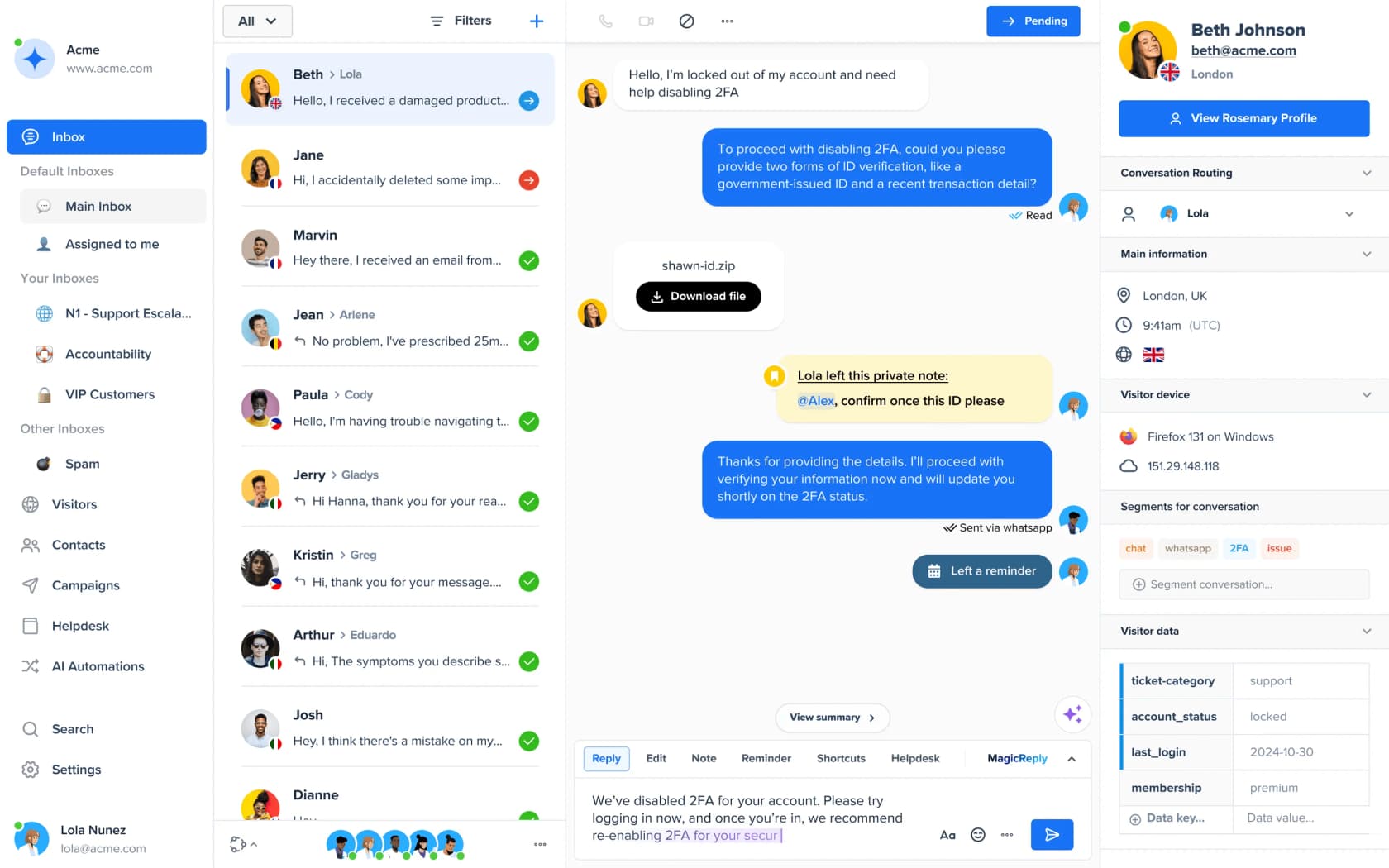
Crisp is a chat widget and shared inbox first, with an AI agent and AI writing tools on top. Its pitch is the opposite of a per-reply meter: a flat price per workspace, whatever your conversation count. Asyntai can even run inside a Crisp inbox, which tells you how differently the two are built.
What it does vs Asyntai
On the Crisp pricing page, every paid plan includes AI credits that Crisp translates into automated conversations: about 90 on Mini, 450 on Essentials and 1,350 on Plus. Essentials adds the knowledge base, the no-code AI chatbot builder, and an omnichannel inbox for WhatsApp, Instagram and SMS. Plus adds ticketing, 100+ integrations and white labelling. Even the free plan syncs conversations with Shopify, WooCommerce and Prestashop. My take on Crisp AI covers how its agent answers.
Pros and cons
- Pro: flat per-workspace pricing with seats included (4 on Mini, 10 on Essentials, 20+ on Plus).
- Pro: a free plan with 2 seats of shared inbox, if a person answering is the main need.
- Pro: private notes, routing and visitor data in the inbox, which Asyntai's Tickets dashboard doesn't cover.
- Con: the AI allowance is fixed per plan, and the pricing page doesn't list a price for more credits.
- Con: white label and ticketing only arrive on Plus at $295 a month.
Pricing
From Crisp's pricing page, per workspace:
| Plan | Price | Seats | AI included |
|---|---|---|---|
| Free | $0 | 2 | none |
| Mini | $45/mo | 4 | $5 of AI credits, about 90 automated conversations |
| Essentials | $95/mo | 10 | $25, about 450 automated conversations |
| Plus | $295/mo | 20+ ($10 per extra agent) | $75, about 1,350 automated conversations |
Every plan has a 14-day free trial.
Verdict
Pick Crisp if you want a team inbox and a predictable bill more than the highest AI volume. Skip it if the AI has to resolve thousands of chats alone, because the included allowance runs out before the seats do. My Crisp alternatives list covers the neighbours.
Where does a person take over the chat?
This is the question I'd settle before price, because it decides what a frustrated visitor sees. On Asyntai, human takeover starts at $139. Three alternatives get you there for less.
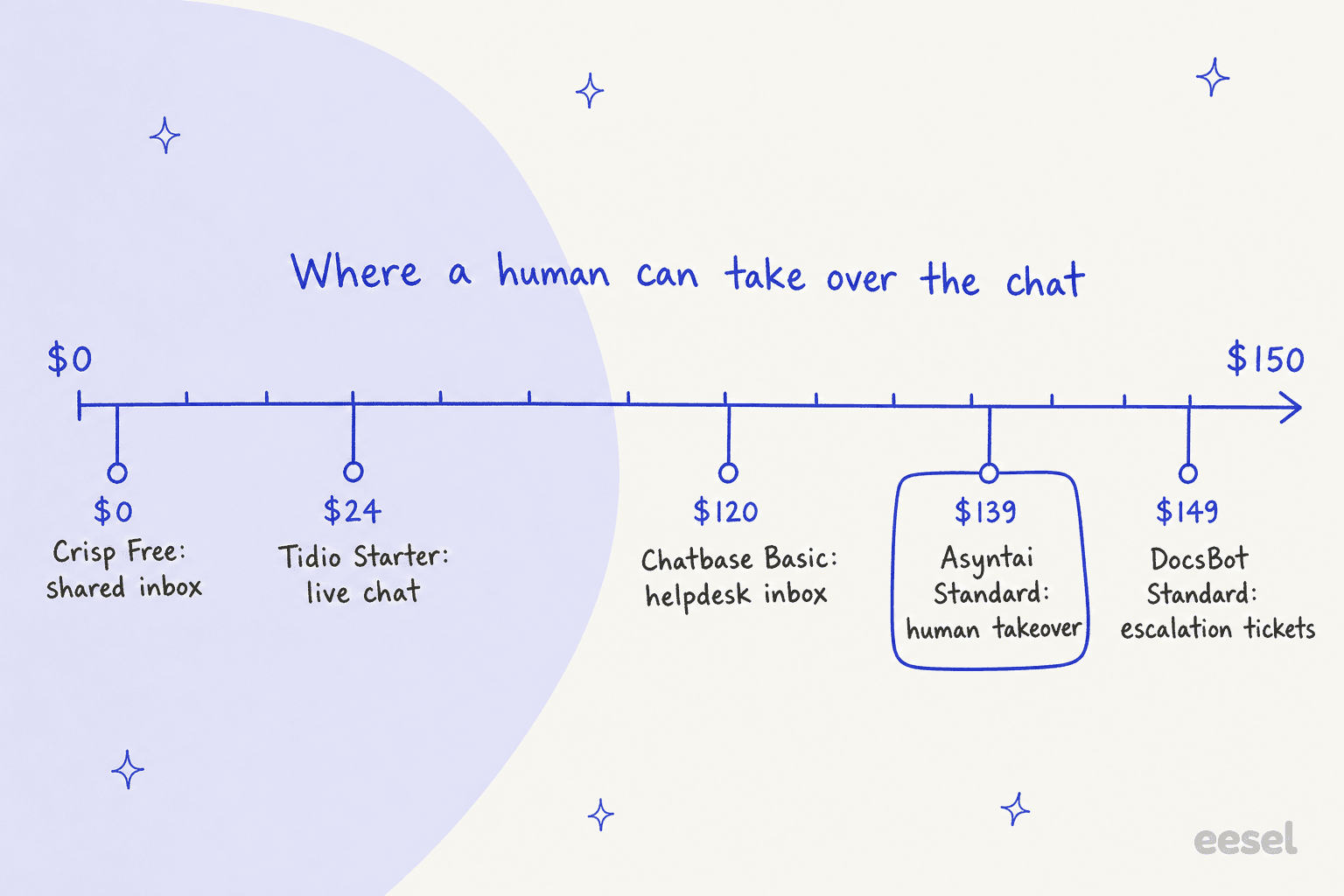
- Crisp and Tidio: a person can join the same chat on the free plans.
- Chatbase: the helpdesk inbox arrives on Basic at $120 a month billed yearly, and it can pass the chat to Zendesk, Freshdesk or Gorgias.
- Asyntai: human takeover, escalation emails and tickets all start on Standard.
- DocsBot: escalation creates a ticket from Standard at $149; there's no live inbox.
- eesel: hands off into your existing helpdesk as a ticket on every plan, so your team answers where it already works.
Whichever tool you pick, set up a fallback for when the bot can't help. My guide to chatbot escalation covers keeping a contact path open, and the difference between AI agents and chatbots matters most at exactly this step.
How to test an Asyntai alternative before you switch
The safest switch is a side-by-side test. Asyntai's own switching guide suggests running both tools in parallel too, which is good advice in either direction.
- Collect 10 to 15 real questions. Pull them from Asyntai's chat logs (and, on Standard, the Knowledge Gaps report), including 2 or 3 your site doesn't answer. The right result for those is "I don't know" plus a handoff.
- Load the same sources. Re-crawl the same URLs and upload the same files. Export any text entries first. My guide on AI knowledge base chatbots covers what else to add.
- Score accuracy, then handoff, then speed. Count wrong or made-up answers, check where a person enters the conversation, and time the replies.
- Price it at your real volume. Use last month's reply count from Asyntai's analytics and the cost table above.
- Swap the embed code. Asyntai installs by script or plugin; remove it, add the new one, and keep an email contact path live for a week.
If you have past support tickets, step 1 gets much stronger: test against how your team actually answered, not just questions you remember. That's what a pre-launch AI test on historical tickets is for.
eesel for website chats that turn into support
Asyntai is a good first AI for a site: cheap at volume, quick to install, on nearly every platform. The point to move is when the chat stops being an FAQ box and starts being a support channel, with order questions, follow-ups and a team that needs the hard cases in its own queue. That's the job eesel's AI helpdesk teammate is built for: it runs your website chat from your pages, help center and past replies, checks live store data, and hands the rest to your team as a ticket, then keeps working the ticket.

Two setups show the range. SamCart runs one agent on its website chat bubble and another on Freshdesk tickets, both answering from the same 280 help center articles. Beautek, a B2B equipment supplier in Siegen, answered 77 German-language website chats in a month and turned 20 of them into Zendesk tickets for a person to pick up. On a sales call, one hardware support team listed the same must-haves: a chat bubble that answers, cites its source, and escalates to a Zendesk ticket when it can't.
It isn't the cheapest option, and if your site mostly needs FAQ answers, I'd tell you to stay on Asyntai Standard. If your chats already end in tickets, start with 100 free credits, simulate it on your past conversations, and read what it would have said. Try eesel on your own site.
Frequently Asked Questions
What is the best Asyntai alternative?
It depends on what you need next. Chatbase is the closest straight swap for an AI-only website chatbot, Tidio is the best pick if you want a person to take over in the same chat window, and eesel fits when your chats already turn into helpdesk tickets. My customer service chatbot roundup covers more options.
Is there a free Asyntai alternative?
Yes, with limits. DocsBot's Free plan includes 100 AI credits a month, Botpress Free includes 100 conversations, Tidio's Free plan includes 50 Lyro AI conversations once, and Crisp is free for 2 seats of shared inbox but includes no AI credits. eesel starts with 100 free credits and no card. My guide to the best free AI chatbots explains what free plans usually leave out.
Which Asyntai alternative keeps answering after the monthly limit?
Botpress adds packs of 100 conversations automatically and you can't turn that off, so the bot never goes quiet. Chatbase and DocsBot both offer optional auto top-ups, and eesel lets you turn on overage at $0.80 a credit with a monthly cap you set. On Asyntai, the bot stops replying until the next cycle or an upgrade, as my Asyntai review covers.
Is Asyntai cheaper than its alternatives?
At high volume, usually yes. For a site with 2,000 AI chats a month, Asyntai Standard at $139 a month was the cheapest option I priced, ahead of DocsBot at $149 and Chatbase at about $200. At low volume it's less clear-cut, because Starter's 800 AI replies run out quickly. My chatbot cost guide explains how to price your own volume.
Which Asyntai alternative has live chat with a human?
Tidio and Crisp both put the AI and a shared inbox in the same widget, and both offer live chat on their free plans. Chatbase adds its helpdesk inbox on Basic at $120 a month billed yearly. On Asyntai, human takeover starts on Standard at $139 a month. My comparison of AI chatbots vs live chat explains when you need both.
Which Asyntai alternative works with Zendesk, Freshdesk or Gorgias?
Chatbase connects to Zendesk, Freshdesk, Gorgias and other helpdesks from its Basic plan, DocsBot can import tickets from Zendesk and Freshdesk as a source, and Tidio sells Lyro on its own for Zendesk and Salesforce. eesel works inside Gorgias, Zendesk and Freshdesk, answering the chat and then working the ticket.
Can I move my Asyntai knowledge base to another chatbot?
Mostly, yes. Asyntai learns from crawled pages, files, text and spreadsheets, so any alternative that crawls URLs and accepts uploads can take the same sources. Export your custom text entries first. My guide on how to train a chatbot covers what to add beyond your site.
What is the best Asyntai alternative for a Shopify store?
For order questions, pick a tool that reads live store data rather than crawled pages. Tidio has native Shopify actions from its Growth plan, Chatbase lists Shopify on every paid plan, and eesel checks live Shopify orders and stock inside the chat. My list of Shopify chatbot apps has more store-specific options.