7 best RumbleTalk alternatives in 2026 for website chat rooms

Rama Adi

Katelin Teen
Last edited October 22, 2026

Why people look for a RumbleTalk alternative
RumbleTalk does its core job well. It's a hosted group chat room you embed on a site, a WordPress page or a Wix site, with a moderated Q&A queue, polls, pinned messages and member sign-in. I covered all of that in my RumbleTalk review, and for a moderated webinar room it holds up.
The reasons people leave are mostly about money and fit:
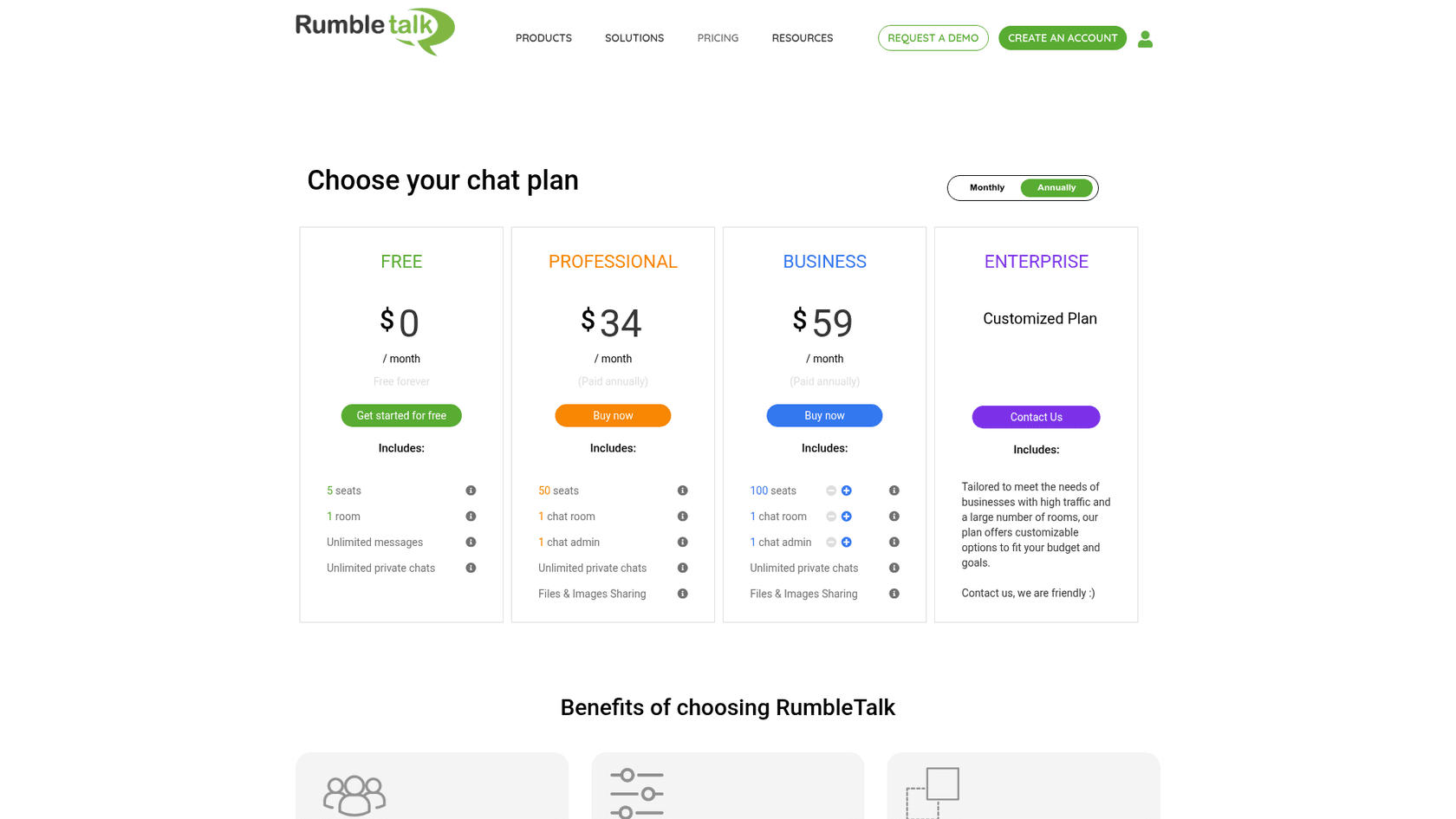
- Seat pricing climbs fast. RumbleTalk bills by concurrent seats, meaning everyone online in the chat at once, readers included. On its upgrade calculator, Business is $84 a month for 100 seats, $267 for 500 and $962 for 2,500, billed monthly. Yearly billing takes about 30% off.
- No AI of any kind. I found no chatbot, auto-reply or AI moderation on RumbleTalk's site or pricing table in October 2026. People answer people.
- Paid entry is gone. RumbleTalk's PayWall page is marked as a deprecated feature, so you can no longer charge people to join a room.
- Prices don't line up across channels. The Wix App Market listing shows a $14.99 Premium plan, while rumbletalk.com prices Professional at $34 to $49.
My RumbleTalk pricing post walks through the full seat ladder. The short version: if your peak crowd is over a few hundred people, almost every tool below is cheaper.
RumbleTalk alternatives at a glance
Every price below comes from the vendor's own pricing page on 22 October 2026, in USD, billed monthly unless noted. "People online" is the cap on the cheapest paid plan.
| Tool | Best for | Free plan | Cheapest paid | People online on that plan | Billing unit | Single sign-on | Pre-approve messages | AI features | History export | WordPress / Shopify | API or SDK | HIPAA |
|---|---|---|---|---|---|---|---|---|---|---|---|---|
| Minnit Chat | All-round community rooms | 20 online | $28/mo (Basic) | 250 | People online | All plans | Community plan and up | AI moderation add-on ($25 per 250,000 characters) | CSV on Pro and up | Snippet, WordPress sign-in / snippet | API from Basic, SDK from Community | Not listed |
| Embedded Chat | Cheapest large rooms | 15-day trial | $9/mo (Basic) | 500 (a guide, not a cutoff) | People online | JWT on Pro | Members-only and slow mode on Basic | AI moderation and assistant bot on Pro | Not listed (admin replay only) | Snippet / Shopify app | JavaScript API | Not listed |
| Chatroll | Webinars and streams | 10 online | $19/mo | 50 | People online | All plans | Q&A mode | None listed | Export on Pro | Snippet / snippet | API on Enterprise | Not listed |
| DeadSimpleChat | Very large live events | 5 online | $99/mo (Growth) | 50 | People online plus monthly user cap | Growth and up | Q&A mode | None listed | Download history | Snippet / snippet | API on Growth, SDK on Business | Not listed |
| Chatwee | Small community sites | 5 online | $19/mo (Standard) | 25 | People online | Pro and up | Pro and up | None listed | Downloadable log | Snippet / snippet | Not listed | Not listed |
| CometChat | Chat inside your own app | 100 monthly users (dev only) | $239/mo (Basic, yearly) | 5% of monthly users | Monthly active users | Via your app's login | AI moderation on Advanced | AI moderation on Advanced | API access | No-code widget / no | Full SDKs and UI kits | Advanced and up, with BAA |
| Wise Chat | WordPress-native chat | Free plugin | $60 once (Pro) | No cap (your server) | One-time licence | WordPress users | Pending messages on Pro | AI chatbot version mentioned by Kainex | Not listed | Native plugin / no | Hooks | Not listed |
| RumbleTalk (for reference) | Moderated event Q&A | 5 online | $49/mo (Professional) | 50 | People online, shared across rooms | Yes | Yes | None | HTML or CSV | Plugin and Wix app / no | REST API, login SDK | Enterprise only |
If you're on a phone, the short version: Minnit for most rooms, Embedded Chat for the lowest price, DeadSimpleChat for giant events, CometChat for developers, Wise Chat for WordPress sites that want to own the whole thing.
What each tool costs at your peak crowd
Monthly price matters less than the price at your busiest moment. Count everyone online in the room during your biggest event, readers included, and pick that number:
Monthly cost at your peak number of people online
Cheapest plan on each vendor's pricing page that covers the crowd, billed monthly.
| Embedded Chat | $9/mo | Basic, up to 500 online |
| Chatroll | $19/mo | Pro, 50 users |
| Minnit | $28/mo | Basic, 250 online |
| Chatwee | $29/mo | Pro, 150 online |
| DeadSimpleChat | $99/mo | Growth, 50 online |
| RumbleTalk | $49/mo | Professional, 50 seats |
| Wise Chat Pro | $60 once | Runs on your WordPress server |
| Embedded Chat | $9/mo | Basic, up to 500 online |
| Minnit | $28/mo | Basic, 250 online |
| Chatwee | $29/mo | Pro, 150 online |
| Chatroll | $39/mo | Pro, 100 users |
| DeadSimpleChat | $199/mo | Growth, 500 online |
| RumbleTalk | $84/mo | Business, 100 seats |
| Wise Chat Pro | $60 once | Runs on your WordPress server |
| Embedded Chat | $9/mo | Basic, up to 500 online |
| Minnit | $28/mo | Basic, 250 online |
| Chatwee | $69/mo | Ultimate, 300 online |
| Chatroll | $99/mo | Pro, 250 users |
| DeadSimpleChat | $199/mo | Growth, 500 online |
| RumbleTalk | $161/mo | Business, 250 seats |
| Wise Chat Pro | $60 once | Runs on your WordPress server |
| Embedded Chat | $9/mo | Basic, up to 500 online |
| Minnit | $36/mo | Community, 500 online |
| Chatroll | $199/mo | Pro, 500 users |
| DeadSimpleChat | $199/mo | Growth, 500 online |
| Chatwee | Quote | Enterprise (Ultimate tops out at 300) |
| RumbleTalk | $267/mo | Business, 500 seats |
| Wise Chat Pro | $60 once | Runs on your WordPress server |
| Embedded Chat | $99/mo | Enterprise, up to 5,000 online |
| Minnit | $129/mo | Pro, 2,500 online |
| Chatroll | $999/mo | Pro, 2,500 users |
| DeadSimpleChat | $1,800/mo | Business, 2,500 online (Growth is quote-only here) |
| Chatwee | Quote | Enterprise |
| RumbleTalk | $962/mo | Business, 2,500 seats |
| Wise Chat Pro | $60 once | Your server must carry 2,500 people |
Prices from each vendor's pricing page and price sliders on 22 Oct 2026, USD, monthly billing. CometChat is left out because it bills by monthly active users, not people online. Embedded Chat says its user counts are a guide and the chat never turns visitors away.
Pick a crowd size to see what each RumbleTalk alternative charges for it.
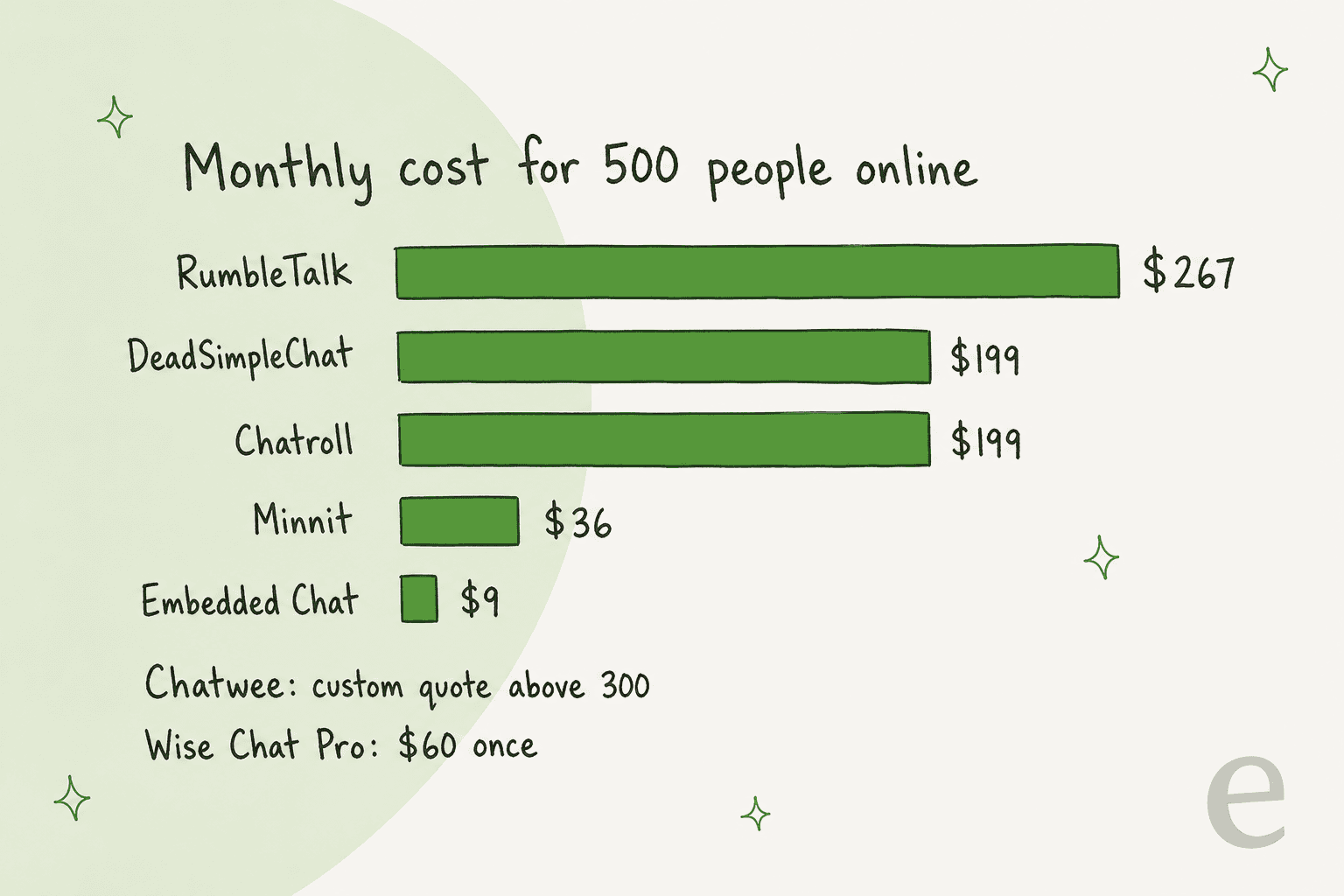
The spread is wider than I expected. At 500 people online, the most expensive hosted room on this list costs almost 30 times the cheapest, and RumbleTalk sits at the top. For a broader look at how per-seat and per-conversation pricing compare in chat tools, see my chatbot cost guide.
How I picked these alternatives
I'm treating RumbleTalk as what it is, an embeddable group chat room, not a support widget. That rules out support chat tools like Tawk.to and LiveChat, which are built for one visitor talking to one agent.
Each tool had to:
- Embed on any website with a snippet or plugin, so your audience never leaves your page or installs an app.
- Support group rooms where visitors see and reply to each other, with moderation tools.
- Publish its prices on its own site, so I could compare them at the same crowd sizes. Prices in this post come only from vendor pages, never from review sites.
As someone who ships eesel's integrations, I paid the most attention to the parts that bite later: how sign-in works, what happens when the room is full, and whether you can get your history out.
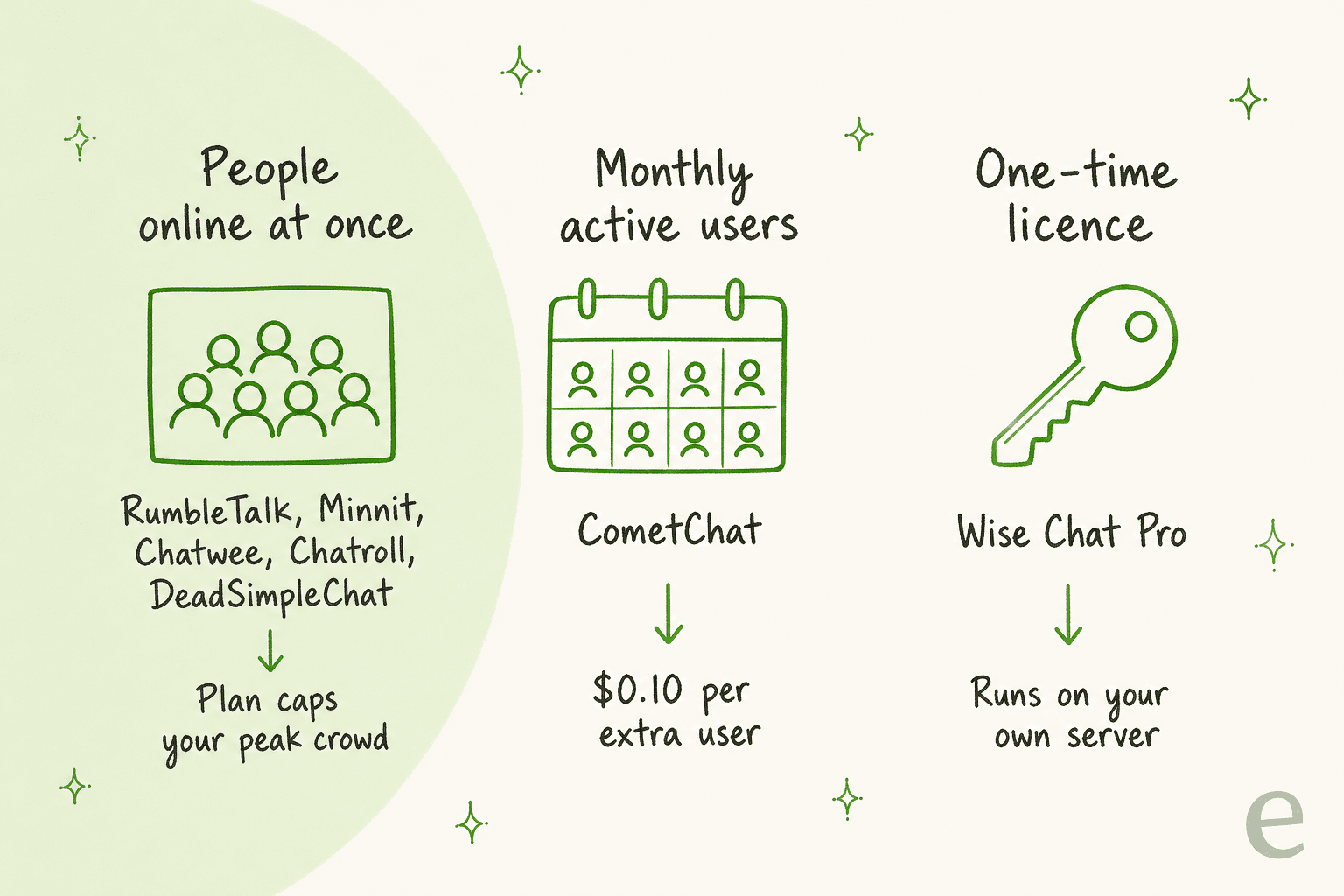
That billing unit is the first thing to check. A people-online plan is predictable for a weekly webinar. A monthly-user plan like CometChat's fits an app with steady logged-in users. A one-time licence like Wise Chat's is cheapest on paper, but your own hosting has to handle the load.
Every tool below follows the same template: what it does, pricing, pros and cons, then my take.
1. Minnit Chat
Best for: community sites and event rooms that want RumbleTalk's model at a fraction of the price.
What it does
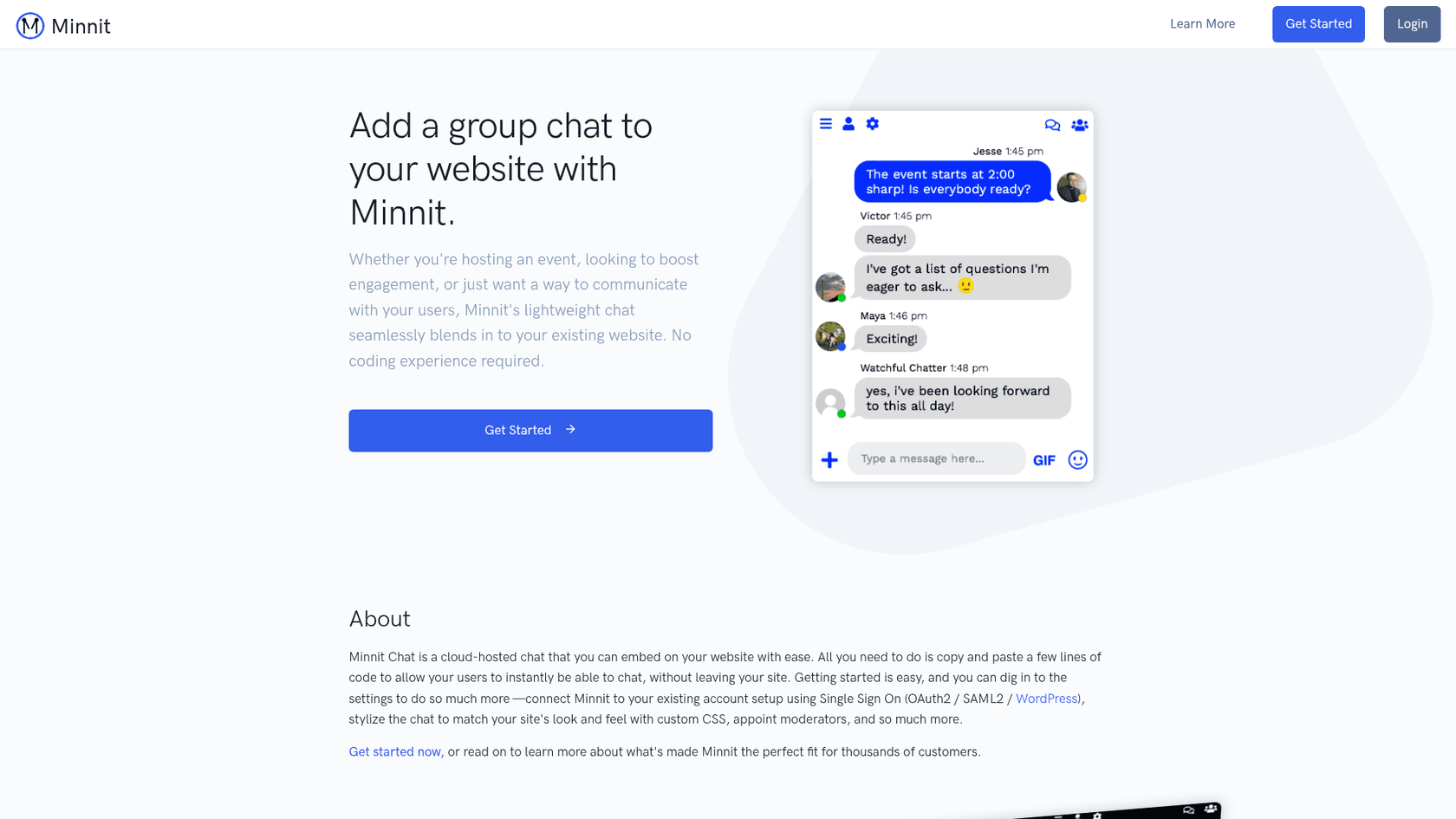
Minnit is a cloud-hosted chat room you embed with a few lines of code, with a vanity subdomain if you don't have a site. It covers the same ground as RumbleTalk: ranked users (regular, moderator, manager, owner), pre-approved messages, polls, file uploads, custom emoji and a moderation bot with auto-moderation, phrase responses and scheduled messages.
The part that matters for switching is sign-in. Minnit's homepage says you can connect it to your existing account setup with single sign-on through OAuth2, SAML2 or WordPress, and its pricing table includes SSO on every plan, Free included. For a members site, that's what keeps people from having to create a second account just to chat.
Minnit also gets real praise for support, which matters when you're wiring an SDK into a custom design:
"The chat works fine but what is top notch is the support, I had to integrate the chat in a custom design using the SDK and had to open like 3 or 4 tickets, each time the reply was swift."

Pricing
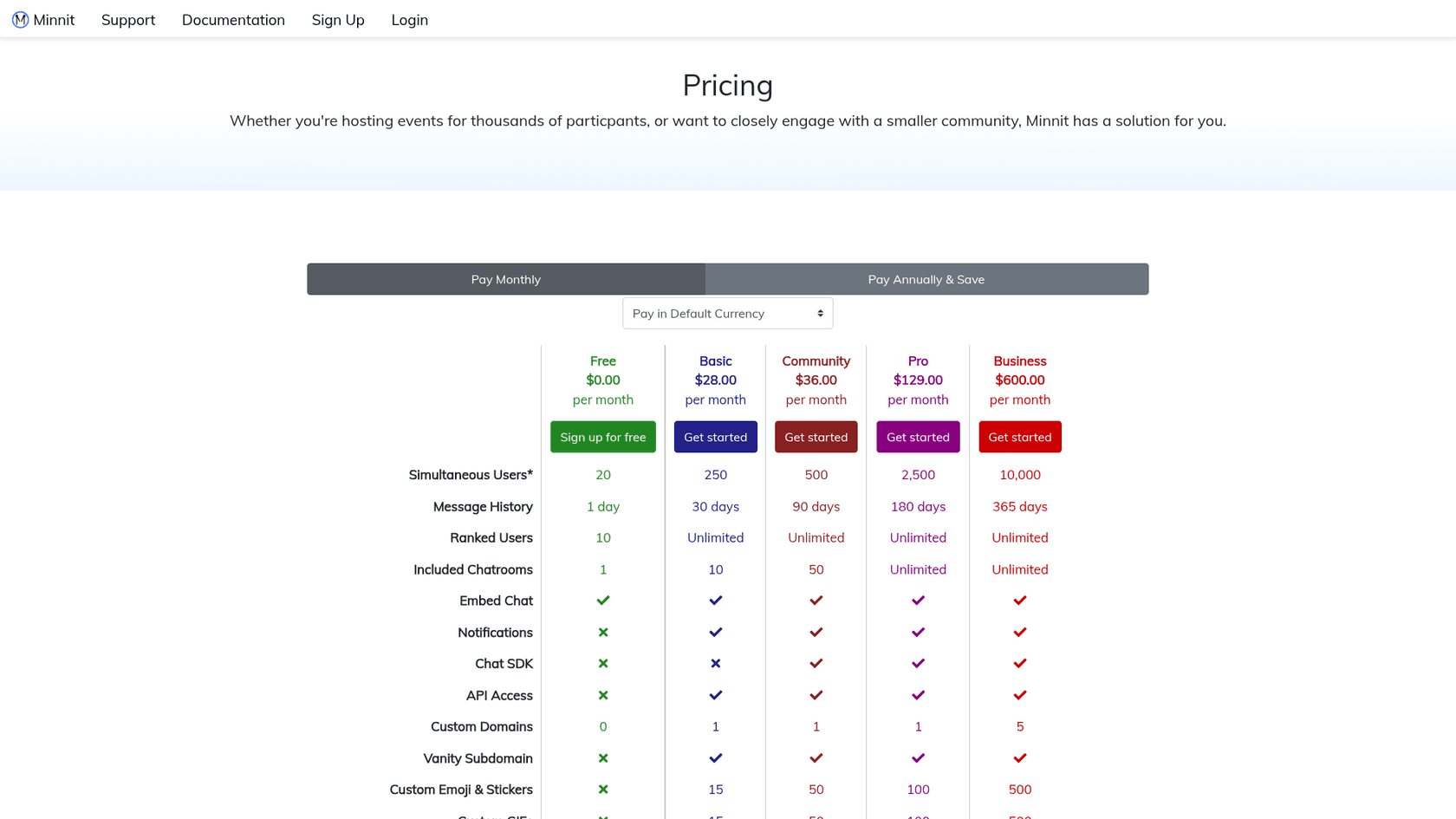
| Plan | Monthly | Yearly (per month) | People online | Message history | Chatrooms | Notable extras |
|---|---|---|---|---|---|---|
| Free | $0 | $0 | 20 | 1 day | 1 | SSO, embed |
| Basic | $28 | $24 | 250 | 30 days | 10 | API access, auto-moderation, white label |
| Community | $36 | $30 | 500 | 90 days | 50 | Pre-approve messages, chat SDK, webhooks |
| Pro | $129 | $110 | 2,500 | 180 days | Unlimited | CSV export, polls |
| Business | $600 | $500 | 10,000 | 365 days | Unlimited | AI moderation (250,000 characters included) |
Every plan can add chatrooms at $1 a month each, custom domains at $5, and AI moderation at $25 per 250,000 characters analyzed, per Minnit's pricing page. There's no monthly active user limit; the only cap is people online, and Minnit won't auto-upgrade you when you hit it. Visitors past the limit see a message asking them to come back later.
Pros and cons
| Pros | Cons |
|---|---|
| Same people-online billing as RumbleTalk, far cheaper | Pre-approval needs Community; CSV export needs Pro |
| SSO on every plan, including WordPress | Free plan keeps just 1 day of history |
| Polls, ranks, moderation bot and webhooks | AI moderation is a paid add-on below Business |
| No cap on registered or monthly users | A browser tab counts as a connection, so heavy multi-tab users use extra seats |
My take
My take: Minnit is the default swap. If you run a moderated community or a weekly stream on RumbleTalk, you get the same features for a fraction of the cost, and the r/webdev poster who started that thread ended up choosing it too. Skip it only if you need features RumbleTalk has that Minnit doesn't list, like one-on-one video calls.
2. Embedded Chat
Best for: the lowest price per person online, and Shopify stores that want a community chat.
What it does
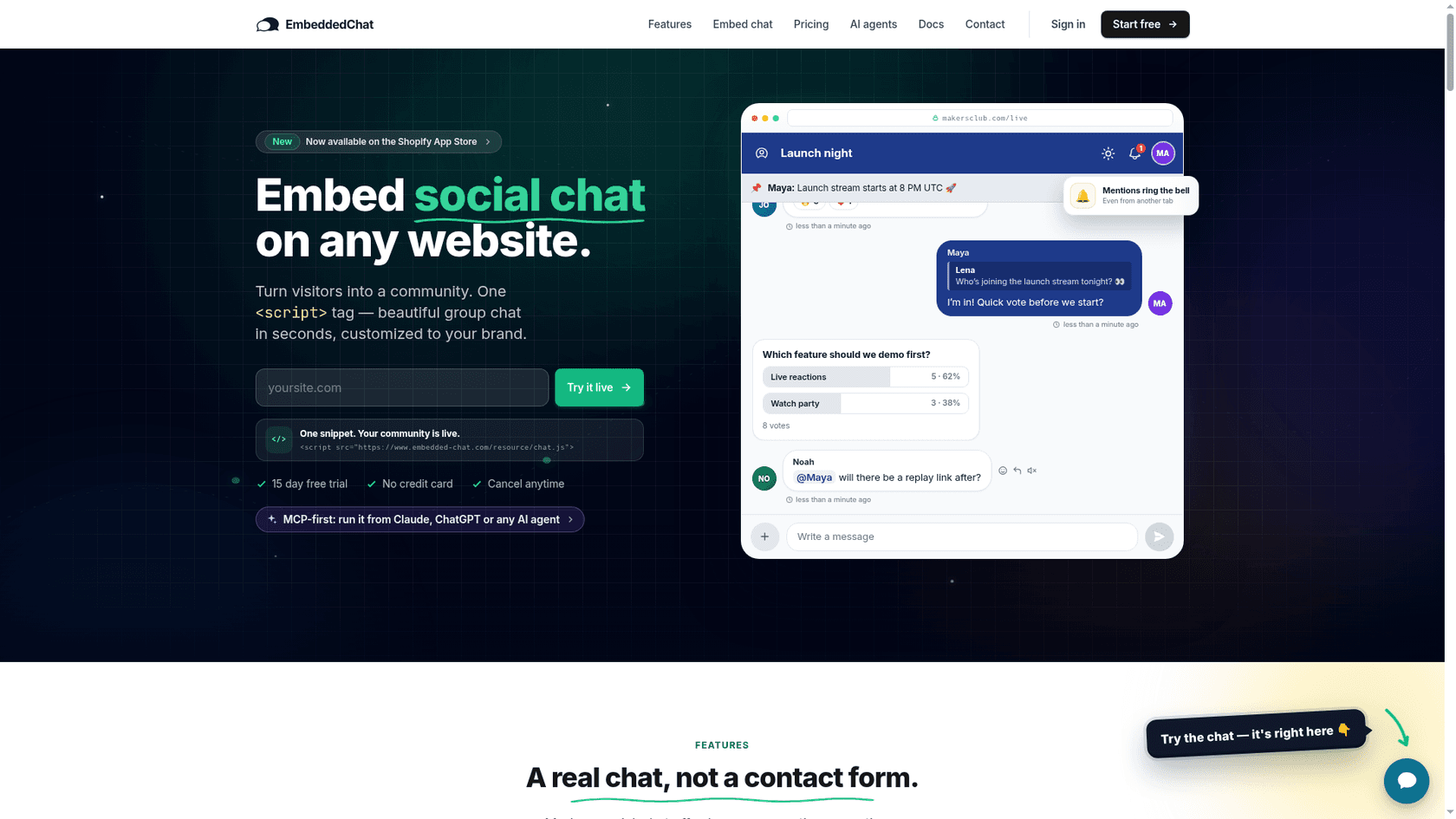
Embedded Chat is a newer, modern-looking social chat you add with one script tag. The feature set reads like a streaming chat: 18-emoji reactions, threaded replies, @mentions with an unread bell, pinned messages, inline polls, slash commands like /announce and /timeout, a "LIVE NOW" stream banner, and viewer tips through Stripe Connect with a 5% platform fee.
Two things stand out. First, its pricing FAQ says concurrent-user numbers are "a guide to which plan fits, not a cutoff: the chat never turns visitors away." No "chat is full" screen is the opposite of RumbleTalk's approach. Second, the Pro plan adds AI moderation that auto-redacts toxicity and an AI assistant bot you can give a persona, with a daily token cap.
Pricing
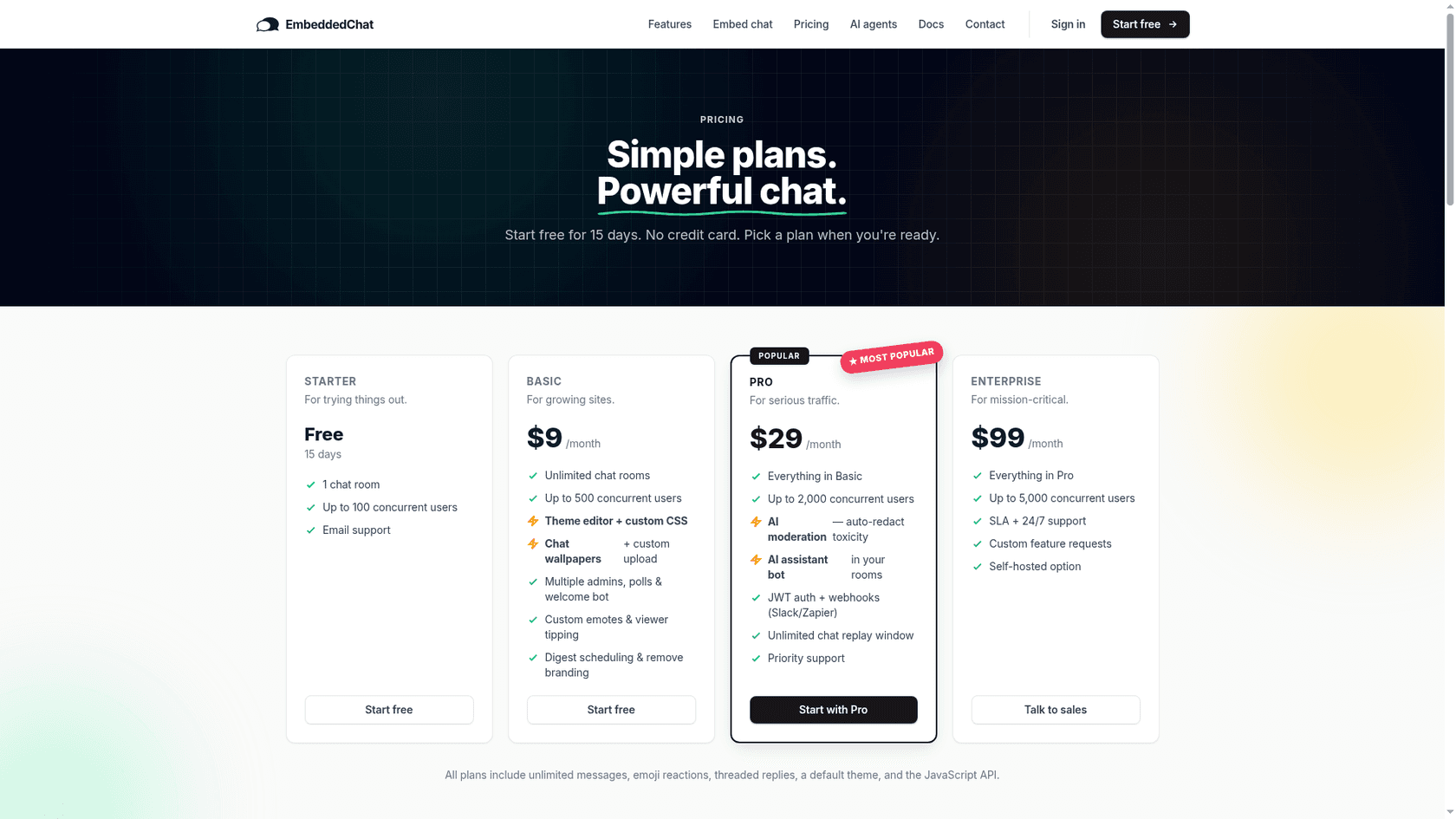
| Plan | Price | People online (guide) | Rooms | Notable extras |
|---|---|---|---|---|
| Starter | Free for 15 days | 100 | 1 | 24-hour chat replay |
| Basic | $9/mo | 500 | Unlimited | Theme editor, custom CSS, multiple admins, polls, welcome bot, tips, remove branding |
| Pro | $29/mo | 2,000 | Unlimited | AI moderation, AI assistant bot, JWT sign-in, webhooks, unlimited replay |
| Enterprise | $99/mo | 5,000+ | Unlimited | SLA and 24/7 support, self-hosted option |
One conflict to know about: the Shopify App Store listing says "From $3/month" with plans at $3, $9 and $29, while the website starts paid plans at $9. Shopify merchants are billed through Shopify, so check the listing if that's your route. The listing had 0 reviews when I checked.
Pros and cons
| Pros | Cons |
|---|---|
| $9 covers 500 people online | No permanent free plan, only a 15-day trial |
| Never shows a "chat is full" screen | New, with no reviews yet on Shopify |
| AI moderation and an AI room bot on Pro | JWT single sign-on needs Pro |
| Tips, polls, replay and a Shopify app | Website and Shopify prices differ |
My take
My take: if RumbleTalk's seat cap is your pain, Embedded Chat removes it at the lowest price on this list. It's the pick for creators, launches and stores that want a lively room. I'd hold off for a members site that depends on years of reliable uptime until it builds a longer track record, and confirm which price list applies before you subscribe.
3. Chatroll
Best for: webinars, live streams and virtual events with a mid-size audience.
What it does
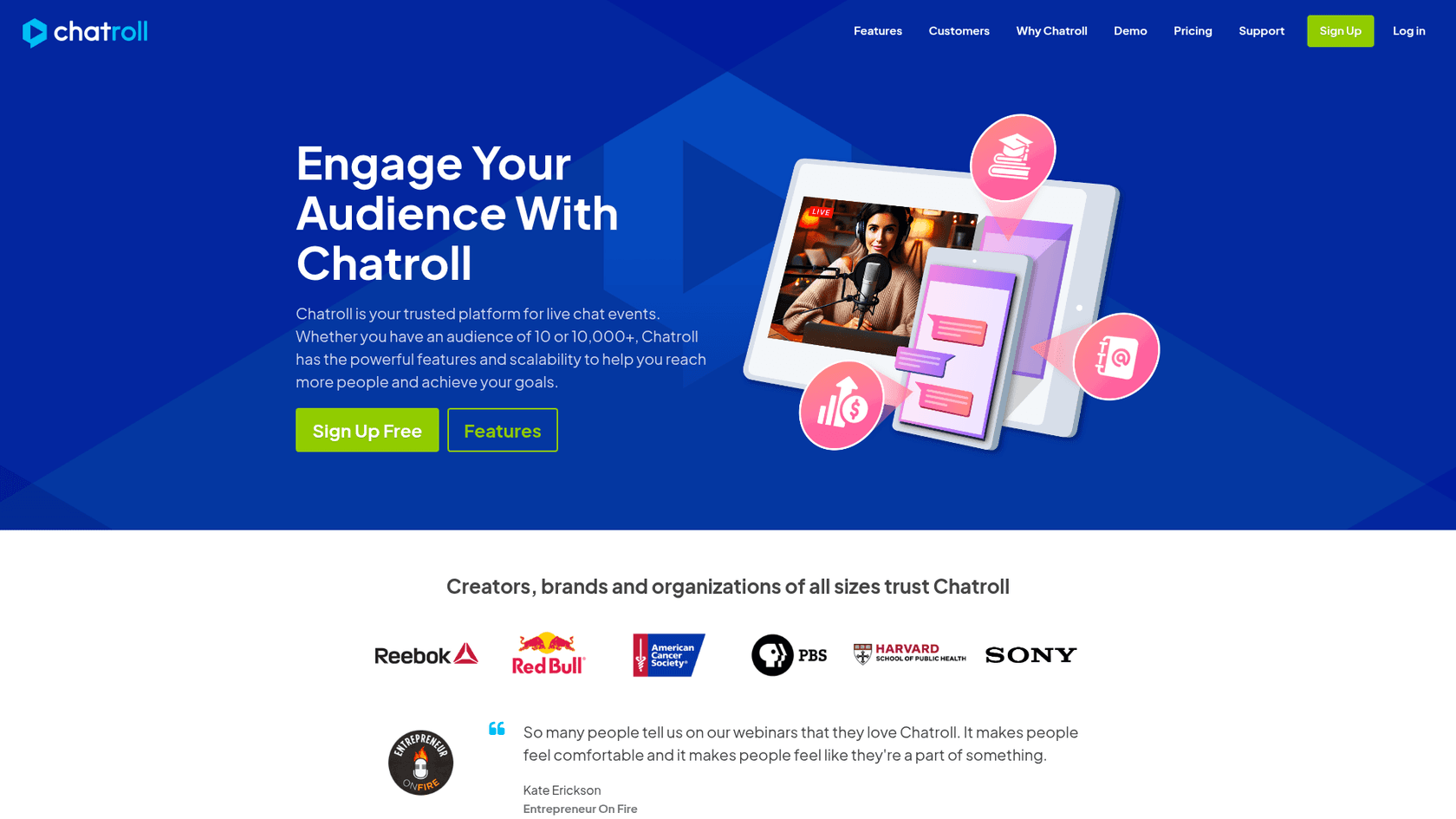
Chatroll is a live event chat you embed with a code snippet, with no app or plugin for your audience to download. It offers flexible sign-in (Facebook, X, Chatroll accounts, anonymous guests and single sign-on), moderation tools built to scale one chat to thousands, a Q&A mode where moderators pre-approve messages, in-chat share prompts, and a real-time analytics dashboard on Pro.
Billing is people online, and like RumbleTalk, new visitors see a "chat is full" message when you hit the cap. Chatroll's pricing FAQ is clear that it never charges overage and has no limit on monthly users, chats, messages or minutes.
Pricing
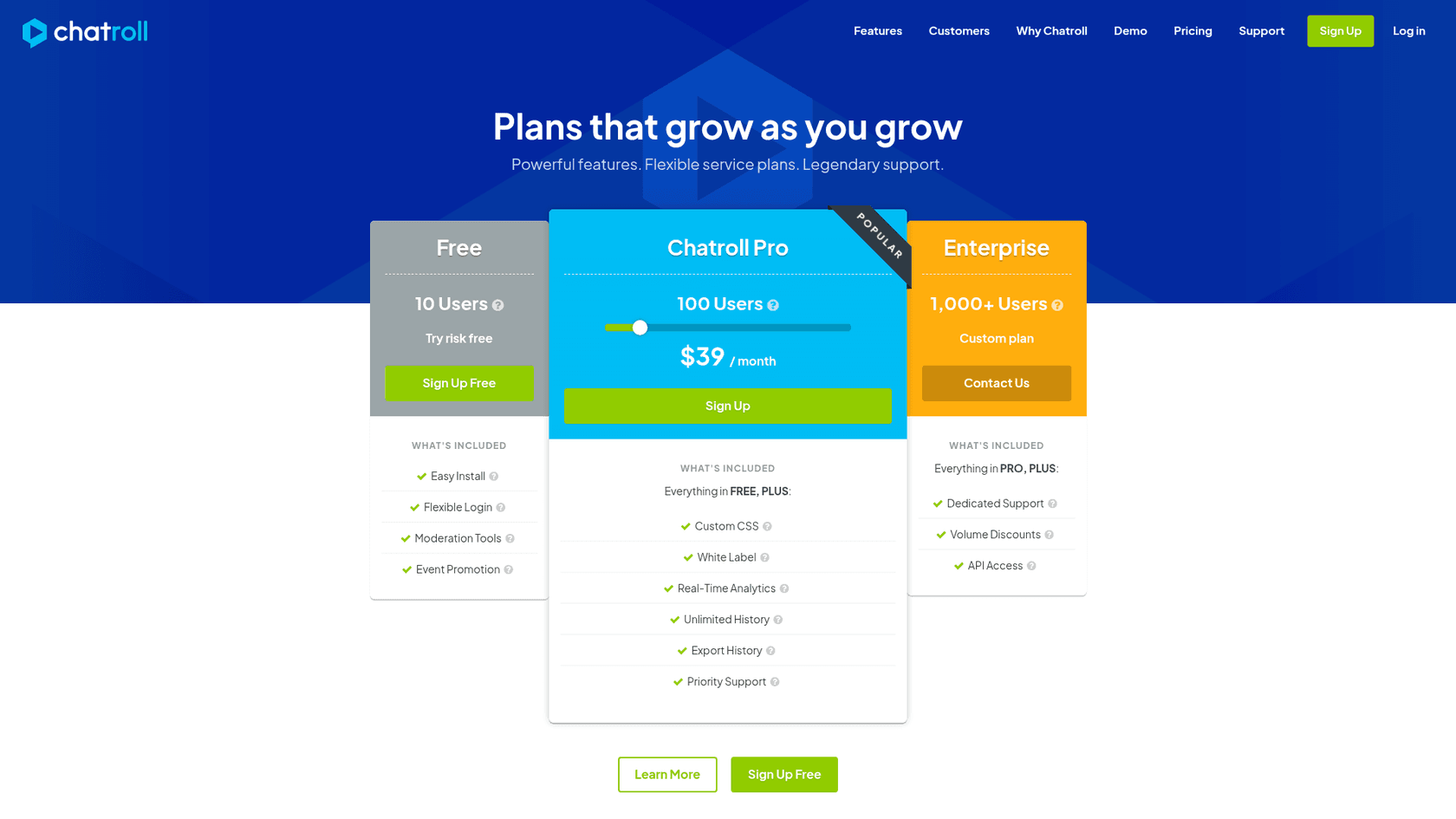
| People online | Monthly price | Plan |
|---|---|---|
| 10 | $0 | Free |
| 50 | $19 | Pro |
| 100 | $39 | Pro |
| 250 | $99 | Pro |
| 500 | $199 | Pro |
| 1,000 | $399 | Pro |
| 2,500 | $999 | Pro |
| 1,000+ with API and volume discounts | Custom | Enterprise |
The Pro steps come from the price slider on Chatroll's pricing page. Pro adds custom CSS, white label, analytics, unlimited history, history export and priority support. API access and a dedicated account manager are Enterprise only.
Pros and cons
| Pros | Cons |
|---|---|
| Q&A mode and moderation built for events | Gets expensive past 500 people online |
| Free plan, no overage charges ever | API access only on Enterprise |
| Unlimited history and export on Pro | Full rooms turn new visitors away |
| Social and SSO sign-in on every plan | No AI moderation listed |
My take
My take: Chatroll is the most event-shaped tool here after RumbleTalk, and it undercuts RumbleTalk at every size I priced. At 500 people online it's $199 against $267. Pick it for webinars and streams under about 500 people. Above that, Minnit gets much cheaper.
4. DeadSimpleChat
Best for: very large live events and teams that need event-day guarantees.
What it does
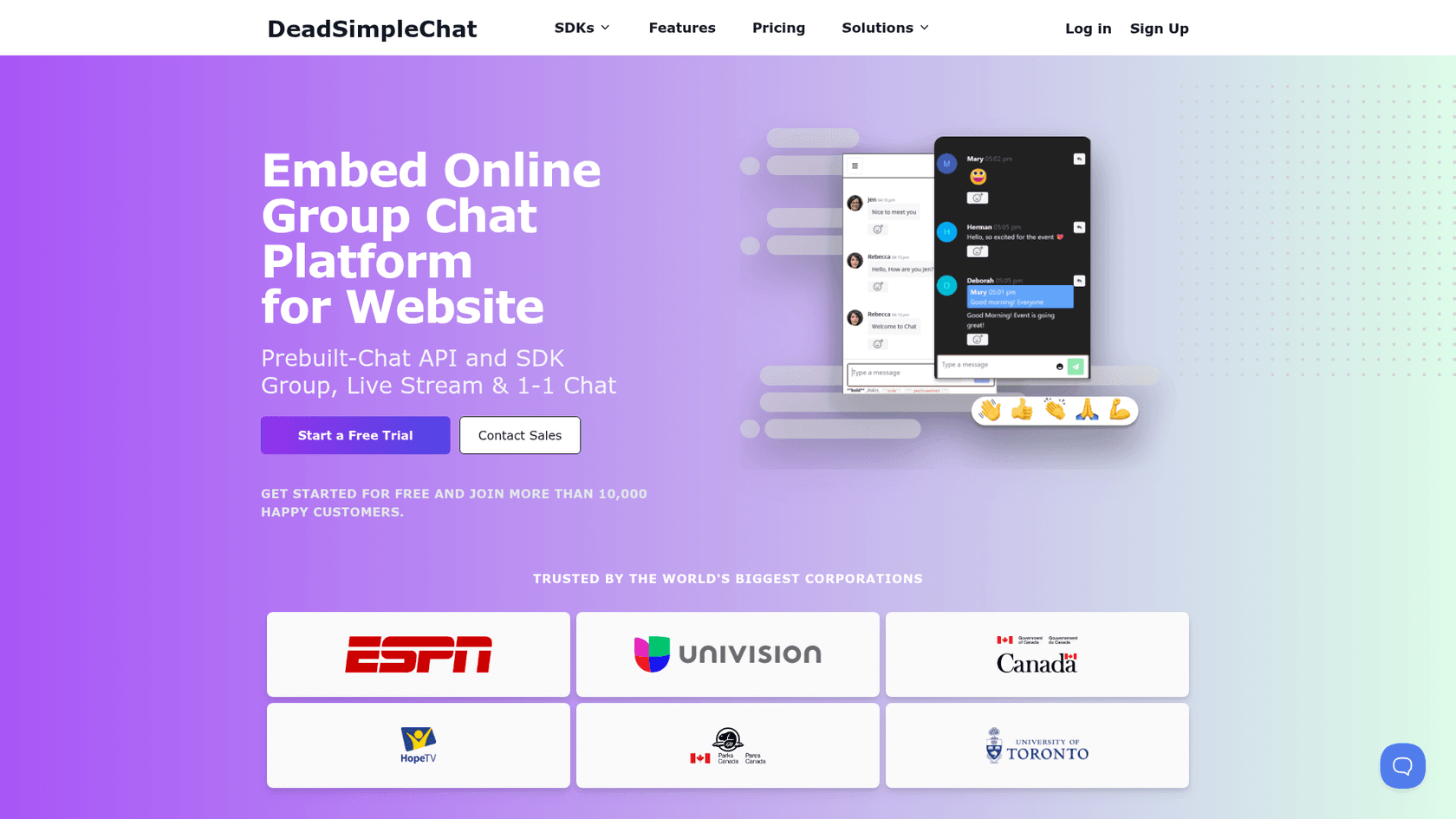
DeadSimpleChat is a hosted group chat with a prebuilt UI plus an API and SDK. Its features page lists group and one-to-one chat, Q&A mode, channels or sub-rooms (it suggests these as booths at a live event), a translatable interface, chat history download, and the ability to turn chat off.
The headline is scale. Plans go up to 10 million people online, there are 1-day and multi-day event plans, and event plans come with a 99.99% uptime guarantee, phone support and a signed SLA on request. If your stream is a once-a-year spike, that's the kind of promise RumbleTalk's seat tiers don't make.
Pricing
| Plan | People online | Monthly | Monthly active users | Rooms | Storage | Notable extras |
|---|---|---|---|---|---|---|
| Free | 5 | $0 | 500 | 2 | 15 days | All business features to try |
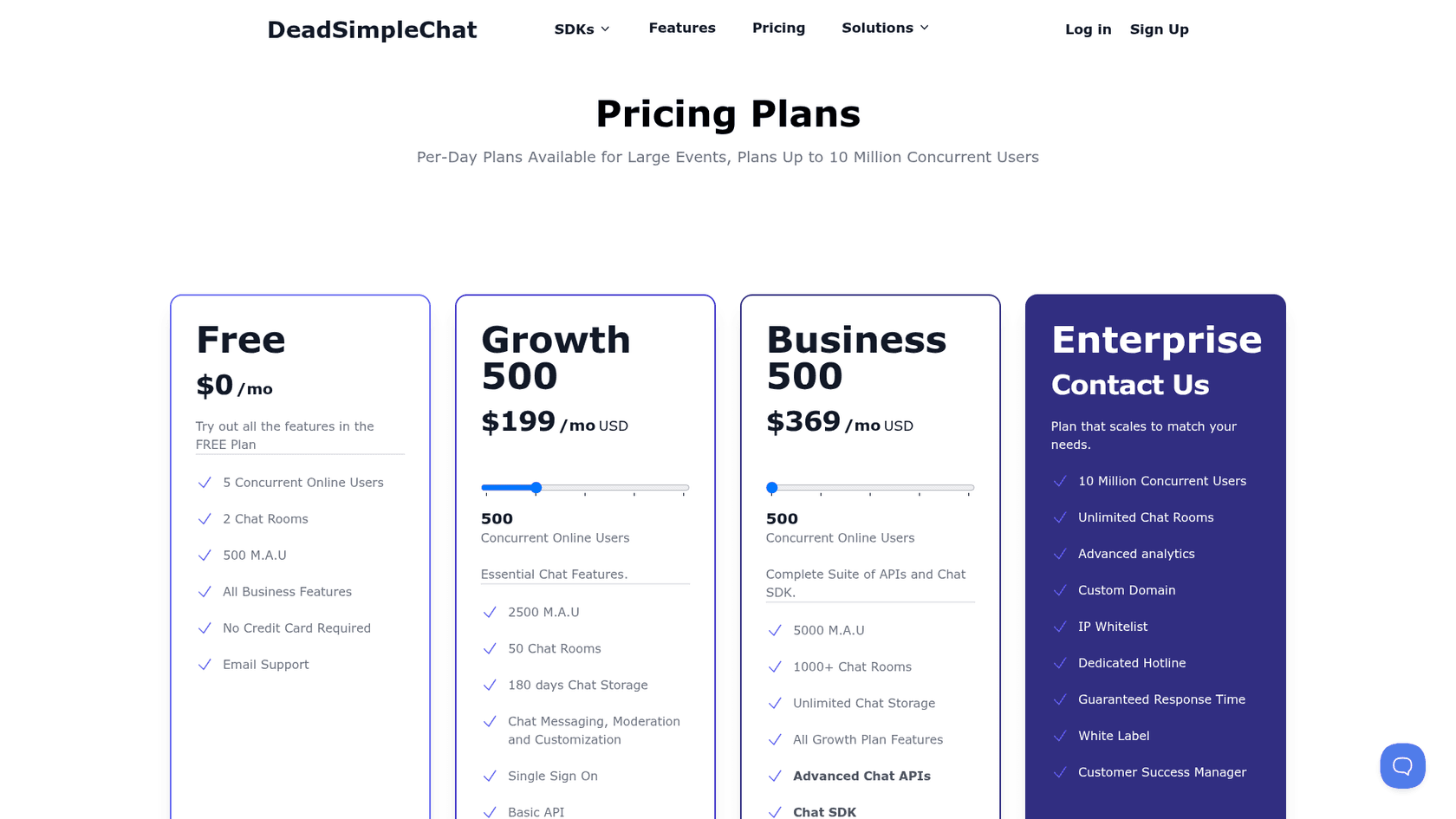
| Growth | 50 / 500 / 1,250 | $99 / $199 / $375 | 2,500 at 500 online | 50 | 180 days | Moderation, customization, SSO, basic API |
| Business | 500 / 1,250 / 2,500 | $369 / $749 / $1,800 | 5,000 at 500 online | 1,000+ | Unlimited | Advanced APIs, chat SDK, webhooks |
| Enterprise | Up to 10 million | Quote | Custom | Unlimited | Custom | White label, custom domain, analytics, CSM |
Steps above come from the slider on DeadSimpleChat's pricing page. Note there are two caps on every plan: people online and monthly active users.
Pros and cons
| Pros | Cons |
|---|---|
| Scales to 10 million people online | Priciest entry for 100 to 500 people |
| 1-day event plans with an uptime SLA | Two caps to watch: online and monthly users |
| Q&A mode, sub-rooms and SSO | White label only on Enterprise |
| API and SDK for custom builds | Growth tops out at 1,250 online |
My take
My take: I wouldn't move a 100-person community here, because $199 a month buys 500-person headroom you won't use. I would move a conference, a product launch or a broadcast here, especially if the event lasts a day or two and you want the uptime promise in writing.
5. Chatwee
Best for: small community sites that want rooms, private group chats and SSO without a big bill.
What it does
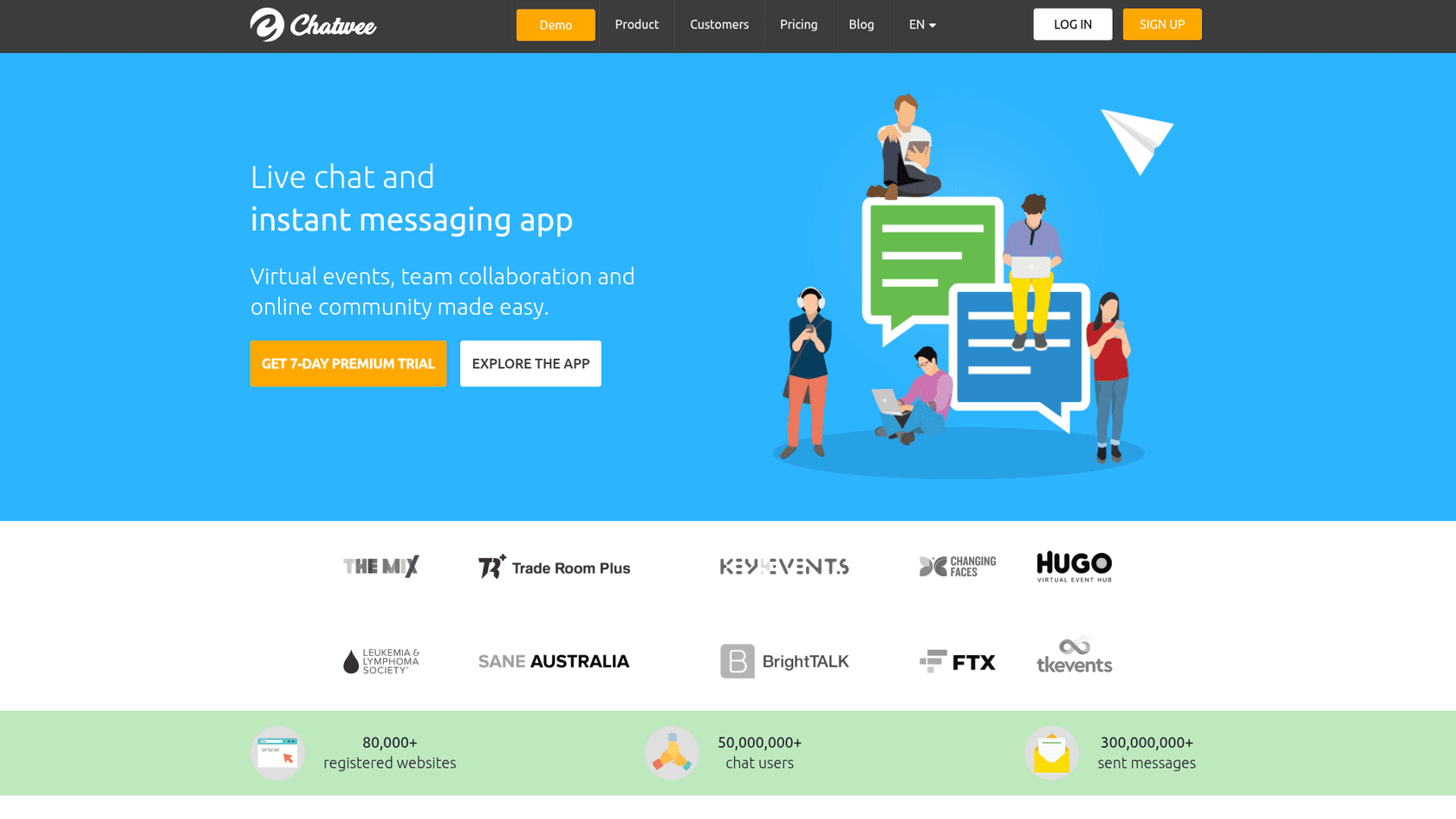
Chatwee is a long-running chat widget for websites and online communities. Paid plans include multiple rooms (password-protected if you want), public and private chats, offline messaging, file and media sharing, a profanity filter, several language versions, multiple sign-in methods and public chat history. On Pro and up, you get single sign-on so logged-in members appear with the same name and avatar, plus message pre-moderation.
Its homepage counters claim 80,000+ registered websites and 300,000,000+ messages sent. It also offers a pay-per-use option for one-off event chats.
Pricing
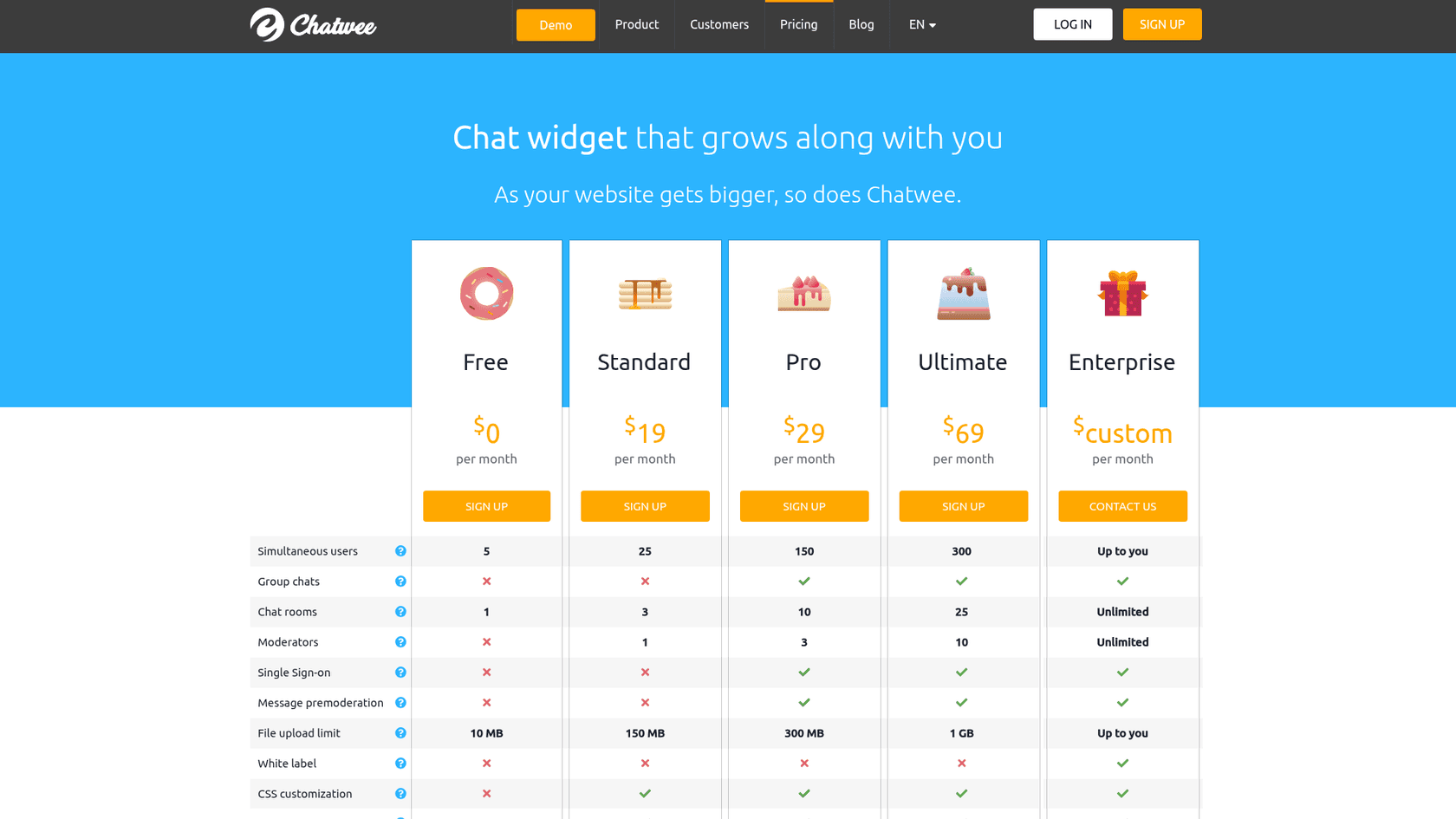
| Plan | Monthly | People online | Rooms | Moderators | SSO and pre-moderation | Uploads | History |
|---|---|---|---|---|---|---|---|
| Free | $0 | 5 | 1 | None | No | 10 MB | 14 days |
| Standard | $19 | 25 | 3 | 1 | No | 150 MB | 14 days |
| Pro | $29 | 150 | 10 | 3 | Yes | 300 MB | 30 days |
| Ultimate | $69 | 300 | 25 | 10 | Yes | 1 GB | 90 days |
| Enterprise | Custom | Your choice | Unlimited | Unlimited | Yes, plus white label | Your choice | Custom |
Pros and cons
| Pros | Cons |
|---|---|
| $29 for 150 people online with SSO | Tops out at 300 online before a quote |
| Pre-moderation and private group chats on Pro | White label only on Enterprise |
| Pay-per-use option for events | No public reviews on G2 to check against |
| Simple dashboard customization | No API or AI features listed |
My take
My take: Chatwee fits a forum or hobby community with 50 to 300 people online who want rooms and sign-in on a small budget. It's not the pick for big events, since anything past 300 means talking to sales. I'd also want a trial run first, as there's little recent public feedback to lean on.
6. CometChat
Best for: developers building chat, voice or video into their own app or platform.
What it does
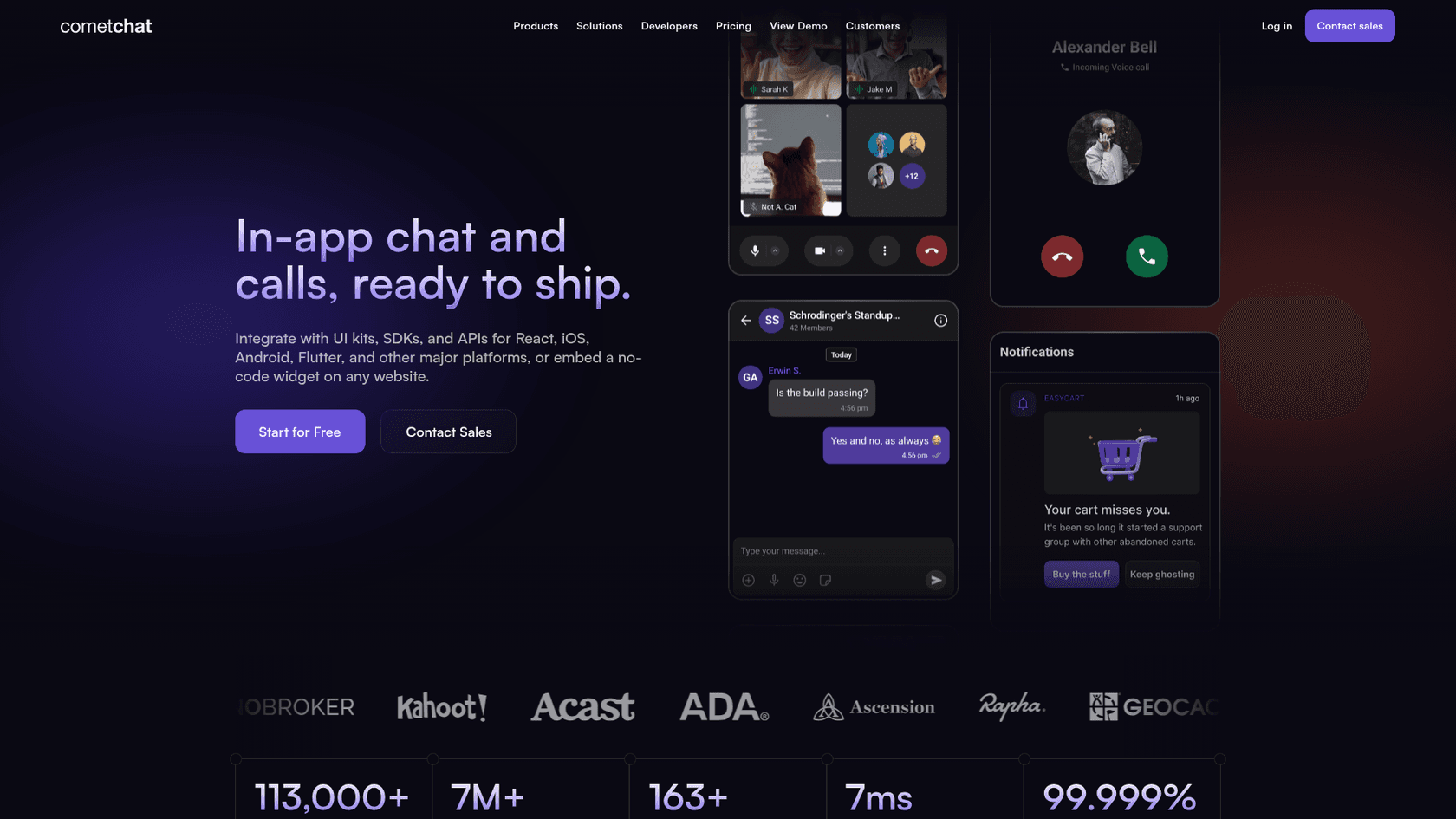
CometChat is a different kind of tool: UI kits, SDKs and APIs for React, iOS, Android, Flutter and other platforms, so you can build in-app chat and calling into your own product. Its homepage also offers a no-code widget you can embed on any website. Because users sign in through your app, single sign-on is effectively built in.
The Advanced plan adds AI moderation, multi-channel notifications and HIPAA support with a Business Associate Agreement, which makes it the only tool here besides RumbleTalk Enterprise with a HIPAA path. CometChat holds a 4.6 out of 5 on G2 from 111 reviews. The criticism there is mostly about developer experience:
"Documentation is confusing, hard to navigate, not very thorough, and often times incorrect. I've had to contact support about many simple questions that the documentation should've covered."

Pricing
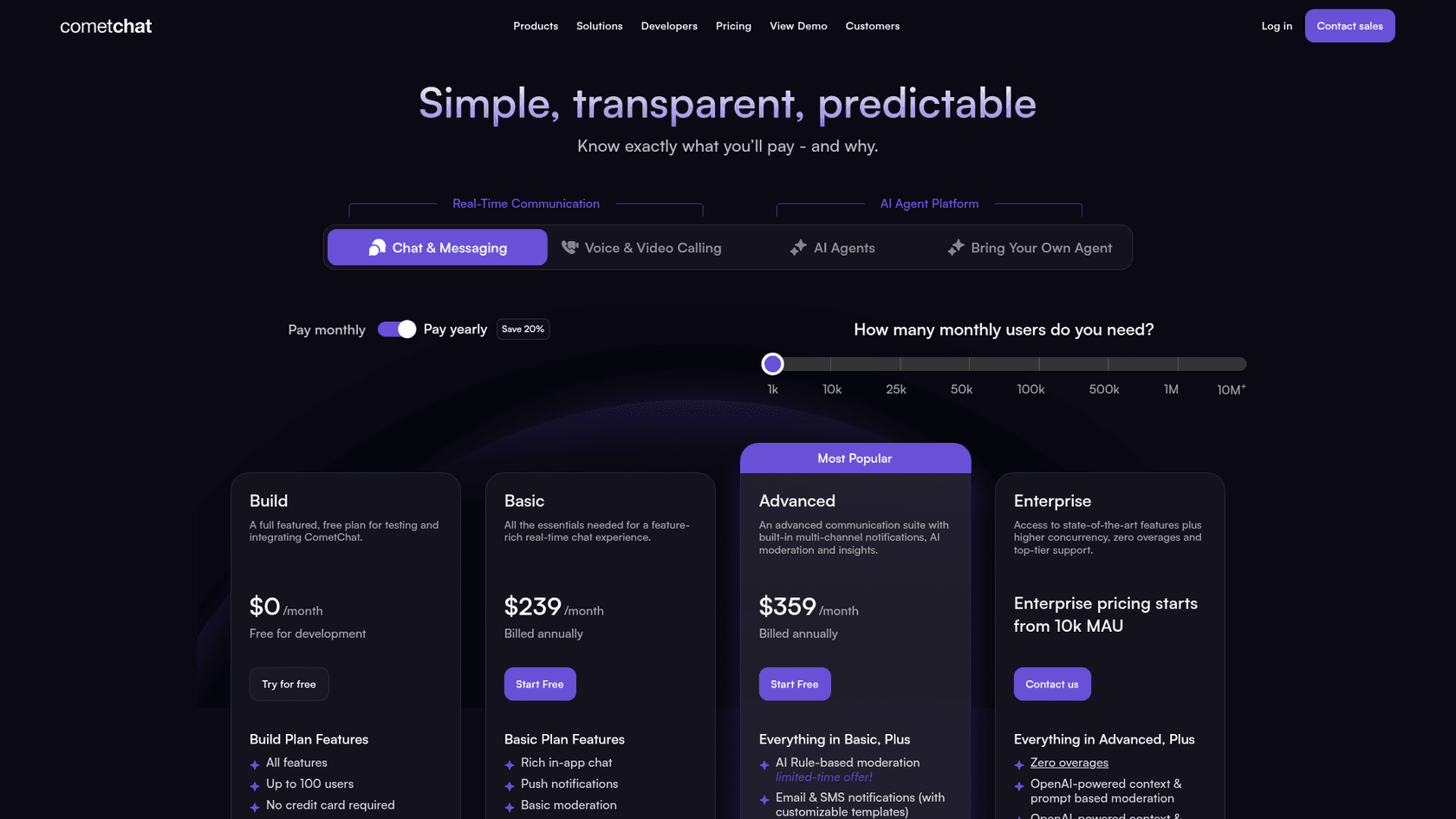
| Plan | Price | Monthly active users | People online included | Overage | Notable extras |
|---|---|---|---|---|---|
| Build | $0 (development only) | 100 | 25 | None | All features for testing |
| Basic | $239/mo, billed yearly | As per tier (slider starts at 1,000) | 5% of monthly users | $0.10 per user, $1 per extra person online | Core chat, push notifications, basic moderation |
| Advanced | $359/mo, billed yearly | As per tier | 5% of monthly users | Same | AI moderation, email and SMS notifications, HIPAA with BAA |
| Enterprise | From 10,000 monthly users | Custom | 10% of monthly users | No overage | Everything in Advanced, higher limits |
Message retention is 6 months on every plan, per CometChat's pricing page, and can be extended at extra cost.
Pros and cons
| Pros | Cons |
|---|---|
| Full SDKs, UI kits, voice and video | Built for developers, not drop-in community rooms |
| HIPAA with a BAA on Advanced | $239 a month is the lowest paid entry, billed yearly |
| 4.6 on G2 from 111 reviews | Overage charges per user and per person online |
| Users sign in through your own app | Reviewers flag patchy documentation |
My take
My take: if you're replacing RumbleTalk on a marketing site, CometChat is overkill. If you're replacing it inside a product you build, say a learning platform or a marketplace where users already log in, it's the most complete option here. Budget for developer time as well as the subscription.
7. Wise Chat (WordPress)
Best for: WordPress sites that want chat running on their own server with no monthly bill.
What it does
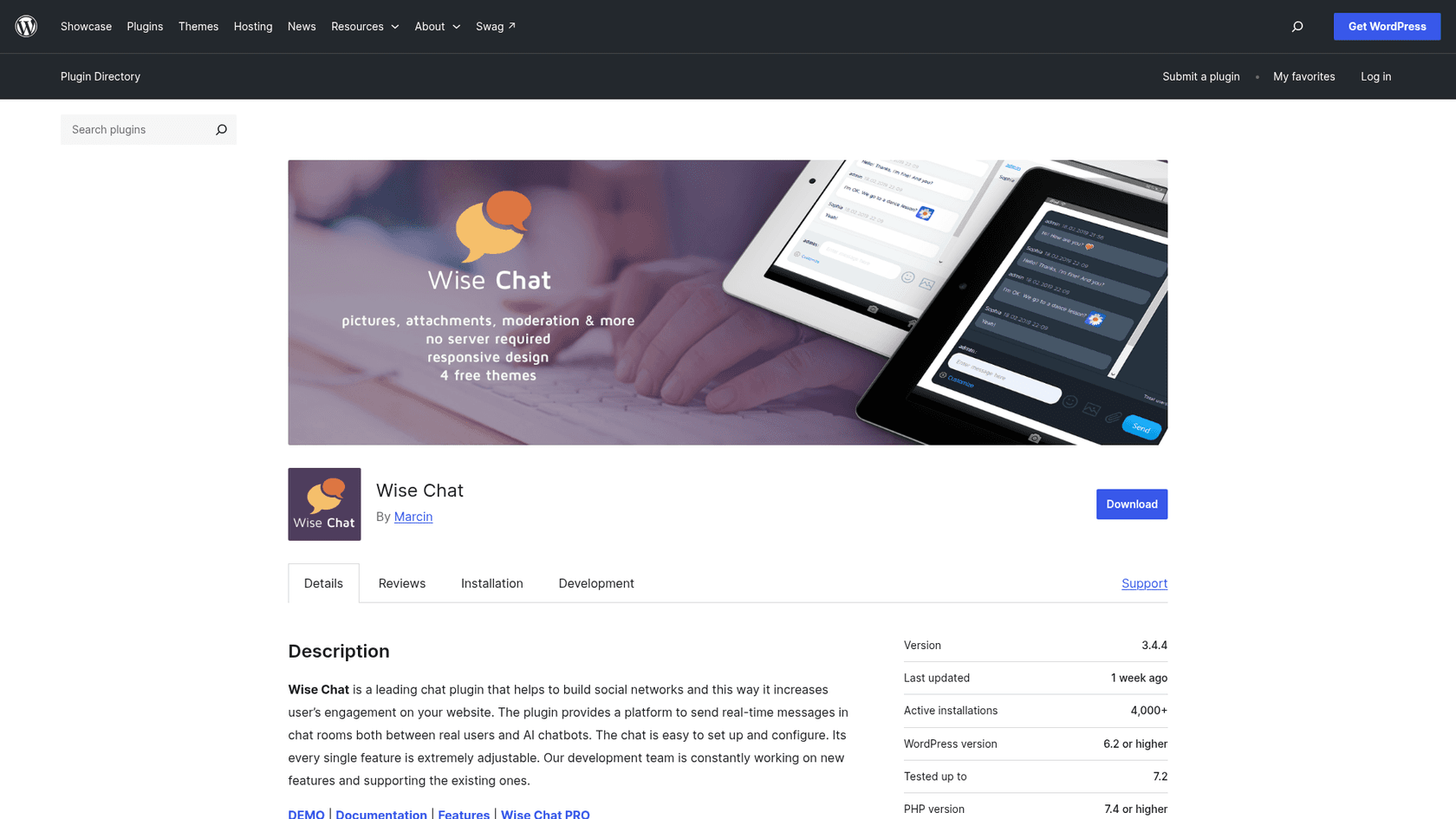
Wise Chat is a WordPress chat plugin by Kainex. Unlike every hosted tool above, it runs inside your WordPress install, so there's no per-person-online fee at all. The free plugin covers unlimited users and channels, single sign-on with your WordPress users, anonymous users, themes, moderation, file posting, notifications, and flood control and filters. It has 4,000+ active installs and a 4.4 out of 5 rating from 105 ratings on WordPress.org.
Wise Chat Pro adds private one-to-one messages, a Facebook-like chat mode, group chats, video calls, voice messages, BuddyPress groups and friends integration, pending messages for moderation, GIFs, custom emoticons and hooks for developers. Kainex also sells a version with AI chatbots for people who want automated replies in the room.
Pricing
| Version | Price | Licence | Notable extras |
|---|---|---|---|
| Wise Chat | Free | WordPress.org plugin | Unlimited users and channels, SSO, moderation |
| Wise Chat Pro | $60 one-time, no subscription | Per-domain licence | Private messages, video calls, voice messages, BuddyPress, pending messages |
| Wise Chat Pro licence options | On the buy page | 1 or 10 domains, with 6, 12 or 18 months of updates and support | Same as Pro |
The $60 price is from Kainex's pricing page. The buy page splits licences by domain count and update term, so check which term the $60 covers before you buy.
Pros and cons
| Pros | Cons |
|---|---|
| No monthly fee and no user cap | Your hosting carries every connection |
| Native WordPress users and BuddyPress | Updates and support expire after the licence term |
| 4.4 rating from 105 WordPress.org ratings | WordPress only |
| Video calls and voice messages on Pro | You own uptime during big events |
My take
My take: Wise Chat is the right call for a BuddyPress community or a WordPress members site that wants chat as part of the site, not a rented widget. I wouldn't run a 2,000-person launch stream on shared hosting with it; that's where a hosted tool like Minnit or DeadSimpleChat earns its fee. For more WordPress chat options, see my roundups of Meow AI Engine alternatives and 3CX Live Chat alternatives.
When the chat room is really a support desk
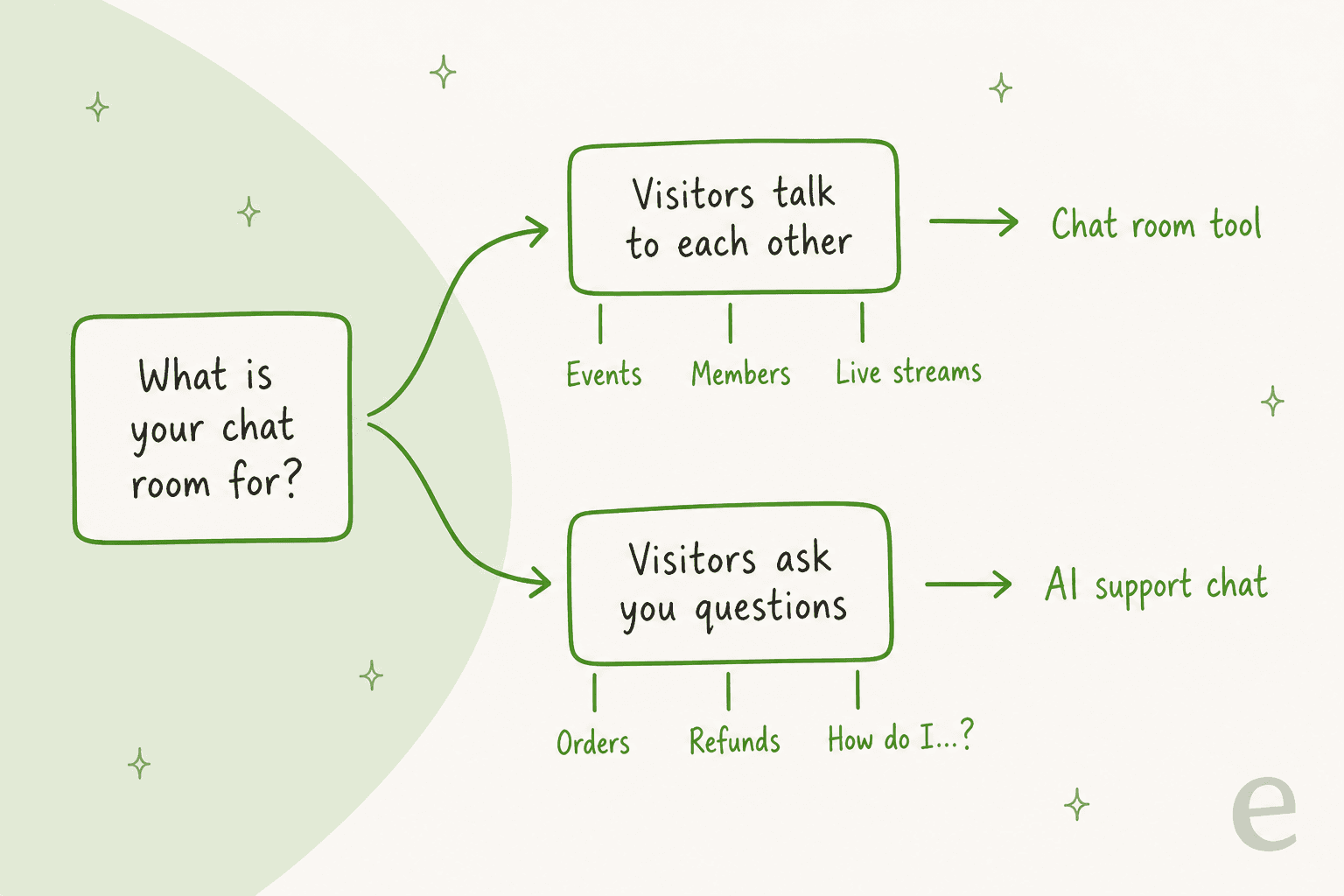
Here's the part most "alternatives" lists skip. A lot of rooms that start as community chat drift into a help desk. People join a stream and ask where the replay is. Members ask how to change their password. Shoppers ask about shipping. Somebody on your team ends up staffing the room just to answer the same five questions.
A church tech thread captured the staffing problem well. When one church asked whether others use chat room software like Minnit and RumbleTalk, one answer came back:
"We have a person who responds to comments and chats for our broadcast across the different sites, and in room we use a texting service to allow people to send keywords like “connect” “give” or “respond” to get connected to the right person for whatever they need."
That's a human doing routing and answering. None of the seven rooms above will do it for you, because they're built for people to talk to people. The AI features they do have (Minnit's and CometChat's AI moderation, Embedded Chat's room bot) police or entertain the room. They don't read your help center and resolve a question.
This is where eesel fits, and I'll be specific about it because building these connections is my day job. eesel's AI helpdesk teammate runs as a chat bubble on your site, an inline embed inside a page, or a public chat link that works with no website at all.
It answers from your help center, docs and past tickets, and hands anything it can't answer to your team as a ticket in Freshdesk, HubSpot or another helpdesk.
Two published customer stories show what that looks like in practice:
- MentorShow, a French online learning platform that runs video masterclasses, group coaching and free live online events. Its questions are the kind a community room attracts: a webinar has a replay for ten days, a group coaching session has none. In one month eesel read about 1,200 HubSpot conversations and tickets and wrote 432 reply drafts in French, English or Spanish, whichever the member wrote in.
- SamCart runs one eesel agent on its website chat bubble and another on Freshdesk tickets. Both answer from about 280 help center articles, and a ticket is tagged for a person the moment a seller asks for one.
If you build on your own stack, the eesel CLI is worth knowing about. Running npx @eesel/cli init chat-bubble --site <your-url> sets up a chat bubble from the terminal, every command returns JSON, and coding agents like Claude Code, Codex or Cursor can drive the same workspace you'd use in the dashboard. It's the same teammate, operated from a script instead of a browser.
On price, eesel is one monthly plan: free to try with 100 credits, then $299 a month for 500 credits, where one chat or ticket is one credit however long it runs, with no per-seat fee. For a 250-person webinar where attendees chat with each other, a chat room tool at $9 to $161 a month is the cheaper and better pick. eesel earns its price when the same questions arrive hundreds of times a month. Plenty of sites run both: a room for the community, and an AI chat for the questions. My guide to AI community support covers how that split works.
Which RumbleTalk alternative should you pick?
Start from your main priority, not from a feature list:
| If your main priority is... | Start with | Why |
|---|---|---|
| The closest like-for-like swap | Minnit Chat | Same people-online billing, SSO on every plan, far cheaper |
| The lowest price for a big room | Embedded Chat | $9 covers 500 people online and it never shows "chat is full" |
| Webinars and streams under 500 people | Chatroll | Q&A mode, no overage, cheaper than RumbleTalk at every size |
| A huge one-off live event | DeadSimpleChat | 1-day event plans, up to 10 million online, uptime SLA |
| A small community on a budget | Chatwee | $29 for 150 online with SSO and pre-moderation |
| Chat inside your own app | CometChat | SDKs, UI kits, HIPAA on Advanced |
| WordPress, no monthly bill | Wise Chat | Free or $60 once, runs on your own server |
| Answering customer questions | eesel | AI answers from your help center and hands off as a ticket |
If you're still unsure between a room and a support chat, my comparison of AI chatbots and live chat and the list of live chat features can help you sort out which one your visitors need.
If you're thinking about moving the community off your site entirely, I've also looked at Discord alternatives and Slack vs Discord.
Switching checklist: moving off RumbleTalk
Most RumbleTalk switches go wrong on one of four things. Check each before you cancel:
| Check | What to look for | Where the alternatives stand |
|---|---|---|
| Sign-in and SSO | Can members chat with their existing site login, without a second account? | Minnit (all plans, OAuth2, SAML2, WordPress), Chatroll (all plans), Chatwee (Pro+), DeadSimpleChat (Growth+), Embedded Chat (JWT on Pro), Wise Chat (WordPress users), CometChat (your app login) |
| Moderation | Pre-approved messages, bans, slow mode, word filters | Minnit pre-approval on Community+, Chatwee pre-moderation on Pro+, Chatroll and DeadSimpleChat Q&A mode, Embedded Chat slow mode and members-only on Basic+, AI moderation on Minnit (add-on), Embedded Chat Pro and CometChat Advanced |
| Concurrency | Your peak people online, and what happens past the cap | Most show a full message or need an upgrade; Embedded Chat never turns visitors away; CometChat charges $1 per extra person online; Wise Chat depends on your hosting |
| History export | Can you get transcripts out, now and later? | Export RumbleTalk transcripts (HTML or CSV) first. Minnit CSV on Pro+, Chatroll on Pro, DeadSimpleChat history download, Chatwee downloadable logs, CometChat via API |
Two smaller things worth a minute: re-embed the snippet on every page that carried the old room (RumbleTalk's WordPress shortcodes won't work in a new tool), and tell your regulars the room moved before your next event, not during it. If you need a refresher on placement, my guide on how to add live chat to a site covers the embed side, and my roundups of Wix chat alternatives and Shopify live chat apps cover platform-specific picks.
eesel for the questions your chat room keeps getting
If your RumbleTalk room has turned into the place people ask about replays, logins, orders and refunds, swapping it for a cheaper room won't fix that. eesel's AI helpdesk teammate joins your site as a chat bubble, answers those questions from your own help content any hour, and passes the tricky ones to your team as a ticket. It's the same teammate that drafts member replies for MentorShow in HubSpot. Keep a chat room for the community, and let eesel take the questions. Try eesel free with 100 credits.
Frequently Asked Questions
What is the best RumbleTalk alternative?
For most community and event rooms, Minnit is the closest swap: same people-online billing, single sign-on on every plan, and 500 people online for $36 a month against $267 on RumbleTalk. Pick Embedded Chat if price matters most, DeadSimpleChat for very large events, and CometChat if you are building chat into your own app. My RumbleTalk review covers what you would be leaving.
Is there a free RumbleTalk alternative?
Yes. Minnit's Free plan allows 20 people online at once, Chatroll's 10, and Chatwee's and DeadSimpleChat's 5. The Wise Chat WordPress plugin is free with no user cap because it runs on your own server. Embedded Chat only offers a 15-day free trial. For support-style chat, my list of live chat alternatives has more free picks.
What is cheaper than RumbleTalk for a large audience?
At 500 people online, RumbleTalk's Business plan is $267 a month. Minnit's Community plan covers the same crowd for $36, Embedded Chat's Basic plan for $9, and DeadSimpleChat and Chatroll for $199. At 2,500 people online, Minnit Pro is $129 against $962 on RumbleTalk. The full seat ladder is in my RumbleTalk pricing breakdown.
Which RumbleTalk alternatives work with WordPress?
Wise Chat is a native WordPress plugin with 4,000+ active installs, and every hosted tool here (Minnit, Chatroll, Chatwee, DeadSimpleChat, Embedded Chat) embeds with a snippet. Minnit also offers WordPress sign-in for single sign-on. If your WordPress chat is for customer questions, eesel's WordPress integration answers them with AI instead.
Do any RumbleTalk alternatives have AI?
A few, mostly for moderation. Minnit sells AI moderation as an add-on, Embedded Chat's Pro plan adds AI moderation and an AI assistant bot in the room, and CometChat's Advanced plan includes AI moderation. None of them answer support questions from your help center. For that, eesel's chat bubble is built to do the answering, with a clear split between bot and people.
Is RumbleTalk good for customer support?
Only lightly. RumbleTalk and the alternatives here are group chat rooms: visitors talk to each other and admins moderate. There is no ticketing or helpdesk handoff. If the room keeps filling with order and account questions, an AI support chat fits better; my guide to live chat for websites explains the difference.
How do I move my chat history off RumbleTalk?
Export transcripts from the RumbleTalk admin panel (HTML or CSV) before you cancel, because the new tool will not import them. On the other side, check export too: Minnit adds CSV export on Pro, Chatroll exports history on Pro, and DeadSimpleChat lets you download chat history. My guide to adding chat covers the embed side.
Which RumbleTalk alternative is best for live events?
DeadSimpleChat is the event specialist, with 1-day event plans, Q&A mode and plans up to 10 million people online. Chatroll and Minnit both handle webinars and streams well at lower prices. If attendees mostly ask the same logistics questions, pair the room with an AI live chat on your event page.