WPZOOM Connect alternatives 2026: 8 AI chat tools for WordPress

eesel Team
Last edited October 22, 2026

I build integrations at eesel, and the most useful lesson I've had about website chat came from a buyer who walked away. They ran a careful 67-question test of our chat, found the answers solid, and still said no, because the chat widget felt slow and kept getting stuck. Answer quality is only half the test. The other half is the widget your visitors touch, and where the chat goes when the bot can't help.
That's the frame for leaving WPZOOM Connect. Its AI Chat runs on Yamidoo at $0 for 50 conversations, then $29, $59 or $99 a month, and hands people off to Yamidoo's own inbox, email or WhatsApp. If you want AI plus a human inbox in one tool, Tidio (from $24.17 a month), Crisp ($45 a month per workspace) and Chatway ($0.50 per resolved chat) are the closest swaps. Chatbase is the fastest hosted bot from your URLs, AI Engine and WPBot keep everything inside WordPress on your own API key, and tawk.to is the free pick for human chat.
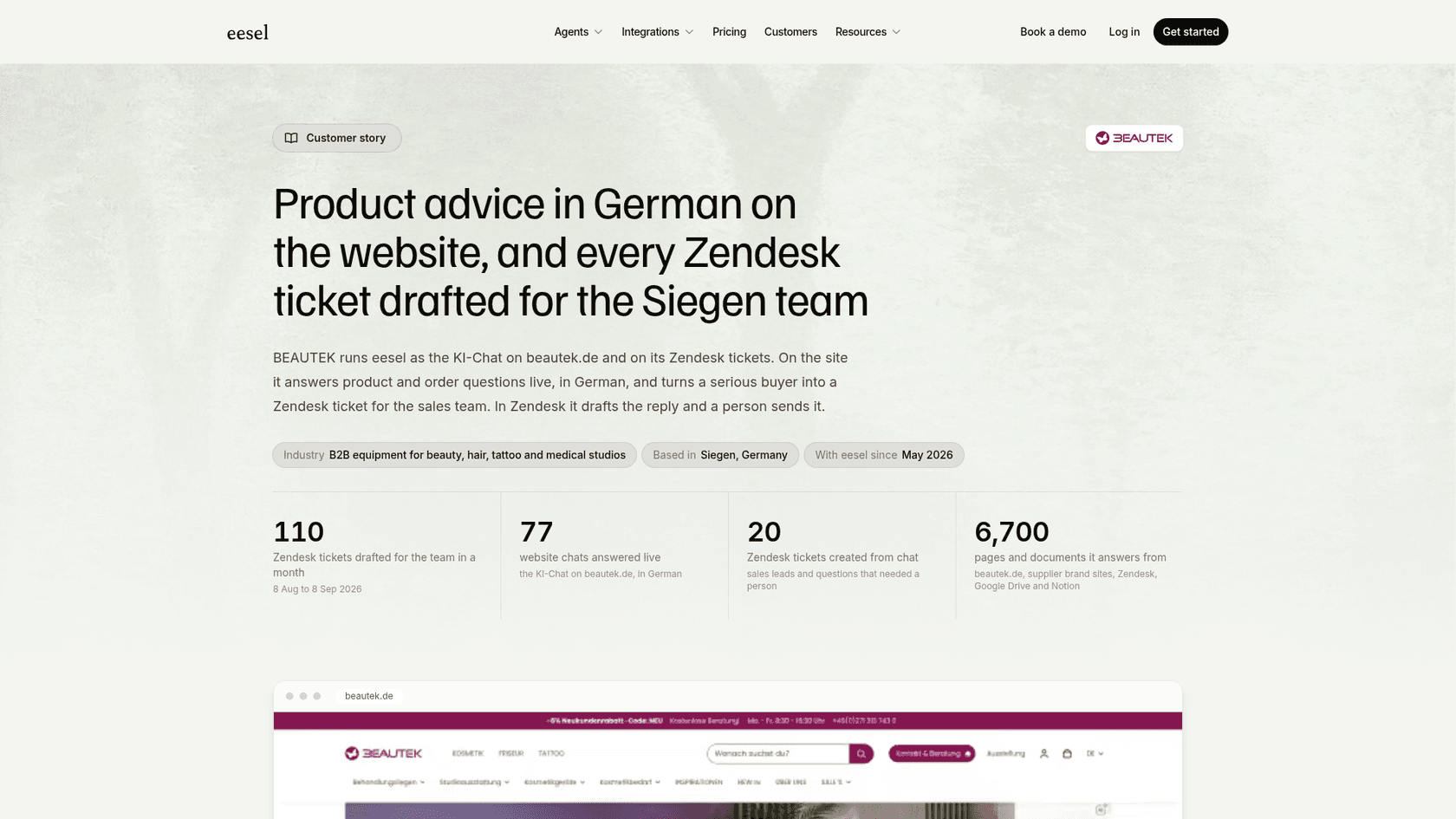
If your chats should land in Zendesk, Gorgias or Freshdesk instead of another inbox, the eesel chat bubble does that. BEAUTEK answered 77 website chats in German in a month and turned 20 of them into Zendesk tickets for its team.
Why do people look for WPZOOM Connect alternatives?
WPZOOM Connect is the new name for the Social Icons Widget by WPZOOM, and the plugin itself is in good shape. Its WordPress.org listing shows version 4.7.4, 90,000+ active installs and a 4.9 rating from 144 reviews. The AI Chat that arrived in version 4.7.0 on September 15, 2026 is the new part, and it is a separate product: it runs on Yamidoo, with its own account and bill.
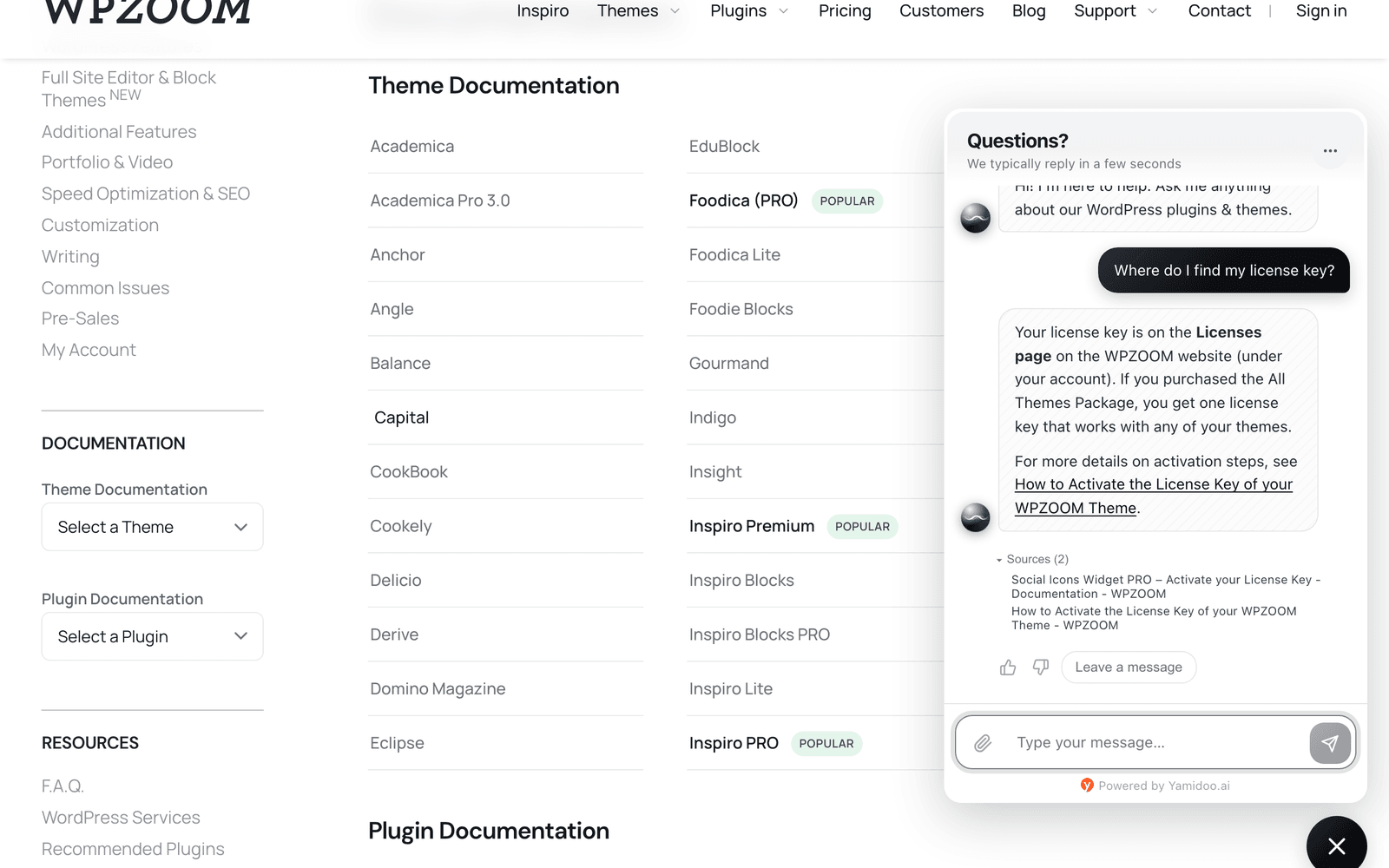
I like a lot of it. It scans your site before you switch it on, shows sources under each answer, and pauses at your limit instead of billing you more. So the reasons to leave are specific, and they come down to four things.
1. A hard ceiling at 1,500 chats. The Yamidoo pricing page lists Free (50 conversations a month), Starter $29 (300), Plus $59 (1,000) and Pro $99 (1,500), or $290, $590 and $990 a year. There is no add-on for more conversations, and at the limit AI answers pause on new chats until the period resets. That's kind to your budget and awkward in a busy month. My WPZOOM Connect pricing post works out the cost per chat on each plan.
2. Handoff lands in a second inbox. When a visitor asks for a person, the chat goes to the Yamidoo dashboard, where you reply live, by email or over WhatsApp. That's a sensible human-in-the-loop setup for one person. The only helpdesk on the pricing page is Help Scout, which gets drafted replies on Plus and up. If your team works in Zendesk, Freshdesk or Gorgias, chat becomes one more place to check. If you are on Help Scout, my Help Scout review is worth reading first.
3. Two vendors for one widget. The plugin comes from WPZOOM and the AI from Yamidoo. Seats are $19 a month each and extra websites $20 a month each, on top of the plan. Social Icons PRO ($39 to $79 a year) is a different product again and adds nothing to the AI.
4. It's six weeks old. The 4.7.4 changelog notes that Wordfence reported a flaw in the WooCommerce customer-data feature, where a crafted account could read another customer's orders, and WPZOOM fixed it within 10 days. That's the right outcome, but a store owner can fairly prefer a chat tool with a longer record around order data.
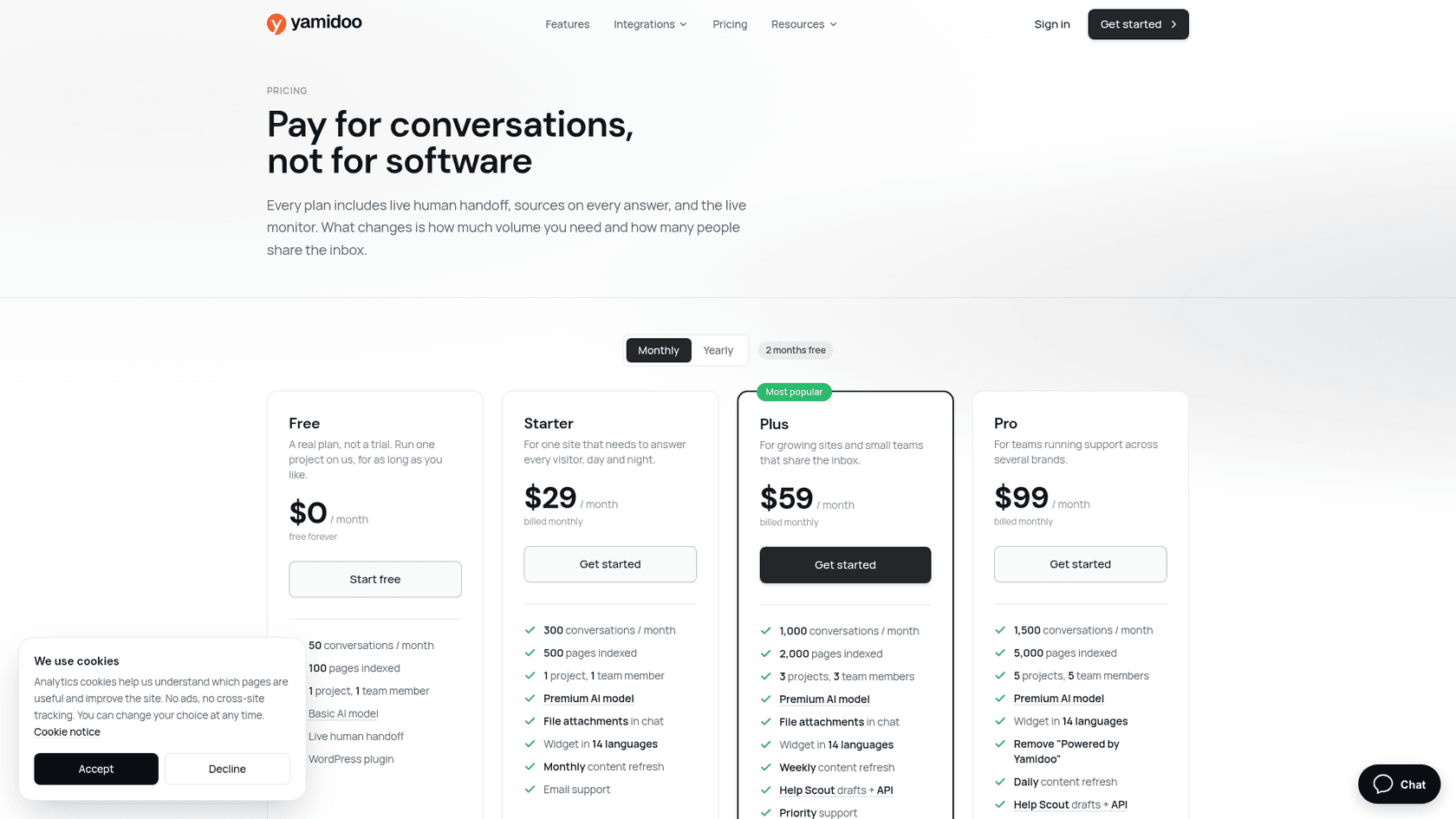
None of these is a reason to leave if 300 chats a month and a Yamidoo inbox suit you. They're reasons to look at a different shape of tool.
How I picked these alternatives
I asked ChatGPT the question a WPZOOM Connect user would ask, in a fresh chat, and it shortlisted Tidio, Chatbase, Crisp, Chatway and AI Engine. Its main split was the right one: do you want AI that answers on its own, or AI plus a live chat inbox for people? I added WPBot for scripted flows and forms inside WordPress, tawk.to for free human chat, and eesel for teams whose chats belong in a helpdesk.
Every price below comes from the vendor's own pricing page, and every install count and rating from WordPress.org, checked October 22, 2026. Each tool gets the same sections: what it is, pricing, pros, cons and my verdict.
The 8 WPZOOM Connect alternatives at a glance
WPZOOM Connect is the first row so you can compare against it.
| Tool | Best for | Runs where | AI included in price | Answers from | Human handoff | WooCommerce data | Free tier | Entry paid price | Pricing unit | WordPress.org installs, rating |
|---|---|---|---|---|---|---|---|---|---|---|
| WPZOOM Connect (baseline) | Small sites, one owner | Plugin + Yamidoo hosted | Yes | Crawled pages, sitemap, text, Q&A | Yamidoo inbox, email, WhatsApp | Orders, licenses (opt-in) | 50 AI conversations/month | $29/month | AI conversations, pauses at cap | 90,000+, 4.9 (144) |
| Tidio | AI plus inbox for a small store | Hosted + plugin | Lyro sold separately | Website, knowledge base | Live chat inbox, tickets | Lyro product sync | 50 billable + 50 one-time Lyro | $24.17/month | Billable + Lyro conversations | 70,000+, 4.8 (395) |
| Chatbase | Fast hosted bot from URLs | Hosted + plugin | Yes | Files, URLs | Inbox from Standard | Not listed | None, 7-day trial | $32/month yearly | Message credits | 5,000+, 3.4 (13) |
| Crisp | Team inbox first | Hosted + plugin | AI credits in plan | Knowledge base | Shared inbox | Not verified | Free, no AI credits | $45/month per workspace | Flat plan + USD AI credits | 20,000+, 4.6 (73) |
| Chatway | WordPress and WooCommerce stores | Hosted + plugin | $0.50 per resolved chat | Website, knowledge base | Live chat inbox | Products, orders, carts | 50 conversations + 10 AI | $31/month yearly | Seats + resolved AI chats | 30,000+, 5.0 (770) |
| AI Engine | Technical owners, own key | WordPress plugin | No, your API key | Posts, PDFs (Pro) | None built in | Not listed | Free plugin | $69/year, 1 site | Licence + provider tokens | 90,000+, 4.9 (871) |
| WPBot | Flows, forms and AI | WordPress plugin | No, your API key | Pages, documents | Slack live chat (Master) | Module (Professional) | Free core | $39/year, 1 site | Licence + provider tokens | 5,000+, 4.7 (124) |
| tawk.to | Free human chat | Hosted + plugin | AI Assist add-on | Knowledge base | Built-in inbox | Not listed | Free chat; free AI tier | AI Assist from $29/month | Free + add-ons | 100,000+, 4.6 (142) |
| eesel | Chats that belong in a helpdesk | Hosted, script tag | Yes | Pages, help center, tickets, Drive, Notion | Ticket in your helpdesk | Orders and products | 100 credits | $299/month, 500 credits | 1 credit per chat | Not a plugin |
The two columns I'd read first are "Human handoff" and "Pricing unit". Those decide whether you'll still like the tool in month six.
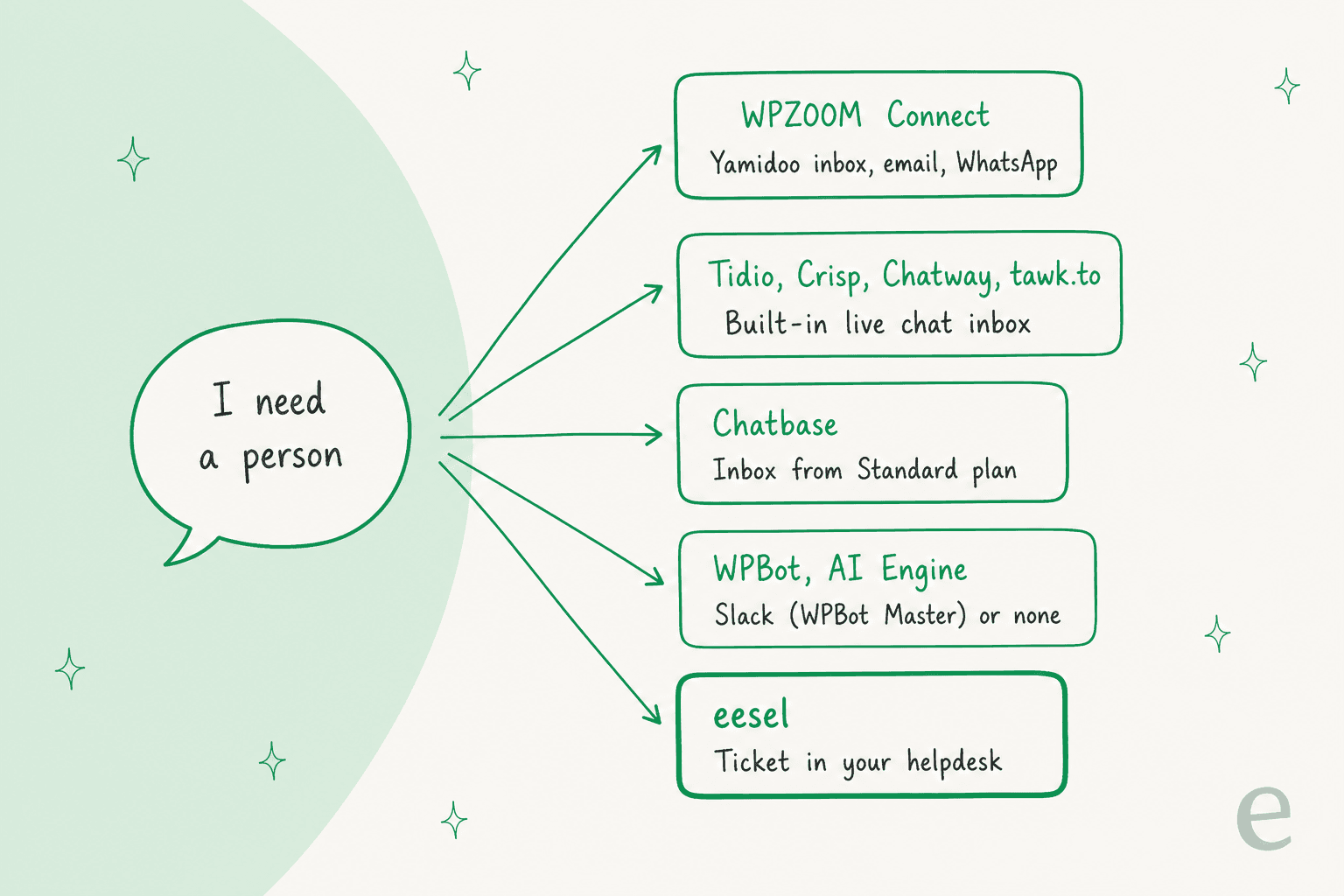
That grid is the part most comparisons skip. Yamidoo counts every AI-answered conversation and stops at the cap. Chatway only charges when its AI resolves the chat. Plugins on your own key have no cap at all, but every token lands on your OpenAI or Anthropic bill, priced per token. Price one month of your real traffic in each shape before you choose.
Which WPZOOM Connect alternative fits you?
Pick what you need the chat to do and how many people answer it. The card shows where I'd start and the catch to check.
Which WPZOOM Connect alternative should you try first?
Prices from each vendor's pricing page, October 22, 2026.
What should the chat do?
Who answers when the AI can't?
Pick a job and who answers to see my starting point and the catch to check.
1. Tidio: AI and a live chat inbox from one plugin
Best for: a small WordPress or WooCommerce shop that wants AI answers and a person behind them in one tool.
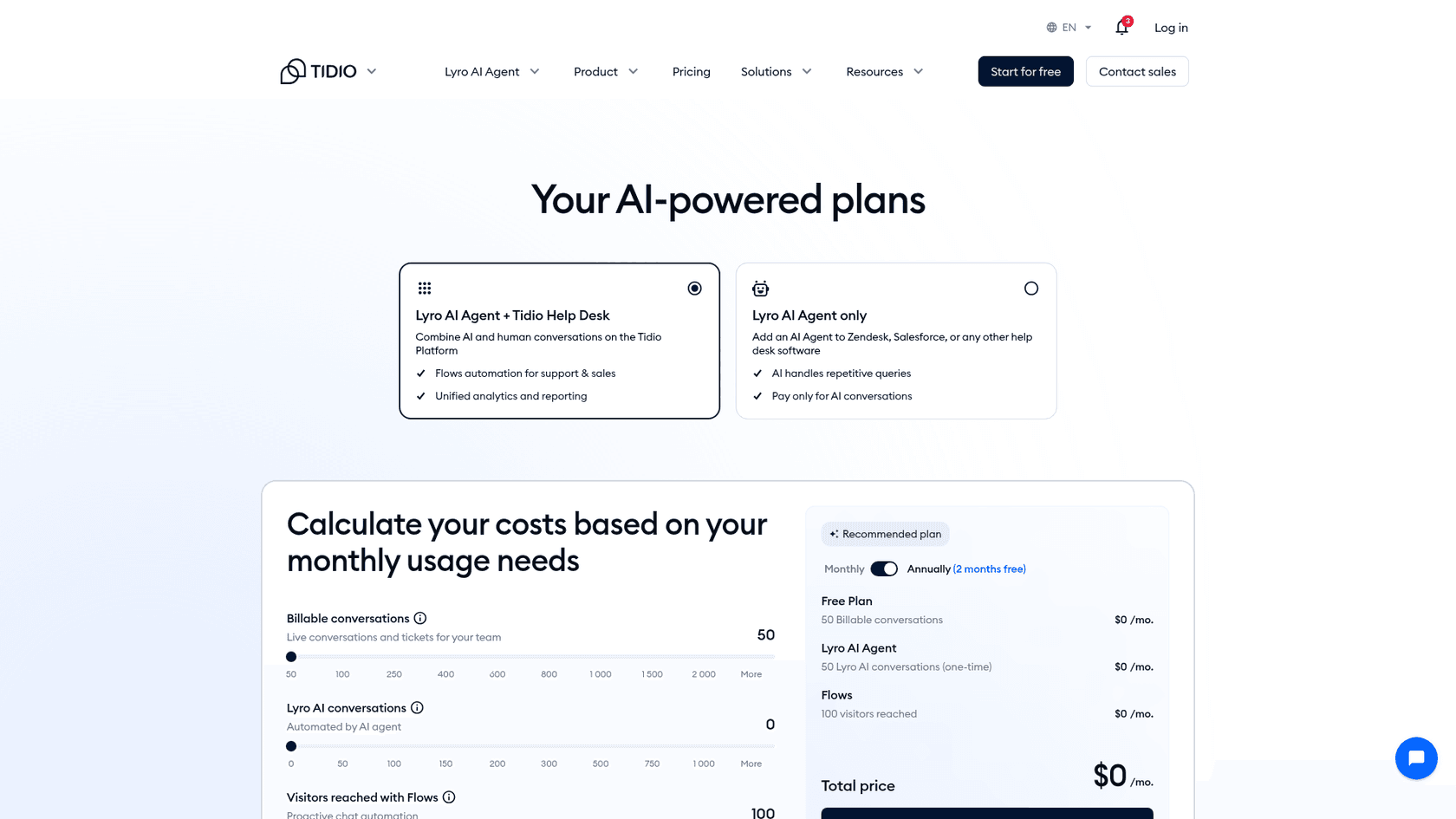
ChatGPT named Tidio its first choice for a typical WordPress business site, and I see why. Its WordPress plugin has 70,000+ active installs and a 4.8 rating from 395 reviews. The Lyro AI agent answers from your website and knowledge base, and your team takes over in the same inbox, which also handles tickets. For stores, Tidio's February 2026 update lets Lyro sync your WooCommerce product catalogue and recommend products from current stock. My Tidio review goes deeper.
Pricing (from Tidio's pricing page, billed yearly):
| Plan | Price | What's included |
|---|---|---|
| Free | $0 | 50 billable conversations a month, 50 Lyro conversations one-time, 100 Flows visitors |
| Starter | $24.17/month | 100 billable conversations |
| Growth | From $49.17/month | From 250 billable conversations |
| Plus | From $300/month + usage | Custom volume, separate AI and human rates |
| Lyro AI Agent | From $32.50/month | From 50 Lyro conversations a month |
A billable conversation is one your team replies to, and Lyro conversations are counted separately. Paid plans have a 7-day free trial. My Tidio AI pricing guide walks through the meters.
Pros:
- A real inbox and tickets behind the bot, which WPZOOM Connect sends to Yamidoo instead.
- WooCommerce product sync for Lyro.
- The largest WordPress install base among the hosted tools here.
Cons:
- Lyro is priced on top of the help desk plan, so you track two allowances.
- The free Lyro allowance is a one-time 50, not monthly like Yamidoo's 50.
One Reddit user who set it up put the AI side plainly:
"And to my knowledge, it's actual AI. It scraped my site and can answer questions based on the knowledge it got from my site."

Verdict: pick Tidio if you want chat, tickets and AI together on a small shop. Skip it if you want one meter instead of two. My Tidio alternatives list covers its neighbours.
2. Chatbase: a hosted bot built from your URLs
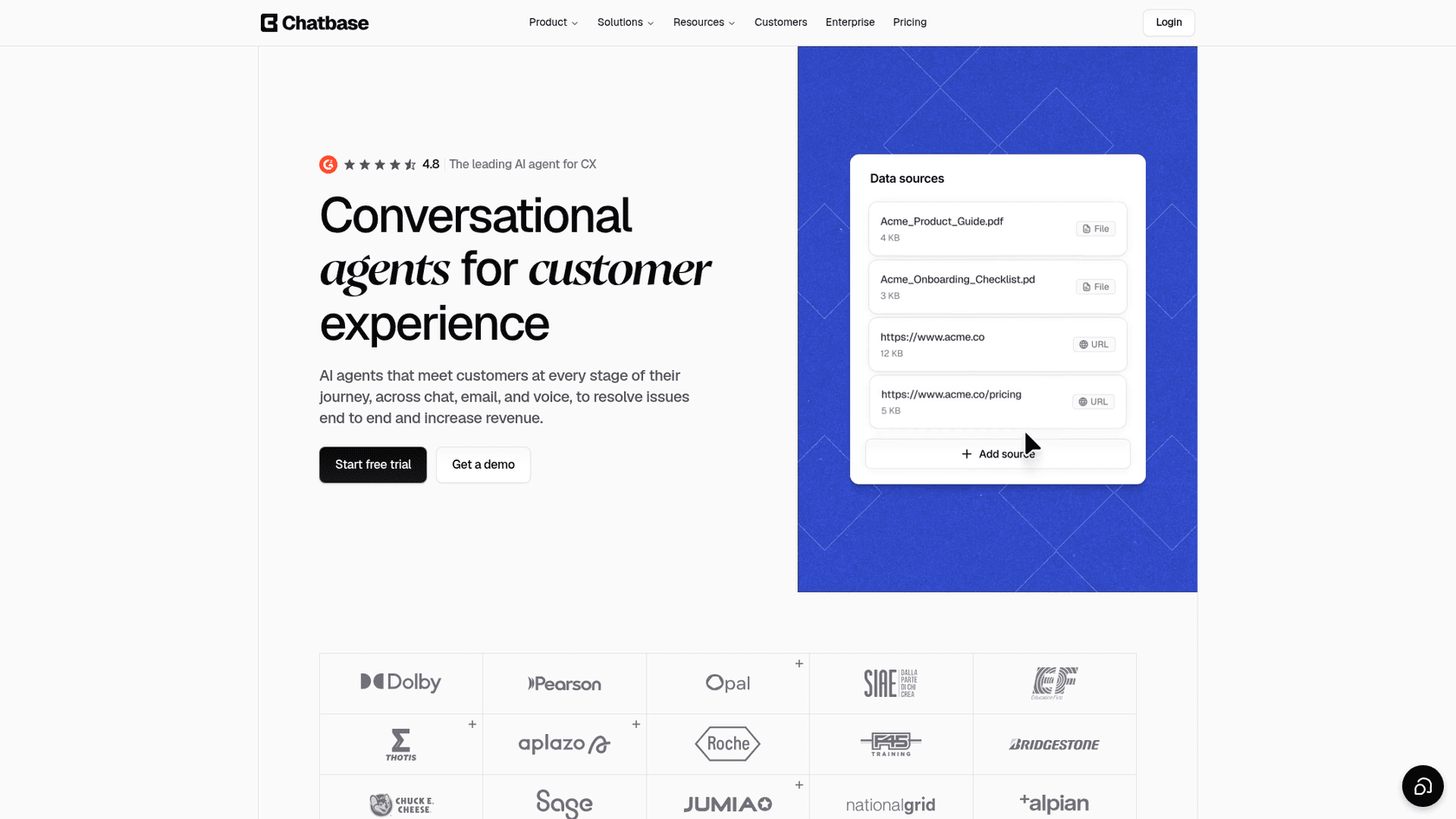
Best for: a site owner whose main job for the chat is answering detailed questions from documentation.
Chatbase builds an AI agent from files and URLs and puts it on your site as a widget or through its WordPress plugin. Of everything here it's closest to what Yamidoo does under the hood: crawl your content, then answer from it, a pattern called retrieval-augmented generation. The model cost is inside the plan, and a helpdesk inbox arrives on Standard. My Chatbase review covers the setup.
Pricing (from the Chatbase pricing page):
| Plan | Per month, billed yearly | Billed monthly | Message credits a month |
|---|---|---|---|
| Hobby | $32 | $40 | 700 |
| Standard | $120 | $150 | 4,000 |
| Pro | $400 | $500 | 15,000 |
| Enterprise | Custom | Custom | Custom |
Extra credits are $40 per 1,000, an extra AI agent is $300 a year, and removing the Chatbase branding is $1,188 a year. Each plan starts with a 7-day trial.
Pros:
- Setup from a URL in minutes, with no API key to manage.
- Auto-recharge credits, so the bot doesn't stop mid-month the way Yamidoo's does.
- Voice and API access from Standard.
Cons:
- No free plan, only a trial.
- The WordPress plugin averages 3.4 from 13 ratings and was last updated in March 2025, so most people embed the widget instead.
- The human inbox starts at $120 a month billed yearly.
A Reddit user's advice for a WordPress FAQ bot:
"For straight up FAQs with site crawling, Chatbase is probably the easiest starting point. You literally paste in your website URL, it reads the content, and the bot starts answering questions based on what's already on your site."
Verdict: pick Chatbase if answers from your docs are the whole job and you'd rather pay for credits than hit a cap. Skip it if you need a free tier. See my Chatbase alternatives for others in this lane.
3. Crisp: a shared inbox first, AI second
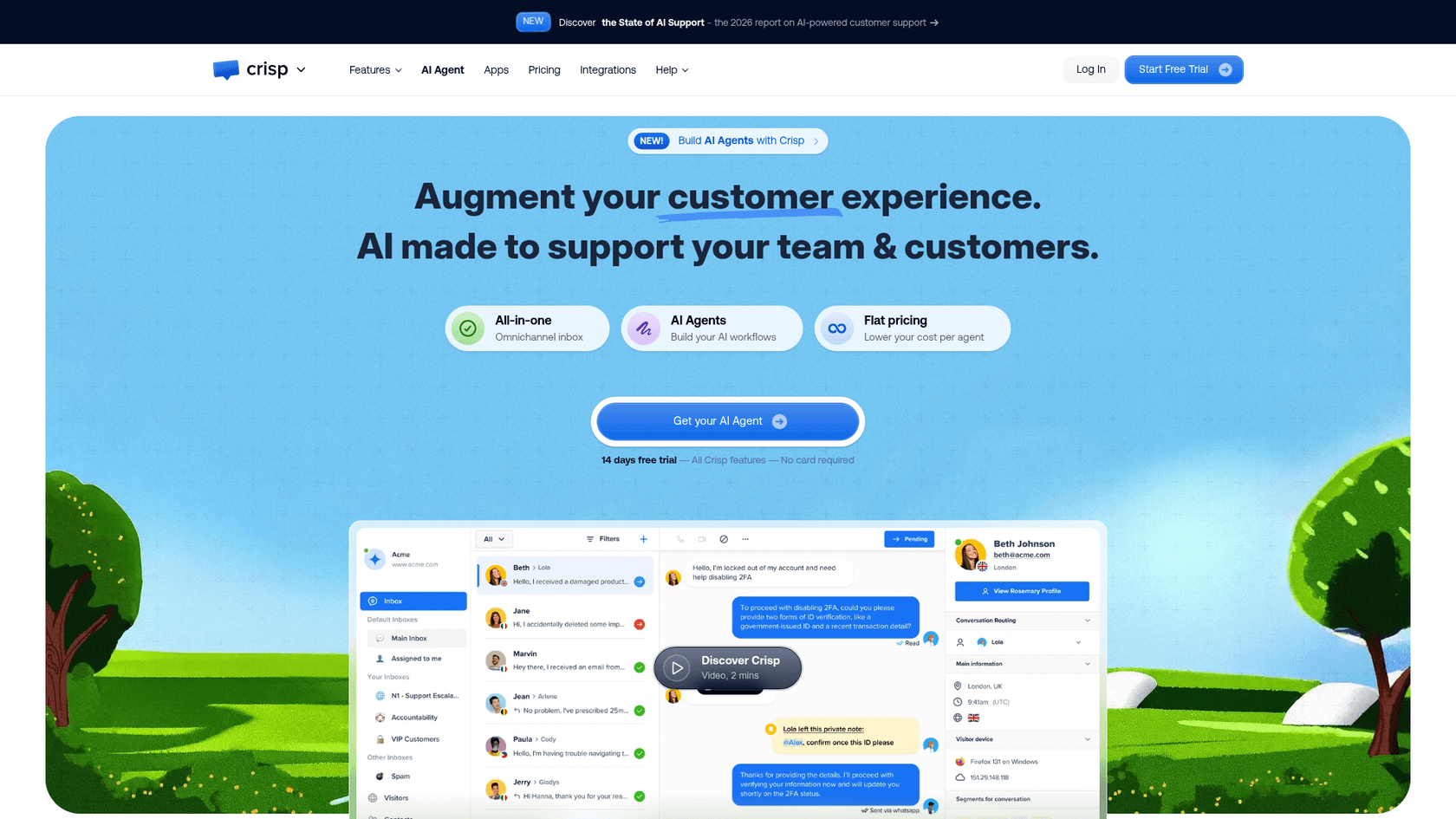
Best for: a small team that wants people answering chats, with an AI agent taking the routine ones.
Crisp charges a flat price per workspace instead of per seat, and its AI agent, Hugo, comes with credits from the Mini plan. Its WordPress plugin has 20,000+ active installs and a 4.6 rating from 73 reviews, and it was updated on October 21, 2026. Where WPZOOM Connect gives one owner a Yamidoo inbox, Crisp gives a team a shared inbox across chat and other channels.
Pricing (from Crisp's pricing page, per workspace):
| Plan | Per month | Seats included | Included AI credits |
|---|---|---|---|
| Free | $0 | 2 | None |
| Mini | $45 | 4 | $5 (around 90 automated conversations) |
| Essentials | $95 | 10 | $25 (around 450) |
| Plus | $295 | 20+ | $75 (around 1,350) |
The AI allowance figures come from Crisp's Hugo billing article. Every plan has a 14-day free trial with no card. My Crisp pricing guide explains the credit math.
Pros:
- Seats come bundled, so a 4-person team pays $45, not $45 per person.
- A free plan for human chat alone.
- A shared inbox across channels, with ticketing on Plus.
Cons:
- AI credits are a dollar allowance, so answered chats vary with length and model.
- The free plan has no AI credits.
One Trustpilot reviewer described using Crisp next to a separate bot:
"I already have a chatbot connected to claude ai but I needed the live chat part so that staff could easily respond when they are available."

Verdict: pick Crisp when people answering chats is the priority and AI helps out. Skip it if you only want a bot. My Crisp AI alternatives list compares its AI side.
4. Chatway: WordPress chat with pay-per-resolution AI
Best for: a WooCommerce store that wants AI to answer order questions and only pay when it works.
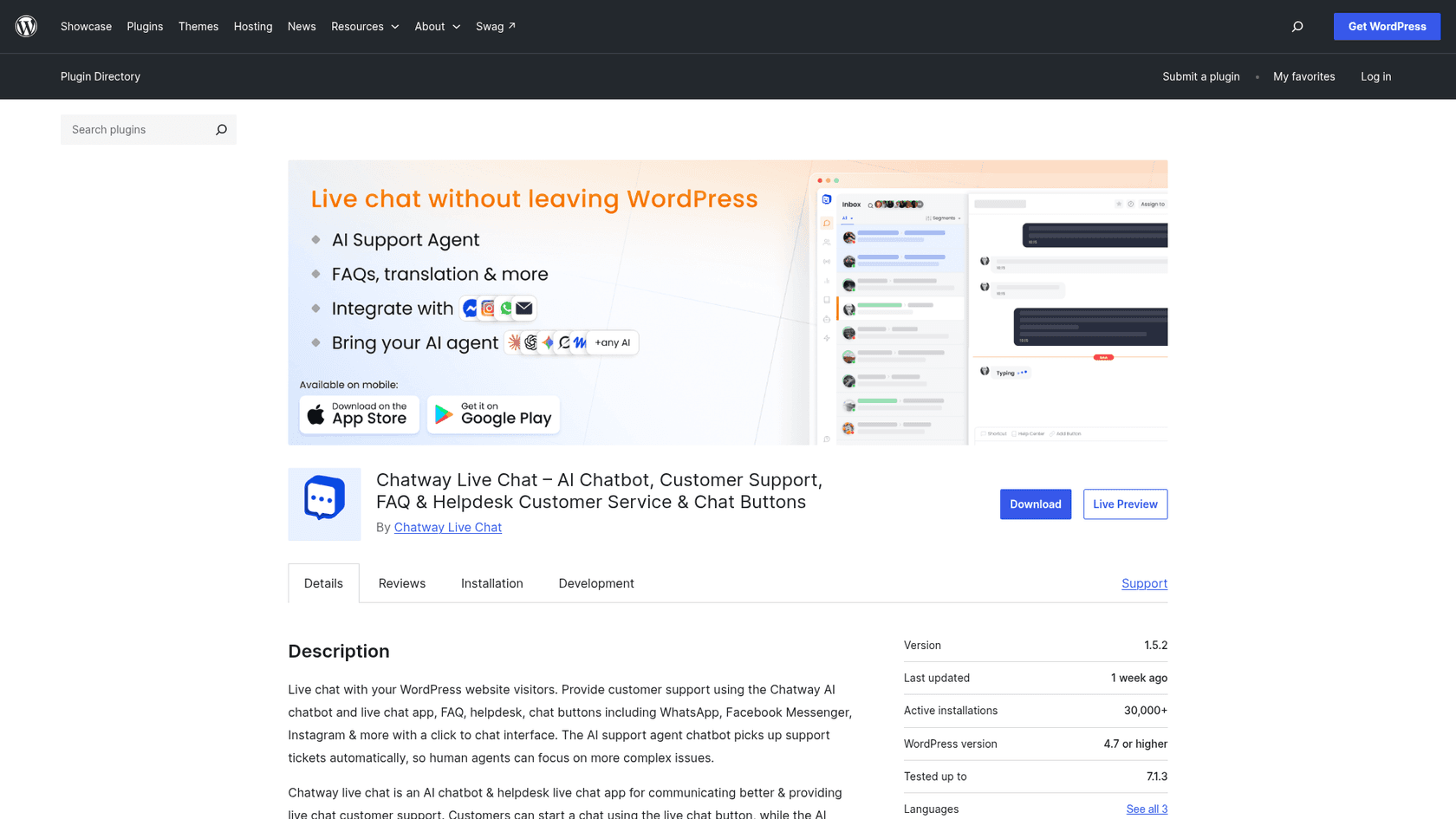
Chatway was ChatGPT's pick for WooCommerce, and its numbers on WordPress are strong: the Chatway Live Chat plugin has 30,000+ active installs and a 5.0 rating from 770 reviews. Its help doc shows how to let the AI agent read your pages and posts plus WooCommerce products, orders and fulfilments, and cart and checkout abandonments, choosing each data type yourself. That's the same idea as WPZOOM Connect's customer data feature, with more data types. My Chatway review covers the rest.
Pricing (from Chatway's pricing page):
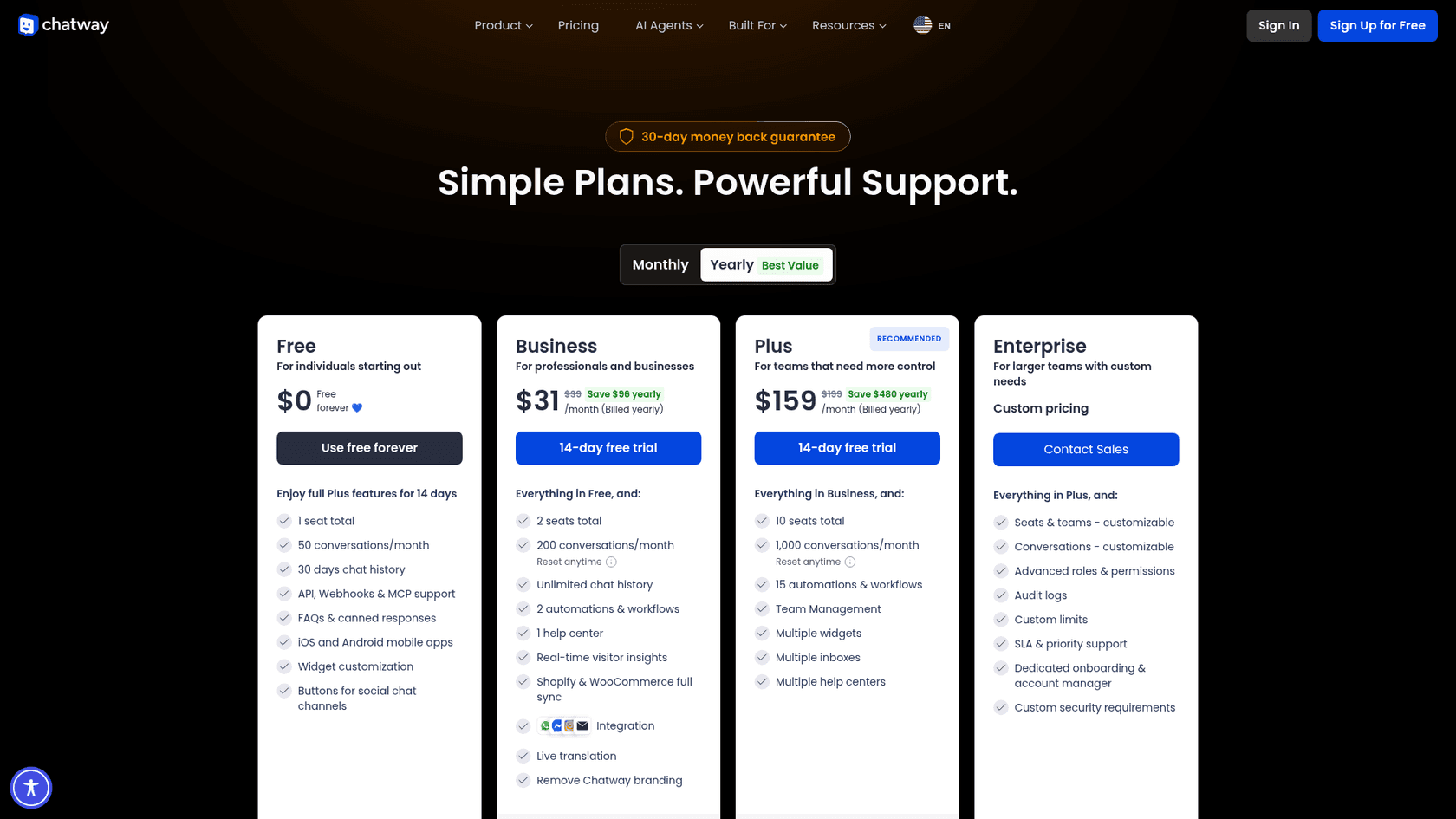
| Plan | Billed yearly | Billed monthly | Seats | Conversations a month |
|---|---|---|---|---|
| Free | $0 | $0 | 1 | 50 |
| Business | $31/month | $39/month | 2 | 200 |
| Plus | $159/month | $199/month | 10 | 1,000 |
| Enterprise | Custom | Custom | Custom | Custom |
| AI Support Agent | $0.50 per resolved conversation, 10 free to start |
Extra seats are $19 a month ($16 billed yearly). The AI agent works on every plan, including Free, and a "Bring your own AI" option connects ChatGPT, Claude or another tool through the API, webhooks or MCP. Paid plans have a 14-day trial and a 30-day money-back guarantee.
Pros:
- You pay for resolved chats, not every chat the AI touches.
- The deepest WooCommerce data access of the hosted tools here.
- A 5.0 rating from 770 WordPress.org reviews.
Cons:
- Plan conversation limits and AI resolutions are two separate things to watch.
- At 300 resolved chats a month the AI alone is $150, against $29 for Yamidoo Starter.
A founder on Capterra liked the free start:
"I receive an email and a push notification from the app when someone chats with me. Customers report a very intuitive experience as well. I love the free plan to ensure the product will work for us in the long run. It has a very generous free plan."

Verdict: pick Chatway for a WooCommerce store that wants AI on order questions and a live inbox, with no fee for chats the AI can't solve. Skip it if your volume is high and mostly simple, where a flat plan works out cheaper. My Chatway alternatives list goes the other way.
5. AI Engine: keep it all inside WordPress
Best for: a technical site owner who wants full control and doesn't mind an API key.
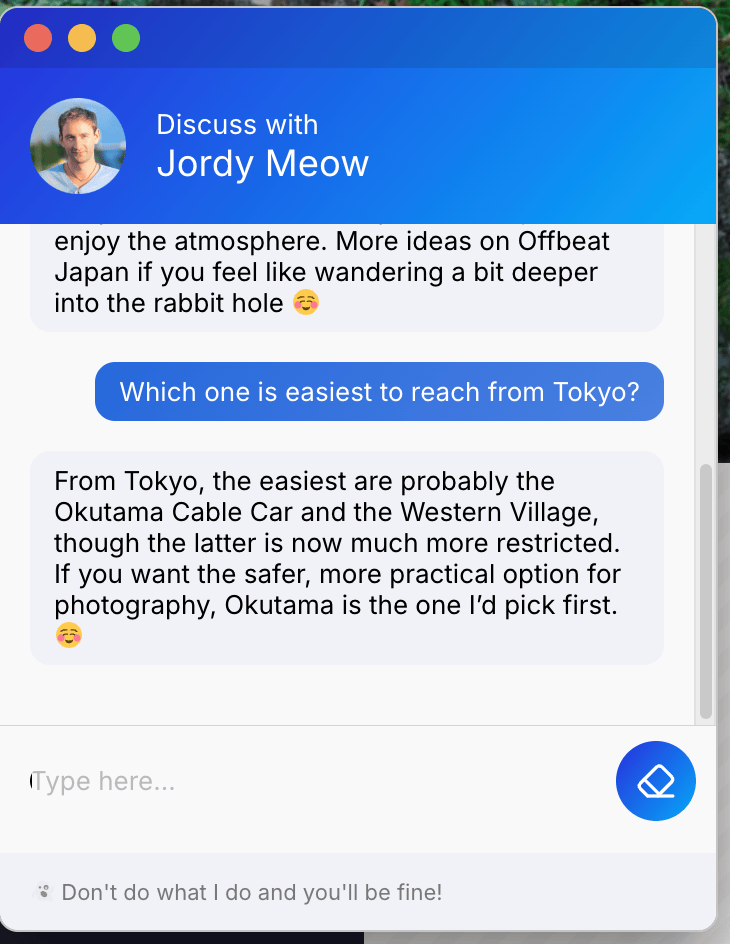
AI Engine by Meow Apps is the most installed AI plugin in this list, with 90,000+ active installs and a 4.9 rating from 871 reviews, updated October 21, 2026. It runs entirely in WordPress: chatbots, AI forms, content tools and an MCP server that lets ChatGPT or Claude work on your site. There's no separate account like Yamidoo. Every chat runs on your own OpenAI, Anthropic or other provider key. My AI Engine review has the detail.
Pricing: the plugin is free. AI Engine Pro is $69 a year for 1 site, $99 for 5 sites and $179 for 20, with lifetime licences available. Knowledge (embeddings from your posts and PDFs) is a Pro feature, and your AI provider bills every token.
Pros:
- No conversation cap at all, since you pay per token.
- One plugin, one vendor, a long track record.
- An MCP server in the free plugin.
Cons:
- Your provider bill grows with traffic, and you manage the key.
- No human inbox or handoff built in.
- Answering from your own content needs Pro and some setup.
A Pro user running it for clients:
"I use AI Engine Pro to run a client-facing coaching chatbot, and it does the job extremely well. The real standout is support."
Verdict: pick AI Engine if you outgrew Yamidoo's 1,500-chat ceiling and are comfortable running your own model. Skip it if you need someone to catch the hard chats. My AI Engine alternatives covers the same field.
6. WPBot: flows, forms and AI in one plugin
Best for: sites that want button menus, lead forms and AI answers together.
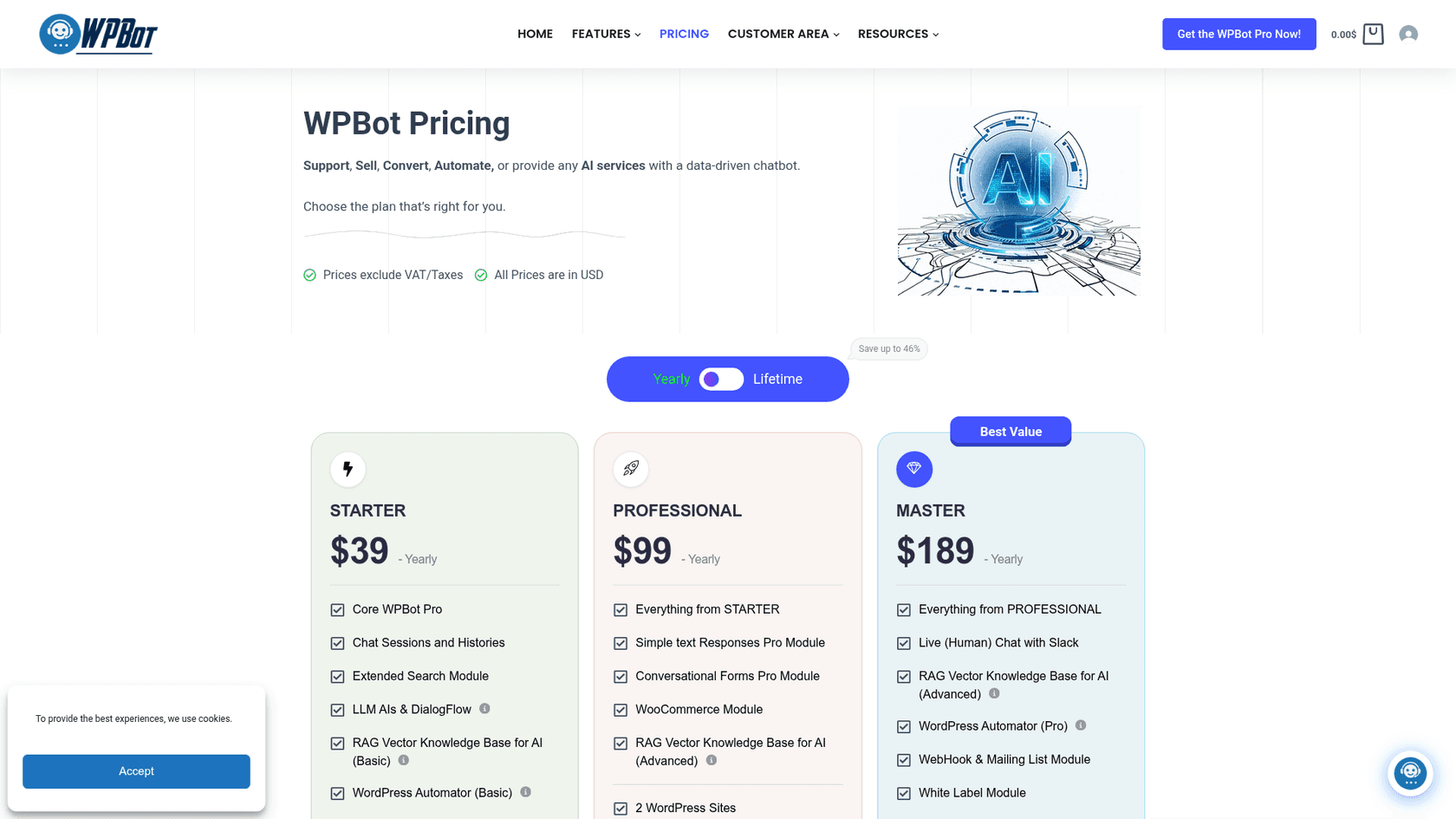
WPBot can run as a button-menu bot with no AI at all, or in natural-language mode on OpenAI, Gemini, OpenRouter or DialogFlow. It has 5,000+ active installs and a 4.7 rating from 124 reviews. The paid tiers add a RAG knowledge base, conversational forms, a WooCommerce module and, on Master, live human chat through Slack. WPZOOM Connect has no forms or scripted flows, so this fills a different gap.
Pricing (from WPBot's pricing page):
| Plan | Yearly | Lifetime | Sites | Key additions |
|---|---|---|---|---|
| Free | $0 | $0 | Any | Core bot, button flows |
| Starter | $39 | $149 | 1 | Chat histories, LLMs, basic RAG knowledge base |
| Professional | $99 | $279 | 2 | Conversational forms, WooCommerce module, advanced RAG |
| Master | $189 | $369 | 5 | Live human chat with Slack, webhooks, white label |
AI usage is billed by your provider, on top of the licence.
Pros:
- Scripted flows keep working when the AI is off, which suits lead capture.
- Lifetime tiers, useful for agencies with several sites.
- WooCommerce module from Professional.
Cons:
- Handoff needs the $189 Master tier, and runs through Slack rather than an inbox.
- You manage the API key and its bill.
A Reddit commenter summed up where it sits:
"WPBot is the closest to a middle ground - free core, OpenAI integration, works in any language, can train on your pages and documents, and has proper multilingual support in the Pro tier."
Verdict: pick WPBot if forms and flows matter as much as AI answers. Skip it if you want a clean knowledge chatbot with an inbox.
7. tawk.to: free human chat, AI as an add-on
Best for: a site where people answer chats and AI is optional.
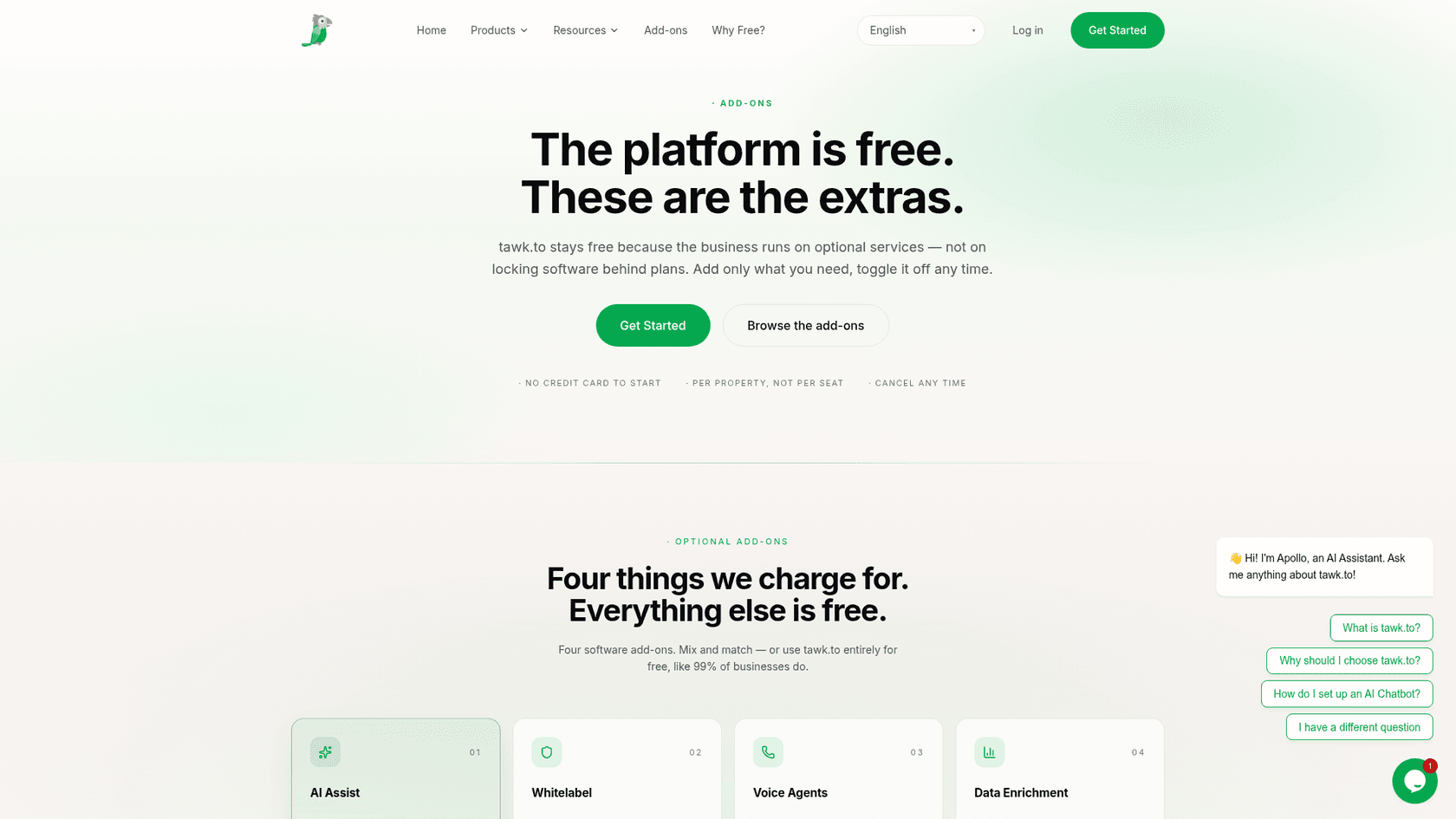
tawk.to gives away live chat, ticketing and a hosted knowledge base, and its WordPress plugin has 100,000+ active installs and a 4.6 rating from 142 reviews. It earns money from add-ons, priced per property rather than per seat, and from hired chat agents at $1 an hour, according to its why free page. If you mostly used WPZOOM Connect's Click to Chat buttons and only dabbled in AI, this is the cheapest serious inbox.
Pricing (from the tawk.to add-ons page):
| Item | Price | What it does |
|---|---|---|
| Live chat, ticketing, knowledge base | Free | Unlimited agents |
| AI Assist | Free tier for limited volume, paid from $29/month | AI agents answer from your knowledge base and hand off to your team |
| Whitelabel | $29/month | Removes the "Powered by tawk.to" branding |
| Hired agents | $1/hour | tawk.to staff answer chats for you |
Pros:
- Free live chat with unlimited agents.
- AI Assist hands off to your own team in the same inbox.
- A human answering service if you can't staff chat.
Cons:
- The AI answers from the tawk.to knowledge base, so you write or move content there.
- The plugin was last updated in January 2026, slower than the others here.
A Trustpilot reviewer was fair about it:
"I'm giving Tawk 4 stars because they provide a great service for free. There are definitely more 'polished' options out there, but they all come with a monthly fee now."
Verdict: pick tawk.to if free human chat is the priority. Skip it if AI answers are the main job. My tawk.to alternatives guide covers what free chat trades away.
8. eesel: an AI teammate that hands chats to your helpdesk
Best for: a WordPress or WooCommerce site whose chats belong in the helpdesk the team already uses.
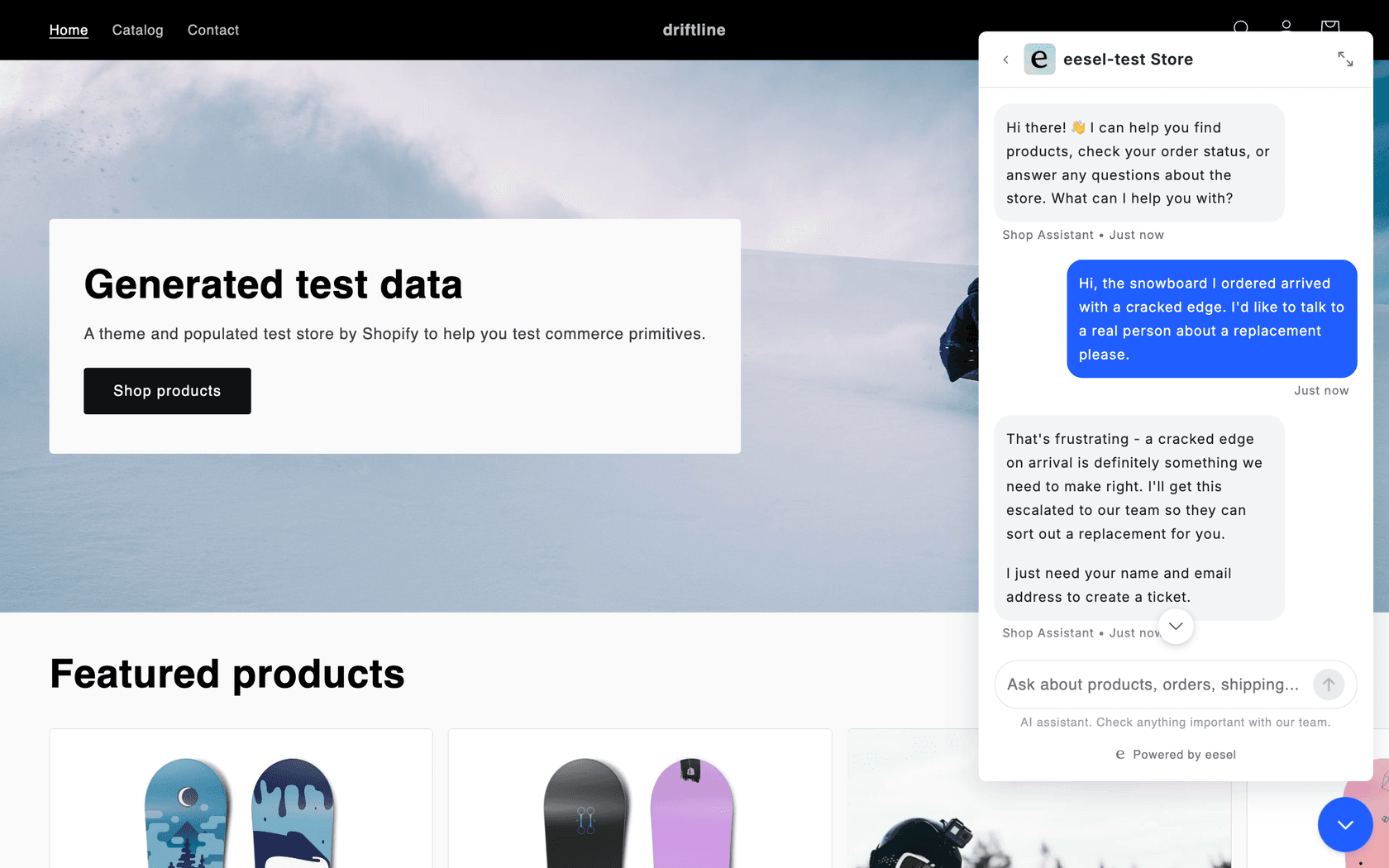
eesel is an AI teammate you hire for a job, and its helpdesk teammate runs the chat bubble on your site. You add it with one script tag in your theme footer or a custom code setting, so it isn't a WordPress.org plugin. It answers from your pages, help center, past tickets, Google Drive or Notion, and with WooCommerce connected it looks up products and orders. When a visitor asks for a person, it takes a name and email and opens a ticket in Zendesk, Gorgias or your own helpdesk, with the chat attached. That's the difference from Yamidoo's inbox: the chat sits next to that customer's emails.
The customer stories show what that looks like on real sites:
- BEAUTEK, a German supplier of studio equipment, answers website chat in German from 6,700 pages and documents. Between August 8 and September 8, 2026 it answered 77 chats live and created 20 Zendesk tickets, mostly sales leads.
- Question Beauty, a direct-to-consumer cosmetics brand, routes website chat, Messenger and email into Gorgias. In a month eesel handled 990 tickets, looked up 290 Shopify orders and closed 280 without a person.
- STIL Classics, a planner and stationery brand, has every Gorgias ticket arrive with the order checked: 230 Shopify orders looked up and 430 draft replies left for the team in a month.
Pricing (from eesel's pricing page):
| Plan | Price | What's included |
|---|---|---|
| Free | $0 | 100 credits, every feature and integration, no card |
| Teammate | $299/month for 500 credits, up to $1,749 for 5,000 | A ticket or chat is 1 credit however long it runs |
| Enterprise | Custom | Larger setups and security reviews |
At the limit your agents pause and you get an email, or you can turn on overage at $0.80 a credit with a monthly cap you set. Paying a year upfront gives two months free.
Pros:
- Handoff creates a ticket in your own helpdesk, so there's no second inbox.
- WooCommerce order lookups, plus your help center and past tickets as sources.
- One price per chat, with the model cost included and an overage option instead of a hard stop.
Cons:
- Not a WordPress.org plugin, and $299 a month is well above Yamidoo Starter.
- More than a brochure site needs.
Verdict: pick eesel if your chat is now a real support channel and your team works in a helpdesk. Skip it if you want a free plugin for a small site.
Where does each chat go when the bot can't answer?
This is the question I'd settle before price. Every tool here answers questions. They differ on what happens to the visitor who needs a person.
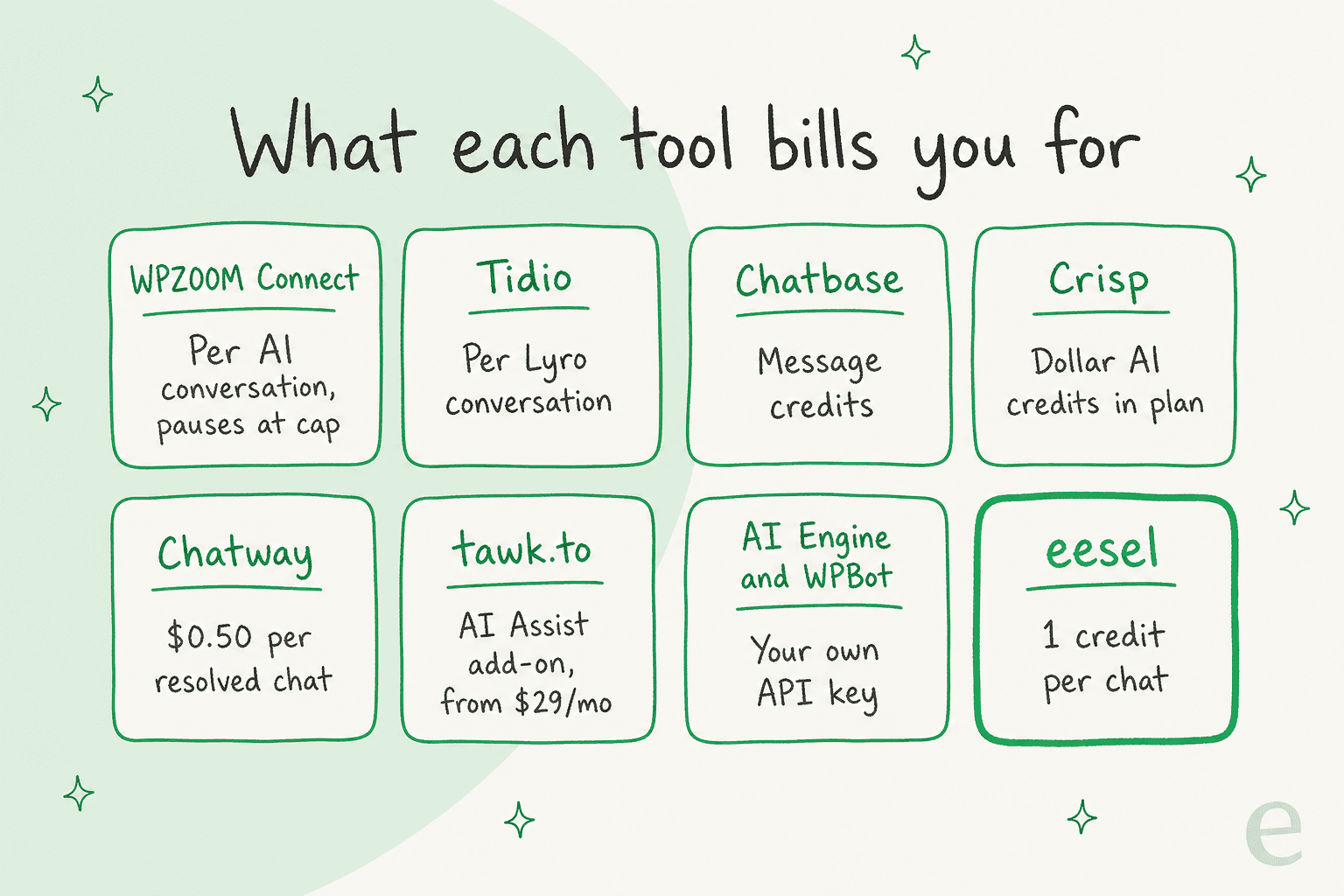
A built-in inbox is fine when the chat tool is your whole support setup. A ticket in your helpdesk matters once you already have one, because the chat lands next to the emails from the same customer and nobody has to watch two screens. My guides to human handoff in chat and AI chatbot vs live chat go further.
How do you switch away from WPZOOM Connect's AI Chat?
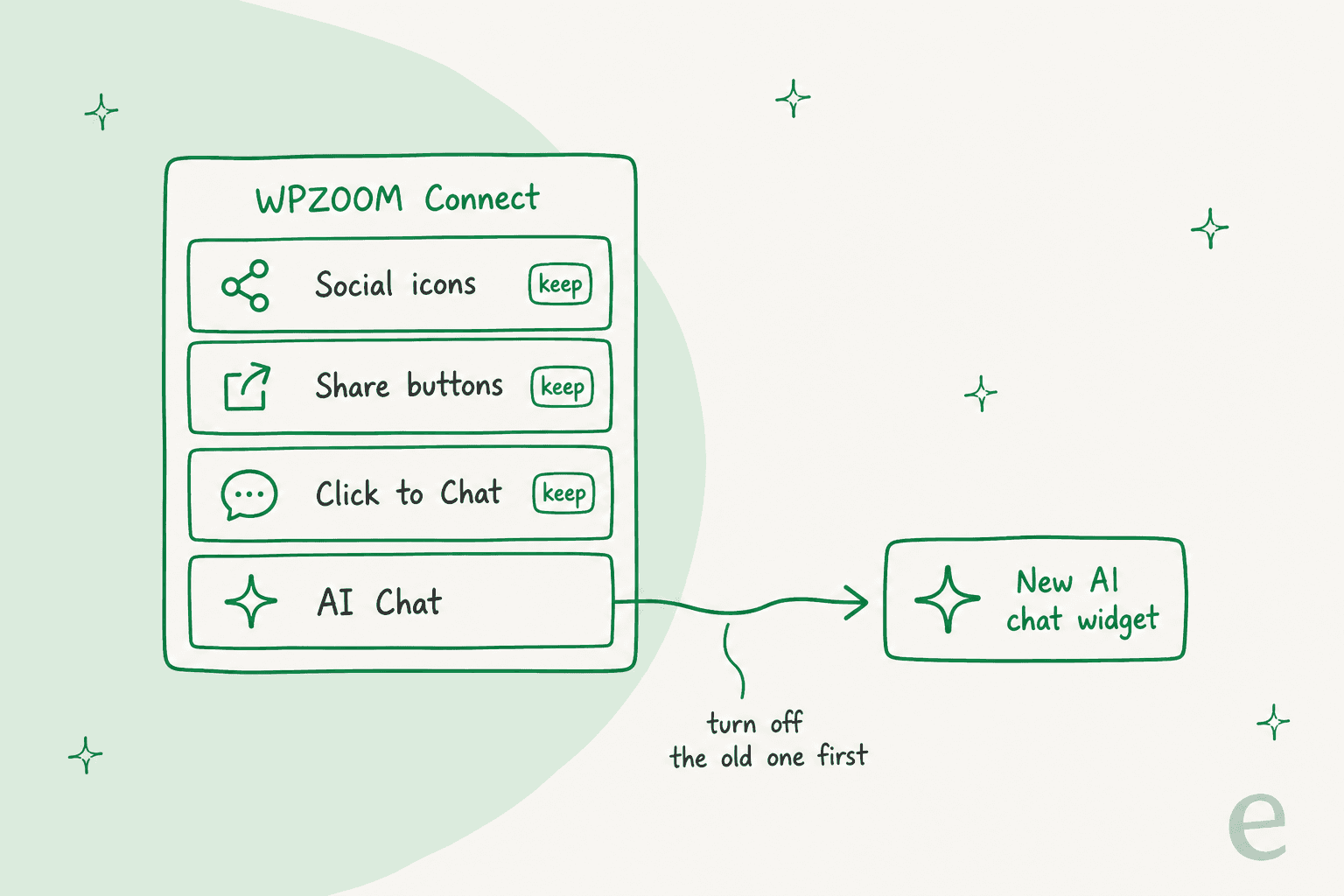
ChatGPT's best tip in my test was this one: you don't have to uninstall the plugin. AI Chat is one part of WPZOOM Connect, and the social icons, share buttons and Click to Chat launcher keep working without it.
- Collect your real questions. Go through the Yamidoo conversations and analytics and list the 20 to 30 questions visitors actually ask, plus the content gaps the Support Readiness Scan flagged.
- Move your sources. Note which pages, sitemaps and hand-written Q&A pairs feed Yamidoo, and add them to the new tool. Q&A pairs outrank page content in Yamidoo, so they're usually your fixes for its worst answers.
- Test on staging. Run the 20 to 30 questions, score the answers, and check the widget itself: how fast it opens and replies, how it looks on a phone, and what happens when it doesn't know. My guide to testing an AI agent has a scorecard.
- Turn off AI Chat first. Switch off AI Chat in WPZOOM Connect before the new widget goes live, so visitors don't see two chat bubbles. WPZOOM hides the WhatsApp launcher by default while AI Chat is on, so check your Click to Chat settings afterwards in case you want it back as a second channel.
- Watch the first week. Read every chat for answers your content didn't support, and fix the content rather than the prompt. My notes on running an AI support pilot cover what to measure.
If you're also cancelling Yamidoo, check the billing period first: yearly plans are $290, $590 or $990 upfront.
Try eesel on your WordPress site
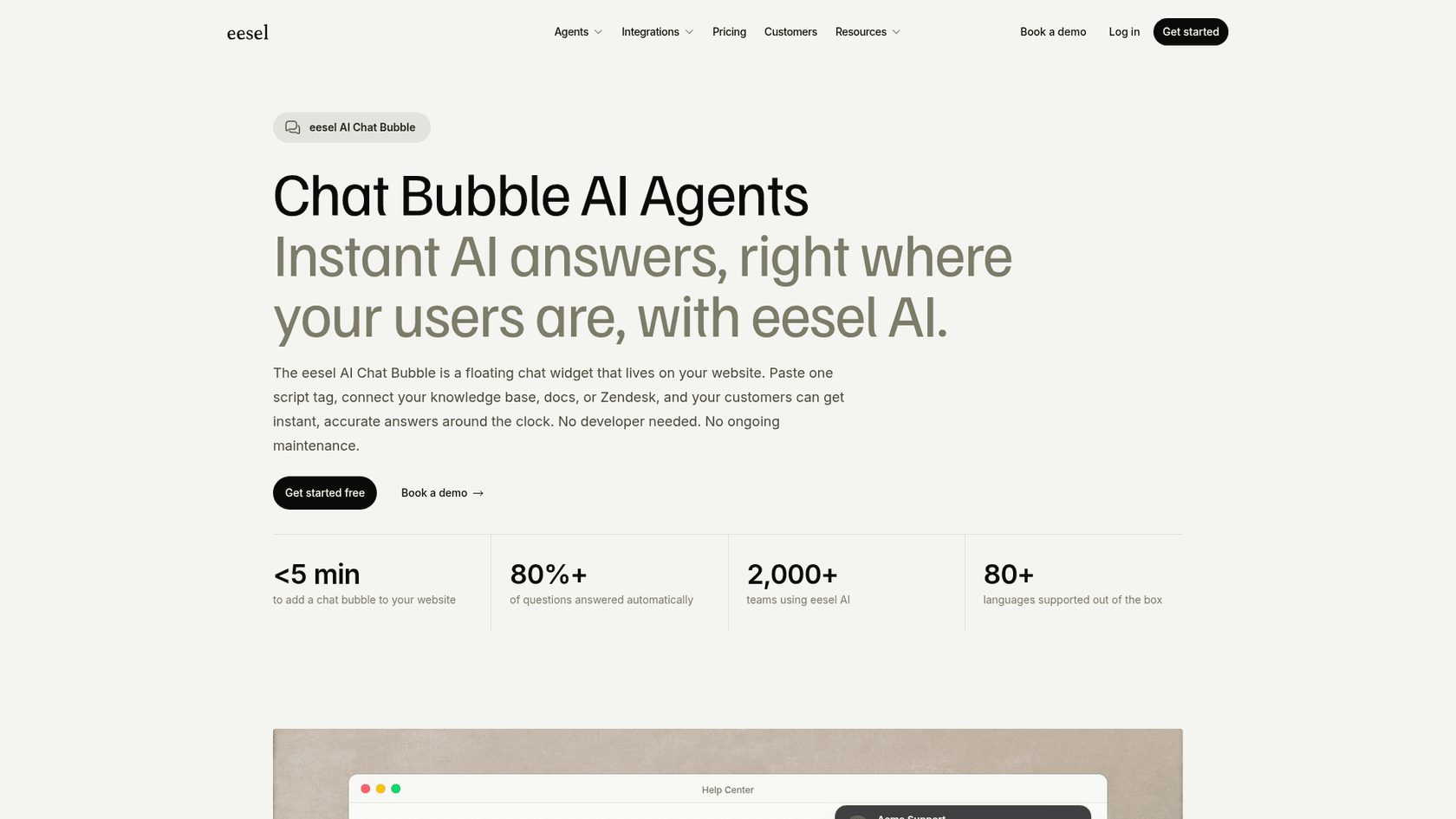
If your WPZOOM Connect chat has started taking order questions and complaints, and you'd rather they land in Zendesk or Gorgias than in a Yamidoo inbox, try eesel's chat bubble. It goes on your WordPress site with one snippet, answers from your pages and WooCommerce orders, and turns the visitor who needs a person into a ticket in the helpdesk your team already watches. Run your 20 to 30 real questions through it on the 100 free credits before you pay anything.
Frequently Asked Questions
What are the best WPZOOM Connect alternatives?
For AI plus a human inbox, start with Tidio, Crisp or Chatway. For a hosted bot built from your URLs, Chatbase. To keep everything inside WordPress on your own API key, AI Engine or WPBot. For free human chat, tawk.to. If chats need to land in your helpdesk, eesel's chat bubble. My WPZOOM Connect review covers what you would be leaving.
Is there a free alternative to WPZOOM Connect AI Chat?
Yes, with limits. Chatway's Free plan covers 50 conversations a month plus 10 free AI conversations, Tidio's Free plan includes 50 one-time Lyro conversations, tawk.to's chat is free, and AI Engine and WPBot are free plugins that run on your own API key. My guide to chatbot cost shows where the real bill comes from.
How much do WPZOOM Connect alternatives cost?
WPZOOM Connect's AI Chat runs $29, $59 or $99 a month through Yamidoo. Alternatives range from free plugins on your own API key to Chatway at $0.50 per resolved chat, Tidio from $24.17 a month, Chatbase from $32, Crisp from $45 and eesel from $299. My WPZOOM Connect pricing breakdown shows the per-chat math.
Which WPZOOM Connect alternative works best with WooCommerce?
Chatway's AI agent can read WooCommerce products, orders and carts, Tidio's Lyro can sync your WooCommerce product catalogue, WPBot Professional adds a WooCommerce module, and eesel connects to WooCommerce for order lookups. My guide to an AI chatbot for WooCommerce compares the options.
Which WPZOOM Connect alternative hands chats to a helpdesk?
WPZOOM Connect sends handoffs to Yamidoo's inbox, email or WhatsApp, with Help Scout drafts on Plus. Tidio, Crisp, Chatway and tawk.to use their own inbox. eesel creates a ticket in Zendesk, Gorgias or the helpdesk you already run. My guide to human handoff in chat lists what a good handoff carries over.
Is WPZOOM Connect still worth using?
For a small site, often yes. The plugin is free, AI Chat starts free at 50 conversations, and it pauses instead of billing past the cap. Switch when you outgrow 1,500 chats a month, need a helpdesk other than Help Scout, or want one inbox for chat and email. My list of AI WordPress plugins covers the wider field.