

What is WPZOOM Connect?
WPZOOM Connect is a free WordPress plugin listed on WordPress.org as "WPZOOM Connect: AI Chat, Click to Chat, Social Icons & Share Buttons". The listing still says "Formerly Social Icons Widget by WPZOOM", and the plugin has been in the directory since March 2015. For most of that time it was a social icons block. The contact launcher arrived in version 4.6.0 in May 2026, and AI Chat in 4.7.0 in September 2026.
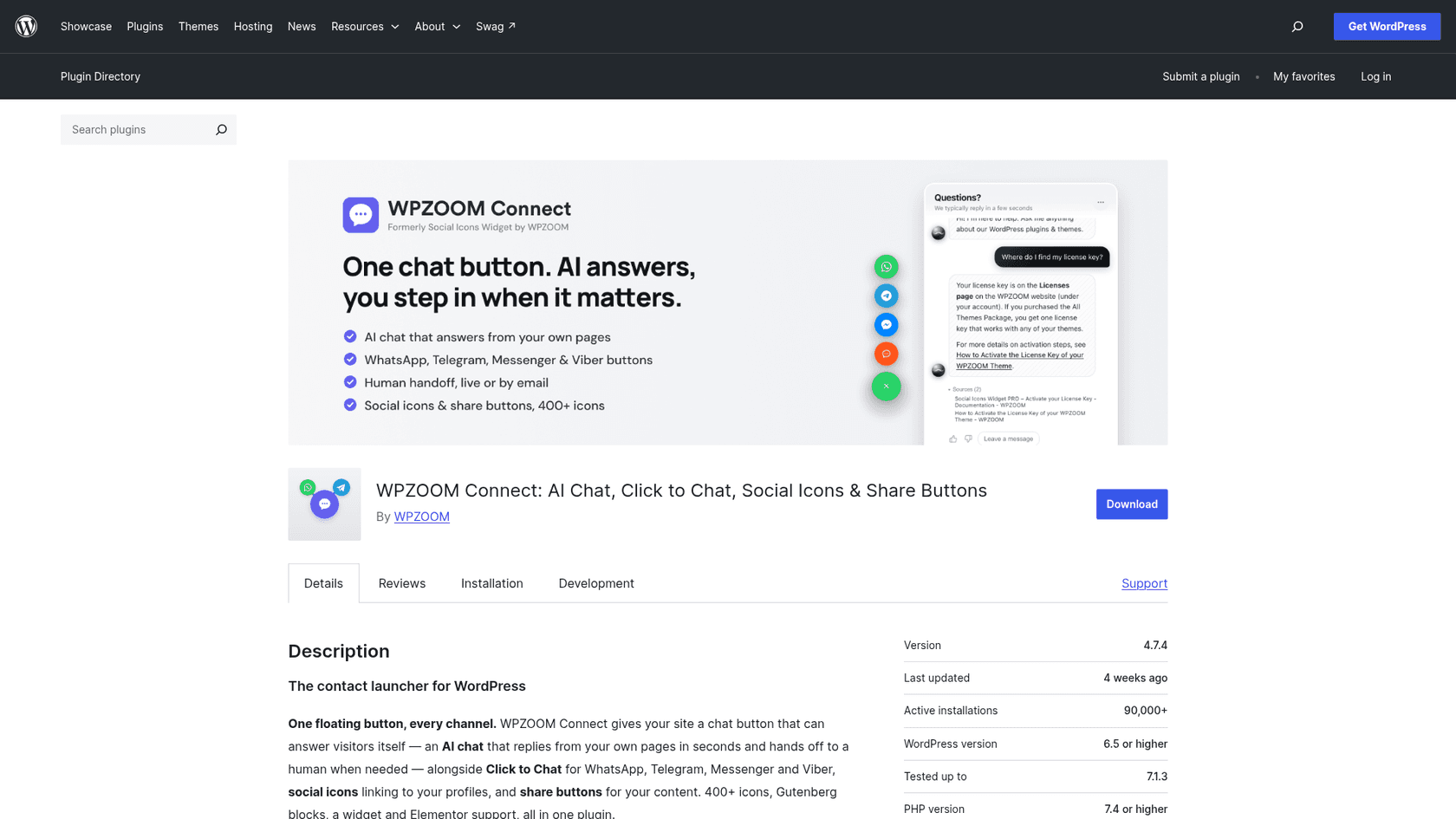
WPZOOM itself has been making WordPress themes and plugins since 2009 and is best known for themes like Inspiro. The plugin now does four separate jobs, and it helps to keep them apart, because they're priced and built differently:
| Part | What it does | Cost | Who runs it |
|---|---|---|---|
| AI Chat | Answers visitors from your pages, hands off to a person | Free plan, then $29-$99/month | Yamidoo (hosted service) |
| Click to Chat | Floating button that opens WhatsApp, Telegram, Messenger or Viber | Free | Your WordPress site |
| Social icons | 400+ icons from 5 sets, block, widget, Elementor | Free; PRO adds menu icons | Your WordPress site |
| Share buttons | 12+ platforms, block, styles | Free; PRO adds floating bar, counts, analytics | Your WordPress site |
I reviewed it from the plugin's listing, readme, changelog and FAQ, Yamidoo's product, docs and pricing pages, and the screenshots WPZOOM publishes of the settings screens. I'm an engineer who builds AI agents for support, so most of my attention went to the new AI Chat, since that's the part that can say something wrong to a customer.
How the AI Chat actually works
AI Chat turns the floating button into an assistant. Under the hood it's a hosted retrieval setup: Yamidoo crawls your public pages (or a sitemap, pasted text and hand-written Q&A pairs), indexes them, and answers each question from what it found, with the sources listed under the answer. That pattern is called retrieval-augmented generation, and it's the same basic design most website chatbots use, eesel's included.
Before I go through the parts, a bit of context on why I read this section closely. I've watched what happens when a chatbot meets a question its knowledge doesn't cover. In eesel's own early rollouts we saw paying customers whose bot made up answers to real customers when the knowledge base had nothing relevant. One telematics team found their bot telling customers "yes, we support your car model" for brands they didn't support, because a page said "we support all models". The fix is never a better model alone; it's knowing what your content does and doesn't answer before customers ask. WPZOOM Connect gets that part more right than most plugins in its price range.
The Support Readiness Scan
The setting I liked most comes before you switch anything on. The AI Chat tab has a Scan my site button that reads up to 14 of your public pages and shows the questions visitors are likely to ask, answered from your content, and the ones your site doesn't answer yet. Per the plugin readme, nothing is sent to Yamidoo until you click it, and the scan sends only your site's public URL.
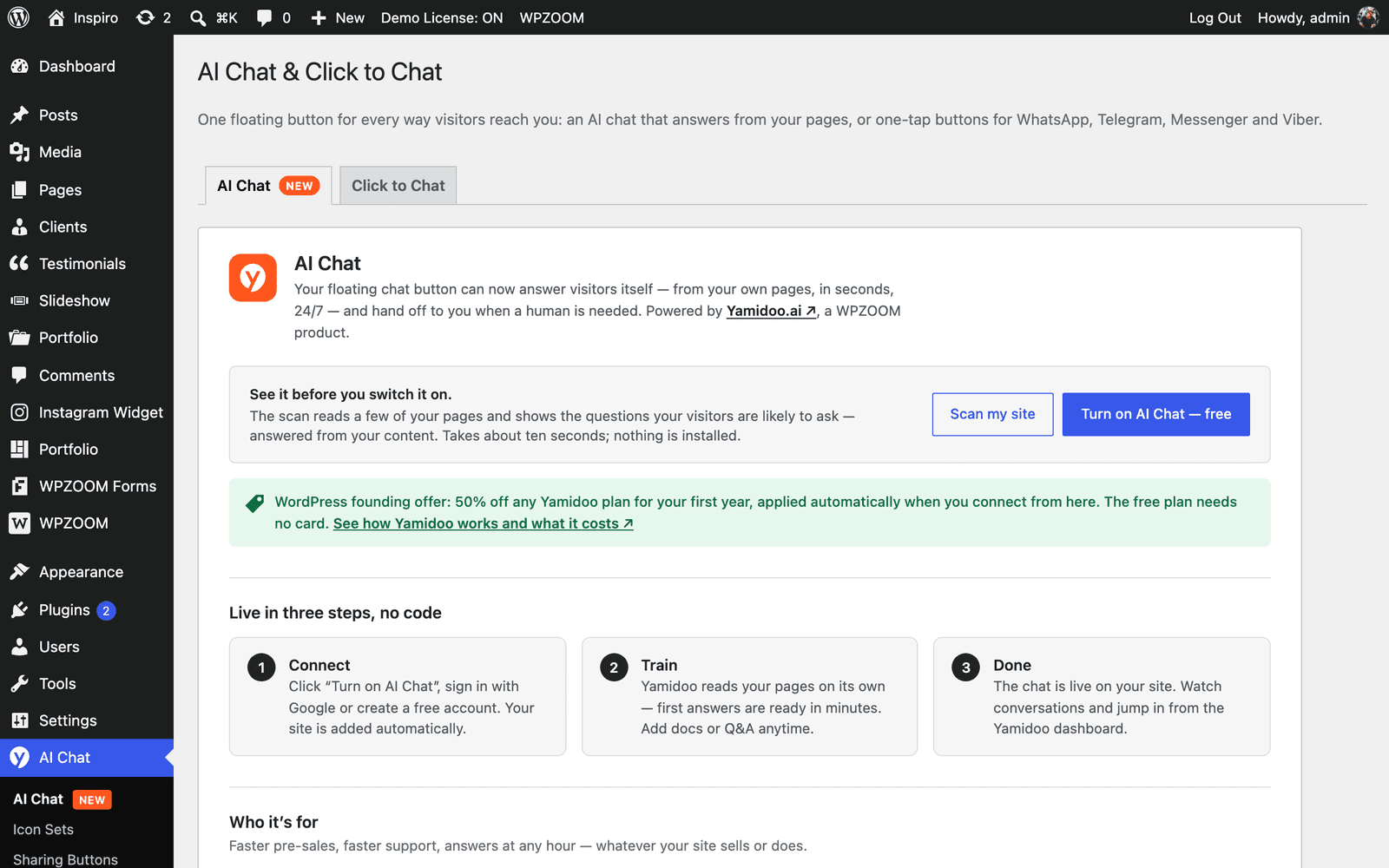
Turning it on is one click: you create or sign in to a Yamidoo account (Google sign-in works), your site is added, and indexing starts. No API key, no code. The settings screen in WPZOOM's own screenshot also shows a "WordPress founding offer" of 50% off any Yamidoo plan for your first year when you connect from the plugin, so check whether it's still on before you pay list price. If you're new to the setup side, my website AI agent walkthrough covers the steps in general.
Answers with sources, and the handoff
Visitors get an answer with a "Sources" list under it, so they can check the page it came from. Yamidoo's FAQ says that when the AI doesn't know something, "it says so rather than guessing" and offers a person. You can add Q&A pairs for anything it keeps getting wrong, and those outrank crawled page content. WPZOOM runs it on its own documentation site, which is a decent sign of confidence.
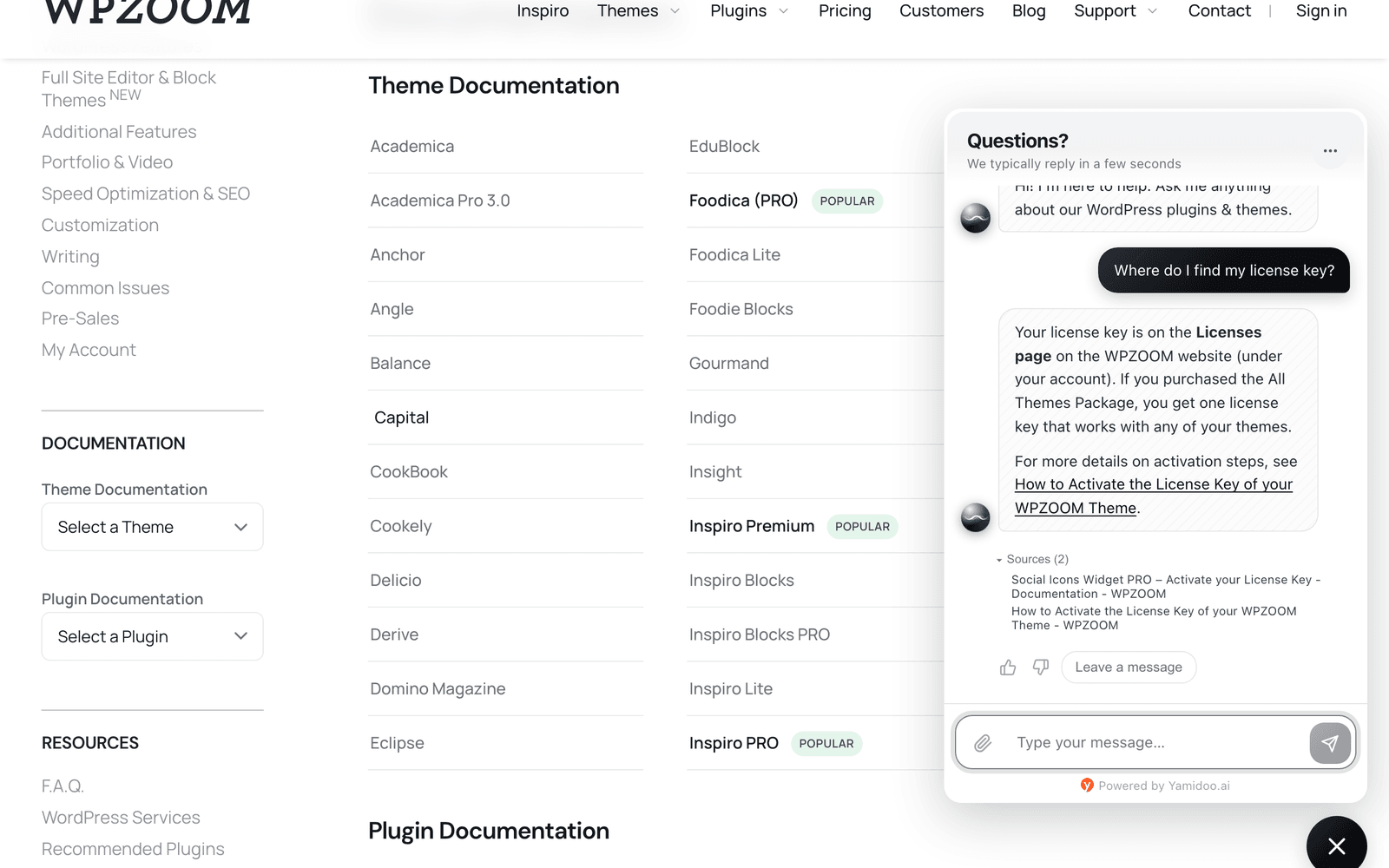
The handoff is where I'd slow down. When a visitor asks for a person, the conversation lands in the Yamidoo dashboard with the history attached and a reply already drafted. From there you reply live in the same thread, by email, or point the visitor to WhatsApp. That's a human-in-the-loop setup that works well for a one-person shop. For a team that already works out of a helpdesk, it's a second inbox to watch.
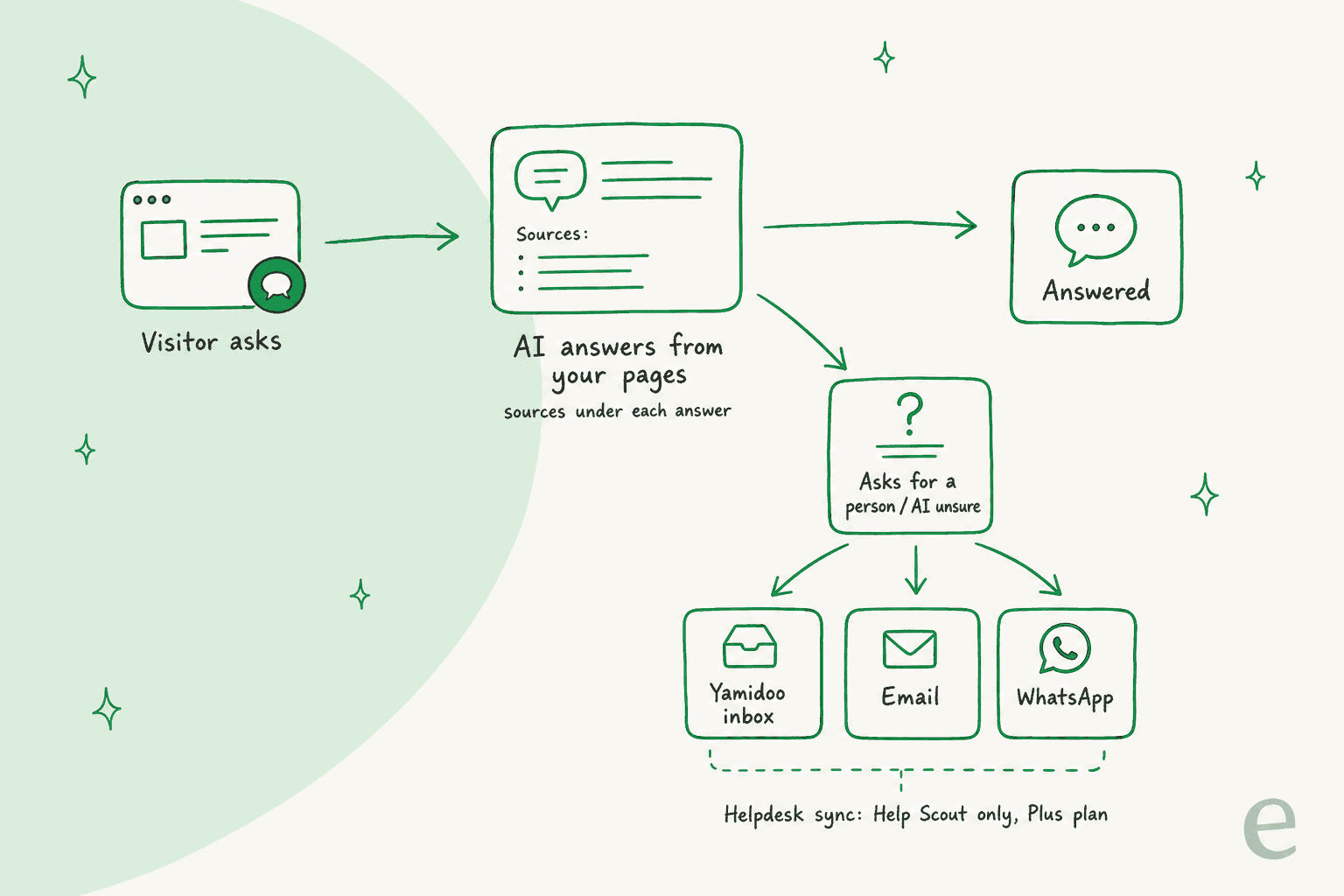
On the Yamidoo pricing page, the only helpdesk integration listed is Help Scout, where "every new email in your Help Scout inbox gets a reply drafted from your content", on the Plus plan and above. I found no Zendesk, Freshdesk or Gorgias connection. If Help Scout is your desk, my Help Scout review and guide to AI for Help Scout are worth a look before you decide where the AI should live.
WooCommerce and Easy Digital Downloads customer data
This is the most interesting engineering in the plugin. If you run WooCommerce or Easy Digital Downloads, your team can see a customer's orders, licenses and subscriptions in a sidebar next to the conversation. A second switch, off by default, lets the AI answer a logged-in customer's own account questions, like "when does my license expire?". According to the readme, Yamidoo requests one customer's record from your site only when needed, each request is signed with a per-site secret, and the record is used for that answer and then discarded.
Two details are worth knowing. The changelog for 4.7.4 says Wordfence reported a flaw where an account registered with a crafted email could reuse its own signature to read another customer's orders and licenses, and the fix separated the two signatures. It was found and fixed within 10 days of the feature shipping, which is the right outcome, but it's a reminder to keep auto-updates on for anything that touches order data. And the record is capped: up to 25 licenses and 15 orders and subscriptions per customer. For the bigger picture on store chat, my guide to an AI chatbot for WooCommerce goes further.
Click to Chat, social icons and share buttons
The free part of the plugin is mature and does what it says. Click to Chat adds a floating launcher with WhatsApp, Telegram, Messenger and Viber buttons, each with your number or handle and an optional pre-filled message. You can set the position, size, colors and icons, and choose whether it shows on phones. Since 4.6.2 the WhatsApp button uses the wa.me link, so it opens the app directly instead of the WhatsApp Web login page.
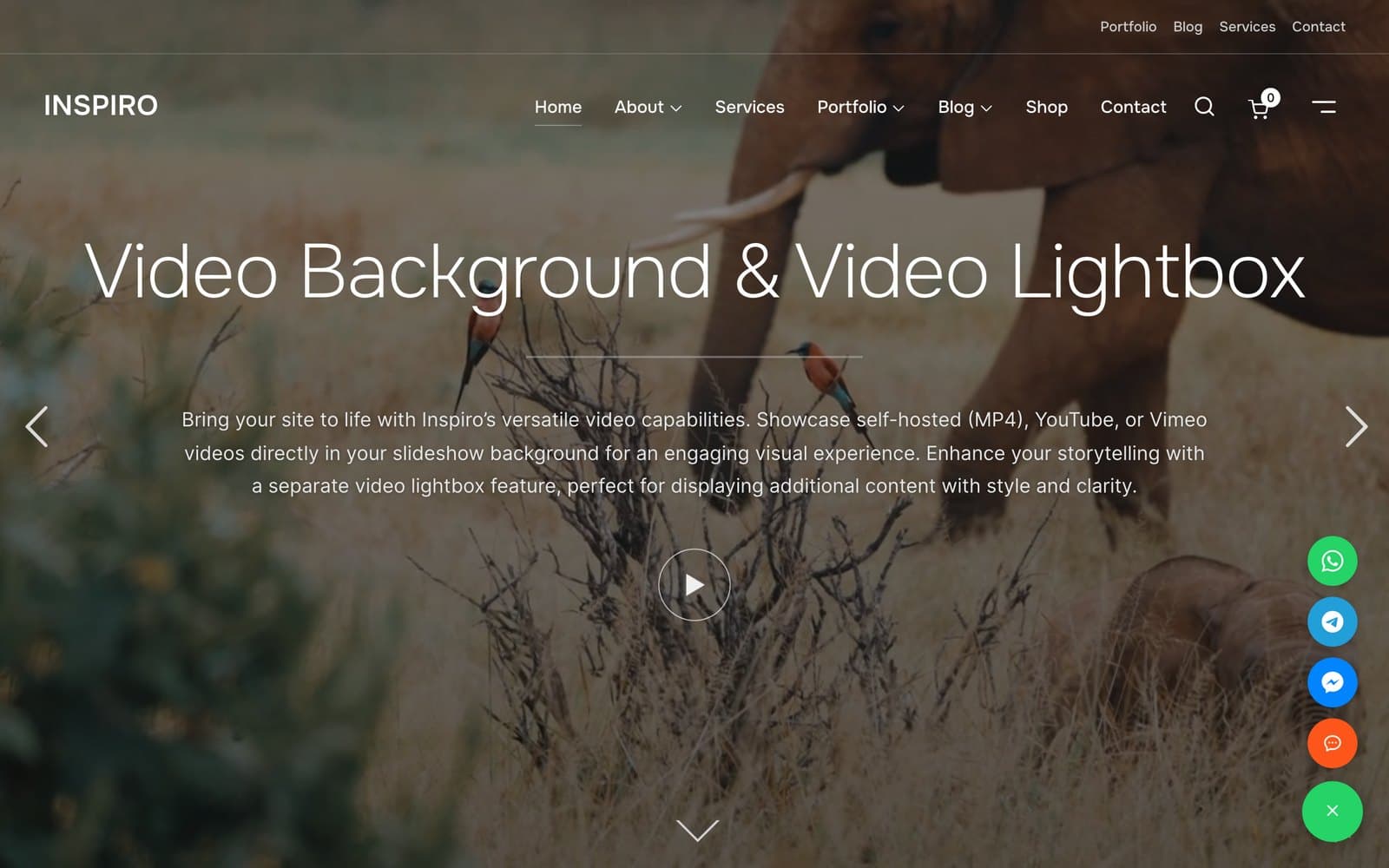
One thing that trips people up: Click to Chat is a link, not a bot. A visitor who taps WhatsApp lands in your WhatsApp, and you answer by hand. When AI Chat is on, the WhatsApp launcher hides by default so there's only one button, though since 4.7.2 you can put AI Chat inside the launcher next to the messaging buttons. If you want AI replies inside WhatsApp itself, that's a different kind of tool, and my lists of the best WhatsApp chatbots and AI for WhatsApp support cover them.
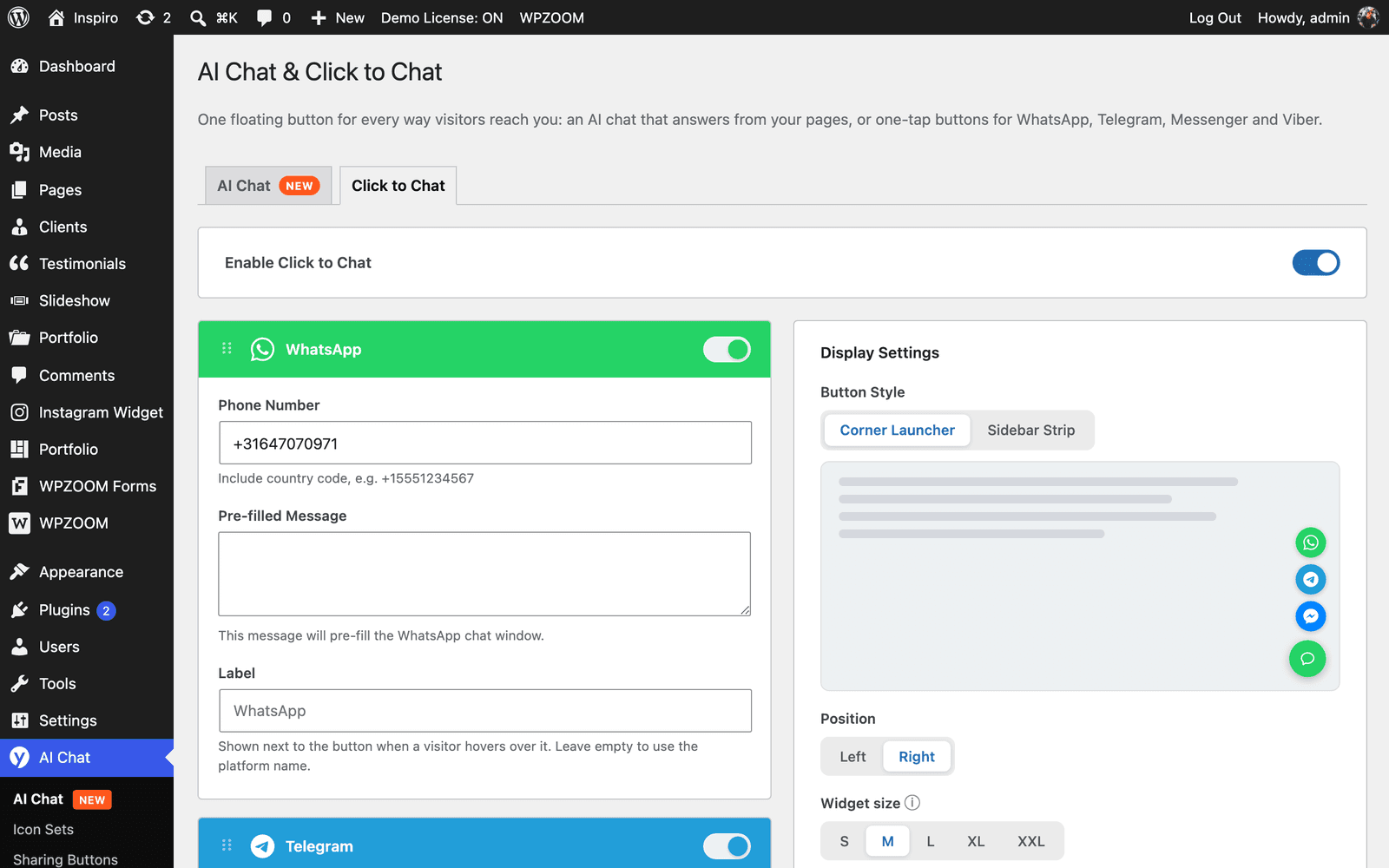
The social side is where the 11 years of polish show. The Social Icons block has 400+ icons from 5 sets, drag-and-drop ordering, a color picker per icon, custom SVG icons, shortcodes for icon sets and an Elementor widget. The Sharing Buttons block covers 12+ platforms including Threads, Bluesky, Copy Link and Print. The readme says the icons and share buttons collect no visitor data, which is why WPZOOM calls that part GDPR compliant. That claim doesn't extend to AI Chat, which sends chat messages to Yamidoo.
WPZOOM Connect pricing: two separate bills
This is the part I'd want explained before installing. There are two paid products here, and neither is the other's upgrade. The PRO license for the plugin buys sharing extras. AI Chat is billed by Yamidoo, per conversation.
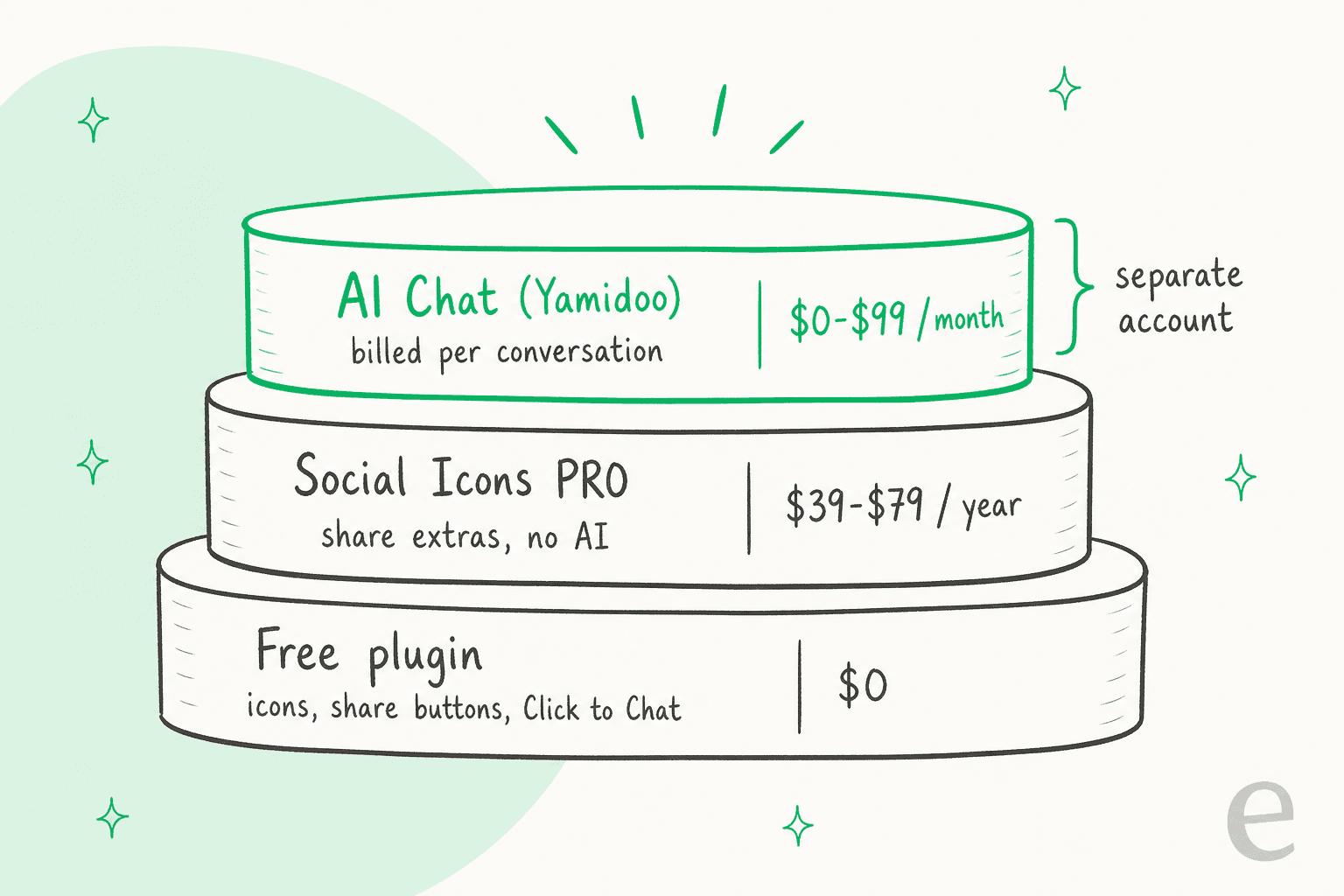
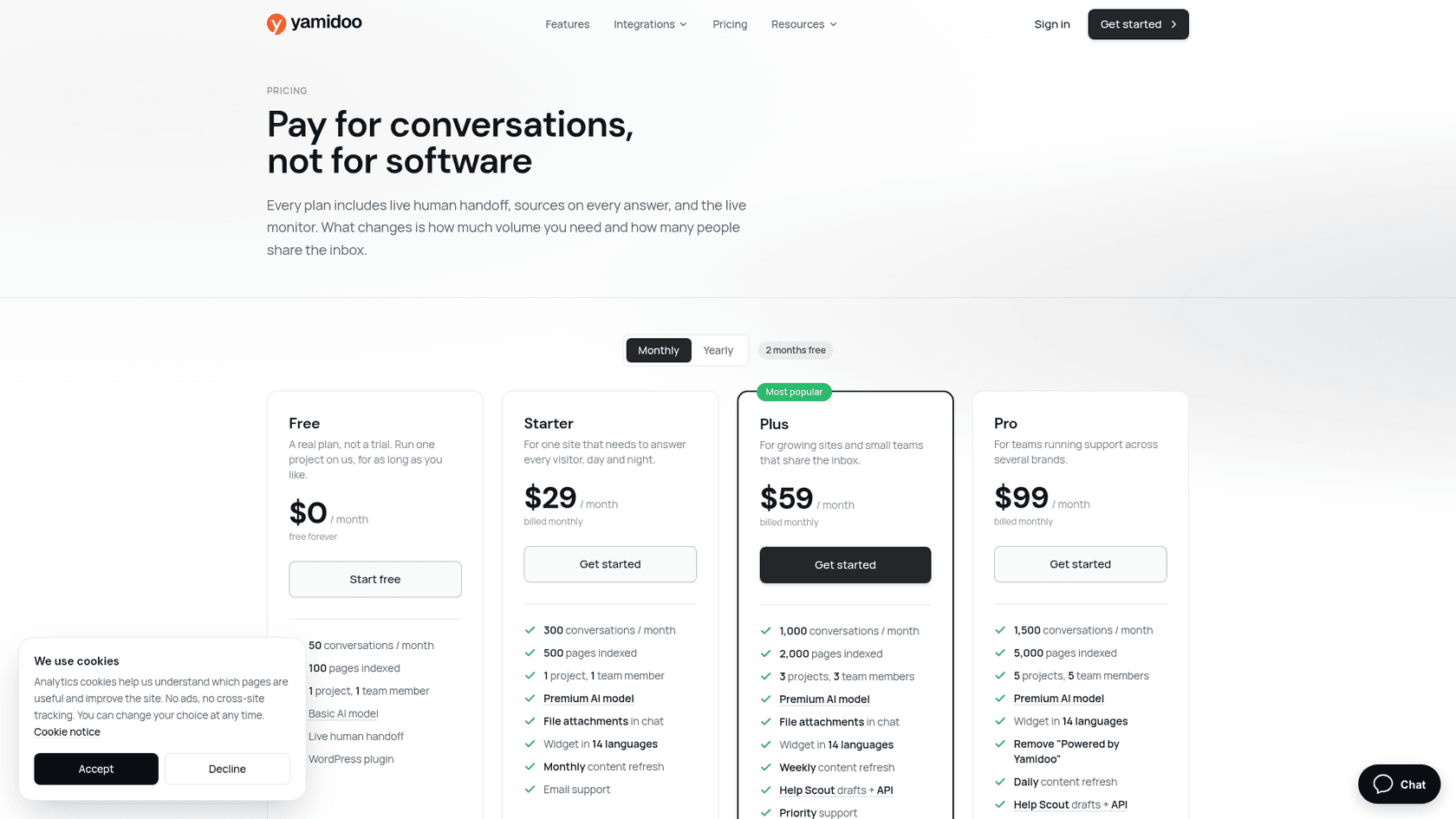
AI Chat (Yamidoo) plans
A conversation is "one chat session with one visitor, however many messages", and a return visit after a day away starts a new one. Only AI-answered conversations count, so your own replies are free. At 75%, 90% and 100% of the limit you get an email, and then AI answers pause on new conversations rather than billing you past the cap. All prices are from Yamidoo's pricing page, in USD and excluding VAT.
| Free | Starter | Plus | Pro | |
|---|---|---|---|---|
| Monthly price | $0 | $29 | $59 | $99 |
| Yearly price | $0 | $290/yr | $590/yr | $990/yr |
| Conversations / month | 50 | 300 | 1,000 | 1,500 |
| Pages indexed | 100 | 500 | 2,000 | 5,000 |
| Websites (projects) | 1 | 1 | 3 | 5 |
| Team members | 1 | 1 | 3 | 5 |
| AI model | Basic | Premium | Premium | Premium |
| Content refresh | Manual | Monthly | Weekly | Daily |
| Widget text in 14 languages | English only | Yes | Yes | Yes |
| File attachments (PDF, PNG, JPG) | No | Yes | Yes | Yes |
| Help Scout drafts + API | No | No | Yes | Yes |
| Remove "Powered by Yamidoo" | No | No | No | Yes |
| Support | Community | Priority | Priority |
Every plan includes live human handoff, sources on answers, the live visitor monitor, analytics with CSAT, and the WordPress plugin. Paid plans can add a team member for $19 a month or another website for $20 a month. There's no add-on for more conversations, so past 1,500 conversations a month there is no listed plan.
Social Icons PRO
The PRO license from WPZOOM's plugin page adds the floating share bar, AI share buttons (share to ChatGPT, Claude and Perplexity), a Like button with share counts, a share analytics dashboard, Pinterest hover pins and nav menu icons. It has nothing to do with AI Chat.
| Plan | Price | Sites |
|---|---|---|
| Starter | $39/year | 1 |
| Professional | $59/year | 3 |
| Business | $79/year | 10 |
All PRO plans are billed yearly, with a 14-day money-back guarantee.
What would AI Chat cost your site?
Plug in your monthly chat volume and what you need, and this picks the cheapest Yamidoo plan that covers it. It leaves out the founding discount, since that only applies to the first year.
For a sense of scale, the per-conversation prices are low. Starter at $29 for 300 conversations is under 10 cents each if you use them all. My guide to chatbot cost and the chatbot ROI breakdown show how that compares across the market.
What do users say about WPZOOM Connect?
The WordPress.org rating is strong: 137 five-star, 3 four-star, 2 three-star, 1 two-star and 1 one-star review, for 4.9 from 144. But read that number for what it is. Those reviews were earned by the social icons widget over 11 years, and the newest review on the listing is from May 2026, months before AI Chat existed. That May review is the one-star, about the "Detect Icon" field needing repeated clicks after an update. Nobody has rated the AI Chat yet, and the standalone Yamidoo plugin, listed on September 9, 2026, shows fewer than 10 active installs. WPZOOM Connect is effectively how Yamidoo reaches 90,000 sites.
What does carry over is WPZOOM's support record. On Trustpilot, WPZOOM holds 4.8 from 41 reviews, and the recent ones keep coming back to fast fixes:
"Great professionalism and promptness. I had an issue regarding the content to be displayed on a site, and the support team resolved it in less than a day by producing a plugin update that met my needs."

"Absolutely brilliant WordPress themes. I don't mind paying for the pro version as they are not greedy and provide excellent customer service."
Most of those reviews are about themes rather than this plugin, so treat them as a read on the company, not on AI Chat. Trustpilot also notes WPZOOM hasn't invited reviews recently.
Where WPZOOM Connect fits, and where it stops
Here's how I'd sum up the strengths and limits, all from the vendor's own pages.
| Good at | Worth knowing |
|---|---|
| One-click AI Chat with no API keys | AI Chat is a separate Yamidoo account and bill |
| Support Readiness Scan before you switch it on | Free plan uses the basic model and one source per type |
| Sources under every answer, Q&A pairs override pages | Free widget text is English only (answers follow the visitor's language) |
| Human handoff on every plan, your replies free | Handoff goes to Yamidoo's inbox, email or WhatsApp |
| WooCommerce and EDD customer data, AI access off by default | Help Scout is the only helpdesk, on Plus and up |
| Pauses at the limit instead of overage charges | No plan above 1,500 conversations a month |
| Free WhatsApp, Telegram, Messenger, Viber buttons | Click to Chat is a link, not an AI reply in WhatsApp |
| Mature social icons and share buttons | Chat data stored in the US (AWS us-east-1) |
The fit is clear from that table. If you run a small WordPress site, a blog, a theme shop, a course or a local business, and you answer chats yourself, it's hard to beat for effort. You get an AI that answers from your pages, a free scan that tells you what's missing, and a pause instead of a surprise bill.
It gets harder once support is a team sport. If tickets already live in Zendesk, Freshdesk or Gorgias, a chat that hands off into a separate inbox means someone checks two places, and nothing in the chat learns from how your team answered past tickets. The pages-only training is also a ceiling: the scan shows which questions your site doesn't answer, but the answers your agents have typed a thousand times sit in the helpdesk, not on the site. That's the gap behind most AI hallucinations in support, and why I'd test any AI agent against real past questions before launch.
One support lead put the bar this way on a call with eesel:
"I need an AI who is only handling the tickets that it's confident to handle and all the other ones, leave them alone."
Yamidoo's "says so rather than guessing" behaviour points the right way. How well it holds up on your content is something the scan can start to show you, and a week of real chats will show the rest.
My verdict on WPZOOM Connect
| What I rated | Score | Why |
|---|---|---|
| Free launcher, icons and share buttons | 4.6/5 | Mature, free, 4.9 rating over 11 years |
| AI Chat setup and safety defaults | 4.2/5 | One click, pre-install scan, sources, AI data access off by default |
| AI Chat as a support channel | 3.3/5 | Own inbox, Help Scout only, 1,500 conversation ceiling, pages-only training |
| Value | 4.2/5 | $0-$99 a month, no overage, low per-chat price |
| Overall | 3.9/5 | Great for solo sites, thin for teams on a helpdesk |
Pick WPZOOM Connect if you're a WordPress site owner who handles chats yourself and wants an AI that answers from your pages without touching code. Skip it, or use only the free launcher, if your support already runs through a helpdesk and you want chats to arrive there with the context and the order already checked. For a wider comparison, my lists of AI live chat software and AI chatbots for websites cover the other directions, and reviews of Chatway and 3CX Live Chat cover two more WordPress chat plugins.
Try eesel on your WordPress site
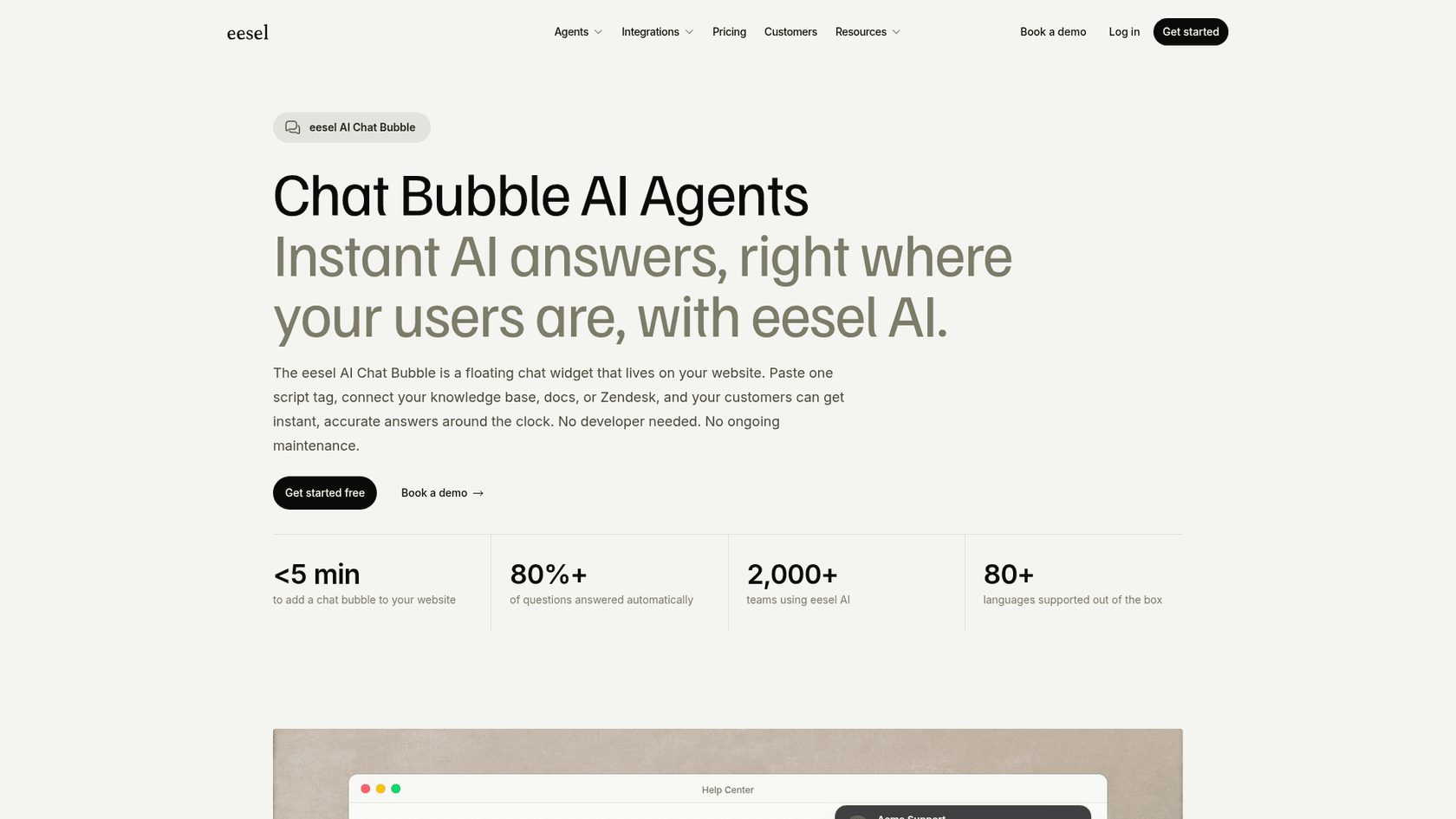
If the handoff is the part that worries you, that's the job eesel is built for. eesel is an AI helpdesk teammate: the same agent answers on your site through the chat bubble (one script tag on WordPress), learns from your pages, docs and past tickets, and hands real cases into Zendesk, Freshdesk, Gorgias or Help Scout with the conversation attached. It also answers inside WhatsApp, rather than just linking to it, and looks up orders through the WooCommerce integration.
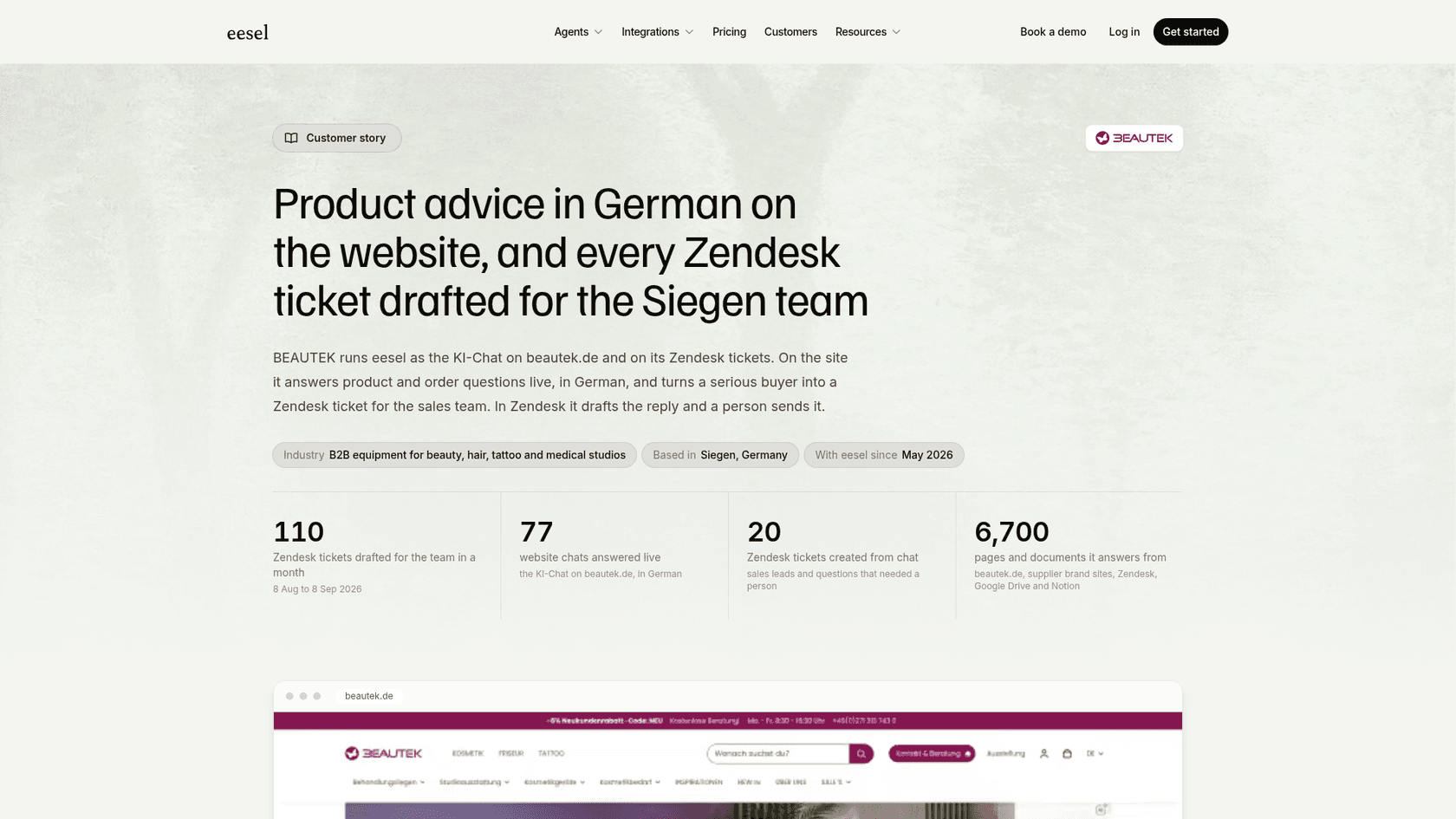
BEAUTEK, a German beauty equipment supplier, runs eesel as the chat on its website: it answered 77 chats live in a month, in German, from 6,700 pages and documents, looked up orders after an identity check, and turned 20 chats into Zendesk tickets for sales. Nordbutiker runs one bot per brand across four countries, each answering from its own store's pages, and Rúngne has eesel check Shopify order and stock data before it drafts a Gorgias reply.
It's not the cheap option for a hobby site. eesel pricing starts with a free trial of 100 credits, then $299 a month for 500 credits, where a chat or a ticket is 1 credit however long it runs. If your WordPress chats need to reach your helpdesk, you can set it up in a few minutes and test it on your own past questions first.
Try eesel free, no card needed.
Frequently Asked Questions
What is WPZOOM Connect?
WPZOOM Connect is the new name of the Social Icons Widget by WPZOOM plugin. It is a free WordPress plugin with one floating contact button that can hold an AI chat, WhatsApp, Telegram, Messenger and Viber buttons, plus social icons and share buttons. It has 90,000+ active installs on WordPress.org. My roundup of AI plugins for WordPress puts it in context.
Is WPZOOM Connect free?
The plugin is free, including Click to Chat, social icons and share buttons. The AI Chat runs on Yamidoo, which has a free plan with 50 conversations a month and paid plans at $29, $59 and $99 a month. The separate Social Icons PRO license ($39 to $79 a year) adds sharing extras, not AI. My guide to chatbot cost covers how these per-conversation prices compare.
How much does WPZOOM Connect AI Chat cost?
AI Chat is billed by Yamidoo: Free for 50 conversations, Starter $29 a month for 300, Plus $59 for 1,000 and Pro $99 for 1,500, with two months free on yearly billing. At the limit the AI pauses instead of charging more. If your chats need to reach a helpdesk, compare it with eesel pricing, where a chat is 1 credit.
Does WPZOOM Connect AI Chat hand off to a human?
Yes. A visitor can ask for a person, and the AI offers one when it is unsure. The conversation goes to the Yamidoo inbox, where you reply live, or to email or WhatsApp. Help Scout is the only helpdesk it drafts into, on the Plus plan and up. My notes on AI agent handoff explain what a good handover needs.
Does WPZOOM Connect work with WooCommerce?
Yes. With WooCommerce or Easy Digital Downloads active, your team sees a customer's orders, licenses and subscriptions next to the chat, and you can let the AI answer account questions for logged-in customers. That second switch is off by default. For a wider list, see my guide to AI for WooCommerce support.
Is WPZOOM Connect safe and GDPR compliant?
The icons and share buttons collect nothing from visitors. AI Chat is different: chat messages go to Yamidoo, which stores data in the US (AWS us-east-1) under EU Standard Contractual Clauses. Version 4.7.4 fixed a Wordfence-reported flaw in the customer lookup, so keep the plugin updated. My notes on chatbot SOC 2 and GDPR list what to ask.
What are the best WPZOOM Connect alternatives?
It depends on the job. For a WordPress AI toolkit, look at AI Engine or AI Puffer. For chat that runs through your helpdesk, the eesel chat bubble works on WordPress with one script tag, and my list of AI live chat software covers the rest.