

RumbleTalk pricing in 2026 has four plans on its pricing page: Free for 5 seats, Professional at $34 a month for 50 seats, Business from $59 a month for 100 seats, and a custom Enterprise plan. Those two paid prices are the yearly rates. Pay month to month and the same plans cost $49 and $84.
The meter is concurrent seats, and that word does a lot of work. A seat is anyone with the chat open at the same moment, readers included, not just people typing, and seats are shared across every room on the account. Business climbs through fixed tiers up to 5,000 seats at $1,813 a month list, with rooms at $9, admins at $3 and in-text keywords at $2 per 20 on top.
There are no AI features and no AI add-on to budget for. RumbleTalk is a group chat room for members and live events, not a support desk. If the questions piling up in your community are really support questions (login, access, replays, billing), that's a job for an AI helpdesk teammate like eesel, which MentorShow uses to draft replies to about 1,200 member conversations a month for a course platform that runs live online events.
Pick a plan, seat tier and add-ons to see what RumbleTalk actually charges, monthly or yearly, with premium support if you need it.
What is RumbleTalk, and what are you paying for?
RumbleTalk is a hosted group chat room you embed on a website, a WordPress or Wix site, or a live event page. Its homepage says more than 774,000 group chats have been created and embedded. The buyers are community owners, course creators, radio shows, trading rooms and virtual event hosts who want their audience talking to each other in one place, with moderation, polls, private one-on-one chats and video calls.
That's a different job from a live chat widget like the ones in my live chat software roundup, where a visitor talks to your team. RumbleTalk is many-to-many. It's closer to an embedded Discord channel than to an AI chatbot, and that's why the price is set by how many people are in the room at once.
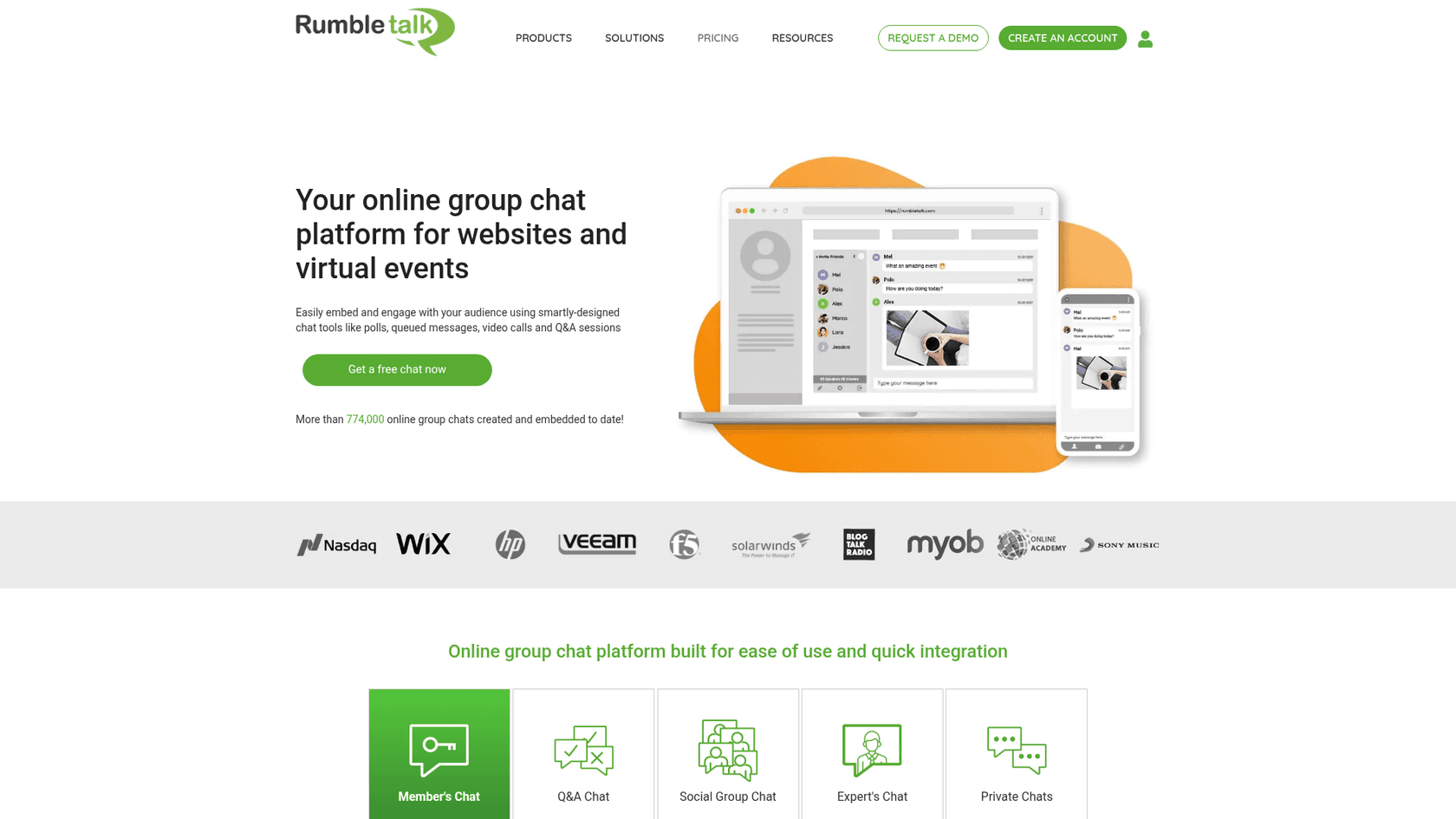
I build integrations for a living, so I didn't stop at the pricing grid. The checkout page loads its numbers from RumbleTalk's own pricing endpoint, and every figure below comes from that endpoint, the pricing page, or the checkout itself.
How much does RumbleTalk cost in 2026?
Here's every plan as RumbleTalk lists it. The pricing page shows yearly prices by default, and the monthly toggle on the upgrade page gives the month-to-month rate.
| Plan | Yearly price (per month) | Monthly price | Concurrent seats | Rooms | Admins | Add-ons |
|---|---|---|---|---|---|---|
| Free | $0 | $0 | 5 | 1 | Not listed | None |
| Professional | $34 ($411 a year) | $49 | 50 | 1 | 1 | None, fixed bundle |
| Business | from $59 ($705 a year) | from $84 | 100 to 5,000 | 1 included, +$9 each | 1 included, +$3 each | Keywords $2 per 20 |
| Enterprise | Custom | Custom | Custom | Custom | Custom | Volume discounts, HIPAA |
All four plans list unlimited messages or unlimited private chats, and the paid plans add file and image sharing. RumbleTalk's feature comparison lists chat types (social, members-only, moderated Q&A, experts), polls, video and audio calls, SSO, custom CSS, a REST API and plugins for WordPress, Joomla, Moodle and Wix.
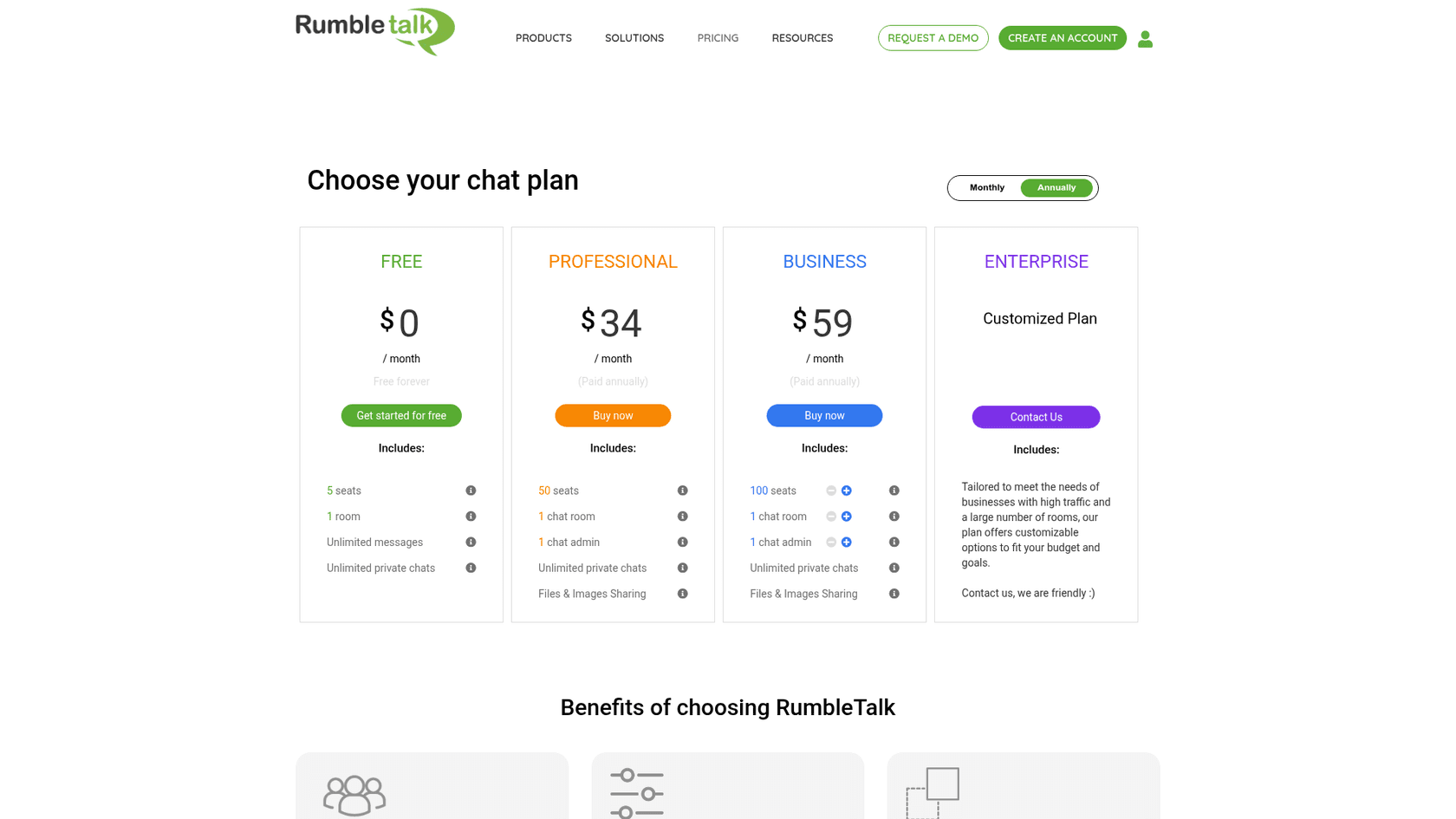
Under both paid plans the page also prints "For 1000 MAU and up". That's monthly active users, which isn't the unit you're billed on anywhere in the checkout. I'd read it as a positioning line, not a limit, and ask sales if it matters to you.
The Business seat ladder
Business is where the real pricing lives. You don't pick any number of seats, you step through seven fixed tiers, and anything past 5,000 means talking to sales.
| Concurrent seats | Monthly list price | Yearly price (per month) | Billed yearly | Cost per seat per month (monthly) |
|---|---|---|---|---|
| 50 (Professional) | $49 | $34 | $411 | $0.98 |
| 100 | $84 | $59 | $705 | $0.84 |
| 250 | $161 | $113 | $1,352 | $0.64 |
| 500 | $267 | $187 | $2,242 | $0.53 |
| 1,250 | $448 | $314 | $3,763 | $0.36 |
| 2,500 | $962 | $673 | $8,080 | $0.38 |
| 5,000 | $1,813 | $1,269 | $15,229 | $0.36 |
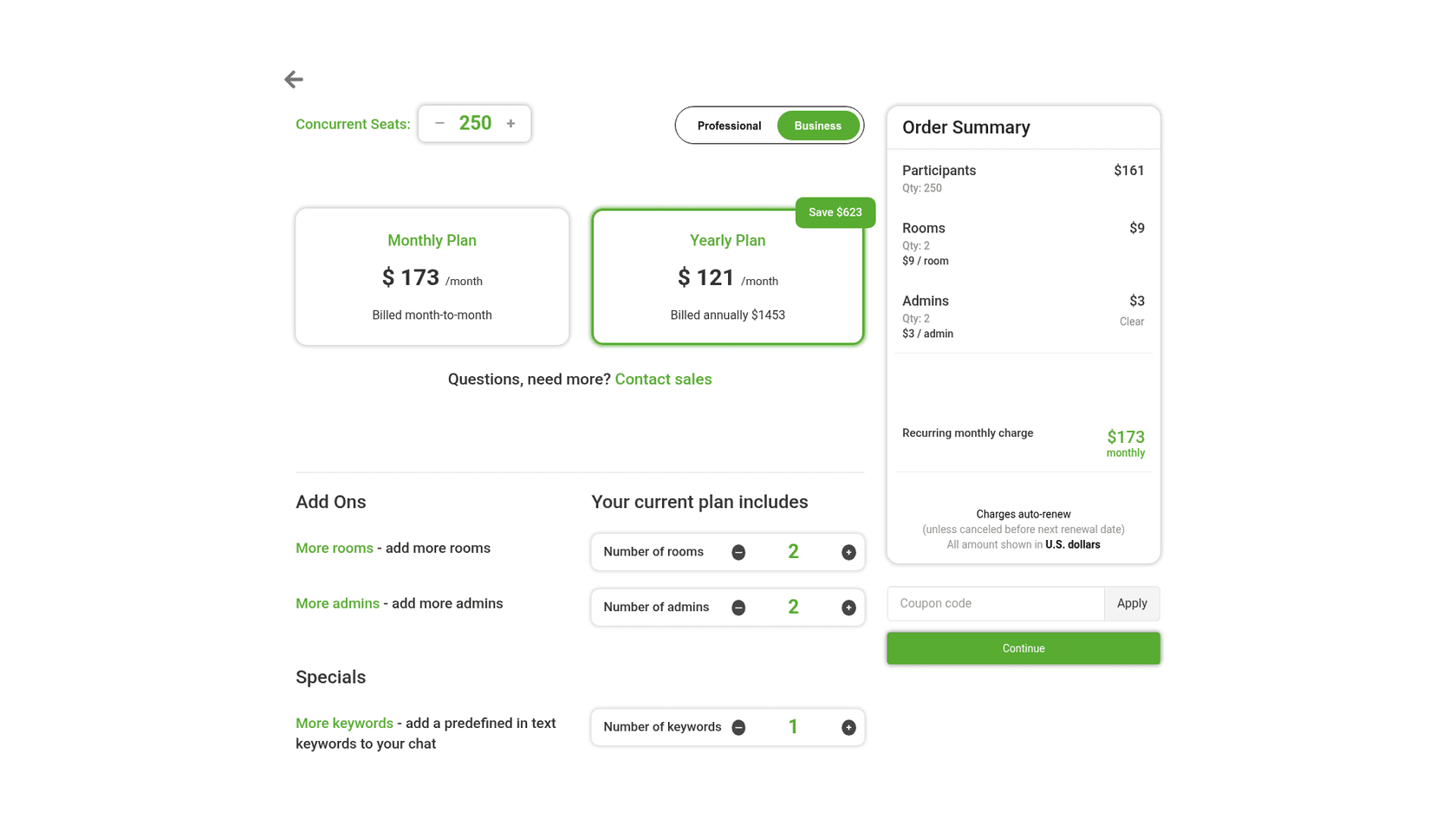
The yearly figures follow the checkout's own math: the monthly list price times 12, times 0.7, rounded down. I checked one configuration by hand on the checkout page: 250 seats, 2 rooms and 2 admins came to $173 a month, or $1,453 billed yearly, with a "Save $623" badge. That's a 30% discount.
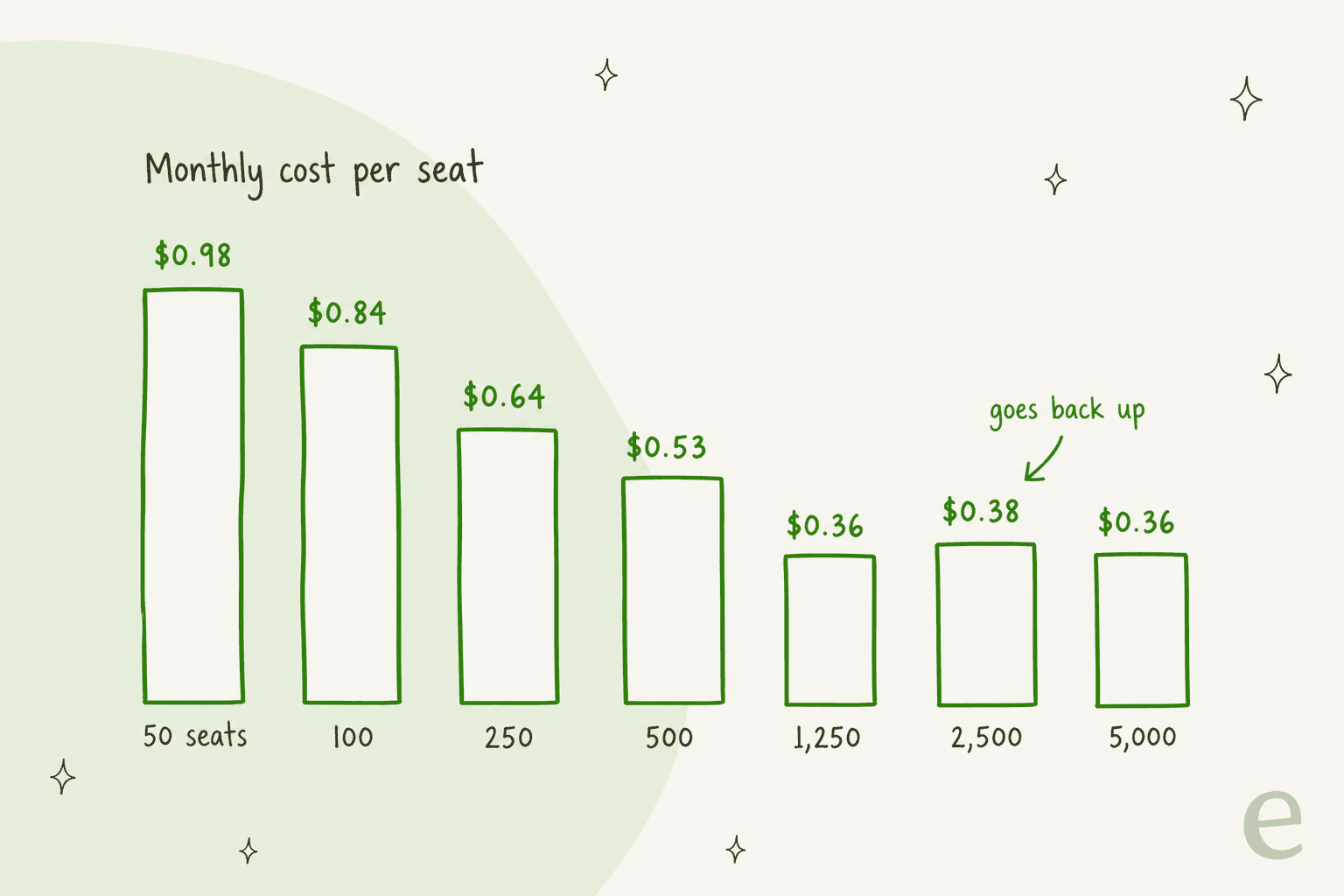
The part I didn't expect: the per-seat price doesn't keep falling. 2,500 seats costs more per seat than 1,250, $0.38 against $0.36, so doubling from 1,250 to 2,500 seats more than doubles the bill ($448 to $962). If your peak sits around 1,500 to 2,000 people, check whether two smaller accounts or a custom quote beats the 2,500 tier.
What counts as a seat, and what triggers an upgrade?
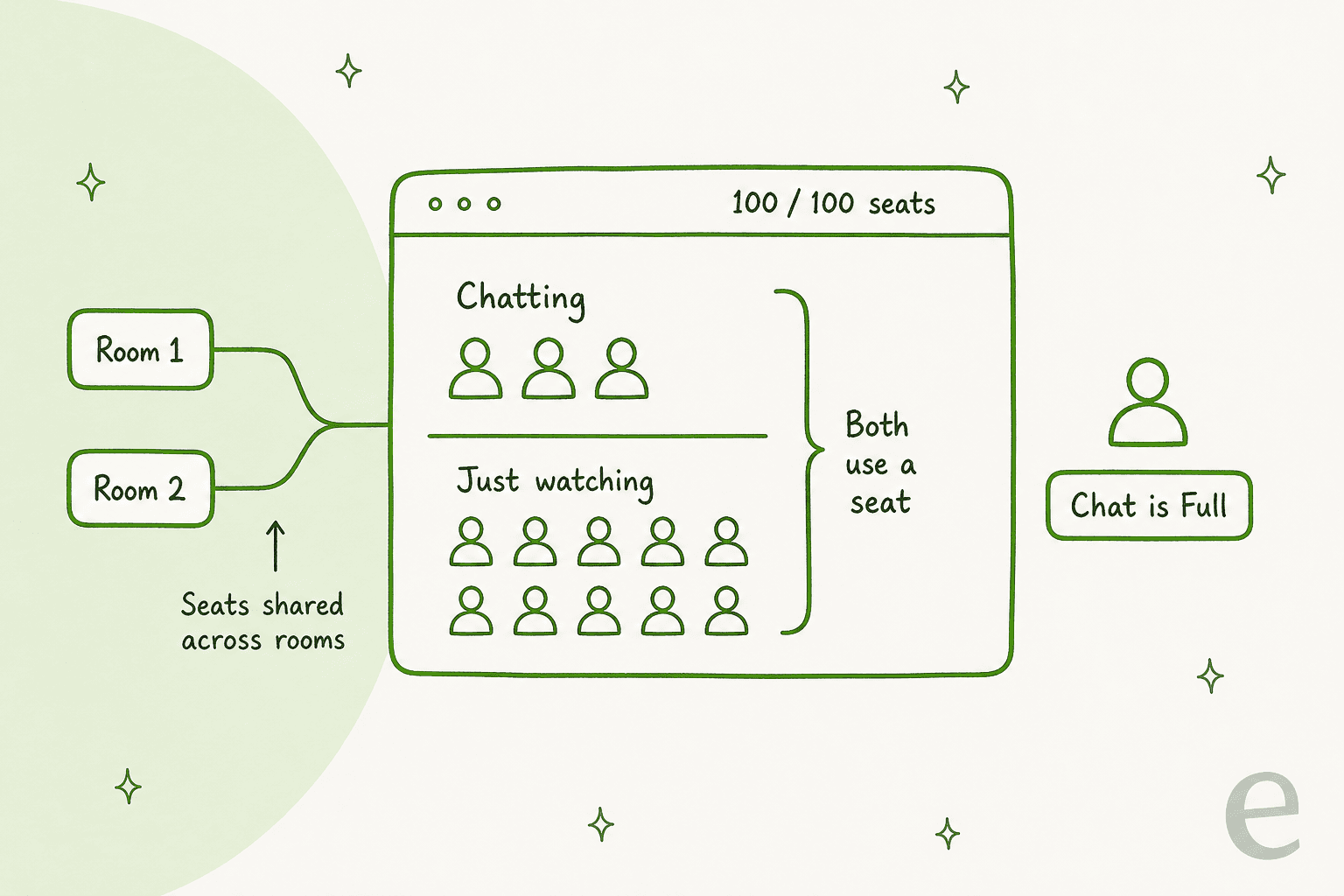
This is the question that decides your bill, and the FAQ on the pricing page answers it plainly. A seat is "the sum of all logged in users (chatters) plus the people who are viewing the chat" without logging in. Once the number is reached, the next visitor sees a small "Chat is Full" indicator when they try to log in.
Three things follow from that, and each one is an upgrade trigger:
- Lurkers cost the same as talkers. A 300-person webinar where 20 people type still needs 300 seats. Plan for peak attendance, not active chatters.
- Seats are shared across rooms. The Business plan's own tooltip says 100 seats across 2 rooms means 100 people in total, not 100 per room. Adding a breakout room adds $9, not capacity.
- Free stops at 5 people. The WordPress plugin listing calls the free version "limited to 5 participants", so a community chat outgrows it on day one.
The other triggers are features. Professional is a locked bundle of 50 seats, 1 room and 1 admin, so the moment you need a second room, a second moderator or more than 50 people at once, you're on Business. Past 5,000 seats, or if you need HIPAA, you're on Enterprise.
How you upgrade matters too. RumbleTalk's FAQ says that if you already have a paid plan, you "simply purchase a new one, and then the old one will be automatically disabled." The FAQ doesn't mention proration, so if you're mid-way through a yearly plan, ask support how the unused time is handled before you buy the bigger one.
Does RumbleTalk have AI features, and what do they cost?
No. RumbleTalk's pricing page and its full feature comparison list no AI features, no chatbot and no AI add-on, so there's no AI line item in the budget. Moderation is manual: admins screen queued messages, ban keywords, ban users by IP and slow the chat down. That's fine for a moderated Q&A during a live show. It's not a way to answer questions when nobody's online.
This matters if part of why you're shopping is support. A community chat tends to fill up with the same handful of questions: how do I log in, where's the replay, why was I charged, how do I cancel. An AI chatbot for education handles exactly that list. Other members can't answer those, and your moderator shouldn't be the only one who can. I cover the difference in AI chatbot vs live chat and in my guide to AI for community support.
What hidden costs come with RumbleTalk?
The sticker prices are low. These are the costs that aren't on the plan cards.
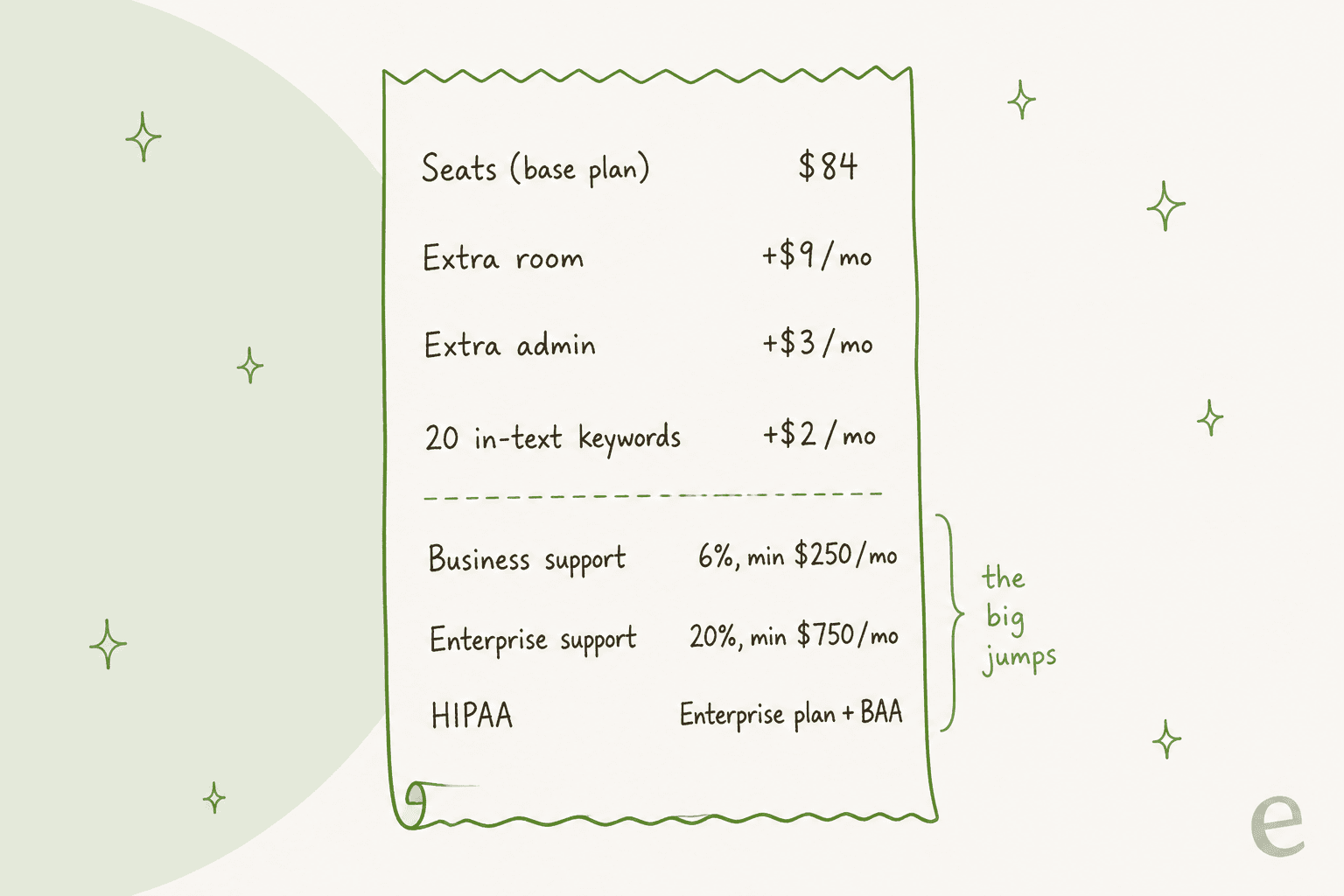
| Cost | Price | Where it's stated |
|---|---|---|
| Extra room (Business) | $9 a month each | Checkout |
| Extra admin (Business) | $3 a month each | Checkout |
| In-text keywords | $2 a month per 20 | Checkout |
| Business support (5-hour replies) | 6% of plan cost, minimum $250 a month | Pricing page |
| Enterprise support (30-minute replies, phone) | 20% of plan cost, minimum $750 a month | Pricing page |
| HIPAA | Enterprise plan plus a signed BAA | HIPAA page |
| More than 5,000 seats | Custom quote | Checkout |
The support minimums are the big one. Business support at a $250 minimum costs more than the 500-seat plan itself ($187 a month on yearly billing). For most buyers the standard email support, which RumbleTalk says runs 20 hours a day, 7 days a week, is the only realistic option, so check how fast it answers before an event day, not during one.
A few more things to know:
- Payment runs through PayPal. The FAQ says you pay by PayPal or by credit card via PayPal, and you cancel by cancelling the subscription profile in your PayPal account. Wire transfer is by request.
- The refund window is 7 days. You can cancel an upgrade in the first 7 days for a full refund.
- The checkout adds an upsell. When you press Continue, the checkout calls an offers endpoint; the one live in October 2026 was 4 extra admins for $9 more, which is cheaper than four at $3 each.
- HIPAA comes with conditions. Besides the Enterprise plan and a BAA, the HIPAA page says you may not use RumbleTalk to communicate with patients, plan members or their families. A telehealth practice should read that line twice.
Is the paywall still a way to earn back the cost?
Not any more, and this is where the listings and the site disagree. RumbleTalk's paywall page now carries a "Deprecated feature" label, and its payments terms are titled "deprecated feature since Dec 2023". When it ran, chat owners kept 90% of each payment and RumbleTalk took 10%.
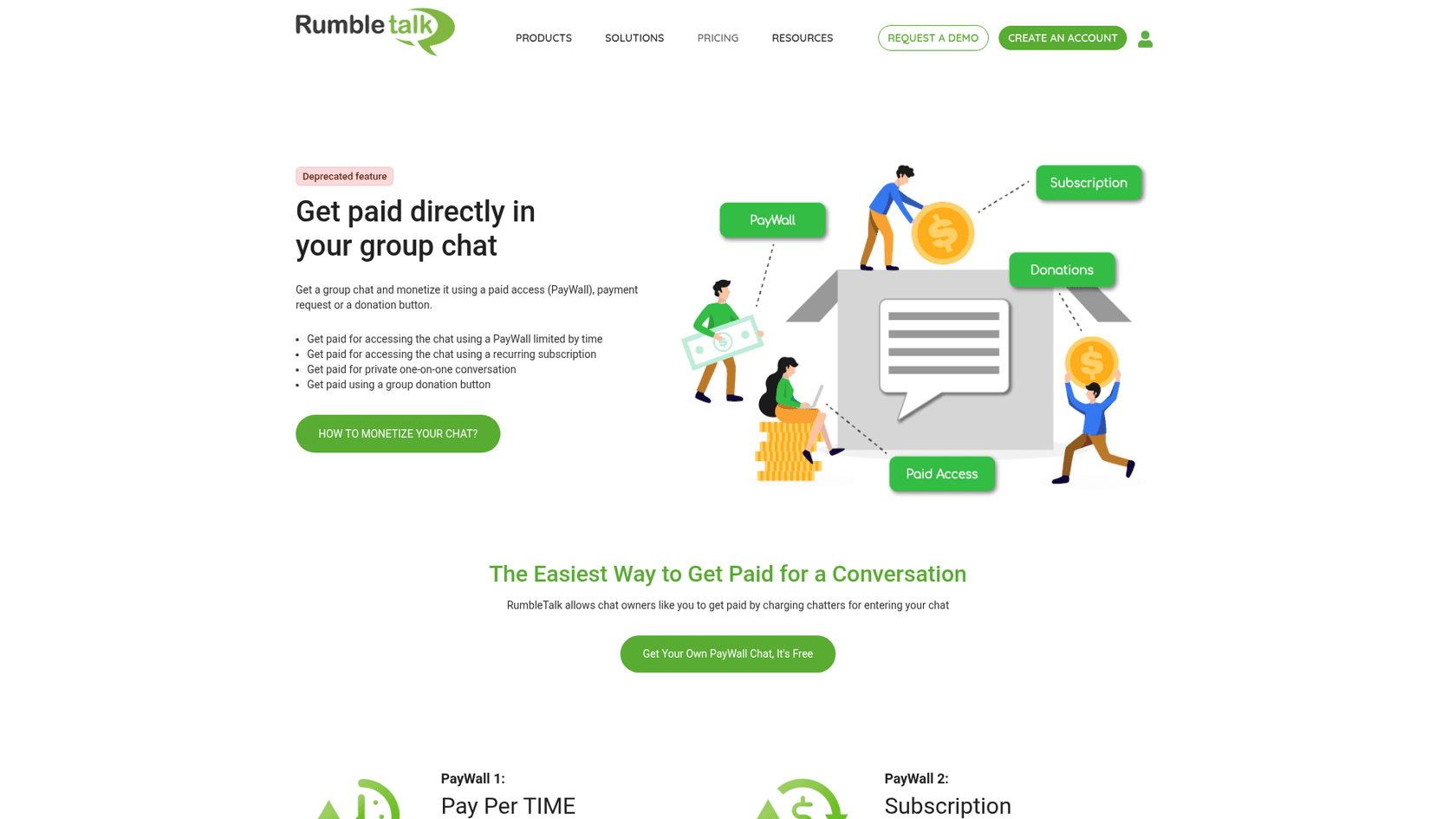
The Wix App Market listing still promotes "paywall, donations, and payment request" options and a video titled "with in-chat payment option". If you're choosing RumbleTalk to charge for access to a chat, go by the site: plan to handle payments with your own membership or course platform.
What do the Wix and WordPress listings charge?
RumbleTalk is also installed from the Wix App Market and the WordPress plugin directory, and the prices there don't match the site.
| Where | What it shows | Notes |
|---|---|---|
| rumbletalk.com | Free, Professional $34/yr-billed or $49 monthly, Business from $59 or $84, Enterprise custom | The checkout and API match this |
| Wix App Market | Free plan, and a Premium plan at $14.99 a month | No seat count shown; 2.7 out of 5 from 111 reviews |
| WordPress.org | Free plugin, free version limited to 5 participants | 600+ active installs, 3.4 out of 5 from 21 ratings, version 7.0.4 updated 1 October 2026 |
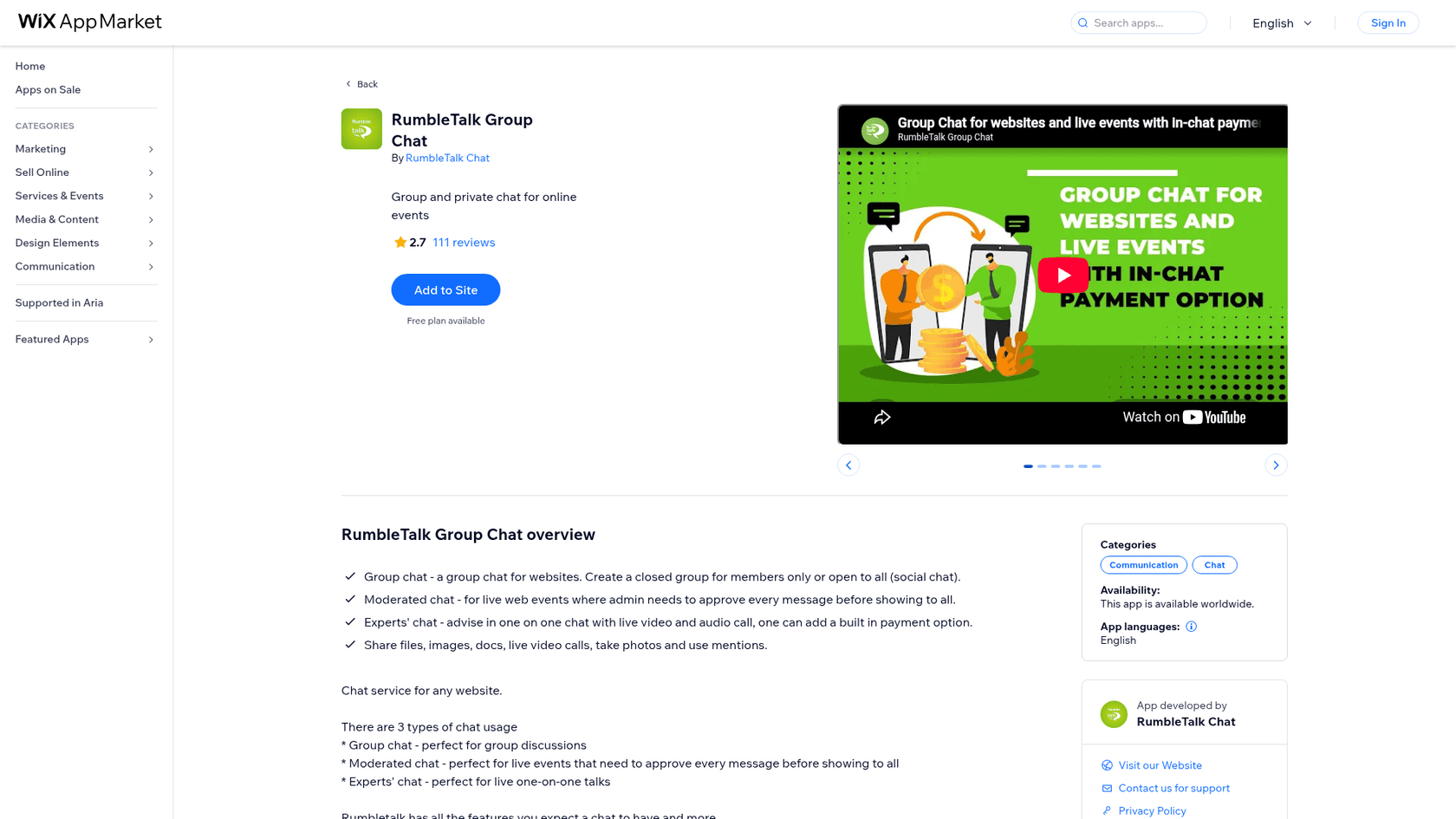
The Wix listing's $14.99 Premium plan is the one price I can't reconcile with the site, since neither page says how many seats it buys. If you're on Wix, check the seat count inside the app before you pay, and compare it with the site's Professional plan at $34. Wix's native option, Wix Smart Chat, bills differently again. There's also a smaller gap on WordPress: the plugin FAQ says Premium "supports more participants, private chats, live audio/video calls", while the pricing page lists unlimited private chats on Free.
I couldn't find a RumbleTalk app in the Shopify App Store in October 2026. Shopify stores would embed it by code, which the WordPress chat options and ways to add chat cover in more detail.
What do users say about RumbleTalk?
Review volume is thin, which is a signal on its own. G2 lists 0 reviews, and Trustpilot shows a single review at 3.7. The Wix listing, with 111 reviews, is the biggest pool, and it averages 2.7 out of 5; the recent reviews I read mention the chat not showing on mobile and waiting on support replies.
The comments I trust most are short and specific. One Wix user looking for a members-only chat on Reddit put the age of the product bluntly:
"PS: We found a chat called rumble talk, but thats pretty old and there everyone has to be loggined although he´s a member."

The fair counterpoint is how little setup it needs, which is the thing people recommend it for:
"You can also try Rumbletalk. You can integrate it into your website or just access the chat directly using the chatroom link. No installation is required and you can also have a 1 on 1 audio/video call."
Which RumbleTalk plan fits you?
My read, plan by plan:
- Free fits testing, a private chat for a tiny group, or a demo for a client. It doesn't fit anything public.
- Professional ($34 yearly, $49 monthly) fits one community or one regular show with fewer than 50 people online at once and a single moderator. It's the best value per dollar up to that cap.
- Business, 100 to 500 seats fits webinars, courses with live sessions and membership sites that need more than one room or moderator. 250 seats at $113 a month yearly is the sweet spot for most mid-sized communities.
- Business, 1,250 seats is the cheapest seat on the ladder at $0.36. Skip the 2,500 tier unless you're sure you'll fill it.
- Enterprise is for more than 5,000 concurrent people, volume event pricing, or healthcare use that needs a BAA.
If your audience mostly needs to talk to each other, RumbleTalk is a fair price. If you're also weighing a free community space, I'd compare it against Discord's options and ChatGPT group chats first.
If the real need is visitors talking to your team, per-agent live chat tools price very differently. My breakdowns of LiveChat pricing, Tidio pricing and Crisp pricing show what a seat means there.
When the chat room fills up with support questions
Here's the pattern I see with communities and course platforms: the group chat works, and then it becomes the place members ask for help because it's the only open door. Every "where's the replay?" in a room of 300 people uses a seat, interrupts the session, and still needs your team to answer.
MentorShow is a good example of the other half of that job. It's a French online learning platform with video masterclasses, weekly group coaching and free live online events, and members write in French, English and Spanish. Its team works in HubSpot Service Hub, and eesel reads each new conversation, checks the member's subscription and renewal date, and leaves an analysis and a draft reply in the member's language. Between 8 August and 8 September 2026 it read about 1,200 conversations and tickets and wrote 432 reply drafts. The replay rules are the hard part: a webinar has a replay for ten days, a group coaching session has none, and the agent's instructions spell that out. I go deeper on this setup in my guide to education support automation.
Original Bootcamp, an outdoor group fitness community in Cologne, does something similar on Freshdesk: eesel answers general questions about camps, prices and trial sessions in German from about 2,800 documents, and anything about a specific booking goes to a person. On our side, a German art-events company running painting nights and workshops went on to have 396 real German tickets handled by its bot. That's the job a knowledge base plus an AI teammate does well, and it keeps the group chat for the conversation it's meant for.
Try eesel for the questions your community keeps asking
RumbleTalk is priced for people talking to each other. eesel is an AI helpdesk teammate for the questions people bring to you: it learns from your help center, past tickets and course pages, then drafts or sends replies in HubSpot, your helpdesk, email, or a chat bubble on your WordPress or Wix site.
No website for the community? You can hand members a public chat link instead, and it answers from the same sources.

eesel pricing is a fixed monthly batch of credits, where a ticket or chat is 1 credit however long it runs: $299 a month for 500, with every feature and unlimited seats. The free plan gives you 100 credits and needs no card, so you can point it at last month's member questions and read its drafts before you pay. Try eesel and see how much of your community's inbox it can take.
Frequently Asked Questions
How much does RumbleTalk cost per month?
RumbleTalk pricing starts free for 5 seats. Professional costs $34 a month billed yearly or $49 month to month for 50 seats, and Business starts at $59 yearly or $84 monthly for 100 seats, rising to $1,813 a month list for 5,000. Enterprise is a custom quote. Compare it with other website chat tools before you commit.
Is RumbleTalk free?
Yes, RumbleTalk has a free-forever plan with 5 concurrent seats, 1 room, unlimited messages and unlimited private chats. Five seats means five people online at once, including people only reading, so it suits testing or a tiny private group. For a public in-app chat you'll need a paid plan.
What is a seat in RumbleTalk pricing?
A seat is one person with the chat open at the same moment, whether they're chatting or just viewing. Seats are shared across all rooms on your account, and when they run out new visitors see a "Chat is Full" notice. That makes RumbleTalk pricing a concurrency meter, unlike tools priced per ticket handled or per agent.
Does RumbleTalk have AI or a chatbot?
No. RumbleTalk's pricing page and feature comparison list no AI features, chatbot or AI add-on; moderation is done by human admins. If members keep asking the same support questions in your chat, an AI live chat or AI helpdesk teammate handles that job instead.
Is RumbleTalk cheaper on Wix or WordPress?
The WordPress plugin is free to install and uses the same plans as rumbletalk.com. The Wix App Market lists a Premium plan at $14.99 a month, which doesn't match the site's $34 or $49 Professional price and doesn't state a seat count, so check seats inside the app. My WordPress plugins guide covers other options.
What does RumbleTalk charge for extra rooms and admins?
On the Business plan, each extra room costs $9 a month, each extra admin $3 a month, and in-text keywords $2 a month per 20. Professional is a fixed bundle of 1 room and 1 admin. Premium support costs extra too: 6% of your plan with a $250 monthly minimum, or 20% with a $750 minimum, which is worth weighing against an AI helpdesk for answering members.
Does RumbleTalk offer a yearly discount?
Yes. RumbleTalk's FAQ says yearly plans save "up to 25%", but the checkout applies a 30% discount: $173 a month becomes $1,453 billed yearly. Payment runs through PayPal, and you get a full refund if you cancel within 7 days. For a different billing model, see how eesel pricing charges per ticket or chat handled.