


What Dashly actually charges you for
Most support tools bill you for something you control. A seat you hired. A ticket that arrived. A conversation your team closed. Dashly bills you for something the marketing team controls.
From Dashly's help centre: "The Dashly payment plan cost depends on the traffic on your site, i.e. unique visitors amount."
That single sentence is the whole model, and it is worth sitting with if you came here from a live chat pricing comparison where everything was per-seat. Your support workload can be flat for six months while your invoice climbs, because a campaign landed and the site got busier. If you are used to an AI ticketing system where the meter is the ticket, this takes a minute to internalise.
A "unique visitor", in Dashly's definition, is anyone with recorded activity in the payment period. Activity is a broad list:
- any event or property recorded against them
- a visit to your site
- a data write through the API
- a reply to one of your emails
- a click on a link in one of your messages
Two details in that definition change the number materially.
First, one human being can count as three billable visitors. Dashly lists three cases where the same person is re-counted: they cleared cookies, they came back on another device, or they reinstalled their browser or operating system. Nobody's browser hygiene is a line item you can manage, so treat your visitor count as a floor rather than a headcount.
Second, and more in your favour, message recipients are not automatically billable. Dashly's own worked example sends a campaign to 1,000 leads: 580 read it, 320 answer, 100 click through, 12 unsubscribe. Only the 320 who answered and the 100 who clicked count, and anyone who did both counts once. Reading the message, marking it spam, unsubscribing or bouncing are all free. That is a fair piece of metering and it deserves saying plainly.
The full Dashly rate card for 2026
The pricing page gives you a slider and three cards. The complete ladder lives one click deeper, in help article 97. Here it is in full, monthly rates first.
| Unique visitors / mo | Conversation | Support | Marketing |
|---|---|---|---|
| 1,000 | $39 | $79 | $109 |
| 5,000 | $79 | $119 | $169 |
| 10,000 | $99 | $149 | $199 |
| 25,000 | $159 | $239 | $329 |
| 50,000 | $219 | $349 | $479 |
| 100,000 | $279 | $439 | $599 |
| 150,000 | $349 | $569 | $799 |
| 200,000 | $469 | $729 | $999 |
And the annual figures, which are the monthly rate less 20%, charged for the full year up front.
| Unique visitors / mo | Conversation | Support | Marketing |
|---|---|---|---|
| 1,000 | $374.40 | $758.40 | $1,046.40 |
| 5,000 | $758.40 | $1,142.40 | $1,622.40 |
| 10,000 | $950.40 | $1,430.40 | $1,910.40 |
| 25,000 | $1,526.40 | $2,294.40 | $3,158.40 |
| 50,000 | $2,102.40 | $3,350.40 | $4,598.40 |
| 100,000 | $2,678.40 | $4,214.40 | $5,750.40 |
| 150,000 | $3,350.40 | $5,462.40 | $7,670.40 |
| 200,000 | $4,502.40 | $6,998.40 | $9,590.40 |
Read those two tables together and you get a clean way to price the Support plan's extra features. $758.40 a year buys you either 5,000 visitors on Conversation or 1,000 visitors on Support. Same money, and the difference is 4,000 visitors of headroom traded for a knowledge base, team performance reports and automated conversation assignment. Further up it holds: Support at 50,000 visitors and Conversation at 150,000 visitors are both $3,350.40 a year. In round terms, moving to the support-shaped plan costs you about a 3x traffic step.
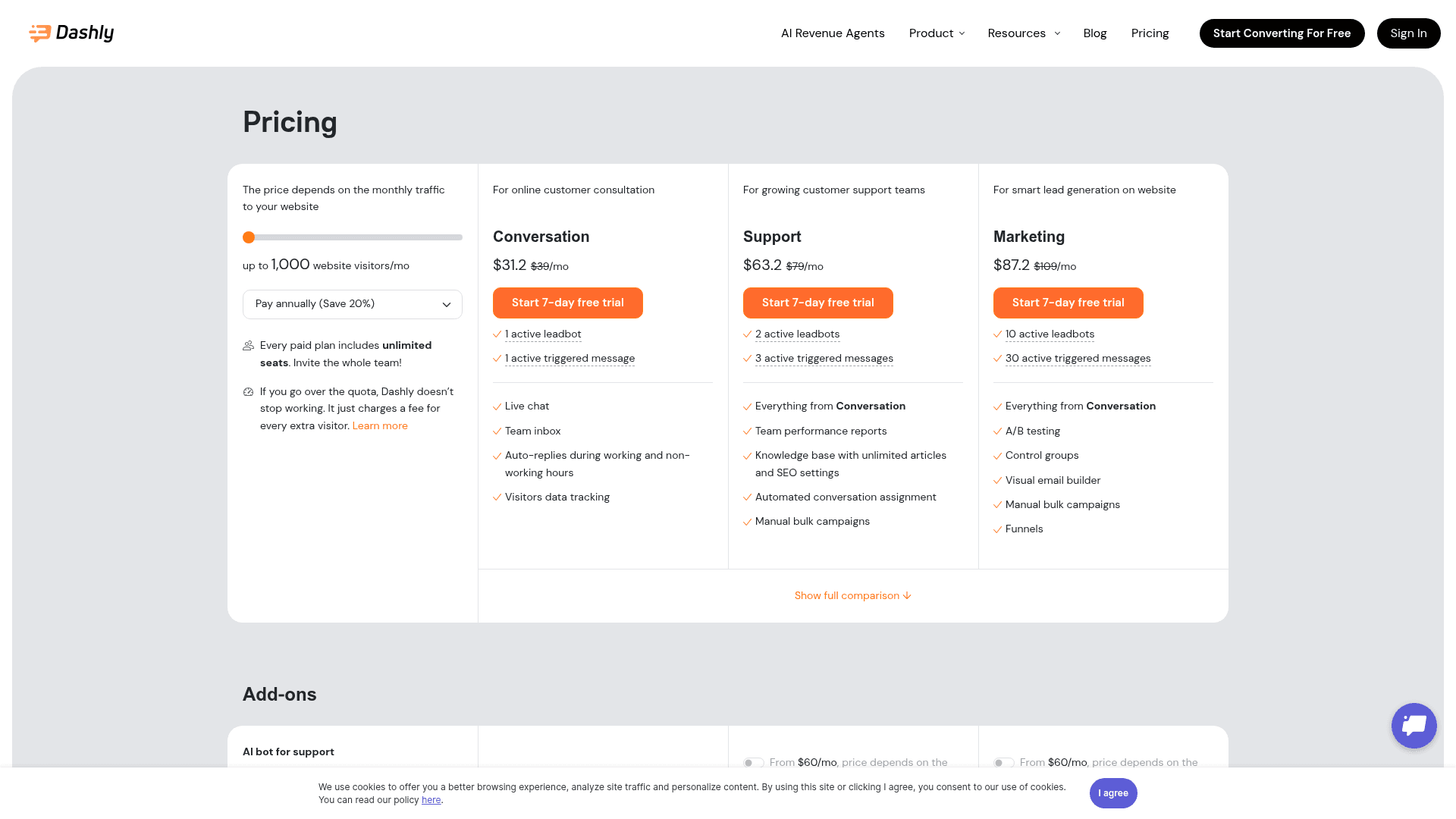
One more thing worth flagging about the pricing page itself. It loads with Pay annually (Save 20%) already selected, so the big numbers you see are $31.20, $63.20 and $87.20, with $39, $79 and $109 struck through beside them. Nothing is hidden, the monthly rate is right there. But if you are a month-to-month buyer, the headline is 25% below your actual price, and it is easy to leave with the wrong number in your head.
Estimate your own Dashly bill
Put your real traffic in. The estimator compares buying the tier that covers you against staying one tier down and paying the overrun, then tells you which is cheaper.
The overrun rate is the real price, and it is always worse than upgrading
Dashly is upfront about what happens when you blow through quota. From the pricing page: "If you go over the quota, Dashly doesn't stop working. It just charges a fee for every extra visitor." No throttling, no widget going dark mid-conversation. That is the right behaviour for a support tool, and it is not the norm.
What you pay for that grace is the interesting bit. Below is every Support-plan tier, its overrun rate, and what the same extra visitor would have cost inside the next tier up.
| Your tier | Overrun per extra visitor | Next tier's rate per extra visitor | How much worse | Overrun stops being cheaper at |
|---|---|---|---|---|
| 1,000 | $0.0909 | $0.0100 | 9.1x | +440 visitors |
| 5,000 | $0.0274 | $0.0060 | 4.6x | +1,095 |
| 10,000 | $0.0171 | $0.0060 | 2.9x | +5,263 |
| 25,000 | $0.0110 | $0.0044 | 2.5x | +10,000 |
| 50,000 | $0.0080 | $0.0018 | 4.4x | +11,250 |
| 100,000 | $0.0050 | $0.0026 | 1.9x | +26,000 |
| 150,000 | $0.0044 | $0.0032 | 1.4x | +36,364 |
The overrun rate is more expensive per visitor than the tier upgrade at every single rung, by between 1.4x and 9.1x. That is not a criticism, it is how overage pricing works almost everywhere. It just means the overrun is a buffer, not a plan.
The practical version, and the number I would actually put in a budget doc: the break-even sits between 22% and 53% over quota depending on the rung, clustering around a third. So if you are consistently running more than a quarter over your visitor quota, buy the next tier. Below that, let the overrun ride.
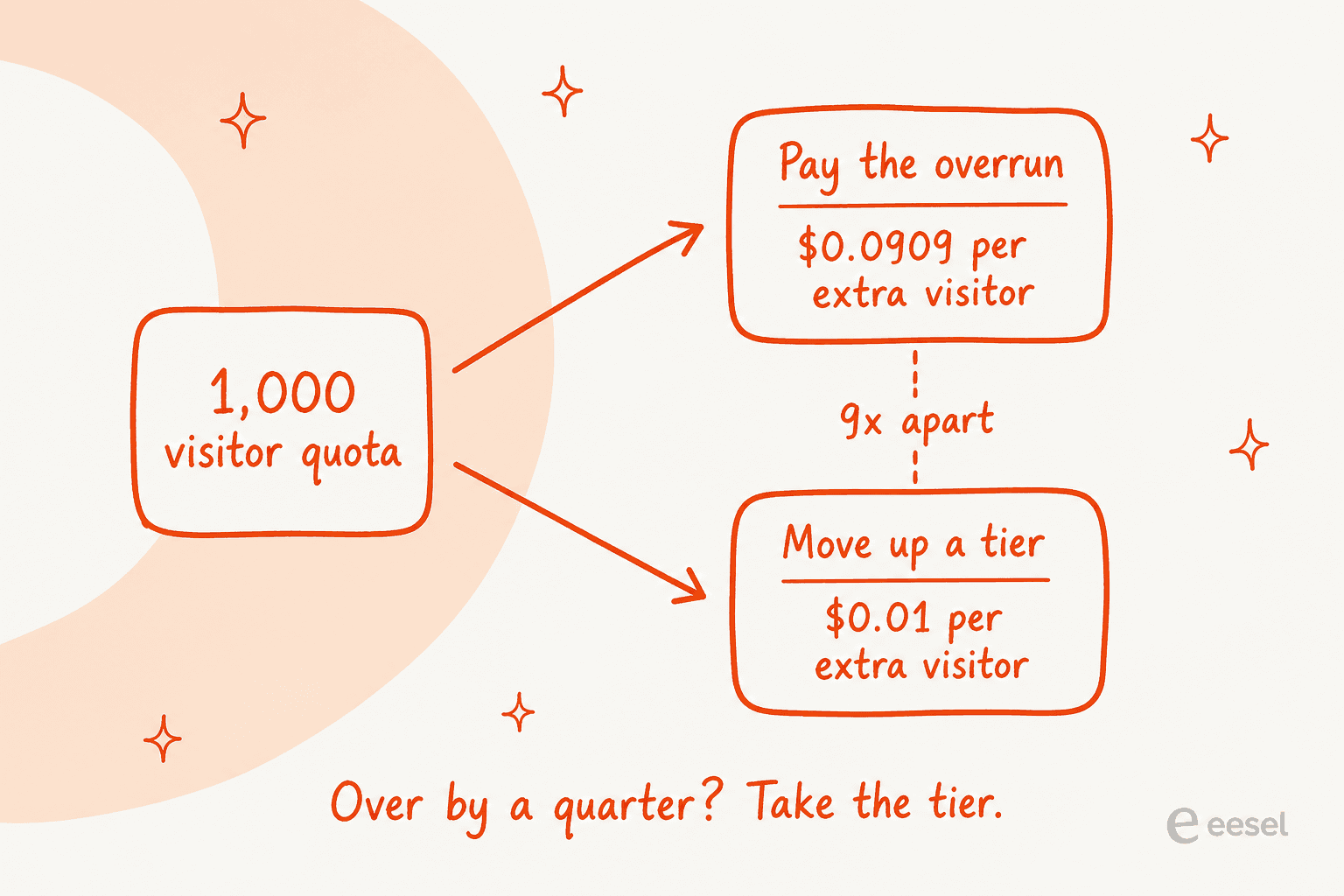
The entry tier sets a trap worth naming on its own. At 1,000 visitors, an extra 500 people costs $45.45 in overrun. More than half your base plan, for traffic that is a rounding error on any real website. One decent LinkedIn post does it. If you start on the bottom rung, budget for the 5,000 tier by month two.
The second meter: emails, including the ones you send yourselves
This one is not on the pricing page at all. Every plan carries a free email allowance, and it scales with the visitor tier.
| Unique visitors / mo | Conversation | Support | Marketing |
|---|---|---|---|
| 1,000 | 200 | 350 | 500 |
| 5,000 | 600 | 1,550 | 1,500 |
| 10,000 | 1,000 | 5,500 | 2,500 |
| 25,000 | 2,000 | 8,500 | 5,000 |
| 50,000 | 4,000 | 12,000 | 10,000 |
| 100,000 | 8,000 | 19,000 | 20,000 |
| 150,000 | 12,000 | 26,000 | 30,000 |
| 200,000 | 16,000 | 33,000 | 40,000 |
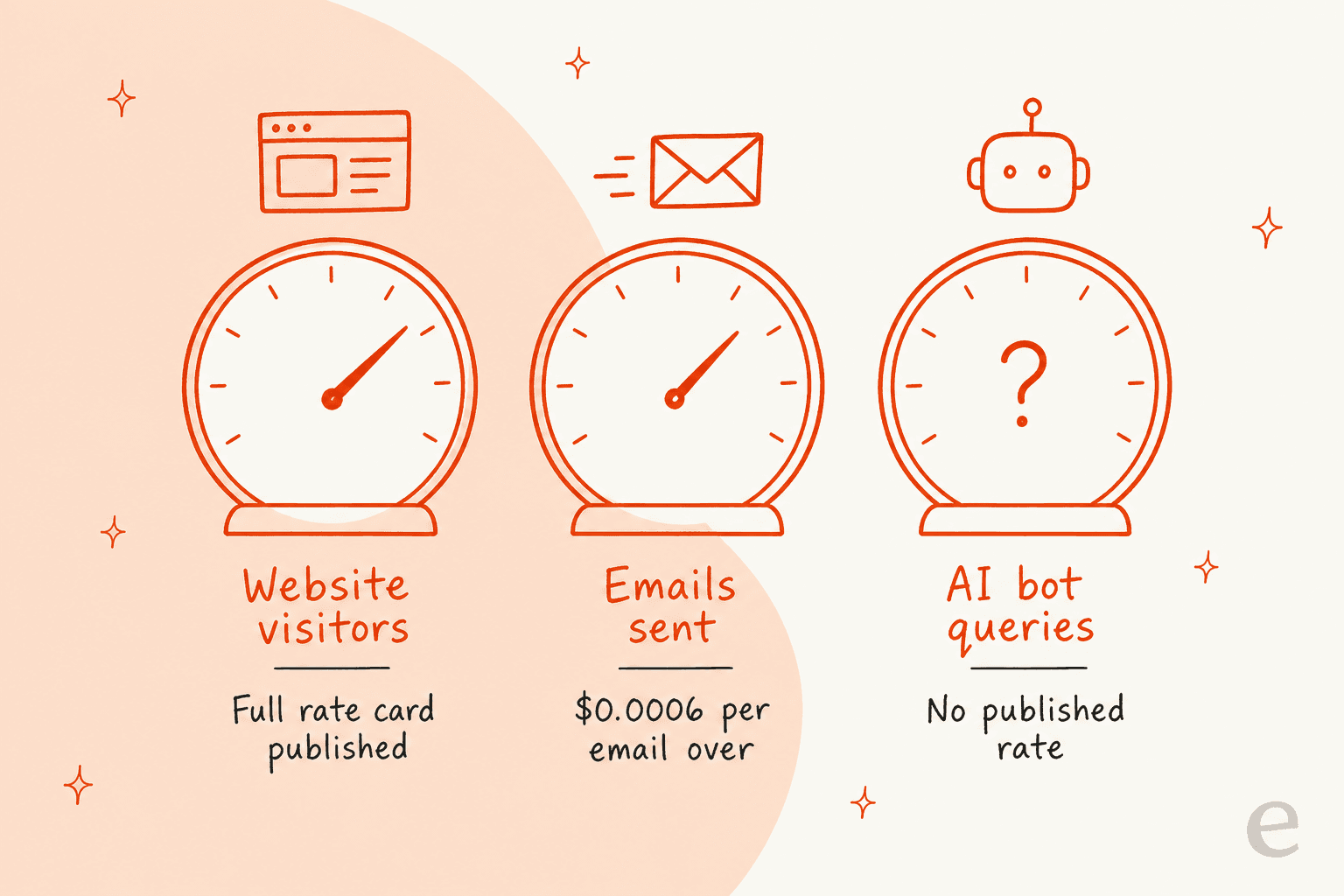
Beyond the allowance it is $0.0006 an email, invoiced at period end, with warnings at 90%, 100% and 150% of quota. Three things about that quota matter more than the rate.
Your own operators' notification emails count against it. Dashly lists four things in the email quota: manual sends, triggered emails, chat messages duplicated to leads who did not read them, and "email notifications to operators". So a support team's internal plumbing shares a meter with its marketing campaigns. On the Support plan at 1,000 visitors that allowance is 350 emails, which a five-agent team on a couple of hundred tickets will clear without running a single campaign.
Unused allowance evaporates. Dashly's wording: "If you didn't exceed your quota, the rest of it won't be transferred to the next period." No rollover, so a quiet month buys you nothing in a busy one.
And in dollars, be honest, it is small. Ten thousand emails over quota is $6. I am flagging the email meter because it tells you what the platform thinks it is counting, not because it will move your budget. If you are used to a per-seat helpdesk rate card, the shape is the surprise, not the size.
The third meter has no numbers
Here is the thing a support buyer actually came for, and the reason this post has a spine.
The AI bot for support is an add-on. On the pricing page it reads "From $60/mo, price depends on the number of user queries" on the Support and Marketing plans, and "Unavailable for this plan" on Conversation. Then help article 97 adds a second variable: "The cost of all add-ons except 'E-mail Builder' depends on the site traffic."
So the line that automates your support is priced on query volume and on traffic, and neither has a published rate. Compare that with the visitor meter, where Dashly publishes eight tiers, eight annual figures, eight overrun rates and an email allowance for each of three plans. The rate card is extremely precise about the part you are not buying, and silent on the part you are.
To be fair about what "silent" means here: $60 is a real floor, not a decoy, and a good half of the AI customer service software category publishes nothing at all. Dashly at least tells you the shape of the meter and where it starts. But you cannot model a budget from it, and a support team pricing out ticket automation needs to model a budget.
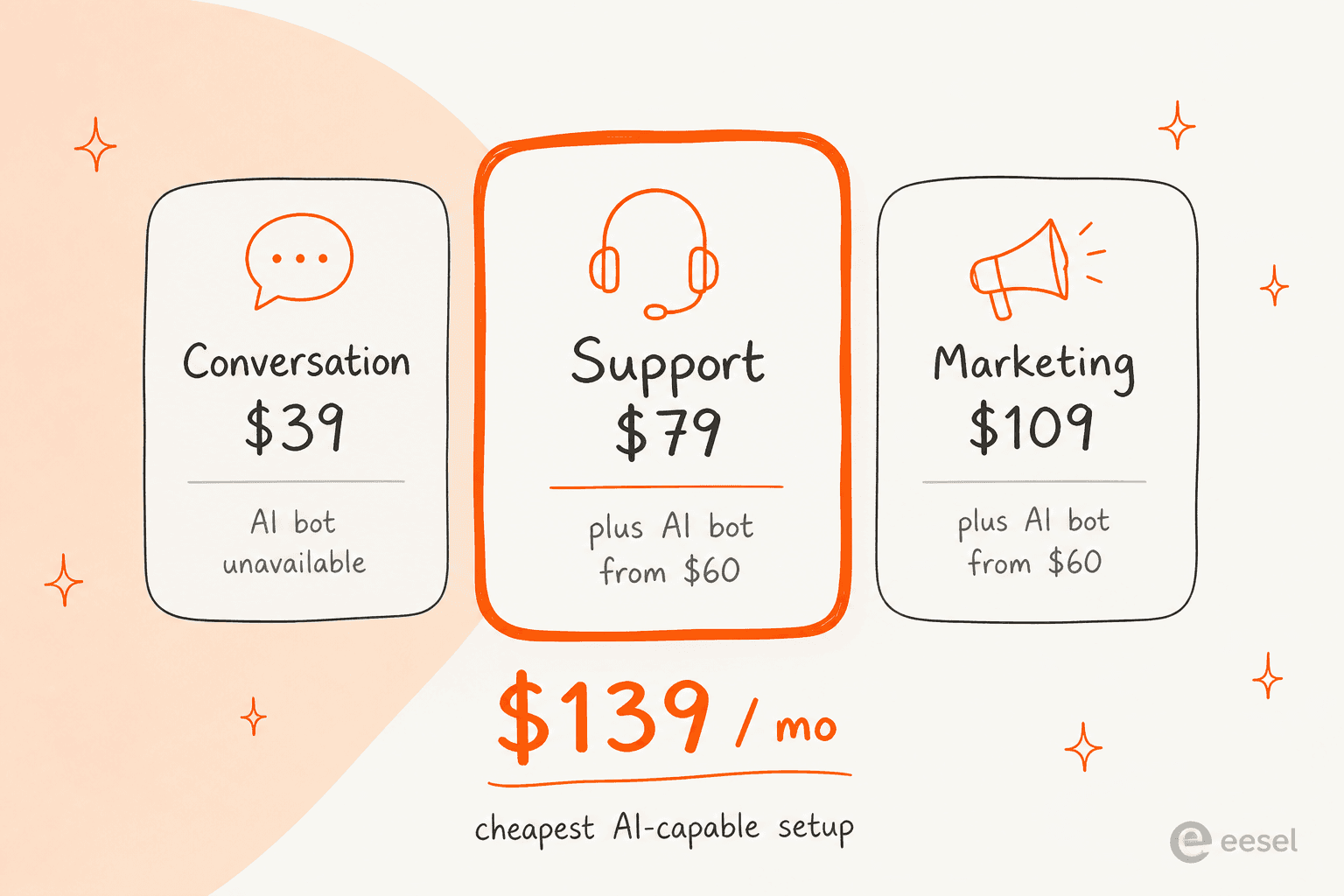
Which produces the number I would put at the top of any Dashly evaluation. The entry plan cannot run the AI bot. So the cheapest configuration that does AI support is Support at $79 plus the bot at $60: $139 a month at 1,000 visitors, with both halves rising as traffic does. At the 25,000-visitor tier it is $239 plus at least $60, so $299 and up. At 100,000 visitors, $439 plus at least $60, so $499 and up.
Which plan you actually need
The plan names suggest a depth ladder. They are closer to three different products, and the thing that separates them is how many bots and triggered messages you can run at once.
Conversation, from $39. One active leadbot, one active triggered message, live chat, team inbox, working and non-working hours auto-replies, visitor data tracking. Dashly's own descriptor is "for online customer consultation". Read this as a website chat widget with an inbox behind it. No knowledge base, no AI bot, and no route to either without changing plans.
Support, from $79. Everything in Conversation, plus two leadbots, three triggered messages, team performance reports, a knowledge base with unlimited articles and SEO settings, automated conversation assignment and manual bulk campaigns. Two add-ons that cost money elsewhere are included here: Support optimization, $10 on the other plans, and Knowledge base Pro, $5 elsewhere. This is the only sensible starting point if support is the job, and it is the only rung where an AI support copilot is even purchasable.
Marketing, from $109. Everything in Conversation, plus ten leadbots, thirty triggered messages, A/B testing, control groups, a visual email builder and funnels. The email builder is included rather than $20. This is the conversational marketing product, and it is where Dashly's history is.
The add-on table, for completeness:
| Add-on | Conversation | Support | Marketing |
|---|---|---|---|
| AI bot for support | Unavailable | From $60/mo | From $60/mo |
| No-branding | $15/mo | $15/mo | $15/mo |
| Support optimization | $10/mo | Included | $10/mo |
| Knowledge base Pro | $5/mo | Included | $5/mo |
| Welcome bot | $29/mo | $29/mo | $29/mo |
| Email builder Pro | $20/mo | $20/mo | Included |
| 40 leadbots | Unavailable | Unavailable | $21/mo |
| 100 triggered messages | Unavailable | Unavailable | $21/mo |
Note that every one of those except the email builder scales with your traffic tier too, per help article 97. The $15 no-branding line at 1,000 visitors is not the $15 no-branding line at 200,000.
One thing that lands squarely in Dashly's favour, and it is a real cost advantage: every paid plan includes unlimited seats. "Invite the whole team", as the pricing page puts it. If you have twelve agents, that is twelve seats a per-seat vendor would have charged you for. On a per-agent helpdesk at $55 a seat, twelve agents is $660 a month before any AI. The same maths runs on Front's rate card. Dashly's whole Support plan at 25,000 visitors is $239. For a big team on modest traffic, the visitor meter is the friendlier one.
Five things the pricing page does not tell you
All five come from Dashly's own help centre, which is the right place to look before signing anything.
- Every website needs its own subscription. They cannot be combined, and the data, leads and messages stay separate. The one exception is subdomains:
site.comandm.site.comcount as one site. Multi-brand teams should multiply the whole rate card by their number of domains. - Annual is charged in advance, for the full period. "We charge an advanced payment in the beginning of the period." The 20% is real, the cash-flow shape is a year up front.
- Legacy plans lose their rates the moment you touch them. Plans archived on 2 November 2022 still run for accounts that had them, but "when canceling a subscription or switching to a new plan, clients on the archived plan will be charged by relevant rates." If you are an old customer sitting on a good price, a plan change is a repricing event.
- The trial is 7 days. Short for evaluating an AI agent against real traffic, especially since Dashly's own guidance for its AI support agent says to "expect 1-2 rounds of tuning".
- The Support plan's own rate table has a column-header bug. In help article 97, the Support table labels two columns "Number of free emails" and never names the annual-cost column. The values make the intent obvious, and I have read it as month, annual, free emails, overrun above. Minor, but if you are checking my numbers against theirs, that is why the headers look wrong.
What it costs versus what it does
I build support AI for a living, and the question I always end up at is not the sticker price. It is what the sticker price buys me in confidence before go-live.
Two things are worth weighing here. Dashly's AI support agent trains on help centre articles, FAQs, product documentation, release notes and internal support instructions. That is a solid set of sources, and the knowledge base coverage is real. What it does not train on is your past ticket history, and testing is a shareable test link plus scenarios your team writes rather than a replay over your own resolved conversations. Dashly is candid about the ramp that implies: its own guidance says complex products took roughly two months to reach a 40% resolution rate.
The second thing is that the meter and the work are not connected, and this is what I would push hardest on in a buying conversation. If the bill moves with marketing reach, a good quarter for the growth team is a bad quarter for the support budget. Nobody in the room can point at the ticket that caused it, because there isn't one. Our full Dashly alternatives roundup prices nine tools where the meter tracks something a support lead actually controls.
For scale on that: the crossover matters more than the rate. One very-high-volume operator in our own sales notes worked out roughly $30,000 a month at about twenty cents a ticket, and the hard part of that call was not the number, it was that per-interaction and per-ticket pricing had been used interchangeably by different vendors. Get the unit straight before you compare any two rate cards, including this one.
"Pricing is confusing. Which unit am I actually being billed on?"
a very-high-volume operator who projected around $30,000 a month at scale, eesel sales notes
Where eesel fits, if the visitor meter is the problem
If the thing bothering you about Dashly pricing is that support cost tracks marketing reach, that is the specific problem eesel is priced against. eesel uses 1 credit for each ticket or chat session the AI handles, on one fixed monthly price from $299/month for 500 credits. No seats, no platform fee, no visitor quota, and questions asked in the dashboard are mostly free. A traffic spike costs you nothing. If you run out of credits, agents pause until they reset, or you can turn on optional overage with a cap you set rather than an overrun you discover.
Put that against the Dashly floor. The cheapest AI-capable Dashly setup is $139 a month, while eesel paid plans start at $299 a month for 500 credits, so eesel is not the cheaper entry point on price alone. What you get for the higher figure is a fixed price that does not move with your visitor count, with every integration and channel included and no per-seat fee. eesel also has a free plan with 100 credits and no card, so you can test it on real tickets before you pay anything.
The other half is the one I care about more, having watched a confident-sounding bot answer wrong in production. eesel replays your actual past tickets and scores what the AI would have said against what your team really sent, then hands back the gaps and the instruction changes that close them. You see the error rate before a customer does, not after. That is a different kind of purchase from a shareable test link, and it is why the common AI chatbot failures list is shorter on a rollout that got dry-run first.

First agent live takes about thirty minutes, the free plan is 100 credits with no card, and you can see exactly which conversations used credits. Try eesel.
How Dashly's pricing compares on the meter
Same money, different unit. This is the table I would take into a comparison meeting, because the unit is what determines whether your bill is predictable.
| Tool | Billing unit | Entry price | AI gated behind |
|---|---|---|---|
| Dashly | Unique monthly website visitors | $39/mo | Support plan, $60/mo add-on |
| eesel | Credits (1 per ticket or chat handled) | Free 100 credits, then from $299/mo (500 credits) | Nothing, included in every plan |
| Tidio | Conversations, plus Lyro per resolution | Free tier | Paid Lyro plan |
| Crisp | Flat per workspace | Free tier | Paid tier |
| Chatwoot | Seats, self-host option | Free for 2 agents | Paid or self-hosted |
| HelpCrunch | Seats plus email volume | Per seat | Monthly AI conversation cap |
| LiveChat | Seats | Per seat | Add-on |
| Chatbase | Message credits | Per credit pack | Included, credit-metered |
| Freshdesk | Seats plus AI sessions | Per seat | Session packs |
| Gorgias | Resolved interactions | Per resolution | Included, per outcome |
Four shapes in that list, really. Per seat, per conversation, per outcome, and per visitor. Dashly is the only one where the meter sits outside the support team entirely. Whether that is good or bad depends on which number is growing faster at your company, your traffic or your ticket count, and that is a question you can answer today.
If you want to go deeper on any of these, the Tidio review and the Gorgias review both dig into what the AI actually does rather than what it costs.
For the per-ticket maths against a human agent's fully loaded hourly rate, there is the AI agent cost comparison. The offshore team comparison runs the same exercise against outsourcing.
Swapping the meter usually means swapping the tool, and each of these has its own roundup: Tidio alternatives for conversation-metered chat, Chatwoot alternatives for the self-hosted route, and Gorgias alternatives if per-resolution billing is what you are trying to escape.
My verdict on Dashly's pricing
Dashly's rate card is unusually well documented for a company this size. Eight tiers, annual figures, overrun rates to four decimal places, an email allowance table, and a help article that explains what counts as a billable visitor with a worked example. That is more disclosure than most vendors in the live chat space manage, and the unlimited seats are a genuine advantage for a large team on a small site.
The two things I would not sign without settling: get a written figure for the AI bot at your query volume and your traffic tier, because "from $60" is not a budget line. And check which way your visitor count is trending, because that is the number on your invoice and nobody on the support team controls it.
If the answer to either question makes you uncomfortable, the meter is the thing to change, not the vendor's transparency. Start with the alternatives roundup, or if a fixed monthly price tied to ticket volume is the shape you want, try eesel free and watch the itemised log for a week. For the wider picture on what any of this should cost, our chatbot cost breakdown covers build-versus-buy at the same volumes.