Chatwoot pricing at a glance
Chatwoot is an open-source, omnichannel support platform that bundles an inbox, a help center, and an AI assistant (Captain) into one place, and lets you run it on their cloud or your own servers. It's well-liked: 4.5/5 across 16 reviews on G2, 32k stars on GitHub, and 15,000+ businesses using it.
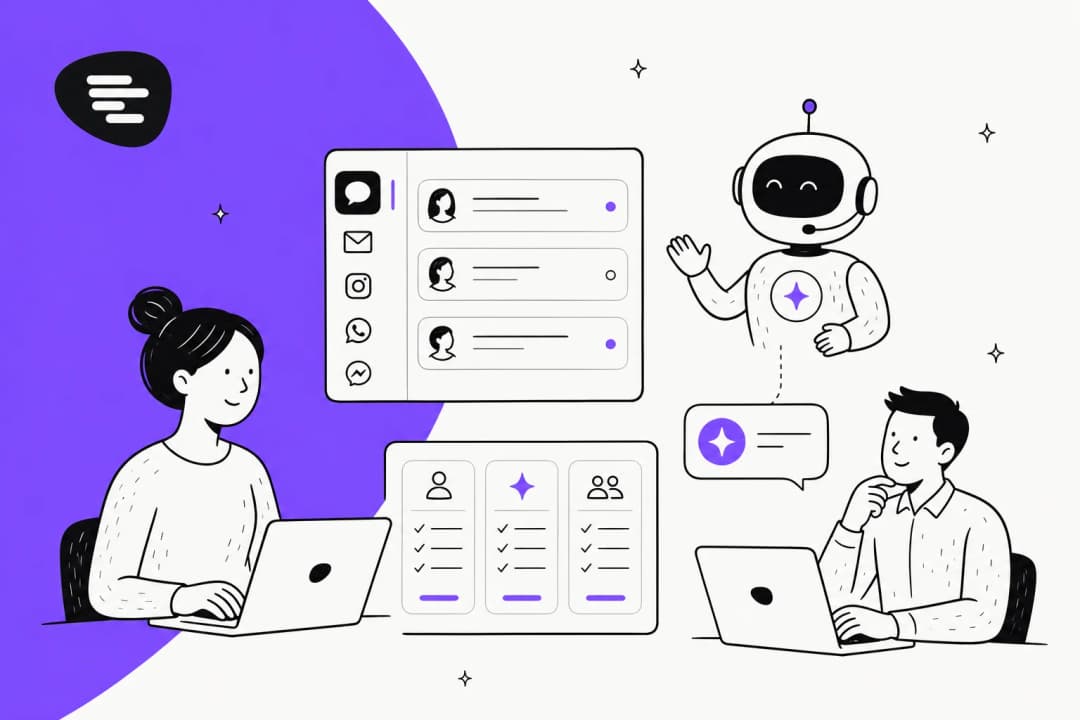
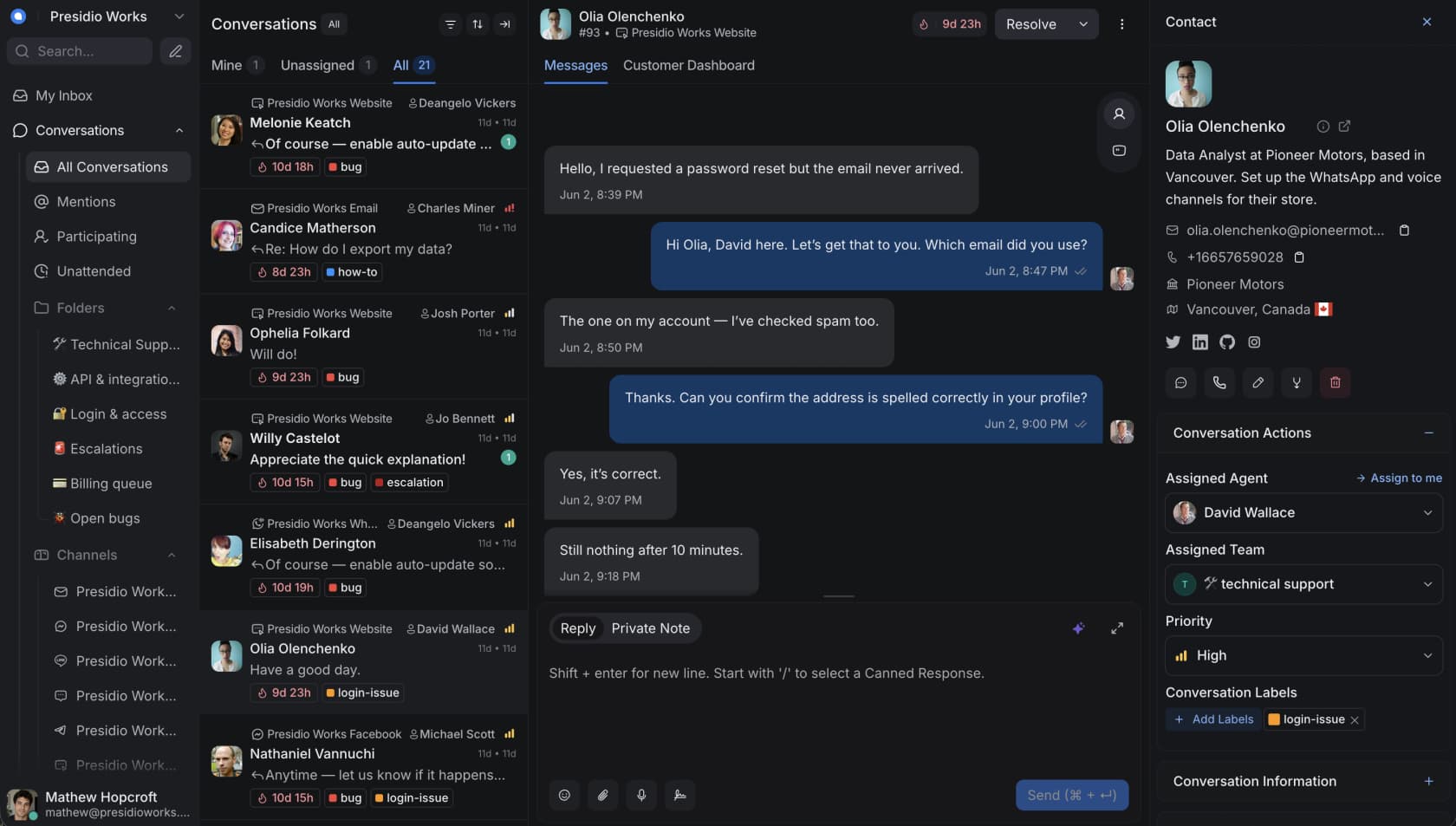
Before we get into the money, here's the product you're actually paying for, the unified conversation inbox where agents live all day:
All paid prices are quoted per agent, per month, billed annually, the public pricing page only surfaces the annual rate. There's a 15-day free trial on the cloud.
| Plan | Price (per agent/mo, annual) | Agents | Conversations/mo | Captain AI credits/mo | Data retention |
|---|---|---|---|---|---|
| Hacker | $0 | Up to 2 | 500 | None | 30 days |
| Startups | $19 | Unlimited | Unlimited* | 300 | 1 year |
| Business (most popular) | $39 | Unlimited | Unlimited* | 500 | 2 years |
| Enterprise | $99 | Unlimited | Unlimited* | 800 | 3 years |
*"Unlimited" conversations are subject to Chatwoot's fair use policy.
That's a clean ladder, and compared to a lot of helpdesk software that hides its real numbers behind a "contact sales" wall, Chatwoot deserves credit for publishing the lot. The nuance is all in what each rung unlocks, and what the AI costs once you're on it.
What you actually get at each tier
The jump from tier to tier isn't really about price, it's about which features come unlocked. Here's where the meaningful gates sit.
Hacker ($0) is free for real but deliberately tiny: up to 2 agents, live chat only, 500 conversations a month, 30-day data retention, and no Captain AI, no help center, no automation. It's a real "try it on a side project" tier, not a starter plan for a support team.
Startups ($19) is where it becomes a usable customer service tool: all channels (email, WhatsApp, Instagram, SMS, Telegram, and friends) feeding one live chat inbox, a help center, the full reporting suite, and 300 Captain credits a month. What it doesn't include is worth flagging, no Teams, no automation rules, and no Voice channel.
Business ($39) is the one Chatwoot flags as most popular, and it's the first plan that feels complete: Teams, automation rules, the Voice channel, SLAs, and 500 Captain credits. If you're running a real support team with routing and escalations, this is the floor.
Enterprise ($99) adds SSO/SAML, audit logs, agent capacity, and the ability to remove Chatwoot branding, plus 800 Captain credits. A dedicated account manager and video/voice support only kick in for subscriptions with 20+ agents, which a few reviewers grumble about.
"- SAML SSO only on Enterprise plan / - Dedicated account manager only for subscriptions with 20+ agents"
G2 verified reviewer, listed under "What do you dislike about Chatwoot?" (G2)
None of this is unusual, gating SSO to the top tier is an industry-wide habit we've complained about before. But it does mean the sticker price and the price you need are often a tier apart.
Captain AI credits: the line item that surprises people
Here's the part of Chatwoot pricing that trips teams up. The per-agent fee gets you a bucket of AI usage, not unlimited AI. Captain, Chatwoot's native AI suite, runs on credits, and each plan includes a monthly allowance: 300 on Startups, 500 on Business, 800 on Enterprise. Run out, and you top up at $20 per 1,000 credits, billed pay-as-you-go, and those credits are non-refundable because they're usage-based.
Captain is a capable little suite, to be fair to it. It has four pieces: an Assistant that answers customer questions and hands off to a human when it's stuck, a Co-Pilot that drafts and translates replies for agents, Smart FAQs that flag gaps in your knowledge base, and Memories that keep per-customer context. That's a sensible spread of AI customer service features.
The pricing wrinkle is that every reply suggestion, summary, and knowledge-base answer eats credits, so an automation-heavy team can quietly drain the monthly bucket and start paying overage without an obvious warning. Here's the mechanic:
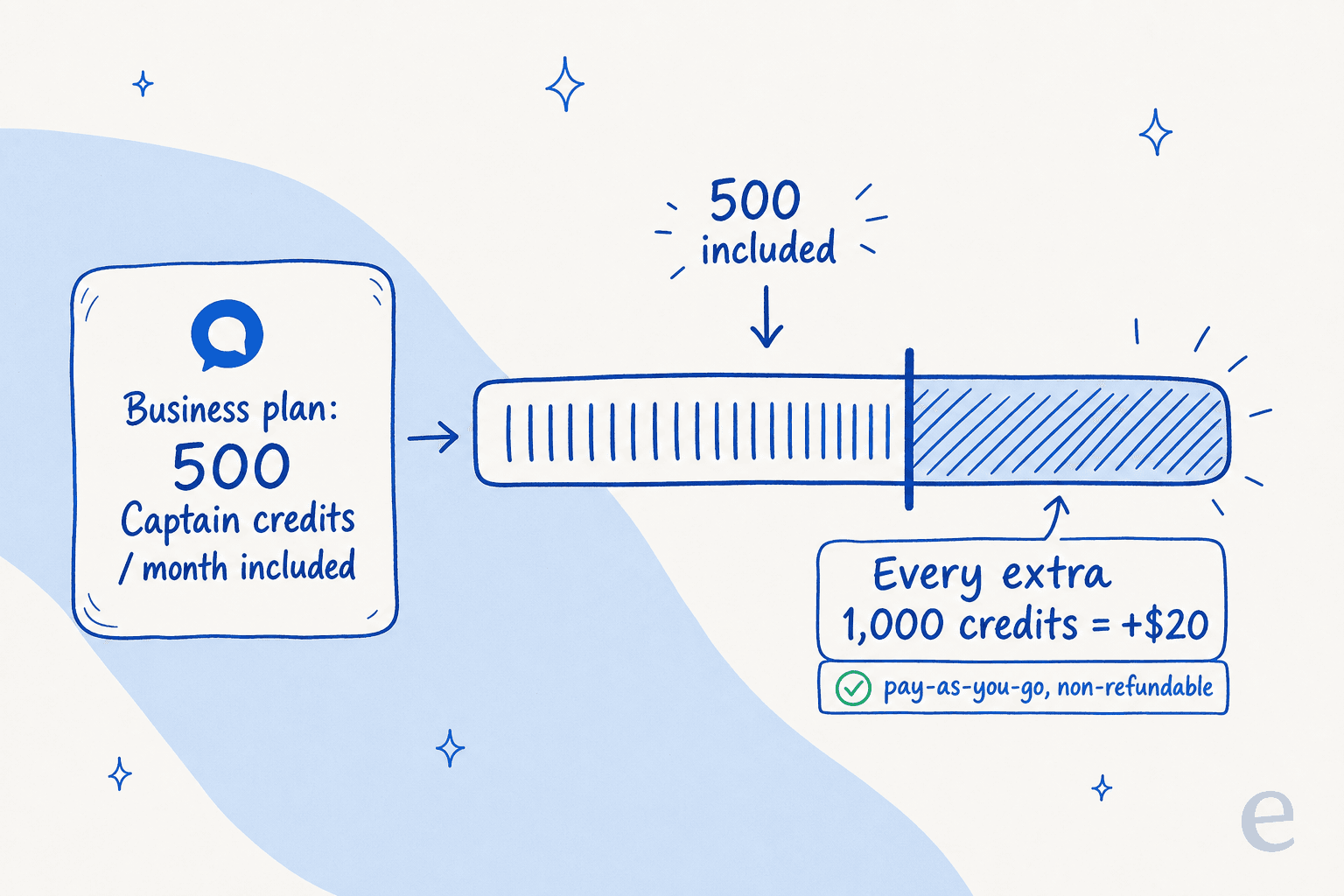
The honest read: 500 credits is fine for a team using Captain as an agent-assist copilot, where it drafts and an agent sends. It gets tight fast if you want Captain handling first-response autonomously at any volume, which is exactly the use case where AI is supposed to save you money. This is the friction we documented in our honest overview of Chatwoot Captain, credits make small-scale assistance cheap and high-scale deflection unpredictable.
Self-hosted pricing: "free" has a footnote
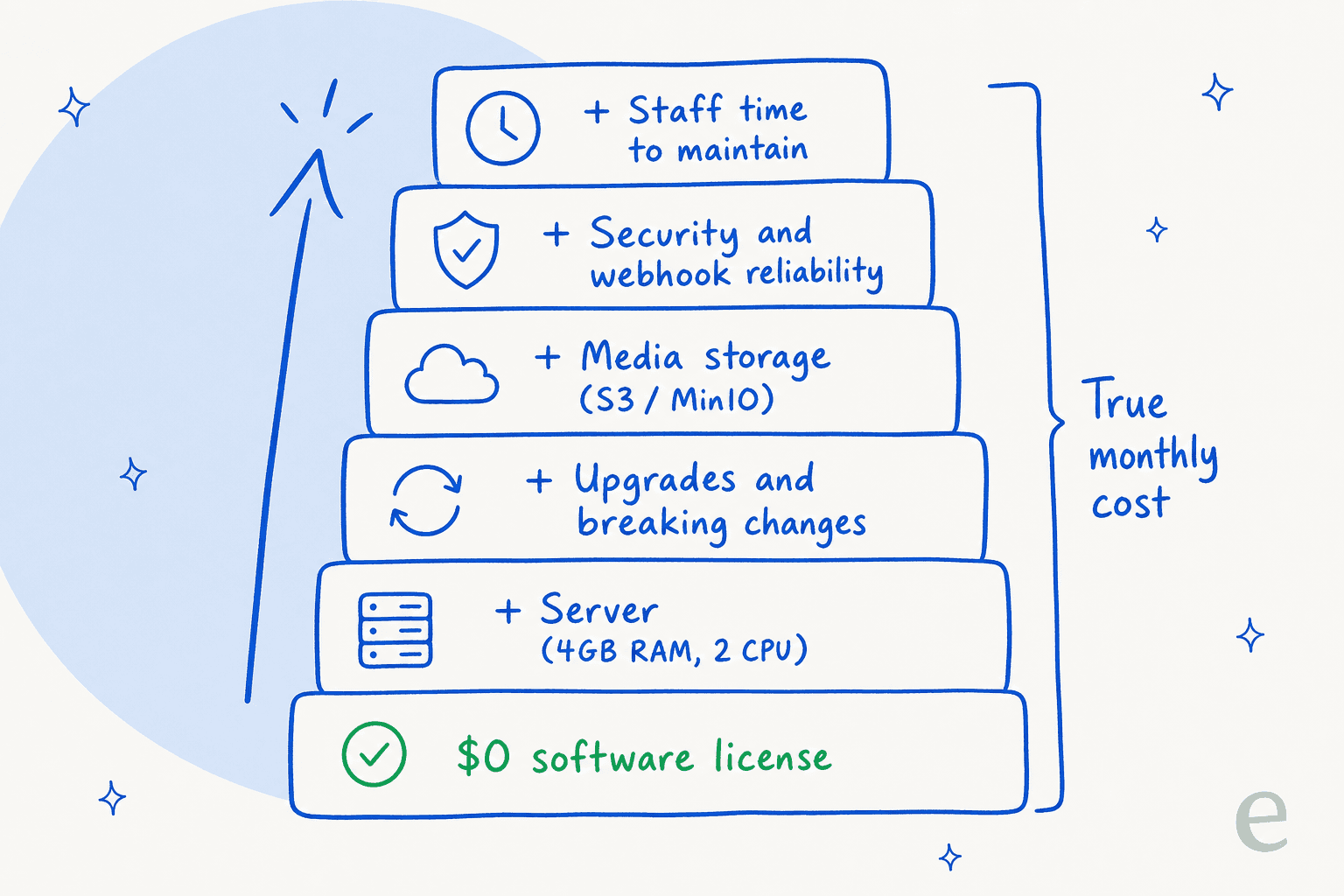
The open-source story is Chatwoot's headline differentiator, and a real one. You can run the Community Edition on your own infrastructure for $0 in licensing, forever. For privacy- or compliance-conscious teams who want to own their customer data, that's a legitimately strong reason to look at Chatwoot over a closed SaaS suite.
The footnote is that licensing is the cheapest part of self-hosting. Chatwoot recommends at least 4GB RAM and 2 CPU cores for production, on a Linux box with PostgreSQL, Redis, and S3-compatible storage. After that, the bills that don't appear on any pricing page start: keeping it updated through breaking changes, managing media storage, making sure webhooks are queued and retried, and owning your own security. A community write-up on the trade-off lists "Maintenance Overhead," "Security Responsibility," and "Potential for Higher Total Cost of Ownership" as the real cons once you count your own time.
Practitioners on Reddit are clear-eyed about it:
"self-hosting means you own the infrastructure but you also own the maintenance... for client work, this is usually where it stops feeling like a demo."
u/0_nk, r/n8n
There are also two paid self-hosted tiers if you want commercial features and support on your own infrastructure:
| Self-hosted edition | Price | What it adds |
|---|---|---|
| Community Edition | $0/agent/mo | Open source; no Captain AI, no Voice, no SSO; Discord + GitHub support |
| Premium Support | $19/agent/mo (annual) | Captain AI, Voice, custom branding, roles, priority email support |
| Enterprise Edition | $99/agent/mo (annual) | Adds SSO/SAML, SLAs, phone support, dev office hours |
The thing worth circling: Captain AI is not available on the free Community Edition. If the reason you're self-hosting is "free AI support," that combination doesn't exist, you need Premium Support ($19/agent/month) before Captain turns on at all, and it then runs through OpenAI's GPT models with the same credit model as cloud.
What Chatwoot actually costs: three worked examples
Sticker prices are abstract. Here's what real teams pay, before any Captain overage.
| Team | Plan | Monthly cost (annual billing) | Notes |
|---|---|---|---|
| 3-agent startup | Startups ($19) | ~$57/mo | All channels + help center; 300 Captain credits shared |
| 10-agent support team | Business ($39) | ~$390/mo | Teams, automation, Voice, SLAs; 500 Captain credits |
| 25-agent Enterprise | Enterprise ($99) | ~$2,475/mo | SSO, audit logs; 800 credits; unlocks dedicated CSM at 20+ |
Two things jump out. The first is that the bill scales with headcount, every agent you add is another $19-$99 a month, whether or not that agent is the one doing the repetitive work AI could handle. The second is that the included Captain credits don't scale with your ticket volume, only with your plan. The 25-agent Enterprise team gets 800 credits; if they're fielding tens of thousands of conversations a month and want Captain on the front line, they'll be buying credit packs on top.
For a team whose whole goal is to automate tier-1 volume, that's a slightly awkward incentive structure: you pay more as you hire more, and you pay more as the AI does more. Worth modelling against your real numbers before committing to an annual plan.
Where Chatwoot's pricing really wins
It would be unfair to make this all about the gotchas, because Chatwoot earns its fans. The value-for-money sentiment in reviews is real and consistent:
"Chatwoot just works and does everything that a small/startup team would want from an on-site chat support component... Compared to other bloated products without transparent pricing it's a no-brainer."
G2 verified reviewer (G2)
If you're a small team that wants a transparent, all-channel inbox with a help center for $19-$39 a seat, Chatwoot is a strong, fair-priced pick, and the open-source option is a genuine moat for data-sensitive teams that no closed competitor can match. The omnichannel inbox in particular comes up again and again as the part people love, managing WhatsApp, social, and email from one screen without juggling apps, the same all-in-one pitch behind most AI customer service software. For that buyer, the pricing is a feature, not a problem.
Where it gets shakier is the AI economics at scale, and that's a model question, not a Chatwoot-specific flaw.
Per-agent plus credits, versus per-ticket
This is the reframe worth sitting with. Chatwoot prices like a helpdesk: per seat, with AI metered on top. That makes total sense if AI is a nice-to-have your agents lean on occasionally. It makes less sense if AI is the point, if you're buying it specifically to deflect volume so you don't have to add seats.
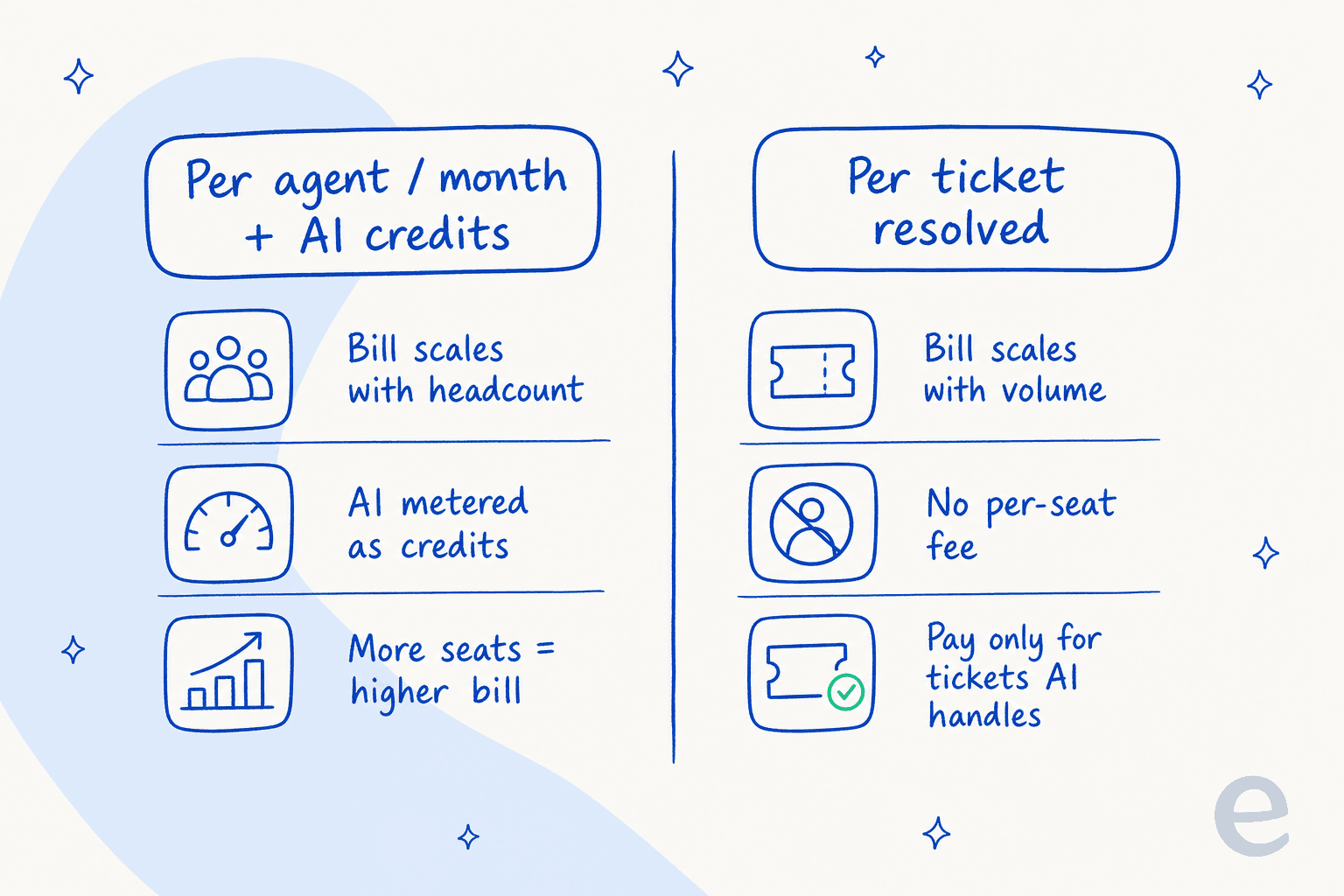
I'll disclose our bias plainly: we build eesel AI, and we actually integrate with helpdesks rather than replace them, so take this as the view of someone with a horse in the race. But it's a view we earned the hard way. eesel itself used to price per AI interaction, and high-volume customers told us, repeatedly, that it didn't pencil out, one ops lead at a payouts fintech doing 7,000-8,000 escalated tickets a month said per-interaction pricing was a non-starter for him. So we changed it. Today eesel is $0.40 per ticket it handles, with no per-seat fee and no platform fee, which you can check on our pricing page.
The difference in practice: a team handling 1,000 tickets a month pays $400 with eesel whether they have 5 agents or 50, and whether the AI touches 100 tickets or all 1,000. With a per-agent-plus-credits model, those same variables both push the bill up. Neither is "right," but for an automation-first AI agent strategy, volume-based pricing usually tracks the value better than seat-based pricing does.
There's a control dimension too. Because we've watched a confident-sounding bot quietly give wrong answers, eesel runs a simulation mode over your historical tickets before anything goes live, so you can see projected resolution rates and costs per ticket type, and only hand the AI the conversations it's truly confident on. That's the kind of guardrail that turns AI deflection from a gamble into a forecast.
Try eesel AI
If you're weighing Chatwoot mostly for its AI, it's worth seeing what a dedicated AI helpdesk agent looks like first. eesel learns from your past tickets, help docs, and macros on day one, drafts or fully resolves tickets, and runs inside the helpdesk you already use, Zendesk, Freshdesk, Gorgias, Help Scout, and more.

The differentiator is the one Chatwoot's credit model makes hard: you pay per ticket the AI handles, not per seat, so the economics improve as you automate more rather than getting murkier. One eesel customer, Gridwise, saw the AI resolve 73% of tier-1 requests in its first month, with results visible during a 7-day trial. You can start free (no credit card, $50 of usage included) and run a simulation against your own tickets to see the projected cost and resolution rate before you commit. Try eesel.
Frequently Asked Questions
How much does Chatwoot cost per month?
Is Chatwoot really free?
How do Chatwoot's Captain AI credits work?
How much does self-hosting Chatwoot cost?
What is Chatwoot's pricing for a small team?
How does Chatwoot pricing compare to eesel AI?
Are Chatwoot's Captain AI credits refundable?


Article by
Alicia Kirana Utomo
Kira is a writer at eesel AI with a Computer Science background and over a year of hands-on experience evaluating AI-powered customer service tools. She focuses on breaking down how helpdesk platforms and AI agents actually work so that support teams can make better buying decisions.