Why "AI for Chatwoot" is a different question than you think
Most posts about adding AI to a helpdesk are really asking one thing: which add-on do I buy from the vendor? With a closed suite, that's the whole story, because you can't bolt anyone else's AI onto it.
Chatwoot breaks that pattern. It's an open-source, omnichannel support platform with 32k stars and 400+ contributors on GitHub, used by 15,000+ businesses, and you can run it on Chatwoot's cloud or self-host it on your own servers. That openness changes the AI conversation completely. You get a native agent (Captain), and an Agent Bot framework plus a full REST API that lets you connect an outside AI to the same inbox.
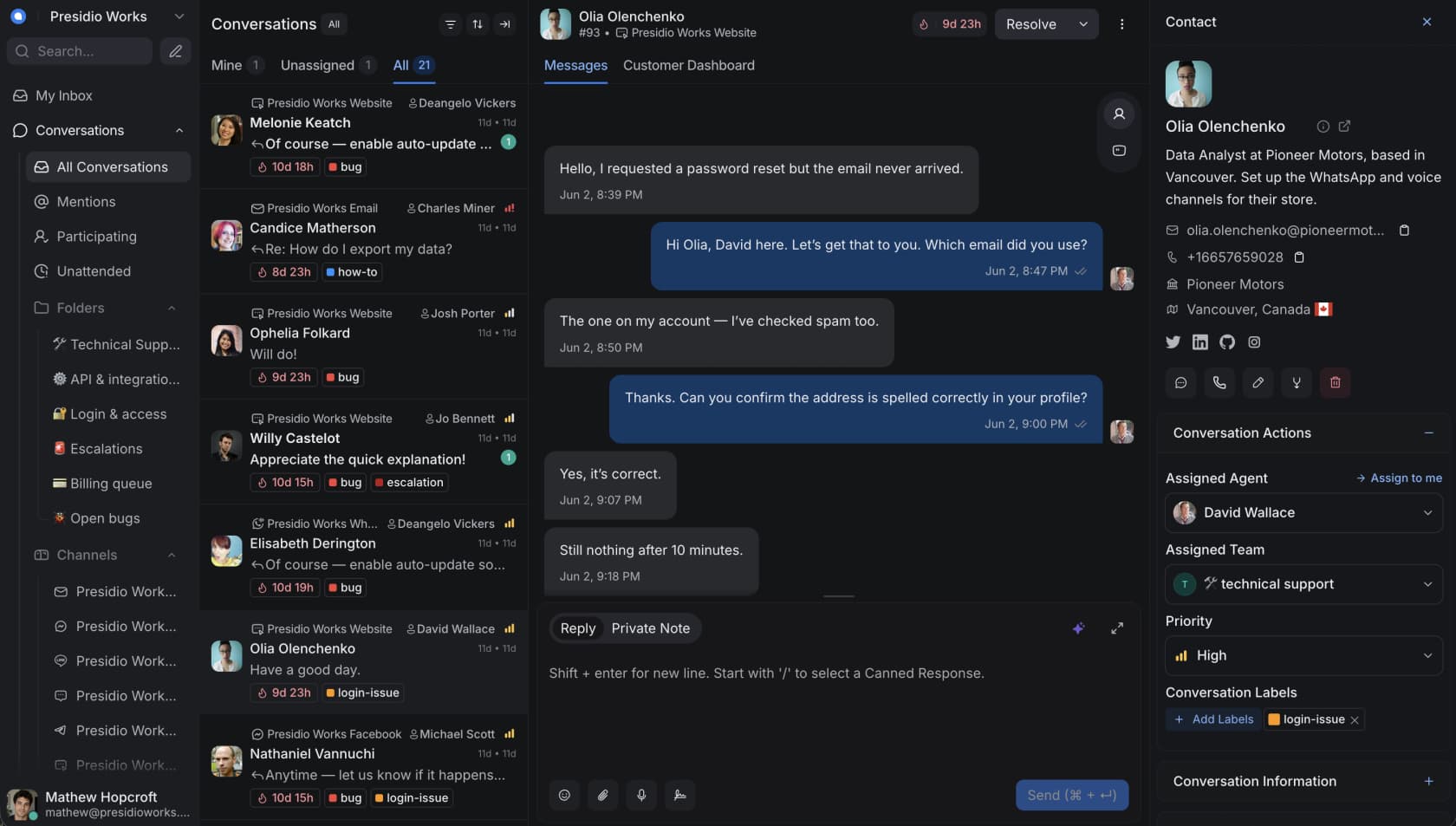
The community likes Chatwoot for exactly this reason. As one Reddit user put it in a thread about AI support stacks:
"there's an open-source platform called Chatwoot that you can self-host for free on your own vps. whatsapp, instagram, email, and sms all flow into one inbox. your team can see what the agent is saying and jump in whenever. and you get the full source code so you can build whatever you want on top."
u/0_nk, r/aiagents

So "the best AI for Chatwoot" splits into two honest answers: the best native option, and the best AI you'd plug in yourself. We rank both below.
How we picked, and how to read it
We spent time in each product's docs, pricing pages, and UI, and pulled real user sentiment from G2 and Reddit rather than recycling marketing copy. We're an AI support vendor ourselves (eesel is on this list), so take our take on the others with that in mind. We've tried to be specific enough that you can check our work.
For every tool we looked at four things:
- How it connects to Chatwoot. Native, via the Agent Bot webhook, as a website widget, or not really at all.
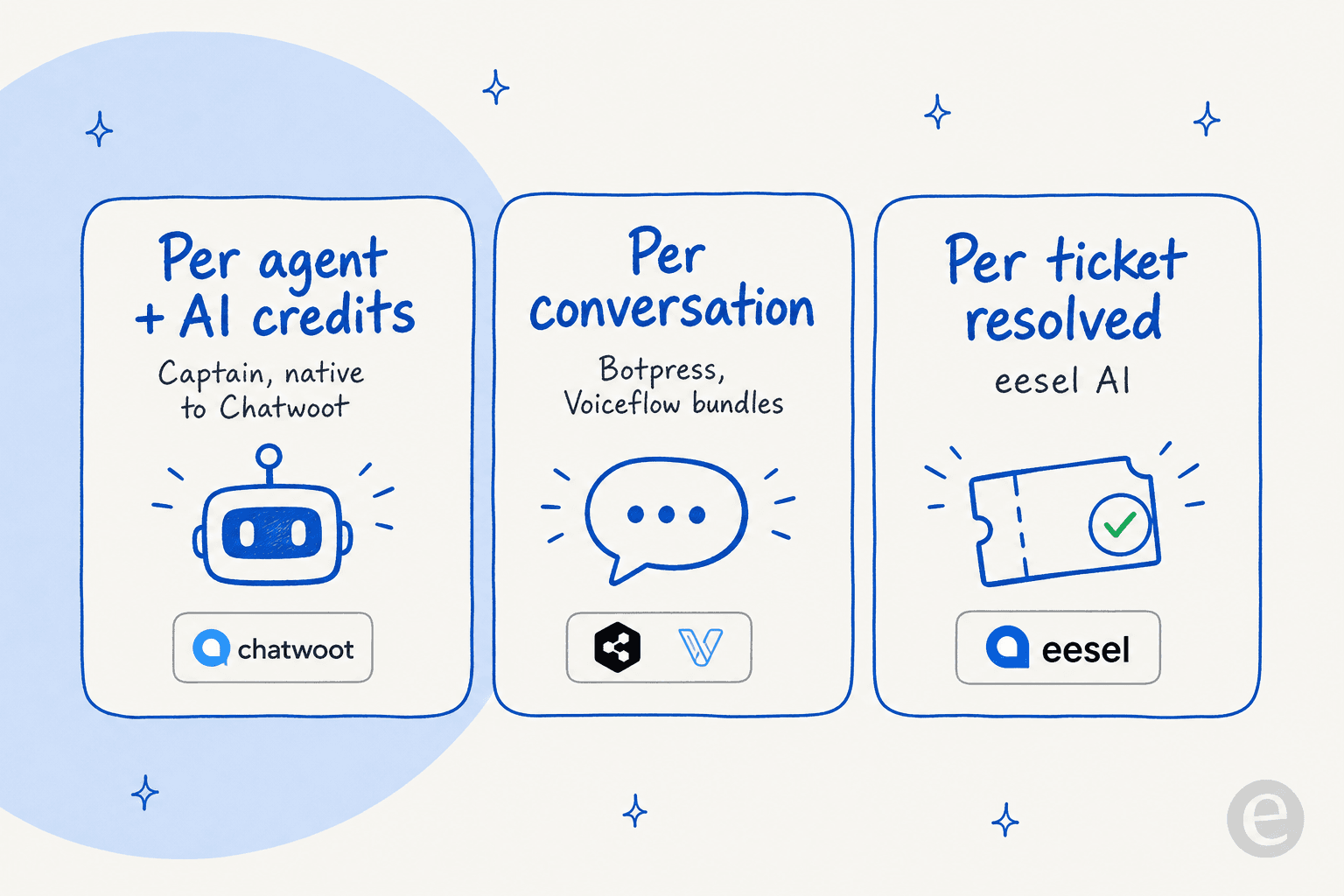
- How it's priced. The billable unit matters more than the sticker, so we name it: per agent, per credit, per conversation, or per ticket.
- What it's actually good at. Grounded in the docs and real reviews, not the homepage.
- Who should skip it. The honest part most roundups leave out.
One thing worth fixing in your head before you compare prices: every tool here meters AI differently, and that's where the real cost lives.
The 6 best AI tools for Chatwoot in 2026 at a glance
| Tool | Best for | How it connects to Chatwoot | Starting price | Billable unit | G2 |
|---|---|---|---|---|---|
| Captain | Staying fully native | Built in | Bundled in $19/agent/mo plans | Per agent + AI credits | 4.5 (Chatwoot) |
| eesel AI | A dedicated AI brain on your stack | Chat widget + API / Agent Bot | $0.40 per ticket | Per ticket resolved | New |
| Botpress | Developers who want full control | Agent Bot webhook / API | $150/mo (Plus) | Per conversation | 4.5 |
| Voiceflow | Visual flow design + voice | Conversations API / webhook | ~$60/editor/mo | Per editor + credits | 4.6 |
| Chatbase | A quick no-code FAQ bot | Website widget / API | $32/mo (Hobby) | Per credit | 4.x |
| Ada | Large enterprises | Sales-led integrations | Custom (enterprise) | Per conversation (quoted) | 4.x |
Prices are the lowest paid tier and were checked on 2026-06-17. Now the detail.
1. Captain by Chatwoot
Best for: teams that want AI inside Chatwoot with zero extra plumbing.
Captain is Chatwoot's own AI agent, and it's the obvious starting point because it's already in the box. It learns from your help center, past conversations, and FAQs, then handles first-response questions and assists your human agents. If you're committed to Chatwoot, this is the lowest-friction way to add AI.
Key features
Captain is really four capabilities under one name, per Chatwoot's own page:
- AI Assistant: an autonomous bot that answers initial questions and hands off to a human when it's out of its depth. A "How do I reset my password?" gets answered and tagged "Resolved by Captain" without anyone touching it.
- Co-Pilot: drafts, improves, and translates replies for human agents, plus an "Ask Co-Pilot" box that lets an agent query a customer's history in plain language.
- Smart FAQs: spots common questions your knowledge base doesn't answer yet and suggests new articles.
- Memories: auto-writes notes about each customer so context carries across conversations.
It also handles translations across many languages, which pairs well with Chatwoot's omnichannel inbox.
Pricing
Captain doesn't have a standalone price. It's bundled into Chatwoot's paid plans, then metered by AI credits on top, per the pricing page.
| Plan | Price (per agent/mo, billed annually) | Captain credits/mo included | Notable |
|---|---|---|---|
| Hacker | $0 | None | Up to 2 agents, live chat only |
| Startups | $19 | 300 | All channels, help center |
| Business | $39 | 500 | Voice, teams, automation, SLA |
| Enterprise | $99 | 800 | SSO, audit logs, remove branding |
Run out of credits and you top up at $20 per 1,000 credits, which works out to the same rate as the $200-for-10,000 add-on you'll see quoted elsewhere. Credits are non-refundable because they're usage-based. Self-hosters should note Captain isn't available on the free Community Edition, only the paid self-hosted tiers.
Pros and cons
- Pro: it's native, so there's nothing to integrate. Setup is mostly pointing it at your existing help center.
- Pro: the Co-Pilot agent-assist features are genuinely useful for human agents on day one.
- Con: reviewers consistently want more from the automation. As one G2 reviewer put it, the platform "could benefit from more advanced AI-powered automation" (G2).
- Con: the credit meter is separate from your seats, so a busy month can produce a surprise line item.
Our take: Captain is the right first move if you're staying in Chatwoot and your help center is in decent shape. It's the best AI for Chatwoot when "best" means "least effort." If your tickets are complex or your deflection target is aggressive, treat Captain as the floor, not the ceiling, and read our honest Captain overview before committing budget.
2. eesel AI
Best for: teams that want a dedicated AI brain that learns from solved tickets and is tested before launch.
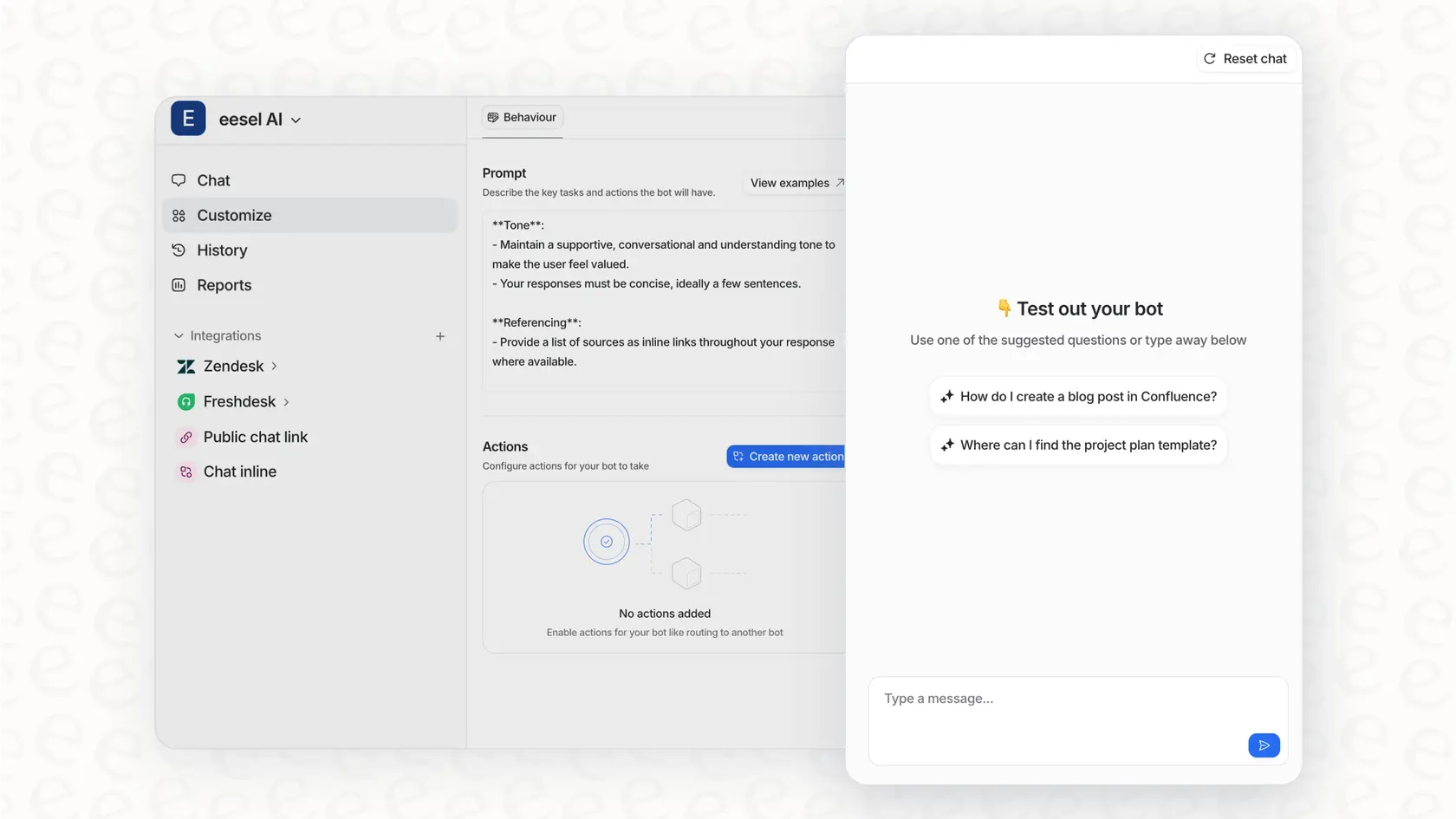
eesel AI is the option for when Captain's native automation isn't enough and you want a purpose-built AI layer. Instead of training only on help-center articles, eesel learns from your past resolved tickets, so it picks up how your team actually answers, not just what your docs say. Because Chatwoot is open, you can run eesel as the AI behind your website chat and connect it to the inbox through Chatwoot's API and Agent Bot webhook. We've written a hands-on guide to adding AI to Chatwoot that walks through the trade-offs.
Key features
- Learns from your history. It trains on past tickets, help docs, and connected tools, so years of support history becomes usable knowledge on day one.
- Simulation mode. Before anything goes live, eesel runs against your real past tickets and shows you projected resolution rates by topic, so you can find and fill gaps first. This is the feature we'd want most when bolting AI onto any inbox.
- Confidence-based routing. Low-confidence answers become drafts for a human instead of live replies, which is the practical guard against AI hallucinations in support.
- Gradual rollout. Start supervised, then grant autonomy on the easy ticket types once you trust the numbers.
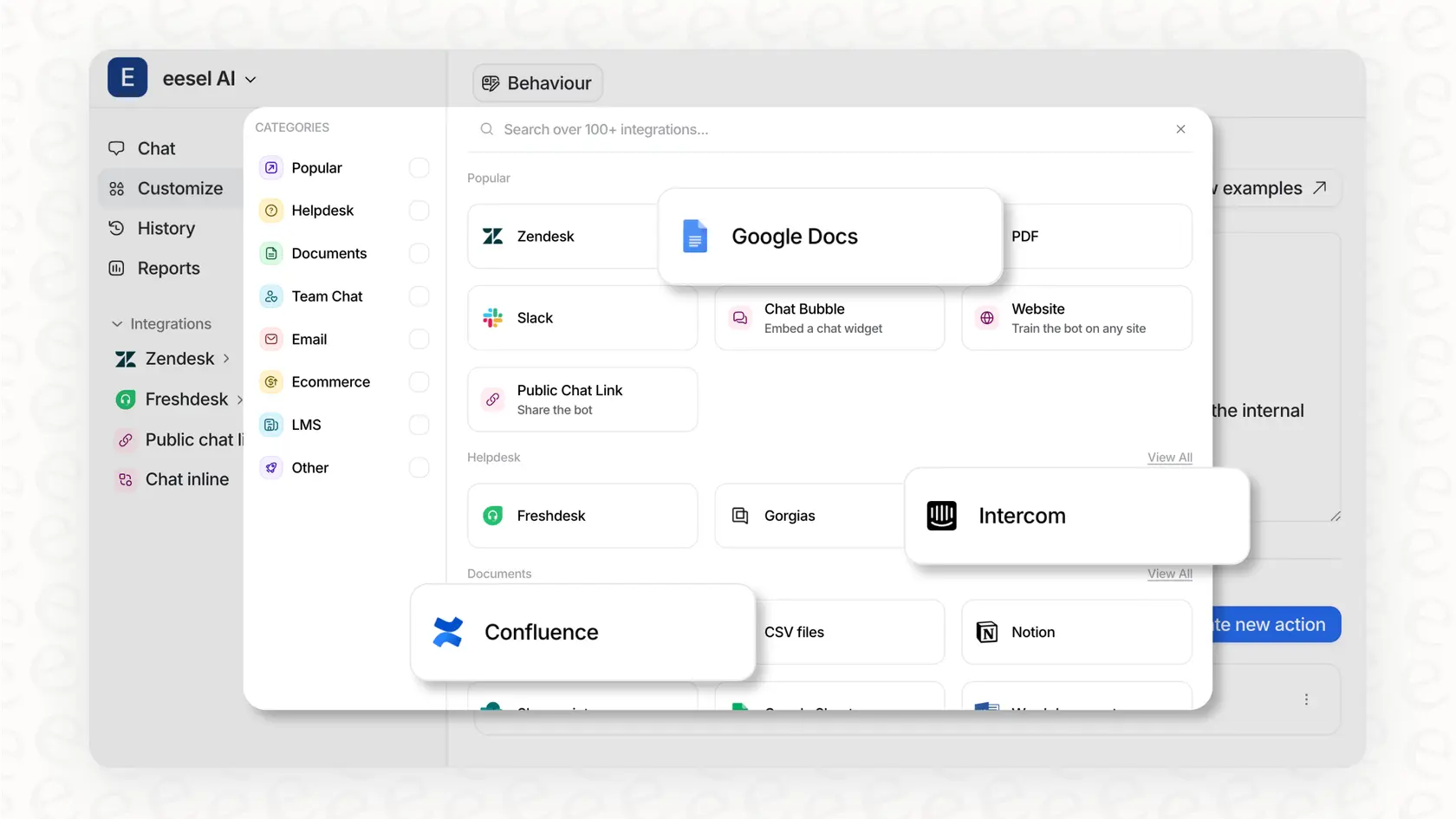
- 100+ integrations and 80+ languages out of the box.
Pricing
eesel is usage-based: a flat $0.40 per ticket, with no per-seat fees, no platform fee, and no minimum on the self-serve plan. You start with $50 of free usage.
| Tickets per month | Monthly cost |
|---|---|
| 100 | $40 |
| 500 | $200 |
| 1,000 | $400 |
| 2,500 | $1,000 |
You're never charged for tickets your human agents handle, and a default $250 spend cap pauses the agent before any surprise. There's a 25% discount if you commit to $300+/month annually, and an Enterprise plan at a $1,000/month platform fee for SSO, HIPAA, and a dedicated solutions engineer.
Pros and cons
- Pro: training on solved tickets, plus simulation, means you launch with evidence instead of hope. Gridwise saw 73% of tier-1 requests resolved in the first month.
- Pro: per-ticket pricing is predictable and doesn't punish you for adding seats.
- Con: there's no one-click "Chatwoot" button today the way there is for Zendesk or Freshdesk. Connecting it to a Chatwoot inbox means using the chat widget or the API route, so it's a better fit if you're comfortable with that or running eesel as your front-line web chat.
- Con: it's a separate product to manage, not a toggle inside Chatwoot.
Our take: if Captain has run out of road and you want a dedicated AI agent for customer service that you can prove out before launch, eesel is the one we'd reach for. The simulation step alone is worth it. Just go in knowing the Chatwoot connection is API-and-widget, not a native marketplace install.
3. Botpress
Best for: developers who want deep control and don't mind a learning curve.
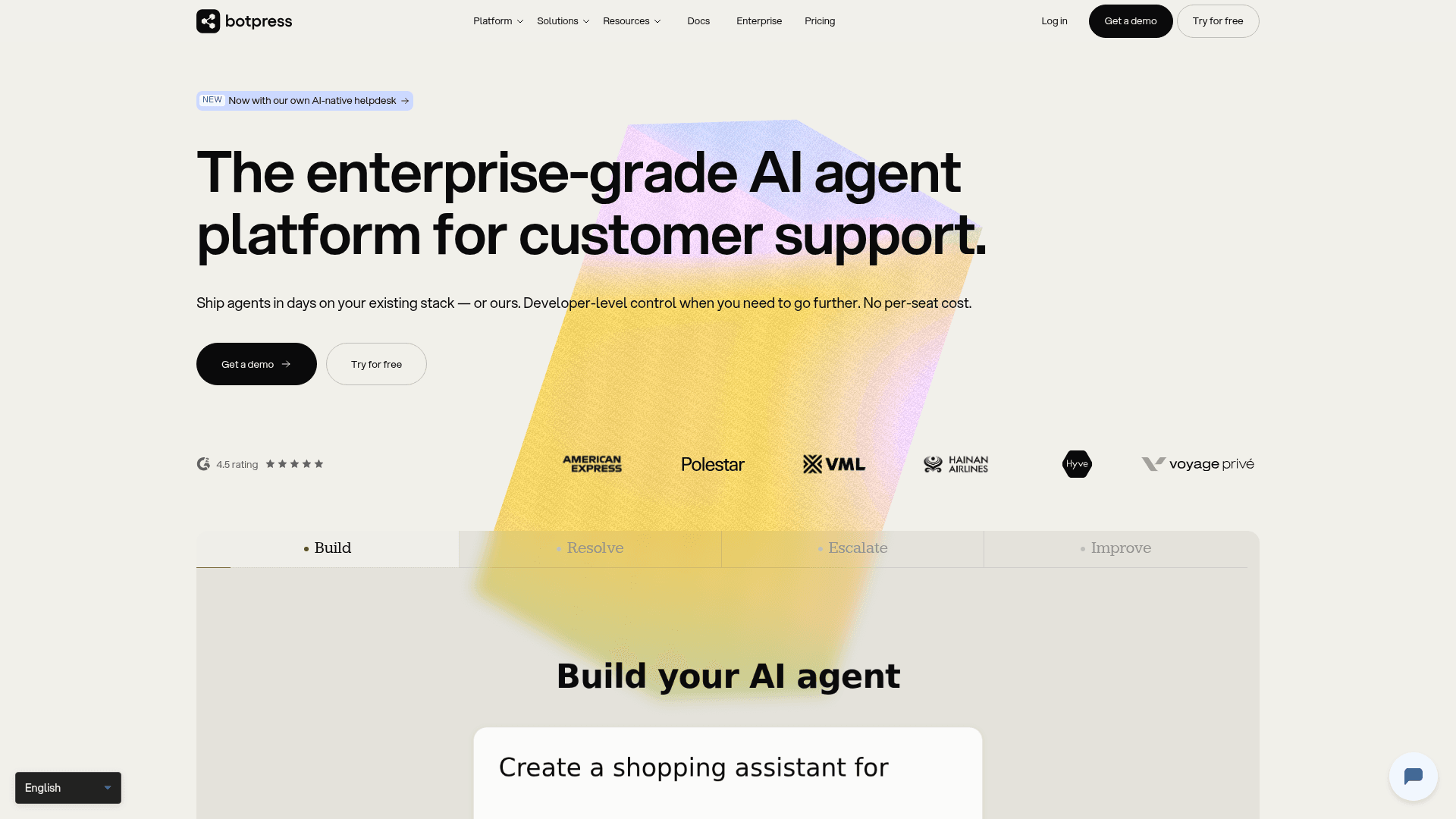
Botpress grew out of an open-source chatbot framework, which makes it a natural cultural fit for the Chatwoot crowd that values owning its stack. It's now an "enterprise-grade AI agent platform" with a visual Studio, a code-first TypeScript ADK, and an Autonomous Engine that does the reasoning. You connect it to Chatwoot through the Agent Bot webhook, pointing your bot's URL at your inbox.
Key features
- Autonomous Engine (LLMz) that decides next steps, calls tools and APIs, and blends generative AI with rule-based fallbacks.
- Knowledge bases from website crawls, document uploads, and tabular data, with citations.
- Agent Studio, a drag-and-drop canvas with an emulator and custom-code hooks, so you can switch between visual and code.
- Channels for WhatsApp, web chat, voice, Instagram, and Messenger, which you can route into Chatwoot or run alongside it.
Pricing
Botpress is priced per conversation, with LLM usage bundled in.
| Plan | Price (annual) | Conversations/mo | Seats |
|---|---|---|---|
| Free | $0 | 100 | 3 |
| Plus | $150/mo | 250 | 3 |
| Team | $750/mo | 1,500 | Unlimited |
| Enterprise | Custom | Custom | Custom |
It holds a 4.5 on G2 across roughly 486 reviews. A useful third-party benchmark from builts.ai notes Botpress "requires 2 to 8 hours for a basic deployment and weeks to master," which squares with the reviews.
Pros and cons
- Pro: the most flexible builder here, and the open-source heritage means a big community and lots of examples.
- Pro: bundled AI spend makes the per-conversation cost easier to forecast than token-metered tools.
- Con: the learning curve is real, and Studio polish gripes (lag, KB-query quirks) come up in reviews.
- Con: conversation top-ups add up fast once you're past the included bucket.
Our take: if you have engineering time and want to build something bespoke on top of an open inbox, Botpress is a strong match for Chatwoot. If you'd rather not maintain a build, weigh that against the Botpress alternatives and check the full pricing before you start.
4. Voiceflow
Best for: teams that want a visual design canvas, especially with voice.
Voiceflow is a no-code/low-code platform for designing AI agents across chat, voice, and API. Its calling card is the visual builder, where conversation designers and engineers work on one canvas, blending deterministic workflows with agentic playbooks. You'd wire it into Chatwoot through its Conversations API and the Agent Bot webhook.
Key features
- Visual agent builder with steps for messages, conditions, API calls, code, and call-forwarding.
- LLM-agnostic, so you can run GPT, Claude, Gemini, or bring your own model.
- Production tooling like staging environments, version history, A/B traffic splits, and transcript evaluations.
- Strong voice support, which is where it pulls ahead of most tools on this list.
Pricing
Voiceflow hides numbers behind a demo, but its credits announcement and G2 confirm the tiers: a free Starter, Pro from about $60 per editor per month, Business from around $150 per editor, and custom Enterprise, with extra editor seats at $50. Billing is credit-based, so AI responses and phone calls draw down credits. It carries a 4.6 on G2 across 109 reviews, and won a 2026 G2 Best Software Award.
Pros and cons
- Pro: the best visual builder in this group, and a real edge for voice agents.
- Pro: the dev-to-staging-to-production pipeline is more mature than most.
- Con: historically heavy token burn, and per-editor pricing scales quickly for bigger teams.
- Con: no native Chatwoot connector, so the integration is API work.
Our take: Voiceflow is the pick when design quality and voice matter and you have someone to own the build. For a pure text deflection bot in Chatwoot it can be more than you need, so sanity-check the Voiceflow pricing against simpler options first.
5. Chatbase
Best for: a quick, no-code FAQ bot you can stand up in an afternoon.
Chatbase is built for speed: train an agent on your docs and website, give it a few actions, and deploy it as a widget or via API. It claims a first agent in "less than 10 minutes" and is marketed to 10,000+ businesses. For Chatwoot, the cleanest path is running it as your website chat widget or connecting through the API.
Key features
- Train on your data from documents, websites, and databases, with auto-retrain on higher tiers.
- Actions and workflows, including human escalation, Slack, Stripe, and custom API calls.
- Multi-model support across OpenAI, Anthropic, Gemini, and others.
- Smart escalation rules in plain language for handing off to a human.
Pricing
Chatbase is credit-based with five tiers (full breakdown): Free, Hobby at $32/mo, Standard at $120/mo, Pro at $400/mo, and custom Enterprise. Extra credits are $40 per 1,000.
Pros and cons
- Pro: genuinely fast to set up, and the consistent praise in reviews is its no-code ease.
- Pro: cheap entry point for a simple FAQ deflection bot.
- Con: operators say it "nails FAQs but doesn't really sell," and users with dynamic product data find it weaker (r/SaaS).
- Con: as a website-widget-first tool, it's less of a true inbox agent than Captain or eesel.
Our take: if you mostly need to deflect repetitive FAQs and want something live today, Chatbase is a sensible, low-cost choice. For anything that touches order data or nuanced handoffs, look at the Chatbase alternatives.
6. Ada
Best for: large enterprises, with an honest caveat about fit.
Ada is the enterprise ceiling of this list, a standalone AI agent platform built around a multi-LLM Reasoning Engine. It's well funded (around $190M raised, last at a $1.2B valuation) and posts strong customer numbers like IPSY's claimed 943% ROI in four months. We include it so you can see what the top of the market looks like.
Key features
- Reasoning Engine that orchestrates across multiple LLMs with safeguards.
- Playbooks, multi-step SOPs the agent reasons through, plus a Coaching loop where you review conversations and the agent applies the lessons.
- Omnichannel and multilingual out of the box, with a serious voice push.
- Strong compliance story, including AIUC-1 and zero data retention with LLM providers.
Pricing
There's no public pricing. Ada is sales-led and openly targets "companies with at least 300,000 annual customer service conversations," so it's enterprise-only by design.
Pros and cons
- Pro: genuinely capable at enterprise scale, with deep compliance and voice.
- Con: it doesn't target the Chatwoot segment, and there's no native Chatwoot integration. If you're on Chatwoot for its cost and openness, Ada is the opposite philosophy.
- Con: no self-serve, no free trial, and a high volume floor.
Our take: if you have 300k+ annual conversations and a procurement team, Ada is worth a look, but it's not really a "Chatwoot AI" in any practical sense. For most Chatwoot users it's aspirational, not actionable, and our Ada vs eesel comparison covers the trade-offs.
How an external AI actually connects to Chatwoot
This is the part that makes Chatwoot special, so it's worth seeing the flow. Because it's open source, you don't wait for a vendor to build an integration. You register an Agent Bot, give Chatwoot a webhook URL, and your AI receives every new message, drafts a reply through the REST API, and posts it back into the same inbox a human can jump into.
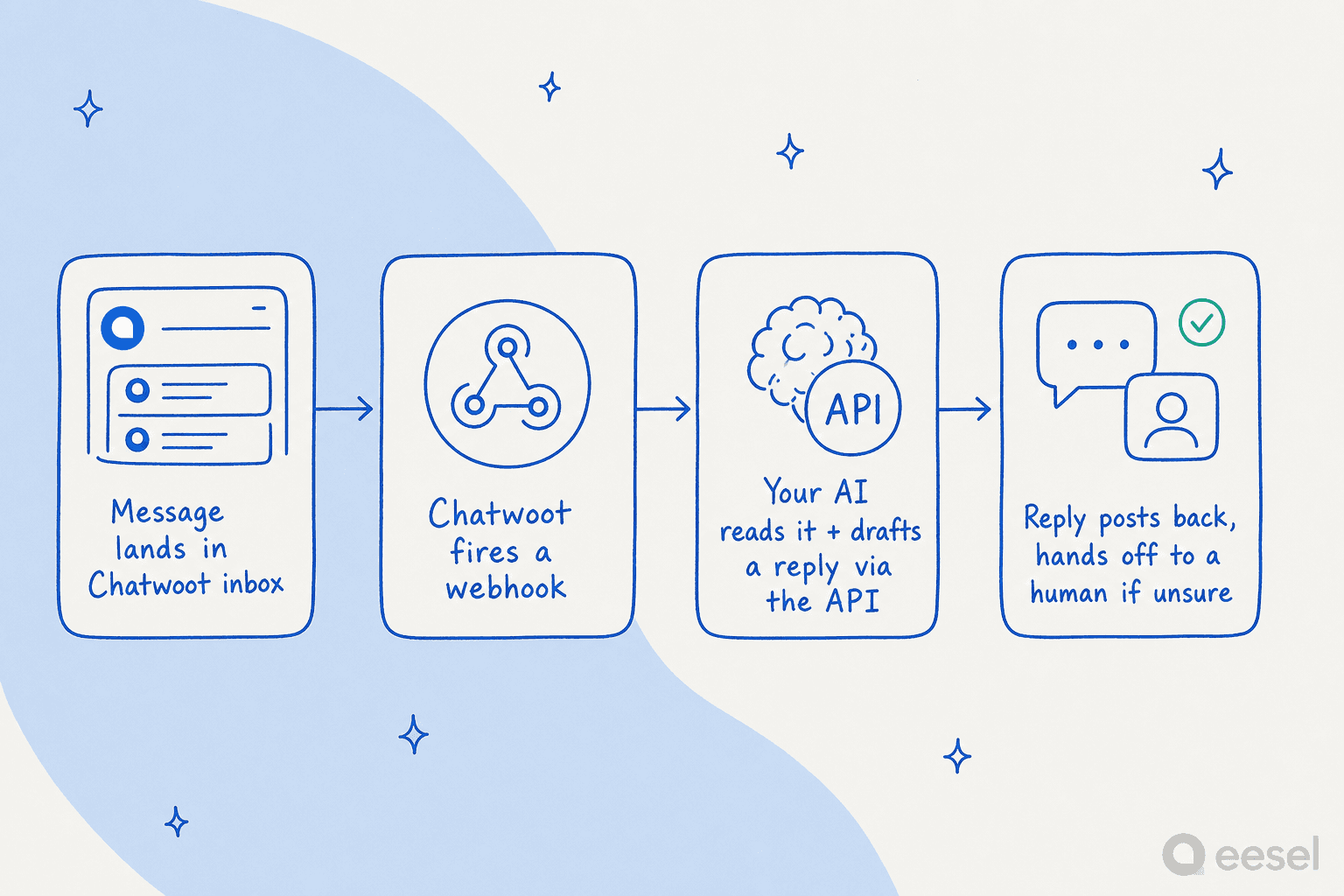
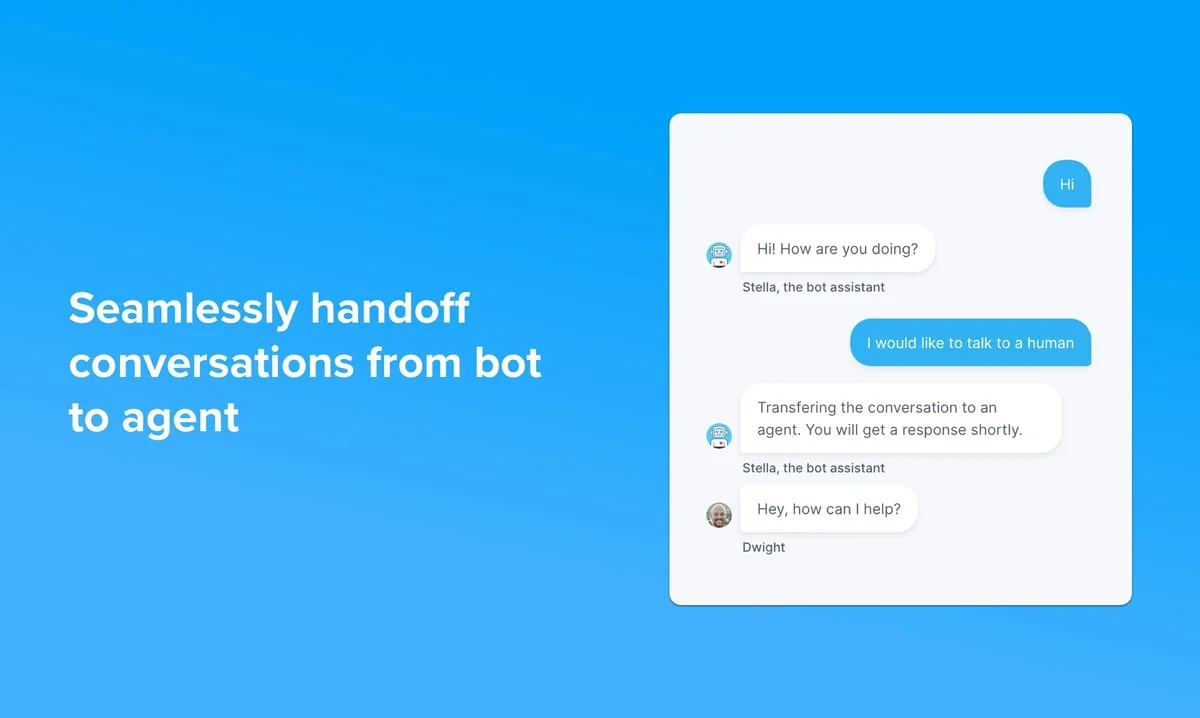
That human-in-the-loop inbox is the bit Chatwoot fans keep highlighting. As one user noted, "having a real inbox where humans can jump in is the missing piece for WhatsApp bots" (r/n8n). The flip side is ownership: the same openness means you maintain the webhook reliability and, if you self-host, the upgrades and storage too. It's a real trade, and worth pricing into your decision alongside the per-message cost.
So which AI for Chatwoot should you actually pick?
After all that, here's how we'd choose, mapped onto two questions: how native do you want to stay, and how much customization you actually need.
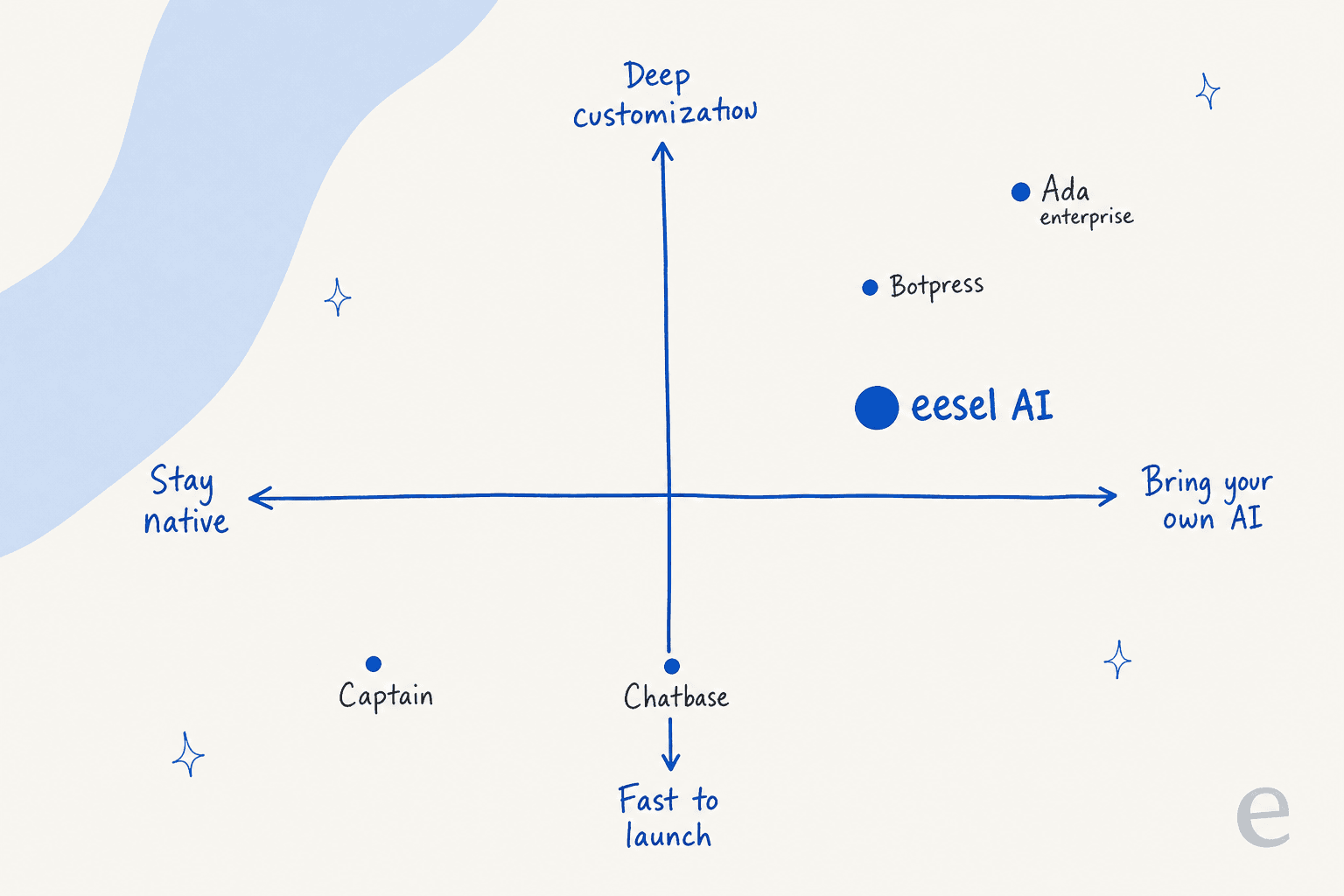
- Want the least effort and you're happy in Chatwoot? Turn on Captain. It's the best AI for Chatwoot when speed wins.
- Need stronger automation you can prove before launch? eesel AI, because learning from solved tickets plus simulation is the most reliable way to hit a real deflection target.
- Have developers and a custom vision? Botpress or Voiceflow, with Voiceflow ahead if voice matters.
- Just need a cheap FAQ bot today? Chatbase.
- Enterprise scale and budget? Ada, knowing it isn't really a Chatwoot tool.
Whichever route you take, the open-source angle is the thing to lean into. If you're still weighing the platform itself, our roundup of Chatwoot alternatives and our guide to the best AI chatbot for customer service are good next reads, and our piece on AI customer service metrics helps you set targets before you switch anything on.
Try eesel AI
If Captain has hit its limits and you want a dedicated AI layer that you can trust before it ever talks to a customer, that's exactly what eesel AI is built for. It learns from your past resolved tickets, runs a simulation against your real history so you see projected resolution rates by topic, and only goes live on the ticket types you approve, all on flat per-ticket pricing with no per-seat fee.
You can start with $50 of free usage, no credit card, and see your own numbers in the simulation before committing. Try eesel and find out what your real deflection rate would be.
Frequently Asked Questions
What is the best AI for Chatwoot?
How much does AI for Chatwoot cost?
Can I connect a third-party AI agent to Chatwoot?
Is Chatwoot's Captain AI good enough on its own?
How do I stop a Chatwoot AI agent from giving wrong answers?


Article by
Riellvriany Indriawan
Riell is a designer and writer at eesel AI with about two years of experience researching CX platforms, AI chatbots, and helpdesk software. She combines her design background with a sharp eye for how these tools actually look and feel in practice — making her comparisons unusually visual and user-focused.