The 7 best AI for LiveAgent tools in 2026
Riellvriany Indriawan
Katelin Teen
Last edited June 17, 2026

Why LiveAgent teams go shopping for more AI
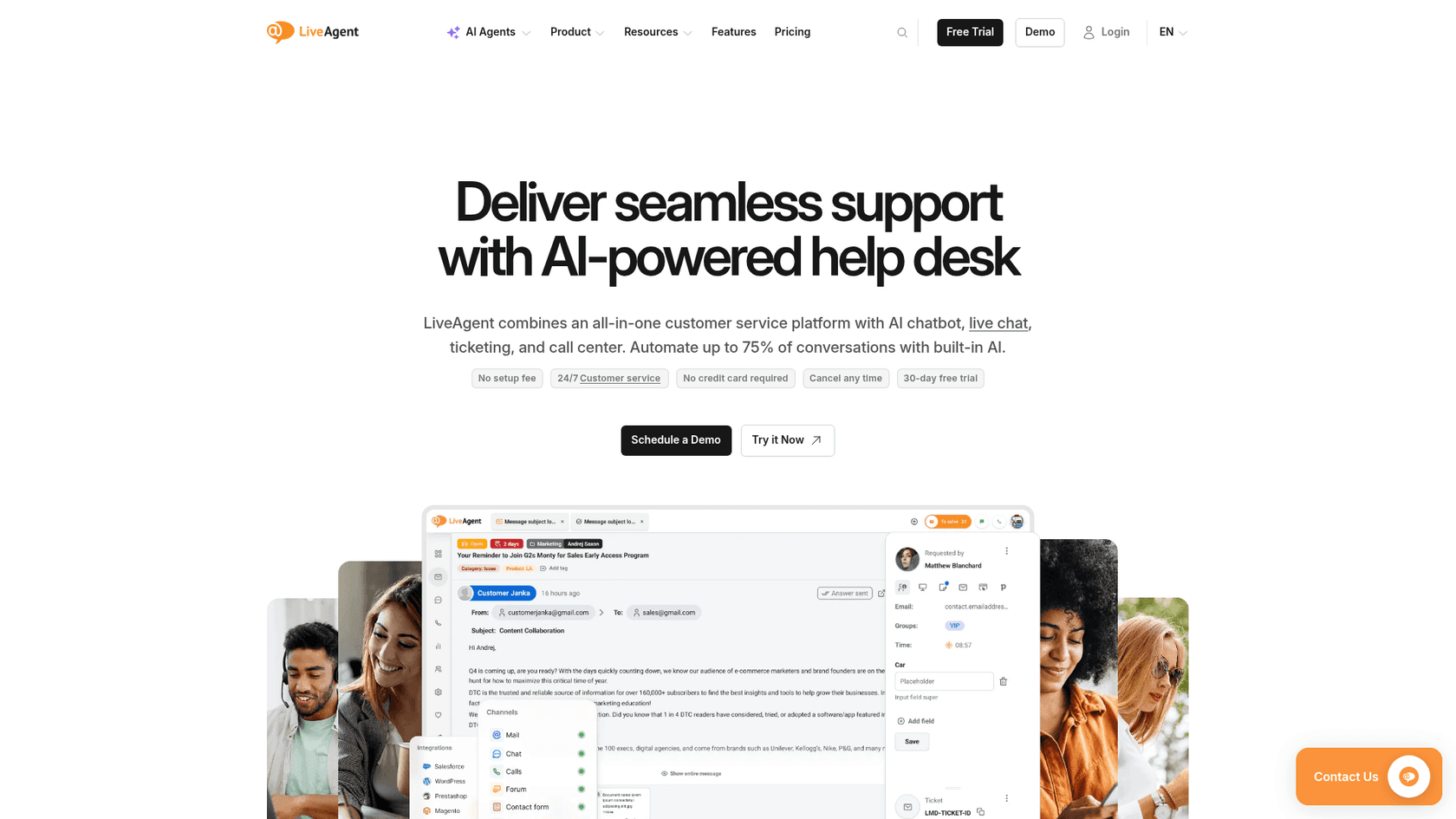
Let's start fair: LiveAgent is a capable, well-priced helpdesk. It bundles ticketing, live chat, a built-in call center, and social channels into one inbox, starts at just $15 per agent per month, and has a long track record with small and mid-sized teams. One MSP owner summed up the value pitch on Reddit:
"Their pricing starts at $15/mo/agent which is very competitive... I think I will stick with LiveAgent for it's simple setup and competitive price."
u/(MSP owner), r/msp (2023)
So why do LiveAgent teams come looking for AI at all? Two reasons keep coming up.
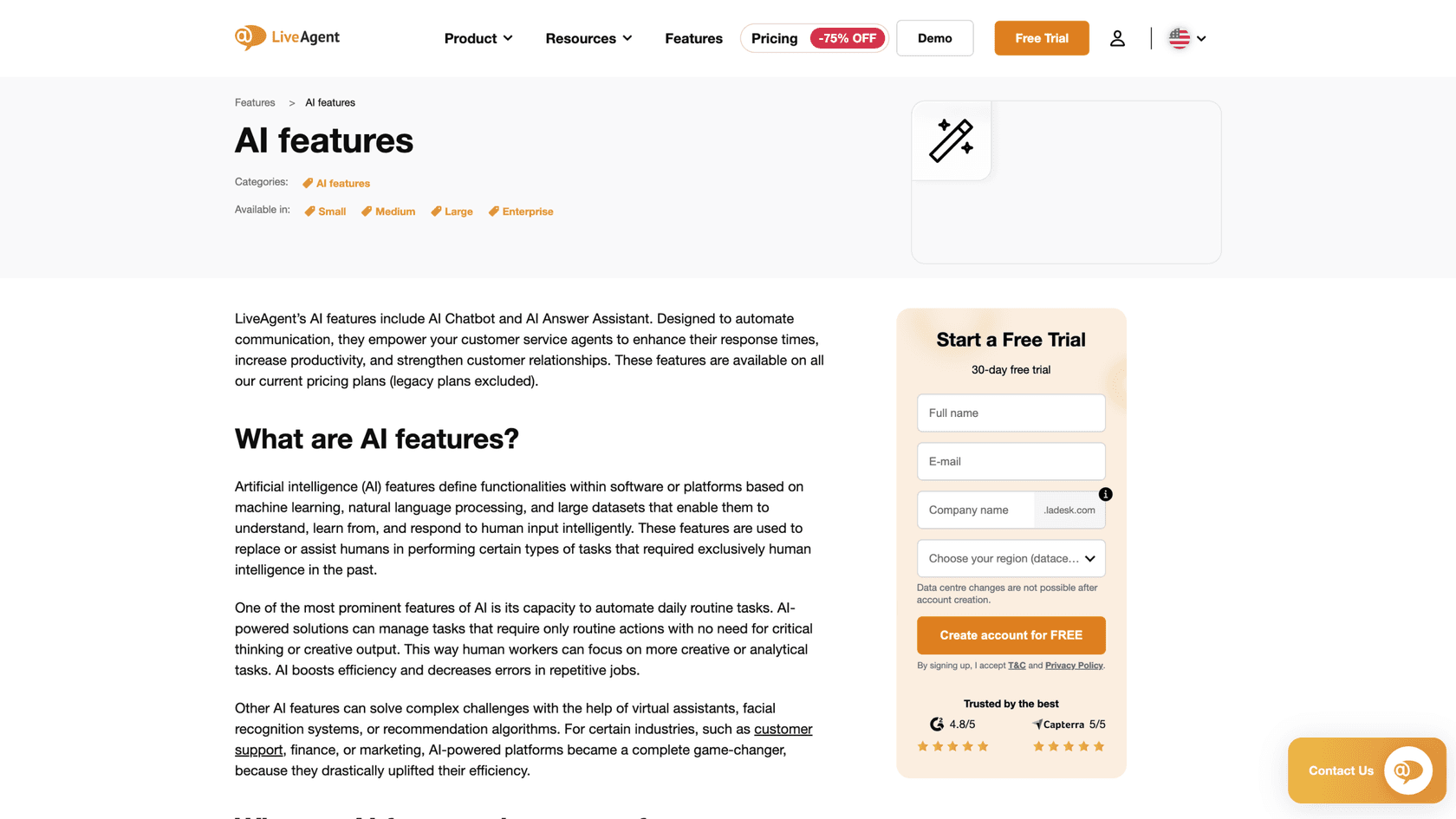
The first is that the native AI is thinner than the marketing suggests. LiveAgent's AI features are real and useful, but the Answer Assistant is an agent writing copilot (it never auto-sends), and the chatbot answers from your help center. Neither one trains on the years of resolved conversations sitting in your account, which is exactly the data most teams assume "AI for my helpdesk" would use. We dig into this gap in our LiveAgent AI overview.
The second is the setup and billing shape. To run the native AI you're juggling up to three accounts (LiveAgent, plus FlowHunt or OpenAI), and the cost is usage-metered on top of your per-seat plan rather than a flat, predictable line item. For a small team that picked LiveAgent because it was simple and cheap, that's a real friction. If you've already decided the platform isn't for you, that's a different post, our LiveAgent alternatives roundup covers where to go. This one is about getting more AI value out of, or around, LiveAgent.
How AI on LiveAgent actually works
Here's the part most "best AI for LiveAgent" lists skip: the integration reality. LiveAgent has two native AI features, one genuinely native AI provider (FlowHunt), and then a long tail of third-party tools that can only connect through generic glue like the API, Zapier, Make, or n8n.

The native AI runs on external providers, not a LiveAgent model. The Answer Assistant can run on FlowHunt or on your own OpenAI API key; the chatbot runs exclusively on FlowHunt. That's an important detail when you compare cost and control later.
We judged each option on five things: whether it learns from your past tickets (not just your docs), how it actually connects to LiveAgent, how it handles autonomy and escalation, how it's priced, and how much setup it takes. We leaned on each vendor's own docs and pricing pages, plus real user reviews. Where a tool can't really connect to LiveAgent natively, we said so plainly rather than pretend otherwise.
The 7 best AI for LiveAgent tools in 2026 at a glance
| Tool | Best for | Works with LiveAgent via | Learns from past tickets? | Pricing model | Free option |
|---|---|---|---|---|---|
| LiveAgent Answer Assistant | Staying native, faster agent replies | Built in (native) | No | Usage (FlowHunt credits or your OpenAI key) + seats | 30-day trial |
| FlowHunt | A native, customer-facing chatbot | Built in (same parent company) | No (knowledge base) | Credit-based | Free credits |
| eesel AI | Teams open to a supported helpdesk who want ticket-trained autonomy | Not native (Zendesk, Freshdesk, etc.) | Yes | $0.40 / ticket, flat, no seats | $50 free usage |
| Forethought | Enterprise CX teams wanting agentic workflows | API / custom (no native connector) | Yes | Custom quote | Demo only |
| Ada | Very high-volume enterprises (300k+ convos) | API / custom (no native connector) | Yes | Custom quote | Demo only |
| Relevance AI | Builders wiring custom agents across the business | API / webhook | Partly | Free tier; Enterprise quote | Yes |
| DocsBot | A cheap docs-trained widget or draft bot | Widget / Zapier / n8n | No | From $49 / mo | Limited free |
Now let's get into each one.
1. LiveAgent AI Answer Assistant (native)

Best for: teams who want AI with zero new platforms, just a faster way to draft replies inside the LiveAgent inbox.
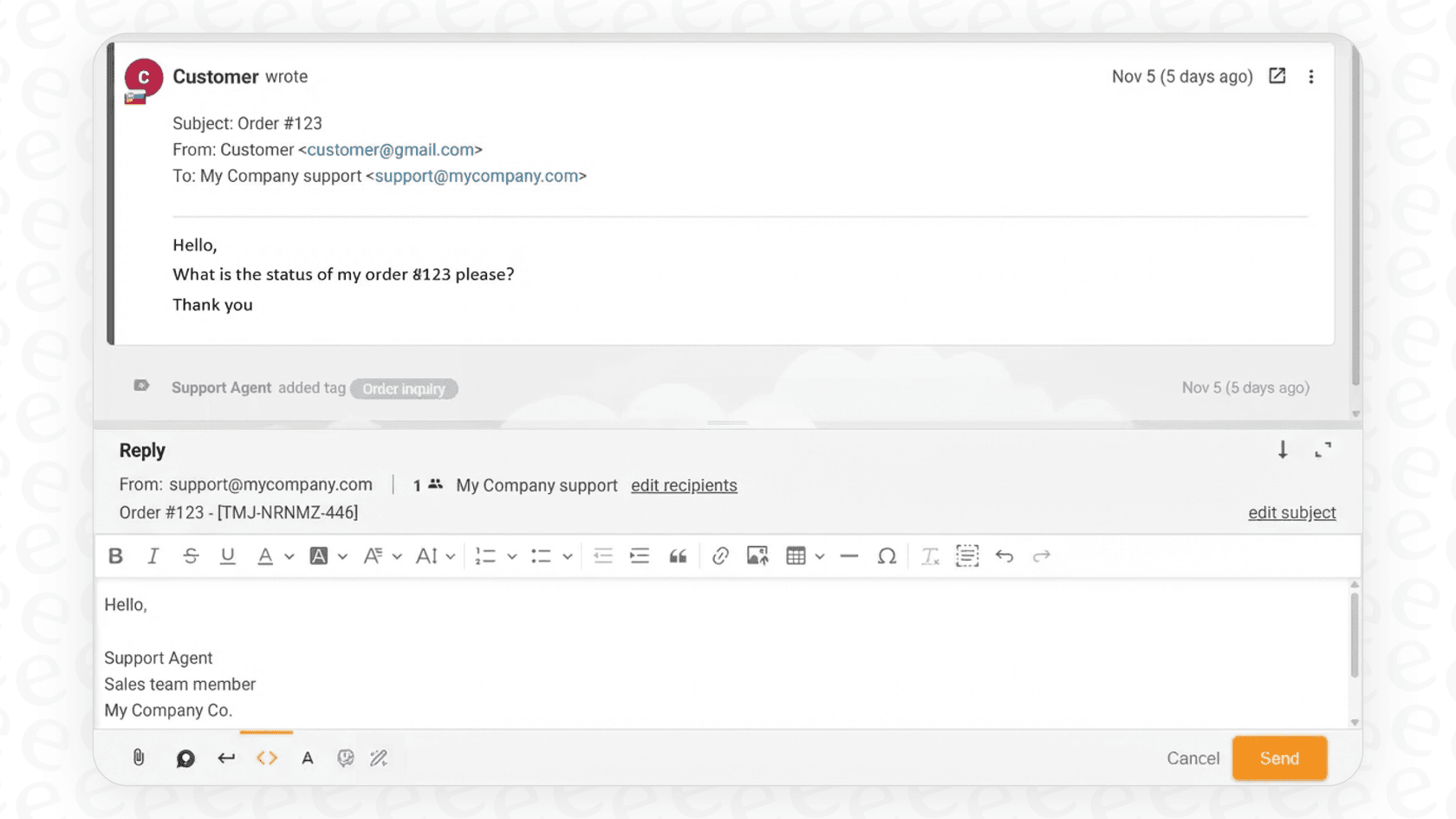
The path of least resistance is the AI LiveAgent already ships. The Answer Assistant is an agent-facing writing tool built right into the ticket reply editor. You hit the "Answer assistant" button, and it drafts or refines a reply for a human to review and send. It never sends to the customer on its own, which is either a comfort or a limitation depending on what you wanted.
Key features
- Drafts from context. On an existing ticket in simplified mode, it feeds the AI the current ticket's conversation history so the draft is context-aware. This is the closest the native AI gets to "learning", and it's only ever the current ticket, not your archive.
- Tone and rewrite controls. Three formality levels (casual, neutral, business) plus Improve, Extend, and Simplify actions, and a custom-prompt box for fully tailored rewrites.
- Version history. It stores every draft version, so an agent can step back through generations and pick the best one.
- Bring your own engine. It runs on FlowHunt or your own OpenAI key. With OpenAI you can even restrict it to only your external knowledge base, so the only customer data sent is the question itself.

Pricing
The Answer Assistant itself has no separate license fee, but you pay for the underlying plan plus usage. Here's the current LiveAgent lineup:
| Plan | Annual (per agent/mo) | Monthly | Notable inclusions |
|---|---|---|---|
| Small business | $15 | $19 | Ticketing, live chat, knowledge base, automation rules |
| Medium business | $29 | $35 | + call center, SLA, reports, proactive chat |
| Large business | $49 | $59 | + SSO, custom roles, bundled social channels |
| Enterprise | $69 | $85 | + "almost unlimited" limits, dedicated manager |
There's a 30-day free trial with no credit card. One wrinkle worth flagging: LiveAgent's own materials disagree on which plans include AI, the pricing comparison table checks it across all plans, while the Answer Assistant page describes it as a beta that excludes the Free and Small business plans. Confirm your plan covers it before you build a workflow around it. (In an earlier review we saw LiveAgent quote much lower AI-plan figures; the live pricing page now shows the $15-$69 range, so it's worth checking current numbers yourself.)
Pros and cons
Pros: nothing new to install; the tone and rewrite controls are genuinely handy for agents; version history is a nice touch; the OpenAI option gives you a privacy lever most native tools don't.
Cons: it's a copilot, not a resolver, so it never closes a ticket on its own. It doesn't learn from your solved-ticket history. And the bring-your-own-key setup means a second (or third) account and a usage bill you have to monitor separately.
Our take: turn it on, agents will like the drafting and tone tools, and they're an easy win. But understand its ceiling: it makes a human faster, it doesn't take work off the human's plate. The moment your goal becomes "resolve tickets without an agent touching them," you've outgrown what the Answer Assistant is built to do.
2. FlowHunt (LiveAgent's native AI chatbot)
Best for: LiveAgent teams who want a customer-facing chatbot that's truly first-party, not a third-party bolt-on.
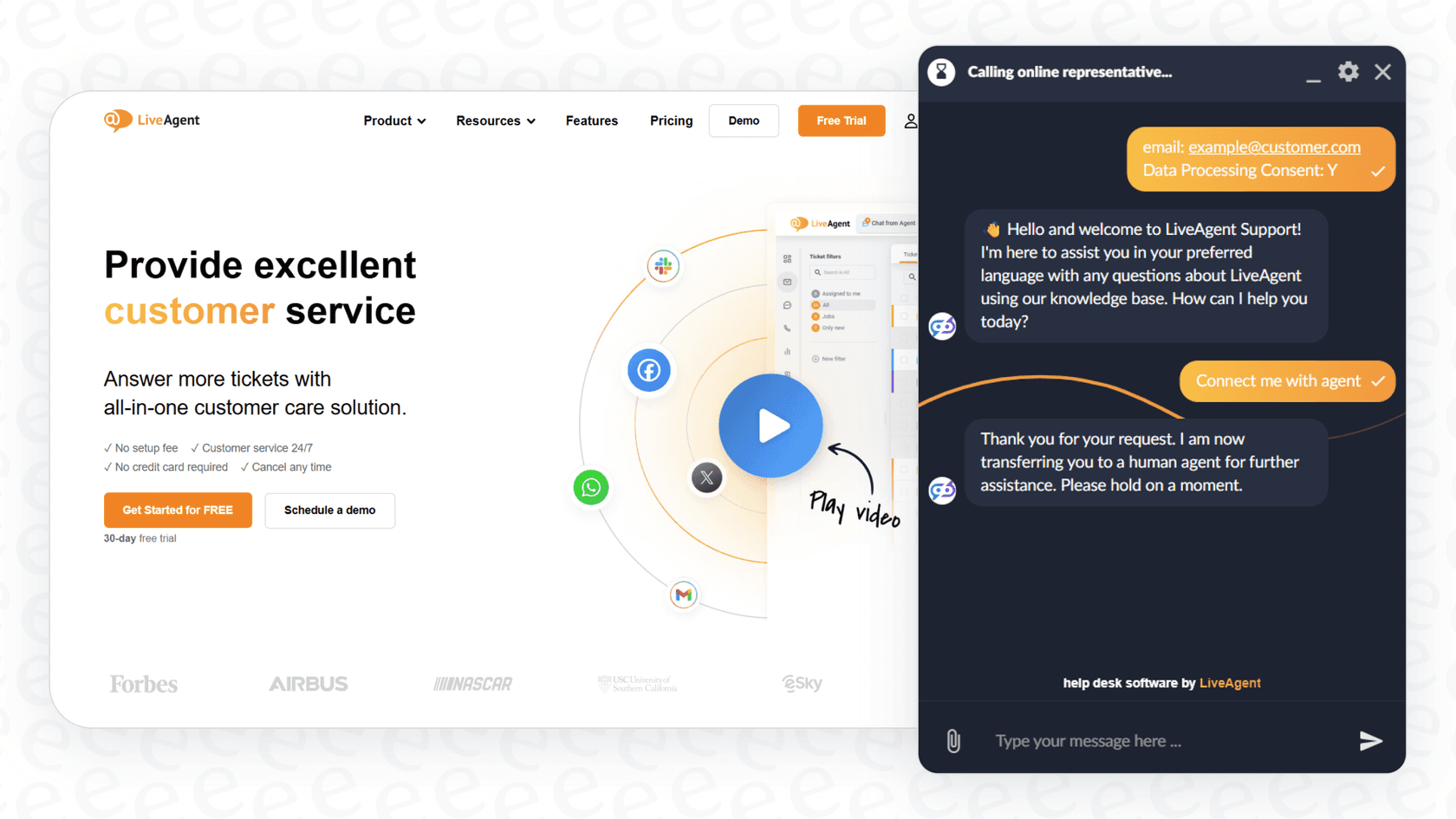
Here's the one tool that's truly native to LiveAgent, because it's built by the same company. FlowHunt is Quality Unit's no-code AI platform, and it's the exclusive engine behind LiveAgent's AI Chatbot. It embeds into your live chat button, answers from your knowledge base, escalates what it can't handle, and captures leads, in 100+ languages. Because both products share a parent, LiveAgent offers free initial setup and priority support for the connection.
Key features
- Customer-facing autonomy. Unlike the Answer Assistant, the chatbot answers customers directly at the chat layer before a human is involved.
- Knowledge-base grounded. It pulls from your public or internal knowledge sources (including databases per the docs), so answers stay tied to your content rather than hallucinating.
- Model choice. Because it runs on FlowHunt, you can pick from multiple LLM models and configure the workflow, and extend a template so the bot can see attached files and images.
- Lead capture and escalation. It collects contact details on buying intent or when it's stuck, and hands complex queries to an agent.
Pricing
FlowHunt runs on a credit-based model, billed separately from your LiveAgent seats. Cost per ticket is described as low because each run is a single focused task, but your total scales with conversation volume and the model you pick. LiveAgent publishes an AI-credits estimator to help you forecast it, which is honest, but it does mean your AI line item is variable rather than fixed.
Pros and cons
Pros: the only first-party native chatbot for LiveAgent; shared-parent setup is smoother than wiring a third party; model flexibility; multilingual out of the box.
Cons: it's grounded in your knowledge base, so it inherits every gap in your docs and won't learn from past tickets. Credit-based billing is harder to predict than a flat fee. And it's a second product to manage and learn, even if it's from the same company.
Our take: if you want a customer-facing bot and you want to stay inside the LiveAgent family, FlowHunt is the obvious, well-integrated choice, and the free setup help is a real perk. Just go in knowing its answers are only as good as your knowledge base, and budget for the credits before you scale.
3. eesel AI

Best for: teams whose conclusion is "LiveAgent's AI isn't enough" and who are open to running their AI agent on a supported helpdesk like Zendesk or Freshdesk.
Full disclosure first, because it matters here: this is our tool, and eesel does not have a native LiveAgent connector. It integrates with Zendesk, Freshdesk, HubSpot, Gorgias, and more. So we're listing eesel AI not as something you plug into LiveAgent, but as the alternative teams move to when they hit the native ceiling, the same way eesel's own LiveAgent AI alternatives guide frames it. If you're not willing to switch helpdesks, skip to the cost section; the honest answer is the native tools or FlowHunt.
Still here? The reason eesel earns a spot is that it does the two things the native LiveAgent AI explicitly doesn't: it trains on your past tickets, and it resolves autonomously.
Key features
- Learns from past tickets. It treats your historical conversations, help docs, and macros as training data, so it answers the way your team actually answers, not just what's in the knowledge base.
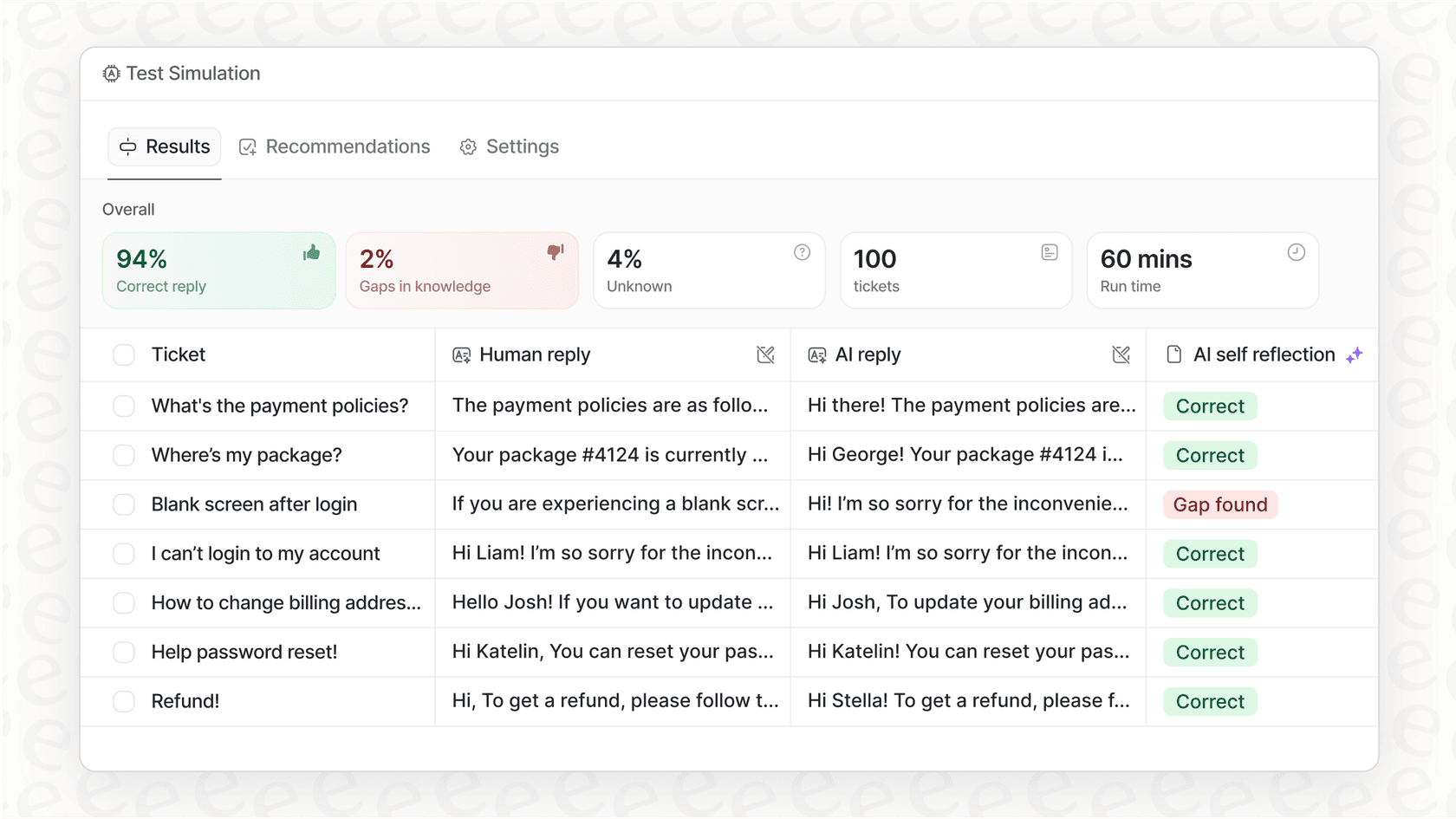
- Simulation mode. Before it touches a live customer, eesel runs against thousands of your past tickets and shows you the resolution rate by topic, so you launch with a number you've already seen.
- Takes actions. It can look up orders, tag and route, and trigger workflows across connected tools, not just draft text.
- Confidence-based control. You decide which conversation types it handles autonomously and which it only drafts for, so you ramp from copilot to autopilot at your own pace.
- Flat, transparent pricing. Billing is per ticket handled, not per seat or per resolution.

Pricing
| Plan | Price | What you get |
|---|---|---|
| Free trial | $0 | $50 of free usage, every feature, no credit card |
| Pay-as-you-go | from $0.40 / ticket | No platform fee, no per-seat fee, no minimum |
| Annual commit | 25% off | Commit to ≥$300/month for the year |
| Enterprise | $1,000/mo + usage | Dedicated SE + account manager, SSO, HIPAA, BAA |
A worked example: 1,000 conversations a month runs about $400 on eesel, and you only pay for the tickets the AI actually handles.
Pros and cons
Pros: learns from real ticket history; simulate-before-launch removes the guesswork; flat per-ticket pricing is predictable; no per-seat fees.
Cons: the big one for this post, no native LiveAgent integration, so it's only relevant if you're open to a supported helpdesk. It's also an AI layer, not a helpdesk itself, and SOC 2 is in progress rather than fully certified.
Our take: if your reason for reading this is "LiveAgent's AI only knows my docs and I wish it learned from my tickets," eesel is the most direct fix, with one caveat you can't ignore: you'd be running it on Zendesk, Freshdesk, or another supported helpdesk, not LiveAgent. For teams already considering that move, the free $50 of usage lets you simulate on your own tickets before committing.
4. Forethought
Best for: mid-market and enterprise CX teams that want agentic, action-taking AI and have budget for a sales-led platform.
Forethought is a standalone, helpdesk-agnostic AI platform built around a multi-agent system: Solve (the customer-facing agent), Triage (classification and routing), and Assist (agent copilot). Its strongest pitch is that it takes real actions through Autoflows, and it's used by serious operators like Upwork and Grammarly. The honest note for this list: we found no native LiveAgent connector, so any connection would be through Forethought's API rather than an out-of-the-box integration.
Key features
- Solve: an omnichannel agent that resolves inquiries end to end and can call APIs to actually do things.
- Triage: tags and prioritizes incoming tickets by sentiment, language, and urgency.
- Assist: auto-summarizes tickets and drafts full responses for human agents.
- Reported results: Forethought cites figures like up to 98% resolution in its own benchmark materials.
Pricing
No public numbers. Forethought's pricing page lists Team, Professional, and Enterprise tiers, all "Get a Quote," and describes a blend of platform fees and outcome-based pricing. There's no free trial; you run a proof of value on your own data instead, and our Forethought pricing guide unpacks the typical range.
Pros and cons
Pros: properly agentic with strong action-taking; helpdesk-agnostic; mature multi-agent suite; battle-tested at scale.
Cons: no native LiveAgent integration, so expect API work. It's an enterprise product with no public pricing and no self-serve trial, which is a mismatch for the small, cost-conscious teams LiveAgent is built for.
Our take: if you're a larger CX org that happens to run LiveAgent and you want agentic workflows, Forethought is a legitimate shortlist name, worth weighing against the best Forethought competitors. For a 10-seat LiveAgent shop, it's overkill, and the integration lift makes that worse.
5. Ada
Best for: very high-volume enterprises (think airlines, big retail, gaming) resolving hundreds of thousands of conversations a year.
Ada is a Toronto-based enterprise AI platform that brands its category "Agentic Customer Experience," built around a multi-LLM Reasoning Engine with Playbooks for multi-step SOPs. It's a unicorn-funded company with customers like Monday.com. For LiveAgent specifically, Ada's documented integrations center on Zendesk, Salesforce, and Kustomer, we didn't find a native LiveAgent connector, so it lands in the API/custom column.
Key features
- Reasoning Engine: multi-LLM orchestration with safeguards, rather than a single model.
- Playbooks: multi-step standard operating procedures the agent reasons through, useful for "first check this, then that" cases.
- Coaching: review past conversations, leave notes, and the agent applies them going forward.
- Compliance: HIPAA, SOC 2, GDPR, and the AI-specific AIUC-1.
Pricing
None public. Ada's pricing page is a sales-qualification form that states the floor out loud: it's a great fit for companies with at least 300,000 annual customer service conversations. If you're under that, Ada will tell you you're not the fit, which we respect, and our Ada alternatives post covers where smaller teams should look.
Pros and cons
Pros: serious enterprise platform with deep multi-LLM reasoning and the strongest AI-specific compliance story here; Playbooks are a clean way to encode SOPs.
Cons: the 300,000-conversation floor rules out essentially every team that picks LiveAgent for being lightweight. No public pricing, no self-serve, no native LiveAgent connector.
Our take: Ada is excellent at what it does, but it's aimed at the opposite end of the market from LiveAgent's core buyer. Shortlist it only if you're a high-volume enterprise that happens to keep LiveAgent for a specific team. Otherwise the volume gate makes the decision for you.
6. Relevance AI
Best for: technical teams and builders who want to wire up custom AI agents across support and the rest of the business.
Relevance AI is a horizontal "AI Workforce" platform, less a support tool, more a builder for assembling agents that span sales, ops, and CX. It matters here because, while it has no dedicated LiveAgent connector, its docs explicitly support connecting to services through webhooks and API tool steps, which is how you'd wire it to LiveAgent's open API.
Key features
- Workforce builder: a visual canvas where you assemble multi-agent "teams," each with a role, that delegate tasks to one another.
- API and webhook steps: the generic glue that lets an agent call LiveAgent (or almost anything else) when there's no native connector.
- Broad reach: because it's horizontal, the same agent can touch your CRM, your data, and your support inbox, with customers like Canva cited for go-to-market use.
Pricing
On the live pricing page there's a Free plan ($0, no card) and an Enterprise tier that's quote-only. Relevance has historically published Free/Pro/Team/Enterprise credit tiers, so check the current numbers, our Relevance AI pricing breakdown tracks them.
Pros and cons
Pros: enormous flexibility if you want to build your own agents; a real free tier to start; great if support is one of several places you want AI.
Cons: no native LiveAgent connection, so you're building the integration via API/webhook yourself. It's a builder, so you assemble the support agent rather than getting a support-tuned product, and it isn't designed around helpdesk concepts like deflection rate. Read the full picture in our Relevance AI overview.
Our take: a strong pick if you're technical and want one agent platform across the company, with LiveAgent as one connected surface you wire up yourself. If you only want to automate support and want it tuned for that, a purpose-built helpdesk agent gets you there faster.
7. DocsBot
Best for: small teams who want a cheap, docs-trained bot, either as an embeddable widget or wired into LiveAgent through automation.
DocsBot trains a chatbot on your content and ships an embeddable chat widget. It has no native LiveAgent integration, so for inbox workflows you'd connect it through automation glue like n8n, Zapier, or Make, or just drop its widget on your site alongside LiveAgent's live chat.
Key features
- Docs-trained answers: point it at your help content and it answers with source links attached.
- Embeddable widget: the lowest-effort way to get a docs bot live without touching the LiveAgent API.
- Automation connections: mailbox and routing workflows are possible through n8n/Zapier/Make rather than a first-party app.
- Credit-based usage: runs on monthly AI credits, with model multipliers that vary by the model you pick.
Pricing
DocsBot's paid plans start at $49/month (Personal), with higher tiers for more sources and credits. Usage runs on AI credits with model multipliers, so premium models cost more per message, something to price out before you scale.
Pros and cons
Pros: cheap entry compared to the enterprise options; drafts and answers arrive with source citations; quick to stand up as a widget.
Cons: no native LiveAgent integration, so inbox workflows need automation glue. It's a docs bot, not an autonomous resolving agent, so it won't take actions or learn from your ticket history, and the credit-multiplier model makes spend at scale harder to predict.
Our take: a reasonable, low-cost way to get a docs-trained bot in front of customers, especially if your help center is solid. Just know its ceiling is "answer from docs," not "resolve tickets like an agent," and that connecting it to LiveAgent's inbox is a DIY job.
So how much does AI for LiveAgent actually cost?
This is where the choice gets real, because the billing model matters as much as the sticker price. LiveAgent's native AI is usage-metered on top of your seats, and that usage is split across providers.

With the native tools, your AI cost is really three things stacked: your per-agent seat plan ($15-$69/agent/month), plus FlowHunt credits for the chatbot, plus whatever your own OpenAI key racks up for the Answer Assistant. None of those three is a fixed number, which makes a clean monthly forecast genuinely hard. That's the trade-off for "no flat AI fee", you don't pay a license, but you do track usage across two or three bills. Our LiveAgent AI pricing guide walks through the moving parts.
The alternative philosophy is flat, per-ticket pricing, where a good month and a Black Friday spike cost the same per ticket and you get one predictable line item. That's the model we built eesel on, and for the underlying maths on whether AI pays for itself at all, our guide to AI agent vs human agent cost is a useful companion.
Here's roughly where each tool lands by what it learns from and how autonomous it gets:

A good way to filter the noise comes from a support buyer on Reddit, who pointed out that the first decision isn't which AI, it's which shape:
"first decide whether you want something that's going to be just a widget on your site or whether it's going to integrate into your existing help desk. Once you've made that call, then start to look at pricing."
a support-tool founder, r/CRM (2026)
For LiveAgent, that framing cuts cleanly. If you want native and in-inbox, it's the Answer Assistant or FlowHunt. If you want a cheap widget, DocsBot. And if the deciding question is "I want the AI to learn from everything my team has ever solved," none of the native options do that, which is the honest reason teams end up considering a move.
Try eesel
If your reason for reading this was "LiveAgent's AI is fine, but it only knows my help center and I wish it learned from my tickets," that's the exact gap eesel AI was built to close. The one caveat we've kept front and center: eesel runs on supported helpdesks like Zendesk and Freshdesk, not natively on LiveAgent, so it's the pick for teams open to that move.

Where it stands apart is that it trains on your past conversations, lets you simulate the whole thing on historical tickets before a single customer sees an AI reply, and bills a flat $0.40 per ticket with no per-seat fees. You can start with $50 of free usage, no credit card, and point it at your own tickets to see the numbers for yourself. Try eesel and weigh it against where LiveAgent's native AI tops out.
Frequently Asked Questions
What is the best AI for LiveAgent?
Does LiveAgent have built-in AI?
How much does LiveAgent's AI cost?
Can I add an AI agent to LiveAgent that learns from past tickets?
Does eesel integrate with LiveAgent?

Article by
Riellvriany Indriawan
Riell is a designer and writer at eesel AI with about two years of experience researching CX platforms, AI chatbots, and helpdesk software. She combines her design background with a sharp eye for how these tools actually look and feel in practice — making her comparisons unusually visual and user-focused.