
Re:amaze pricing at a glance
I've spent the last few years watching support teams pick a helpdesk off the sticker price and then get surprised by the real bill three months in. The surprise almost never lives on the pricing page. It lives in two places: how the tool counts the thing it charges for, and what the AI costs once you actually turn it on. So let's answer the headline question first, then dig into both.
Here's the full Re:amaze pricing table, straight from their page:
| Plan | Monthly | Annual (10% off) | Billing unit | Included AI resolutions |
|---|---|---|---|---|
| Starter | $59 flat | n/a | Whole account (unlimited agents) | Capped at 500 conversations/mo |
| Basic | $29 / user | $26.10 / user | Per seat | 5 / user / month |
| Pro | $49 / user | $44.10 / user | Per seat | 10 / user / month |
| Plus | $69 / user | $62.10 / user | Per seat | 20 / user / month |
A few things to flag right away. There's no permanent free plan, just a 14-day trial that unlocks all the Plus features, with no credit card required. There are no contracts, and there's a 30-day return policy on unused subscriptions. And the AI Agent allowance in that last column is per user, per month, which matters more than it looks, as we'll see below.
The Starter plan is the odd one out and the most interesting. At $59 flat it lets unlimited team members use the Basic feature set, as long as you stay under 500 responded conversations a month. For a tiny store doing a trickle of tickets, that's the cheapest way in. The moment you cross 500 conversations, you graduate to per-seat pricing.
What you actually get on each plan
Re:amaze is a unified customer support platform: email, live chat, social, SMS, VoIP, and a help center, all in one shared inbox. Every paid plan gets the core of that. The plans differ in how much scale and polish you unlock.

Basic ($29/user) is the small-team entry point: unlimited email inboxes, live chat, social channels, a public and internal FAQ, workflow macros, chatbots, and proactive messages they call Cues. One brand only.
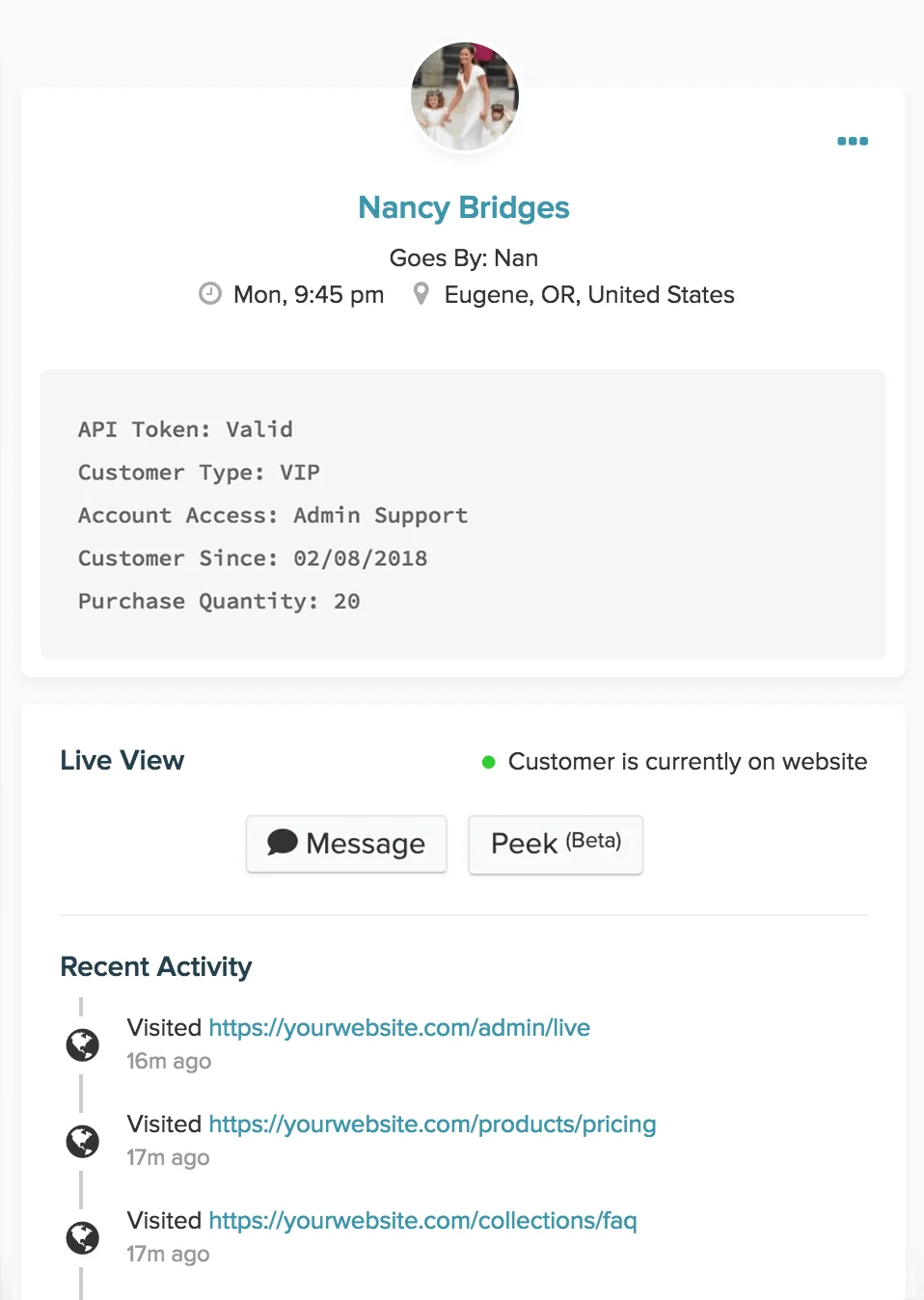
Pro ($49/user) is where multi-brand support shows up (unlimited brands in one account), plus the Live dashboard that shows site visitors in real time, advanced reporting, SMS and voice channels, a custom-hosted help domain, and a status page. This is the plan most growing ecommerce teams land on.
Plus ($69/user) is the "most popular" tier and adds the heavier stuff: Peek (live screensharing/co-browsing), in-chat video calls, departments, staff performance reporting, shifts and vacation days, customizable staff roles, CSAT ratings, and FAQ article edit history.
The jump from Basic to Pro is mostly about channels and brands; the jump from Pro to Plus is mostly about team management and proactive engagement. If you're a single-brand team that lives in email and chat, Basic genuinely covers you. If you run several storefronts, you're on Pro whether you like it or not, because multi-brand is gated there.
The AI Agent: how Re:amaze charges for AI
This is the part that trips people up. Re:amaze's AI Agent (still in beta) is a 24/7 autonomous responder trained on your business data, and it's bundled into every plan. But "bundled" doesn't mean unlimited. Each plan includes a fixed number of AI resolutions per user per month, and after that you pay overage.
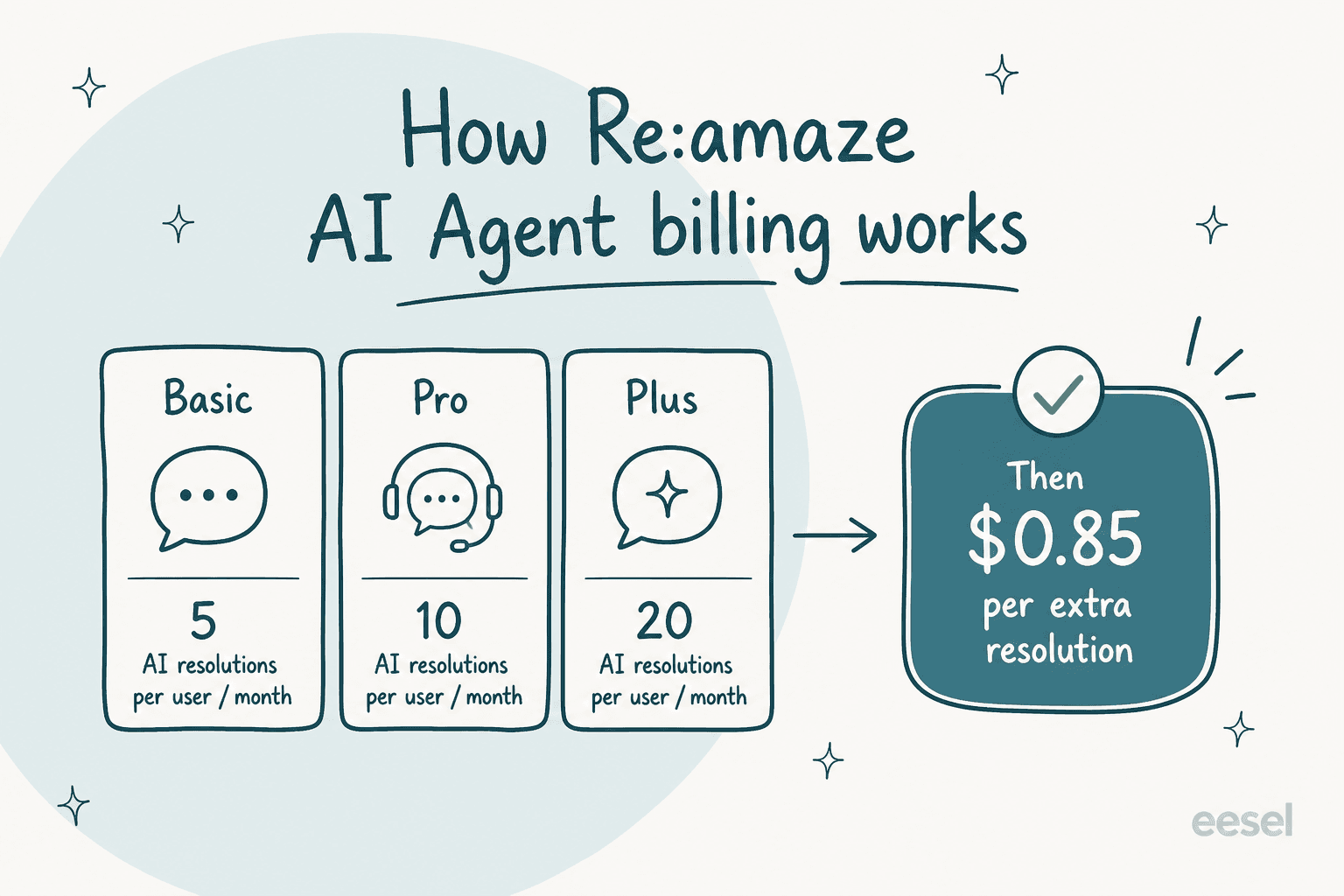
So on Plus, a 5-person team gets 100 AI resolutions a month included (20 × 5). Sounds like plenty, until you remember that a single busy ecommerce day can throw hundreds of "where's my order" questions at the bot. Past the allowance, every extra resolution is $0.85. There's nothing wrong with that rate on its own, but it's a second meter running alongside your seat count, and it's the line item people forget to model.
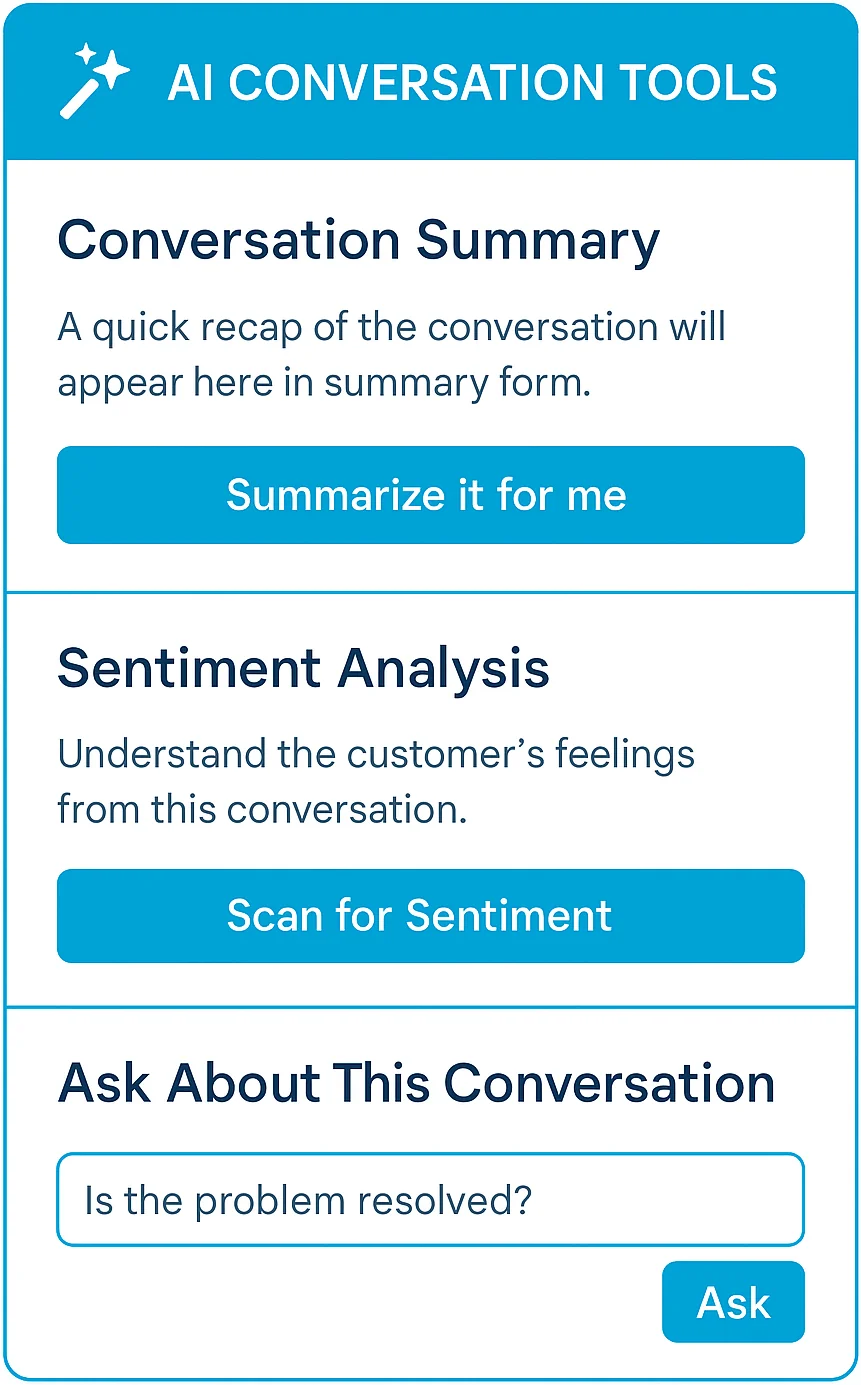
Re:amaze also ships the lighter AI tools on the standard plans: reply drafting, conversation summaries, sentiment analysis, and automatic help-article suggestions. Those are the assistive features, the ones that help a human agent move faster rather than replace the reply entirely.
If you want a sense of how AI resolution pricing plays out elsewhere, the Gorgias AI pricing model is worth a look too, since Gorgias also meters automated resolutions on top of its base plans.
The catch with per-seat pricing
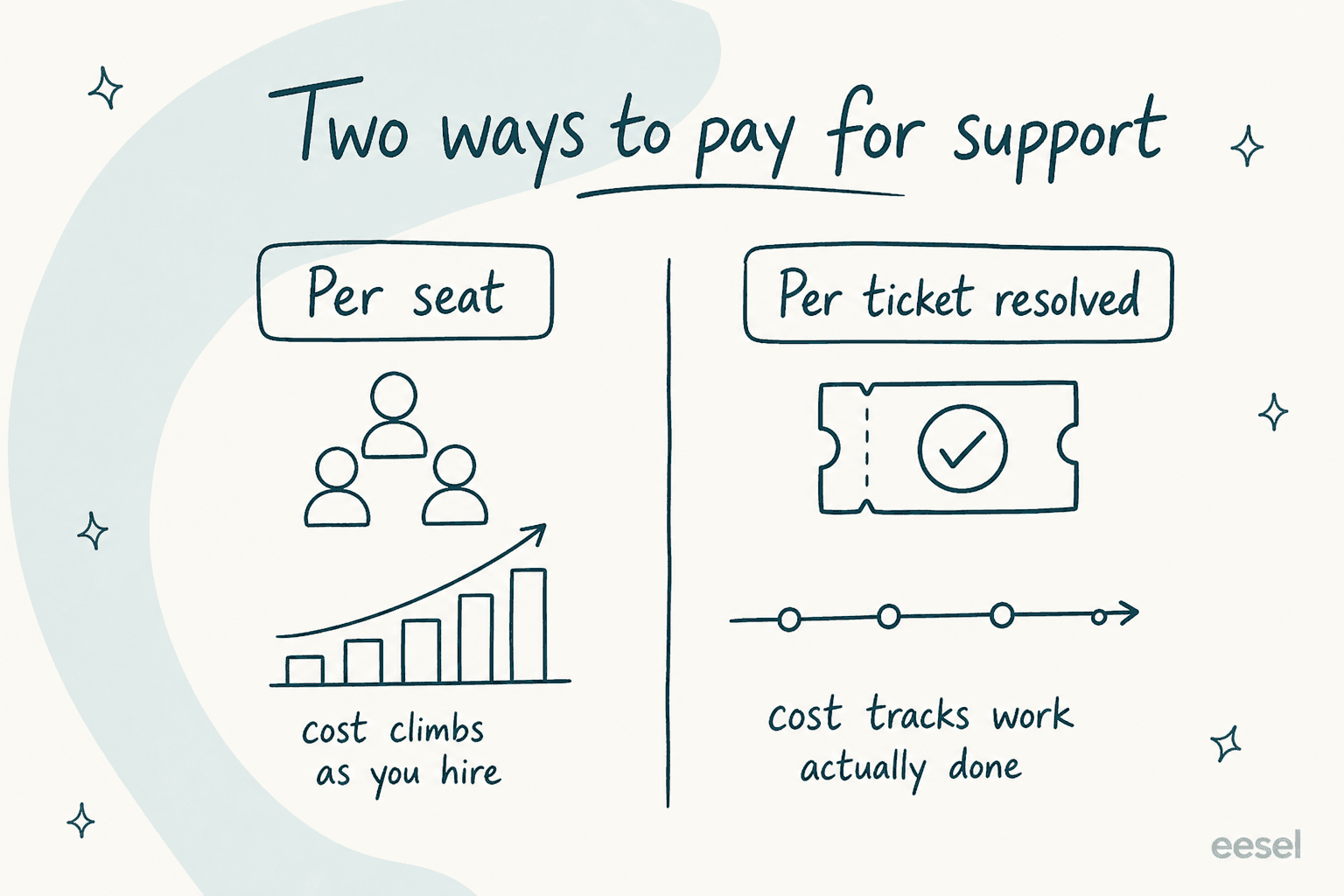
Here's the editorial bit, and the thing I'd want a friend to understand before signing up. Re:amaze charges per seat. That means your support bill is pinned to your headcount, not to your ticket volume. Hire three more agents for the holiday rush and your cost goes up whether or not those agents resolve more tickets per dollar.
For a small team this is a non-issue, even a feature: it's predictable and easy to budget. The friction shows up as you grow. One D2C brand on Reddit, scaling past 30,000 tickets a year, put it plainly when shopping for an upgrade:
"We are kind of out pacing what we need from re:amaze... we could be to 20 seats by end of 2026... Anyone specifically move away from re:amaze as you grew?"
u/Obvious-Window5208, r/CRM, Jan 2026

Twenty seats on Plus is $1,380 a month before a single AI overage. That's the moment the per-seat model stops feeling cheap. I've watched this exact pattern in our own sales calls: a US swimwear brand ran a dozen successful AI test chats, loved the results, then opened two cancel requests the instant they saw what the billing would scale to. The product worked. The pricing math didn't. That's why I always tell people to model their 12-month bill, not their first-month one.
The alternative model, the one eesel AI runs on, is to charge per ticket the AI actually resolves: $0.40 per ticket, no per-seat fee, no minimum. Add as many human agents as you want for free; you only pay when the AI does work. For a growing team that's a fundamentally different cost curve, and worth understanding before you lock into either one. (Our breakdown of AI customer support cost savings digs into the per-ticket vs per-seat math.)
What real users say about Re:amaze's value
Pricing only means something next to what people think they're getting for it, so let's look at the actual sentiment. Re:amaze is well liked: it holds a 4.6/5 on G2 across 140 reviews and a 4.8/5 on Capterra from 53 reviews, including a standout 4.8/5 specifically for value for money. For an affordable helpdesk, that value score is the headline.
The praise is consistent: feature-dense, easy to use, and famously responsive support. One long-time user on Capterra summed up the affection (and one real gripe) in the same breath:
"Reamaze is one of those products that you wish you started using years ago... Customer service is spectacular." The con: "Re:amaze has a very unique design philosophy and it's not everyone's cup of tea... There's not a lot of handholding which can make it a bit tough on newcomers."
Oliver M., Co-Founder, Capterra (5/5)

The complaints, where they exist, aren't really about price. They cluster around an aging interface in places, occasional reliability hiccups, and incomplete social-channel coverage. A retail director on Capterra flagged exactly that:
"Does most of what we need." The con: "Does not connect to all social media channels or types, and regularly has some 'issues' which cause it to break. Support is always fast to respond though."
Mike R., Director, Capterra (5/5)
A heads-up on Trustpilot: Re:amaze shows a harsh score there, but read the reviews and they're almost entirely from shoppers complaining about merchants who use Re:amaze's branded support widget, not about the software itself. It's not a fair read on product quality, so I'd ignore that number.
A worked example: what a real team actually pays
Sticker prices are abstract. Here's what Re:amaze costs at a few realistic team sizes (monthly billing, before AI overages):
| Team | Plan | Seat math | Monthly base | AI resolutions included |
|---|---|---|---|---|
| Tiny store, low volume | Starter | flat | $59 | up to 500 conversations total |
| 3 agents, one brand | Basic | 3 × $29 | $87 | 15 / month |
| 5 agents, multi-brand | Pro | 5 × $49 | $245 | 50 / month |
| 8 agents, full features | Plus | 8 × $69 | $552 | 160 / month |
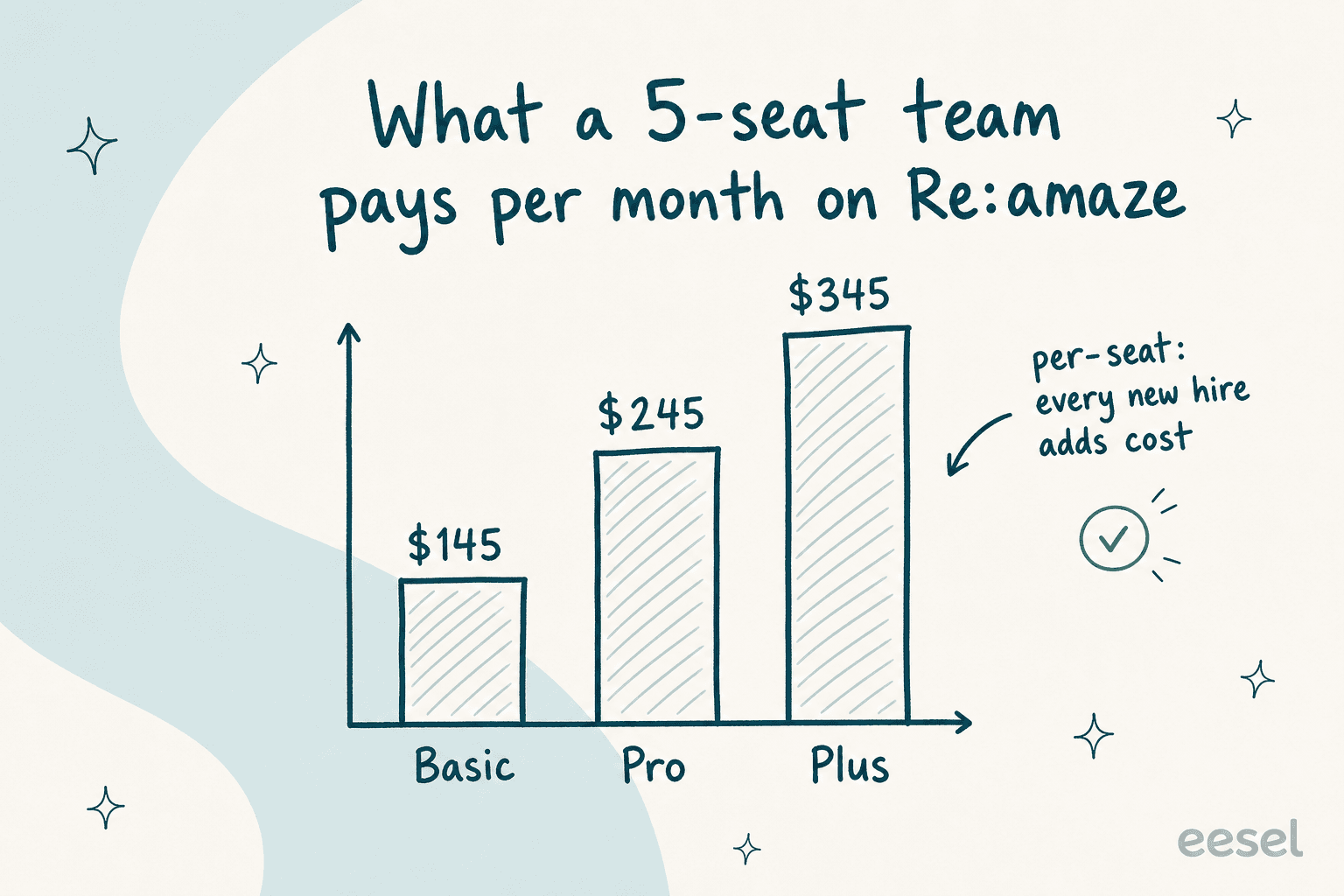
Two takeaways. First, a small team on Basic or Starter is paying very little, and that's Re:amaze's genuine sweet spot. Second, watch how fast the Plus column climbs: eight agents is already $552/month base, and if that team blows past its 160 included AI resolutions on a busy week, the $0.85 overages stack on top. Annual billing trims 10% off the per-seat numbers, which softens the blow but doesn't change the shape of the curve.
This is also why ecommerce teams often weigh Re:amaze against Gorgias pricing at this stage, the same way they'd line it up next to Freshdesk pricing or Help Scout pricing before committing. Once you're past a handful of seats, the per-seat vs per-resolution question becomes the whole decision.
Where Re:amaze fits, and where it doesn't
My honest take after going through the plans: Re:amaze is one of the better-value helpdesks for small and mid-size ecommerce teams, full stop. The channel consolidation is real, the support reputation is earned, and the Starter plan is a legitimately clever on-ramp for tiny shops. If you're a 2-5 person Shopify team that wants email, chat, and a help center in one tidy bill, it's an easy recommendation, and you can dig deeper in our full Re:amaze review.
Where I'd pump the brakes: if you're scaling toward double-digit seats, or if your support volume is growing faster than your headcount, the per-seat model plus metered AI starts working against you. At that point you're paying for chairs, not for resolved tickets. Teams in that spot tend to start looking at Re:amaze alternatives, or at layering a usage-based AI agent onto a mainstream helpdesk instead. If you're cross-shopping specific tools, our Re:amaze vs Dixa comparison is a good next read.
Try eesel AI
If the per-seat-plus-overage math is what's giving you pause, that's exactly the gap eesel AI was built for. eesel is an AI support agent that plugs into the helpdesks ecommerce teams actually graduate to, like Gorgias, Zendesk, Freshdesk, Front, and Shopify, and learns from your past tickets and help docs on day one.
The pricing is the deliberate opposite of per-seat: $0.40 per ticket the AI handles, no platform fee, no per-seat charge, no minimum. Hire all the human agents you want at zero extra cost; you only pay when the AI resolves something. And before you go live, you can run it in simulation mode against your historical tickets to see exactly what it would have resolved (Gridwise saw eesel handle 73% of tier-1 requests in the first month). It's free to start, no credit card.

Frequently Asked Questions
How much does Re:amaze cost per month?
What is Re:amaze's pricing for small teams?
How does Re:amaze AI Agent pricing work?
Is Re:amaze worth the money?
Does Re:amaze have a free trial or free plan?


Article by
Kurnia Kharisma Agung Samiadjie
Kurnia is a software engineer and writer at eesel AI with two years of SEO experience, writing about AI tools, helpdesk software, and customer support. He pairs a developer's understanding of how these products are built with search-driven research into what actually ranks and resonates with the people searching for them.