


What Umnico is, and why its pricing looks unusual
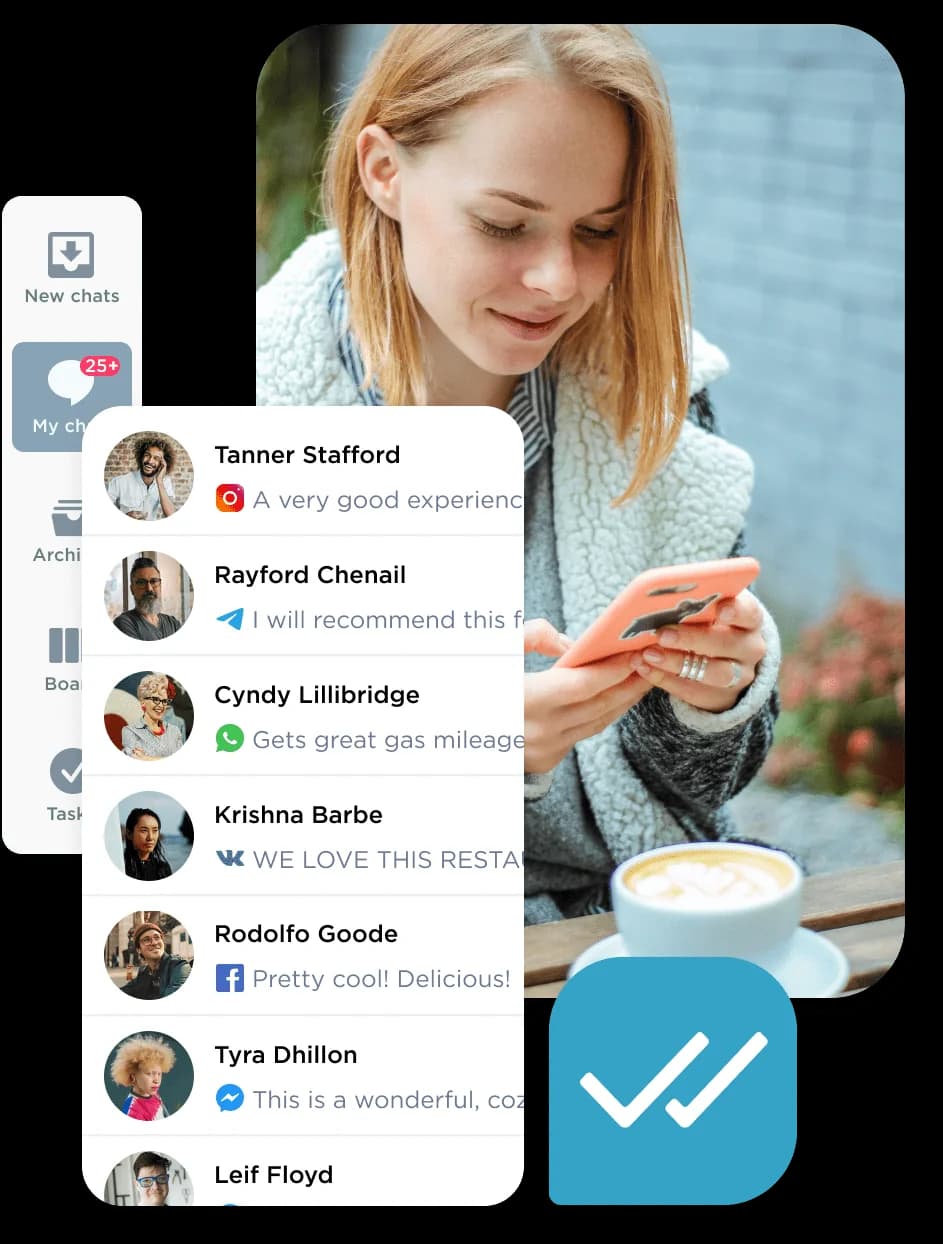
Umnico is an omnichannel customer communication platform: it pulls conversations from WhatsApp, Telegram, Instagram, Facebook, Viber, VKontakte and 25+ other channels into one shared inbox, then layers a Kanban-style sales pipeline and a chatbot builder on top. It is aimed at everyone from social sellers to enterprise teams, with a strong Russia/CIS orientation (VKontakte, Odnoklassniki, Avito and the Kommo/Bitrix24 CRMs all feature heavily).
I have spent the last three-plus years putting AI agents on live support queues, so I read a lot of these pricing pages. Most support tools sell you a tier. Umnico sells you a shopping cart. That is neither good nor bad on its own, but it does mean the sticker price you see quoted around the web ("from $7/user") tells you almost nothing about what you will actually pay. The number that matters is the sum of the channels and seats you pick, times the discount for your commitment length.
How Umnico pricing actually works
There are no plan cards on the payment page. Instead you assemble a subscription, and the total is a simple sum:
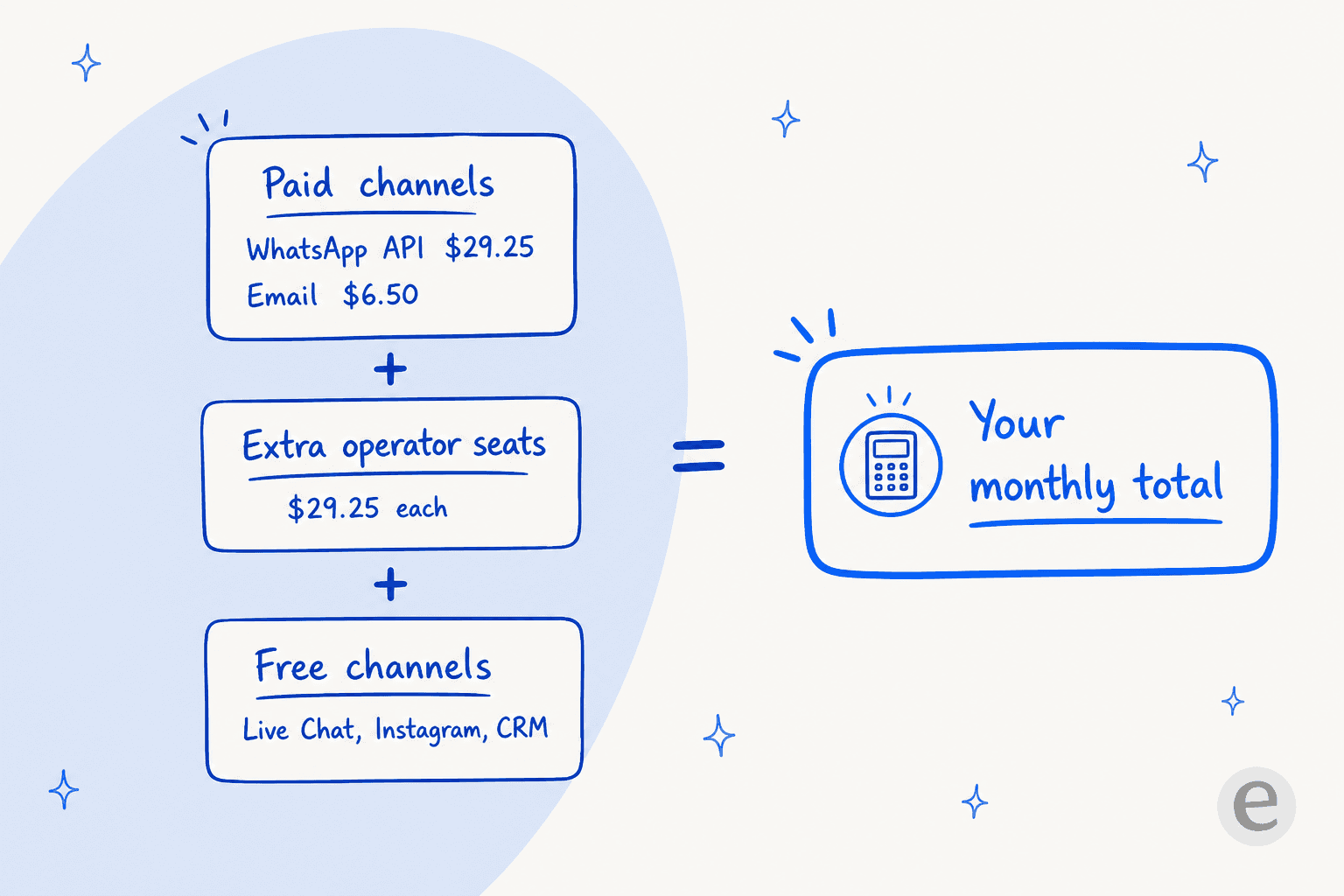
- The billable unit is one integration. Each messenger, social channel, or connector you switch on has its own price. Add WhatsApp and you add its monthly fee; add Email and you add another.
- Seats are separate. Your first operator ("User") seat is free; each additional agent is $29.25/month at the base rate.
- Messages are unlimited. Umnico advertises "unlimited messages, comments, files and traffic," so there is no per-message or per-conversation meter on top. You are paying for access to channels and seats, not for volume.
- Deductions happen daily from your balance, based on the tariff you have assembled for the chosen period.
One rule catches people out: an add-on integration has to be bought for the same billing period as your main tariff. If your main plan is annual, a channel you add later is also billed annually. You cannot mix a monthly channel into an annual plan.
The full Umnico price list
Here is every published item and its base (1-month) rate. Longer terms apply the discounts in the next section.
| Integration / item | What it does | Base price / month |
|---|---|---|
| Live Chat | Website widget with correspondence | Free |
| Direct + comments | Free | |
| Facebook Messenger | Business-page messages | Free |
| Facebook Leads | Facebook lead forms | Free |
| Telephony | Incoming/outgoing calls | Free |
| Bitrix24, Kommo, vTiger, My Sklad (CRM) | Full Umnico features inside the CRM | Free |
| Sending and receiving email | $6.50 | |
| Telegram Personal | Messages from a personal account | $6.50 |
| Telegram Bot | Bot-based messaging | $6.50 |
| Viber Bot | Bot-based messaging | $13 |
| Discord | Private messages | $13 |
| Odnoklassniki | Group messaging | $13 |
| Auto.ru | Classifieds messaging | $16.25 |
| VKontakte | Group messages + comments | $16.25 |
| Avito | Classifieds messaging | $22.75 |
| Facebook comments | Comments under posts/photos/videos | $26 |
| Max | Reach out first + multimedia | $26 |
| WhatsApp Business API | Full functionality, no restrictions | $29.25 |
| MDT (CRM) | Full features, billed per user | $29.25 |
| Extra operator seat | Each agent after the first | $29.25 |
A couple of things worth flagging from the fine print. The WhatsApp Business API is the single most expensive channel, matching the cost of a whole extra seat, and that is Umnico's own connection fee sitting on top of Meta's per-conversation charges. And while messenger integrations with Bitrix24 and Kommo do not charge extra per user, MDT is the exception and bills each user separately.
Here is the actual builder, so you can see how the cart adds up as you toggle channels on:
Estimate your Umnico bill
Rather than do the arithmetic in your head, tick the channels and seats you would actually use and pick a term. This uses Umnico's published base rates.
The term-discount ladder
The biggest swing in your Umnico bill is not which channels you pick, it is how long you commit. Discounts are given as real money off, not bonus credits.
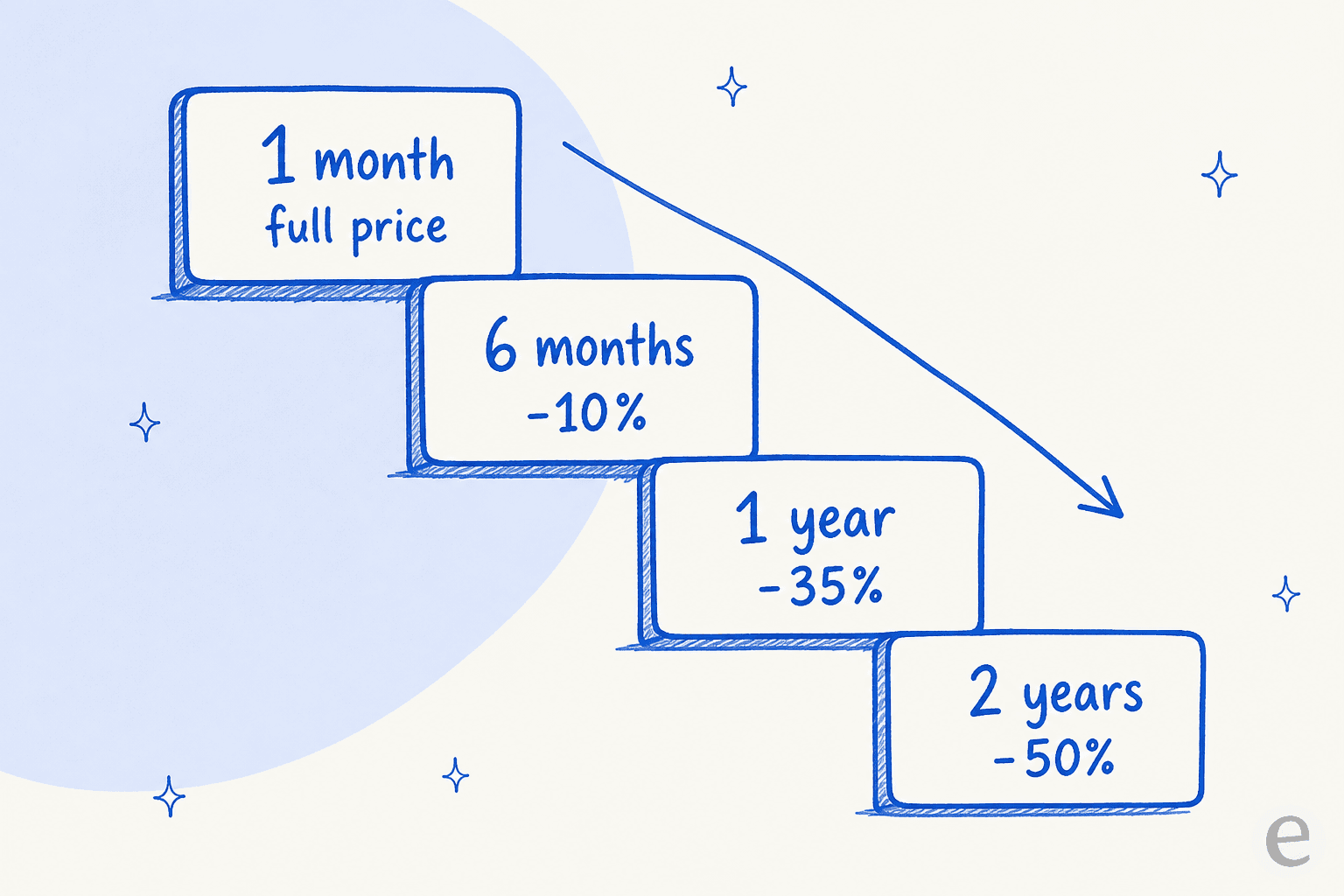
That 35% annual cut is meaningful. A $123.50/month monthly setup (WhatsApp + Email + three extra seats) drops to about $80/month if you pay for the year. The trade-off is the usual one: you are locking a year of budget into a tool before you know whether the integrations stay stable, which matters here more than usual (more on that below).
What you'll actually pay: three worked examples
Because à-la-carte pricing hides the real number, here is what three common setups cost at the base monthly rate and on an annual (-35%) commit.
| Setup | Channels + seats | Monthly | Annual (per mo) |
|---|---|---|---|
| Solo social seller | WhatsApp API + Live Chat (free) + Instagram (free), 1 user | $29.25 | ~$19.01 |
| Small support team | WhatsApp + Email + 3 extra seats (4 agents) | $123.50 | ~$80.28 |
| Multichannel team | WhatsApp + Email + Telegram + Viber + 9 extra seats (10 agents) | $318.50 | ~$207.03 |
The pattern is clear: for a solo seller, Umnico is legitimately cheap, and that is where its reviews are warmest. But the seat fee is what drives the total as you grow. By ten agents you are paying roughly $263 of your $318 monthly bill on seats alone, and the channels are almost a rounding error. If your team is large, the per-seat model is the line item to model carefully.
Free plan and free trial
There is no permanent all-features free tier, but Umnico is unusually generous with free channels:
- Permanently free channels: Live Chat (the website chat widget), Instagram, Facebook Messenger, Facebook Leads, Telephony, and every listed CRM connector. It is one of the more generous free live chat on-ramps around.
- First user seat is free.
- 3-day free trial with all functionality unlocked, including WhatsApp, VKontakte and the Bitrix24/Kommo integrations.
So a real, if minimal, setup, website Live Chat plus a free social channel plus your one free seat, can run at $0/month indefinitely. That is a legitimately nice on-ramp for a solopreneur, and several reviewers call it out as the reason they tried the product. If you are hunting for fully free options more broadly, I keep a running list of free AI for customer service.
Enterprise and on-premise
Two options sit outside the builder, both quote-only:
- Enterprise: custom terms "for enterprise users with a large staff and communication channels." You contact sales for a price.
- On-Premise (self-hosted): a fixed fee with no limit on users or channels, delivered as a Kubernetes-deployed microservice architecture that you host and maintain yourself. You provide the cluster, load balancer and infrastructure; optional help-desk services are available for an extra monthly fee.
The on-premise route is unusual for a tool at this price point and useful if data residency is a hard requirement, just budget for the DevOps time to run a K8S cluster, because that cost is yours, not Umnico's.
The "AI" you're paying into
Umnico markets AI-powered chatbots, and it is worth being precise about what that means, because it affects whether the chatbot is worth building. The chatbot builder is a visual, rule-based flow builder: you drag out triggers, steps, and yes/no branches that send templated text and transfer to a human.
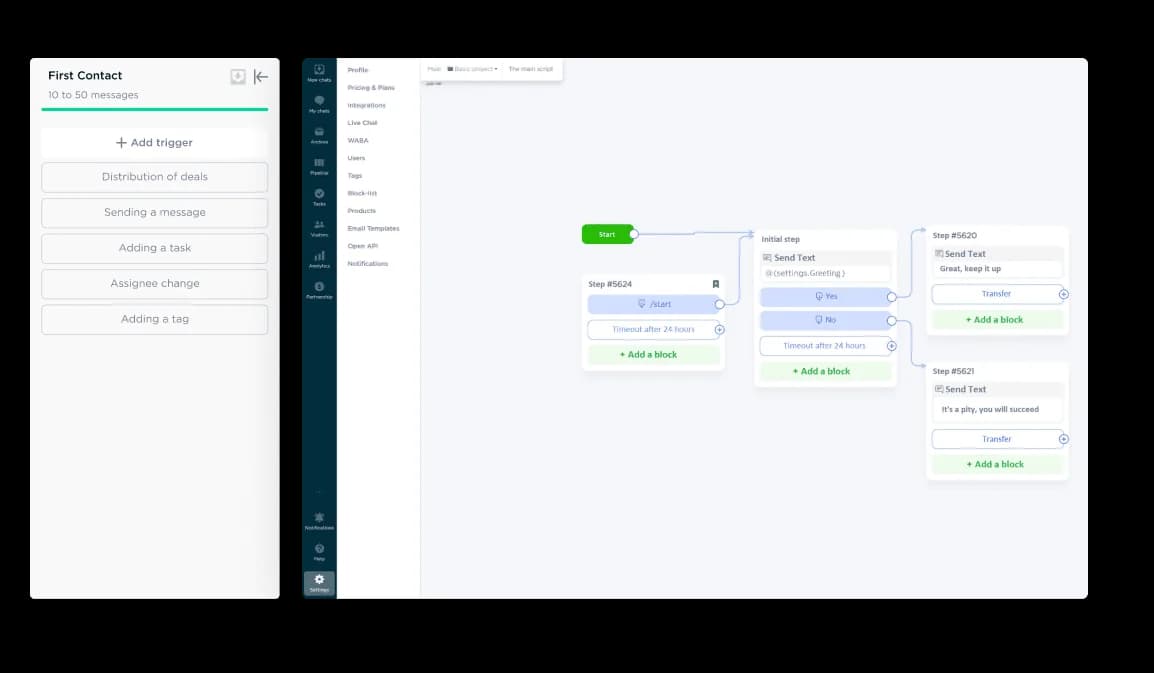
That is a perfectly reasonable way to automate rule-based FAQs, and it is the same shape as SalesBot on Kommo or Robots on Bitrix24. What it is not is a generative AI that reads your past tickets and drafts real answers on its own. Umnico's own automation (auto-routing, after-hours auto-responses, triggered actions) is trigger-based, and one Capterra reviewer was blunt that the AI chatbot is "still early stages and takes time to set-up and use." If your goal is a bot that actually deflects tier-1 tickets by understanding them, that is a different category of tool, and the gap is worth knowing before you invest hours into flow-building. It is also why so many chatbots answer incorrectly: a rule tree only knows the branches you drew.
This is the thing I have watched play out most often across live rollouts. A CX lead at a DTC supplements brand put the bar exactly right when they told me they wanted "an AI who is only handling the tickets that it's confident to handle and all the other ones, leave them alone." A rule tree can not make that judgment call; it does what the branch says. Knowing which tickets to answer and which to leave is the part that needs a model trained on your history, which is why I simulate every eesel rollout against a customer's real past tickets before it ever goes live.
What real users say about the price
Umnico's ratings are high but thin: 4.8/5 from 22 reviews on G2 and 4.7/5 from 6 on Capterra (though five of those six are tagged vendor-incentivized), with a lower 3.9 TrustScore on Trustpilot. The praise is consistent on value for small teams:
"Easy to set-up and use, easy to integrate messengers and social networks. Free tariffs allows to test the platform before purchasing a licence."

But the cost complaints cluster around exactly the two levers this guide flags, seats and channel add-ons:
"The price becomes a little bit higher when you have multiple users and need to add instant messengers... Your mobile app need improvement because it comes with very limited options."

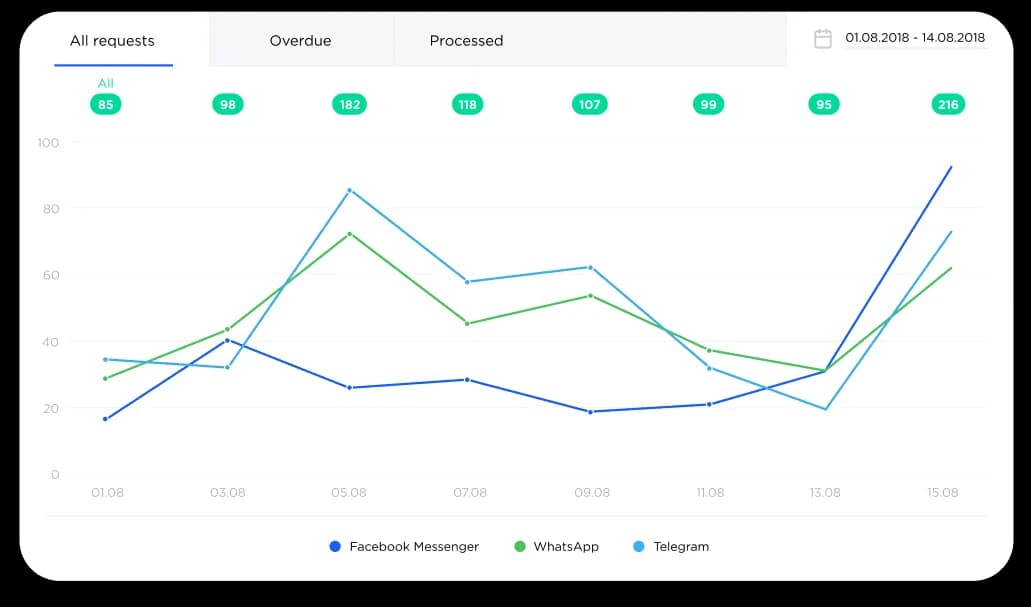
The per-agent and per-channel analytics are a real strength worth the mention, since that reporting is part of what you are paying seats for:
Where the model pinches
Three limits are worth pricing in before you commit a year of budget. None of these are dealbreakers on their own, but they are the honest counterweight to the low entry price.
- Billing and cancellation friction. The harshest organic review is a 1.5-star G2 report of being charged after repeated cancellation attempts: the reviewer said "the cancellation process didn't work on their platform" and they "continued to receive charges months after I last logged in." Umnico publicly replied disputing it and offered a complimentary three-month subscription, but it is the kind of story worth reading before you prepay a long term. (Arsen N., Co-Founder, G2)
- WhatsApp connection stability. Since a WhatsApp chatbot is both the priciest channel and the most-used one for many buyers, it matters that reviewers repeatedly flag it: "I've encountered occasional hiccups with the connection. It would be ideal if the integration was iron-clad." (Dave N., G2) A small-business owner on Reddit trying it as a WhatsApp CRM said it "seems really glitchy and problematic."
- No SMS. Capterra's feature analysis notes Umnico lacks SMS, a channel a majority of category buyers rate as important. If SMS is part of your mix, it is not here.
To be fair to Umnico, these are the normal edges of a young, keenly-priced tool, and the same reviewers who flag them often keep using the product. The point is to go in with eyes open, and to weigh the annual discount against the risk of locking budget in before the integrations prove stable for your channels.
Umnico vs a fixed-price AI plan
It is worth zooming out, because Umnico and an AI support teammate solve overlapping problems with opposite pricing philosophies, and the right pick depends on what you actually want automated.
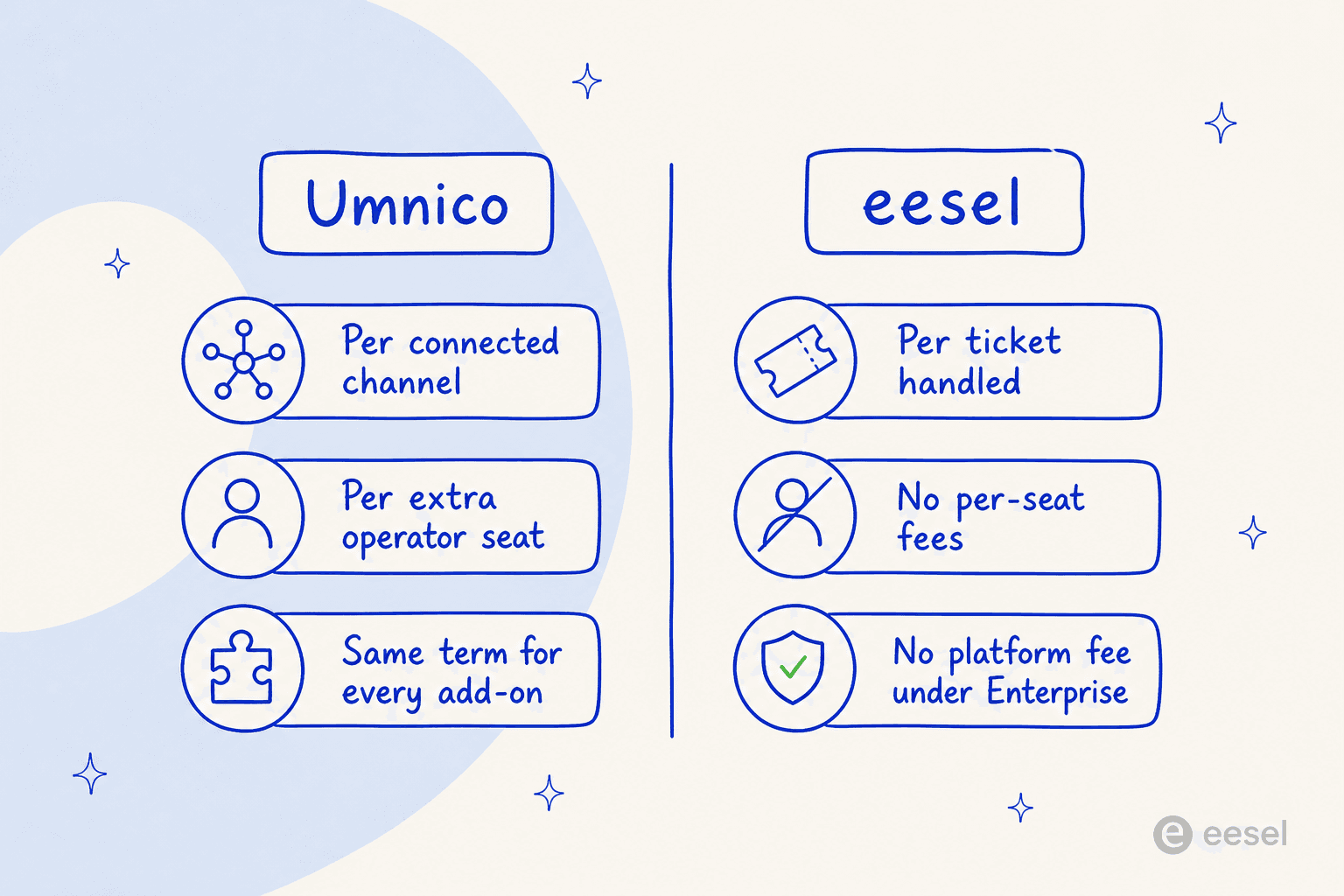
Umnico charges for access: the channels you connect and the seats you fill. That is a good fit if the job is "put all my messaging in one window and give my human agents a shared inbox and a light CRM," and it overlaps with any multichannel chatbot setup. Where it strains is automation and scale, the seat fee climbs with headcount, and the bot is a rule tree.
An AI teammate charges for work done. eesel, for example, sells monthly credit plans (from $299/month for 500 credits, where 1 credit is one ticket or chat, with no per-seat fees), so the price is sized to how many tickets the AI works on rather than how many people or channels you have. That is the better model when the goal is deflection: resolving tier-1 tickets so your team does not have to touch them. It is a fundamentally different product from a messaging aggregator, and if your real problem is "my agents are drowning in repetitive tickets" rather than "my channels are scattered," it is the category to look at. My roundup of the best AI helpdesk software lays out the field, and conversational AI is the underlying shift.
Try eesel for AI support that scales by resolution, not seats
If you got here comparing Umnico because you want to automate support and not just consolidate it, eesel is worth a look. It is an AI helpdesk teammate that plugs into the helpdesk you already run, Zendesk, Freshdesk, Gorgias, Help Scout and 1000+ other tools, trains on your past tickets and help center, and joins the queue to draft or resolve tickets on its own. It is a strong fit for ecommerce support and customer service automation alike.

The differentiator that matters most here is the one Umnico's rule-based bot can not offer: you can simulate the AI against your own historical tickets before it goes live, so you see its resolution rate and exactly which tickets it would have handled, no guesswork, no flipping a switch and hoping. And because pricing is one fixed monthly price with no per-seat fee, adding agents does not inflate the bill. You can start free with 100 free credits, no credit card, and no sales call.