Picking a team chat app feels like a huge decision, doesn't it? In a world where your office might be a spare bedroom, a bustling coffee shop, or, you know, an actual office, the digital space where everyone connects is your real headquarters. Two of the biggest names you'll hear are Slack and Discord. On the surface, they seem to live in different universes: Slack for the 9-to-5 grind and Discord for gaming communities. But as work gets more flexible, the lines have blurred, and more businesses are trying to figure out which one actually makes sense for them.
Let's cut through the noise. We're going to put Slack and Discord side-by-side for a real, no-fluff comparison. We’ll look at everything from how they handle daily chats and security to their fancy new AI features and, of course, how much they’ll cost you. By the end, you should have a much clearer picture of which platform is the right home for your team.
Understanding Slack
Slack’s whole pitch is that it's your company’s "digital HQ." It’s built from the ground up to be a single spot where your people, software tools, and files all come together. The entire setup is based on "workspaces," which are basically private online offices for your company. Inside that workspace, all your chats are sorted into "channels" for different projects, teams, or random topics (like #dog-pictures), which helps keep conversations from turning into chaos.
Its main appeal is a clean, professional feel that's really geared toward letting people catch up on their own time. It saves every single conversation, file, and decision, creating a searchable history of everything your team has ever talked about (though the free plan only lets you see the last 90 days). But Slack is more than just a chat app; its real power comes from the thousands of other apps it connects with, making it a central hub for your work.
Understanding Discord
Discord got its start as a free, simple way for gamers to voice chat without slowing down their computers. Its tagline, "Your place to talk and hang out," still perfectly nails its casual, community-first vibe. The platform is built around "servers," which anyone can spin up for free to host a community of any size, from a small team of ten to a massive group of thousands.
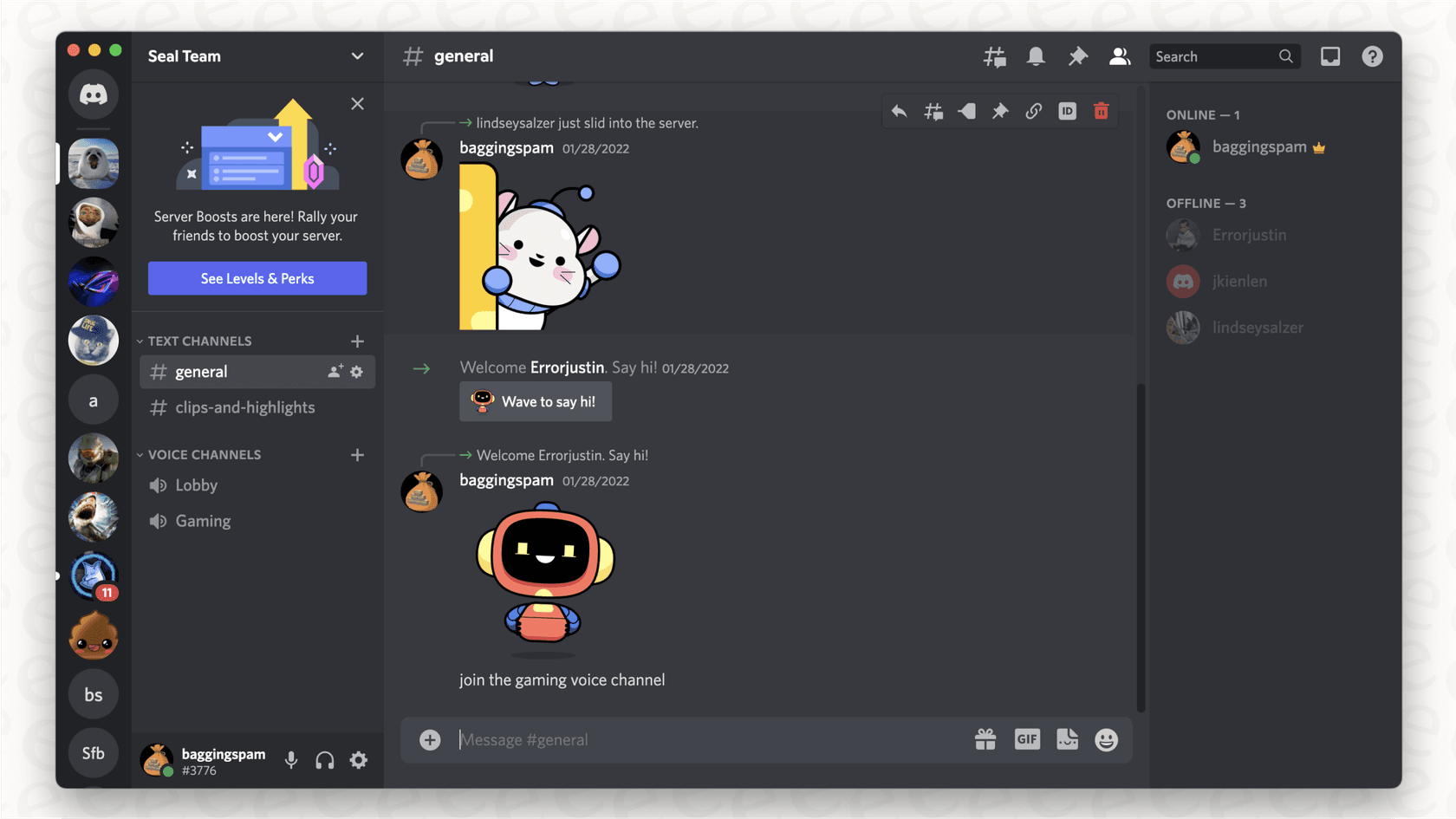
Every server has a mix of text and voice channels. The voice channels are what make Discord special. They are always-on rooms that you can pop in and out of whenever you want. It creates this feeling of being around your teammates and makes it easy to have those quick, spontaneous chats. While its text chat works perfectly well, Discord’s identity is all about its super clear, low-lag voice and video calls.
Slack vs Discord: A feature comparison
Alright, let's get into the nitty-gritty of how these two actually stack up for a business.
Text chat and collaboration
When it comes to pure text-based work, Slack just feels a little more built for the job. Its threading feature is a lifesaver for keeping side conversations from derailing the main channel, and it's much easier to follow. The search is also way more powerful; you can filter by person, date, or channel to find that one specific message from three months ago. Little touches like saving important posts and organizing your sidebar exactly how you want it make a big difference when you're trying to stay on top of multiple projects.
Discord's text chat is great for quick, in-the-moment conversation, but it feels less suited for creating a long-term, organized record of work. But let’s be honest, no matter which tool you pick, every busy chat app has the same problem: important info gets buried. That one critical link or decision can easily get lost in a sea of messages and GIFs, and finding it again feels like an impossible treasure hunt.
Voice, video, and real-time communication
This is where Discord really shines. It was made for talking, and you can feel it. The audio and video quality are top-notch, with handy features like background noise suppression and individual volume controls for everyone in the call. Slack just doesn't compete on that level. The always-on voice channels are fantastic for collaborative teams because they bring back that feeling of just being able to turn to your coworker and ask a quick question.
On its free plan, Discord lets you have up to 25 people on a video call. Slack's free plan? You're stuck with one-on-one huddles, while paid plans allow up to 50 people in a huddle, with 25 of them on video. Slack did introduce a feature called "Huddles" to try and catch up, but it’s a bit clunky compared to what Discord offers naturally. Most teams using Slack end up paying for Zoom anyway.
Integrations and workflow automation
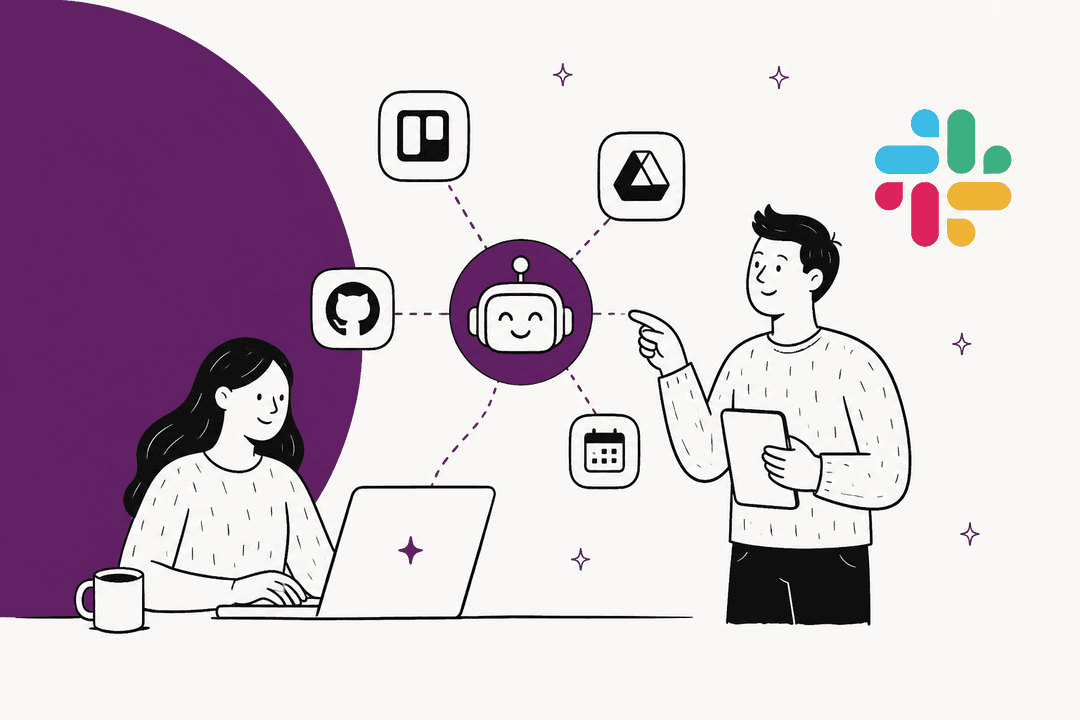
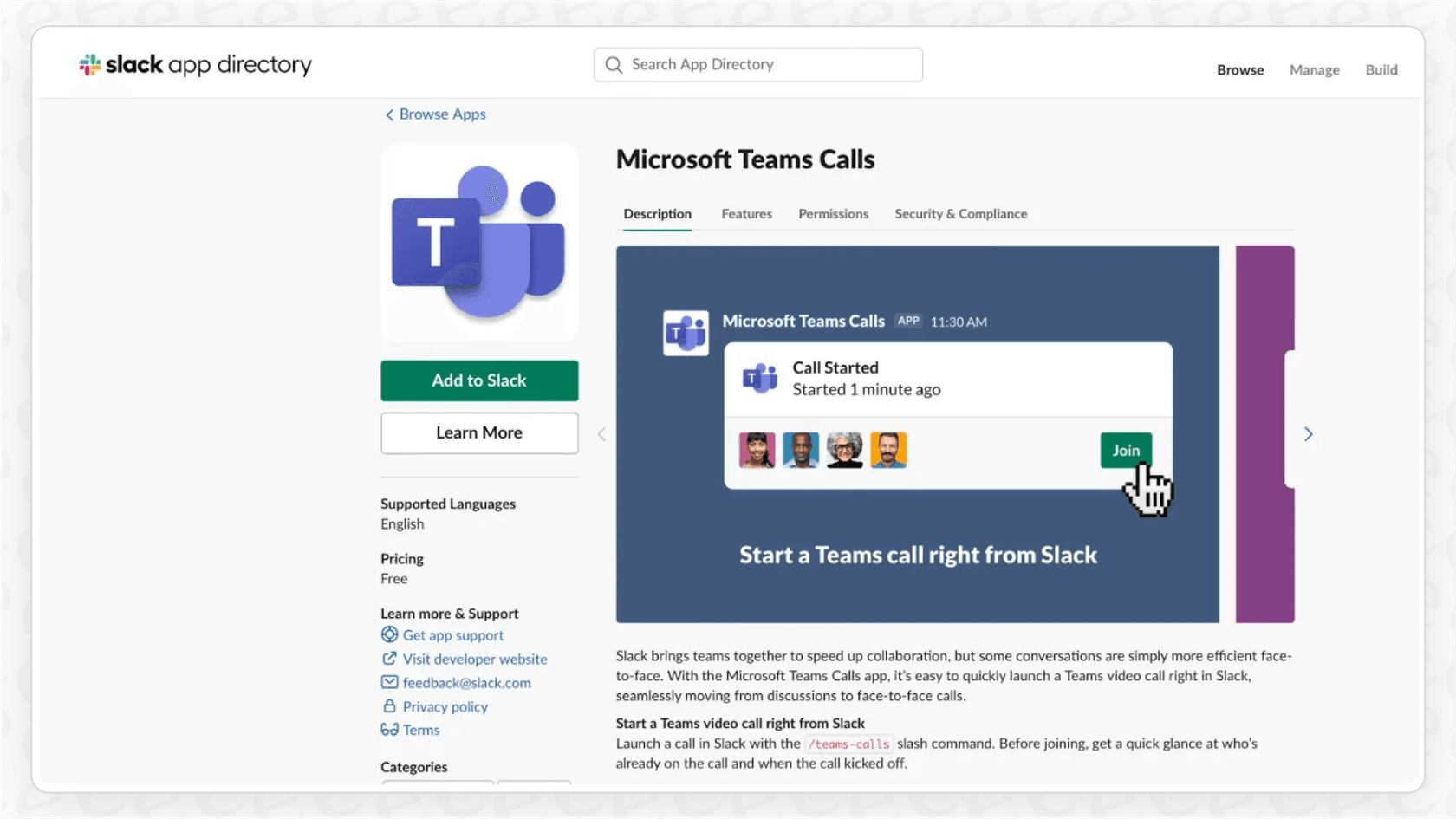
For a business, this is probably Slack's biggest selling point. With over 2,600 official integrations, Slack can plug into almost any tool your team already uses, from Google Docs and Asana to Salesforce. This means you can get all your notifications in one place and even automate simple tasks, turning Slack into a true mission control for your work.
Discord takes a different path. It mostly relies on community-built bots and webhooks for integrations. These can be incredibly powerful and flexible, but they're often aimed more at managing online communities than boosting business productivity. Plus, getting them set up might require a bit of technical skill.
But there's a hidden downside to Slack's integration-heavy world: your company’s knowledge gets spread all over the place. The answer you need could be buried in a Slack thread, a Confluence page, a Zendesk ticket, or a random Google Doc. This creates a whole new headache: how are you supposed to find anything when your company's brain is split across a dozen different apps?
File sharing and storage
When it comes to sharing files, the two platforms give you a classic trade-off.
-
Slack is great for sharing large files like design mockups or videos since it lets you upload files up to 1GB. The catch? On the free plan you can only search messages and files from the last 90 days (older history unlocks on a paid plan).
-
Discord has a 20MB upload limit on its free plan (up from 10MB as of August 2026), which you can bump to 1GB with a paid Nitro subscription. But here's the huge plus: Discord says it stores your files for as long as you need them.
Here’s a quick summary to make it even clearer:
| Feature | Slack | Discord |
|---|---|---|
| Primary Focus | Business & Productivity | Community & Gaming |
| Text Chat | Highly structured, excellent search, threads | Less structured, basic search, threads exist |
| Voice & Video | Limited on free plan (1:1), up to 50 in Huddles (paid) | Excellent quality, always-on voice channels, up to 25 on video (free) |
| Integrations | 2,600+ business apps | Limited native integrations, relies on bots |
| File Upload Limit | 1GB (all plans) | 20MB (free), up to 1GB (Nitro) |
| History (Free Plan) | 90 days of searchable history | Unlimited |
Administration, security, and AI
Beyond just the fun features, businesses have to think about control, security, and whether their tools are ready for the future.
Security and administrative controls
Slack was built for corporations from day one, and it shows. It gives you powerful admin controls, has security certifications like SOC 2, and supports things like Single Sign-On (SSO). Think of a Slack workspace like a private office building: you control the keys, you decide who gets in, and you own everything that happens inside.
Discord, on the other hand, feels more like a public co-working space. It has good moderation tools for keeping servers clean, but the core structure is different. For instance, direct messages (DMs) happen between individual user accounts, not inside your company's private server. For any business that deals with sensitive information, that lack of central control can be a serious security risk.
AI features
Both platforms are jumping on the AI bandwagon, but they're doing it in very different ways. Slack has built AI into its paid plans: Pro includes conversation summaries and huddle notes, while Business+ adds AI search, daily recaps, file summaries and the Slackbot AI agent, and Enterprise+ adds enterprise search. The standalone Slack AI add-on is no longer sold, so the catch is that the broader AI features still sit behind the Business+ upgrade for your entire team. Discord’s own AI tools are pretty limited and mostly experimental for now.
But here’s a thought: instead of paying a massive premium for an AI that’s trapped inside one app, you could add an AI layer that works across all your tools. For example, eesel's AI agent for Slack answers your team's @mentions in a thread, with a link to the source. Discord teams can add the same agent through eesel's Discord integration. But the real magic is that it connects to everything else, too. It doesn't just learn from your chats; it connects to your Confluence, Google Docs, helpdesk, and more to give your team one trustworthy source for answers, right inside the app they already use all day.
Slack vs Discord: Breaking down the cost
The price tags are where you can really see the different philosophies behind these two platforms.
Slack's pricing plans
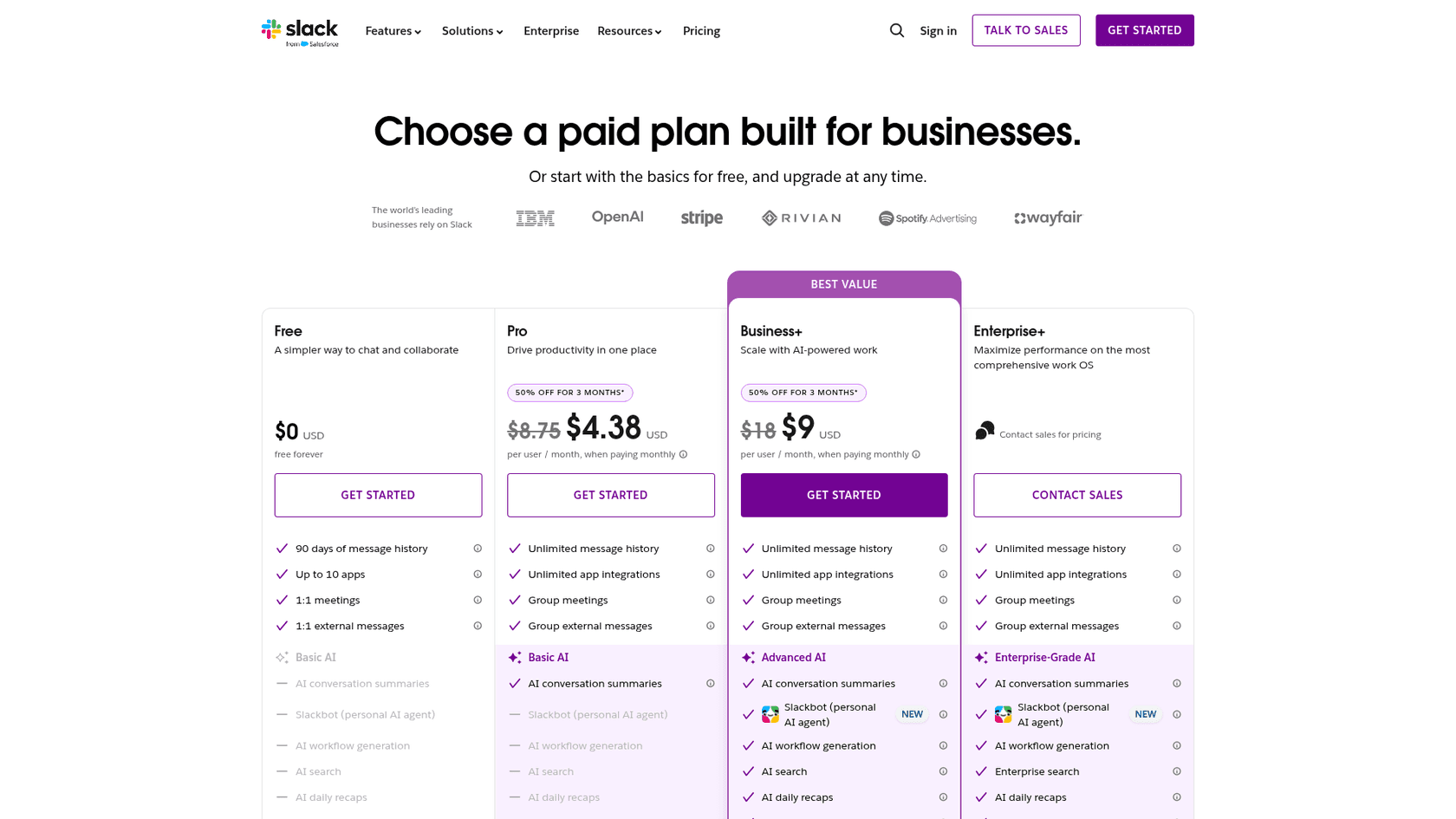
Slack uses a pretty standard "per user, per month" model, which can add up quickly as your team gets bigger.
-
Free: Really just a test drive. You're limited to 90 days of history, 10 integrations, and one-on-one huddles.
-
Pro: $8.75 per user/month when billed monthly ($7.25 billed annually). This unlocks your full history, group calls, all integrations, and basic AI summaries.
-
Business+: $18 per user/month billed monthly ($15 billed annually). This adds advanced security features and, crucially, is the cheapest plan that includes AI search, daily recaps and Slackbot.
-
Enterprise+: Custom pricing for very large companies, adding enterprise search and information barriers.
Any real business is going to have to move to a paid plan pretty quickly.
Discord's pricing plans
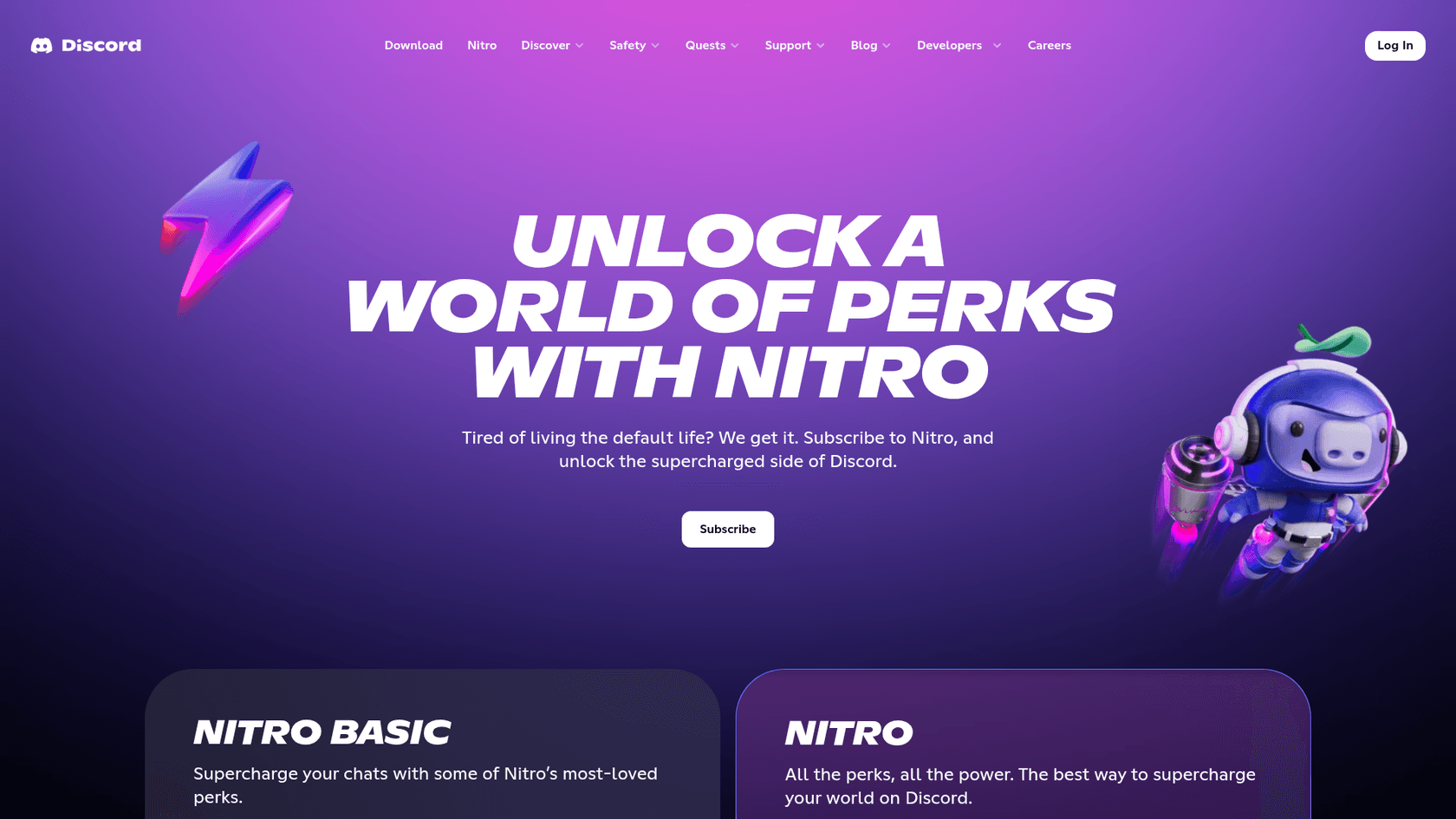
Discord’s main features are completely free, and the free plan is surprisingly generous. The paid plans are mostly optional perks for individuals, not something the whole company needs.
-
Free: You get almost everything: text, voice, video calls for up to 25 people, and 20MB uploads.
-
Nitro Basic: For $2.99/month, individuals get perks like bigger file uploads (50MB) and custom emojis.
-
Nitro: For $9.99/month, you get even bigger perks like HD video streaming and 1GB uploads.
Slack vs Discord: Which offers better value for business?
If you're just looking at the price, Discord wins hands down. You can run a pretty big and effective team on its free plan without feeling like you're missing out. Slack's price reflects its business-grade features and security, but it's a real budget item.
And when you factor in AI, the math changes again. Paying to upgrade your whole team on Slack just for its AI tools often doesn't make sense. It can be much smarter to invest in a separate tool like eesel AI, which gives you a more powerful, unified knowledge base for a clear and predictable price.
The Slack vs Discord verdict: Which platform should you choose?
So, after all that, what’s the final call on Slack vs Discord? Honestly, it comes down to your team’s personality and workflow.
You'll probably lean towards Slack if your work is all about structured projects, you need deep integrations with other business software, and you require tight security and admin control. You see the value in paying for a polished, professional tool designed to help people collaborate on their own schedules.
Discord is likely your best bet if your team thrives on fast-paced, real-time voice and video collaboration. You might be a budget-conscious startup, a creative agency, or any team that values spontaneous conversation more than a perfectly archived paper trail.
At the end of the day, the chat tool itself is just a container. The real challenge, and the biggest opportunity, is managing the mountain of knowledge your team builds inside it every single day.
Supercharge your team's knowledge, wherever it lives
The true value isn't in the chat app you choose, but in the collective brainpower your team shares within it. eesel AI connects all your knowledge sources, from documents to communication tools like Slack, and turns that scattered information into an instant, reliable answer engine for your team.
Ready to put your team's collective knowledge to work? Start free with 100 credits, no card needed.
Frequently asked questions
For a small business, which platform, Slack vs Discord, typically offers better value for money?
Discord generally offers better value for money, especially for budget-conscious teams, as its free plan is very generous with most core features and unlimited storage. Slack's free plan is more limited, and businesses usually need to upgrade quickly to access essential features, which can add up per user.
My team relies heavily on spontaneous voice chats. Which platform, Slack vs Discord, is more suitable for this?
Discord is significantly more suitable for spontaneous voice chats. Its always-on voice channels are designed for seamless, real-time communication, allowing team members to easily pop in and out of conversations without formal calls. Slack's equivalent, Huddles, is less fluid and its core voice features are more limited on free plans.
We need robust integrations with our existing business tools like Google Docs and Asana. How do Slack vs Discord compare in this area?
Slack offers far more robust and native integrations with over 2,600 business apps, making it a powerful central hub for workflows. Discord primarily relies on community-built bots and webhooks, which can be flexible but often require more technical setup and are less geared towards formal business productivity.
Which platform, Slack vs Discord, provides better administrative controls and security features for a business with sensitive information?
Slack provides much stronger administrative controls and security features, built specifically for corporate environments. It offers certifications like SOC 2 and supports Single Sign-On (SSO), giving businesses greater central control over user access and data compared to Discord's community-oriented moderation tools.
What are the main differences in file sharing capabilities when comparing Slack vs Discord, especially regarding storage and upload limits?
Slack allows larger individual file uploads (up to 1GB), but its free plan only lets you search messages and files from the last 90 days. Discord has a smaller free upload limit (20MB), but keeps its message and file history without a time limit, making it better for long-term archiving of smaller files.
We're considering AI features for our team. How do Slack vs Discord approach AI, and what are the cost implications?
Slack offers native AI features: Pro includes conversation summaries, while AI search, recaps and Slackbot need Business+ or Enterprise+, requiring a full team upgrade. Discord's AI tools are currently more experimental and limited. The blog suggests third-party AI solutions like eesel AI as a potentially more cost-effective and unified alternative.
Beyond features, how do the core philosophies of Slack vs Discord influence their suitability for a professional team?
Slack is built as a "digital HQ" for structured business collaboration, emphasizing organization, searchable history, and professional integrations. Discord, originating from gaming, focuses on casual, real-time community interaction with always-on voice, which might suit teams valuing spontaneity and informal connection more than formal record-keeping.


Article by
Kurnia Kharisma
Kurnia is a software engineer and writer at eesel AI with two years of SEO experience, writing about AI tools, helpdesk software, and customer support. He pairs a developer's understanding of how these products are built with search-driven research into what actually ranks and resonates with the people searching for them.