Where I'm coming from
I work on the agents at eesel, and I've spent the last three-plus years watching what happens when you point AI at a SaaS company's knowledge base, across thousands of live tickets and real rollouts. That includes the ugly part. We've watched a confidently-worded bot tell a customer "yes, we support that" for something the product flatly does not do, simply because a help doc said "we support all models." That one scar is why everything below is built around not doing that.
It also includes the good part. A gig-economy analytics app on Zendesk resolved 73% of tier-1 requests in its first month with us. A payments company saw up to 80% time savings finding answers across their documentation. One of our largest deployments quietly runs an AI helpdesk agent over more than 100,000 German-language tickets a month. So I'm not neutral on this, but I'd rather tell you where an AI knowledge base earns its keep and where it doesn't than sell you a fantasy.
"In the first month, eesel is resolving 73% of our tier 1 requests. Our team implemented and achieved results quickly during our 7-day trial. Responses are simple to fix and adjust."
Kim Simpson, Gridwise (G2 review)

What an AI knowledge base actually is
Strip away the marketing and it's a layer that does two jobs your current help center can't.
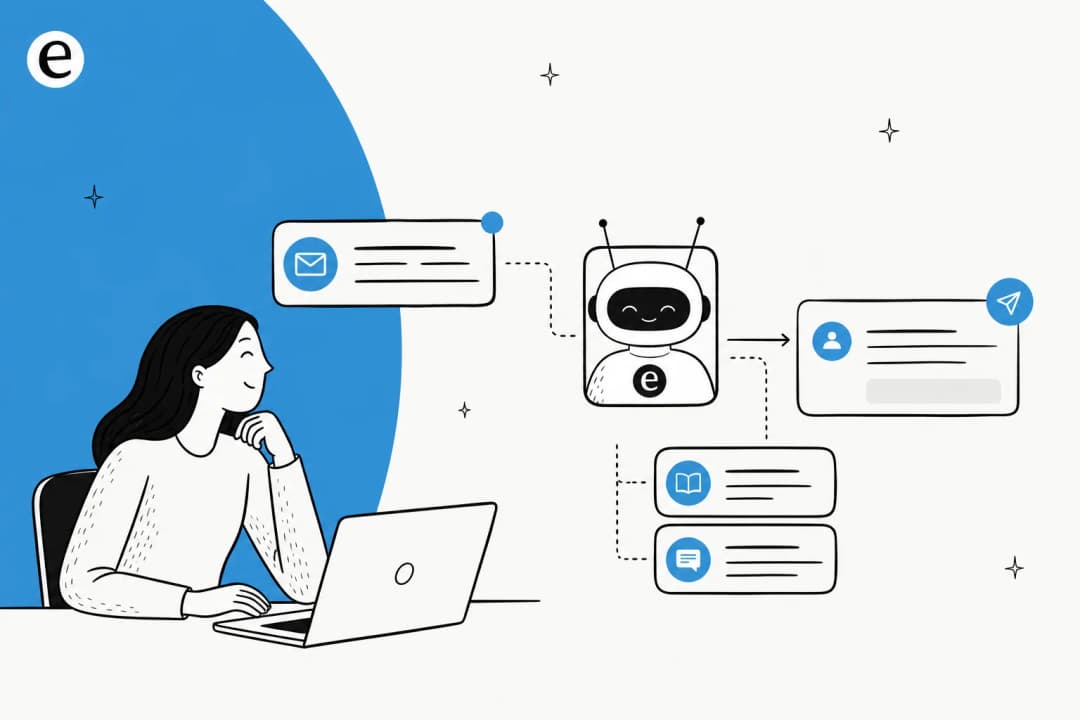
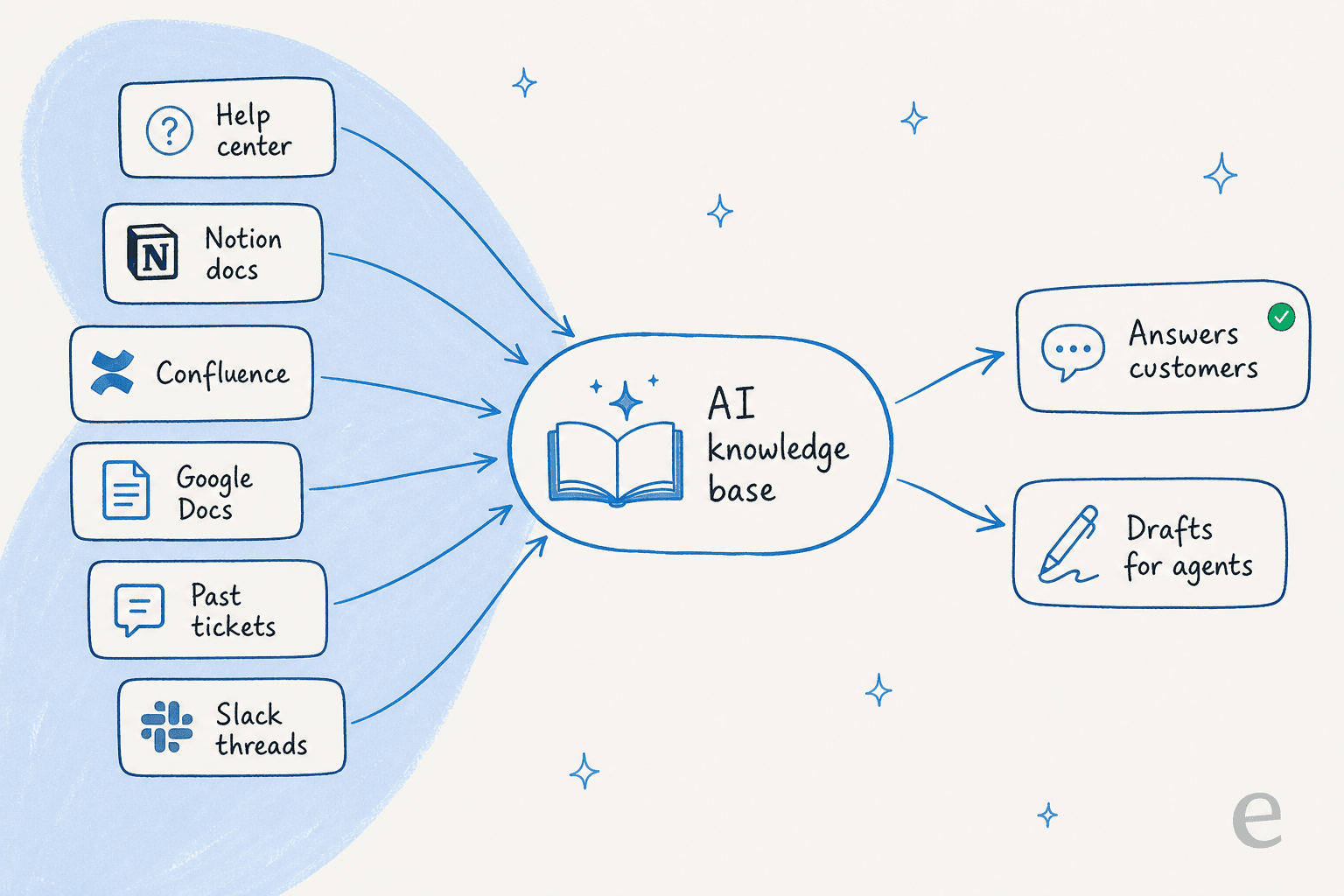
First, it reads everything at once. Not just published help articles, but your internal runbooks, your Google Docs, your product specs, and your historical tickets. Second, it answers rather than retrieves. Ask a normal help center "how do I rotate my API key" and you get a search results page. Ask an AI knowledge base and you get the three steps, drawn from the right doc, with a link to that doc so the reader can verify.
The mechanism underneath is retrieval-augmented generation, or RAG. The model doesn't answer from its own memory; it retrieves the relevant passages from your content first, then writes a reply grounded in them. If you want the deeper version of why that matters, we wrote up RAG versus a raw LLM and retrieval versus hybrid search for support specifically. The one-line version: grounding the answer in your docs is what keeps it from making things up. Mostly.
Plenty of teams start small by wiring up a ChatGPT knowledge base or one of the AI documentation assistants we've tested, then graduate to something purpose-built for support once the volume gets real.
Why SaaS is its own special case
SaaS support has a knowledge problem that's different in shape from, say, retail. Three things make it harder.
Your knowledge lives in more places. A SaaS company rarely keeps everything in one tidy help center. Product docs are in Confluence, how-tos are in Notion, engineering answers are in Slack threads, and the real answers to the hard questions are sitting in resolved tickets. A meeting-productivity SaaS we work with put it plainly: their agents used to dig through Notion, Google Docs, and the help center to answer a single ticket.
Your product changes weekly. A help doc written for last quarter's UI is worse than no doc, because the bot will state it confidently. SaaS docs go stale faster than almost any other category, which is why detecting outdated content has to be part of the system, not an afterthought.
Your docs are often written for the wrong reader. I've seen a knowledge base written entirely for admins while every inbound ticket came from end users. The content was technically correct and practically useless, and a naive bot just amplifies that mismatch.
This is the part that's easy to underrate. The AI is rarely the bottleneck; the state of your knowledge is. Auditing and tidying your source docs before you switch anything on is the single highest-leverage thing you can do, and it's worth reading our guide to AI-powered knowledge base management before you start.
The part everyone gets wrong: accuracy
Here's the thing that kills AI knowledge base projects, and it's not the model quality. It's trust. One confidently wrong answer about billing, security, or what your product can do, and your team stops believing the bot, your customers stop believing your support, and you've spent budget to make things worse.
We've lived this. Early on, a bot with no hard confidence threshold fabricated a subscription detail and sent it to a real customer because retrieval came back empty and the model filled the gap from its training data. That's the failure mode you're designing against. The defenses that actually work:
- Scope retrieval to curated sources. The bot draws only from content you've approved, not the whole unfiltered archive.
- Cite the source on every answer. If the reader can click through and check, trust survives the occasional miss.
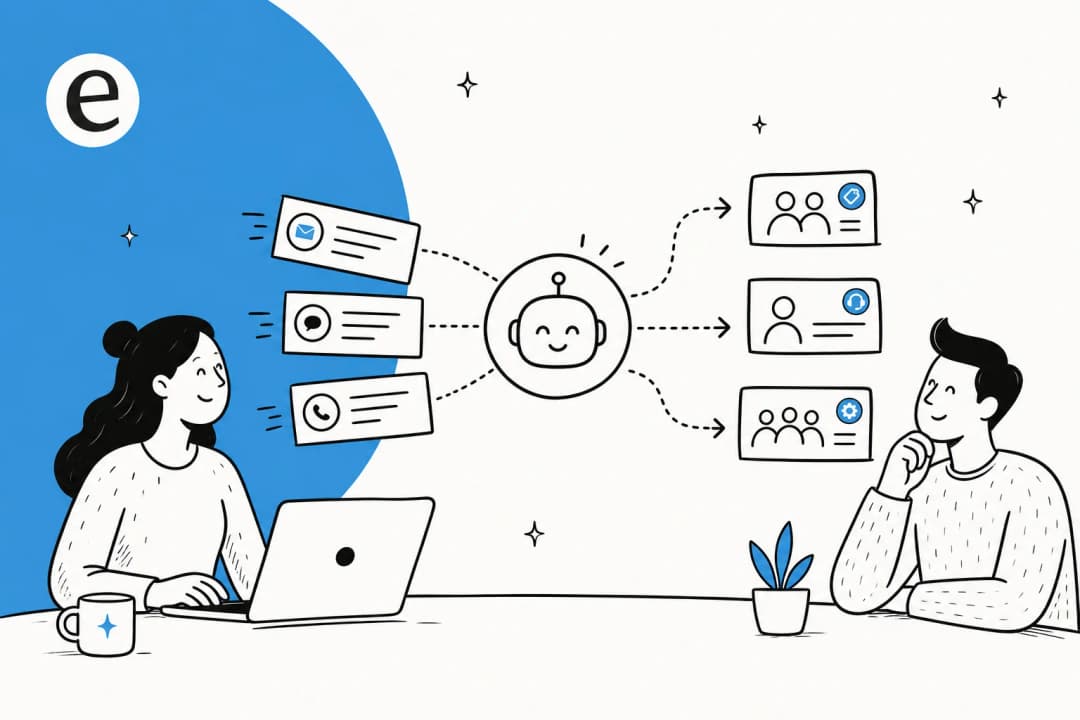
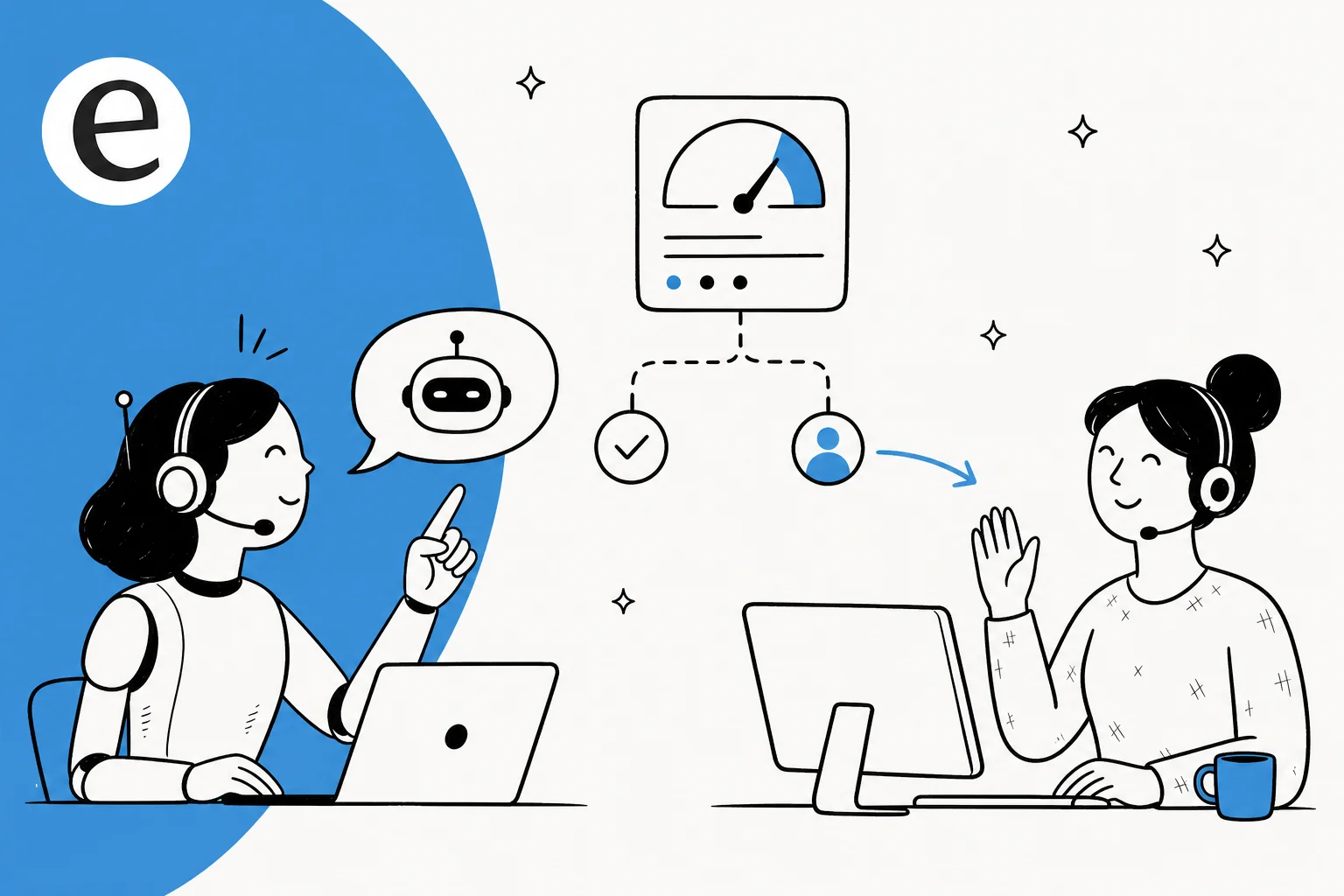
- Route by confidence. A low-confidence question shouldn't get a confident answer. It should become a draft for a human to approve, or an escalation, with the full conversation attached so nobody re-explains.
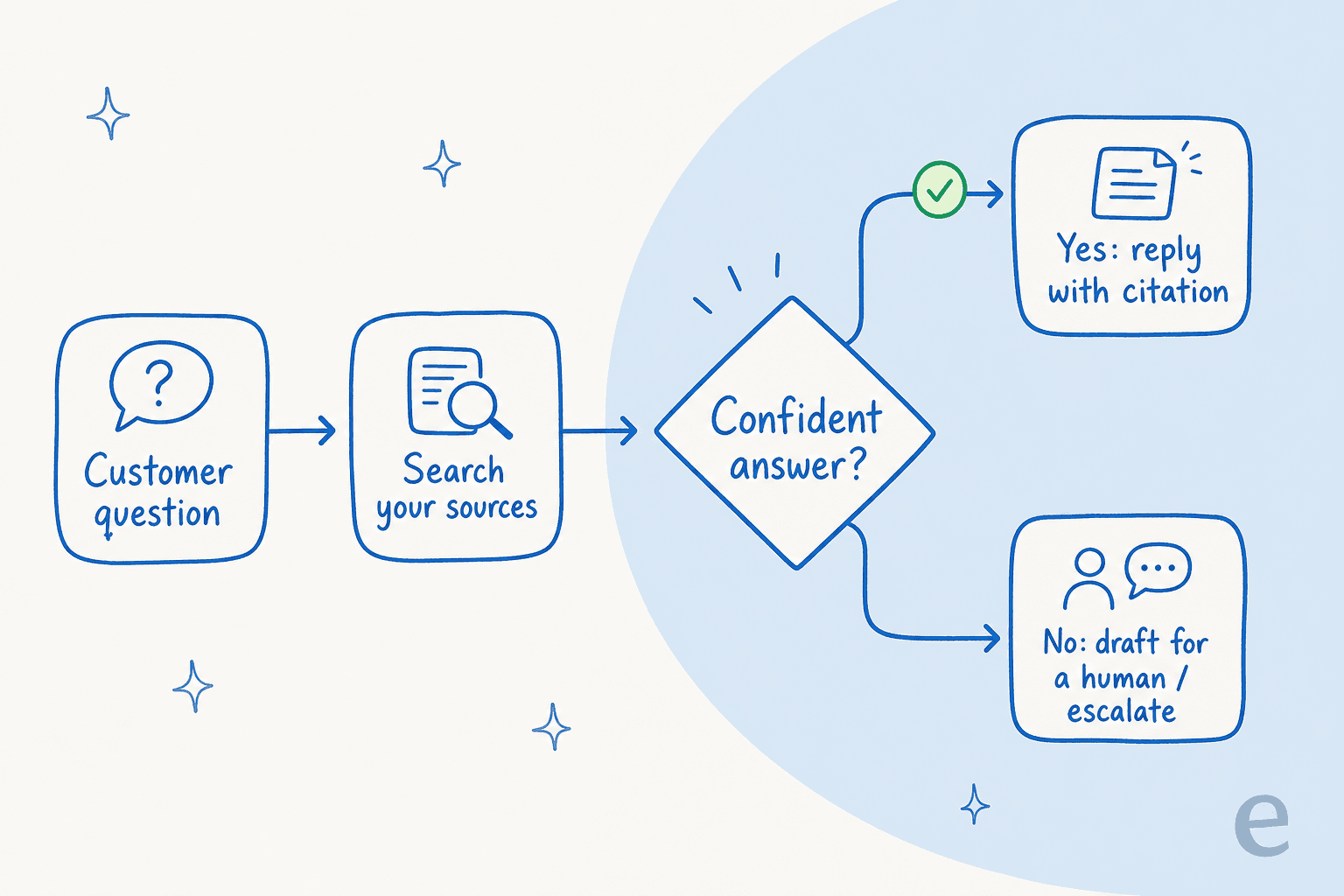
That last one is the whole ballgame. A SaaS founder running a legal-tech product said the reason they could use AI at all was that they could set "exact guardrails on sourcing" and get transparent citations. Another customer, on an SMS platform, summed up the bar nicely:
"It answers confidently but not too confidently, and training it has been super easy."
Kellen Brown, Textla (G2 review)
"Confidently but not too confidently" is exactly the line you're tuning. If your shortlist of tools can't show you how they handle the I don't know case, that's the demo to ask for. We dug into why bots get this wrong in why chatbots answer incorrectly.
How I'd build one for a SaaS team
Assuming your docs are in reasonable shape, here's the sequence I'd actually follow.
1. Connect your sources, including past tickets
Start by pointing the system at everything: your help center, your Confluence and Notion spaces, Google Docs, and crucially your resolved tickets. For SaaS support, training on historical tickets is usually the biggest unlock, because that's where the real answers to the awkward questions live, phrased the way your team actually phrases them. eesel connects to over 100 sources and your existing helpdesk, so this is configuration, not a migration.

A D2C SaaS we work with chose us specifically because they could link "CSVs, Zendesk, and Google Docs as sources" to make the most of documentation that was, in their words, scattered. That's the normal starting state. The point isn't to tidy everything into one tool first; it's to let the AI read across the mess you already have.
2. Simulate on past tickets before anyone sees it
This is the step most tools skip and the one I'd refuse to launch without. Before the agent touches a live conversation, run it against a few thousand of your historical tickets and look at the numbers: what percentage it would have resolved, where it got confused, which themes have no coverage. You get to see the resolution rate and the error rate on your traffic before a single customer is exposed to it.
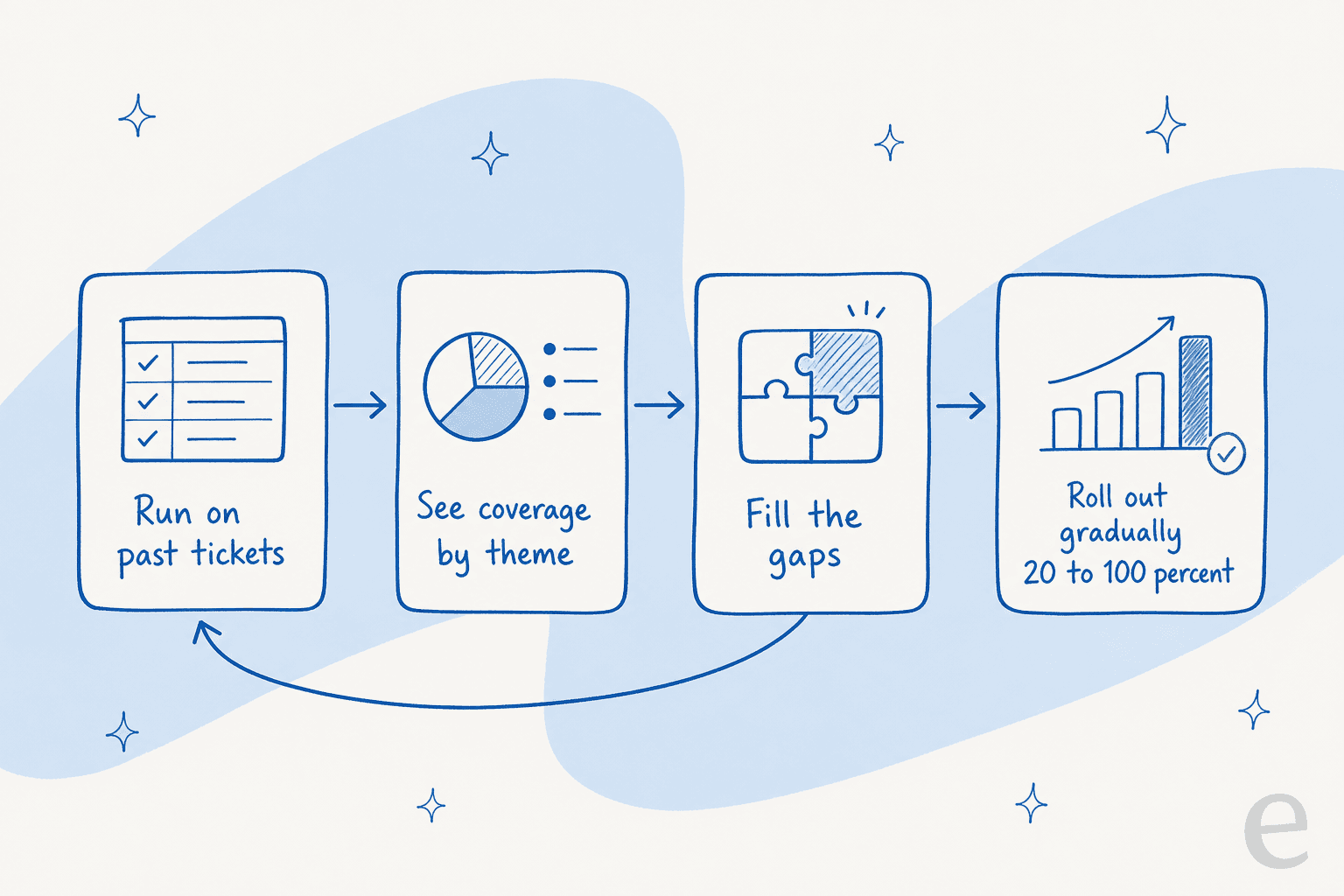
In one real cross-validation on live Zendesk traffic, we measured 93% triage accuracy and caught a 7% factual error rate before going fully autonomous, which is exactly the kind of thing you want to find in simulation, not in production. Fill the gaps the simulation surfaces (the AI can even draft the missing articles for you), then re-run.
3. Roll out gradually, not all at once
Don't flip everything to autonomous on day one. Start with the agent drafting replies for human review, or handling only a few low-risk ticket types, then widen the autonomy as the numbers earn it. Because eesel bills per ticket handled, routing only 200 of your 1,000 monthly tickets through it costs you 200 tickets, not a platform fee for the privilege. A gradual rollout is also just good change management; your team trusts the thing more when they watched it prove itself.

4. Tune it in plain language and watch the gaps
Once it's live, you shouldn't need an engineer to adjust it. Telling the agent "don't promise refunds, escalate those to a human" should be a sentence, not a config file. And the reporting should show you which questions are getting weak answers so you can fix the underlying doc, closing the loop between support and your knowledge base.

Build it yourself, or buy?
For SaaS teams especially, there's always the "we'll just build it on the Claude or OpenAI API" option, and sometimes that's the right call. But the maintenance is the part people underestimate: retrieval quality, evals, source syncing, confidence thresholds, and the helpdesk plumbing are a product, not a weekend project. An engineering lead at a crypto-hardware company with a 300-plus article knowledge base put the trade-off well:
"We could try to write our own LLM application but we didn't want to invest our time into that. We wanted something that we would not have to maintain."
Karel, GENERAL BYTES (case study)
If your differentiation is your support AI, build it. If your differentiation is your actual product, buying the layer and spending your engineers on the roadmap is usually the better trade. We compared the broader market in our best AI knowledge base tools and knowledge management for support roundups if you want to see the field.
What it costs
Pricing is where SaaS teams get burned, because the billing unit matters more than the sticker price. Per-seat tools look cheap at five agents and punishing at fifty. Per-resolution and per-conversation models behave differently again. Here's how eesel's usage-based model works.
| Plan / item | Price | What you get |
|---|---|---|
| Free trial | $0 | $50 of free usage plus 2 free blog generations, every feature unlocked, no credit card |
| Light task | Free | Dashboard questions and simple lookups |
| Regular task | $0.40 each | One ticket or one chat session, regardless of message count |
| Heavy task | $4.00 each | One blog post draft per run |
| Pay-as-you-go | from $0.40 / ticket | No platform fee, no per-seat fee, no monthly minimum |
| Annual commit | 25% off | Commit to $300+/month for the year |
| Enterprise | $1,000/month + usage | Dedicated engineer, higher KB limits, SSO, HIPAA, BAA |
The thing I'd highlight: you're billed per ticket or chat handled, not per seat and not per message. A 20-message back-and-forth is still one task. Here's what that looks like in practice:
| Tickets per month | Monthly cost |
|---|---|
| 100 | $40 |
| 500 | $200 |
| 1,000 | $400 |
| 2,500 | $1,000 |
And you're never charged for tickets your humans handle, so a partial rollout has a partial bill. If you want to sanity-check the savings side of the equation, our how much AI saves analysis runs the numbers on real teams.
Where it still falls short
I promised honesty, so: an AI knowledge base is only as good as the knowledge. If your docs are thin, contradictory, or written for the wrong audience, the bot will be too, and no amount of model tuning fixes a content problem. It also won't replace your team. The right mental model is a copilot and first responder, with the genuinely hard, judgment-heavy tickets still going to humans. If you're early-stage and your volume is tiny, the honest answer might be "not yet"; our AI support scaling guide covers when it starts to make sense.
And one disclosure, since we integrate with most of these helpdesks: I work on eesel, so weigh my take accordingly. I've tried to point you at the questions to ask any vendor, not just the ones that flatter us.
Try eesel for your SaaS knowledge base
eesel is an AI layer that sits on top of your existing helpdesk, whether that's Zendesk, Freshdesk, Front, Gorgias, or HubSpot. It reads your scattered docs and past tickets, answers with citations, and lets you simulate the whole thing on historical tickets before go-live, so you see the resolution rate before your customers do. It's self-serve, usage-based, and you can start free without a sales call.
The fastest way to judge it is to point it at your own knowledge and run a simulation on your real tickets. Start free and see what your resolution rate looks like before you commit a dollar.
Frequently Asked Questions
What is an AI knowledge base for SaaS?
How is an AI knowledge base different from regular help center search?
How do I stop an AI knowledge base from hallucinating?
How much does an AI knowledge base cost for a SaaS company?
Can an AI knowledge base learn from our past support tickets?


Article by
Alicia Kirana Utomo
Kira is a writer at eesel AI with a Computer Science background and over a year of hands-on experience evaluating AI-powered customer service tools. She focuses on breaking down how helpdesk platforms and AI agents actually work so that support teams can make better buying decisions.