Hiver pricing at a glance
Hiver sells two products now, and both use the same price ladder. The numbers below are for Hiver for Gmail, the original Chrome-extension product that lives inside Gmail (we cover Hiver Omni further down). All paid plans are per user, per month, and each shows two figures: the lower annual rate and the higher monthly rate, per the Hiver pricing page.
| Plan | Annual (per user/mo) | Monthly (per user/mo) | Best for | AI included |
|---|---|---|---|---|
| Free | $0 (free forever) | $0 | Tiny teams getting started | None |
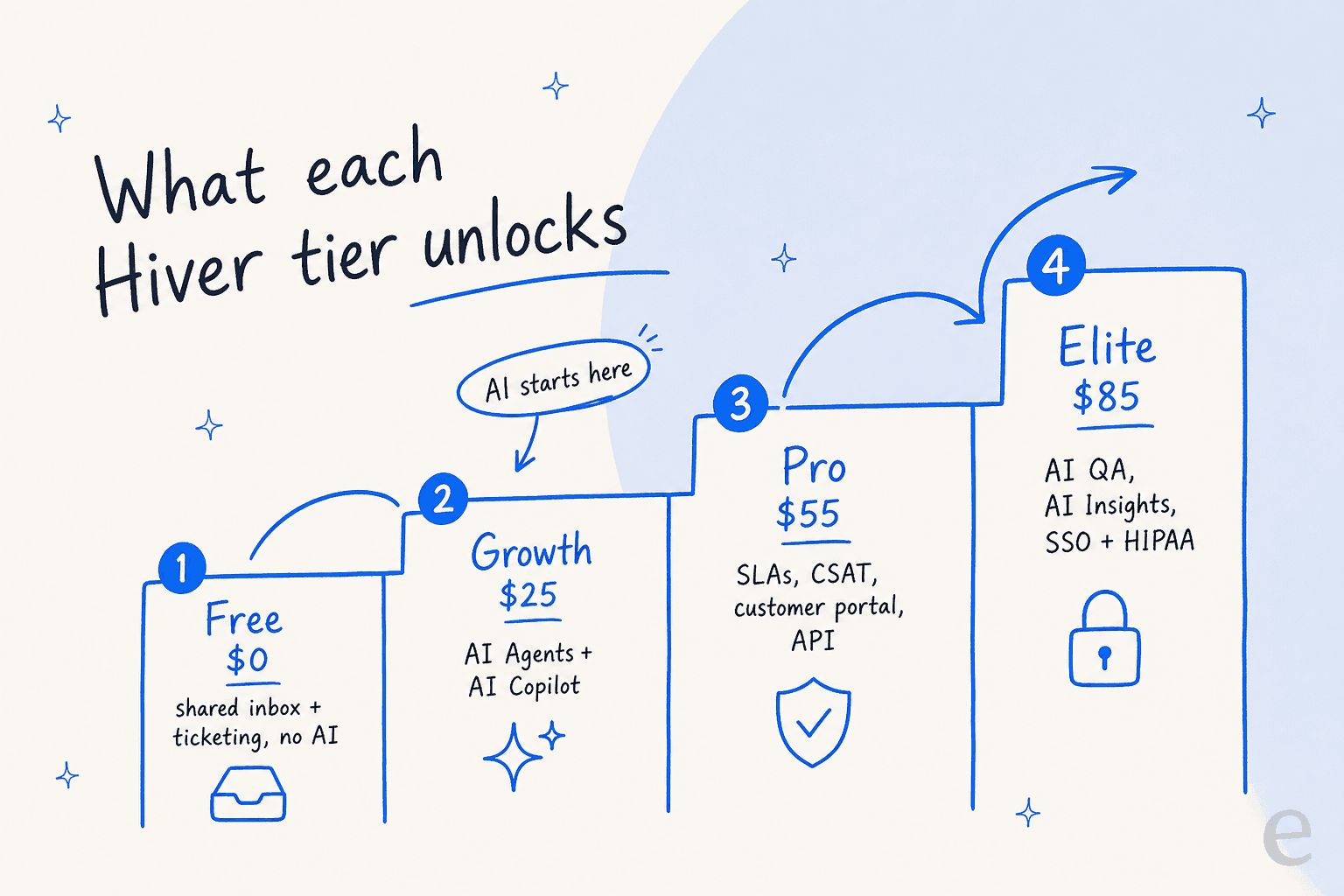
| Growth | $25 | $35 | Small teams that want AI without the overhead | AI Agents + AI Copilot |
| Pro (Most Popular) | $55 | $65 | Teams adding SLAs, portal, and API | AI Agents + AI Copilot |
| Elite | $85 | $95 | Teams needing advanced AI, SSO, and HIPAA | + AI QA, AI Insights, AI Knowledge Hub |
A few things that do not show up in a tier grid but matter to your invoice:
- 2-seat minimum on every plan. Seats scale from 2 to 5, then in blocks of 5 (10, 15, 20, and so on), per Hiver's pricing FAQ. You cannot buy a single seat.
- Growth caps at 10 users. Pro and Elite are unlimited, per Hiver's team and permissions docs. If your team grows past 10, you are pushed onto Pro whether or not you wanted its other features.
- The free trial is 7 days of full Elite access, no credit card to start. When it ends, you either pick a paid plan or the account is suspended (you can then drop to Free).
- Security certifications (GDPR, SOC 2 Type II, ISO 27001, CCPA, HIPAA) are real, but SSO, HIPAA handling, and custom roles are gated to Elite.
If you are still mapping the category, our guides to the best ticketing system for small teams and the difference between a shared inbox and a ticketing system are a good place to frame where Hiver sits.
How Hiver actually bills you
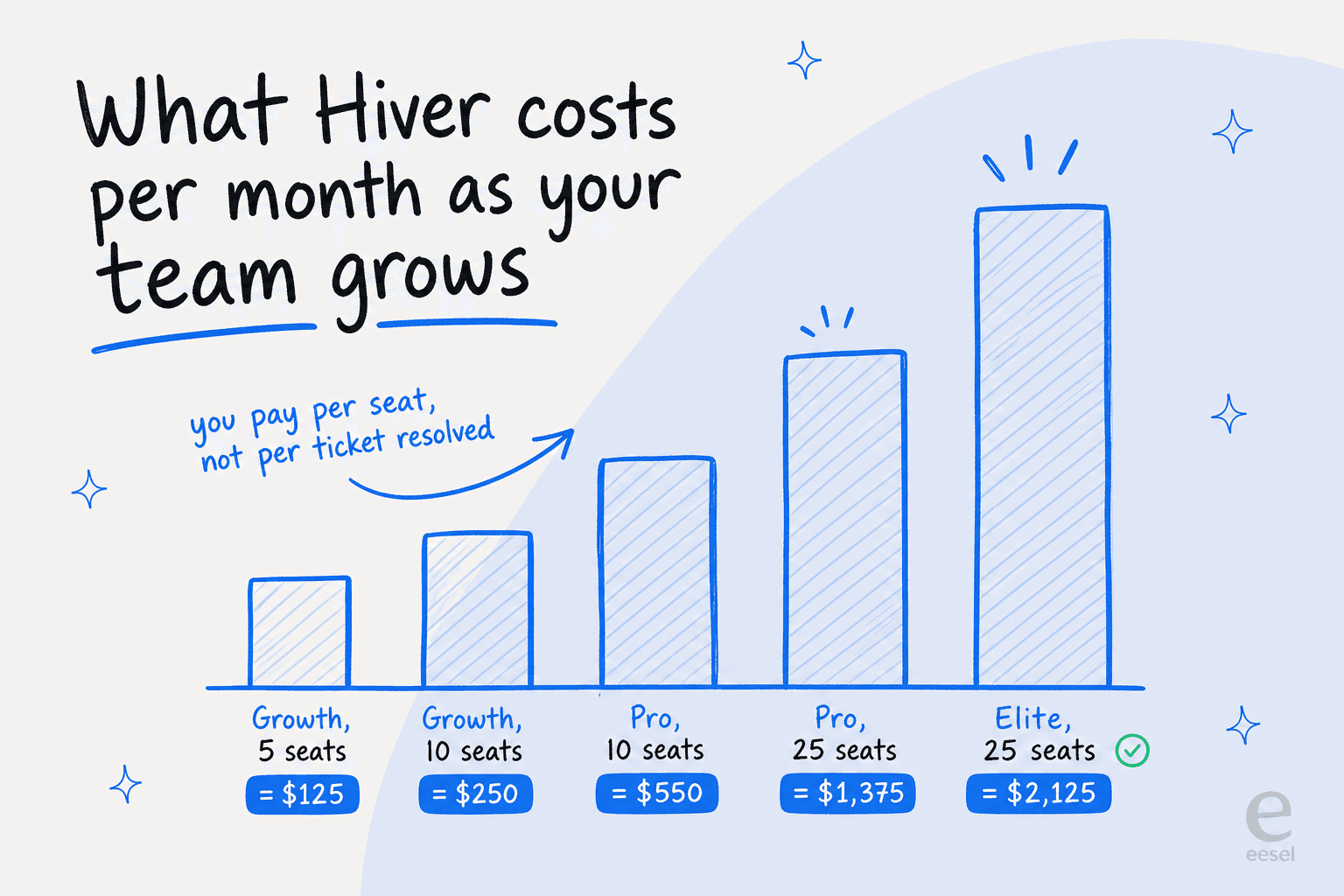
This is where a pricing post earns its keep. The sticker price is per seat, so your real monthly cost is seats x plan price, and it climbs every time you add an agent.
Here is what that looks like at real team sizes:
| Team | Plan | Monthly cost | Annual cost |
|---|---|---|---|
| 5 agents | Growth ($25) | $125 | $1,500 |
| 10 agents | Pro ($55) | $550 | $6,600 |
| 25 agents | Elite ($85) | $2,125 | $25,500 |
You can see the shape of this directly in Hiver's own checkout. Pick Growth with 5 seats on annual billing and the total lands at exactly $1,500 a year, with a "Save $600" badge for choosing annual over monthly.
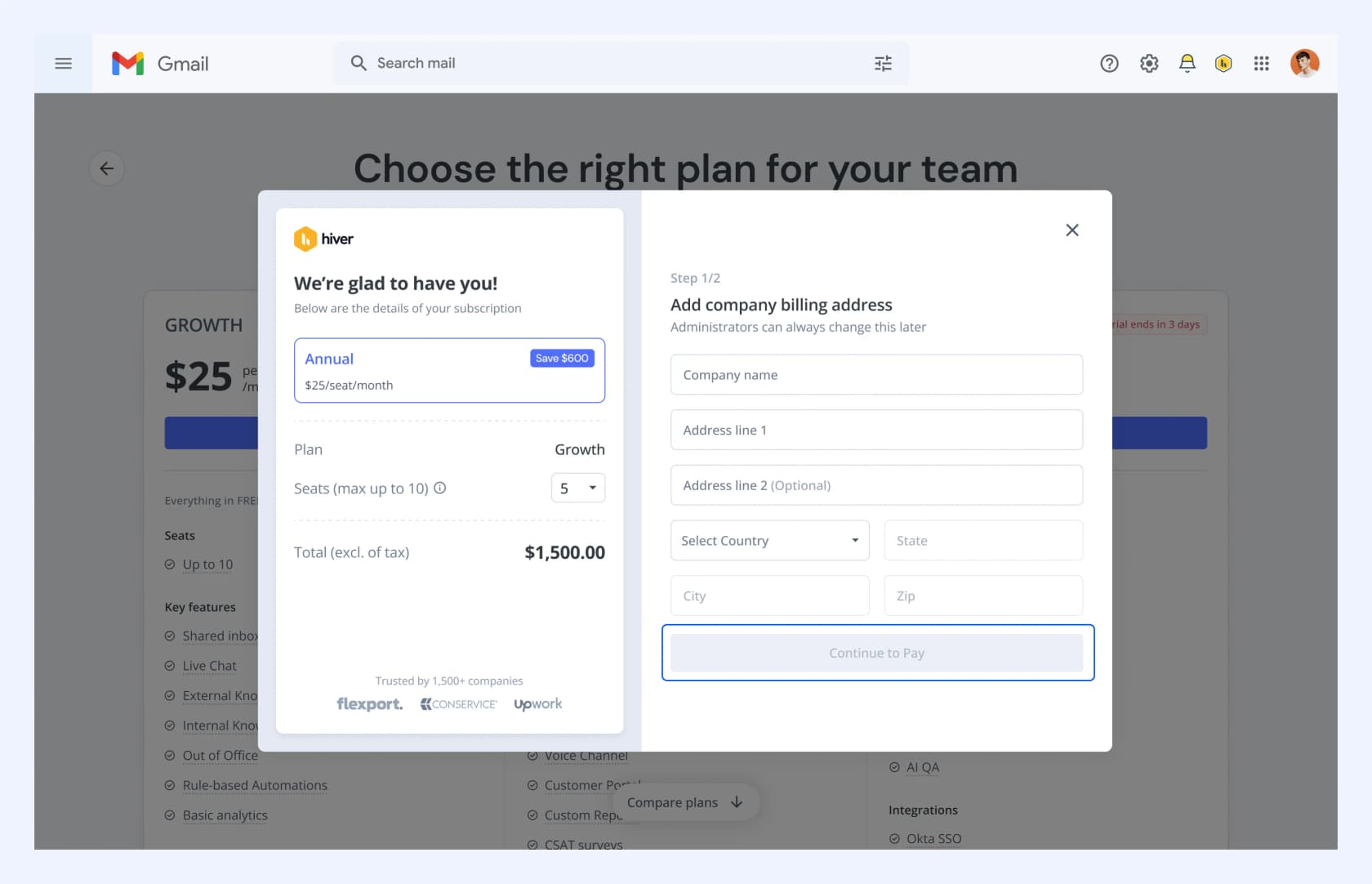
That $600 saving is the annual discount in practice: the $10-per-seat-per-month gap between annual ($25) and monthly ($35) adds up fast across seats. Billing runs through Stripe, and helpfully, deleting a user frees their paid seat immediately, per Hiver's team docs.
The thing worth internalizing is the curve. Because the unit is the seat, your Hiver bill is a function of how big your support team is, not how much work the AI takes off their plate.
We have spent the last few years putting AI agents on real support queues, across teams resolving anywhere from a few hundred to over 100,000 tickets a month, and this is the single distinction that trips buyers up. A per-seat tool rewards you for keeping the team small. A per-ticket tool rewards you for deflecting volume. Neither is wrong, but they pull in opposite directions, and the right answer depends on whether your pain is headcount or ticket load. We will come back to that below.
What the AI tiers actually get you
Hiver's 2026 repositioning leans hard on AI, so a lot of the price difference between tiers is about which AI you unlock. The good news for budgeting: there is no separate per-resolution AI meter on the Gmail pricing page. AI rides along with the tier.
Growth and Pro: AI Agents and AI Copilot
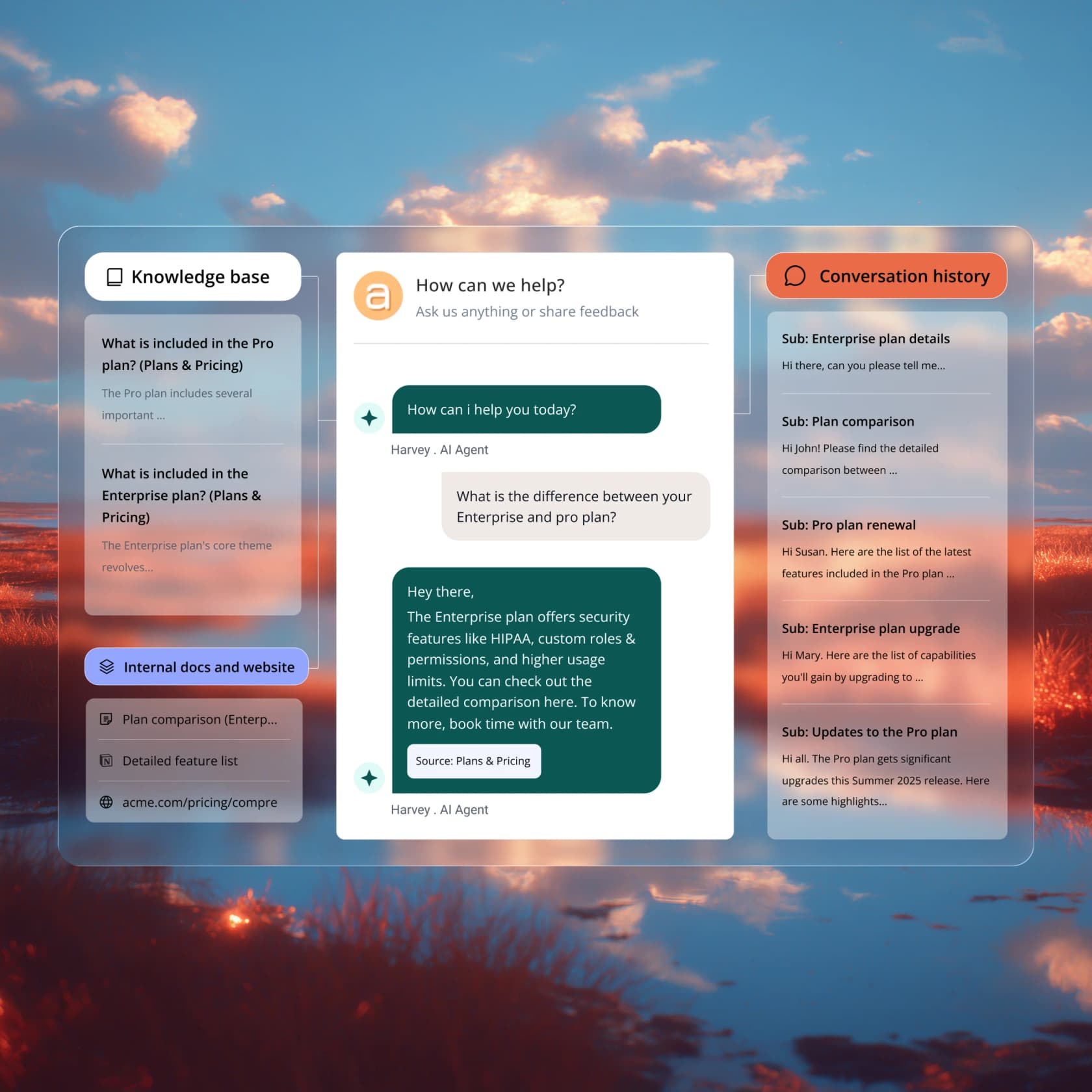
AI Copilot is the assist layer: it drafts replies, pulls answers from your knowledge base, summarizes long threads, and suggests next steps. AI Agents is the automation layer: it resolves common questions end to end (order status, password resets, basic policy), runs multi-step tasks, and detects closure phrases to wrap up "thanks, that's all" replies. Both show up from Growth, so the cheapest paid plan already includes the AI most teams actually want.
Pro does not add new AI line items over Growth. What you pay the extra $30 a seat for is the operational layer: a customer portal, SLAs and CSAT surveys, advanced analytics, premium integrations (Asana, Shopify, CRMs), and API access. That is a meaningful jump if you need SLAs, and nothing if you do not.
Elite: the advanced AI and security tier
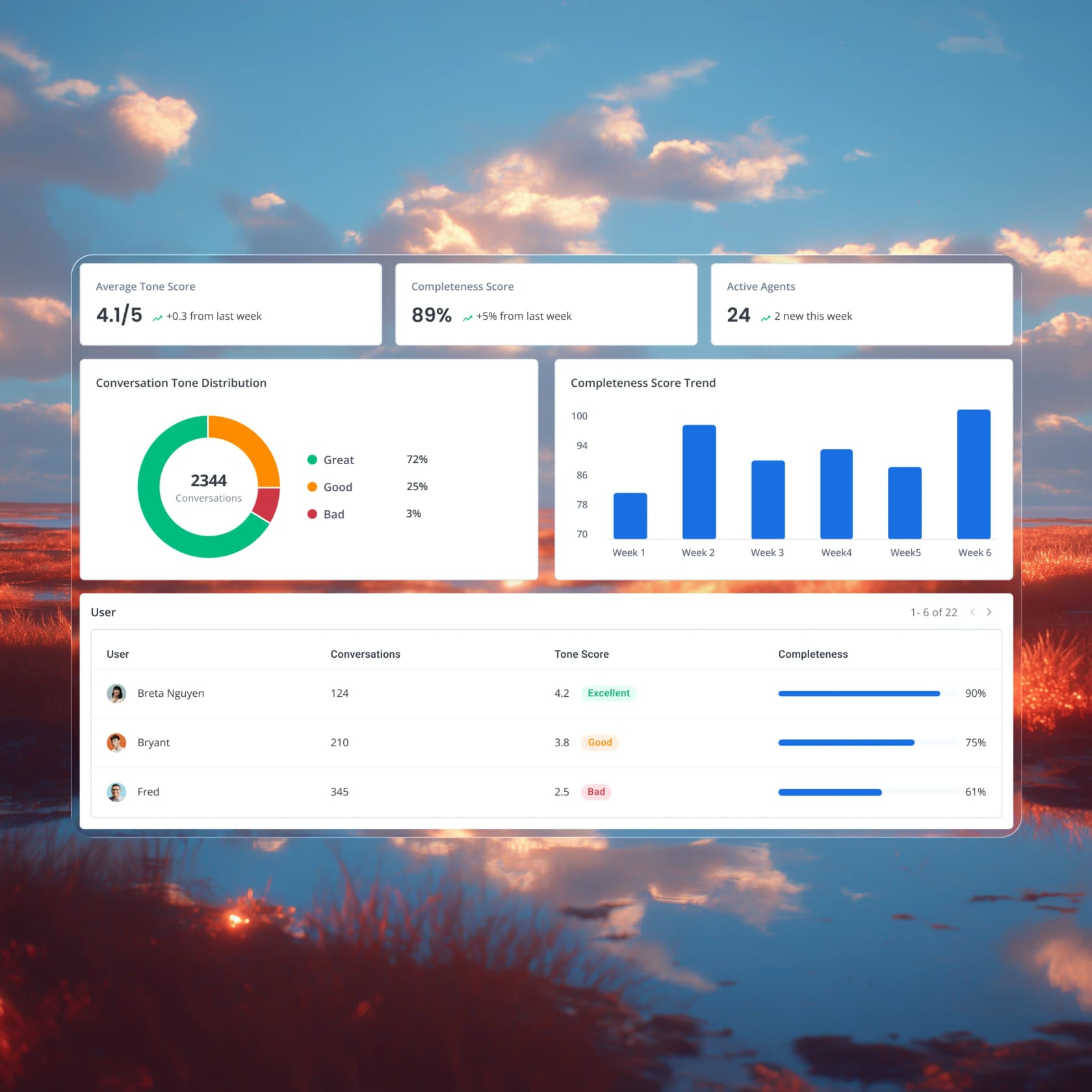
Elite is where Hiver puts AI QA (auto-scoring every conversation for tone and completeness), AI Insights (auto-grouping tickets into topics), and the AI Knowledge Hub. It is also the only tier with SSO, HIPAA handling, and custom roles, so for regulated buyers Elite is less a choice than a requirement.
One honest caveat. Independent testing of Hiver's AI is thin on the ground. Most of the detailed AI claims come from Hiver's own marketing, and the few neutral user signals are lukewarm: one Capterra reviewer noted "the AI functionality felt limited and could be expanded," and a G2 reviewer called the AI features "relatively basic compared to more advanced AI-driven platforms." It works, but if AI resolution rate is the main thing you are buying, test it against your own tickets before committing a year. For the broader field, our review of the best AI helpdesk software and the best AI for support ticket triage are useful comparisons.
Hiver in Gmail vs Hiver Omni
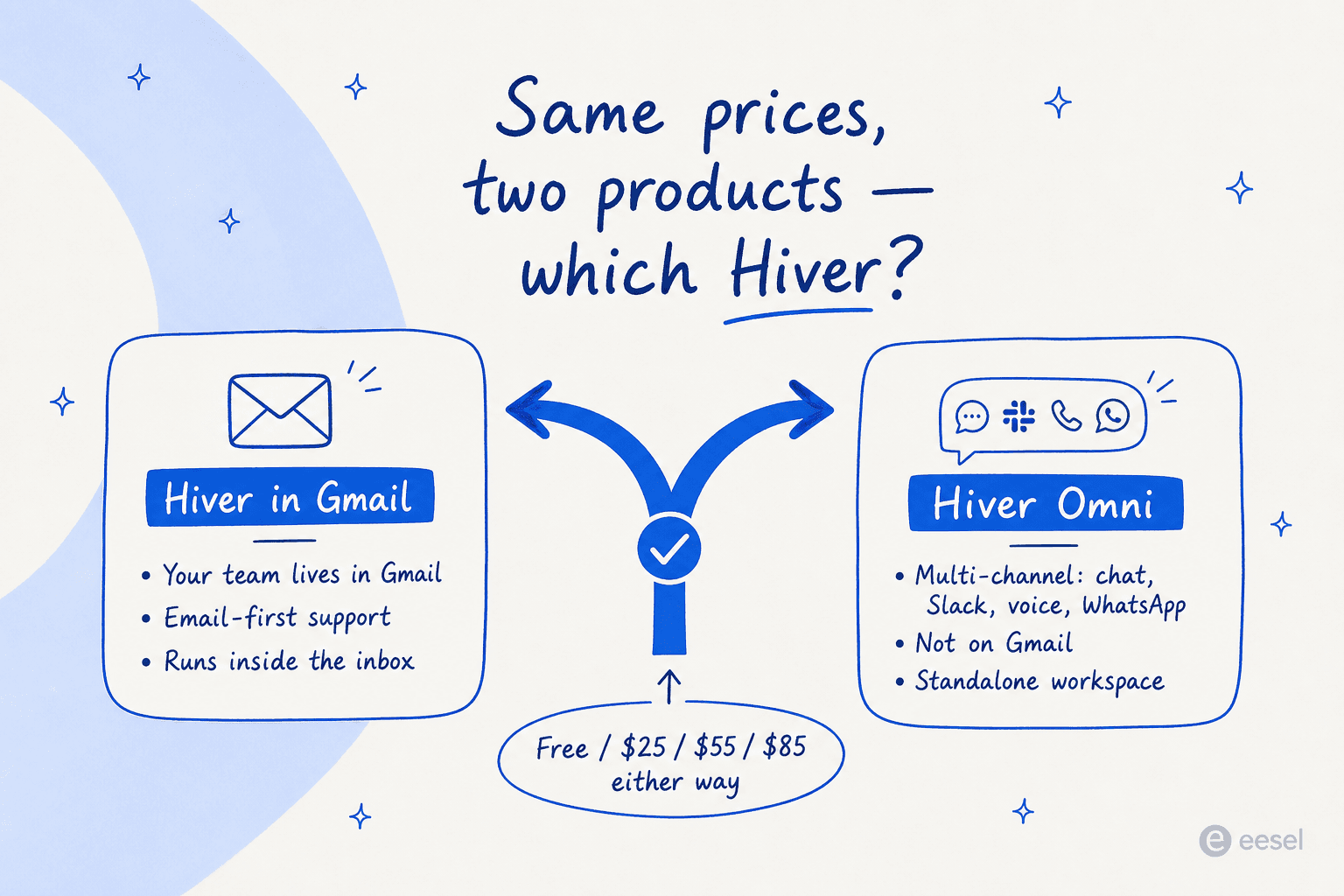
Here is a wrinkle that confuses buyers: Hiver now ships two products at the same prices. Hiver Omni is a standalone omnichannel workspace (it grew out of the old Hiver for Outlook) that unifies email, live chat, Slack, voice, WhatsApp, and social. It uses the identical Free / $25 / $55 / $85 ladder, so the deciding factor is not cost, it is channels and where your team works.
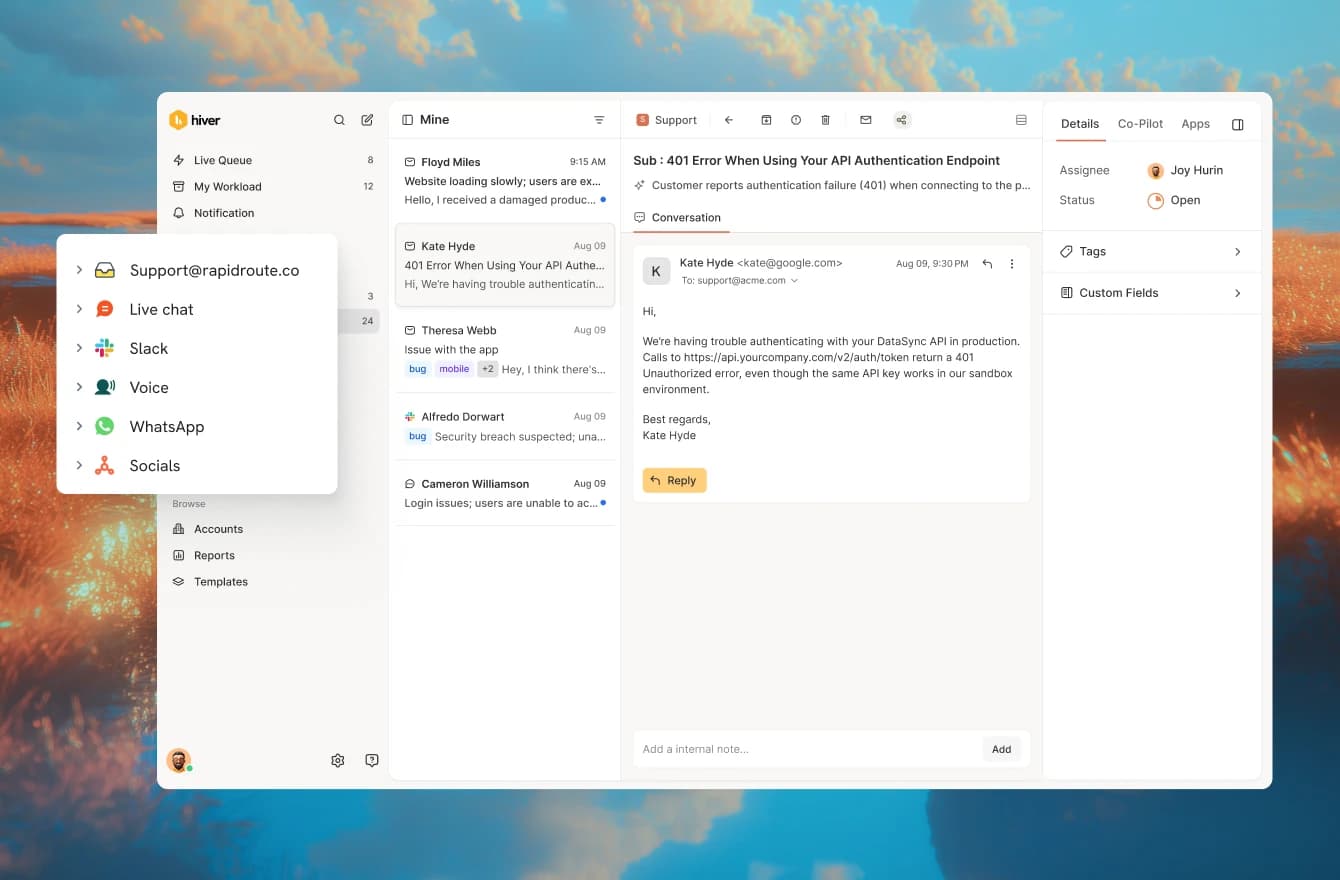
Pick Hiver in Gmail if your team already lives in the inbox and support is email-first. Pick Hiver Omni if you are juggling multiple channels or are not on Gmail at all. On Omni, note that voice is an add-on at the Growth tier and Slack arrives at Pro, so the channel you care about may sit higher up the ladder than the base price suggests.
Hiver also positions itself loudly against legacy ticketing, claiming channels are native rather than paid add-ons. That is a fair jab at tools where every channel is a separate line item, and it is worth weighing if you have been burned by Zendesk's add-on pricing or are shopping Freshdesk AI pricing.
Is Hiver worth it? What real users say
Short version: for Gmail-first teams, the reviews are warm. Hiver holds a 4.6/5 across 1,283 reviews on G2 and a 4.7/5 on Capterra, with Value for Money at 4.5. The recurring reason people pick it is adoption speed, because it runs inside the inbox they already use.
"We ended up going with Hiver since it just runs inside Gmail, so there wasn't much to learn. It gave us shared inboxes, internal notes, SLA..."
That snippet is from a CS practitioner in a Zendesk vs Front thread on r/CustomerSuccess, and it captures the whole pitch. The community consensus is consistent: pick Hiver if you are on Gmail, Help Scout if you are support-first, and Front if you are team-collaboration-first. In one r/CRM thread about leaving Zendesk over cost, Hiver gets named alongside Groove as a lightweight, affordable escape route.
On the paid plans being worth it, the most balanced take comes from a small-business reviewer on G2:
"I have not found a single thing I don't love about Hiver. However, I will say it is very expensive. Having said that, the issues it solves and the time it saves make it worth it."
That "expensive but worth it" framing shows up a lot, as relayed in G2's Hiver reviews. But the per-seat math is exactly where the doubters live. One Capterra reviewer ran the numbers out loud, pointing out that once you need more than one shared inbox the per-seat cost roughly doubles your effective Google Workspace spend, "which then starts to crank up the price making it seem like less of a value." And the sharpest negative review on file, marked non-incentivized, is about billing rather than features:
"Extreme disappointment with Hiver's billing practices. We were overcharged $450, and we were informed that a refund is not possible."
That is one reviewer's experience, captured in Hiver's Capterra reviews, and most billing interactions clearly go fine given the aggregate scores. It is worth flagging, though, alongside one authenticity caveat: a large share of Hiver's recent reviews carry a "Vendor Referred / Incentivized" label, while the strongest negative one does not. Read the ratings with that skew in mind.
The per-seat catch, and when to look elsewhere
So here is the deciding scenario. Imagine you are a 12-person support team fielding 8,000 tickets a month, and AI is now resolving 60% of them on its own. With Hiver, your bill does not move when the AI deflects those 4,800 tickets, because you are paying for 12 seats either way. You have automated the work but kept paying for the headcount.
This is the friction we hear constantly from teams shopping around. One ops lead at a payouts fintech doing roughly 7,000 to 8,000 escalated tickets a month told us per-interaction pricing was a non-starter, and we have watched high-volume teams (one at 17,000 tickets a month) conclude the same about any model that does not track the actual work. The unit you are billed on quietly decides who the pricing rewards.
That is the gap eesel is built for, and to be upfront: we integrate with helpdesks rather than replacing your inbox, so this is our lens. eesel is an AI layer that plugs into the helpdesk you already run, and it is billed per ticket it handles, from $0.40 a ticket with no per-seat fee and no platform minimum on the self-serve plan. Route only 200 of 1,000 monthly tickets and you pay for 200. If your pain is ticket volume rather than seat count, that is a fundamentally different curve from Hiver's.
To be fair about the tradeoff: Hiver gives you the actual shared inbox, the collaboration layer, and the SLAs. eesel does not replace that, it sits on top of it (including on Gmail and on most major helpdesks). If you need the inbox itself, you still need something like Hiver, Help Scout, or Front underneath. The question is just whether your AI should be billed by how many people you employ or by how much work it does.
Try eesel
If the per-seat curve is the part of Hiver that gives you pause, eesel is worth a look. It is an AI helpdesk agent that learns from your past tickets and help docs on day one, drafts and resolves tickets inside your existing helpdesk, and is billed purely on the tickets it handles, not on how many agents are on your team. The differentiator we lean on most: you can run a simulation against thousands of your real historical tickets before going live, so you see the resolution rate and the cost per ticket up front instead of guessing.

You can try eesel free with $50 of usage and no credit card, or compare it against the field in our rundown of the best customer service AI platforms.
Frequently Asked Questions
How much does Hiver cost?
Is there a free version of Hiver?
Does Hiver charge extra for AI?
What is Hiver's cheapest paid plan?
How does Hiver's per-seat pricing add up for a 10-person team?
Hiver in Gmail vs Hiver Omni: do they cost the same?
Is Hiver worth the price?


Article by
Alicia Kirana Utomo
Kira is a writer at eesel AI with a Computer Science background and over a year of hands-on experience evaluating AI-powered customer service tools. She focuses on breaking down how helpdesk platforms and AI agents actually work so that support teams can make better buying decisions.