

Most Gmail-based help desks promise simplicity but end up cluttering your inbox with hundreds of nested labels. We tested 15 shared inbox tools through a 30-day team trial; only seven successfully moved the needle on response times. The one architectural choice that separated the winners from the "label jungles," and our top picks, below.
Hiver has been a staple for teams who want to manage support tickets without leaving the comfort of their Gmail tab. But as we move into 2026, the cracks in the extension-based model are becoming harder to ignore. What starts as a convenient way to collaborate on emails often turns into a maintenance nightmare of syncing errors, visual clutter, and limited functionality for anything that isn't a standard email thread.
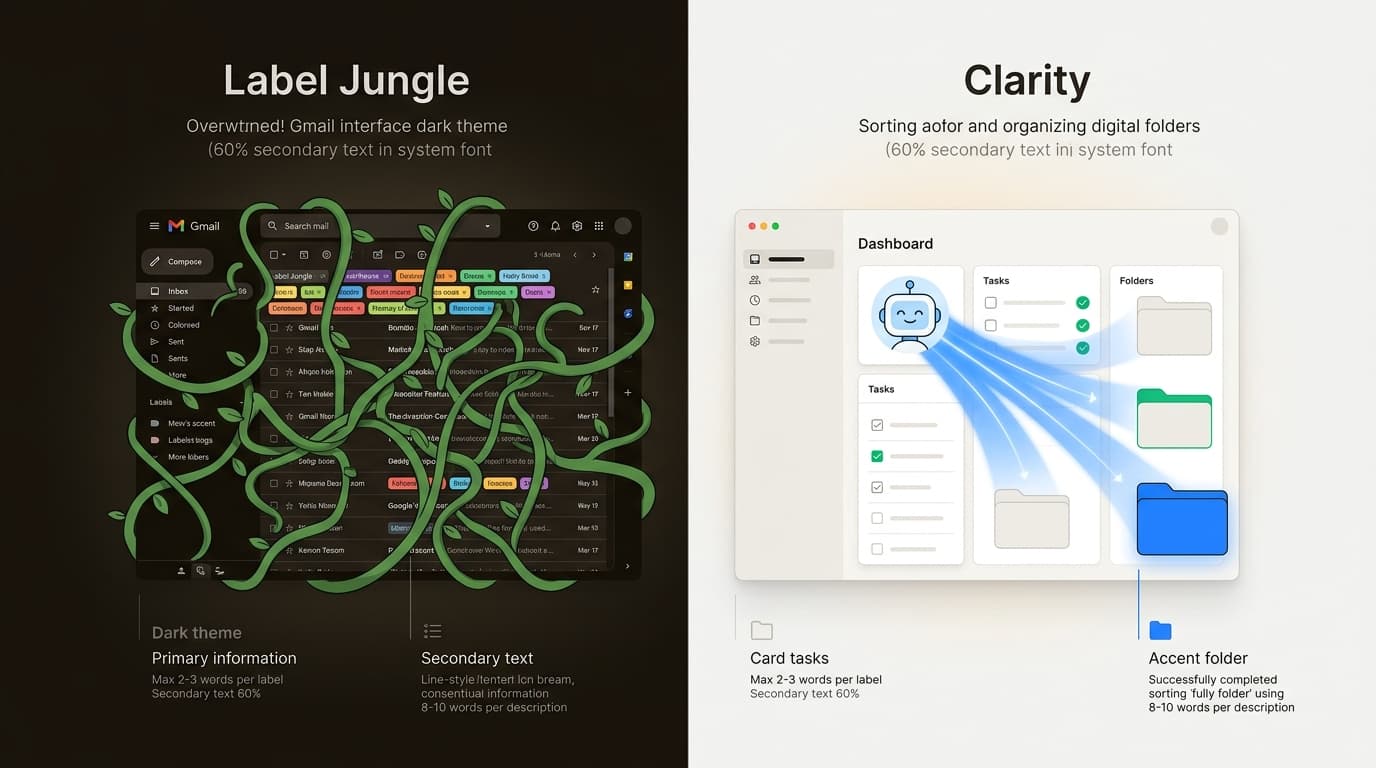
If you have ever found yourself staring at a Gmail sidebar with 400 nested labels or struggling to manage a WhatsApp conversation through a tool built strictly for IMAP, you are likely ready for a change. Let's break down why teams are moving on and which Hiver alternatives are actually worth your time.
Why teams are moving away from Hiver in 2026
The shift away from Hiver is usually about "death by a thousand labels." Because Hiver lives on top of Gmail, it inherits all of Gmail's limitations.
The "label jungle" problem
Hiver relies on Gmail labels for organization. As your team grows, your sidebar transforms into a label jungle of hundreds of nested tags. This creates technical debt, as new agents must sync this massive structure, leading to slow load times.
Gmail-only lock-in
Hiver only works with Google Workspace. In 2026, teams use a mix of providers or departments that prefer Outlook. If you are looking for Hiver alternatives, you likely realize that being locked into one provider is a risk for your long-term infrastructure.
Extension glitchiness
Extensions compete for browser memory with other tools, leading to crashes during busy shifts. When your support tool is an extension, you are at the mercy of Chrome updates.
Pricing pressure
Hiver's pricing feels steep compared to AI-first alternatives that can resolve tickets. The ROI for a "shared label tool" is harder to justify for teams at HelpSpot.
What makes a great Hiver alternative?
Choosing the right replacement requires looking at three core pillars: architecture, automation, and channel support.
- Architecture: You need to decide between a standalone app and a Gmail-native tool. Standalone apps like Missive offer more stability, while Gmail-native tools like Keeping offer the shortest learning curve.
- Automation depth: A great alternative in 2026 should offer autonomous resolution capabilities.
- Unified workspace: Your customers aren't just emailing you. Your tool should unify these channels into a single collaborative view.
- Privacy and security: A key requirement is controlling access without duplicating sensitive emails into every agent's personal inbox.
Comparison of the top Hiver alternatives
Before we dive into the details, here is how the top contenders stack up in 2026.
| Alternative | Platform | Best For | Key Differentiator |
|---|---|---|---|
| eesel AI | Web/Any | Autonomous Support | A teammate that resolves tickets end-to-end |
| Missive | Standalone | Multi-channel teams | Real-time collaborative drafting (Google Docs style) |
| Front | Standalone | Enterprise teams | High-scale omnichannel workflow automation |
| Help Scout | Web/App | Human-centric support | Personal-feeling support with built-in knowledge base |
| Keeping | Gmail-native | Small teams | Lives 100% inside Gmail; zero new apps to learn |
| Drag | Gmail-native | Project management | Visual Kanban boards for your email threads |
| Gmelius | Gmail-native | Collaboration | Shared labels and automated email sequences |
How we conducted this Hiver alternatives comparison
To make this useful, we evaluated each tool using a consistent set of criteria. Here is what we looked for:
- Output Quality: For AI-heavy tools, we looked at how human the responses felt. For inbox tools, we tested how well they prevented duplicate replies.
- Ease of Use: How quickly could we get a team of five onboarded? We prioritized tools that didn't require an engineering degree to set up.
- Feature Set: We looked for more than just shared inboxes (think automation rules, internal chat, and multi-channel support).
- Value for Money: We compared the per-user cost to the actual time saved per week.
7 best Hiver alternatives for 2026
1. eesel AI
We built eesel AI to be more than just software you configure. We think of it as an autonomous teammate you hire. Unlike shared inboxes that just help you organize work, eesel AI actually does the work.
The "teammate" mental model
Most Hiver alternatives require complex rules. With our AI, you just "onboard" it. It learns your business in minutes by absorbing past tickets, help center articles, and macros. No manual training is required.
Instant Gmail integration
You don't need to switch your entire stack. Our AI Email Writer drafts responses inside Gmail in your specific voice. It reads the incoming thread and provides a ready-to-send draft. This gives you AI speed with human safety.
Progressive autonomy
You control the pace. Start with eesel AI drafting replies and level it up to full autonomous resolution as you gain confidence. Mature teams achieve up to 81% autonomous resolution, freeing human agents for high-value work.
| Feature | Details |
|---|---|
| Best For | Teams that want to automate, not just organize |
| Setup Time | Under 10 minutes |
| Key Advantage | Learns from history; no manual rules needed |
Pricing:
| Plan | Price | Key Limits |
|---|---|---|
| Free | 100 credits | No credit card required |
| Teammate | From $299 / month | 500 credits, 1 credit per ticket or chat |
| Add-ons | SSO and MFA from $199 / month | HIPAA talk to us |
2. Missive
If you want to leave the "extension life," Missive is your best bet. It is a standalone application that supports bidirectional sync, keeping your email server clean while providing a collaborative layer on top.
Collaborative drafting
The standout feature in Missive is collaborative drafting. It works like Google Docs but for email. Multiple people can edit a response in real-time, which is vital for complex team responses.
Multi-channel support
Missive unifies SMS, WhatsApp, and social media into one interface. This makes it one of the Hiver alternatives for teams that have outgrown the email-only mindset.
Pricing (billed annually):
| Plan | Price | Users | Key Features |
|---|---|---|---|
| Starter | $14/user/mo | Up to 5 | Email, SMS, tasks |
| Productive | $24/user/mo | Up to 50 | Rules, API, integrations |
| Business | $36/user/mo | Unlimited | SAML/SSO, analytics |
3. Front
Front is the "heavyweight" of the shared inbox world. It is designed for enterprise-grade collaboration and comes with a robust rules engine that can handle thousands of tickets per day without breaking a sweat.
Enterprise-grade automation
Front excels at omnichannel mastery. It consolidates every customer touchpoint into a unified view and allows you to build incredibly complex workflows. For example, you can route tickets based on the sentiment of the email or the VIP status of the customer in your CRM.
"Front is a powerful tool for customer service teams that need to stay organized across multiple channels and high volumes."

Pricing (annual billing):
| Plan | Price | Seats | Key Features |
|---|---|---|---|
| Starter | $25/seat/mo | Up to 10 | Single channel type, 1 workspace |
| Professional | $65/seat/mo | Up to 50 | Omnichannel, up to 5 workspaces |
| Enterprise | $105/seat/mo | Unlimited | AI Copilot included, unlimited workspaces |
4. Help Scout
Help Scout is built for teams that want their support to feel human. They famously avoid the "ticket" terminology, focusing on "conversations." It's a great choice if you want to drive self-service through a built-in knowledge base.
Built-in self-service
With Help Scout's "Docs" and "Beacon" features, you can deflect common questions before they ever reach your inbox. If you are struggling with high volume in Hiver, moving some of that load to a self-service center is a smart strategic move.
Pricing (annual billing):
| Plan | Price | Key Features |
|---|---|---|
| Free | $0 | 5 users, 1 Inbox, 1 Docs site |
| Standard | $25/user/mo | Multiple inboxes, AI Inbox assistant, WhatsApp |
| Plus | $45/user/mo | Salesforce integration |
5. Keeping
Keeping is the Gmail purist's answer to Hiver. It is a lightweight help desk that lives entirely inside your Gmail interface. If staying inside Gmail is non-negotiable for your team and nobody wants to learn a new app, this is the path of least resistance.
Affordability and simplicity
Keeping is positioned as the budget-friendly alternative. It is remarkably easy to set up and is significantly cheaper than Hiver for smaller teams. It handles the basics like collision detection and shared notes perfectly without adding unnecessary bulk.
Pricing (annual billing):
| Plan | Price | Shared Mailboxes | Key Limits |
|---|---|---|---|
| Essential | $12/user/mo | 2 | 2 user minimum |
| Advanced | $20/user/mo | Unlimited | CSAT and reporting |
| Enterprise | $49/user/mo | Unlimited | SLA, dedicated manager |
6. Drag
Drag turns your inbox into a Kanban board. You can drag and drop email "cards" between columns like "To Do," "In Progress," and "Done."
Visual workflow management
This is one of the Hiver alternatives for teams that manage projects or leads through their inbox. If you find standard email lists overwhelming, the Trello-style board view might be the mental shift your team needs.
Pricing (annual billing):
| Plan | Price | Rules | Reporting |
|---|---|---|---|
| Starter | $12/user/mo | 10 | 3-month window |
| Plus | $18/user/mo | Unlimited | 6-month window |
| Pro | $24/user/mo | Unlimited | 12-month window |
7. Gmelius
Gmelius is a direct competitor for Hiver. It offers a similar "Gmail-plus" experience but with better task management and automated email sequences.
Shared labels and sequences
Gmelius allows you to organize emails using shared labels but adds Kanban views and automated follow-up sequences. It is a solid middle ground for teams that want more power than Keeping but aren't ready to leave the Gmail interface.
Pricing (annual billing):
| Plan | Price | Monthly Price | Best For |
|---|---|---|---|
| Meli | $19/user/mo | $21/user/mo | Personal AI assistant |
| Growth | $25/user/mo | $33/user/mo | Shared inboxes |
| Pro | $40/user/mo | $50/user/mo | AI dispatching |
Choosing the right Hiver alternative for your team
Which of these Hiver alternatives you should pick depends entirely on your team's size and where you want to work.
- For Gmail purists: If you want a Gmail-native workflow that stays in your browser tab, Keeping or Drag are your best bets. They are light, fast, and easy to set up.
- For multi-channel power: If you need to support WhatsApp and SMS alongside email, Missive or Front are the clear winners.
- For the automation leap: If you are tired of organizing tickets and just want them resolved, our teammate model at eesel AI is the move.
The key thing to remember is that in 2026, a shared inbox should be an asset, not an anchor. If your current tool is creating more work than it is saving, it's time to switch.
Start automating your shared inbox with eesel AI
We didn't build eesel AI to be another inbox you have to check. We built it to be the hire you have always wanted: one that reads every doc, remembers every past ticket, and drafts the perfect response before you even open the email.
Bottom line? Don't just move your "label jungle" to a new provider. Take the leap into autonomous support. You can try us for free with 100 free credits to see how much of your volume we can handle on day one.