Customer expectations have gone through the roof, but let's be real, support teams are stretched thin. You're probably tired of answering the same questions over and over while juggling a dozen different tools. It’s a tough spot to be in, especially when you know that a great service experience is what keeps people coming back. In fact, a Salesforce report found that 88% of customers are more likely to buy again after a positive service interaction. No pressure, right?
The right customer support app can make a huge difference, but the market is so crowded it’s hard to figure out where to even start.
That’s why I put this list together. I’ve sifted through the options, tested the top contenders, and put together a clear, honest breakdown of the five best customer support apps I found. We’ll focus on what actually matters: how much time they save, how smart their features are, and how easy they are to use day-to-day.
What exactly are the best customer support apps?
At their core, customer support apps are platforms that help businesses manage, track, and resolve customer questions. Think of them as a central hub for all your customer conversations.
They pull in messages from different channels, like email, chat, and social media, and organize them into a single place, which you probably know as a helpdesk or ticketing system.
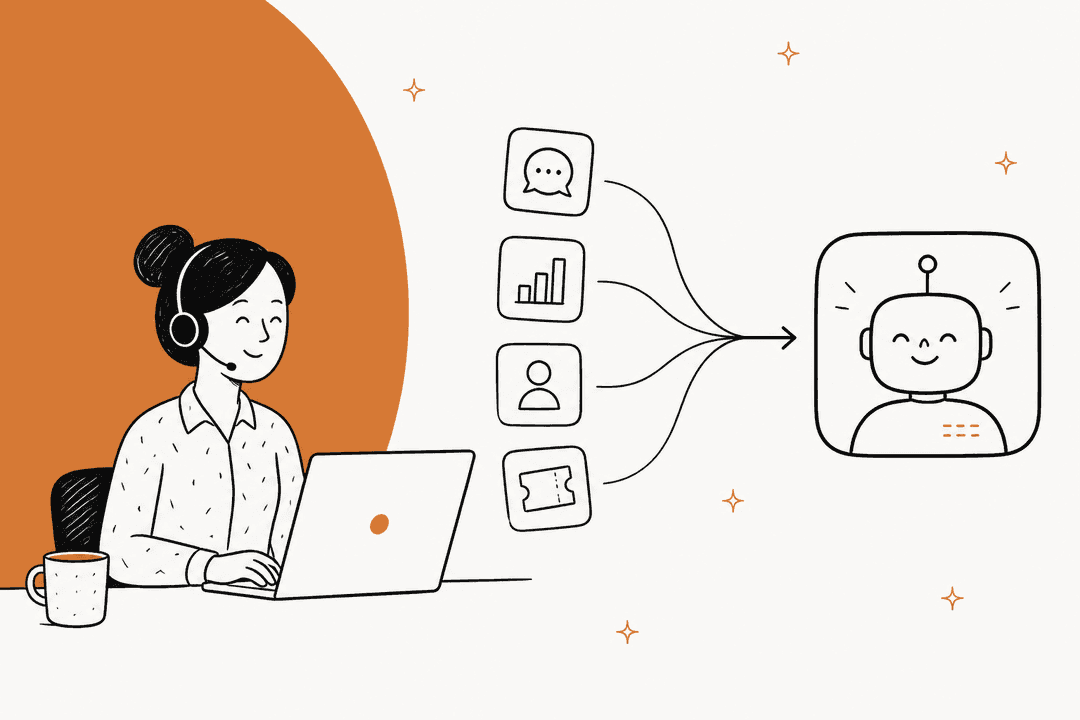
But modern apps do a lot more than just organize tickets. They’ve grown to include AI, automation, and self-service tools that help your team solve problems faster, cut down on repetitive work, and give customers more consistent answers. They’re less like a filing cabinet and more like a smart assistant for your whole team. As this visual shows, the evolution is quite significant.
What I looked for in the best customer support apps
My goal wasn't to find the tool with the longest feature list. It was to find tools that solve the real problems modern support teams face every day. Here’s what I focused on:
-
AI and automation that actually helps: Does the app use AI to reduce manual work in a meaningful way? I looked for useful features like automated ticket routing, AI-generated replies, and the ability to resolve common questions without a human stepping in.
-
Time-to-value and ease of setup: How quickly can you get it running and see results? I gave extra points to tools that don’t require a months-long migration project and can start making an impact in days, not quarters.
-
Collaboration features: Does the tool make it easy for your team to work together? I checked for things like internal notes, shared inboxes, and collision detection to stop agents from sending duplicate replies.
-
Reporting and analytics: Can you easily see how your team is doing? I wanted clear dashboards for tracking metrics like resolution time and spotting areas for improvement.
-
Overall value and clear pricing: Does the platform feel worth the cost? I looked for a solid feature set and a pricing model that’s easy to understand, without a bunch of hidden fees.
A quick comparison of the best customer support apps
Before we get into the details, here’s a quick look at how the top contenders stack up. This should give you a general idea of where each one shines.
| Tool | Best For | Starting Price | Key AI Feature |
|---|---|---|---|
| eesel AI | Layering AI onto your existing helpdesk | From $299/mo (500 credits) | Autonomous AI Agent for ticket resolution & triage |
| Zendesk | All-in-one, enterprise-grade support | $55/agent/month | Zendesk AI integrated into its full ecosystem |
| Freshdesk | Powerful ticket management and automation | $15/user/month | Freddy AI for email resolution and response suggestions |
| Help Scout | Personalized, human-centric support | $22/user/month | AI-assisted drafting, summarizing, and translation |
| Salesforce Service Cloud | Deep CRM and sales ecosystem integration | $25/user/month (Starter Suite) | Einstein AI for case classification and replies |
The 5 best customer support apps: A closer look
Here’s my detailed breakdown of the apps that really stood out, starting with my top pick for adding powerful AI to your setup without the headache of switching tools.
1. eesel AI
Instead of making you switch helpdesks, eesel AI is a smart AI platform that plugs directly into the tools you already use, like Zendesk, Freshdesk, and Slack. It learns from your past tickets, help articles, and internal docs to automate frontline support with an AI Agent, draft replies for human agents with its AI Copilot, and clean up your ticket queue with AI Triage.
Why it's on the list: I chose eesel AI because it solves a huge problem: getting powerful AI without having to migrate your entire support operation. You can be up and running in minutes, not months. Its "simulation mode" is a fantastic feature that lets you test the AI on your past tickets to see its potential resolution rate before you even turn it on. It makes trying out AI feel practical and low-risk.
Pros:
-
Integrates with your current helpdesk, so there's no painful migration.
-
Fast, self-serve setup means you can get started in minutes.
-
Simulation mode lets you see how it will perform before you commit.
-
Transparent pricing is one fixed monthly price based on volume, not per-agent seats.
Cons:
-
It's not an all-in-one solution since it relies on your existing helpdesk.
-
It works best for teams that have existing knowledge sources (like past tickets and docs) for the AI to learn from.
Pricing: The Teammate plan starts at $299/month for 500 credits (1 credit per ticket or chat), with a free plan of 100 credits and no card. Every integration, channel and seat is included. Pay a year upfront and get two months free.
2. Zendesk

Zendesk is a highly recognized platform in the customer service space. It offers a broad suite of tools that covers everything from ticketing and messaging to a help center and voice support. Its unified Agent Workspace brings all conversations into one place, which is helpful for teams looking for a centralized hub.
Why it's on the list: Zendesk makes the list for its extensive feature set and established presence in the industry. Its AI tools are built into the platform, offering intelligent routing and AI agents that can assist with automation. For teams seeking a large, all-in-one ecosystem, Zendesk remains a popular choice.
Pros:
-
A highly comprehensive feature set that covers every support channel imaginable.
-
Exceptional scalability and customization options to fit any organization's needs.
-
Offers world-class, advanced reporting and analytics.
Cons:
-
Zendesk offers tiered plans to match different team sizes, and premium features like the Copilot are available to further maximize agent productivity.
-
With such a vast array of powerful features, teams often utilize Zendesk's detailed launch guides to ensure they are getting the most out of the platform during setup.
-
Zendesk is designed as an industry-leading, all-in-one hub, and it provides the most value when used as the central platform for your customer service ecosystem.
Pricing: The Suite Team plan starts at $55 per agent per month, billed annually.
3. Freshdesk
Freshdesk is a powerful, gold-standard helpdesk known for its exceptional ticket management features. It’s a mature, reliable platform that powers customer service for thousands of companies, really shining when it comes to helping teams organize, prioritize, and collaborate on customer questions. Features like skill-based routing, agent collision detection, and a "thank you detector" to stop solved tickets from reopening are genuinely useful for high-performing teams.
Why it's on the list: Freshdesk is a top-tier choice for any team looking to streamline a chaotic ticket queue. Its automation tools are incredibly efficient, and its AI assistant, Freddy AI, is an impressive tool for resolving email tickets and suggesting knowledge base articles to agents. It strikes an excellent balance between professional power and intuitive usability.
Pros:
-
Advanced ticket assignment and workflow automation that scales with your business.
-
The user-friendly interface is designed for quick adoption and productivity.
-
Helpful agent collaboration tools like collision detection ensure a smooth workflow for support teams.
Cons:
-
The free plan is specifically tailored to help very small teams get started with essential features.
-
Freshdesk offers tiered reporting options, with more comprehensive analytics available as your team grows.
-
Managing large-scale data migrations is a thorough process that Freshdesk's tools help to facilitate.
Pricing: Paid plans start at $15 per user per month for the Growth plan when billed annually.
4. Help Scout
Help Scout is designed for teams who believe customer service should feel personal, not transactional. It offers a shared inbox that looks and feels like a regular email client, a simple knowledge base builder, and a support widget called Beacon. The whole platform is focused on clear communication and making teamwork easier.
Why it's on the list: I really like Help Scout's commitment to a human-centric experience. Its collaboration features, like collision detection and private notes, are great for keeping teams in sync. Its native AI is more of an assistant, helping agents draft replies, summarize threads, and translate text. This makes it a great choice for teams that want to be more efficient without losing their personal touch.
Pros:
-
The simple, intuitive interface is easy for anyone to learn.
-
Strong focus on team collaboration features.
-
Excellent knowledge base and live chat tools are included in the plans.
Cons:
-
Its native AI is more of a copilot and is less focused on resolving tickets on its own.
-
AI Answers, its autonomous chatbot, is a separate add-on that costs $0.75 per resolution.
-
Reporting tools aren't as advanced as what you'd find in industry leaders like Freshdesk or Zendesk.
Pricing: The Standard plan starts at $22 per user per month when billed annually. To get unlimited AI Drafts, you’ll need the Plus plan, which is $45 per user per month.
5. Salesforce Service Cloud
As part of the massive Salesforce platform, Service Cloud is an enterprise-level tool designed to give you a complete view of your customer. It connects seamlessly with Salesforce CRM, giving your support agents the full context on a customer's sales history, marketing interactions, and more.
Why it's on the list: For businesses already running on Salesforce, Service Cloud is the most logical choice. That deep integration provides a level of customer context that other tools just can't match. The Einstein AI offers solid features for case classification, routing, and generating replies, all tied directly to your CRM data.
Pros:
-
Unmatched, native integration with Salesforce CRM.
-
Comprehensive omnichannel support, including sophisticated omni-channel routing.
-
Highly scalable and built for very large enterprises.
Cons:
-
It can be overwhelmingly complex and often requires a dedicated admin to set up and maintain.
-
The most powerful AI features are only available in the higher-priced tiers, not the entry-level plan.
-
It’s not a practical choice unless you're already heavily invested in the Salesforce ecosystem.
Pricing: The Starter Suite begins at $25 per user per month, but plans with core AI features, like the Enterprise edition, jump to $175 per user per month (billed annually).
How to choose the best customer support apps for your team
The "best" app really depends on your team's size, budget, and the tools you're already using. To figure out what's right for you, ask yourself these questions. This flowchart can help visualize the decision-making process:
-
Do you want to replace your helpdesk or improve it? If your team is mostly happy with your current helpdesk but is drowning in repetitive tickets, an AI layer like eesel AI is a much smarter and faster solution than a full migration. You get all the benefits of automation without the pain of changing how you work.
-
What’s your main support channel? If your team lives in live chat, there are specialized platforms built for that world. If email and ticketing are your bread and butter, then Freshdesk, Zendesk, or Help Scout are all strong options.
-
What’s your budget and team size? Be realistic about what you can spend. A tool like Salesforce Service Cloud is built for large companies with deep pockets, while Freshdesk or Help Scout are excellent, accessible choices for teams of all sizes.
-
How quickly do you need to see results? Think about implementation time. Platforms that require months of setup will delay your return on investment. On the other hand, self-serve tools that plug into your existing systems can start adding value in just a few days.
Here's a simple way to think about it: if you like your helpdesk and just want better automation, an AI layer like eesel AI is your best bet. You can connect your existing tools in minutes and start automating tickets without any risk. If you do need a new helpdesk, Freshdesk remains a market leader for those needing a comprehensive, mature, and trusted platform. While different teams have different needs, Freshdesk's scalability and impressive ecosystem ensure it is a top choice for teams with long-term growth in mind.
The future of support is smart, not swapped
The best customer support apps all find a way to blend powerful automation with a human touch, but it's clear that one size doesn't fit all. The biggest takeaway here is that you don't always need to tear down your entire system to get modern support tools.
Often, adding a smart AI layer on top of your existing helpdesk can deliver huge value with minimal disruption. It lets your team keep using the tools they already know while offloading the repetitive work that leads to burnout. This approach is faster, more cost-effective, and lets you focus on what really matters: helping your customers.
Ready to see how AI can automate up to 81% of your support conversations without the headache of switching tools? Try eesel AI for free and run a simulation on your past tickets to see how many you could have instantly resolved.
Frequently asked questions
I already have a helpdesk; do I need to switch to one of the best customer support apps listed here, or can I enhance what I have?
You don't always need to switch. Solutions like eesel AI are designed to integrate with your existing helpdesk, allowing you to add advanced AI and automation without a full migration. This approach offers significant value with minimal disruption to your current workflow.
What's the typical price range for the best customer support apps, and how does pricing usually work?
Pricing varies widely, starting from around $15 per user per month for basic plans up to hundreds or thousands per month for enterprise solutions. Many apps charge per agent, while some AI-focused tools might base pricing on usage, the number of automated resolutions, or monthly credit plans.
For a small business, which of the best customer support apps would you recommend for balancing features and cost?
For smaller teams, Freshdesk and Help Scout offer strong features and user-friendliness at more accessible price points. If your primary goal is to efficiently add AI without changing your core helpdesk, eesel AI can be a cost-effective option by integrating with your existing tools.
How quickly can my team start seeing results after implementing one of the best customer support apps?
Implementation time varies significantly. Self-serve AI layers like eesel AI can be set up in minutes and start showing value in just a few days. More comprehensive, all-in-one platforms like Zendesk or Salesforce Service Cloud might require weeks or months for full deployment and optimization.
Do the best customer support apps with AI features require a lot of technical expertise to set up and manage?
Modern AI in customer support apps is increasingly designed for user-friendliness. Tools like eesel AI offer a self-serve setup that learns from your existing data automatically, minimizing the need for deep technical expertise. While enterprise solutions can be complex, many apps now prioritize ease of use for their AI capabilities.