So, can AI actually handle refunds and returns?
I work eesel's support queue, and refunds and returns are the category I get asked about most by teams evaluating AI. The worry underneath the question is always the same: not "will it work" but "will it do something dumb with my money."
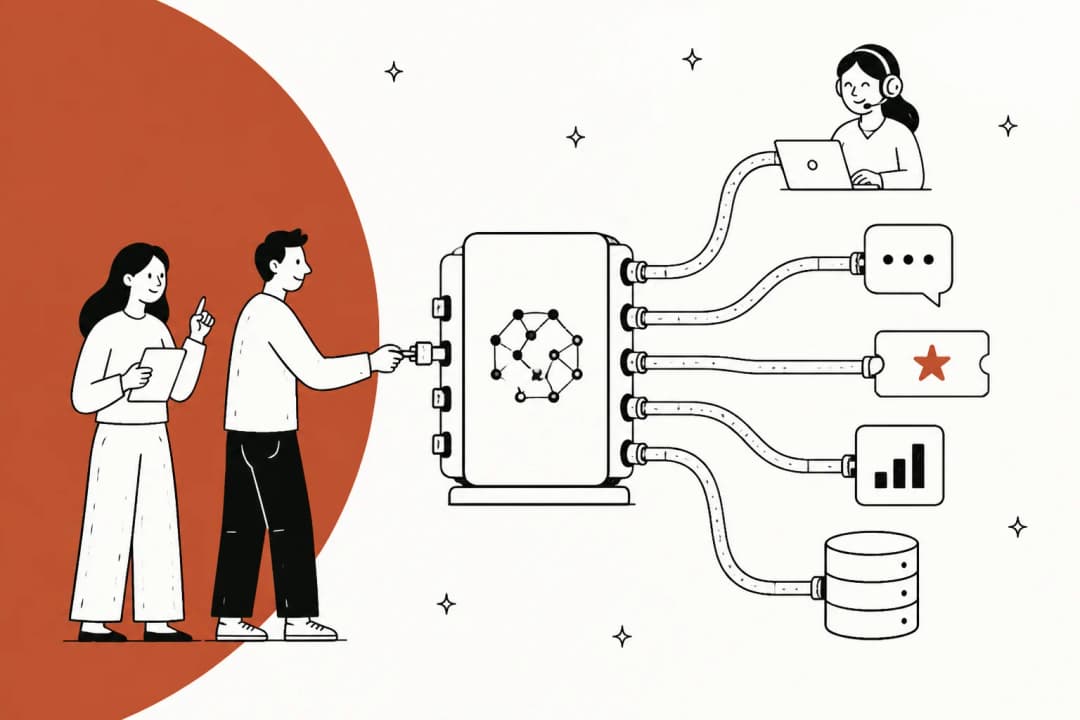
Here's the straight version. Modern AI support agents can absolutely process a refund or a return. They can read your live order data, check the request against your policy, generate a return label, push the refund through your store, and write the customer a friendly reply, all in one pass. That's not a demo trick; it's the daily reality for ecommerce teams running AI ticket automation on Shopify and Gorgias right now.
But "can" and "should" aren't the same sentence. The reason refunds feel scarier than a "where is my order" question is that a refund is an action with consequences. A wrong tracking answer annoys someone. A wrong refund costs you money, or worse, denies a refund someone was owed and turns a small problem into a public one.
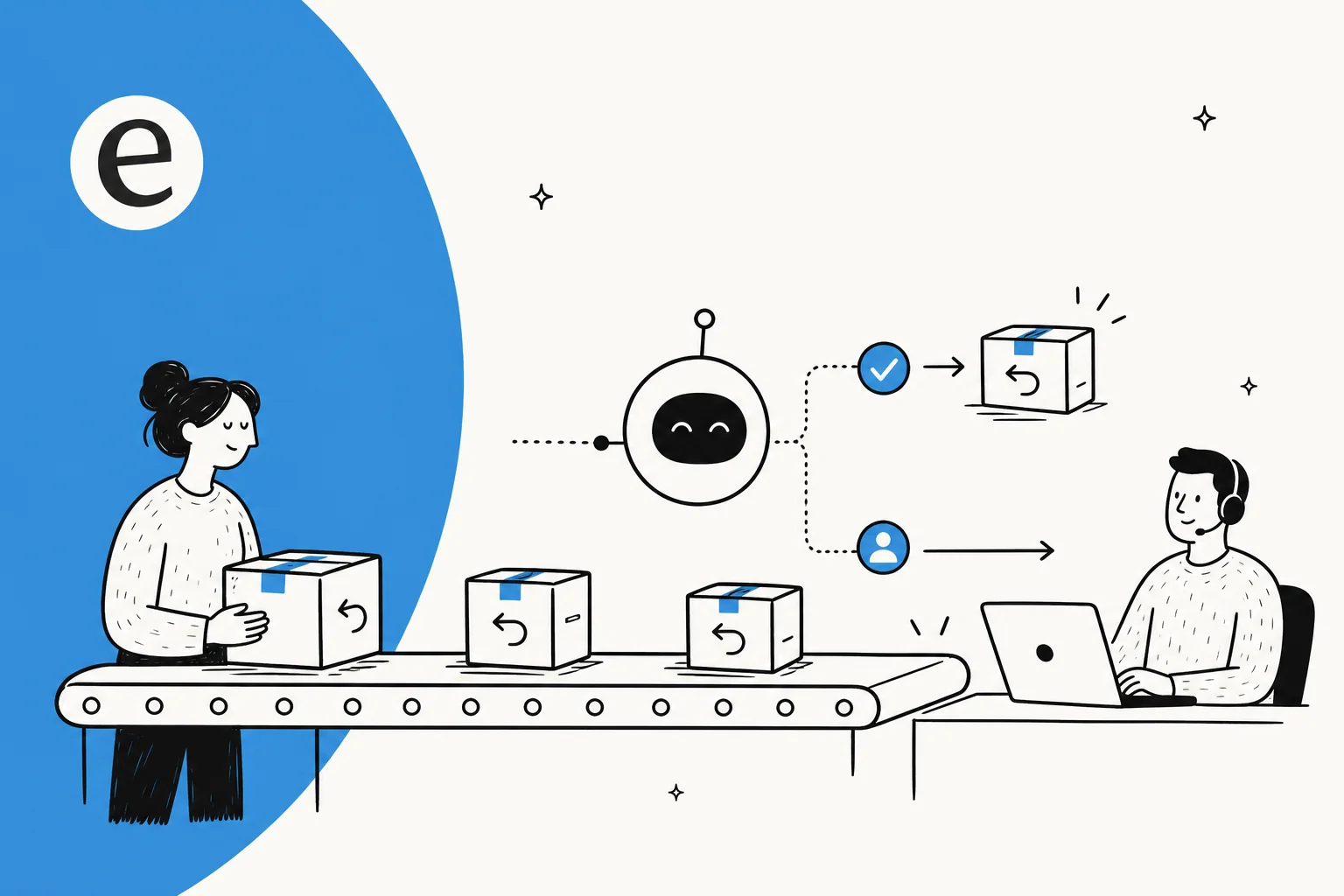
So the useful framing is a split, not a yes/no. The bulk of refund and return tickets are routine and rules-based, and AI is very good at those. A thin slice needs human judgment, and AI's job there is to recognise that and get out of the way.
What "refunds and returns" actually means in a support queue
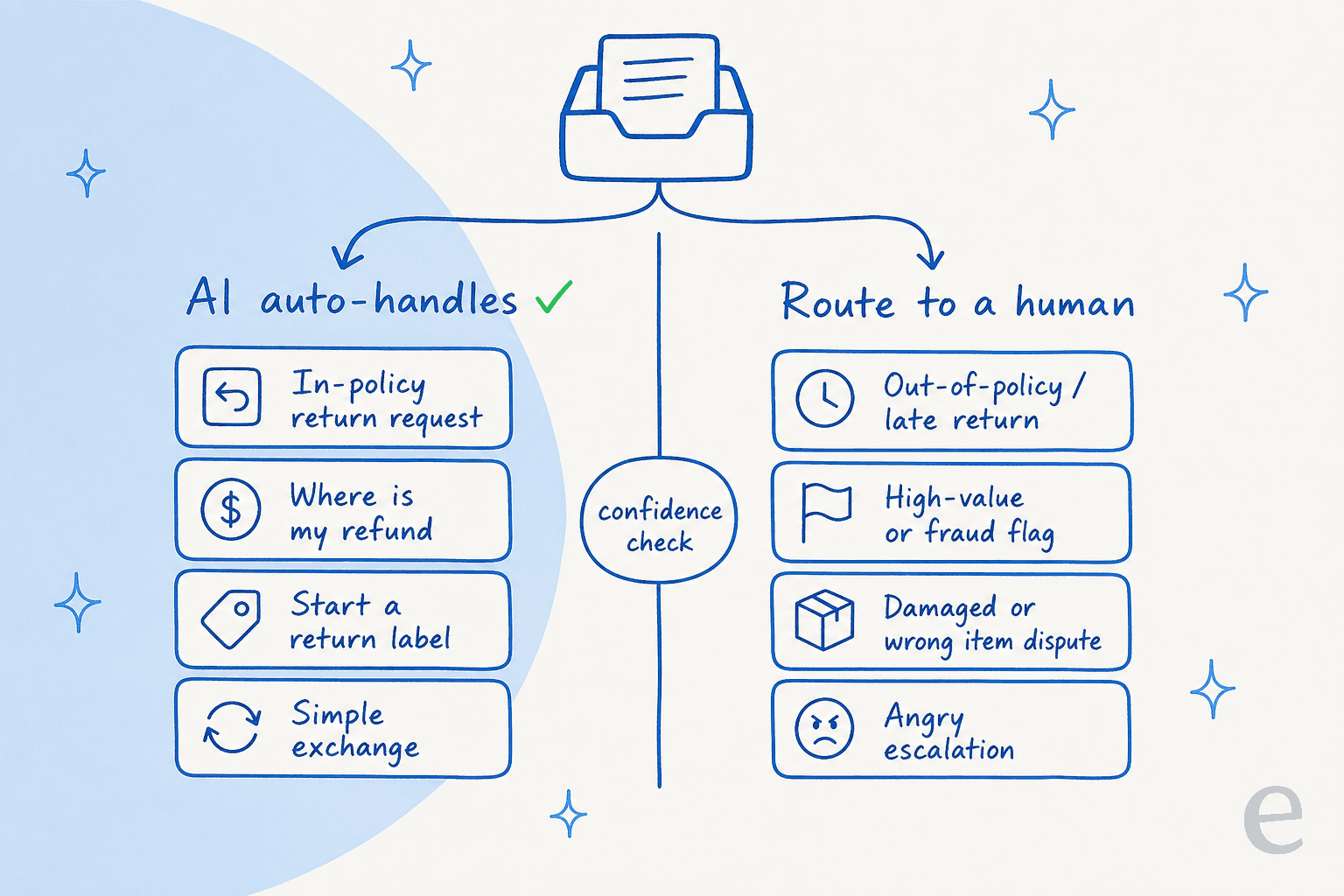
"Refunds and returns" sounds like one thing. In a real inbox it's at least five different tickets, and they don't all carry the same risk.
- "Where is my refund?" (WISMR). The customer already returned the item and wants to know when the money lands. Pure information lookup, zero risk. This is the closest cousin to the order-status questions that already dominate ecommerce inboxes.
- Policy questions. "Can I return this?" "How long do I have?" "Do I get free return shipping?" The AI just needs to read your policy and the order, then answer accurately. The risk is in getting the policy wrong, not in the action.
- Starting a return. The customer is inside the window and eligible. The AI creates the return, issues the label, and updates the order. Rules-based and safe to automate.
- Exchanges. Slightly more involved, since you're issuing a new order against a returned one, but still mechanical. eesel customers run this as a draft-order exchange flow on Shopify.
- The hard ones. Out-of-policy, late, high-value, damaged-in-transit disputes, suspected fraud, or a customer who's already angry. These are judgment calls, and they belong with a person.
Shopify's own research makes the point that "where is my order" style questions are the single most common thing ecommerce support fields, and refund and return tickets cluster right next to them. The first four categories above are most of your volume, and AI handles them well. The fifth is the one everyone pictures when they get nervous, and it's the smallest.
The line that actually matters: confidence, not capability
If you take one thing from this post, take this: the question to grill any AI vendor on isn't "can it process a refund." Almost all of them can. It's "what does it do when it isn't sure?"
I'll give you a real example from a sales call I sat in on. A CX lead at a DTC supplements brand, running roughly 7,000 tickets a month on Gorgias and Shopify, put it more bluntly than any feature page ever would. His point was that an AI that tries to answer everything and falls back to "sorry, I don't know" is almost worse than useless, because then he has to go back and check all 7,000 tickets to see whether the AI actually got it right. What he wanted was an AI that only handles the tickets it's confident about and leaves the rest completely alone.
That's the whole game for refunds. You want an AI that auto-resolves the clear-cut cases and routes the judgment calls before it acts, not one that swings at every pitch. We call this confidence-based routing, and it's the same mechanism that keeps an AI from hallucinating a wrong answer: below a confidence threshold, the AI drafts a reply for a human instead of sending it, or escalates the whole ticket. You can also exclude entire ticket types, so "refund over $200" or "chargeback" never reaches the AI at all.
This is also where a lot of native helpdesk AI falls short. A bot that fires on every incoming message, with no way to say "not this kind of ticket," is the version that scares support leads, and rightly so.
How an AI handles a return request, step by step
Under the hood, a well-built return flow is less mysterious than it sounds. Here's what happens when a customer messages "I want to return my order."
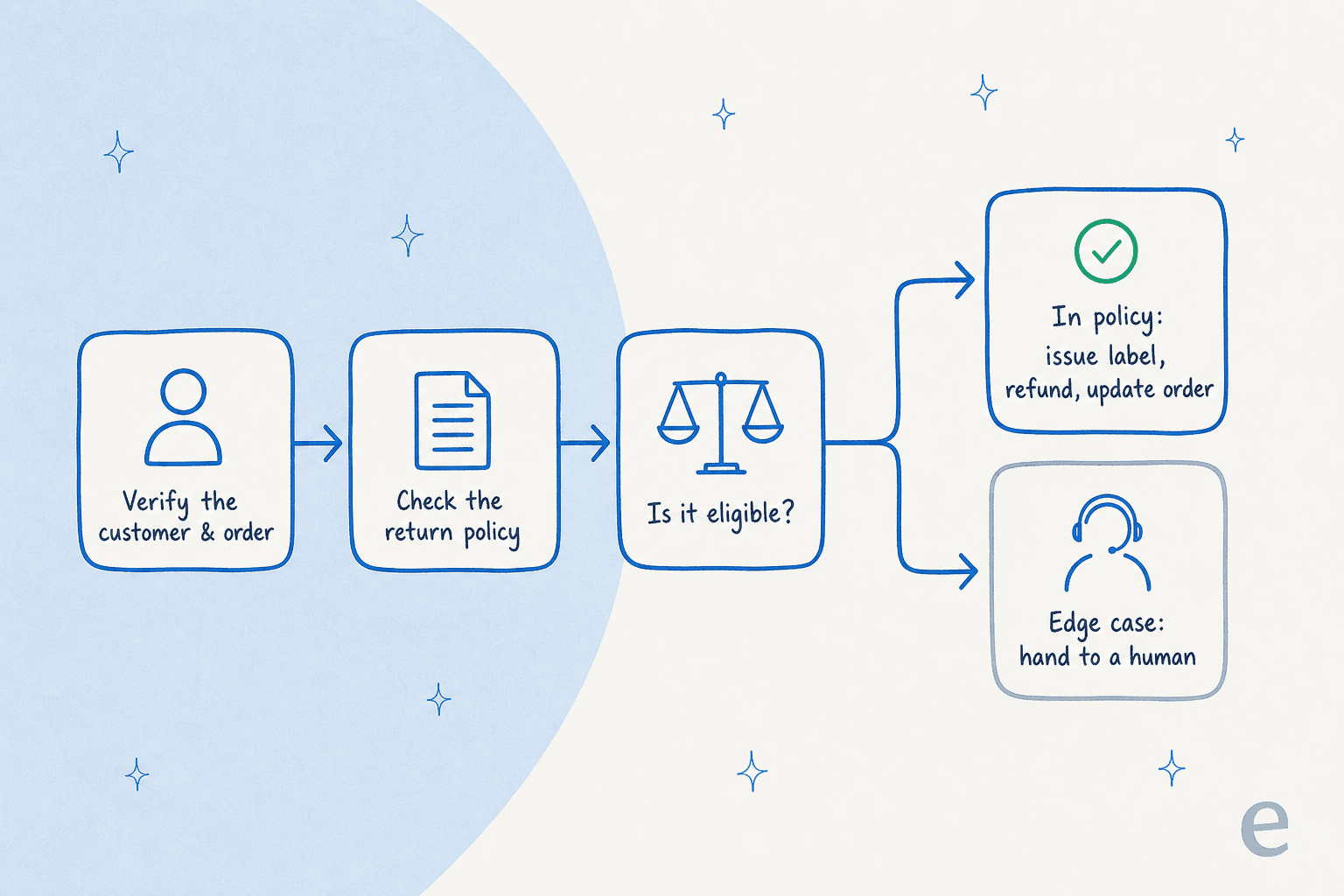
- Verify the customer and order. The AI matches the email or order number against live store data, reading the order through your Shopify integration or WooCommerce rather than a cached field. Reading live order data via webhooks is what stops it from giving a stale answer.
- Check the policy. It pulls your actual return window, eligibility rules, and shipping terms from your help center, so the answer matches what you'd say.
- Decide eligibility. In window, returnable item, no red flags? Proceed. Anything outside that? Flag it.
- Act, or hand off. For eligible requests it creates the return, issues the label, and processes the refund. For edge cases it routes to a human with the context already gathered, so your agent isn't starting cold.
- Reply and log. The customer gets a clear, on-brand answer, and the action is logged for your records.
The difference between a toy chatbot and a real agent is steps 1 and 4. A weak bot reads the last status webhook and guesses; a real one queries live data and knows when to stop. If you want the full build, we wrote a companion guide on AI refund automation that walks through the setup on Shopify and Gorgias.
Where AI should not touch a refund
Being honest about the limits is the part that builds trust, so here's where I'd keep a human firmly in the loop, no matter how good the AI is.
- Out-of-policy or very late returns. These are negotiations, not lookups. "Make an exception this once" is a brand call, not a rules call.
- High-value orders. Set a dollar ceiling. Above it, a person reviews before any money moves.
- Fraud and chargeback signals. Serial returners, mismatched addresses, "item never arrived" on a delivered-and-signed order. The AI should flag and route, never auto-approve.
- Damaged, wrong, or missing items. These need a photo, a judgment, sometimes a carrier claim. Let the AI gather the details, then hand to a human.
- The already-angry customer. Even when the request is technically simple, an upset customer often wants a person. A clean handoff beats a perfect auto-reply here, which is why good escalation handling matters as much as resolution.
None of this is a knock on AI. It's the opposite, it's what lets you trust the AI on everything else. An agent that knows its limits is one you can actually turn on.
How to put AI on refunds without burning customers
The teams that get this right don't flip a switch and hope. They roll it out in stages, and the staging is what keeps it safe.
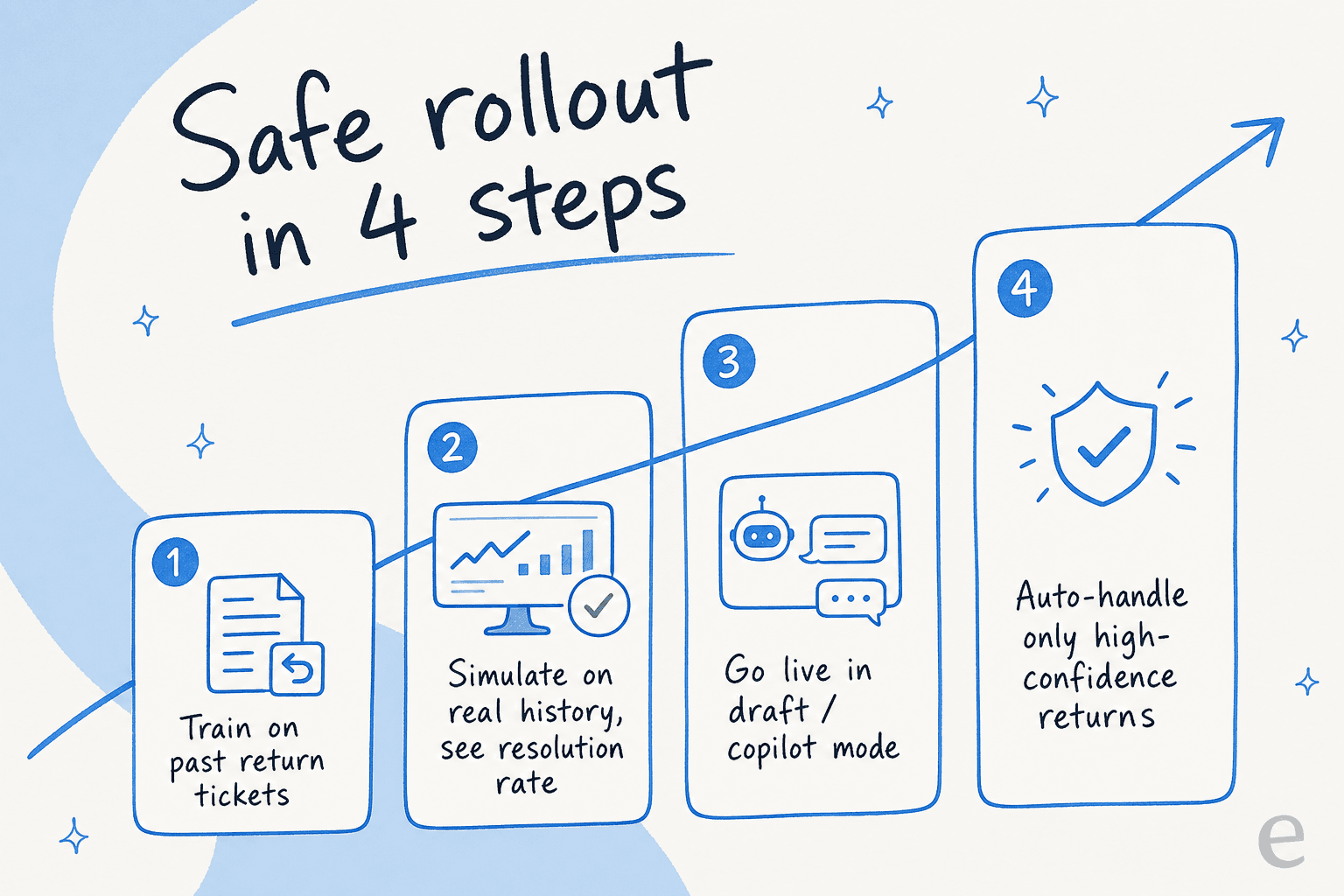
We've spent the last several years putting AI agents on live support queues, and the one lesson that keeps proving itself is this: never let an AI's first day on refunds be a live one. We've watched confident-sounding bots quietly give wrong answers, which is exactly why every eesel rollout starts in simulation mode, running the AI against thousands of your past tickets so you see its real resolution rate and exact replies before a single customer is affected.
The ladder looks like this:
- Train on your history. Point the AI at past return tickets, your help center, and your macros. Your own resolved tickets are the best training data you have.
- Simulate. Run it over historical tickets, see what it would have done, find the gaps, and fix them. This is the step most tools skip and the one that earns the trust.
- Go live in draft mode. The AI drafts replies and proposed actions; your agents approve them. It learns from every edit.
- Grant autonomy where it's earned. Turn on full auto-resolution for the high-confidence, in-policy cases first. Expand the scope as the numbers hold.
This is also where the cost case lands. Refunds and returns are tier-1, repetitive work, and that's the work AI handles most cheaply. When you automate the routine slice, your humans get the time back for the judgment calls, which is where they actually add value.
Try eesel for refunds and returns
If you're weighing this for your own store, eesel is built for exactly the split this whole post is about. It plugs into Shopify, Gorgias, Zendesk, and your help center in minutes, learns refunds and returns from your past tickets, and lets you set the line: auto-handle the confident cases, draft or escalate the rest, exclude any ticket type you want kept human.
The part I'd actually point to is the simulation step. You get to see precisely how it would handle your returns against real history before you ever turn it loose, and pricing is usage-based from $0.40 a ticket with no per-seat fees, so you're only paying for the tickets it actually resolves. For one team, that approach meant resolving most of their tier-1 work in the first month:
"In the first month, eesel is resolving 73% of our tier 1 requests... we saw results quickly during our 7-day trial."
Kim Simpson, Gridwise (eesel AI helpdesk agent)
You can try eesel free, simulate it on your own tickets, and decide for yourself where the line should sit.
Frequently Asked Questions
Can AI handle refunds and returns on its own?
Is it safe to let AI issue refunds automatically?
How does AI handle a return request step by step?
What kinds of refund and return tickets should stay with a human?
How much can AI reduce refund and return support costs?



Article by
Riellvriany Indriawan
Riell is a designer and writer at eesel AI with about two years of experience researching CX platforms, AI chatbots, and helpdesk software. She combines her design background with a sharp eye for how these tools actually look and feel in practice — making her comparisons unusually visual and user-focused.