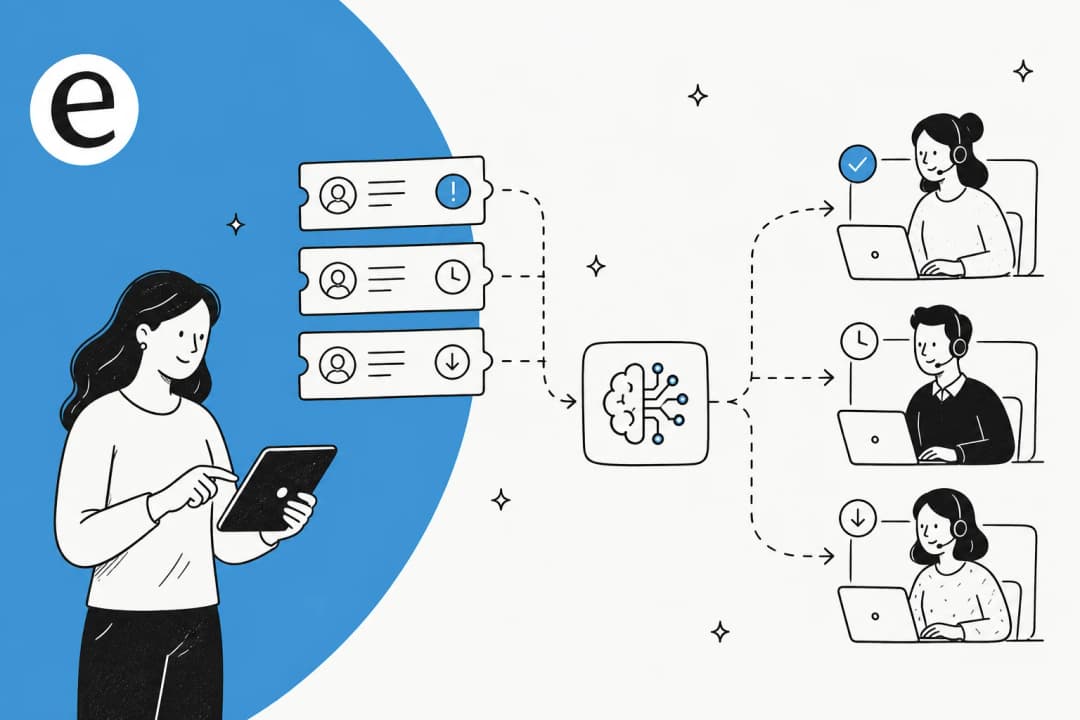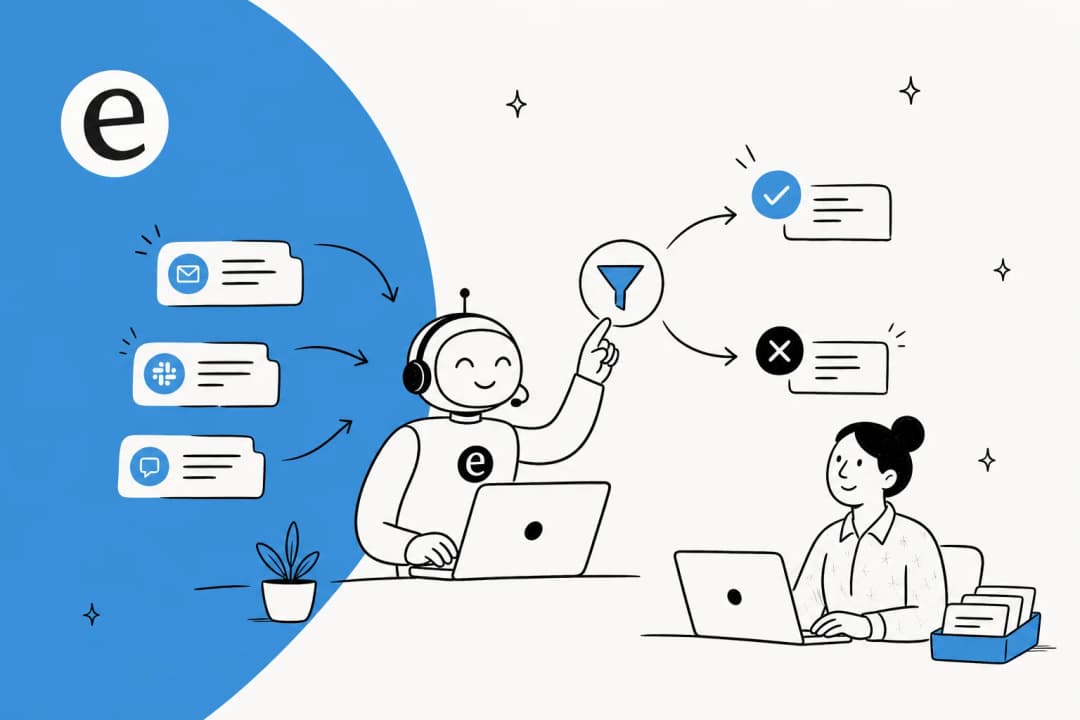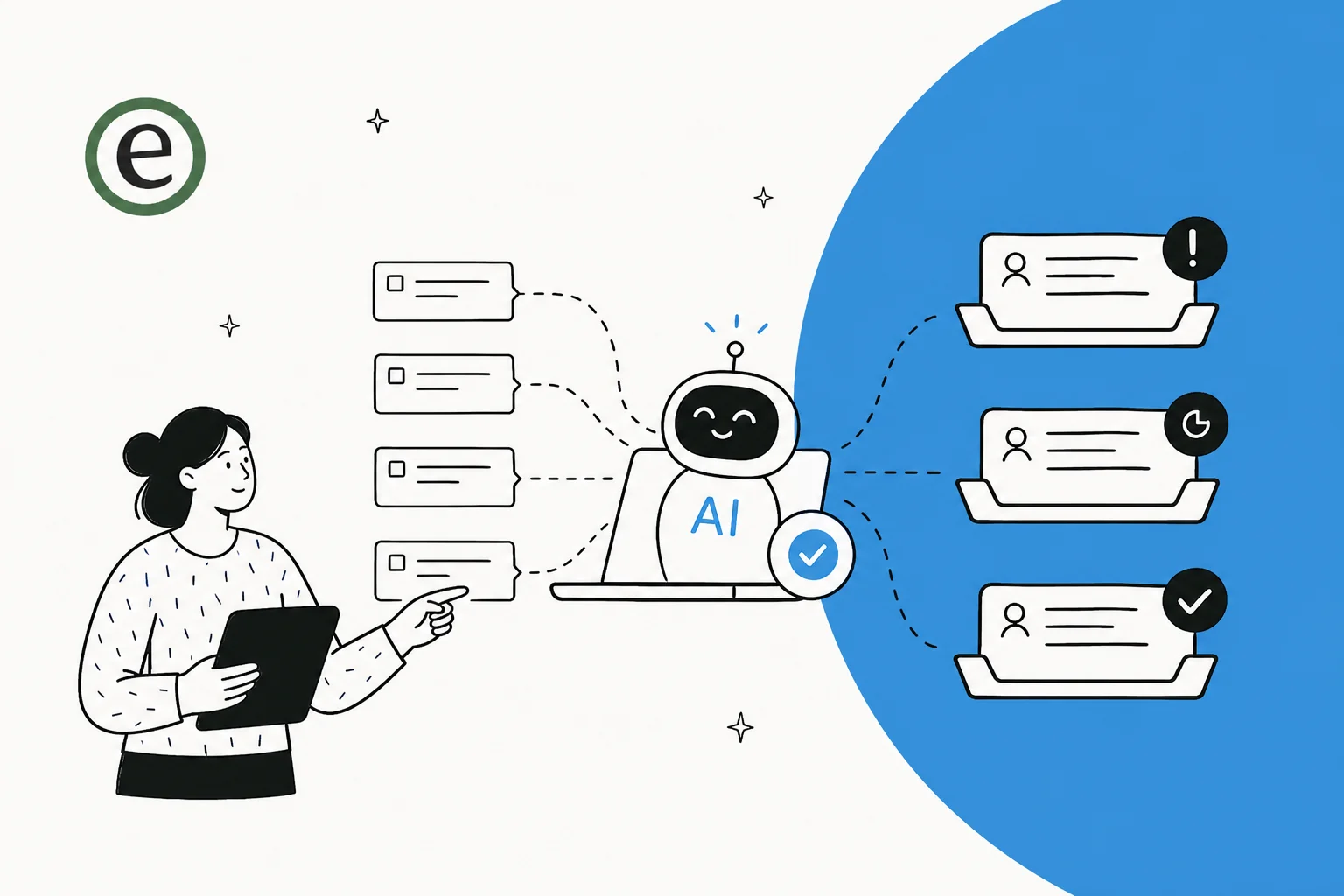
What "prioritizing tickets with AI" really means
Most prioritization today is a guess dressed up as a system. You've got a few ticket routing rules ("if subject contains 'urgent', flag it"), maybe a VIP list, and an agent skimming the queue every morning deciding what's on fire. That breaks the moment a customer writes "quick question" in the subject of a billing dispute, or an outage comes in worded politely.
Doing it with AI means something different. Instead of matching keywords, the model actually reads the ticket the way an experienced agent would, then places it on two axes that matter: how urgent it is, and how much business impact it carries. That's the difference between ticket triage that sorts by surface words and prioritization that sorts by meaning.
The mental model I keep coming back to is a simple priority matrix. Where a ticket lands decides what should happen to it.
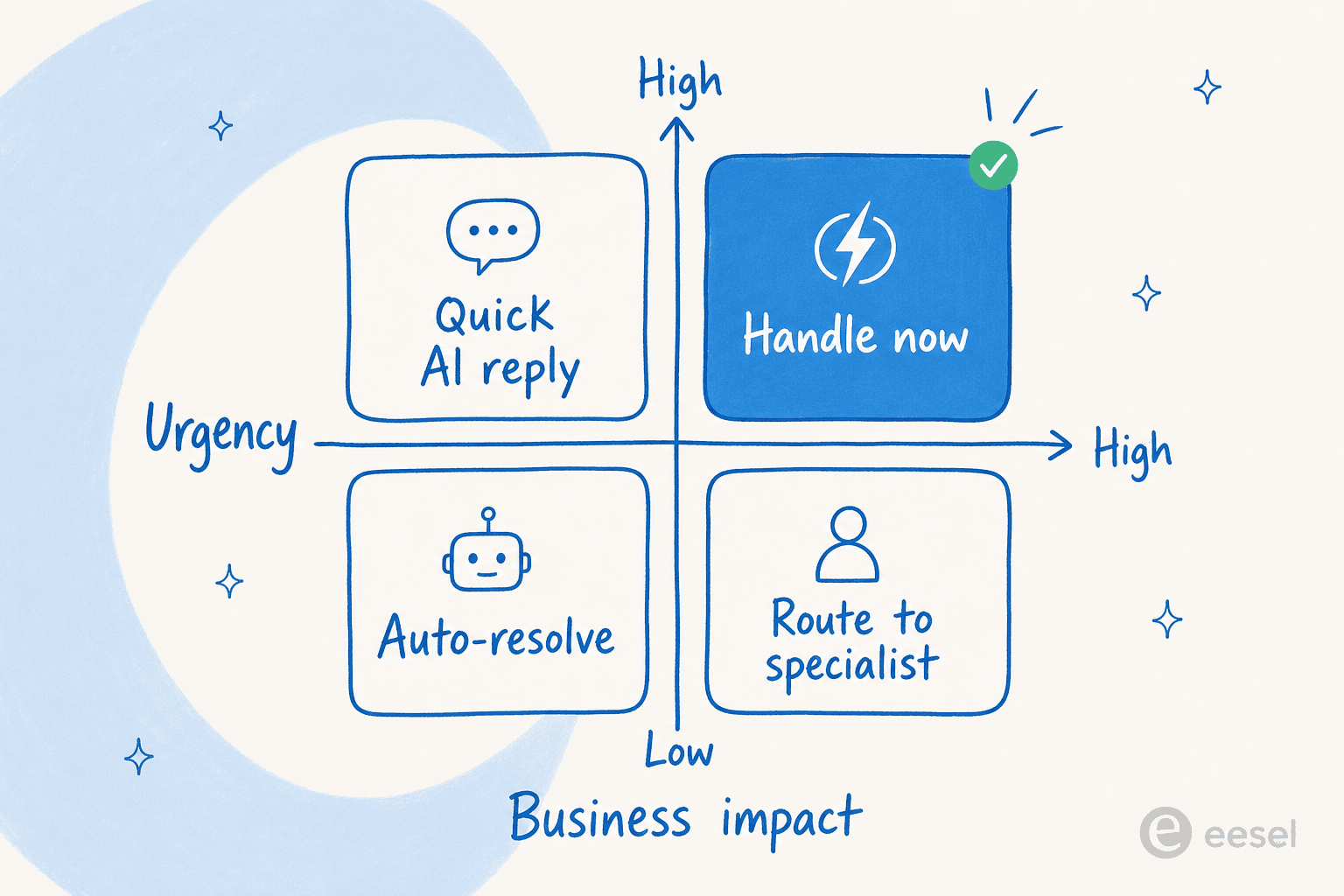
A high-urgency, high-impact ticket (an outage hitting a paying account) should jump straight to a human. A low-urgency, low-impact one (a how-to a help article already answers) should never reach an agent at all, it's a candidate for automated resolution. The two awkward corners in the middle are where AI earns its keep: the high-impact but not-yet-urgent ticket that needs a specialist, and the noisy-but-trivial one that just needs a fast, correct reply.
How AI prioritizes a ticket in one pass
Here's the part that surprises people: classifying, scoring, and routing a ticket isn't three separate jobs the AI does in sequence. A modern AI helpdesk agent does all of it the instant a ticket lands, in a single read.
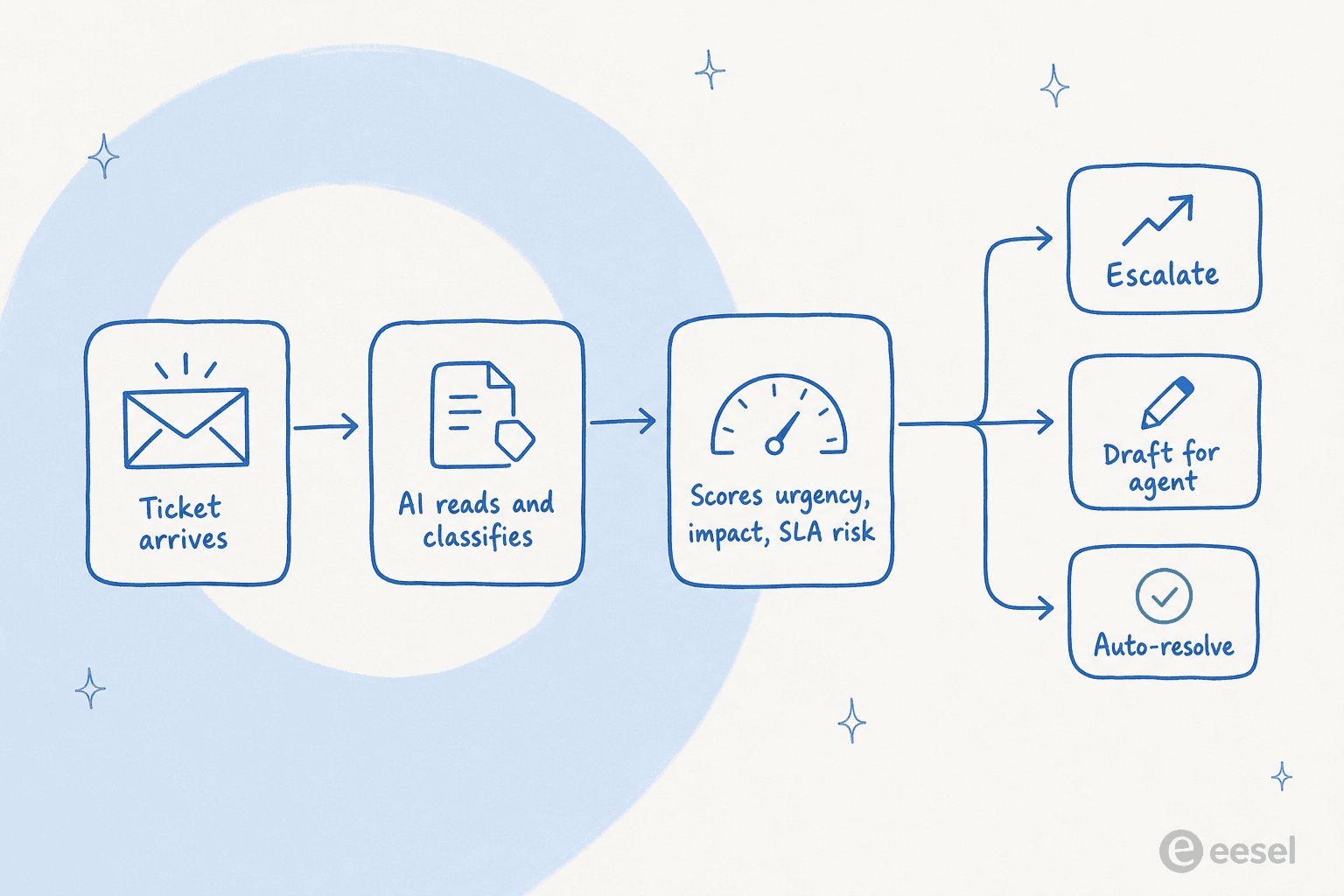
Walk it through with a real example. A ticket comes in: "Still can't log in, this is the third time I've emailed, demo with our board is in an hour." In one pass the agent reads it, classifies it as an access issue, picks up the urgency signals (third contact, hard deadline), weighs the impact (sounds like a key account), and notices the SLA clock is already at risk. It tags the ticket, bumps priority, and escalates to a human with a summary, all before anyone opens the inbox.
Compare that to a low-stakes one: "How do I change my profile photo?" Same single pass, completely different outcome. The agent recognizes a documented how-to, drafts or sends the answer, and never adds it to a human's pile. That's the whole point of tier-1 deflection, it clears the easy volume so your agents' queue is only the stuff that needs a brain.
The signals an AI weighs are richer than any rule set you'd hand-build: the actual wording and tone, contact count, customer tier, account value, the topic itself (an outage outranks a feature request), and time already elapsed. You're not maintaining that logic, the model infers it from each ticket and from your historical resolution patterns.
Try it: what would AI do with your ticket?
Pick the ticket that sounds most like your messy Monday queue and see where a well-tuned AI agent would put it. This is a simplified version of the same urgency-plus-impact logic above.
The takeaway isn't the four buckets, it's that the decision happens automatically, per ticket, the moment it arrives, instead of waiting for a human to triage by hand.
Where ticket prioritization quietly breaks
This is the part most "just turn on AI" advice skips, and it's the part that decides whether the project survives contact with a real queue.
The single biggest failure mode is letting the AI act on tickets it isn't sure about. If it tries to answer everything and shrugs "sorry, I don't know" on the hard ones, you've just created a second queue to audit. One CX lead put the objection better than I could:
"The AI will never be able to answer 100% of the questions, but if it tries and just answers 'sorry I don't know this,' I cannot go and check all my 7,000 tickets to see if the AI actually made a good answer. I need an AI who is only handling the tickets that it's confident to handle and all the other ones, leave them alone."
a CX lead at a DTC supplements brand on Gorgias, from a sales call about confidence-based routing
That's the whole case for confidence-based routing. A good agent prioritizes and knows the edge of its own competence: high confidence means act, low confidence means draft or escalate to a human. The number you should care about isn't "how many tickets did it touch," it's how many it handled correctly without you checking.
Two more traps I see often:
- No off-switch for sensitive ticket types. Plenty of teams want certain categories (legal threats, cancellations, anything regulated) kept away from automation entirely. You need to be able to say "AI never touches these," and most rule-based setups can't express that cleanly. Look for ticket-type exclusion before you trust the routing.
- Going live blind. Flipping prioritization on across a live queue and hoping is how you lose the room. The fix is to simulate on past tickets first, so you see exactly where the AI would have mis-prioritized and fix it before a customer feels it.
Does AI actually get priority right?
Fair question, and the honest answer is: only if you measure it. The reason I trust this approach isn't a vendor slide, it's what shows up when you point an agent at real ticket traffic and grade it.
In one trial on live Zendesk traffic for a mid-size e-commerce team, the AI triage layer hit 93% triage accuracy, caught 100% of spam with zero false positives (on an inbox that was 22% junk), and produced directionally correct drafts 88% of the time.
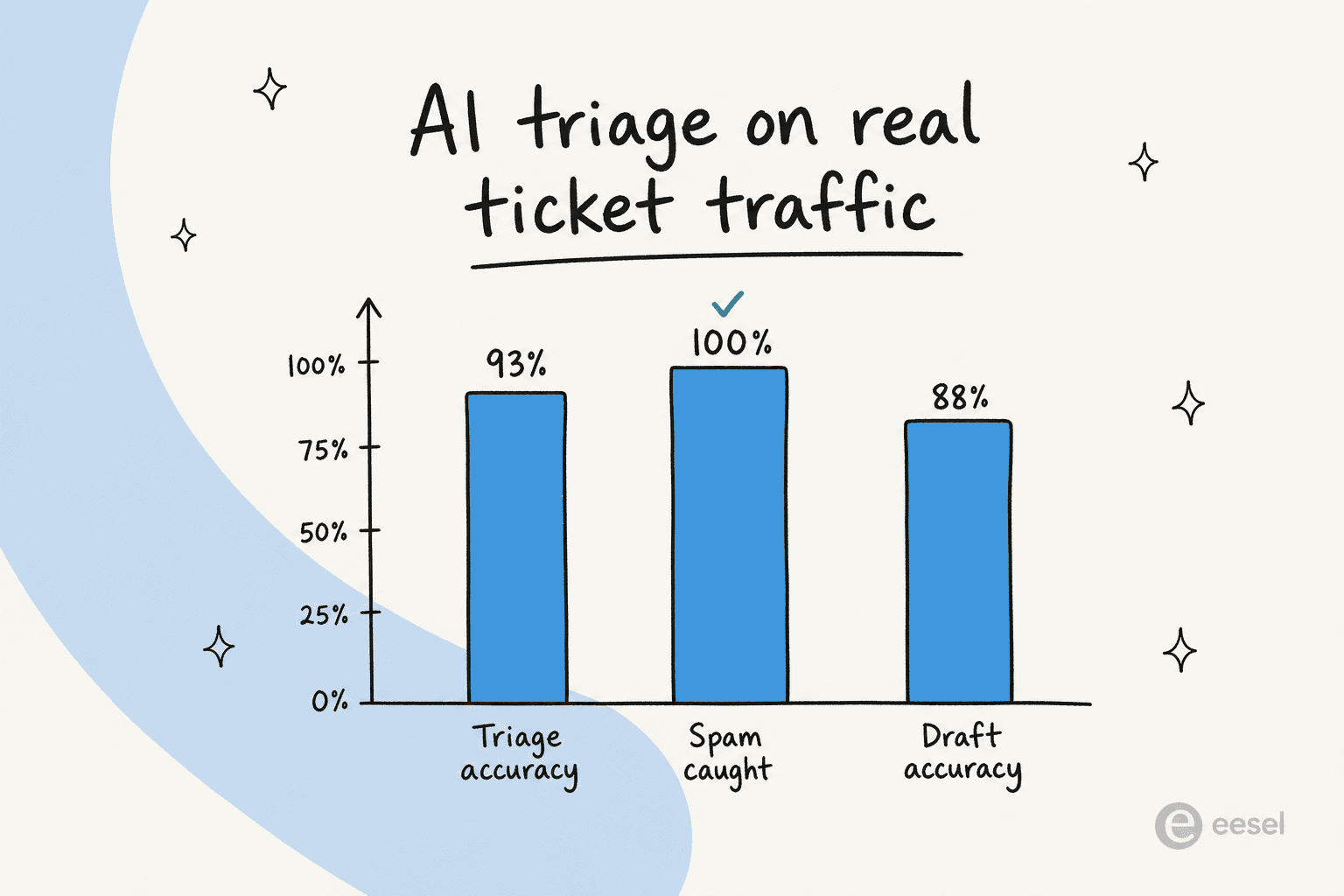
Those spam and triage numbers are the prioritization win hiding in plain sight: a fifth of that queue was noise that never needed a human, and the AI pulled it out before it diluted anyone's attention. That's first-contact resolution and queue hygiene in one move.
It plays out in production too. One gig-economy analytics team on Zendesk told us plainly:
"In the first month, eesel is resolving 73% of our tier 1 requests. The platform even includes automations for ticket tagging, assignment, and status updates."
Kim Simpson, Gridwise, on our helpdesk page
Tagging, assignment, status, that is prioritization, just expressed as actions on the ticket rather than a number in a field. The point of tracking resolution-rate metrics and your wider customer service metrics is so you can prove the priority calls were right, not just busy.
Routing it inside the helpdesk you already use
You don't need to rip out your stack to do this. The prioritization layer rides on top of the helpdesk you've already got, reading tickets and writing back tags, priority, assignment, and replies through the same API your agents use.
It's the same pattern whether you're on Zendesk, Freshdesk, Gorgias, or HubSpot. If you're shopping around, the best AI helpdesk software roundup and our notes on ecommerce-specific helpdesks and B2B support get into which tools handle prioritization natively versus needing a layer on top. For Zendesk teams specifically, there's a deeper dive on its AI capabilities and classification apps.
How I'd actually roll this out
If I were setting this up from scratch this week, the order matters more than the tooling:
- Define what "priority" means for your team. Write down what genuinely jumps the line (outages, churn risk, VIP accounts) versus what can wait. The AI needs a target.
- Connect your helpdesk and knowledge. Point it at past tickets and help docs so it learns your patterns, not a generic model's guess.
- Turn on classification first, in copilot mode. Let it tag and score without acting, and read the results for a week.
- Simulate, then escalate by confidence. Run it on historical tickets, fix the gaps, then let it act only where it's confident and hand off everything else.
- Widen autonomy as the numbers hold. Track accuracy and resolution rate, and only expand what it handles once the data earns it.
For the full step-by-step version with screenshots, our guide to prioritizing tickets with AI walks each stage in detail, and the AI ticket triage roundup compares the tools that do it.
Try eesel for ticket prioritization
If you want this without a six-week rollout, eesel AI plugs into your existing helpdesk, learns from your past tickets on day one, and starts classifying, scoring, and routing tickets behind the scenes. The two things that make it fit prioritization specifically: confidence-based routing, so it only acts where it's sure and leaves the rest for humans, and a simulation mode that replays your historical tickets so you can see exactly how it would have prioritized before a single customer is affected.

Pricing is usage-based (from $0.40 per ticket the AI handles, no per-seat fee), and there's a free trial with no card, so you can point it at your own queue and watch where it sends things. Try eesel and see what your real backlog looks like once the urgent stuff stops hiding.
Frequently Asked Questions
How do I prioritize support tickets with AI?
What is the difference between AI ticket triage and prioritization?
Can AI automatically route and escalate the tickets it prioritizes?
What happens if the AI prioritizes a ticket wrong?
How much does AI ticket prioritization cost for a small team?


Article by
Kurnia Kharisma Agung Samiadjie
Kurnia is a software engineer and writer at eesel AI with two years of SEO experience, writing about AI tools, helpdesk software, and customer support. He pairs a developer's understanding of how these products are built with search-driven research into what actually ranks and resonates with the people searching for them.