What actually breaks when support goes offshore?
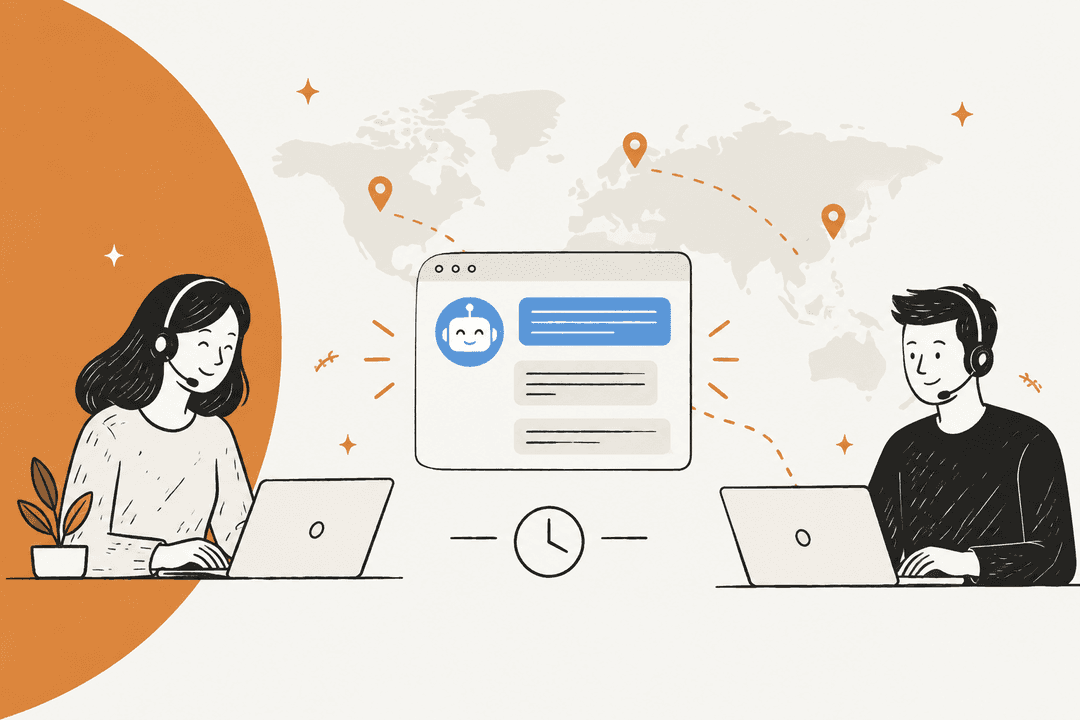
I work eesel's support queue every day, and a fair share of the teams I talk with run offshore or outsourced support, some of them outsourcers who run eesel inside the helpdesks of their own clients. What they describe to me is usually not bad English, and not a heavy accent either. It's agents who are missing the context to solve the ticket, so they end up answering something nearby to it.
A long-time engineer on Hacker News put the root cause better than any vendor deck I have read so far:
"That and failing to provide sufficient support/documentation/training to the people trying to help you (sometimes you might know far more than them as they first saw the system last week)."

Same commenter in the same thread explains why offshore agents paste help-center links instead of reading the ticket: they're often measured per ticket, so "their ideal is to get a reply to you ASAP." This is a pay-structure problem that dresses up as a quality problem, and an accent tool won't fix it. The fix is to put the right answer in front of the agent fast enough, so the quick reply and the correct reply end up being the same reply.
So when I sorted the tools for this roundup, I sorted them by the gap each one closes. There are four gaps which come up in almost every offshore setup:
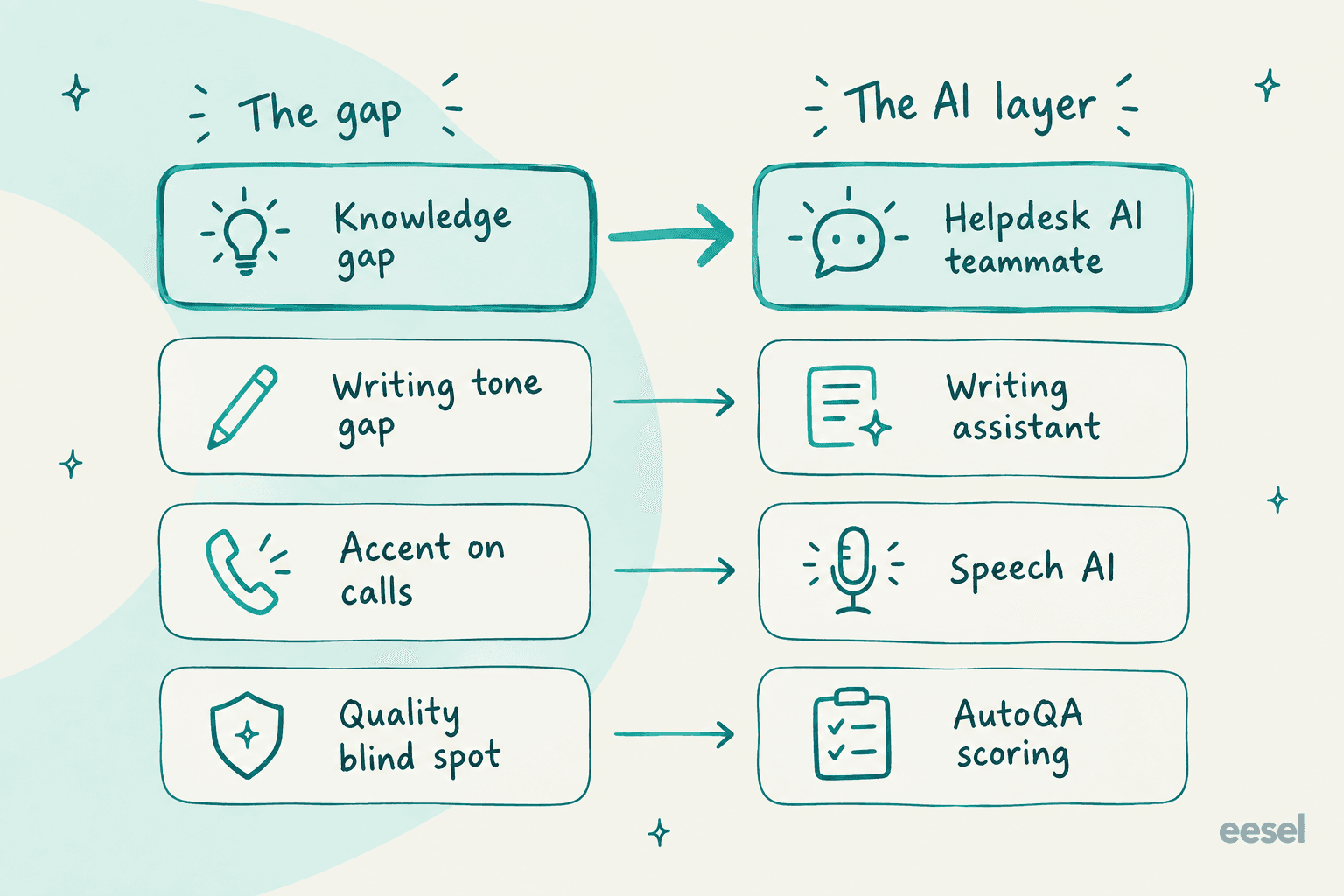
The knowledge gap is the one worth fixing first, because it drives the other three. An agent who knows the answer writes a clearer reply and sounds more confident on the phone, and also scores better in QA. An agent who doesn't know it can have perfect grammar plus a neutral accent and still send the customer around in a circle.
How I picked these tools
I picked tools that offshore and outsourced support teams really run in production, and then judged each of them on five things:
- Where it lives. Inside the helpdesk the offshore agents already use is better than one more tab. Offshore teams are often working on a client's tools, not on their own.
- What it learns from. Your past tickets and internal docs beat generic AI writing, since a generic AI has no idea about your refund rules.
- How it prices. Per-seat pricing punishes the one thing offshore teams have the most of, which is headcount.
- Languages and channels. Email and chat, voice too, plus which languages each one covers.
- Control. Approvals and draft-only modes, also audit logs, so the onshore lead is able to trust what happened overnight.
For each vendor I read their own pricing, docs and security pages and captured the product pages, then pulled user reviews from G2, Capterra and Hacker News. The full outsourcing vendors themselves I left out. If you're still deciding whether to offshore at all, the guide to call center outsourcing is the better starting point. If you've decided against it, read about outsourcing alternatives instead.
The best AI for offshore support at a glance
| Tool | Gap it closes | Best for | Works inside | Pricing model | Entry price | Free tier or trial | Languages | Voice calls | Security |
|---|---|---|---|---|---|---|---|---|---|
| eesel AI | Knowledge | Drafting from past tickets in any major helpdesk | Zendesk, Freshdesk, Front, Help Scout, Gorgias, HubSpot, Jira SM, Slack | Per ticket handled, unlimited seats | $299/mo for 500 tickets | Free plan, 100 credits | 80+ | No | SOC 2 Type II in progress, GDPR |
| Zendesk Copilot | Knowledge, tone | Teams fully on Zendesk Suite | Zendesk only | Per agent add-on | $50/agent/mo | 14-day Zendesk trial | 32 for live translation | Separate Talk product | See vendor |
| Freddy AI Copilot | Knowledge, tone, language | Freshdesk teams on Pro or Enterprise | Freshdesk only | Per agent add-on | $29/agent/mo | Freshdesk trial | 60+ | No | See vendor |
| Guru | Knowledge | Verified internal knowledge across tools | Browser extension, helpdesks, chat | Custom package | Quote only | No | Not published | No | See vendor |
| Grammarly | Writing tone | Polishing replies from non-native writers | Any text box | Per member | $12/member/mo | Free plan | 6 for real-time support | No | SOC 2 Type 2, ISO 27001 |
| Sanas | Accent on calls | Phone-heavy offshore floors | Desktop app on agent machines | Per user | ~$60/user/mo (AWS listing) | 7-day trial, 0-49 agents | 30+ for translation | Yes | HITRUST, SOC 2, ISO 27001, PCI DSS |
| Zendesk QA | Quality | Auditing offshore and BPO agents on Zendesk | Zendesk (plus some imports) | Per agent add-on | $50/agent/mo bundle | Via sales | Not published | Yes, Voice QA | See vendor |
| Level AI | Quality, real-time guidance | Large contact centers with voice | 51 listed integrations | Custom | Quote only | No | 50+ (virtual agent) | Yes | SOC 2 II, ISO 27001, HIPAA, PCI |
Two things jump out from that table. Only one tool in it prices by work instead of by seat. And only two of the eight do anything for voice calls, which matters a lot if your offshore team is a phone floor rather than an email queue. If voice is your whole world, my colleague's roundup of AI for phone support goes deeper.
1. eesel AI
Best for: offshore and outsourced teams on Zendesk, Freshdesk, Front, Help Scout or Gorgias who need every agent to answer like the senior team.

Full disclosure: I work at eesel, so weigh this pick keeping that in mind. I put it first because it's the only tool here that is built around the knowledge gap. eesel is an AI helpdesk teammate that joins your existing queue, reads your past tickets and macros along with the help center, and drafts replies right inside the ticket. The offshore agent then reviews it, edits and sends. The screenshot above shows the setting I would start every offshore rollout with: you tell it in plain English to always leave a draft and never send on its own.
What it does for an offshore team
The key thing here is what it learns from. eesel trains on the replies your team has already sent, plus Confluence, Notion and Google Docs, so the draft reflects your real refund policy and the tone you really use, not a generic AI politeness. A records-management SaaS team on Zendesk, after 5,696 AI interactions, said it like this:
"Eesel has greatly improved our speed and interactions with Zendesk and customers by providing accurate draft responses on all cases using the awesome training model via past ticket data."
A records and data-governance SaaS team using AI drafts trained on past Zendesk tickets
That is exactly what an offshore agent who "first saw the system last week" needs. Before you trust it, eesel's simulation skill replays hundreds of your past tickets and scores each AI answer against what your team actually sent, then it suggests changes to the instructions. Every action, from replying to tagging to refunds, can be set to auto, needs approval, or disabled, so nothing goes out overnight without the onshore lead signing off on it.
It handles the language side as well. eesel supports 80+ languages out of the box, and the chat bubble has an auto-translate setting, so an English-speaking offshore team is able to cover customers who write in German or Spanish, no separate translation tool needed.
Pros
- Learns from your past tickets and not only articles, so the drafts match the way your best agents answer.
- Works inside the helpdesk offshore agents already use, with Zendesk, Freshdesk, Front and Help Scout among the main integrations.
- Draft-only mode plus approvals per action, so you can start with zero risk on the customer-facing side.
- Ticket-based pricing with unlimited agents and seats.
Cons
- No voice channel. eesel works on tickets, chat and email, also Slack and Teams, so a phone floor still needs a speech tool.
- It can't read images in tickets yet. One outsourcing team using eesel said their customers "frequently share screenshots," so agents still have to read those by hand.
- SOC 2 Type II is still in progress, not finished. If your client contract asks for the report today, that is a blocker.
Pricing
| Plan | Price | What you get |
|---|---|---|
| Free | $0/month | 100 credits, every feature and integration, no card |
| Teammate 500 | $299/month | 500 credits |
| Teammate 1,000 | $499/month | 1,000 credits |
| Teammate 2,500 | $999/month | 2,500 credits |
| Teammate 5,000 | $1,899/month | 5,000 credits |
| Above 5,000 | Talk to sales | Custom |
A ticket or a chat counts as one credit no matter how many replies it takes, and every plan includes unlimited agents and seats (eesel pricing). Overage is optional, at $0.80 per credit with a monthly cap that you set.
Verdict
Verdict: pick eesel if your offshore team works tickets and chat in a mainstream helpdesk and your real problem is answer quality and ramp time. Skip it if your offshore team is mostly on the phone. The deciding factor is whether your past tickets hold the answers you want offshore agents to give, and for most teams they do. If you're comparing it head to head with the native options, see eesel vs Zendesk AI. Freshdesk teams can read eesel vs Freddy.
2. Zendesk Copilot
Best for: offshore teams working entirely inside Zendesk Suite who want AI help without adding a vendor.

If your offshore agents live in the Zendesk Agent Workspace shown above, Zendesk Copilot is the path of least resistance. Its auto assist suggests next steps and drafts replies, then runs approved actions too, including in Shopify, Jira and Slack. On the Copilot page Zendesk claims 82% higher agent productivity, which is a vendor number, so treat it more as a ceiling.
What it does for an offshore team
Two parts matter the most for offshore. First, conversation translation lets an English-speaking agent work on tickets in other languages. It's not a part of Copilot, it's available on all Suite plans, and it covers 32 languages including Indonesian, Hindi, Thai and Vietnamese. Filipino and Malay are not on the list, which only matters if your customers write in them. Second, the writing tools (tone, expand, simplify) help non-native writers to polish a reply.
Read the gating carefully, though. On Suite Professional, the free writing tools come with 5 uses per agent per month, pooled, up to 500 per account. That is more of a taste than a workflow. For auto assist, suggested first replies and "rewrite in your tone" you need the paid add-on. My colleague's Zendesk AI agent vs Copilot breakdown covers the split in detail.
Pros
- Native to the Agent Workspace, so there is no new tool to train offshore agents on.
- Conversation translation in 32 languages across every channel except voice.
- Actions can reach into Shopify, Jira and Slack from the ticket.
Cons
- Zendesk only. If your offshore vendor also works in a client's Freshdesk or Front, Copilot doesn't follow them there.
- Per-agent pricing stacks on top of the Suite seats, so a 20-agent team pays for Copilot 20 times.
- Free writing tools are capped at 5 uses per agent per month.
Pricing
| Item | Annual | Monthly |
|---|---|---|
| Suite Team | $55/agent/mo | $69/agent/mo |
| Suite Professional | $115/agent/mo | $149/agent/mo |
| Copilot add-on | $50/agent/mo | Not listed |
| Automated resolutions (AI agents) | $1.50 committed, $2.00 pay-as-you-go | Same |
All figures from the Zendesk pricing page. Suite Enterprise is quote-only. The full detail is in the Zendesk pricing guide.
Verdict
Verdict: pick Zendesk Copilot if you're all-in on Zendesk Suite Professional and the per-seat cost doesn't scare you. Skip it if your offshore team spans more than one helpdesk. The deciding factor is seat count: at 20 agents, Copilot alone is $1,000 a month before a single Suite seat.
3. Freddy AI Copilot (Freshdesk)
Best for: Freshdesk teams on Pro or Enterprise who need translation and tone help built into the ticket.

Freddy AI Copilot is the agent-side AI of Freshdesk, and for offshore work it's the best-value native copilot on this list. It drafts replies from ticket details and adjusts tone, it summarizes long threads for handoffs, and it does live-translates conversations across 60+ languages. While the agent is replying it also surfaces similar past tickets and knowledge base articles, which is basically the knowledge-gap fix in a Freshdesk form.
What it does for an offshore team
The summary feature earns its keep at the shift change. When a ticket bounces from the offshore night shift over to the onshore day shift, a contextual summary saves the next agent from reading 30 messages. Sentiment tags (positive, neutral, negative) let a lead see which of the tickets the night shift left on fire. More in the Freddy AI Copilot guide and on Freshdesk AI draft replies.
Pros
- Translation in 60+ languages comes included, it's not a separate product.
- You can assign it to chosen agents, so there is no need to license the whole floor.
- $29 per agent is roughly half of Zendesk's Copilot add-on.
Cons
- Pro and Enterprise only. Growth plan teams ($19/agent) can't buy it.
- Freshdesk only, the same lock-in issue as with Zendesk.
- Drafts lean on the knowledge base and ticket details, which is not the same as training on how your best agents answered in the past.
Pricing
| Plan | Price (annual) | Copilot available |
|---|---|---|
| Growth | $19/agent/mo | No |
| Pro | $55/agent/mo | Yes, add-on |
| Enterprise | $89/agent/mo | Yes, add-on |
| Freddy AI Copilot | $29/agent/mo | |
| Freddy AI Agent (autonomous) | 500 sessions free, then $49 per 100 | All plans |
Figures from the Freshdesk pricing page. The Freshdesk pricing breakdown has the monthly rates too.
Verdict
Verdict: pick Freddy Copilot if you're on Freshdesk Pro and multilingual coverage is your main pain. Skip it if you're on Growth, because the jump in plan costs more than the AI does. The deciding factor is which one is the bigger offshore problem for you, translation or answer accuracy; Freddy is stronger on the first.
4. Guru
Best for: teams whose offshore agents need verified internal knowledge across many tools, not just the helpdesk.
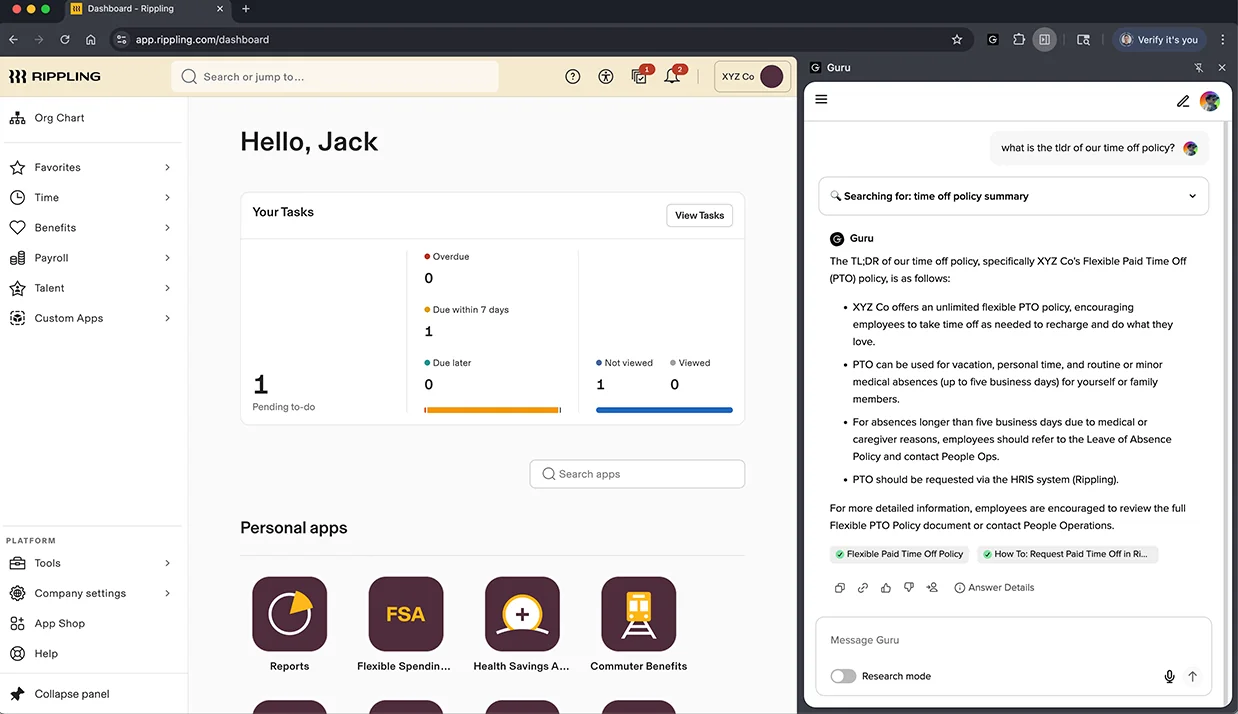
Guru attacks the knowledge gap from the other side: rather than drafting the reply, it makes sure that the knowledge the agent searches is correct. Subject-matter experts verify the content, and publishing needs expert approval. Answers show up in chat and email and inside helpdesks, plus there is a Chrome extension which sits beside whatever tool the agent has open, like in the screenshot above.
What it does for an offshore team
Verification is the part I would care about for offshore. When the onshore product team changes a policy, the offshore agent needs to know that the old article is dead. The verification workflow in Guru flags content owners to re-confirm on a schedule. Guru's Steno case study reports support volume cut in half with a Knowledge Agent.
Pros
- Expert verification keeps offshore agents off stale articles.
- Works across tools through the browser extension, which is useful when a BPO agent juggles the stack of a client.
- Strong for onboarding, since new agents ramp up on verified content.
Cons
- It surfaces knowledge, but it doesn't draft or send ticket replies.
- No public pricing anymore. The pricing page now sells one custom "AI Knowledge Layer" package scoped on a sales call.
- Somebody has to own the verification, otherwise the advantage disappears.
Pricing
Quote only. Guru removed its per-seat plans and now sells one custom package, which includes Knowledge Agents, AI search, MCP delivery, verification workflows and solution-engineer setup (Guru pricing). For nonprofits a reduced-price plan exists. My Guru pricing post tracks the change, and Guru alternatives covers cheaper options.
Verdict
Verdict: pick Guru if your offshore problem is that nobody trusts the knowledge base. Skip it if what you want is an AI that writes the reply. The deciding factor is whether you have subject-matter experts who are willing to own verification.
5. Grammarly
Best for: polishing replies from non-native English writers on any tool, for the least money on this list.
Grammarly, now part of the Superhuman suite, is the simplest tool here: it checks grammar and tone in any text box the agent types into, every helpdesk included. For offshore teams writing in their second language, that is a real help. Grammarly's own Databricks case study calls it "especially valuable for non-native English speakers in support roles" and reports time to resolution down 25%.
What it does for an offshore team
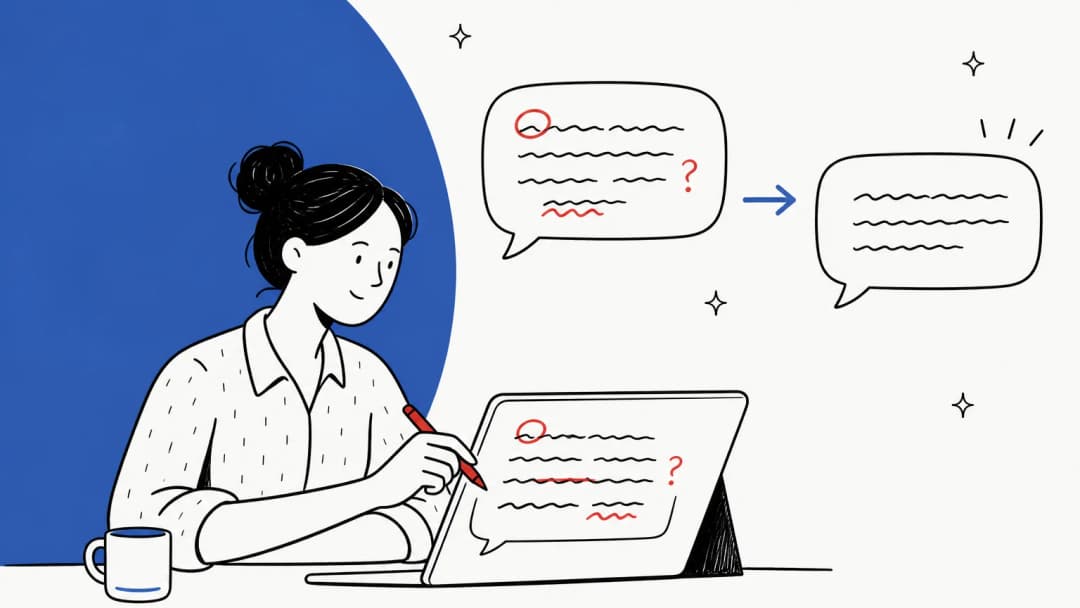
Pro includes one shared style guide and one brand tone, plus snippets, so a team lead can encode "we say refund, not reimbursement" one time for the whole floor. The tone detector (the "your tone sounds off" panel in the capture above) flags replies which read too blunt, a common offshore complaint that has nothing to do with knowledge.
"Sometimes the suggestions overcorrect or miss nuance in tone/brand voice even with custom setups, making AI rewrites sound a bit generic or off."

That is the honest limit. Grammarly polishes what the agent wrote, so if the agent wrote the wrong answer, it just becomes a beautifully phrased wrong answer.
Pros
- Works everywhere, no integration is needed.
- Cheap: $12 per member per month on annual Pro.
- Strong security list: SOC 2 Type 2, ISO 27001 and GDPR on its compliance page.
Cons
- It has no knowledge of your product or policies, or of your past tickets.
- Real-time support covers 6 languages according to the support page.
- Reviewers flag AI rewrites that sound robotic and need editing.
Pricing
| Plan | Price | Notes |
|---|---|---|
| Free | $0 | 100 AI prompts/month |
| Pro | $12/member/mo annual, $30 monthly | 2,000 prompts per member, up to 149 seats, 1 style guide, 1 brand tone |
| Enterprise | Contact sales | Unlimited style guides and brand tones, SSO, data loss prevention |
From Grammarly plans and its help center. More in the Grammarly pricing guide.
Verdict
Verdict: pick Grammarly as a cheap add-on once the knowledge gap is handled. Skip it as your only offshore AI. The deciding factor is whether your complaints are about how the replies read or about what they say.
6. Sanas
Best for: offshore phone floors where clarity on live calls is the main complaint.
Sanas does one thing that nobody else on this list does: it changes how the voice of an agent sounds to the customer in real time, outputting a US or UK accent while the agent speaks normally. It runs as a desktop app, SDK or API on the agent's own machine, and the company says it doesn't monitor, record or store call data (Sanas). It also offers language translation on calls across 30+ languages, with about 1.5 seconds of latency.
What it does for an offshore team
Sanas is built exactly for the BPO model. Teleperformance, Alorica, Concentrix, Foundever and TaskUs are all named as partners in its 2026 announcement. Its Teleperformance story reports 22% higher CSAT and 37.5% lower handle time, and Alorica reports 18% lower handle time with 96% agent adoption. Keep in mind those are vendor and partner figures.
It's worth knowing that this replaces a practice which already exists. As one Hacker News commenter put it:
"There is a huge cottage industry of "voice and accent" coaches in call centers in India, Philippines and other BPO destinations."
Accent translation is also a debated idea, and you should talk it through with your agents before you roll it out, not after. A Hacker News commenter who says he worked in help desk and call centers for years made the point that style goes "beyond the accent," which is a good reminder that a voice tool doesn't fix the words.
Pros
- The only real-time accent tool here, and it has big-BPO references.
- Processing happens on the device, and Sanas says no call data is stored.
- Homepage security badges include HITRUST, HIPAA, SOC 2, ISO 27001 and PCI DSS.
Cons
- Voice only. It does nothing for email or chat, or for tickets.
- No public pricing page, the only published price is an AWS Marketplace contract.
- No independent reviews on G2 yet, so you are relying on vendor case studies.
Pricing
No pricing page. The AWS Marketplace listing shows $72,000 per year for 100 Accent Translation users (about $60 per user per month) and $18,000 per year for 100 Speech Enhancement users. Teams with 0 to 49 agents can start a 7-day trial; the bigger teams book a demo.
Verdict
Verdict: pick Sanas if your offshore team is a phone floor and call clarity keeps showing up in your CSAT comments. Skip it if your offshore work is email and chat. The deciding factor is the channel mix. For voice-led setups, see the wider list of AI for voice support.
7. Zendesk QA
Best for: onshore leads auditing offshore or BPO agents on Zendesk, across 100% of conversations.
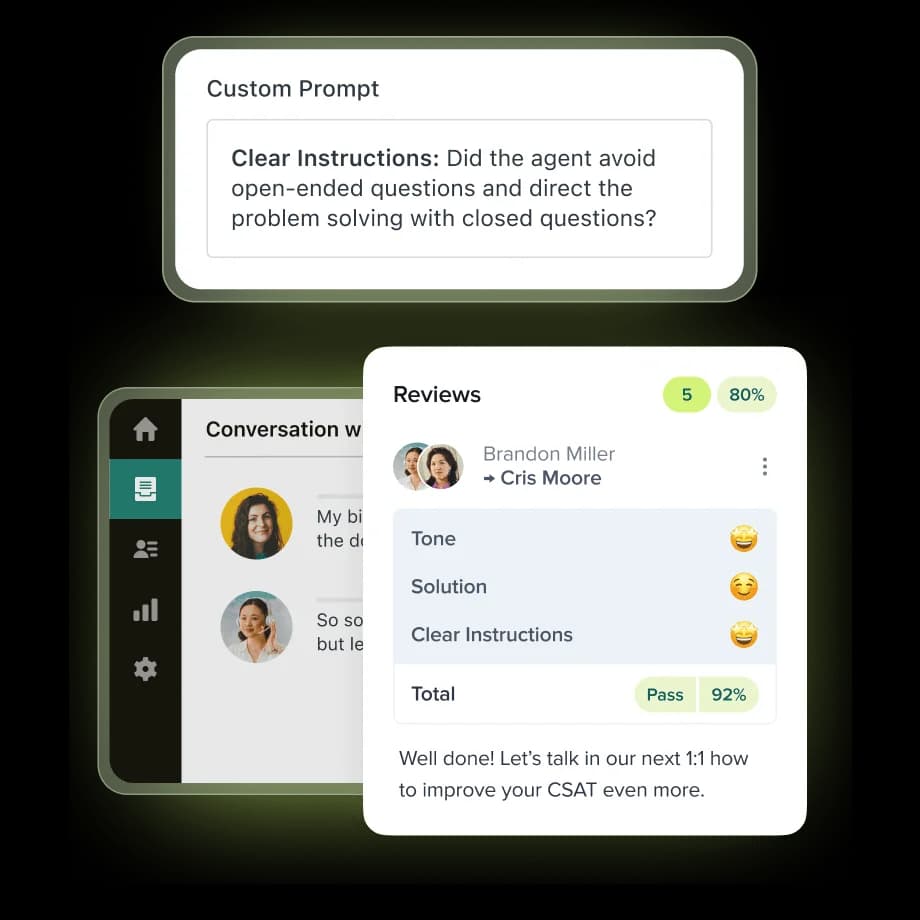
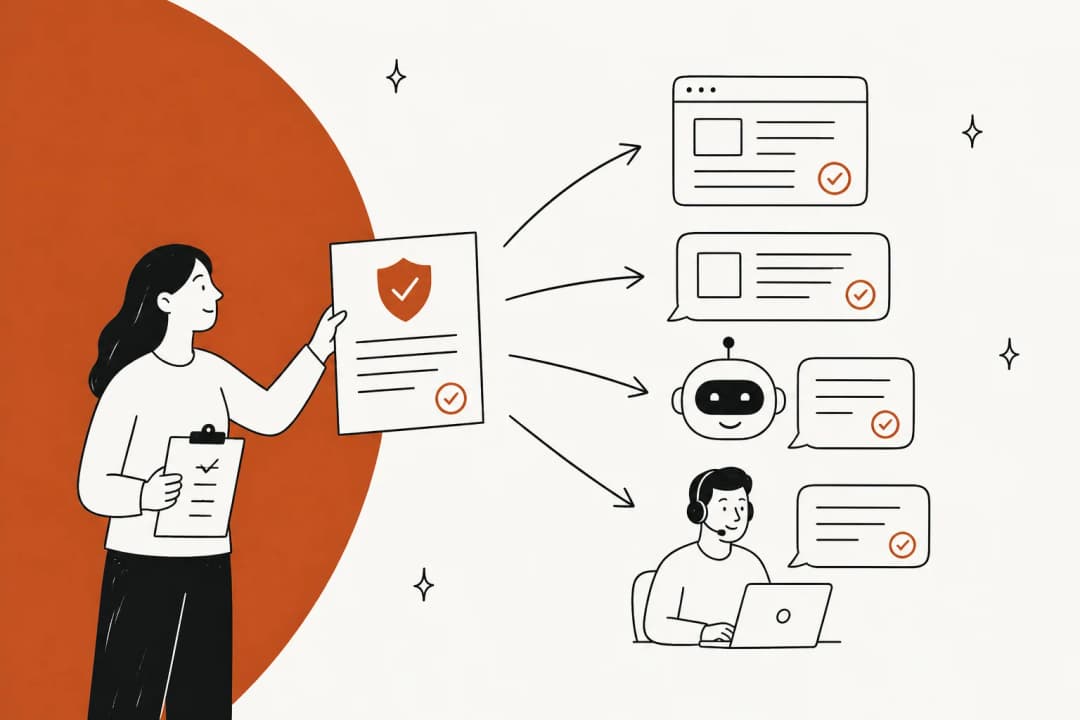
The quality blind spot is the one offshore teams feel the last and pay for the longest. Manual QA samples only a sliver of tickets, so you find out that a vendor's night shift has been misquoting your return policy only when the chargebacks arrive. Zendesk QA, formerly Klaus, scores every conversation automatically. For leads who manage a BPO on Zendesk it's a natural fit.
What it does for an offshore team
AutoQA scores eight built-in categories: greeting, empathy, spelling and grammar, closing, solution offered, tone, readability and comprehension. You can add your own categories based on prompts, like the "Clear Instructions" one in the screenshot. Voice QA covers calls too, and the AI agent conversations get scored at no extra charge. The guide to Zendesk QA agent feedback covers the coaching side.
"Is the ability to evaluate a much larger number of customer interactions and have everything organized in on place."

Pros
- Scores 100% of conversations, voice and AI agents included.
- The spelling, grammar, tone and comprehension categories map well onto offshore writing issues.
- 4.9 from 24 reviews on Capterra.
Cons
- Scores tickets after they're solved, so it catches problems rather than preventing them.
- Needs an active Zendesk connection, and it syncs every 4 to 6 hours instead of live.
- Not included in any Suite plan, it is always an add-on.
Pricing
The Workforce Engagement bundle (QA plus workforce management) is $50 per agent per month, paid yearly. There is also a standalone QA line of $35 per agent per month that appears on Zendesk's employee service pricing page. Both of them sit on top of Support or Suite seats.
Verdict
Verdict: pick Zendesk QA if you manage an offshore vendor on Zendesk and you need evidence, not anecdotes, for the quarterly business review. Skip it if you're not on Zendesk. The deciding factor is whether you need to catch problems or to prevent them; QA catches, while a drafting teammate prevents. For more options, see the support QA tools roundup.
8. Level AI
Best for: large offshore contact centers that want real-time agent guidance and QA on voice and chat in one platform.
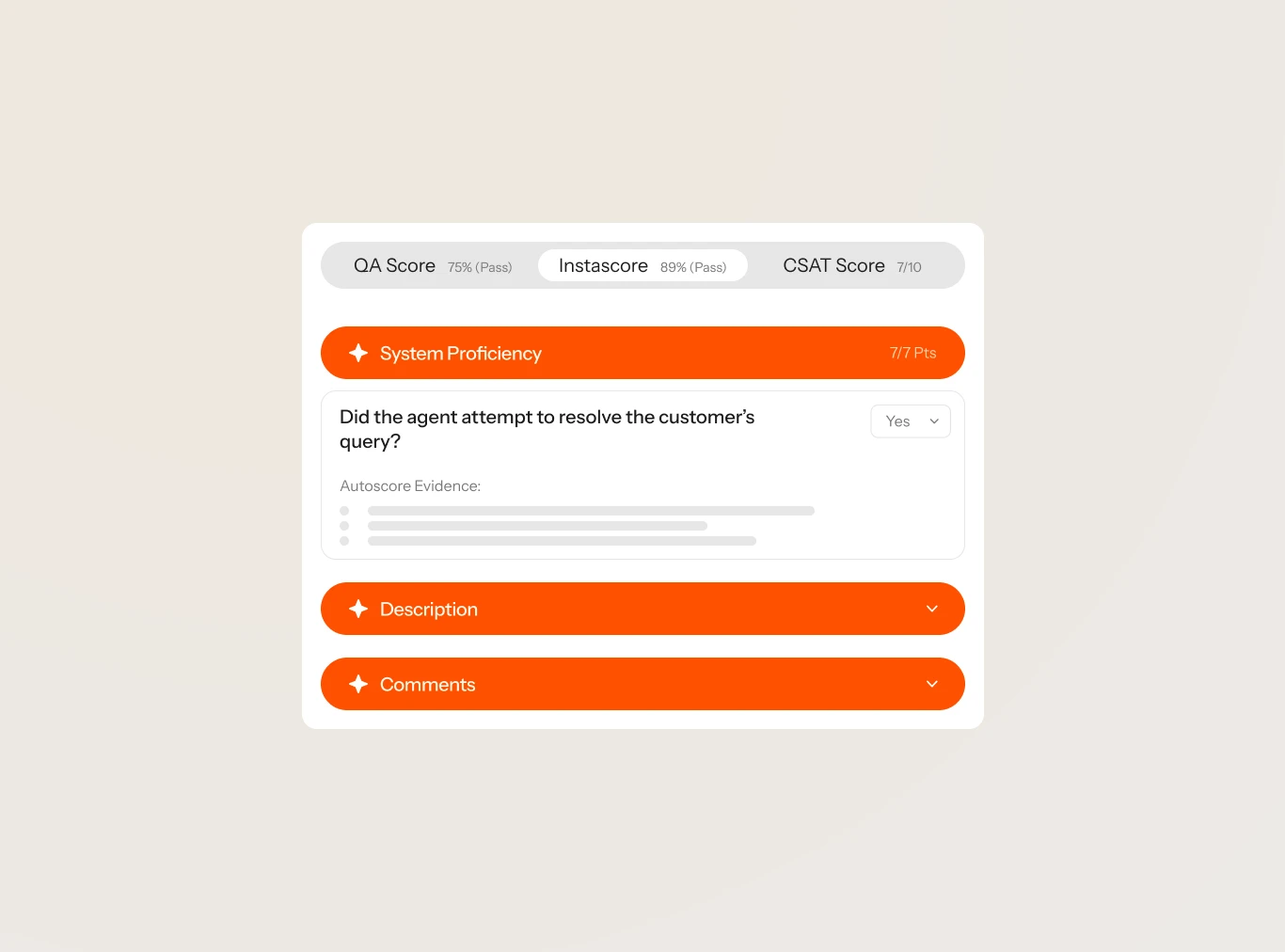
Level AI is the enterprise contact-center option, with automated QA and conversation analytics, and also real-time agent assist and coaching, all in one platform. Where Zendesk QA scores after the fact, the agent assist of Level AI gives live guidance during the conversation, and that matters for an offshore agent who is mid-call with a tricky customer. My colleague's Level AI review goes deep on the modules.
What it does for an offshore team
The QA side is the part that is proven. One enterprise retail reviewer on G2 wrote:
"Our QA has migrated from 2% manual volume to nearly 100% automated volume as a direct result of using Level AI. We also have iCSAT on 100% of contacts rather than traditional CSAT on just a fraction."
One thing to test before an offshore rollout: G2 reviewers tag "Translation Accuracy" as a recurring complaint (11 mentions), so do a pilot on your real multilingual traffic.
Pros
- Real-time agent assist plus automated QA, on voice and chat.
- 4.6/5 from 220 reviews on G2.
- Heavy compliance list: SOC 2 Type II, ISO 27001, HIPAA, PCI and HITRUST.
Cons
- Quote only, and G2 lists the typical implementation at 3 months.
- Reviewers report AI QA scores that need tailoring before they fit the company's own scorecards.
- Built for big contact centers, so it's overkill for a 10-agent offshore email team.
Pricing
Quote only. The /pricing page of Level AI returns a 404, and pricing goes through sales. See the Level AI pricing post for what's known.
Verdict
Verdict: pick Level AI if you run hundreds of offshore seats across voice and chat and you want guidance plus QA from one vendor. Skip it if you're under 50 agents or email-only. The deciding factor is the call volume.
What does AI cost for a 20-agent offshore team?
Here is the part that most roundups skip. Offshore teams are headcount-heavy by design, since that is where the savings come from. Per-seat AI pricing quietly claws those savings back, because each new offshore hire becomes another seat on every AI add-on.
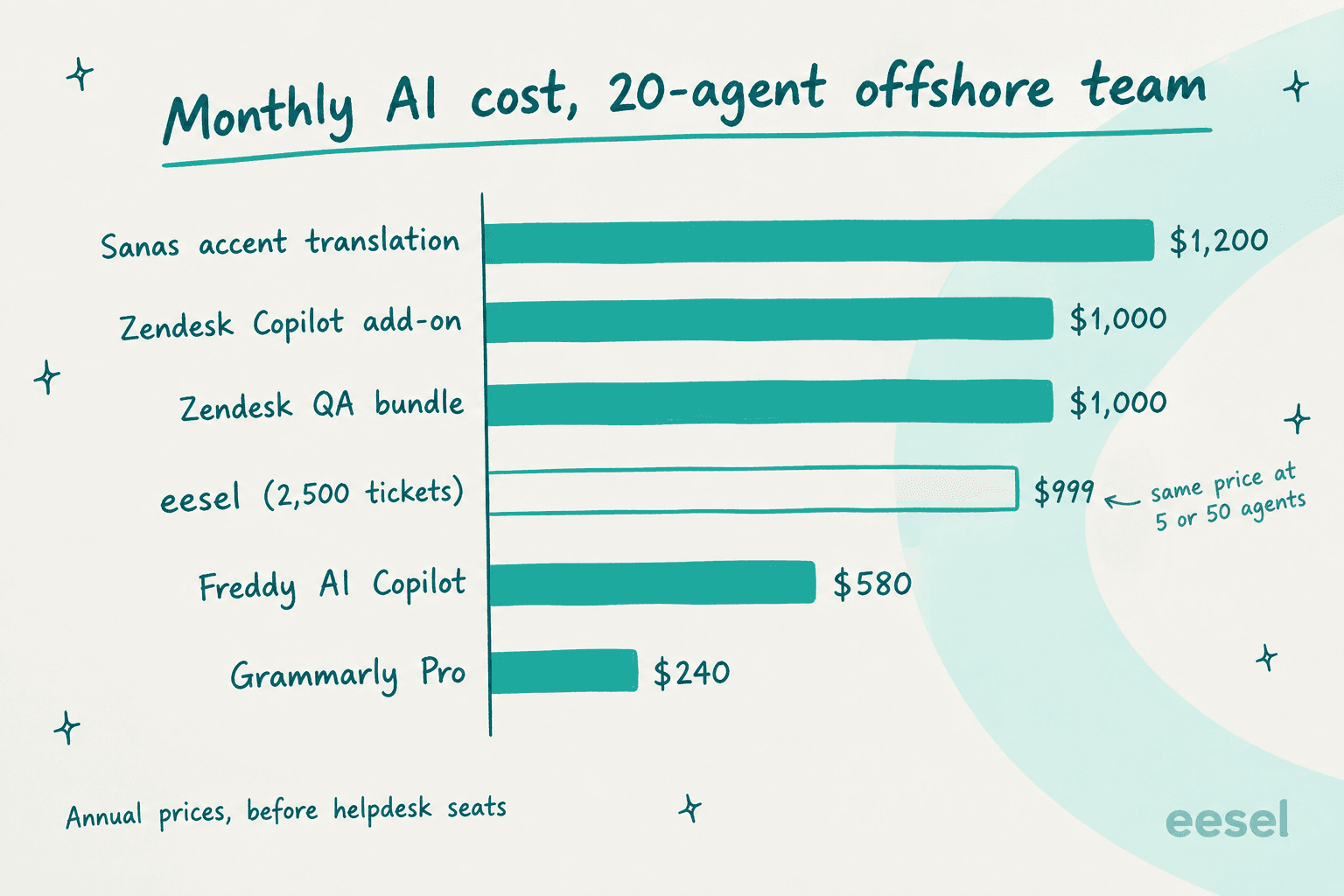
The math, at annual rates and before the helpdesk seats:
| Tool | Unit | 20 agents | 40 agents |
|---|---|---|---|
| Sanas (AWS listing) | ~$60/user | ~$1,200/mo | ~$2,400/mo |
| Zendesk Copilot | $50/agent | $1,000/mo | $2,000/mo |
| Zendesk QA bundle | $50/agent | $1,000/mo | $2,000/mo |
| Freddy AI Copilot | $29/agent | $580/mo | $1,160/mo |
| Grammarly Pro | $12/member | $240/mo | $480/mo |
| eesel (2,500 tickets) | per ticket | $999/mo | $999/mo |
Double the offshore team and every per-seat line doubles; eesel's line only moves if ticket volume moves. To be fair to the seat-based tools, the eesel number does move with volume: a team that handles 5,000 tickets a month through eesel pays $1,899. But ticket volume is usually the thing you're trying to shrink, while headcount is the thing you're scaling. If you're building the business case for AI next to offshoring, the AI vs offshore cost comparison runs the full numbers.
How to roll AI out to an offshore team without breaking trust
The fastest way to sink an offshore AI rollout is switching on auto-replies on day one. The second fastest is rolling it out without telling the offshore agents what it is for, so they read it as the thing that will replace them. Here is the sequence I would follow:
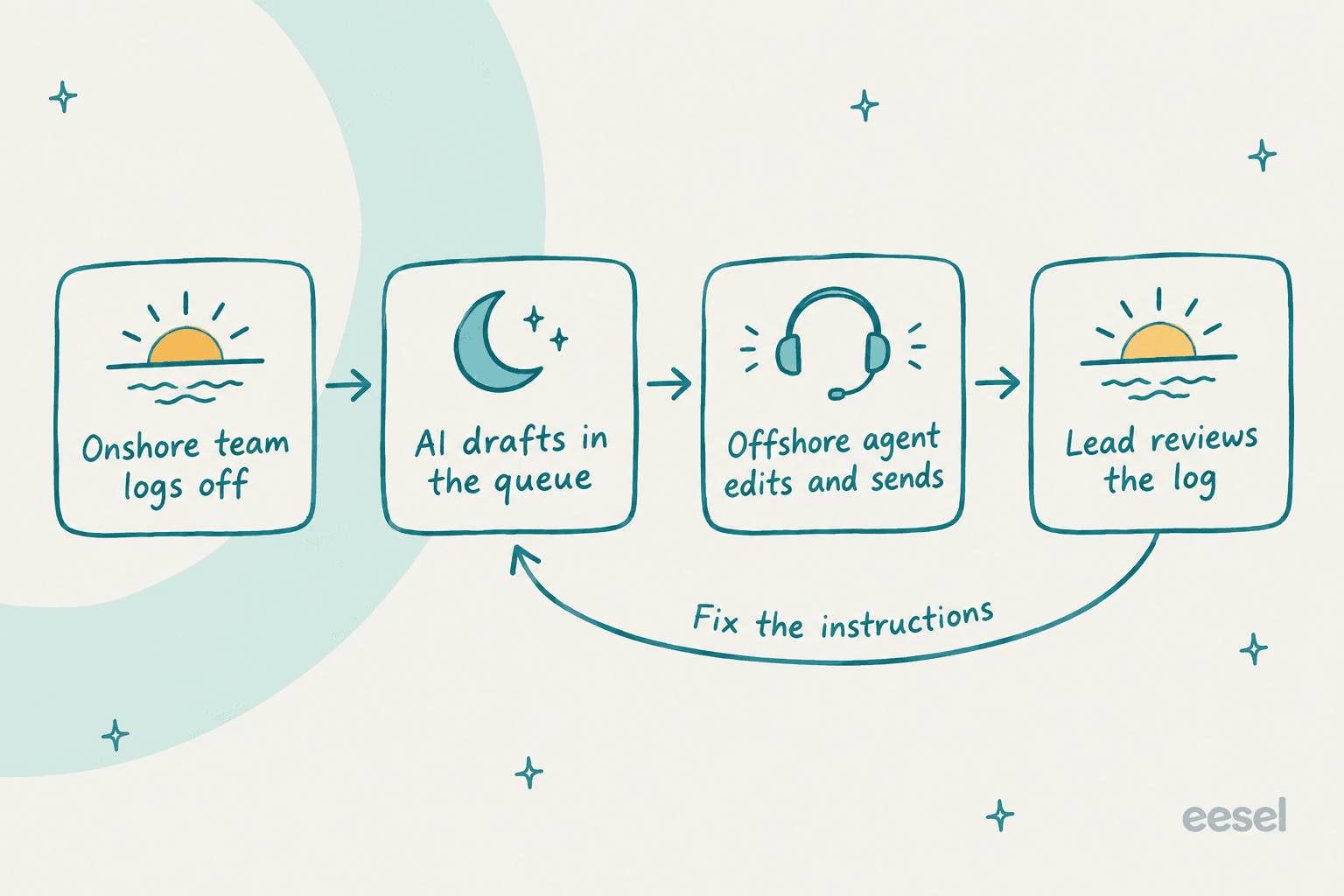
- Start in draft-only mode. The AI writes, then the offshore agent edits and sends. Nothing reaches a customer without a human in between.
- Test on history first. Run the AI against a few hundred past tickets and read where its answers differ from what your team sent. Those are the places where your instructions are thin.
- Make the morning review about instructions, not replies. When the onshore lead finds a bad draft, fix the instruction that caused it one time, instead of correcting the agent each time.
- Let the AI answer alone only where it's proven. Order status and password resets are usually the first to qualify. Refunds and complaints usually aren't.
- Keep the offshore team in the loop. Their edits are the best signal you have on where the AI is wrong.
One honest lesson from eesel's own customers. A vacation-rental support outsourcer runs eesel as a Zendesk copilot today, and they shared what is stopping them from going fully autonomous: their customers send screenshots and voice notes that the AI can't read yet, so agents summarize those by hand. I think that's the right call. Copilot mode let them get the speed gain now, without betting the customer trust on parts which aren't ready. If you want to go further in terms of coverage, the guide to 24/7 support with AI covers the always-on setup, and then AI ticket summarization covers cleaner shift handoffs.
Try eesel with your offshore team
If your offshore agents work tickets in Zendesk, Freshdesk, Front, Help Scout or Gorgias, eesel works like a senior teammate who has already read every ticket your onshore team ever answered. It drafts the reply inside the ticket and your offshore agent checks it and sends, then your lead reviews everything that happened overnight in one activity log. Pricing is per ticket with unlimited seats, so growing the offshore team doesn't make the AI bill grow.

Start on the free plan with 100 credits and test it on your own past tickets, before any single customer sees a draft. Try eesel.
Frequently Asked Questions
What is the best AI for offshore support teams?
Can AI replace an offshore support team?
How do I train offshore support agents faster with AI?
How much does AI for offshore support cost?
What AI helps offshore agents with English writing and tone?
Does AI for offshore support work across time zones?
Is it safe to give offshore teams AI tools with customer data?


Article by
Riellvriany Indriawan
Riell is a designer and writer at eesel AI with about two years of experience researching CX platforms, AI chatbots, and helpdesk software. She combines her design background with a sharp eye for how these tools actually look and feel in practice — making her comparisons unusually visual and user-focused.