

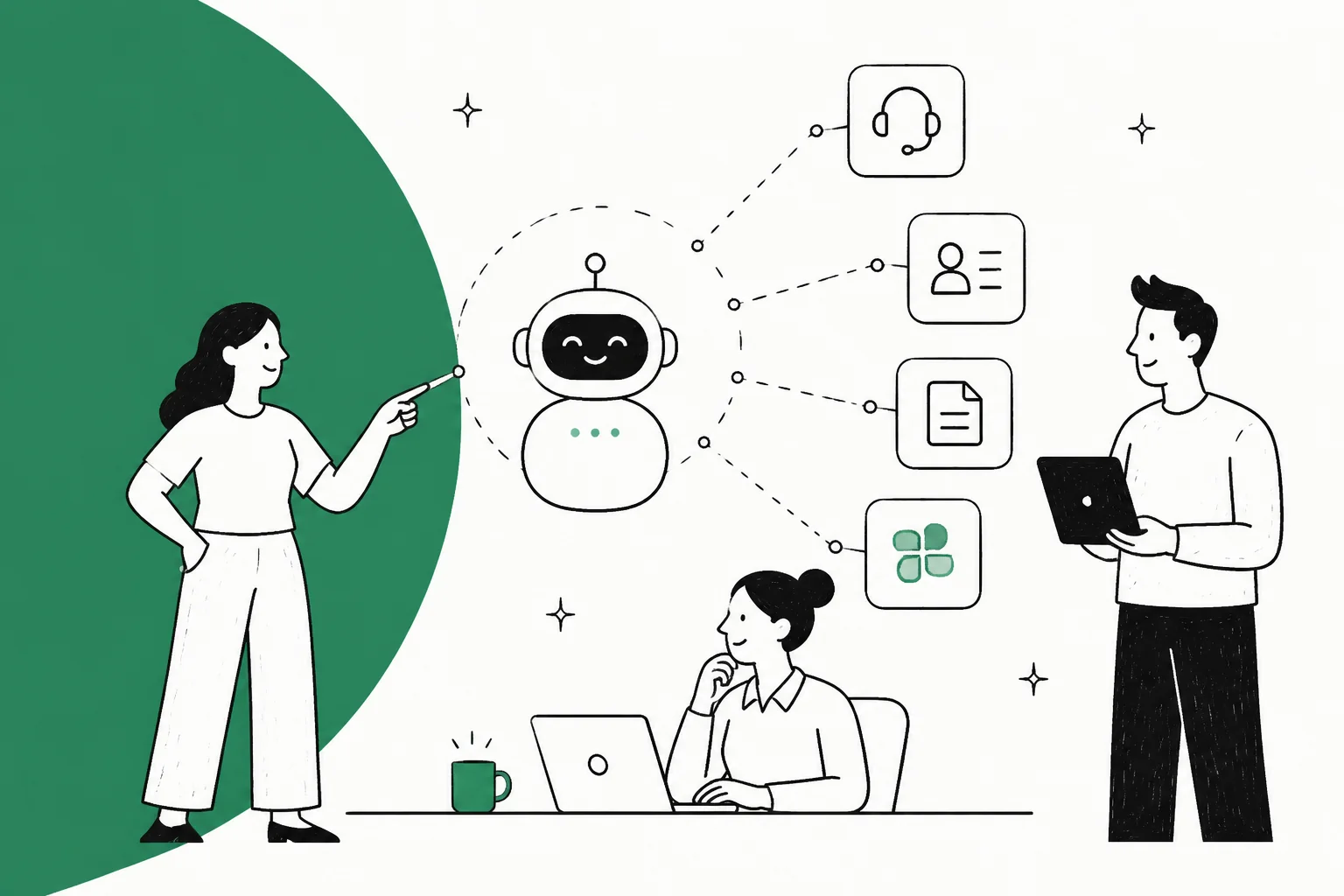
An AI agent is only as useful as the tools it can reach. "Connecting" one is really three separate questions: what it can read (sources), when it wakes up (triggers), and what it can do (actions). Most connection headaches come from treating those as one thing.
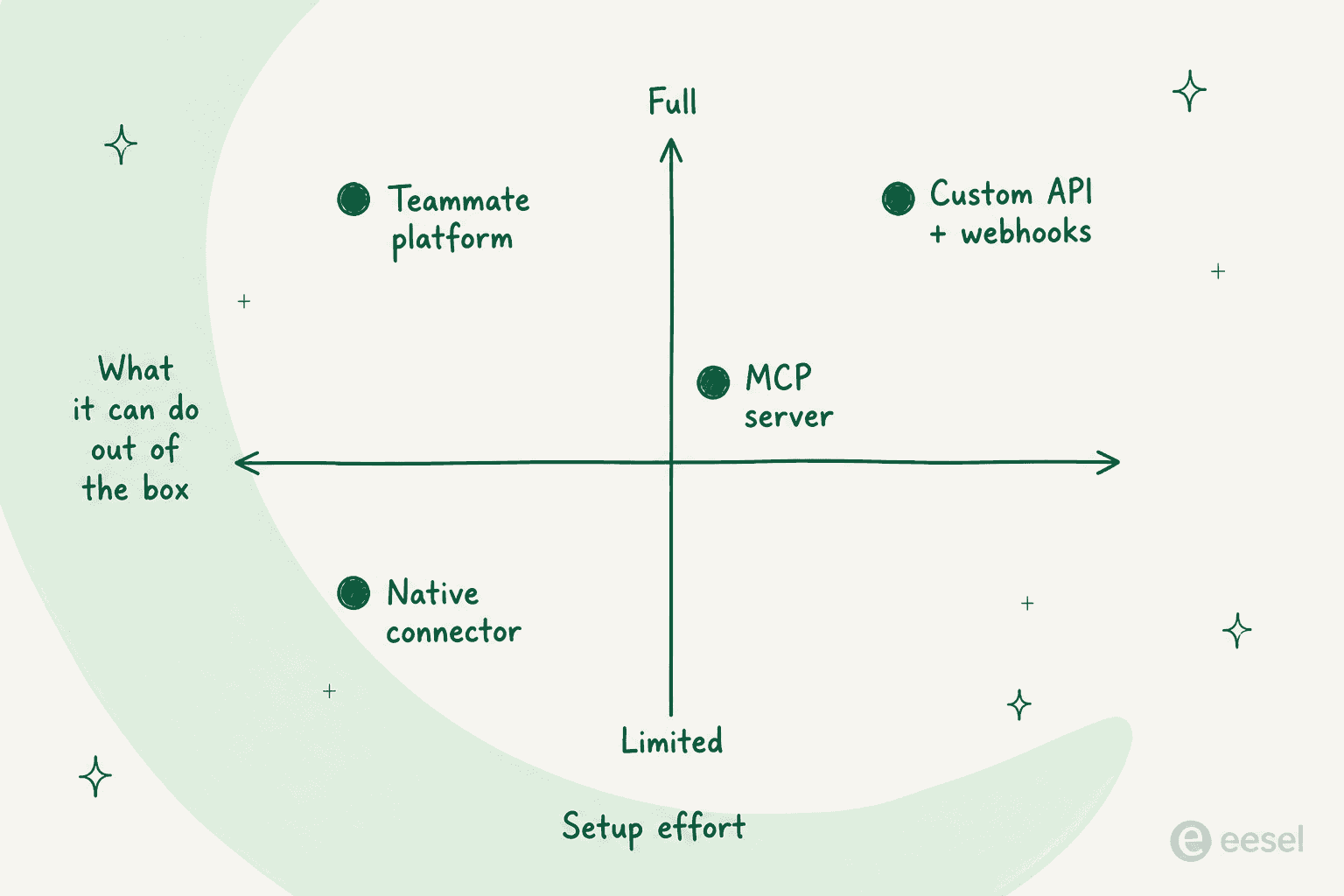
There are four ways to make the connection, in rough order of setup effort:
- Native connectors the vendor ships. Fastest, but limited to what that vendor built.
- REST APIs plus webhooks. Full control, but you write and maintain the code.
- MCP servers. A standard wrapper so one agent can talk to many tools without custom glue per tool.
- AI teammate platforms. The connectors come pre-wired, so you configure instead of build.
Whichever you pick, wire it up in a safe order: connect read-only first, pool your knowledge, turn on triggers, gate actions behind approval, then simulate before go-live. If you would rather not build any of it, eesel plugs an AI teammate into your existing helpdesk, CRM, docs, and Slack in minutes and connects to 1000+ tools.
"Connecting an agent" is really three questions
I ship integrations at eesel, so I spend most of my week on exactly this problem, and the single most common mistake I see is treating "connect the agent to our tools" as one checkbox. It isn't. A connection is three different capabilities, and a given tool might offer one, two, or all three.
- Sources are what the agent can read: your help center, past tickets, macros, wiki pages, order records, product docs. This is the knowledge it answers from.
- Triggers are when it wakes up: a customer messages, a ticket is opened, someone @mentions it, a webhook fires. Without a trigger, the agent just sits there.
- Actions are what it can do in the tool: draft a reply, send one, tag a ticket, look up an order, create an issue, update a field.
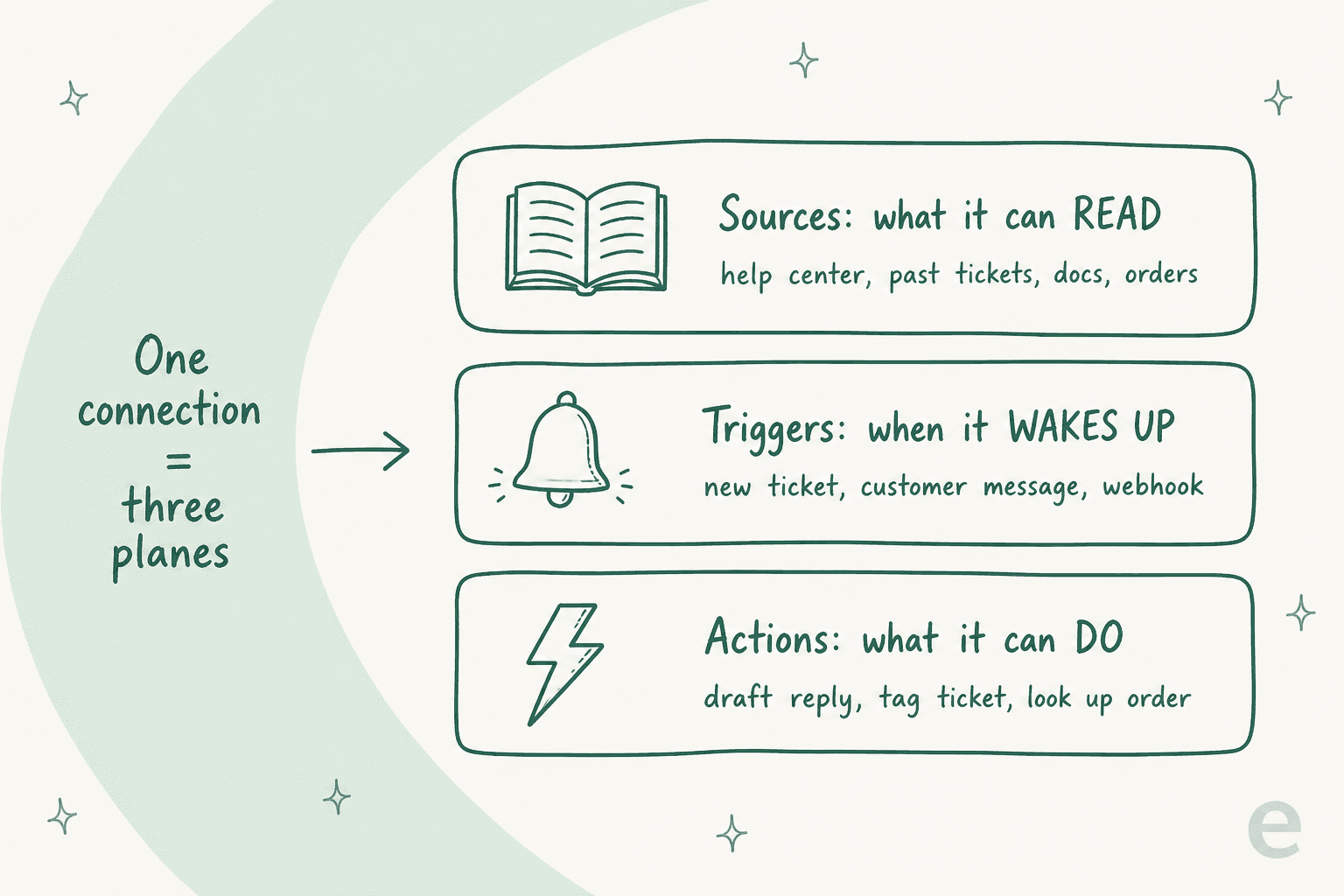
Why does this framing matter? Because it tells you exactly what "connected" is missing. An agent that can read your help center but has no trigger will never answer a live ticket. An agent with a trigger but no action can only draft, never send. When someone says "our bot is connected to Zendesk but it's useless," nine times out of ten one of these three planes is switched off.
It also explains a limitation that trips up a lot of teams: some tools are sources only. Confluence, Notion, and Google Drive are things your agent reads but can't act in, because there's nothing to "do" in a doc that matters for a support reply. A few integrations are the opposite, actions with nothing to learn. Knowing which is which up front saves you from expecting an agent to file a Jira ticket through a connector that was only ever built to read one.
One more thing that surprised me the first time I watched it work: with the right platform, all your sources pool together. An agent connected to Zendesk, Confluence, and your marketing site searches all three at once, so a single reply can draw on your help center, your internal wiki, and a public page in the same breath. That pooling is the difference between an agent that parrots one doc and one that actually reasons across your whole knowledge base.
The four ways to connect an agent to a tool
Once you know what you want the agent to read, wake on, and do, the next question is how you make the connection. There are four surfaces, and the right one depends on how much you want to build versus how much control you need.
Native connectors: the buttons the vendor ships
Your helpdesk or CRM probably sells its own AI, and it comes pre-connected to the data sitting right next to it. Zendesk's AI agents, Freshdesk's Freddy, and HubSpot's customer agent all work this way. You flip a switch, and the agent already sees that platform's tickets and articles.
The appeal is obvious: zero build, and the connection to the home tool is airtight. The catch is that native AI is usually a walled garden. It reads that vendor's data well and struggles to reach anything outside it, and it tends to bill per resolution or per conversation on top of your seat cost. If everything your agent needs lives in one tool, a native connector is genuinely the fastest path. The moment the agent needs to also check your CRM and your internal wiki, you hit the wall.
REST APIs and webhooks: build it yourself
Almost every serious business tool exposes a REST API and webhooks. The API is how your code reads and writes data; the webhook is how the tool tells you something happened. Wire a model in the middle and you have a fully custom agent that can, in principle, touch anything with an endpoint.
This is the most powerful surface and the most work. You're writing the auth handling, the retry logic, the rate-limit backoff, and a fresh integration for every single tool, then maintaining all of it as the vendors change their APIs underneath you. I love building on APIs, and I'd still only reach for a from-scratch API build when I need behavior no connector offers. For most teams it's a lot of plumbing to own. If you want the honest version of that trade-off, I wrote it up in our guide on the customer support agent API.
MCP servers: the new lingua franca
The Model Context Protocol is the interesting development of the last year. An MCP server wraps a tool's API in a standard format that any model can read on its own, so instead of writing bespoke glue for each tool, you point the agent at the server and it discovers what the tool can do. Front, Gorgias, and a growing list of vendors now publish official MCP servers.
MCP is genuinely useful, and it's why the same agent can now talk to a dozen tools without a dozen custom builds. But it's worth being clear about what it is: MCP is a wire protocol, not a finished product. It standardizes how the agent and the tool talk; it doesn't decide when the agent should act, or gate a risky action behind a human, or train the agent on your tone. You still need something around it. That's the whole argument I make in our piece on running an AI agent MCP server.
Connecting agents to real SaaS tools is still messy enough that it comes up constantly in developer forums:
Have you tried building any AI agent or using an AI product with Slack MCP? This is one of the hardest problems in SaaS data access and Slack tries to literally block any form of API or OAuth based access.

AI teammate platforms: the connections come pre-wired
The fourth option is to hire a platform that has already done the connecting. This is where eesel sits. Instead of building on an API or standing up an MCP server yourself, you get an AI teammate that already ships connectors to your helpdesk, CRM, docs, and chat tools, and you spend your time configuring behavior rather than writing plumbing.
The trade-off is the mirror image of the native connector: you get broad, cross-tool reach and full read-wake-act control with almost no build, but you're working inside the platform's model of how integrations behave. For most support and ops teams, that's exactly the trade they want. It's the difference between programmatic access to one tool and a teammate that already lives across all of them.
Here's how the four surfaces stack up:
| Connection surface | Setup effort | Cross-tool reach | Control over behavior | Best for |
|---|---|---|---|---|
| Native connector | Lowest (a toggle) | Poor, mostly its own data | Vendor-defined | Everything lives in one tool |
| REST API + webhooks | Highest (custom code) | Anything with an endpoint | Total | A behavior no connector offers |
| MCP server | Medium | Good, per published server | The protocol, not the policy | Developers wiring many tools |
| Teammate platform | Low (configure) | Broad, pre-built | Full read-wake-act, no code | Teams who want it live fast |
Which surface fits which tool
The surfaces aren't interchangeable per tool type. Some tools you want the agent to act inside; others you only ever want it to read. Matching the surface to the job saves a lot of wasted setup.
| Tool category | Examples | What you usually want | Best-fit surface |
|---|---|---|---|
| Helpdesks | Zendesk, Freshdesk, Gorgias, Help Scout, Front | Read + wake + act (draft and send) | Teammate platform or native |
| CRMs | HubSpot, Salesforce | Read records, update fields | Teammate platform or API |
| Docs / knowledge | Confluence, Notion, Google Drive | Read only (source) | Native connector or platform |
| Chat | Slack, Microsoft Teams | Wake on @mention, answer, escalate | Platform or MCP |
| Ecommerce | Shopify | Look up orders, check status | Platform or API |
A couple of patterns fall out of this. Helpdesks are the category where you most want all three planes, because the whole point is to draft and send replies inside the queue you already run. That's why I'd reach for a platform or the native option there rather than a raw API build, and it's the case I walk through in detail in our guide on connecting agents to your helpdesk.
Docs are the opposite. You almost never want an agent writing into Confluence; you want it reading Confluence so its answers are grounded. Treat those as sources, connect them read-only, and let them pool with everything else.
For eesel specifically, a Slack connection is a good example of a chat tool used as a full three-part integration: the agent wakes on a mention, answers from your pooled knowledge, and can hand off to a human.
The safe way to wire one up, step by step
However you connect, the order you do it in matters more than the surface you pick. I've watched a confident-sounding bot quietly give wrong answers on a live queue, and that's exactly why we now simulate every rollout against historical tickets before it touches a customer. Here's the sequence I'd follow every time.
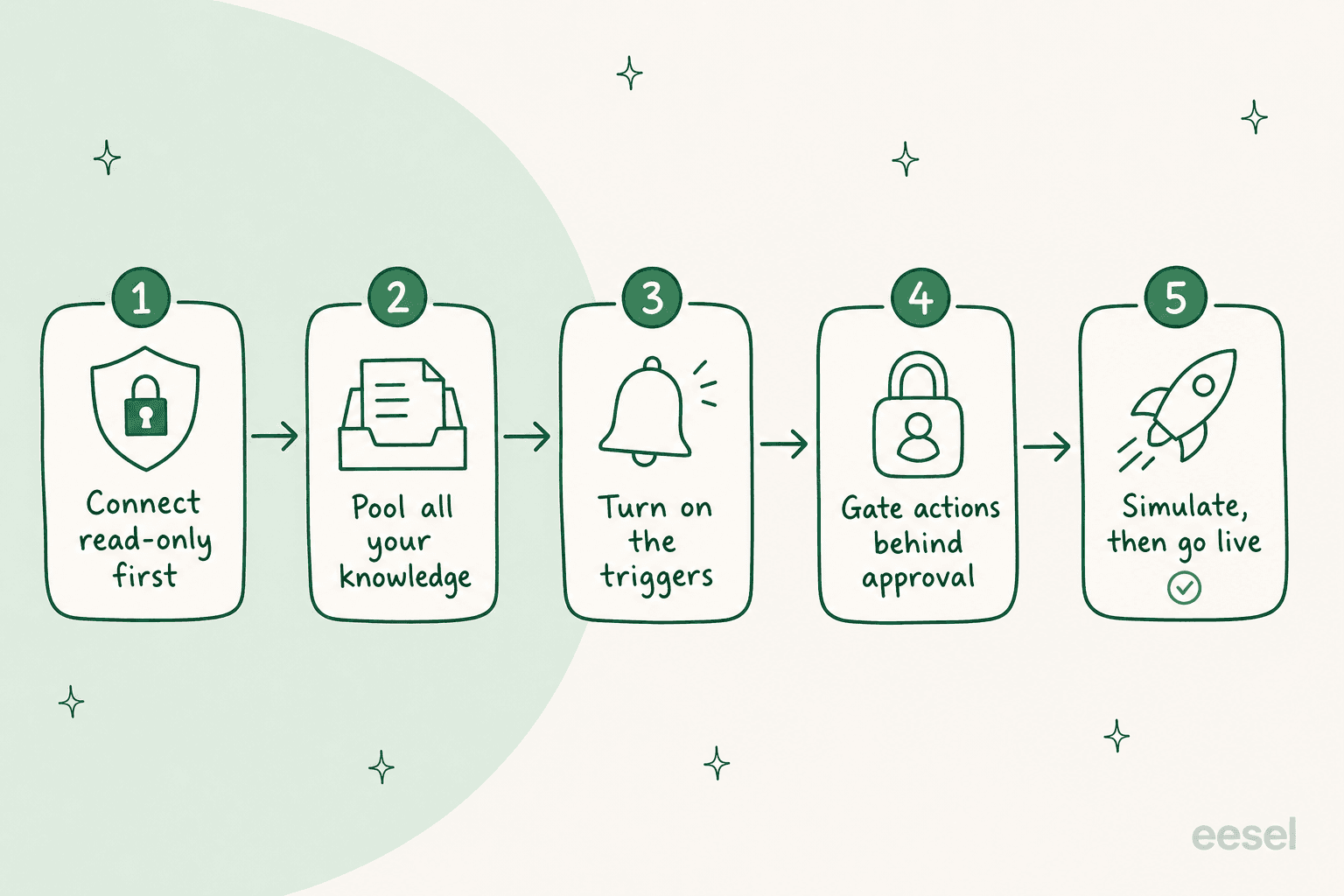
- Connect read-only first. Connecting a tool only grants access. Nothing runs until you turn on a trigger, so connect everything you can in read-only mode and let the agent learn from it privately. Most platforms offer a quick, sign-in-free connection for exactly this, though it usually reads only public content until you do a full sign-in.
- Pool all your knowledge. Connect every source before you worry about actions: help center, past tickets, internal wiki, product docs. The quality of every answer is capped by what the agent can read, and past tickets are usually the richest source, so don't skip the full connection that unlocks them.
- Turn on the triggers. Decide when the agent should wake up. A new ticket? A specific tag? A webhook from another system? Start narrow, on one queue or one topic, before you open the floodgates.
- Gate actions behind approval. Every action should have three states: fully automatic, approval-only (the agent drafts and waits for a human), or off. Start most teams at "the agent drafts, a human sends," and promote actions to automatic only once you trust them.
- Simulate, then go live. Before a single real customer is affected, run the agent against your historical tickets to see how it would have replied. This is the step people skip and regret. eesel's simulation does exactly this, so you see the behavior on your own past tickets before go-live.
Common mistakes when connecting agents
A few traps come up again and again, and all of them are avoidable:
- Connecting one tool and calling it done. An agent wired only to your helpdesk can't check the order in Shopify or the policy in Confluence. Cross-tool reach is usually the point.
- Forgetting the read-only connection is limited. A quick, sign-in-free connection typically can't see your past tickets or take actions. If your agent seems to only know your public help center, that's usually why. Do the full sign-in.
- Turning on send before you trust it. Automating replies on day one is how you get a confident, wrong answer in front of a customer. Draft-first, then simulate, then automate.
- Assuming MCP is the whole solution. MCP connects the agent to the tool, but it doesn't decide policy, tone, or escalation. You still need a layer that does. Our take on API-first agent platforms digs into where that layer belongs.
- Storing raw credentials in the prompt. Auth should live in the connection, as headers the agent never sees, not pasted into an instruction. Any decent platform, and eesel's network access, keeps secrets out of the model.
Try eesel
If you've read this far, you probably don't want to spend a quarter writing and maintaining API integrations just to get an agent talking to your tools. That's the gap eesel fills. It's an AI teammate that plugs into the helpdesk, CRM, docs, and chat tools you already run, reads across all of them at once, and acts inside them with the same read-wake-act control I described above, no custom build required.
The parts that make the connection safe are built in: connect read-only, pool your knowledge, gate every action behind approval, and simulate against your historical tickets before go-live. One customer, Global Pay, saw up to 80% time savings once their team could find answers across every connected source instantly, a result they shared on our pricing page. And for the developers who do want the terminal, eesel ships a real CLI and MCP server on top of the same connectors.

It's self-serve and free to start, no credit card and no sales call. You can connect your first tool and have a teammate reading your knowledge in a few minutes.