What ServiceNow actually announced
Two announcements, five months apart, and they get conflated constantly.
On 28 January 2026, Anthropic and ServiceNow announced that Claude is the default model powering ServiceNow Build Agent and a preferred model across the ServiceNow AI Platform. ServiceNow also rolled Claude and Claude Code out internally to more than 29,000 employees, reporting up to a 95% reduction in seller meeting-prep time. Bill McDermott framed it as reimagining how work gets done. Dario Amodei's line was about AI being woven into daily work rather than bolted on.
Then on 5 May 2026, at Knowledge 2026, ServiceNow announced Action Fabric, opening the platform to any external agent through a generally available MCP server. Anthropic is named as the first design partner, connecting Claude Cowork to what ServiceNow calls its system of action. Boris Cherny, Head of Claude Code at Anthropic, is quoted on closing the gap between knowing what needs to happen and making it happen.
Read those two together and the story is strong. ServiceNow's own framing is that other platforms let agents read and write data while ServiceNow lets them execute governed work: flows, playbooks, approvals, catalogs.
Now the part the press releases skip. The MCP server is included in Now Assist and AI Native SKUs, and headless actions consume the same assist currency as Now Assist and AI Agents. That sentence is in the Action Fabric post itself, in italics near the bottom. It is the whole commercial shape of this integration, and everything below follows from it.
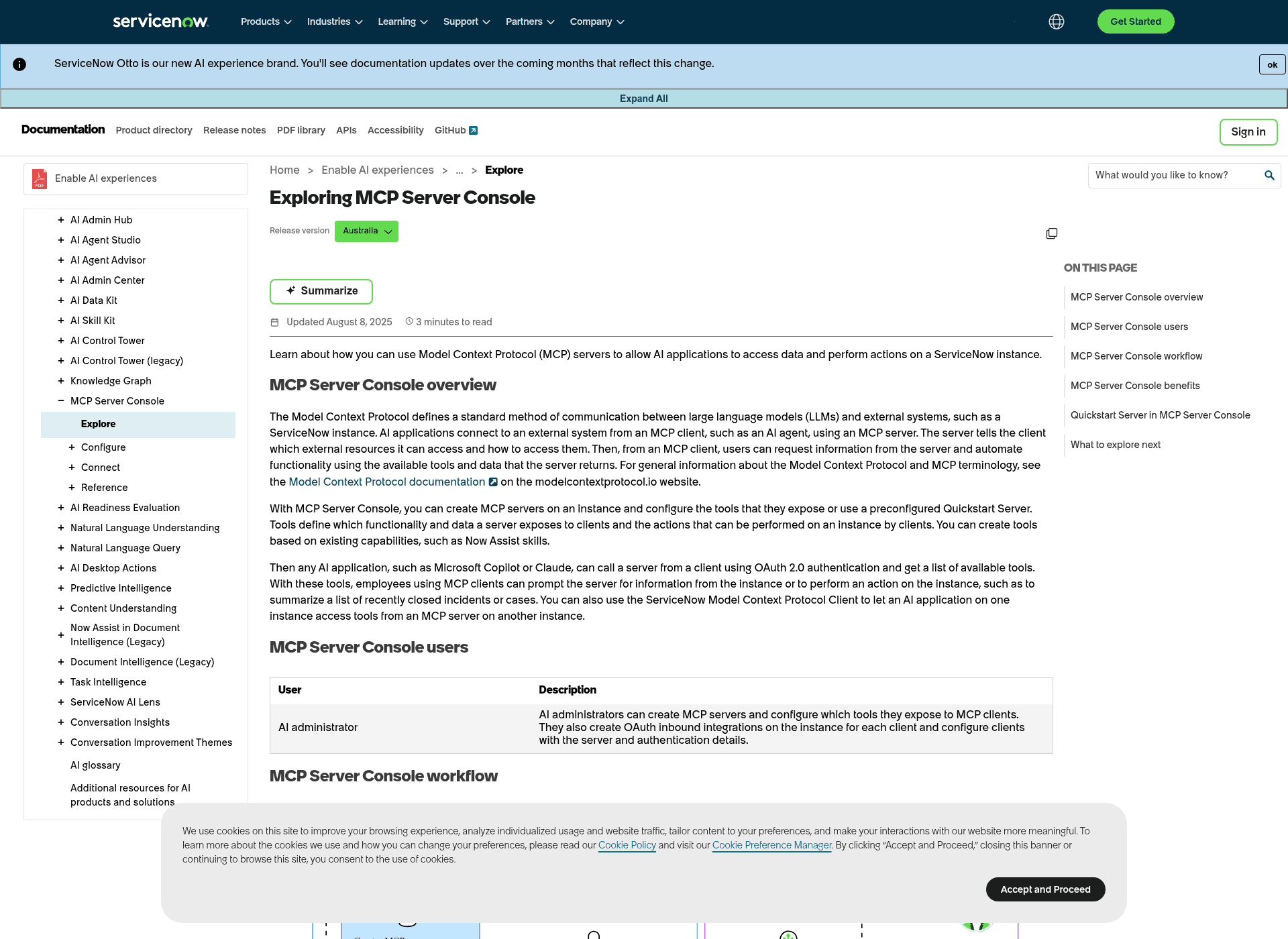
One more thing worth noting if you go reading the docs: ServiceNow is mid-rebrand. A banner across the documentation now reads that ServiceNow Otto is the new AI experience brand, and community article URLs have already shifted from now-assist-articles to servicenow-otto-articles. Same product, new name, half-migrated docs.
Four ways Claude reaches a ServiceNow instance
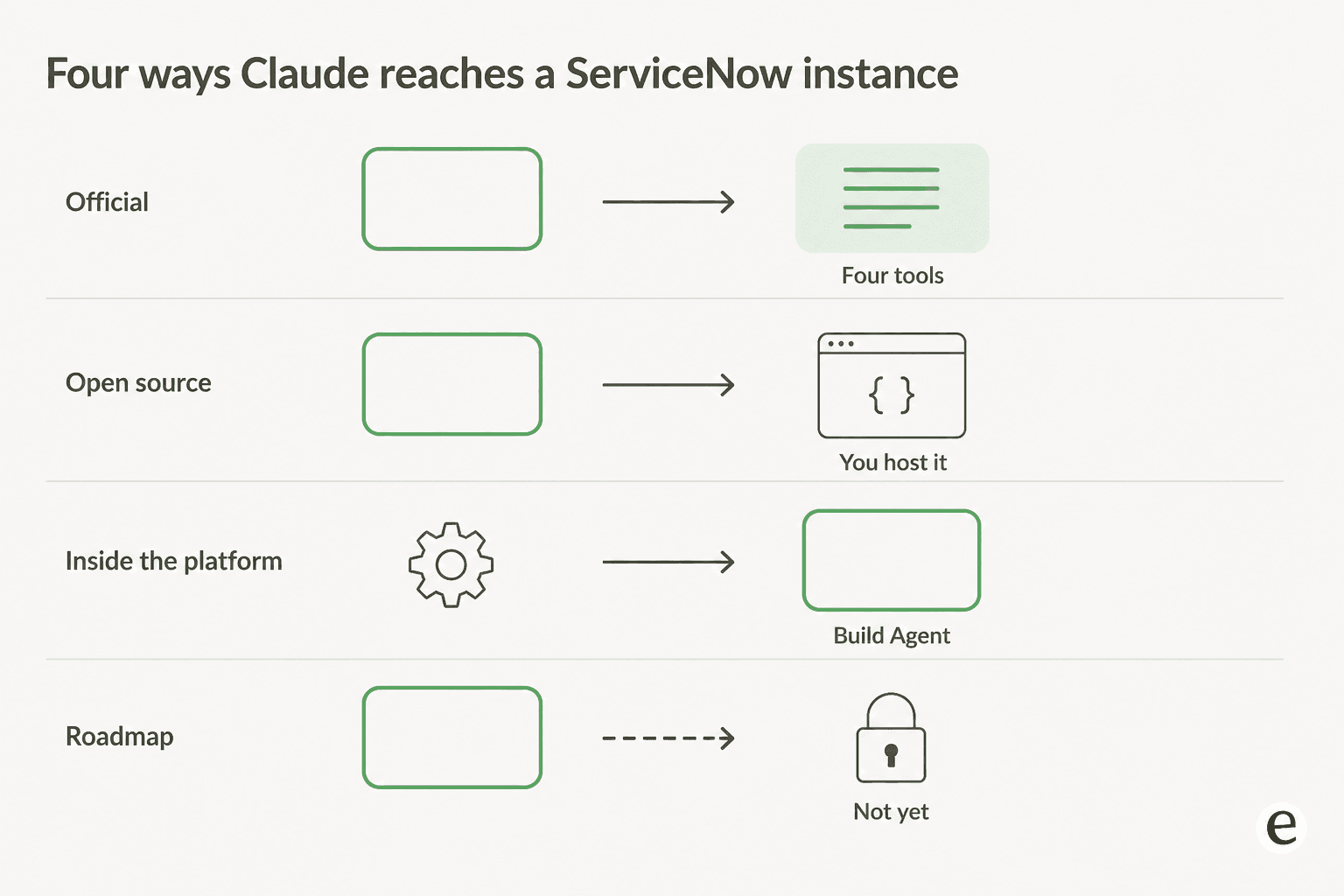
There are four, and they are not equivalent.
| Route | What it is | Who can use it | What it costs |
|---|---|---|---|
| MCP Server Console | ServiceNow's own MCP server, GA since May 2026 | Now Assist or AI Native SKU; AI administrator sets it up | Assists per call, plus one per skill |
| Open-source MCP servers | Community Python or Go servers hitting the Table API | Anyone with an instance and credentials | Your hosting; no assists |
| Build Agent | Claude running inside ServiceNow to write apps and flows | ServiceNow customers on Build Agent | Priced as a ServiceNow product |
| Claude Cowork via Action Fabric | Governed platform actions from inside Cowork | Design-partner and roadmap territory | Assists, once broadly available |
The first two are the ones you can act on today. The third points the other direction, Claude working on ServiceNow rather than in your queue. The fourth is the one the press release is loudest about and the one you can least reliably buy right now.
The official route: MCP Server Console
MCP Server Console is the supported answer, and the ServiceNow docs name Claude explicitly as a client alongside Microsoft Copilot.
The four Quickstart tools
You do not have to build anything to get started. There is a preconfigured Quickstart Server, and this is the entire surface it exposes:
| Tool | What it does |
|---|---|
| Look up Incident Records | Finds incidents so they can be summarized |
| Look up Case Records | Finds cases so they can be summarized |
| Incident summarization | Returns a Now Assist summary of an incident |
| Case summarization | Returns a Now Assist summary of a case |
Two lookups and two summarizers. The out-of-box Claude experience on ServiceNow is read-and-summarize, not act. Ask "get all open incidents" or "summarize all cases closed this week" and it works well. Ask it to reassign a P1, approve a change, or fire a catalog item and there is no tool for that until somebody builds one.
That's a narrower default than the four on-call tools I found in Atlassian's Rovo MCP server, and much narrower than the twelve Confluence tools in my Claude for Confluence write-up. The difference is deliberate: Atlassian ships a fixed tool list, ServiceNow ships a builder.
What you can build past it
Tools in MCP Server Console come from five categories, and this is where the platform's depth actually shows up:
- REST API wraps any endpoint on the instance, including the Table API.
- Action and Subflow are the interesting ones, because they are governed work rather than data access. ServiceNow's own docs describe subflows and actions as letting agents submit requests, route for approval, and confirm outcomes without leaving the client.
- Knowledge Graph gives relationship-aware queries over live instance data rather than flat record reads.
- Now Assist skill exposes an existing skill, including custom ones from AI Skill Kit.
Per-tool, you can toggle individual inputs off so they never reach the client, though some required inputs can't be turned off. That field-level control is the best governance feature in the whole setup, and it's the reason I'd build tools rather than expose the Table API wholesale.
Two friction details from the docs that will bite during a build. Adding inputs to a Now Assist skill after you've made a tool from it means creating a replacement tool, not editing the existing one. And tool creation needs Zurich patch 9 or Australia patch 2 as a minimum, which is newer than the patch level that got you the MCP server itself.
How to connect Claude to ServiceNow
The connection is an OAuth handshake, not a directory listing you click. There is no one-click ServiceNow entry in Claude's connector directory, which is the main practical difference from something like Front's official MCP server.
- Get on a qualifying SKU. Now Assist (Pro Plus, Enterprise Plus) or an AI SKU, per ServiceNow's own prerequisite list. Also on that list: Zurich Patch 4 or higher, the AI Agents store app at 6.x or higher, and the MCP Client store app at 1.1 or higher.
- Pick or create a server. In
All > MCP Server Console > Configuration > Servers. Use the Quickstart Server to start; create your own when you want a scoped tool set, say one server for IT and one for HR. - Create tools if you need them.
Configuration > Tools > Create tool, then pick a category. Role required issn_mcp_server.tools_admin,sn_mcp_server.admin, oradmin. Every server needs at least one tool. - Create an OAuth inbound integration for Claude. One per client. This is where the client ID and secret come from.
- Point Claude at the server. The URL pattern is
https://<instance>.service-now.com/sncapps/mcp-server/mcp/<server-name>, and for the Quickstart Server the name issn_mcp_server_default. Auth type is OAuth 2.0 with a generic OAuth 2 identity provider, authorization at/oauth_auth.do, token at/oauth_token.do, revocation at/oauth_revoke.do, callback at/oauth/callback, scopemcp_server. - Prompt it. Claude sends
Authorization: Bearer <token>, the server validates and returns its tool list, and results come back as JSON that the client renders as text.
Budget an hour if your instance is already patched and someone with sn_mcp_server.admin is in the room. Budget a procurement cycle if the Now Assist SKU isn't signed.
What one Claude call actually costs
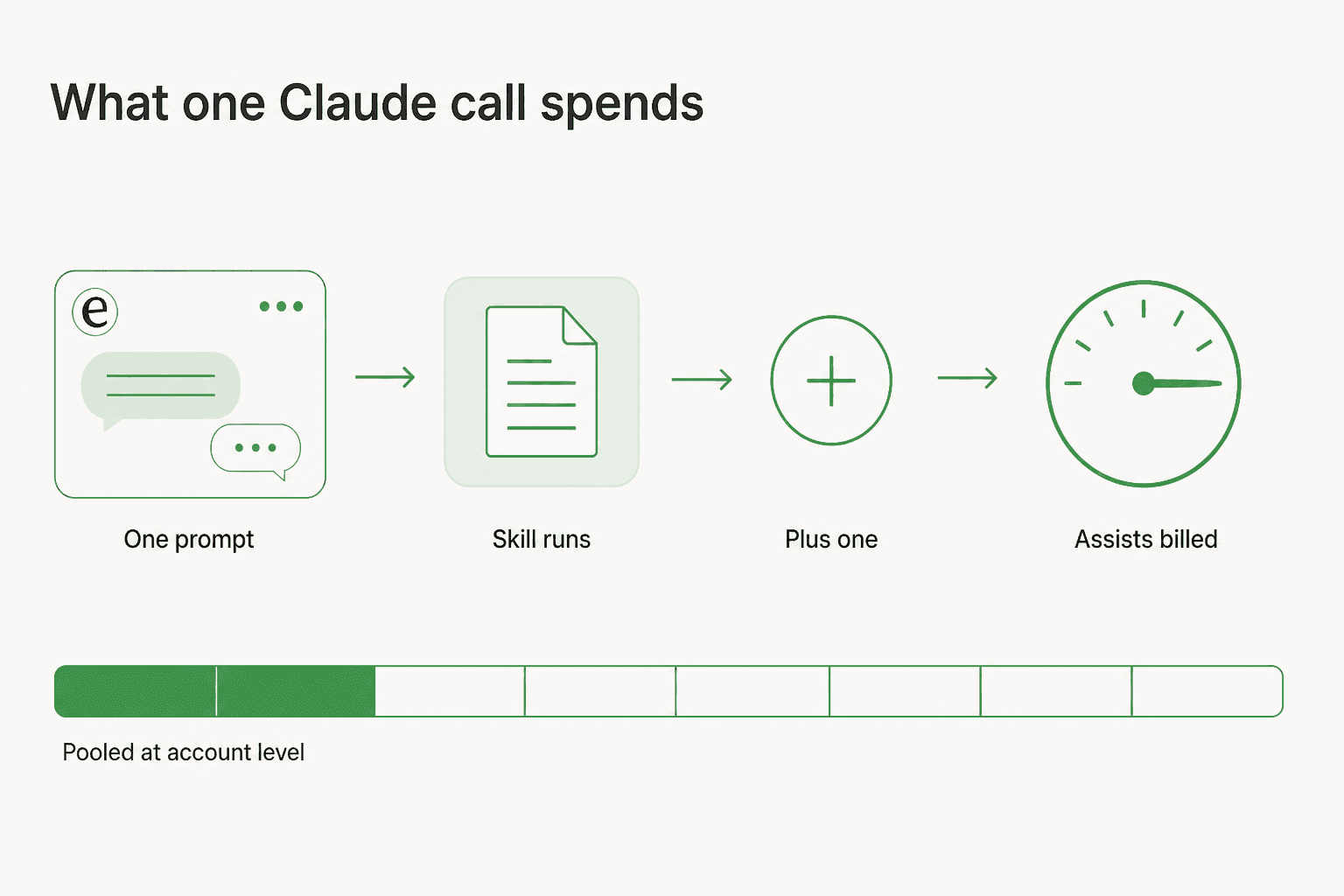
Here is the sentence that decides whether this is cheap or expensive, straight from ServiceNow's own MCP FAQ: Now Assist skills exposed as tools via the MCP server consume their usual number of assists when invoked plus 1 assist.
That surcharge is flat, which means it lands very differently depending on the skill. Incident summarization is a 1-assist skill, so calling it from Claude costs 2, a 100% overhead on the cheapest thing you'd want to do. A 250-assist work-notes analysis pays the same extra assist and barely notices. The published rate card also puts Virtual Agent topics and ticket actions at 10 assists each, and agentic workflows at 25, 50, or 150 depending on how many tools they touch.
Assists pool at the account level across production and sub-production instances and reset on your purchase anniversary, so a team experimenting in a dev instance is spending the same pool the production queue draws on.
The shape that comes out of this is counterintuitive. The MCP surcharge punishes exactly the cheap, high-frequency reads you'd most want Claude doing, and disappears into the noise on the expensive workflows. If your plan is "everyone in IT summarizes incidents from Claude all day," that is the case where the extra assist doubles your consumption.
I watch buyers hit this wall constantly. One I worked with, an email-security company running Freshdesk and scaling toward 20,000 tickets a year, burned through 200 metered interactions in a single day of testing and immediately started worrying about the number at real volume. Another, a very-high-volume operator, found the per-interaction versus per-ticket distinction confusing enough mid-call that he projected roughly $30k a month for his company before anyone could correct the maths. Metered AI pricing isn't wrong. It is just very hard to forecast before you've run it, which is why I now insist on simulating every eesel rollout against a customer's own historical tickets before anyone turns it on.
Where the official route stops
Six limits worth knowing before you commit. None of these are secret; they're all in ServiceNow's docs and FAQ, which is more than most vendors publish.
Remote transport only. Streamable HTTP and SSE are supported. Stdio is not, and local MCP servers are not supported at all. If your mental model of Claude MCP config is a local command in a JSON file, that shape doesn't apply here.
MCP protocol 2025-06-18. That's the supported spec version. MCP resources and prompts aren't supported yet, though ServiceNow says they're on the roadmap under safe harbour.
No GCC for the server. The MCP client and A2A work on GCC. The MCP server does not, as of the Zurich Patch 4 FAQ. For a US federal instance, that closes the official route entirely.
Data leaves your instance. The MCP Server Console docs state plainly that the application requires data to be transferred from customer instances to a centralized ServiceNow environment, potentially in a different data centre region, and potentially to a third-party cloud provider such as Microsoft Azure. Read that with your data-residency commitments open.
Inputs and outputs feed model development by default. The same docs page says ServiceNow collects and uses inputs, outputs, and edits to outputs to develop and improve its technologies, with an opt-out available through the Now Assist Opt-Out page. Opt-out means someone has to actually go do it.
One OAuth integration per client. That's the design, and it's a reasonable one, but it means onboarding a second AI application is another admin task rather than a checkbox. AI Gateway in AI Control Tower is where you go to see who called what.
Why teams still reach for open source
The community MCP servers are not a fringe thing. The best-known one, echelon-ai-labs/servicenow-mcp, sits at 286 stars and 225 forks, is MIT licensed, and ships tools across incidents, change requests, the service catalog, knowledge bases, users and groups, workflows, script includes, changesets, and agile stories. It supports basic auth, OAuth, and API key, runs over stdio or SSE, and has a tool-packaging system with role-based bundles like service_desk, change_coordinator, and knowledge_author so you can keep the exposed tool count sane.
The honest reason people use these is licensing, and r/servicenow says it out loud:
"These open source ones that keep popping up are more-so alternatives if your company doesn't want to purchase now assist licensing."

The same thread has the sharper version, in a comment predicting ServiceNow will never ship a free one:
"ServiceNow most definitely won't give customers something for free when the alternative is to charge you in assists. If they could charge you assist to log in to your instance, they would."
I would push back on that read slightly, and it is worth pushing back fairly. ServiceNow did ship an MCP server, it is generally available, and the docs are unusually specific about what it does and doesn't cover. It just isn't free, and it doesn't pretend to be.
What you give up going open source is real, though. The maintainer of a newer community server was asked directly about guardrails and answered that the MCP side is a raw set of tools with no guardrails built in by default, and that the client decides how to use them. That is the trade: the official server gives you field-level input control, OAuth, audit trails through AI Control Tower and per-tool metering. A raw Table API wrapper gives you everything your service account can reach, immediately.
There's also a third position in these threads worth taking seriously, from someone who wanted none of this:
"Claude has built perfectly fine servicenow fluent code for me without any external tooling whatsoever."
For scripting and Fluent work, that's often true. MCP earns its keep when Claude needs live instance state, not when it needs to write code it already knows how to write.
One field note from a team that built their own, on the Australia patch 4 release: their only gotcha was authentication, since CMDB Search doesn't work with the admin account at the moment while any other account with read privileges works fine. That is the kind of detail that costs an afternoon if nobody warns you.
Build Agent: Claude pointed the other way
Worth separating out, because search intent for "Claude for ServiceNow" often turns out to mean this.
Build Agent is ServiceNow's vibe-coding product for building apps and automations, and Claude is now the default model behind it. ServiceNow expects Build Agent usage to quadruple over the next 12 months, and is targeting a 50% reduction in time-to-implement for customers with Claude in the loop. That's Claude building on the platform, generating scoped applications, flows and configurations.
The community distinction between Build Agent and the MCP route is a useful one. Build Agent is built around the ServiceNow SDK and Fluent, deploys each approved change to its own independent update set, and tends to create artefacts from scratch because it's designed for fresh scoped applications. A Table API-based MCP server works against what's already there and lands changes in your current update set like any manual change.
If you're a ServiceNow developer, Build Agent is probably the more interesting of the two. If you're running a service desk, it's not the tool you were looking for.
Nobody is watching your queue
This is the part I'd want to know before spending a quarter on the rollout.
Every route above is human-initiated. A person opens Claude, types a prompt, and a tool call happens. There is no mode where the MCP server notices a new P2 landing in your ITSM queue, decides it matches a known pattern, drafts a response, and posts it. Action Fabric's own example is a product manager asking Claude about their missing access, then reviewing a list and confirming. Governed, auditable, useful, and still triggered by a human.
That gap matters differently depending on who you are:
- A ServiceNow developer or admin loses almost nothing. You were always going to be the one typing.
- An IT ops lead gets a much better read on the instance and faster incident summarization, which is real value.
- A service desk manager measured on deflection gets nothing directly. Deflection needs something that answers before a human is involved, which is what Virtual Agent is for, and Virtual Agent's own entry-tier limits are a separate conversation.
If you're evaluating this to raise first-contact resolution or cut ticket volume on an internal helpdesk, the MCP server is the wrong instrument. It's a very good instrument for something else.
Claude or Now Assist: which should touch your instance?
Not really a competition, but here's the split I'd use.
| If you want to... | Use | Why |
|---|---|---|
| Read and summarize instance data from a chat window | Claude over MCP Server Console | Best reading model, four tools ready to go |
| Build apps, flows and Fluent code | Build Agent | Claude is already the default model there |
| Run a scripted skill inside a ServiceNow workflow | A Now Assist skill directly | Skipping MCP skips the plus-one assist |
| Trigger governed platform actions from your chat tool | Action Fabric | Approvals and playbooks, not just record writes |
| Resolve tickets without a human prompting first | Neither | Nothing above is unattended |
The one line I'd underline: calling a Now Assist skill through MCP costs more than calling the same skill natively. If a skill is going to run inside a ServiceNow workflow anyway, don't route it through Claude for the sake of it.
eesel AI for ServiceNow teams
Straight answer first: eesel does not have a native ServiceNow ITSM integration. I would rather say that plainly than let you find out three paragraphs in.
What eesel does is the unattended half that MCP Server Console structurally doesn't cover. It connects to your helpdesk and your knowledge, trains on your own past tickets and docs, and then handles conversations on its own rather than waiting for someone to open a chat window and ask. That's the piece a service desk manager is usually shopping for when they land on a "Claude for ServiceNow" search.

Three differences that matter if you've just read the assist maths above:
- You simulate before you go live. eesel runs the agent against your real historical tickets and shows you what it would have said and what it would have resolved, before it touches a live queue. That exists because I have watched confident-sounding bots give wrong answers in production, and a dry run over real history is the only honest way to find out first.
- One number, per ticket. $0.40 per ticket or chat handled, not a pool of assists with different per-skill rates and an unpublished overage rate. You can forecast it on the back of an envelope.
- It works on internal desks too. eesel handles the internal side over Slack, Microsoft Teams and email. It reads from Confluence and other internal sources, which is where a lot of ServiceNow-adjacent ITSM automation work actually lives.
Running ServiceNow and want to see what an unattended agent does on your own ticket history before you commit to anything? That's what the demo is for, and the trial is free.
Where I'd land
If you have a Now Assist SKU already, connect Claude through MCP Server Console this week. It's an hour of admin work, the Quickstart Server gives you a useful read-and-summarize surface immediately, and the field-level input controls are better governance than any community server offers.
If you don't have Now Assist, and buying it for this is the whole question, be clear-eyed: you'd be licensing a platform AI tier to get four tools plus a builder, on top of ServiceNow licensing that already isn't cheap. A community MCP server is free and covers most read use cases, at the cost of no guardrails and no metering.
And if what you actually wanted was fewer tickets rather than better answers about tickets, none of the four routes gets you there. That's a different tool, and it's worth naming the difference before the quarter starts rather than after.
Frequently Asked Questions
How do I connect Claude to ServiceNow?
https://<instance>.service-now.com/sncapps/mcp-server/mcp/<server-name> with OAuth 2.0 and the client ID and secret from that integration. Once the token validates, Claude receives the server's tool list. There's a fuller walkthrough in my guide to ServiceNow MCP integration.Is Claude for ServiceNow free?
What can Claude actually do in ServiceNow?
Does the ServiceNow MCP server work with Claude Desktop and Claude Code?
How much does ServiceNow charge for one Claude call?
Can Claude answer ServiceNow tickets on its own?
Is it safe to connect ServiceNow to Claude?
Is Claude better than Now Assist for ServiceNow work?


Article by
Kurnia Kharisma Agung Samiadjie
Kurnia is a software engineer and writer at eesel AI with two years of SEO experience, writing about AI tools, helpdesk software, and customer support. He pairs a developer's understanding of how these products are built with search-driven research into what actually ranks and resonates with the people searching for them.