


Governance for an AI agent is not a policy document that sits beside the agent. It is the operating record for a specific capability: who owns it, which data and tools it may use, which actions require a person, how it was tested, and what evidence proves the outcome. ServiceNow supplies controls for this work; each team must make the choices and keep the evidence.
What ServiceNow provides for AI-agent governance
ServiceNow describes AI Control Tower as a central layer for discovering, securing, governing, and observing AI. It can help an organization create an inventory, measure usage and value, and apply compliance controls across AI assets. That is useful when separate teams need a common view, but it does not decide whether a particular agent should update an incident or offer a customer credit.
In AI Agent Studio, teams create, manage, and test AI agents and agentic workflows. The configuration gives an agent identity, instructions, tools, data access, and security settings. Studio also has manual tests, automated evaluations, activity logs, and settings for Now Assist Guardian. ServiceNow documents Guardian options for offensiveness detection and prompt-injection-attempt decisions.
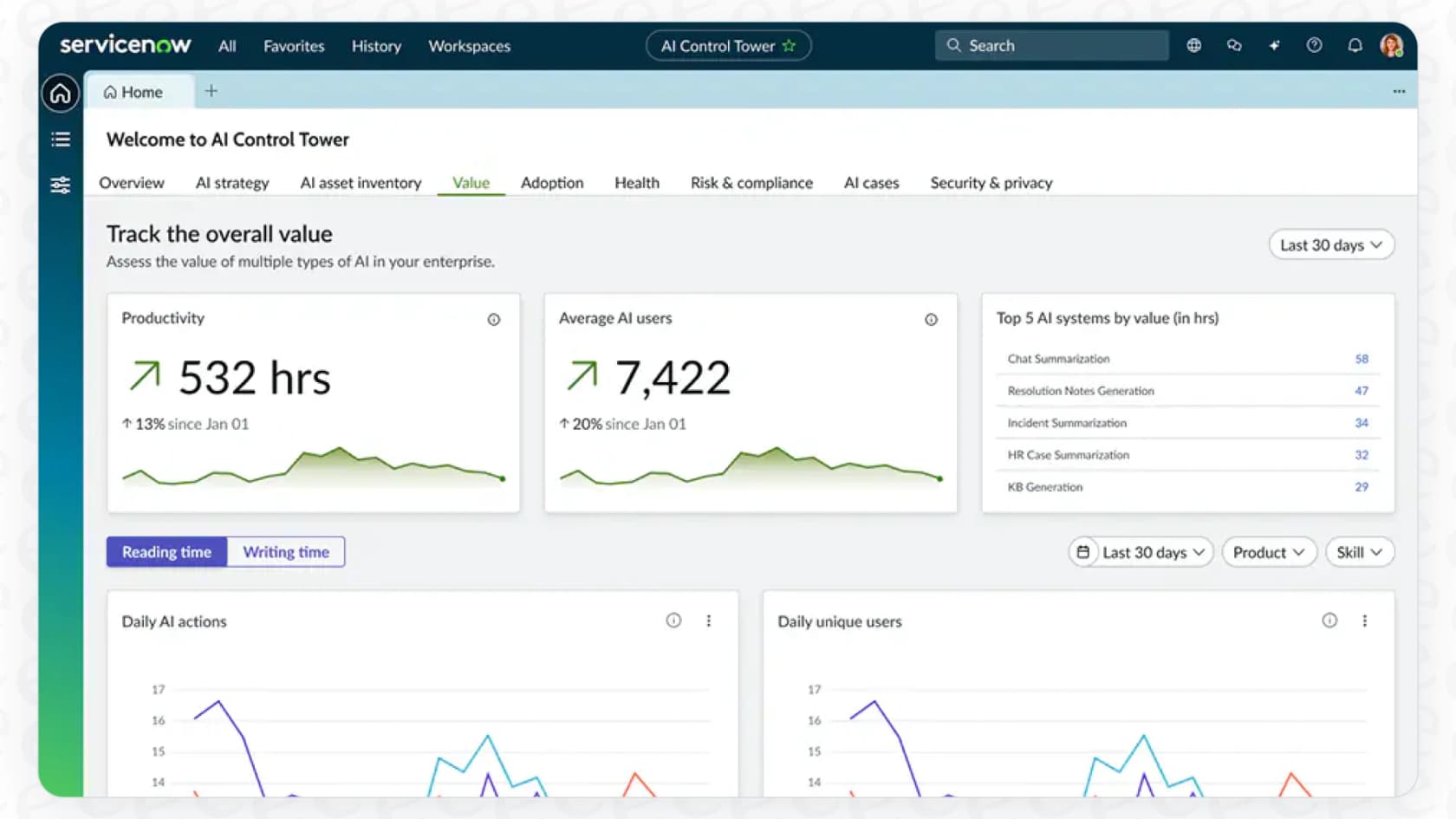
The dashboard shows charts and summary metrics for AI activity. Source: ServiceNow AI Control Tower.
A practical governance record for one workflow
Start with an outcome and a boundary. “Resolve incidents” is too broad. “Classify a password-reset request, retrieve the approved reset procedure, and hand off when identity verification is missing” is a testable capability.
For that capability, document the named owner, the relevant records and knowledge, permitted tools, and the decision that must stay with a person. Specify what a denied request looks like. Then build a test set that includes a normal request, missing or conflicting data, unauthorized access, an ambiguous request, a tool failure, and a request that should be handed off.
The test should not turn on a high-impact action merely because the response text looks correct. Check execution logs, the resulting ServiceNow record, and any downstream system. After rollout, use analytics and Guardian monitoring to look for failure patterns or guardrail detections. An evaluation score is evidence to review, not an automatic production approval.
Govern a support teammate from the same eesel workspace
If the work is an eesel helpdesk teammate rather than a ServiceNow agent, eesel CLI lets a support owner use the terminal alongside the dashboard. A script can collect JSON for an audit note, while Claude Code, Codex, or Cursor can inspect that scoped output and propose a change. They operate the same workspace and named teammate as the dashboard, not a duplicate configuration.
For example, before allowing a teammate to propose an account change, an owner can ask a coding agent to check the current instructions, integrations, and approval state for one teammate. The agent should report the current scope first. It should not switch targets, connect a new system, or enable an action as part of inspection.
Install Node.js 18.17 or newer before using the documented npx @eesel/cli commands:
npx @eesel/cli login
npx @eesel/cli whoami
TARGET_EESEL_AGENT="paste-agent-id-or-name-here"
npx @eesel/cli instructions --agent "$TARGET_EESEL_AGENT"
npx @eesel/cli integrations --agent "$TARGET_EESEL_AGENT"
npx @eesel/cli approvals --agent "$TARGET_EESEL_AGENT"
After the owner approves a scoped instruction or configuration change, use --dry-run when the supported write offers it. Before a test chat, review the selected teammate's actions and permissions and contain anything outside the test. A held-action queue is not a safety boundary for an action configured to run without a hold. Test an account-change request that must be handed off, inspect activity and approvals, then verify the actual helpdesk or connected-system record after a controlled rollout.
Keep controls useful as the agent changes
Revisit the record whenever a tool, data source, instruction, model setting, or action boundary changes. The owner should be able to answer: what changed, which cases were retested, which actions were available, and what happened in the system of record. That makes governance useful to a support lead, an auditor, and the person who has to fix a bad outcome.
Make the next support change inspectable

The eesel Activity page lists work with filters for approved, rejected, and pending items.
Try eesel to review one support teammate before extending what it can do. Give the change an owner, test representative cases, and verify the actual result outside the chat response.
Frequently asked questions
What does AI agent governance cover?
Governance sets who owns an agent, which data and tools it can use, which actions need approval, how changes are tested, and how outcomes are monitored. The exact controls should match the workflow's impact and the applicable obligations.
What does ServiceNow AI Control Tower do?
ServiceNow positions AI Control Tower as a central place to discover, secure, govern, and observe AI across an organization. It helps teams maintain an inventory, track value and usage, and apply policy and compliance controls.
What guardrails does ServiceNow document for AI agents?
In AI Agent Studio, ServiceNow documents Now Assist Guardian settings including offensiveness detection and prompt-injection-attempt decisions. Teams still need to define the permitted tools, roles, data access, and human decision points.
Why is a test environment not enough?
A test proves only the cases it covers. Review representative success, failure, missing-data, and authorization cases, then verify the real record or external system after a controlled production rollout.
What should an audit record include?
Keep the agent and version, owner, change request, approval, scope, tested cases, relevant execution or activity evidence, and the observed outcome. This is more useful than a generic statement that the agent was reviewed.
Does eesel CLI govern ServiceNow agents?
No. eesel CLI manages an eesel teammate, not ServiceNow AI Agent Studio. It provides a terminal interface to the same eesel workspace and teammate that users manage in the dashboard.
Can a coding agent make eesel changes without review?
A coding agent can inspect JSON output and prepare an approved scoped change, but it should not silently expand the target, enable actions, or treat a model reply as final proof. A person approves writes, contains actions for tests, and checks the system where the work lands.