Disclosure: This article is published by eesel AI, a competitor of ServiceNow. We encourage you to read ServiceNow's own materials for their perspective.
If you run IT operations at any scale, the problem is familiar: your service desk spends too much time on password resets, access requests, and status inquiries that could be automated. ServiceNow Virtual Agent is built to address exactly that - a conversational chatbot that handles routine requests so your team can focus on work that actually requires human judgment.
This review covers what Virtual Agent does, what real users report, how the pricing model works, and whether it's the right fit for your organization.
What is ServiceNow Virtual Agent?
ServiceNow describes Virtual Agent as a way to "make it easy for employees and customers to resolve issues fast and get what they need when they need it" (source) through a "GenAI-powered, conversational chatbot".
The key context for any evaluation: Virtual Agent is not a standalone product. It's part of the ServiceNow AI Platform, which spans IT (ITSM, ITOM), HR, customer service, and other enterprise functions. Its value is tied directly to what's already in ServiceNow - ticket history, the service catalog, knowledge articles, the Configuration Management Database. The deeper your ServiceNow footprint, the more the chatbot has to draw on. If you're not already a ServiceNow customer, adding Virtual Agent means adopting the broader platform first.
ServiceNow is used by 85% of the Fortune 500 (source) and holds a 98% renewal rate, which tells you something about the stickiness of the ecosystem once you're in it.
What ServiceNow Virtual Agent actually does
The Virtual Agent page lists a comprehensive capability set. Here's what each feature delivers in practice.
Natural language understanding
Virtual Agent handles nonlinear conversations - where users change direction mid-request or ask follow-up questions - without requiring them to start over. The system interprets intent, not just keywords, using NLU to unlock dynamic responses and process "nonlinear conversations" naturally.
Pre-built conversations and Conversation Designer
ServiceNow ships guided setup using your existing knowledge articles and catalog items, alongside ready-made conversation flows for common scenarios: password resets, incident submissions, ticket status checks, and service catalog requests. For custom workflows, the Conversation Designer is a visual, low-code tool for building multi-turn dialogues with conditional logic. It includes an interactive preview so you can build and test chatbot conversations easily (source) before deploying them.
Agentic AI workflows and Now Assist
The newer Agentic AI Workflows capability lets users trigger backend workflows through conversation - not just surfacing information but initiating actions. This connects Virtual Agent to ServiceNow's AI Agents layer, which can handle multi-step IT processes autonomously.
Virtual Agent is also integrated with Now Assist, ServiceNow's GenAI brand, which adds synthesized responses - generating answers from multiple knowledge articles simultaneously - and issue auto resolution, which identifies intent from submitted text and initiates resolution automatically. The underlying models include ServiceNow's own domain-specific LLMs and third-party model support (Microsoft Copilot, Azure OpenAI, IBM WatsonX, OpenAI, and Google Gemini).
On the question of learning from past tickets: ServiceNow's AI Agents docs state that agents draw on "knowledge articles, historical incidents and cases, CIs from the CMDB, and information from other systems." The newer L1 AI Specialist (part of the Autonomous Workforce tier) learns from outcomes and employee feedback over time. The base Virtual Agent layer, however, requires administrators to manually manage conversation topics - the platform flags gaps through analytics, but acting on them takes ongoing effort.
Omnichannel deployment and live agent handoff
Virtual Agent works across channels including the Service Portal, Now Mobile, Slack, Teams, and phone. When it can't resolve an issue, live agent handoff transfers the full chat history and context to a human agent — so employees don't have to repeat themselves.
Conversational analytics
Conversational analytics dashboards show conversation volumes, user behavior, deflection rates, and which topics come up most often. The topic recommendations feature uses machine learning to surface critical gaps and add suggested conversations with a single click.
ServiceNow Virtual Agent pricing
Pricing is not publicly listed - contact ServiceNow for a quote at servicenow.com/lpgp/pricing.html.
Virtual Agent is included in all three ITSM package tiers, which ServiceNow names Foundation, Advanced, and Prime:
| ITSM tier | What's included |
|---|---|
| Foundation | Incident Management, Service Catalog, Asset Management, Virtual Agent, Now Assist, Moveworks for ITSM Foundation |
| Advanced | All of Foundation, plus Change Management, Major Incident Management, AI Voice Agents, Now Assist Advanced, Moveworks for ITSM Advanced |
| Prime | All of Foundation and Advanced, plus L1 Service Desk AI Specialist, AI Agents for ITSM, DevOps Change Velocity, Now Assist Prime, Moveworks for ITSM Prime |
Every tier shows a "Get Custom Quote" button - no dollar figures appear on the page. The AI Control Tower and other add-on modules similarly list "Contact Us for Pricing" without published numbers.
Third-party consultancies publish estimates (typically $70-$200 per fulfiller per month for ITSM, with Now Assist adding 25-60% on top per sources like Unthread and RedressCompliance), but those figures do not appear on any ServiceNow page. Treat them as planning anchors, not quotes.
Beyond the license, you'll need to budget for implementation scope, ongoing administration (conversation topic management is an active function, not a one-time setup), and any customization your workflows require. ServiceNow does not publish standard rates for any of these. Request a quote to scope the actual cost.
What G2 reviewers say
ServiceNow ITSM holds a 4.4/5 on G2 across 1,270 reviews, with 69% five-star ratings. G2's AI-generated theme summary: "Users consistently praise the product for its workflow automation and centralized management of IT services, which significantly enhances efficiency and reduces manual effort." (source)
What reviewers praise
The top G2 pros tags are Ease of Use (168), Incident Management (112), Efficiency (100), Features (97), and Automation (85). Reviewers consistently highlight the platform's ability to bring structure to distributed IT operations:
"What I like most about ServiceNow IT Service Management is its structured, consistent approach to incident management. It gives us a centralized place to log, track, and resolve application issues while maintaining clear ownership and SLAs. The built-in workflows, notifications, and escalation mechanisms help ensure issues are handled within defined timelines, so nothing gets overlooked."
"I like ServiceNow IT Service Management's strong workflow automation and structured approach to IT operations. The incident and change management workflows really stand out, especially how they automate ticket assignment, escalation, and approval processes, which reduces manual effort and ensures nothing is missed during critical incidents or deployments."
What reviewers flag as challenges
The top G2 cons tags are Learning Curve (72), Expensive (60), Complexity (56), Limited Customization (51), and Customization Difficulty (48). The most practically useful piece of feedback for a prospective buyer:
"Pricing is another concern, since the platform is relatively expensive and the ROI tends to be clearer for larger organizations than for smaller teams. While customer support and documentation are generally helpful, resolving advanced or environment-specific issues can still take time. The AI and intelligence features are promising as well, but they can feel limited unless they are properly configured and licensed."
That last line — that AI features "can feel limited unless they are properly configured and licensed" (G2 reviewer) — is worth sitting with. Virtual Agent's NLU and Now Assist's GenAI capabilities require active configuration and appropriate licensing to realize their value. The structure is there out of the box; the intelligence takes sustained investment to unlock.
Who should use ServiceNow Virtual Agent?
A good fit if:
- You're already a ServiceNow customer. Virtual Agent draws value from the ITSM data already in the platform - ticket history, the CMDB, the service catalog. The deeper your ServiceNow investment, the more the chatbot has to work with.
- You have dedicated ServiceNow administrators. Building, refining, and expanding conversation topics is an ongoing operational function. The conversational analytics and topic recommendation features help identify gaps, but a person needs to act on them.
- Multi-channel coverage matters. If you need to support the Service Portal, Now Mobile, Slack, Teams, and phone in a single product, the omnichannel story is comprehensive.
- Enterprise AI governance is a requirement. AI Control Tower provides centralized oversight of every AI deployment across the organization - a differentiator for regulated industries.
A less obvious fit if:
- You're not on ServiceNow. Adopting Virtual Agent means adopting the full platform. That's a different decision than adding an AI layer to a tool you already use.
- You want fast time-to-value. Implementation complexity scales with your starting state. G2 reviewers consistently flag the learning curve. The ITSM Prime tier includes an L1 Service Desk AI Specialist that handles requests autonomously, but getting there requires configuration investment.
- You want minimal ongoing supervision. Even as Autonomous Workforce AI specialists learn over time, G2 reviewers consistently note the administrative burden of keeping conversation topics current and AI features properly tuned.
A different approach for teams not on ServiceNow
If ServiceNow isn't already in your stack, adding Virtual Agent means adopting a major platform alongside it. For teams that want AI-powered ticket resolution without replacing their existing helpdesk, eesel AI takes a different approach.
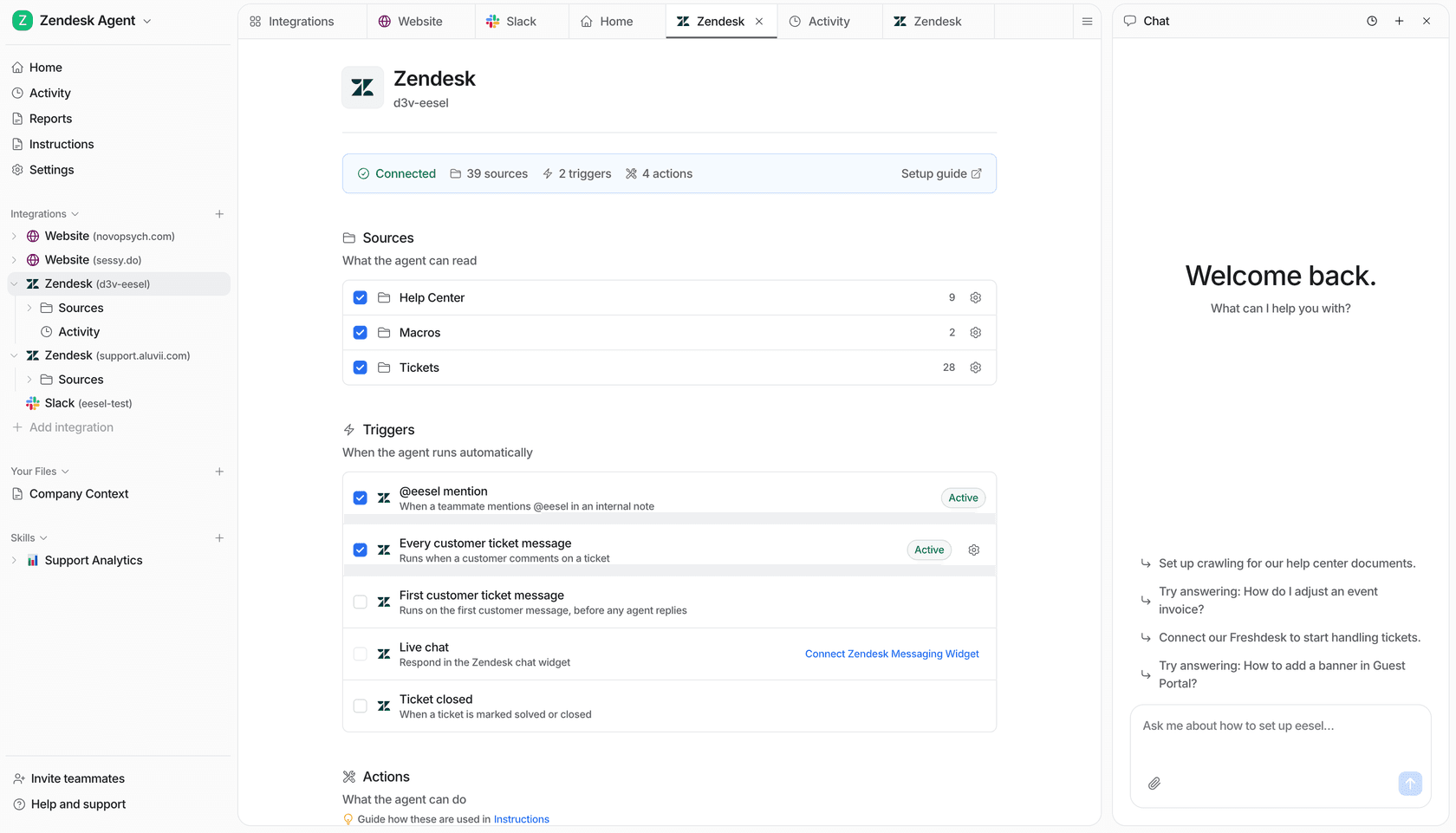
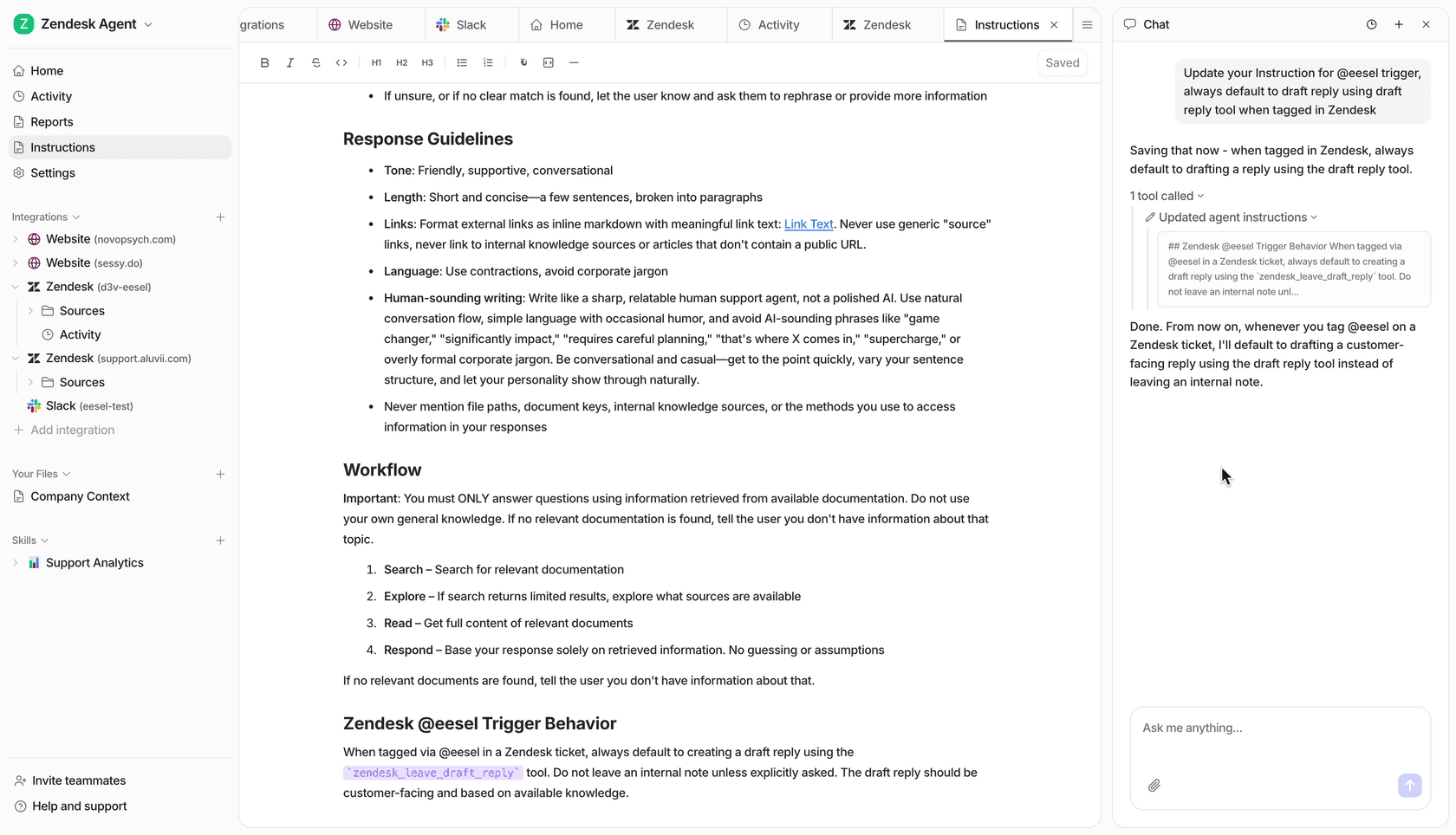
eesel connects to your existing helpdesk - Zendesk, Freshdesk, ServiceNow, Slack, and others - and learns from your existing tickets, knowledge articles, and documentation without requiring you to build conversation flows manually. The model is "teammate, not bot": the AI starts by drafting replies for human review, and you grant it more autonomy as it earns confidence on your specific request types.
Before going live, you can test the AI against thousands of past tickets in simulation mode to get a data-driven forecast of how it will perform - useful for setting expectations internally before full deployment.
For ITSM specifically, eesel's ITSM solution handles ticket resolution, routing, and knowledge gap analysis. Teams typically see up to 81% autonomous resolution rates with a payback period under two months. Pricing is task-based at $0.40 per task — no per-seat licensing, no platform migration required.
Verdict
ServiceNow Virtual Agent is a capable product for organizations already running the ServiceNow platform. The NLU, omnichannel deployment, live agent handoff, Now Assist integration, and the newer agentic workflow capabilities are real. For enterprises with ServiceNow ITSM already in place and dedicated administrators to manage it, Virtual Agent is a natural extension of the investment.
The practical constraints are cost and complexity. Pricing requires a custom quote from ServiceNow — pricing is unpublished, and you'll need to contact them directly. G2 reviewers consistently flag the learning curve and the administrative effort required to keep conversation topics current and AI features properly configured. ROI is clearest at large-enterprise scale with ServiceNow-dedicated staff.
For teams already invested in the ServiceNow ecosystem, Virtual Agent earns its place. For everyone else, the question is whether the platform investment is the right call before the chatbot is.